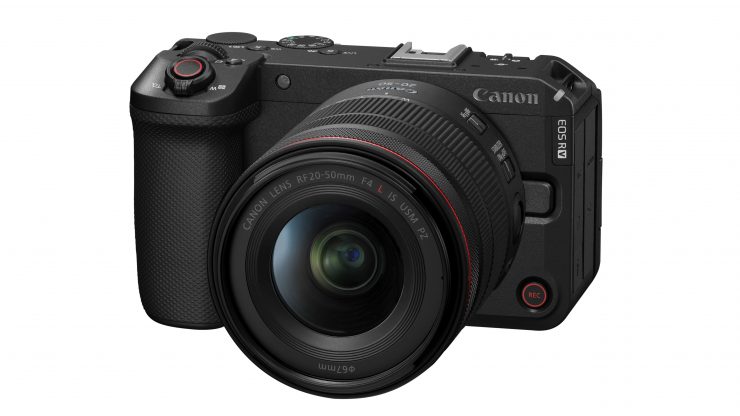
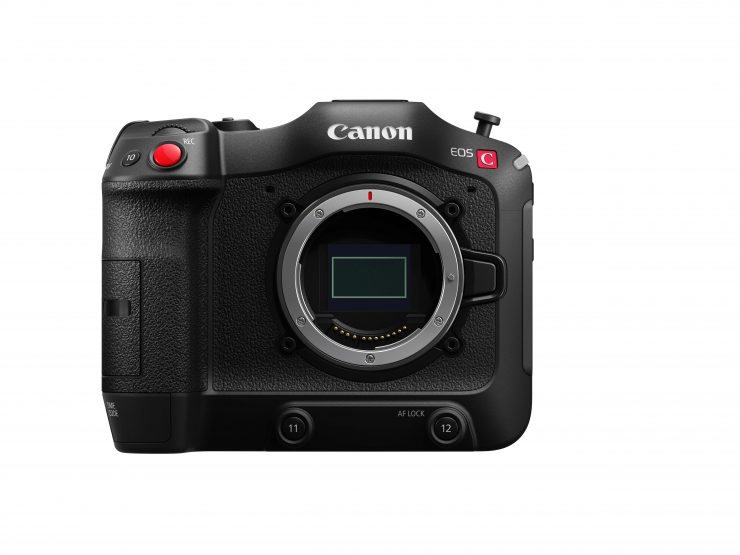
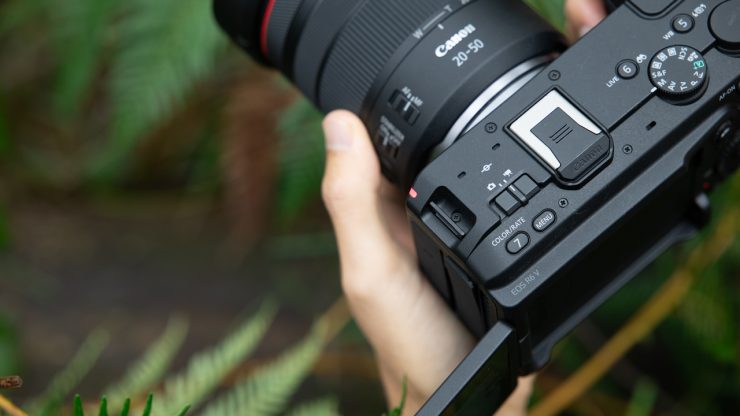
Canon has announced its new EOS R6 V, the first full-frame camera in the V-series. Along with the EOS R6 V, Canon also has a new lens, the RF 20-50mm F4 L IS USM PZ.
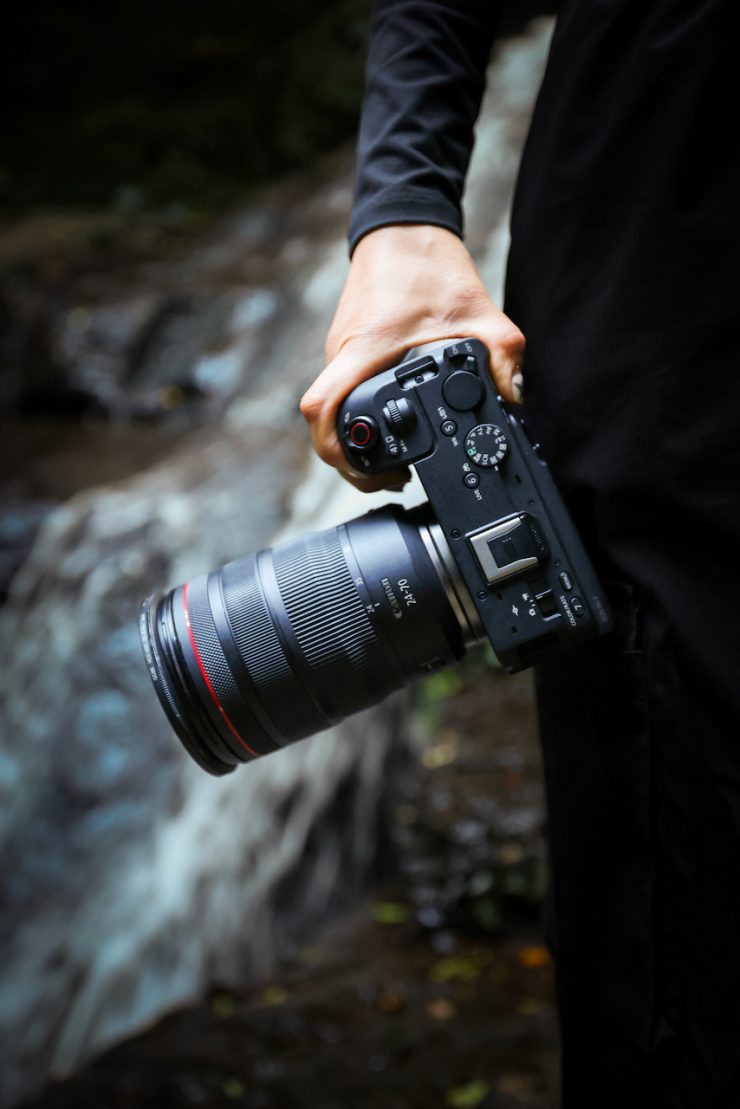
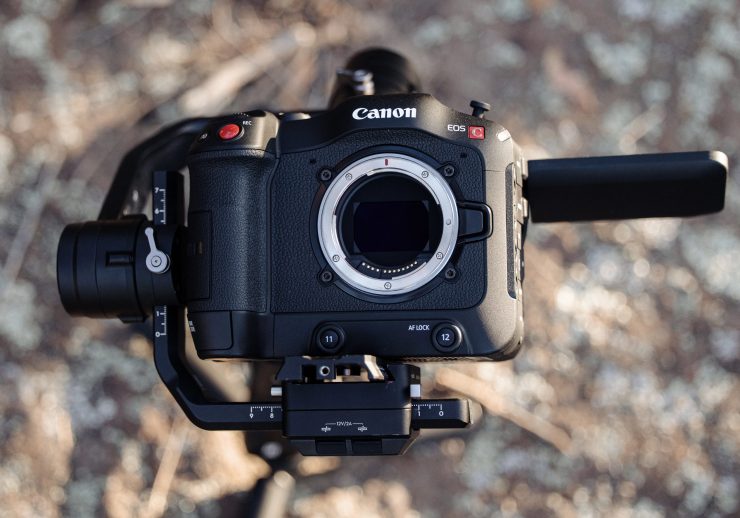
The EOS R6 V is designed to sit between the EOS R50 V and the EOS C50. It utilizes the exact same sensor and has a lot of the same recording options as the C50.
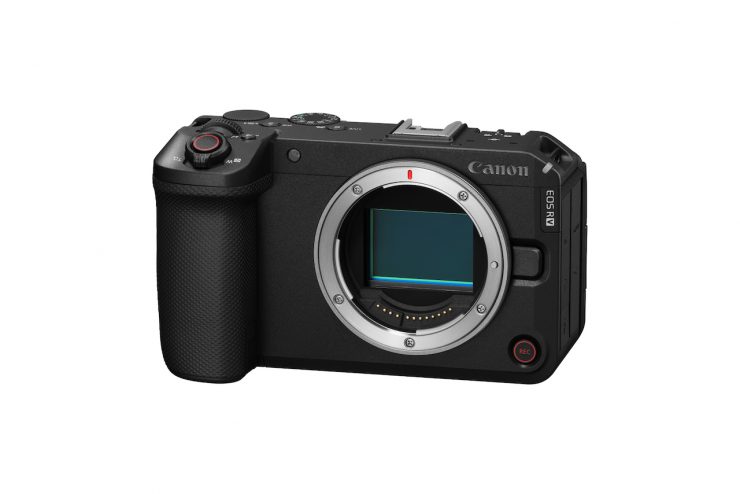
With the popularity of the Nikon ZR and Sony FX3, it makes sense for Canon to enter the super-compact cinema camera market. Yes, there is the EOS C50, but with the success of the Nikon ZR, Canon needed an even more compact solution.
Key features
- Cinematic Full-Frame Power: Capture rich 7K RAW video up to 60p, oversampled 4K up to 60p, and 4K 120p for stunning slow-motion.
- Ultra-Stable Handheld Shooting: Up to 7.5-stop 5-axis in-body image stabilization for smooth footage and sharp stills.
- Intelligent Autofocus: Dual Pixel CMOS AF II with advanced subject tracking and Eye Detection for precise, reliable focus.
- Optimized for Solo Creators: Compact (688g), intuitive controls, vertical shooting interface, and a front record button for easy self-shooting.
- Flexible Post-Production: Open Gate recording allows easy reframing for various aspect ratios (horizontal, vertical) from a single clip.
- Long-Form & Live Ready: Active cooling, 4-channel audio, and 4K 60p UVC streaming via USB-C for high-quality webcams/live streams.
- Hybrid Performance: High-resolution 32.5MP stills at up to 40 fps (electronic shutter) with a dedicated Photo/Movie Mode switch.
The content creator influencer boom
The compact camera market has seen a big resurgence recently, despite the fears that it would become a dwindling market with the advances in smartphone technology.
With this booming market, Canon (like everyone else) wants a slice of that pie. With content creators and influencers looking for a lightweight, video-centric camera at an affordable price, Canon needed to look into this market and come up with more solutions.
How does it differ from the EOS C50?
Below you can see some of the key differences.
| R6 V | C50 | |
| 7K Open Gate | ✓ | ✓ |
| UHD 4K120 | ✓ | ✓ |
| In Body Image Stabilization | ✓ | x |
| R-Series Menu System | ✓ | x |
| Built-in Small Cooling Fan | ✓ | x |
| Larger Cooling fan | x | ✓ |
| 7 Assignable Buttons | ✓ | x |
| 14 Assignable Buttons | x | ✓ |
| C1 / C2 / C3 Custom Shooting Modes | ✓ | x |
| Top Handle Unit with XLRs | x | ✓ |
| Cinema Menu System | x | ✓ |
| Anamorphic Desqueeze Lens Support | x | ✓ |
| Dual-Pixel CMOS AF II | ✓ | ✓ |
| CFexpress Type-B and SD Card Slots | ✓ | ✓ |
| Canon Log 2, Canon Log 3 | ✓ | ✓ |
| 21-Pin Multi-Function Shoe | ✓ | ✓ |
| Waveform and False Color | ✓ | ✓ |
| Simultaneous Crop Recording | x | ✓ |
| Frame.io Camera-to-Cloud Integration | x | ✓ |
Sensor
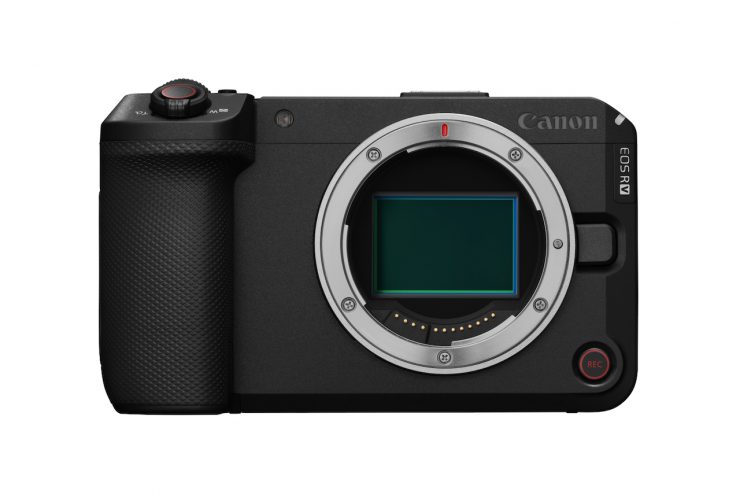
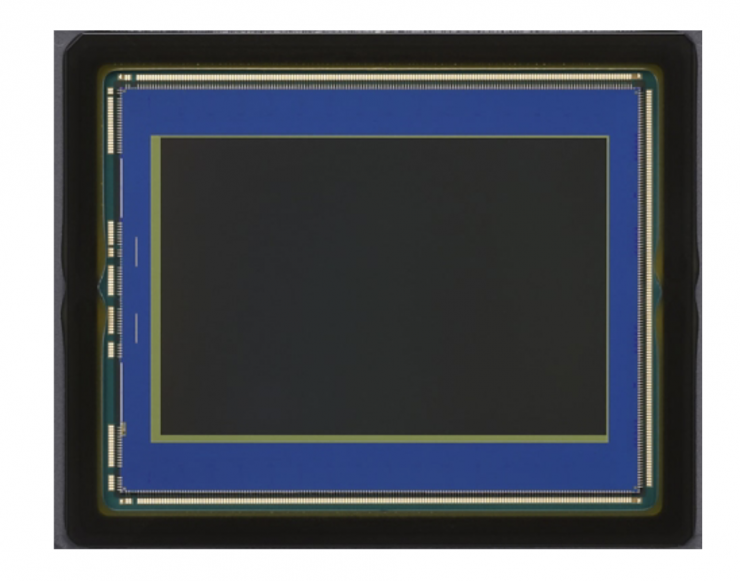
The EOS R6 V utilizes the same 3:2, 34.2 Megapixel (7144 x 4790) full-frame sensor that is found in the EOS C50.
The sensor in the R6 V and EOS C50 does not use a Dual Gain Output (DGO) like previous Cinema EOS cameras, nor a back-illuminated stacked CMOS sensor like the EOS C80 and EOS C400. Canon also uses a back-illuminated stacked sensor in its R3.
One of the reasons a lot of companies are now utilizing back-illuminated stacked CMOS sensors is that they allow for better AF performance.
The camera uses the DIGIC X processor that is found in the R6 III, and not the DIGIC DV 7 processor, which is found in the C50, C80, C400, C500 Mark II, and C300 Mark III.
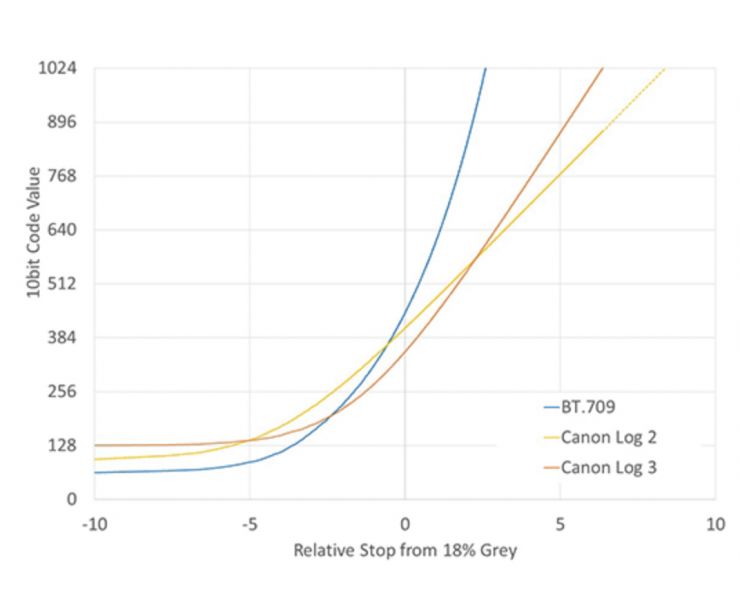
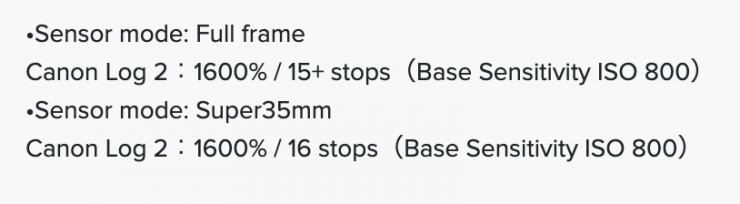
Canon claims that just like the C50, the R6 V has 15+ stops when sensor mode is Full Frame. Interestingly, the R6 Vs claimed dynamic range when shooting in full frame is 1 stop less than the C80 and C400.
Just like with the C50, C80, C400, and C500 Mark II, the R6 V uses an oversampling process from the 7K image capture to produce 4K (DCI or UHD). Canon claims that this enhances image sharpness, curtails moire, and produces a lowered visibility of noise at the higher ISO settings. Canon states the image will be sharper with better detail and will resolve color better when shooting in 4K, 2K, and HD.
No DGO
Unfortunately, it seems like Canon has ditched DGO sensor technology. I personally thought the sensor in the C70 was one of the best they had made.
With the DGO sensor in the C70, the construction of the red, green, and blue components entailed no algorithmic debayering processes. A parallel readout process within the image sensor separately extracts the four individual components, including the two spatially offset green components (green has twice as many spatial samples as the red and blue components). This approach avoids any of the reconstruction errors inevitably associated with algorithmic debayering.
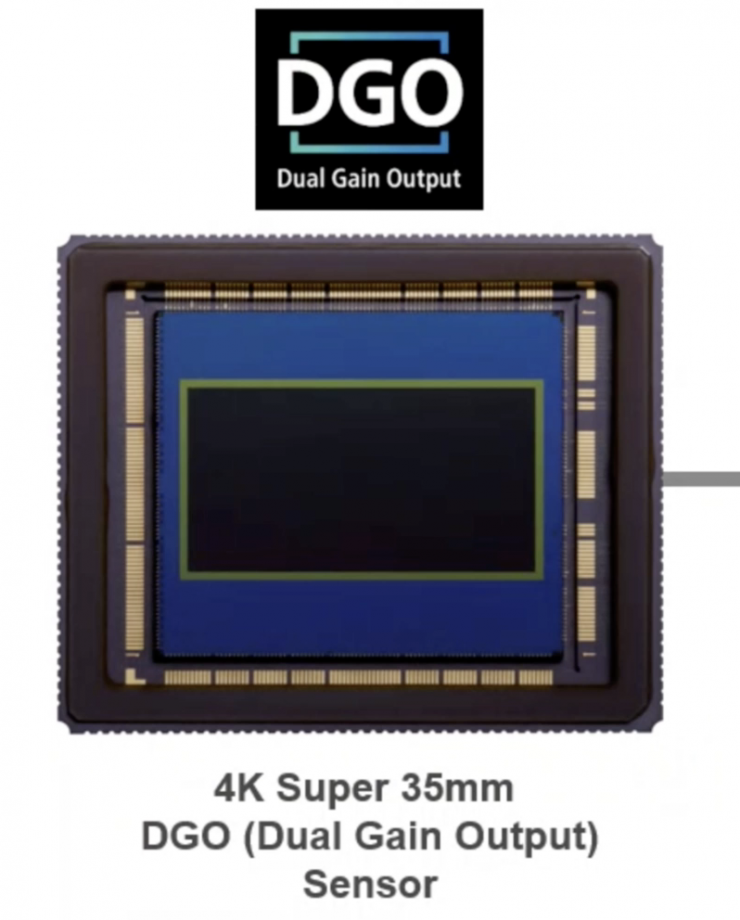
The DGO sensor produces images optimized for HDR by creating two images. One prioritizes highlights and the other prioritizes shadows and dark areas. Canon states that this sensor is capable of 16+ stops of dynamic range with reduced noise in the shadows and improved low light performance. You probably didn’t notice a massive increase in dynamic range if you are still finishing in SDR. It is with HDR that DGO was noticeable.
Noise was also greatly reduced because the Dual Gain Output signal was taken directly from the sensor and before any image processing took place.
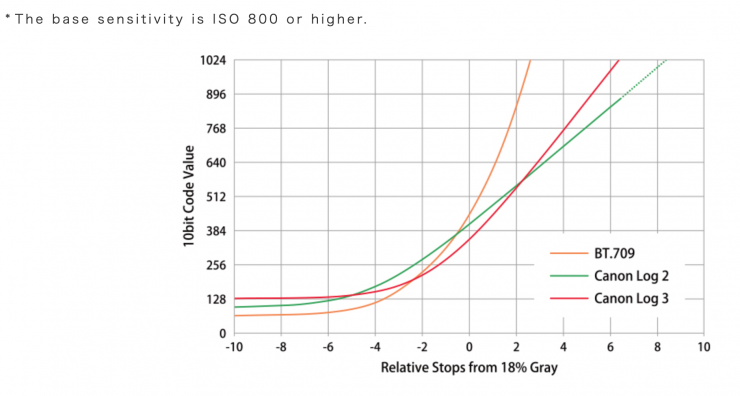
The DGO worked across all ISO ranges on the camera. Canon stated that the most dynamic range (16+ stops) was achieved when shooting at 800 ISO in Canon Log 2. If you shoot in Canon Log 3, then the dynamic range drops to 14 stops. If you moved off the camera’s native IS,O the DGO wasn’t as effective when shooting at higher ISO levels. It also appears that the extra dynamic range you are getting on the camera is coming below middle grey. If you look at images from the C300 Mark III, there didn’t seem to be any dynamic range improvement in the highlights if you compare it to the C500 Mark II, and the same was true with the C70.
There was a catch with this Dual gain Output system. It didn’t work when you were shooting in frame rates above 60p in S35 4K. However, it did work when you were shooting in 2K Super 16mm Crop mode up to 180fps. This was not surprising because the amount of processing power to deal with two readouts at high resolutions and high frame rates put a proportionally bigger load on the system.
You shouldn’t confuse Dual Gain Output with Dual Base ISO. Although it’s the same basic idea of having different readout calibrations, Dual Gain Output is much harder to do than Dual Gain ISO because that switches between the two. What ARRI and Canon are doing requires there to be a dual readout on every frame and then processing all of that on every frame.
The DGO also couldn’t be turned on or off.
Canon also included an Auto ISO option in the C70, which made it the first Cinema EOS camera to feature an Auto ISO capability. The Auto ISO could be set to either High or Low in the menu. For certain shooting applications, this was a nice feature to have, especially if you happen to be going from outdoors to indoors in one shot.
Dual Base ISO
Like the EOS C50, the EOS R6 V has a dual base ISO of 800 and 6400; however, manual selection of these is not available (unlike on the EOS C50). The EOS R6 V will automatically switch the Base ISO in accordance with the selected ISO speed setting.
Open Gate
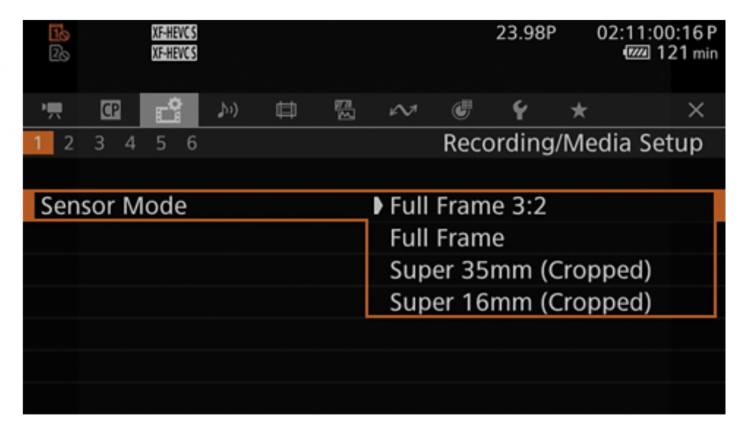
This is Canon’s second camera to feature Open Gate recording. Even the flagship C700 didn’t offer Open Gate recording.
The ability to record in Open Gate on the R6 V allows users to frame for 17:9, 16:9, and 9:16, etc. The high resolution also allows you to crop into your image for 4K and HD delivery.
Canon obviously felt the pressure from competing companies such as Panasonic, RED, and Blackmagic Design to offer Open Gate recording. Arguably, one of the biggest selling points of the Panasonic mirrorless hybrids, especially the recent ones, is that they offer Open Gate recording. As they don’t have any digital cinema cameras to protect, they don’t need to worry about segregating features.
It didn’t come as any big shock that Canon added 3:2 open gate recording on the EOS C400. Owners of the C80 may feel a little disappointed that Canon won’t be adding open gate recording to that camera.
Now, there is a slight catch with the R6 V. It doesn’t feature an anamorphic desqueeze options like the EOS C50. This is a bit puzzling, because it makes shooting open gate with anamorphic lenses very difficult unless you use an external monitor.
Recording Capabilities
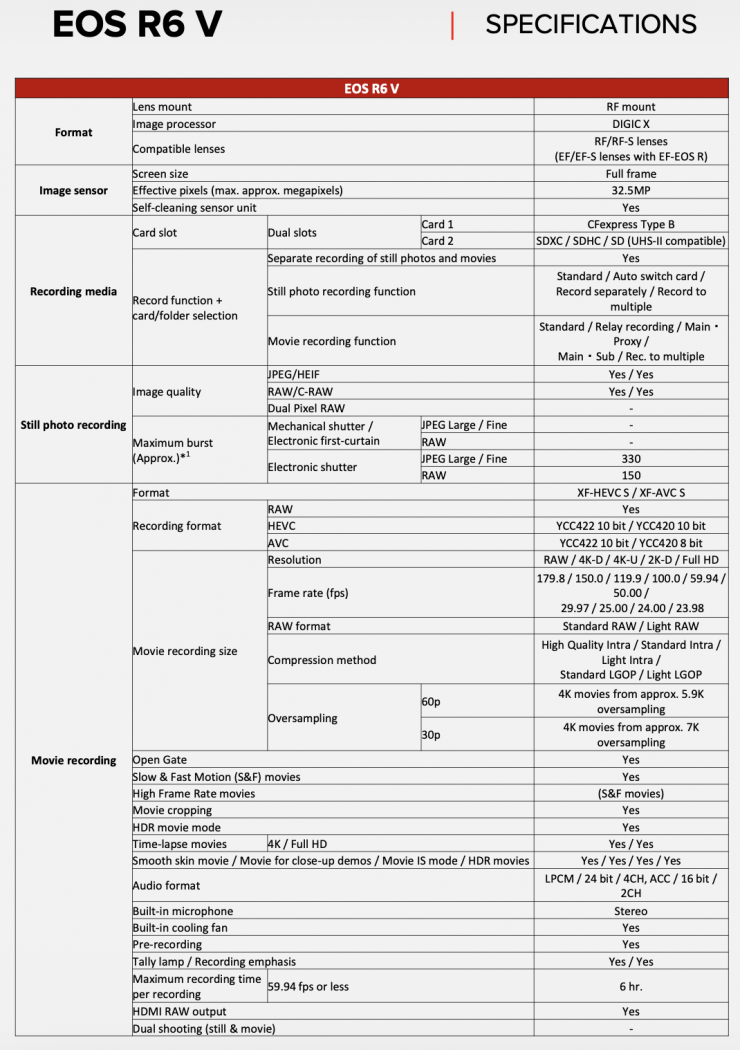
Just like the EOS C50, the R6 V is capable of recording in resolutions up to 7K in Open Gate. It can also record in 4K DCI, UHD, 2K DCI, and HD. It can record in the following codecs:
- RAW (.CRM)
- XF-HEVC S YCC 422 10-bit
- XF-HEVC S YCC 420 10-bit
- XF-AVC S YCC 422 10-bit
- XF-AVC S YCC 420 8-bit
4K 60p recording is done by doing approx. 5.9K oversampling. 4K 30p recording is done via approx. 7K oversampling. As usual, the resolutions, frame rates, etc., are a little confusing, so it’s best to study the tables below carefully.
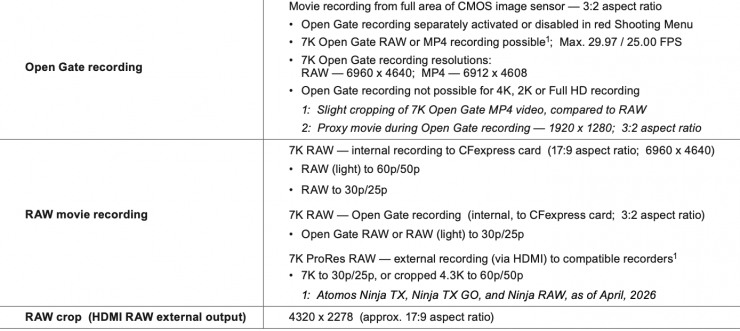
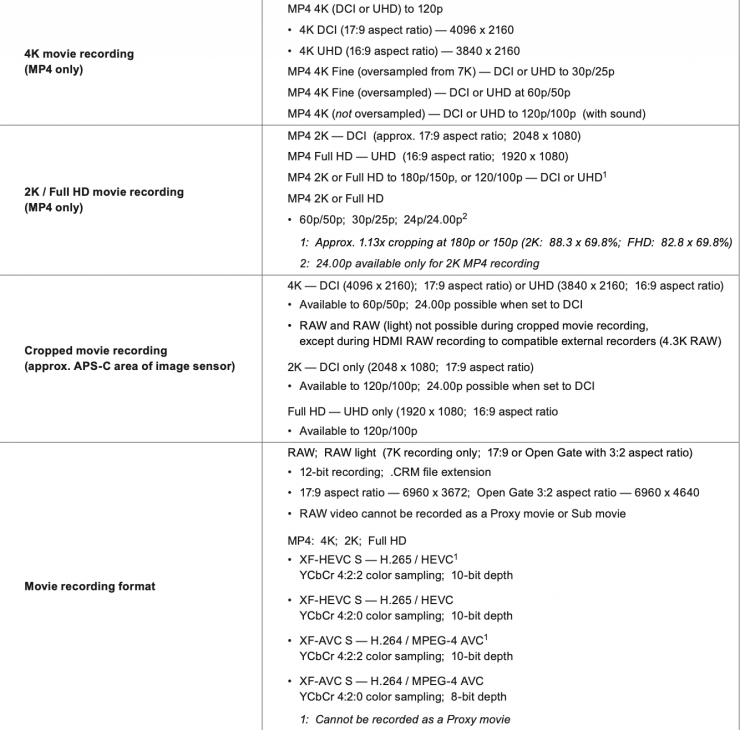
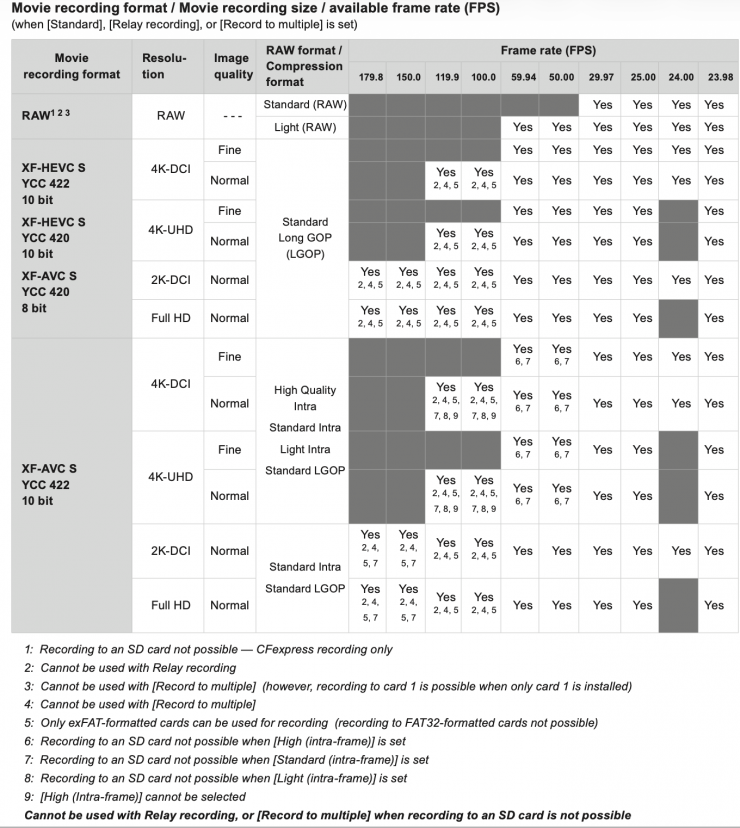
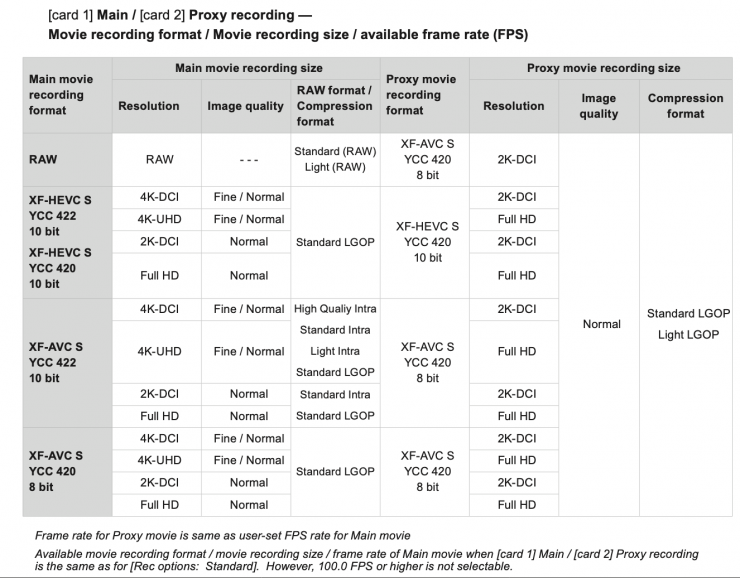
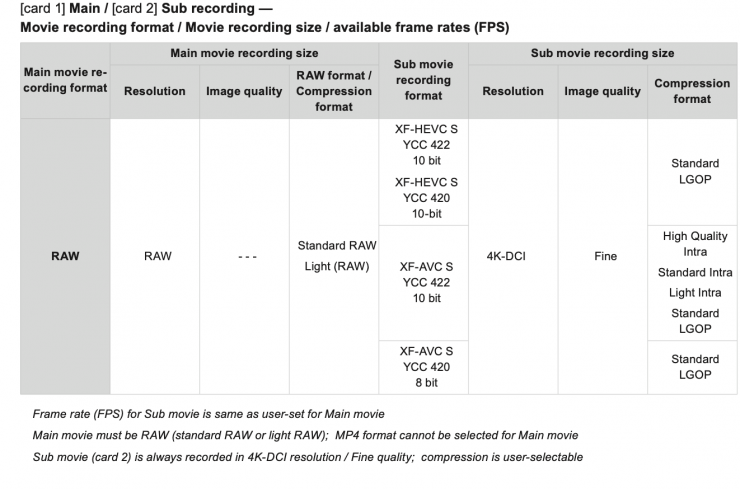
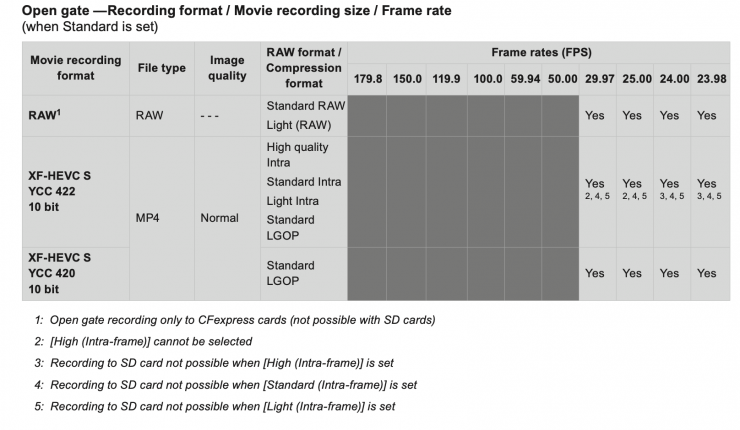
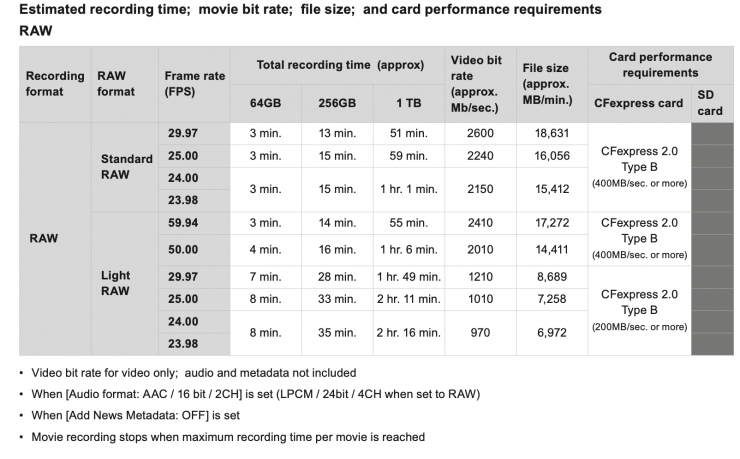
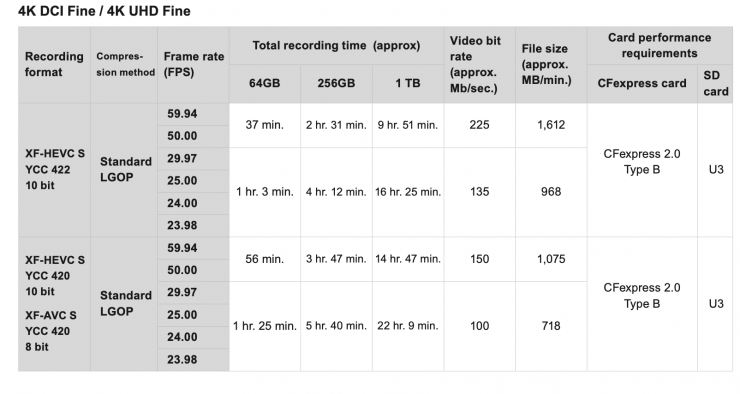
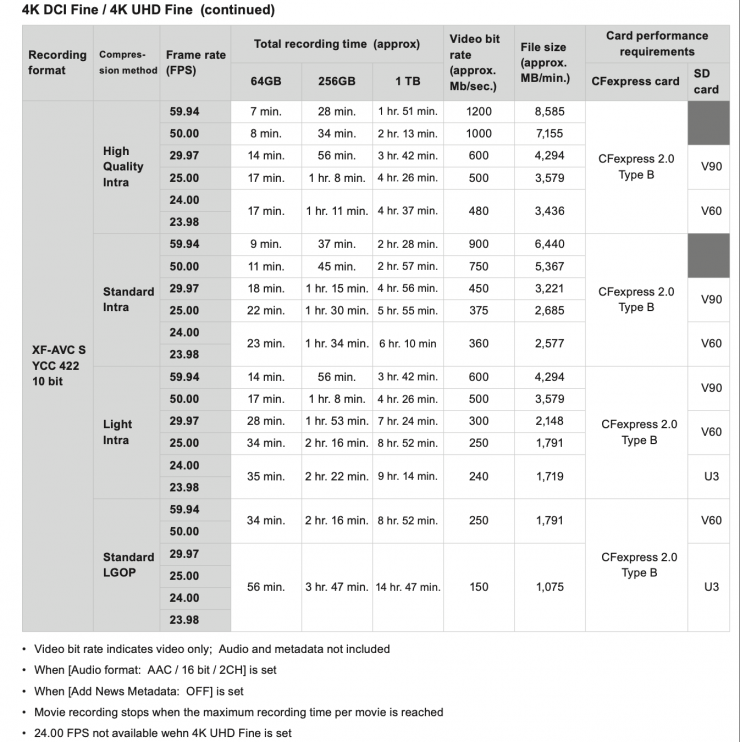
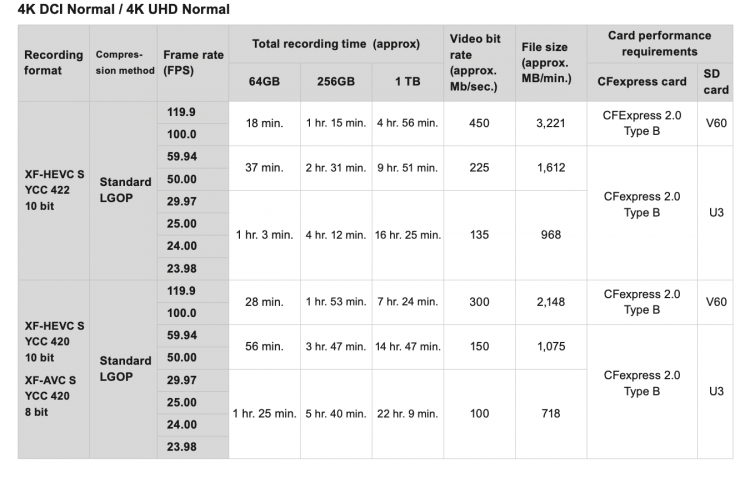
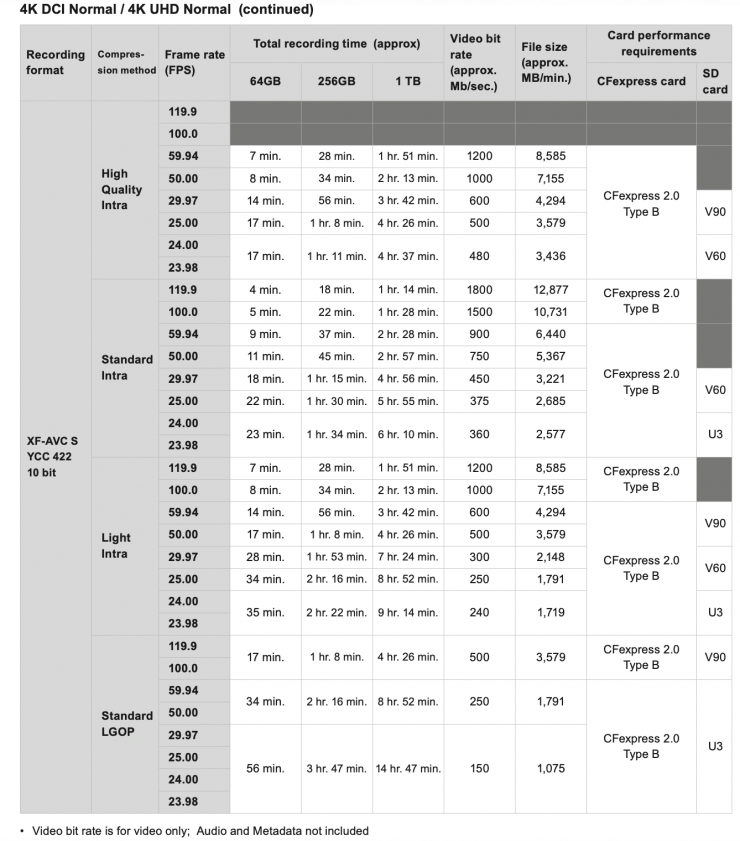
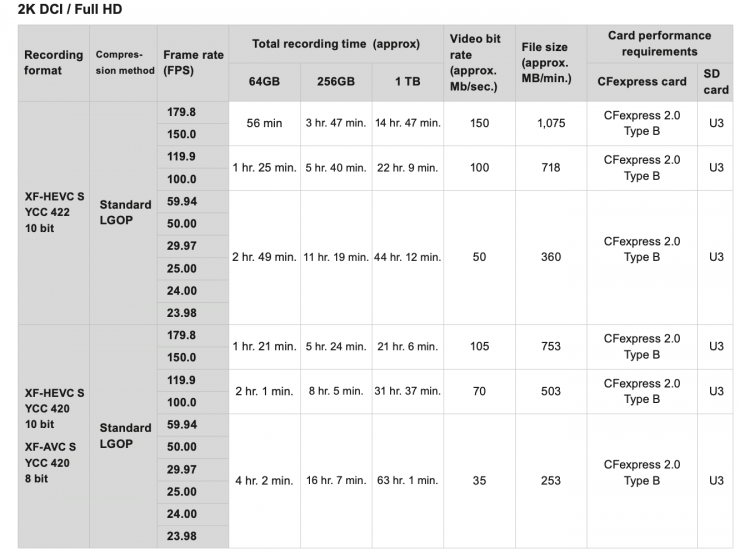
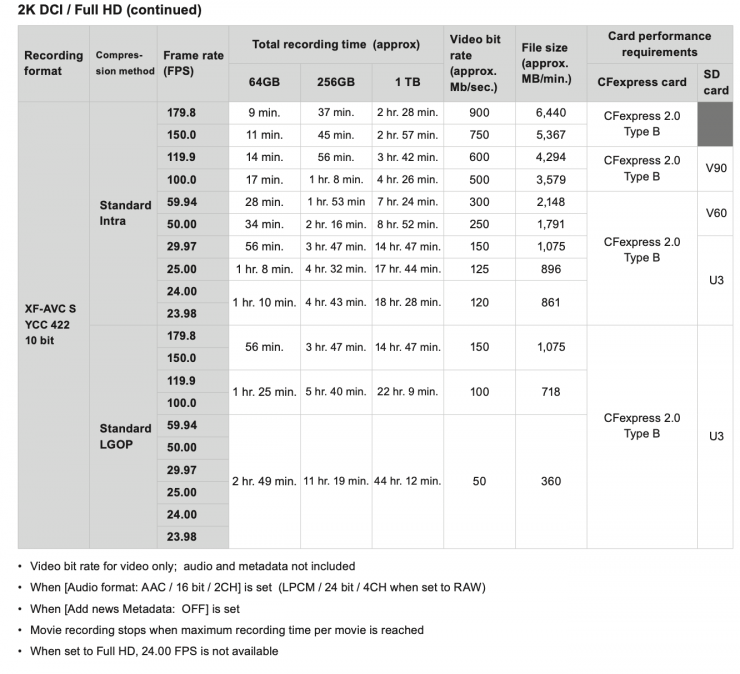
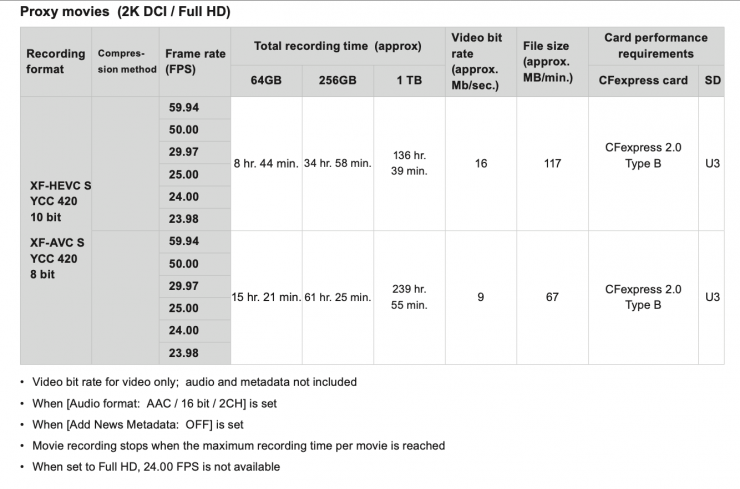
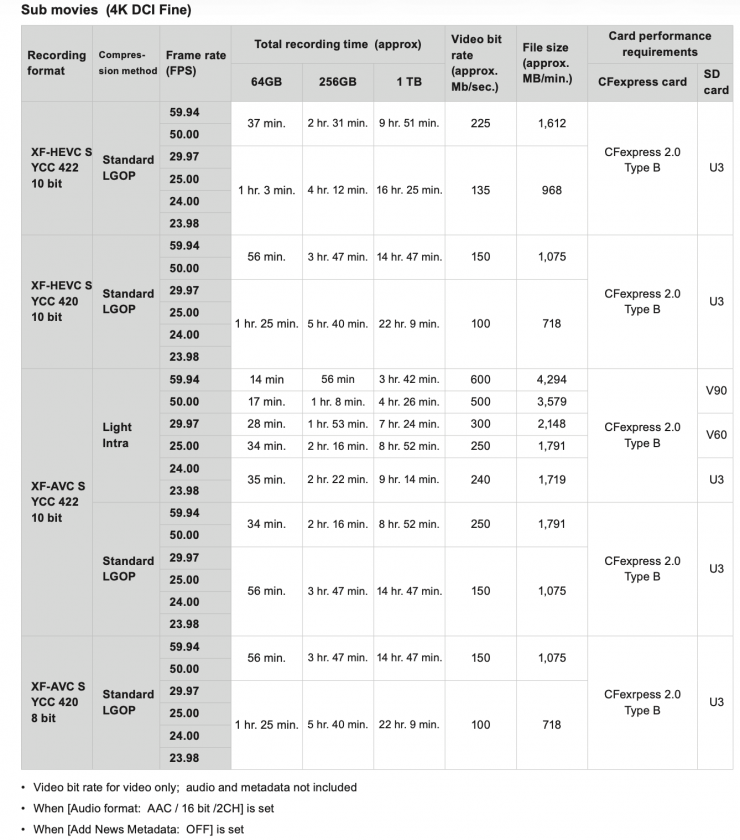
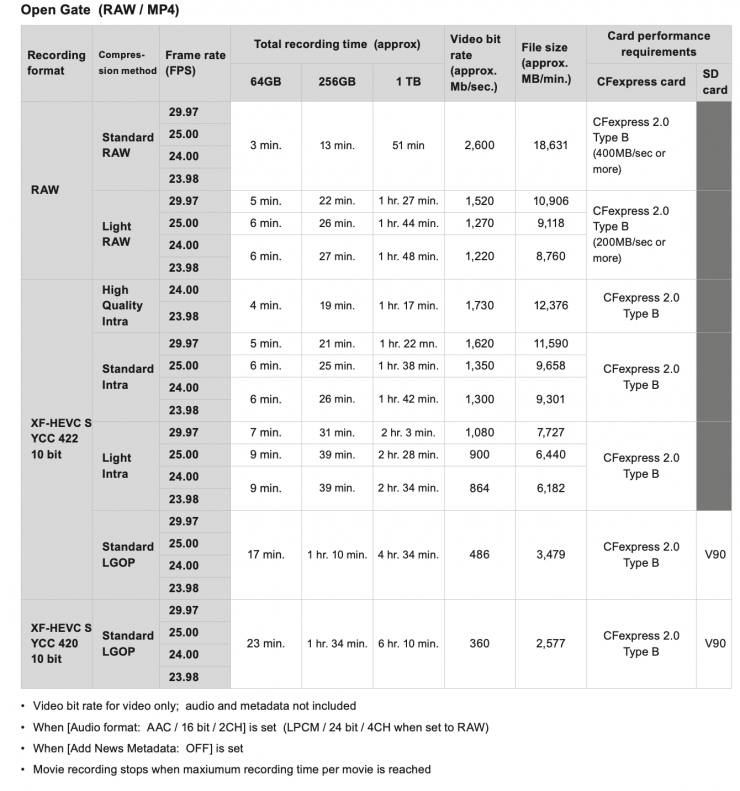
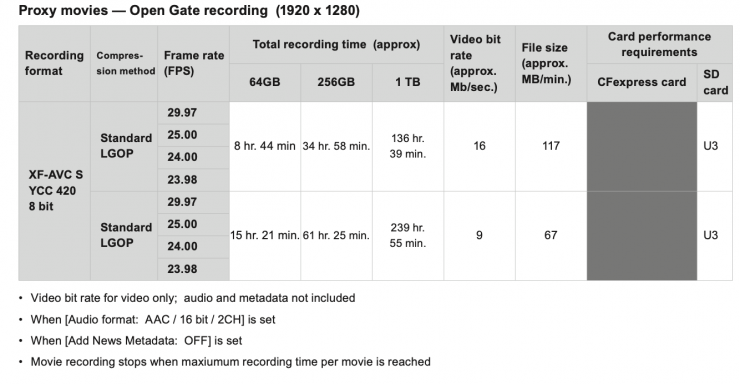
7K Open Gate RAW or MP4 recordings can be done in frame rates up to 29.97p. The 7K Open Gate recording resolution in RAW is 6960 x 4640, and in MP4 it is slightly cropped at 6912 x 4608.
If you are recording 7K RAW (light) in the 17:9 aspect ratio (6960 x 4640), you can do so at up to 60p.
The R6 V offers a variety of options in terms of onboard recording. You can record in Canon Cinema RAW Lite, XF-AVC, XF-HEVC S (H.265), or XF-AVC S (H.264).
The R6 V can record 7K Open Gate (6960 x 4640 at 23.98/24.00/25/29.97 fps
at up to 30p in Canon RAW Lite and 7K Open Gate (6912 x 4608) in XF-HEVC S (H.265) or XF-AVC S (H.264). It can also record up to 4K 120p in XF-AVC, XF-HEVC S (H.265), or XF-AVC S (H.264).
The max resolution in XF-HEVC S (H.265) and XF-AVC S (H.264) is 4K.
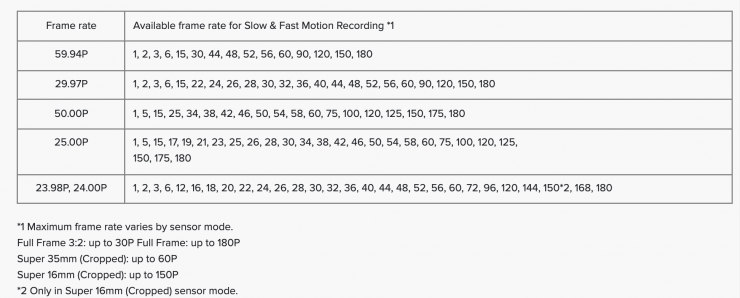
The camera can also shoot in 2K or HD at up to 180fps. In 2K 180p mode, there is a small crop as the angle of view becomes approximately 12% narrower.
When shooting 4K 120p, there is no crop.
During slow-motion recording, simultaneous recording may not be possible depending on the shooting frame rate.
| XF-AVC 4:2:2 10-Bit XF-AVC S 4:2:2 10-Bit XF-HEVC S 4:2:2 10-Bit | |
| 4K (4096 x 2160) | 23.98/24/25/29.97/50/59.94 S&F Mode: 61-120fps |
| UHD (3840 x 2160) | 23.98/24/25/29.97/50/59.94 S&F Mode: 61-120fps |
| 2K (2048×1080) | 23.98/24/25/29.97/50/59.94 S&F Mode: 113 – 180fps |
| HD (1920×1080) | 23.98/24/25/29.97/50/59.94 S&F Mode: 113 – 180fps |
Having Canon’s Cinema RAW Lite in the R6 V is no real surprise. First introduced in the EOS C200 and then implemented in other Canon cameras, Cinema RAW Lite is a proprietary Canon RAW format. The good news is that most NLEs can read it with plugins.
Canon added three new Cinema RAW Light formats in a firmware update that came out for the C500 Mark II, and one of those options is in the R6 V, C50, C80, and C400. This allows you to record in 12-bit at all frame rates. One of the advantages the C400 has over the C50 and R6 V is that it can record in Cinema RAW Light LT, ST, and HQ formats, giving you the choice of four different RAW recording options, instead of just one.
While the file sizes and recording times may seem overwhelming to someone who isn’t used to shooting RAW, they are actually pretty small compared to most other digital cinema camera RAW formats. The original Cinema RAW Light files were about a 1/3 to 1/5 the size of Canon’s Cinema RAW format, which had to be recorded externally from the EOS C300 Mark II and EOS C700. The benefit of having these smaller RAW files is that they can be recorded internally to SD cards.
Canon’s Cinema RAW Light isn’t uncompressed, but the files still contain more than enough information to give you very clean images, good color accuracy, and a smaller chance of seeing any image artifacts. Unlike traditional RAW recording, Cinema RAW Light does not record in a frame-by-frame file structure. Instead, the RAW information is compiled into a single Canon RAW Movie file (.CRM).
The integrity of the RAW signal is protected by eliminating video processes like the Linear Matrix that selects the color gamut, and employing a special RAW OETF that optimizes the digital coding over the entire transfer curve for all ISO settings
When you are recording in RAW to the CFexpress cards, you can also record proxy files to an SD card.
The maximum continuous recording time is 6 hours when shooting in frame rates below 59.94p.
No Simultaneous Crop Recording
Unlike its bigger brother, the C50, the R6 V cannot do Simultaneous Crop Recording. With the C50, when you are recording 4K (DCI/UHD) to the CF Express Type B card, you can simultaneously do a sub recording in a cropped mode to the SD card. When shooting in simultaneous crop mode, the three format options include: 9:17, 9:16, or 1:1
Gamma, color sampling, & bit depth
Below you can see what combination of gamma, color sampling, and bit depth is available in the various codecs.
H.264
| GAMMA | Color sampling | Bit Depth | Codec |
| Standard (SDR) | 4:2:0 | 8-bit | H.264 |
| Standard (SDR) | 4:2:2 | 10-bit | H.264 |
| Canon 709 | 4:2:0 | 8-bit | H.264 |
| Canon 709 | 4:2:2 | 10-bit | H.264 |
| BT 709 Standard | 4:2:0 | 8-bit | H.264 |
| BT 709 Standard | 4:2:2 | 10-bit | H.264 |
| HDR PQ | 4:2:0 | 8-bit | H.264 |
| HDR PQ | 4:2:2 | 10-bit | H.264 |
| Canon Log 2 Canon Log 3 | 4:2:0 | 8-bit | H.264 |
| Canon Log 2 Canon Log 3 | 4:2:2 | 10-bit | H.264 |
| PQ HLG | 4:2:0 | 8-bit | H.264 |
| PQ HLG | 4:2:2 | 10-bit | H.264 |
H.265
| GAMMA | Color sampling | Bit Depth | Codec |
| Standard (SDR) | 4:2:0 | 10-bit | H.265 |
| Standard (SDR) | 4:2:2 | 10-bit | H.265 |
| Canon 709 | 4:2:0 | 10-bit | H.265 |
| Canon 709 | 4:2:2 | 10-bit | H.265 |
| BT 709 Standard | 4:2:0 | 10-bit | H.265 |
| BT 709 Standard | 4:2:2 | 10-bit | H.265 |
| HDR PQ | 4:2:0 | 10-bit | H.265 |
| HDR PQ | 4:2:2 | 10-bit | H.265 |
| Canon Log 2 Canon Log 3 | 4:2:0 | 10-bit | H.265 |
| Canon Log 2 Canon Log 3 | 4:2:2 | 10-bit | H.265 |
| PQ HLG | 4:2:0 | 10-bit | H.265 |
| PQ HLG | 4:2:2 | 10-bit | H.265 |
Easy-to-manage folder structure
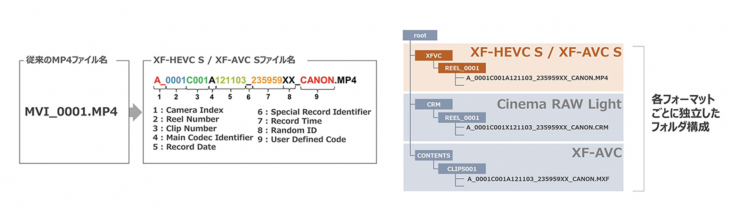
With XF-HEVC S / XF-AVC S, the folder structure has been changed from the conventional MP4 format, and video files can be saved in a folder with the same structure as Cinema RAW Light and XF-AVC. This means that the folder structure will be the same regardless of which video format is used, making video file management more efficient during shooting and editing.
No Anamorphic De-Squeeze Options
As I mentioned earlier, the R6 V doesn’t feature any anamorphic de-squeeze options like the EOS C50. It does have 2 aspect markers you can choose from.
Canon Log 3 / Cinema Gamut
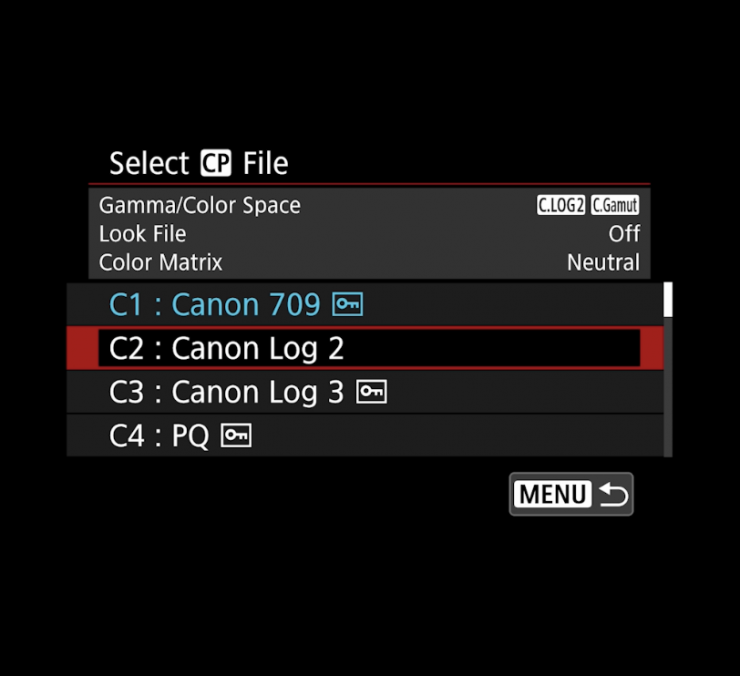
To create some type of consistency with the Cinema EOS cameras, Canon has tried to standardize the GAMMA/COLOR SPACE settings across its range.
Just like the EOS C50, the R6 V has the ability to record in Canon Log 3 / Cinema Gamut and Canon Log 2, so it is easier to match and use alongside Cinema EOS cameras and the EOS R series.
What does it record to?
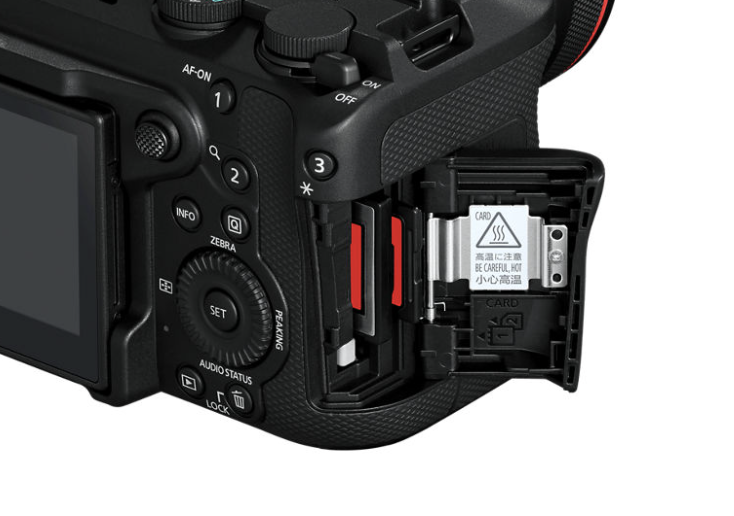
Just like the EOS C50, the R6 V has one CFexpress Type B card and one SD UHS-II card slot. The media card slots are located on the right-hand side of the camera, behind where you would grip it.
If you are going to record 7K Open Gate, then you need to use the CFexpress Type B card.
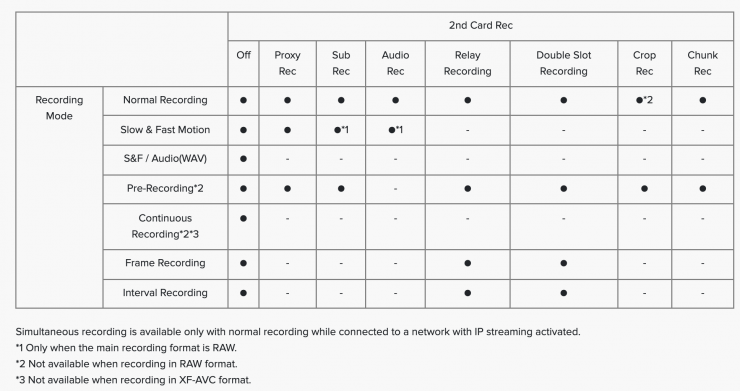
By having dual slots, the R6 V can simultaneously record some of the same resolution and frame rates to two cards at once, or you can simultaneously record different formats at once, or you can do relay recording. As the camera can also record proxies, you could choose to record your main footage to one card and proxies to the other.
Main / Sub Recording
- Card 1 (Main movie) RAW or Light RAW only
- Card 2 (Sub movie) 4K DCI Fine (automatically set), user-selectable Sub movie format and compression available
Proxy Movie Recording
- Card 1 (Main movie) RAW; 4K MP4 (DCI or UHD); 2K, or Full HD
- Card 2 (Proxy file) 2K DCI (when Main movie set to DCI) or Full HD / UHD (when Main movie set to UHD aspect ratio) available when Main movie set to 7K recording
What can it output over HDMI?
The R6 V can output 4:2:2/ProResRAW via HDMI 6960 x 3672 at 25/29.97 fps.
| LCD MONITOR | HDMI OUT | |
| Peaking/ False Color/ Zebra/ Waveform/ B&W Image | Yes | Yes* |
| Anamorphic/ Magnification/ Marker | Yes | Yes |
| Color Bar | Yes | Yes |
| Test Tone/ Rec Command | No | Yes |
| Audio | No | Yes |
| Timecode | No | Yes |
| View Assist | Yes | Yes |
* Not displayed when [OSD Output: HDMI] is set to [Off (Clean)] or [Off] (however, B&W image display is possible).
No Built-In ND
This doesn’t come as any huge surprise, but the R6 V doesn’t feature any built-in ND. Just like the competing Nikon ZR, Sony FX3, etc., you will have to use external ND filters. This is where cameras like the EOS C70 and C80 still have an edge.
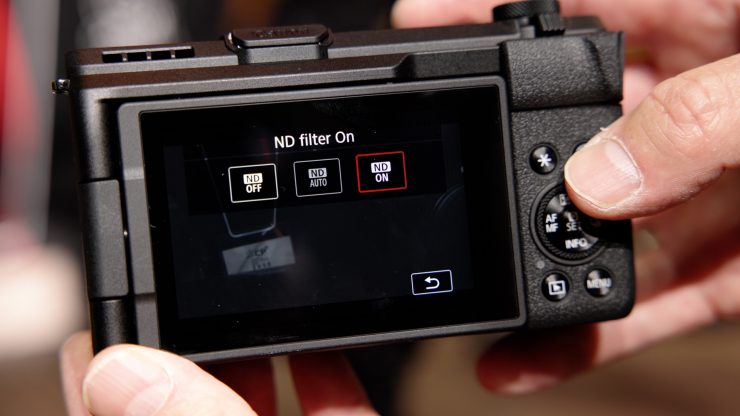
Putting ND into a small-sized full-frame camera is difficult. Canon’s lower entry PowerShot V1 features an in-built ND filter that allows you to add 3 stops (0.8 ND). However, 3 stops isn’t a lot, and it won’t be enough if you are shooting outdoors on a sunny day and want to adhere to the 180-degree shutter rule. You also can’t adjust the level of ND. It is only 3 stops. There is an Auto ND setting that will automatically add the 3 stops; however, that isn’t available when shooting in some modes.
Could Canon have put something similar into the R6 V? Perhaps. Any ND is better than no ND. No company has yet worked out how to put built-in ND into a small-sized full-frame camera.
What about the heat?
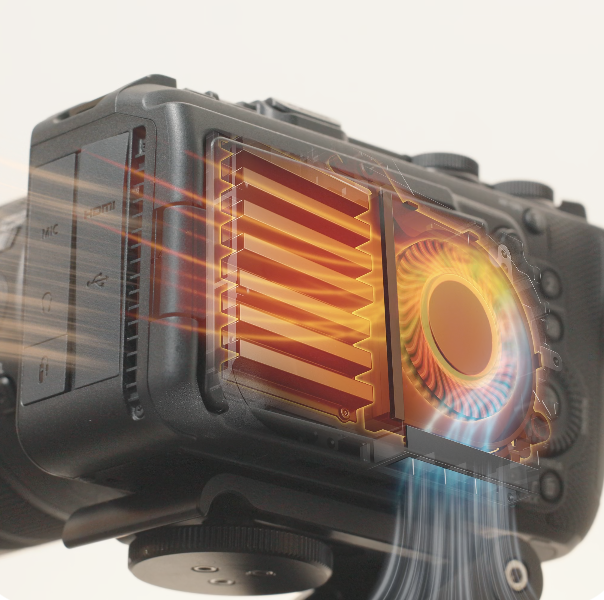
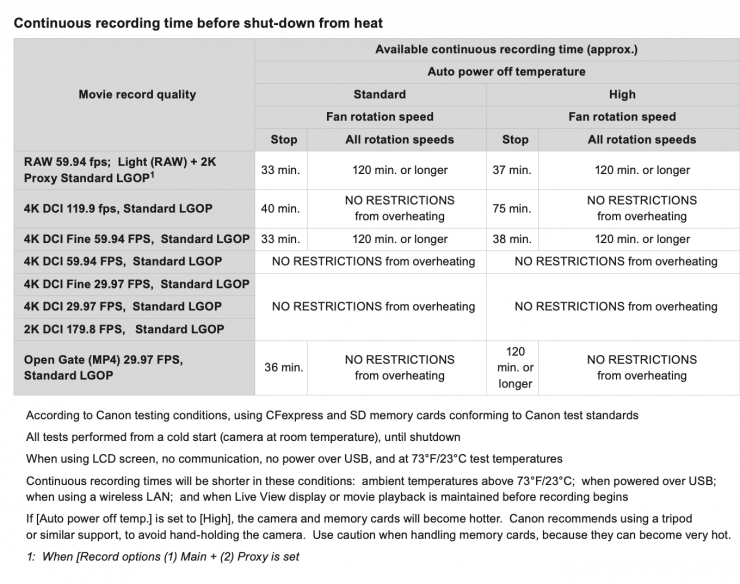
Just like the Canon EOS C50, the R6 V features an in-built fan. The heat generated inside the camera, including the processing engine and sensor, is dissipated using the fan, which enables continuous shooting for long periods of time, even at higher resolutions and frame rates.
Canon claims that with this new design, the R6 V can record for over 60 minutes continuously, even in 7K Open Gate.
There is a thermometer icon and a 10-stage analog scale to indicate rising temps.
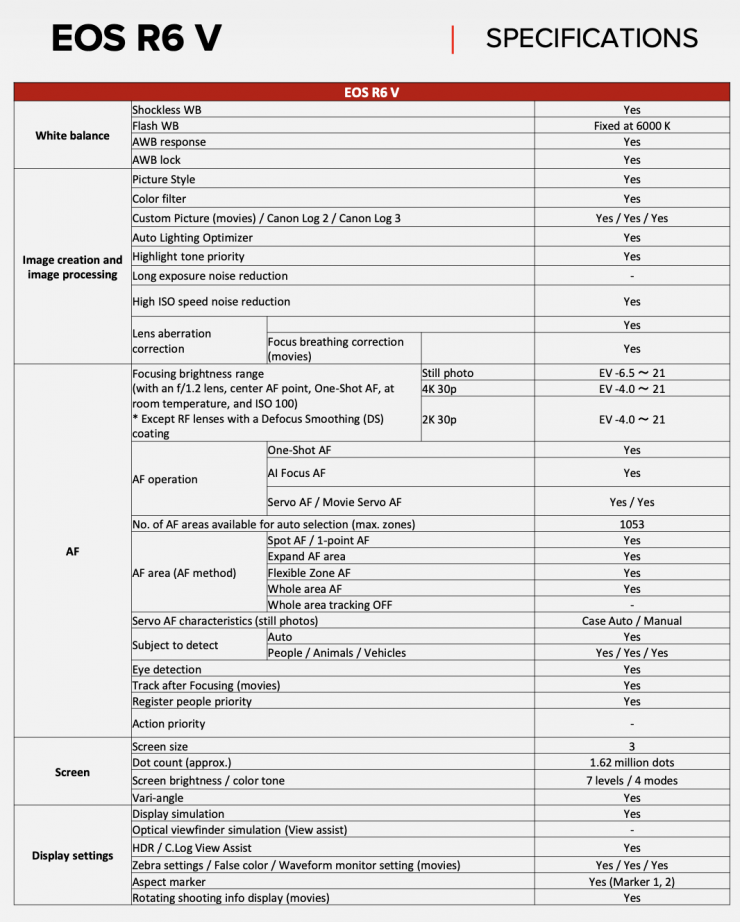
Dual Pixel CMOS AF II
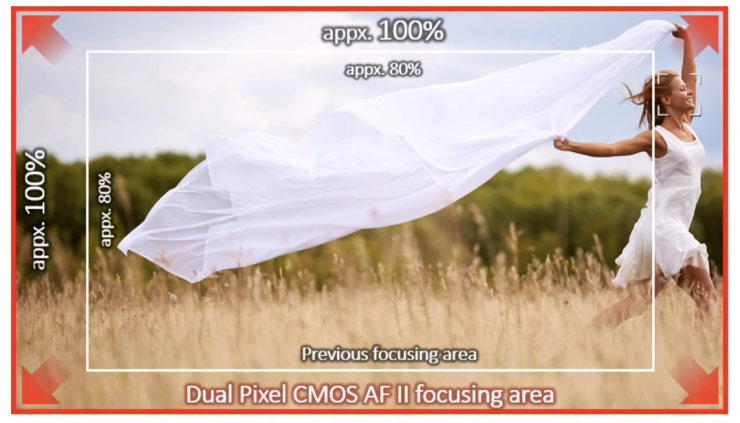
The R6 V utilizes the same Dual Pixel CMOS AF II (DAF) Technology that is found in cameras like the C50, C80, R3, and C400.
How does DPAF work? Two independent image signals can then be detected at each photosite. By implementing phase-difference AF, smooth focusing is accomplished with much higher speed and accuracy than was possible with previous technologies.
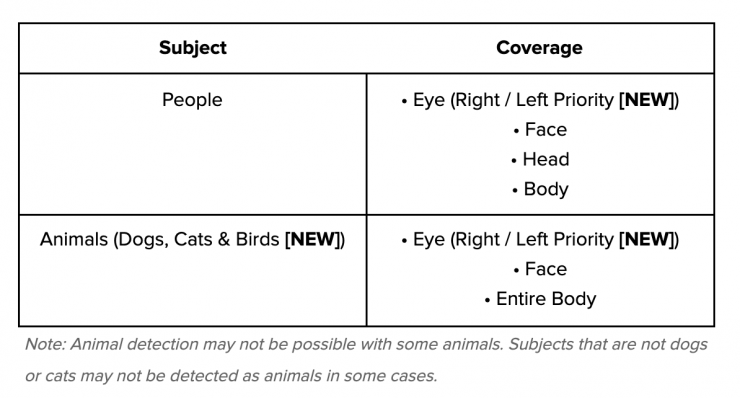
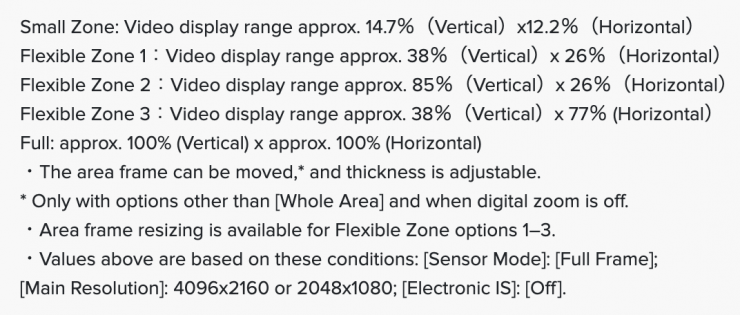

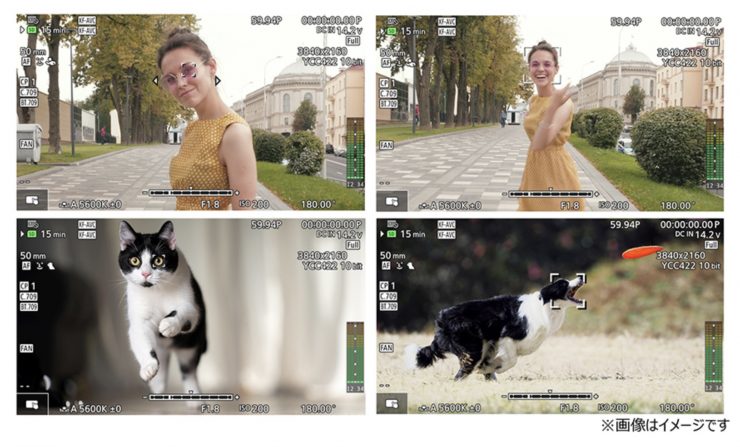
An improved Dual Pixel CMOS AF II system covers the entire sensor area for faster, more responsive, and more precise focusing performance. This upgraded phase-detection focusing system also has enhanced subject detection and tracking, with the ability to intelligently recognize eyes, faces, heads (including helmets), and animals, and tracking will automatically lock onto these subjects and maintain sharp focus.
To further fine-tune AF performance, the camera has the ability to set the AF tracking speed and response.
IBIS
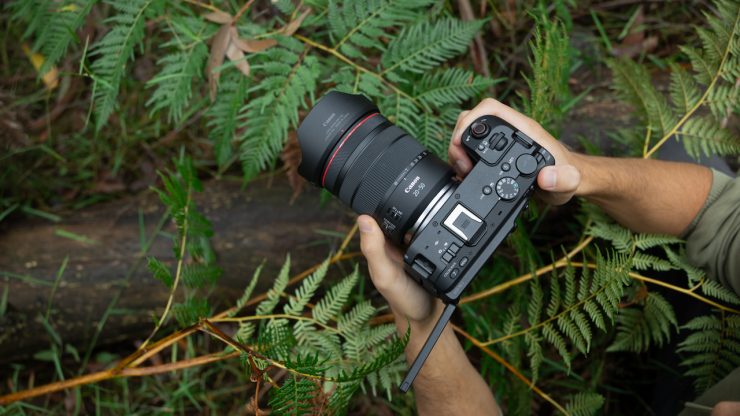
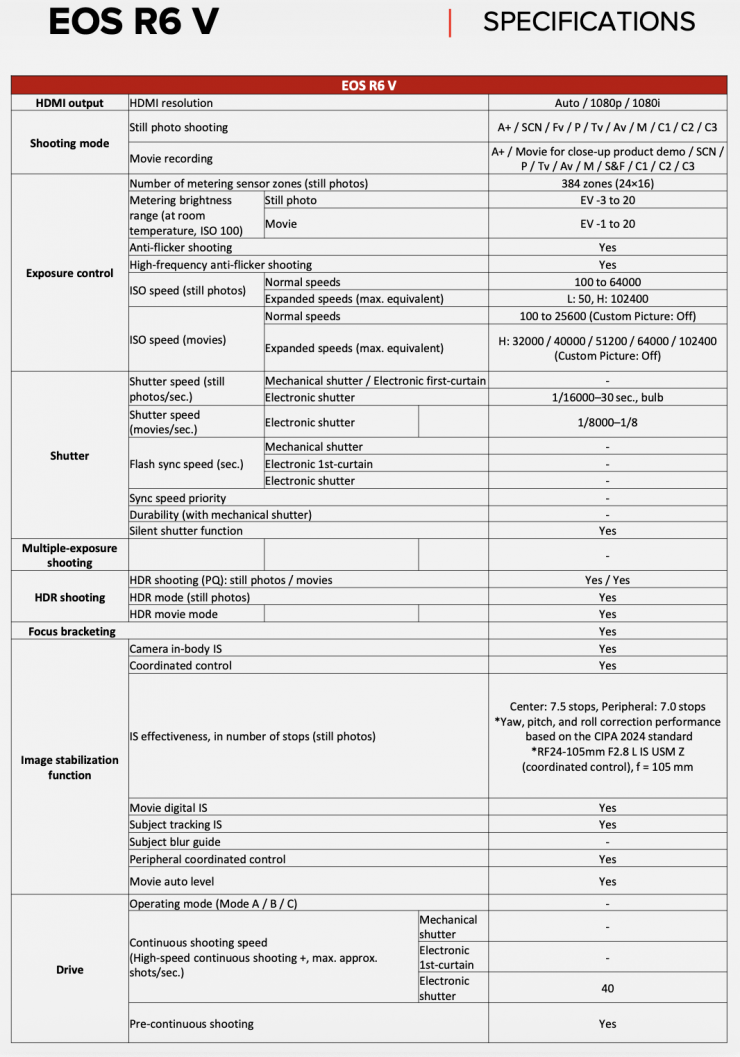
Unlike the C50, C70, C80, C400, the R6 V featuress IBIS. Canon states that it offers up to 6.5 stops. A lot of C50 owners complained that they wanted IBIS in that camera.
When an RF mount lens with its own lens-based optical image stabilizer is attached, this allows for effective blur reduction through coordinated control of the camera‘s electronic IS and the lens’s IS via RF mount communication.
Body Design
EOS R6 V 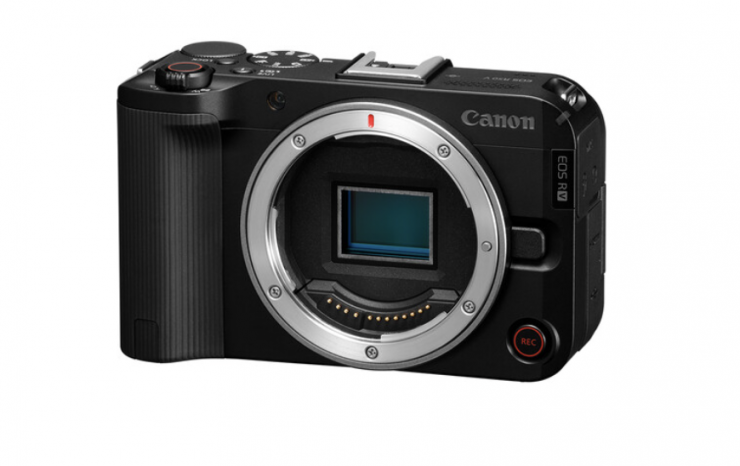
EOS R50 V 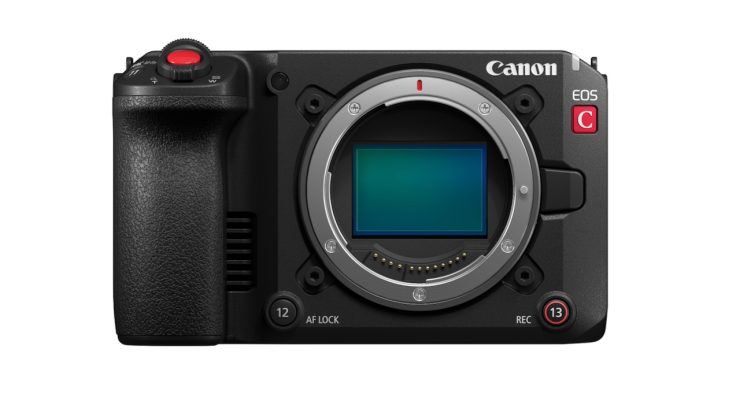
Canon EOS C50 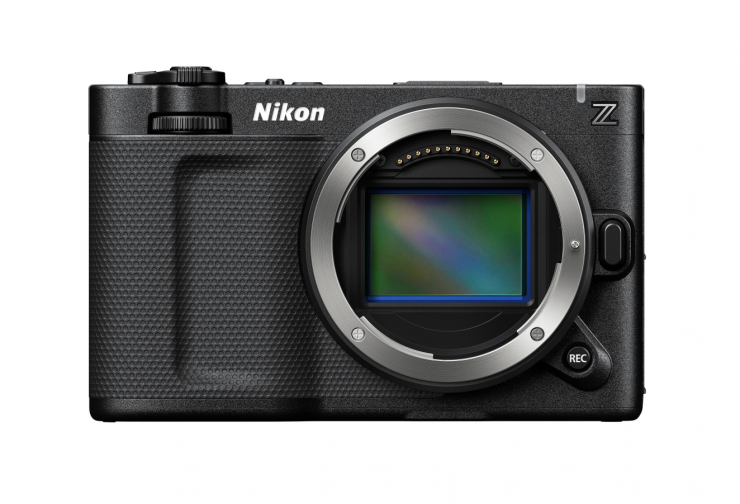
Nikon ZR 
Sony FX3
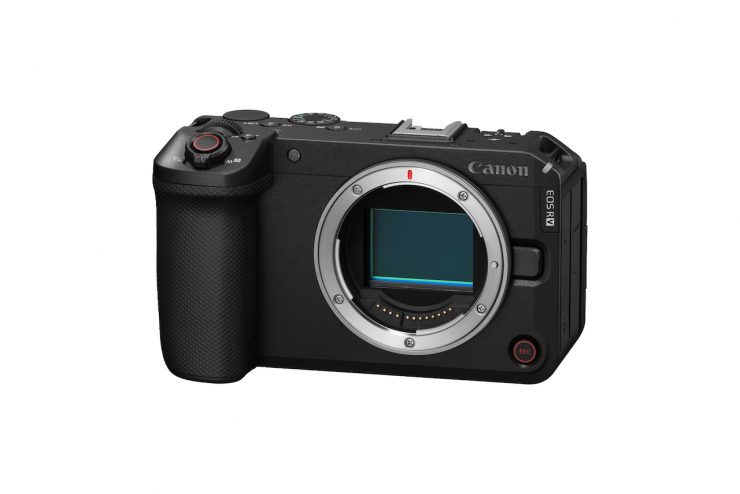
Canon has taken its design cues from the EOS R50 V and the EOS C50. Its form factor is also arguably more in line with the Nikon ZR and Sony FX3.

Canon EOS R6 V 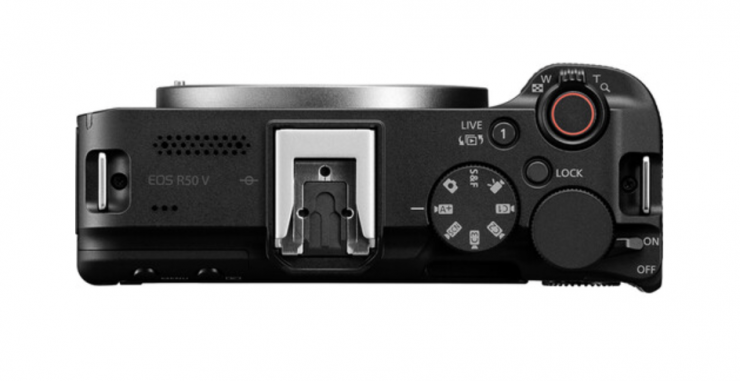
Canon EOS R50 V 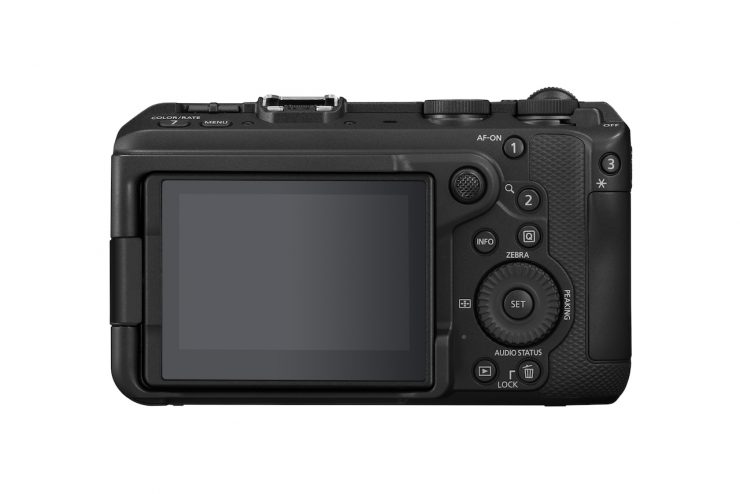
Canon EOS R6 V 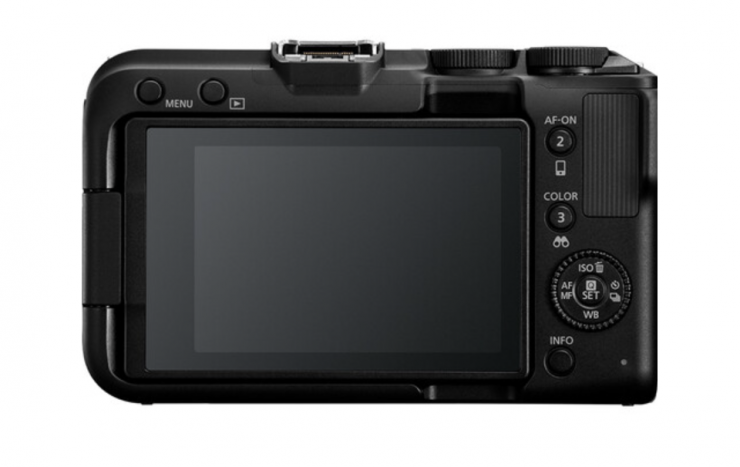
Canon EOS R50 V 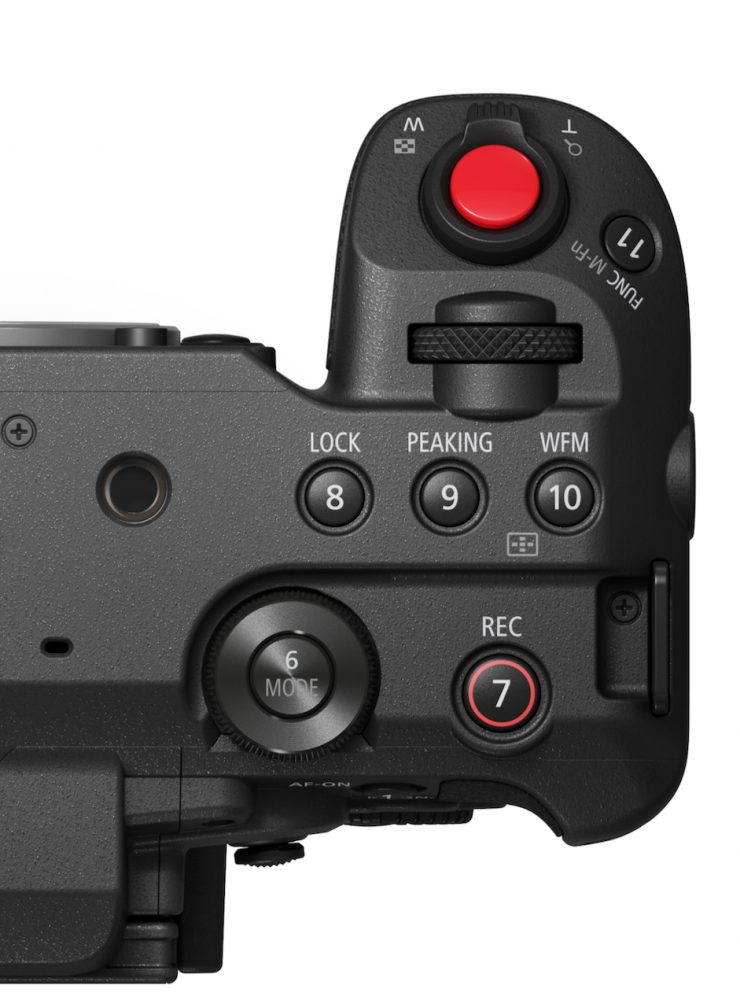
Canon EOS C50 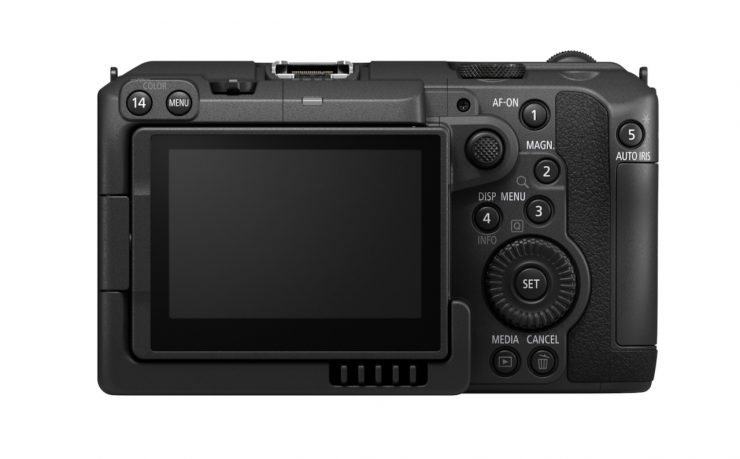
Canon EOS C50 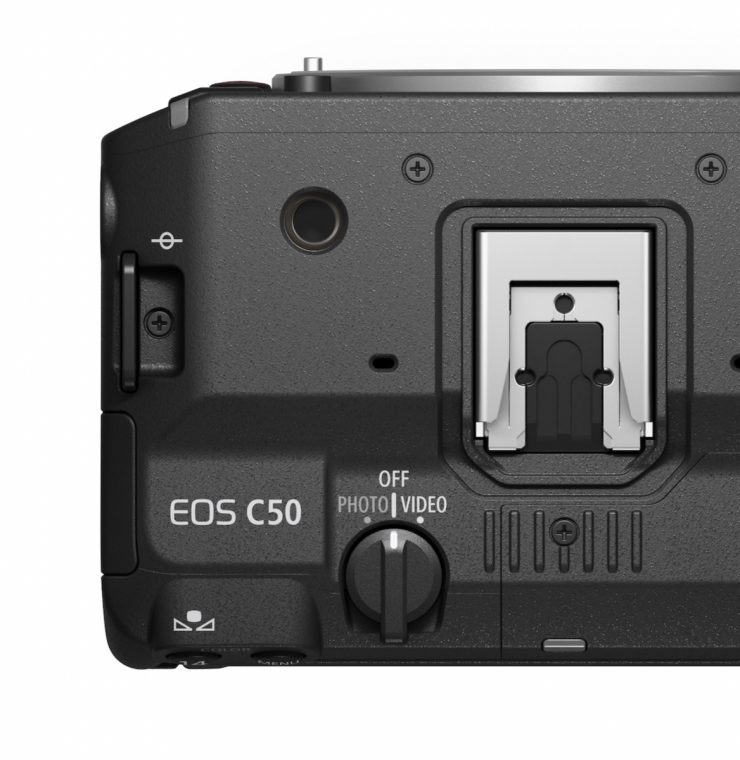
Canon EOS C50
The control and button layout of the R6 V more closely resembles that of the EOS R50 V. It is different from the C50, C80, and R5 C.
On top of the camera, there is a zoom lever for compatible lenses, which allows the EOS R6 V to control the optical zoom on the RF 20-50mm f/4L IS USM PZ and other compatible Canon lenses.
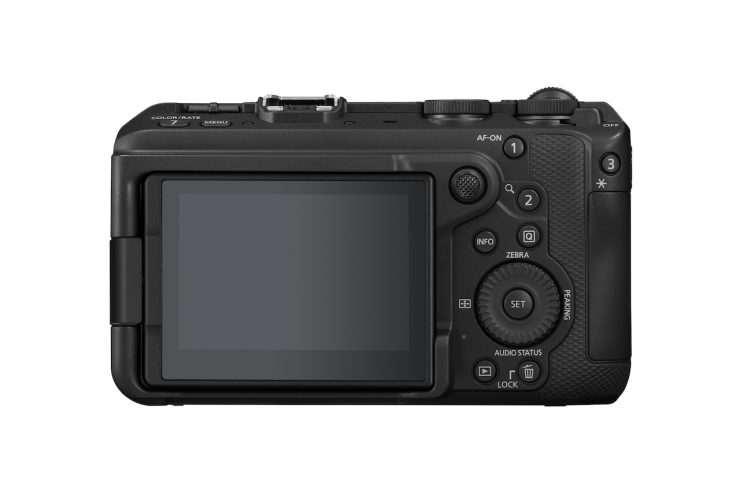
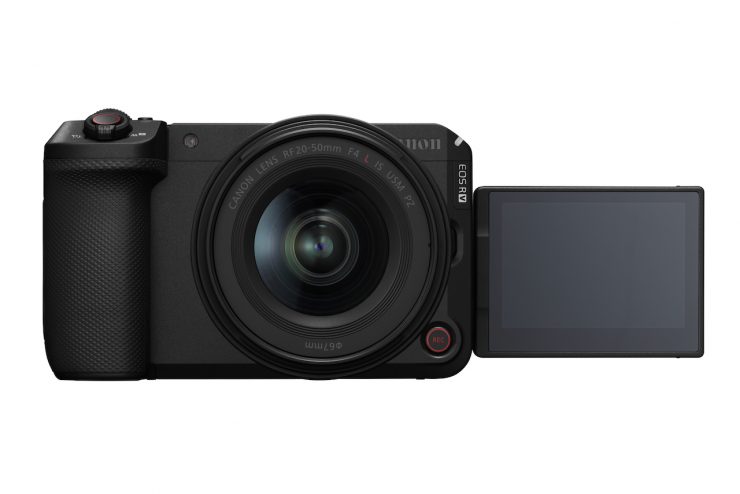


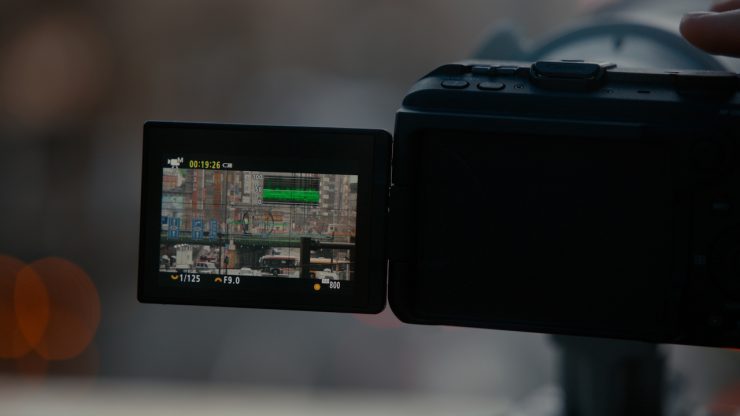
There is a vari-angle screen, a front record button, and a vertical 1/4-20″ tripod socket. The vari-angle screen is 3″, and it has 1.62 million dots and four selectable brightness levels. Canon doesn’t list what the nit brightness of the screen is.

EOS R6 V 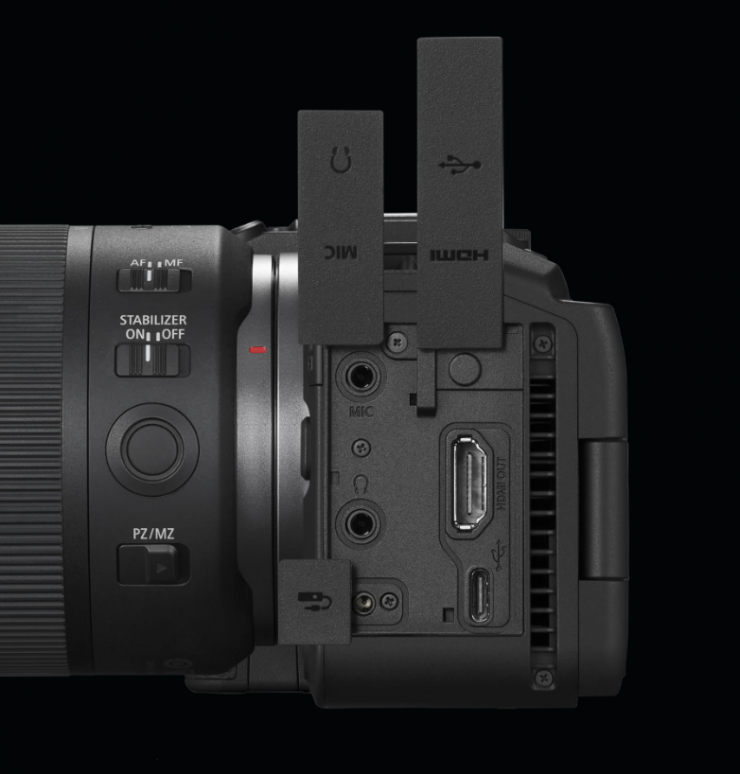
EOS R6 V 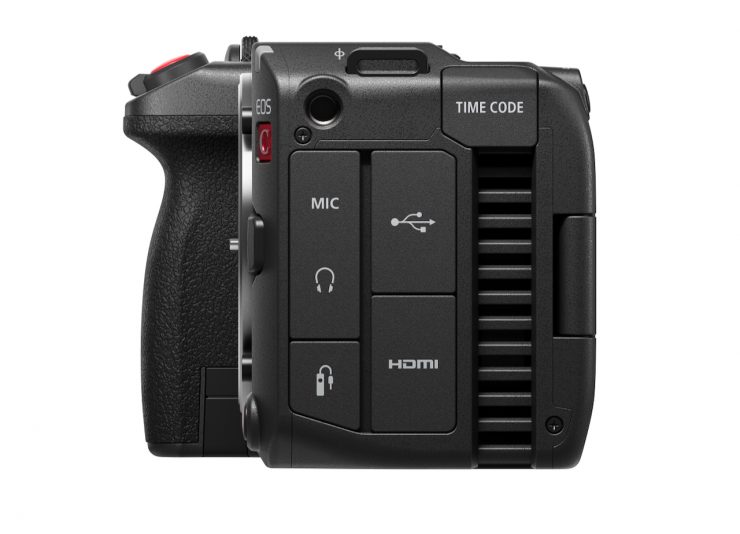
EOS C50 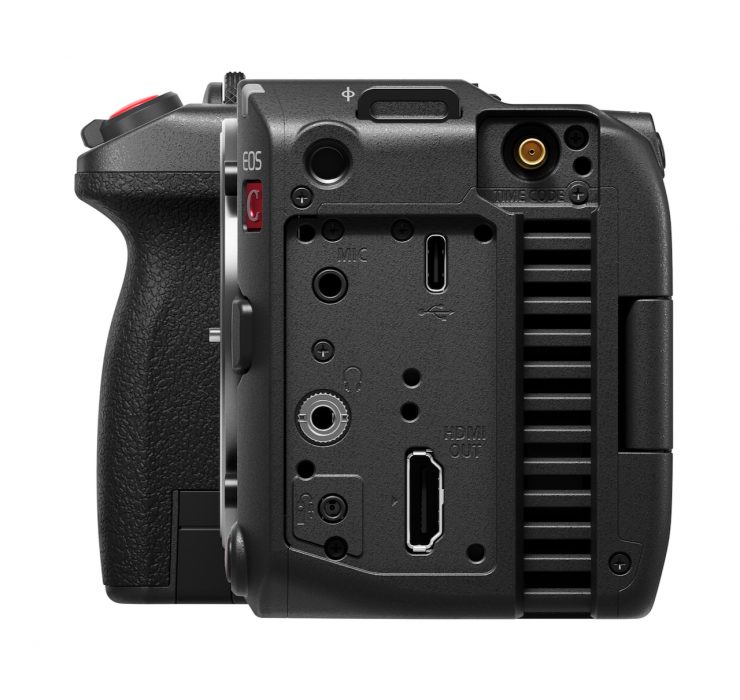
EOS C50
On the left-hand side of the camera, you will find a USB-C port, 3.5mm mic jack, 3.5mm headphone jack, a full-sized HDMI output, and a remote control terminal.
There is no SDI port like you will find on the C80.
There are 7 function buttons on the body that can be individually mapped to perform different tasks.

EOS R6 V 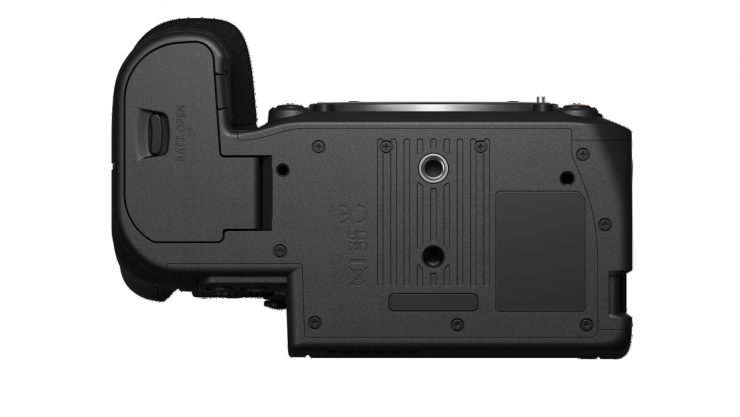
EOS C50
On the bottom of the camera, there is just a single 1/4-20″ thread. Conversely, on the C50, there are one 3/8″ and one 1/4-20″ mounting hole.
There is also an inbuilt microphone for catching scratch audio.
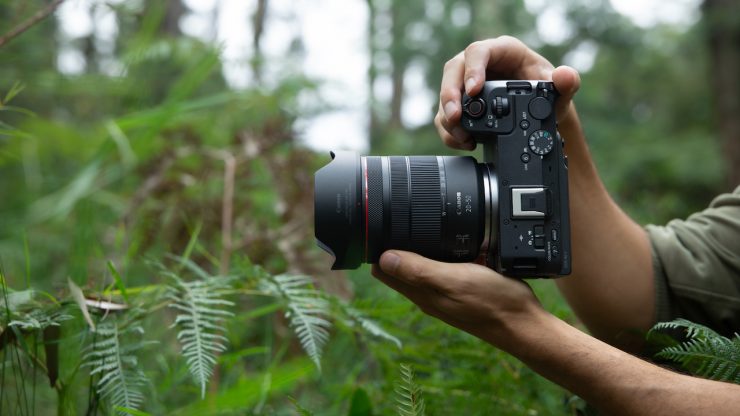
The R6 V also features a special UI design for when you want to capture vertical video. Both the image and display overlays, as well as the menu system, can rotate to be shown correctly.
Battery
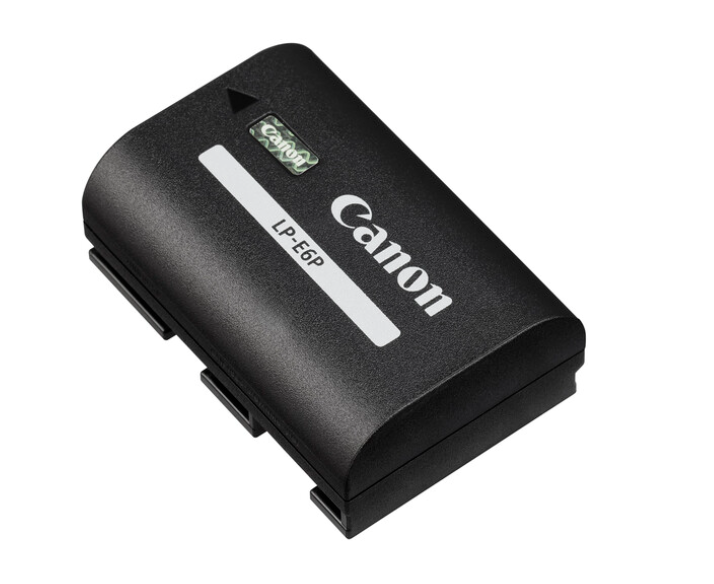
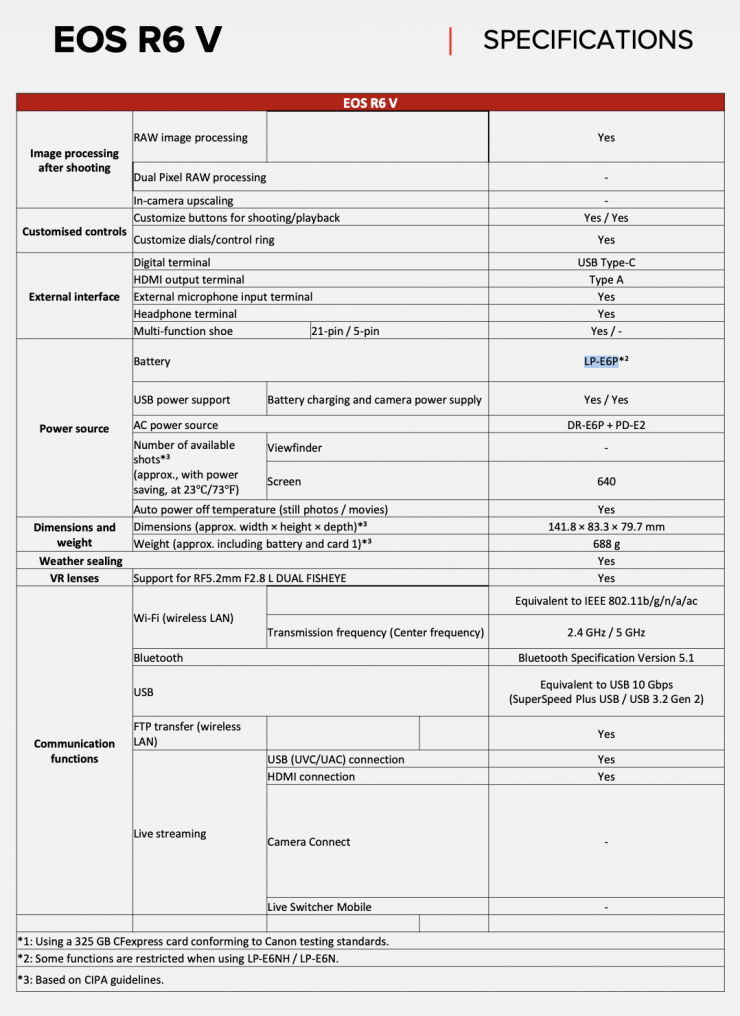
The EOS R6 V utilizes the Canon LP-E6P battery.
Audio
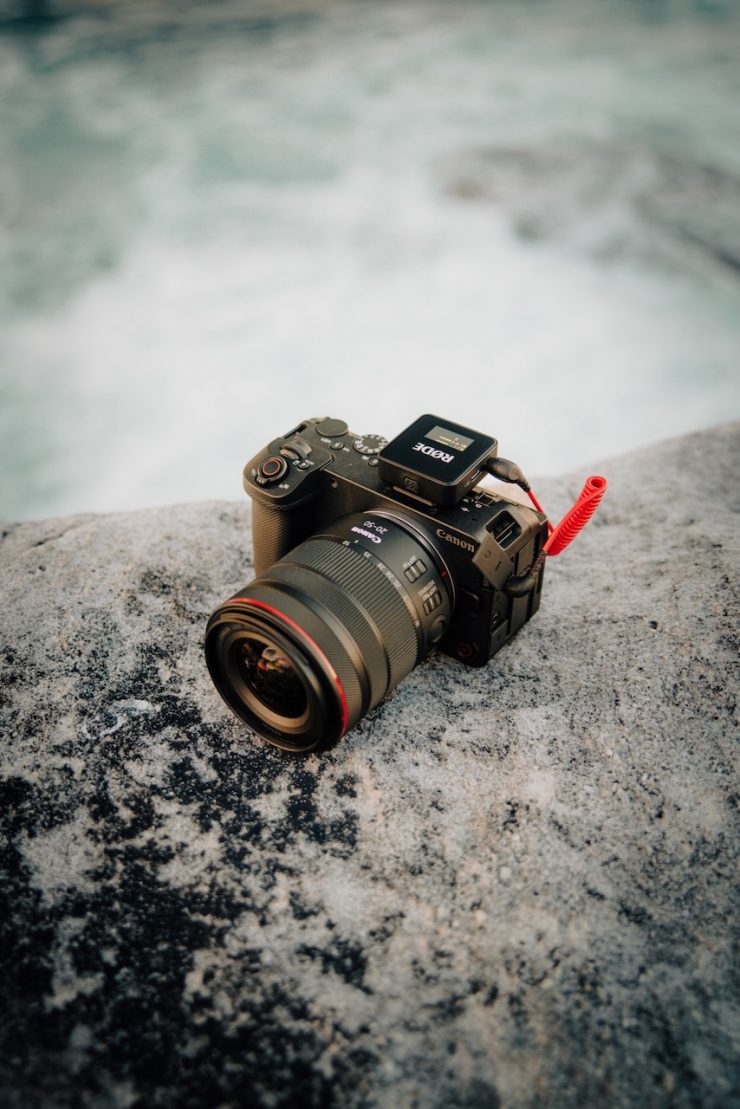
The EOS R6 V allows for up to four channels of audio to be recorded. There are built-in stereo microphones and a 3.5mm mic input jack. To record 4 channels, you will need to use the multi-function hot shoe.
| Built-in Microphone | Stereo mic, on top of camera body 48 kHz; 24 or 16 bit; 2 channels |
| External Microphone Terminal | 3.5mm diameter stereo mini-jack (3-pin) Plug-in power supported |
| Multi-function Shoe Input | Compatible with Canon Directional Stereo Microphone DM-E1D |
| Headphone Terminal | 3.5mm diameter stereo mini jack Audio monitoring possible via headphone terminal or HDMI |
Size & weight
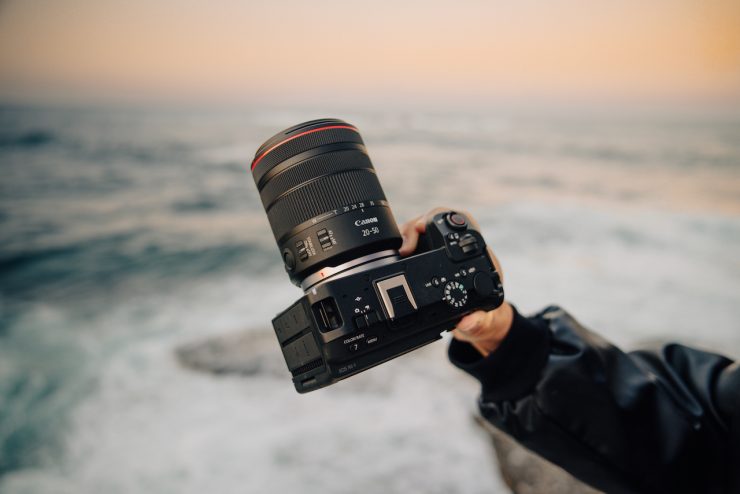
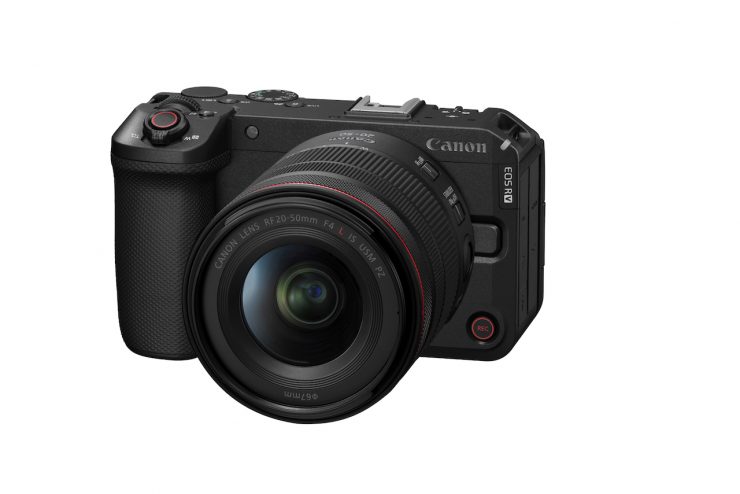
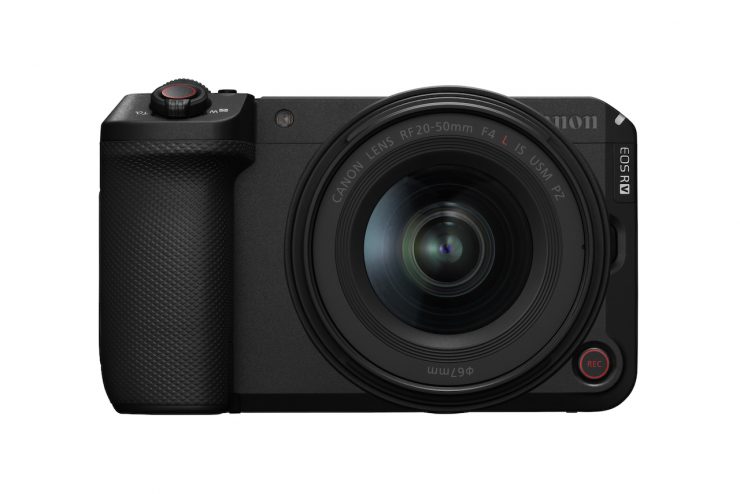
The Canon EOS R6 V weighs 689g / 24.3 oz, and it has physical dimensions of 84.5mm x 141mm x 80mm (H x W x D).
As a comparison, the Canon EOS C50 weighs 665g / 23.5 oz, and it has physical dimensions of 88mm x 142mm x 95mm (H x W x D).
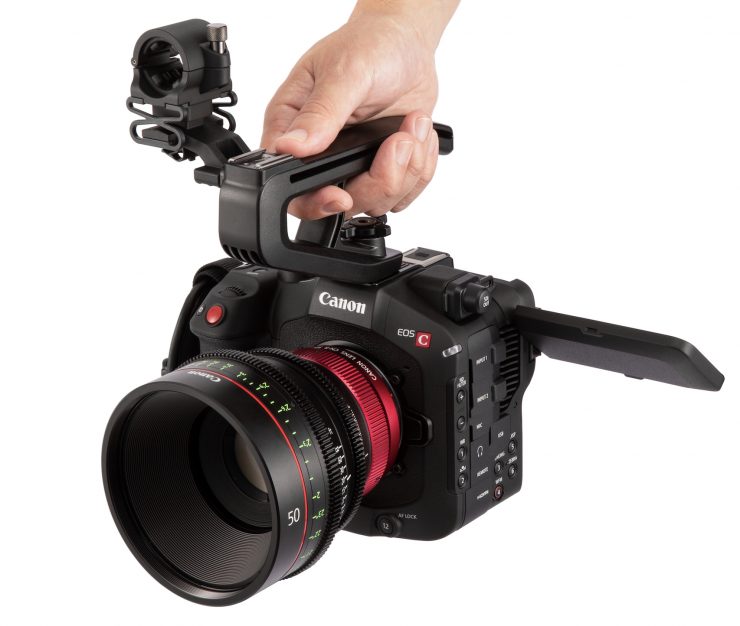
The C80 tips the scales at 1.3 kg (2.86 lb), and it has physical dimensions of (H) 137.4 mm / 5.41″ x (W) 160 mm / 6.3″ x (D) 115.9mm / 4.6″.
As another comparison, the C70 tips the scales at 1.17 kg (2.58 lb), and it has physical dimensions of (H) 130.2 mm / 5.1″ x (W) 160 mm / 6.3″ x (D) 115.9mm / 4.6″.
The compact size of the R6 V makes it suitable for a variety of applications. Whether you are shooting handheld, putting the camera on a gimbal, or using a tripod, the R6 V should work well.
So how does that weight compare to other Canon cameras, past & present? Below you can see:
| WEIGHT | |
| Canon R6 V | 689g / 1.46 lb |
| Canon C50 | 665g / 1.46 lb |
| Canon C80 | 1.3 kg / 2.86 lb |
| Canon C70 | 1.17 kg / 2.58 lb |
| Canon R5 II | 670 g / 1.5 lb (With Battery, Recording Media) |
| Canon R5 | 738 g / 1.62 lb (Body with Battery and Memory) |
| Canon R5 C | 770 g / 1.7 lb (With Battery, Recording Media) |
| Canon C400 | 1.5 kg / 3.4 lb (Body Only) |
| Canon C200 | 1.5 kg / 3.2 lb |
| Canon C100 Mark II | 1.5 kg / 3.2 lb |
| Canon C300 Mark III | 1.77 kg / 3.9 lb |
| Canon PowerShot V1 | 379g / 13.36 oz (Body Only) |
| Canon PowerShot G7 X Mark III | 304g / 1.19 lb (With Battery, Recording Media) |
| Canon XC15 | 910 g / 2 lb |
| Canon 1D C | 1.5 kg / 3.5 lb |
| Canon 1D X Mark III | 1.25 kg / 2.75 lb (Body Only) |
| Canon R1 | 920 g / 2.0 lb (Body Only) |
So how does this weight compare to some other mirrorless hybrids?
| WEIGHT | |
| Canon EOS R6 V | 24.3 oz / 689g (Body only) |
| Canon EOS C50 | 23.5 oz / 665g (Body Only) |
| Nikon ZR | 1.19 lb / 540g (Body Only) |
| Sony FX3A | 1.4 lb / 640g (Body Only) |
| Sony FX2 | 1.3 lb / 594g (Body Only) |
| Sony FX30 | 1.2 lb / 562g (Body Only) |
| Sony ZV-1 | 10.37 oz / 294g (With Battery, Recording Media) |
| Ricoh GR IV | 8.0 oz / 228g (Body Only) |
| Leica D-Lux 8 | 14.0 oz / 397g (With Battery) |
| Sony Cyber-shot DSC-RX100 VII | 10.65 oz / 302g (Body Only) |
| Panasonic Lumix S9 | 0.9 lb / 403g (Body Only) |
| Panasonic Lumix S5 II | 1.45 lb / 658g (Body Only) |
| Panasonic Lumix S5 IIX | 1.45 lb / 658g (Body Only) |
| Panasonic Lumix GH7 | 1.6 lb / 721g (Body Only) |
| FUJIFILM X-M5 | 12.5 oz / 355g (Body Only) |
| FUJIFILM X-T5 | 16.8 oz / 476g (Body Only) |
| FUJIFILM X-T50 | 0.9 lb / 389g (Body Only) |
| FUJIFILM X-H2S | 1.3 lb / 579g (Body Only) |
| Nikon Z8 | 1.8 lb / 820g (Body Only) |
| Nikon Z6 III | 23.6 oz / 670g (Body Only) |
| Nikon Z50 II | 17.46 oz / 495g (Body Only) |
| Nikon Zfc | 13.8 oz / 390g (Body Only) |
| Nikon Z30 | 12.3 oz / 350g (Body Only) |
If we have a look at what is arguably the R6 V’s closest competitor, the Nikon ZR, as you can see, the cameras are fairly similar when it comes to weight.
| WEIGHT | |
| Canon EOS R6 V | 1.46 lb / 689g (Body Only) |
| Nikon ZR | 1.19 lb / 540g (Body Only) |
Multi-shoe Interface
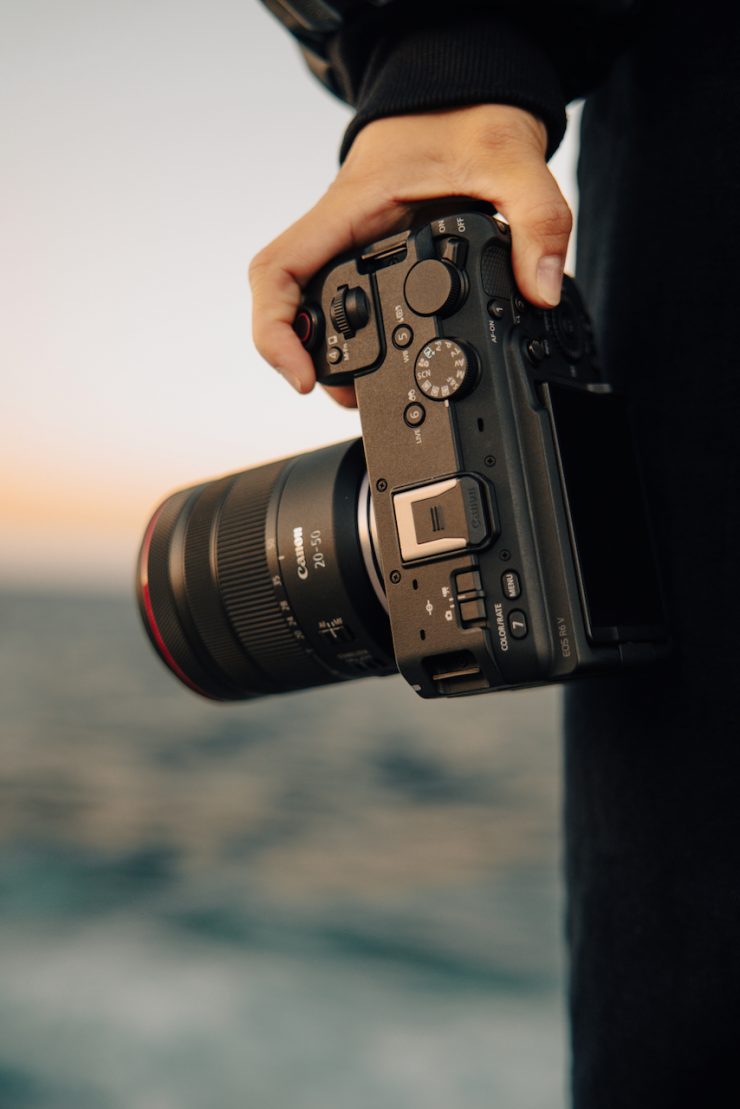
The R6 V features Canon’s Multi-Shoe Interface. Unfortunately, it won’t work with the C50’s top handle as it doesn’t have the mounting holes. At least in my opinion, it would have made sense if Canon had at least made that top handle compatible, even as an optional extra.
Not having that handle does make audio a little trickier.

Sony offers the XLR-H1 XLR Handle Unit solution for the Sony FX3, FX2, and FX30.
Live Streaming
Live Streaming via USB
- Possible via compatible computers, using software on the computer, and a USB cord
- USB Power Delivery supported; requires a power supply of 5 V / 1.5 A or greater
- Video only; not possible during S&F recording, or still-image shooting
- Only P / M / Smooth skin movie modes can be set
Live Streaming Formats
- Video: Motion JPEG compression method
- YCC 4:2:2 color sampling; 8-bits
- Custom Picture supported; Recording range full range
Resolution / FPS rates
- 4K 30 FPS; 4K 60 FPS (60 FPS not available in Smooth skin mode)
- Full HD 60 FPS; Full HD 30 FPS regardless of NTSC / PAL settings
Photo Capabilities
The R6 V is capable of taking 32.5MP still images. It also has a 40 FPS burst mode for high-speed continuous shooting, a maximum ISO setting of 64000, and it can do pre-continuous shooting at up to 20 shots. There is also a pre-continuous shooting that starts capturing images before the shutter release is fully pressed.
A dedicated Photo/Movie Mode switch allows users to shift between video and stills without navigating menus.
These capabilities make it a pretty good option for anyone who is doing multimedia and wants to capture both stills and video. While the capabilities aren’t going to be as good as the R5 C, they are still going to suit a lot of people’s requirements.
RF Mount
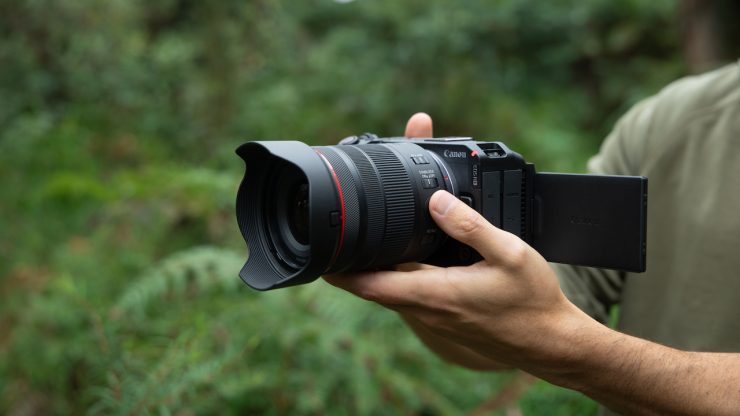
The C70 was Canon’s first dedicated video camera to utilize the RF mount, and the R6 V, just like the C50 and C80, follows suit. The RF mount is a lot more versatile than the EF mount, and it allows users to use a variety of different lenses through the use of adapters. The EF mount was designed in the ’90s, and it technically reached its limits, and that’s why Canon moved in a different direction.
RF 20-50mm F4 L IS USM PZ
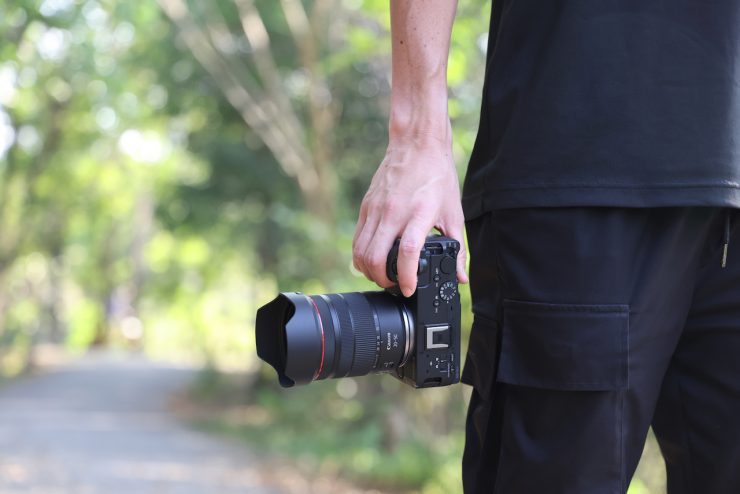
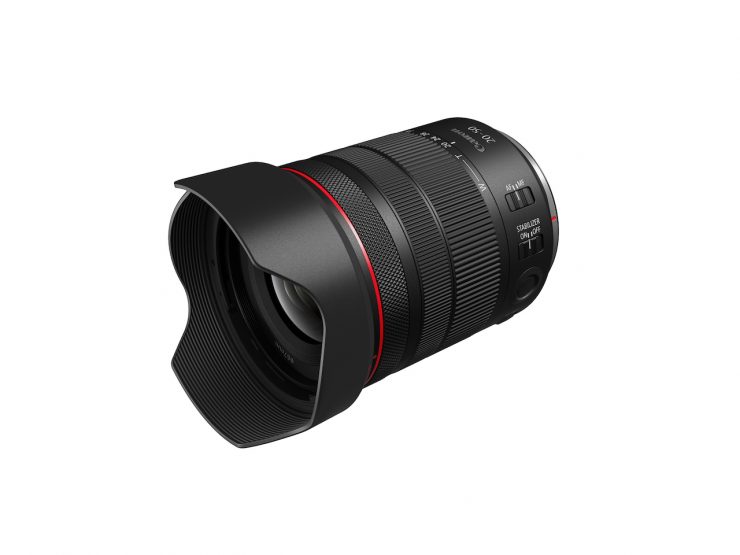
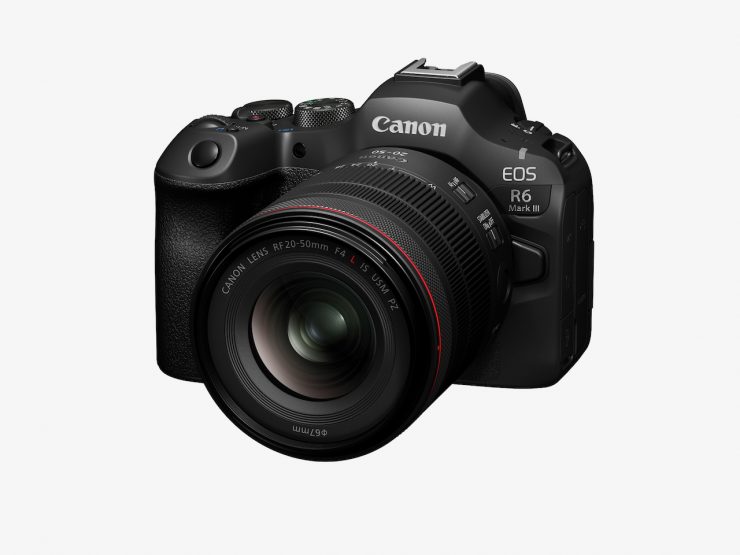
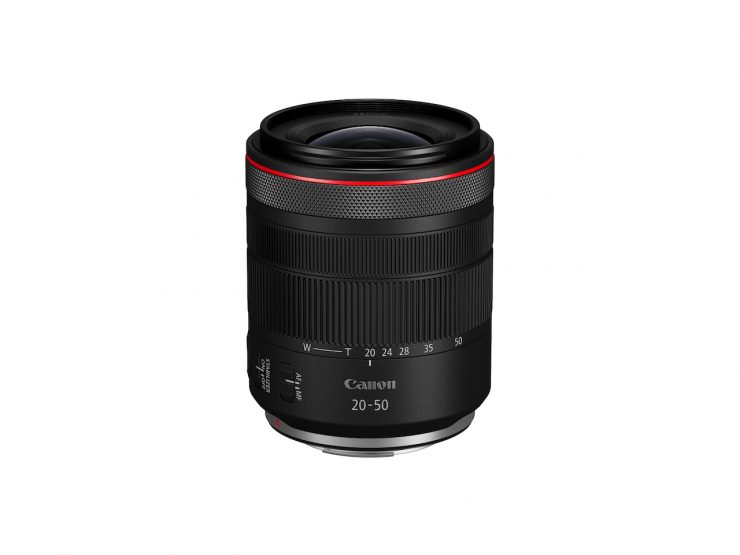
Along with the R6 V, Canon has also announced the RF 20-50mm F4 L IS USM PZ.
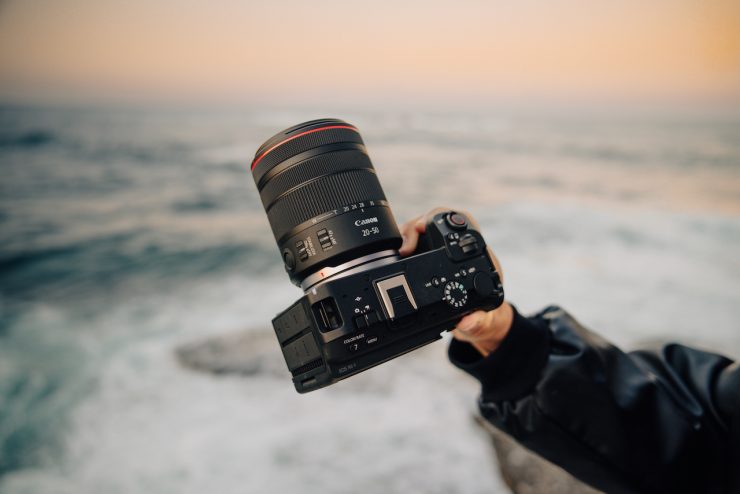
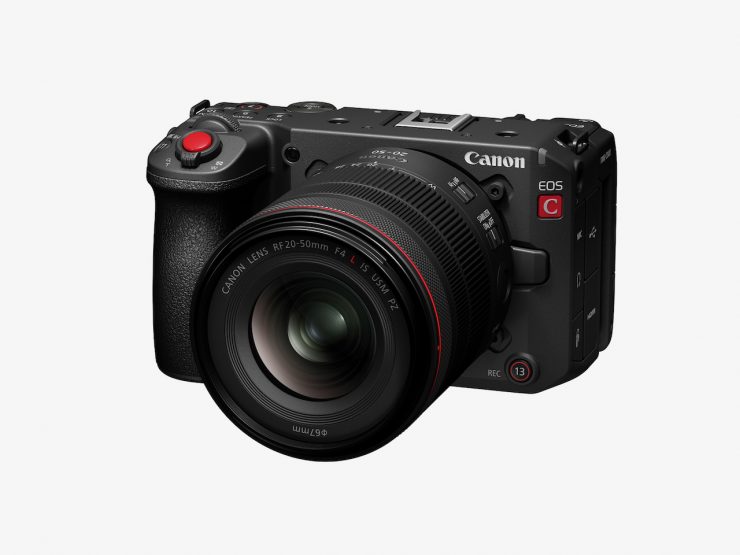
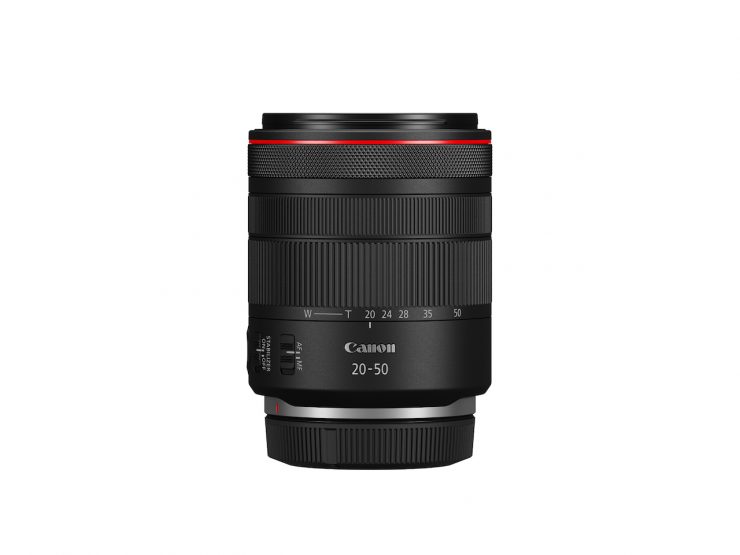
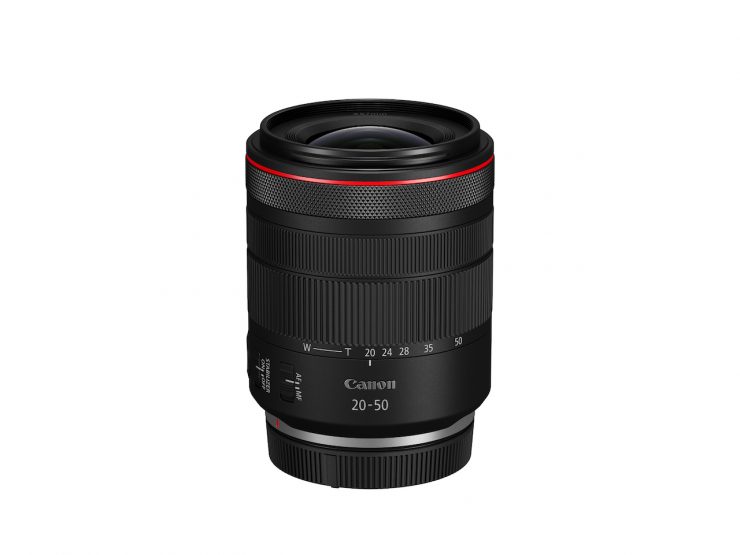
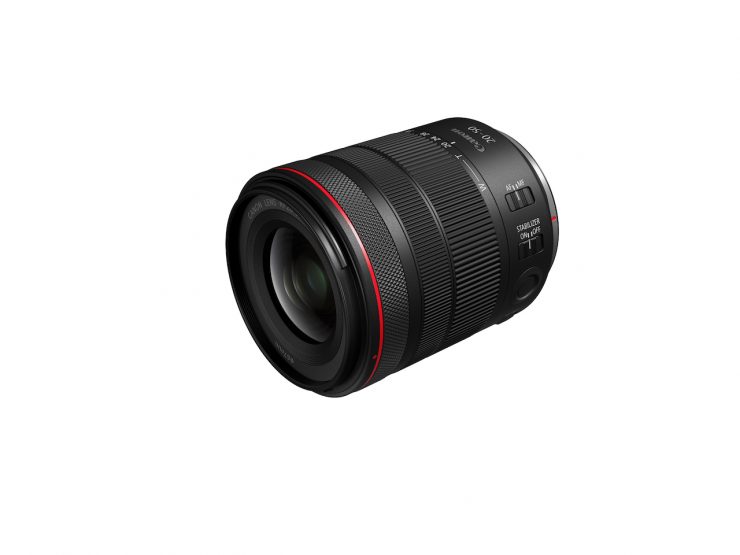
This lens offers power zoom functionality, a versatile 20-50mm focal length. It utilizes an internal zooming mechanism so the barrel length doesn’t change.
Key features
- Integrated Power Zoom: The first full-frame RF L-series lens with built-in power zoom for seamless video and precise manual control.
- Versatile Focal Range: Wider-than-standard 20-50mm zoom at a constant f/4 maximum aperture, ideal for diverse content.
- Exceptional L-Series Optics: UD elements, ASC, and suppressed focus breathing for pristine, stable image quality.
- Compact & Portable: Lightweight (420g) design for comfortable handheld use.
- Effective Image Stabilisation: Up to 6-stops of optical IS for clear, steady results.
- Fast, Silent Autofocus: Nano USM motor for quick, quiet, and accurate focusing.

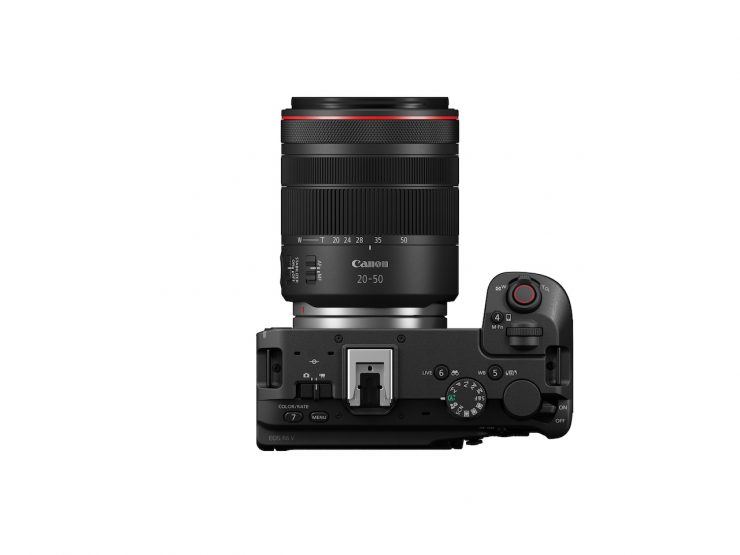
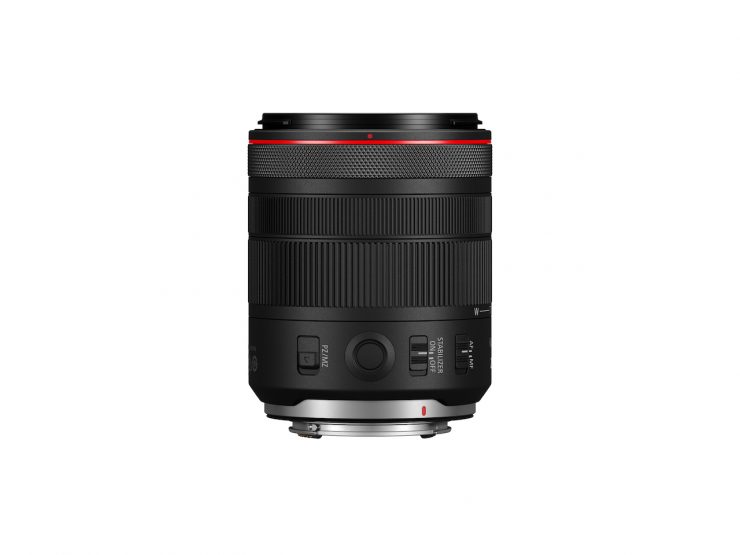
You can adjust the zoom with the zoom dial on the R6 V. You also have the ability to change the zoom speed in the camera menu. There is also a customizable Lens Function button, a manual focus ring, and a dedicated Control Ring for instant access to an assigned setting.
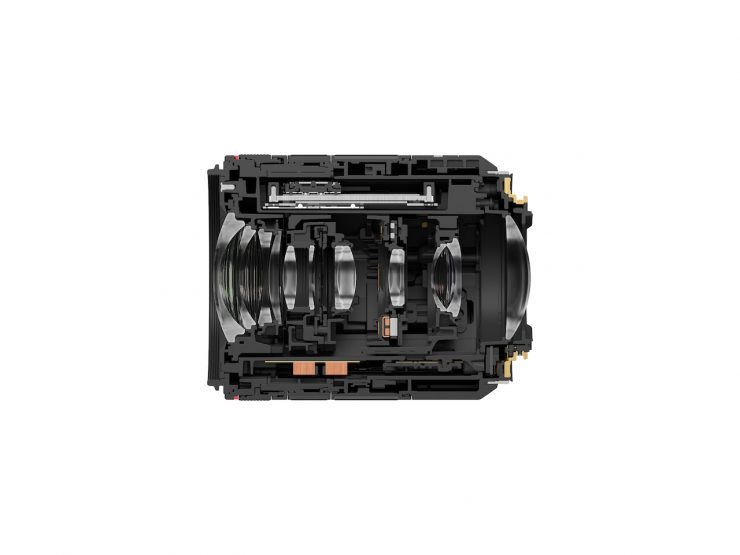
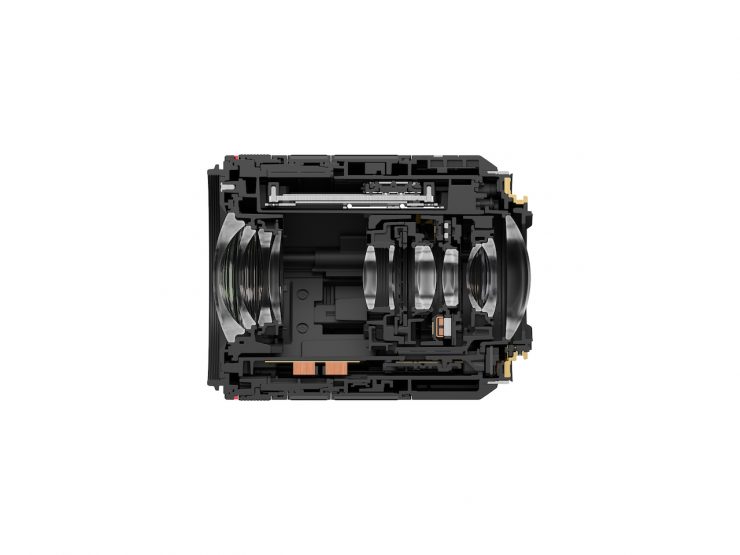
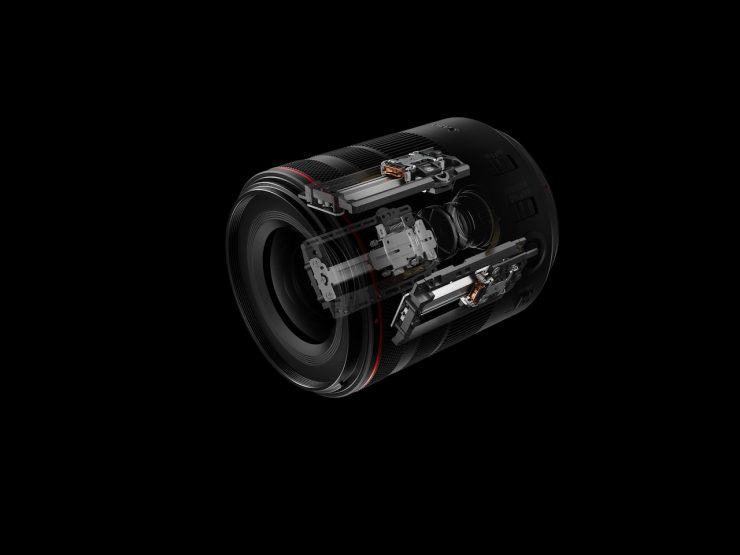
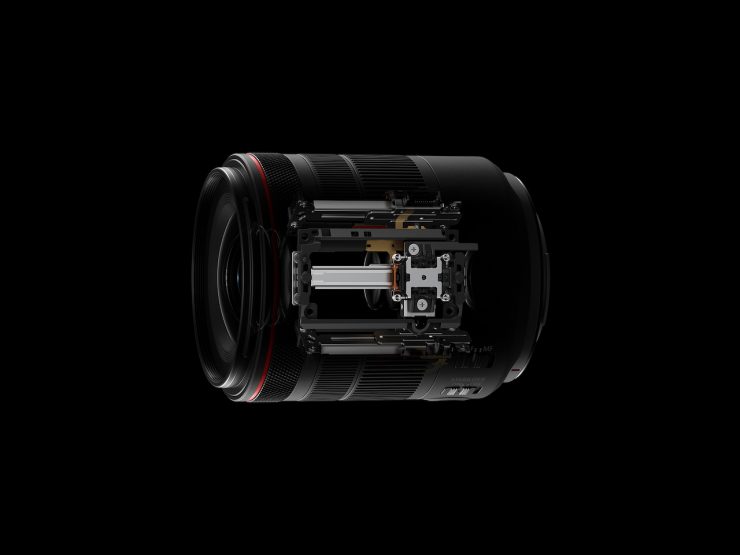
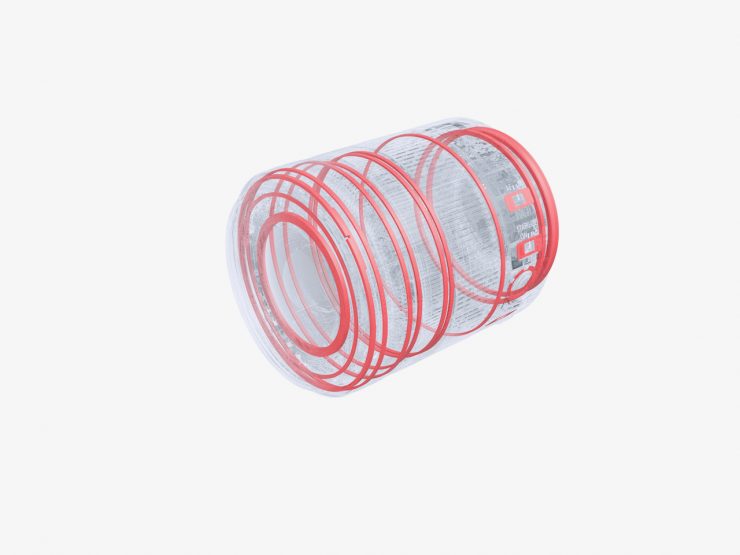
The RF 20-50mm f/4L IS USM PZ is claimed to deliver exceptional L-series image quality, and the optical design features UD lens elements, Air Sphere Coating (ASC), and optically suppressed focus breathing to maintain a stable frame during zooming. It offers up to 6-stops of optical image stabilisation, ensuring shake-free handheld shooting. Its Nano USM autofocus is said to provide swift, silent, and accurate focusing, down to 0.24 metres.
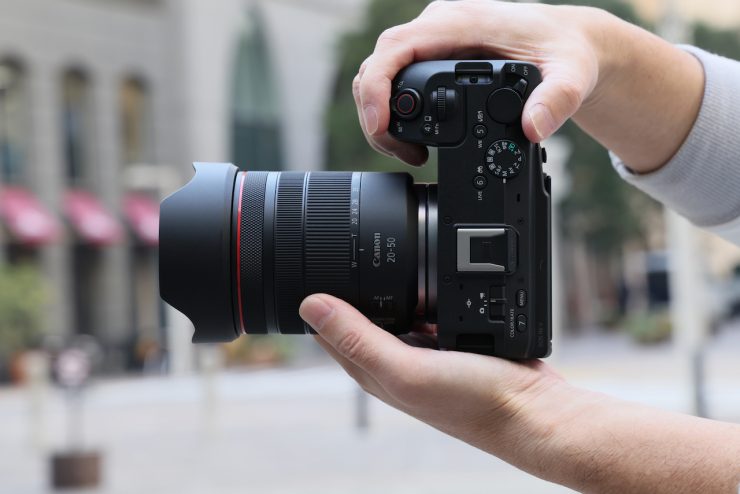
The lens weighs in at just 420g / 0.95 lbs. It looks to be a nice complement to the Canon VCM lenses. It will retail for $1,399 USD.
HG200-TBR Tripod Grip
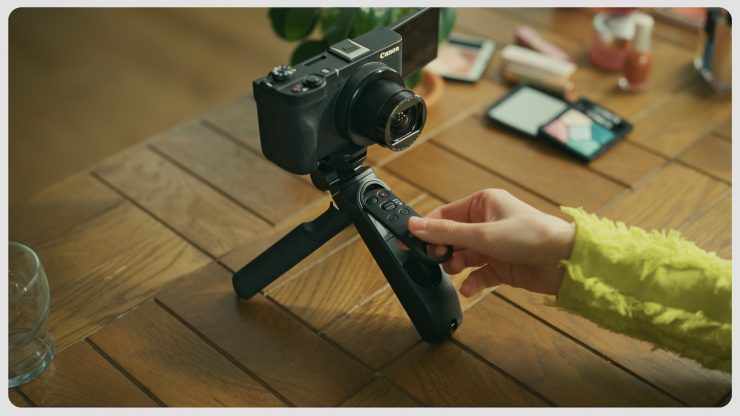
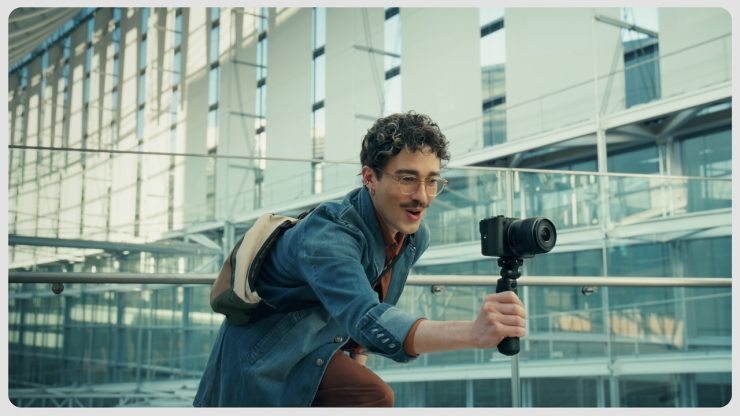
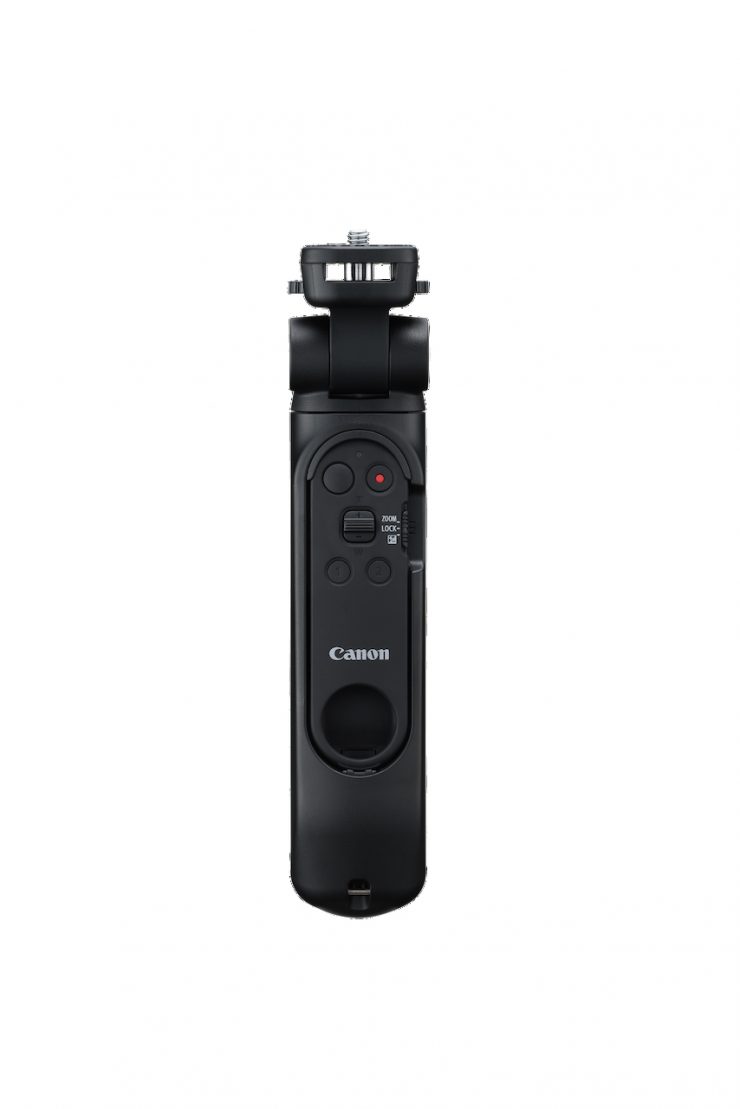
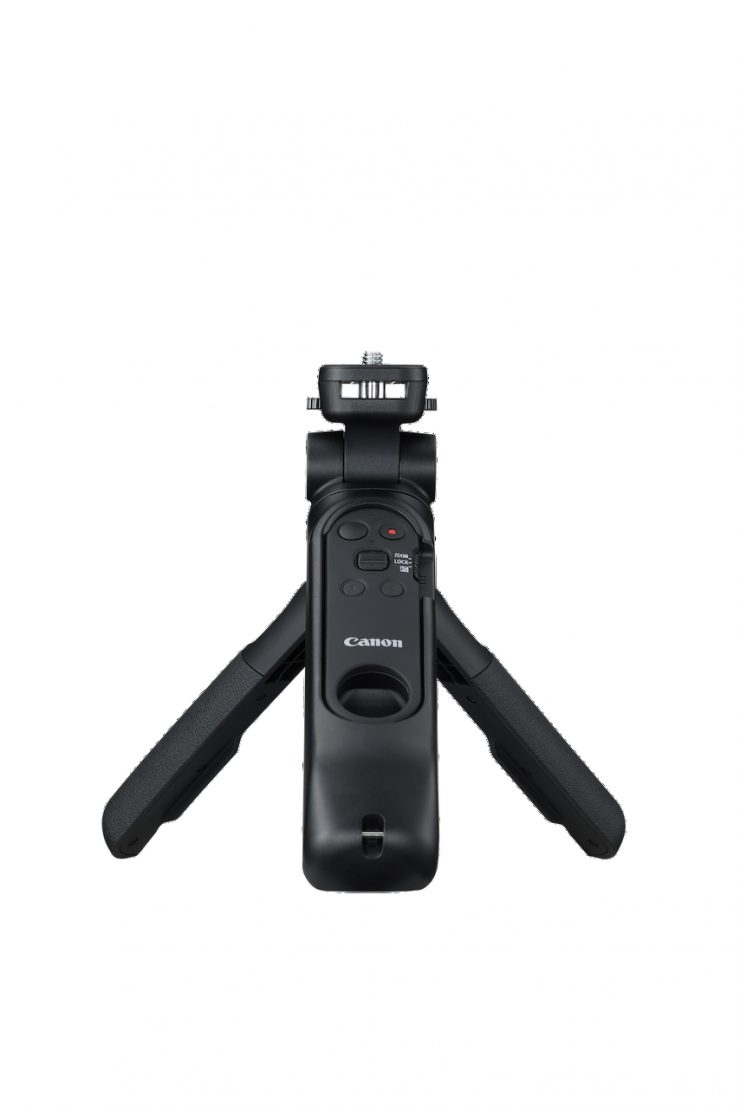
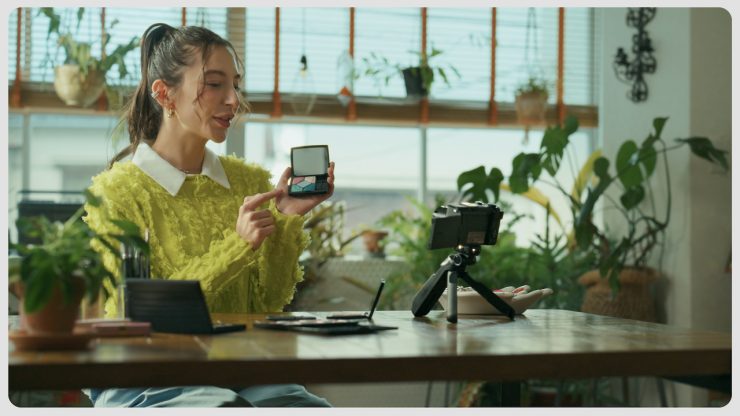
Moving on to some of the accessories, there is also the HG200 TBR Tripod Grip ($159 USD), which replaces the existing HG100-TBR on the market.

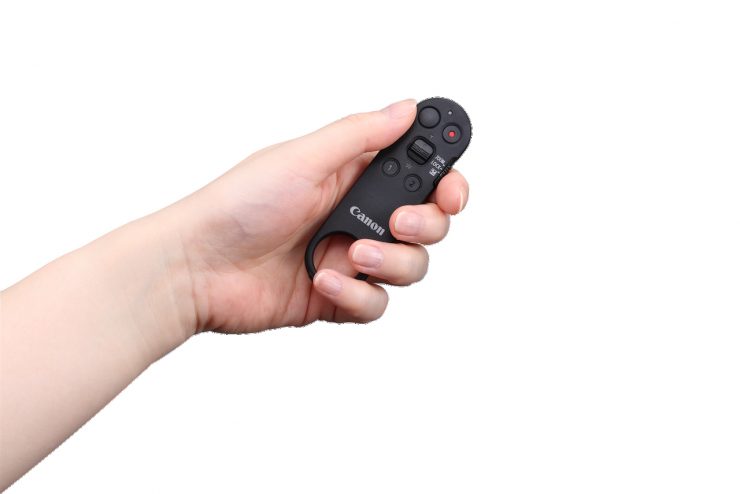
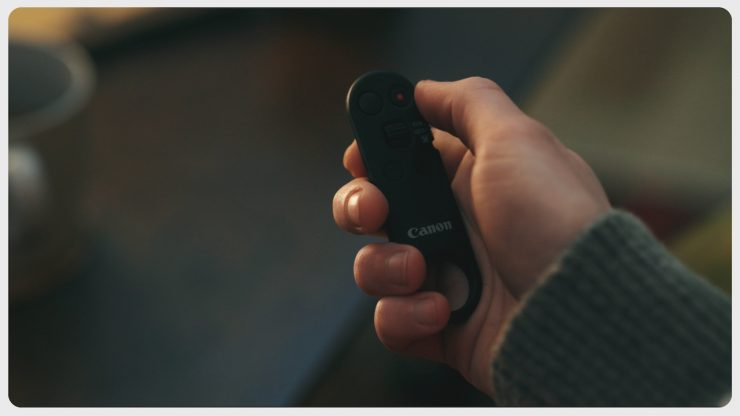
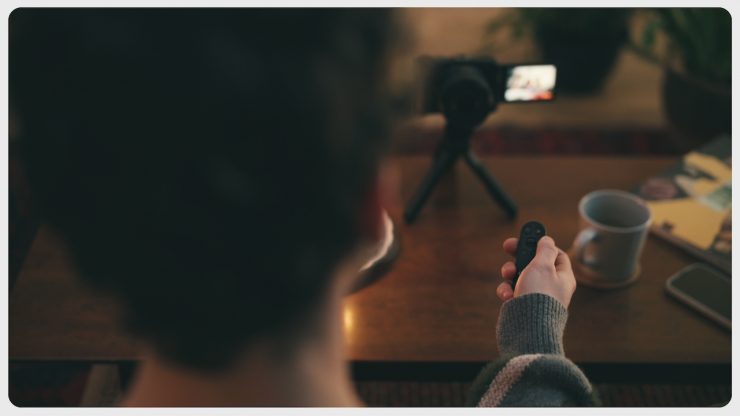
There is also an optional Bluetooth wireless remote (BR-E2) $69 USD with an independent record button, a separate lever to control either zoom or exposure, and two custom buttons.
Price & Availability
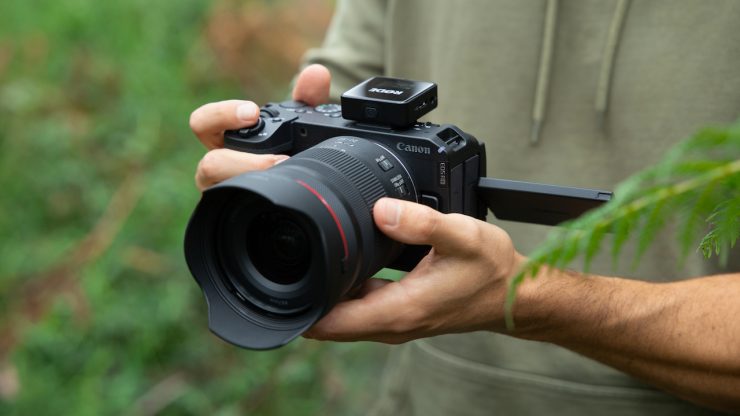
The Canon EOS R6 V will retail for $2,499 USD, and it will be available from the 17th May. You can also buy it in a kit with the RF 20-50mm F4 L IS USM PZ for $3,699 USD.
So how does this price compare to some other mirrorless hybrids?
| PRICE | |
| Canon EOS R6 V | $2,499 USD |
| Nikon ZR | $2,196.95 USD |
| Canon EOS C50 | $3,899 USD |
| Canon EOS C80 | $5,499 USD |
| Canon EOS C70 | $3,499 USD |
| Canon EOS R5 C | $2,999 USD |
| Canon EOS R50 V | $569 USD |
| Canon PowerShot V1 | $849 USD |
| Canon PowerShot G7 X Mark III | $879.99 USD |
| Blackmagic Design PYXIS 6K Cinema Box Camera (Leica L) | $3,295 USD |
| Sony FX3A | $4,298 USD |
| Sony FX2 | $2,698 USD |
| Sony FX30 | $2,098 USD |
| Sony ZV-1 | $798 USD |
| Ricoh GR IV | $1,496.95 USD |
| Leica D-Lux 8 | $1,915 USD |
| Sony Cyber-shot DSC-RX100 VII | $1,498 USD |
| Panasonic Lumix S9 | $1,297.99 USD |
| Panasonic Lumix S5 II | $1,697.99 USD |
| Panasonic Lumix S5 IIX | $1,897.99 USD |
| Panasonic Lumix GH7 | $1,797.99 USD |
| FUJIFILM X-M5 | $899 USD |
| FUJIFILM X-T5 | $1,895.95 USD |
| FUJIFILM X-T50 | $1,499 USD |
| FUJIFILM X-H2S | $2,699.95 USD |
| Nikon Z8 | $3,396.95 USD |
| Nikon Z6 III | $1,996.95 USD |
| Nikon Z50 II | $1,006.95 USD |
| Nikon Zfc | $1,065.96 USD |
| Nikon Z30 | $606.95 USD |
What are your thoughts on the new EOS R6 V? Let us know in the comments section below.
Specifications