Asset Giant was created by Dan Huke, who is a building contractor by trade. He ran Blue Ladder Building, which grew to around 20 staff, with five or six jobs at once. What Dan found is that it became increasingly more difficult and time-consuming to keep track of tools and equipment, so he decided to do something about it and come up with his own solution.
Asset Giant started out for tools and vans, but interestingly, a lot of the people using it were actually from the film and TV industry. The reason is that production and AV companies had exactly the same problem, just in a different shape. They wanted to know what was in a case, which case, who took it, where it was, etc.
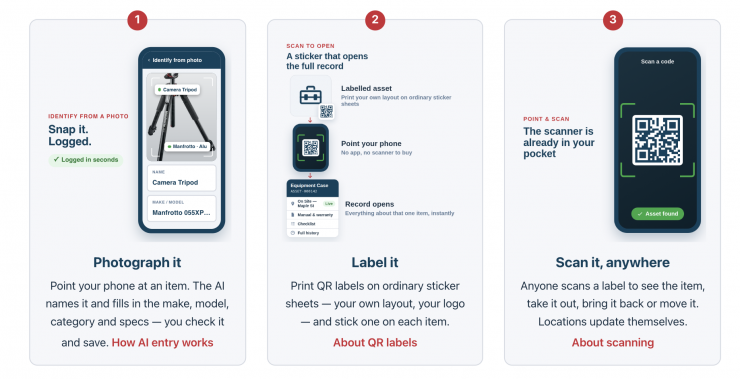
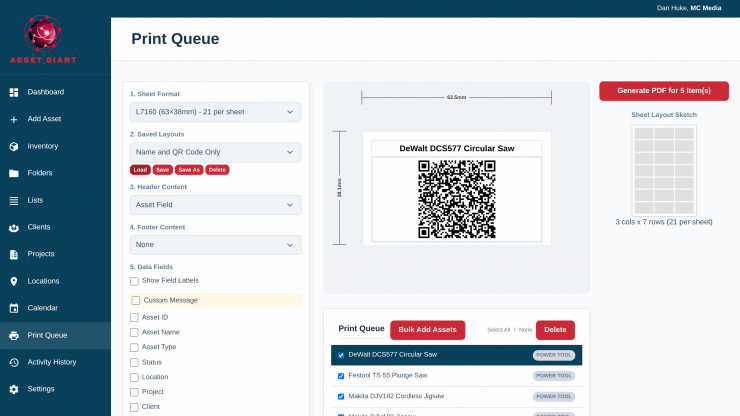
Historically, the logging and keeping track of equipment is a very time-intensive process. With Asset Giant, you simply take a photograph of an item, and then AI identifies it and writes the record for you to confirm. You can do this for any type of equipment, regardless of how big or small it is. You then print your own QR labels on ordinary label sheets, scan with a phone to see what something is and who has it, and there’s a booking calendar so the same kit isn’t committed to two jobs at once. Lists work as load-out checklists, which is the version of this that most crews actually want.
If you are a solo operator, work in small teams, small to medium-sized production houses, or even a rental house, then having an easy-to-use system for locating and knowing where certain kit is at any time is important. Even for someone who packs and stores a lot of gear by myself, I still end up misplacing or struggling to find an item. Sometimes it’s just a tripod plate or an adapter, and you can end up wasting hours of your time trying to locate it.
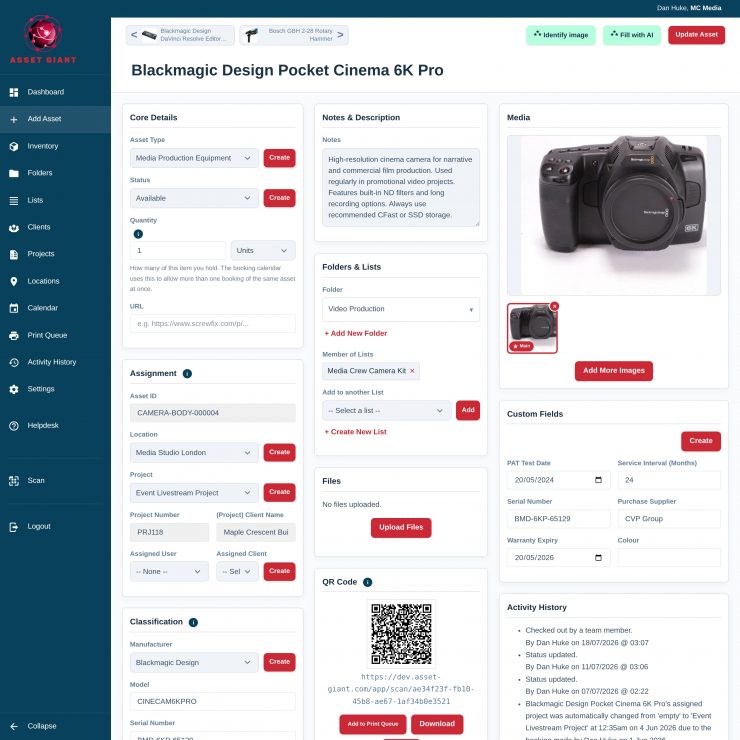
Initially, you would need to do quite a bit of work to set up everything for the system to work, but ultimately it’s going to save you headaches and time in the long run.
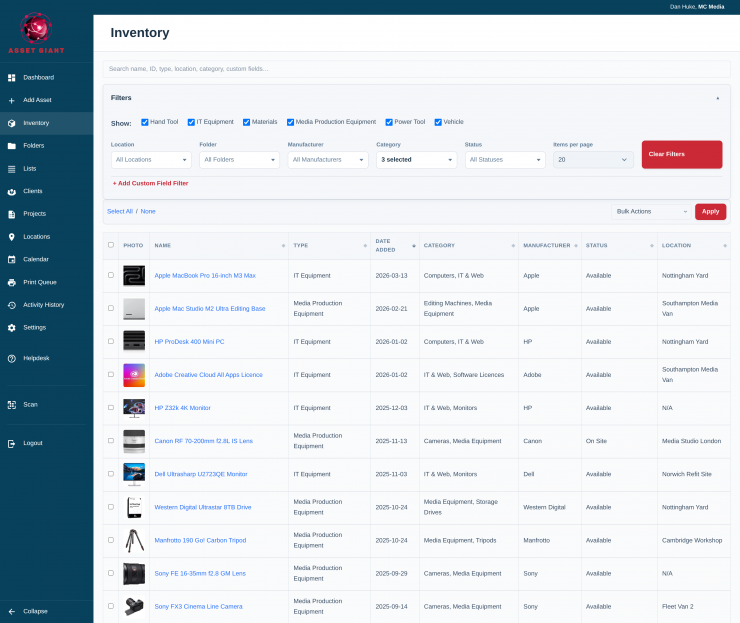
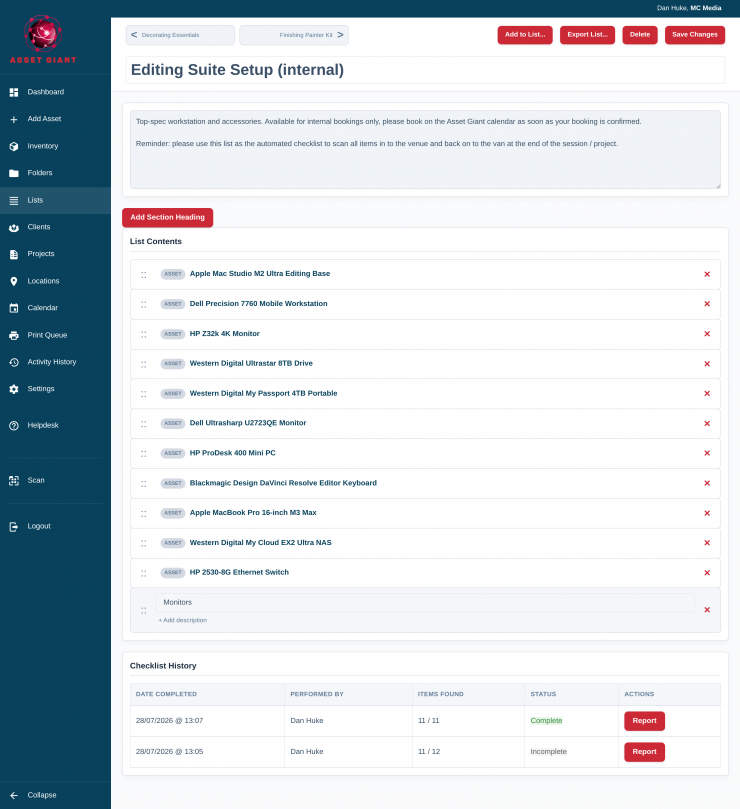
You can then have a complete inventory of all of your equipment that is easily accessible.
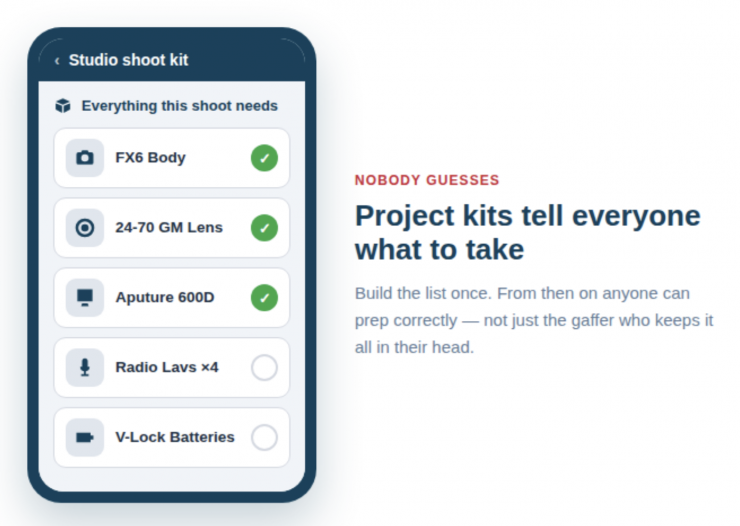
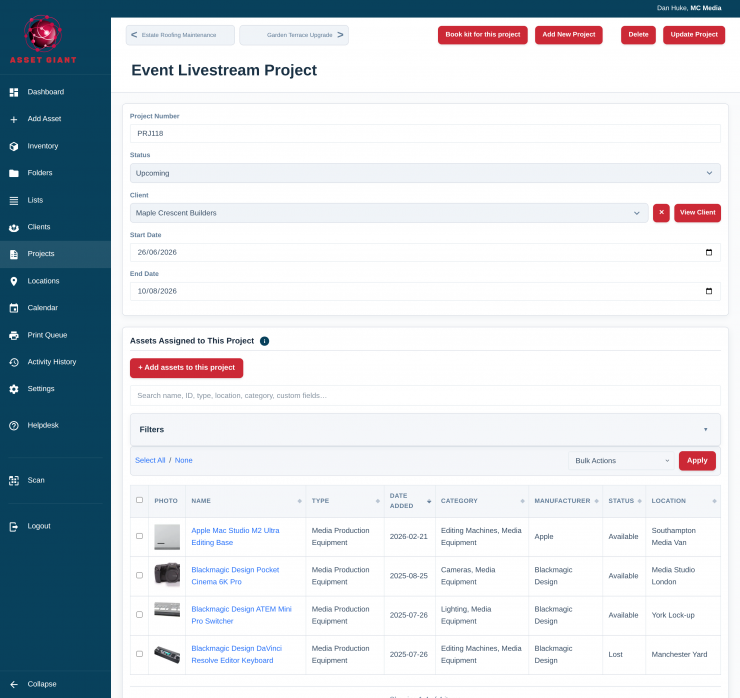
Users can build a project kit so that every piece of equipment for a particular shoot is logged. Anyone on the crew can then see the list, scan each item into the case, and turn up to the location with the right kit.
With Asset Giant, everything runs on any phone. If a freelancer can use a phone camera, they can use Asset Giant from their first call time.
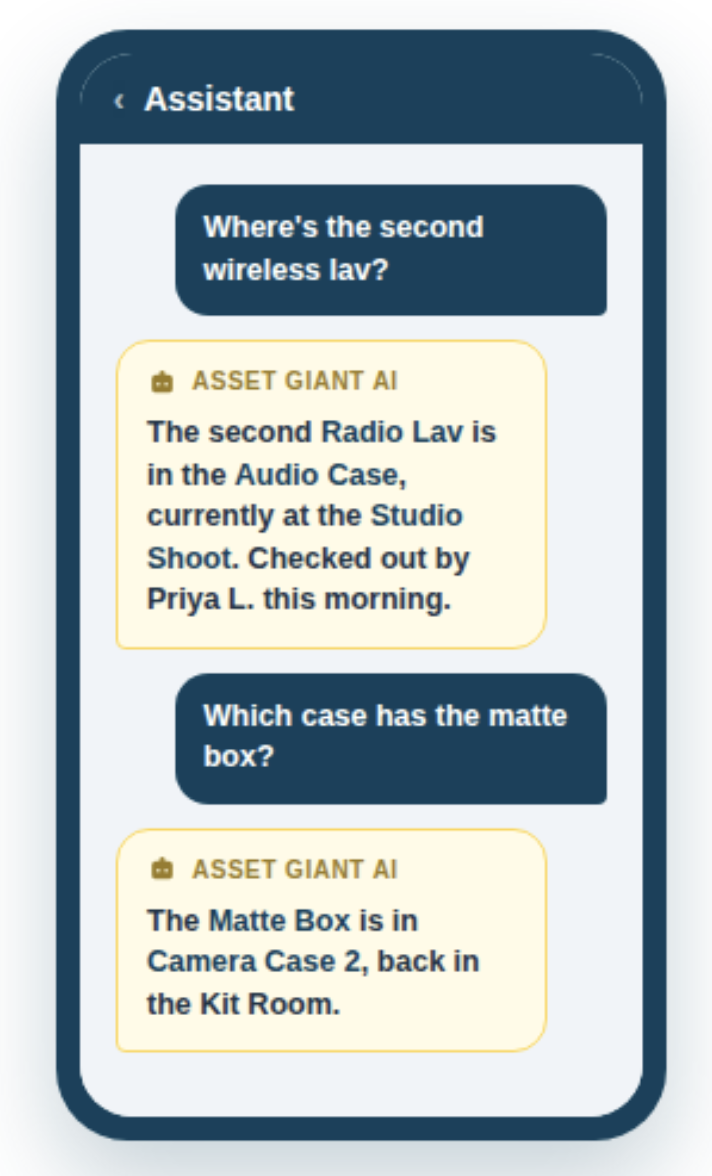
On a shoot, if you need an assistant or someone who isn’t overly familiar with where things are to find a specific bit of kit, it can be easily located by just asking the AI Assistant.
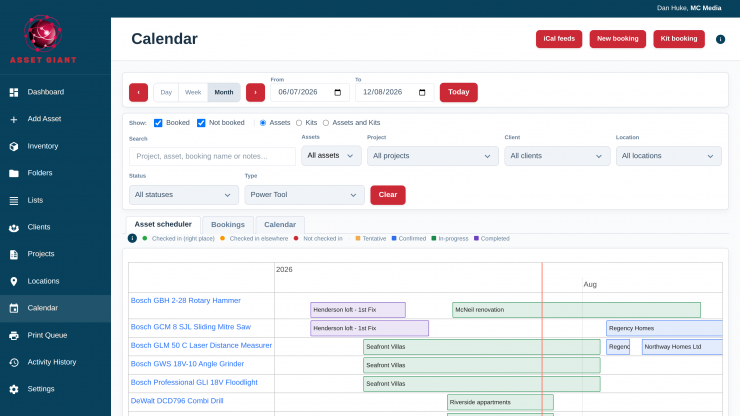
You can create a calendar to see which days and what gear are required, and whether or not it is available for a specific job. The booking calendar schedules kit against jobs and people, preventing double-booking, alongside simple check-in/check-out for day-to-day accountability.
Pricing & Availability
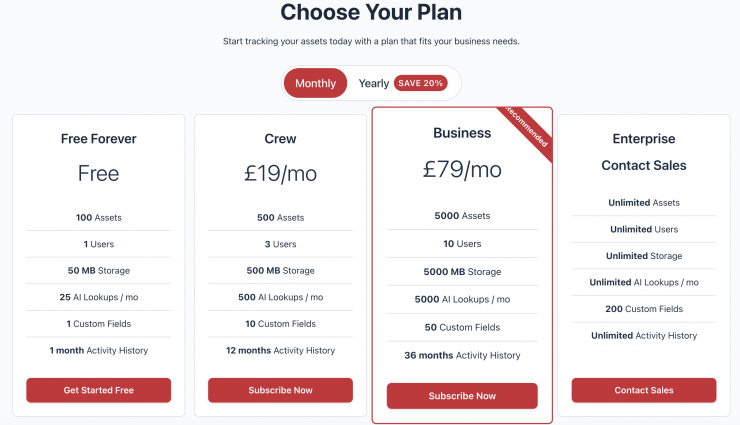
Asset Giant runs in a phone browser with nothing to install; there’s a free plan with no card, and paid plans start at £19 a month.
Your data is kept strictly separated, and you can export your inventory to CSV/PDF at any time
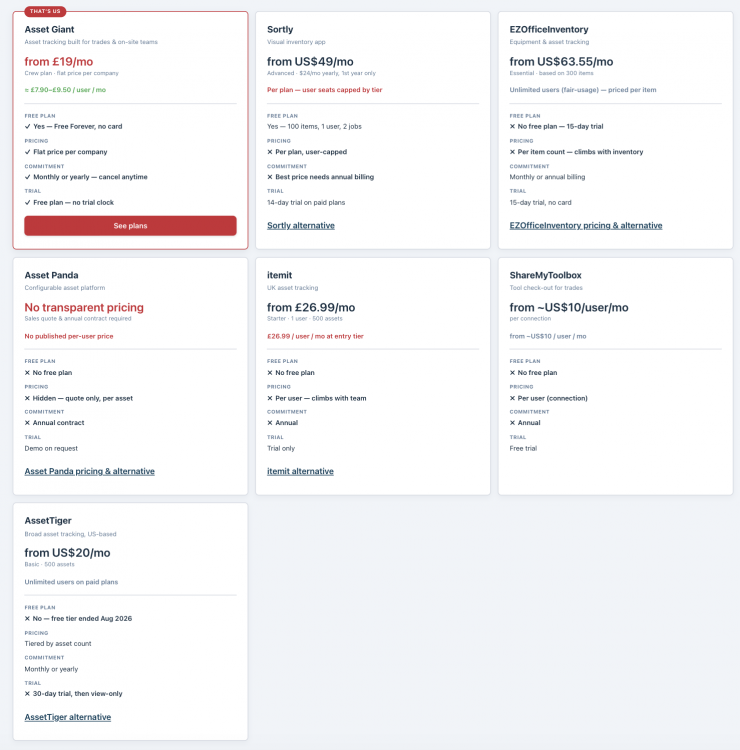
How does Asset Giant compare with Sortly, EZOfficeInventory, itemit and other similar software? Above, you can see.