Video Assist 2.3 has been released, and its headline features are NDI Input and Record Trigger for the Blackmagic Camera App, with a new workflow using an iPad as a Wireless Director’s Monitor. All that’s required is an iPhone, an iPad, and a Wi-Fi Router.
Other major additions include:
- Record Trigger for Nikon and Kinefinity Cameras
- Status Overlay
- Off Speed Playback
- Vertical Mode
- External Display Management
- Export Clips
- Bulk Edit Metadata
NDI Input & Blackmagic Camera App Workflow
Video Assist can now use any NDI Source as a video and audio input. Stream over Wi-Fi without a USB Capture Card or a dedicated wireless transmitter and receiver. This opens up lightweight monitoring workflows built around devices already on set.
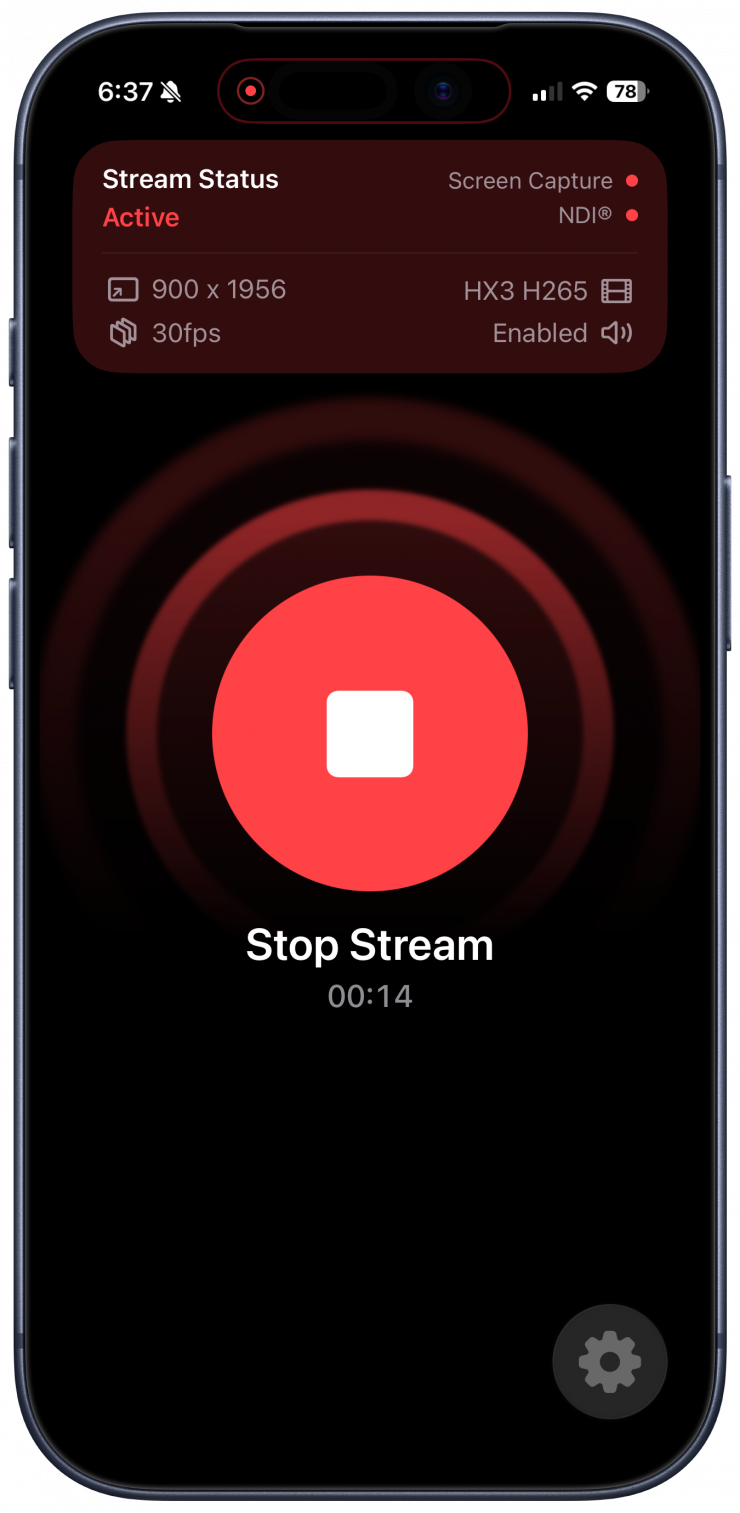
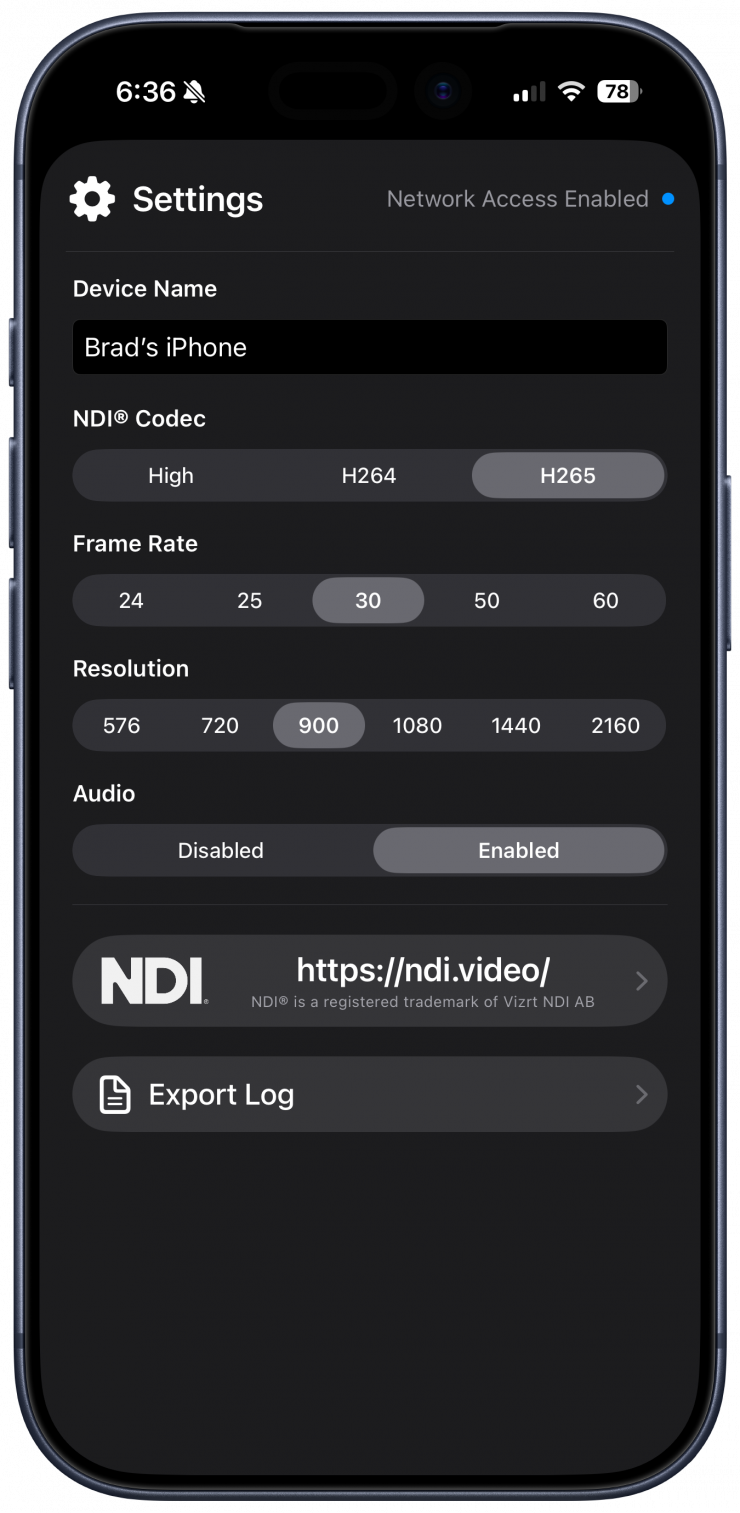
The update is paired with Screen Stream, a companion iPhone app built by Andrew and currently in public beta through TestFlight. Screen Stream broadcasts the iPhone Screen over NDI, allowing the Blackmagic Camera App to stream into Video Assist on an iPad. Starting a recording in Blackmagic Camera automatically triggers Video Assist. Directors and crew can set in/out points while shooting, instantly playback takes, and use familiar tools such as Live Compositing, Masks, and False Color.
Screen Stream re-encodes the iOS Screen Capture in real time to create the constant frame rate output required for reliable recording. Resolution, frame rate, and NDI codec are customizable, and the stream automatically adapts when the iPhone rotates. Together with Video Assist’s new Vertical Mode, the same workflow supports both 16:9 and 9:16 production using only an iPhone, an iPad, and a Wi-Fi Router.
Record Trigger for Nikon & Kinefinity Cameras
Record Trigger now supports the Nikon ZR, Nikon Z 6II, Kinefinity VISTA, and Kinefinity MAVO. Other cameras that use a similar video output will also be supported.
Status Overlay & External Display Management
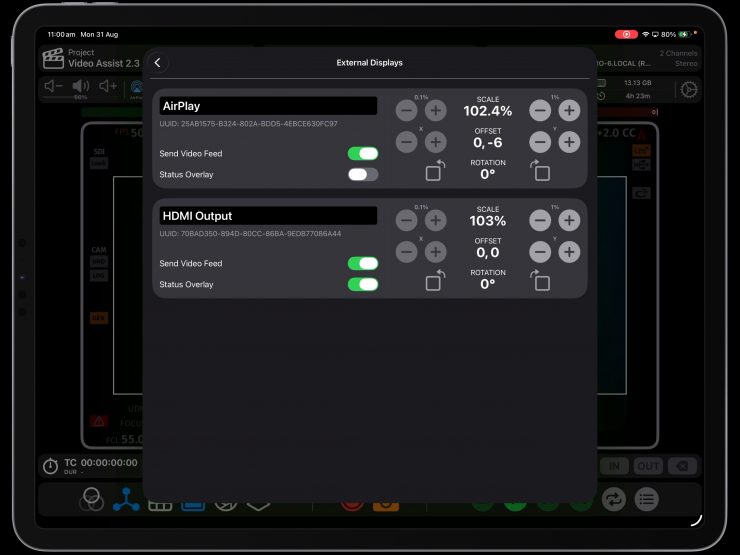
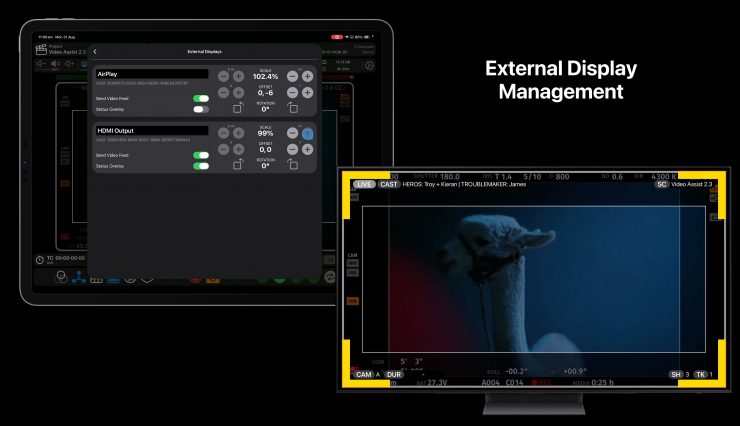
A new Status Overlay can show whether Video Assist is Live, Recording, or in Playback directly on the video feed. Scene, Shot, Take, Rating, and other metadata can also be displayed with individual configurations for the iPad and External Displays.
Connected displays now have dedicated overscan controls to scale, offset, and rotate their video output. The video feed can independently be enabled or disabled for each display, making it possible to quickly cut a client or agency feed without disconnecting any hardware.
Off Speed Playback
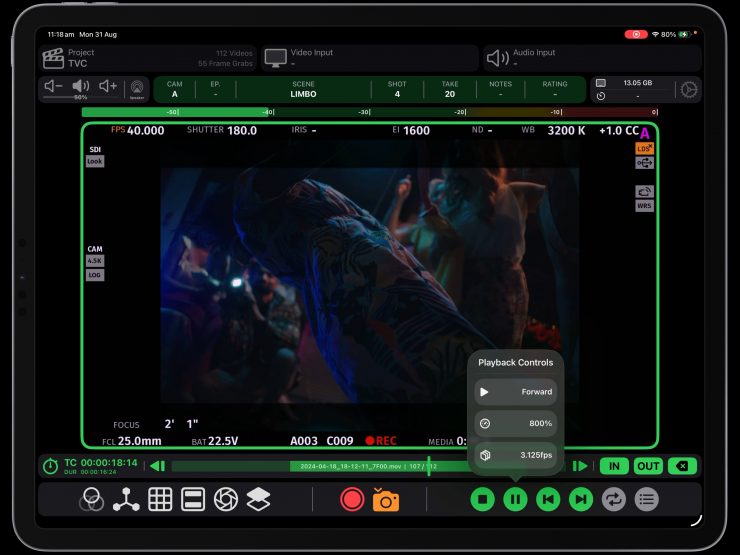
Recorded clips can be played back faster, slower, or in reverse. Playback controls let crew easily tweak the playback speed, frame rate, and direction. Quickly get a feel for a shot if it were in slow motion or sped up to a non-standard frame rate. Instantly seeing playback in reverse is crucial when doing tricky and precise setups.
Vertical Mode
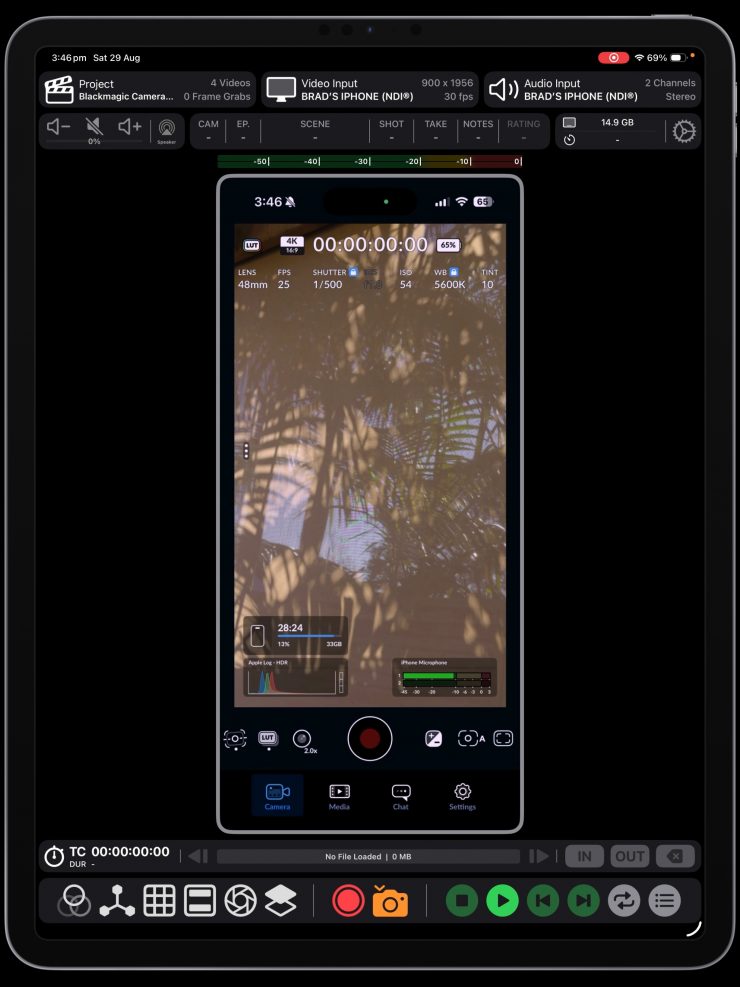
Video Assist now adapts its entire interface to a 9:16 layout when Vertical Mode is enabled. Recorded files use a matching vertical aspect ratio to match the camera.
Clip Export & Metadata Tools
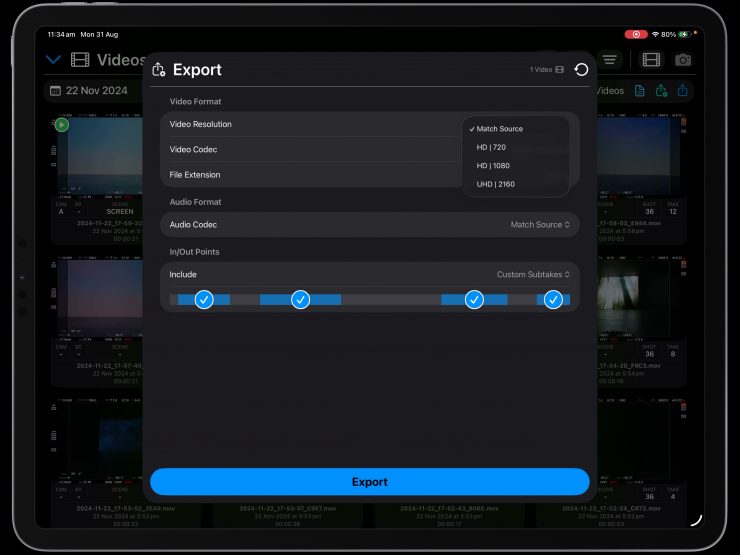
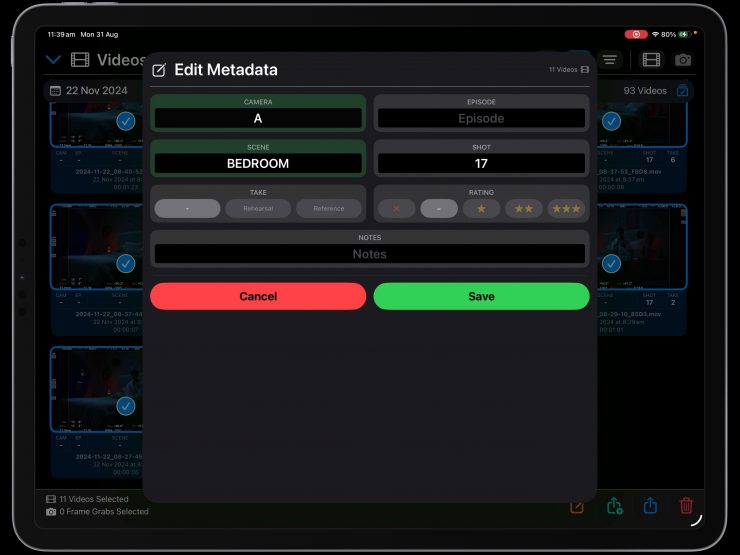
Clips can be trimmed to their in/out points and shared directly from Video Assist. Exported media includes user metadata such as Camera, Scene, Shot, Take, and Rating along with camera metadata extracted from the video feed. Clips can be re-encoded when a different delivery format is required.
Bulk Edit Metadata updates multiple clips at once, making it easy to rename scenes and shots after recording. Take numbers are intelligently incremented across a bulk edit. Select All and Deselect All commands can now be applied to an entire shoot day from the Playback File List.
Quality of Life Improvements
In/Out Points can be inserted non-sequentially during playback to create a new subtake. The Fullscreen View now shows in/out point controls by default and can open the Playback File List without leaving the view.
The user interface will scale intelligently for smaller window sizes when using iPadOS Multitasking. Rehearsals and takes use different shades of red, making each state easier to recognise at a glance.
If you are not familiar with Video Assist, it transforms your iPad into an on-set monitor and playback system that’s fast and intuitive. It accepts video from UVC Capture Cards, Accsoon SeeMo Devices, or any NDI Source over a network. Its toolkit includes LUTs, Live Compositing, Focus Peaking, False Color, Zebras, Video Transform, Grid Lines, Center Marks, Frame Lines, Anamorphic Desqueeze and more.
Availability
Video Assist 2.3 is available to download for free on the App Store.
The free version operates in Demo Mode with a watermark and a recording limit. This allows crew to test compatibility with their hardware and explore what the app can do before making a purchase.
Video Assist offers a Base Subscription at $129.99 USD/year and a Pro Subscription at $199.99 USD/year. The Pro Subscription includes LUTs, Focus Peaking, False Color, Zebras, Compositing, Metadata Extraction, NDI Input, and ProRes Recording.
Screen Stream is currently available as a public beta through TestFlight.