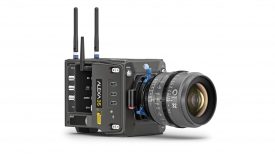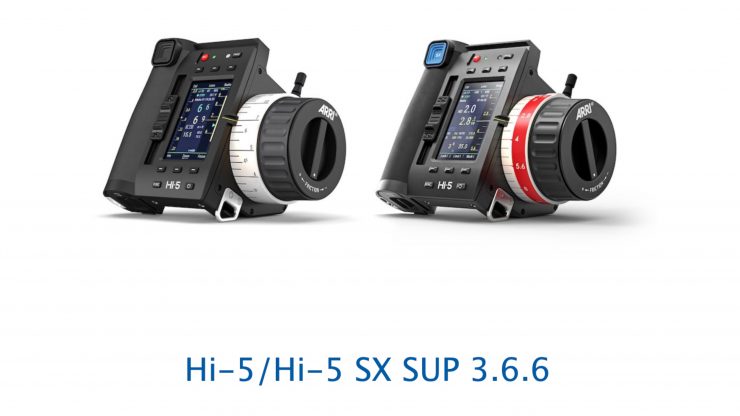
ARRI has released Software Update Package (SUP) 3.6.6 for the Hi-5 and Hi-5 SX. New features include focus marks now being able to be handled by ALEXA 35 cameras and the ALEXA 265, and continuous exposure index values of the ALEXA cameras are accurately displayed.
What’s new in SUP 3.6.6?
- Focus marks can now be handled by ALEXA 35 cameras and ALEXA 265, although it is still possible to set, edit, and delete focus marks as before. With the ALEXA 35 feature focus scale, focus marks can be displayed on the SDI monitoring output.
- Continuous exposure index values of the ALEXA cameras are accurately displayed by the Hi-5/Hi-5 SX.
- Focusbug Cine RT can be fully integrated with ALEXA 35 family cameras. No translation device between Focusbug and ECS devices is necessary anymore.
- Custom screensavers are now available for further individualization of your device.
- Bug fixes
Focus Marks Synchronization
With SUP 3.6.6 on the Hi-5 and Hi-5 SX, when used in conjunction with ALEXA 35, ALEXA 35 Live, and ALEXA 35 Xtreme running SUP 6.2, Focus Marks are now handled by the camera. It is still possible to set, edit, and delete Focus Marks as before. A long press on ‘Mark F’ on the Hi-5 deletes all Marks.
Focus Marks with ALEXA 35 Feature Focus Scale
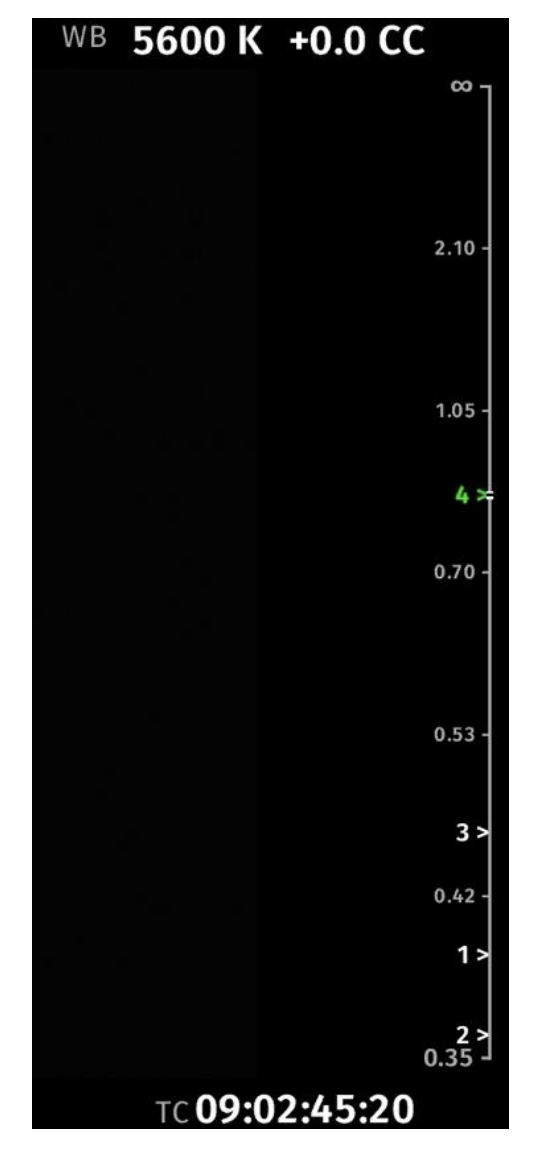
If the Focus Scale, available starting with ALEXA 35, ALEXA 35 Live, and ALEXA 35 Xtreme SUP 6.2, is active on an SDI monitoring output, the Focus Marks will be displayed on the right side of the respective output.
The display format for Focus Marks, either numbers (default) or distance values, can be selected on the camera in MENU > MONITORING > FOCUS SCALE. Changing this setting has no effect on how Marks are displayed on the Hi-5.
The camera also introduces a new ‘Mark Focus’ user button. Marks added using this button are synchronized with the Hi-5 and displayed immediately.
Continuous Exposure Index support
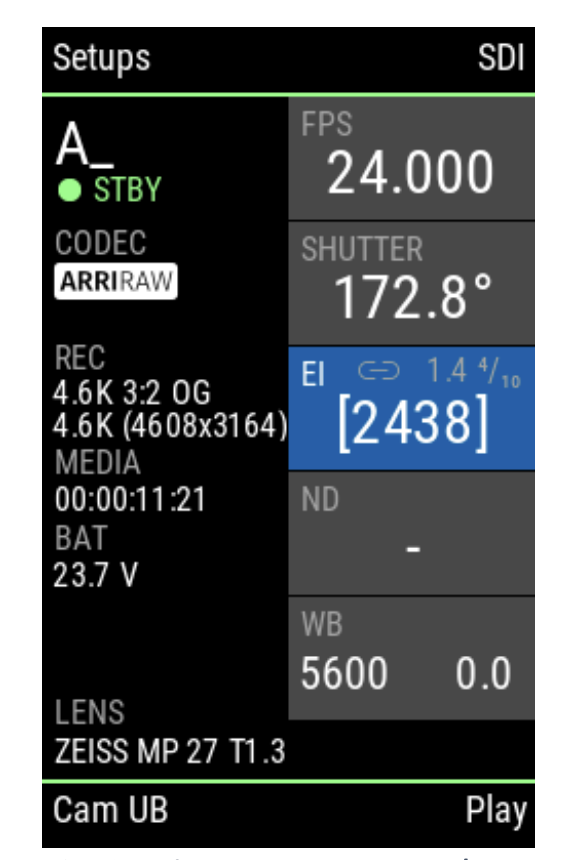
Starting with SUP 6.2 ALEXA 35, ALEXA 35 Live, and ALEXA 35 Xtreme support continuous exposure index values. Hi-5 and Hi-5 SX now accurately display these values. When the exposure index value is shown in square brackets, it is controlled via CAP. Otherwise, it can be changed by Hi-5 using a value from the preset list.
Focusbug Cine RT Support in ALEXA 35 with SUP 6.2
With SUP 6.2 the ALEXA 35, ALEXA 35 Live, and ALEXA 35 Xtreme cameras now support a direct connection of the Focusbug Cine RT Horn (Distance Measure Device) to the SERIAL connector of the camera. This makes the full Hi-5 licensed feature set of the Focusbug Cine RT available. The compatibility was verified with software version v24.06.
Additional devices like a RIA-1 or a CUB-1 to translate interfaces between Focusbug and the ECS system will not be needed anymore, further reducing the total size of a camera setup.
Custom Screen Saver adjustments
It is now possible to use your own images for the Screen Saver Mode, which can be activated by pressing the FUNC+ Power buttons simultaneously.
This setting can be accessed through the menu: Menu > System > Buttons + Display > Light + Color > Screen Saver > Mode: “Slideshow”. The images must be saved as .png files with a maximum resolution of 240×400.
These must be loaded onto a USB-Stick, prepared for the ARRI Eco System in the following folder: ARRI\Hi-5\IMAGES
The images from this folder are automatically synchronized with the Hi-5 and uploaded to it when the Screensaver is activated. To change or delete the images, they must be removed from this folder.
With this change, it is now possible to use custom screensavers without having a USB flash drive plugged in all the time.
Bug Fixes
Luminance flickers when sending ISO values via script or RCP
Variable continuous ISO values, sent via script or RCP (EI ramping) caused the luminance to start flickering, as the Hi-5 was sending the last received EI index value from the camera, where a new EI index from RCP was already applied, causing a back-and-forth in ISO; this issue has been fixed.
USB-C powering Indication
When using the Hi-5 in combination with a USB-C device, the Hi-5 is still powered by its internal battery. In this setup, the power indication showed “USB”; that was now fixed to display the current battery level as a percentage.