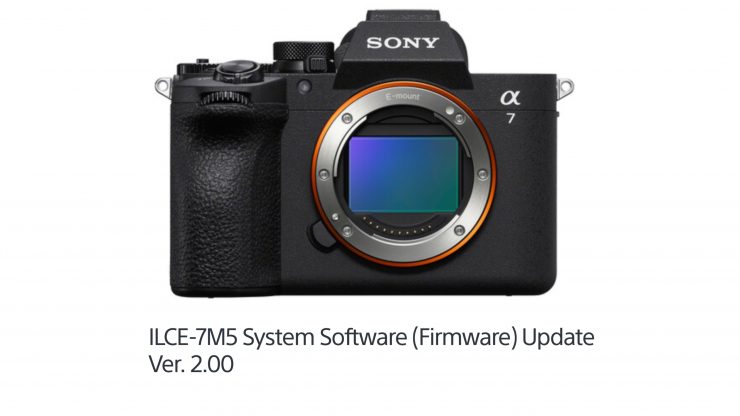
Sony’s Ver. 2.00 update for the a7 V adds the ability to record 32-bit float when using the new XLR-A4 adapter.
The XLR-A4 XLR adapter ($778 USD) provides 4-channel audio with 32-bit float and a 96 kHz sampling rate, which can be recorded alongside video. A separate WAV file can also be saved in-camera.
XLR-A4 XLR adapter Key features
- For a7R VI Camera
- Supports 96 kHz Sampling & 32-Bit Float
- 2 x Combo XLR-1/4″, 1 x 3.5mm Mic Inputs
- Dual ADCs and Four-Channel Input
- Separate WAV File In-Camera Recording
- Securely Mounts to Multi Interface Shoe
- Integrated Microphone Holder
An integrated noise reference mic has been added to aid background noise reduction when using either the onboard mic or an external microphone.
Ver. 2.00 Features
- Allows high-quality audio recording (96 kHz, 32-bit float) when the XLR-A4 adapter (sold separately) is attached to the Multi Interface Shoe
- Adds support for the Preset Focus function with lenses that do not have power zoom
- Some zoom lenses without power zoom are not supported. For more details, please visit the following page: (https://support.d-imaging.sony.co.jp/www/cscs/lens_body/).
- Supports displaying the focal length down to one decimal place
- Allows simultaneous Delete and Rating of images recorded on both memory card slot 1 and slot 2
- Allows the display of folder names and file names during playback
- Allows you to cancel the scheduled transfer of selected images during FTP* transfer
*FTP = File Transfer Protocol - Adds support for the following Transfer & Tagging settings:
- A setting to automatically schedule FTP transfer of protected still images from FTP Import
- A setting to automatically schedule FTP transfer of protected still images and videos from FTP Upload Preset
- A setting to automatically protect still images transferred via FTP from FTP Upload Preset
- A setting for configuring the SFTP (Secure File Transfer Protocol) server
- The latest version of the Transfer & Tagging setting is necessary.
Note: The Transfer & Tagging setting may not be available in some countries or regions.
- The latest version of the Transfer & Tagging setting is necessary.
- Supports the Write Digital Signature function for movies as part of Sony’s Camera Authenticity Solution
- The timing for the provision of licenses (paid) to customers other than certain media outlets is yet to be determined.
- Services may not be available in some countries or regions. For more information, please visit the Authenticity Catalog Page.
- Supports Scan and Tag, Photo Cropping, and Volume Photography Commands under the Volume Photography License
- Installation of a paid license is required for use.
- The license is scheduled to become available from late May 2026 onwards.
Note: Services may not be available in some countries or regions.
- Ends support for updating the lens firmware via the menu using a memory card
Note: Please use the Windows/Mac OS software update tool to update the lens firmware. - Fixes an issue where recording may not be possible when shooting movies with the ECM-M1 (sold separately) attached
- Improves the operational stability of the camera