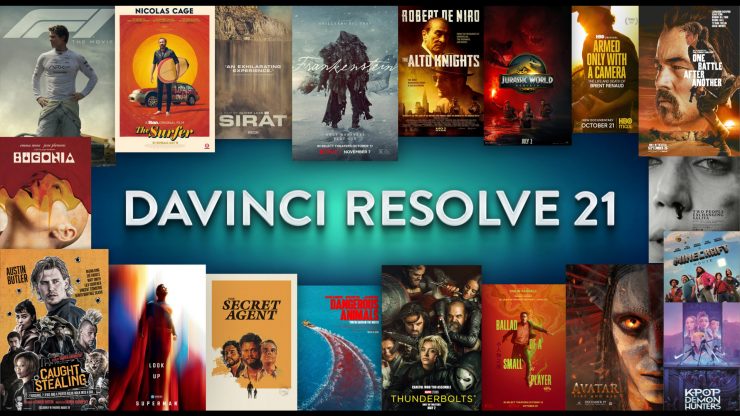
Blackmagic Design has announced DaVinci Resolve 21, a big update that introduces a new Photo page, which enables colorists and photographers to use Hollywood’s most advanced color tools for still photos.
Above, you can see the Blackmagic Design NAB 2026 livestream.
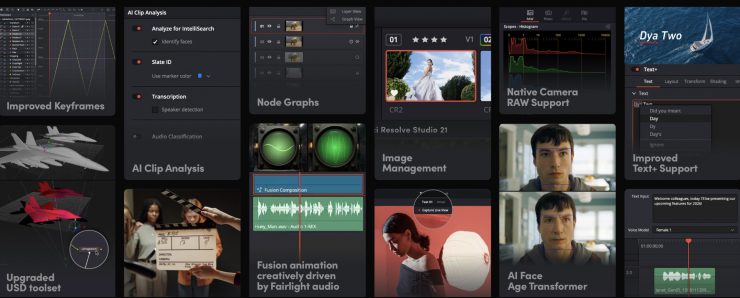
In addition to the Photo page, other updates include new AI tools such as IntelliSearch for fast content searching, CineFocus for focal point adjustment, tools for facial refinement, and more. The Krokodove toolset adds over 70 new graphics to Fusion, Fairlight folders simplify audio track management, plus there are improvements to keyframing, MultiMaster trim passes, layer list node graphs, and more.
Key features
- New photo image editing now fully integrated within DaVinci Resolve.
- Support for DaVinci color control toolset and grading panels.
- Reframe and crop images at original source resolution and aspect ratio.
- LightBox view gives an overview of entire album with grades applied.
- Albums let you build, manage and tweak photos at source resolution.
- Direct image capture via Sony or Canon tethered cameras.
- Looks, LUTs, Resolve and Open FX for your images.
- Photo page is integrated with Blackmagic Cloud collaborative workflow.
- AI IntelliSearch lets you easily search for people or objects.
- AI Speech Generator transforms written text to spoken voice.
- AI CineFocus allows refocus with realistic bokeh and lens effects.
- AI Face Age Transformer lets you age or de-age a face.
- AI Face Reshaper for flexible reshape and resize of facial features.
- AI Blemish Removal to repair facial and skin blemishes.
- AI SlateID to read slate and populate clip metadata.
- AI UltraSharpen for high fidelity sharpening of moving images.
- AI Motion Deblur enables removal of common motion blur artifacts.
- Keyframing provides powerful retime controls with 4 point bezier.
- Fusion animation can be creatively driven by Fairlight audio.
- Native support for OGraf HTML graphics and Lottie animations.
- Spell checking, color fonts and Emoji for Text+ and MultiText.
- Smart bin views in Cut page.
- MultiMaster trim pass to grade single timeline to many deliverables.
- Render Magic Mask in place as an external matte.
- Node graphs can now be viewed as a layer list.
- Support for Krokodove motion graphics effects.
- New Macro Editor with inspector view and publishing to edit effects.
- Support for USD SDK 25.11 with Hydra 2.0 API for Storm renderer.
- Folder tracks allow a group of tracks to be folded down or expanded.
- Apple Immersive workflows now support foveated rendering.
- VR180 and VR360 deliver presets for Meta Quest and YouTube.
- Fusion adds Panomap immersive rotation and ILPD retargeting.
- Resolve FX Picture in Picture effect.
- IntelliScript supports Final Draft or plain text screenplay imports.
- Metadata panel supports star rating and tagging for clips.
DaVinci Resolve 21 public beta is available for download now from the Blackmagic Design website.
DaVinci Resolve 21 will be demonstrated on the Blackmagic Design NAB 2026 booth #N2502.
“The new Photo page in DaVinci Resolve 21 brings Hollywood’s most advanced color tools to still photography for the first time.”
Grant Petty, Blackmagic Design CEO
“Professional colorists and photographers now have access to the full DaVinci color toolset and are able to build complex grades in a node-based workflow that goes far beyond the layer-based approach. They can also use all the DaVinci AI tools, ResolveFX and FusionFX and collaborate globally in real time. It’s going to be amazing to see creativity flourish with these tools”
Photo page
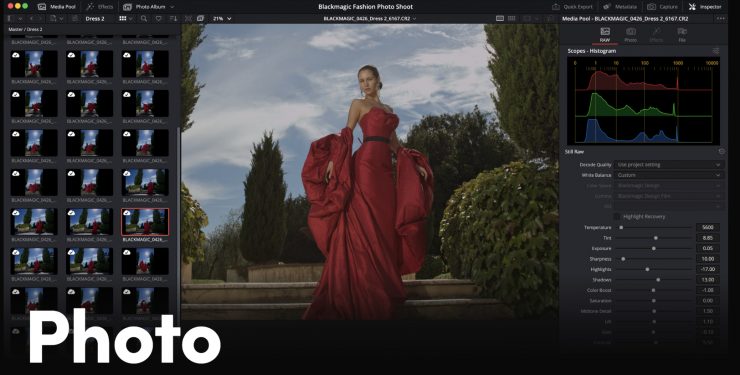
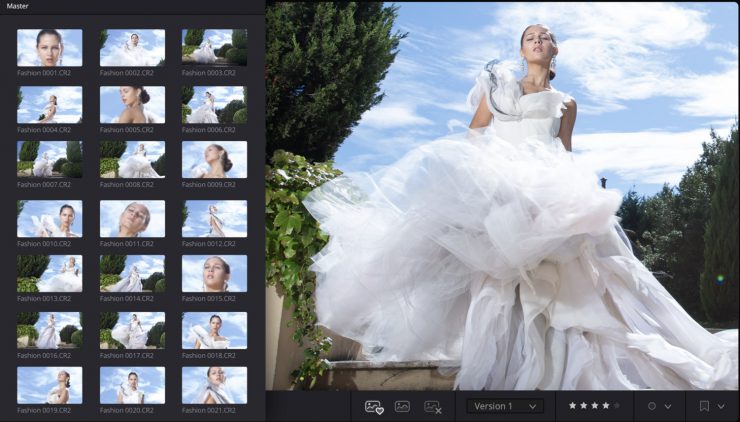
DaVinci Resolve’s post-production workflow now fully integrates photo image editing. The new Photo page lets you import and manage photographs, integrating with the color page for node-based grading.
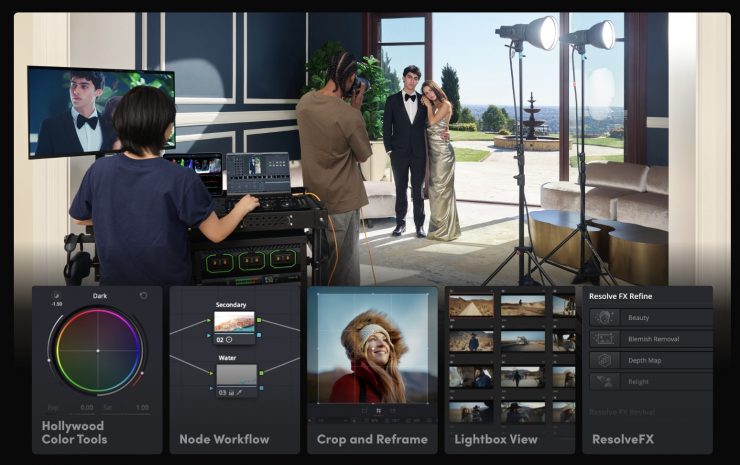
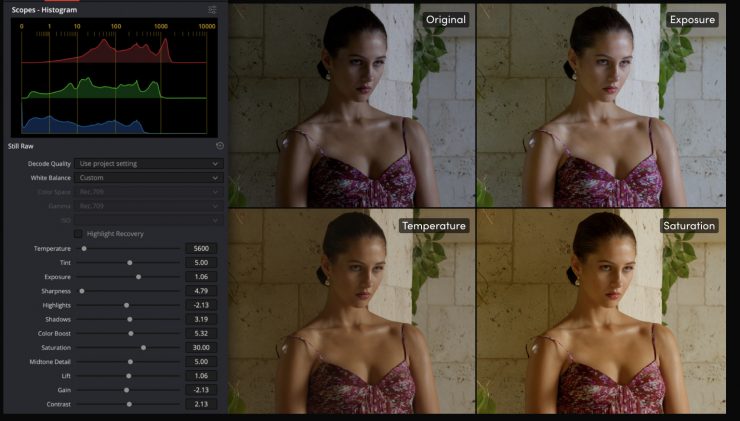
There are primary color correction, curves, qualifiers, power windows, and a node editor to adjust color across an entire project. Users can also use a DaVinci color panel to adjust multiple parameters at once.
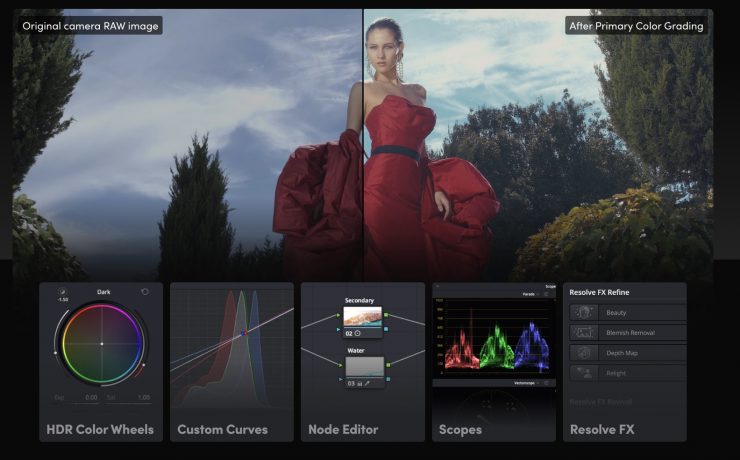
DaVinci Resolve’s node-based workflow can now be used on still images. It’s possible to add nodes in series or parallel to build complex grades, apply different corrections to different parts of an image simultaneously, and use shared nodes to apply the same look across an entire album of photos at once.
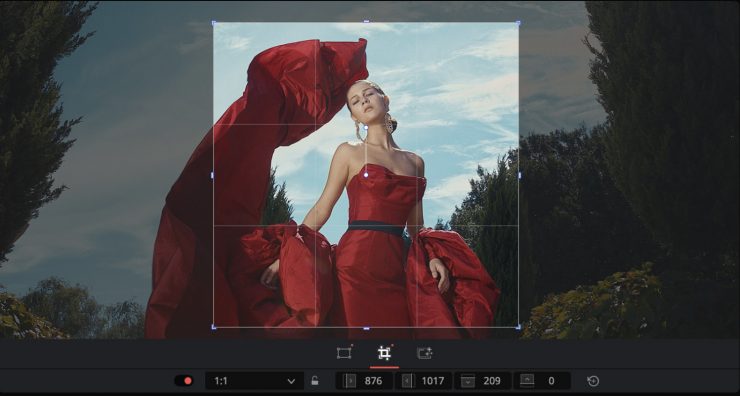
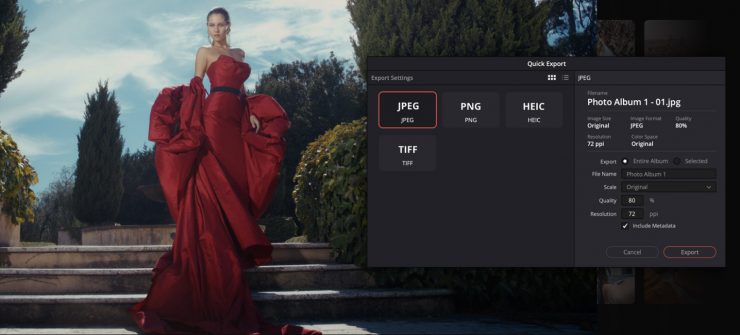
The Photo page lets you reframe and crop images at their original source resolution and aspect ratio. Every adjustment preserves the full quality of their original file, so you can refine their composition at any time without ever affecting image quality.
LightBox view on the Photo page gives customers an overview of their entire album with grades applied. Select any image and grade it live while seeing the results update across the whole collection in real time. Filter by graded, ungraded, star rating, flag, and clip color for fast library management.
Albums let customers build and manage collections directly in DaVinci. Create albums based on shoot days, camera models, or any desired criteria, and save countless hours by tagging and making raw setting adjustments in batches. Albums appear as timelines on the Color, Cut, and Edit pages for easy access.
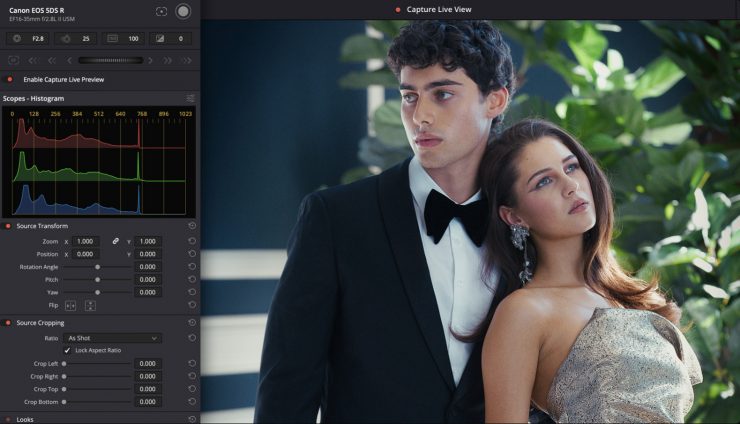
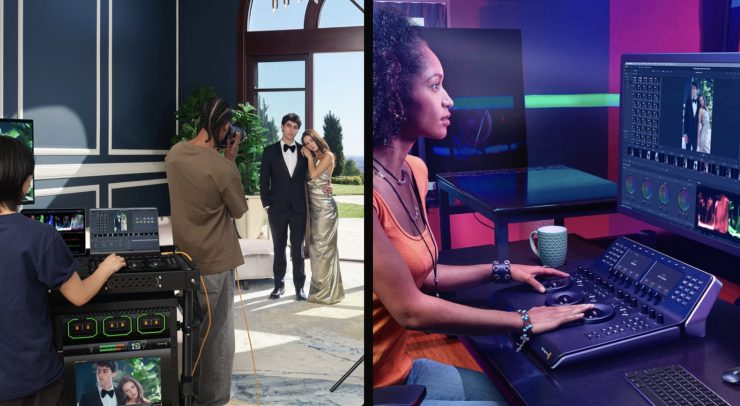
Camera Controls let customers tether a Sony or Canon camera directly to DaVinci Resolve for live image capture. Adjust camera settings such as ISO, exposure, white balance, monitor with live view, and save capture presets to lock in a consistent look before customers shoot. Images save directly into an album.
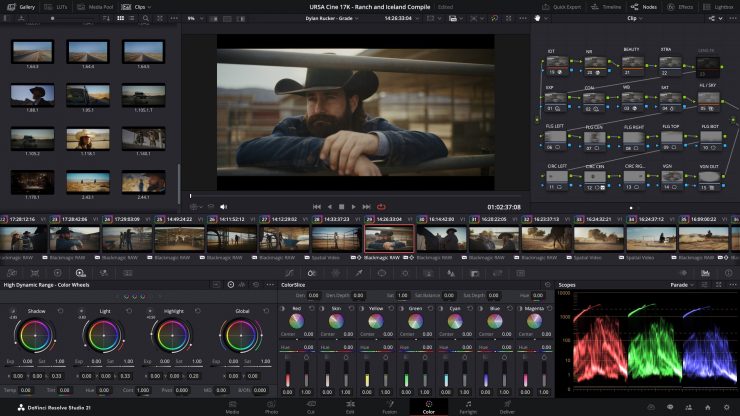
Resolve FX and Open FX plug-in support is available for still images on the Photo page, allowing customers to apply effects, graphics, transforms, and DCTLs. Customers can apply looks directly on the Photo page using LUTs, or generate LUTs to later apply looks in-camera or during monitoring.
You can access DaVinci Resolve’s native AI tools within the Photo page. Tools like the AI Magic Mask let customers make one-click selections of an object or person, and separately color grade different elements on an image. Or use the new AI UltraSharpen to upscale low-resolution images.
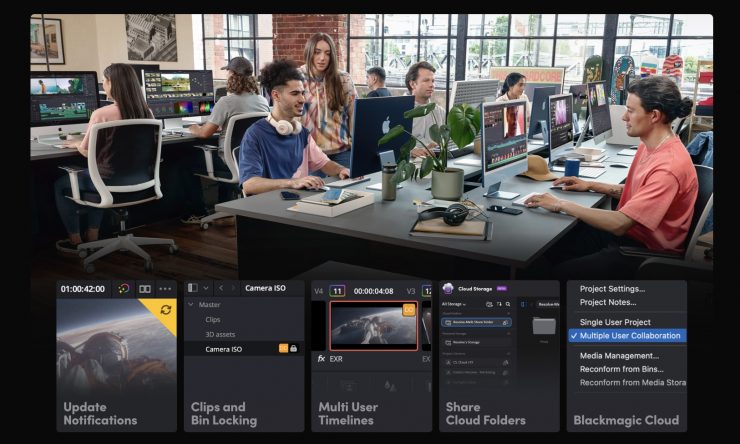
The Photo page is integrated into DaVinci Resolve’s multiuser collaboration workflow using Blackmagic Cloud. You can share the contents of albums, all associated metadata and tags, and all grades and effects with colorists, visual effects artists, and editors, simultaneously, anywhere in the world.
AI IntelliSearch
AI IntelliSearch allows you to instantly search for people and content. Analyze media and use the IntelliSearch tool to find specific objects or keywords in the dialog. Customers can even search for individual faces. Results appear as whole clips in the Media Pool for faster clip organization and editing.
You can generate speech from written text using one of Blackmagic’s voice models or a sample of their own using AI Speech Generator. The DaVinci AI Neural Engine can create a unique voice from as little as a 10-second clip. Adjust speed, pitch, and even inflection to create multiple performances for voiceovers, narration, and more.
AI CineFocus
AI CineFocus lets you define the focal point of a shot. Click to focus on a particular area of a scene and adjust aperture and focal range to change the depth of field. Advanced controls let customers select the aperture shape and add optical effects, such as bokeh. You can even keyframe parameters to rack focus.
AI Face Age Transformer
Change an actor’s age with the AI Face Age Transformer tool. Analyze a face, enter the subject’s age, and adjust the age offset slider to add or remove age-related features, such as wrinkles and facial fullness. Perfect for maintaining continuity in flashbacks and flash-forward scenes.
AI Face Reshaper
The AI Face Reshaper lets you change the shape and position of a moving subject. After detecting and tracking a face in a clip, use the AI Face Reshaper parameters to adjust the eyes, nose, mouth, eyebrows, and overall face shape. Manual controls let you fine-tune the resulting face.
AI Blemish Removal
The AI Blemish Removal tool is perfect for reducing the appearance of superficial skin imperfections such as acne, discoloration, spots and pores while retaining texture of the natural skin. Use the strength slider to adjust the intensity of the tool to better suit the subject in the scene.
AI Slate ID
AI Slate ID automatically detects the slate clapperboard details. It intelligently extracts metadata from the slate in the frame, even in dark or out-of-focus clips, saving hours in metadata entry. Media is ready for editing, faster than ever before.
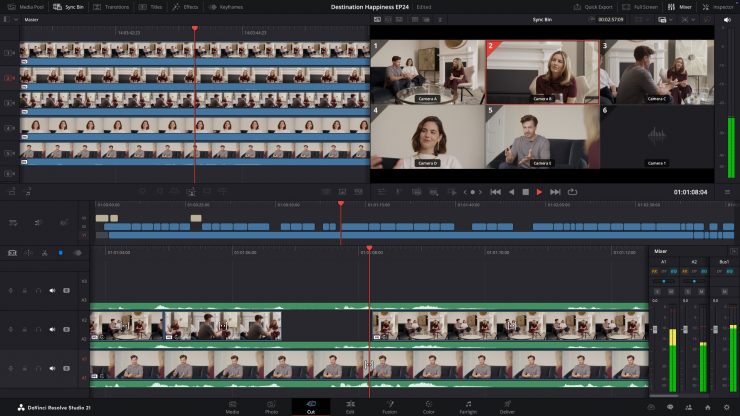
AI UltraSharpen
DaVinci’s most advanced sharpening tool to date lets customers produce significantly clearer, high-quality moving images. Use AI UltraSharpen with upscaled videos to make previously unusable footage sharp in higher resolutions. AI UltraSharpen can also be used to improve or fix slight focus errors.
AI Motion Deblur
Remove common motion blur artifacts, such as streaks and softness, from video content using AI Motion Deblur. Analyze the source media file and generate a new render with significantly reduced blurring for more dynamic images. This tool is perfect for more impactful slow-motion and freeze-frame effects.
Keyframing Updates
Keyframing updates include new ease animations with loop, pingpong, and relative modes, plus simultaneous adjustments to multiple clips. The curves editor’s normalized zoom mode automatically scales curves to fill the available vertical space. Four-point Bezier easing supports complex video retiming.
Customers can now adjust Fusion effects directly in the keyframes and curves editors of the cut and edit pages. This allows for more seamless workflows as customers tweak text, transitions, and motion graphics without leaving the editing pages. For advanced VFX adjustments, simply click the Fusion button.
Other New Features
Native support for OGraf HTML graphics and Lottie animations means that customers can now drag .json and .lottie files directly into the media pool, where they will be treated like fully rendered animation clips. Alpha channels are recognized, allowing customers to layer graphics and titles over video tracks.
Customers can now enable multi-language spell check for all text elements, preview fonts in a dedicated font browser window, and use emojis in their text. Character-level styling lets customers assign different attributes such as font size, weight, and color within a single text box, simplifying title design.
In the cut page, the bin list dropdown now features smart bins and quick access buttons for creating new bins. Smart bins allow customers to design sophisticated media pool filters based on a wide range of rules and criteria. For example, filtering to display only .braw clips that have been flagged green.
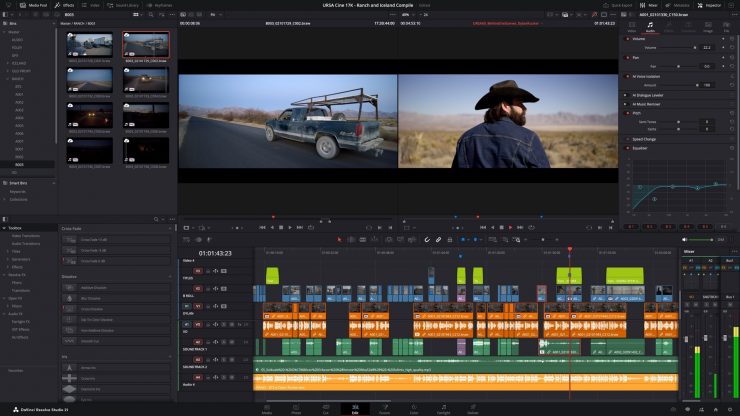
The MultiMaster trim manager allows customers to generate multiple HDR and SDR trim deliverables from a single timeline. When enabled, the node editor will display additional layers for trim operations, allowing customers to color manage the timeline for each output standard and render each iteration in one go.
The Magic Mask palette now features a render in place option, allowing customers to cache a tracked mask as a traveling matte node. The resulting matte will automatically link to their active node, allowing customers to continue grading and applying effects in real time, with significantly lighter processing.
Nodes are listed in rows according to their number in the node graph. This typically results in a less crowded interface and allows for easier node management when adding, labelling, switching, locking, bypassing and removing nodes.
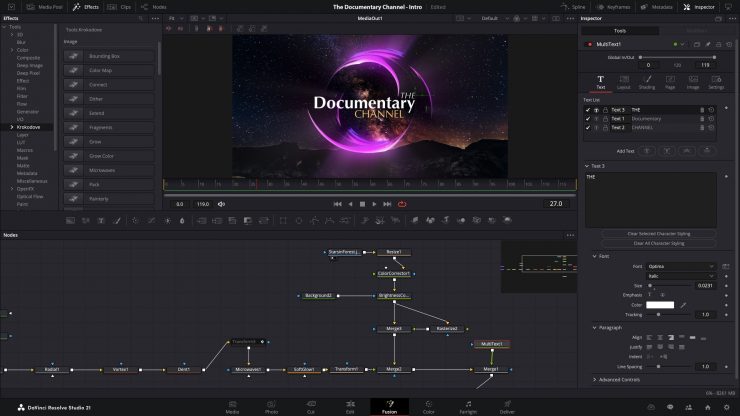
Fusion now features Krokodove, the popular and ever-growing library of compositing tools. The collection ranges from utility tools that improve productivity to essential vector and data tools, to customizable 2D and 3D graphic templates that can be used throughout DaVinci Resolve.
Building Fusion tools and templates is now even easier with the updated macro editor. Significant interface improvements make developing custom tools and templates faster and more intuitive. Use the newly supported inspector view to effortlessly set up, format, and publish macros for immediate use.
The Fairlight Animator modifier connects Fusion to Fairlight’s audio engine, enabling automatic animation based on audio analysis. The audio levels from timeline clips or media pool sources are used to drive the control of parameters such as eyes and lips giving customers dynamic animation.
The USD toolset has been updated to USD SDK 25.11 with Hydra 2.0 API for the Storm renderer. This gives VFX artists an improved Fusion USD environment, with support for 3D matte objects and textures, USD Texture Projector and Catcher, plus global in and out controls for the USD loader.
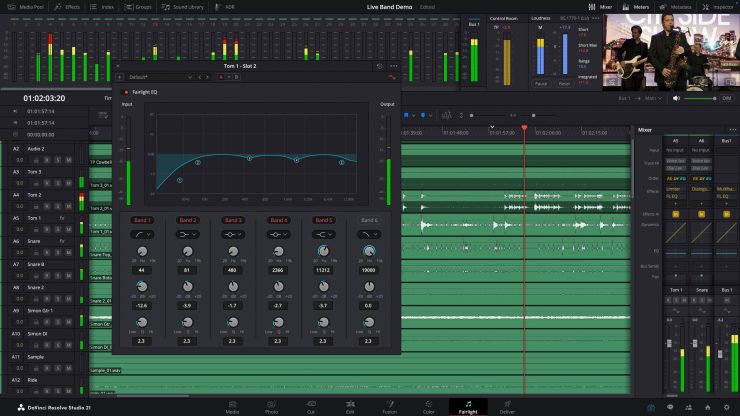
To optimize Fairlight timeline space, customers can now assign audio tracks to a folder and collapse into a single composite view. When collapsed, mini rectangles represent the folder contents, indicating the number and duration of the contained clips. Expand a folder to access to individual tracks.
Apple Immersive’s image processing now includes support for foveated rendering for improved playback and enhanced viewer experience. Foveated rendering simulates human vision by prioritizing high-resolution rendering only where you are looking, reducing GPU workload in peripheral vision.
DaVinci Resolve 21 features the most comprehensive support for immersive tools and workflows to date. The standard immersive option in the master project settings lets you use any supported immersive format for delivery to platforms like Meta Quest and YouTube VR.
It is now possible to orient immersive media using spherical Panomap rotation for more intuitive pitch, tilt, pan, yaw, and roll adjustments. Additionally, it is now possible to apply ILPD retargeting data in the Fusion page, allowing for more advanced stereoscopic media handling and compositing.
The new Picture in Picture Resolve FX allows customers to quickly resize and reposition a video clip over the top of another clip as a floating frame. Perfect for presentations, reviews, and reaction videos. You can adjust parameters such as size, placement, frame rounding, drop shadow, and many more.
IntelliScript now supports Final Draft and plain text screenplay formats, allowing you to assemble timelines quickly. Upon import, it compares the script text to the original transcribed audio and creates a cut of the scene. Customers can then fine-tune the result using standard editing tools.
Pricing & Availability
DaVinci Resolve 21 public beta is now available for free download from the Blackmagic Design website.