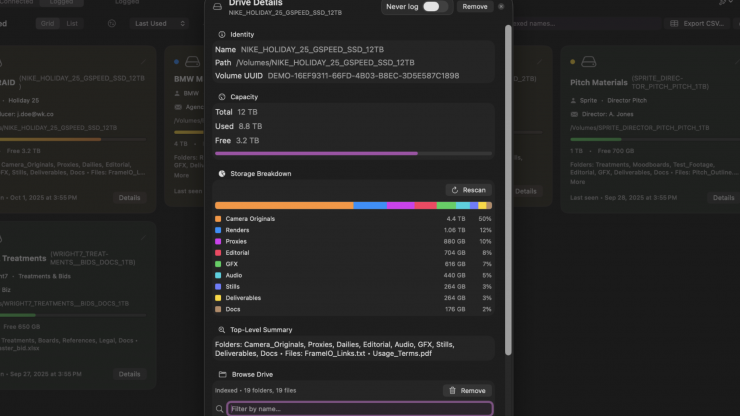
DriveBuddy is a clever piece of software that allows you to Search across all your drives, even when they’re unplugged. The way it works is that DriveBuddy builds a private, on‑device index so you can search, plan, and organize your storage. This is very handy if you have a lot of hard drives and are not very good at keeping track of what files are on what hard drive.
Currently it is only available for Mac, but a Windows version is in the works.
Search all of your drives without having to plug them in
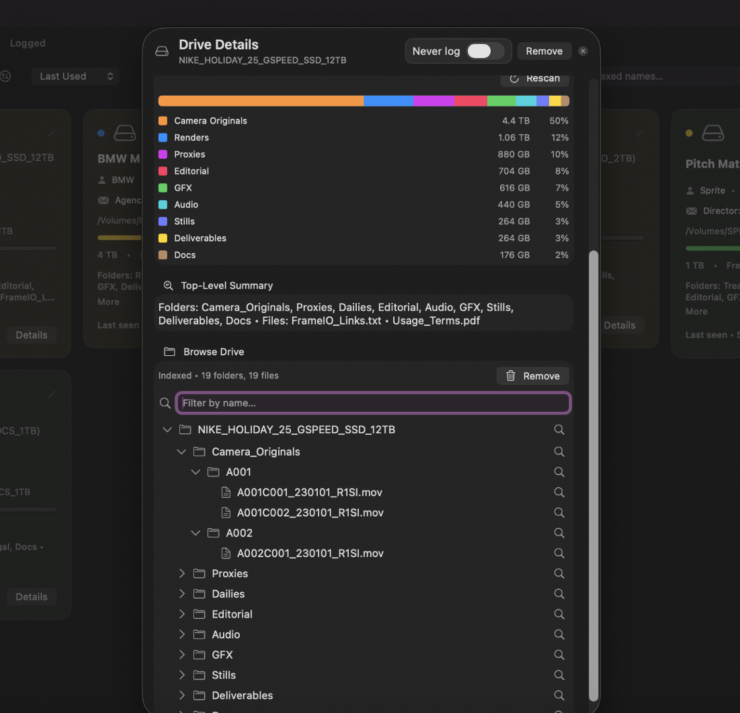
Drive Buddy keeps a compact, local index of your drives. Search names and paths across your entire library, even when drives are on a shelf.
Find files across all of your drives without having to plug in each one
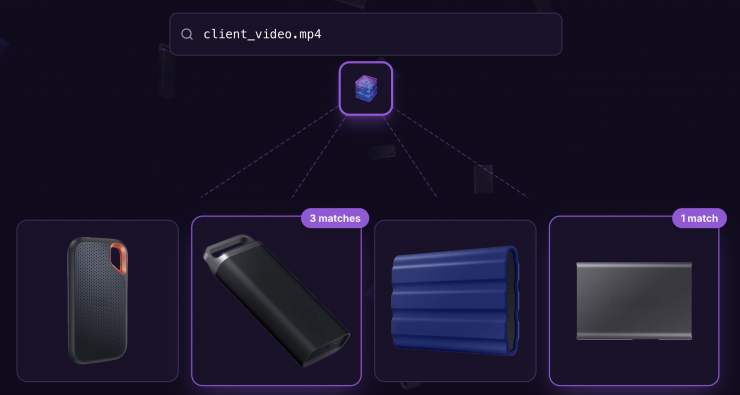
Type, filter, and jump straight to the right drive and folder. When you’re ready, plug in only what you need and Reveal in Finder.
Identify which drives have enough storage for your next project
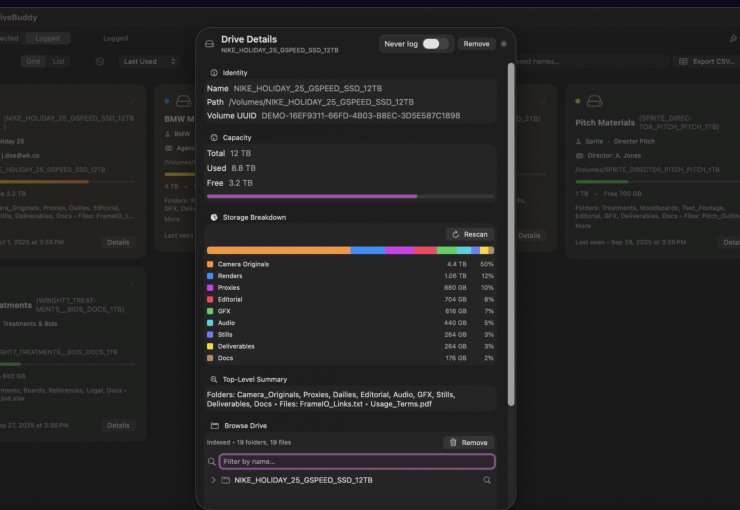
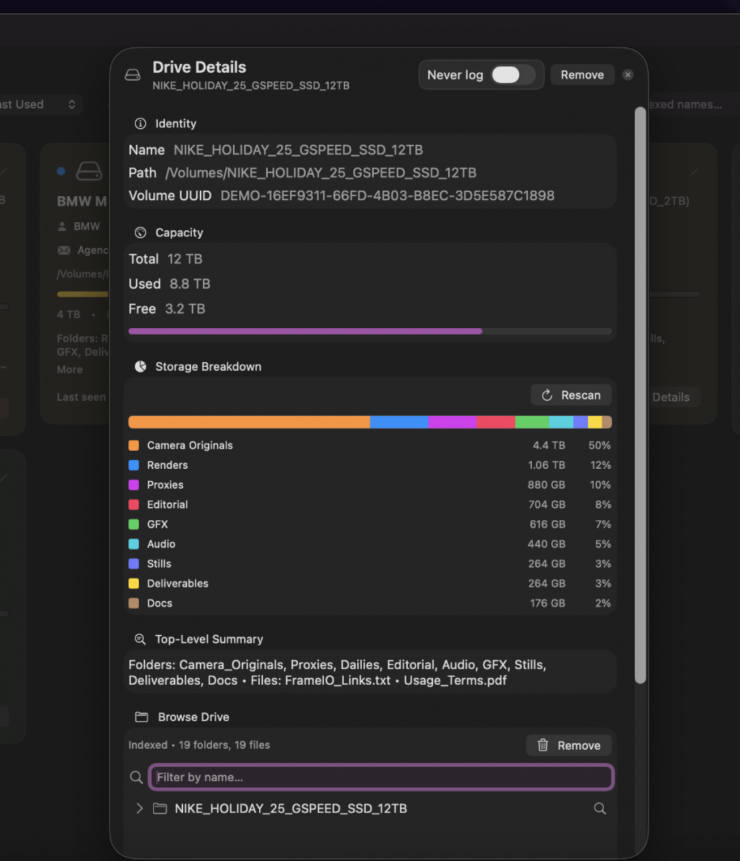
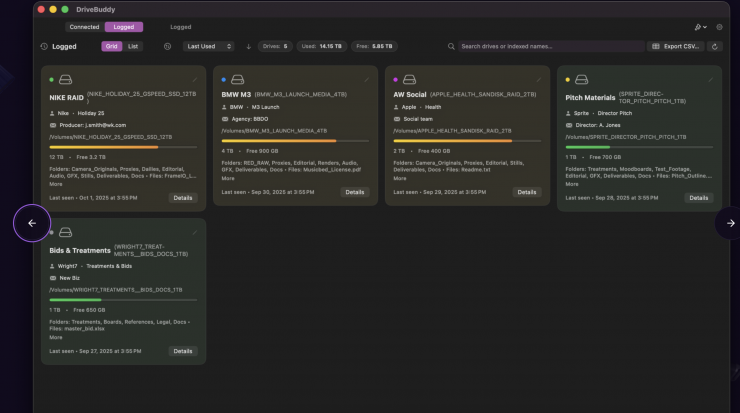
See total, used, and free space at a glance. Sort drives by available capacity and pick the right one for your next shoot, edit, or mix.
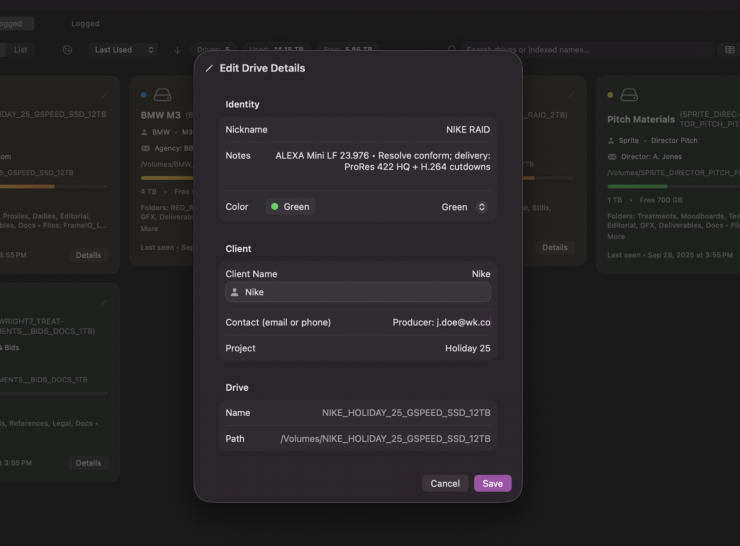
Organize hard drives based on projects and clients
Classify by project bundles and pro media types, tag by client, and keep a clean, browsable log so every asset has a home.
Export logged drives
Transfer your drive library to another computer. Export all your logged drives and their indexes to quickly set up on a new machine.
Import logged drives
Import drive libraries from another computer. Seamlessly transfer your entire catalog and pick up right where you left off.
CSV export
Export a comprehensive spreadsheet of all your drives with capacity, usage, and top-level information for reporting and analysis.
How does It Work?
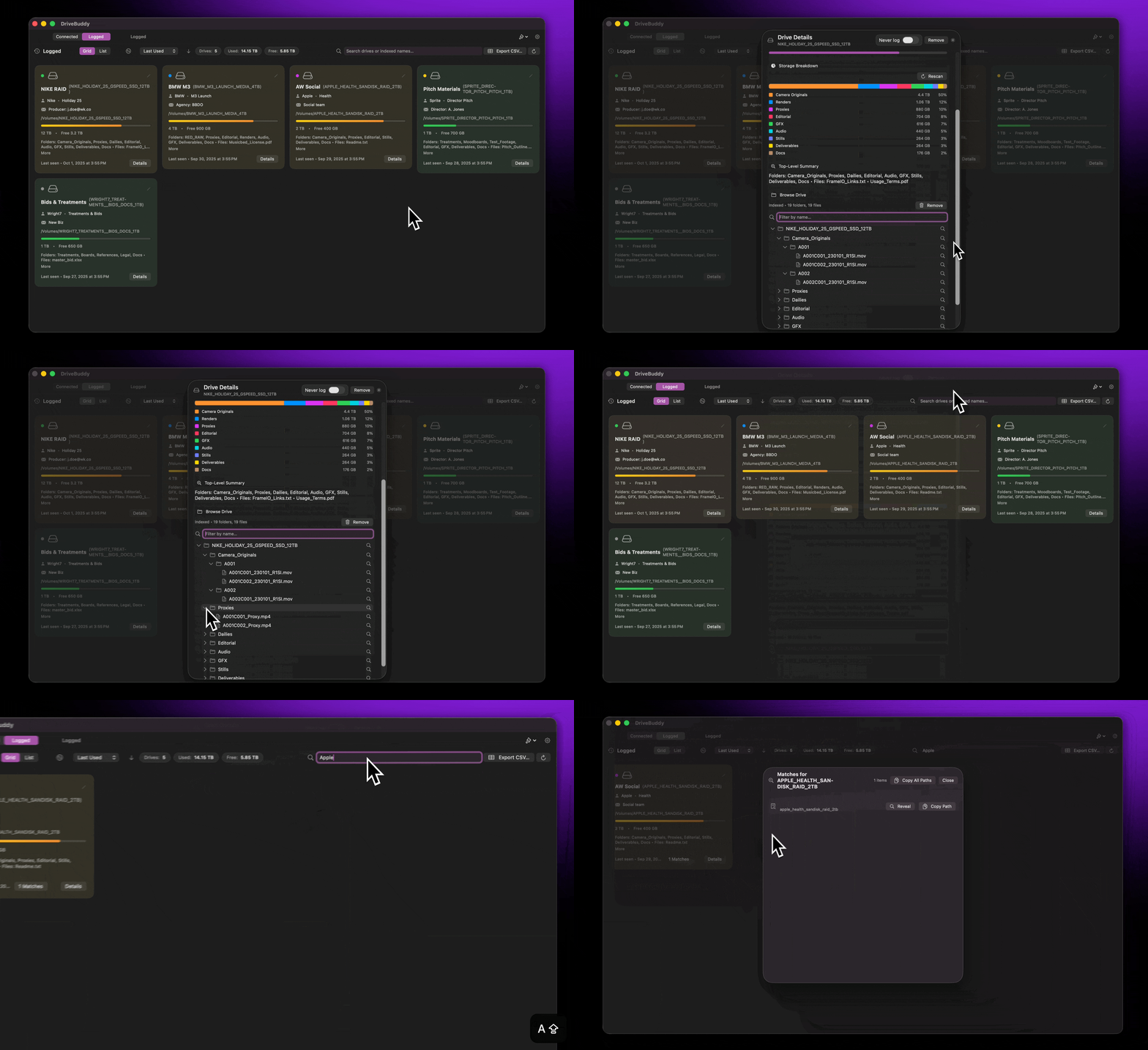
Initial Setup
Plug in each drive once. DriveBuddy scans and indexes them locally; after that, they’re always searchable.
Search unplugged
Find files and folders across your library without connecting every disk. SSDs index quickly. Larger and slower HDDs take longer, but you can see the scan status and keep working while your catalog grows
Can DriveBuddy scan my NAS?
Not yet. DriveBuddy currently supports locally connected drives only. NAS indexing is a high-priority feature we are actively optimizing for a future update.
Plug in only what you need
Identify the right drive by free space, connect it, and reveal it in Finder.
Does DriveBuddy upload or copy my files?
No, everything stays local on your Mac. DriveBuddy only reads file metadata to build a searchable index: no cloud, no syncing, no hidden uploads.
Pricing
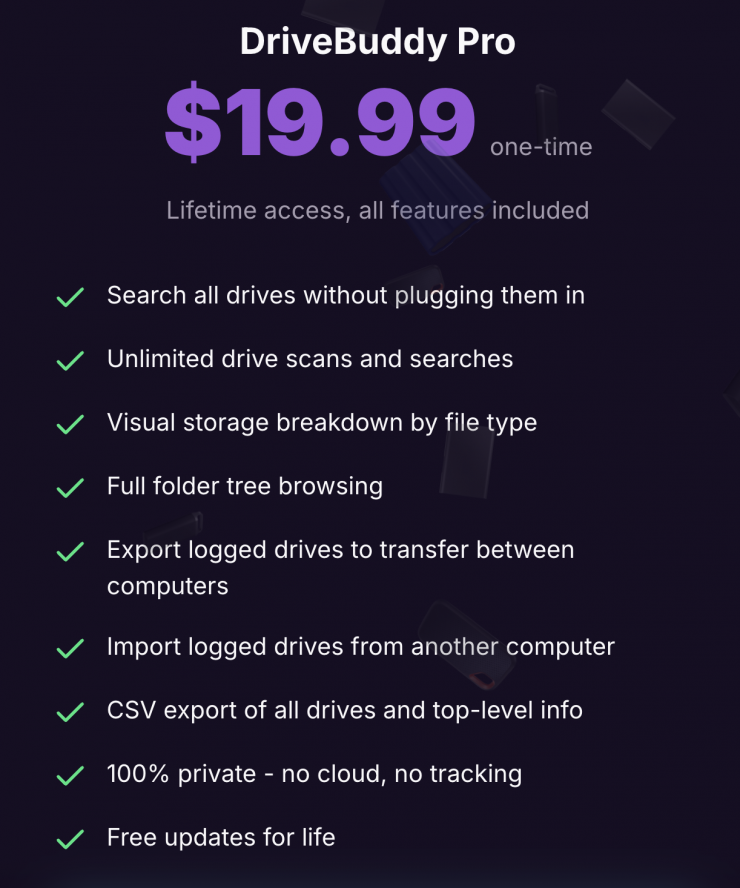
DriveBuddy Pro is a one-time payment of $19.99 USD.