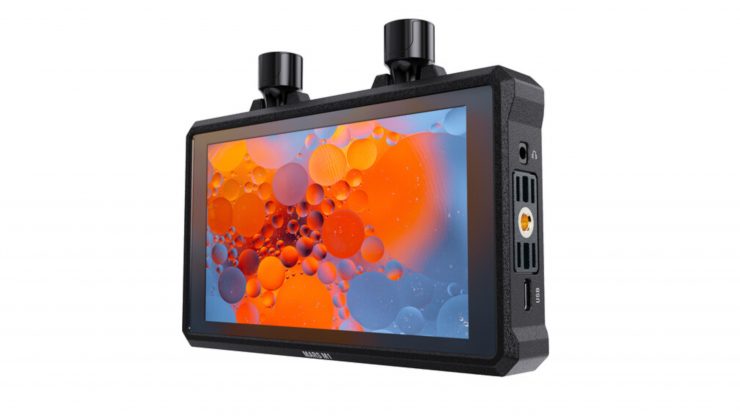
The Hollyland Mars M1 Enhanced 5.5″ Wireless Transceiver Monitor is on sale for $269 USD, which is a discount of $160 USD.
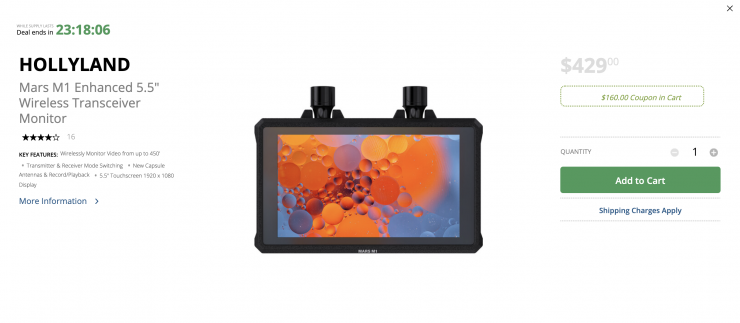
Key features
- Wirelessly Monitor Video from up to 450′
- Transmitter & Receiver Mode Switching
- New Capsule Antennas & Record/Playback
- 5.5″ Touchscreen 1920 x 1080 Display
- 1080p SDI Input; Up to 4K30 via HDMI
- Presets & USB-C 3D LUT Import
- High 1000 cd/m² Brightness
- Low 0.08s Latency, Smart Channel Scan
- DC Power Input & Output
- Built-In L-Series Battery Plate
The Mars M1 Enhanced provides new features, including a record/playback review feature that can review up to 2 minutes of video for instant review, and it features a new low-profile capsule antenna design. As with the original M1, it features a 5.5″ touchscreen display that provides a sharp resolution and 1000 cd/m² brightness for follow focus and director’s monitoring applications. Its built-in wireless transmitter and receiver allow you to send and receive video between M1 units as well as to/from the Mars 400S Pro, Mars 300 Pro, and Mars 4K wireless transmitters/receivers at a distance of up to 450′. You can also monitor video from the M1 Enhanced on smartphones and tablets running the companion HollyView app.
The monitor supports up to DCI/UHD 4K30 video input via its HDMI input, and it features an HDMI loop output and a 1080p SDI input that supports multiple broadcast drop-frame frame rates. Multiple imaging tools are available using the built-in HollyOS firmware, including scopes, peaking, and storage of 3D LUTs on the monitor. It can be powered using its built-in L-series battery plate or via its DC input. It also features a DC power output, so you can power your camera or other gear.
The Mars M1 Enhanced is an all-in-one transmitter, receiver, and monitor solution that M1 can be used either as a transmitter or a receiver. As well as transmitting between two M1 units, the M1 can also transmit and receive from all Mars 300 Pro, Mars 400S Pro, and all Mars 4K models, as well as to smartphones and tablets with the HollyView app.