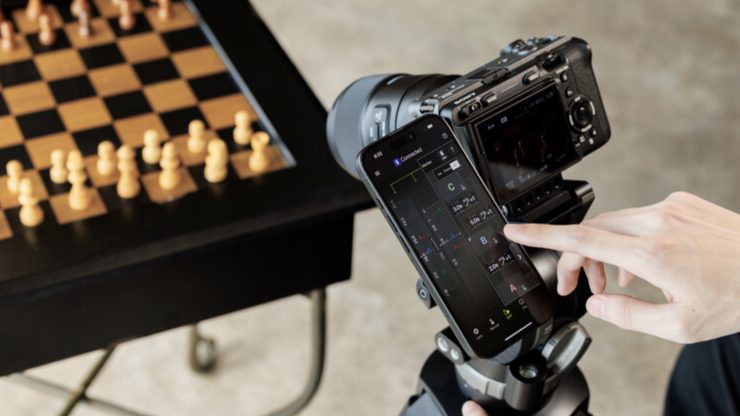
The TAMRON-LINK and Lens Utility 5.0 let users control compatible Tamron lenses over Bluetooth with their phone or tablet.
You can set focus points, pull focus, update firmware, and customize the lens without touching the camera.
This has been out for some time, but we haven’t covered it on the site before, and more recently, select Tamron lenses received firmware updates to allow them to take advantage of Lens Utility 5.0.
TAMRON-LINK
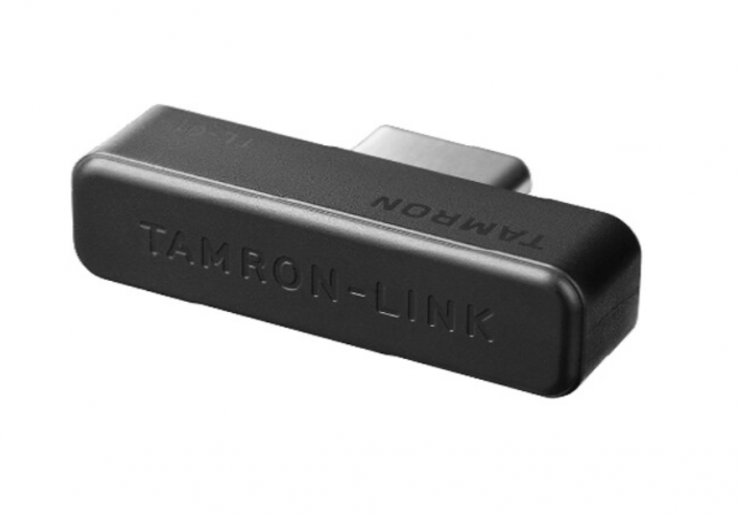
The TAMRON-LINK lets users wirelessly control their lens via a smart device from up to 16.4 feet away. The accessory attaches to a compatible lens, allowing Bluetooth communication with your smartphone via the Tamron Lens Utility software
Key features
- For Select Tamron Lenses
- Provides Wireless Lens Control
- iOS & Android Compatible via Bluetooth
- 16.4′ Communication Range
The accessory eliminates the limitations of cable connections and provides users with a more intuitive capturing experience.
In combination with the Tamron Lens Utility, you can assign specific functions to your lens rings and buttons. The Tamron Lens Utility is compatible with iOS and Android devices.
The TAMRON-LINK is not compatible with the 28-75mm F/2.8 Di III VXD G2 for Nikon Z mount or the 35-150mm F/2-2.8 Di III VXD for Sony E-mount.
Pricing & Availability
The TAMRON-LINK is available for $50 USD.
TAMRON Lens Utility Ver. 5.0 for Mobile Version
Focus (FC)/Iris Marker Link
In addition to the conventional Focus Marker, markers can now be set on both the focus ring and the aperture ring. With the DFF (Digital Follow Focus) screen, you can shift them instantly to the preset positions with a single tap.
Ring Stopper
This function lets you set an electronically controlled stopper for the focus and aperture rings, which helps prevent unintended over- or under-adjustment when operating them. With the DFF screen, you can manually control both rings at the same time with smooth, accurate operation.
Selecting Focus and Aperture Rotation Angle
This function lets you set the rotation angle of the focus and aperture rings.
You can select the rotation angle according to the scene you are shooting in manual mode, allowing for operation that matches your creative intentions.
Focus Time Lapse
This function works with the camera’s interval shooting, letting you create time-lapse videos while gradually shifting the focus position.
Astro Focus Lock (Astro FC-L) [Fine Adjustment]
This function helps reduce the hassle of focusing when shooting the night sky. You can fine-tune and save focus positions to match your shooting environment.
Night Mode
The entire screen turns red and dims, reducing eye strain in low-light conditions and minimizing disturbance to other photographers.
To download the application for iOS, please visit the following page:
https://apps.apple.com/app/id6746462774
For Android, please visit the following page:
https://play.google.com/store/apps/details?id=jp.co.tamron.lensutility.mobile
For PC, please visit the following page for download and installation instructions:
https://www.tamron.com/global/consumer/support/download/lensutility/
Please note that the Mobile version does not support lens firmware updates; the PC version must be used.
Compatible Lenses
The Compatible Lens List is available at https://www.tamron.com/global/consumer/soft/lensutility/#compatible_lenses.