ARRI has unveiled its first lighting product since it was taken over by the Riedel Group. The new fixture is called Omnibar, and it is a compact, scalable LED bar system.
ARRI is touting that it is a new take on tube-style lighting, with better mounting and usability options than existing solutions that are on the market.
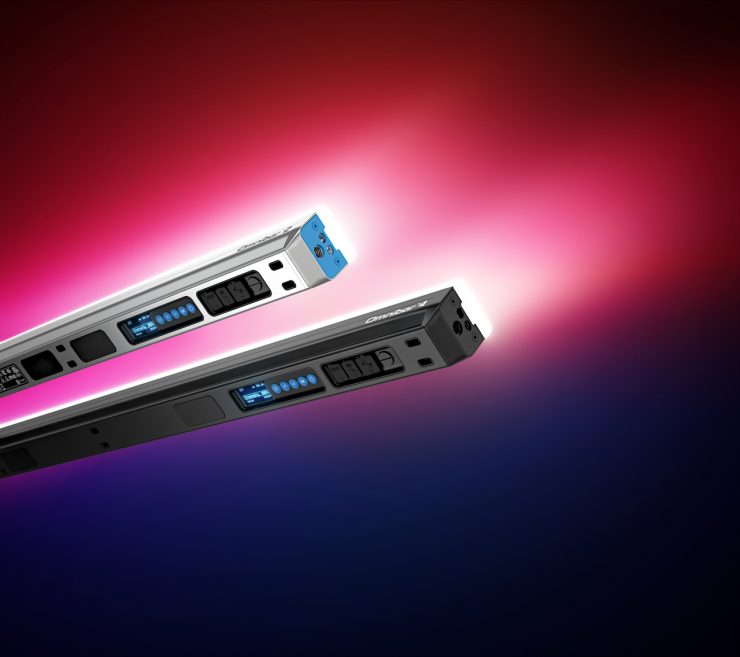
ARRI wanted to take what was good about a tube and what was good about a bar and combine them together to build a hybrid solution that solves real-world issues.
Key features
- High-quality, full-spectrum ARRI light
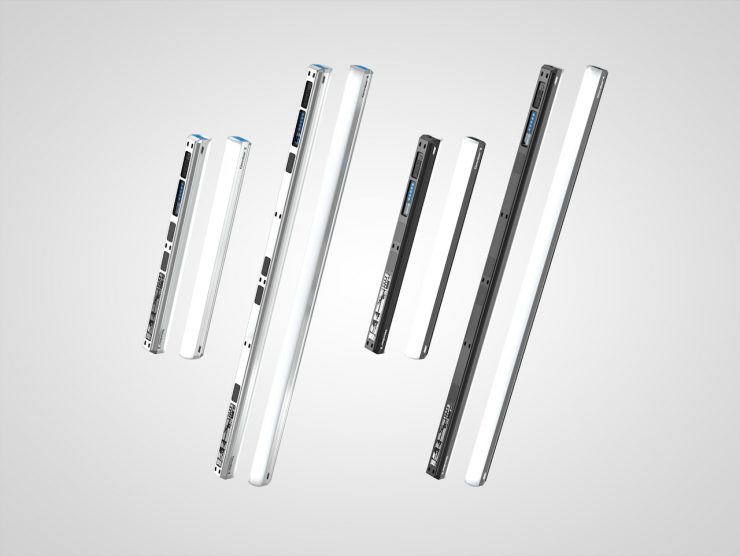
- 2′ and 4′ options
- Interchangeable optics for different lighting needs
- 16 / 32 pixel zones for smooth effects and transitions
- Flexible rigging options
- Onboard, Bluetooth app, DMX, and built-in CRMX control
- Daisy-chain power and data for scalable setups
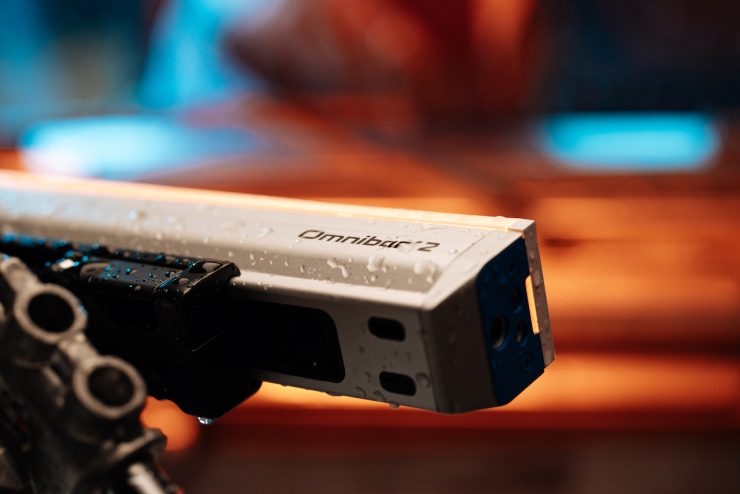
- IP65 weatherproofing
- Works as an in-shot practical, a flexible source outside the frame, or a visible design element
- Suitable for film, broadcast, content creation, and event applications
- Designed to scale from compact single-bar use to larger multi-bar setups
- Supports both standalone operation and system-based workflows via Omnibase
Omnibar is the first ever ARRI light to be made and manufactured in China with the help of a third-party. This represents quite a shift for ARRI, and it arguably shows that they are trying to adapt to the shifting market, at least when it comes to lighting.
Solving the rigging headaches
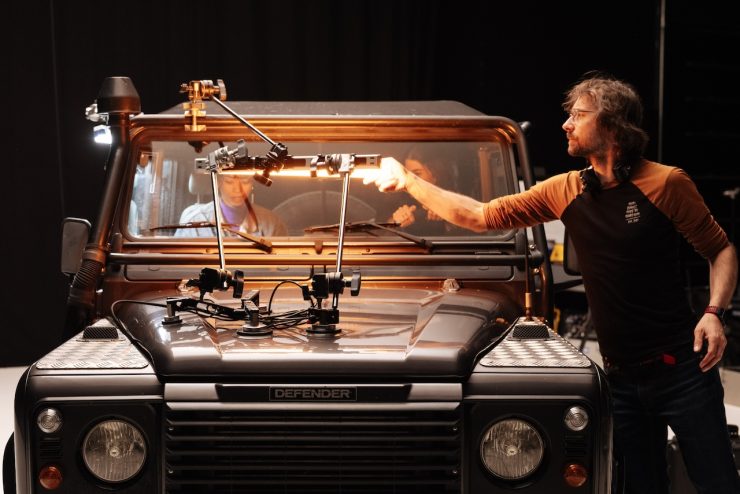
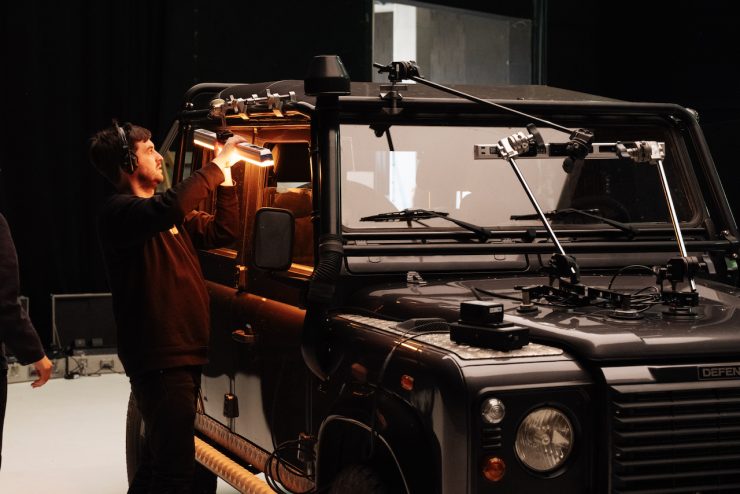
Anyone who has ever used tubes knows that they can be difficult and fiddly to mount. The main goal of Omnibar was to come up with a product that simplifies rigging and provides more options for users.
So many people attach tubes to pipes, handrails, etc., usually with zip ties, and this almost always means placing them over the light-emitting surface.
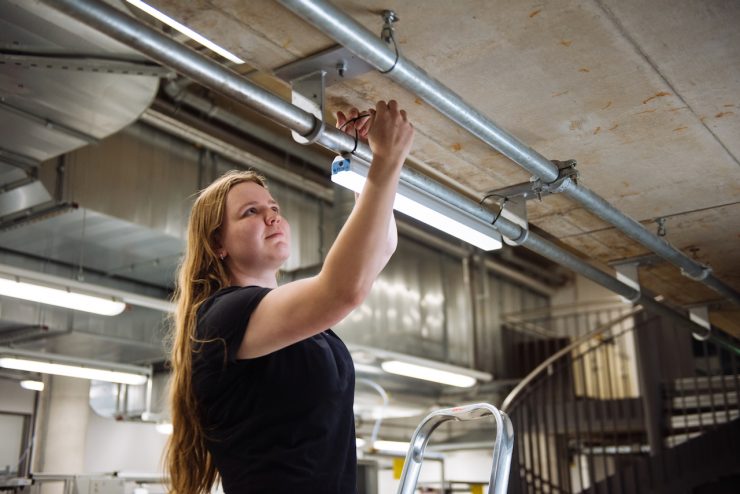
ARRI wanted to solve this, so they put a lot of effort and time into coming up with a solution that utilizes built-in magnets, and also what they refer to as cable slots.
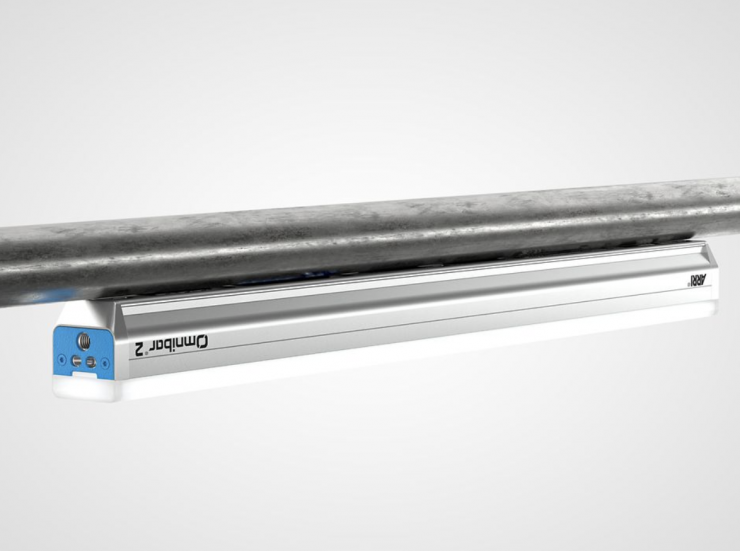
As the magnets are super strong, you can place Omnibar vertically, horizontally, and also overhead. With the magnets, you can also place a four-foot Omnibar into an existing T8 tube lighting fixture, which is also very useful. And, because ARRI made the 4′ Omnibar a tad shorter than actually 4′, it fits into a T8 space and won’t hit the two connectors on the ends.
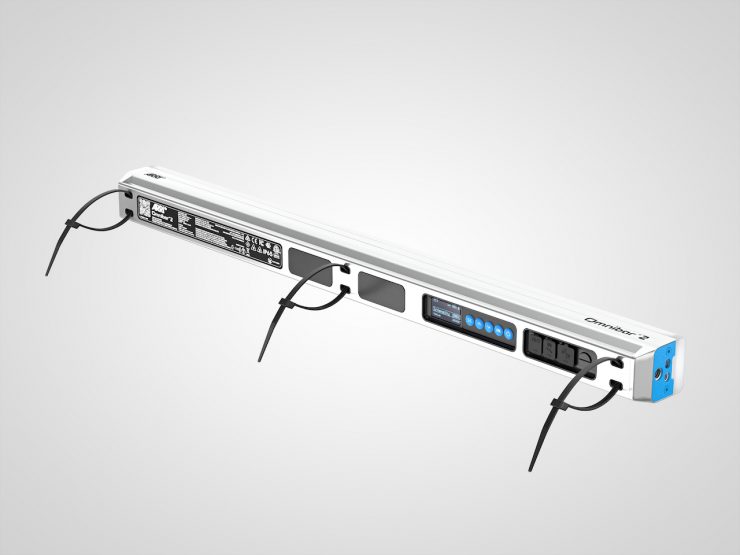
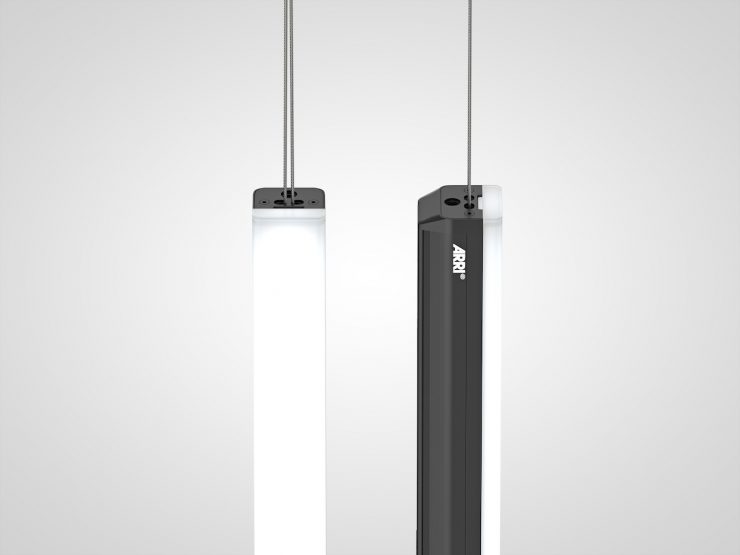
With the built-in cable slots, you can put zip ties through it, as well as safety cables. If you have the thinner safety cables, they’ll fit through that as well as most types of wires. Also, that is the point where the center of gravity is for the Omnibars, so if you’re hanging them, that becomes very advantageous.
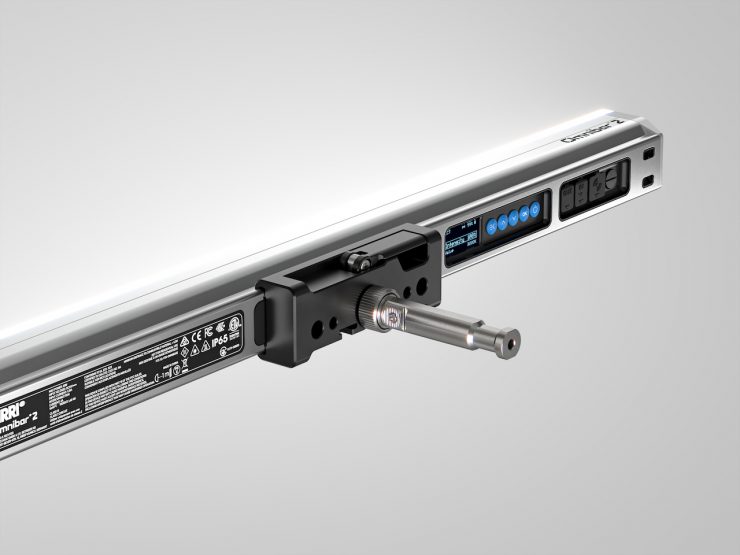
So, without any extra accessories, you already have quite a few ways to mount the bars to different surfaces. Then on top of that, ARRI thought about what else they can improve, so they have what they call the Omnigrip and the Omnipin.
The Omnigrip will fasten at any point on the back side of the bar. It is best to think of it as a rail on the back of the bar, so this will clamp down anywhere along the edge of the Omnibar. With the Omnipin design, instead of screwing it with the 3/8″ screws, which are really annoying because when you hang them into the grip or the clamp in the wrong direction, they always loosen in one direction, ARRI made this so you just click it in. It has a safety mechanism, so you click it in, and then you have a positive lock that you turn, and then it’s fastened and won’t spin.
If you want to create seamless, longer Omnibars, the Omnigrip can be attached in the middle between two Omnibars. This way, you can create that kind of seamless, gapless, longer Omnibar connecting multiple fixtures together, and the Omnigrip is the device that holds them together.
If that wasn’t enough, ARRI also came up with a few other dedicated accessories for mounting.
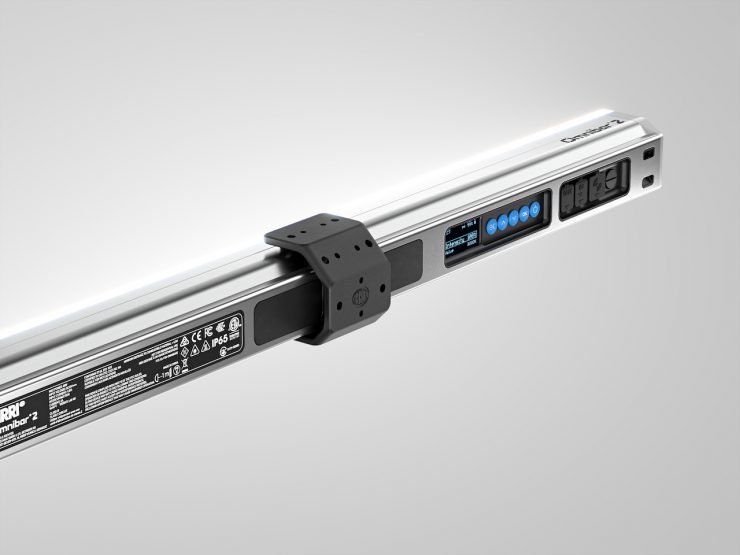
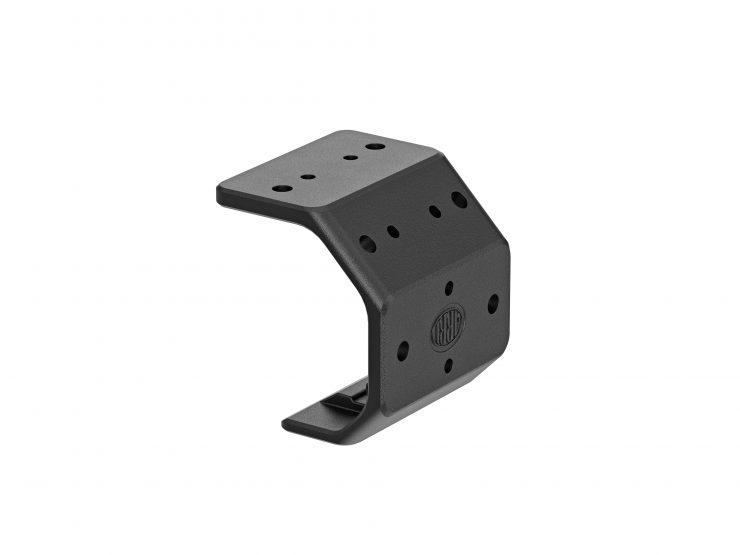
The Omniclip clips onto the bar, also through the rail system. It’s easy enough to click in, easy enough to click out, and it will never fall off by itself. So you kind of have to use a little bit of force and get the angle right. This is a really good way to fasten the bars to almost any surface.
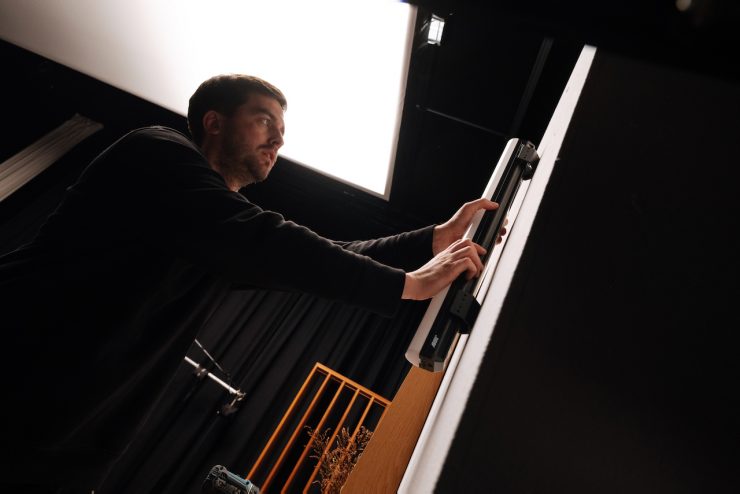
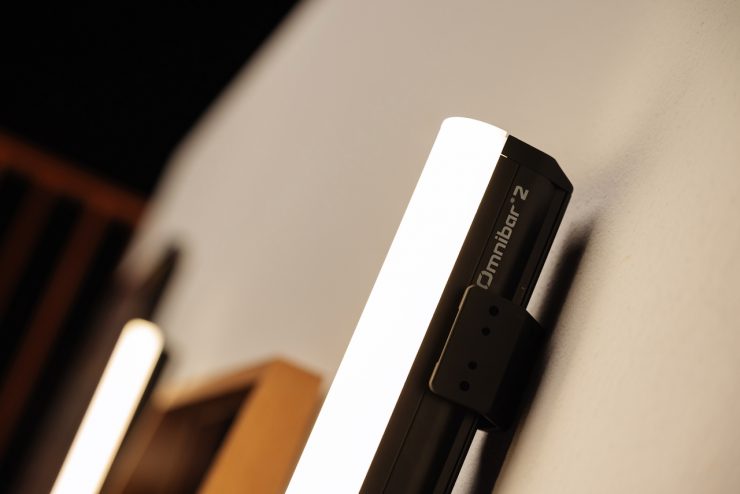
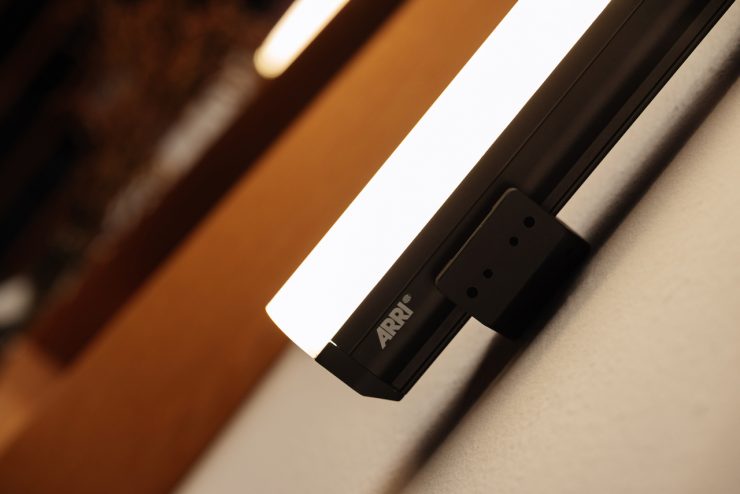
You can also just screw these clips into any set, any wooden surface, or wall, if you’re allowed to, and then once you start your shoot, you click in the bars that you want to use in those positions. So you could give these to a set designer and be like, let’s install these clips there, there, there, there, there, you know, later when I’m ready, I’m going to click in the bars into the set there. There is also an extra installation gauge that you can clip the clips into and then screw them on, and they’re perfectly parallel. You get them installed at the right angle every time without any kind of extra measurement and time wasted to do that.
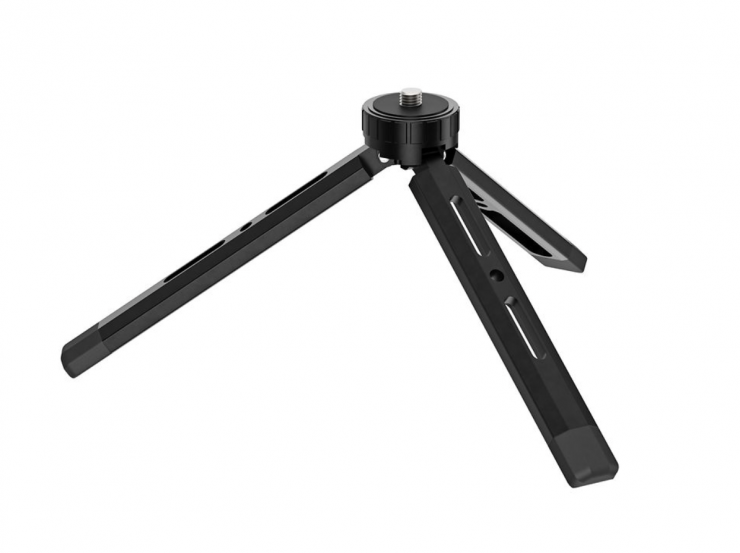
There is also a Mini Tripod, which is great to use as a floor stand. It is lockable in three different positions, depending on the height you want to use.
This is a clever design and a lot better than most other similar solutions on the market. So you can have four different heights with a really simple mechanical design. With the flat design where the legs lie flat on the floor, there are screw holes that allow you to fasten it to any surface if you really want to, or if you need that extra stability.
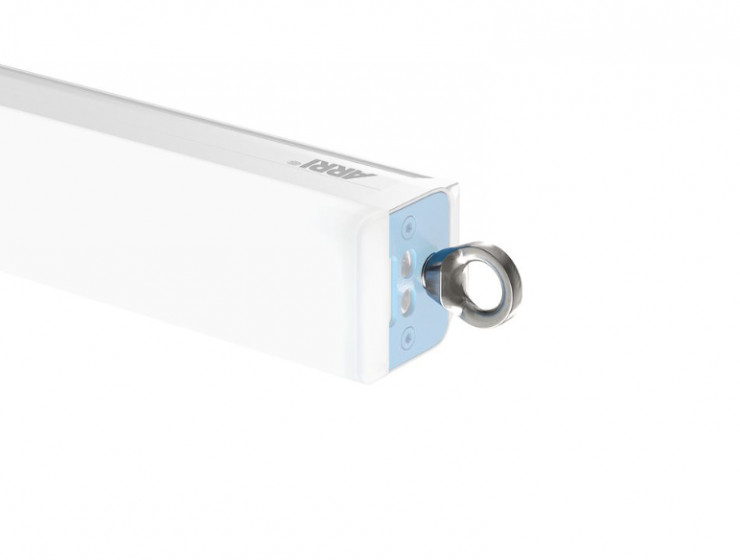
Finally, there is the Eyebolt Adapter. This is not the most exciting of accessories, but it is necessary because for certain installations, you need to have that safety cable, and some of the safety cables are just too thick to pass through the in-built cable slots on the Omnibar.
Interchangeable Optics
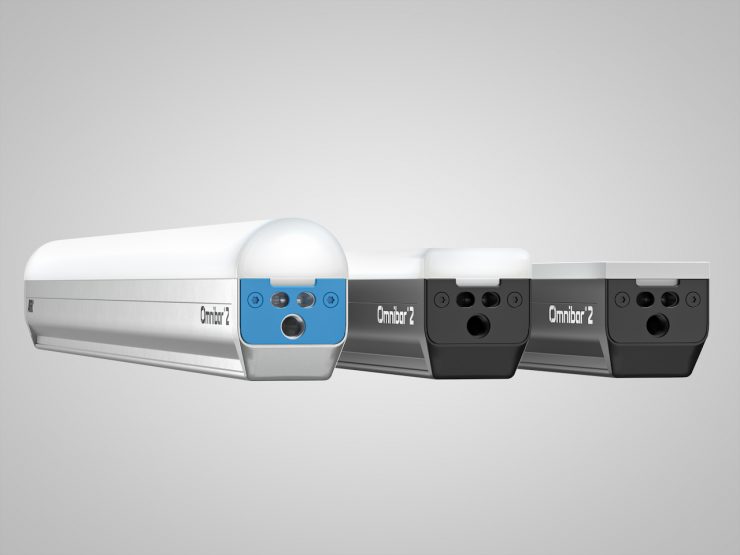
Something that is quite unique to Omnibar is the ability to change the optics. With tube solutions, because of their design, you are limited to what type of lighting modifiers you can use.
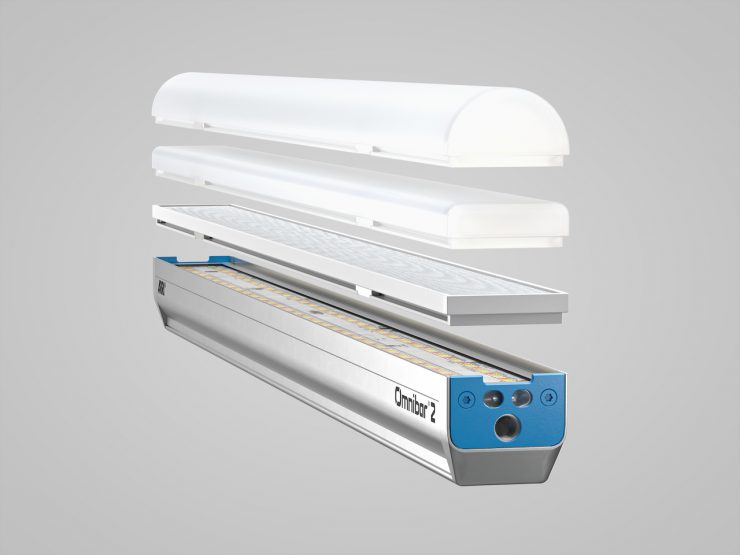
ARRI has come up with a magnetic snap-on system that allows you to change the optics on Omnibar depending on what your requirements are.
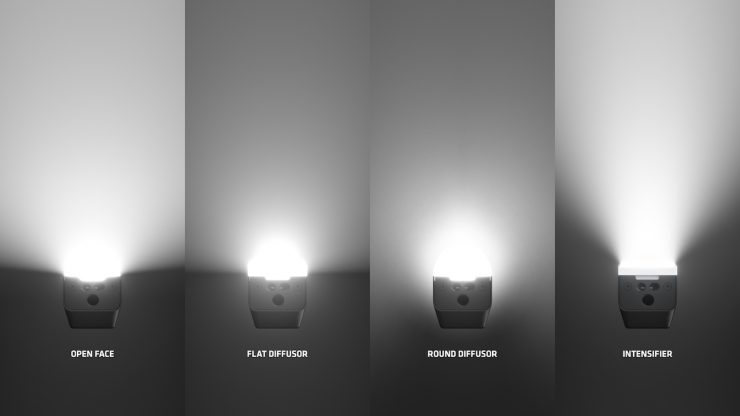
The optics that ARRI will be shipping with the Omnibar are really easy to take off and put on. The optics consist of a Round Diffuser, Flat Diffuser, and an Intensifier.
The Round Diffuser (145°) was designed to create a hybrid look to make the Omnibar look like a tube, especially from afar, and because of the bar design, you get much more flexible rigging than you would with a traditional tube light.
The Flat Diffuser (130°) provides a lower profile and creates more of a bar look.
The Intensifier tightens the beam spread (60°) and produces a stronger, more concentrated output.
The other big advantage Omnibar has over traditional tube solutions is that you can use it open face (115°) to give you even more output. This is especially useful when you’re putting them in a soft box, or you’re using it to indirectly bounce light or put it through some other type of diffusion.
ARRI has also added a boost mode that you should only use when you’re under 25 degrees Celsius. This will boost your output by another 20%.
Companies such as DOP Choice, Chimera, and LightSock will be coming out with the accessories to control the light even more.
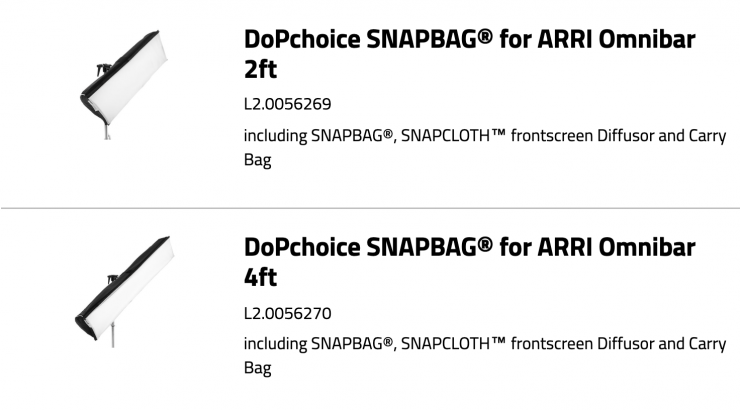
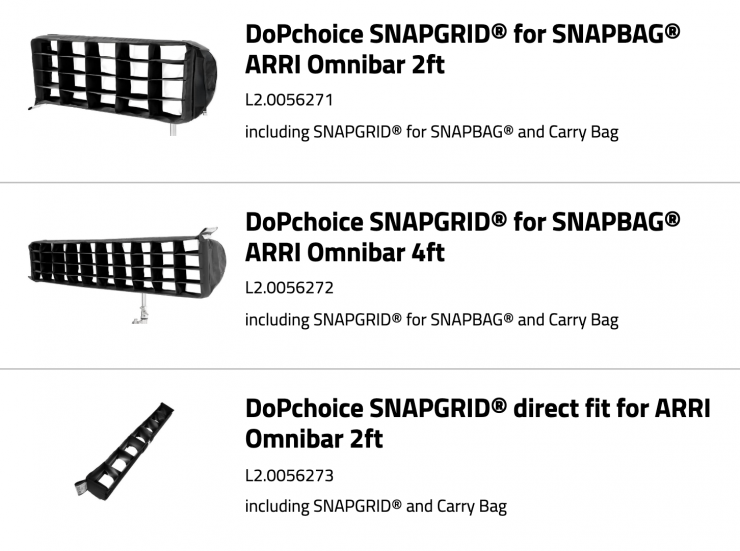
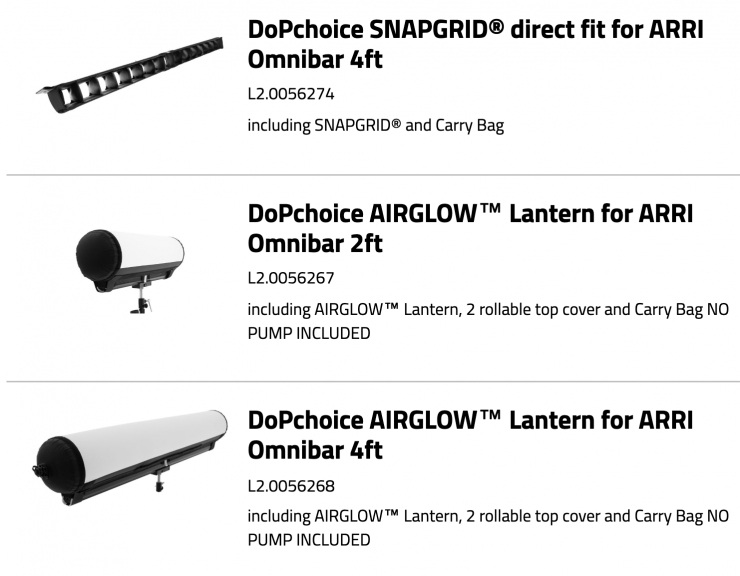
Above, you can see some of the DoPChoice accessories that are available.
Output

Above, you can see the claimed output figures for the Omnibar 4′ version.
- At 1m / 3.3′ when used Open Face, the claimed output is 1,475 lx
- At 1m / 3.3′ when used with the Round Diffuser, the claimed output is 832 lx
- At 1m / 3.3′ when used with the Flat Diffuser, the claimed output is 737 lx
- At 1m / 3.3′ when used with the Intensifier, the claimed output is 1,287 lx
As a comparison, below you can see the claimed output of 4′ tube lights that are on the market:
- Astera Titan 4’– 785 lx @1m / 3.3′
- Nanlite PavoTube II 30C– 647 lx @1m / 3.3′
- amaran T4C RGB LED Tube Light– 744 lx @1m / 3.3′
- Godox TL120 RGB LED Tube Light– 685 lx @1m / 3.3′
- Neewer TL120C RGB LED Tube Light– 500 lx @1m / 3.3′
Battery Powered
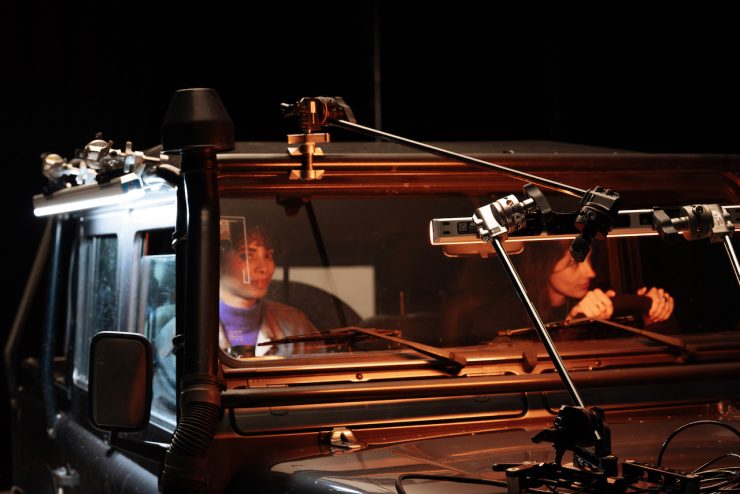
Omnibar features a built-in battery, but it can also be powered in other ways. Both the Omnibar 2 and the Omnibar 4 can run for over two hours at full brightness, which is higher than that of the competitors. You also have the ability to set a runtime setting to run for up to 24 hours at reduced output levels, as well as 16 or 12 or whatever is necessary.
You can also power the Omnibar directly through USB-C.
The Omnibar 2 has a 25-watt power draw, while the Omnibar 4 has a 50-watt power draw.
RGBMA LED Engine

The Omnibar is utilizing an RGBMA LED engine that is claimed to provide a high-quality, full-spectrum output. RGBMA is Red, Green, Blue, Mint, and Amber.
ARRI chose the RGBMA light engine after a lot of experimentation, as they found it offered the best balance between high quality and affordability.
The fixtures have a CCT range of 1,700-20,000K and a claimed CRI of 98 and TLCI of 98 when used at 5600K. The fixtures are said to offer smooth dimming all the way down to 0.1%. ARRI told me that they spent a lot of time making sure that the fixture performs very well at low-end brightness levels.
16/32 Pixels
The 2′ Omnibar has 16 pixels, while the larger 4′ Omnibar has 32 pixels. This allows users to create smooth effects and transitions.
Bluetooth Mesh
ARRI has developed its own Bluetooth Mesh protocol. Bluetooth Mesh isn’t a new concept, and lighting companies such as Aputure have had their own version for many years. Bluetooth Mesh is designed to be more resilient than either Bluetooth or WiFi on their own. Lights with Bluetooth Mesh act as both transmitters and receivers.
The Omnibars utilize Bluetooth 5, and once you have that mesh built up, you can place them far apart and do most of the setup. ARRI’s new system allows multiple Omnibars to react as one, and they’re in sync. ARRI told me that this has never been possible with Bluetooth before. ARRI put in a lot of effort to create this new protocol because Bluetooth is a notoriously slow protocol, and you often lose packets on the way while they’re transferring. Also, most Bluetooth protocols are designed so that the light reacts whenever it gets the signal, which is similar to how DMX works. However, because of how slow it is, let’s say you want all of them to go green, then the first one goes green, then the next one, then the next one, then one of them doesn’t even go green, doesn’t even get the signal. So to get around these issues, ARRI had to make this new protocol that is super lightweight and that adds functionality where you get the signal quickly and efficiently.
ARRI’s system was also designed to be quick and easy to use. For smaller crews or solo operators who only want to connect up a handful of lights, you don’t need to use lighting consoles or CRMX Bridges.
For larger productions, there is the ability to daisy chain and control huge numbers of Omnibars.
The current Bluetooth mesh limit is up to 30 Omnibar fixtures on a single device
Control Interfaces & Omnibase
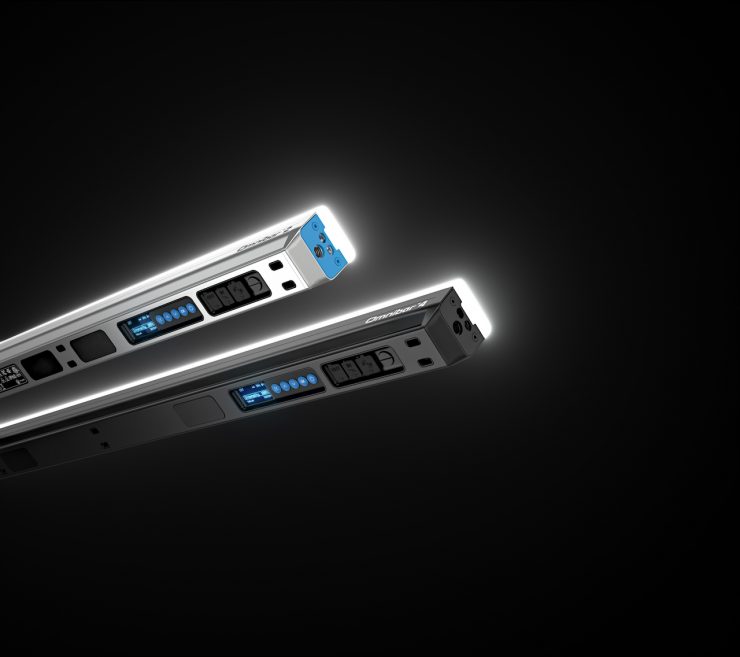
Omnibar features a fully integrated onboard control panel as well as an ARRI Omnibar Control app control via ARRI Bluetooth Mesh.
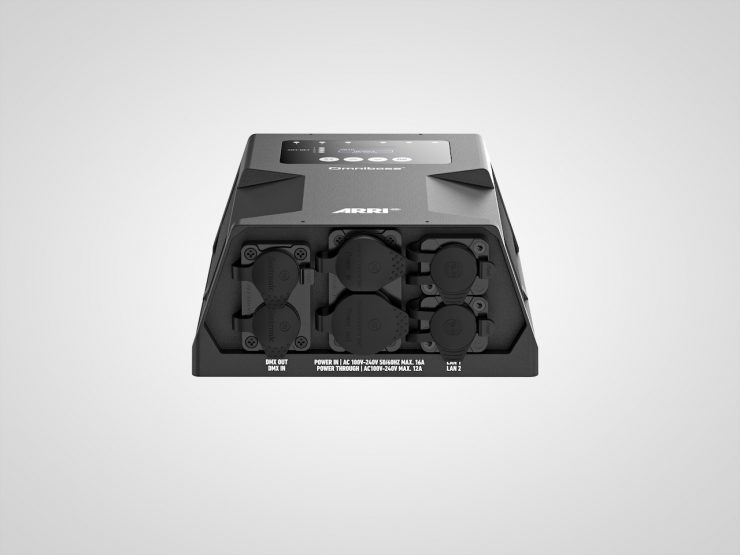
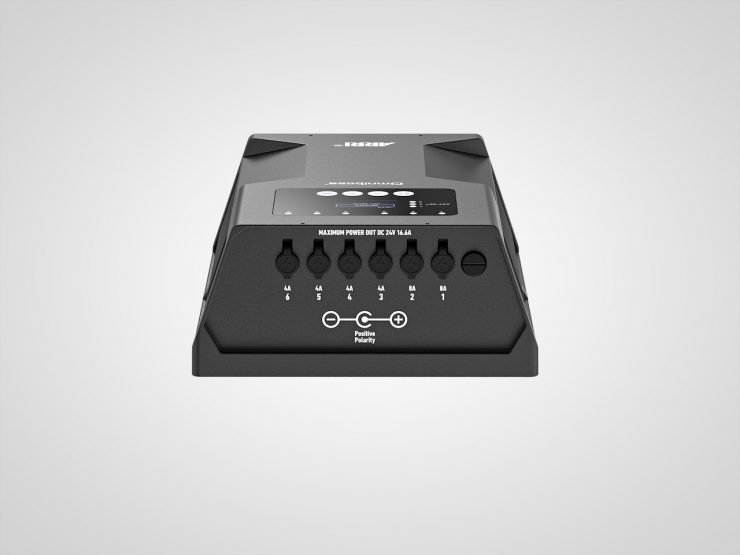
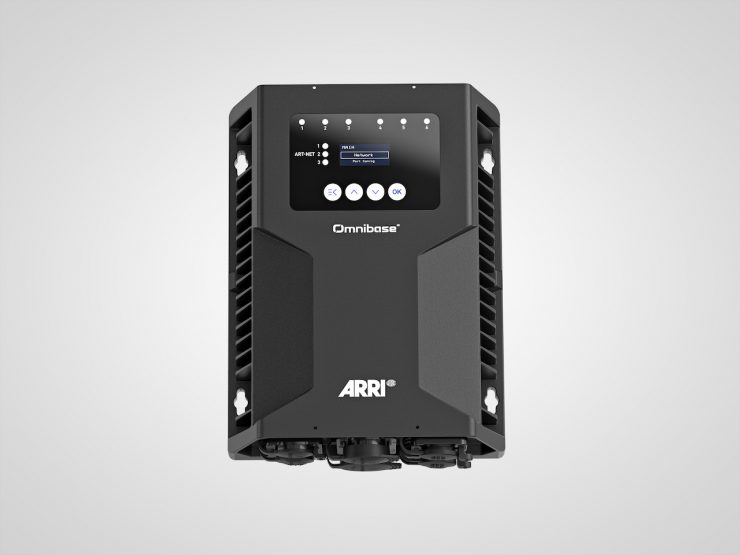
Omnibar supports wired DMX, sACN, and Art-Net workflows via Omnibase, and there is a built-in LumenRadio TimoTwo CRMX in every Omnibar. Software updates can be done using the app, and ARRI is also working on implementing the ability to do it over USB-C.
The big area where ARRI wanted to improve, especially versus the Astera Powerbox, is that the Astera Powerbox is not IP65, and one of the big limits is that every port has to go to one bar, so you end up with a lot of long cables from that Powerbox to the different tubes in your setup. Additionally, you always have to find a safe place where your Powerbox doesn’t get any rain on it, etc.
ARRI’s Omnibase is IP65 rated, with or without the cables plugged in, so you can use it in any kind of weather conditions. Also, the Astera Powerbox only supports one DMX universe, so here you have six universes; you can do up to one universe per port. Conversely, ARRI has six ports on the Omnibase, so data and power pass through the cable, so one OmniBase can support 24 feet of Omnibars. So you can have any combination you can think of, such as six Omnibar 4s or 12 Omnibar 2s, as long as it’s not over 24 feet. Ports one and two on the Omnibase can support up to 12 feet, and ports three to six can support six feet, but you can use them any way you want as long as you’re aware of these limitations. There are six ports, and the vacuum valve on the very end is for the vacuum tester, so this is standard for every IP65 product. You have a little vacuum tester that you can attach there, and it’ll tell you if it’s actually IP65 or not.
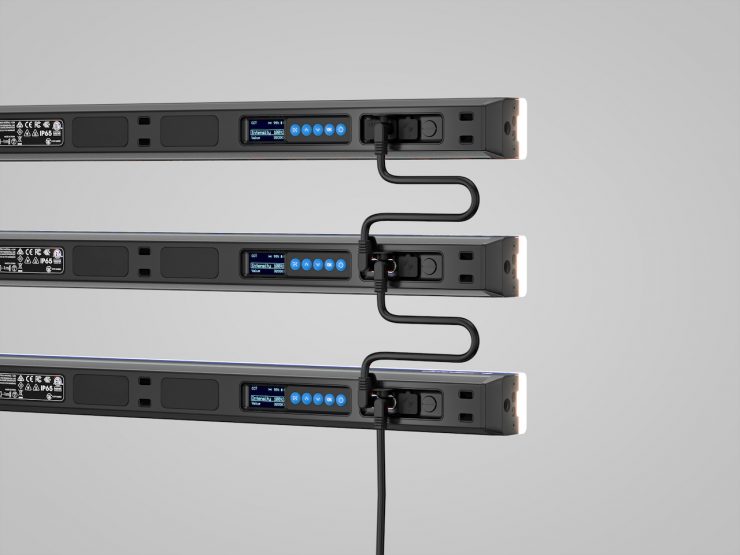
You can also daisy-chain Omnibars to create a central power and data hub by using the Omnibar. This allows you to use one cable that supplies a power and data connection from the Omnibase to the Omnibar. This is designed for clean power and data daisy-chaining across larger setups.
OmnibaSE Key features
- Ports 1-2 (8 A): max. 3 × 4 ft or 6 x 2 ft per daisy chain (12 ft)
- Ports 3-6 (4 A): max. 3 x 2 ft per daisy chain (6 ft)
- Supports up to 6 x Omnibar 4 or 12 x Omnibar 2 (24 ft)
- Input signals: DMX, Art-Net, sACN
- IP65-rated housing
- Up to 6 DMX universes, one per output port
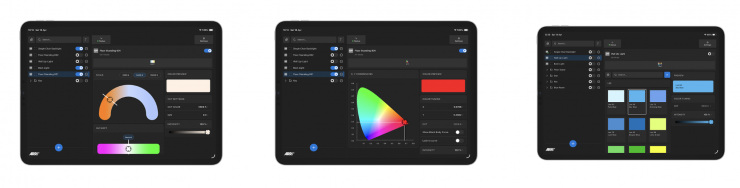
The Omnibar Control App lets you discover, configure, and control your Omnibar fixtures quickly and intuitively. You can create scenes, Groups and Shapes, adjust color and effects, group fixtures, change settings, and manage more advanced lighting setups directly from your mobile device.
A Group is used to organize fixtures by scene, location, or any custom setup that matches your workflow. You can apply a single color or setting to the entire group, or fine‑tune individual fixtures within it, making Groups ideal when you want several fixtures to operate together.
A Shape is used for creative control. Shapes allow you to apply pixel‑based effects across multiple fixtures at once, enabling coordinated patterns, movement, and dynamic lighting effects. Shapes can also be renamed, helping you identify specific effects or visual ideas quickly.
Groups can contain other Groups or Shapes, allowing you to organise complex lighting setups more clearly.
Omnibars connect via Bluetooth using an ARRI‑designed mesh protocol, purpose‑built for professional lighting control. Fixtures communicate by passing control commands across the mesh, delivering improved responsiveness, reliable synchronisation, and extended operating range, allowing seamless control even when your device is farther away from the furthest fixture.
IP65
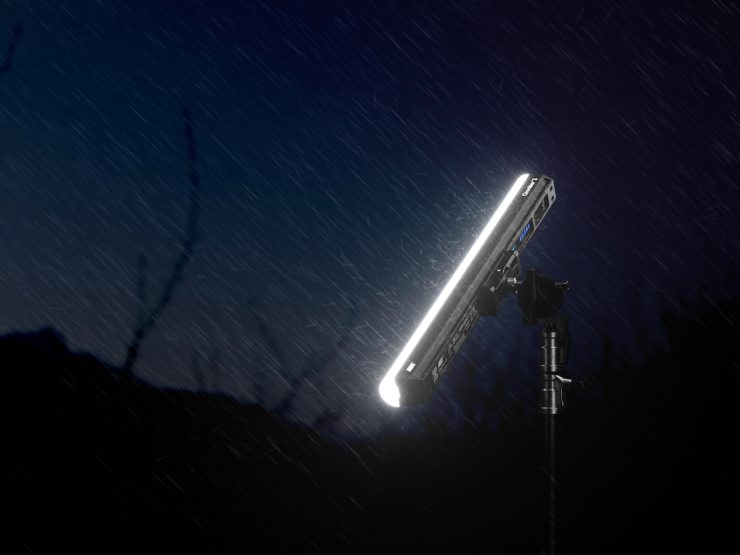
IP65 is almost becoming a standard for lighting fixtures these days, and that is why ARRI designed the Omnibar and its modifiers to meet IP65 standards.
Weight
The Omnibar 2 is 1.3kg / 2.86 lbs, and the Omnibar 4 is 2.3kg / 5.07 lbs.
Kits
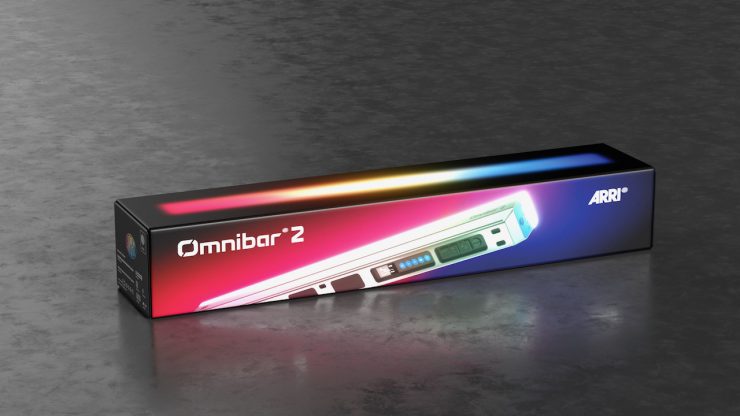
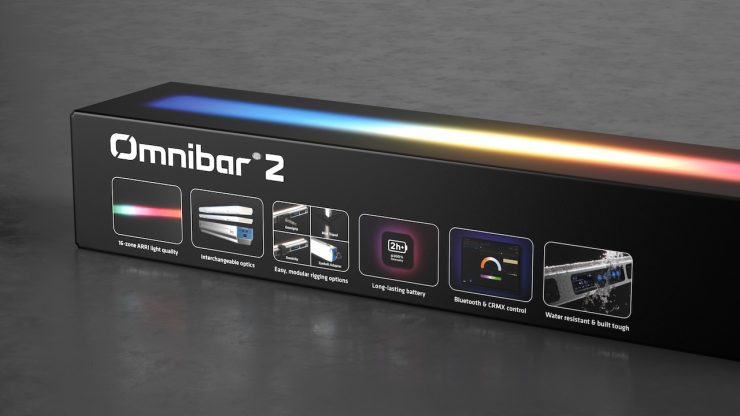
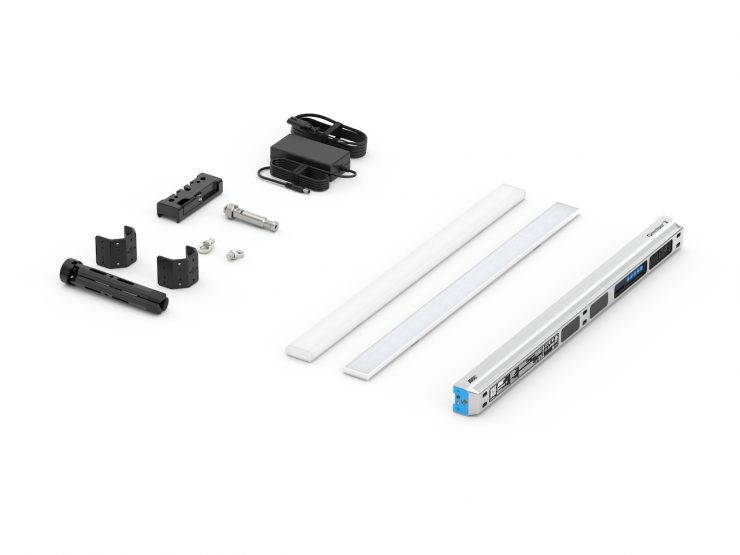
ARRI is offering a range of different kits depending on your needs. The first is the Omnibar Creator Set, which provides the most accessible entry into the Omnibar ecosystem. ARRI told me that it is designed for content creators and production companies that own their own gear. It includes a silver Omnibar 2 with selected core accessories for fast, straightforward use (no round diffuser included).
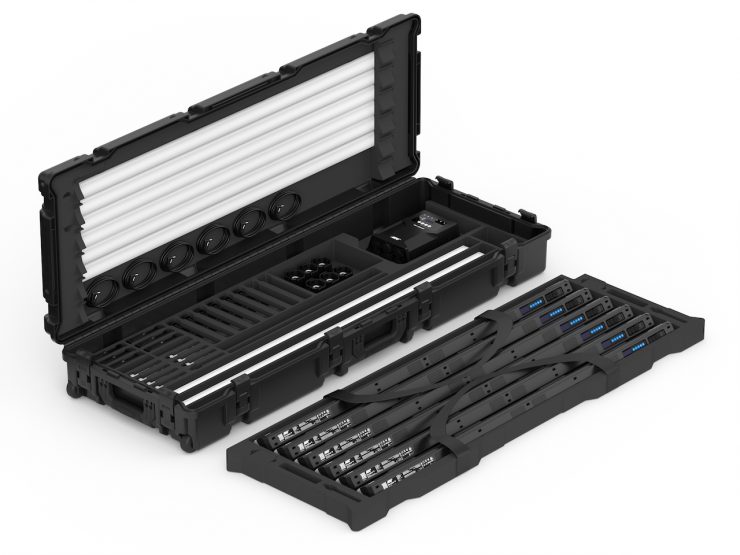
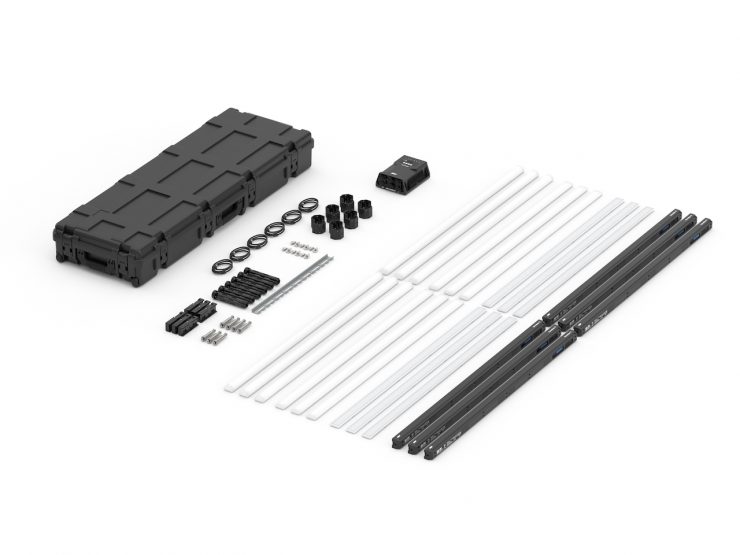
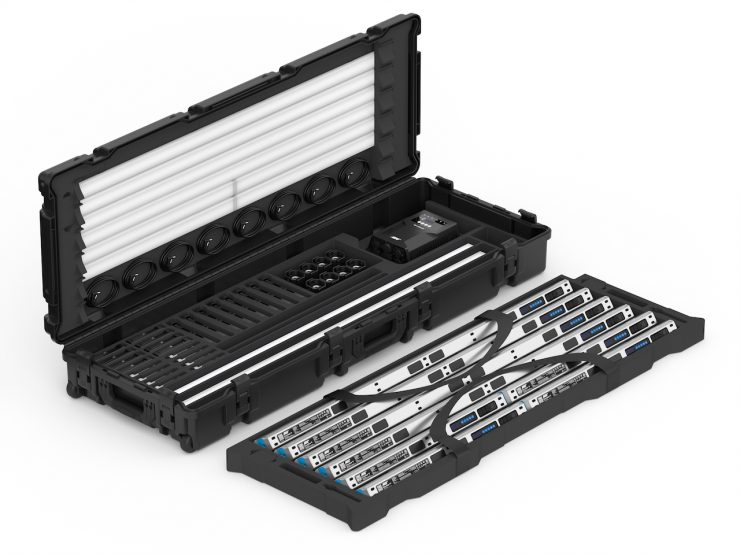
The Omnibar Combo kits and Production kits that come with multiple Omnibars, all the accessories in the quantities that you need, and they include an OmniBase so that you can charge and control these through DMX. So the overall logic with the Combo kit was that ARRI wanted to do something different. It is a very flexible system aimed at gaffers and DPs, as you can combine both 2′ and 4′ Omnibars. None of the competitors sells it this way, but after ARRI showed it to a lot of gaffers, they really liked it because they can have two-foot bars and four-foot bars, both in the same case. If someone needs a six-foot bar, they can combine the four-foot and the two-foot together. This gives the kit a lot of versatility.
Once you put all of that together in a travel case, it is pretty heavy (45kg / 99.2 lbs), so it’s definitely not lightweight, but the case comes with wheels, so you can move it as a single person, especially if it’s on the ground. If you have to pick it up, it’s a two-man job.
All of the accessories are on the bottom, and the layer with the actual bars you can take out. Then, in the lid, you have the extra diffusers, and they’re magnetically attached. So it’s actually really practical if you have the wrong diffusers on the bar for what you want to do next. You can just take the one off the lid, put that one on the bar, put the unused one into the lid, and quickly get everything configured the way you need it.
Ff you’re charging the Omnibars, you could have the cables plugged into the OmniBase already and then just feed them up. There’s a little hole where you can feed them up through the bottom and have them all plugged in and charging them through the OmniBase in the case. Now, ARRI made sure that you have to keep the lid open because you don’t want anything to overheat with the whole case closed. That was a conscious decision because originally ARRI was thinking that they could put a plug on the outside and make it really convenient, but then a lot of people would not leave the case open, and it’s a little bit too dangerous.
ARRI also knows that the rental houses tend to have their own storage, transport, and flight cases. For this reason, ARRI has both the Omnibar 4 set and the Omnibar 2 set. In these, you get a bar and all the accessories, and it makes it more flexible in terms of creating your own flight cases.
Pricing & Availability

The ARRI Omnibar Creator Set costs €650 (around $763 USD). This is still a lot of money for a 2′ light. As a comparison, the Nanlite PavoTube II 15C RGB LED Tube Light (2′) is $153 USD.
The Omnibar 2 Set is €690 (around $810 USD), and the Omnibar 4 Set is €890 (around $1,044 USD). As a comparison, the Astera Titan Tube RGB LED Tube Light (3.4′, Basic Kit) is $850 USD, and the Nanlite PavoTube II 30C RGB LED Tube Light (4′) is $199 USD.
Now, despite the Omnibar being touted as one of the most affordable lights ARRI has ever made, it still isn’t arguably aimed at the lower end of the market. In my opinion, Omnibar is priced to compete against the Astera Titan tubes. Personally, I think €650 (around $763 USD) for the Creators Kit is too much for a single 2′ fixture, and it’s only going to appeal to a select group of people. I only say this because you can buy roughly 5 Nanlite PavoTube II 15C RGB LED Tube Lights (2′) for the same price. Despite the Omnibar having some very nice features and functionality, if you are trying to target a new demographic, the pricing needs to be closer to $400 USD.
The ARRI Omnibar Combo Kit is €7,500 (around $8,800 USD), and the Production Kit is €6,500 (around $7,625 USD).