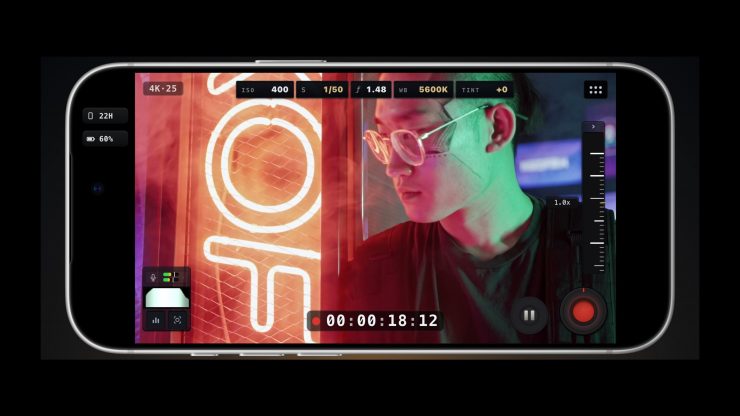
MoviePro 10 is an independent iPhone camera app that has been around since 2012. Back then, shooting serious video on an iPhone was still relatively unusual, and MoviePro provided tools to make that possible.
Fourteen years later, the challenge for anyone making an independent iPhone camera app is that Blackmagic Camera and Final Cut Camera now offer remarkably capable professional capture for free. Apple itself has added increasingly serious video controls to the iPhone. For MoviePro, that forced them to ask a difficult question: Does MoviePro still have a reason to exist?
Its developer Deepak Sharma spent the past year rebuilding it from the ground up to try to answer that question. The result is MoviePro 10, and the premise behind the app, just like with the original version, was to provide users with increased camera capabilities without making the camera unnecessarily difficult to operate.
Key features
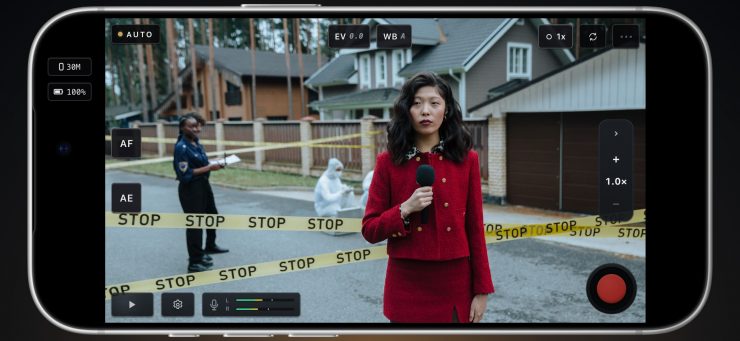
- Auto — run-and-gun capture for events, street, and news: exposure and focus run automatically, and you can lock them in a tap.
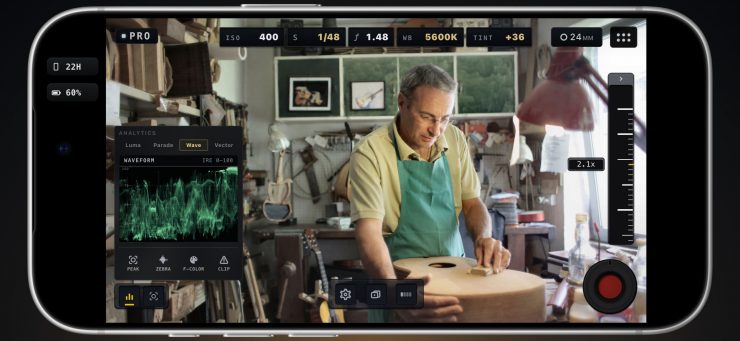
- Pro — a capture scene with full manual control of ISO, shutter, white balance, tint, and focus, plus Luma, Parade, Waveform, and Vectorscope scopes, zebra, and focus peaking. ProRes and Log capture on supported devices, with saveable presets.
- Dual Capture — record two cameras at once on supported devices, as picture-in-picture, split screen, or a live cut into one file.
- Remote mode — monitor and control the camera iPhone from a second iPhone, an iPad or a compatible Apple-silicon Mac, over shared Wi-Fi or a Personal Hotspot.
- Audio — external and USB microphone support with live meters, input-level control and headphone monitoring where supported, plus a Take Receipt after recording.
- Apple Watch — a live preview of what the camera sees, with start and stop from the wrist while MoviePro is open on the iPhone.
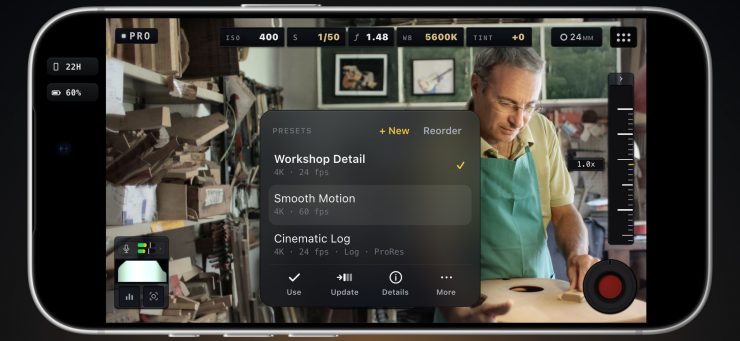
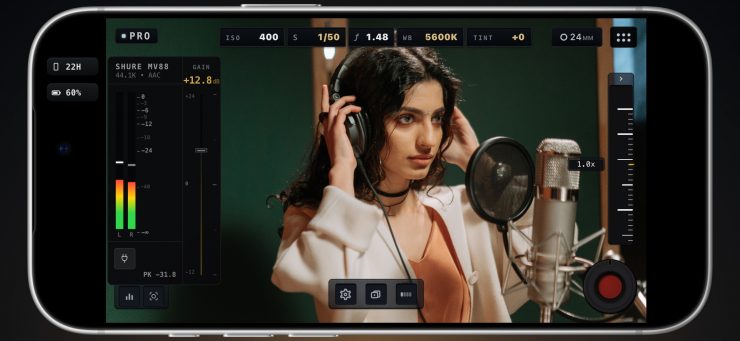
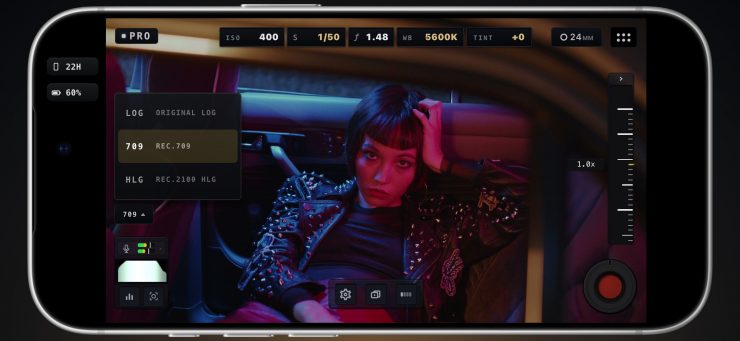
MoviePro 10 revolves around three shooting modes: Auto, Pro, and Dual Capture. In Pro, ISO, shutter, aperture, and white balance sit directly beside the frame, with scopes and audio meters available while you shoot. Apple Log 2, ProRes and ProRes RAW are supported where the hardware allows, and MoviePro can directly control the physical aperture on iPhone 18 Pro.
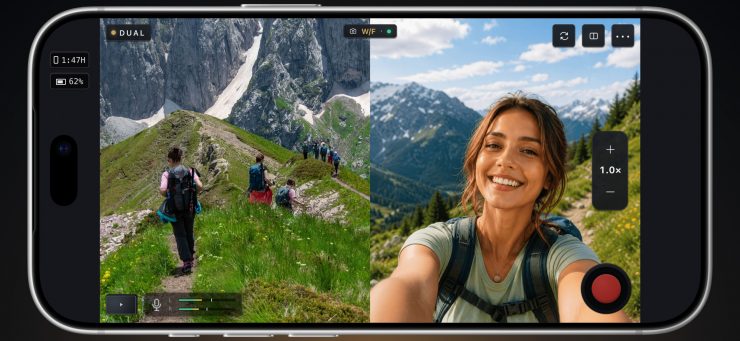
Dual Capture records two cameras together. Remote Control lets another iPhone, iPad, or Mac operate the camera. And all three capture modes are now free.
MoviePro was just updated 3 days ago to version 10.0.4:
MoviePro 10.0.4
- Added variable-aperture controls on iPhone 18 Pro/18 Pro Max devices, with improved shutter, ISO, and exposure-lock handling.
- Preview Apple Log and Apple Log 2 in Rec.709 or HLG HDR, or bake the selected look into supported recordings.
- Improved thermal performance with more efficient video processing for preview, exposure assists and recording.
- Added iOS 27 Pro Video Storage support, including ProRes RAW recording on compatible devices.
- Improved clean HDMI output and live switching.
- Improved Remote portrait layouts, preview orientation, camera controls, and connection handling. Support for vertical mode UI in Remote control.
- Clearer Take Receipts and recording-interruption messages.
- Fixed Dual Capture launch crashes on unsupported devices and improved compatibility with older iPads.
The market has evolved and changed, and previously there was a period when professional iPhone capture itself could justify significant subscriptions, but Blackmagic and Final Cut Camera changed that.
MoviePro 10 was not built to be another Blackmagic Camera; it was designed to provide useful, repeatedly adjustable features such as exposure, white balance, audio, scopes, etc., without the complexity.
Whether there remains room for a third serious iPhone camera app remains to be seen.
Pricing & Availability
MoviePro 10 is available on the Apple App Store: https://apps.apple.com/app/id547101144
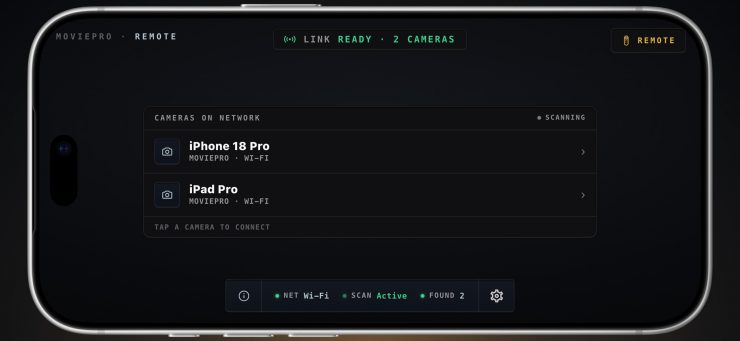
Recording is free in all three modes. Remote Control is the only paid feature.


Latest news

Director Mode– an iOS app for multicamera productions
Apple has notified developers that, as AI agents become more advanced & autonomous, full-disk access to all data on a Mac poses an increasing risk