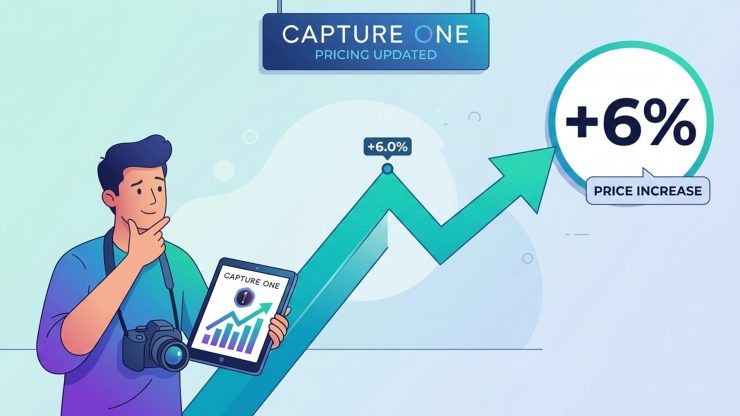
Another year, another price hike. As Capture One quietly increases its rates by 6% across all plans, photographers are once again left asking the same uncomfortable question: how much is too much?
Capture One has announced a 6% price increase across its entire product lineup — Pro, All-in-One, and Studio tiers — taking effect on customer renewal dates from July 6, 2026 onward. This is not the first time. The same software saw an identical 6% hike in March 2025. Two consecutive years of above-inflation increases from a company that already sits at the premium end of the market is starting to feel less like a pricing adjustment and more like a habit.
Let’s talk real numbers, compare alternatives, and ask the question that many photographers are now thinking: is Capture One pricing itself out of loyalty?
What You’re Now Paying for Capture One
After the June 2026 increase, the new monthly costs look like this:
- Capture One Pro: ~$18 USD /month (annual plan), up from $17 USD
- All-in-One: ~$24.75 USD /month (annual), up from ~$23.25 USD — or ~$38 USD / month on a rolling monthly plan
- Studio: ~$48.50 USD / month (annual), up from ~$45.75 USD — or over $62 USD / month rolling
This isn’t a huge jump. But stacked on top of last year’s increase, and with no major feature announcement accompanying the news.
Perpetual licenses are also affected, removing the one consolation “buy once” users used to hold onto.
What Adobe Charges for Lightroom
Let’s put that in context with the most obvious competitor: Adobe’s Photography Plan.
- Adobe Photography Plan (20GB): $10.99 USD / month — includes Lightroom, Lightroom Classic, and Photoshop
- Photography Plan (1TB): $19.99 USD / month
- Lightroom only: ~$12 USD / month
For under $11 USD a month, Adobe gives you Lightroom, Lightroom Classic, and Photoshop. That is, objectively, a huge amount of software per dollar. Adobe has raised its prices too — the 1TB plan jumped $2 USD in January 2025 — but the Photography Plan remains one of the better value propositions in creative software.
The math becomes interesting when you line them up side by side:
| Software | Annual Monthly Cost | What You Get |
|---|---|---|
| Capture One Pro | ~$18 USD / month | RAW editor + catalog |
| Adobe Photography Plan (20GB) | ~$10.99 USD / month | Lr + Lr Classic + Photoshop |
| Adobe Photography Plan (1TB) | ~$19.99 USD / month | Lr + Lr Classic + Photoshop + 1TB cloud |
Capture One Pro now costs more per month than Adobe’s entire Photography Plan with 1TB of cloud storage. Let that sink in.
Is Capture One Still Worth It?
This is where the argument gets more nuanced — because Capture One is exceptional software, and its defenders are not wrong. I use it, and yes, it’s very good.
Capture One’s color science is widely regarded as the best in the industry. Its tethered shooting support is unmatched for studio professionals. The layer-based masking and color-grading tools offer a level of precision that many feel Lightroom simply cannot match. For medium-format shooters, commercial photographers, and those working with Phase One or Fujifilm cameras, Capture One offers native, optimized support that can justify its premium.
The Sessions workflow — handling individual shoots as contained, portable projects — is something Lightroom doesn’t offer at all. For freelancers delivering client work shot by shot, this isn’t a minor feature; it’s a fundamental difference in how the software thinks.
But here’s the honest question: does that justify paying more per month for a single-application RAW editor than Adobe charges for three applications and a terabyte of cloud storage? For many photographers — particularly hobbyists, enthusiasts, and portrait or landscape shooters — the answer is leaning toward no.
The problem isn’t that Capture One raised prices. Prices go up. The problem is the pattern: two consecutive 6% increases, no major accompanying feature launch to justify either, and a growing sense that the company is leaning on its installed base rather than earning continued loyalty.
The Hidden Cost of Leaving: Why Switching to Lightroom Isn’t Simple
If Capture One’s pricing is pushing you toward the exit, be warned: the door swings heavier than it looks. Switching from Capture One to Lightroom is not a one-afternoon job, and for many photographers, the hidden costs of moving may outweigh the subscription savings.
Your edit history doesn’t travel. Capture One and Lightroom use entirely different non-destructive editing architectures. There is no migration path for your adjustments. Every image you’ve edited in Capture One — every curve, color grade, and exposure tweak — stays locked in Capture One’s catalog. You can export your photos, but you’ll have to start from scratch on any existing edits.
Color science is different — and potentially worse. It’s widely acknowledged. Lightroom’s rendering engine processes RAW files differently, and if you’ve spent years tuning your eyes to Capture One’s color output, Lightroom’s results potentially will look flat, oversaturated, or simply wrong until you recalibrate. Many photographers find this adjustment takes months.
You’ll lose Sessions. Lightroom is catalog-only. If your workflow depends on Capture One’s session-based approach — separate, portable project folders per shoot — you’ll need to rebuild your organizational logic from scratch in Lightroom’s catalog system.
Tethering takes a step back. For studio photographers, Capture One’s tethered shooting is considerably more stable, faster, and more feature-rich than Lightroom’s equivalent. If you shoot tethered regularly, this is a genuine functional downgrade, not just a matter of preference.
The customization gap. Capture One’s workspace is deeply customizable — you can build tool panels, shortcuts, and layouts tailored to exactly how you work. Lightroom’s interface is more fixed. Photographers who’ve spent years optimizing their Capture One setup will find Lightroom’s constraints frustrating.
Lightroom Classic vs. Lightroom confusion. Adobe maintains two distinct Lightroom products: Lightroom Classic (desktop-centric, the one most professionals use) and Lightroom (cloud-centric). Understanding which one fits your workflow adds to the friction of an already disorienting transition.
The Verdict
Capture One is still great software. But “great software” has to be weighed against price, value, and what competitors offer — and that comparison is getting harder to justify with every annual increase.
For working professionals who live inside Capture One, shoot tethered, process medium-format files, or rely on its color precision for commercial work: the price increase stings, but the switching cost is probably higher. You’re likely staying with Capture One.
For everyone else — enthusiasts, part-time photographers, those who shoot primarily for personal projects — the case for Capture One at $18/month against Adobe’s $10.99 Photography Plan is thin and getting thinner. You’re not just paying more; you’re paying more for less.
The real concern isn’t this 6% increase. It’s what it signals. Two consecutive above-inflation hikes, aimed squarely at users who’ve invested years in the platform, suggest a company that has concluded its best revenue strategy is to monetize loyalty rather than earn it.
Prices referenced are as of June 2026. Adobe Photography Plan pricing may vary by region. Capture One’s new prices take effect on renewal dates from July 6, 2026.