Adobe has announced Color Mode, a new color grading tool purpose-built for video editors that is fully integrated inside Premiere (beta).
According to Adobe, it has been in development for three years, and it was built alongside over 400 working editors.
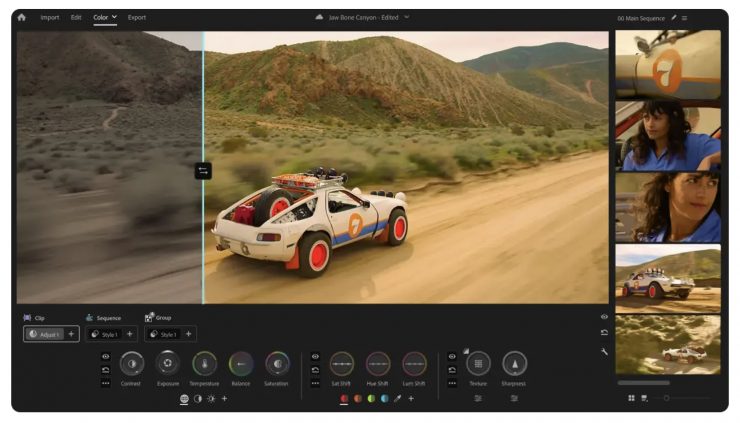
Color Mode features all-new tools and, according to the company, every control, layout, and interaction was built for video editors.
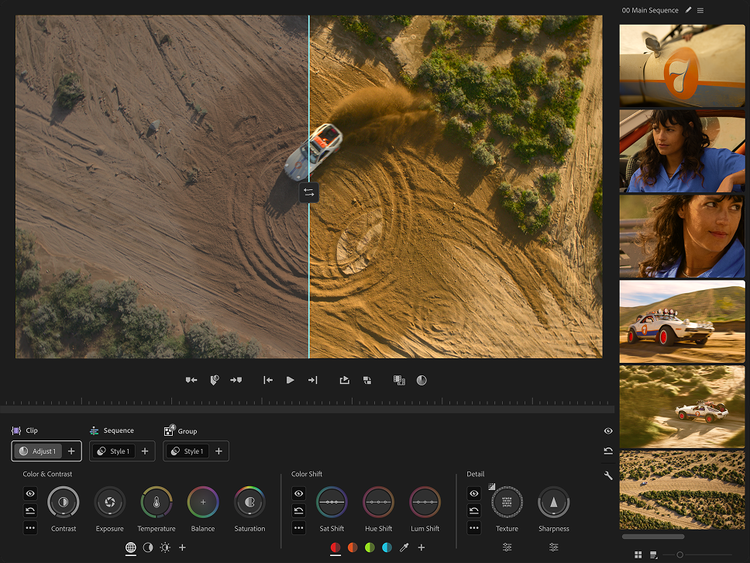
Color Mode is said to maximize your monitor space and put the image first on any screen. The Clip Grid gives you a visual map of your entire sequence. Panels move, layouts flex, and a contextual heads-up display shows you what you need as you need it.
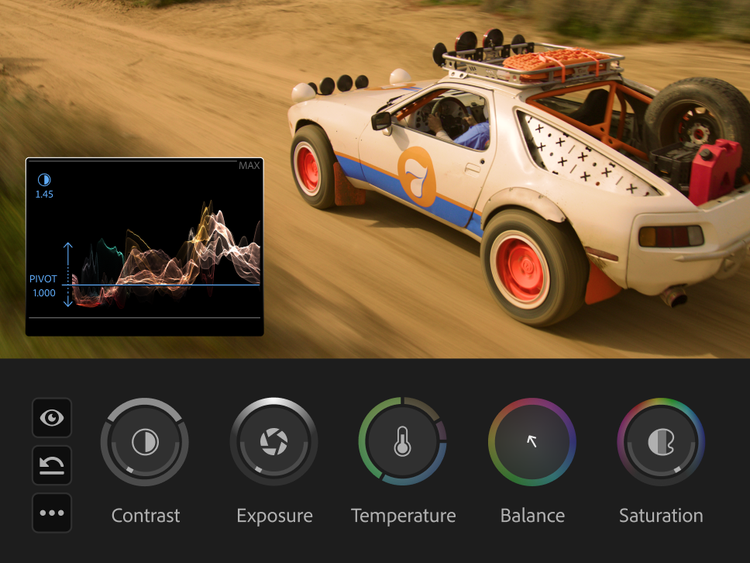
All-new bi-directional controls animate as you use them, giving you instant visual feedback on adjustments. Users can shape contrast and pivot, temperature and tint, two dimensions at once with a single gesture. Zones let you target shadows and highlights for precise adjustment.
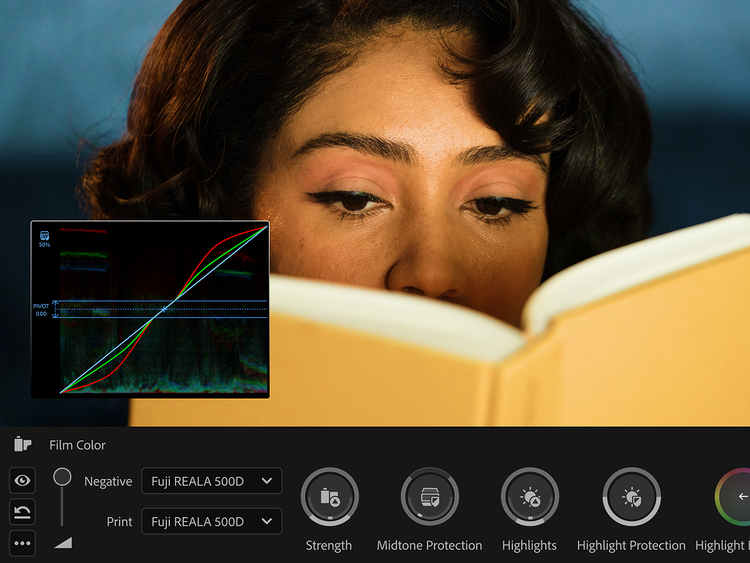
Styles and looks can be applied in one click, and then customized. Built from Modules, individual color effects arenondestructive, fully editable, and stackable. Users can start with dozens of built-in film emulations and looks, or build their own from scratch.
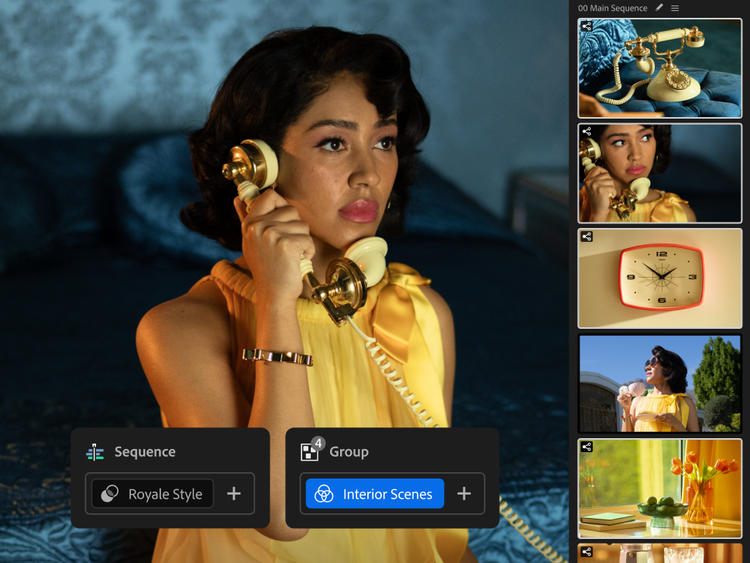
Operations are a new way to organize and move color across your edit. Grade one clip, a custom group, or your entire sequence, and then move and reorganize by dragging and dropping. There are no layers and no more copying and pasting attributes.
Most Color Mode controls are bi-directional. Move your mouse up and down for one control, left and right for the other. Or press shift for precise single-axis adjustments. Each control activates a unique heads-up display with scopes, numeric info, and real-time animated feedback.
Color Mode is available now in the Premiere beta, and it is included with every Creative Cloud plan that has Premiere.


Latest news

Nanlux Action Camera Mount Adapter with 1/4″-20 Thread (AS-ACM-1/4)
Save $1,800 USD on the SmallHD Ultra 5 Bolt 6 RX 750 Monitor Kit