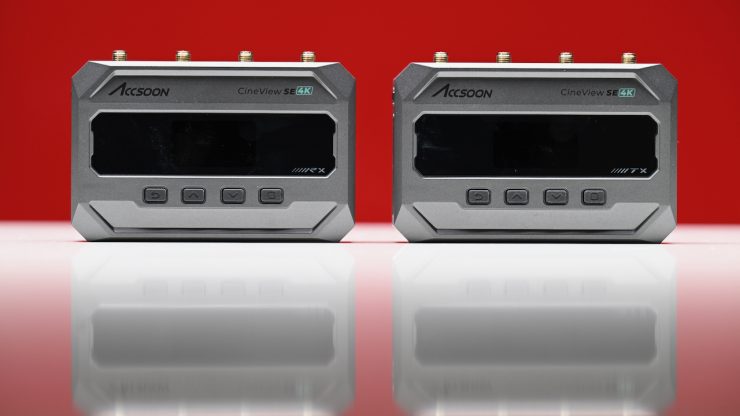
Accsoon’s CineView SE 4K wireless video transmission system joins the existing CineView SE in the lineup, and it features UHD transmission, camera control, and expanded monitoring options.
Wi-Fi-based systems have continued to get better and better over the last few years, and they are popular because they are significantly more affordable than uncompressed zero-delay options.
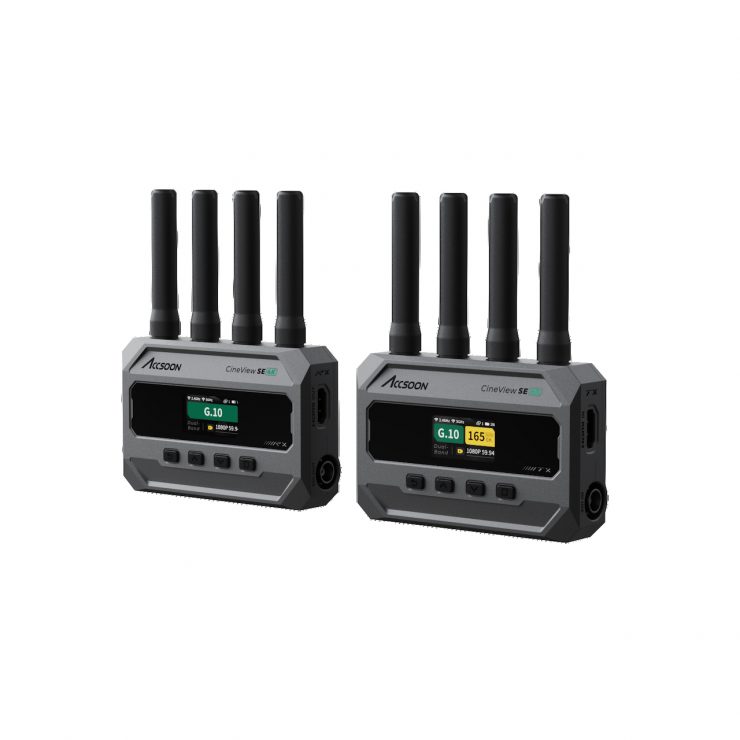
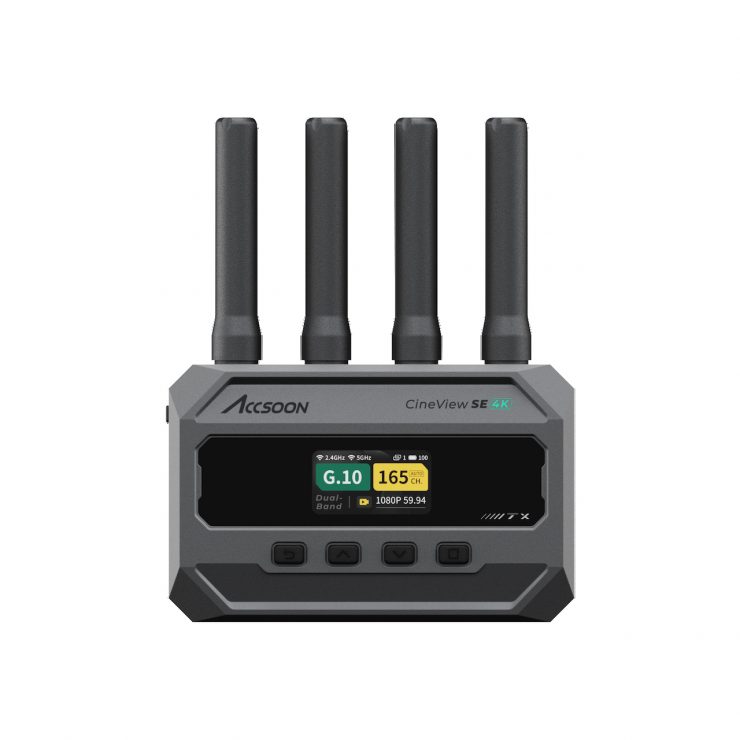
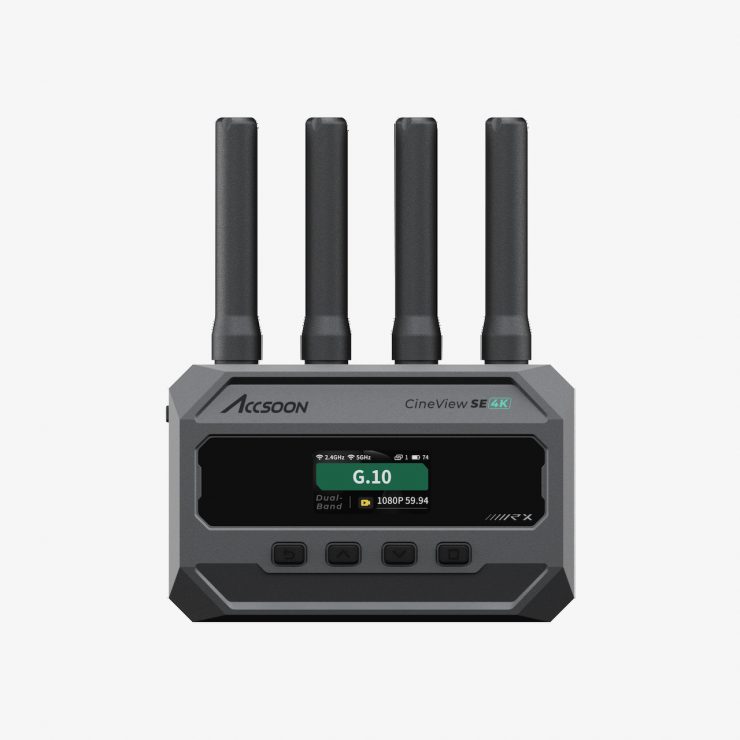
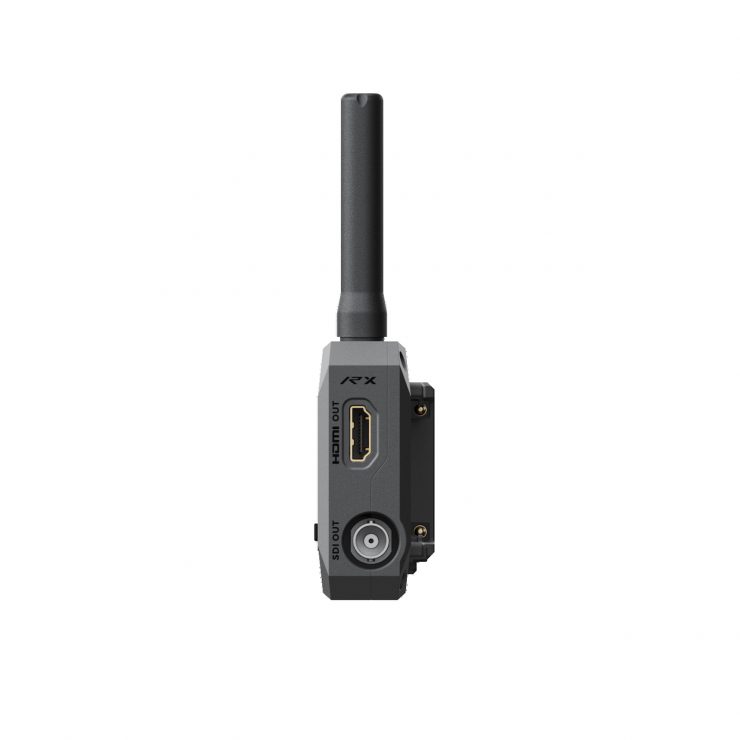
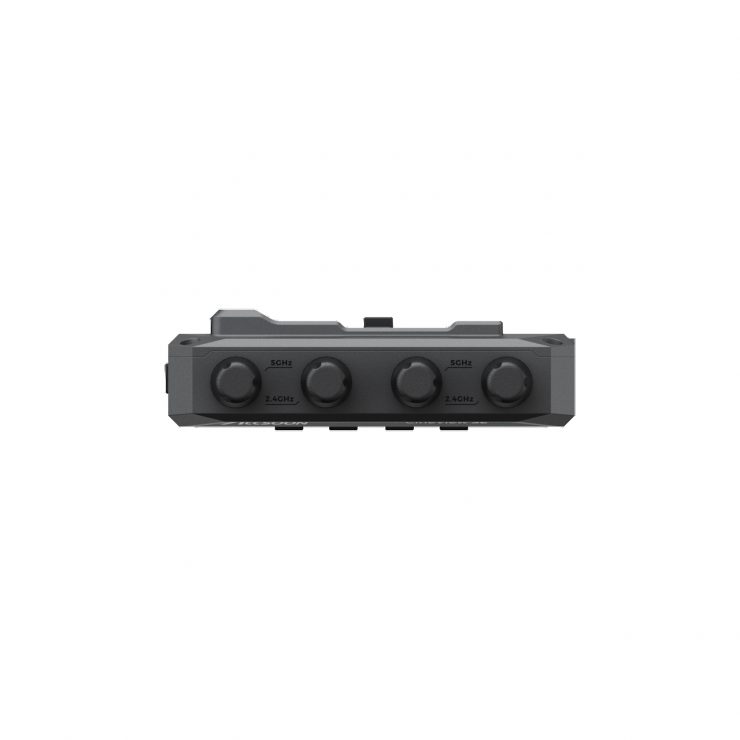
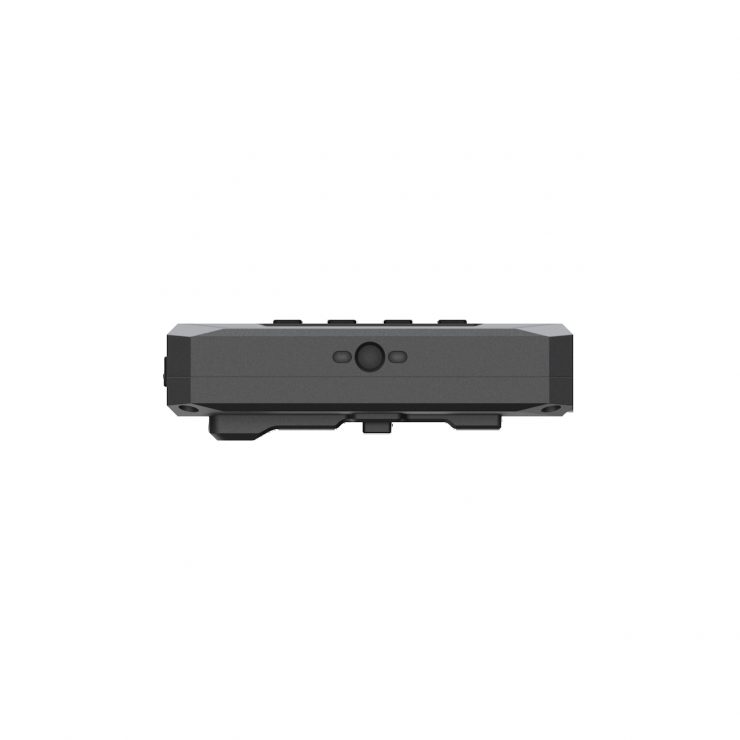
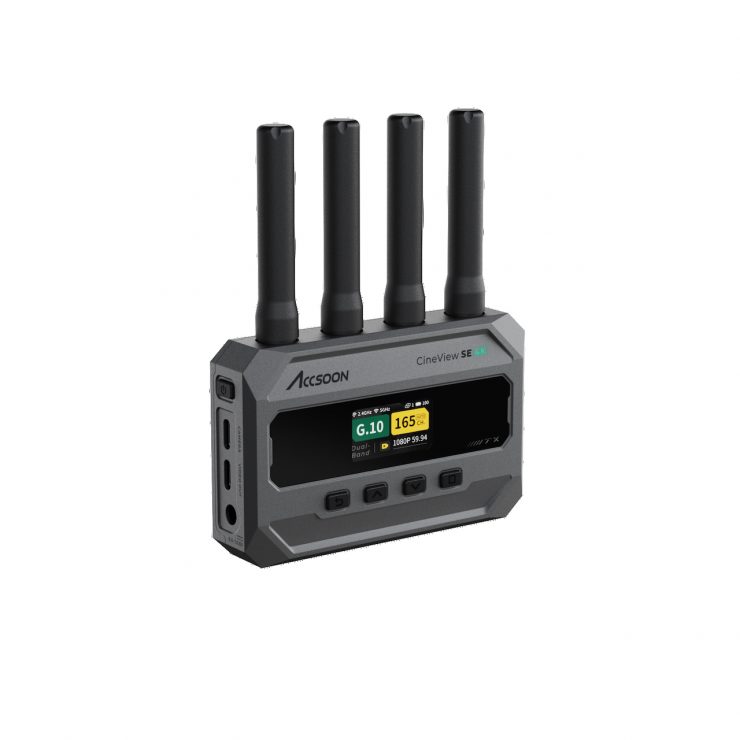
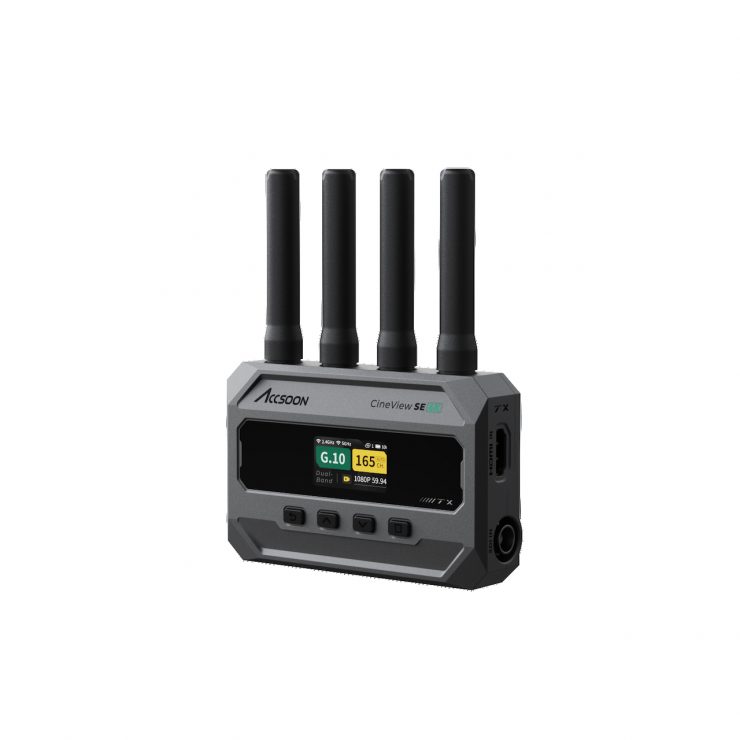
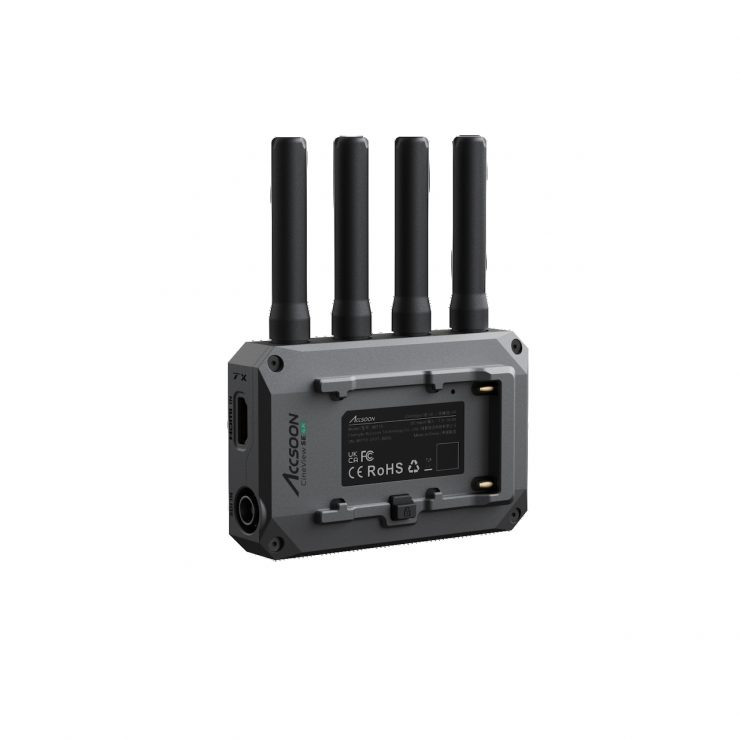
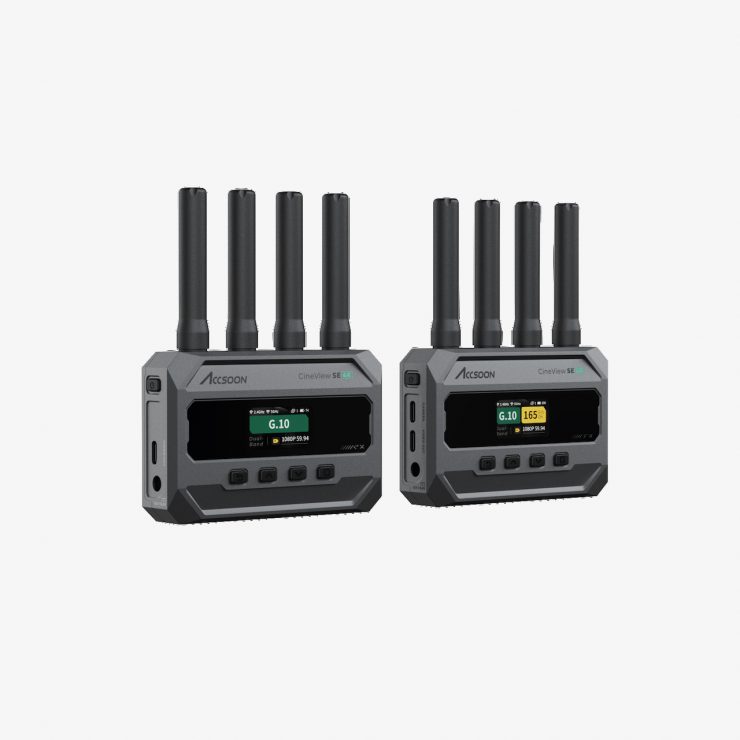
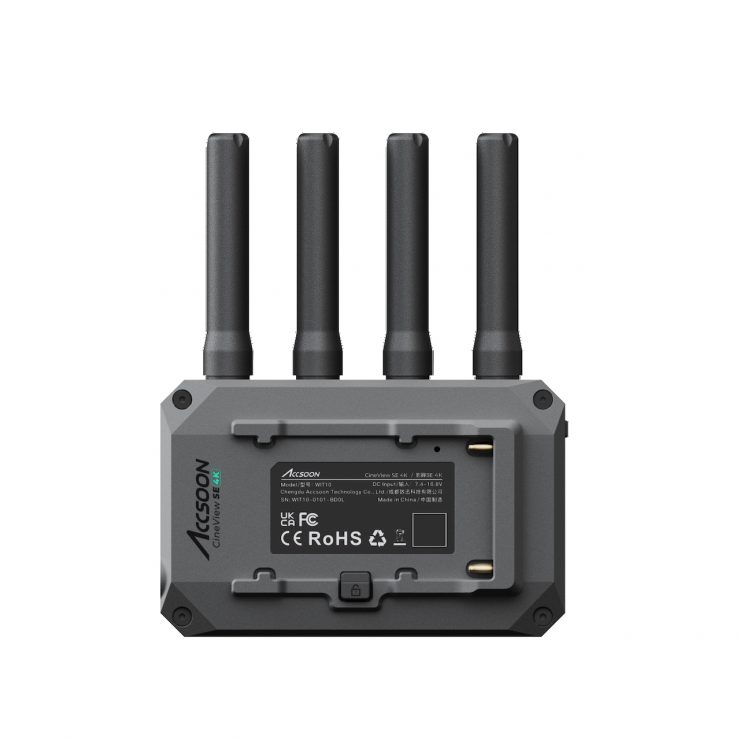
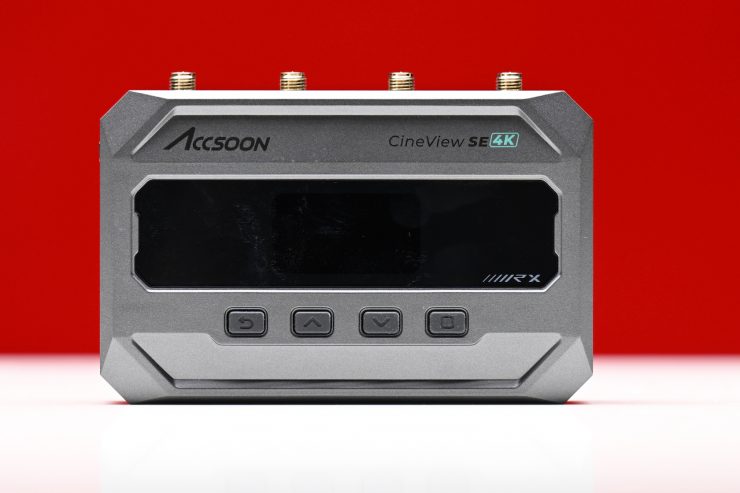
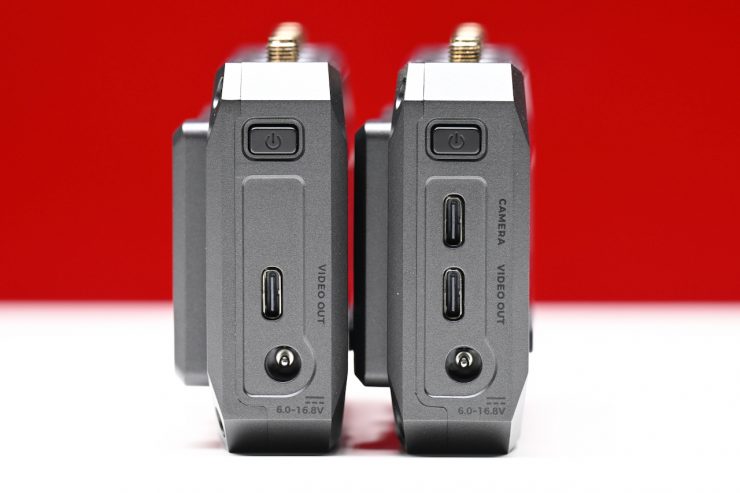
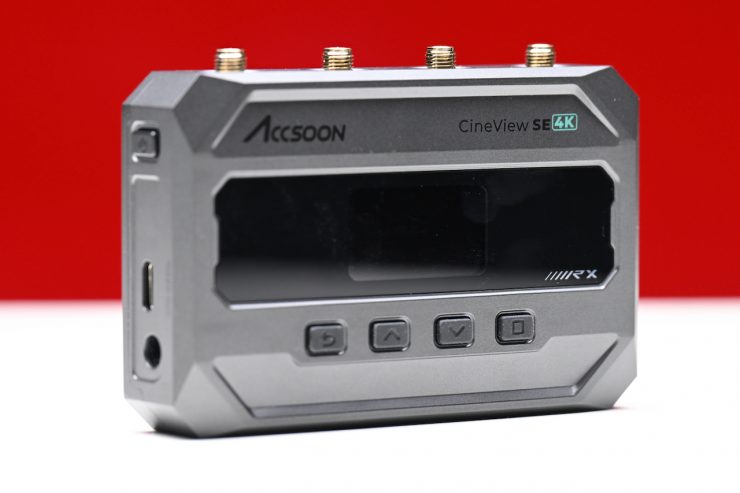
The CineView SE 4K is capable of up to 4K 30p transmission, and it has a claimed latency of under < 50 ms when using 1080 60p. Now, just to clarify, 4K means UHD, not 4K DCI. It also utilizes Dual-band (2.4 & 5 GHz) transmission. On paper, the CineView SE 4K looks like a good option if you are after an affordable wireless video transmission system that offers both HDMI and SDI capabilities.
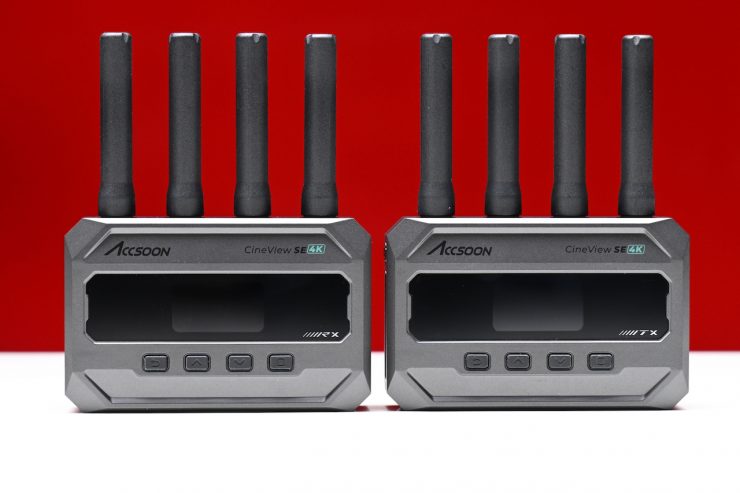
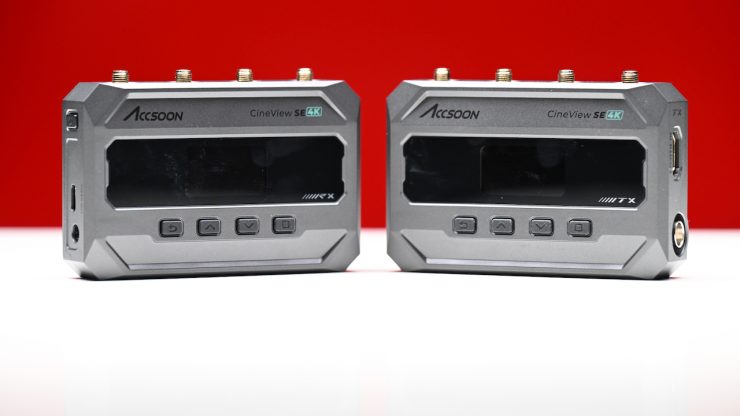
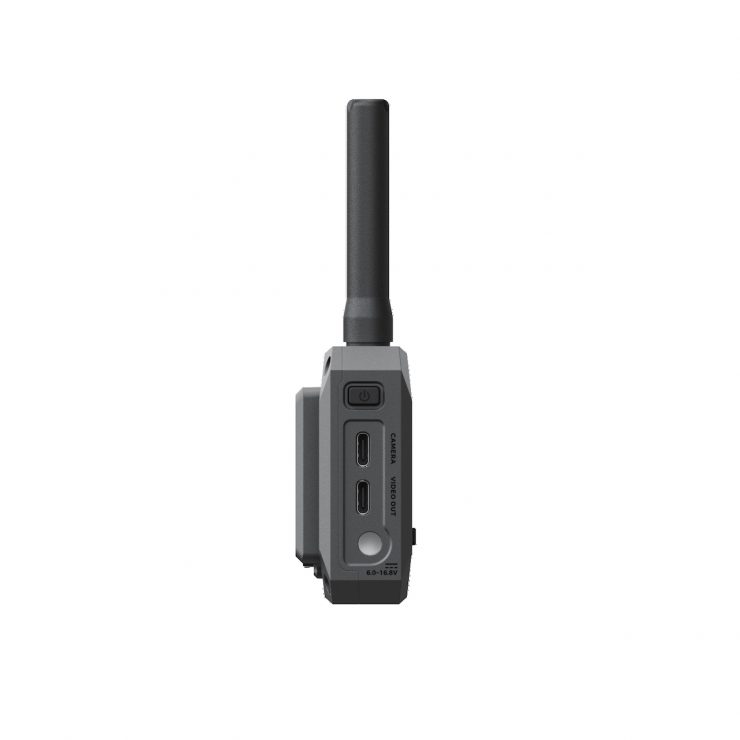
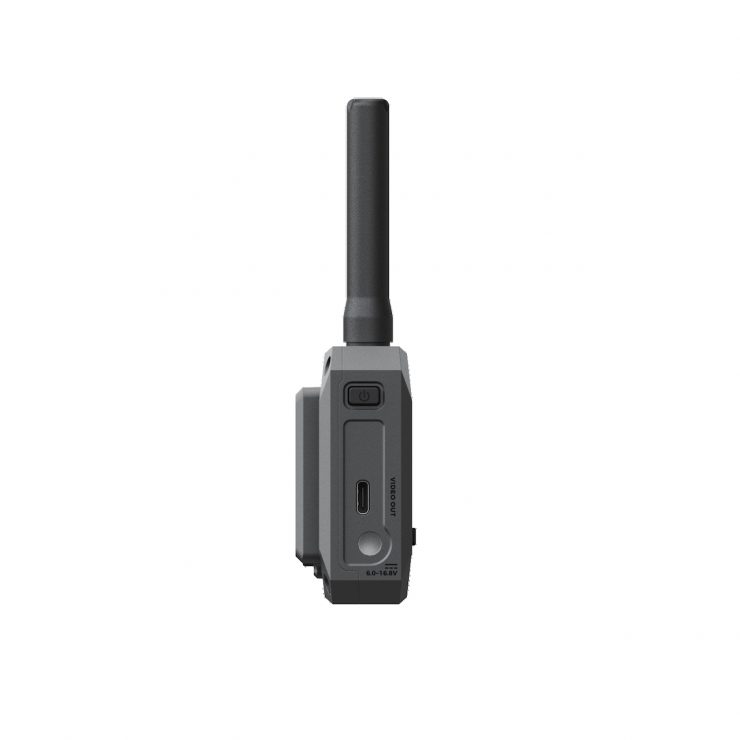
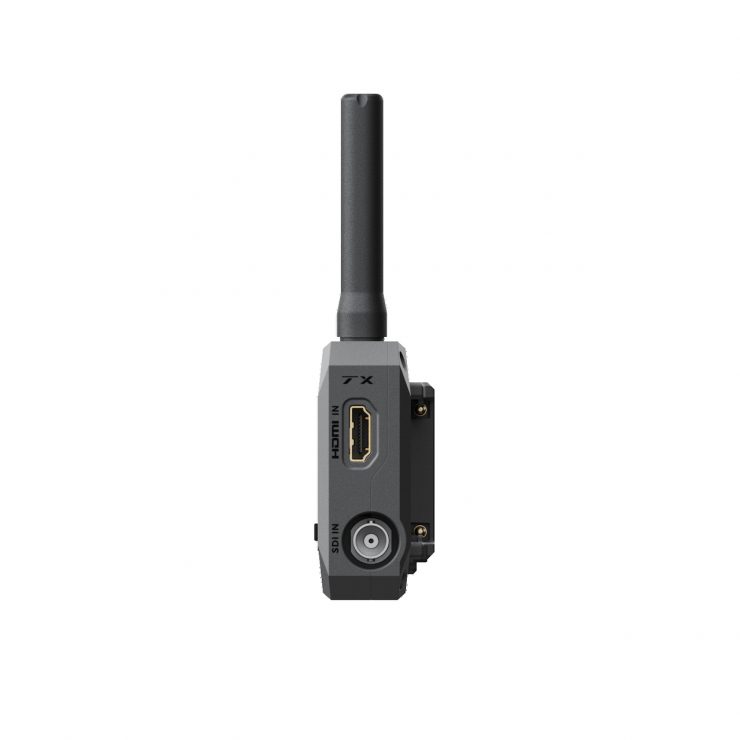
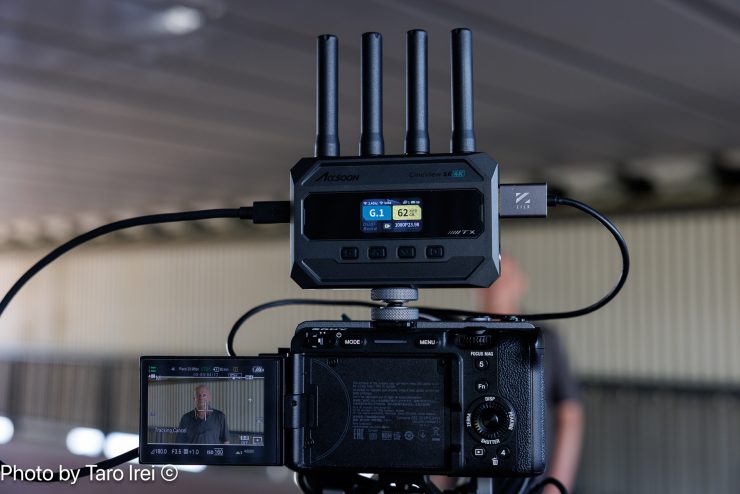
The Accsoon SE 4K Wireless Video Transmission System consists of a TX unit and an RX unit. Both are the same size and similar weight. The system offers both HDMI and SDI input and output, with the transmitter outputting video via USB-C and the receiver providing simultaneous HDMI, SDI, and USB-C video outputs, supporting a wide range of on-set monitoring and distribution workflows.
From my testing of Wi-Fi-based wireless video transmission systems, the real-world latency is always a lot higher than what is quoted by manufacturers. It is important to note that the claimed < 50 ms latency is when doing 1080 60fps video using the low bitrate setting. When transmitting 4K/30fps video, the claimed latency is < 100 ms when using the low bitrate setting. This figure also excludes any camera latency.
Key features
- Wireless HDMI/SDI/USB Video TX/RX Set
- UHD 4K30 Transmission up to 1312.3′ / 400 m (Line-of-Sight)
- Simultaneous HDMI, SDI, and USB Output
- USB-C Camera Control Interface on TX
- 2.4 & 5 GHz Transmission
- USB-C Video Output for Mobile Devices
- 1.05″ Full-Color LCD Screen
- Use One TX with up to Five RX
- L-Series Battery and DC Input Support
- Includes Two Shoe Mount Adapters
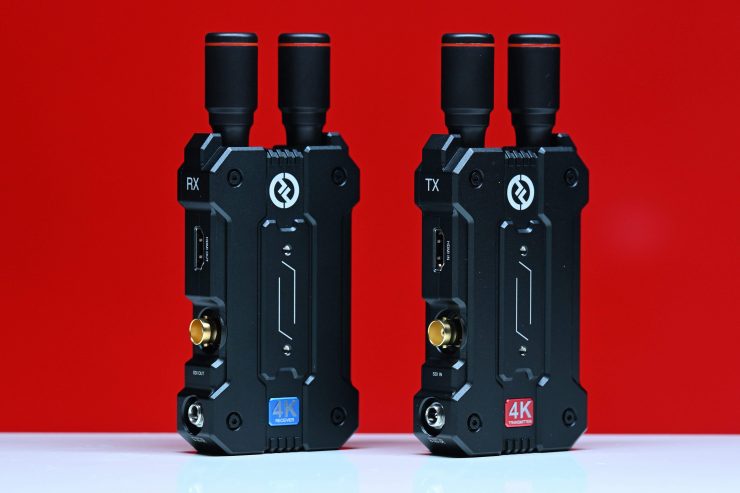
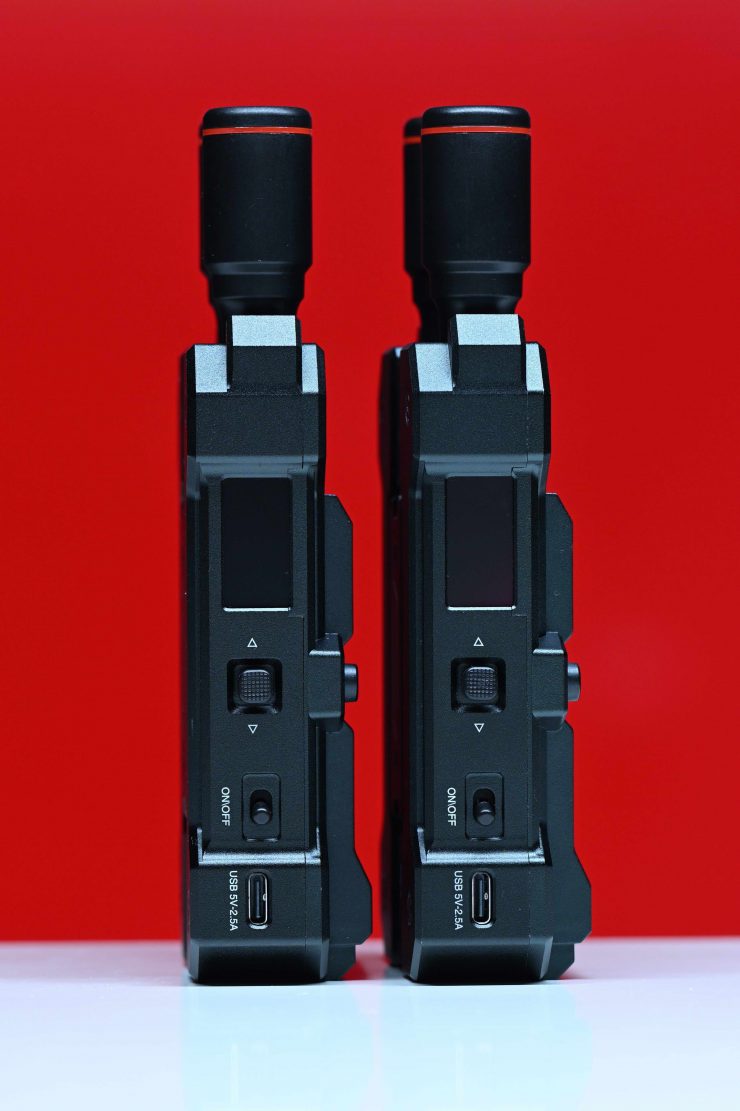
Hollyland’s MARS 4K was the first affordable 5GHz wireless video system, at least to my knowledge, that was capable of sending a UHD signal over HDMI.
We have seen a ton of affordable wireless video systems come to market over the last 4-5 years, and a lot of them have very similar feature sets and capabilities. This increased competition has been good news for the end consumer, as prices have continued to come down, and more features have been added.
Concept
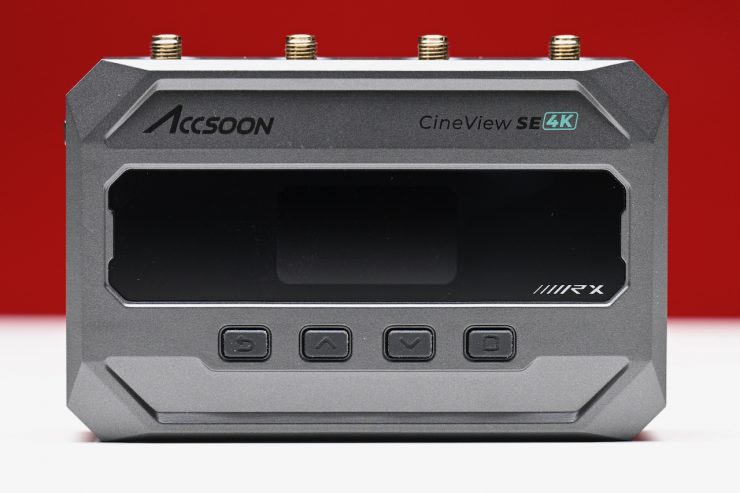
With a large array of ‘affordable’ wireless video transmission systems now on the market, it is harder than ever to make your product stand out. Accsoon has made good quality systems that have continued to improve over the years, so they didn’t want to stray too far off the path when making the CineView SE 4K. Having a system with both HDMI and SDI capabilities makes a lot of sense as it allows it to be used on a wide array of different cameras.
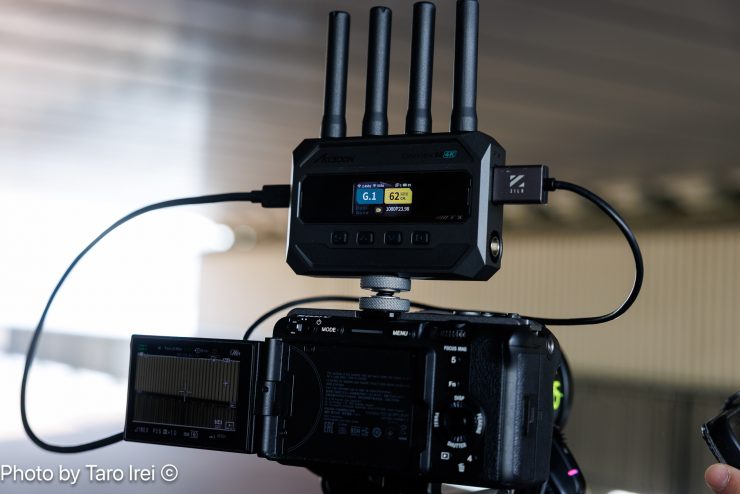
With MFi video, the CineView SE 4K uses Accsoon’s SeeMo technology to access professional monitoring and streaming via cable from the transmitter (TX) unit. Importantly, this also opens up camera-to-cloud connectivity with Frame.io. This allows you to quickly share and distribute 4K video while you shoot, or record footage to quickly review.
RTMS 4.0 Transmission
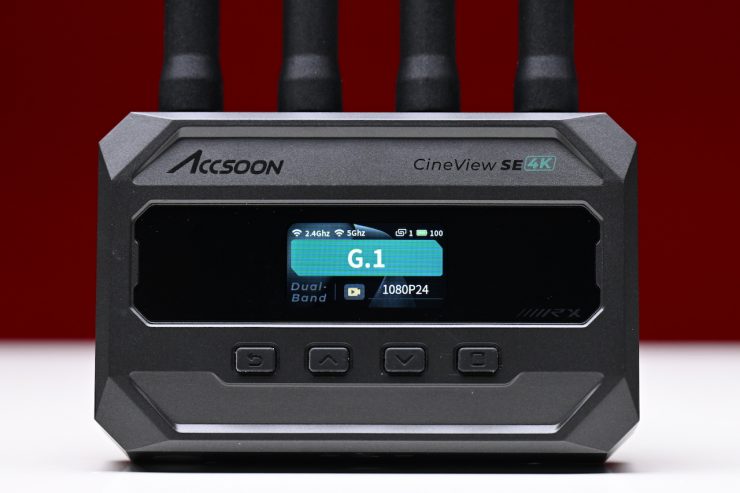
The CineView SE 4K uses Accsoon’s RTMS 4.0 proprietary protocol for its transmission, which is claimed to be more robust and better optimized than older systems.
The CineView SE 4K operates on the 2.4 and 5 GHz frequencies. With 20 available channels, it is claimed to offer higher speeds with less interference. It doesn’t utilize Tri-Band frequencies (2.4, 5, & 6 GHz) like the more expensive CineView Master 4K.
Build Quality
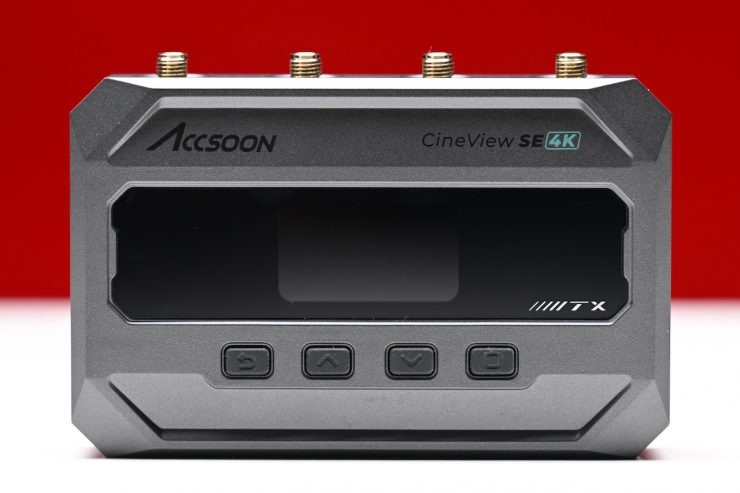
I have reviewed a lot of wireless video systems over the years, and the build quality of even the most budget-friendly options has continued to improve.
The physical design of the CineView SE 4K replicates that of its predecessor, the CineView SE.
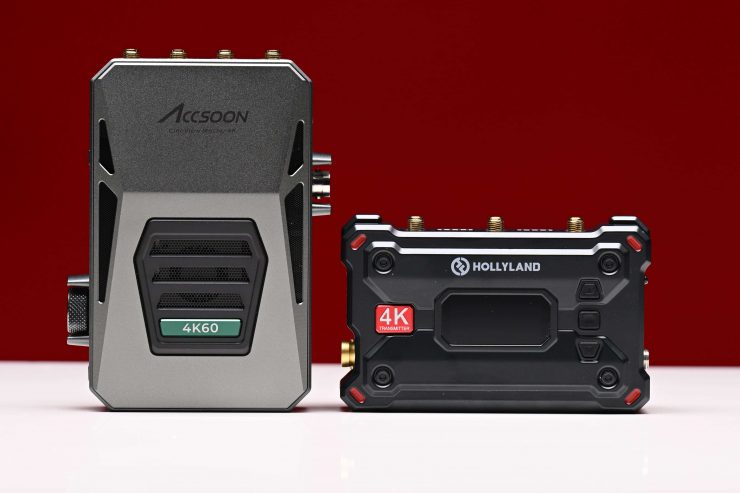
The CineView SE 4K has a form factor that is very similar to products like the Hollyland Pyro S. It features a different form factor from Accsoon’s flagship CineView Master 4K.
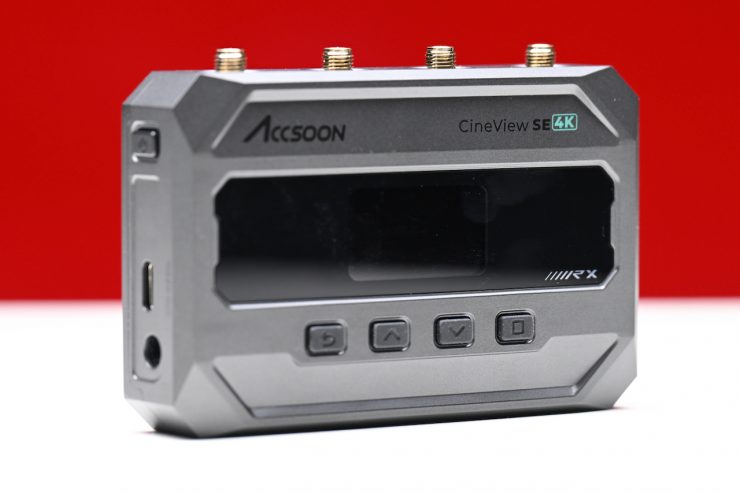
The exterior casing of both the TX and RX feels robust and well-made. It certainly doesn’t feel like a product that is likely to break, even if you did accidentally drop it.
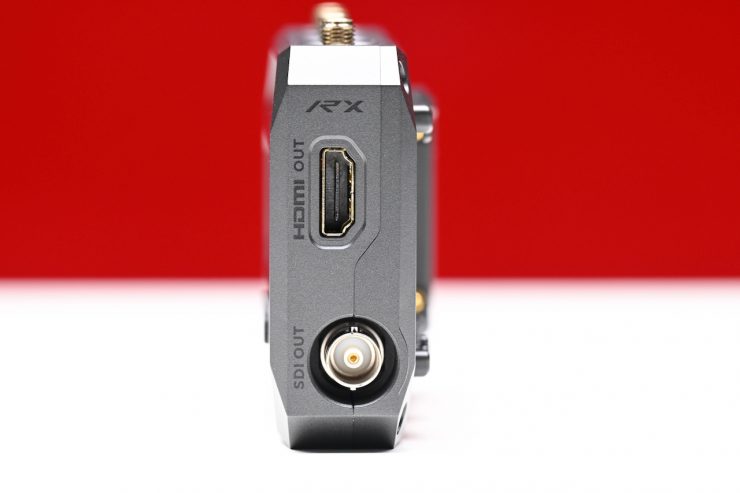
The HDMI connectors are slightly recessed, although I would like to see more companies make lockable HDMI connectors because it is very easy to break or snap an HDMI cable, especially if they are sticking straight out at an angle.
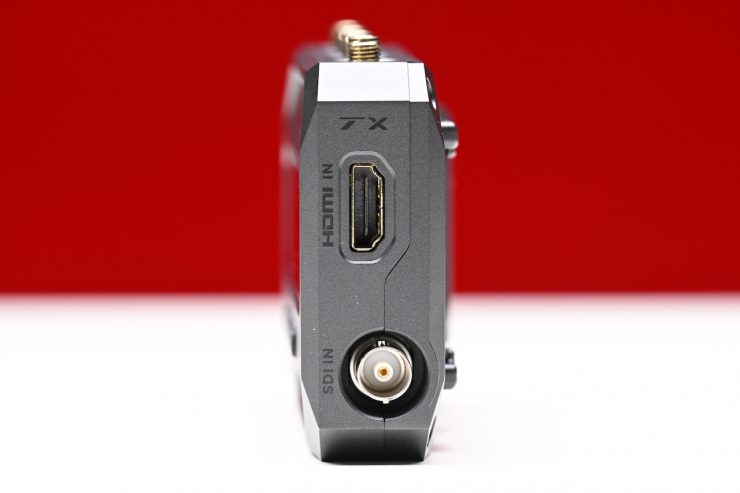
The SDI ports are also slightly recessed, and they do offer a little bit of protection.
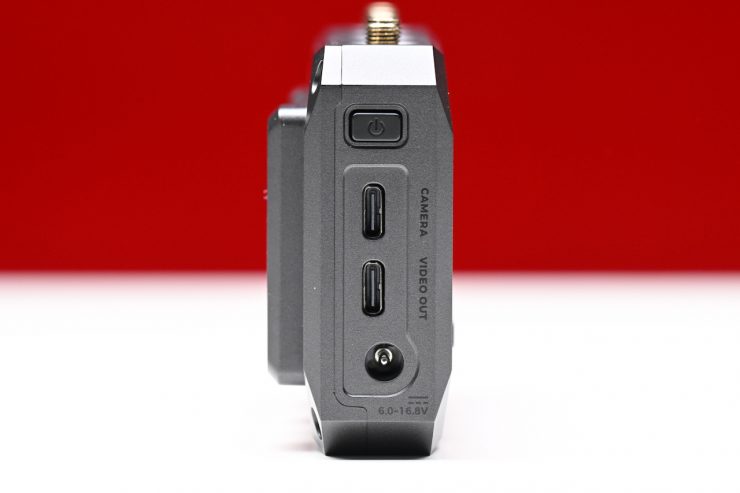
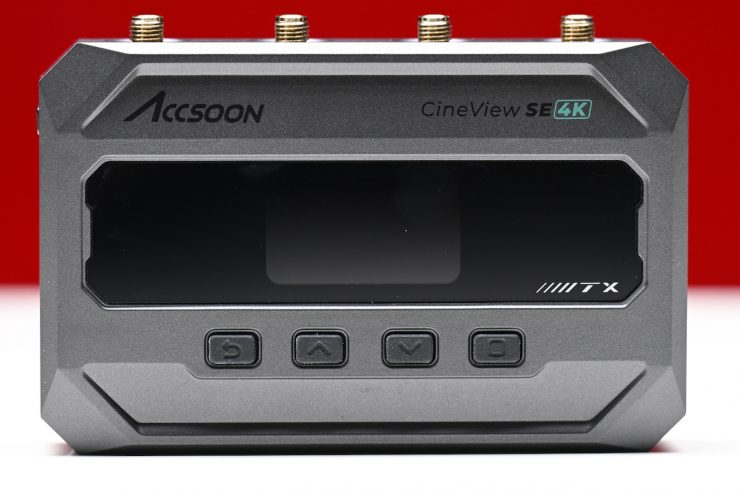
The On/Off switch is reasonably solid and tactile. Both the TX and RX feature a series of buttons for navigating the menu and making changes.
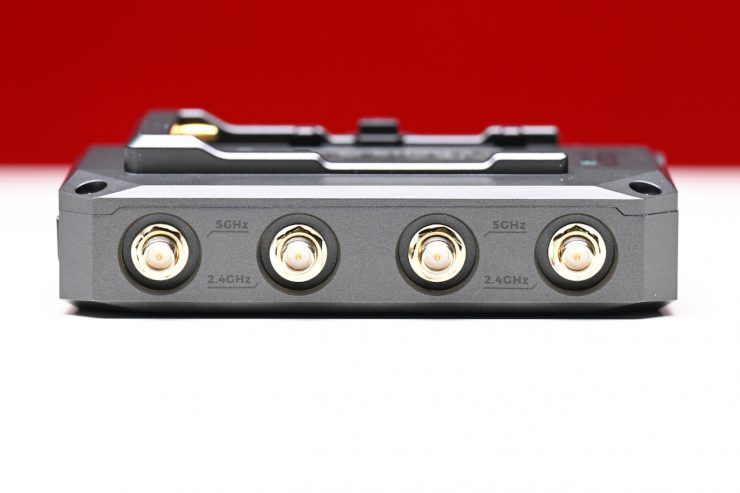
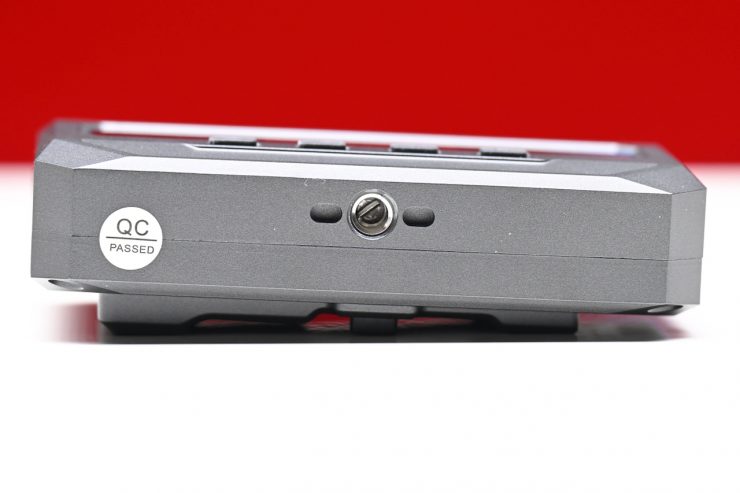
Overall, I think most people will be happy with the build quality of the CineView SE 4K. It is well-made and constructed for a product at this price point.
Size & Weight
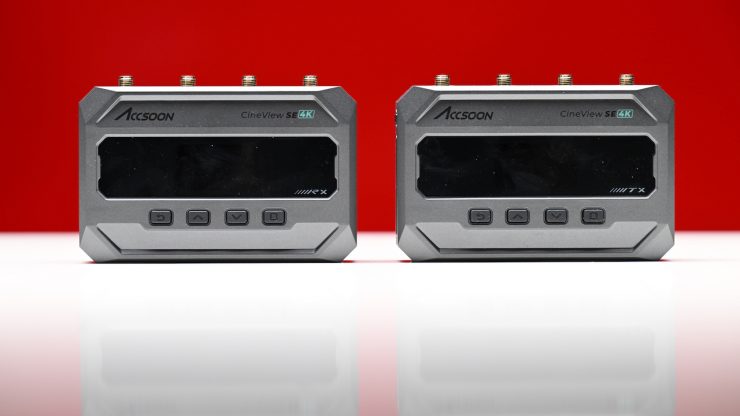
The CineView SE 4K RX and TX are the same weight. They both weigh 8.6 oz / 245g without the antennas. They both have physical dimensions of 4.3 x 2.9 x 1.3″ / 110 x 74 x 32.7 mm (Excluding Antennas).
As a comparison, the Hollyland Pyro S RX and TX weigh 7.30 oz / 207 g without the antennas.
The TX and RX are a very similar size to other comparable wireless SDI/HDMI Wi-Fi-based systems.
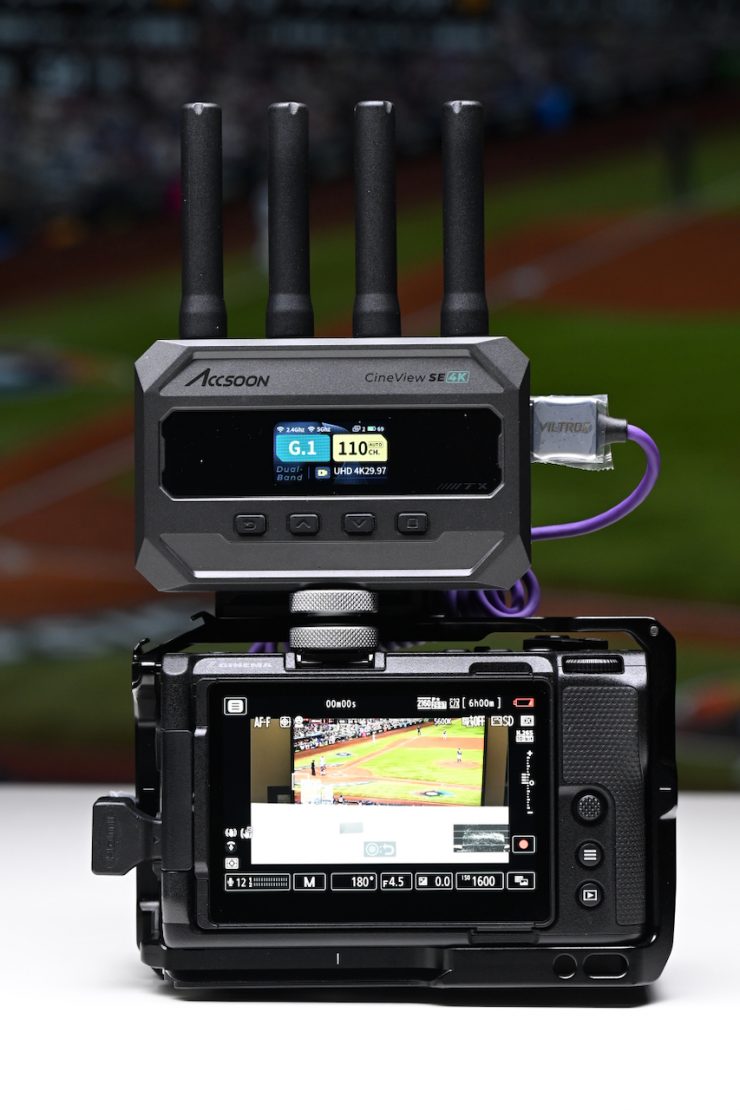
Accsoon CineView SE 4K 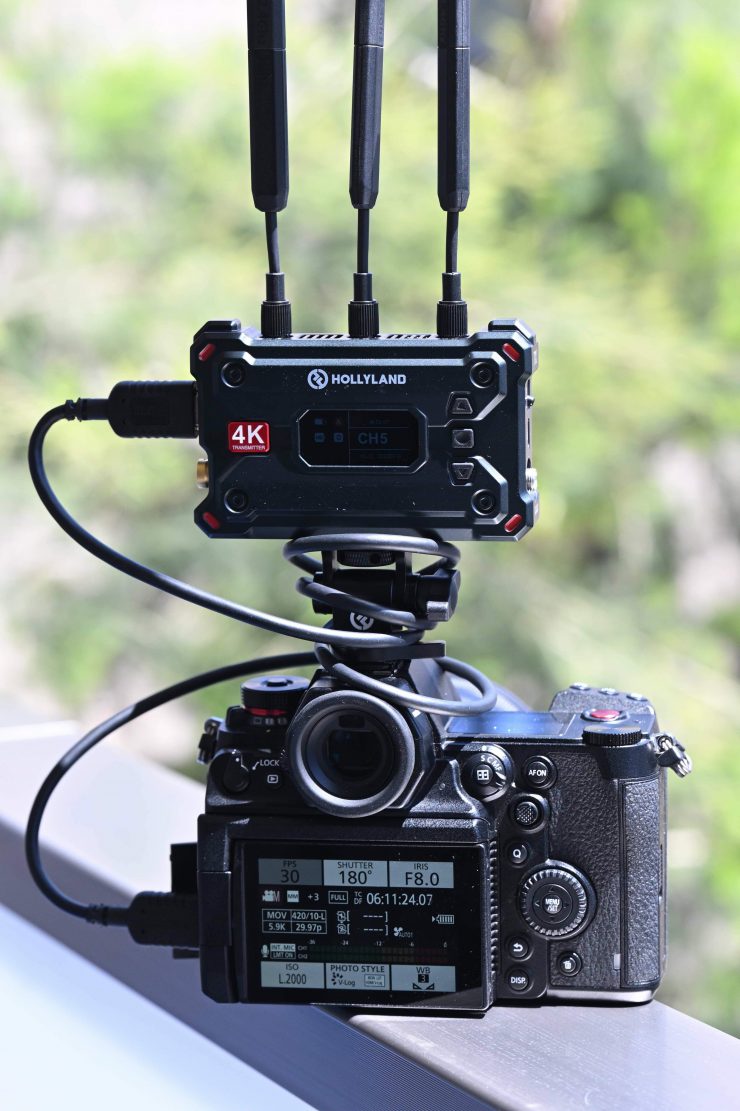
Hollyland Pyro S 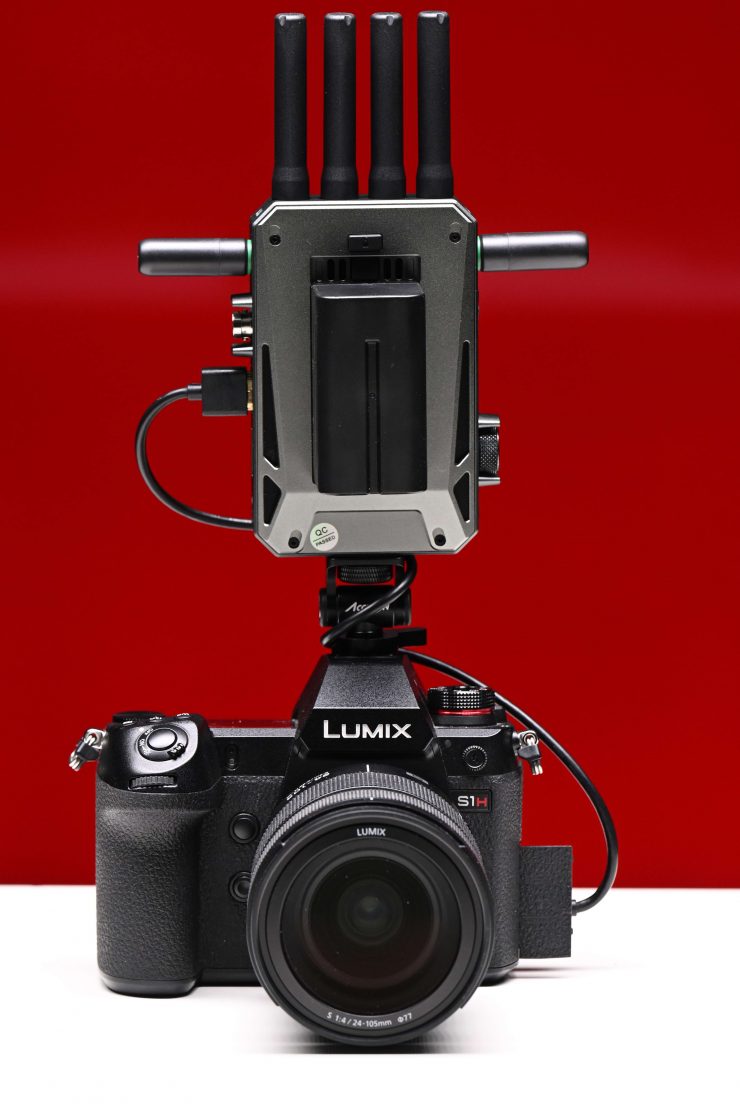
Accsoon CineView Master 4K
At least in my opinion, this weight and size do make it more suitable for use with small-sized mirrorless hybrids. In saying that, all of the currently available wireless video transmission systems will take up a lot of real estate and add substantial weight to smaller-sized cameras, especially when you are powering them with a Sony NP-F battery.
I think the next big evaluation in this space needs to be making wireless video systems smaller and more compact. There is a big market out there for people who want to use affordable Wi-Fi-based wireless video systems on smaller-sized cameras, but they are hesitant to do so because of their size and weight.
What do you get?
The Accsoon CineView SE 4K SDI/HDMI Wireless Video Transmission System comes with the following items:
- CineView SE 4K Transmitter
- CineView SE 4K Receiver
- 8 x 2.4/5 GHz Antenna
- 2 x Shoe Mount Adapter
- Allen Key
- Limited 1-Year Manufacturer Warranty
Ins & Outs
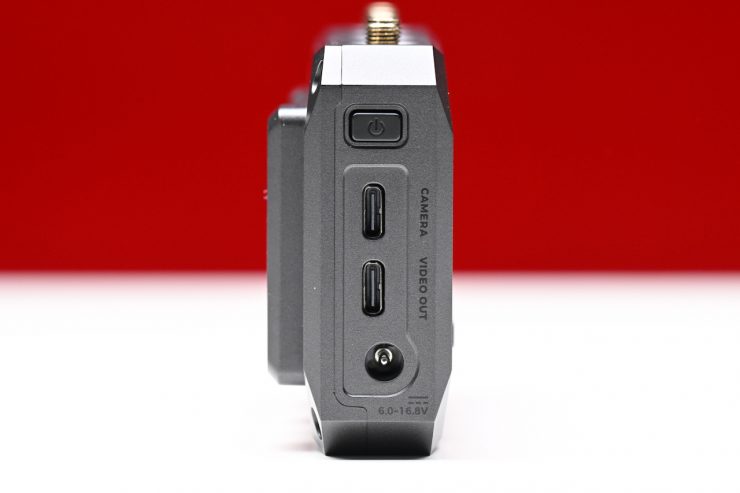
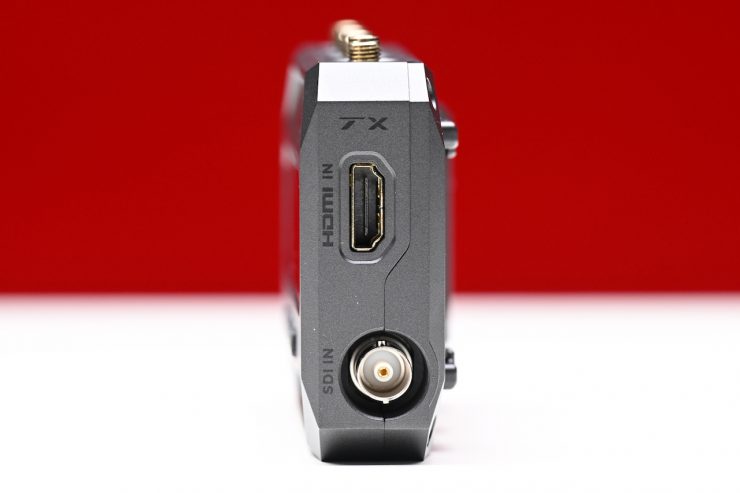
The transmitter has HD-SDI and 4K HDMI 2.0 inputs, plus a USB-C camera output and a USB-C Video Out.
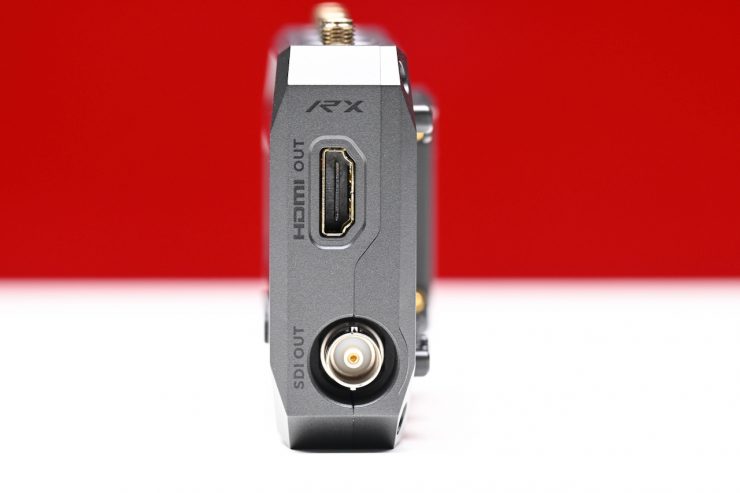
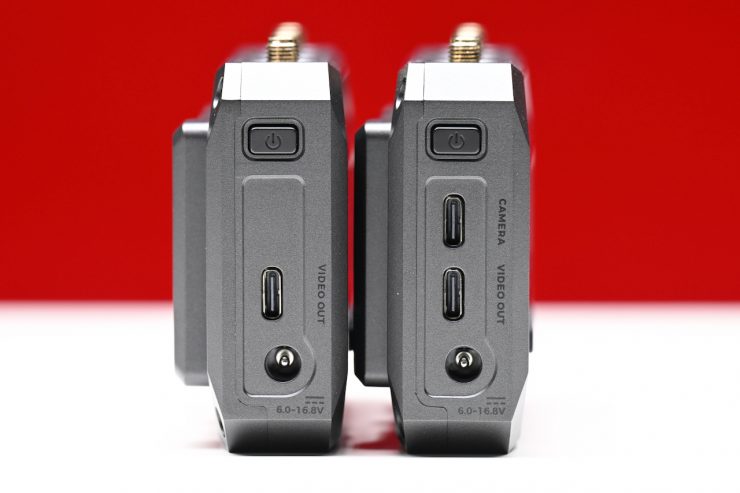
The receiver has both 4K HDMI 2.0 and HD-SDI outputs and a USB-C Video Output.
The USB-C video output provides users with wired monitoring on mobile devices. This type of connection enables close to zero-latency monitoring, while also supporting mobile device charging via USB-C or Lightning.
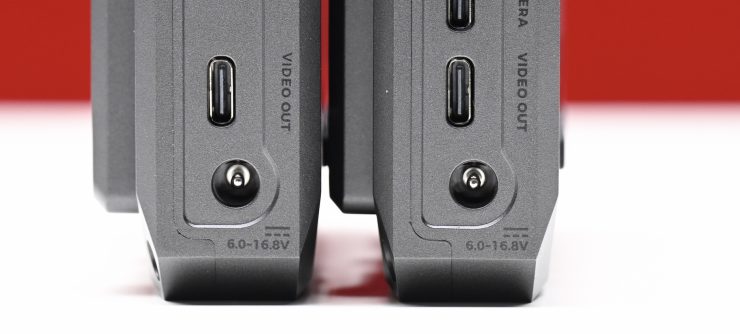
There are also DC inputs (6.0 to 16.8 VDC) on the TX and RX units.
Interface & Transmission
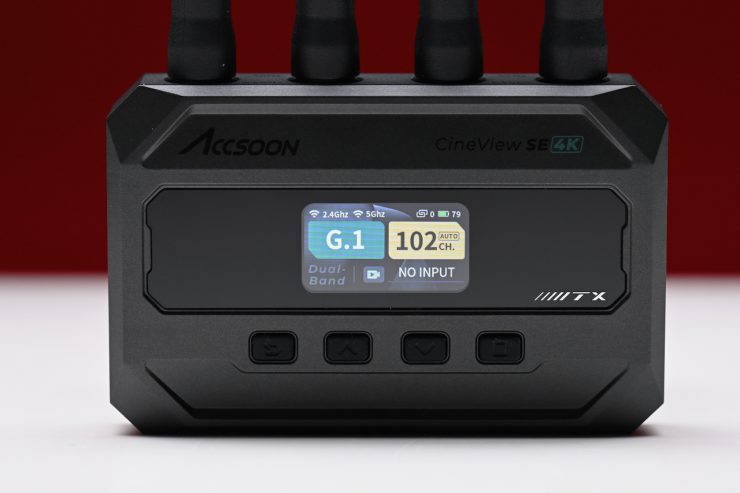
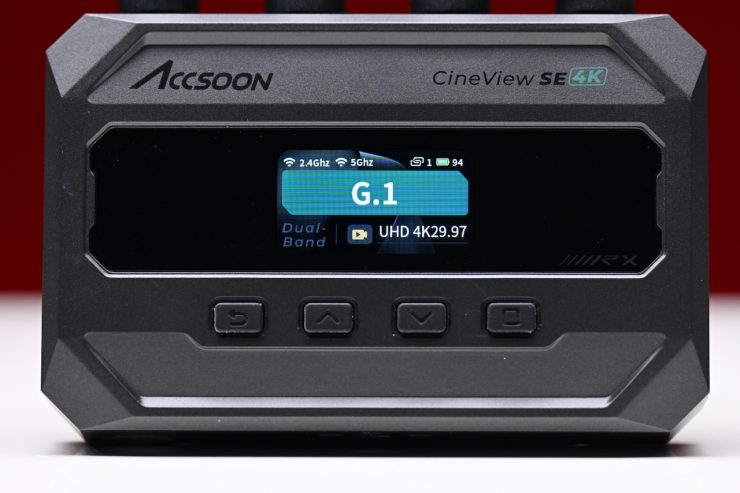
Both the TX and the RX units feature a reasonably large color screen with a user-friendly UI design that enables quick configurations and status checks. As I mentioned earlier, there is a series of buttons that you use to access the menu and make changes. I would have preferred to have seen some type of scroll dial, rather than just buttons.
The CineView SE 4K uses Accsoon’s RTMS 4.0 protocol, which integrates 2.4 and 5 GHz frequencies. It allows for intelligent dynamic adjustment of audio and video data across both bands for claimed faster connection times, lower latency, and easy management of multiple connections.
It is claimed to have a stable transmission range of up to 1312.3′ / 400 m (Line-of-Sight). Now, this is only possible when the setting is in 1080 60p, where there are no obstacles or interference.
The claimed range of the Accsoon is the same as the Hollyland Pyro S, which has a range of 1,300ft / 400m.
The DJI SDR Transmission Combo has a claimed range of 1.9 miles / 3.05km, but that can only transmit Full HD at up to 60p.
What can you transmit?
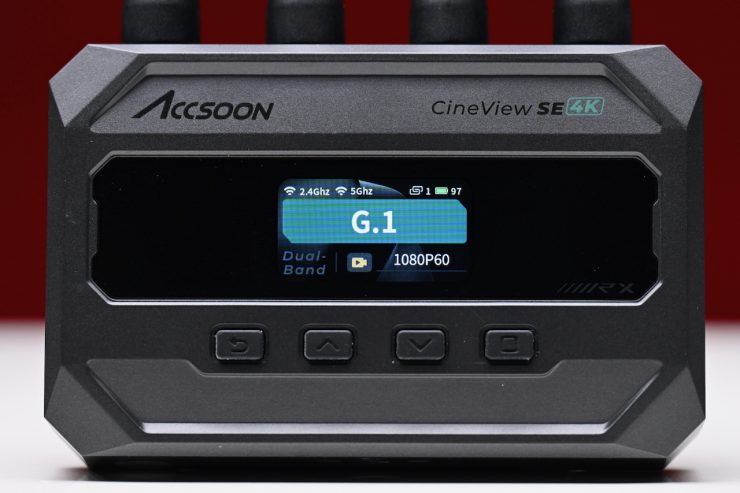
As with other CineView models, a single TX can transmit wirelessly to up to 4 units or devices at the same time – whether that be CineView Master 4K RX units, iOS or Android devices, or a combination. An additional iPhone or iPad can be cabled to the TX to create a 5th attached device.
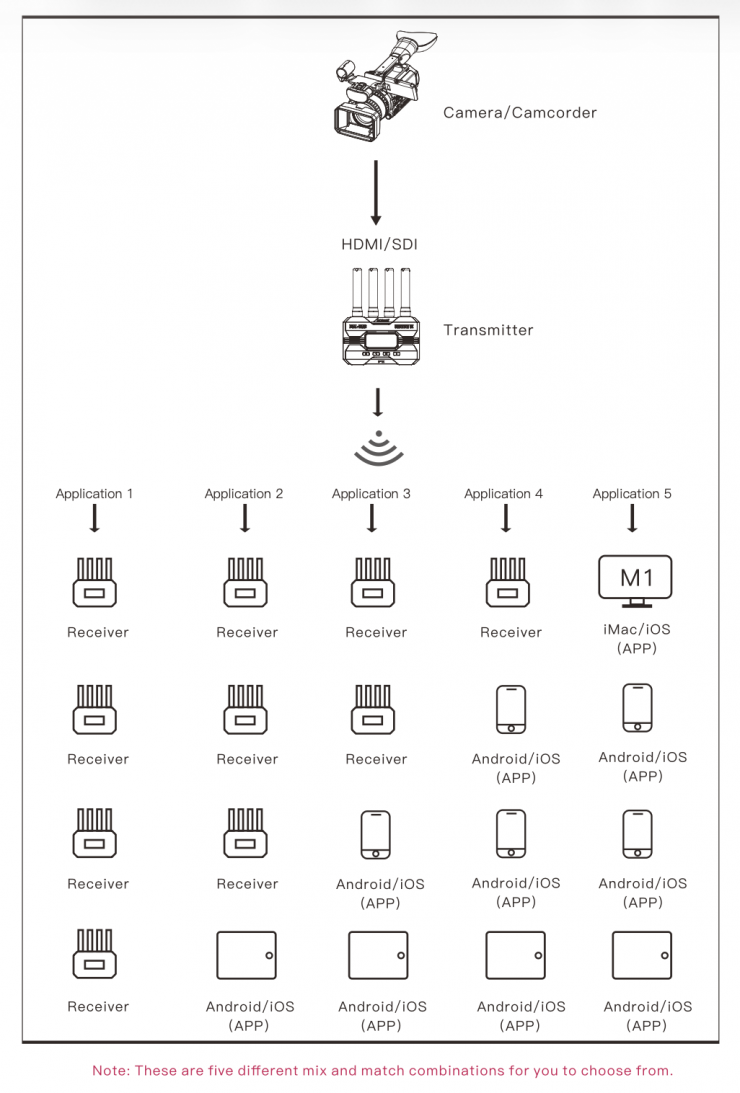
Number of simultaneous connections: 4
Receivers and mobile devices can be mixed and matched for use:
- Combination 1: 4 Receivers.
- Combination 2: 3 Receivers + 1 Mobile Device (Android/iPhone/ iPad/Macbook).
- Combination 3: 2 Receivers + 2 Mobile Devices (Android/iPhone/ iPad/Macbook).
- Combination 4: 1 Receiver + 3 Mobile Devices (Android/iPhone/ iPad/Macbook).
- Combination 5: 4 Mobile Devices (Android/iPhone/iPad/Macbook).
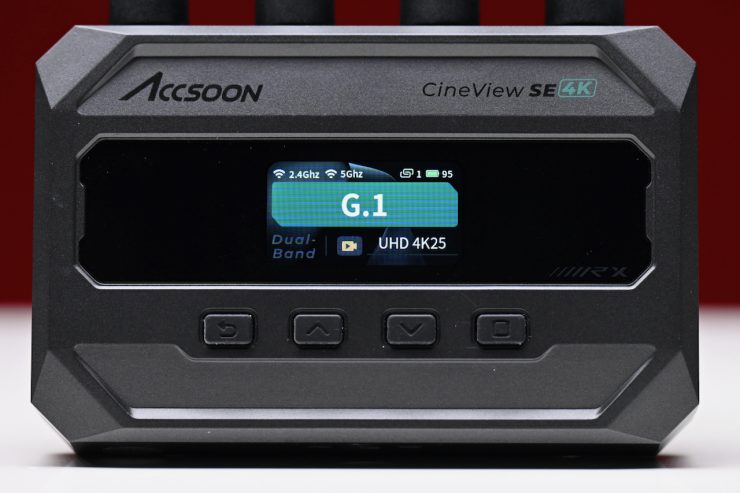
Below you can see what resolutions and frame rates the system can transmit and receive:
HDMI
UHD 4K: 30/25/24
1080p: 60/50/30/25/24
1080i: 60/59.94/50
SDI
1080p: 60/50/30/25/24
1080i: 60/59.94/50
Using the same technology as Accsoon’s popular SeeMo line of iOS adapters, the CineView Master 4K integrates the functions of both a SeeMo and 4K 30P wireless system into a single transmitter unit.
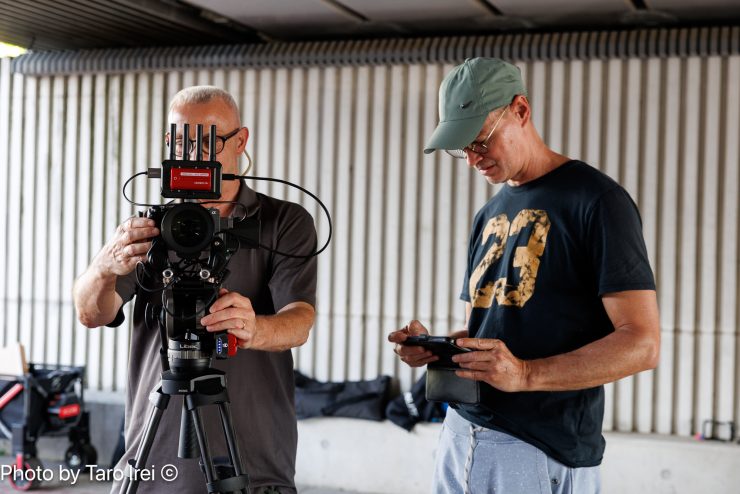
It features a wired MFi-certified connection that transforms a connected iPad or iPhone into a professional camera-top monitor. 4K 30P video can be viewed, recorded, or streamed on iPads and iPhones. The resolution of the MFi output can be set to either 4K or HD, similar to the way each RX unit can be set at a different resolution. For example, the MFi output can be set to 4K, while a 1080P signal is sent wirelessly at the same time to RX units or wirelessly connected iOS devices.
When cabled, the CineView SE 4K, the data rate of the MFi connection is up to 32Mbps.
The CineView SE 4K can encode and transmit three different video streams at the same time:
Stream 1 (4K)– Resolution up to 4K30, for wireless and wired USB transmission. Highest resolution with the best image quality at a closer range.
Stream 2 (1080p Wireless)– Resolution up to 1080p60, for wireless transmission. This is for a good balance of resolution, latency, and transmission range.
Stream 3 (1080p Wired)– Resolution up to 1080p60, for wired USB transmission. This allows you to monitor, stream, and record 1080p videos with a good bitrate.
INPUT VIDEO 4K
| VIDEO STREAM | WIRELESS RX | WIRELESS MOBILE DEVICE | WIRED USB |
| Stream 1 4K | ✓ | ✓ | ✓ |
| Sream 2 1080p Wireless | ✓ | ✓ | x |
| Stream 3 1080p Wired | x | x | ✓ |
INPUT VIDEO 1080p
| VIDEO STREAM | WIRELESS RX | WIRELESS MOBILE DEVICE | WIRED USB |
| Stream 2 1080p Wireless | ✓ | ✓ | x |
| Stream 3 1080p Wired | x | x | ✓ |
The CineView SE 4K receiver wirelessly receives video and audio signals from supported transmitters and outputs them via HDMI, SDI, or USB to monitors and mobile devices.
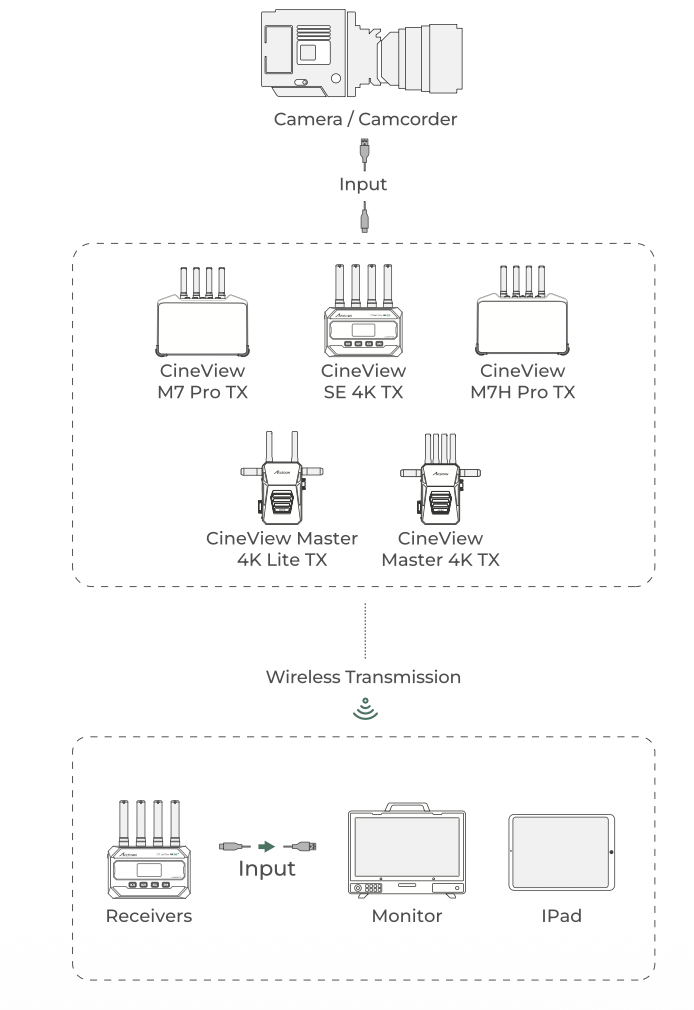
Compatible Transmitters: CineView SE 4K transmitter, CineView Master 4K transmitter, CineView Master 4K Lite receiver, CineView M7 Pro (TX Mode), and CineView M7H Pro (TX Mode).
The CineView SE 4K transmitter is capable of wirelessly transmitting video and audio signals to compatible Accsoon receivers, as well as to mobile devices via Wi-Fi.
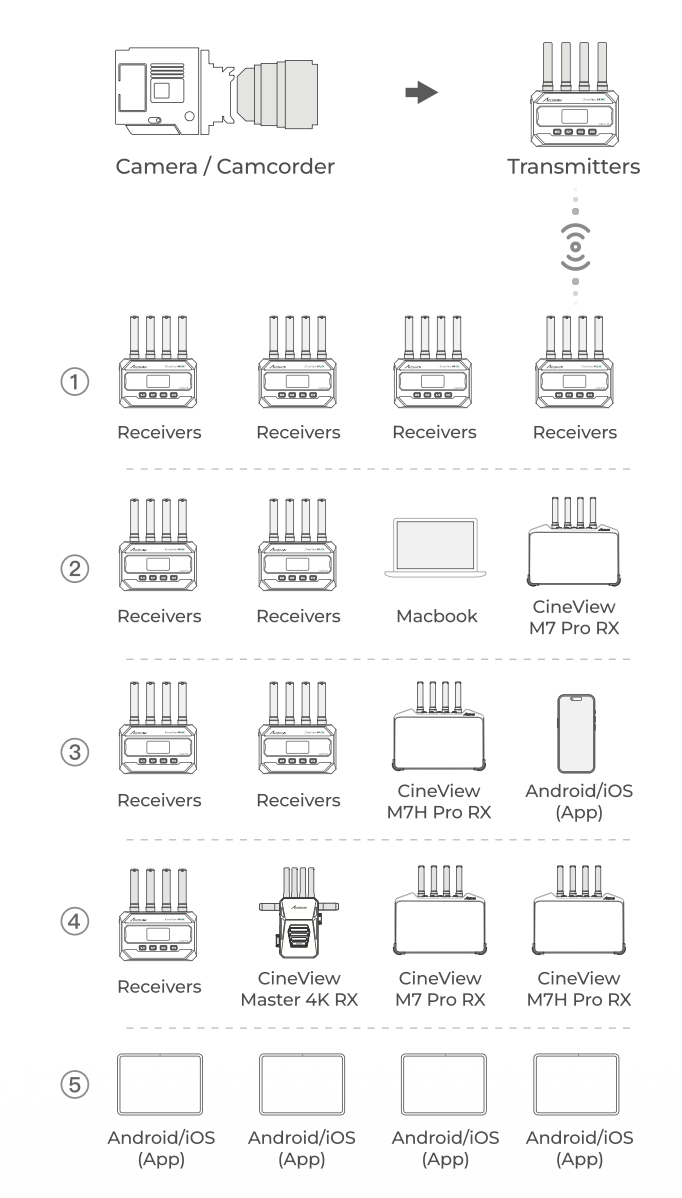
Compatible Receivers: CineView SE 4K receiver, CineView Master 4K receiver, CineView Master 4K Lite receiver, CineView M7 Pro, CineView M7H Pro, Android phone/tablet, iPhone/iPad, MacBook (M1/M2/M3 Chip)
USB-C Wired Transmission
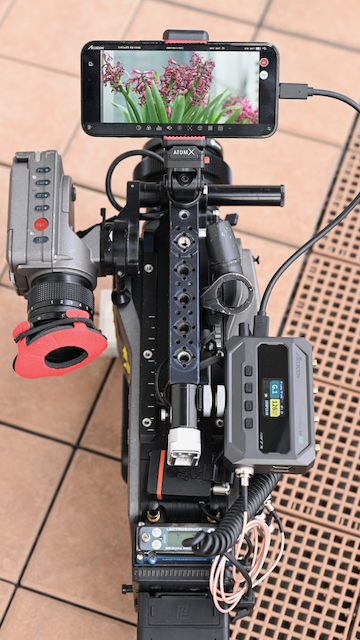
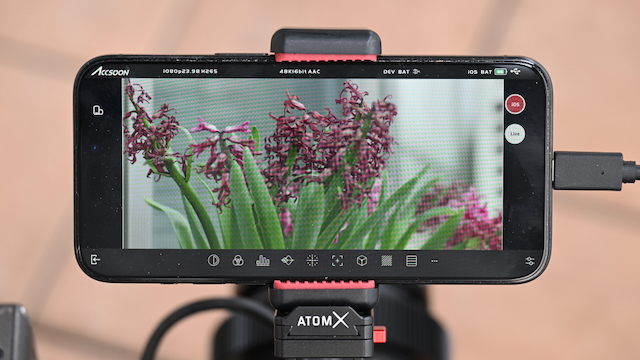
Both the CineView SE 4K’s transmitter and receiver include a USB-C video output port capable of transmitting both video and audio signals to mobile devices while simultaneously powering the connected device (5V/2.4A) via cable connection.
This works well, but there is still quite a bit of latency if you are using HDMI. With SDI, it is very minimal. As you still need to utilize the CineView SE 4K and a smartphone, it takes up considerable real estate, and I wouldn’t recommend doing this with mirrorless hybrids or small-sized digital hybrids.
While not everyone is going to want to utilize this feature, it is nice to have the option. You may have preferred to have seen this connection on the RX unit as well, so that you could attach a phone or tablet and have a very affordable director’s monitor, especially when using the system over larger distances.
Supported iOS Devices: iPhone 12 or later; iPad Pro 12.9-inch Gen 4 or later; iPad Pro 11-inch Gen 3 or later; iPad Gen 9 or later; iPad Air Gen 4 or later; iPad mini Gen 6 or later.
Supported Android Devices: Please check the latest supported device list on the Accsoon official website before use.
Wireless Camera Control Capabilities
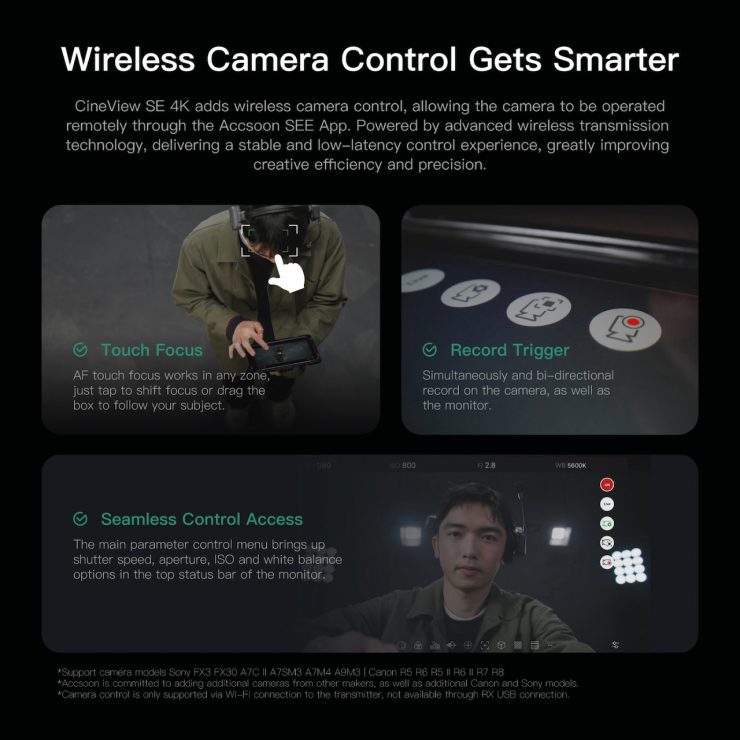
A major new addition to the CineView SE 4K is camera control. Users can remotely adjust key camera parameters, including ISO, aperture, shutter speed, and white balance.
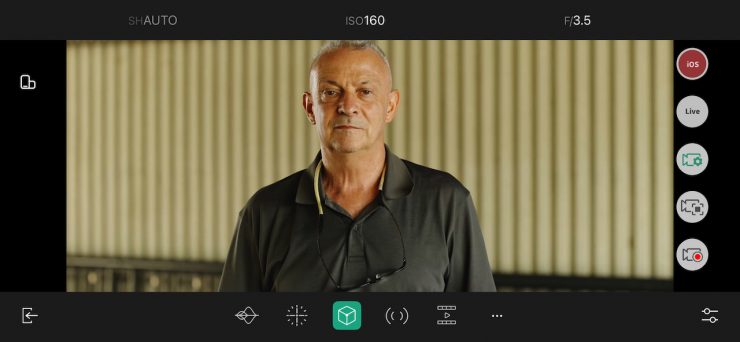
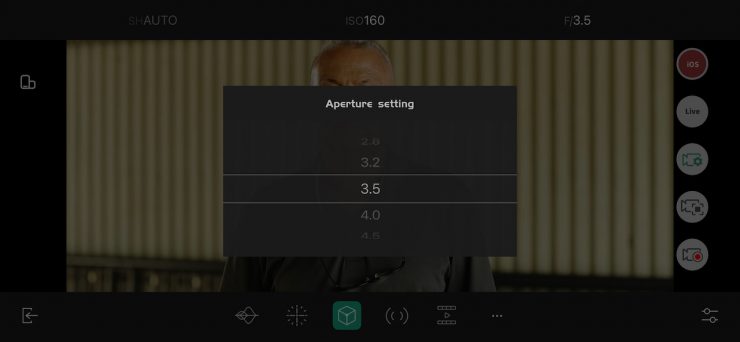

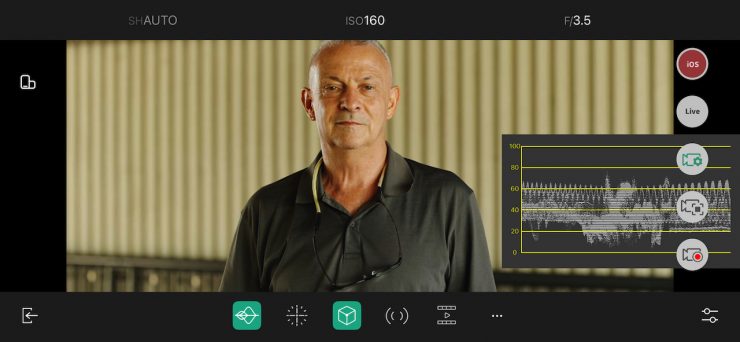
The system also supports touch autofocus control. Users can adjust focus by tapping or dragging on the monitoring screen, as well as activate bi-directional record triggering between the camera and monitoring devices.
Supported camera models include:
- Sony: FX3, FX30, A7C II, A7S III, A7 IV, A9 III
- Canon: R5, R6, R5 II, R6 II, R7, R8
I tested out the camera control with a Sony FX3. Above you can see how it works.
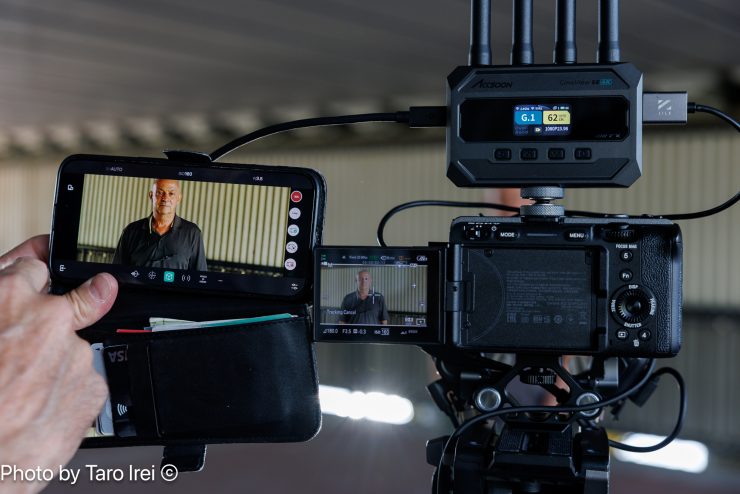
The camera control functionality works really well, and there is minimal latency.
Accsoon has plans to expand compatibility with additional camera models in future updates.
Antennas
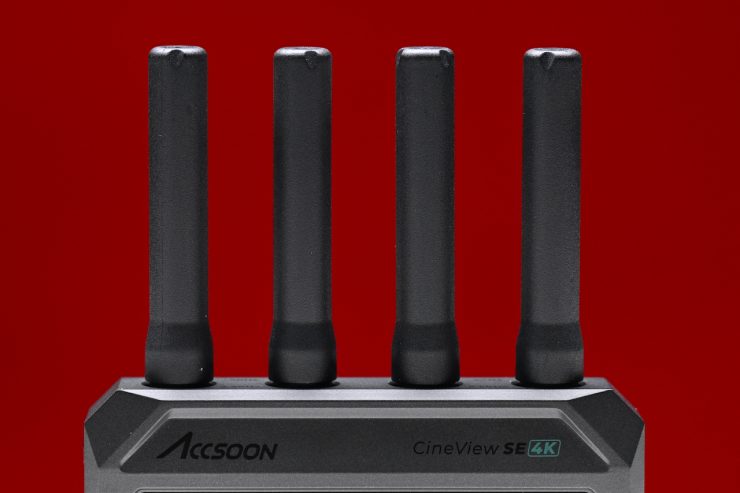
The CineView SE 4K utilizes four antennas on both the TX and RX.
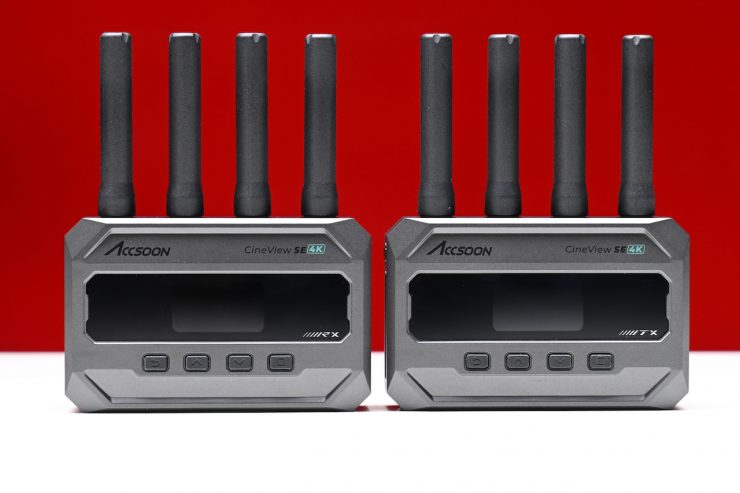
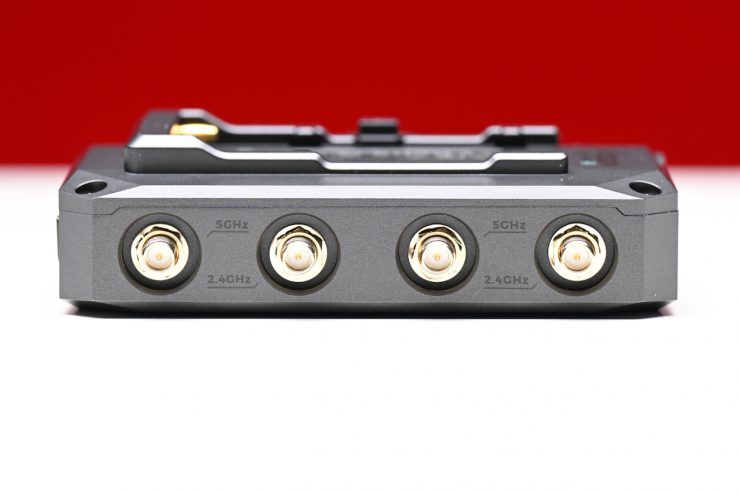
The antennas are removable, but they don’t bend or move, so you need to be mindful of where you are mounting the TX and RX on equipment.
These antennas do increase the footprint, especially on smaller-sized cameras.
Mounting Points
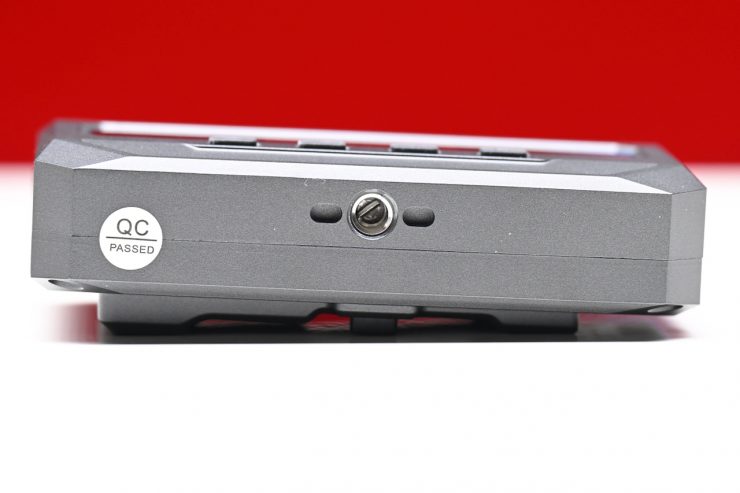
Accsoon has included a single 1/4 20″ mounting hole on both the TX and RX units. These are located at the bottom of both units.
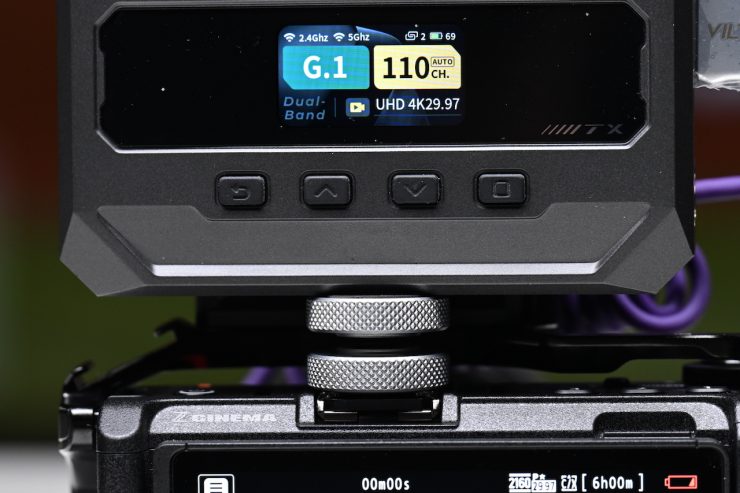
Accsoon does include two mounts that allow you to attach the TX or RX to a cold shoe mount. These are very basic and don’t allow for any adjustments. I would have preferred to have seen adjustable, swivel mounts, as you get with the CineView Master 4K.
I would like to see companies such as Tilta or SmallRig design quick-release cages or attachments for mounting specific wireless video TX and RX units.
Power
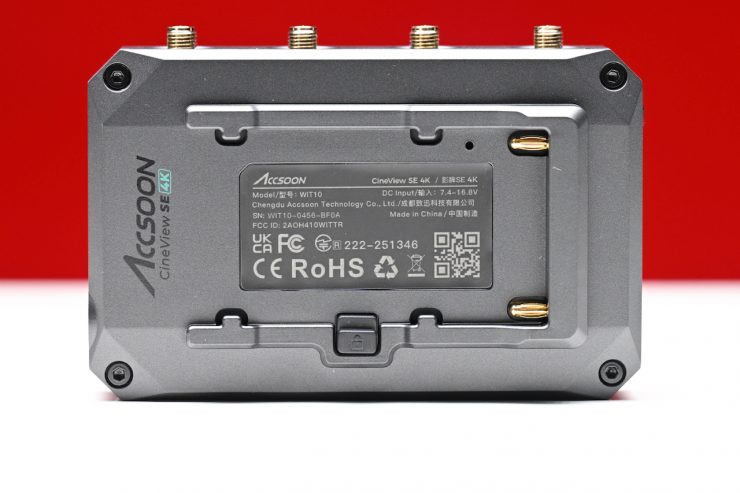
Both the TX and RX can be powered using NP-F type batteries or via a DC barrel connector. The battery plate is reasonably well-made.
You can’t power the TX via USB-C. Having in-built batteries would have kept the size down, but most professionals don’t want devices with built-in batteries unless they are able to power a unit for a considerable amount of time.
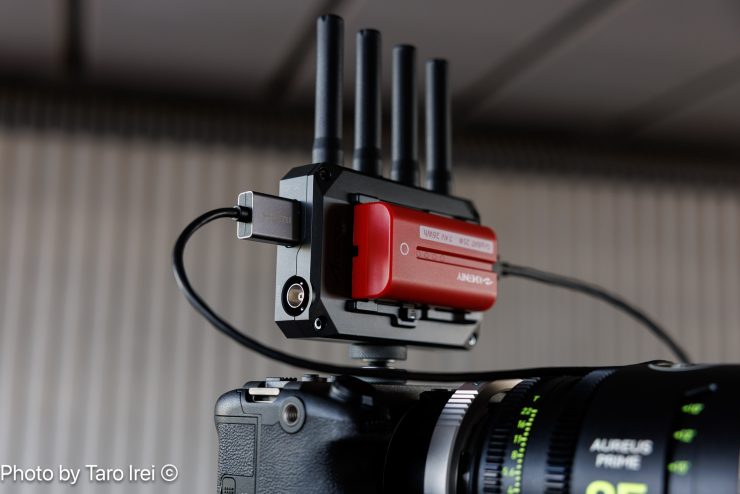
Using the CineView SE 4K with a Sony NP battery on a small to mid-sized digital camera is going to add some weight; however, I personally prefer to power wireless video systems directly from my camera, but that’s just the way I do it.
What is nice is that you hot-swap power sources if you happen to have two connected at once. For instance, if I have the battery on and I then want to suddenly swap to a DC power source, I can simply take off the battery without the devices shutting down.
I would have liked to have seen Accsoon include a DC to D-tap power cable in the kit for this very reason.
Bitrate Settings
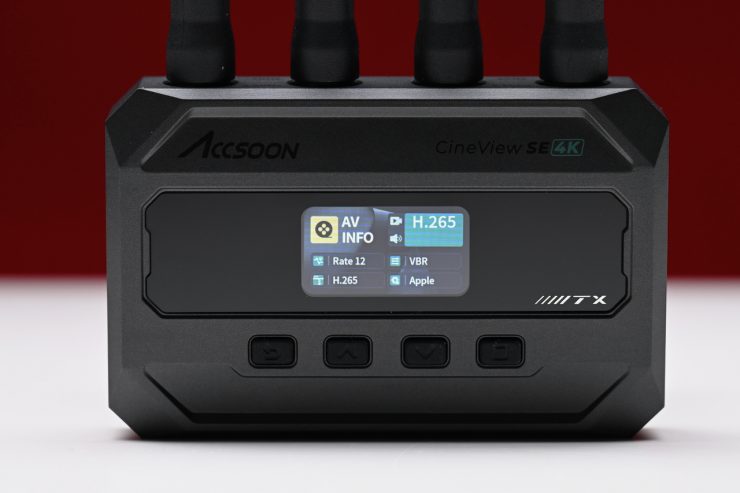
The CineView SE 4K transmitter supports bitrate changes for both wired USB transmissions and wireless transmissions.
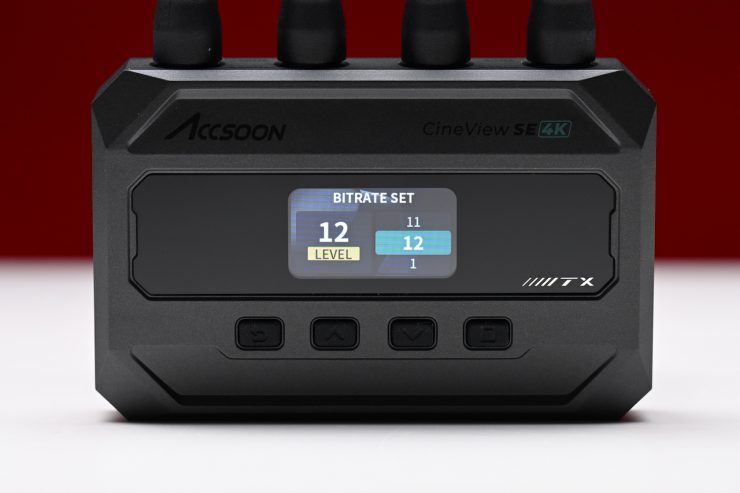
Wireless Bitrate Setting:
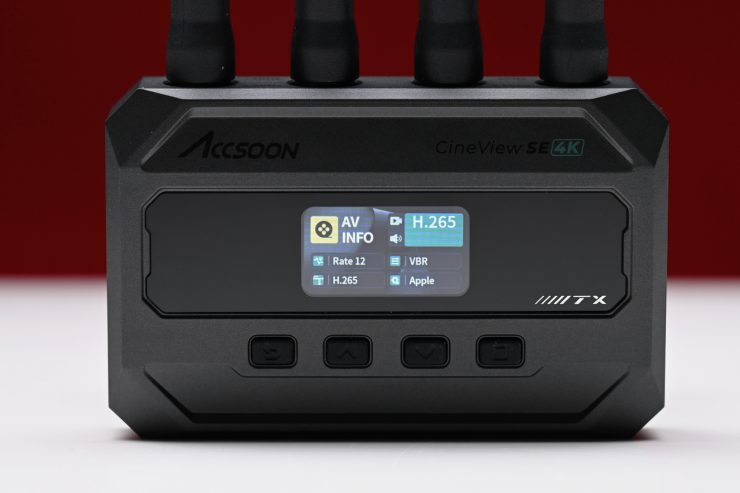
Use the buttons to navigate to the “AV INFO” page → Press to select Rate, → then change the bitrate → Press the enter button to confirm → Setting completes. Click the Return button to go back to the home page. The bitrate setting can be changed between 1-12.
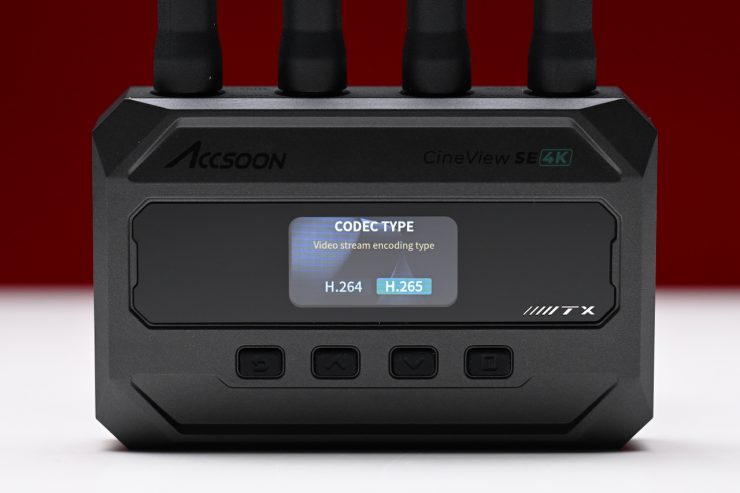
Codec Setting:
Enter the “AV INFO” page → then select URate. Press the knob again, enter “Codec Type” page → here you can choose from H.264 or H.265 → Press the Enter button to confirm → Setting completes, press the Return button to go back to the home page.
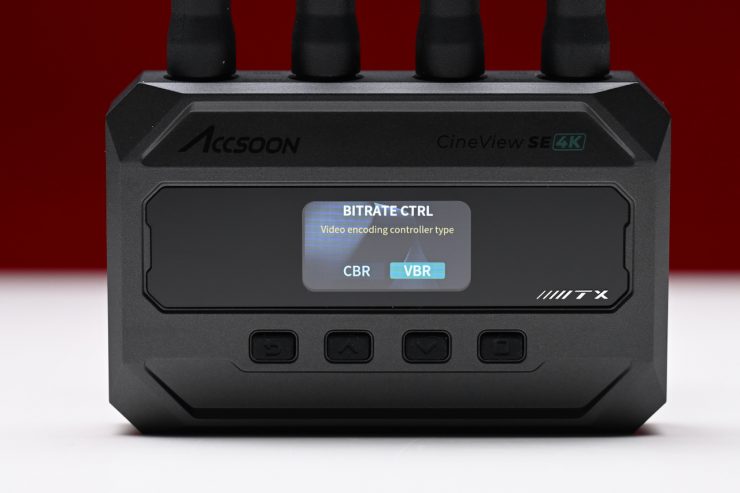
VBR/CBR Setting: Navigate to the “AV INFO” page → then enter “VBR/CBR Setting” page → you can then select VBR or CBR → Press the Enter button to confirm → Setting completes, press the Return button to go back to the home page. This setting will take effect on all three video streams.
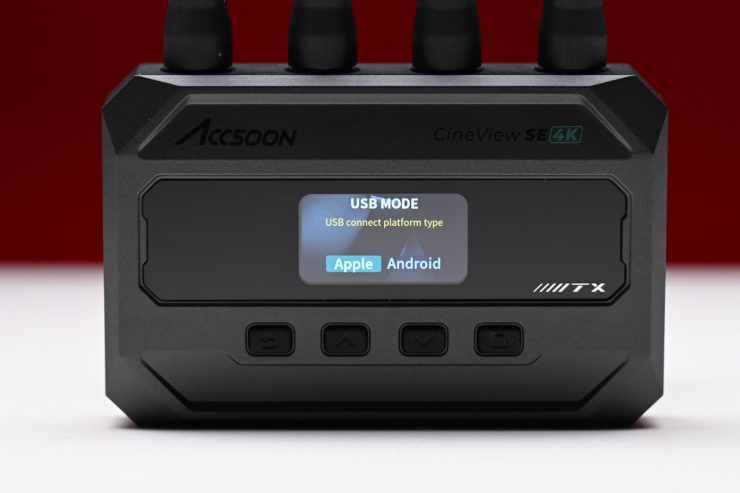
USB Mode: Navigate to the “AV INFO” page → then enter “Apple/Andriod Setting” page → you can then select Apple or Android device→ Press the Enter button to confirm → Setting completes, press the Return button to go back to the home page.
To be honest, I didn’t notice any major difference in the quality when changing the bitrate settings.
The issue I have with these settings is that Accsoon doesn’t state anywhere, not even in an operating manual, what the bitrate is for these various modes.
Livestream via Accsoon Go
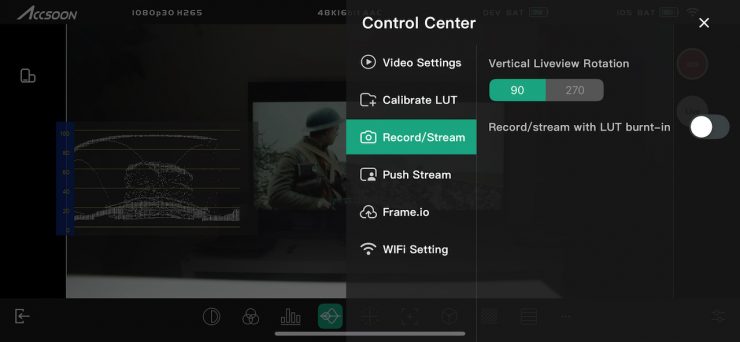
You can livestream using the Accsoon Go app, but you can only do this via the app.
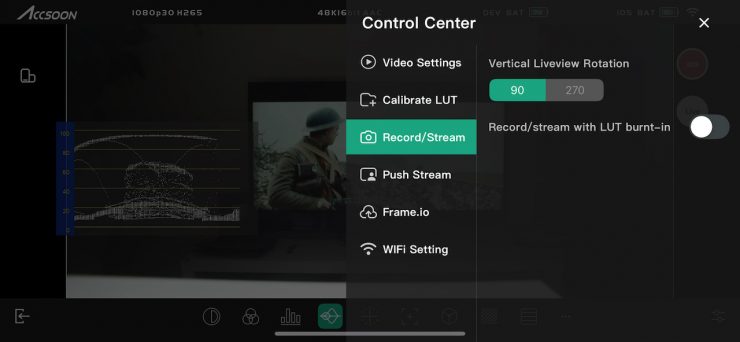
In the Record/Stream section of Control Center, you can choose the vertical liveview rotation and also choose to record/stream with a LUT burnt in if you are sending the app a Log image.
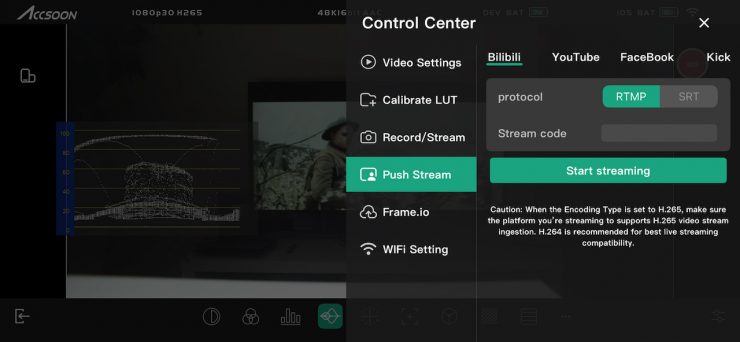
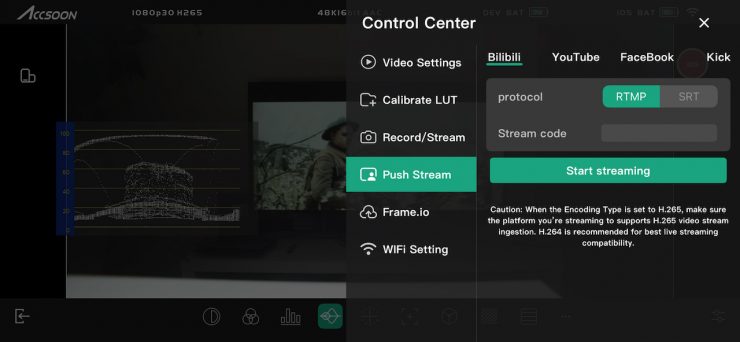
In the Push Stream section, you can enter the stream code for various popular social media platforms and then start streaming.
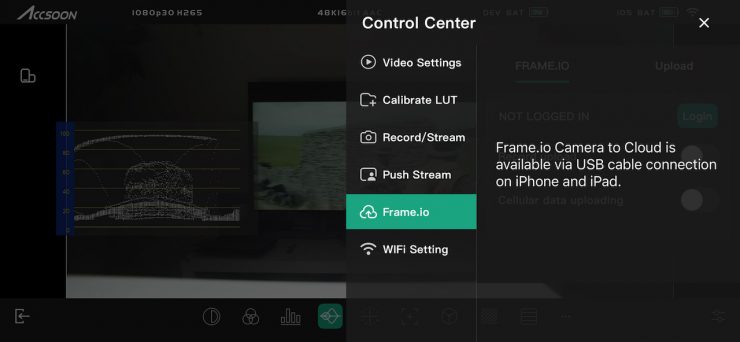
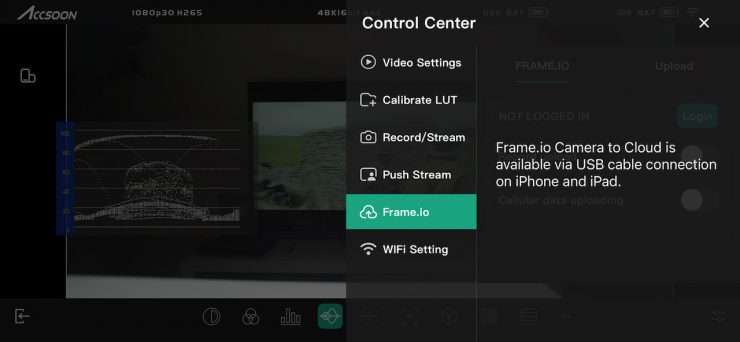
You also have the ability to utilize Frame.io Camera to Cloud, but this can only be done when you have the CineView SE 4K hard-wired via USB-C to an iPhone/iPad.
Region Settings
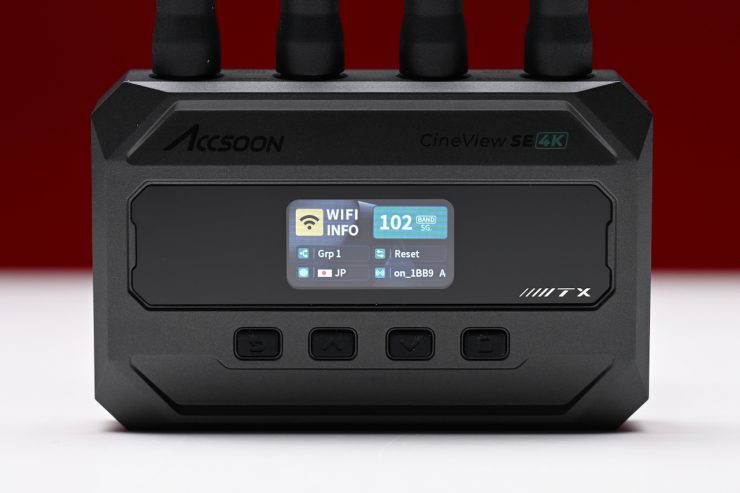

The device’s region code is pre-set based on your purchase location. Accsoon states in their manual that you should not change the region code. If changes are necessary, ensure the region code complies with the RF regulations of your current location. Accsoon also states clearly that it is not liable for any legal issues arising from incorrect region settings that violate local laws and regulations. For questions about changing the region code or any related inquiries, you can email [email protected].
Setup & Ease Of Use
As I say in every wireless video system review, a good solution should be easy and fast to set up and get running. In all honesty, this shouldn’t be a difficult task, and if it is, then, in my opinion, the product has already failed.
Like most wireless systems, the CineView SE 4K was designed to essentially be a plug-and-play system. You just power up the TX unit, input a video source, and then power up the RX and hook it up to a monitor, etc.
All you need to do is make sure that the TX and RX units are on the same channel; however, the system will automatically select the same channel on both the TX and RX for you.
Once everything was powered on, it took 45 seconds for a picture to appear on a connected monitor to the RX unit. This is very slow, and as a comparison, the competing Hollyland Pyro S took 20 seconds.
Unlike the competing Holyland Pyro S, you can’t do a manual channel scan to see what the best available channels are to use. If you do decide to change the channel on the CineView SE 4K, the TX needs to reboot. This is something you need to be aware of.
So, what about if you start pulling cables out or turning the TX and RX on and off gain? These are real-world things that happen, and you need to test how the system works by seeing how quickly it can re-establish connections. If I pulled the SDI cable out of the TX unit, it took roughly 10 seconds for the image to re-establish, which was reasonably slow.
If I suddenly changed the frame rate on the camera, it took around 13 seconds for the RX to re-establish the connection.
Ok, what about if I turn the RX unit off and turn it back on again? It took roughly 22 seconds for an image to reappear on the connected monitor.
If I turned the TX off and then back on again, it took about 36 seconds for the image to appear on the connected monitor with the RX.

Now, if you are using the Accsoon SEE app and you turn the TX off and back on again, you won’t get a picture because it kicks you off the Wi-Fi network. I needed to go back into my phone’s settings and select the Accsoon Wi-Fi again and then open the app.
The CineView SE 4K was a little slow for my liking when booting it up, but this may or may not matter to you depending on what your requirements are.
Accsoon SEE app
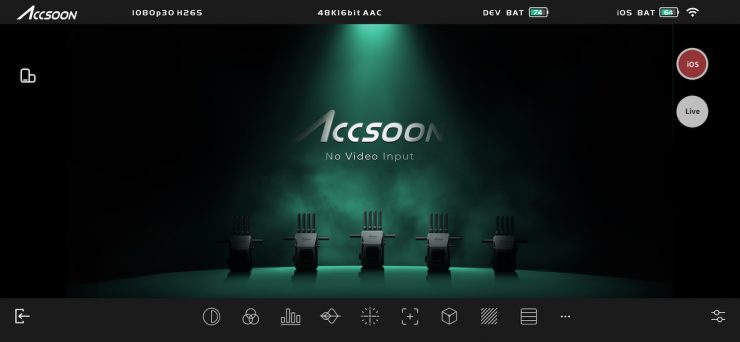
The Accsoon SEE app works on both wired and wirelessly connected iPads and iPhones, plus wirelessly connected Android devices. It offers features like live streaming, recording, focus peaking, pinch-to-magnify, image-flip, waveforms, audio level meters, false color, and more, all via touch control. The app features some reasonably nice functionality, and it is reasonably easy to use.
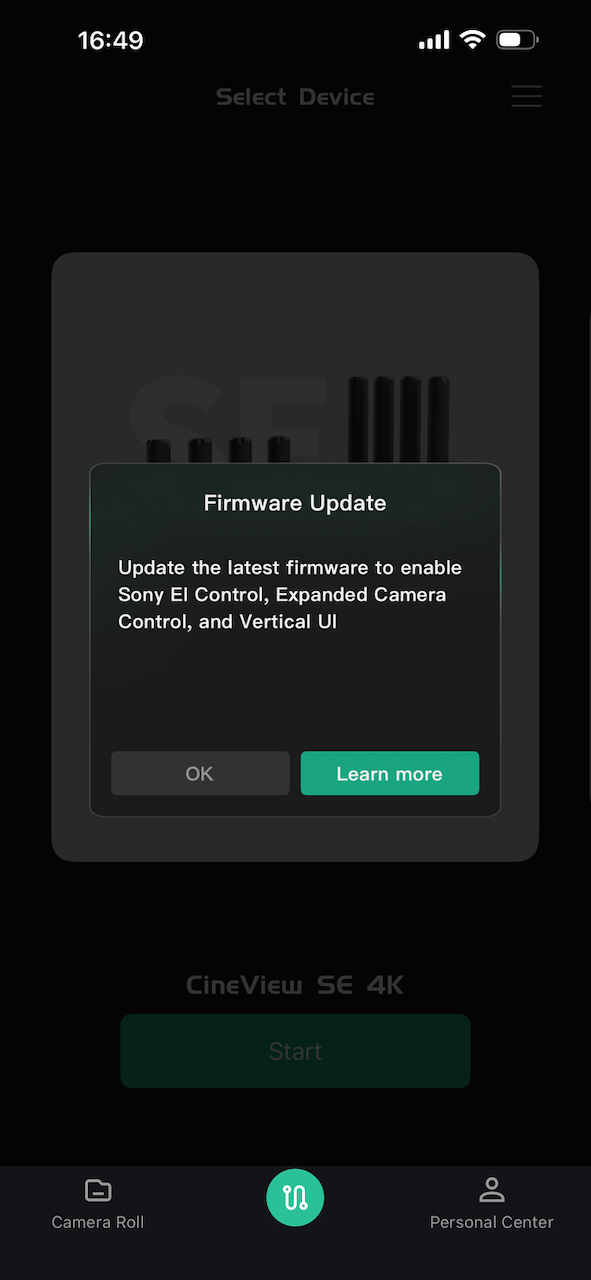
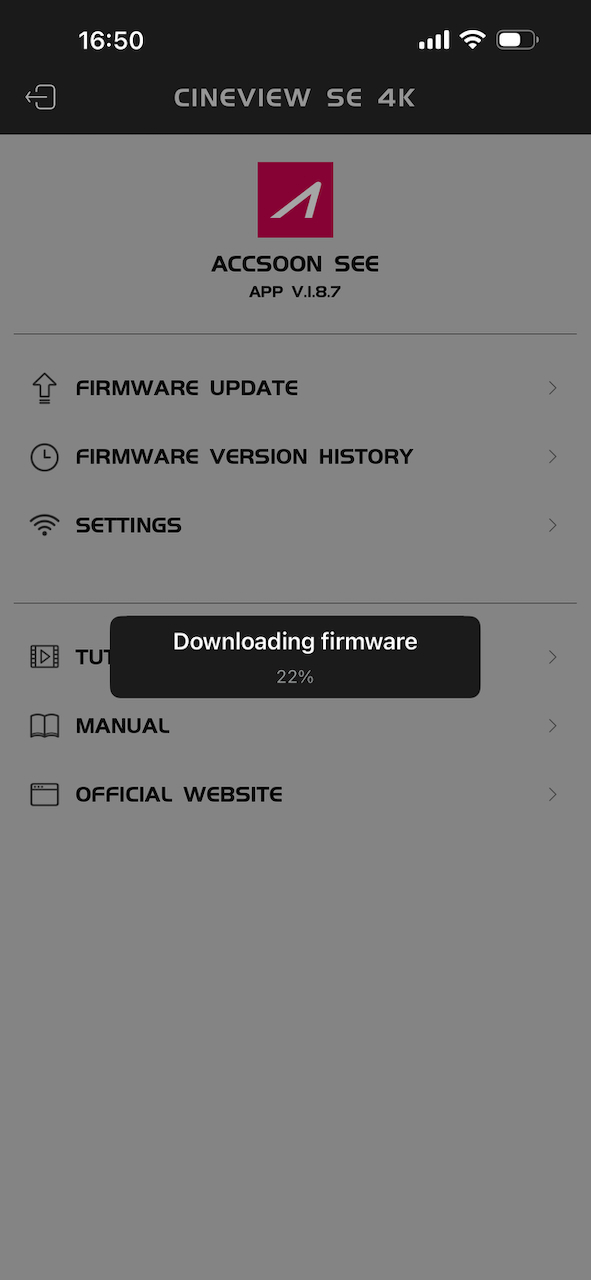
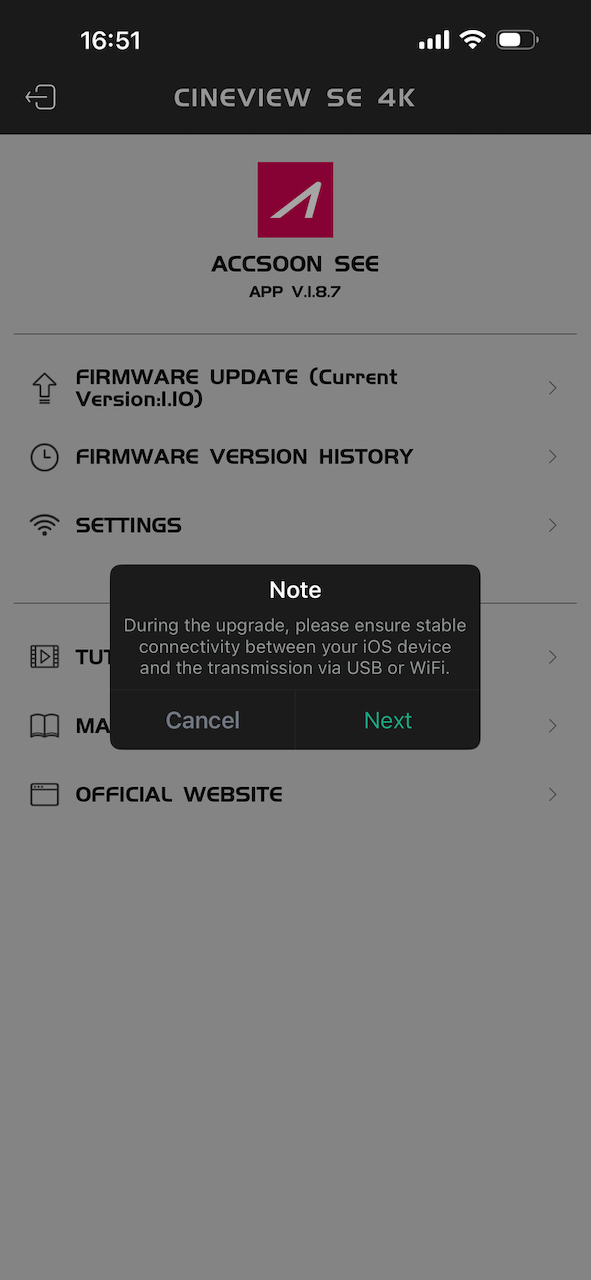
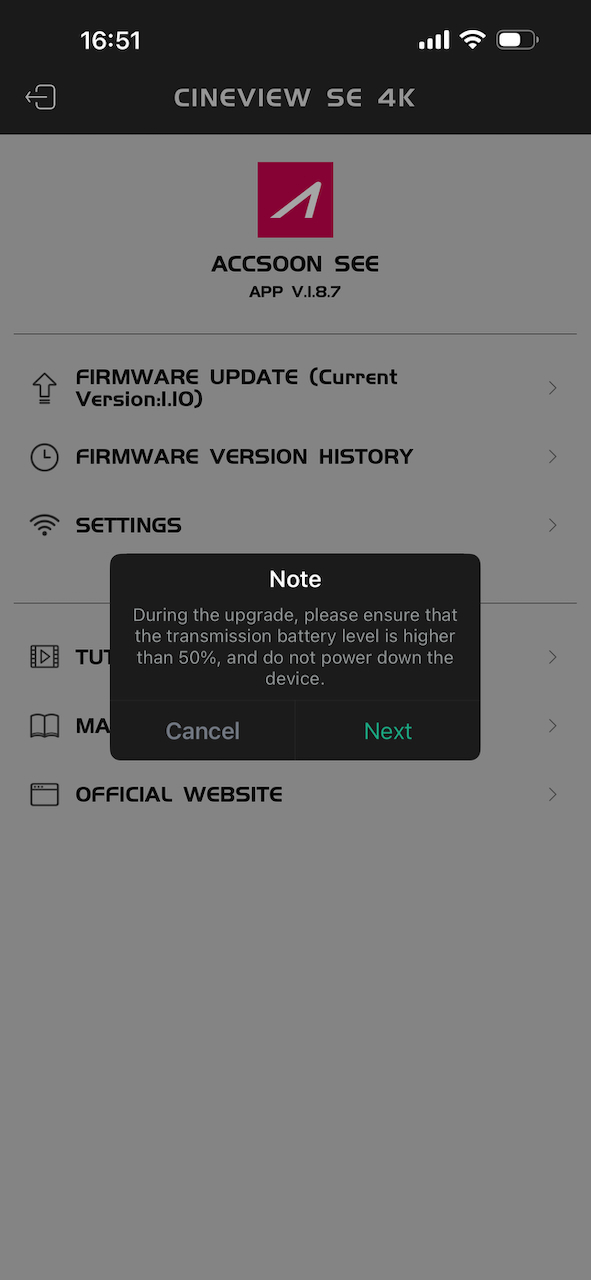
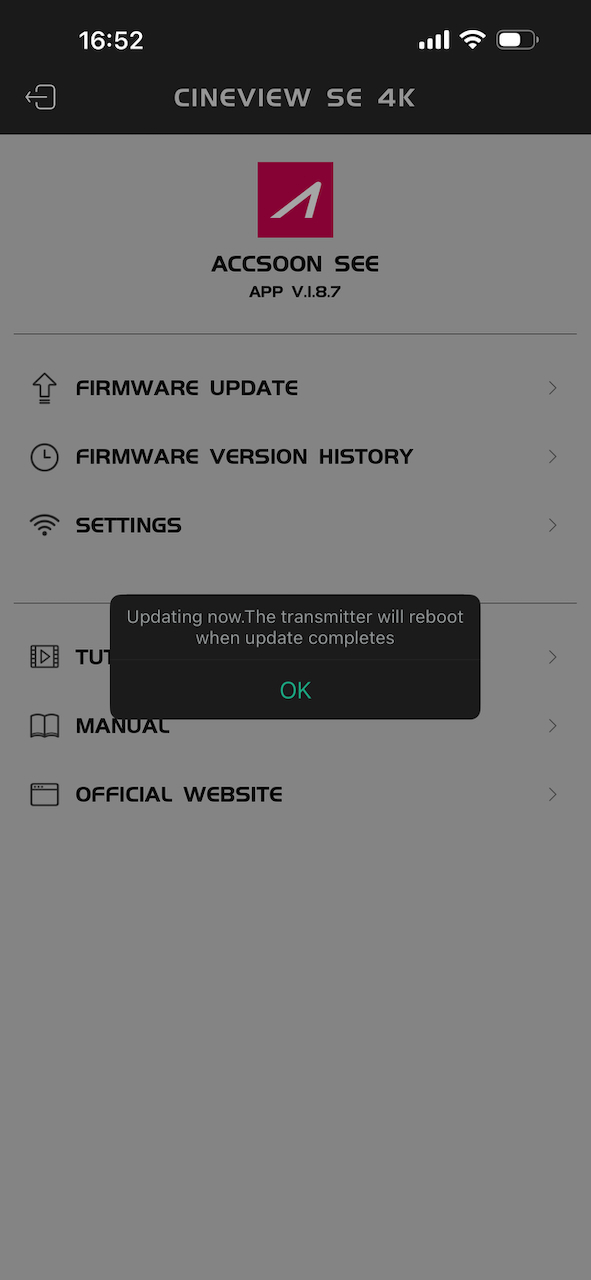
You can also update the firmware of the CineView SE 4K by attaching your phone or tablet directly to the TX unit using the USB-C cable.
You need to select the Accsoon CineView Master SE Wi-Fi network (in my case, it was Accsoon_1BB9) before you open the app. This can be a little confusing, as two Accsoon networks appear.
I also found that it takes a long time (approx. 1 minute and 12 seconds) from the time you turn on the TX unit until the correct Wi-Fi network appears on your phone. This is very slow.
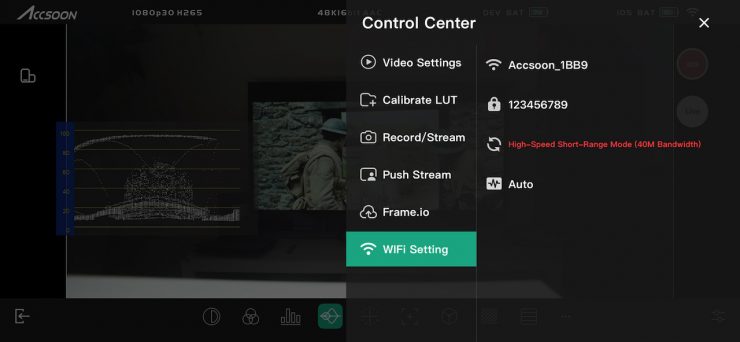
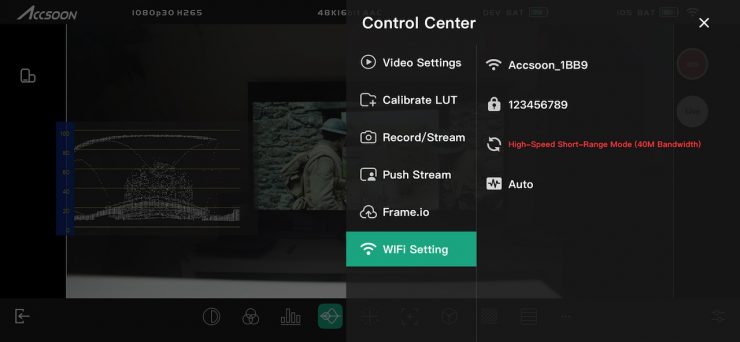
The default password is 123456789. My issue is that on the device itself, you can’t see what the WiFi password is. To change the Wi-Fi name and password, you have to use the Accsoon SEE App.
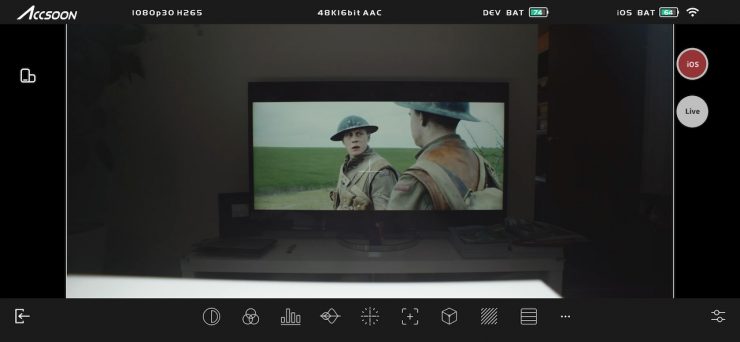
Once you hit connect, you will be taken to the main screen.

You can simply tap on the screen to remove the overlays.
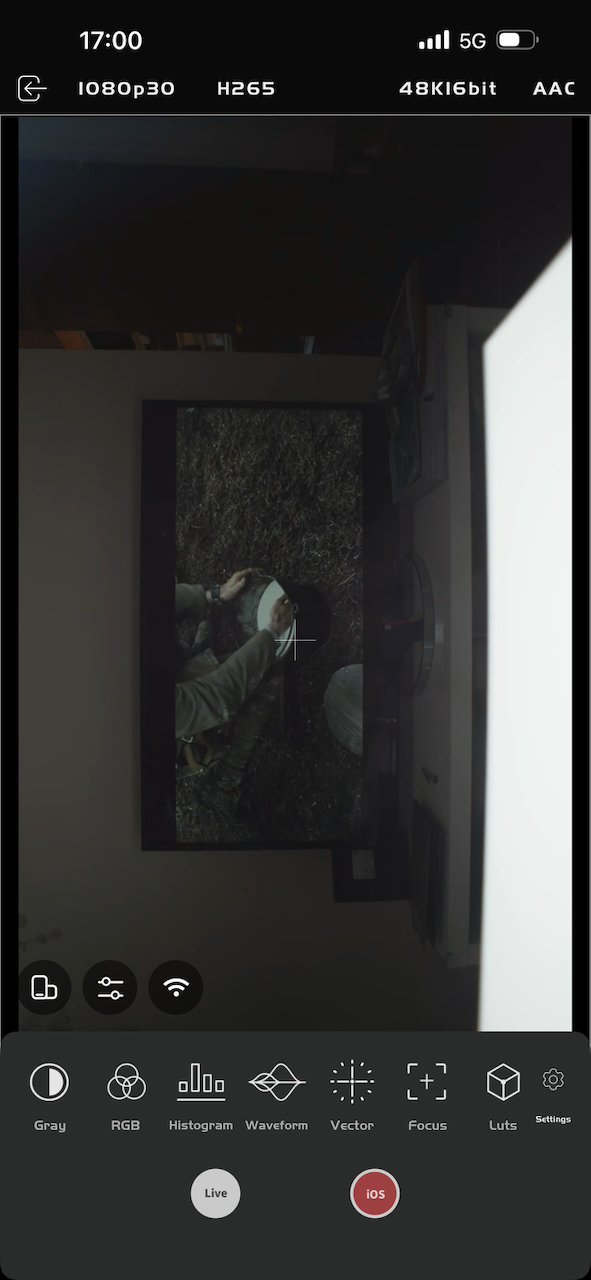
The UI layout is reasonably straightforward and easy to understand, and you can also use it in a vertical orientation if you prefer, which is handy if you are shooting for social media content.
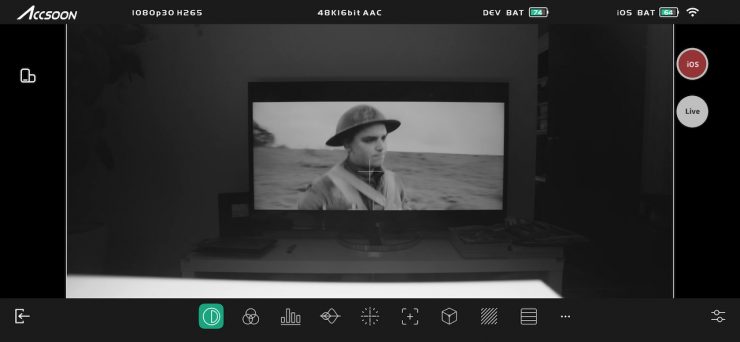
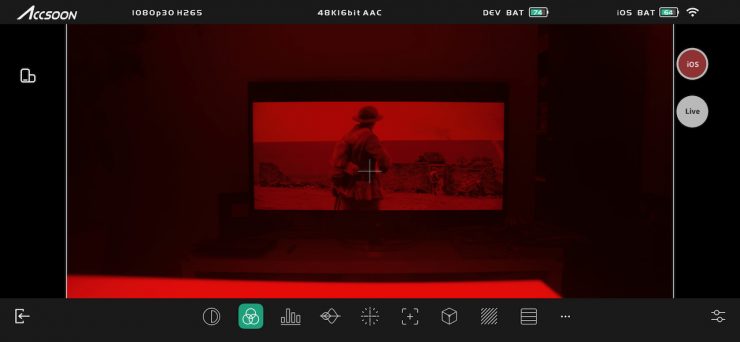
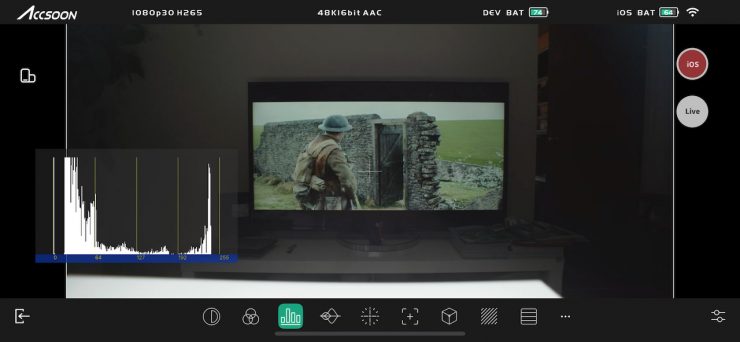
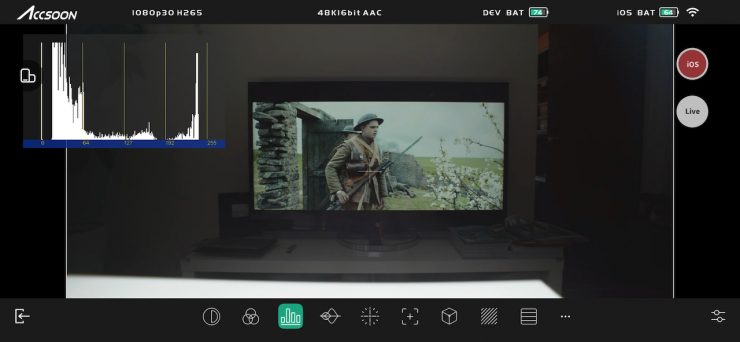
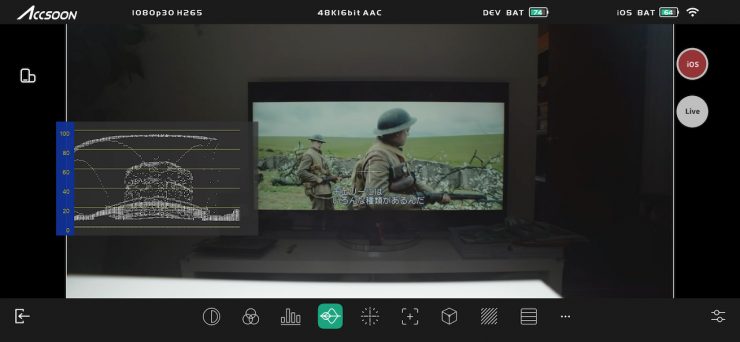
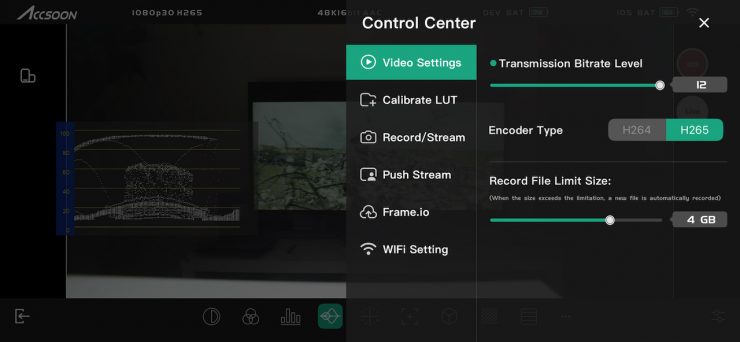
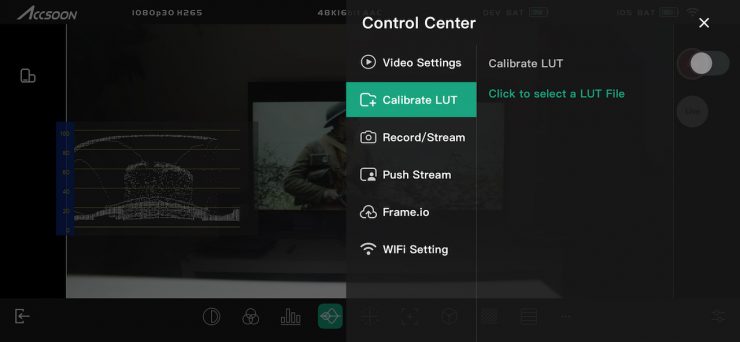
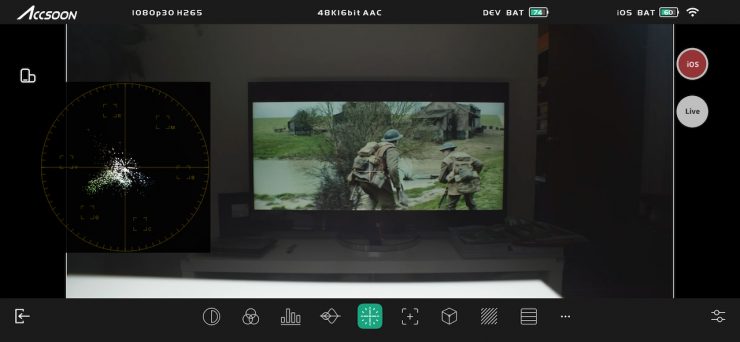
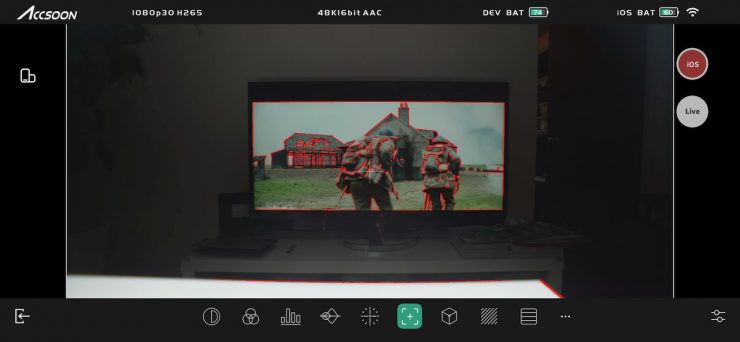
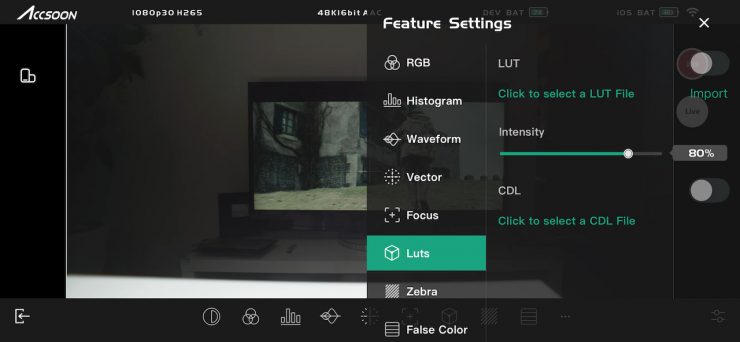
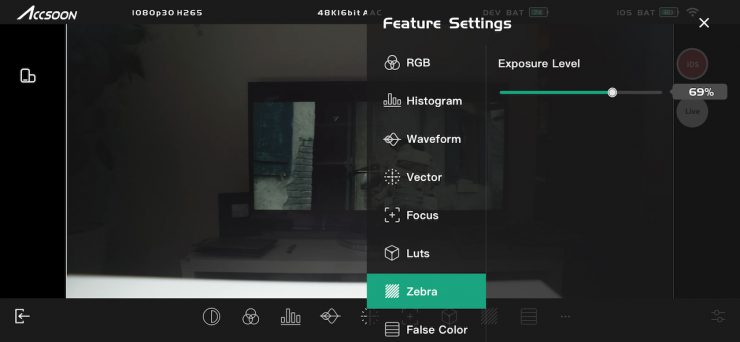
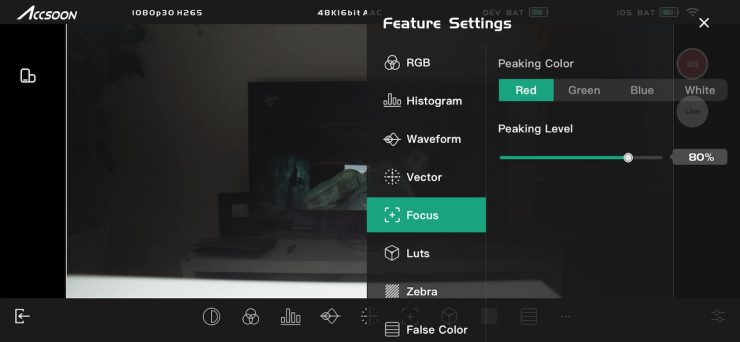
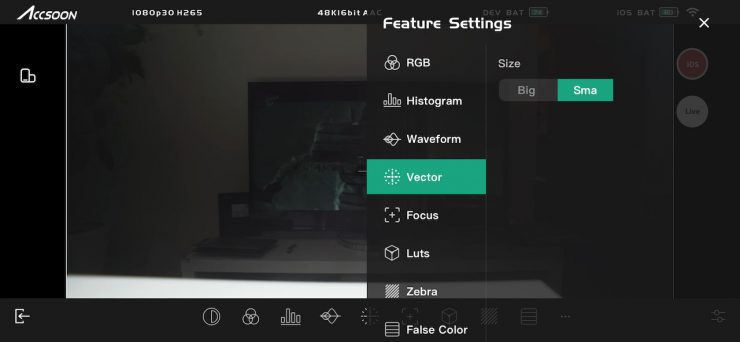
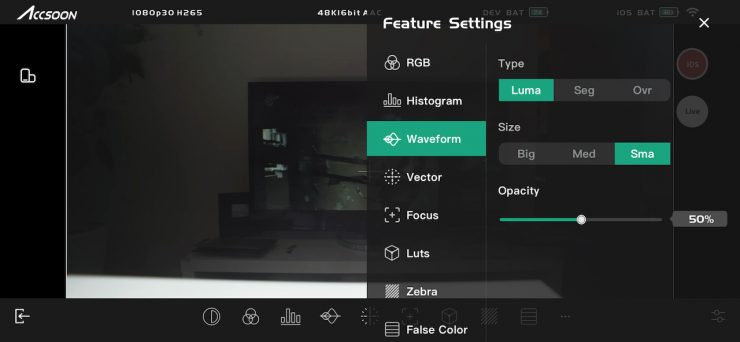
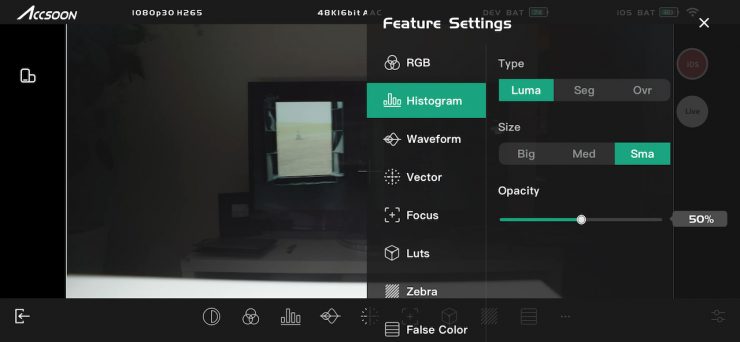
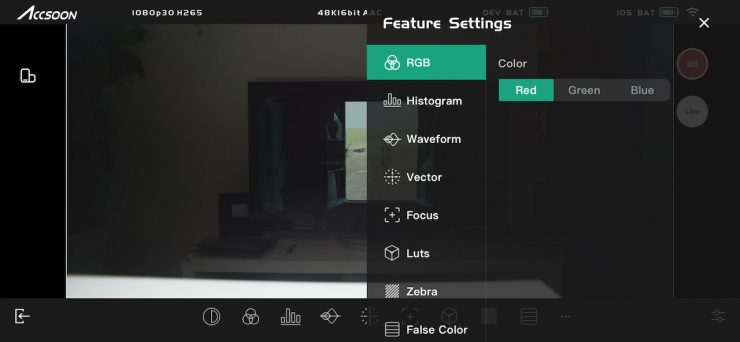
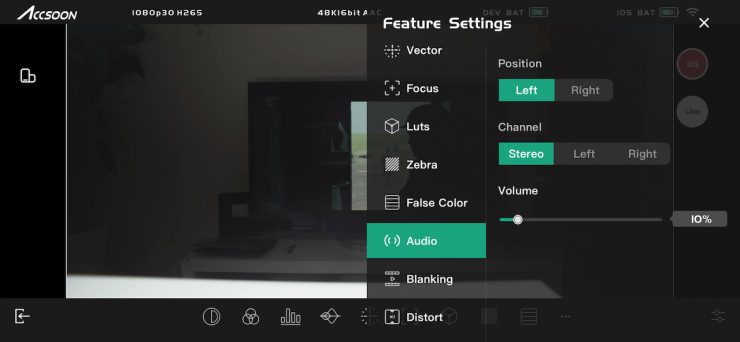
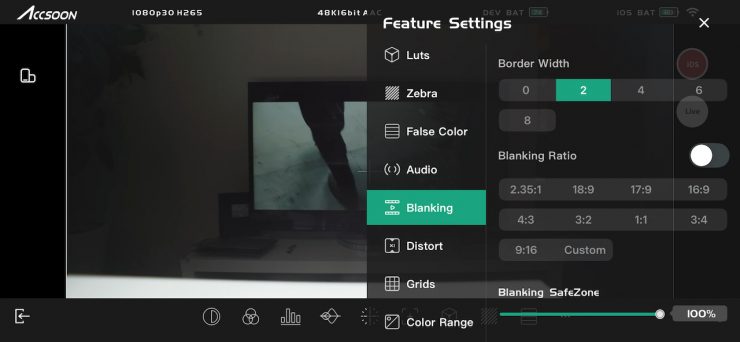
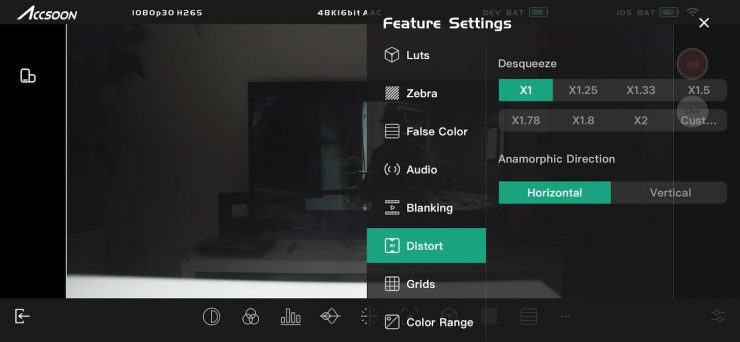
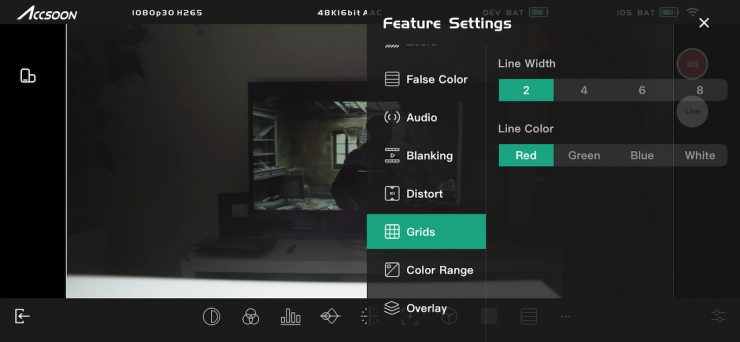
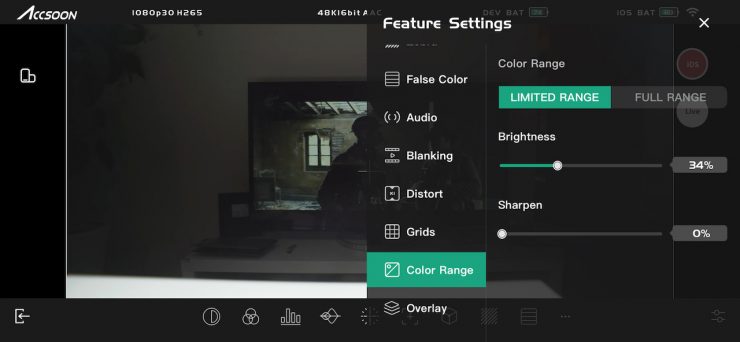
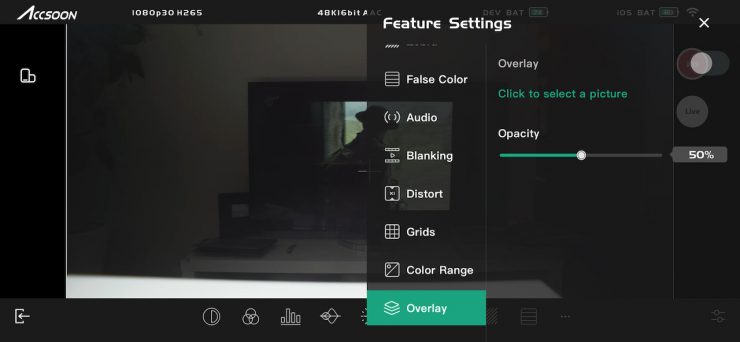
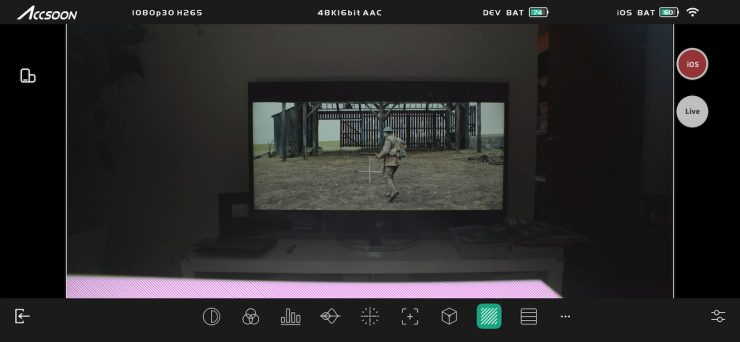
There is a good array of monitoring assist tools, and I think most people will be reasonably happy with the tools and features that are available.


You can do pinch-to-zoom magnification, and Accsoon also gives you a small indicator showing %, so you know you are looking at a zoomed-in image. You can also you can move the focus magnification around in the image.
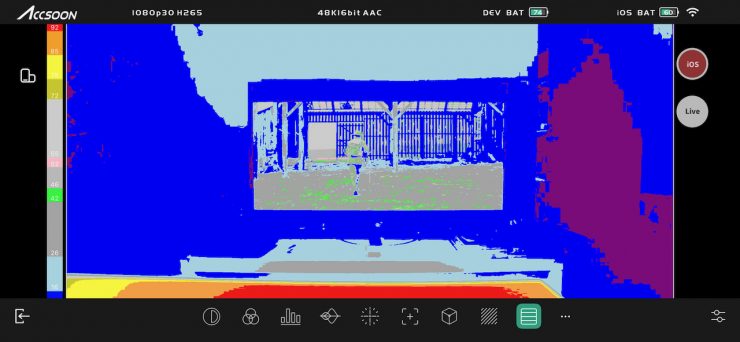
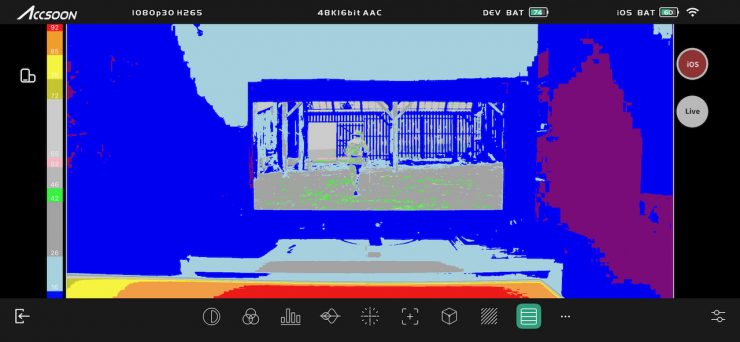
There is false color and an IRE value scale for it; however, it isn’t mapped to any particular camera.
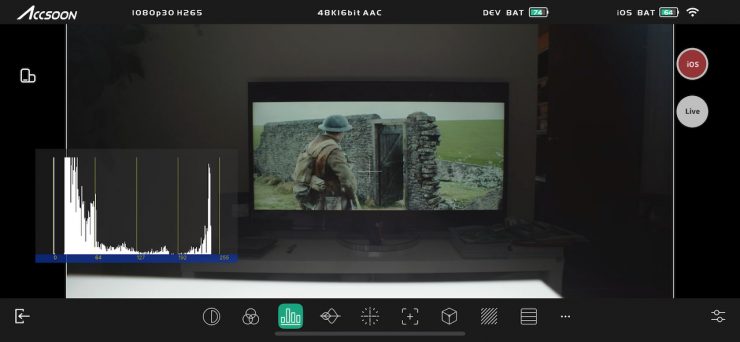
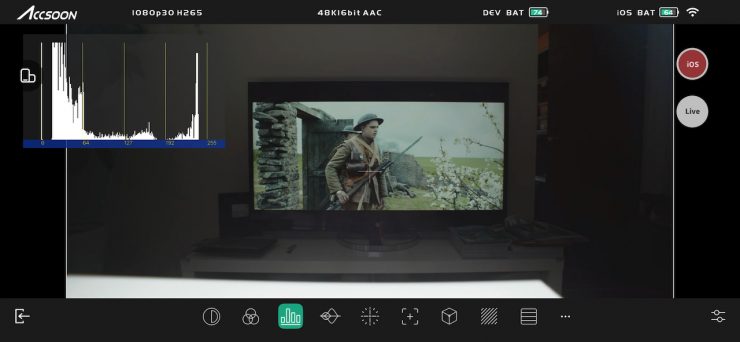
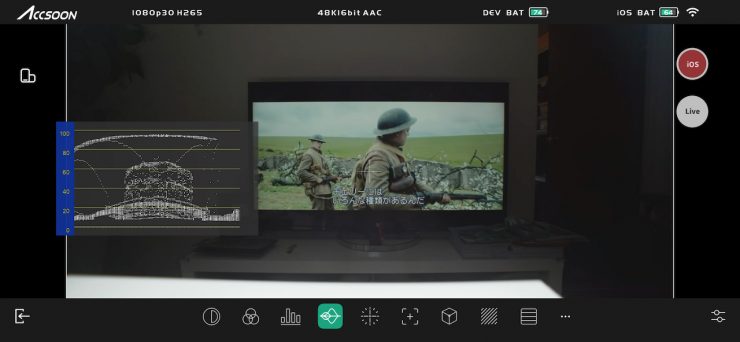
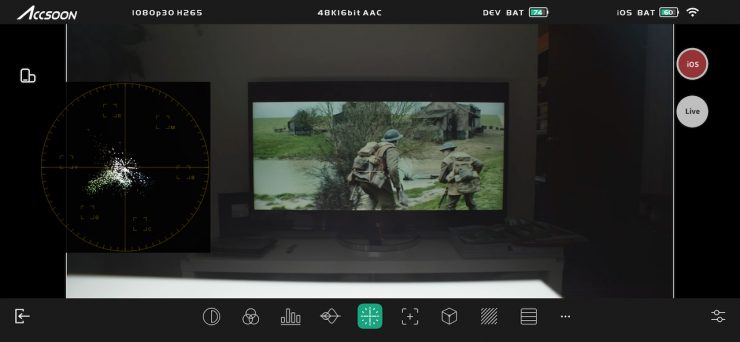
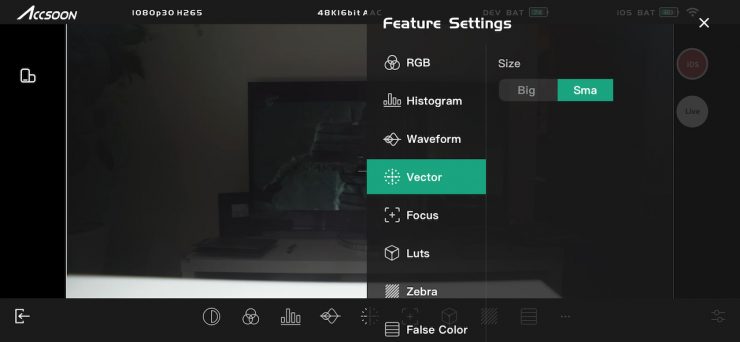
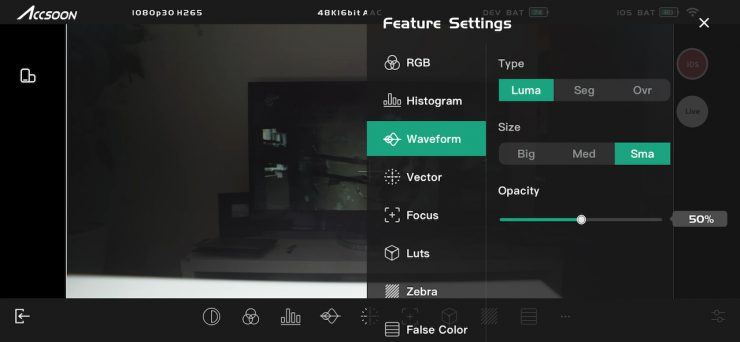
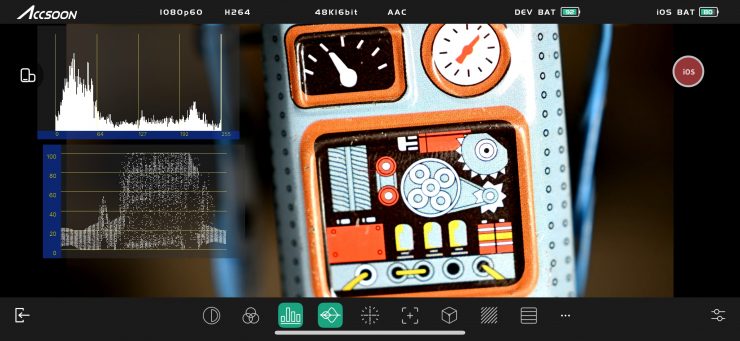
With the waveform, histogram, and vectorscope, you can move them around to any position you like on the screen, and you can change their size and transparency. You can have multiple scopes up at the same time.
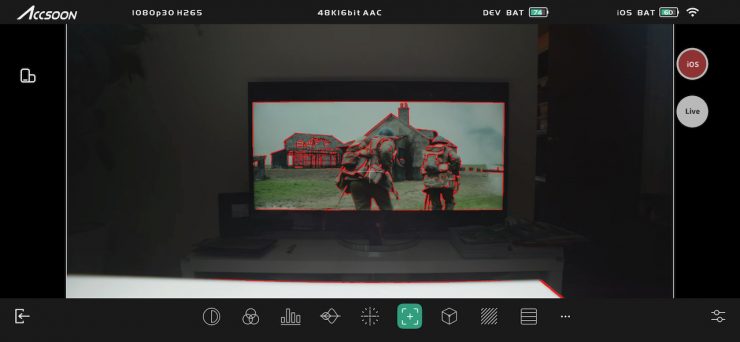
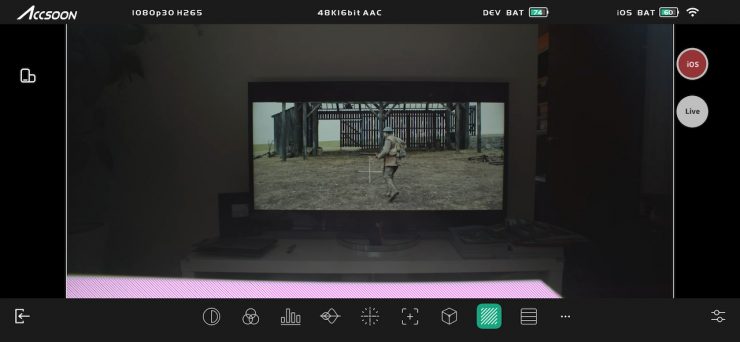
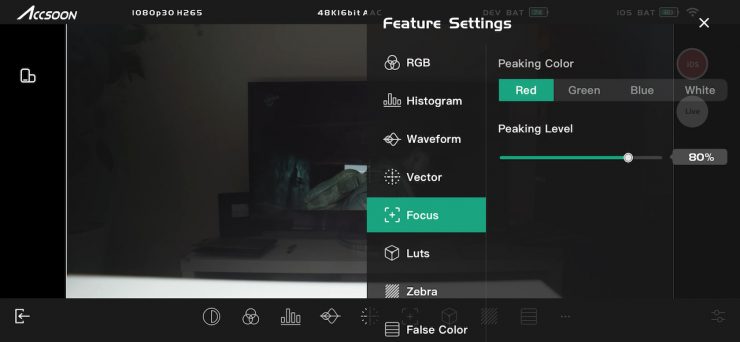
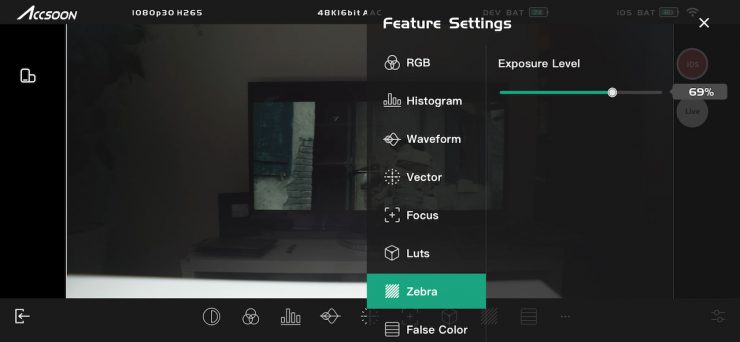
There are also peaking and zebras, and you can change the intensity and color of the peaking.
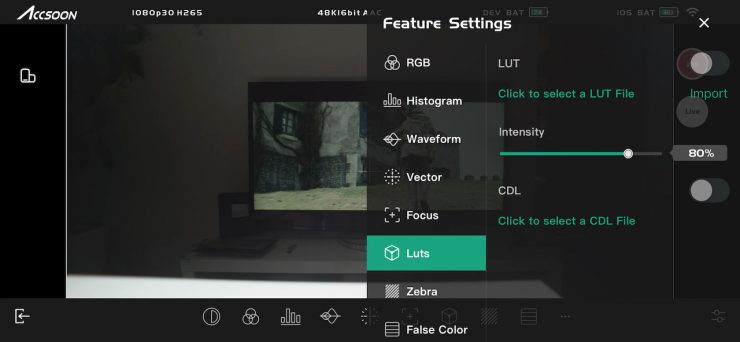
There are a few default LUTs available in the app, but not many. You can also load up your own LUTs if you want.
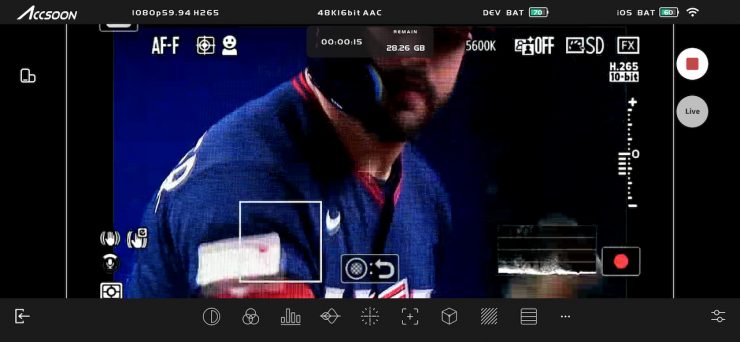
I like that you can actually record the video or take still images directly within the app. While this isn’t great quality, it does allow you to view back clips and also upload something to social media if need be. Clips get recorded in HEVC MP4.
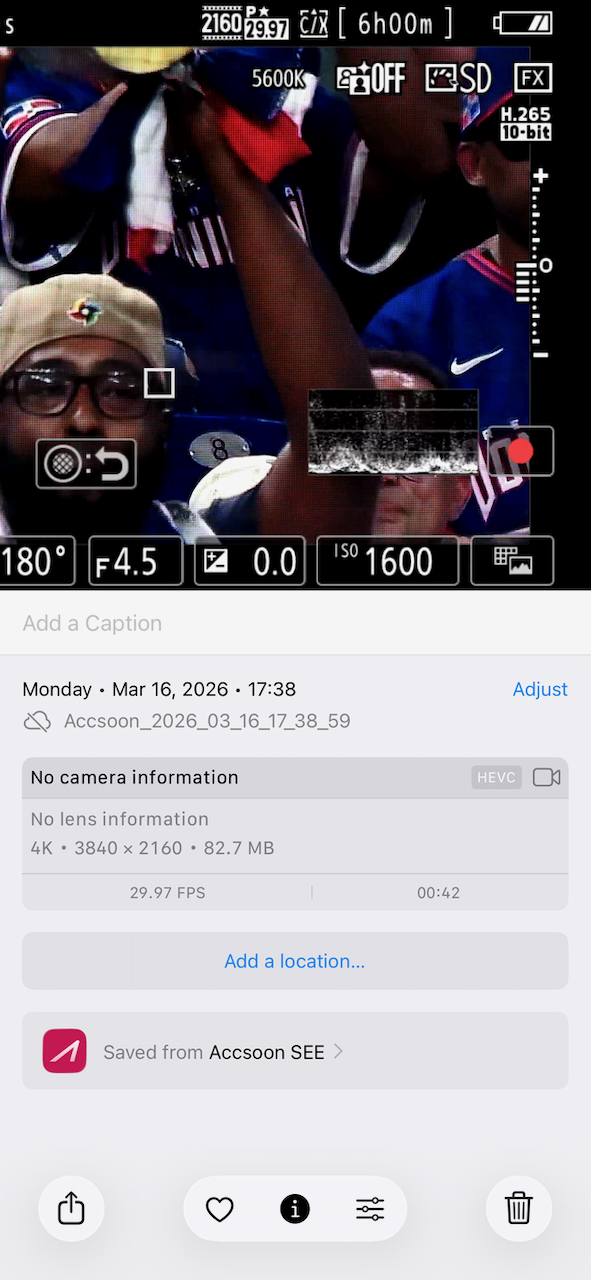
Now, if I actually looked at the clip in my photo reel on my phone, it was telling me that the frame rate was 29.98p, which was correct.
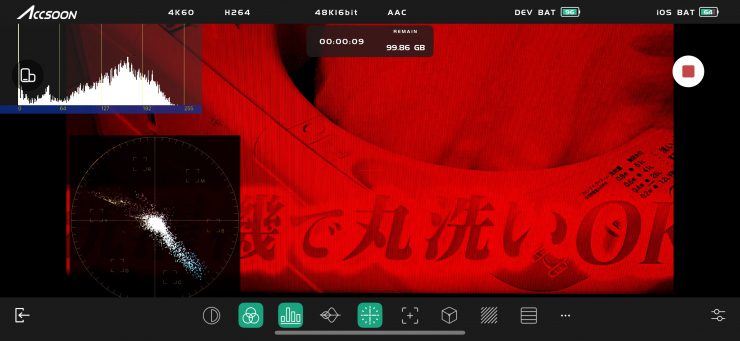
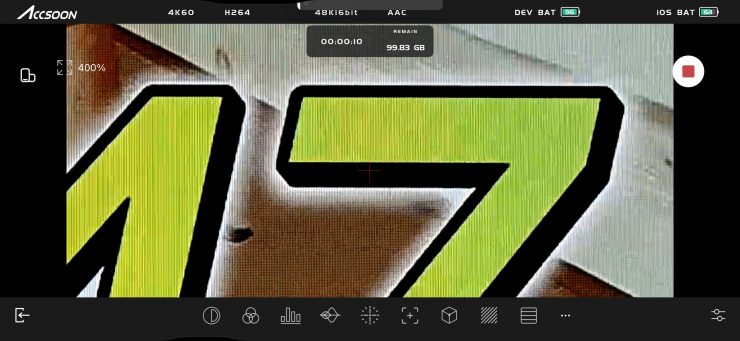
You can do image zoom and access the monitoring tools while you are recording, which is handy.
Image Delay
Zero (or close to) image delay is one of the big reasons you pay more money for a higher-end system. Most high-end wireless video systems have basically zero latency, while a lot of the budget systems can have quite a lot of latency, especially those systems using HDMI.
2.4/ 5 GHz wireless video systems use a WiFi or ‘packet-based’ approach in which video is first compressed and then transmitted over a local-only WiFi network. Compressing video into packets before transmission introduces delay, typically 2-4 frames, and lowers the image quality. This is because most decoders will store multiple packets, or decoded frames, in a buffer to smooth out the video before outputting, which creates a less robust signal and latency unsuitable for the rigorous demands of film production.
Now, depending on what you are doing and what your requirements are, having some latency isn’t going to be a big deal. If you just need to monitor an image or you are not doing highly complex remote focus pulling, then you arguably may not need a zero-delay system.
Speaking of zero delay, technically, zero-delay wireless video isn’t possible. If you’re shooting 23.98, 24, 25, 30, or 60 frames per second, then a wireless video delay of less than a millisecond (0.001 seconds) ensures that the frame you see on your monitor’s screen is in perfect sync with the camera’s sensor. Zero frames are out of sync. 0.001 seconds of latency is effectively true zero-delay on any set.
As I previously mentioned earlier in the review, from my testing of Wi-Fi-based wireless video transmission systems, the real-world latency is always a lot higher than what is quoted by manufacturers. It is important to note that the claimed < 50 ms latency is when doing 1080 60fps video using the low bitrate setting. When transmitting 4K/30fps video, the claimed bitrate is < 100 ms when using the low bitrate setting. This figure also excludes any camera latency.
What do these figures actually mean? Well, anything below 100ms is considered to be low, because most humans don’t perceive a delay that small. Once you get over 100ms, we perceive a noticeable delay.
I wish companies were more transparent with their marketing material when it comes to latency figures. You shouldn’t have to go to an operating manual to find out what the latency is and what conditions those tests were done under. Latency figures should be listed for regular frame rates and at the higher bitrate options. This isn’t a dig at Accsoon, because all of the companies selling Wi-Fi-based wireless video transmission systems do the exact same thing.
In Accsoon’s defense, at least they do list the latency figures and under what conditions those measurements were made in their manual; most companies don’t even do that.
There also isn’t much point in listing latency figures without factoring in the camera chain because a wireless system without an image is just an expensive doorstop. Sure, HDMI outputs on camera systems have varying levels of latency, but with SDI, that shouldn’t be the case.
So let’s find out what the latency actually is. I previously used to provide figures for latency, but in the real world, these don’t mean much to anyone, so I will show real-world examples showing you the whole image chain.
SDI HD 60p (bitrate setting on 1)
Ok, so let’s try transmitting HD 60p first at a low bitrate (setting 1), as in theory this should give us the lowest possible latency. Viewing images on a monitor connected to the RX against a monitor directly connected to the Kinefinity MAVO EDGE 6K. As you can see, the actual real-world latency is fairly low.
So, what about if you use the Accsoon See App? Above, you can see what that looks like when transmitting HD 60p at a low bitrate.
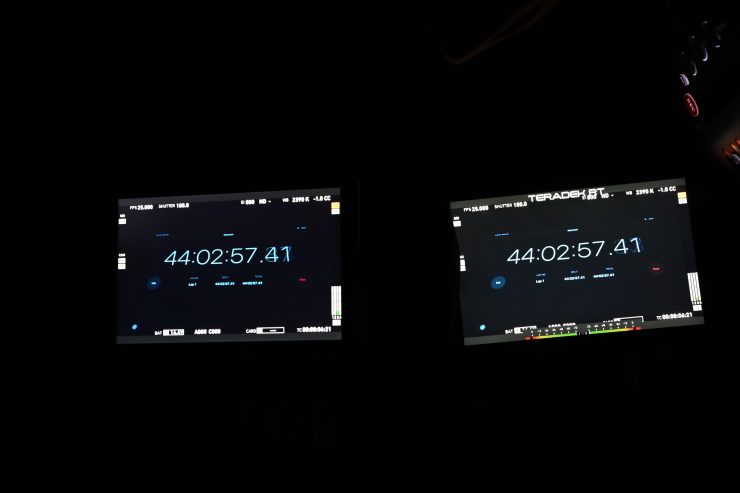
As a reference, above you can see that there is zero latency when using an expensive Teradek system (well, as close to zero as you can get. No wireless system is really zero in the scientific sense). This is a prime example of why you pay more money for a high-end wireless video system. You can also transmit uncompressed high-quality images with no quality loss.
SDI HD 23.98p (low bitrate @1)
So, now let’s see what the delay is when sending HD 23.98p with the bitrate set at 12 (the highest setting). As you can see, as soon as you try to send regular frame rates like 23.98p, 24p, 25p, etc., the latency increases quite a lot.
Whether image latency is a big deal for you will depend on your personal requirements for a wireless video transmission system.
HDMI UHD 30p (low bitrate setting @1)
Ok, so let’s try transmitting UHD 30p at a low bitrate (setting 1), as in theory this should give us the lowest possible latency when using 4K. We can compare the RX signal being fed into a monitor against the LCD screen on a Nikon R9. As you can see, the delay is a lot higher when transmitting UHD 30p over HDMI than when transmitting HD 60p over SDI.
HDMI 4K 23.98p (bitrate setting @1)
I also tried transmitting 4K 23.98p at the lowest bitrate (setting 1) to see how the latency compares when viewing images from the RX connected to a monitor against the LCD screen on a Nikon ZR. As you can see, the latency is pretty high when doing this, and the delay is a lot higher when transmitting 4K 23.98p over HDMI than when transmitting HD 23.98p over SDI.
HDMI 1080 60p (low bitrate setting @1)
I also tried transmitting 1080 60p over HDMI at the lowest bitrate (setting 1) when viewing images on a monitor connected to the RX against the LCD screen on a Nikon ZR. As you can see, the delay is a lot higher when transmitting UHD 60p over HDMI than when transmitting HD 60p over SDI.
As I previously mentioned, HDMI latency varies greatly from camera to camera. This is exactly why I prefer using SDI when dealing with wireless video, because it doesn’t matter how low the latency is of your wireless system if the camera’s HDMI latency is bad.
Latency using the Accsoon See App
HDMI UHD 23.98p (high bitrate setting @12) Accsoon See App
I also tried transmitting UHD 23.98p at the highest bitrate (setting 12) to see how the latency compares when viewing images on the Accsoon See app and the LCD screen on a Nikon ZR. As you can see, the delay is a lot less when using the See App than it is when transmitting UHD 23.98p over HDMI to an RX unit.
HDMI 1080 60p (low bitrate setting @1) Accsoon See App
I also tried transmitting HD 60p at the lowest bitrate (setting 1) to see how the latency compares when viewing images on the Accsoon See app and the LCD screen on a Nikon ZR. As you can see, the delay is a lot less when using the See App than it is when transmitting UHD 60p over HDMI to an RX unit.
HDMI 1080 60p (high bitrate setting @12) Accsoon See App
I also tried transmitting HD 60p at the highest bitrate (setting 12) to see how the latency compares when viewing images on the Accsoon See app and the LCD screen on a Nikon ZR. As you can see, the delay is a lot less when using the See App than it is when transmitting UHD 23.98p over HDMI to an RX unit.
Thoughts on image delay
When using SDI, the image delay was fairly minimal using the Accsoon, but not quite as good as the more expensive CineView Master 4K. As soon as you switch to UHD over HDMI, the latency does increase quite a bit; however, HDMI latency changes from camera to camera.
You are not going to get the same sort of results as you will with an uncompressed, zero-latency system, but some of these new compressed systems are getting pretty good and are getting to the point where latency is becoming a lot more acceptable for more applications. At the end of the day, there needs to be an acceptable limit that you are willing to tolerate. If you are using dedicated TX and RX units, then latency really needs to be below 100ms. When I say below 100ms, that is for ‘affordable’ budget systems. For high-end systems, it should be almost zero.
Some cameras have the ability to send 50p or 60p signals over SDI while still recording 23.98, 25p, etc. This certainly helps with latency.
The latency of the Accsoon when sending a signal to the TX unit and then viewing it on the Accsoon See App was very good. Could you use it to pull focus remotely? Yes, you could.
Latency figures can be a bit like dynamic range figures in that manufacturers like to quote numbers that are sometimes not explained or quantified.
Real-world performance
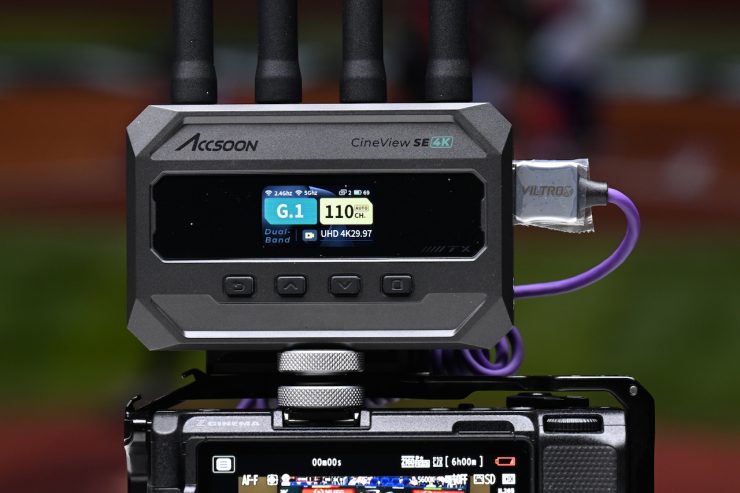
Pulling out connectors, changing settings, and turning receivers and transmitters on and off is one thing, but how does it actually perform in the real world?
How about the operating range?
I decided to test the range and performance of the system. To test the range of the system, I remained in line of sight of the CineView Master 4K TX and started walking away with the RX unit attached to a monitor. I could get 400m / 1312′ before I ran out of road. Now, the signal did keep dropping in and out over that distance if objects or cars got in between the TX and RX units. The biggest issue I faced was that once the Wi-Fi signal got so weak that it dropped out, it wouldn’t just connect up by itself. I needed to re-choose the Accsoon network for the signal to come back.
Now, Accsoon claims a UHD 4K60 maximum operating range of up to 1.6 Miles (line of sight), but this is usually only going to be achievable on flat, open terrain where there is little wireless interference. I did this test in the middle of Tokyo, which is one of the most heavily congested RF and WiFi traffic areas on the planet.
When I tested the CineView Master 4K TX, sending a signal to my iPhone running the Accsoon SEE app, I could only get a maximum distance of around 160m / 525′ before I started having issues.
| OPERATING DISTANCE TX-RX | |
| Accsoon CineView SE 4K | 400m / 1312* |
| Accsoon CineView Master 4K | 400m / 1312’* |
| Hollyland Pyro S | 350m / 1150′ |
| Hollyland Pyro H | 350m / 1150′ |
| Hollyland MARS 4K | 170m / 557′ |
| Accsoon CineView Quad | 111.86m / 367′ |
| Vaxis Atom 500 HDMI | 350m / 1148′ |
*I ran out of straight road, and this is as far as I could test.
Above, you can see how this compares to some of the other similar wireless video systems I have reviewed in the past.
Whenever I review wireless video transmitters, I do the test in the exact same place under the same operating conditions. This way, I get a good idea of how various competing systems compare.
What you need to remember is that maximum distances are often a good marketing line, but most people don’t need to operate over large distances, and usually, you won’t find yourself in too many places where there is zero interference and open flat terrain. At least in my opinion, the majority of people want a system that works well through obstacles and walls over shorter distances, as that is the most common real-world use.
So how does the Accsoon perform when doing that? The system works well if you are moving around in different rooms or even when going out of houses, etc., through doors and downstairs.
As I said before, most people don’t need long-distance range, and for most applications, I think people will be happy with how the Accsoon performs.
With every compressed Wi-Fi-based system I have reviewed, I have found that the image quality isn’t nearly as good as when using an expensive uncompressed system.
Even with the bitrate at its highest setting on the Accsoon, there was a lot of macro blocking when there were scenes with a lot of movement going on, which can stress codecs. This occurs even with a camera that can output 10-bit 422. This didn’t matter if I was using the Accsoon SEE app or outputting to a monitor attached to the RX. Now, when I tried the competing Hollyland Pyro S, it was exactly the same.
Do you really need a wireless system that can transmit and receive UHD images?
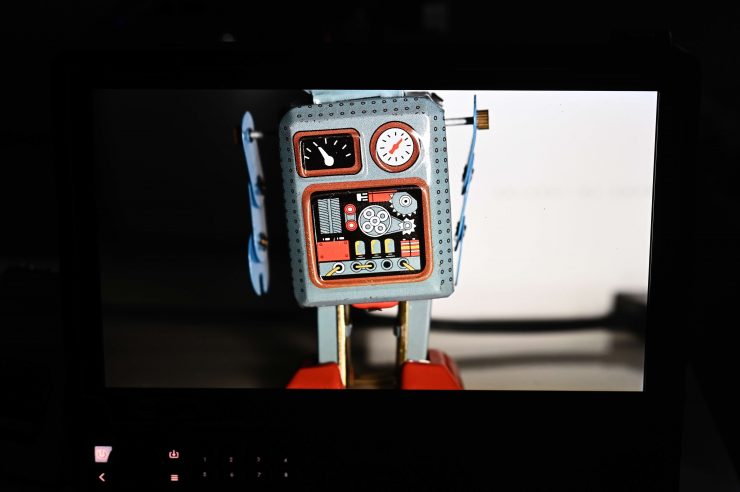
This is a legitimate question because, depending on what equipment you are using and what your needs are, the answer could be yes or no.
If you have a UHD monitor attached to the RX unit, then, yes, it probably does make sense to receive a UHD image.
If you are not using a UHD monitor and only looking at material on a 7″ HD screen, then transmitting a UHD signal from your camera may at first seem like a complete waste of time. However, if you send a UHD signal and then view it on an HD monitor, do you get a cleaner-looking image if you are using image zoom? Well, let’s find out.
Is this enough to notice any difference between UHD and HD?
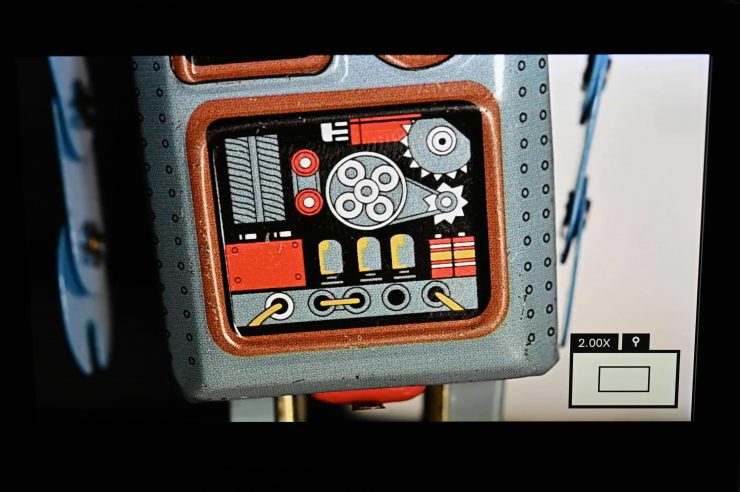
Yes, it is. I did some testing, sending both UHD and HD signals from a Nikon Z9 to the CineView Master 4K RX, which was hooked up to a SmallHD Cine 13, to see if I could see any big differences.
HD output from the Accsoon RX 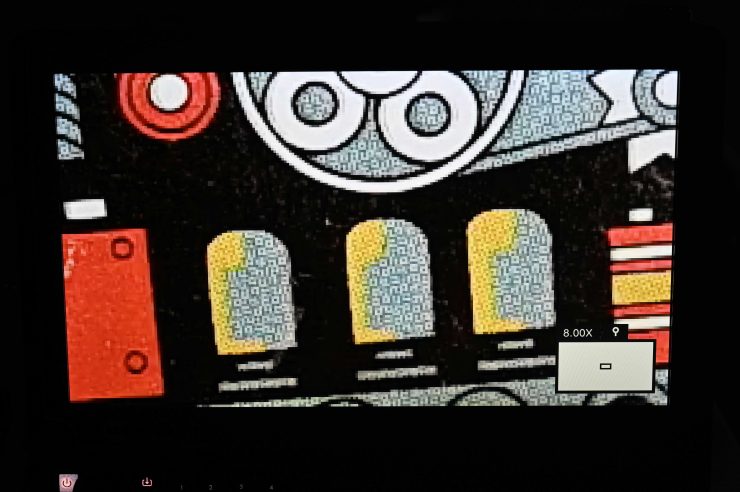
HD output from the Accsoon RX 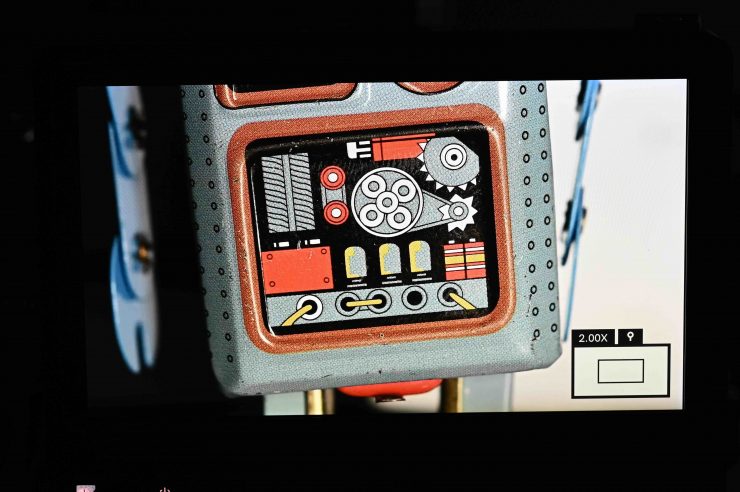
UHD output from the Accsoon RX 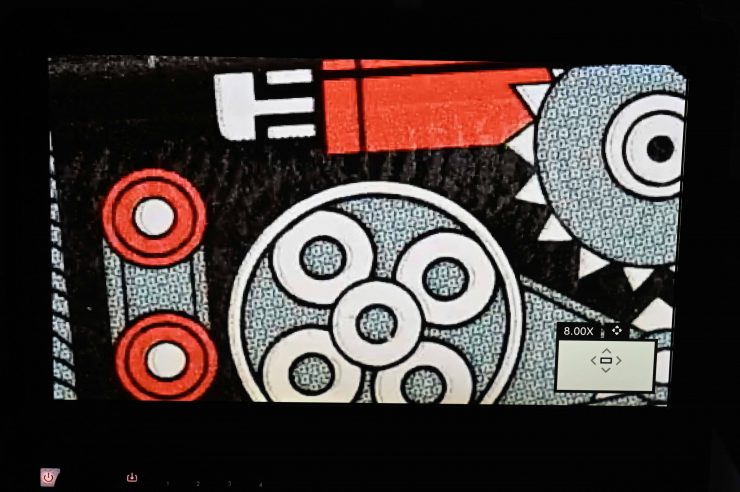
UHD output from the Accsoon RX
When zooming in, there is quite a substantial difference when looking at the UHD image as opposed to the HD image. It might be a little hard to see in photos from a screen, but I could see a fairly substantial difference.
If you are not zoomed in, there is still a difference, but it isn’t as big. If you are checking critical focus, then the UHD image is far sharper.
Ok, but what about if we don’t have a UHD monitor and we are sending a UHD signal to an HD monitor?
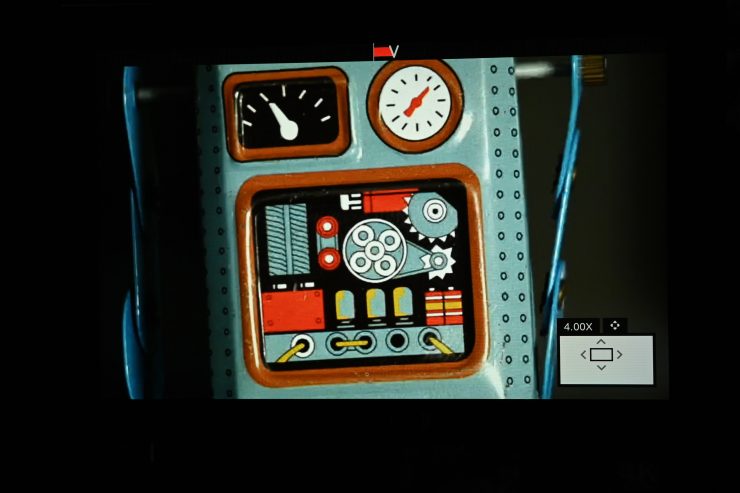
UHD Signal from the Accsoon RX 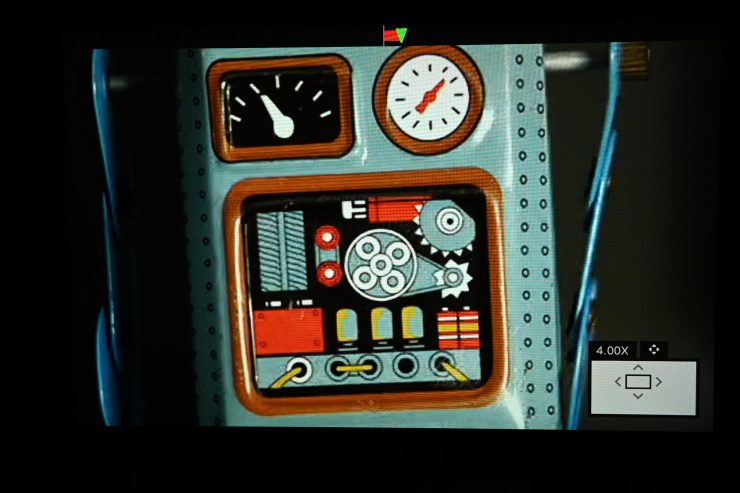
HD Signal from the Accsoon RX
Well, if you are zooming in on your image, then yes, you can see a difference between the UHD and HD signals. If you are not zoomed in, then the difference is less apparent.
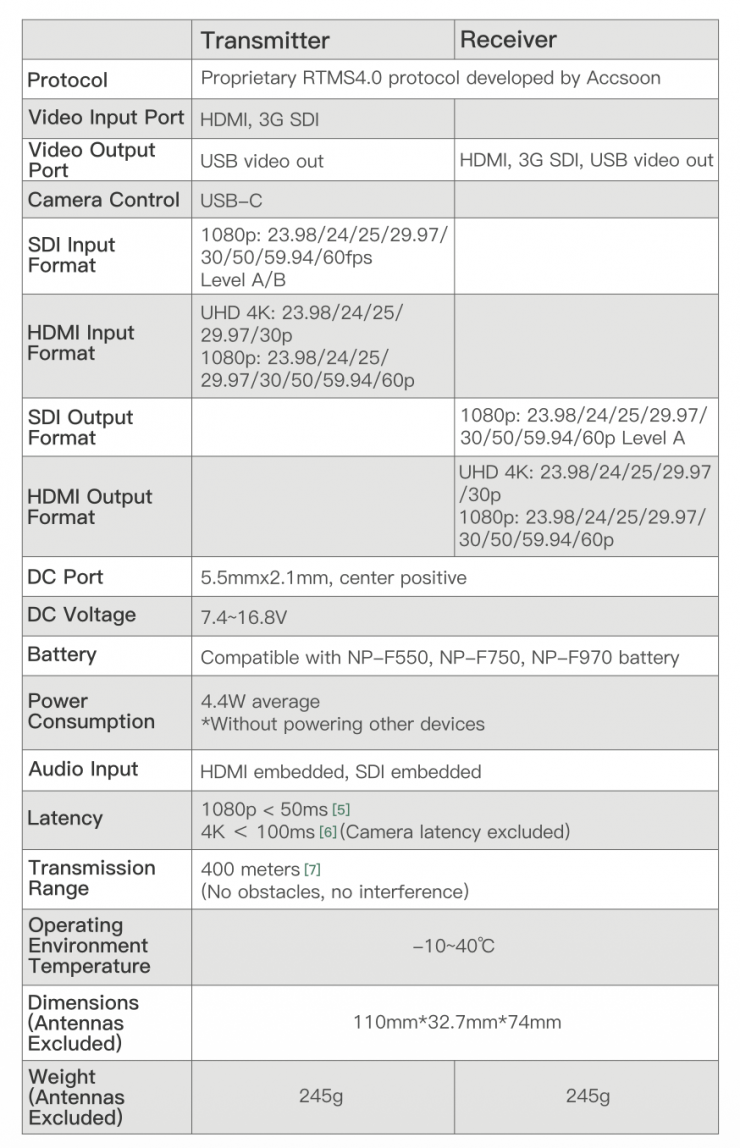
Specifications
Pricing & availability
The Accsoon CineView SE 4K SDI/HDMI Wireless Video Transmission System is available for $499 USD.
As a comparison, the competing Hollyland Pyro S costs $449 USD. Although the Pyro S can transmit and receive 4K 60p, it can’t do things like camera control and wired Apple/Andriod smartphone connection.
Competition
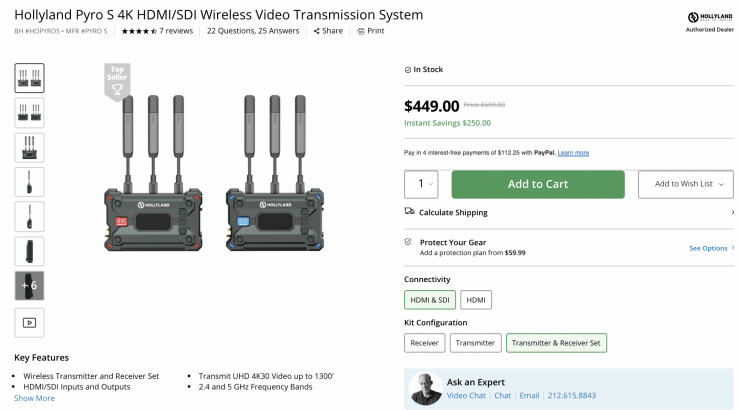
Direct competition comes in the form of the Hollyland Pyro S. The Hollyland Pyro S 4K HDMI/SDI Wireless Video Transmission System can currently be purchased for $449 USD.
Conclusion
A wireless video transmission system needs to have rock-solid reliability. It also has to not get in your way and be easy to set up and use. Nobody wants to be messing around trying to fix wireless video transmission issues on set, especially if you are working in small teams or by yourself.
The Accsoon SE 4K is solidly built, and having a system that features both SDI and HDMI and the ability to wirelessly transmit UHD or HD images makes it a versatile product. The added benefit of Apple/Android wired smartphone monitoring and camera control is a great additional feature.
The image quality is so-so, and even with the bitrate at its highest setting, there was a lot of macro blocking when there were scenes with a lot of movement going on, which can stress codecs. If you are using this system to show a client an image on a reasonably large screen, then I wouldn’t recommend using this product, as nobody wants to see a highly compressed image that has image artifacts or macro blocking. The system also doesn’t support 4K DCI, which could be a problem for some potential users.
The latency is the best I have seen from any Wi-Fi-based compressed video transmission system, and depending on what you are transmitting, you certainly could use it to pull critical focus for some applications (as long as you are using SDI 1080 50/60p). What you clearly need to be aware of is that any system that isn’t sending uncompressed video is going to have some latency, and this is why certain systems cost more than others. In saying that, the low latency of the Accsoon system certainly makes it a far more compelling choice than other competing systems.
The operating range of the system is good; however, in built-up congested areas, you will get image dropouts and interference if you don’t have a completely clear line of sight. As soon as you go out of range and then come back into range, it re-establishes a connection as long as the Wi-Fi network doesn’t drop. The Accsoon SEE app isn’t as stable over the same distances, but it does work reasonably well up to around 160m / 525′.
The UI is pretty easy and straightforward to navigate, but the boot-up time is pretty slow. The Accsoon SEE app has certainly been improved, and it offers a good array of video assist features. It was also stable and reliable to use. The only issue I had was that it was slow to establish its Wi-Fi network, and if you turned the system off and then back on again, you needed to re-choose the Wi-Fi network.
You don’t want to buy a product, regardless of how much it costs or who it is aimed at, and then find out it doesn’t perform in the way you were expecting. With wireless video systems, you need to look at the overall performance in real-world scenarios so that you are aware of what you should expect and what the limitations are. Some quick overview without any real-world testing tells you nothing about a product. Latency, image quality, mounting options, app, and real-world operating distance are all things you need to consider before making a purchase.
Wireless video transmission systems have come down in price dramatically in recent years, and you can now obtain a pretty good system without having to spend too much money. In the past, you needed to spend a lot more money if you were after close to latency-free performance. However, in saying that, a lot of the budget systems have continued to improve, and the Accsoon CineView Master 4K has the lowest latency I have seen so far.
The Accsoon CineView SE 4K is a solid product, and for $499 USD, it offers a lot of features and functionality. It is arguably one of the most well-rounded and feature-rich, affordably priced compressed systems currently on the market, but the image quality and latency could be better.