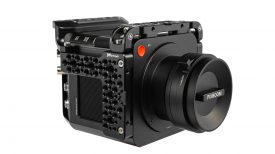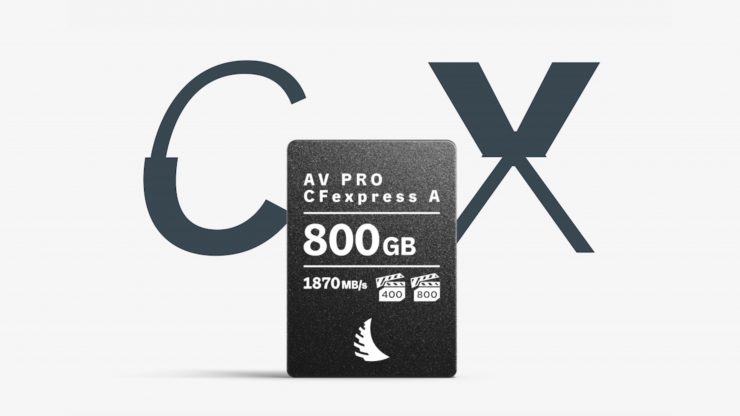
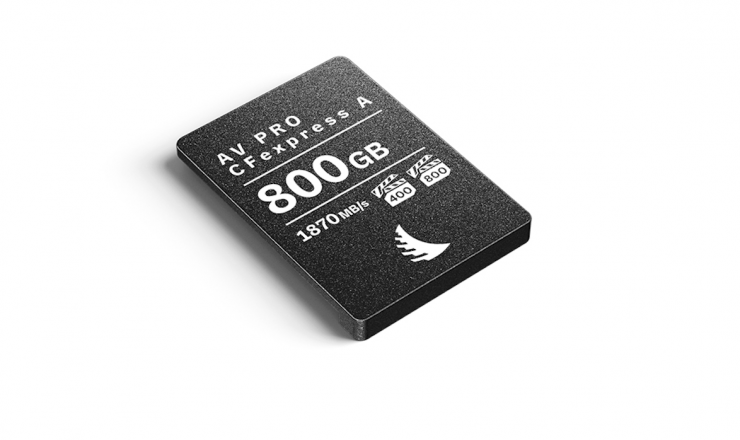
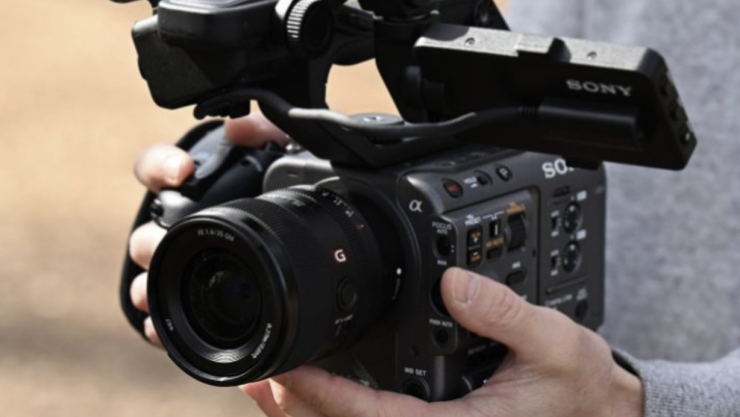
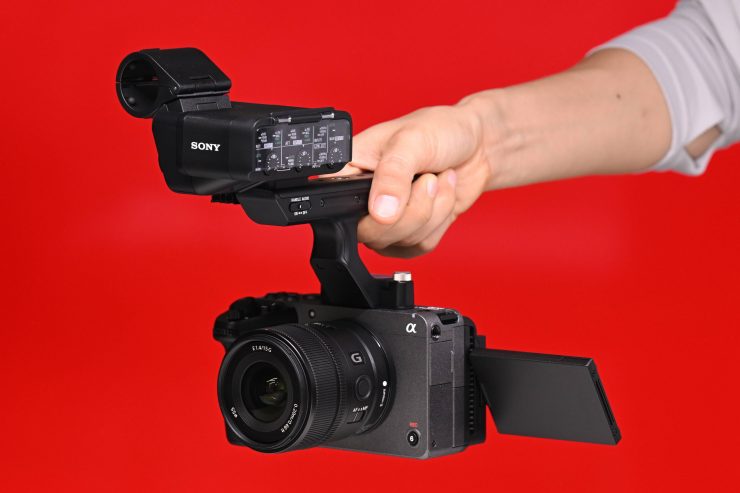
Angelbird has a new series of AV PRO CFexpress Type A v4 cards that were designed to be able to record 8K RAW & Sony X-OCN video without breaking a sweat. They look like a good option for use with the new Sony FX5.
Media cards are not the most exciting products out there, but they are critical to making sure your material is safely and reliably captured. The last thing you want to happen is to be on set and the card doesn’t work correctly, or you get back home and ingest it only to realize that there were issues.
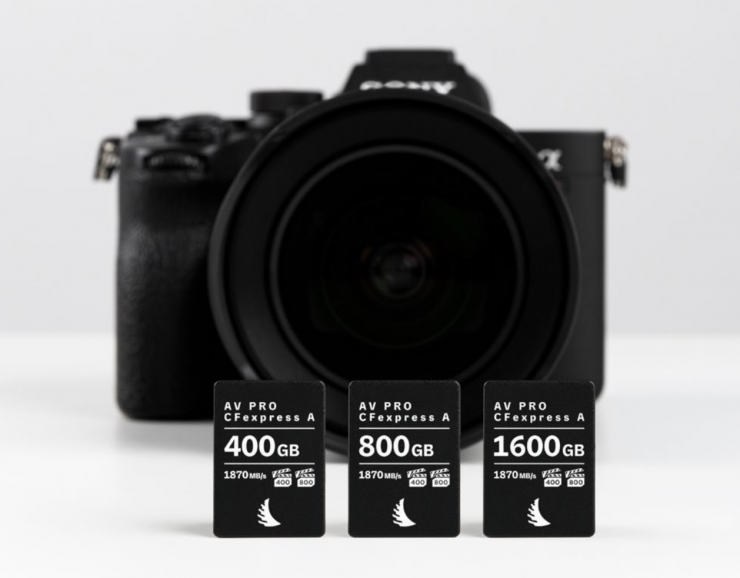
The new AV PRO CFexpress Type A v4 series comes in the following capacities:
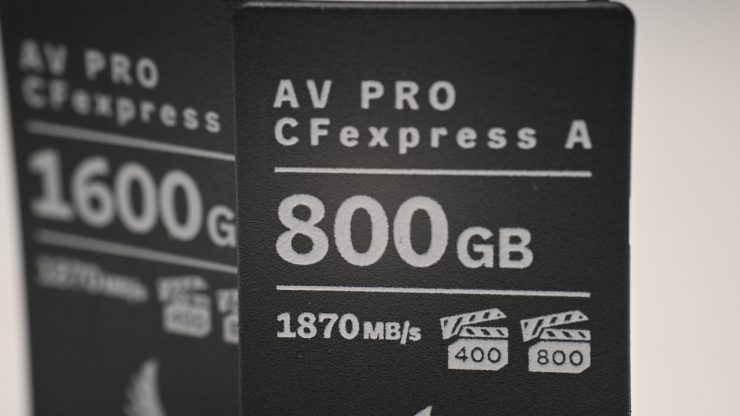
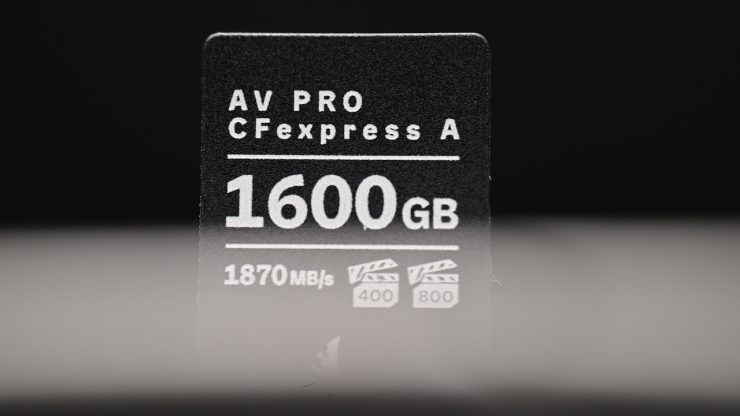
The cards feature high sustained write speeds and are VPG 400/800 certified.
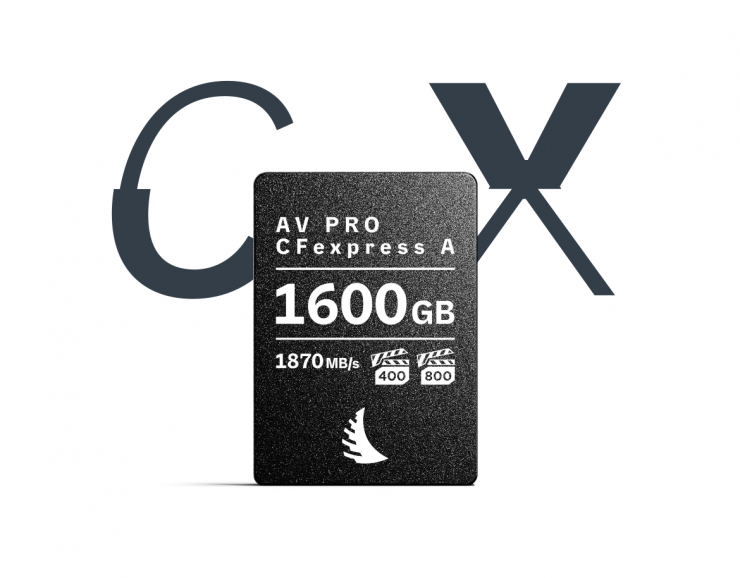
Key features
- 400/800/1600GB Storage Capacity
- PCIe 4.0 Bus
- VPG 400/800 Certified
- Max Read Speed: 1870 MB/s
- Max Write Speed: 1650 MB/s
- Sustained Write Speeds: 400 GB – 1000 MB/s, 800 GB – 1500 MB/s, 1600 GB – 1600 MB/s
- Records Raw 8K Video & X-OCN
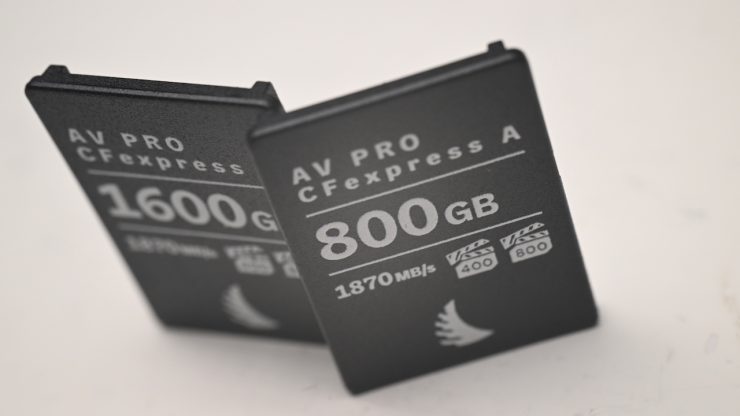
You could use the cards with the FX3/FX2, FX6, FX5, BURANO, or any of the Sony Alpha series cameras that utilize CFexpress Type A cards, as they are capable of supporting all resolutions, video codecs, and frame rates.
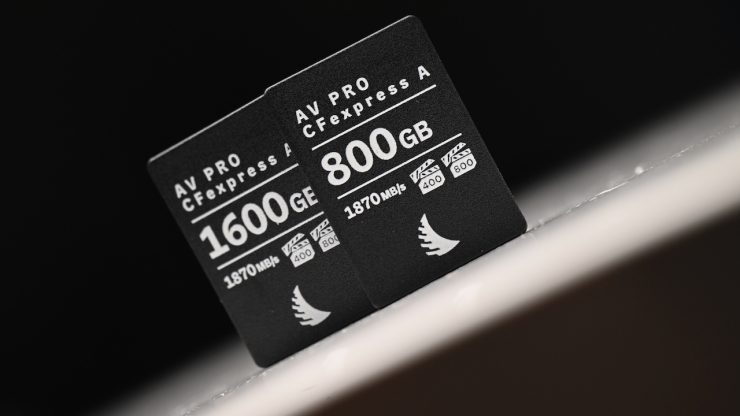
The AV PRO CFexpress Type A v4 cards utilize a PCIe Gen 4 interface that doubles the bandwidth to 2GB/s.
It originally took quite a long time for companies other than Sony to start making CFexpress Type A cards, but now we have companies such as Angelbird, Exacend, Pergear, ProGrade, Delkin Devices, OWC, and Lexar providing third-party solutions.
When CFExpress Type A cards were first announced, they were only available in smaller capacities, and initially, the highest capacity was limited to 160GB, but in the last 4-5 years or so, we have seen higher capacities being introduced.
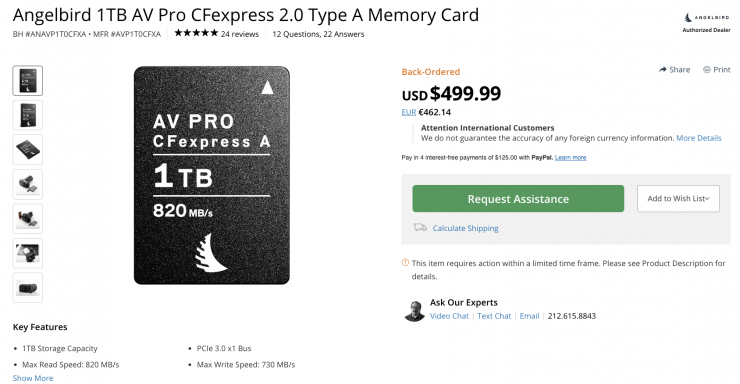
In April 2023, Angelbird announced its AV PRO 1TB card, which at the time was the highest capacity available on the market.
In some ways, CFexpress Type A is a strange format because there are limitations to the capacities that can be made, and only a handful of cameras, which are all made by Sony, use this type of media.
Ok, let’s get back to the Angelbird AV PRO CFexpress Type A v4 cards. For this review, I am going to focus on the 800GB capacity version.
Build Quality & Protection
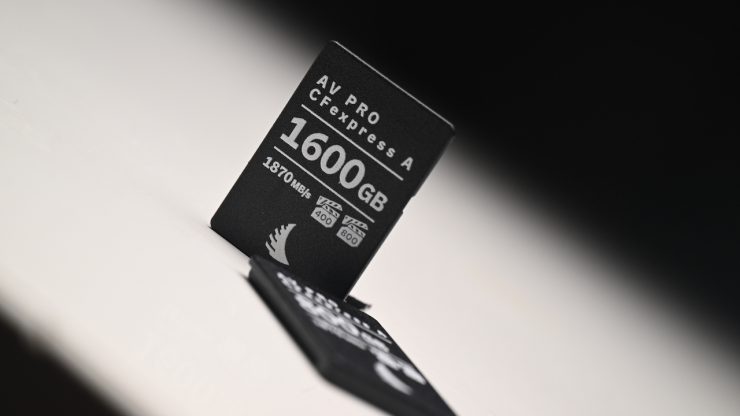
All the cards incorporate a temperature sensor, TRIM2, ECC, EMS protection, and SMART2 power management
The cards feature Angelbird’s Stable Stream that provides consistent read and write performance across the entire capacity. They also have advanced thermal management to protect the card from overheating.
Angelbird claims they have minimal power draw, as well as host power loss protection. The power usage is as follows:
- Sleep < 50 mW
- Idle 0.53 W
- Max: up to 2.7 W
Additionally, they have shock resistance (Operating: 50 G), vibration resistance (Operating: 15 G), and temperature resistance that allows them to operate in temperatures ranging from -12 °C / 10 °F to 72 °C / 162 °F.
The cards come with a 3-year warranty, and Angelbird also offers an in-house data recovery service at the hardware and software level.
Fast Speeds?
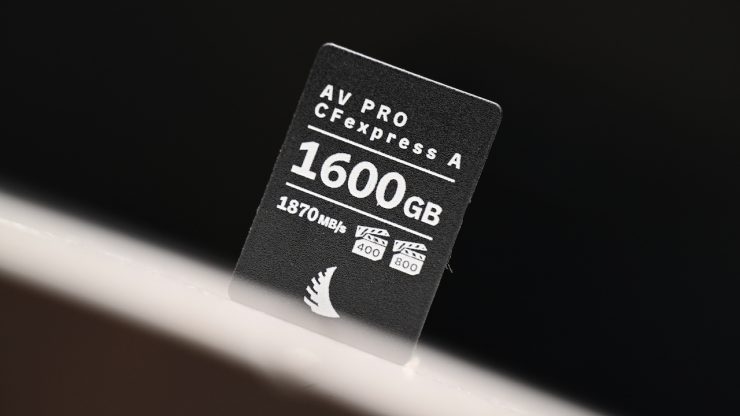
The AV PRO CFexpress Type A v4 cards are claimed to offer the following speeds:
Maximum read speeds
- 1870 MB/s
Maximum write speeds
- 400 GB – 1160 MB/s
- 800 GB – 1830 MB/s
- 1600 GB – 1850 MB/s
Sustained read speeds
- 1700 MB/s
Sustained write speeds
- 400 GB – 1000 MB/s
- 800 GB – 1500 MB/s
- 1600 GB – 1600 MB/s
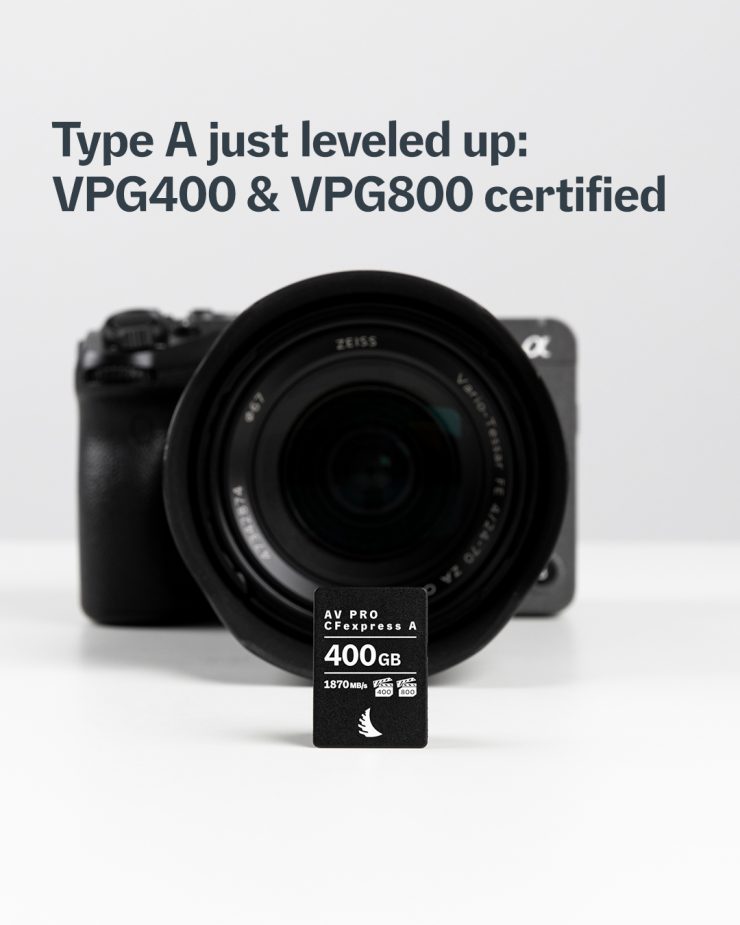
The minimum write speeds are all over 800MB/s, which makes them VPG-400 and VPG-800 compliant.
The only other CFexpress Type A cards on the market that have a VPG-800 rating that I am aware of are:
- Nextorage 320GB NX-A2PRO CFexpress 4.0 Type A Memory Card
- ProGrade Digital 512GB CFexpress 4.0 Type A Iridium Memory Card
- Nextorage 640GB NX-A2PRO CFexpress 4.0 Type A Memory Card
- Nextorage 160GB NX-A2PRO CFexpress 4.0 Type A Memory Card
- Exascend 1TB Essential Pro Max CFexpress 4.0 Type A Memory Card
- Exascend 512GB Essential Pro Max CFexpress 4.0 Type A Memory Card
- Exascend 256GB Essential Pro Max CFexpress 4.0 Type A Memory Card
- ProGrade Digital 1TB CFexpress 4.0 Type A Iridium Memory Card
So how do the claimed maximum speeds of the AV PRO CFexpress Type A 800GB v4 card compare to other options on the market with a similar capacity?
| READ SPEED | WRITE SPEED | |
| Angelbird AV PRO CFexpress Type A 800GB v4 | 1870MB/s | 1830MB/s |
| Angelbird 1TB AV PRO CFexpress 4.0 Type A | 1800MB/s | 1700MB/s |
| Lexar CFexpress Type A GOLD 4.0 1TB | 1800MB/s | 1650MB/s |
| Nextorage 1TB NX-A2AE CFexpress 4.0 Type A | 1950MB/s | 1900MB/s |
| Nextorage 1TB NX-A2SE CFexpress 4.0 Type A | 1900MB/s | 1700MB/s |
| Sony 960GB CFexpress 4.0 Type A TOUGH | 1800MB/s | 1700MB/s |
| Wise 1TB CFexpress 4.0 Type A Mk-II | 1865MB/s | 1750MB/s |
| Exascend 1TB Essential Pro Max | 1800MB/s | 1800MB/s |
| OWC 960GB Atlas Pro CFexpress 4.0 | 1850MB/s | 1700MB/s |
| ProGrade Digital 960GB CFexpress 4.0 Type A Iridium | 1800MB/s | 1700MB/s |
| Novachips 800GB Express Series CFexpress 4.0 Type A | 1700MB/s | 1200MB/s |
What you clearly need to be aware of is that these listed speeds are largely irrelevant in the real world, and you are not going to see maximum read or write speeds. The most important speed to try to find out is the sustained read and write speeds, which are generally a lot lower than maximum speeds. Unfortunately, some manufacturers don’t quote sustained speeds.
So what are the claimed sustained write speeds of the cards? Well, below you can see the ones that I was able to find information about.
| SUSTAINED WRITE SPEED | |
| Angelbird AV PRO CFexpress Type A 800GB v4 | 1500MB/s |
| Angelbird 1TB AV PRO CFexpress 4.0 Type A | 800MB/s |
| Lexar CFexpress Type A GOLD 4.0 1TB | 1400MB/s |
| Nextorage 1TB NX-A2AE CFexpress 4.0 Type A | 1400MB/s |
| Nextorage 1TB NX-A2SE CFexpress 4.0 Type A | NA |
| Sony 960GB CFexpress 4.0 Type A TOUGH | NA |
| Wise 1TB CFexpress 4.0 Type A Mk-II | NA |
| Exascend 1TB Essential Pro Max | 1750MB/s |
| OWC 960GB Atlas Pro CFexpress 4.0 | NA |
| ProGrade Digital 960GB CFexpress 4.0 Type A Iridium | 1450MB/s |
| Novachips 800GB Express Series CFexpress 4.0 Type A | 1200MB/s |
Capacity
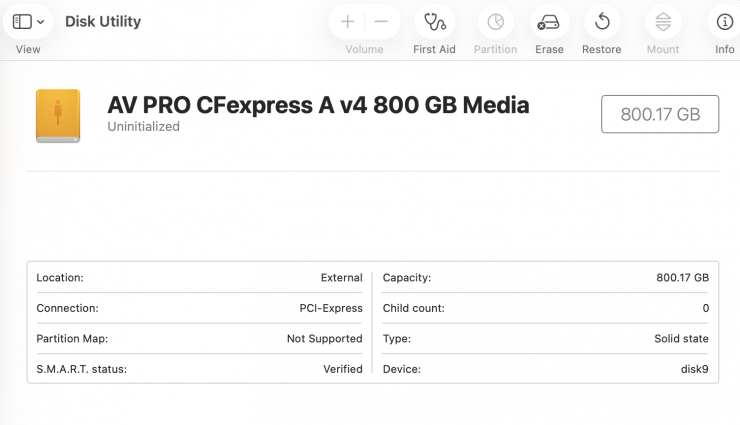
I had a look at the capacity of the card on a Mac, and it showed 800.17GB.
If you were recording X-OCN LT 5K 3:2 at 23.98p using the Sony FX5, you could record for around 2 hours and 25 minutes.
If you were recording X-OCN LT 5K 3:2 at 59.94p, the card would allow you to record for 58 minutes and 23 seconds.
If you were recording 4K XAVC S-I at 23.98p, the card would allow you to record for 7 hours and 20 minutes.
Record 5K60 X-OCN Open Gate (3:2) & 8K
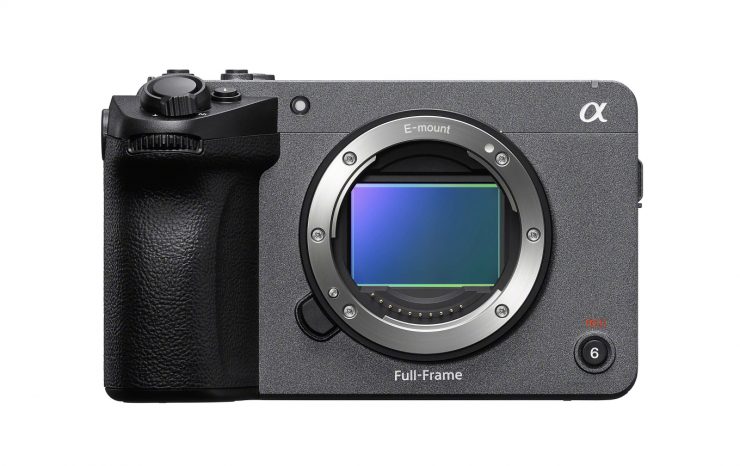
The Angelbird AV PRO CFexpress Type A v4 800GB is more than capable of recording 5K60 Open Gate (3:2) and 5K120 (16:9) internally in X-OCN RAW when using the FX5. It can also record 8K and 4K high frame rate material from the Sony a1/a1 II and Sony a7V.
When shooting 5K 59.94p 4:3 X-OCN LT on the Sony FX5, the bitrate is 1826.63 Mb/s (228.33 MB/s).
When shooting 5K120 (16:9) X-OCN LT on the Sony FX5, the bitrate is 3083.90 Mb/s (385.49 MB/s).
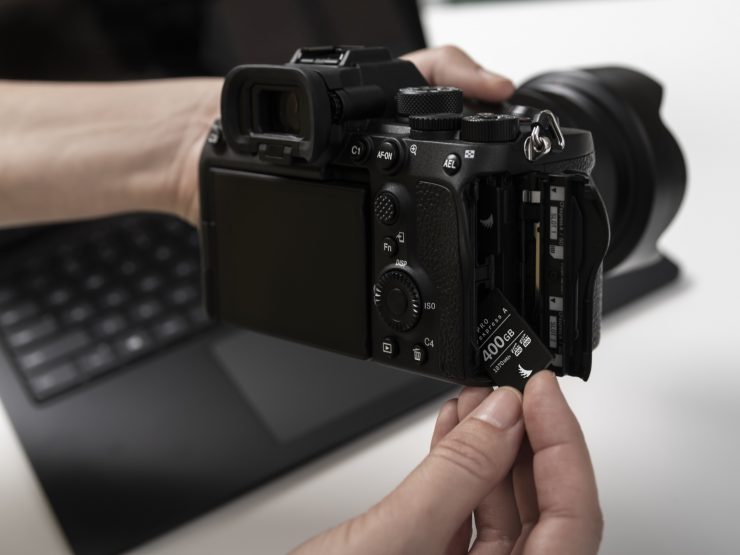
You could also easily record any of the resolutions and frame rates that area currently available in any Sony camera that utilizes CFexpress Type A cards.
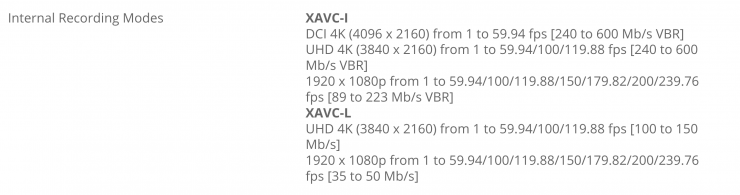
Above, you can see the recording data rates for the Sony FX6. The max. bitrate on the FX6 is 600Mb/s (75MB/s) when recording 4K DCI XAVC-I. Again, the Angelbird card can easily handle all of these requirements without breaking a sweat.
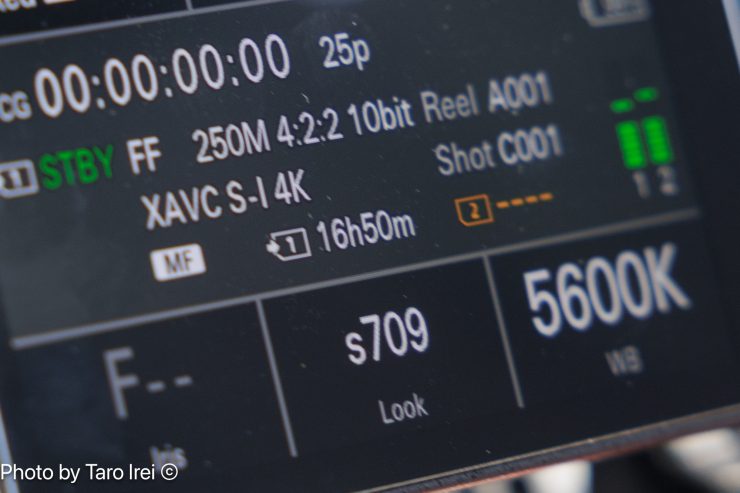
Having a high-capacity card also allows you to record for long periods of time.
Fast Media Offload
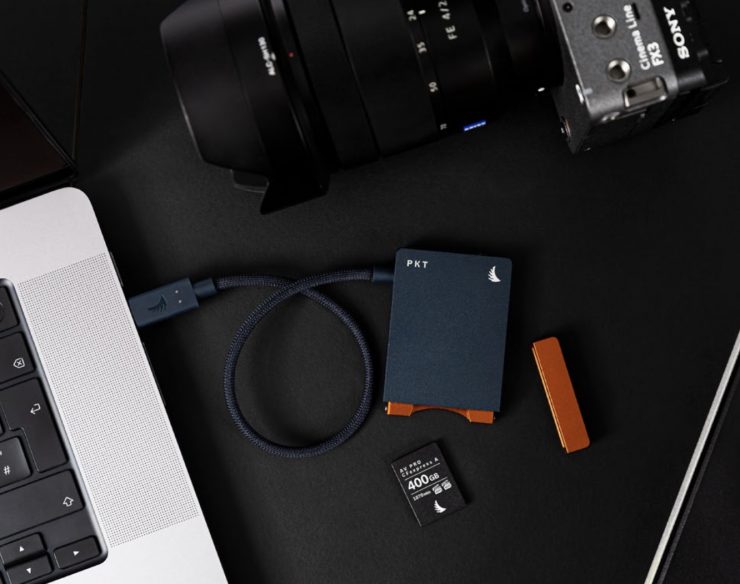
What you clearly need to remember, and this goes for any type of media, is that transfer speeds will vary depending on both the read and write speeds of your card, your card reader, your computer, and what type of hard drive you are transferring to.
If you are using a CFexpress Type A card and transferring to an HDD drive, you won’t be getting fast transfer speeds. If you are transferring to a very fast SSD/NVMe, then you will see lightning-fast offload speeds.
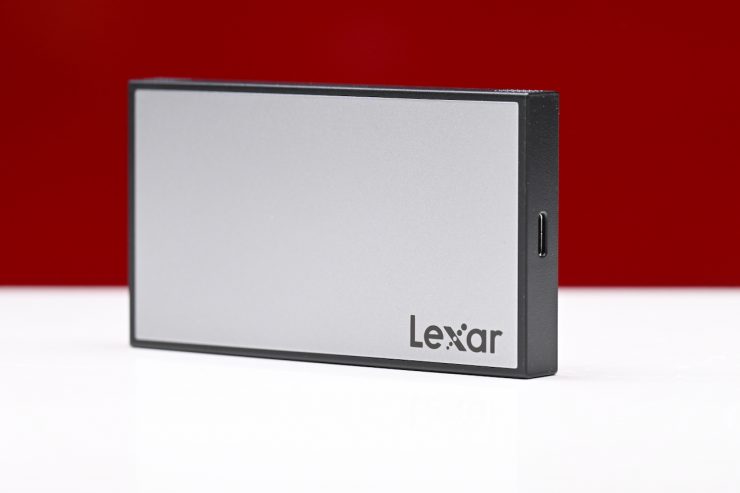
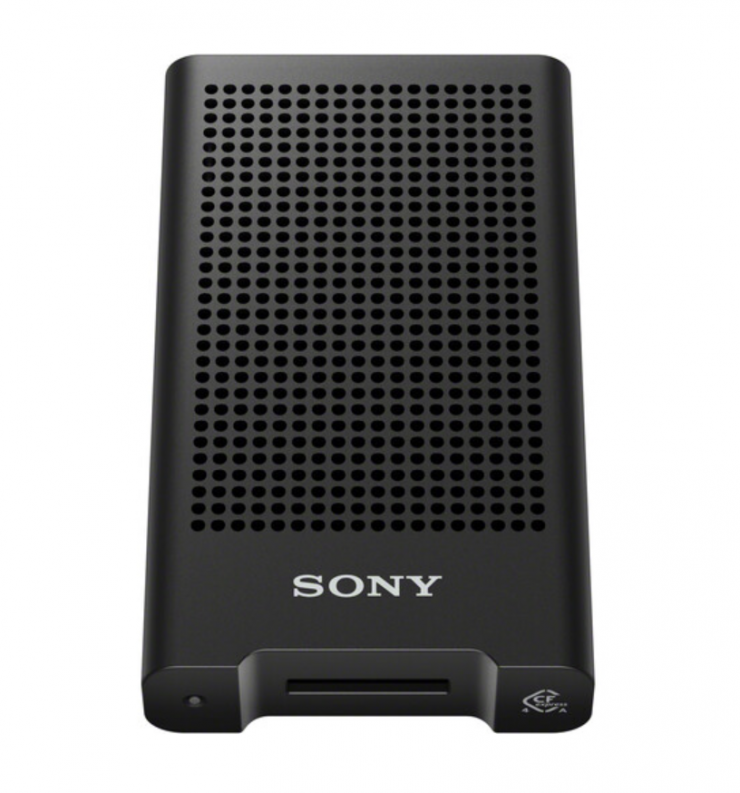
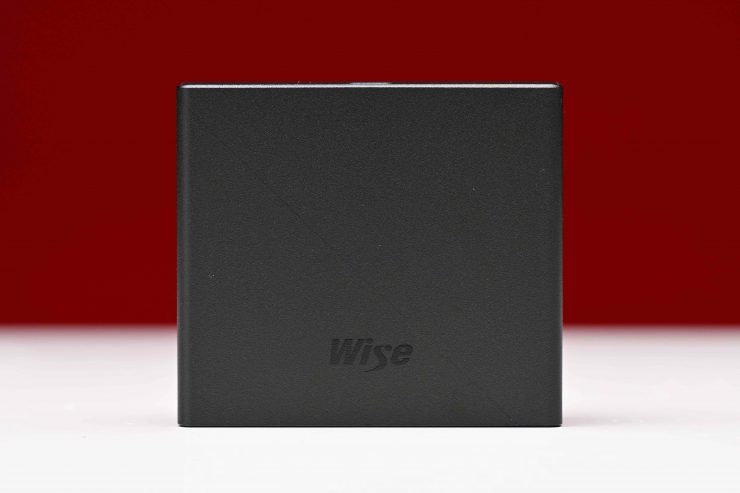
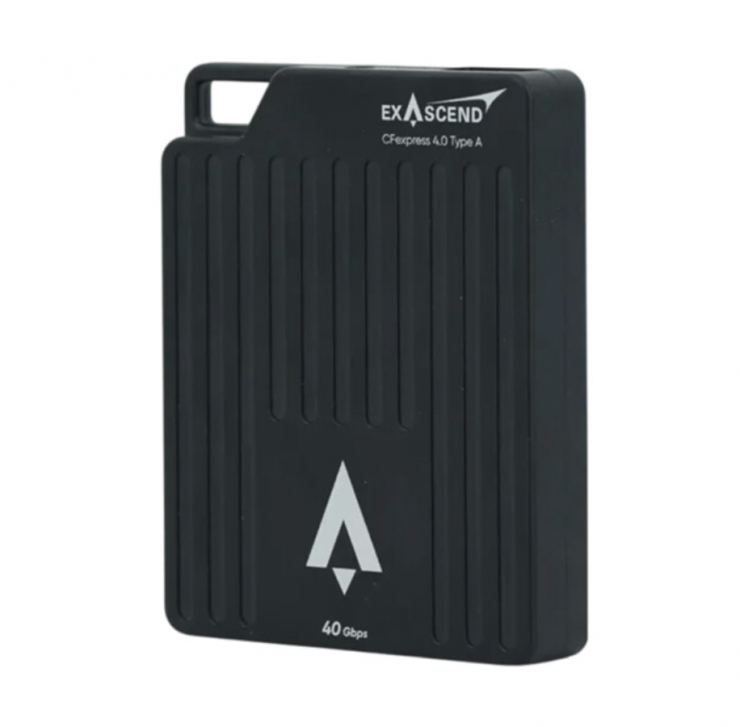
There are quite a few high-speed CFexpress Type A card readers on the market, such as the Lexar Professional Workflow CFexpress 4.0 Type A Card Reader ($99 USD), Sony MRW-G3 CFexpress Type A Card Reader ($148 USD), Wise RD-40CXA CFexpress 4.0 Type A Card Reader ($99.99 USD), Exascend Nitro CFexpress 4.0 Type A Card Reader ($99.99 USD), and Nextorage NX-SA1PRO CFexpress 4.0 Type A Card Reader ($99.99 USD) that let you take full advantage of the card’s fast speeds when offloading material.
Real-world speed tests
I did a few tests to see what the sustained read/write speeds of the Angelbird AV PRO CFexpress Type A v4 800GB card were. For the test, I was using a Mac Mini Pro and the Lexar Professional Workflow CFexpress 4.0 Type A Card Reader ($99 USD).
Angelbird AV PRO CFexpress Type A v4 800GB
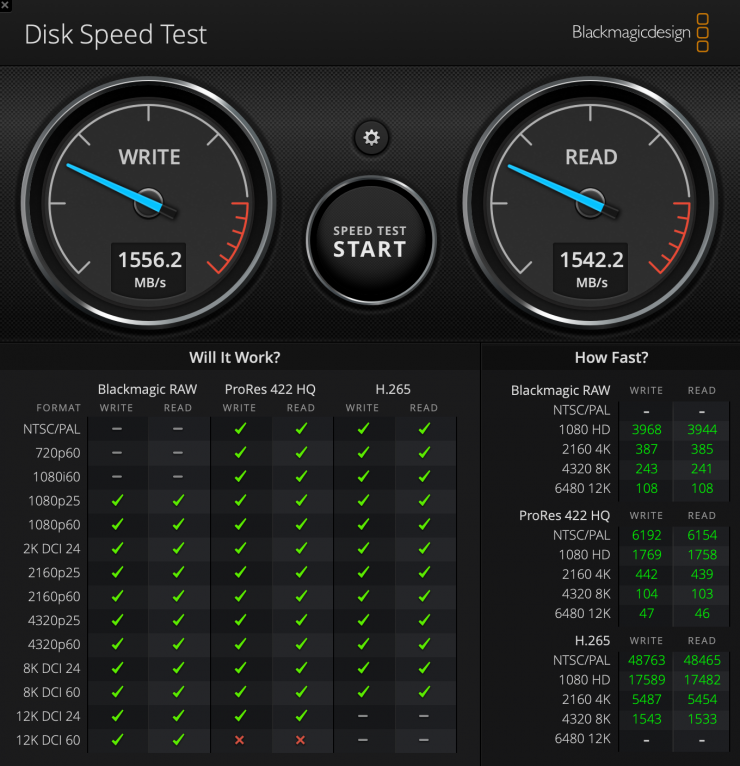
Above, you can see the results for the Angelbird AV PRO CFexpress Type A v4 800GB card with the stress set to 5GB. I got a sustained write speed of 1556.2 MB/s and a sustained read speed of 1542.2 MB/s. This was the fastest sustained write speed I have seen from any CFexpress Type A card I have reviewed.
Lexar CFexpress Type A GOLD 4.0 2TB

As a comparison, above, you can see the results for the Lexar CFexpress Type A GOLD 4.0 2TB card with the stress set to 5GB. I got a sustained write speed of 1420.3 MB/s and a sustained read speed of 1515.4 MB/s.
Wise 1TB CFexpress 4.0 Type A Mk-II
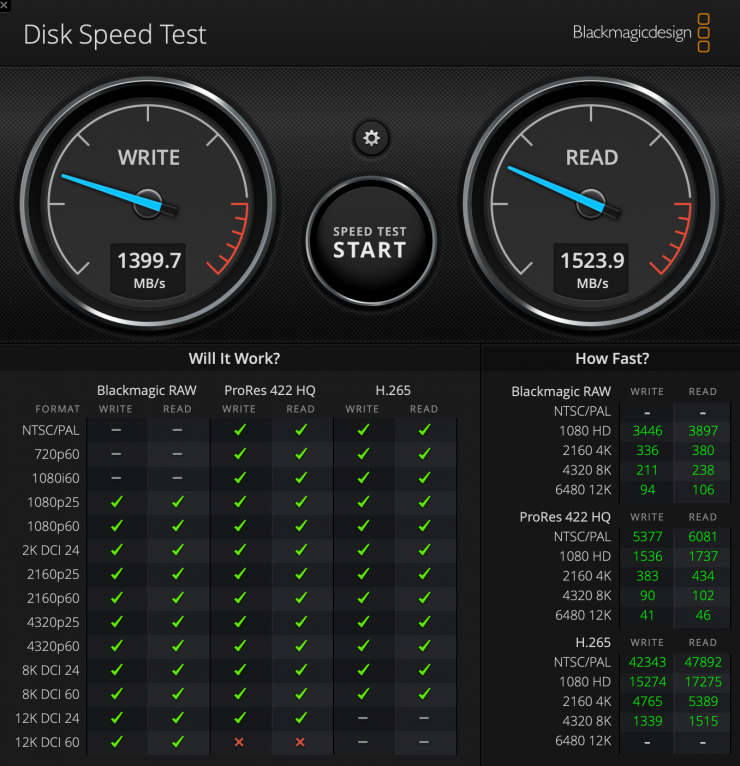
As another comparison, above, you can see the results for the Wise 1TB CFexpress 4.0 Type A Mk-II card with the stress set to 5GB. I got a sustained write speed of 1399.7 MB/s and a sustained read speed of 1523.9 MB/s.
Exascend 1TB Essential Pro CFexpress 4.0 Type A
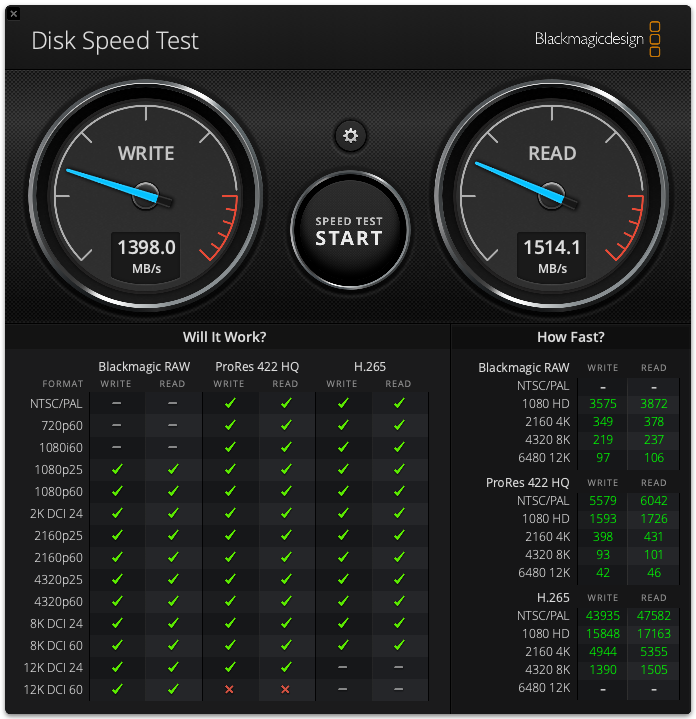
As another comparison, above you can see the results for the Exascend 1TB Essential Pro CFexpress 4.0 Type A card with the stress set to 5GB. I got a sustained write speed of 1398 MB/s and a sustained read speed of 1514.1 MB/s.
Exascend 1TB Essential
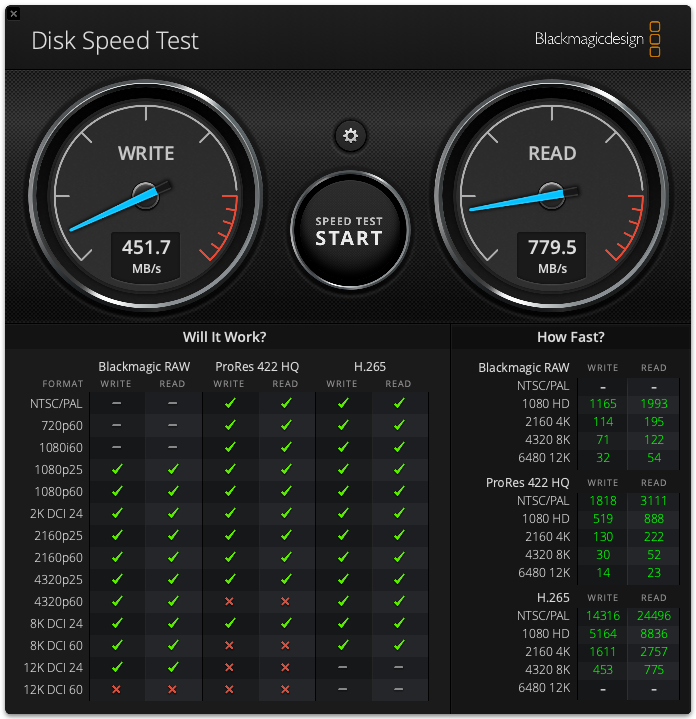
As another comparison, above you can see the results for the Exascend 1TB Essential card with the stress set to 5GB. I got a sustained write speed of 451.7 MB/s and a sustained read speed of 779.5 MB/s.
Angelbird AV PRO CFexpress Type A v4 800GB
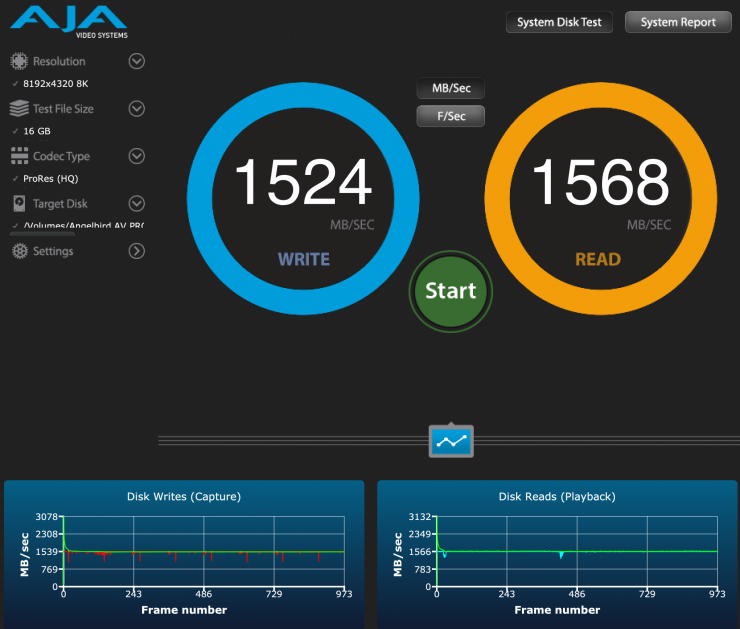
I also tested the Angelbird AV PRO CFexpress Type A v4 800GB using the AJA System Test Lite software under a 16GB load to see what the read and write speeds were. The sustained write speed was 1524 MB/s, and the sustained read speed was 1568 MB/s. The minimum write speed recorded was 1080 MB/Sec, which was very impressive!
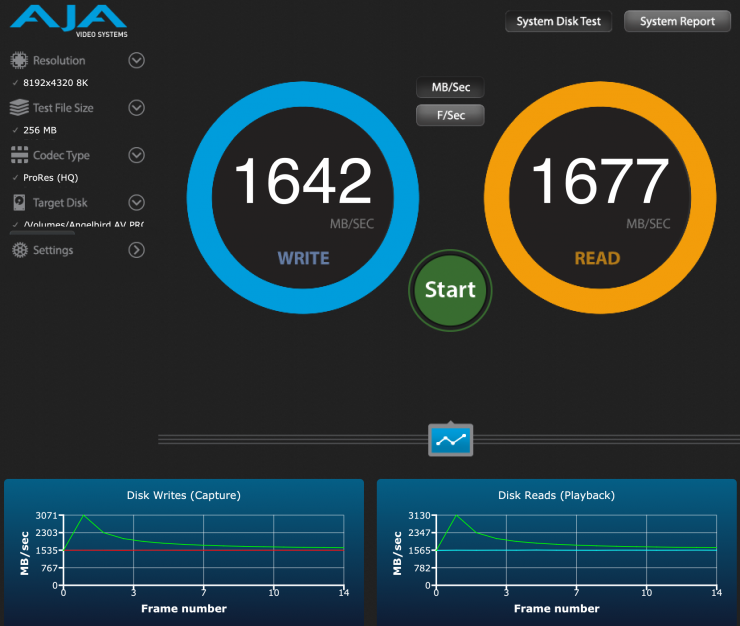
I also tested it under a 256MB load, and the sustained write speed was 1642 MB/s, and the sustained read speed was 1677 MB/s. The minimum write speed recorded was 1527 MB/Sec; again, this result was very impressive!
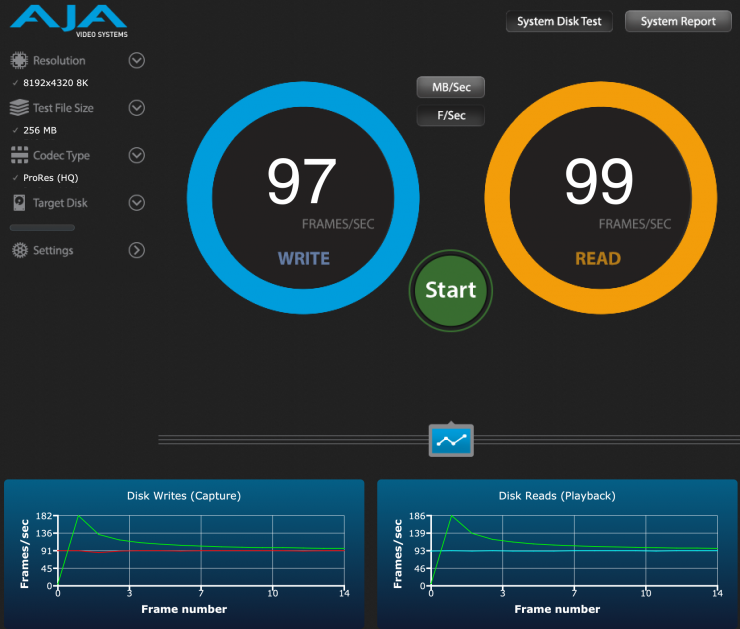
Above, you can see how many frames per second it could handle when recording 8K DCI in ProRes 422HQ under the same test conditions.
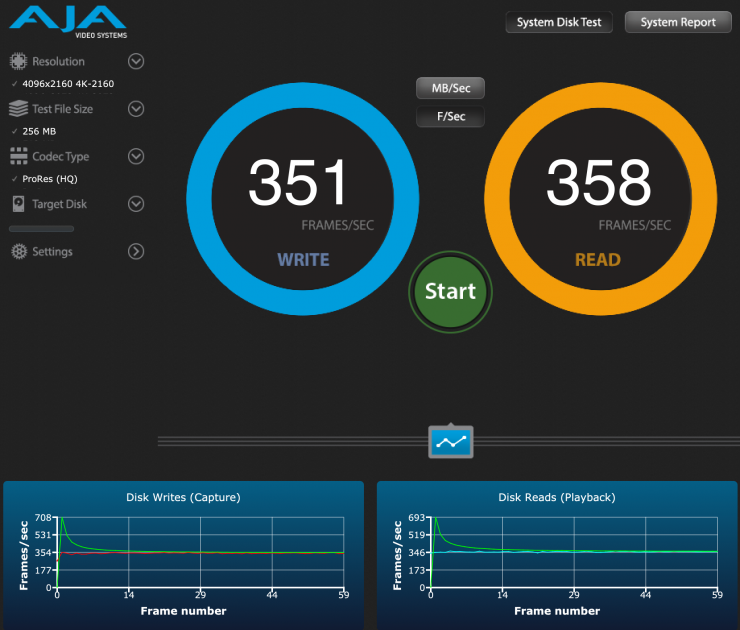
Ok, so how many frames per second of 4K DCI ProRes 422HQ could it handle? Well, above you can see.
Lexar CFexpress Type A GOLD 4.0 2TB

As a comparison, the Lexar CFexpress Type A GOLD 4.0 2TB under a 16GB load had a sustained write speed was 1302MB/s, and the sustained read speed was 1541 MB/s. The minimum write speed recorded was 548 MB/Sec.

I also tested it under a 256MB load, and the sustained write speed was 1298 MB/s, and the sustained write speed was 1649 MB/s. The minimum write speed recorded was 490 MB/Sec.

Above, you can see how many frames per second it could handle when recording 8K DCI in ProRes 422HQ under the same test conditions.

Ok, so many frames per second of 4K DCI ProRes 422HQ could it handle? Well, above you can see.
Wise 1TB CFexpress 4.0 Type A Mk-II
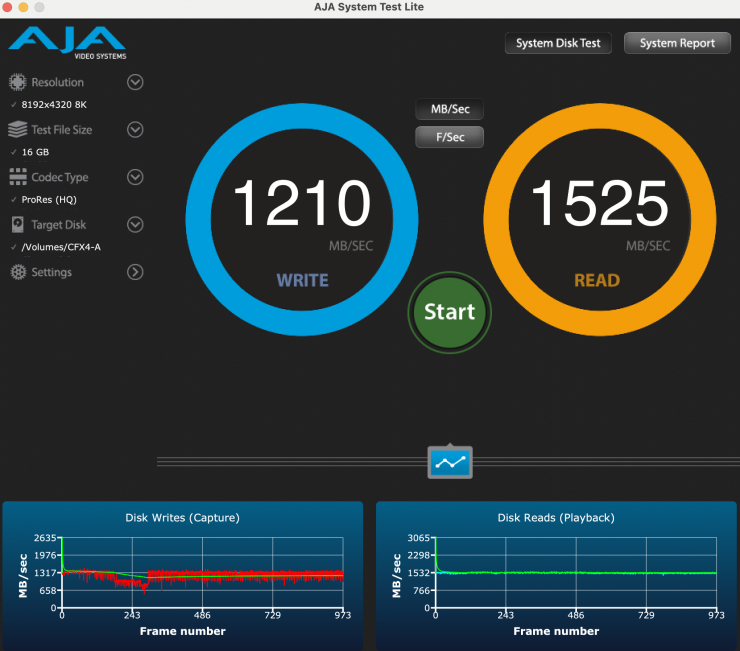
As another comparison, the Wise 1TB CFexpress 4.0 Type A Mk-II under a 16GB load had a sustained write speed of 1210 MB/s, and the sustained read speed was 1525 MB/s. The minimum write speed recorded was 634 MB/Sec.
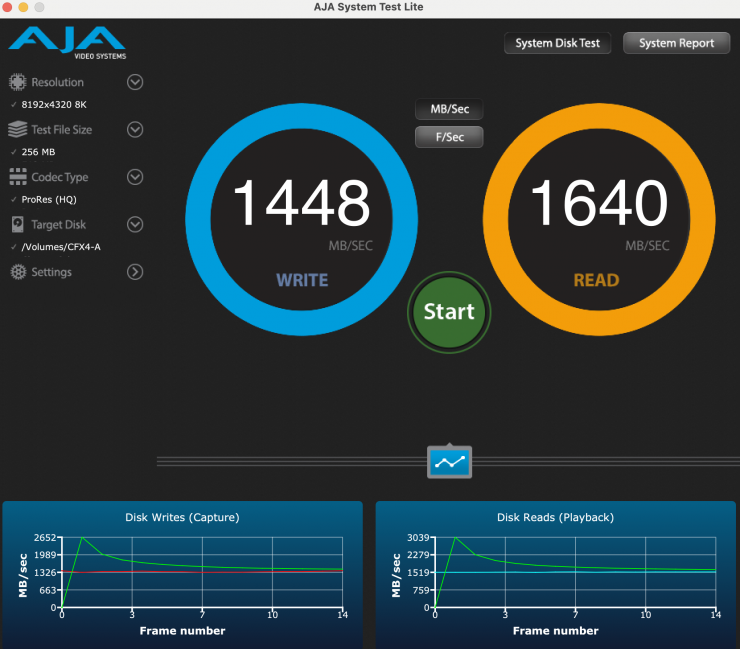
I also tested it under a 256MB load, and the sustained write speed was 1448 MB/s, and the sustained read speed was 1640 MB/s. The minimum write speed recorded was 1326 MB/Sec
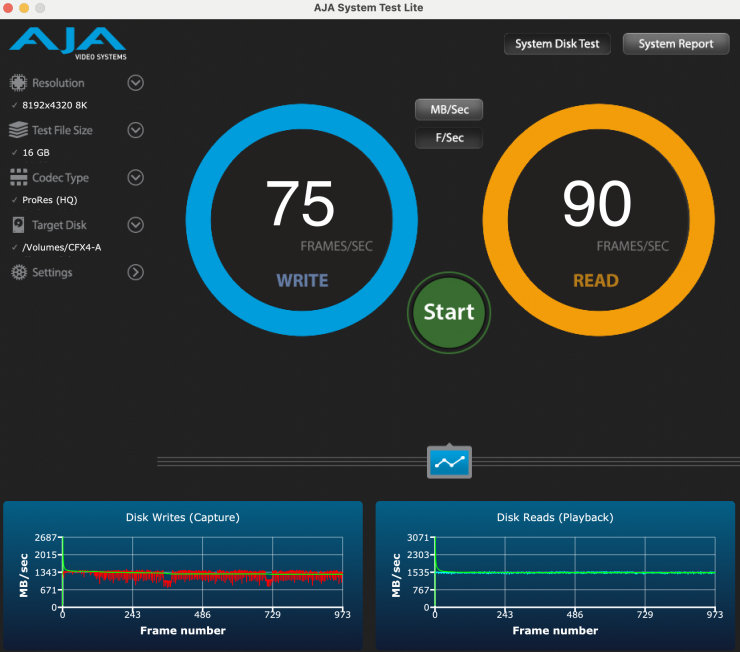
16GB Load 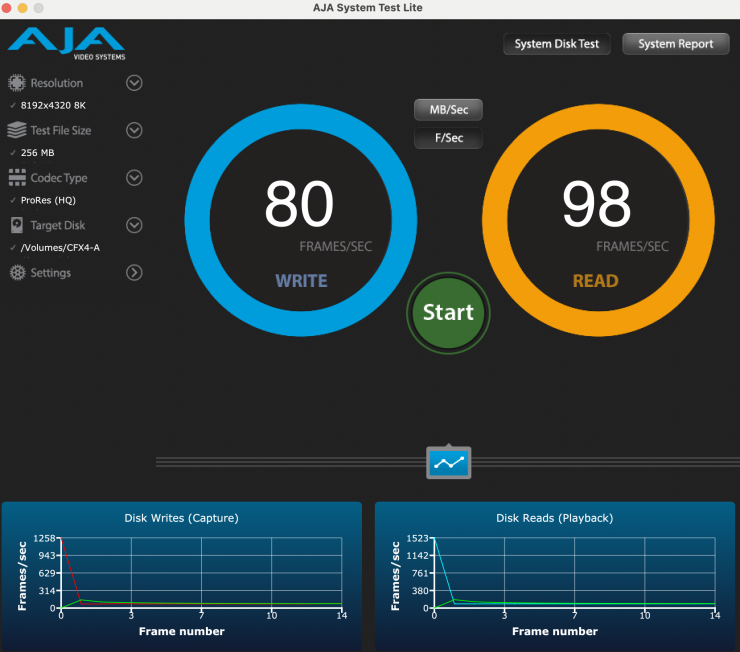
256MB Load
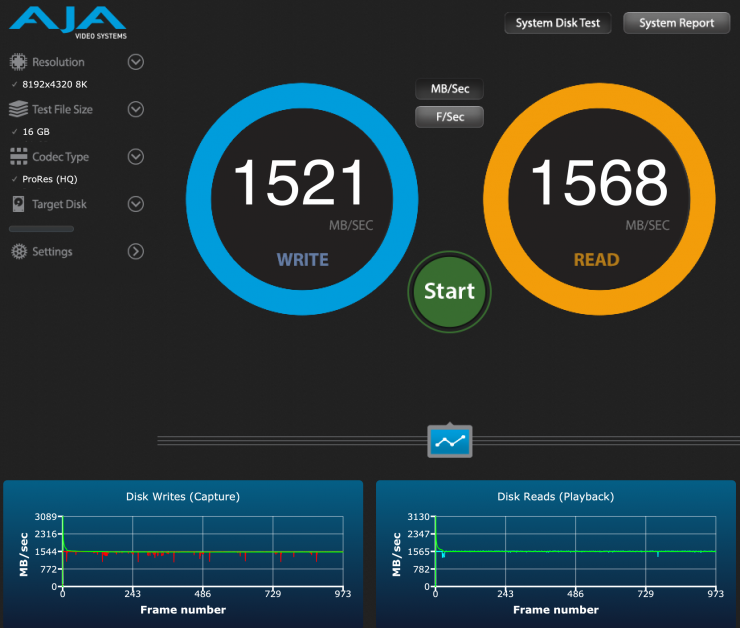
Above, you can see how many frames per second it could handle when recording 8K DCI in ProRes 422HQ under the same test conditions.
16GB Load 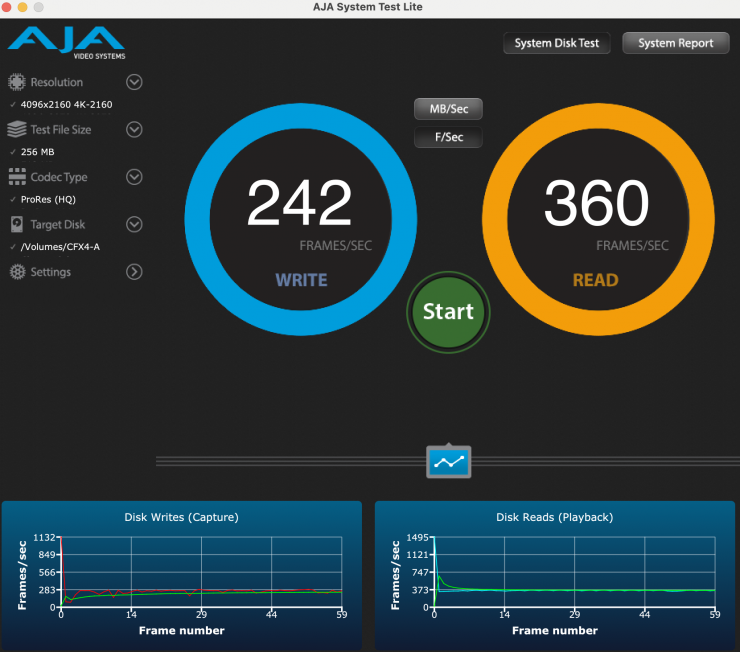
256 MB Load
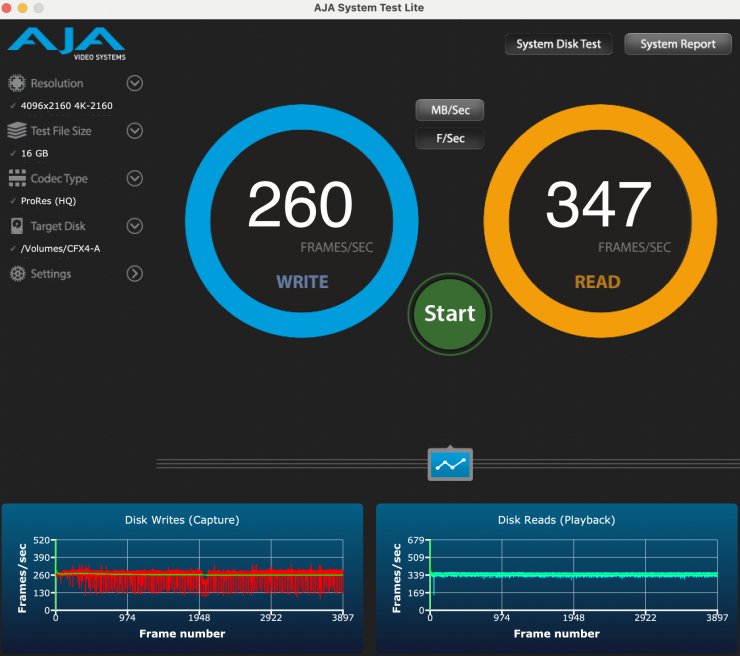
Above, you can see how many frames per second of 4K DCI ProRes 422HQ the card could handle.
Thoughts
The results I obtained during all of these tests clearly show that the Angelbird AV PRO CFexpress Type A v4 800GB is easily capable of handling anything you can throw at it. It was the fastest CFexpress Type A card I have tested to date, and the minimum write speeds were also higher than any of the other cards.
16GB 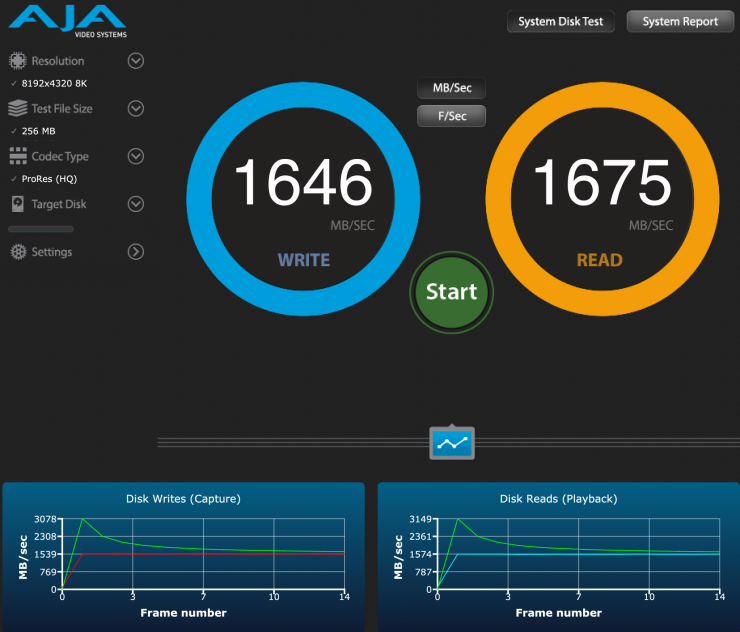
256MB
Let’s do one more test with the loaded-up card with recorded files (about 80% full) and have a look at how it performs with the test file size set to 256MB and then 16GB. As you can see, the average write speed didn’t drop despite the card being 80% full. The min. write speed recorded was 1531 MB/Sec when the test was done at 256MB, and 1359 MB/Sec when it was set at 16GB.
You can use a CFexpress Type A card in a camera that takes CFexpress Type B cards
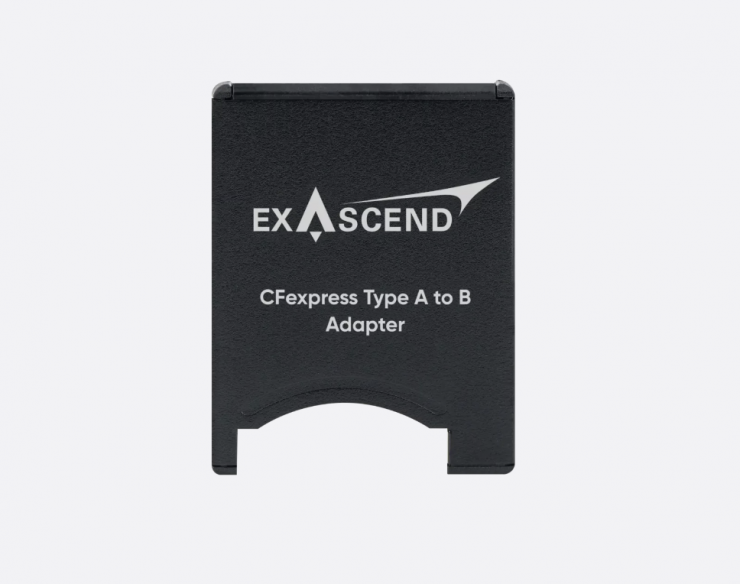
What the? You may be asking how this is possible. Well, another company, Exascend, makes a CFexpress Type B to Type A adapter.
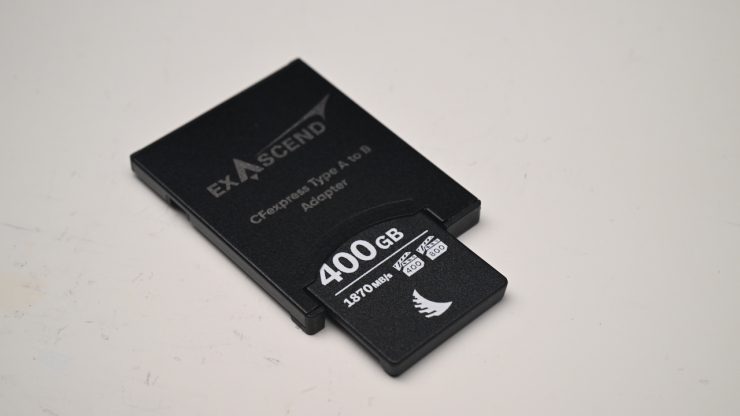
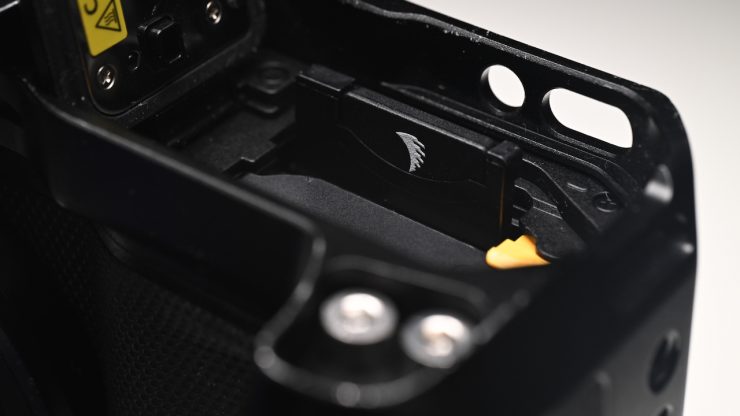
I put the Angelbird AV PRO CFexpress Type A v4 800GB in that adapter and placed it inside a Nikon ZR.
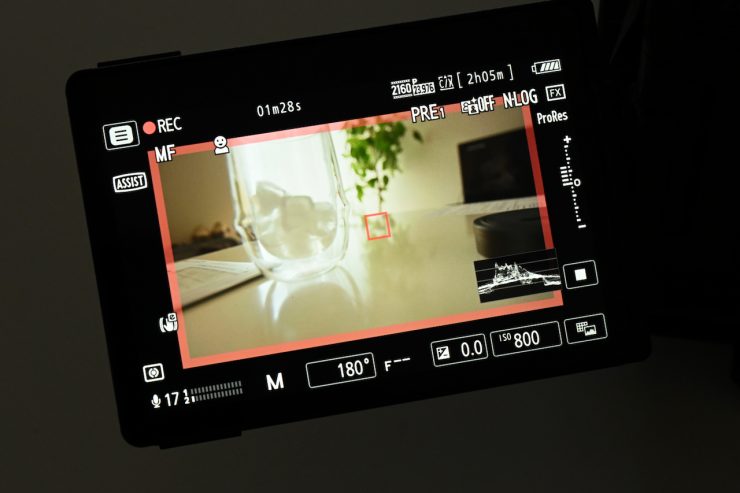
I could record ProRes 422 HQ 3840 x 2160 23.98p with no issues at all.
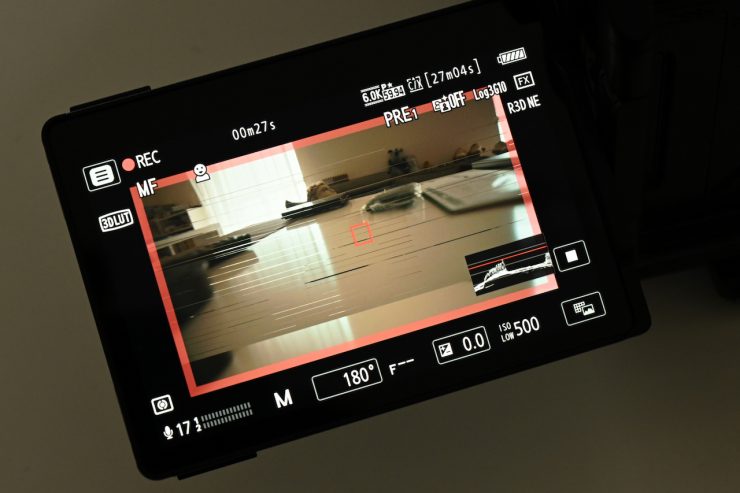
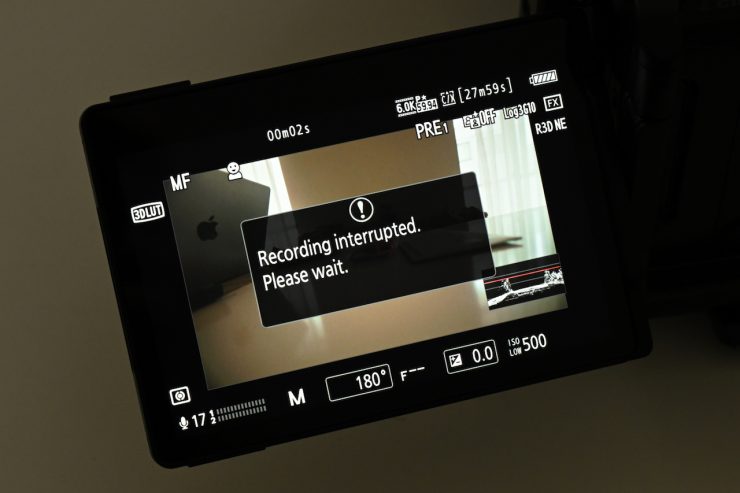
I could also record 6K 23.98p or 60p in REDCODE RAW (R3D NE), but I ran into issues, and the image would go all funny, and recording would stop after just a few seconds. This was surprising, as the sustained write speeds of the card should be high enough. The bitrate for 6K 23.98p or 60p in REDCODE RAW (R3D NE) is 3730 Mbps (466.2 MB/s). I previously tried this same test with a Lexar CFexpress Type A GOLD 4.0 2TB, and I could record 6K 60p in REDCODE RAW (R3D NE) without any problems.
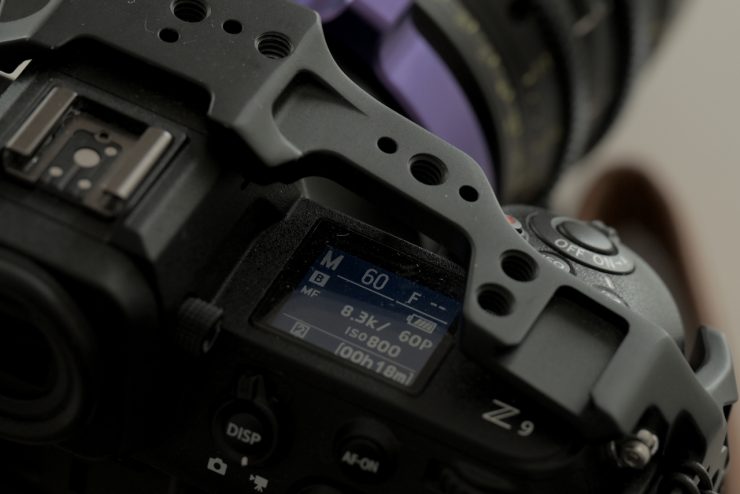

I also tried recording 8.3K 60fps in N-RAW (12-bit) in the Nikon Z9; again, I ran into issues. When I tried the same test with the Lexar CFexpress Type A GOLD 4.0 2TB, I could record for around 45 seconds before it would stop. 8.3K 60fps in N-RAW (12-bit) has a bitrate of 5780 Mbps (722.5 MB/s).
The only reason I can think of as to why the card didn’t work is some sort of firmware compatibility issue. Although, in saying that, the card wasn’t designed to be used like this in the first place! I did reformat the card and try again, but it would only record for around 10 seconds, and then the camera would shut off.
Now, CFexpress Type B cards are more affordable than CFexpress Type A cards, but if you own a multitude of different cameras, it does make sense to be able to use the same card.
Price & availability
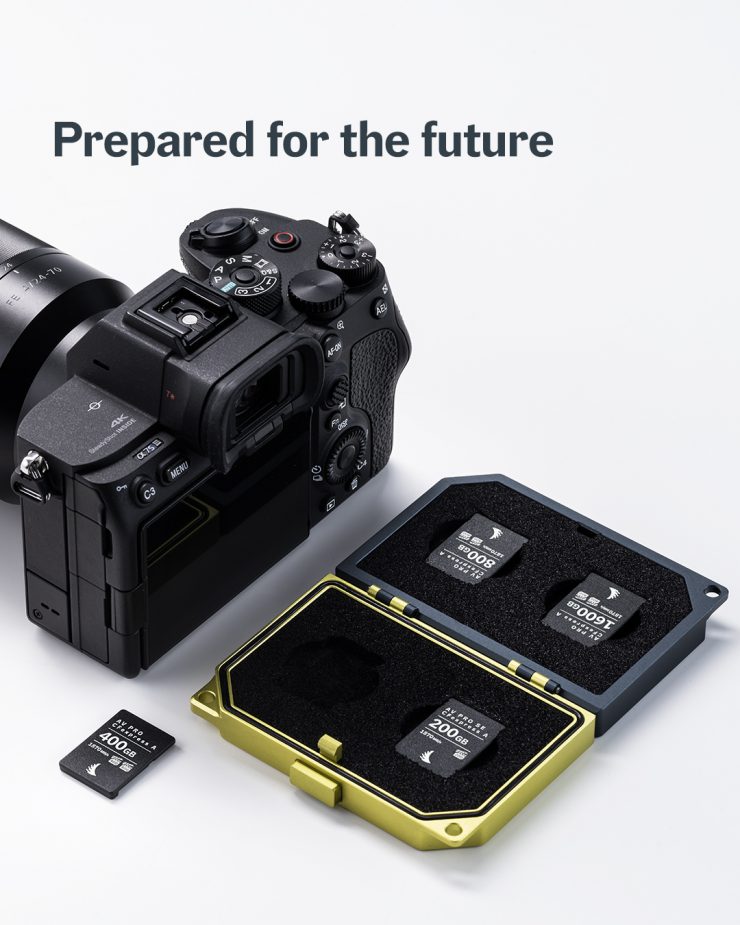
Below you can see the prices for the Angelbird AV PRO CFexpress Type A v4 cards.
| MODEL | CAPACITY | EUR | USD |
| AV400CXAM3 | 400 GB | 361,26 | $399.99 |
| AV800CXAM3 | 800 GB | 756,22 | $599.99 |
| AV1T6CXAM3 | 1600 GB | 1008,32 | $899.99 |
How does the price compare to the competition?
So what are the claimed sustained write speeds of the cards? Well, below you can see the ones that I was able to find information about.
| PRICE | |
| Angelbird AV PRO CFexpress Type A 800GB v4 | $599.99 USD |
| Angelbird 1TB AV PRO CFexpress 4.0 Type A | $699.99 USD |
| Lexar CFexpress Type A GOLD 4.0 1TB | $629.99 USD |
| Nextorage 1TB NX-A2AE CFexpress 4.0 Type A | $699.99 USD |
| Nextorage 1TB NX-A2SE CFexpress 4.0 Type A | $499.99 USD |
| Sony 960GB CFexpress 4.0 Type A TOUGH | $878 USD |
| Wise 1TB CFexpress 4.0 Type A Mk-II | $589.99 USD |
| Exascend 1TB Essential Pro Max | $899.99 USD |
| OWC 960GB Atlas Pro CFexpress 4.0 | $629.99 USD |
| ProGrade Digital 960GB CFexpress 4.0 Type A Iridium | $799.99 USD |
| Novachips 800GB Express Series CFexpress 4.0 Type A | $349 USD |
| PRICE / GB | |
| Angelbird AV PRO CFexpress Type A 800GB v4 | $0.75 USD |
| Angelbird 1TB AV PRO CFexpress 4.0 Type A | $0.70 USD |
| Lexar CFexpress Type A GOLD 4.0 1TB | $0.63 USD |
| Nextorage 1TB NX-A2AE CFexpress 4.0 Type A | $0.70 USD |
| Nextorage 1TB NX-A2SE CFexpress 4.0 Type A | $0.50 USD |
| Sony 960GB CFexpress 4.0 Type A TOUGH | $0.91 USD |
| Wise 1TB CFexpress 4.0 Type A Mk-II | $0.59 USD |
| Exascend 1TB Essential Pro Max | $0.90 USD |
| OWC 960GB Atlas Pro CFexpress 4.0 | $0.66 USD |
| ProGrade Digital 960GB CFexpress 4.0 Type A Iridium | $0.83 USD |
| Novachips 800GB Express Series CFexpress 4.0 Type A | $0.44 USD |
Above, you can see how much the cards cost per GB.
Conclusion
The Angelbird AV PRO CFexpress Type A 800GB v4 provides a good amount of capacity, with outstanding performance, at a reasonable price. The sustained read and write speeds were the best I have seen from any CFexpress Type A card I have tested, and most importantly, the minimum speeds I recorded were also very high. The card also had the same read and write performance, even as it started to fill up.
This is a card that you can throw any current resolution, frame rate, and codec at, and it won’t break a sweat.
The card worked as advertised in all of the cameras I tried it with. If you have ordered a new Sony FX5 and you want to record in the highest resolution and frame rates in X-OCN LT, then you are going to need a fast card, and the Angelbird AV PRO CFexpress Type A v4 cards allow you to do just that.