LensNode has partnered with Video Village. Video Village is best known for their film emulation plugin Filmbox and their diffusion plugin Scatter.
LensNode launched almost a year ago, and Video Village reached out
to them and began discussions around how they might be able to collaborate. Now LensNode 2 has been launched via the Video
Village platform.
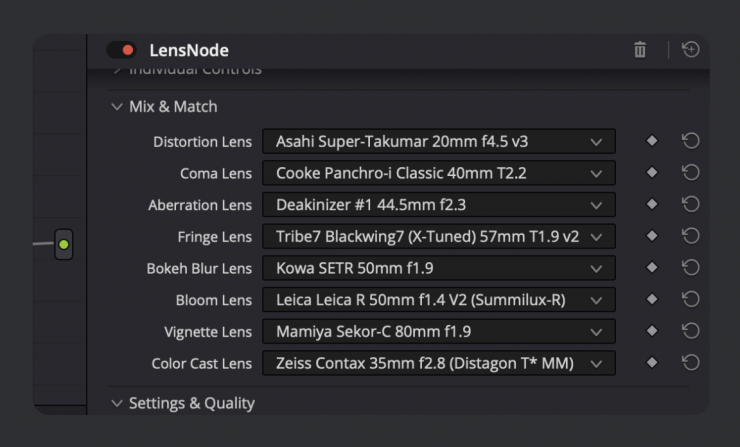
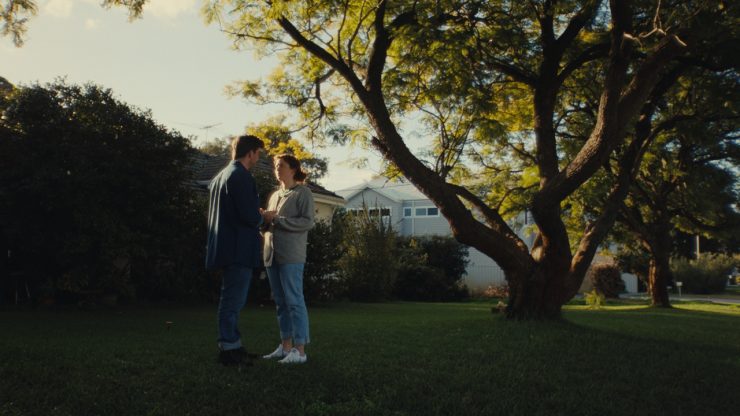
If you are not familiar with LensNode, it’s software that was designed to simulate the look of well-known lenses using presets created with real-world data.
New Host Platforms
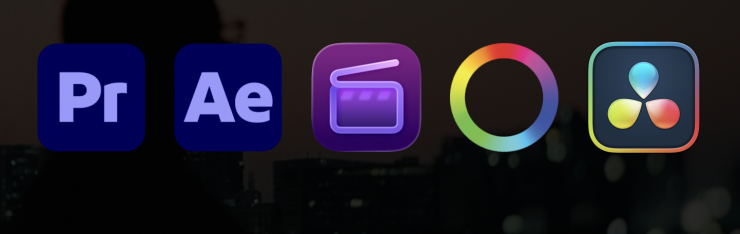
Along with the Video Village platform comes new versions of LensNode that run within many popular editing and color grading programs.
As of version 2, LensNode now runs on:
- Adobe Premiere
- Adobe After Effects
- Apple Final Cut Pro
- FilmLight Baselight
- DaVinci Resolve on Linux
What’s new in LensNode 2?


- Video Village Plugins App– LensNode will now be installed via the Video Village Plugins desktop application, and licenses can be managed via Video Village’s licensing system.
- Performance Boost– LensNode runs noticeably faster across the board, in some cases around twice the speed of the previous version, thanks to our new 16-bit processing mode.
- Coma Steps Control– You can now increase the number of steps used to calculate coma rays, trading lens profile accuracy for exaggerated looks that weren’t achievable before without the stepping becoming visible.
- MTF Controls– There are added Modulation Transfer Function controls that allow users to increase or decrease the fine contrast of the image at low, medium, and high frequencies to dial in a more nuanced sharpness or softness. These controls are not changed by any of LensNode’s lens profiles; this is an additional tool for those who want to set their own specific sharpness parameters.
- Lens Whack Snap-to-Center– The Lens Whack overlay target now snaps to the center when you drag it nearby, so recentering is a lot quicker. You can still fine-tune its exact position with the X and Y
parameters if you need to. - Mix and Match Bokeh Shapes– Now users can swap out the bokeh shape from one lens profile to another.
- Bokeh Boost– Depth Gain control, which previously added blur based on the depth input, is now called Bokeh Boost when no depth input is provided to LensNode, and dialling it up adds blur to the entire image, regardless of lens profile.
New Lens Profiles
Tokina Cinema Vista Prime
- 18mm T1.5
- 25mm T1.5
- 35mm T1.5
- 40mm T1.5
- 50mm T1.5
- 65mm T1.5
- 85mm T1.5
Nikon Nikkor
- 24mm f2.0
- 35mm f1.4
- 50mm f1.2
- 85mm f1.4
What does this mean for Node Mill?
Node Mill is still its own company, and they are just wrapping up the
use of their current distribution platform and moving over to Video Village’s platform.
For Node Mill, this means better backend tools for account management, licensing, and customer support. For customers, it should result in a more streamlined account experience, installation and setup process, as well as LensNode supporting more host platforms.
Existing LensNode customers will have their licenses transferred to the Video Village platform.
LensNode will be available to purchase only on Video Village’s platform. The move to Video Village brings with it subscriptionto-perpetual upgrade credit, a full 14-day trial, and version 2 of LensNode, which is faster, adds new controls and lens profiles, and runs on far more platforms.
If users are on a subscription, their payments build up as credit toward a perpetual license, covering up to 50% of the cost of buying it outright. This means there’s a simple, automated upgrade path for those that want it. Customers can also purchase extra device activations for LensNode at any time. Subscription payments made before the Video Village launch will count towards users’ upgrade credit as well.
The trial version has improved too. It now runs on every platform LensNode supports, and it’s a full 14-day trial with no watermark.
New Pricing Model & Trial Versions
LensNode can be purchased via Video Village at three different tiers:
- Quarterly: $49 USD, every 3 months.
- Yearly: $149 USD, annually.
- Perpetual: $399, once – yours forever.
The Quarterly and Yearly subscriptions include a 14-day free trial. A card
is required for the trial version. Cancelling before the trial ends will end
the trial immediately, but customers will not be charged.
These subscriptions are also upgradable to the Perpetual version. Subscription payments can be applied as credit for up to 50% of the cost of the perpetual license of LensNode.
Every license includes 2 device activations by default. Customers can purchase add-on activations at checkout, as well as purchase add-on activations later at any time. Add-on activations come in sets of 2.
Standard licenses are for use on productions (or seasons of episodic content) with budgets up to $5 million USD. Studio licenses are available for larger productions on request, and offline licensing solutions are also available.
Every purchase of LensNode runs on all of the supported host platforms.
What is LensNode working on?
LensNode hopes to add new lens profiles periodically. They have many vintage and cinema sets lined up to capture and profile very soon.
The biggest major feature they are working towards now is anamorphic lens simulation. Their R&D so far has proven it is quite complicated to do accurately, but they are confident that they can achieve it.
LensNode is also looking into a way to implement user presets that can be saved and shared amongst the community of LensNode users, which could be a lot of fun.