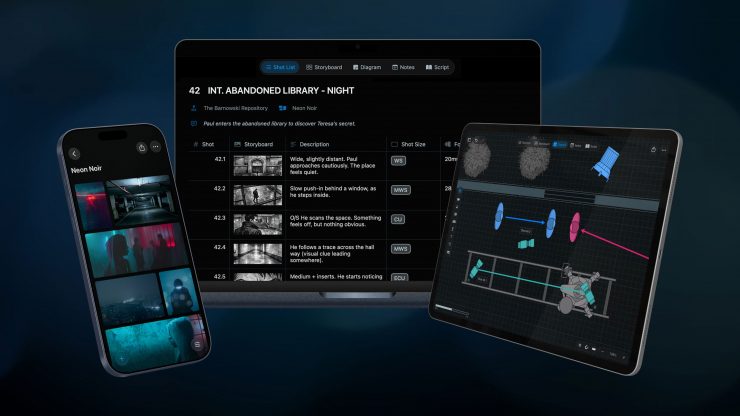
Cadrage Studio is now available to purchase after being in Beta for around a year. Studio is a native macOS and iOS app that allows users to add shot lists, camera diagrams, mood boards, and locations. If you are not familiar with Cadrage, they make an excellent viewfinder app that I have been using for years.
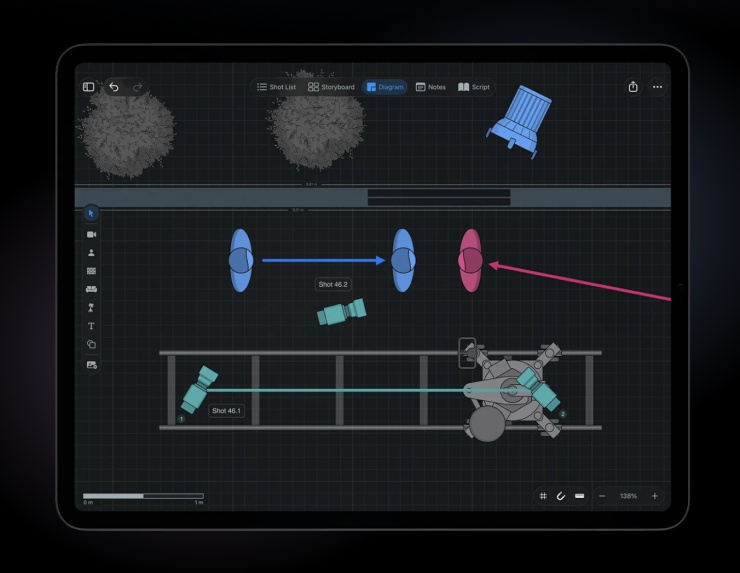
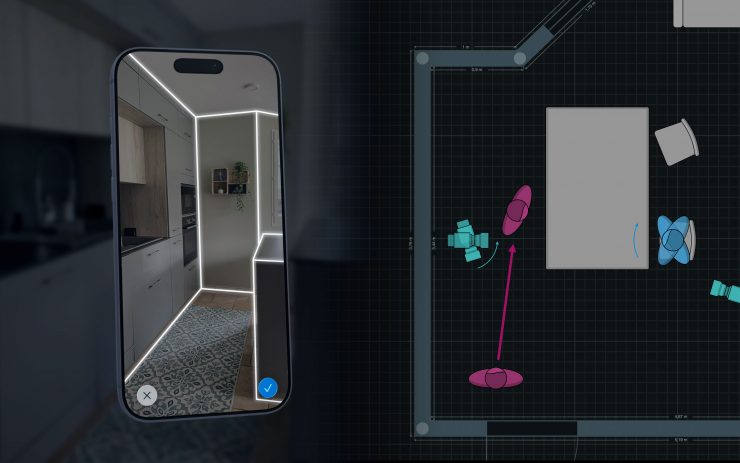
Studio lets you place cameras, actors, lights, and set pieces on overhead diagrams. Users can build detailed to-scale floor plans or import their locations from 3D scans.
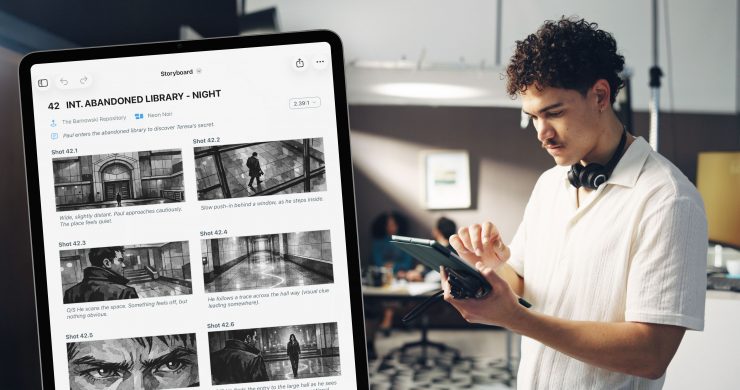
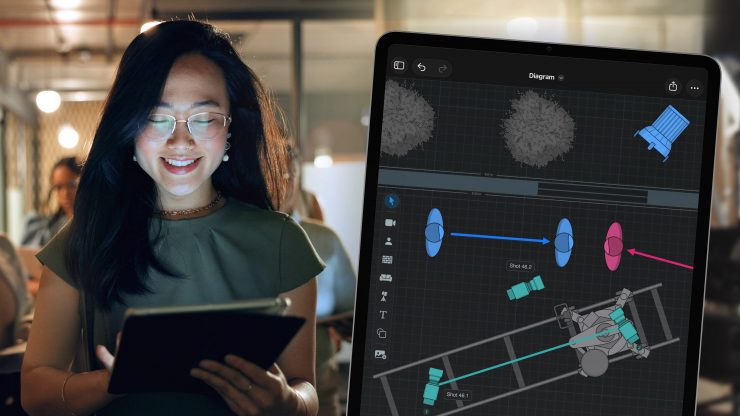
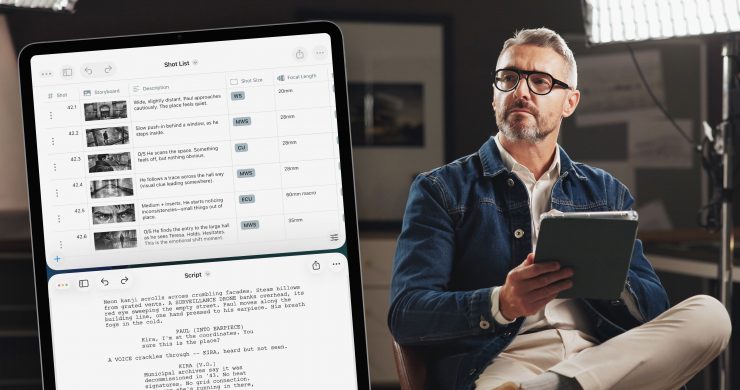
Key features
- Camera diagrams. Block scenes with intuitive overhead diagrams. Place cameras, actors, lights, and set pieces to scale, or create floorplans from 3D scans.
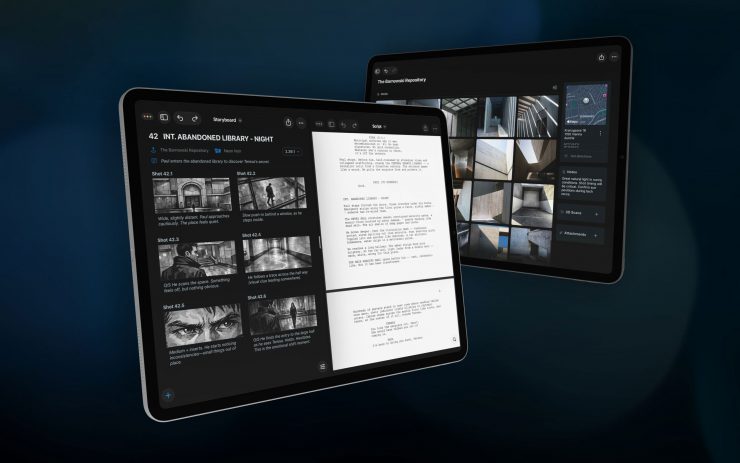
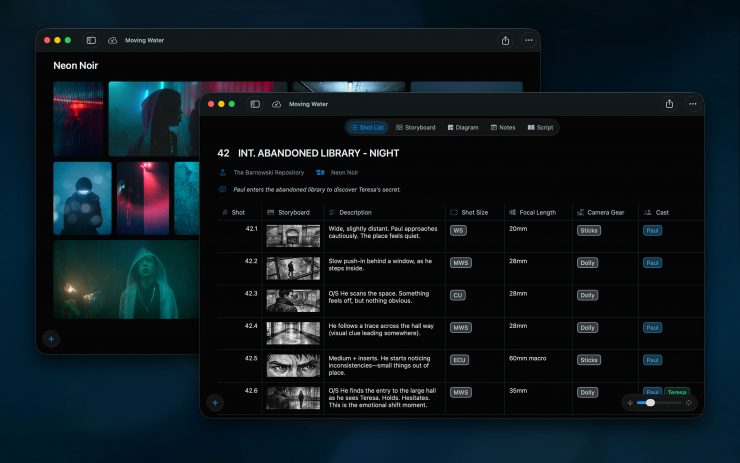
- Shot lists and storyboards. Build fully customizable shot lists and connect each shot to the camera diagram of the scene.
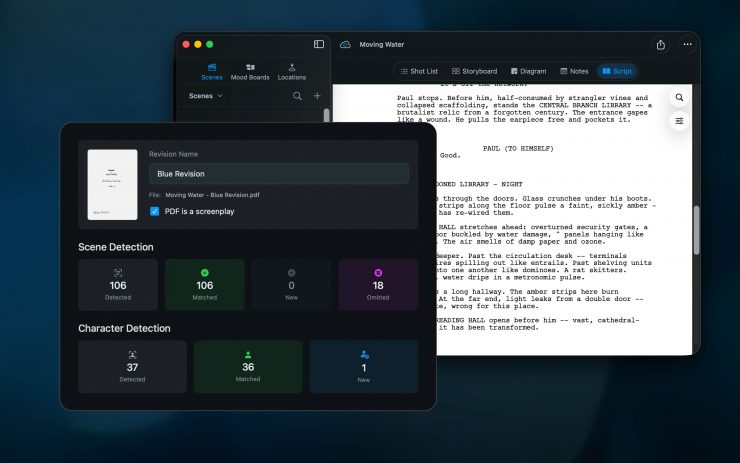
- Script revisions. Automatic scene and character detection keeps everything in sync as the script changes.
- Locations. Capture 3D LiDAR room scans on supported iPhone and iPad models or import from third-party apps. Manage shooting locations with reference photos and notes.
- Mood boards. Collect images, videos, animated GIFs and links, and export them for a consistent visual language across crew, agency, and client.
- Sync and collaboration. Projects sync across macOS and iOS devices via iCloud and can be shared with team members. Alternatively, the app can be used fully offline.
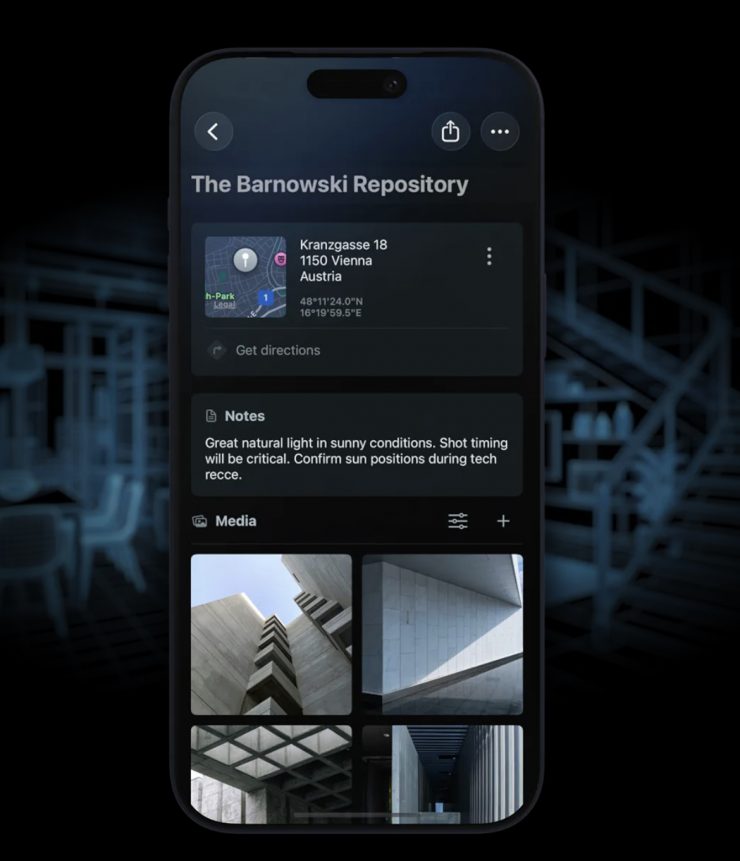
You can create 3D room scans with LiDAR-enabled devices or import existing USDZ files from other apps. Users can collect images, videos, and links into mood boards that connect to scenes. You can then export these for presentations to keep your visual language consistent across crew, agency, and client.
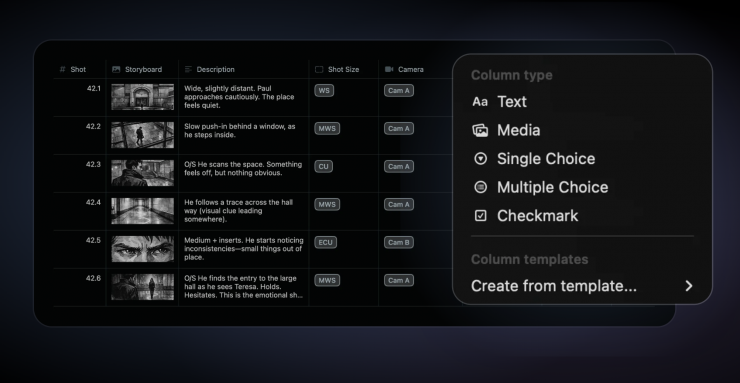
When it comes to shot lists, you can use pre-defined columns for the most common use cases or create your own. There is also the ability to link mood boards and locations to your scene for reference.
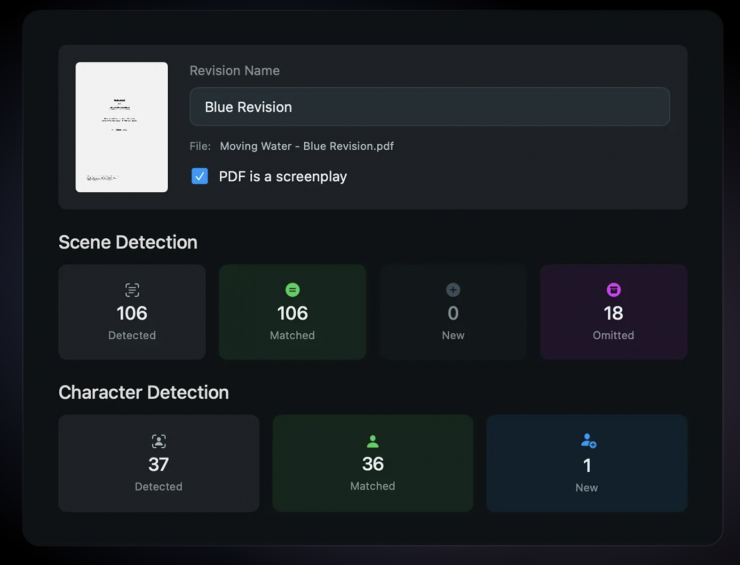
You also have the ability to import your script, and Cadrage Studio will detect scenes and characters automatically. When revisions come in, shot lists, storyboards, and diagrams stay connected to the right scenes. Omitted scenes get archived so you will never lose any work.
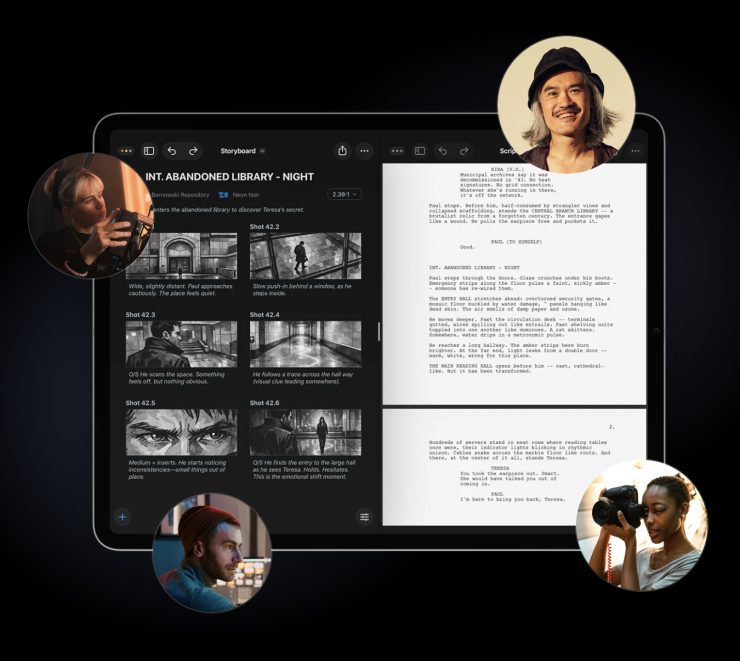
Projects sync across iOS and macOS via iCloud. Studio allows you to invite collaborators to work on the same project and share structured scene PDFs with exactly the information each department needs.
As far as privacy is concerned, Cadrage Studio can be used offline, and your projects are only stored on your device and in your private iCloud account. Your work is never uploaded anywhere else.
Pricing & Availability
Cadrage Studio was used on feature films and commercials during a year-long closed beta, and it is now available on the App Store for ($19.99 USD /month or $99.99 USD /year with a 7-day free trial).