Krotos has announced its Video to Sound Plugin is now available for Adobe Premiere Pro. Editors can now analyze footage, generate synchronized sound effects, and refine results directly inside Adobe Premiere Pro using Krotos’ library of professionally recorded audio.
Designed to streamline the sound design process, Video to Sound allows users to set in and out points, select the sound elements they want included, and automatically generate a synchronized soundscape directly within Adobe Premiere Pro.
Unlike AI-generated audio solutions, Video to Sound uses professionally recorded sound effects created by Krotos’ team of sound designers. Machine learning is used to analyze footage and identify relevant sounds, while all audio placed on the timeline is drawn from Krotos’ royalty-free sound library.
The plugin launches with support for Ambiences, Whooshes, Transitions, Risers, Impacts, and Cloth effects. Once sounds are placed on the timeline, users can quickly swap them for alternatives while maintaining sync to the picture, allowing further refinement without rebuilding the entire sound design pass.
Pricing & Availability
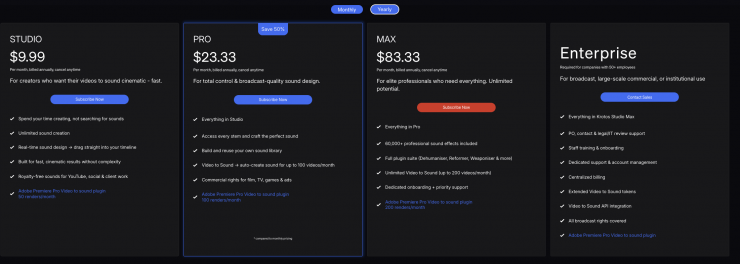
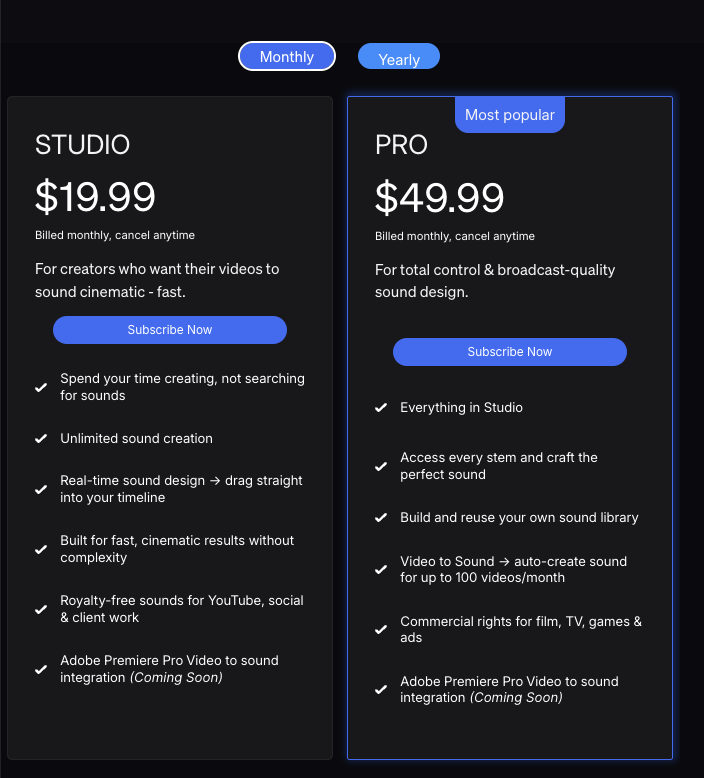
Krotos Video to Sound for Adobe Premiere Pro is now available as part of the Krotos Studio platform and is included with the Krotos Studio, Pro, and Max subscription plans. Subscribers can install the Adobe Premiere Pro extension through Adobe Marketplace to access Video to Sound directly within their editing workflow.