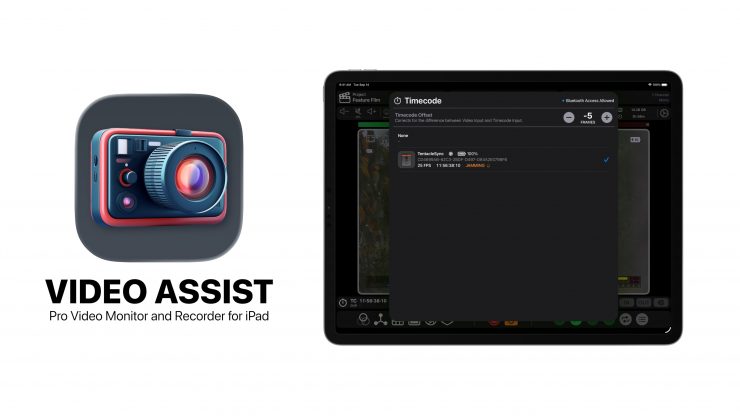
Video Assist 2.2 is a major update that expands the toolkit further by introducing Timecode Support, Tentacle Sync Integration, Record Trigger for Sony and Panasonic Cameras, Native Drag and Drop, Vertical Desqueeze, and Improved Audio Meters.
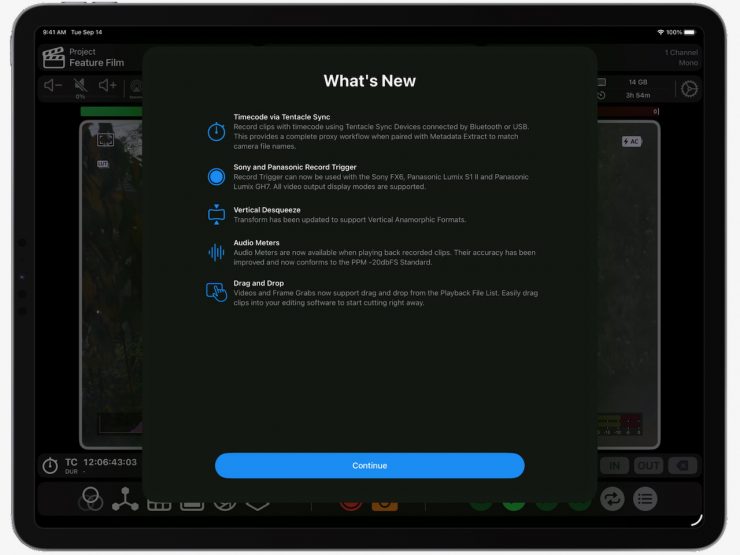
- Timecode Support via Tentacle Sync
- Record Trigger for Sony and Panasonic Cameras
- Drag and Drop into iPad Editing Software
- Vertical Desqueeze to support Vertical Anamorphic Formats
Timecode Support via Tentacle Sync
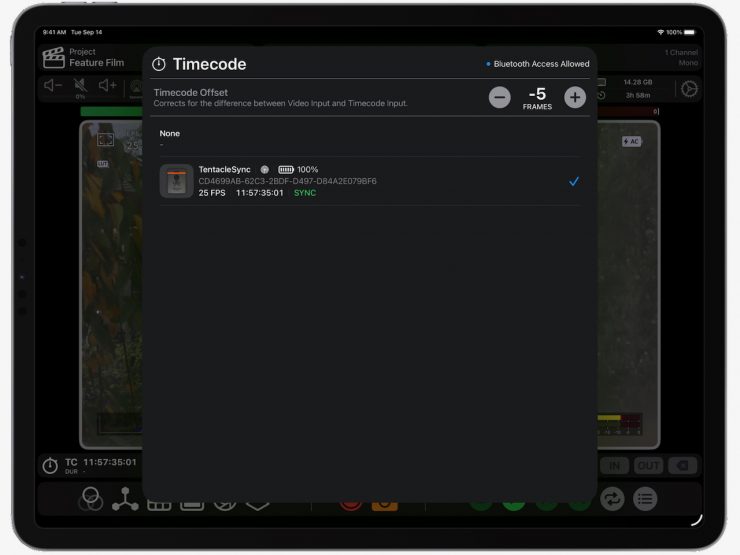
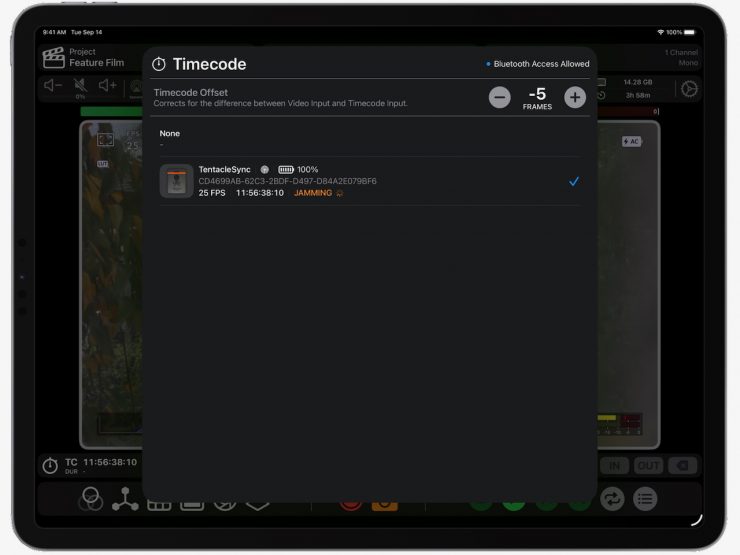
Record clips with embedded timecode using Tentacle Sync devices connected over Bluetooth or USB. Paired with Metadata Extraction and Match Camera File Name, this allows for a full proxy workflow. Recorded clips carry the same file name and timecode as the camera and can drop straight into an offline edit.
The new Timecode Offset feature aligns video and timecode inputs during recording to account for latency from the USB Capture Card. It’s best practice to test your offset before relying on it for a proxy-based workflow.
The Sync E, Track E, and Timebar from Tentacle Sync are supported. Timecode is updated at regular intervals when connected via Bluetooth using intelligent re-jamming. This ensures the iPad and Tentacle Sync Device always stay in sync.
Record Trigger for Sony & Panasonic Cameras
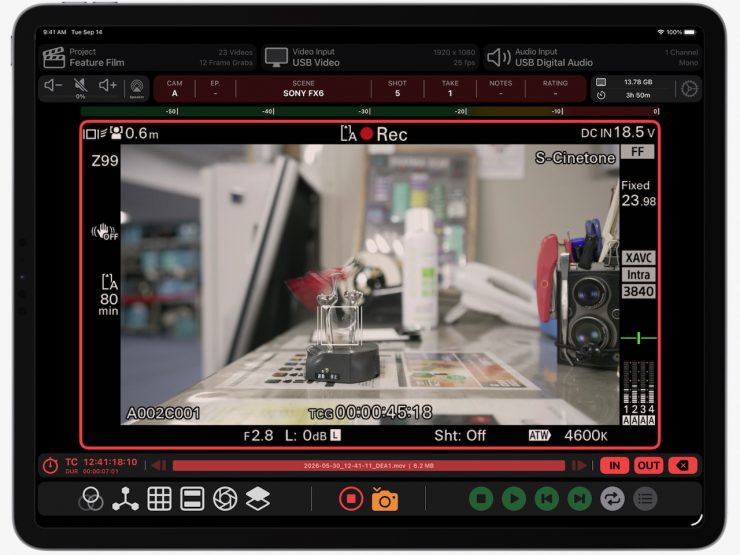
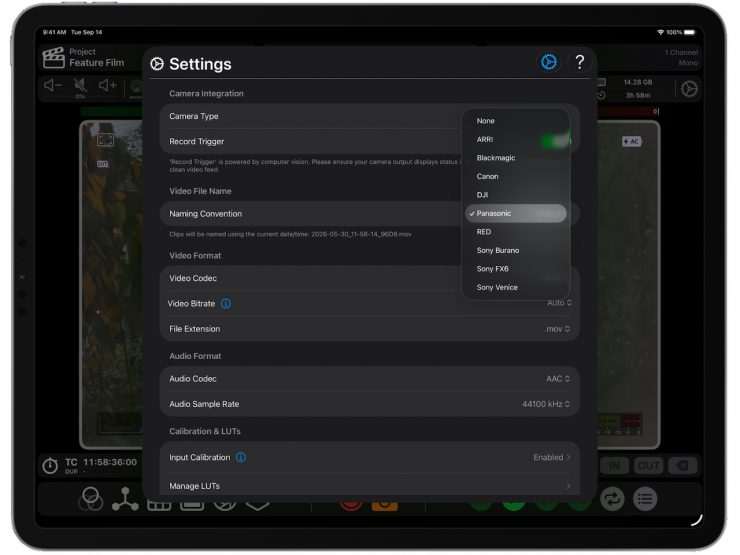
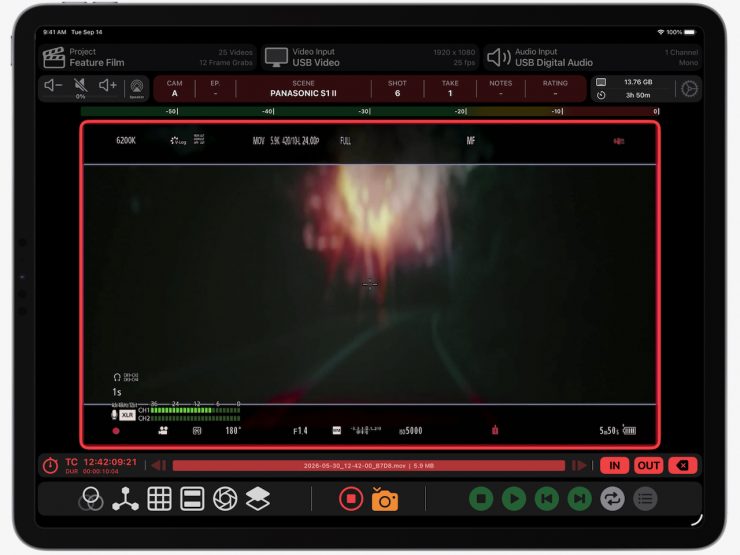
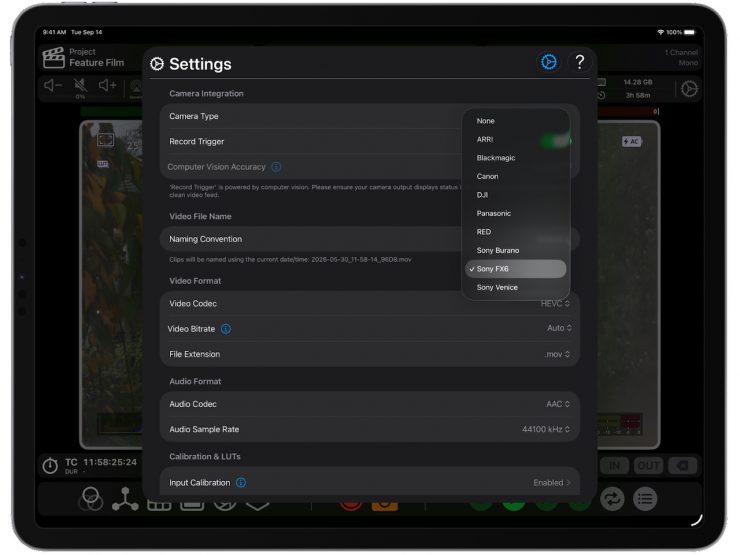
Record Trigger now works with the Sony FX6, Panasonic Lumix S1 II and Panasonic Lumix GH7. When the camera rolls, Video Assist automatically record triggers. All video output display modes are supported. Other Panasonic Lumix cameras using the same video output style will also be compatible.
Drag & Drop
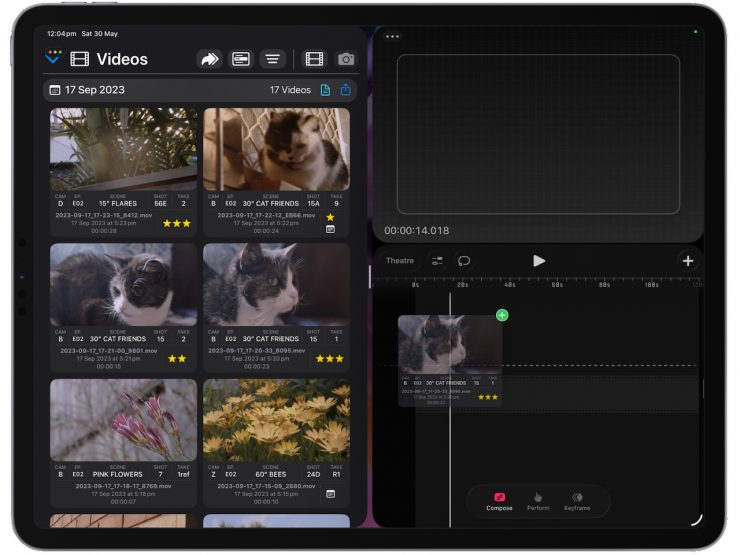
Videos and frame grabs can be dragged straight from the Playback File List into your editing software on iPad. Easily bring a take into your NLE and start cutting right away; no importing or file management is required.
Vertical Desqueeze
The Transform Tool now supports Vertical Desqueeze for productions shooting vertical anamorphic formats. Many new features come directly from crew feedback; this is an example that has been requested by a number of DPs.
Improved Audio Meters
Audio Meters are now available during playback as well as live/recording thanks to a completely rebuilt monitoring pipeline. This brings improved audio meter accuracy that conforms to the PPM −20 dBFS standard.
Under the Hood Improvements
An upgraded recording pipeline corrects for variances in frame timing to ensure frame-accurate recordings. With the addition of Timecode Support, this was essential, particularly when a USB Capture Card doesn’t use a high-quality crystal oscillator.
The playback timeline is now more accurate when scrubbing, making it easier to snap precisely to the start and end of a clip.
The Frame Grab Viewer has been refined to feel more intuitive alongside a range of quality-of-life improvements when handling multiple audio inputs.
About Video Assist
The app is built by Bradley Andrew, an Australian VTR Operator and solo developer. Drawing on his years of industry experience, on-set testing, and continual iteration, Andrew delivers the level of polish that working crews expect. By pairing intelligent software with affordable capture cards, Video Assist brings the power of a full video department to productions of any size or budget.
The idea behind Video Assist is to make professional video tools available to a wider audience. Not all jobs have the budget for a video department, but it’s not only high-end productions that need instant playback or in/out point editing. Filmmakers at every level can benefit from these tools.
The app has received enthusiastic feedback from DPs, directors, focus pullers, script supervisors, gaffers, VTR operators and VFX supervisors. Automatic Record Trigger and Metadata Extraction are powered by advanced computer vision models. The software handles the heavy lifting, allowing you to use low-cost hardware while maintaining professional-level features. Video Assist works with any UVC Capture Card to input HDMI or SDI video into your iPad.
Review captured video using the built-in playback tools. You can set multiple in/out points to gauge how a shot will feel in the edit. Playback controls allow frame-by-frame navigation and precise scrubbing through takes when needed. The Playback File List makes finding and sharing clips via AirDrop effortless; you can even assign ratings to keep track of preferred takes. When it’s time to cut, clips and frame grabs drag straight into your editing software.
Clean video output is supported for both live video and playback. Connect a professional monitor to your iPad via a USB-C to HDMI Adaptor, which is standard on most USB Hubs. This lets you control Video Assist from your iPad while providing a clean video feed for director or client viewing. This video demo shows how it can be used on-set:
Users consistently praise Video Assist for its ease of use. The interface is intuitive, playback is instant, timeline scrubbing is responsive, and in/out points can be set with a single tap.
Pricing & Availability
Video Assist is available to download for free on the App Store:
The free version operates in Demo Mode with a watermark and a recording limit; this allows you to test compatibility with your hardware and get a feel for what the app is capable of before making a purchase.
Video Assist offers a Base Subscription at $129.99 USD/year and a Pro Subscription at $199.99 USD/year. The Pro Subscription includes LUTs, Focus Peaking, False Color, Zebras, Compositing, ProRes Recording, and Metadata Extraction.