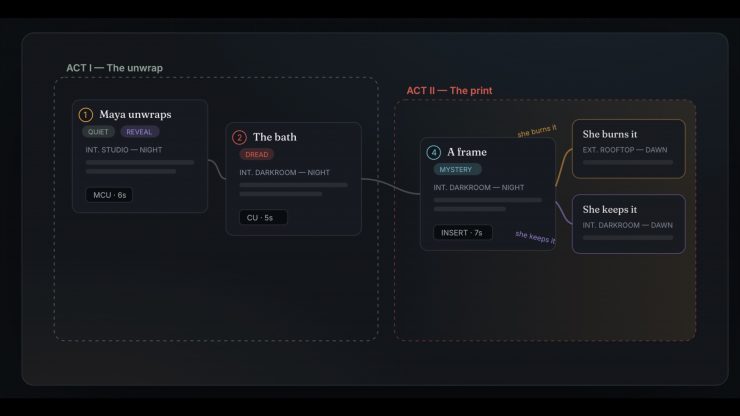
Beat is a visual, node-based space for writing stories and organizing ideas. The whole concept was to create a visual canvas where references, characters, and the look of each scene can be easily seen.
Beat is the brainchild of João Lutz, a filmmaker and creative director based in São Paulo, Brazil. It is free, and according to João, there is no business model and no upsell, as he built it for himself and he wants to give it away. Every project is a folder on your Mac, and everything is done offline.
The app lets you lay out story ideas, link them into a spine, and explore alternate versions side by side, with tones, slug lines, shot type, duration, and a live runtime meter.
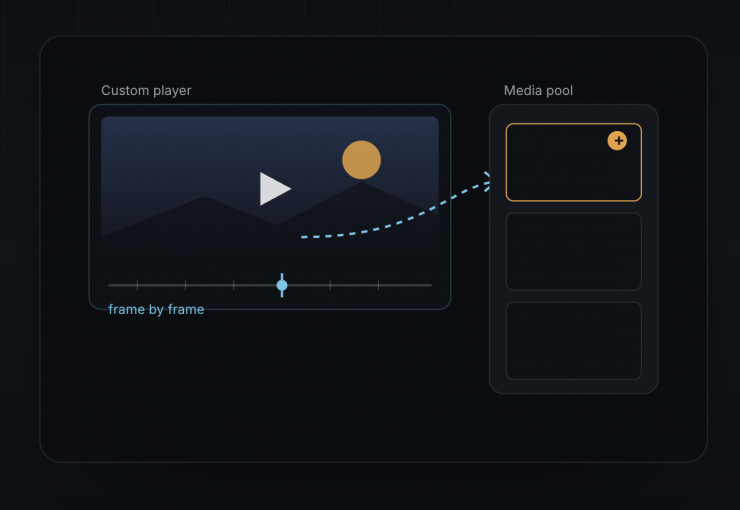
You can drop in a link, and Beat grabs video and images from almost any site. A custom video player gives you frame-by-frame control to lift the exact still or GIF straight into your project’s media pool.
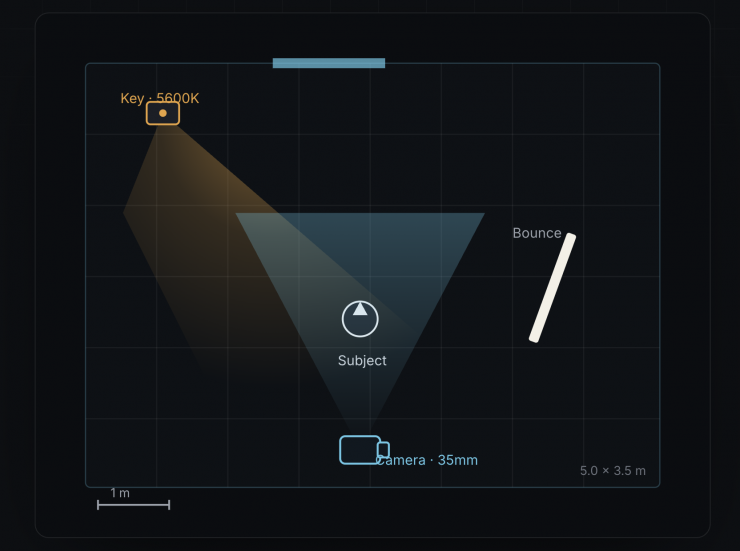
There is also a full-screen, overhead scene planner you can attach to any beat. It allows users to plan lighting and blocking visually.
- Cameras with a real field of view by focal length, and blocking paths with facing at every point.
- Real fixtures, softbox, fresnel, LED, kino, china ball, practical, with beam falloff, color temperature and intensity.
- Light that bounces, blocks, and passes through bounce cards, flags, diffusion, walls, doors and windows.
- Real-world scale in metres or feet. Set the room size and everything sizes correctly. Export the plan as an image.
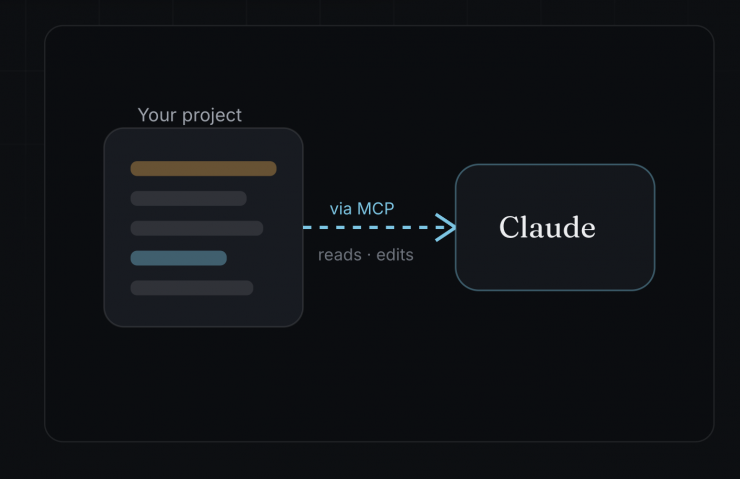
One-click links Beat to Claude through MCP. Instead of copying and pasting into a chatbot, the AI works on your real project: continue the spine, build a character bible, restructure acts, critique the structure, even read your docs and adjust Set Plans.
All your media stays in tidy folders inside a .zip. There is a Markdown file of the whole project with selectable prompts built in for any AI chat, a Word document organized exactly as you built it, and PDF overviews and storyboards.
Download Issue
When I tried to download the file with the app, it was coming up with a malicious warning when using Chrome.
I reached out to the developer, and he has now rebuilt Beat properly. It is now a signed universal app, so it works on both Apple Silicon and Intel Macs, packaged as a clean .dmg, and the download now lives in a Google Drive folder linked from its new home, beatforfree.com, so the browser should not flag it anymore.
If you try it, the first open is one step: open Beat.dmg and drag Beat into Applications, then the first time your Mac says “Apple could not verify Beat”, click Done, open System Settings, go to Privacy and Security, and click Open Anyway. After that, it opens normally forever.