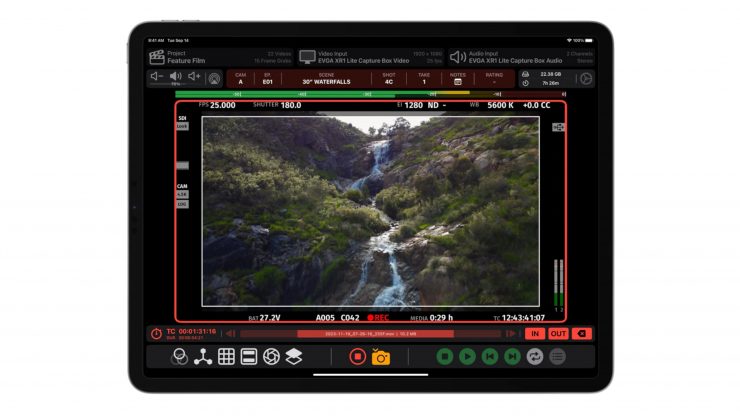
NAB 2026 sees a major update for Video Assist (version 2.1.2), the iPad app that turns affordable capture hardware into a fast, on-set monitor and playback system.
This latest release adds some useful tools for working crews, including Advanced Masks, VTR Reports with instant PDF export, Record Trigger support for the latest Canon cameras, and expanded metadata extraction for RED and Sony Venice (using computer vision to pull clip data straight from the feed).
Built by working VTR operator Bradley Andrew, Video Assist is designed to bring high-end video assist workflows to productions of any size, without the traditional cost or complexity.
In case you are not familiar with Video Assist, it transforms your iPad into a on-set monitor and playback system that’s fast and intuitive. It connects to your camera or wireless system via a UVC capture card and includes essential tools such as LUTs, Live Compositing, Focus Peaking, False Color, Zebras, Video Transform, Grid Lines, Center Marks, Frame Line Masks, Anamorphic Desqueeze, and Audio Meters.
What’s New
- Multiple Masks. The Mask Effect now supports three separate masks. Easily display multiple frame lines at the same time. Each mask has independent controls for shading, color, line thickness, etc.
- Record Trigger for Canon Cameras! Record Trigger can now be used with the Canon C50 and Canon C400. All video output display modes are supported. Canon Cameras that use the same style of video output will also work.
- Metadata Extraction for RED and Sony Venice! Status info displayed on the camera feed can be extracted using computer vision. Metadata Fields include Clip Name, Frame Rate, Lens, Iris, ND Filter, Exposure Index, Shutter, White Balance, Color Correction and Timecode Start/End.
- Match Camera File Name for RED and Sony Venice! The camera file name can be detected with Metadata Extraction and used for clips recorded in Video Assist.
- Projects will display their Total File Size in the Project View. This makes it easy to identify projects that are taking up a lot of space on your iPad.
- Mask Aspect Ratios can now be quickly selected via the context menu. Tap and Hold on ‘Aspect Ratio’ when using the Mask Effect to select from common aspect ratios.
- Fixed an issue where Record Trigger would repeatedly roll and cut when using the Sony Burano in S&Q Mode.
- Fixed an issue where files would record with the incorrect orientation if using the iPad Back Camera.
- Fixed an issue where the Composite Effect could unintentionally hide the ‘From Project’ Selection View.
- Fixed an issue where the selection menu for Resolution and Frame Rate could be difficult to press on iOS 26.
- Fixed an issue where the context menu for Mask and Composite could be difficult to press on iOS 26.
- Added Support for the 11″ and 13″ M4 iPad Air.
** Please Note **
Live Audio Meters are broken for UVC Capture Cards as of iPadOS 26.4 due to a bug in Apple’s AVFoundation Framework. If you rely on Live Audio Meters please stay on iPadOS 26.3 until further notice. Bringing this functionality back is dependant on Apple issuing a fix, the issue can be tracked here: https://developer.apple.com/forums/thread/820658
Improved Support for RED and Sony VENICE
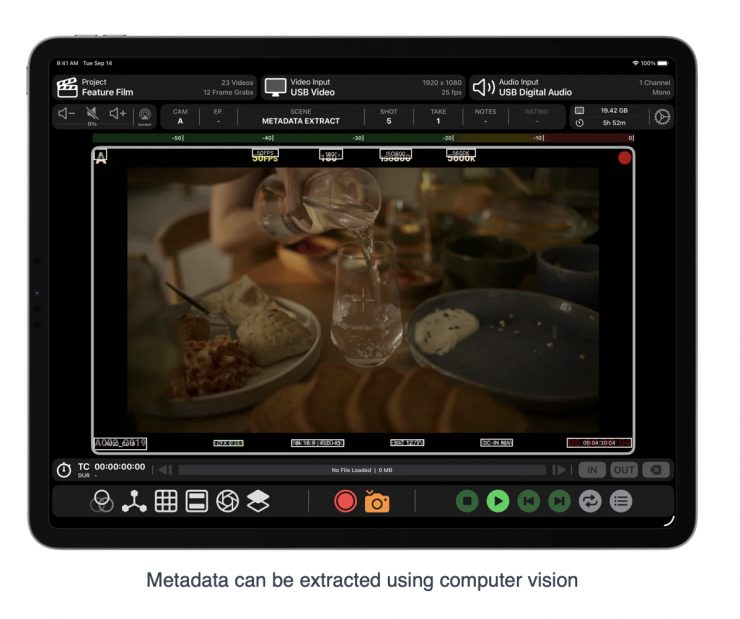
Metadata Extraction and Match Camera File Name now supports all RED cameras and the Sony Venice. Metadata Extraction uses computer vision to read status information displayed on the camera feed. Metadata fields include Clip Name, Frame Rate, Lens, Iris, ND Filter, Exposure Index, Shutter, White Balance, Color Correction, and Timecode Start/End.
The camera file name can be detected via Metadata Extraction and used for clips recorded in Video Assist.
VTR Reports
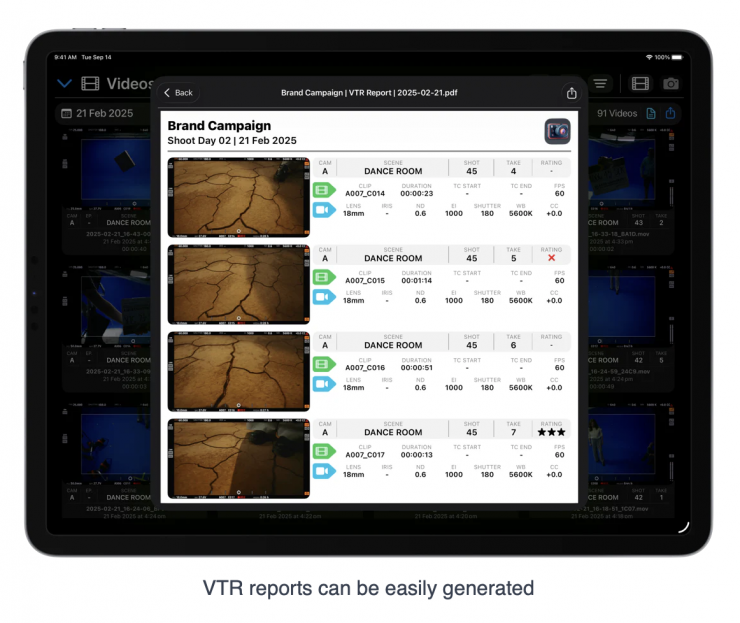
Instantly create PDFs with clip thumbnails, metadata, clip info, camera info, and notes for each clip — an ideal way to share print takes with post-production, or generate technical reports at the end of a shoot day.
Multiple Masks
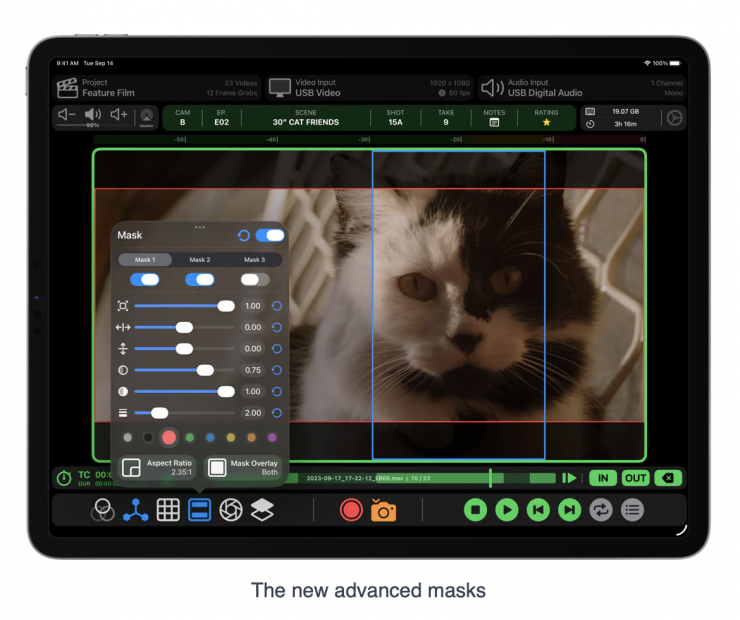
The Mask Effect now supports three separate masks. Easily displays multiple frame lines simultaneously, with independent controls for shading, color, line thickness, and more.
Record Trigger for the latest Canon Cameras
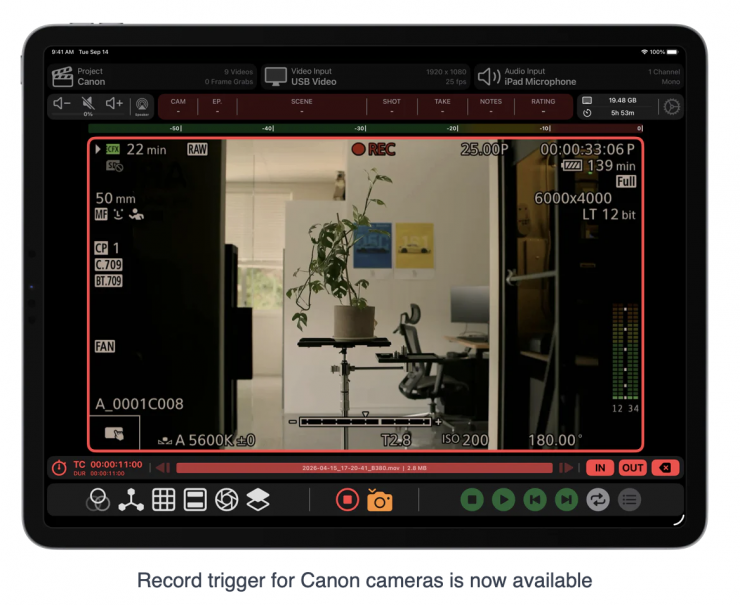
Record Trigger now works with the Canon C50 and Canon C400. All video output display modes are supported. Other Canon cameras using the same output system will also be compatible.
Pricing & Availability
Video Assist is available to download for free on the App Store. The free version operates in Demo Mode with a watermark, allowing you to test compatibility with your hardware before purchasing.
Video Assist offers a Base Subscription at $129.99 USD/year and a Pro Subscription at $199.99 USD/year. The Pro Subscription includes LUTs, Focus Peaking, False Color, Zebras, Compositing, ProRes Recording and Metadata Extraction.
You can check out Video Assist at the Accsoon Booth (#C7338) during NAB 2026.