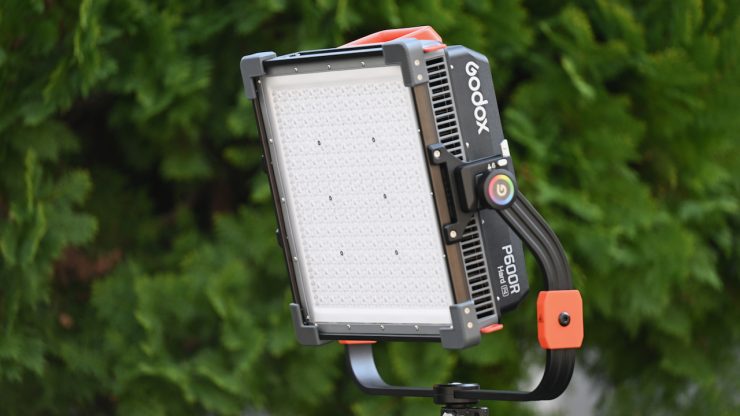
The Godox P600R Hard P4 is a 600W RGB LED Light Panel with 4- zone pixel control, and it can also be used with a new optional adjustable diffusion system.
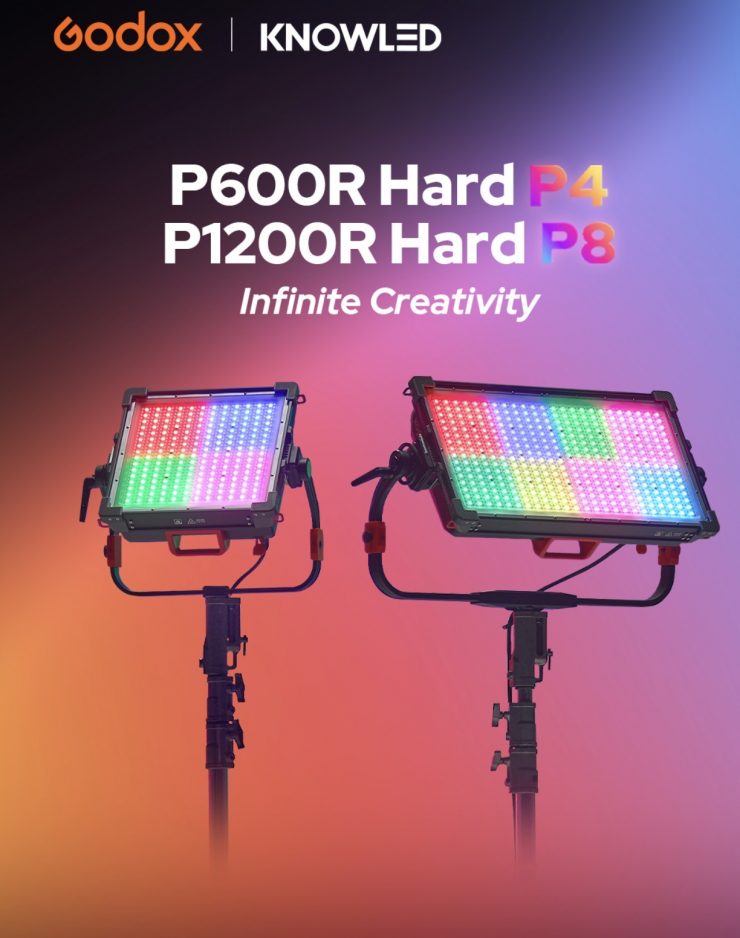
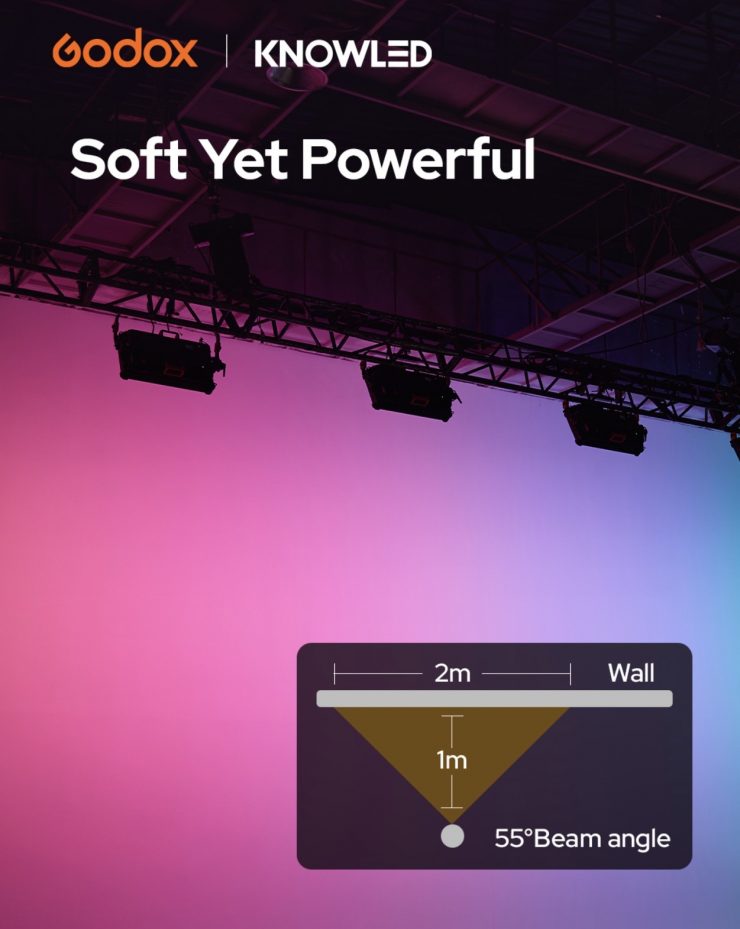
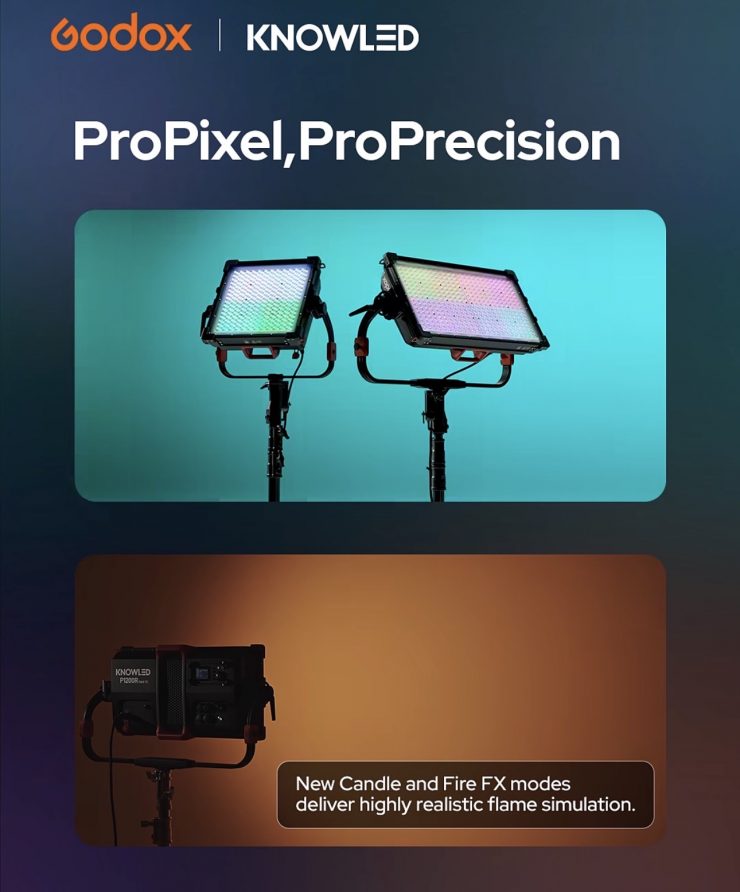
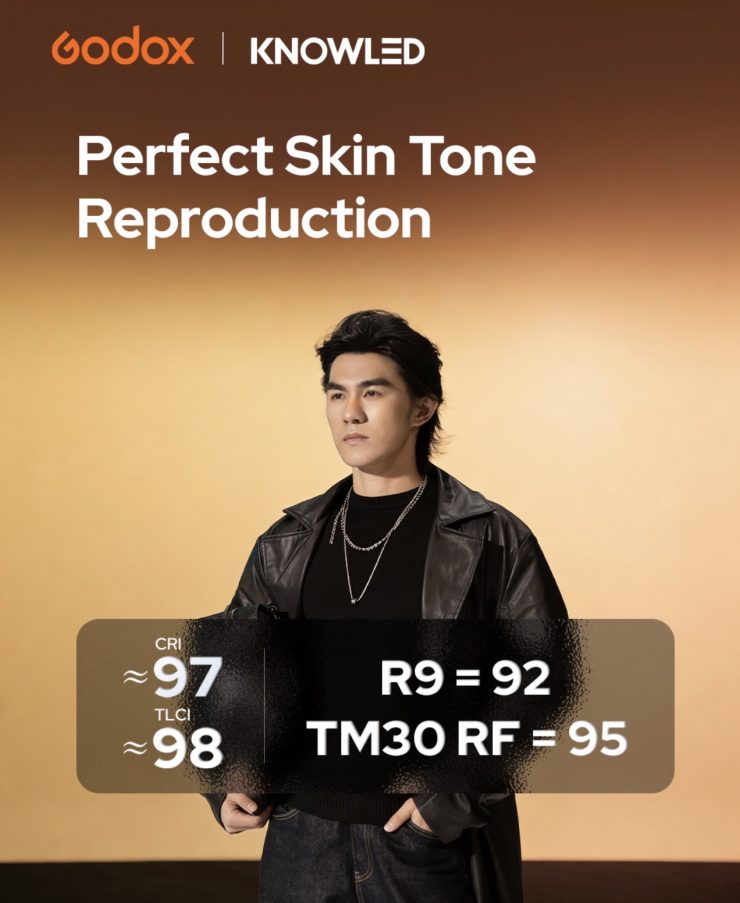
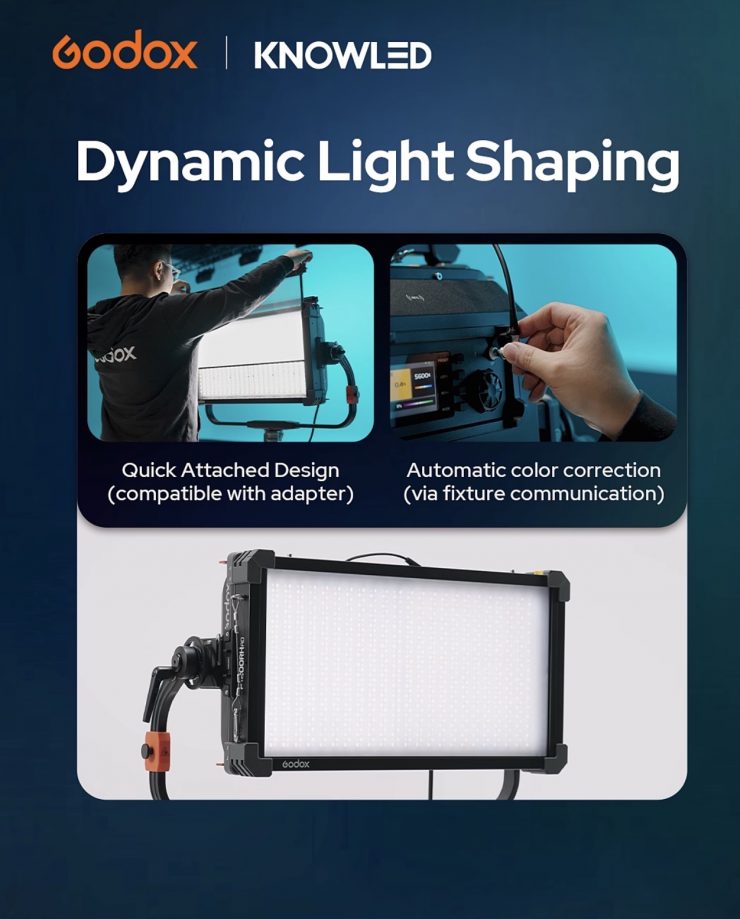
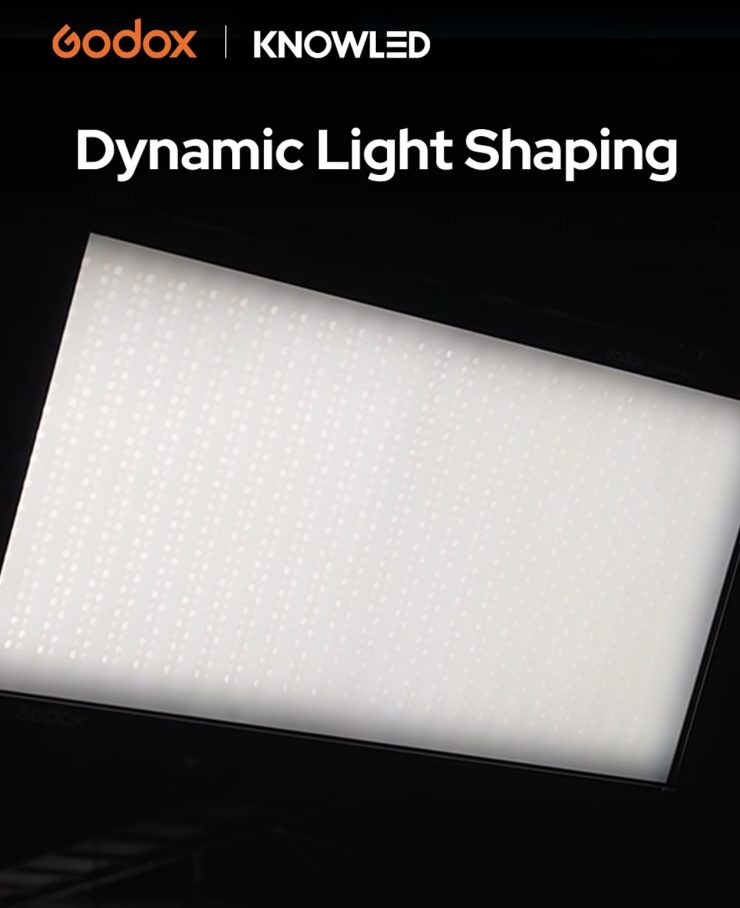
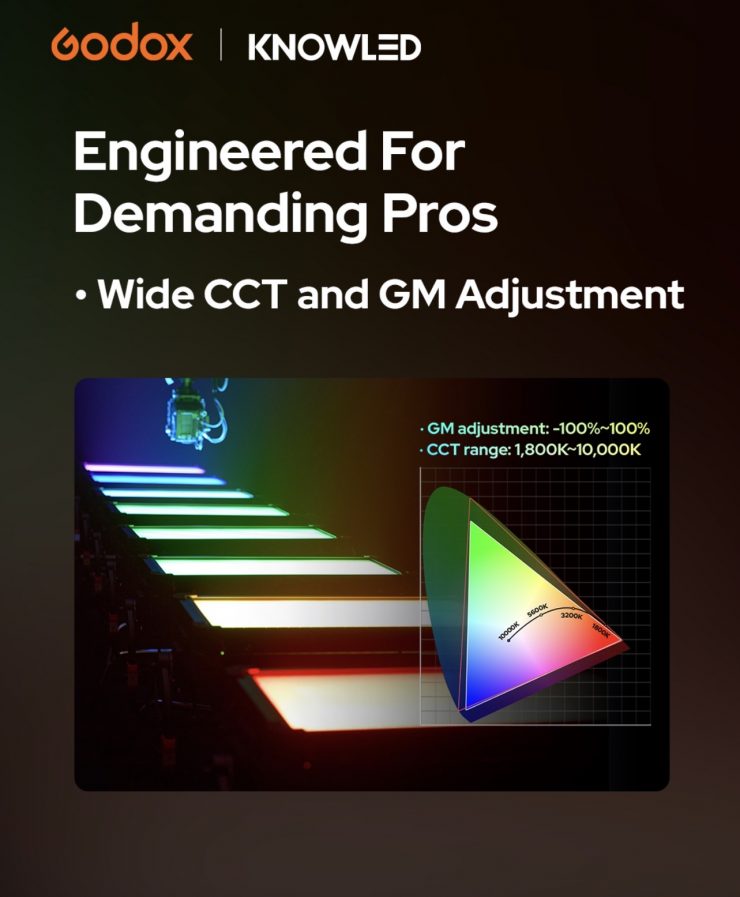
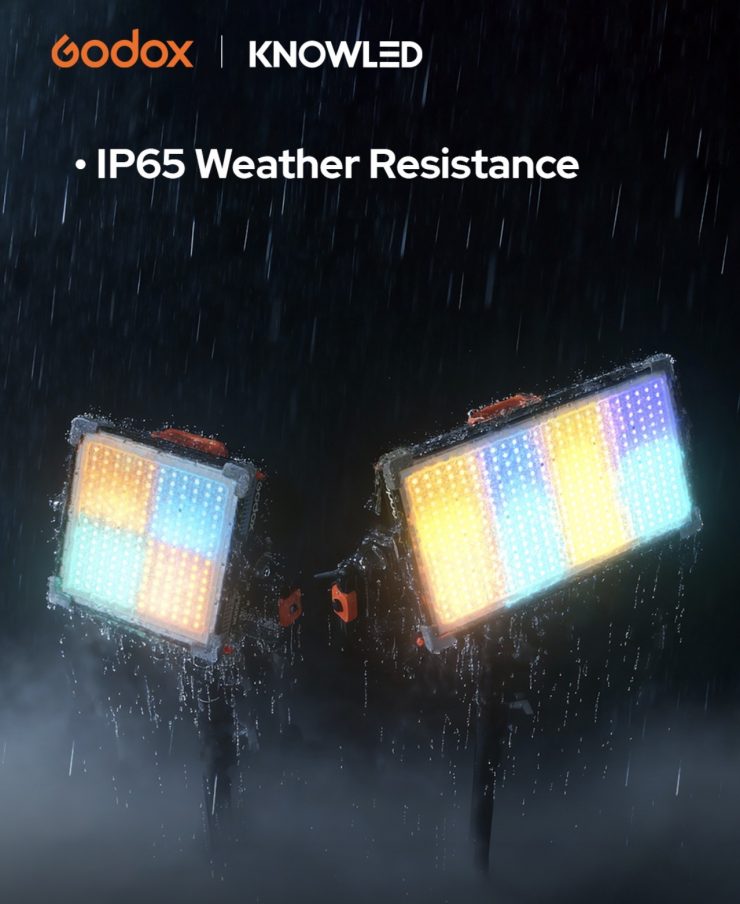
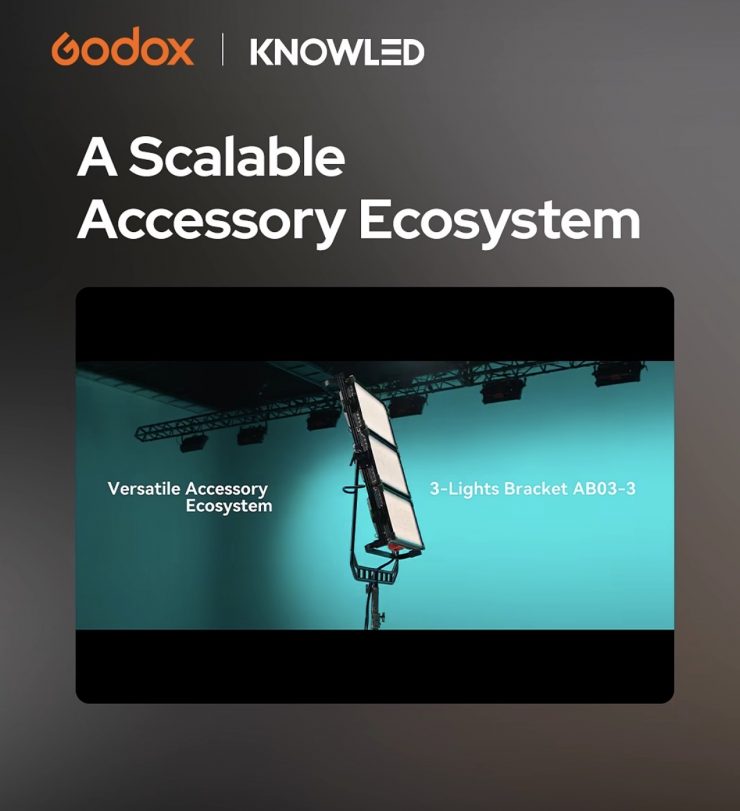
The most interesting aspect of this release is that the fixture features a new ’adjustable diffusion system’, so users can adjust the light from a hard, directional output to a soft source in seconds. The fixture will also automatically adjust the color temperature to compensate for the change in diffusion.
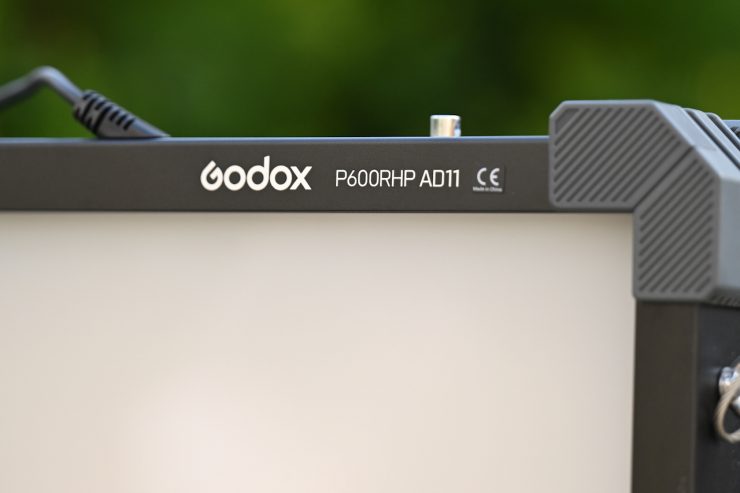
The ADS (adjustable diffusion system) can be controlled directly at the fixture itself, or via a lighting console via DMX, CRMX, or the KNOWLED App. I imagine that Godox is using similar technology to that in their AD21 / AD32 / AD33 Adjustable Diffusion Panels.
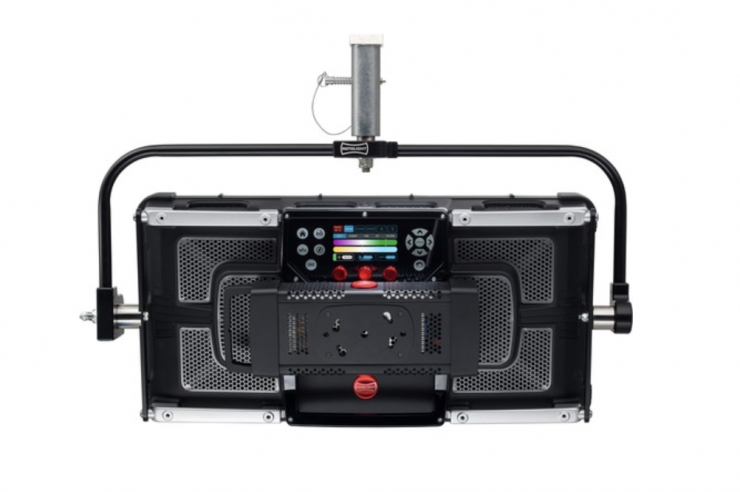
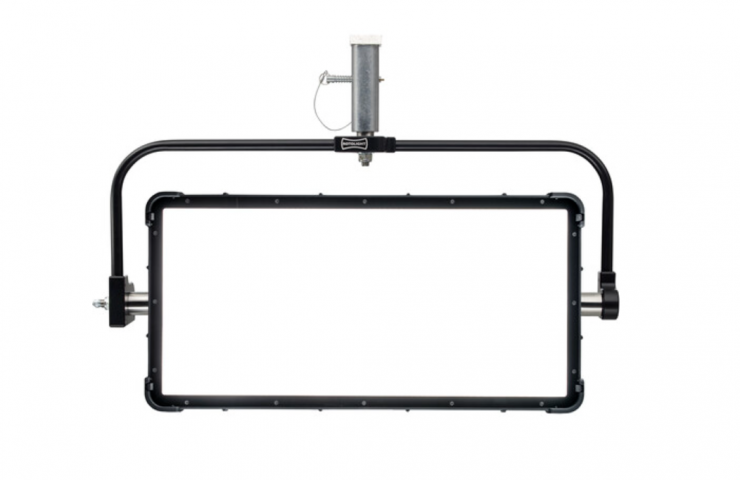
This looks to be a similar concept to what Rotolight was doing a few years back with its Titan fixtures.
Please note that the adjustable diffusion is not available for sale in the U.S. This is because a company already owns a patent in the US.
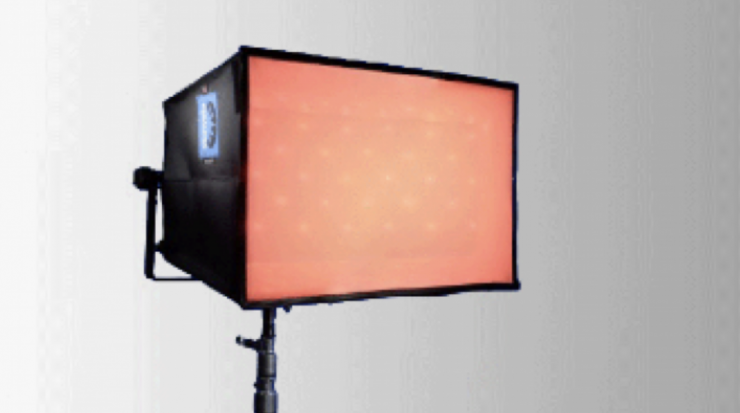
Adjustable, electronically controlled diffusion isn’t a new concept, and we first saw Chimera show a solution way back in 2011. At NAB 2017, Zylight and Chimera partnered up to create what they were calling Active Diffusion.
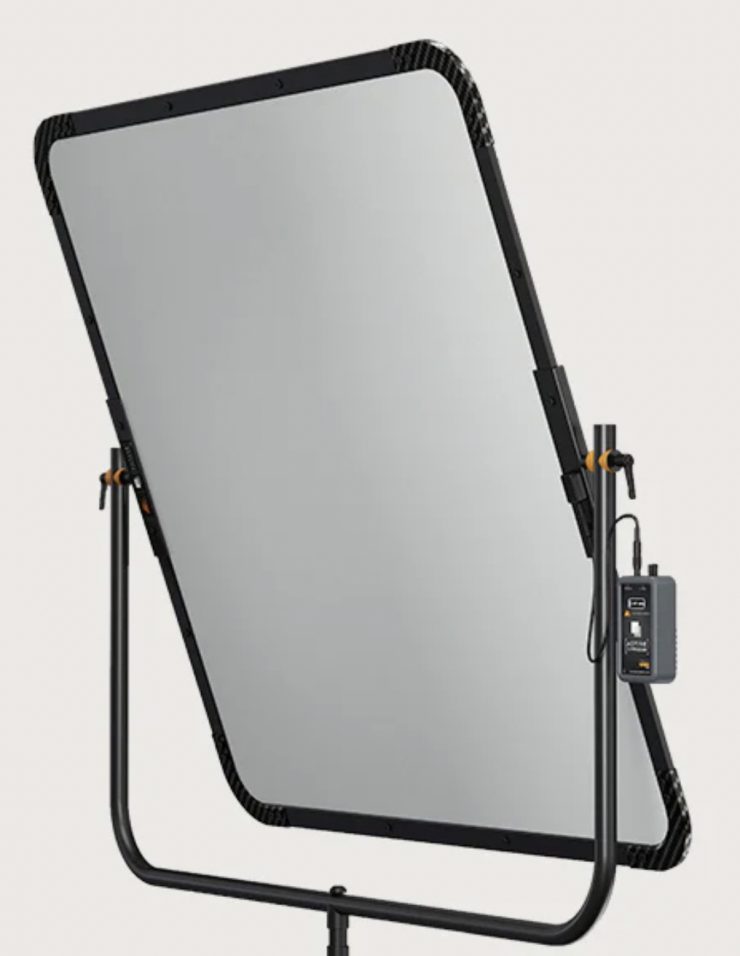
In 2023, LumenArc introduced its Active Diffusion. Lumen Arc Active Diffusion is an electronically adjustable light-modifying system that was designed to simplify grip and lighting inventory. This solution is a mid-sized diffusion frame that allows you to adjust the amount of diffusion electronically.
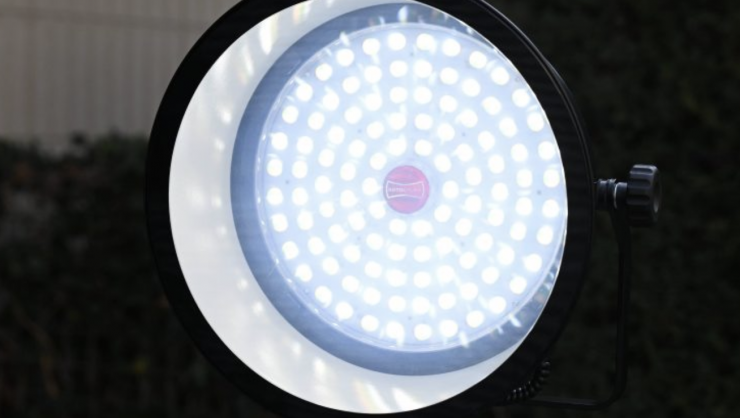
Rotolight also had the AEOS 2 SmartSoft Box, which allowed users to electronically adjust diffusion, focus, and spread without the need for gels or additional modifiers. It is best to liken it to having a LEE 216 on an adjustable dial. It provided 1.5 stops of electronically variable diffusion by utilizing Rotolight’s patented technology.
Ok, let’s get back to the review.
Key features
- For Studio & Film/TV Production
- Output: 73,200 Lux at 3.3′ (5600K)
- 1800-10,000K CCT; RGB Color Control
- 4 Pixels, 17 FX & GM Shift
- 17 x 15″ Panel | AC Power
- CRI 96 | TLCI 98
- Onboard, DMX/RDM, CRMX & App Control
- Art-Net/sACN Support & NFC Addition
- Fan Cooling & IP65 Rating
- Includes U-Bracket & AC Power Cord
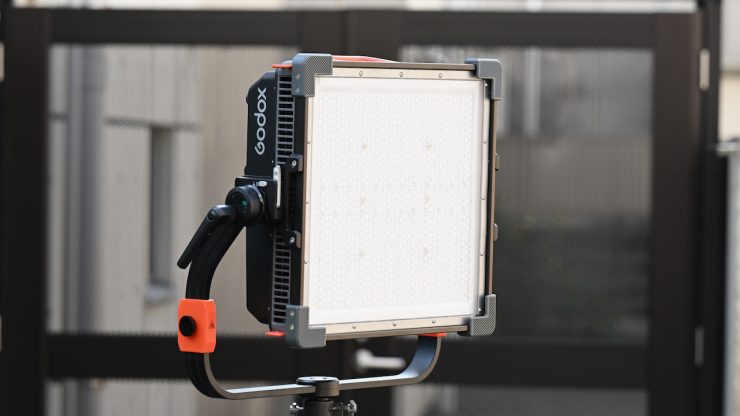
The Godox KNOWLED P600R Hard P4 RGB LED Light Panel is a four-pixel, 700W full-color, all-weather fixture. It shares some characteristics of the P600R Hard Pro version, such as high output in a compact body, but with the addition of items such as pixel control and Ethernet support. The 600R Hard P4’s LED system is claimed to produce a wash of extremely bright light when generating saturated colors. The new P4 model still has the same 1800 to 10,000K CCT range as the previous P600R Hard Pro, and an IP65 rating to withstand wet weather conditions.
The panel features four pixels, precise brightness adjustments, green-to-magenta shift, and 17 creative FX. The light allows for dimming from 0 to 100% along four dimming curves: Linear, S-curve, Exponential, and Logarithmic. A variety of control methods allow you to adjust and control your light effortlessly and simplify your workflow.
The panel is highly compact at 17 x 15″ without its U-bracket, but produces a claimed output of 73,200 lux at a distance of 3.3′ / 1m (bare light at 5600K).
According to Godox, the panel has a rating of 96 and 98 for both the CRI and TLCI standards, respectively. This unit features advanced color management for color consistency if combined with other fixture models of the KNOWLED series.
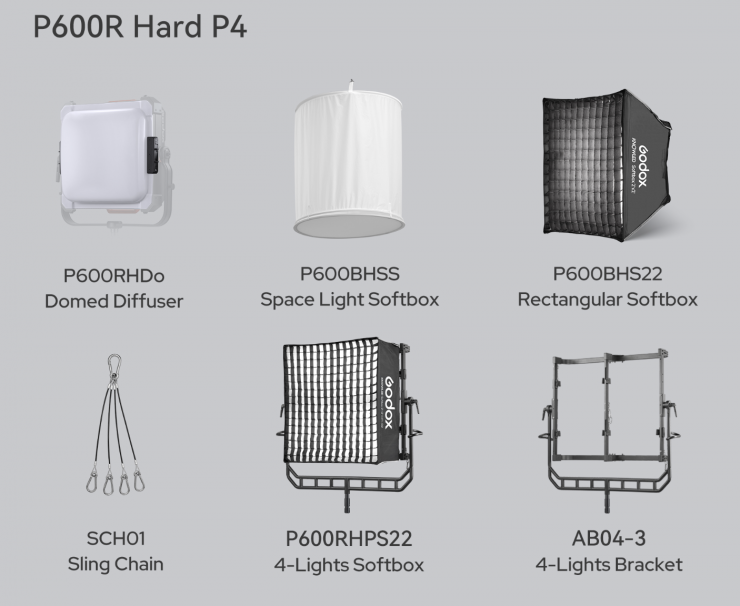
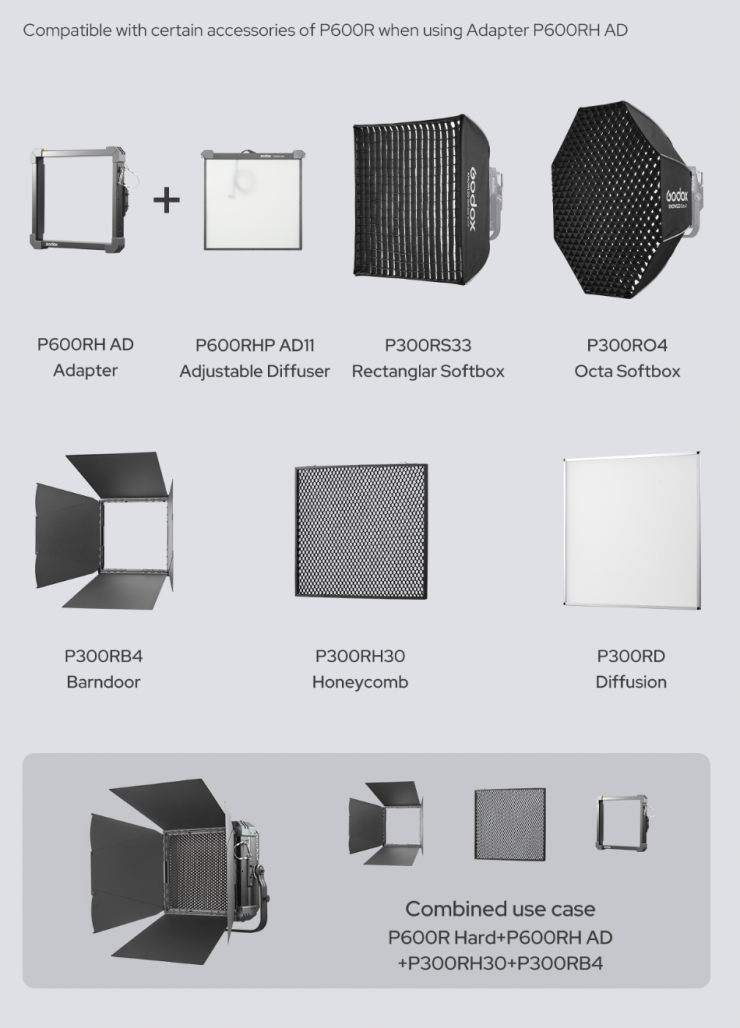
It is nice that you can also combine multiple P600R Hard P4s together to create larger arrays if need be, and use the light with a wide array of lighting modifiers.
The High-saturation full-colour panels, with 4-pixel zones, unlock advanced pixel mapping and dynamic effects. It gives lighting designers the freedom to create movement, depth, and visual impact directly from the fixture.
Size & Weight
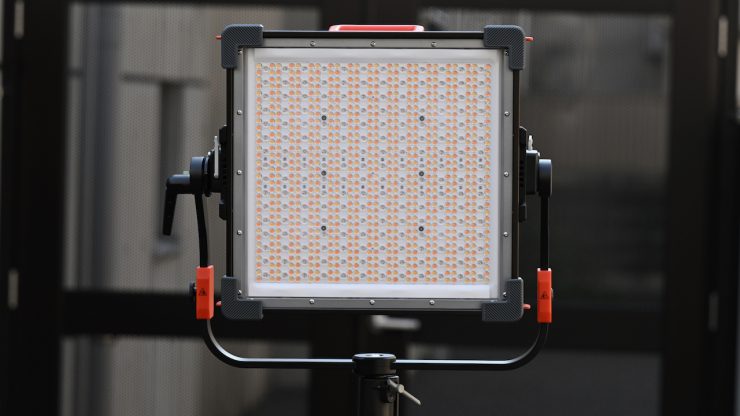
The P600R Hard P4 is not a lightweight fixture, especially given its dimensions. It weighs in at 24.3 lb / 11 kg (Fixture without Yoke).
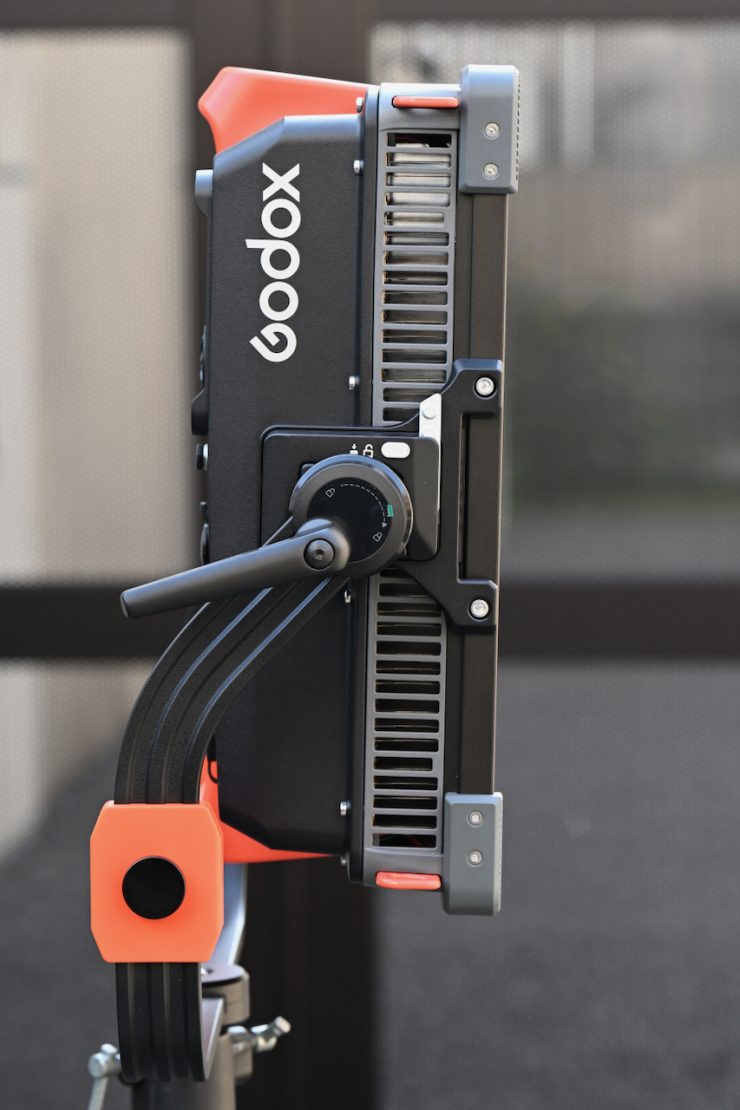
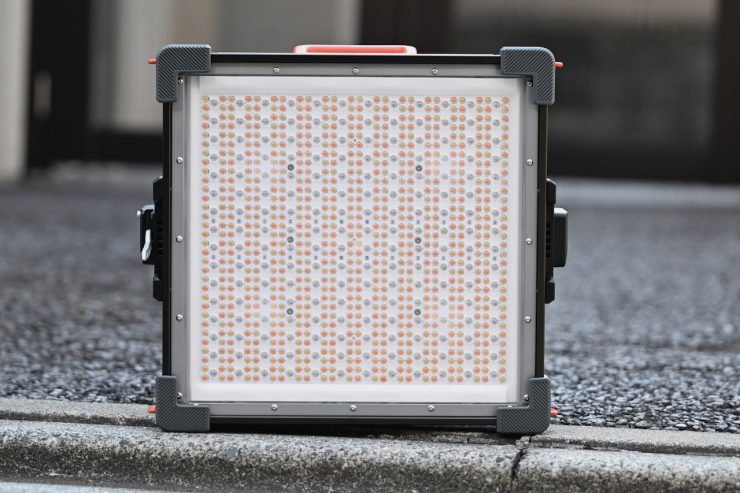
It isn’t exactly thin either. The P600R Hard P4 measures 17 x 15 x 6″ / 43.2 x 38.1 x 15.2 cm (Fixture without Yoke). Essentially, its size makes it a little larger than a traditional 1×1 panel.
So how does this weight compare to some other 1×1 lights? Below you can see:
| Weight | |
| Godox KNOWLED P600R Hard P4 | 11 kg (Fixture without Yoke) |
| Aputure NOVA II 1×1 | 9.5 kg (Fixture without Yoke) |
| Creamsource Vortex4 | 11.4 kg (Including Yoke) |
| Nanlite Alien 300C | 6.6 kg 9.27 kg with power supply/controller |
| ZOLAR Toliman 30S | 5.22 kg |
| ZOLAR Toliman 30C | 4.53 kg 6.03 kg with power supply |
| ZOLAR Vega 30C | 4.53 kg 6.03 kg with power supply |
| Luxli Timpani² | 3 kg |
| ARRI S30-C SkyPanel | 10.3 kg (including power supply) |
| Litepanels Gemini 1×1 | 5.31 kg** |
| Rayzr 7 MC120 | 3.63 kg* |
| Lupo Superpanel 30 Full Color | 3.7 kg* |
| Luxli Timpani 1×1 RGBAW | 3.37 kg* |
| Aputure Nova P300C | 10.35 kg (Including Yoke, Cable, Frame, Mount, Receiver) |
* Including the weight of the power supply.
* This light has a built-in power supply
The Godox KNOWLED P600R Hard P4 isn’t super lightweight, but I think the weight is fairly reasonable and in line with something like the Aputure Aputure NOVA II 1×1 and Creamsource Vortex4.
Build Quality
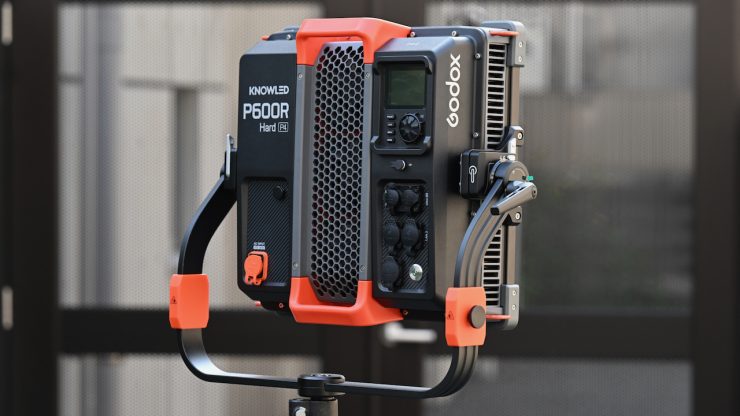
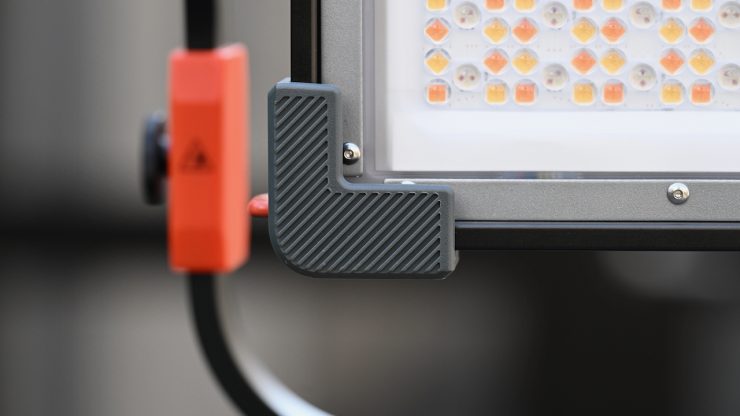
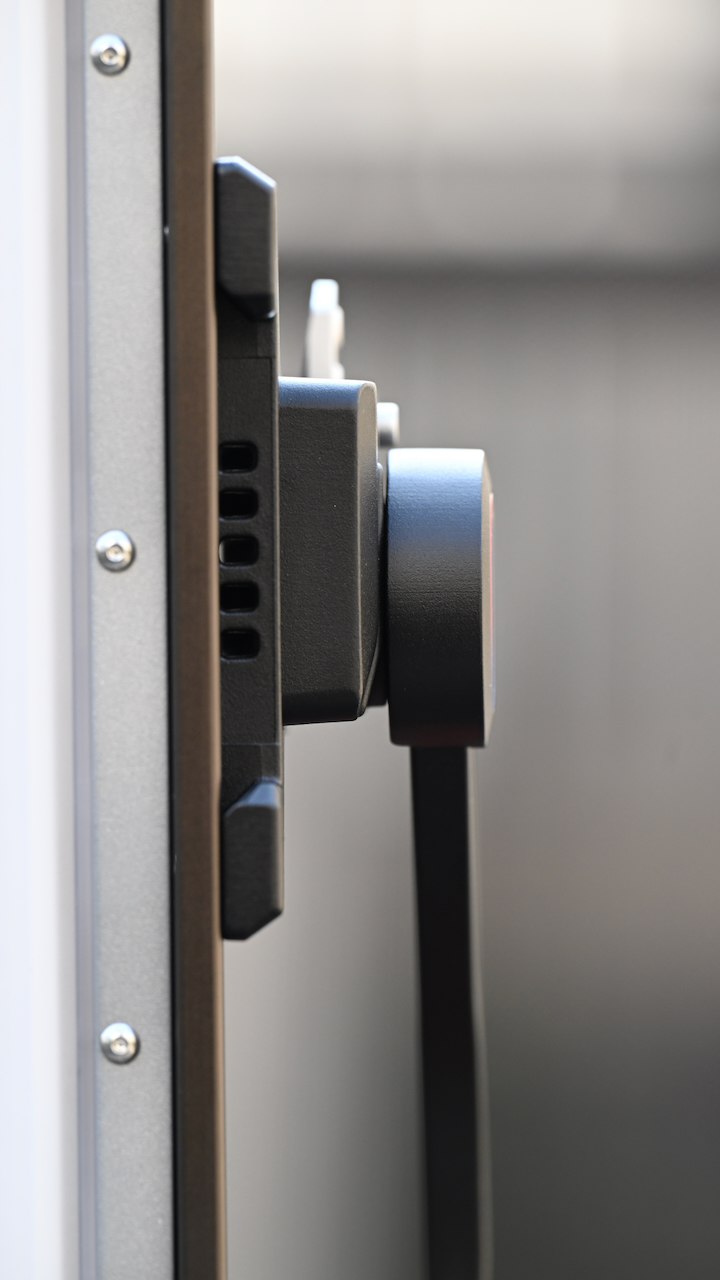
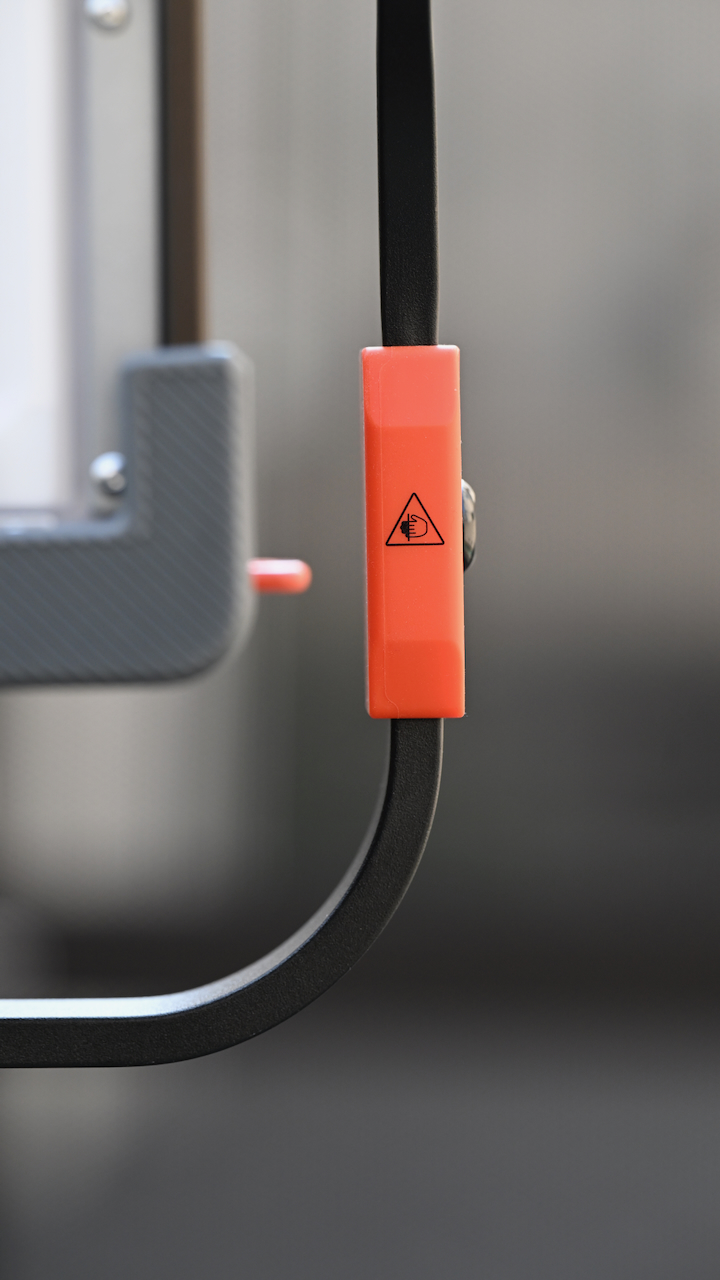
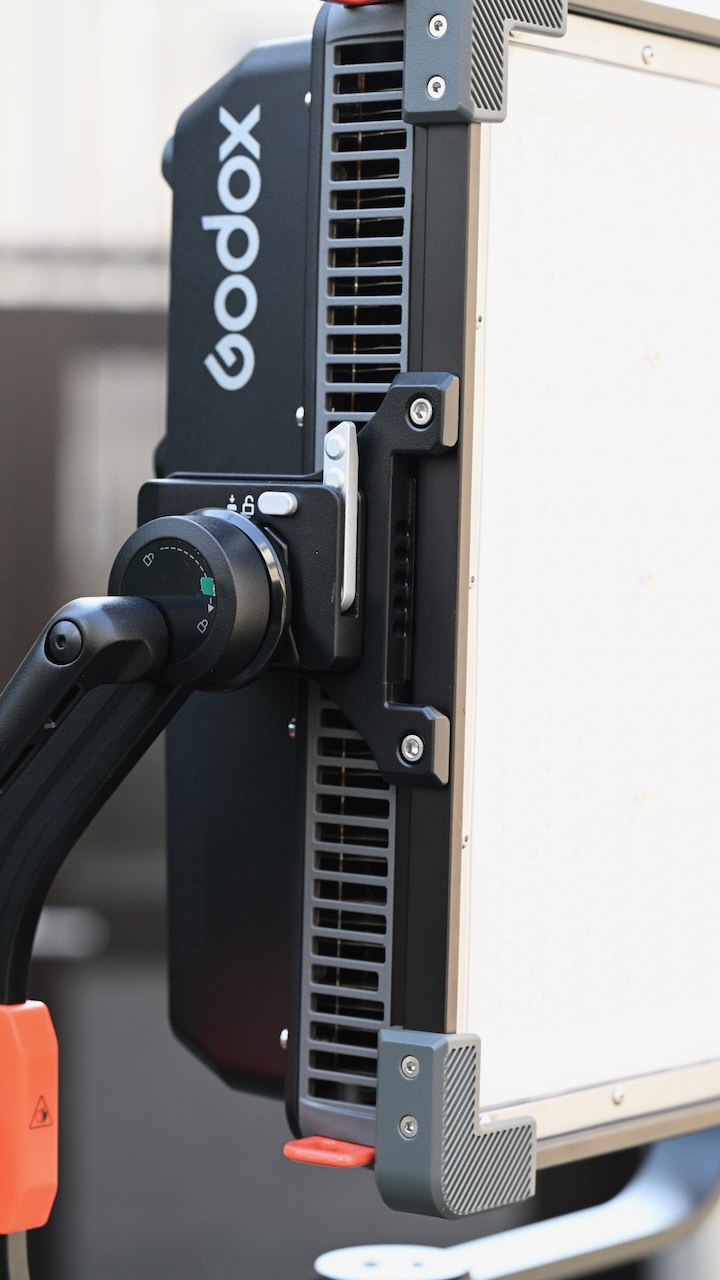
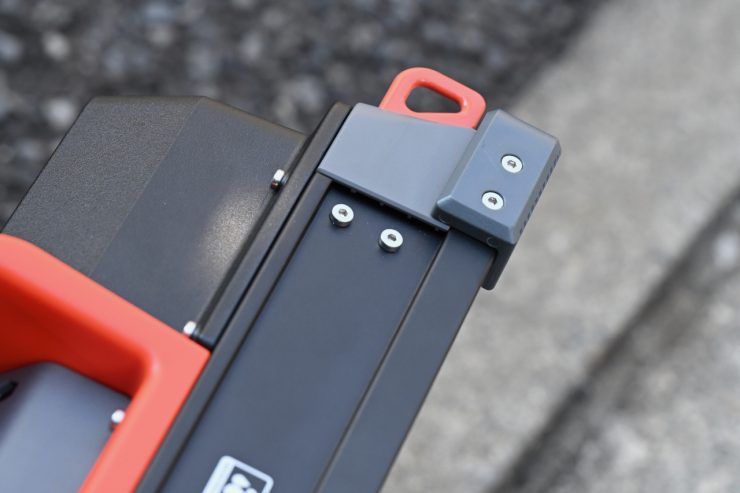
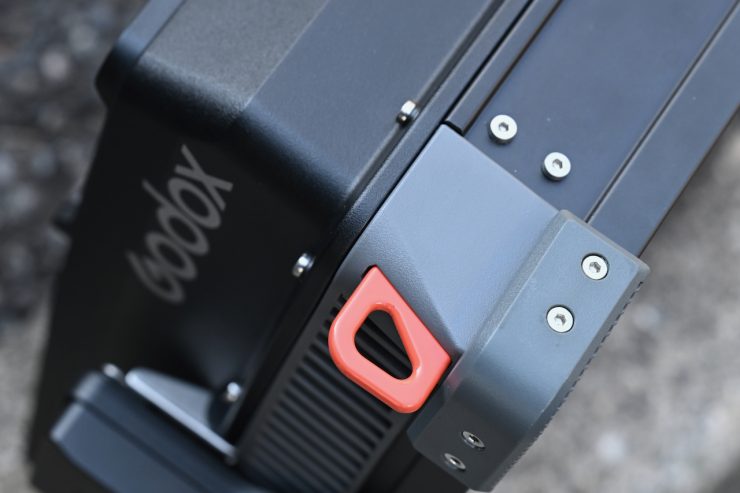
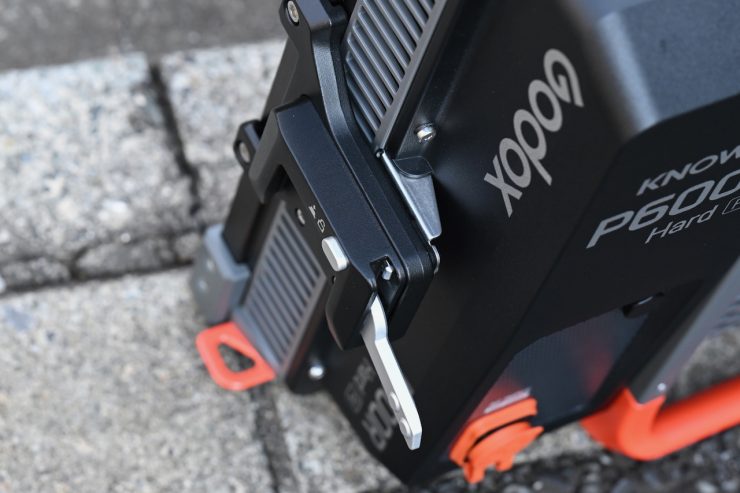
The P600R Hard P4 is solidly made. The quality of Godox fixtures has continued to improve, and I think most users will find it more than sufficient for a variety of lighting applications.
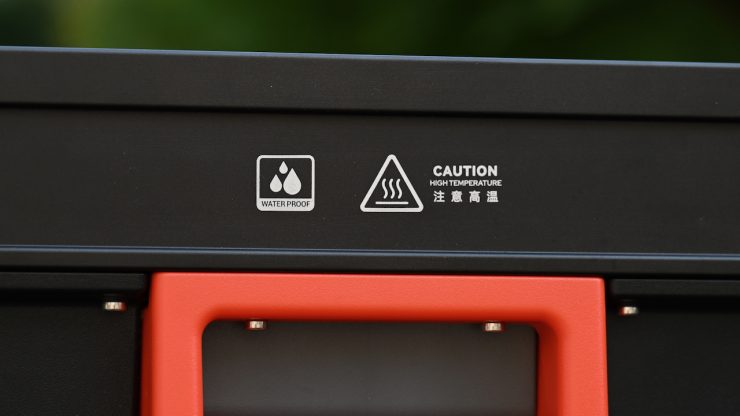
The fixture comes with an IP65 dust and weather protection, which signifies complete protection from dust and resistance to water jets.
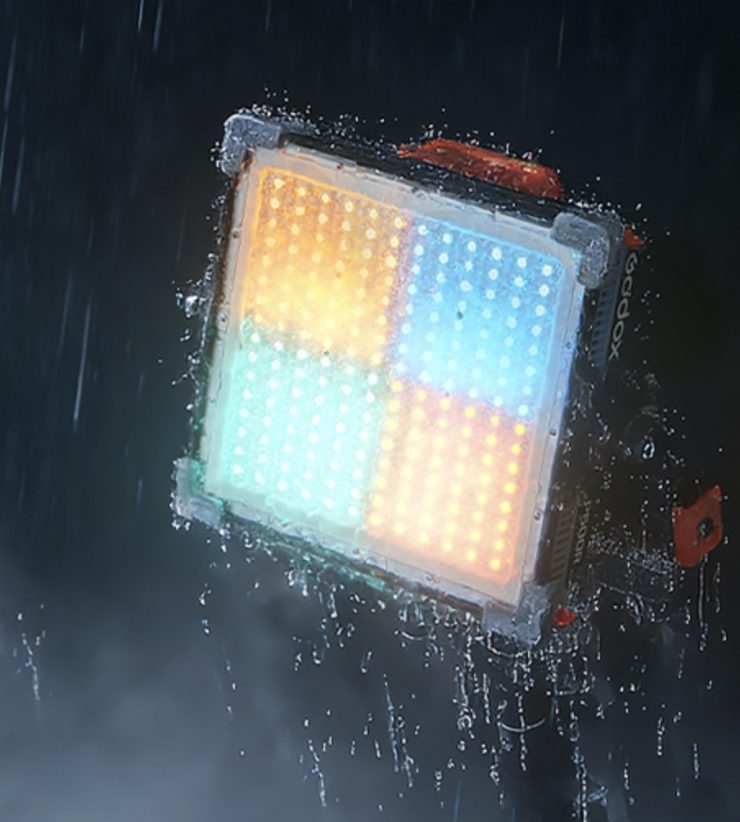
Having an IP65 weather rating is a nice touch, and it allows the fixture to be used outdoors in inclement weather conditions, which can be very handy.
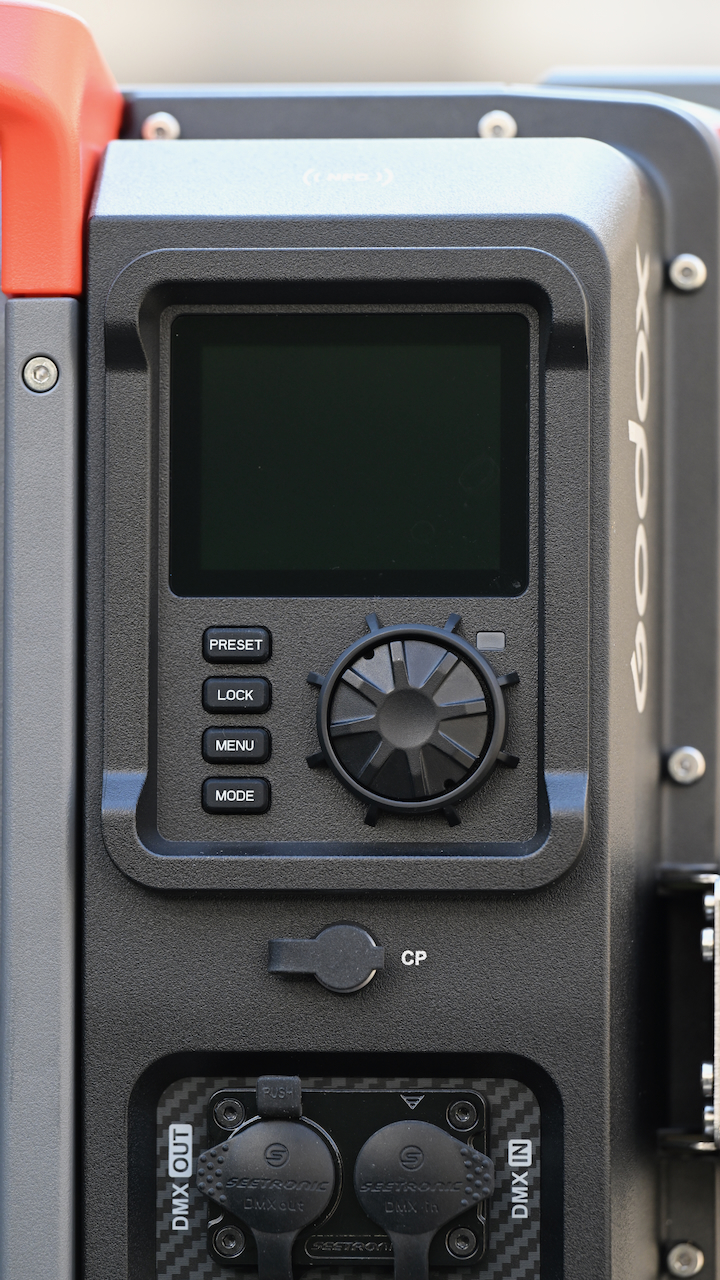
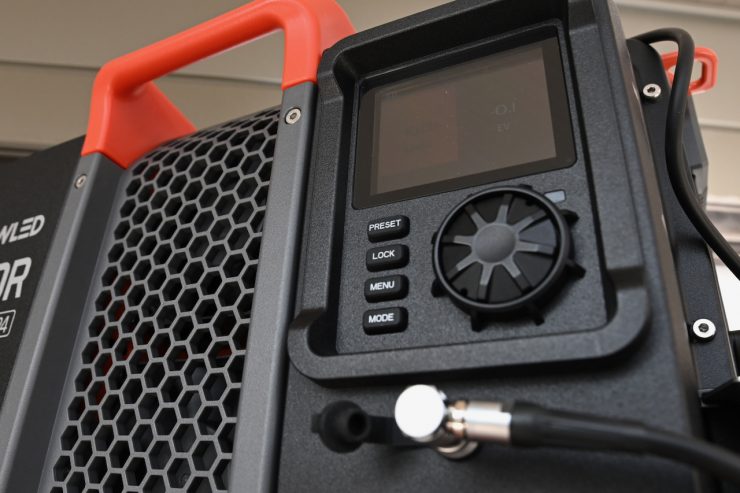
The only slight complaint I had was that I thought the control scroll wheel could be a little better. I thought it felt a little out of place considering the cost of the fixture. Don’t get me wrong, it still works well, I just think it should have been made out of a different material.
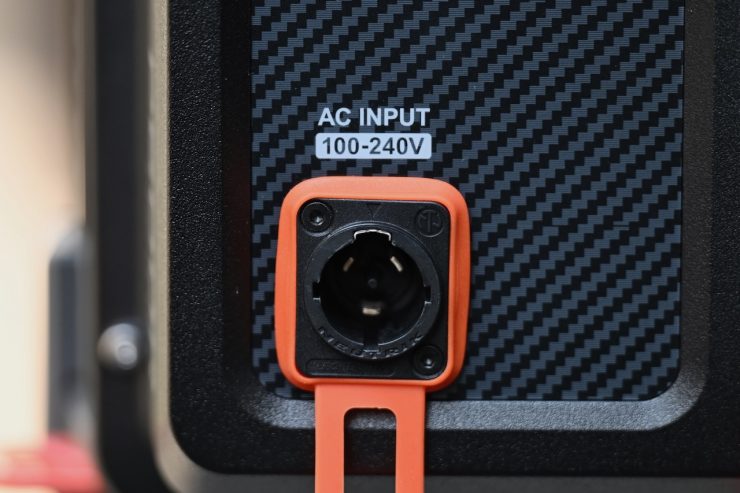
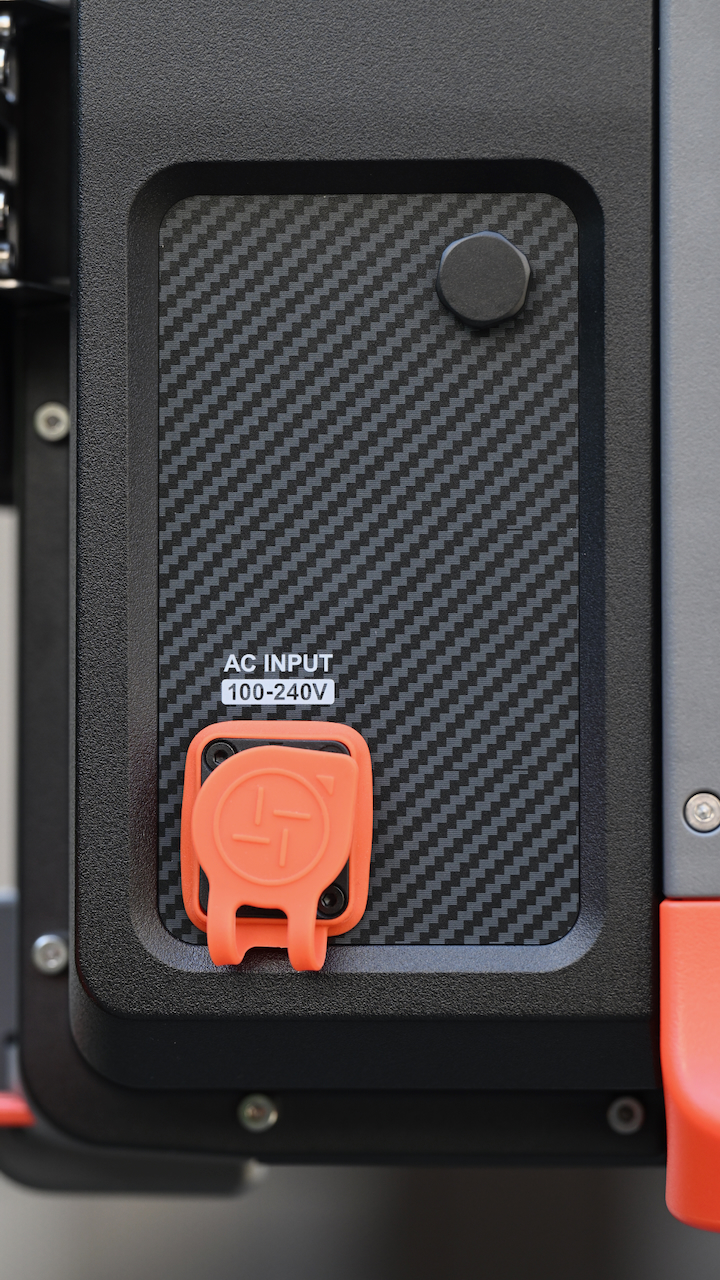
Another thing I noticed, and I’m being very picky here, is that the AC Input was put in a little crooked. This is purely a cosmetic thing, but attention to detail matters.
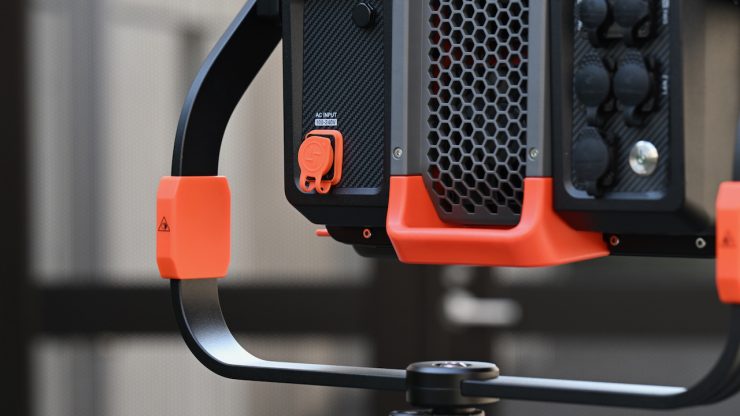
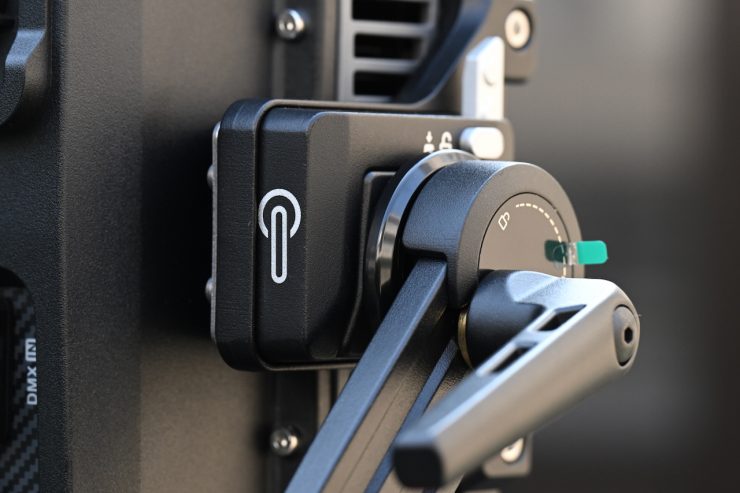
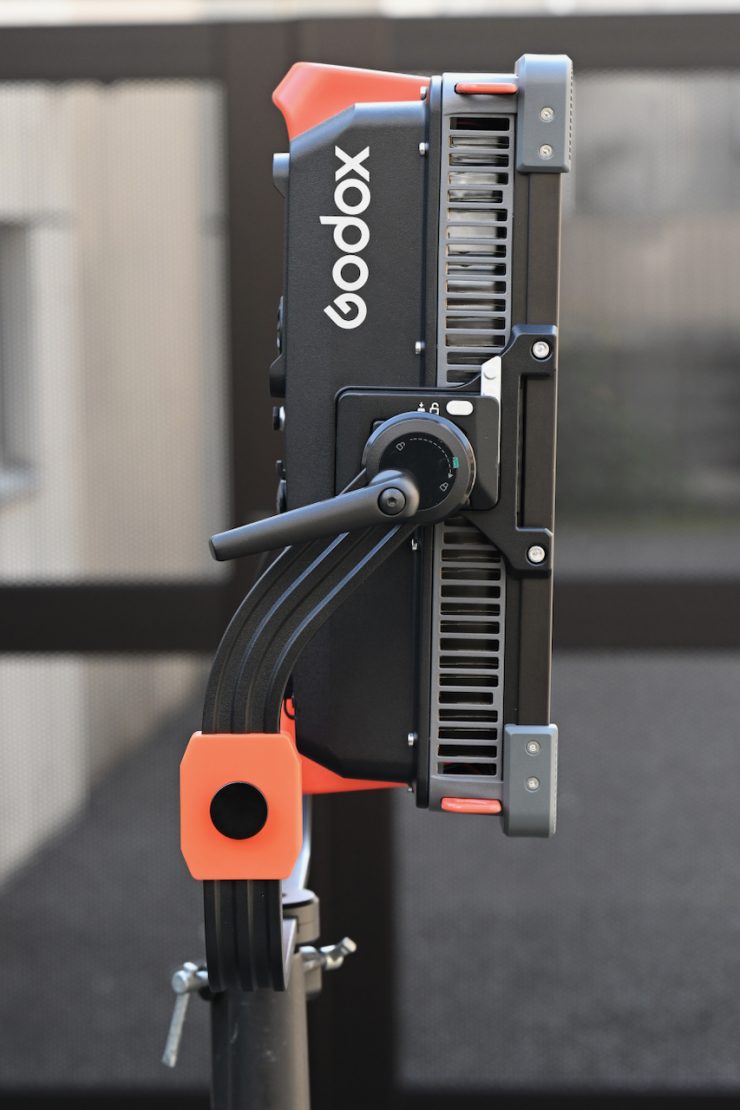
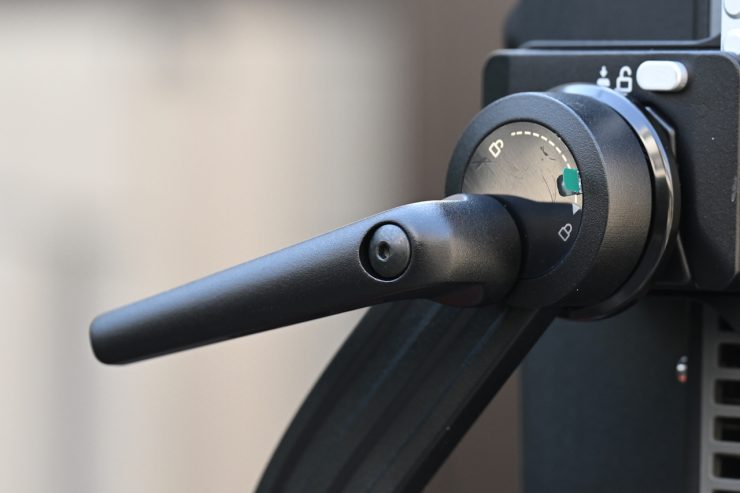
The yoke frames and locking mechanisms on the light are very solidly made, and it locks down tightly.
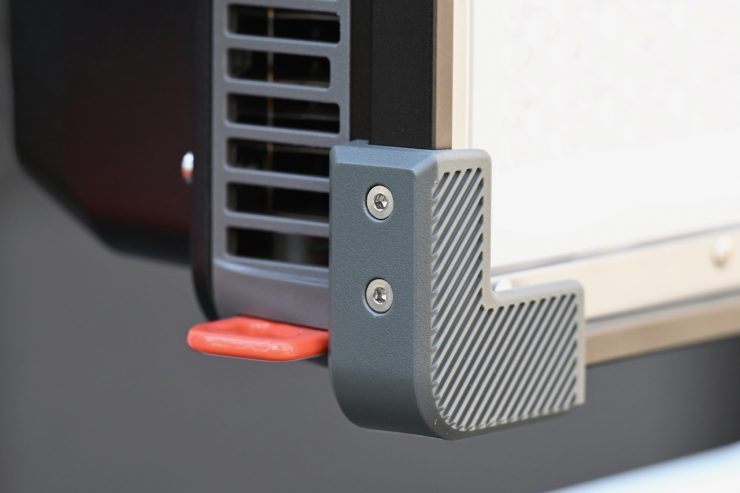
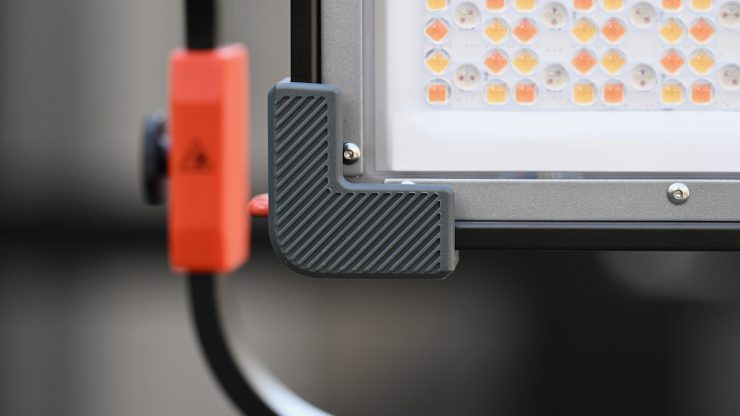
I like that there are protective bumpers on all four corners of the light.
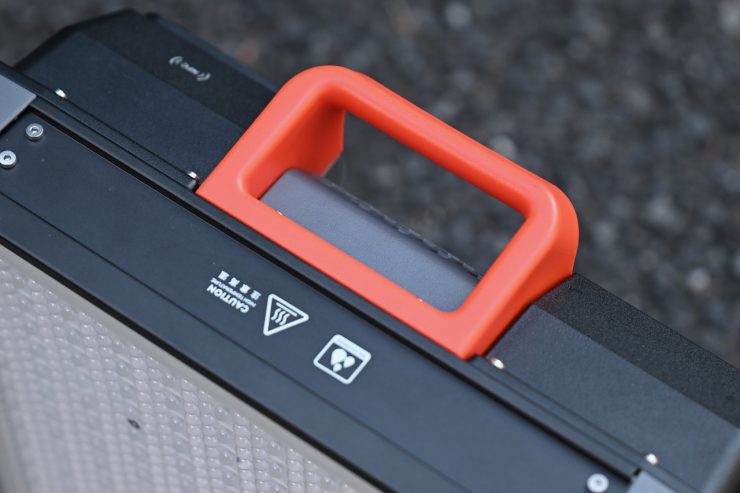
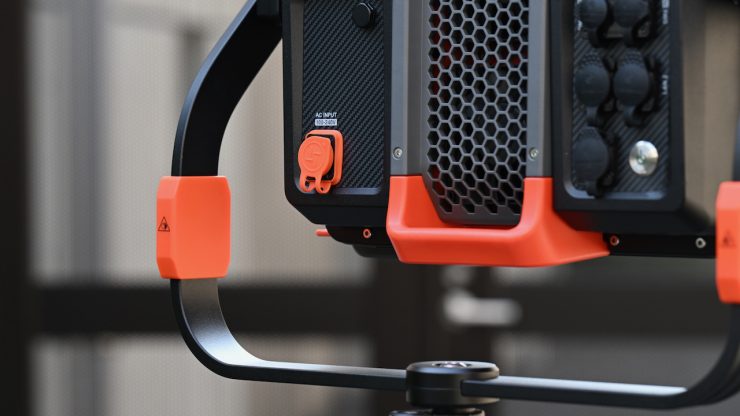
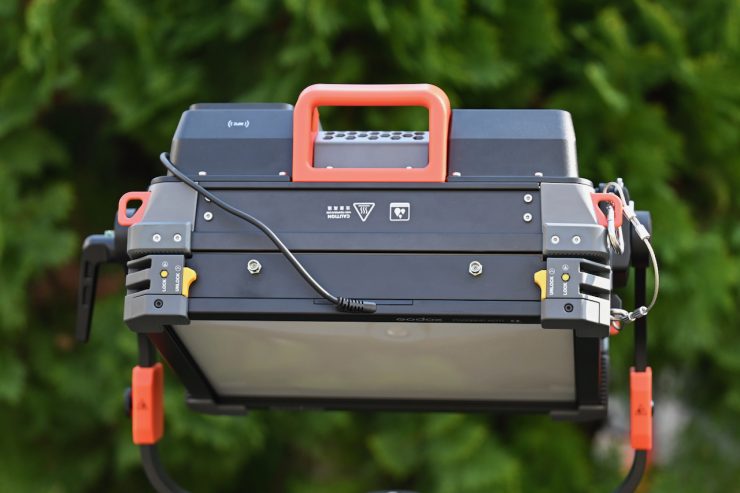
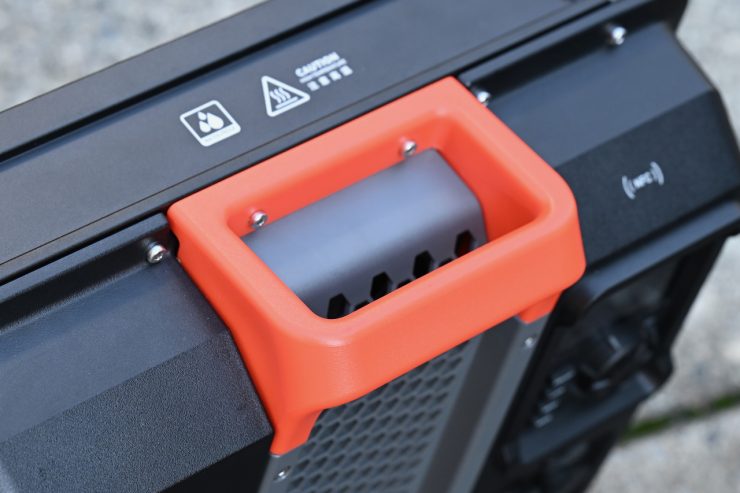
Considering the weight of the fixture, it is also good to see included carrying handles.
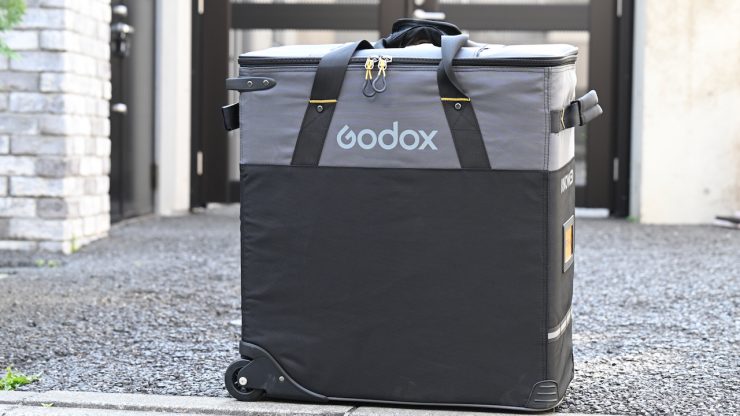
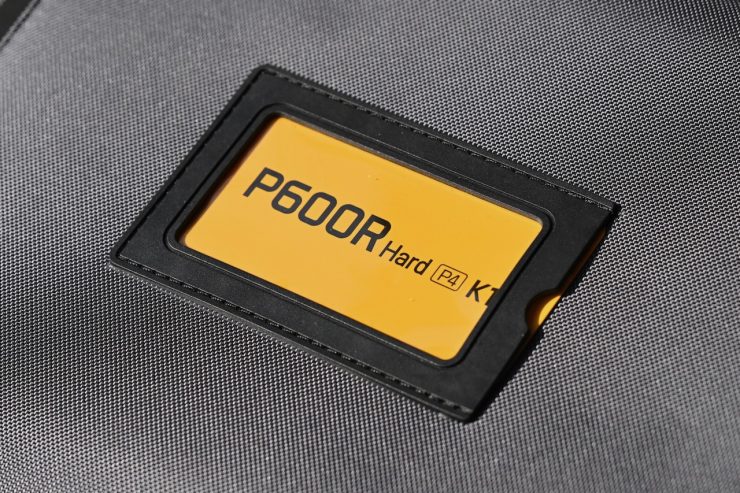


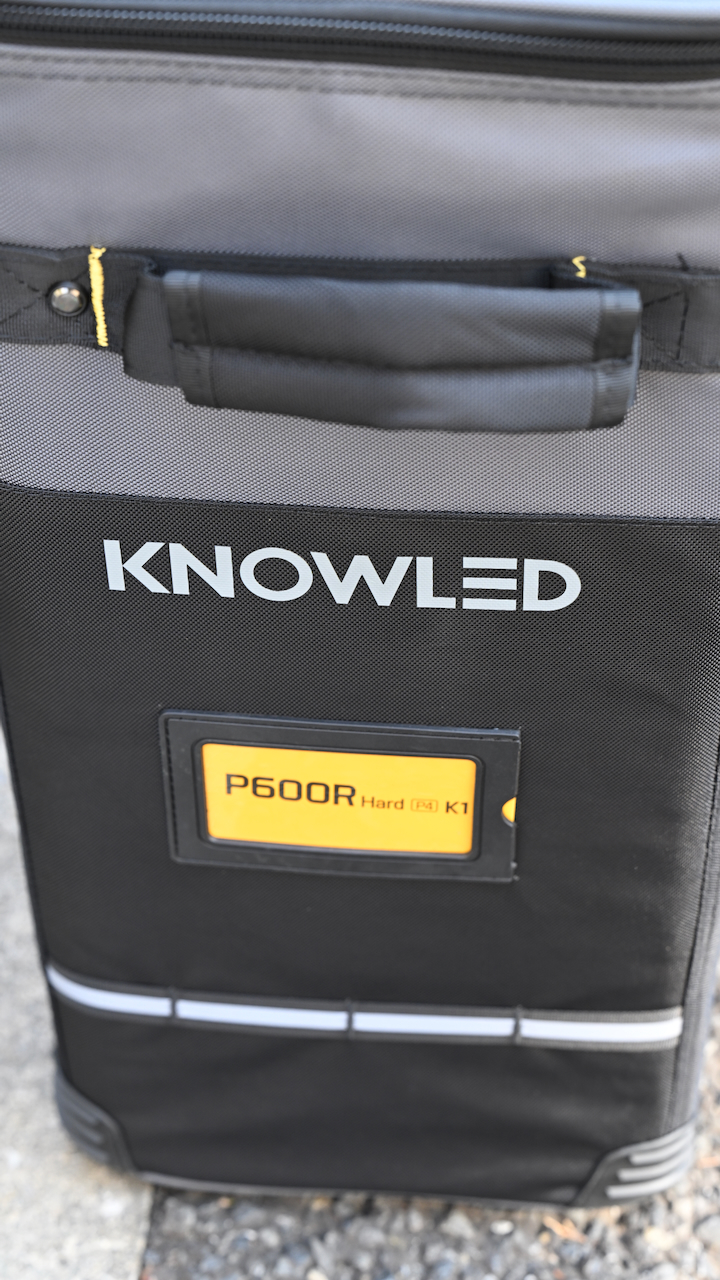
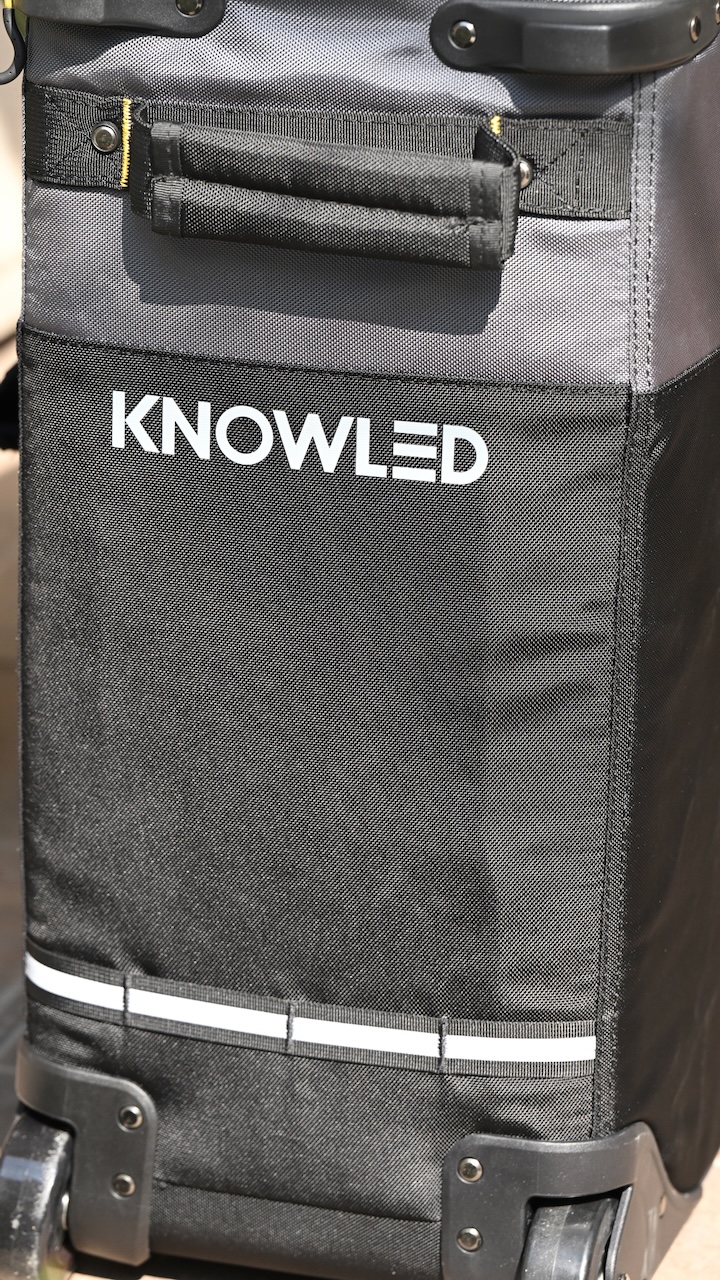
With the Godox KNOWLED P600R Hard P4 RGB LED Light Panel (Travel Kit), you get a travel case with wheels, which is decently made, and I like that it has plenty of carrying straps on it.
What do you get?
- Godox KNOWLED P600R Hard P4 RGB LED Light Panel
- U-Bracket
- AC Power Cord
- Safety Rope
- Storage Case
Above, you can see what comes with the Godox KNOWLED P600R Hard P4 RGB LED Light Panel (Travel Kit).
Power Draw
Most 1×1 lights these days tend to draw a lot of power, especially the RGBWW ones. The Godox KNOWLED P600R Hard P4 has a whopping 700W power draw, which is a lot for a fixture of this size, and a little higher than the Aputure NOVA II 1×1.
So, how does the power draw of the Godox KNOWLED P600R Hard P4 compare to other 1×1 fixtures? Below you can see:
| Power Draw | |
| Godox KNOWLED P600R Hard P4 | 700W (nominal) |
| Aputure NOVA II 1×1 | 650W (max) |
| Creamsource Vortex4 | 325W (nominal) |
| NANLITE Alien 300C | 300W (nominal) |
| ZOLAR Toliman 30S | 120W (nominal) |
| ZOLAR Toliman 30C | 200W (nominal) |
| ZOLAR Vega 30C | 200W (nominal) |
| Luxli Timpani² | 120W (nominal) |
| Rotolight Titan X1 | 230W (nominal) |
| ARRI S30-C SkyPanel | 200W (nominal) |
| Litepanels Gemini 1×1 Soft | 200W (nominal) |
| Litepanels Gemini 1×1 Hard | 200W (nominal) |
| Rayzr MC 100 | 98W (nominal) |
| Lupo Superpanel 30 Full Color | 200W (nominal) |
| Luxli Timpani 1×1 RGBAW | 120W (nominal) |
| Aputure Nova P300C | 360W (nominal) |
The ability to power a light at 100% via a single flight-safe battery can be a big deal to some users, but there are very few options on the market that allow you to do that. On the flip side, lights with a lower power draw don’t tend to have as much output as some other fixtures. The P600R Hard P4 is certainly not a light you can power with flight-safe batteries.
How does it stay cool?
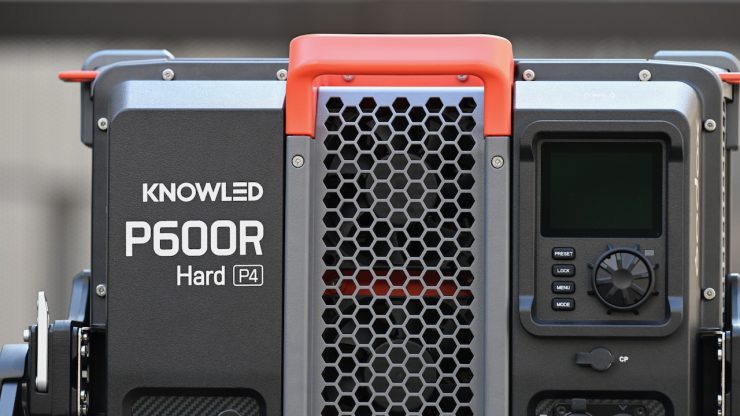
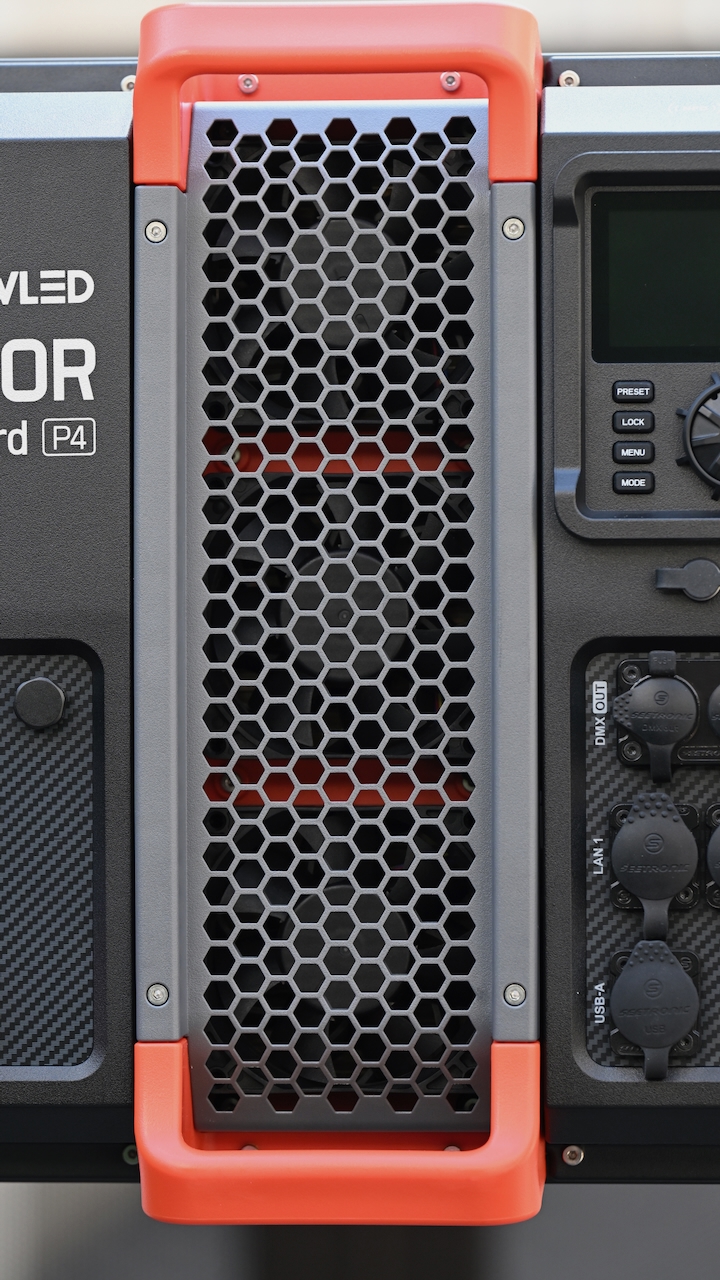
High-power draw LED lights can get very hot, and keeping them cool is not an easy task. The P600R Hard P4 utilizes three fans.
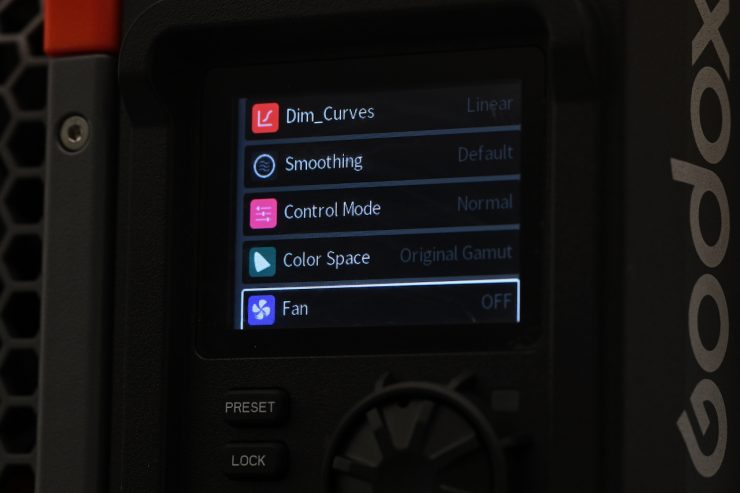
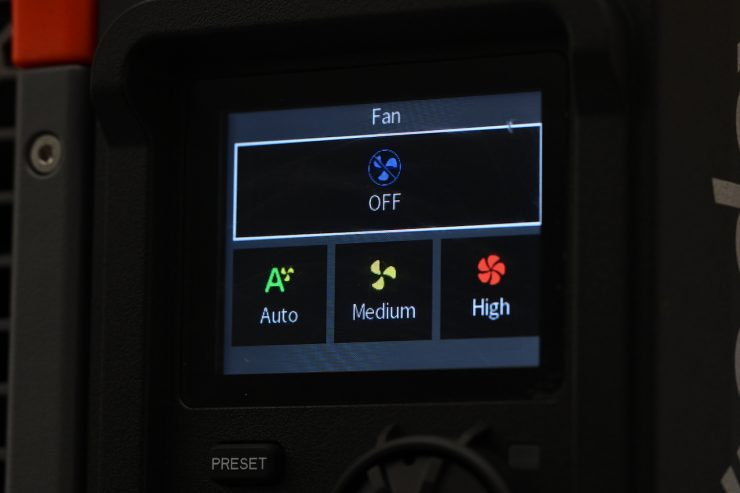
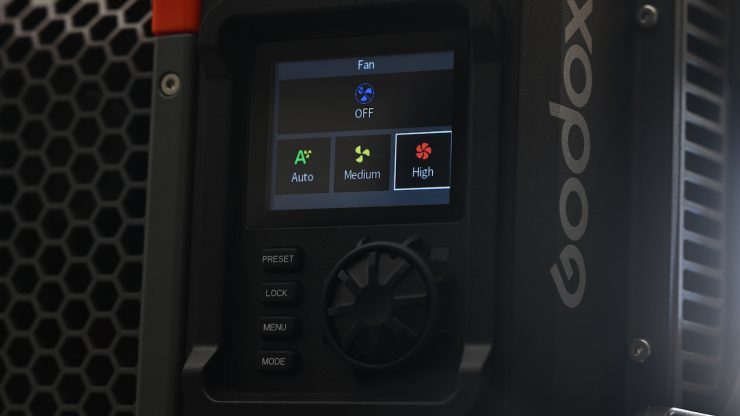
In the menu settings for the P600R Hard P4, you have the choice of setting the fan to the following modes:
- AUTO
- MEDIUM
- HIGH
- OFF
You can also change the fan settings using the Godox app.
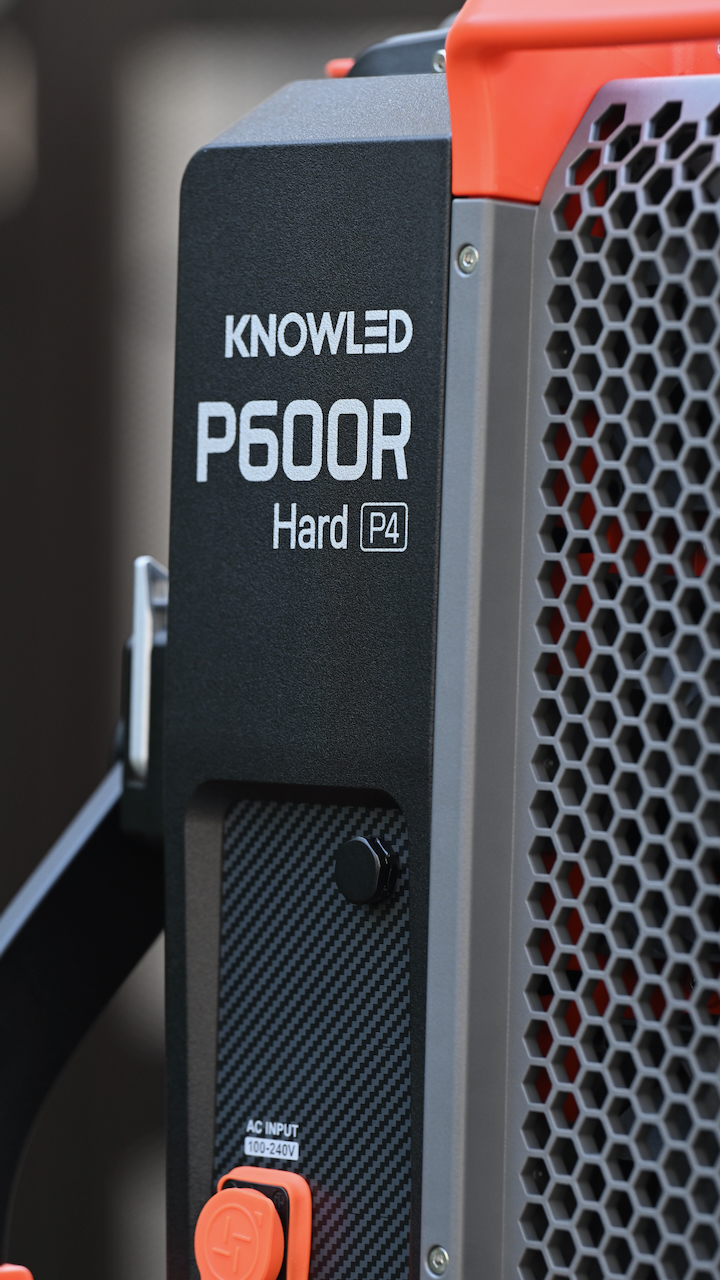
The fans on the P600R Hard P4 are reasonably quiet, and even when run in the High-Speed setting, I didn’t find it to be an issue.
CCT range
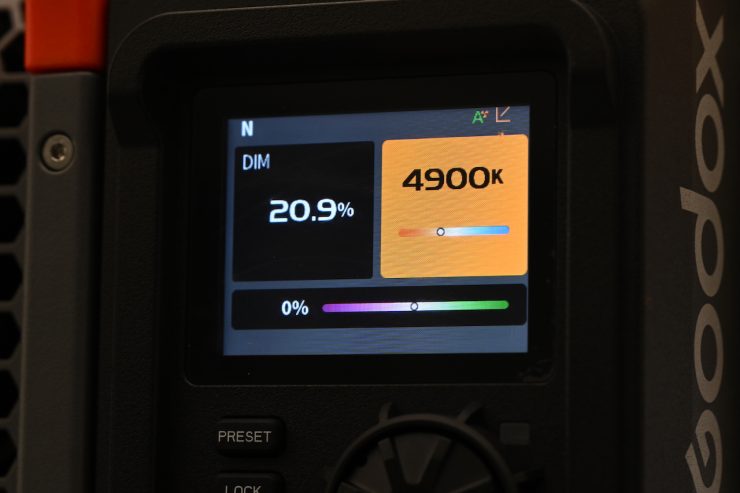
The light has a CCT range of 2700K-12,000K. This is a pretty good range, and it will more than suit most people’s needs.
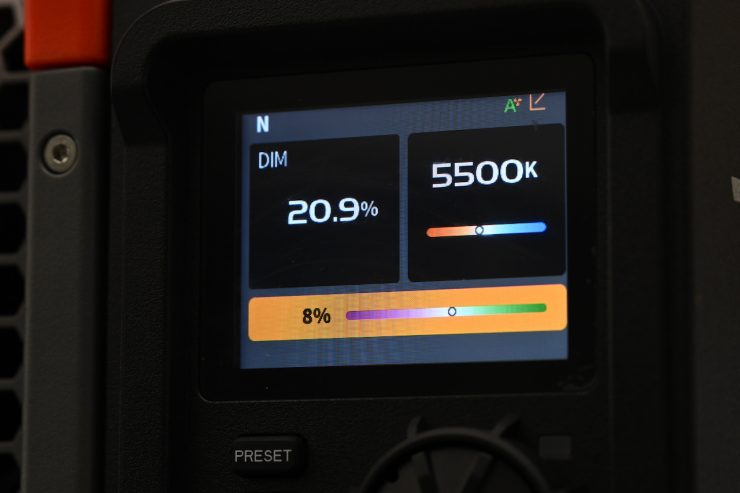
There are also G/M +/- adjustments available.
RGBWW
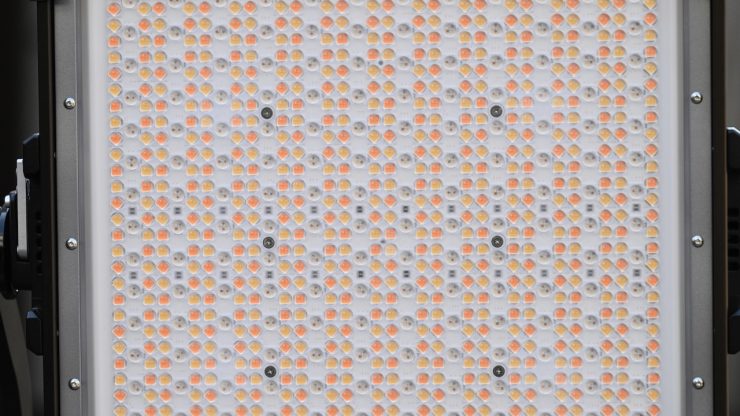
The light is RGBWW. We have seen everything from RGBW/RGBWW to 6-color systems (RGBLAC), to Aputure’s BLAIR CC, and NANLUX’s new C8 Full Color Light Engine, which is claimed to be the industry’s first eight-color light engine. There is also the Profoto triple-white (RGB WWW) LED engine.
Beam Angle
The beam angle of the P600R Hard P4 is 55°. Now, even though that is reasonably tight, you can use the optional P600RH AD Adapter and P600RHP AD11 Adjustable Diffuser to change this.
1×1 style panel lights that are on the market have a wide array of beam angles. Normally, they have either a very tight beam angle or a very wide beam angle. Although there are exceptions to this rule, such as the Rotolight Titan X1, where you can adjust the beam angles.
Below you can see what the beam angle is of other competing lights:
| Beam Angle | |
| Godox KNOWLED P600R Hard P4 | 55° |
| Ceamsource Vortex4 | 20° |
| Aputure NOVA II 1×1 | 35° |
| NANLITE Alien 300C | 60° |
| ZOLAR Toliman 30S | 40°/ 88° |
| ZOLAR Toliman 30C | 90°/ 127° |
| ZOLAR Vega 30C | 90°/ 127° |
| Luxli Timpani² | 78° |
| Rotolight Titan X1 | 68° to 150° |
| Ceamsource Vortex4 | 20° |
| ARRI SkyPanel S30-C | 110° |
| Litepanels Gemini 1×1 | 95° |
| Razyr 7 MC120 | 120° |
| Lupo Superpanel 30 Full Color | 40° |
| Lupo Superpanel 30 Full Color Soft | 115° |
| Luxli Timpani 1×1 RGBAW | 78° |
| Aputure NOVA P300c | 120° |
Some lights, as I mentioned, also have the ability to change the beam angle through the use of various light modifiers.
Mounting
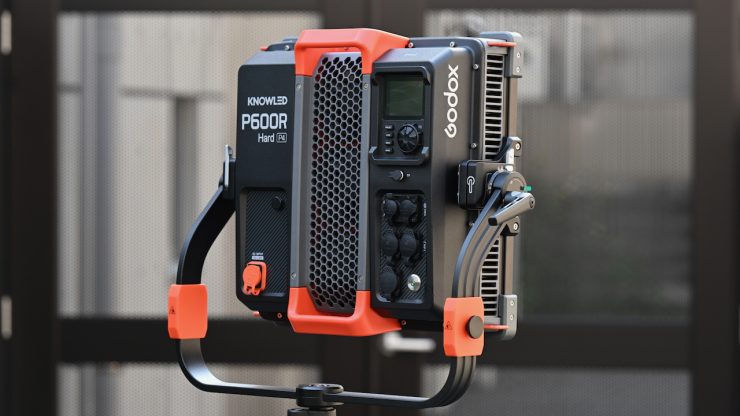
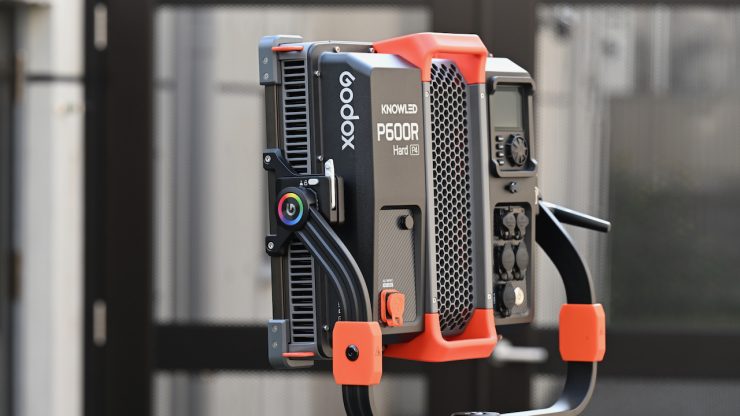
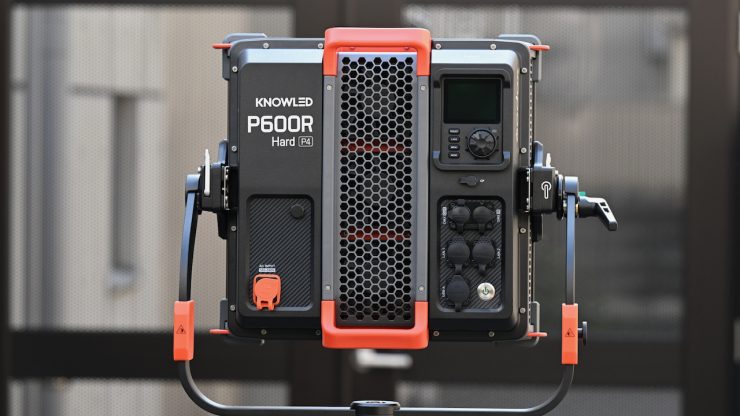
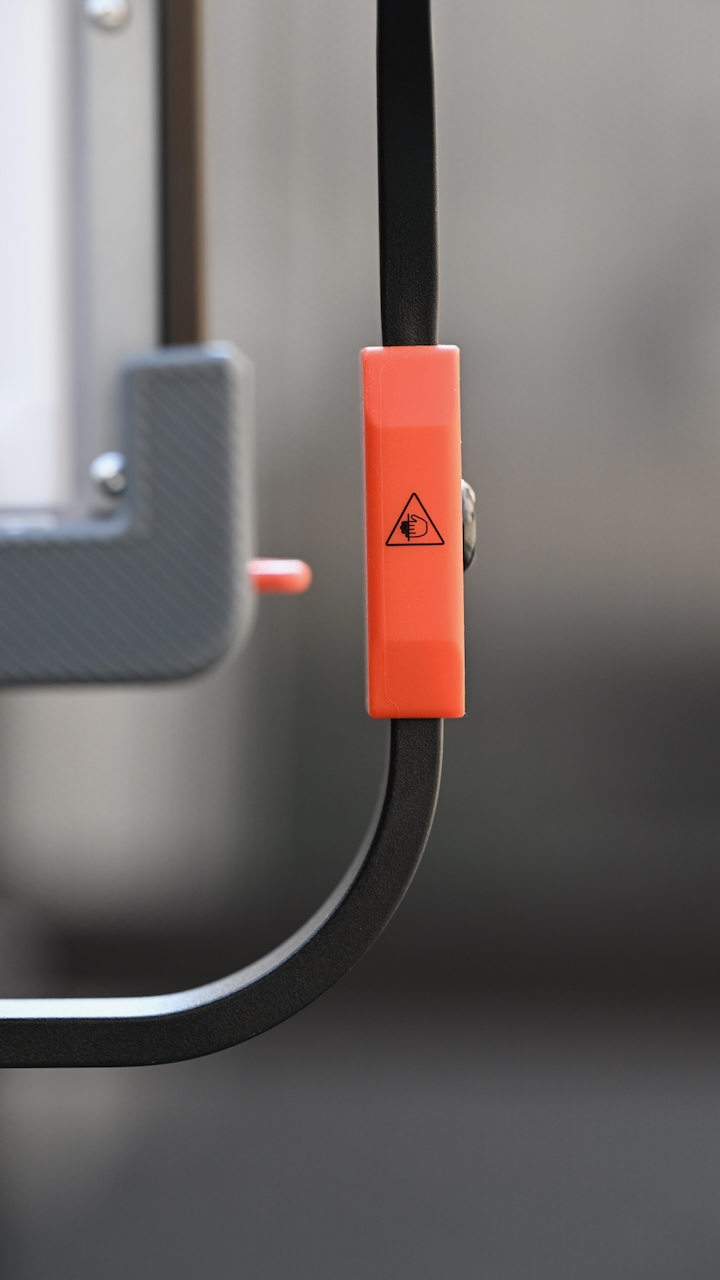
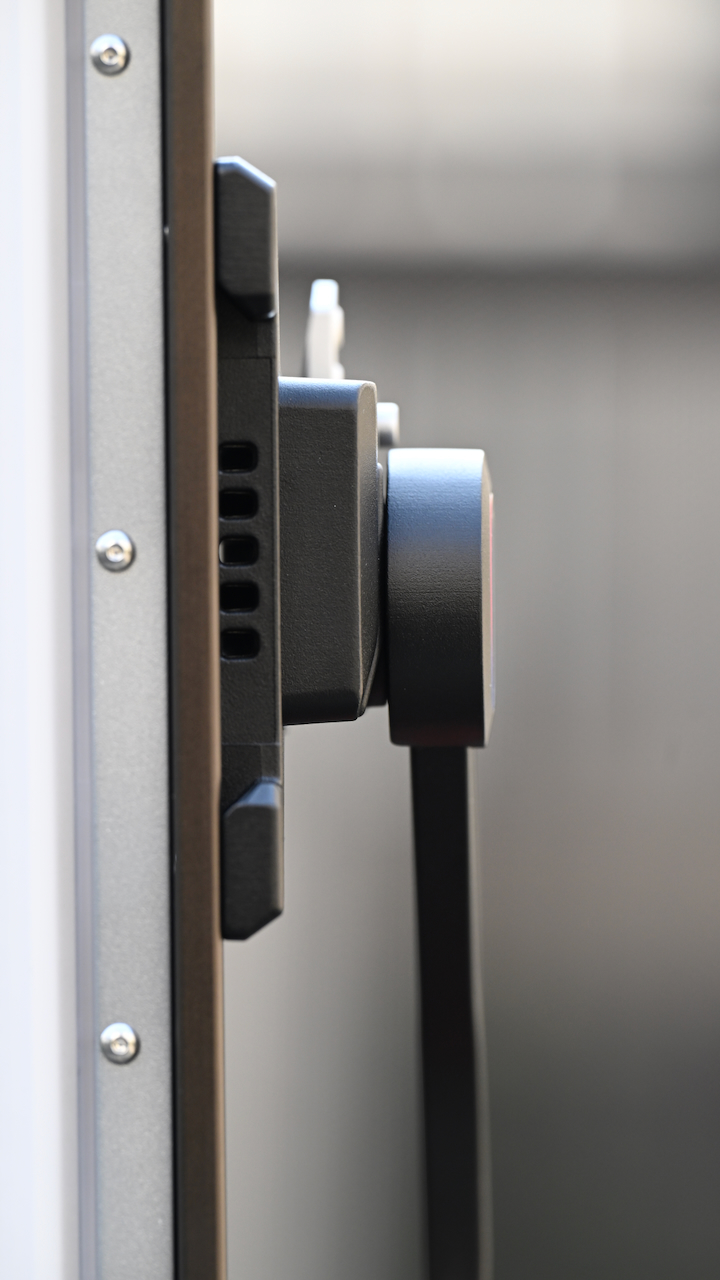
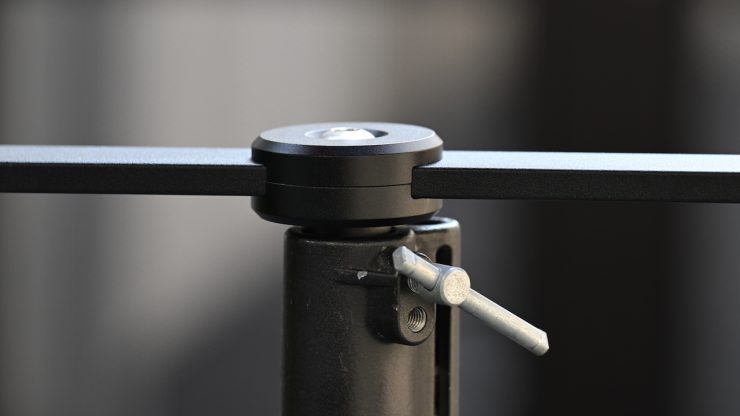
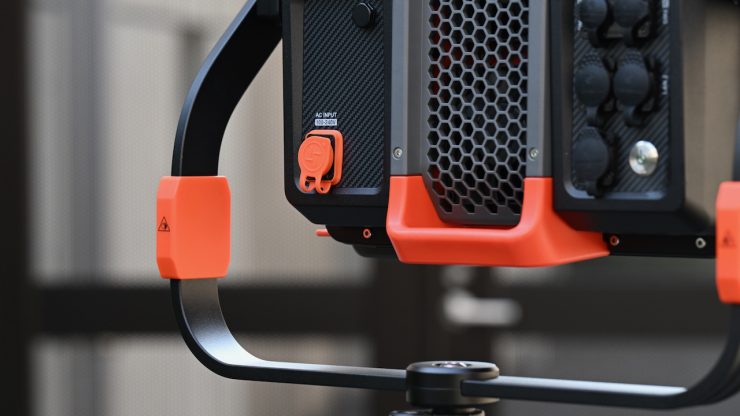
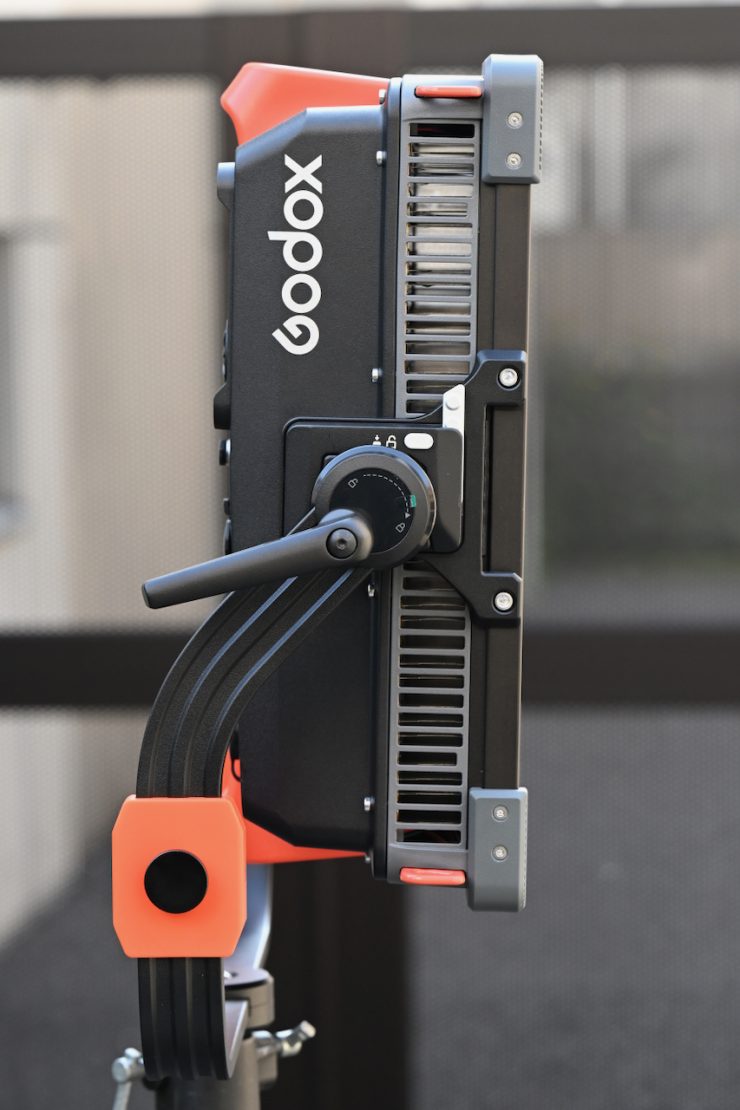
The Godox KNOWLED P600R Hard P4 comes with a robustly made angled yoke frame. The yoke frame has two quick-release mounting plates on it and a junior pin. You can also just attach it to regular light stand adapters as well.
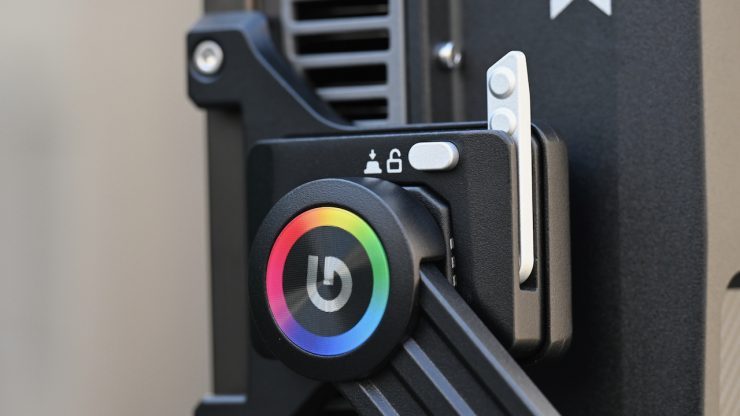
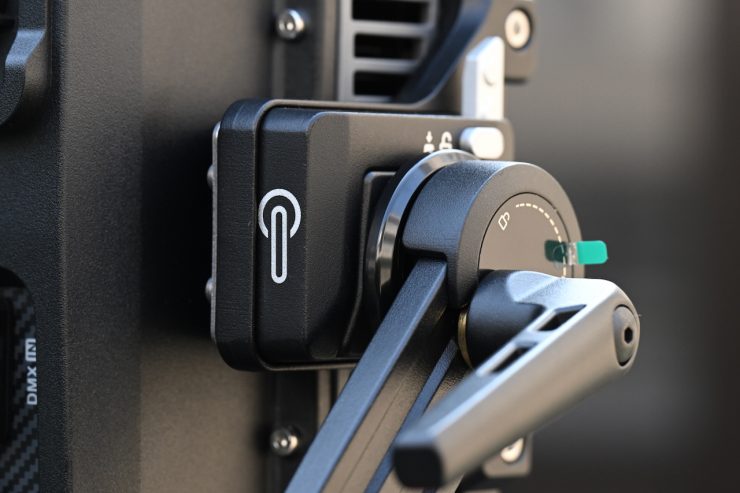
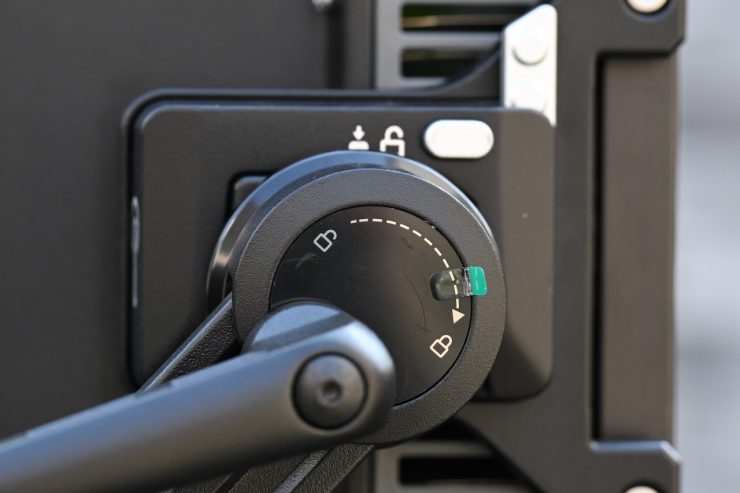
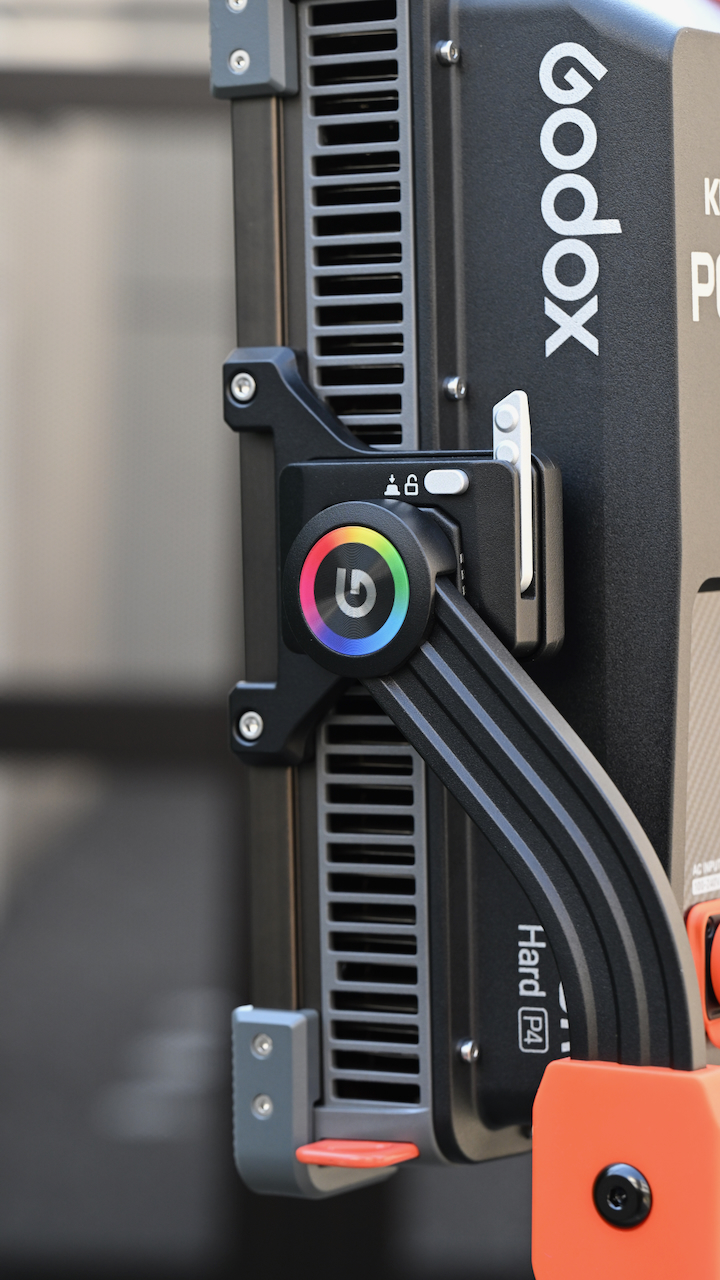
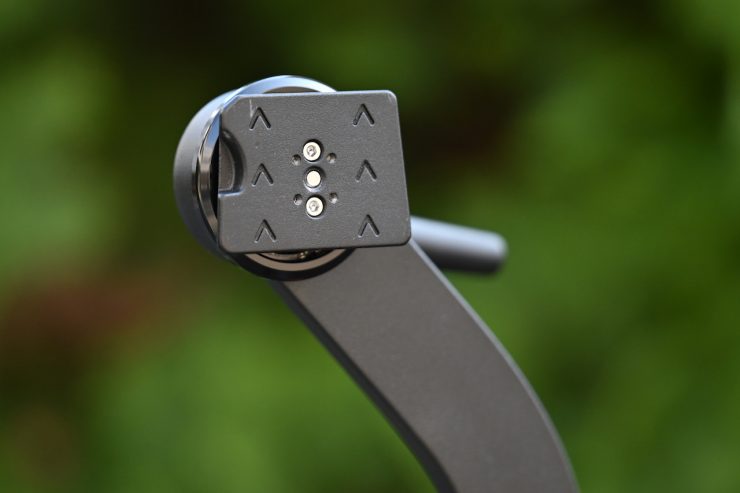
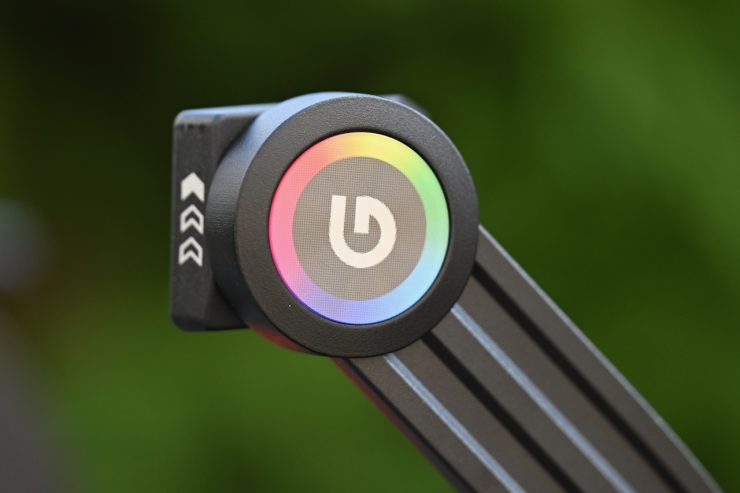
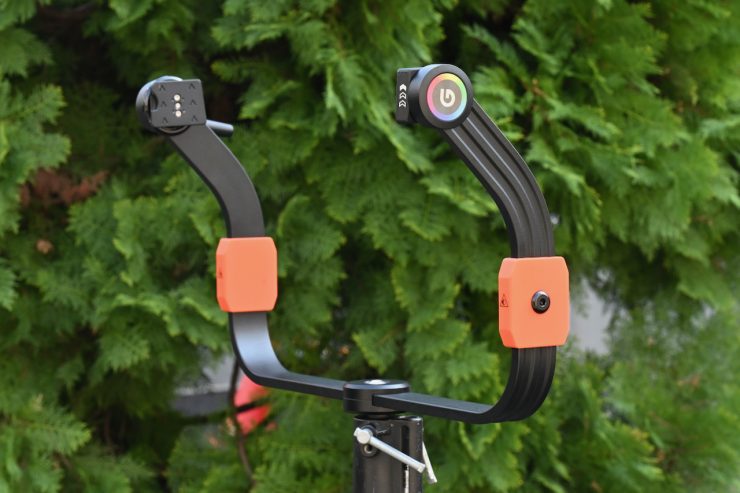
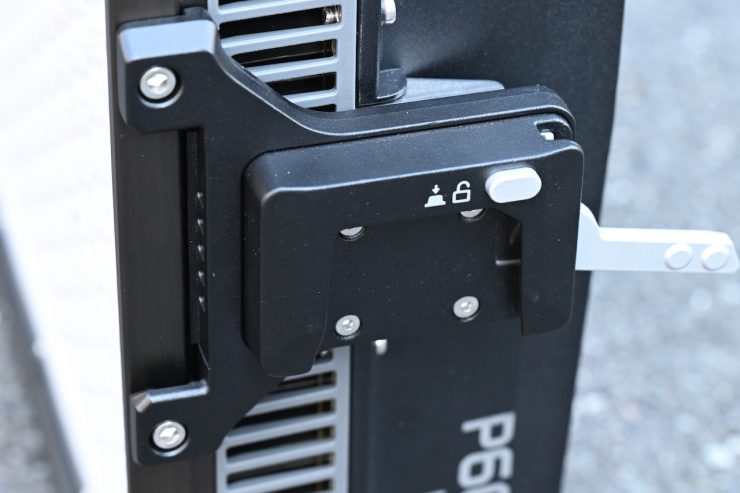
On the fixture, there are two quick-release inserts where the mounting plates slide in. They feature a nice little locking mechanism that is very easy to use.
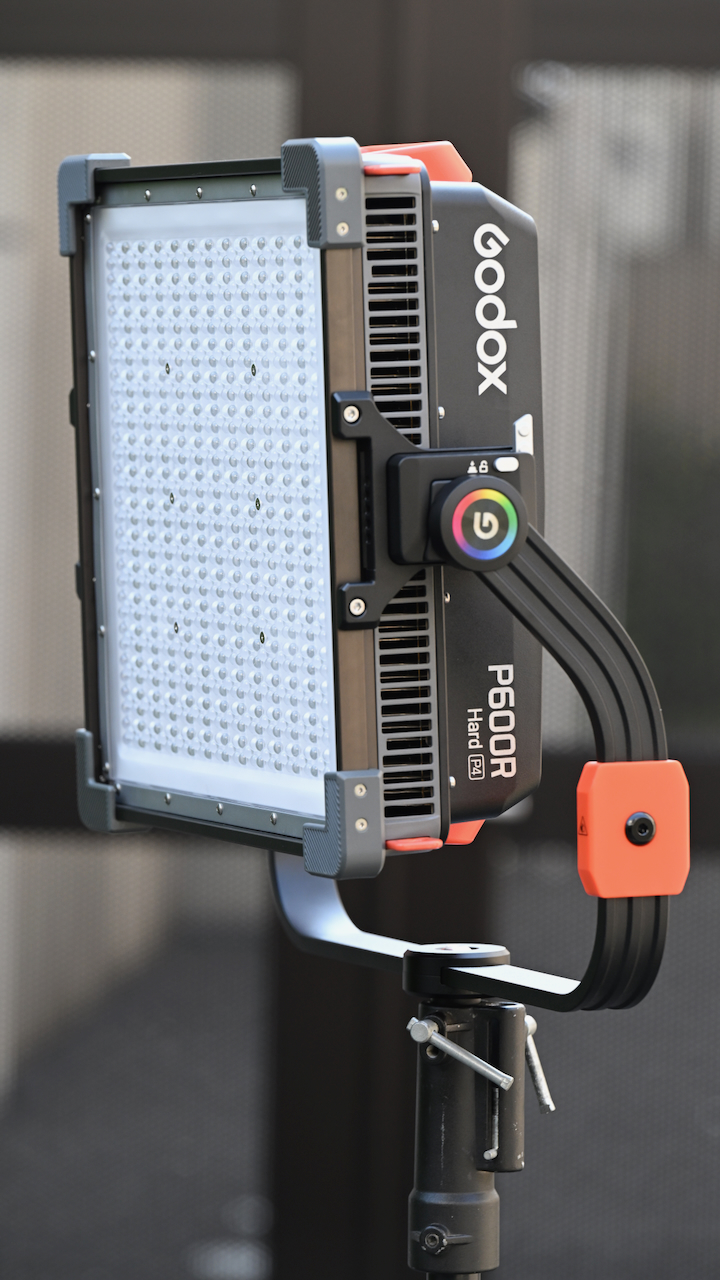
Unlike some other fixtures with a quick-release mechanism, this is easy to use, and just one person can do it without any issues. It lines up easily and inserts smoothly. The only issue you may encounter is if you try to remove it when the light is placed up high on a stand.
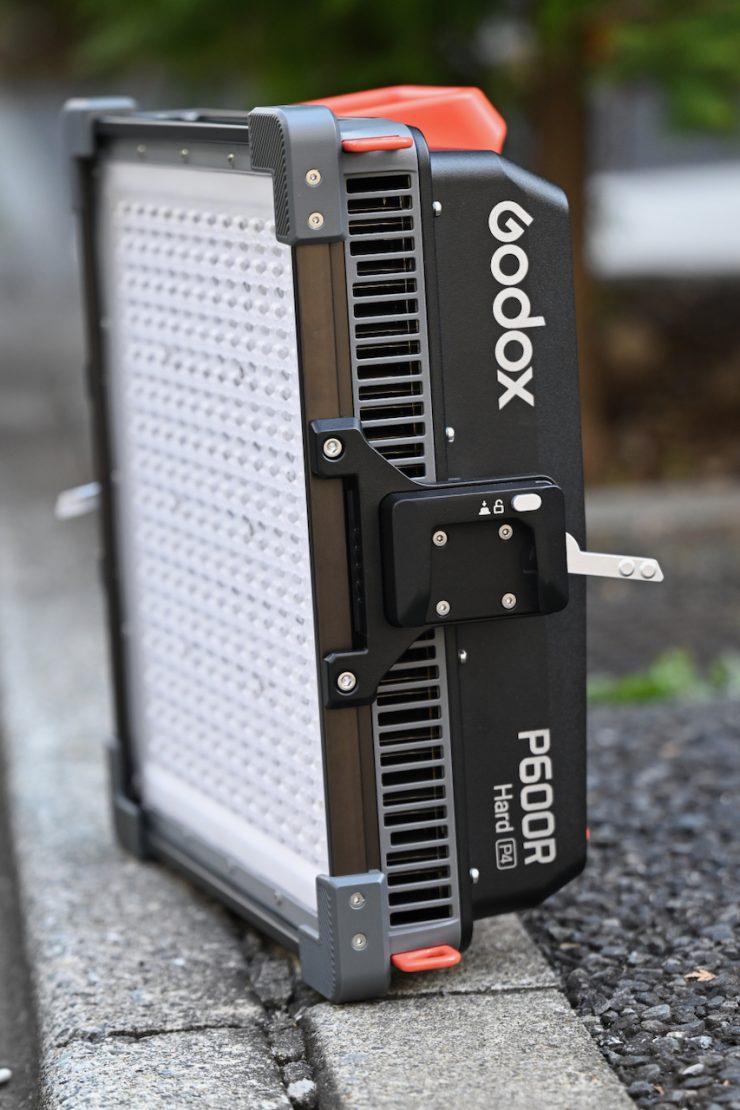
Being able to remove the light from the yoke frame allows you to place the light flat on the ground.
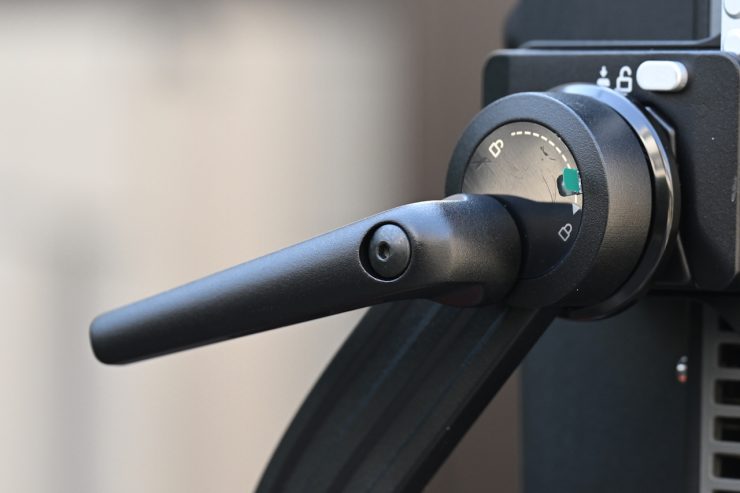
The single clutch lock works really well, and once you tighten it down, the light will not move, no matter how much force you put on it.
The yoke frame can be attached to a regular lightstand. The yoke frame is easily strong enough to hold the fixture and a Fresnel, or a large lighting modifier.
Controls & Menu System
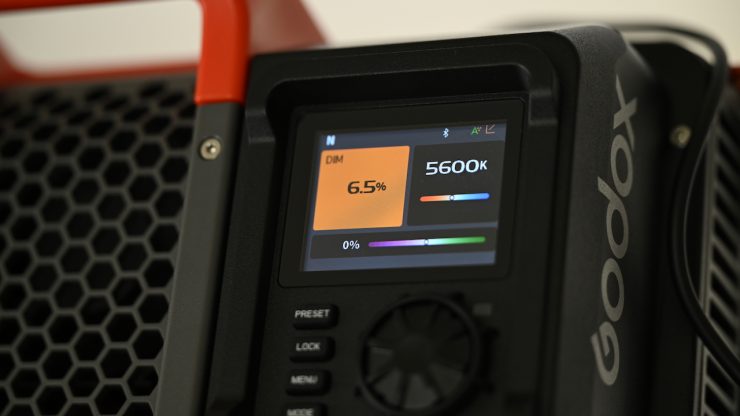
The Godox KNOWLED P600R Hard P4 has a reasonably large LCD screen on the power supply controller that clearly shows you information about the light. While it is not a touchscreen, it is still pretty quick to access all the available lighting modes and make changes. It is an easy interface to use, even though it is a little basic.
As there is no separate power supply/controller, the light is hard to adjust if it is mounted high on a stand. When you are using it like this, it is best to use the app.
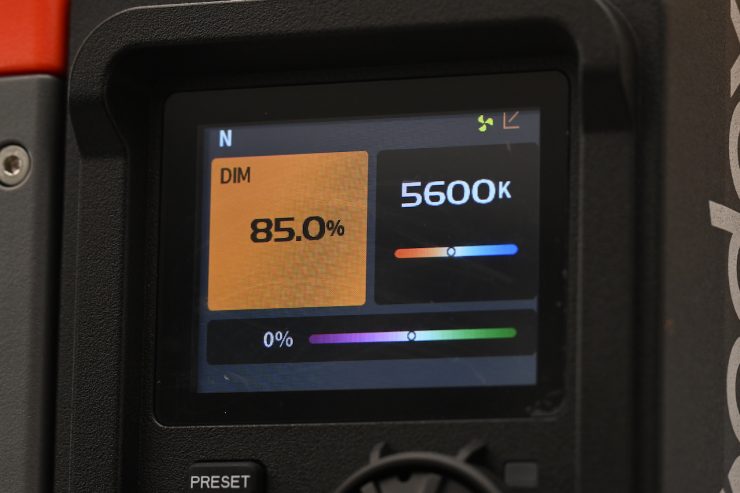
I would have preferred to have seen an upgraded and better operating system on a fixture at this price. Having an operating system that is pretty much exactly the same as you will find on the affordable Godox Litemons systems. Presumably wanted to have a unified operating system for all of its fixtures.
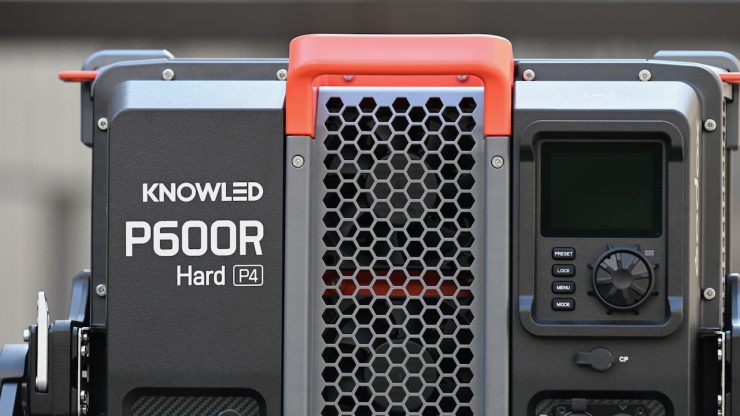
There are four buttons, a Select dial, and a power on/off switch.
With a good light, you shouldn’t have to read a manual to work out how to operate it. You should be able to turn it on and use it straight away. You won’t find any deep sub-menus or complicated ways of making changes on the fixture. It was designed to be simplistic and easy to operate.
Menu Settings
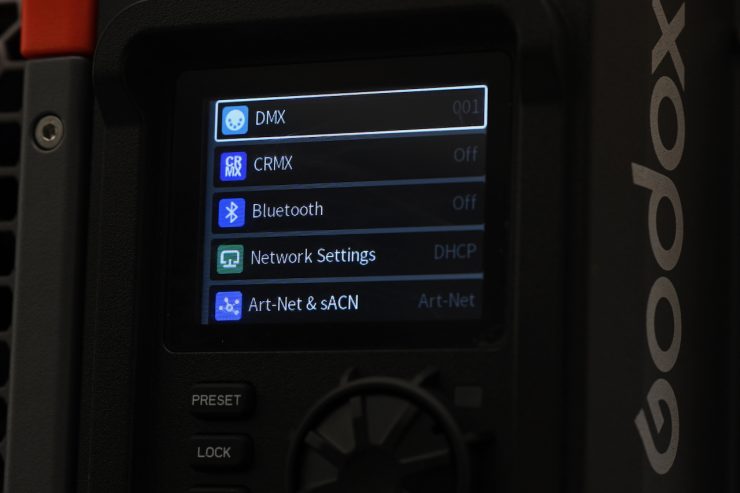
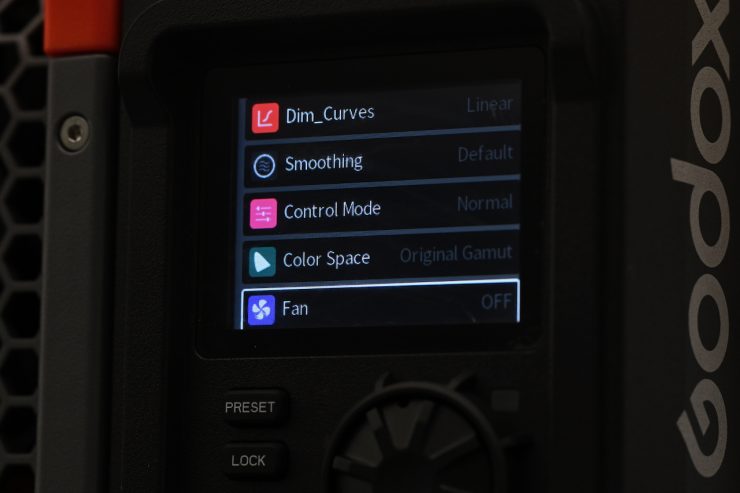
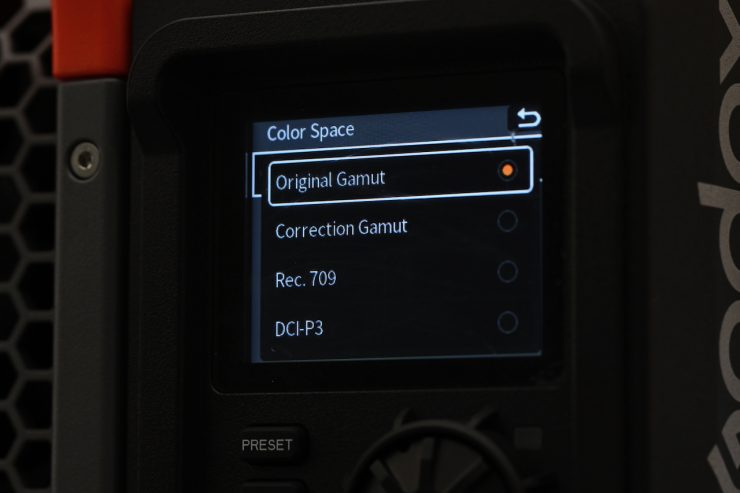
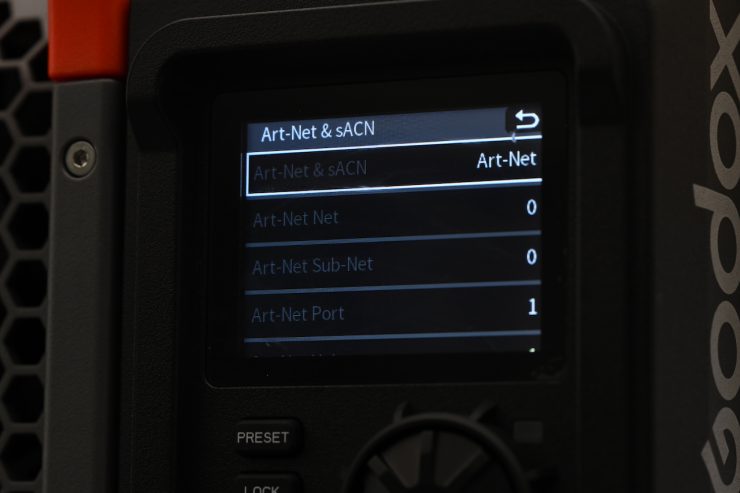
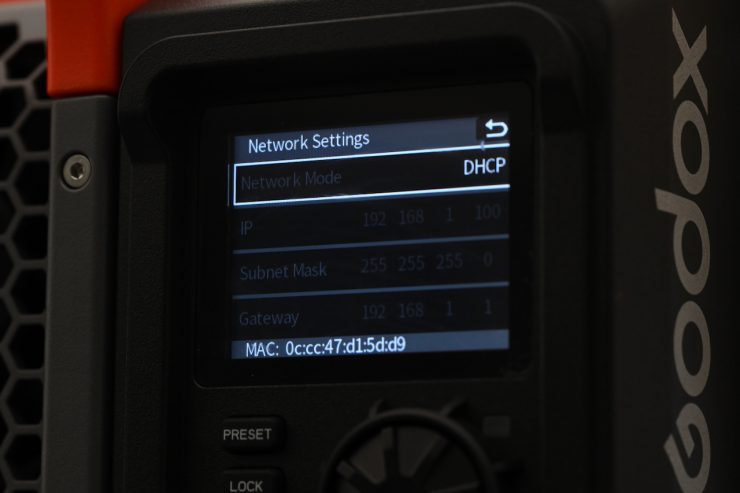
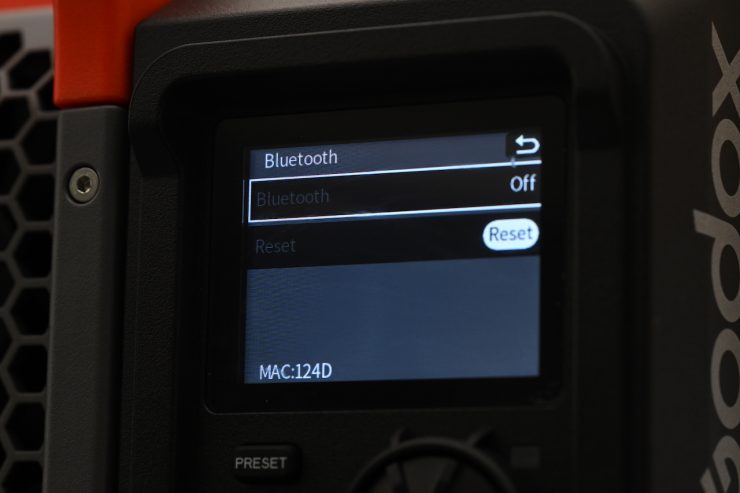
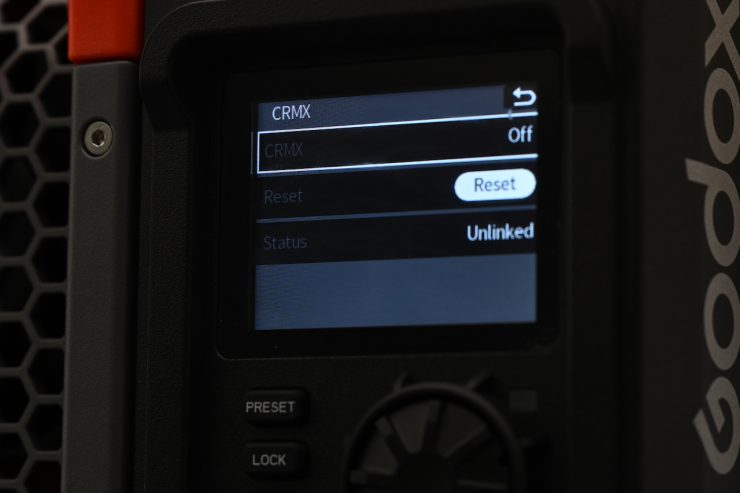
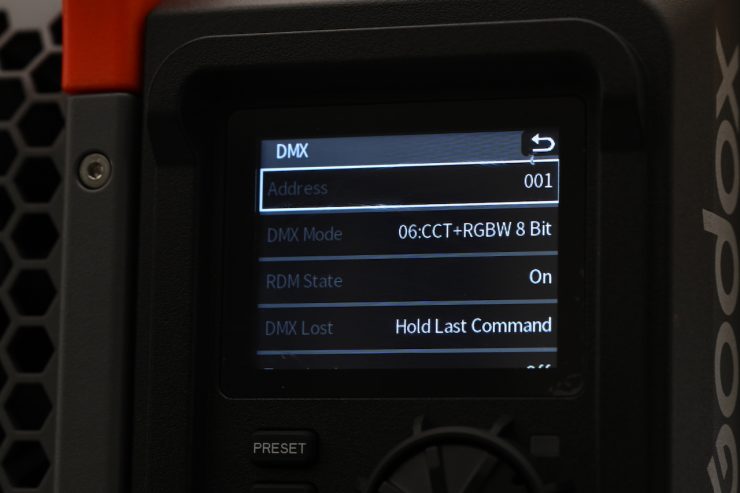
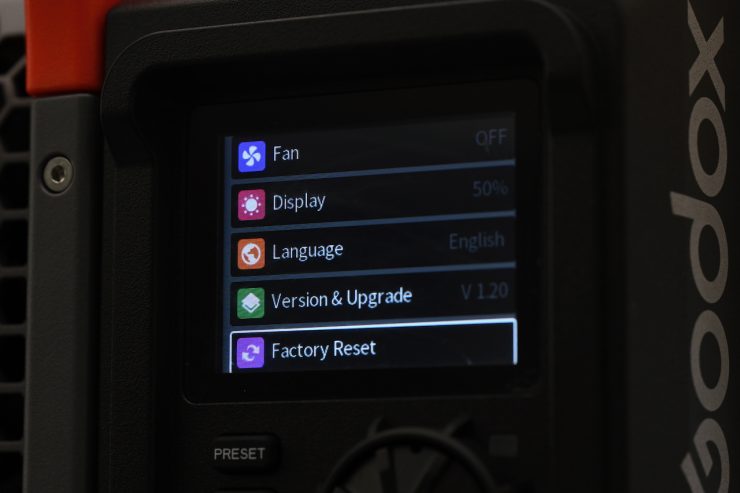
There are quite a few different things you can change and adjust in the main menu.
CRMX BT to CRMX
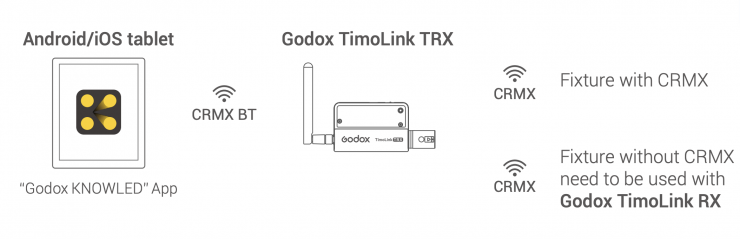
To set up CRMX BT to CRMX, you do the following steps:
- First, connect the Android/iOS tablet to Godox TimoLink TRX via the CRMX BT.
- Then connect Godox TimoLink TRX to CRMX fixtures, or DMX fixtures (used with Godox
TimoLink RX). - Finally, add the fixtures in “Godox KNOWLED” app to control them
Please note that TimoLink TRX and TimoLink RX are sold separately.
Dimming Curves
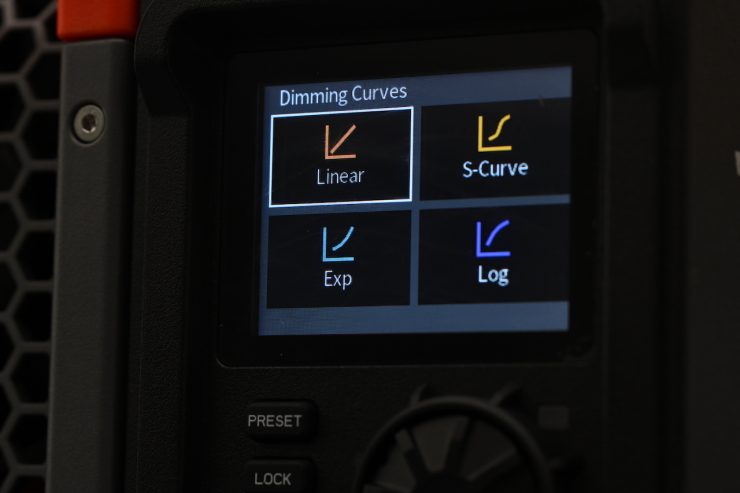
In Dimming Curves, you can choose from:
- Linear
- S-Curve
- Exponential
- Log
The light will dim right down to 0.1%, which is certainly handy, but realistically, I don’t know how many people will actually run a fixture with this power draw and output at 0.1%, but it’s good to have that ability.
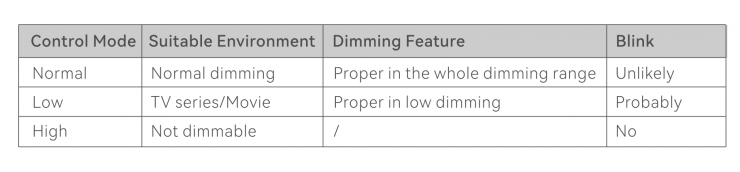
Control Mode
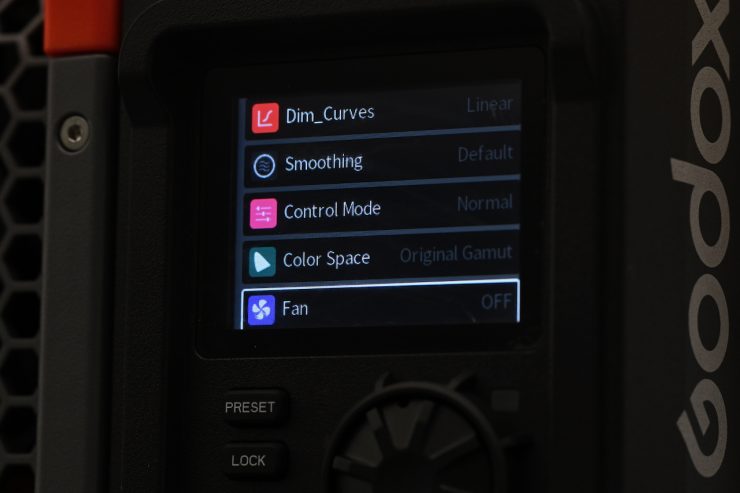


In Control Mode, you can choose between:
- Normal
- Low End
- Highspeed
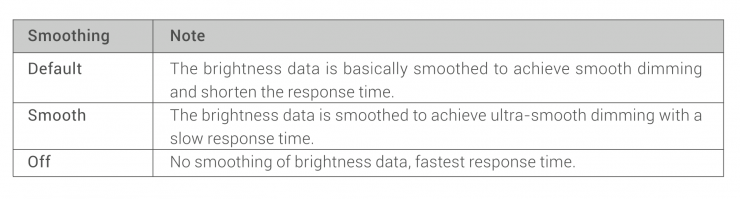
Smoothing
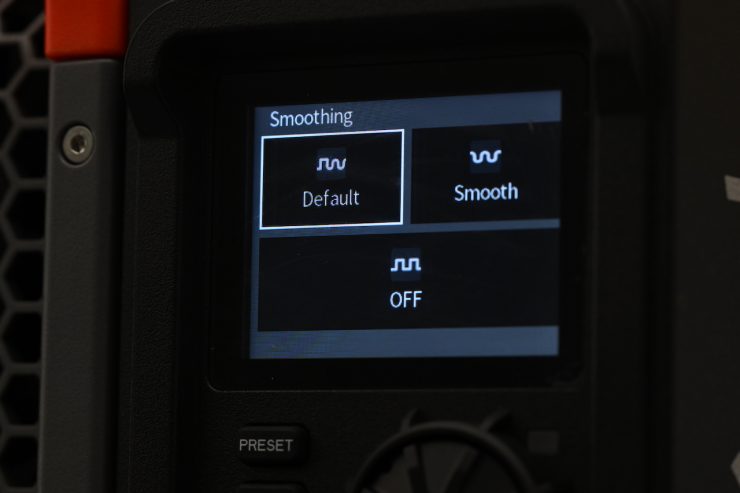
In Smoothing, you can choose between Default, Smooth, and Off.
Color Space
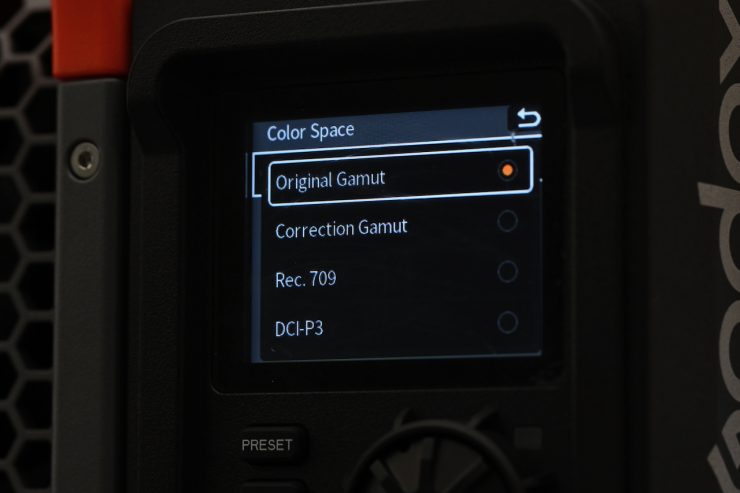
In Color Space, you can set the light to the following:
- Original Gamut
- Correction Gamut
- Rec.709
- DCI-P3
Fan Mode
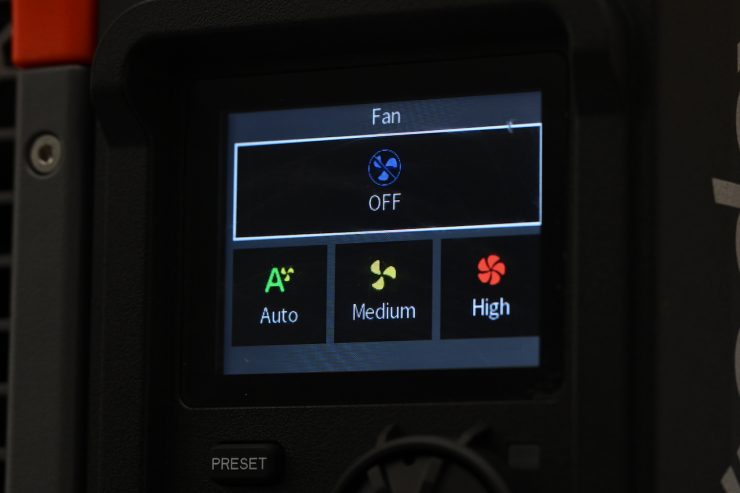
As I mentioned earlier in the review, there are 4 different fan settings you can choose from.
- Off
- Auto
- Medium
- High
Operating Modes
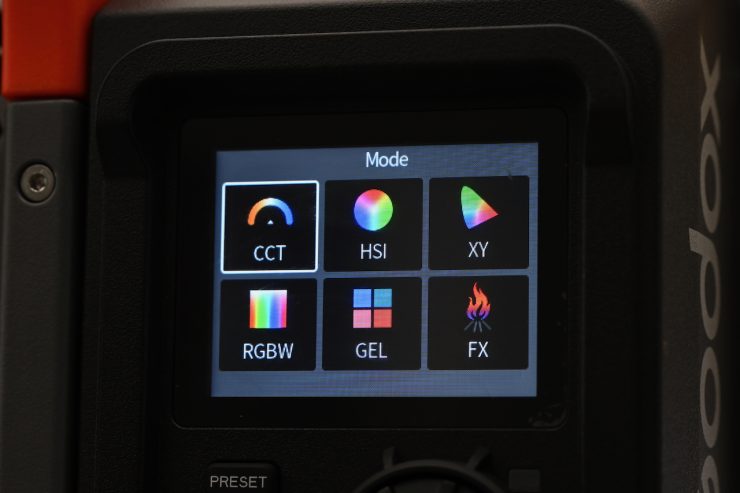
The light has 6 key lighting modes:
- CCT
- HSI
- RGBW
- GEL
- xy
- FX
Correlated Color Temperature (CCT)
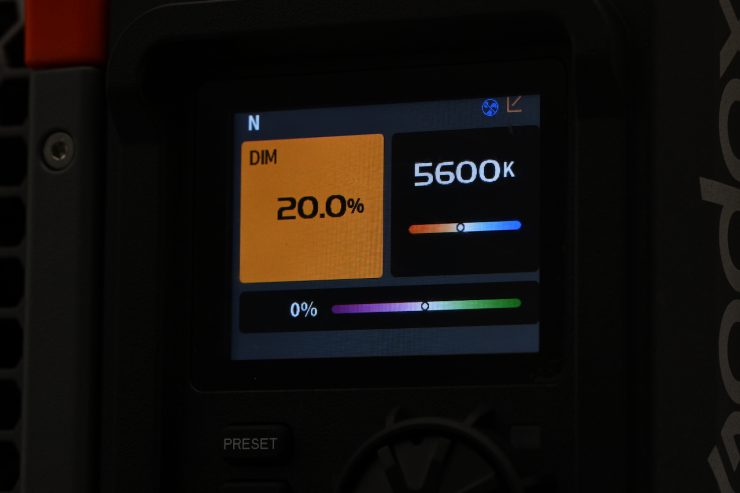
This is the mode most people are going to use the light in. In the CCT Mode, you have full access to making CCT adjustments between 1800-10,000K. This is a large range, and it will suit most people’s needs.
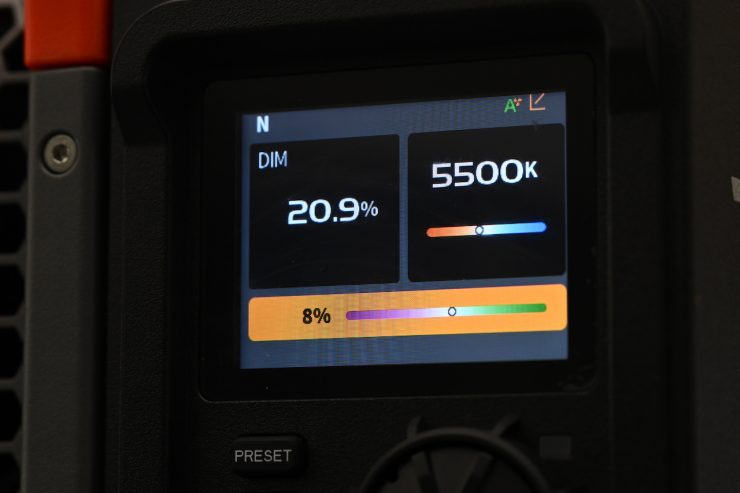
The fixture also has continuous variable (full minus green to full plus green) correction.
Being able to dial in more or reduce the amount of green coming from your lighting source can make a huge difference. Different camera companies use different sensors in their cameras, and they all react differently to light. Some camera sensors may lean towards magenta, and some, more towards green. By making CCT adjustments, you can dial in the light so that it looks better for whatever camera system you are using. G/M adjustment also helps when you are trying to match lights from different manufacturers.
HSI
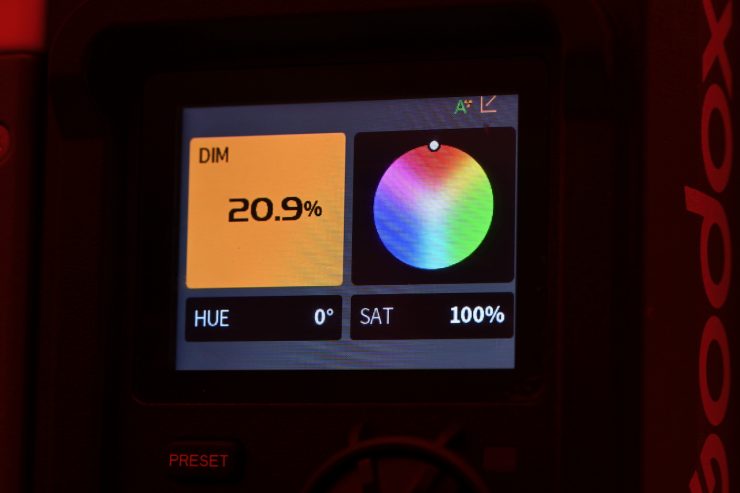
In HSI mode, you can individually control the Hue, Saturation, and Intensity.
RGBW
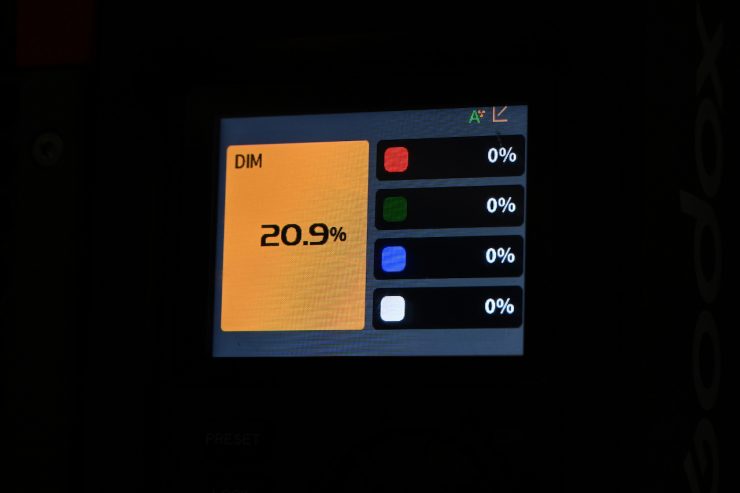
In RGBW mode, you can adjust the individual channels for Red, Green, Blue, and White.
GEL
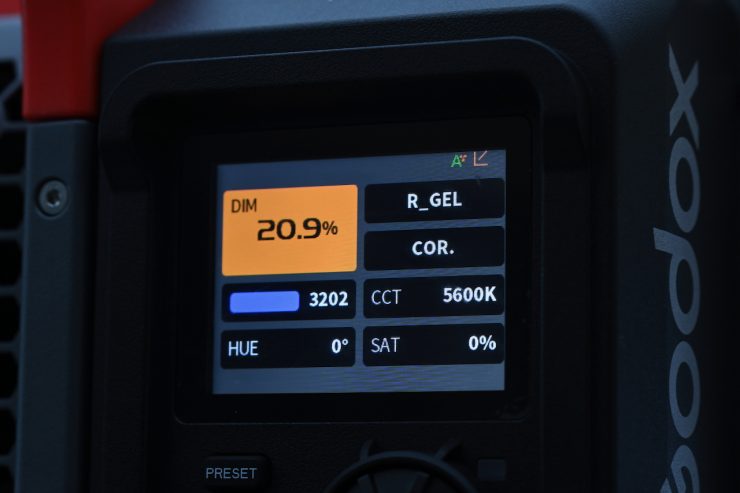
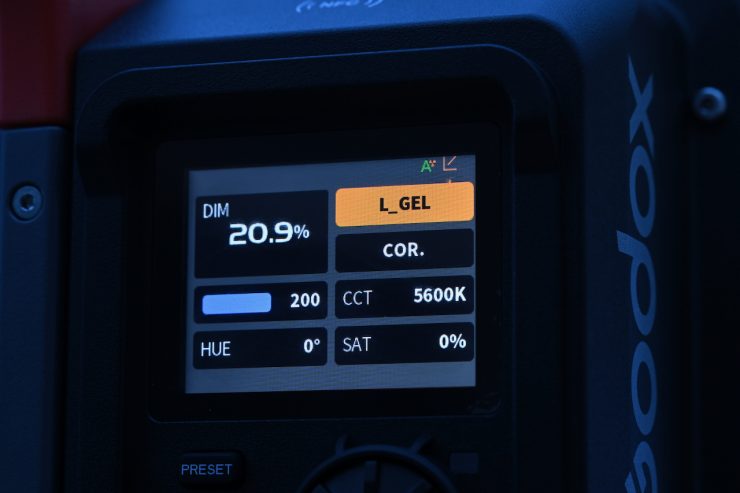
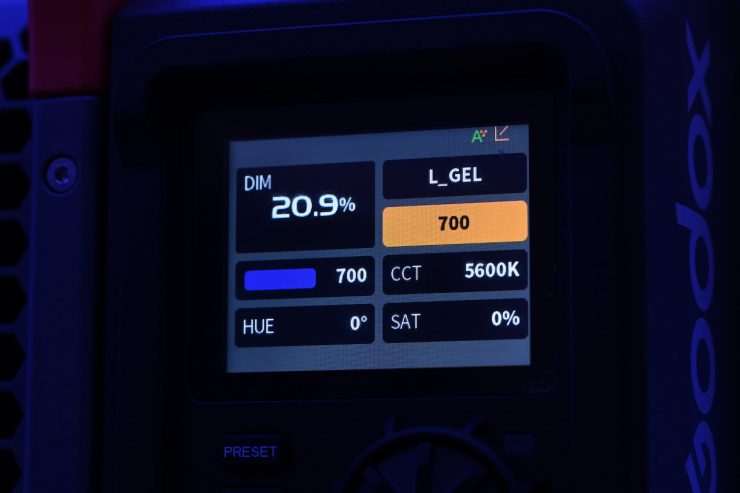
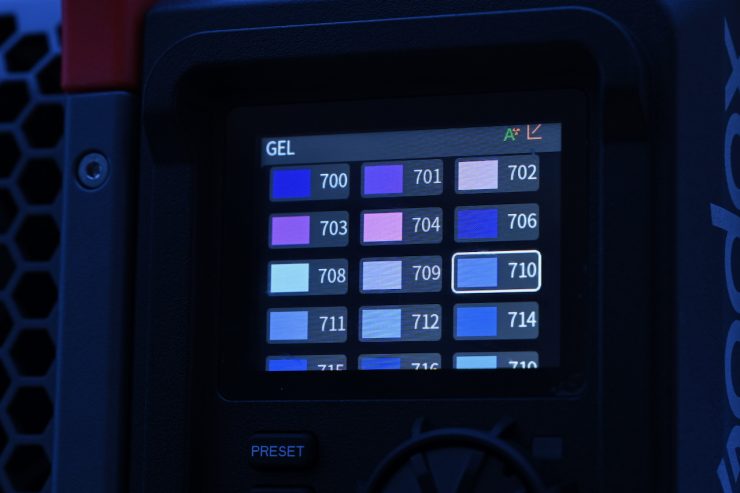
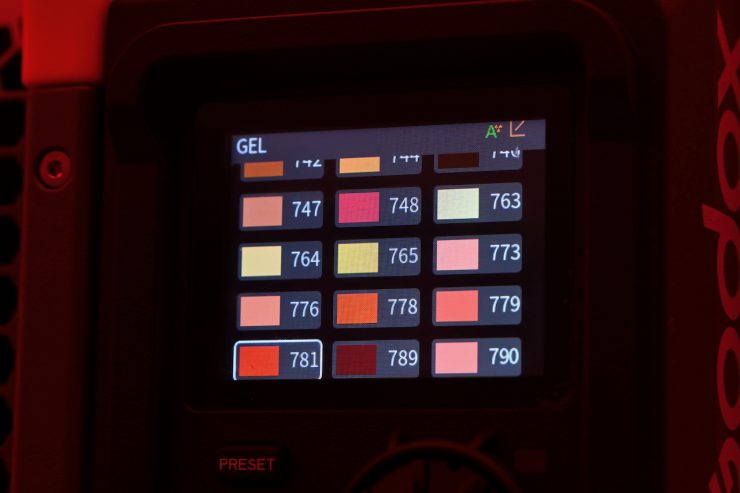
In GEL mode, you can select from a wide array of Lee and Rosco digital filters.
xy
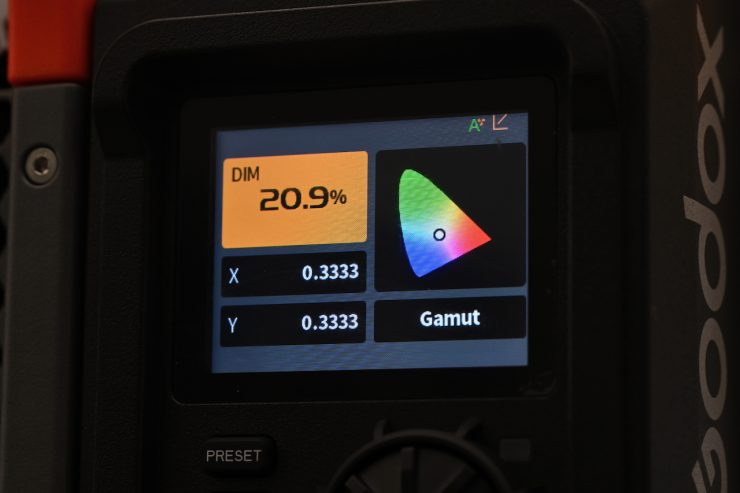
In xy mode, you can dial in exact xy coordinates. You have the ability to change the Gamut to DCI-P3, Black body, and Rec. 2020.
Dialing in xy coordinates is a fairly easy way to get a light to match other lighting sources, or at least get it in the ballpark.
FX
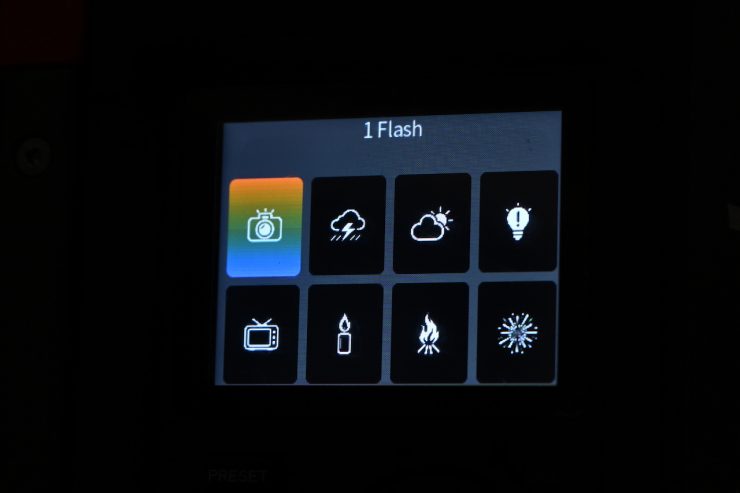
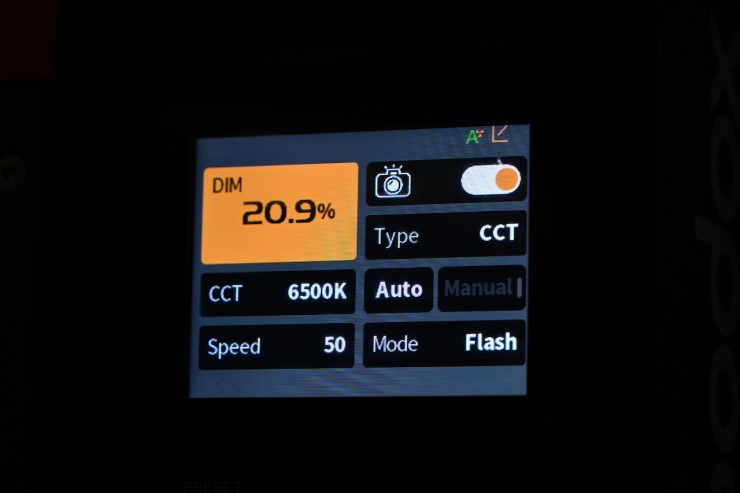
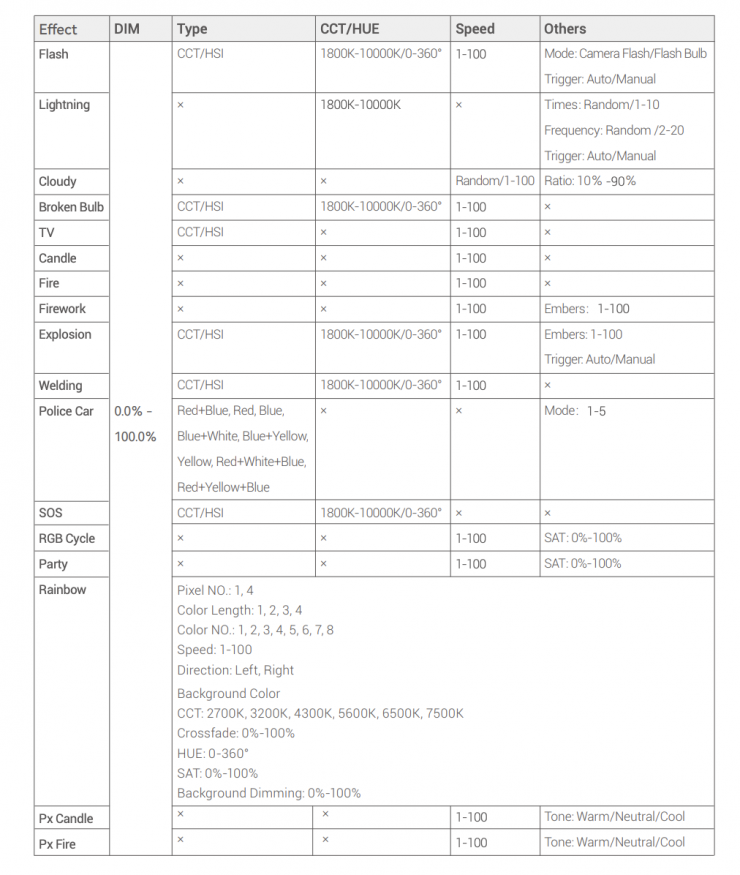
Like on most lights these days, you can choose from quite a few FX.
All the effects modes can be individually adjusted and tailored to your lighting needs.
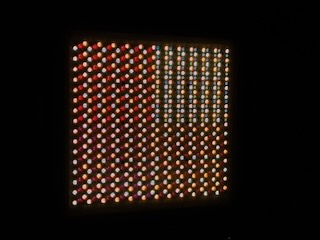
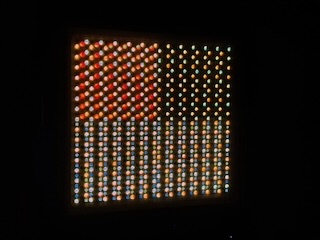
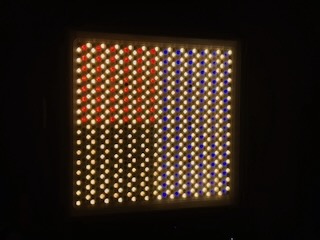
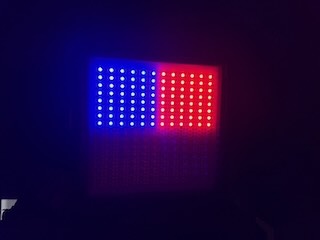
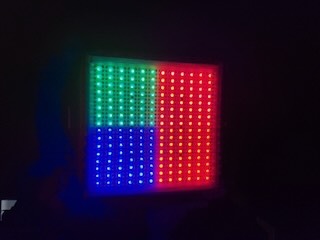
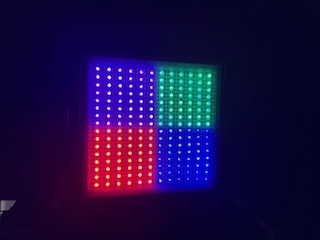
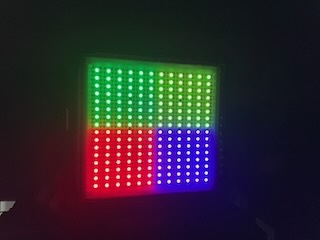
With the 4-pixel zones, you can use the FX mode to create some interesting effects.
Presets
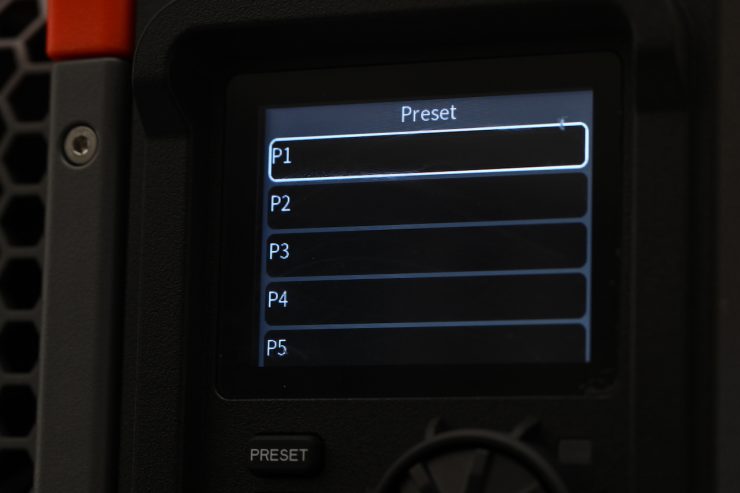
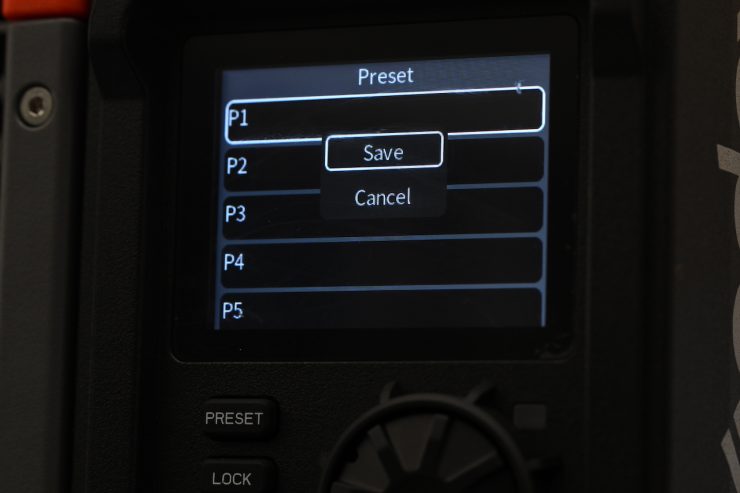
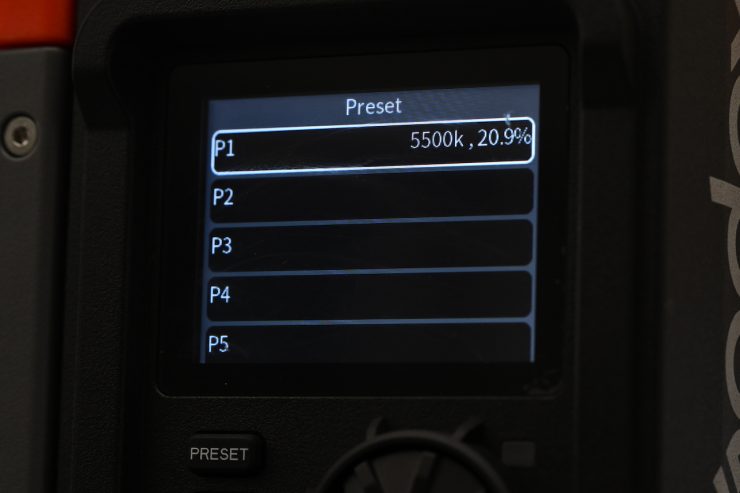
The light gives you the ability to save and recall presets, which is a nice touch.
Bluetooth App
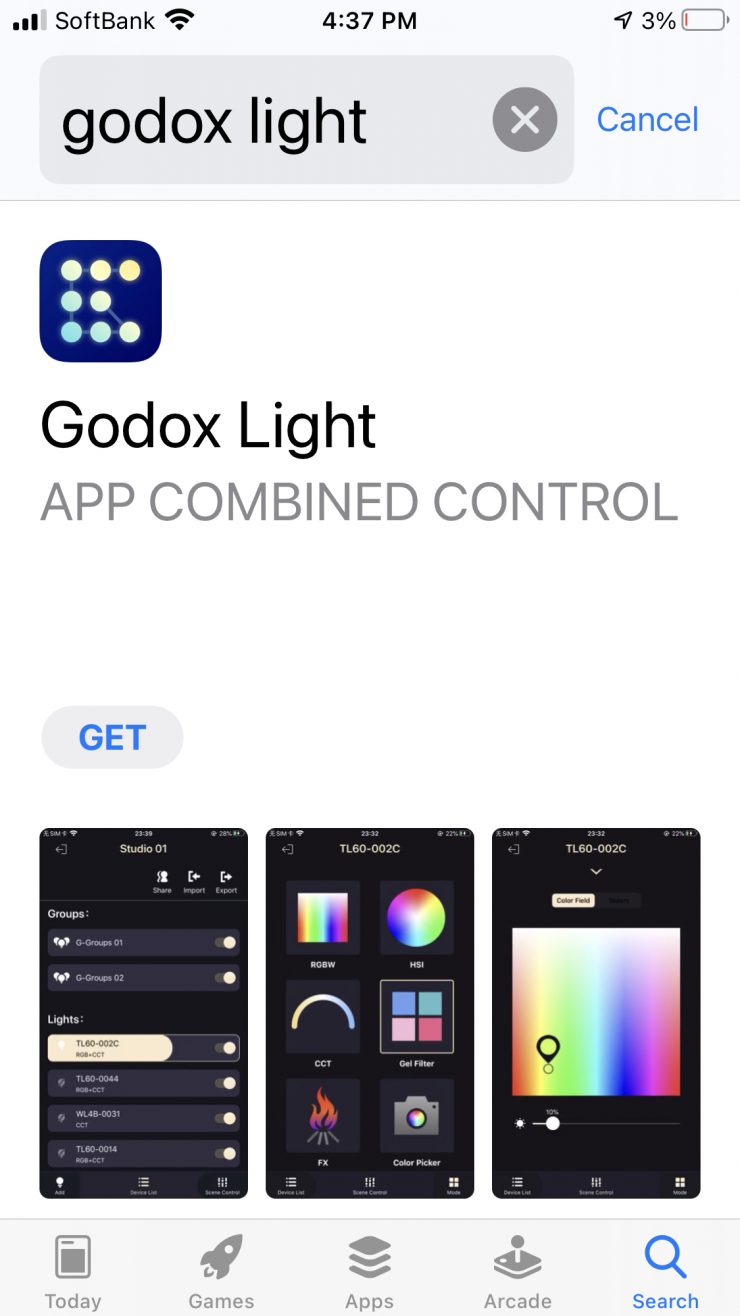
The light can be controlled via Bluetooth using the Godox Light App.
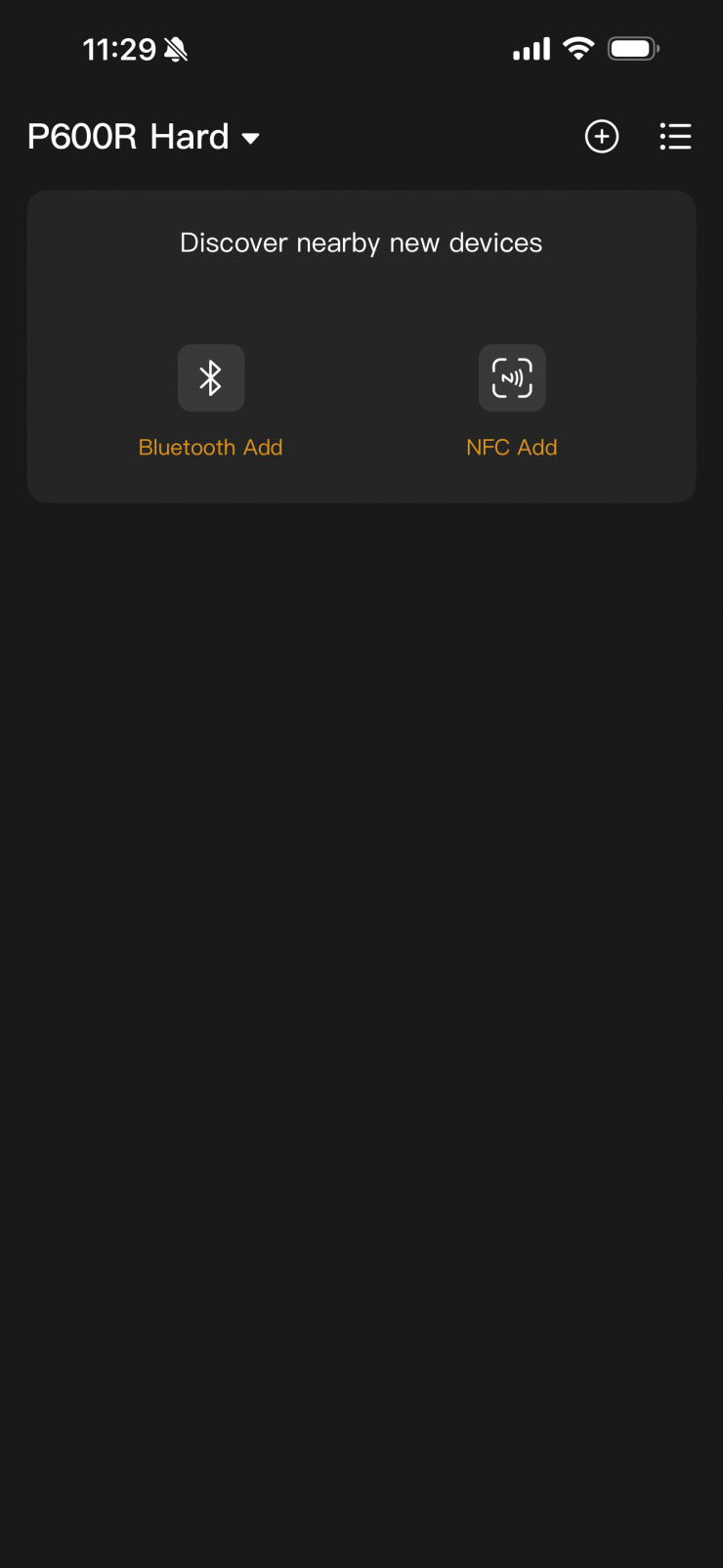
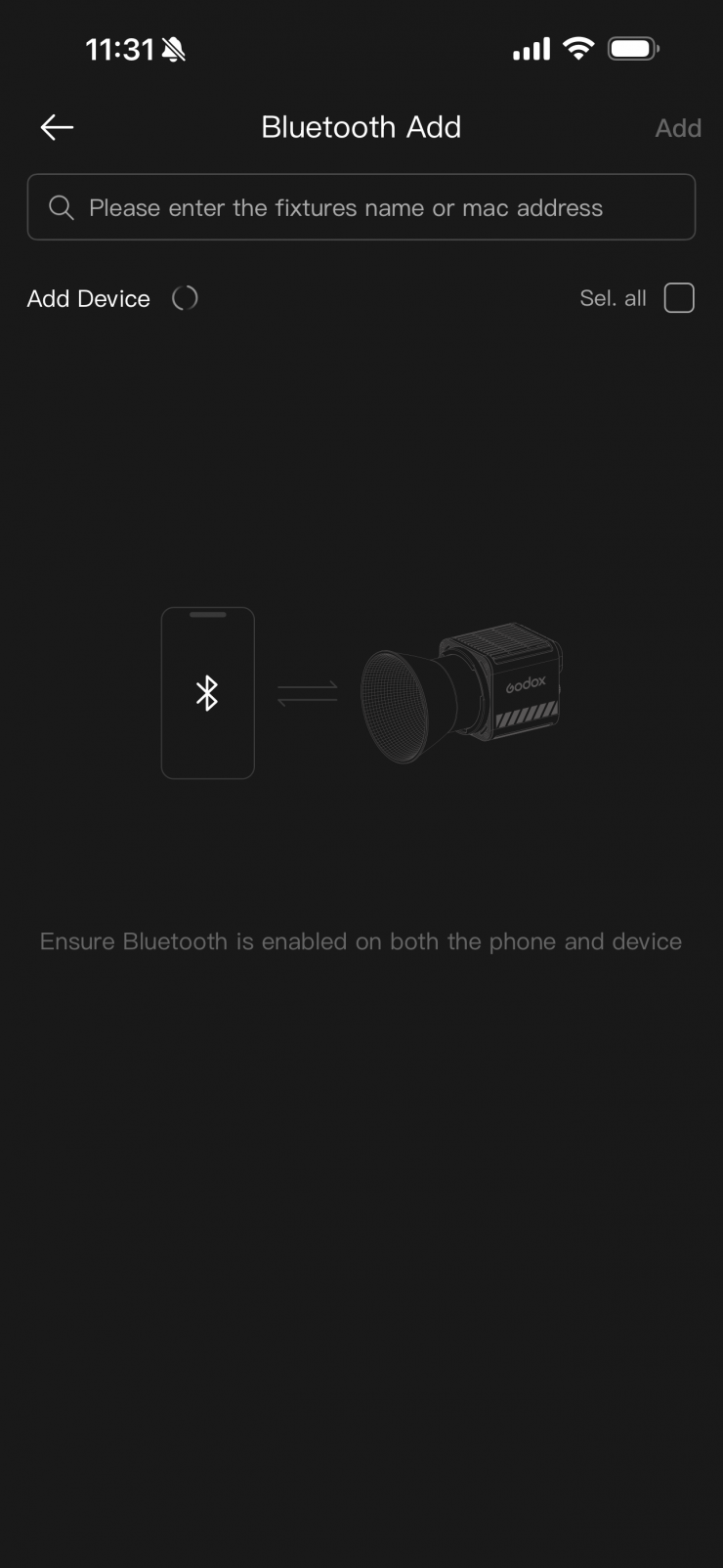
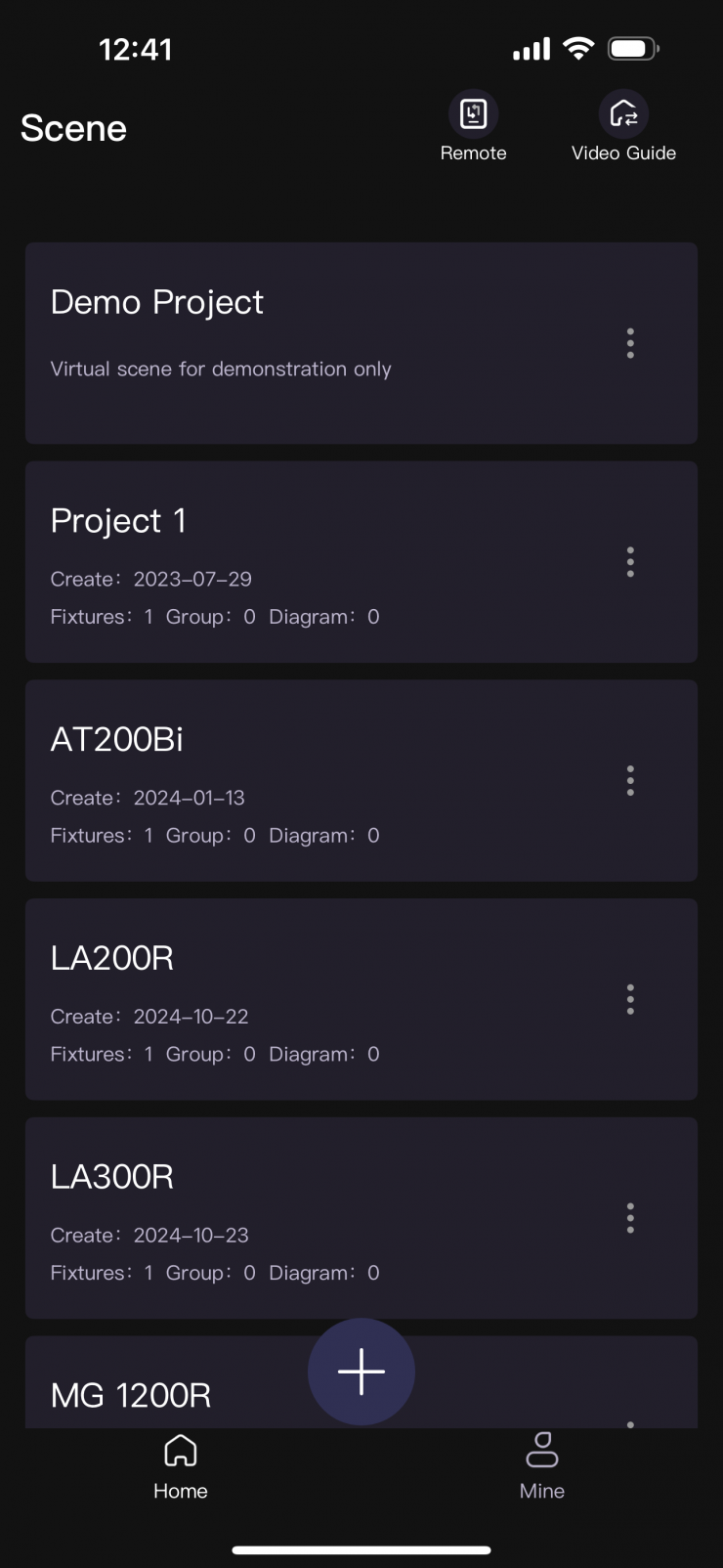
You need to have Bluetooth turned on when using your smartphone or tablet. If you are using the light for the first time, you need to create a new Project. It will then ask you how you would like to look for the new fixture you want to add. In this example, I will click on Add Fixtures.
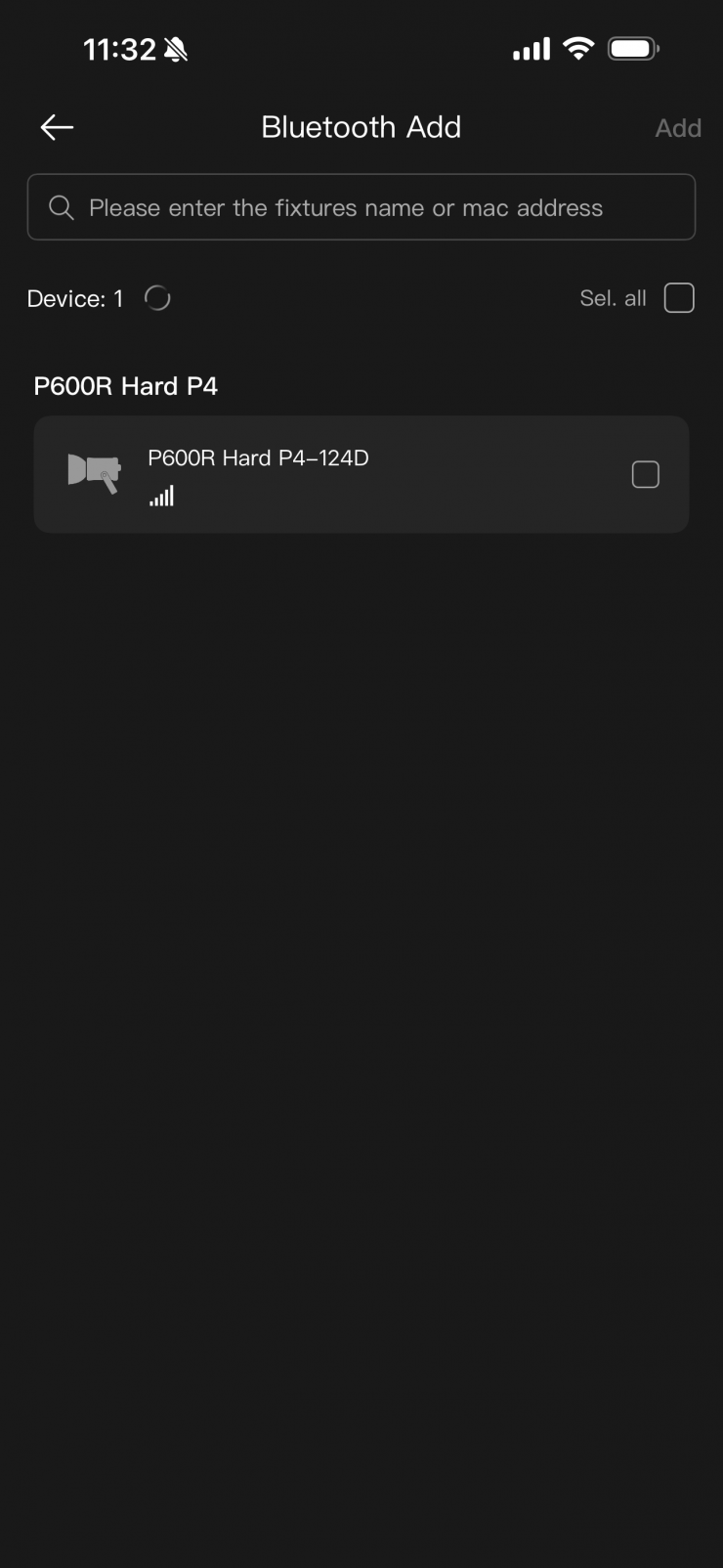
It will then find any fixtures that are turned on with their Bluetooth activated.
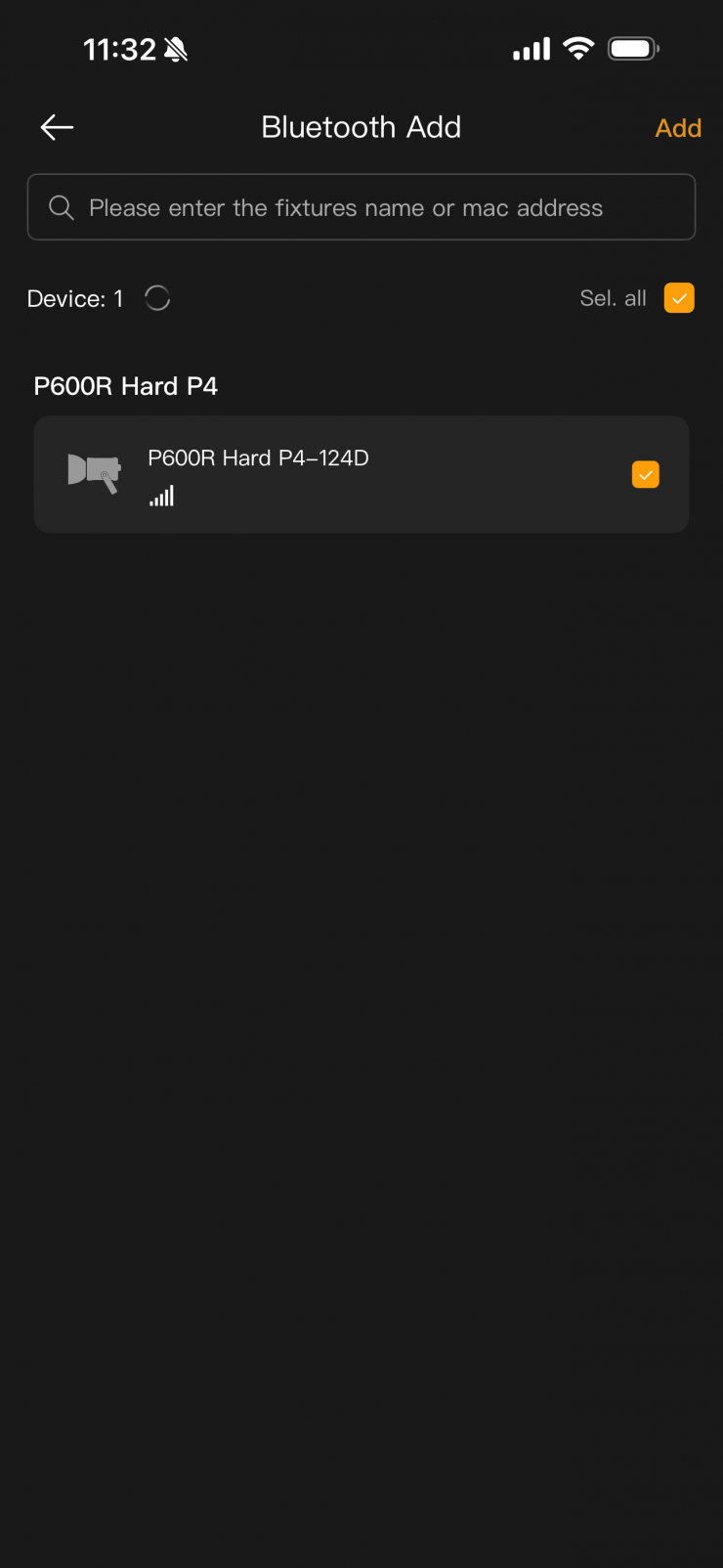
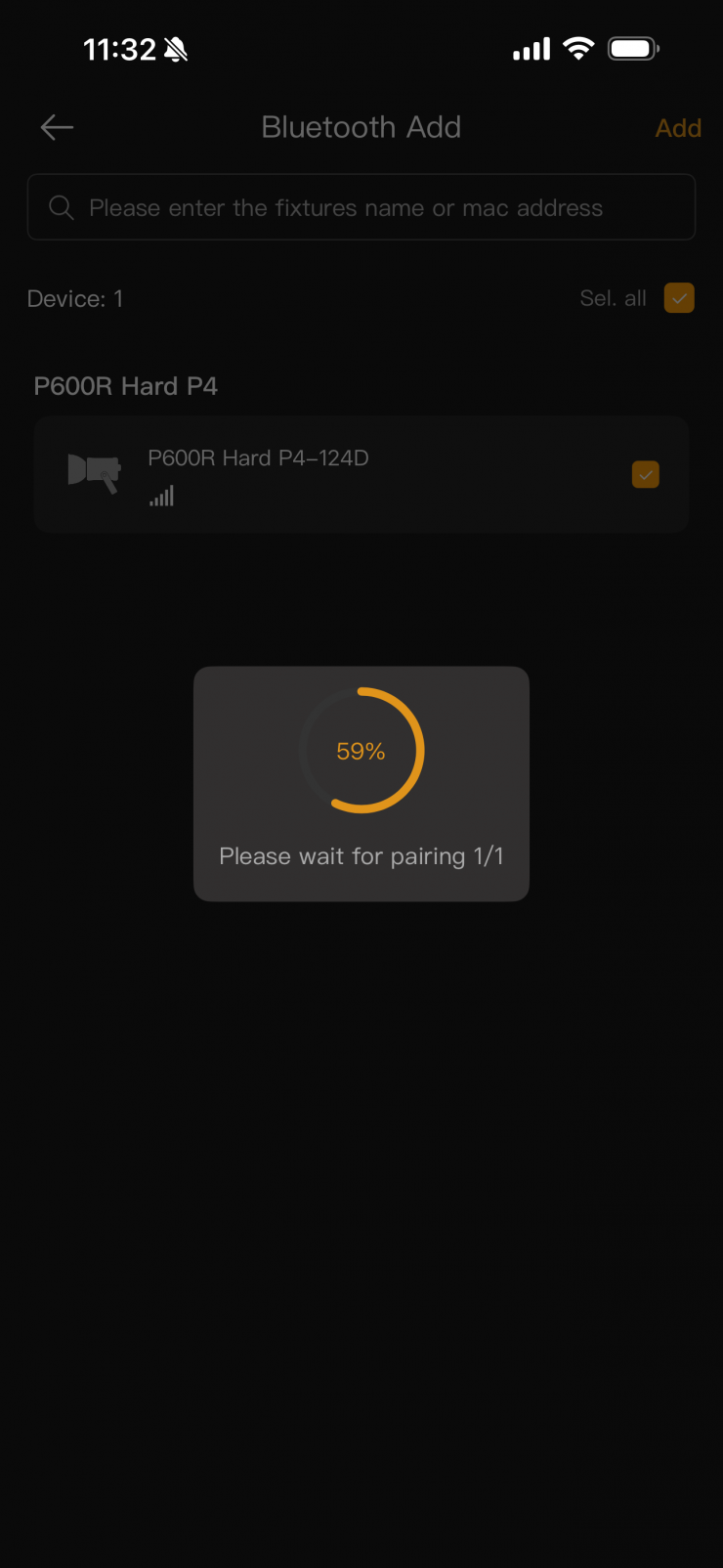
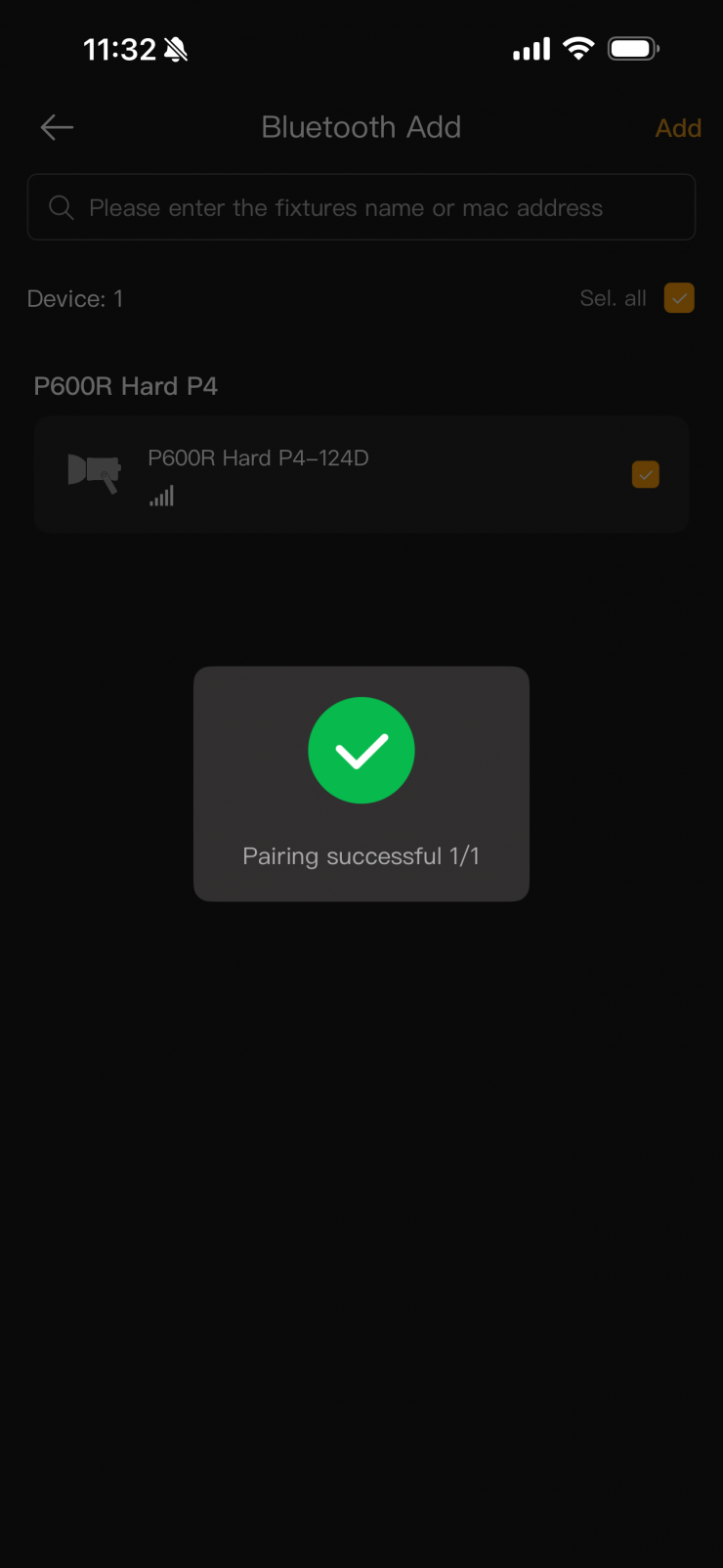
Once you select the fixture and hit confirm, it will set it up for use with the app.
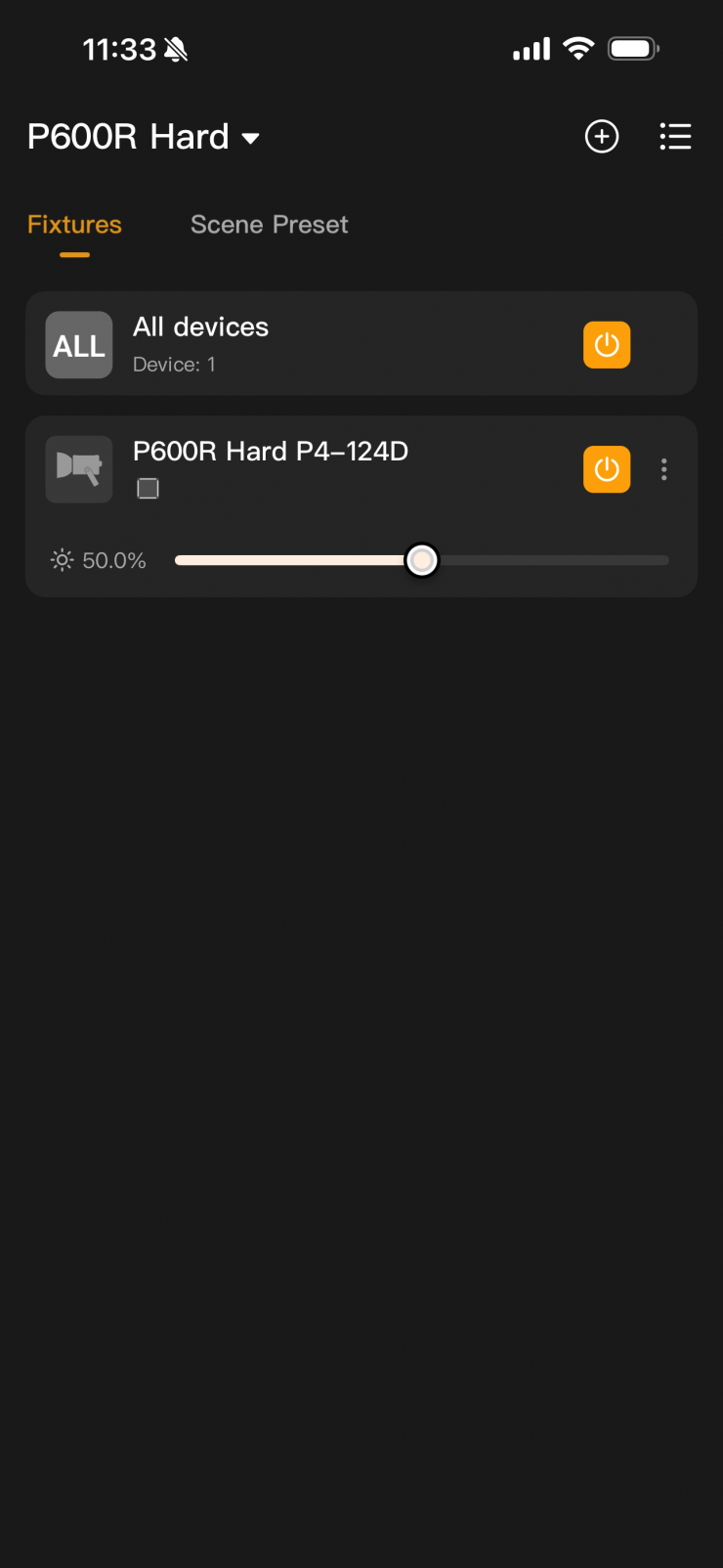
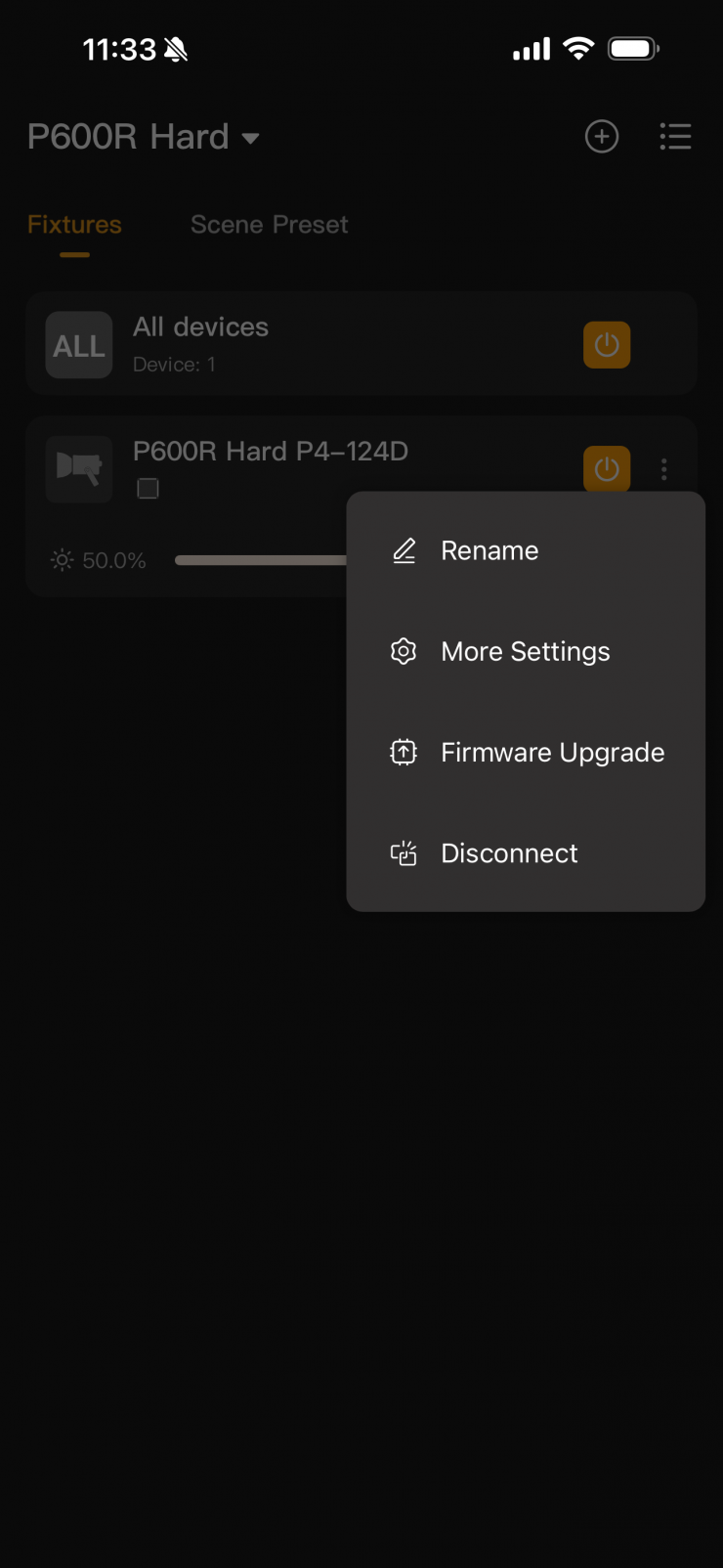
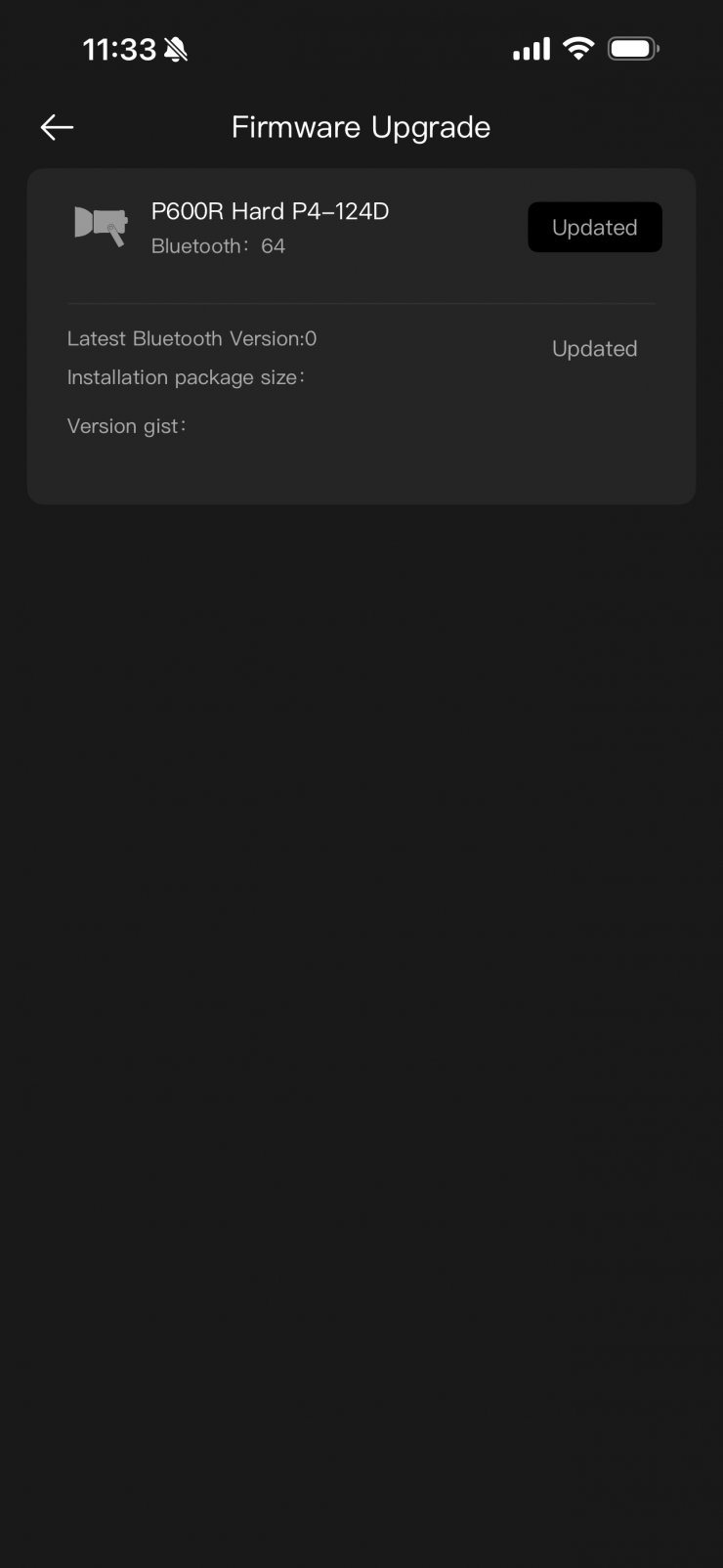
You will then see the above screen, where you can select the fixture.
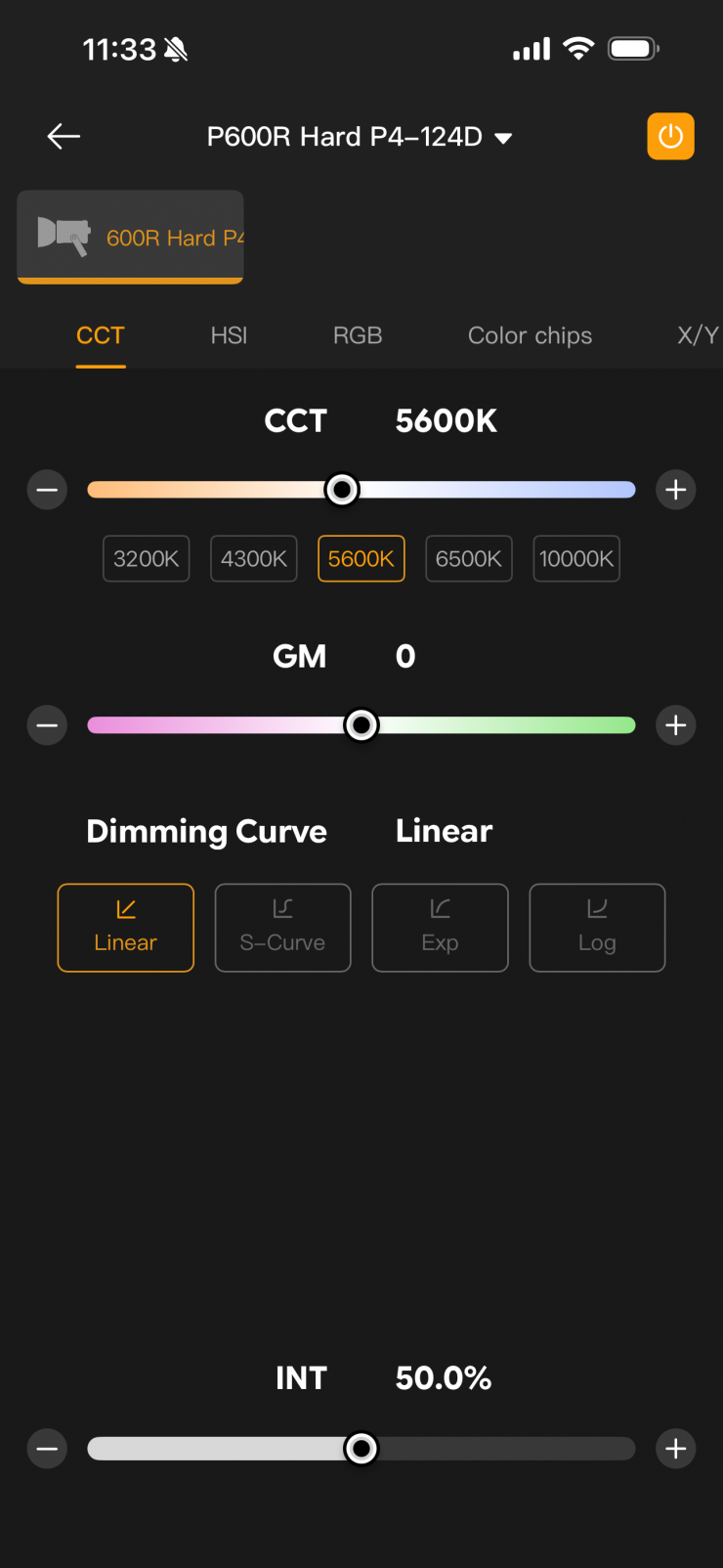
Once you tap on the fixture, you will be taken to the home screen of the app, where the light will be in the default CCT operating mode.
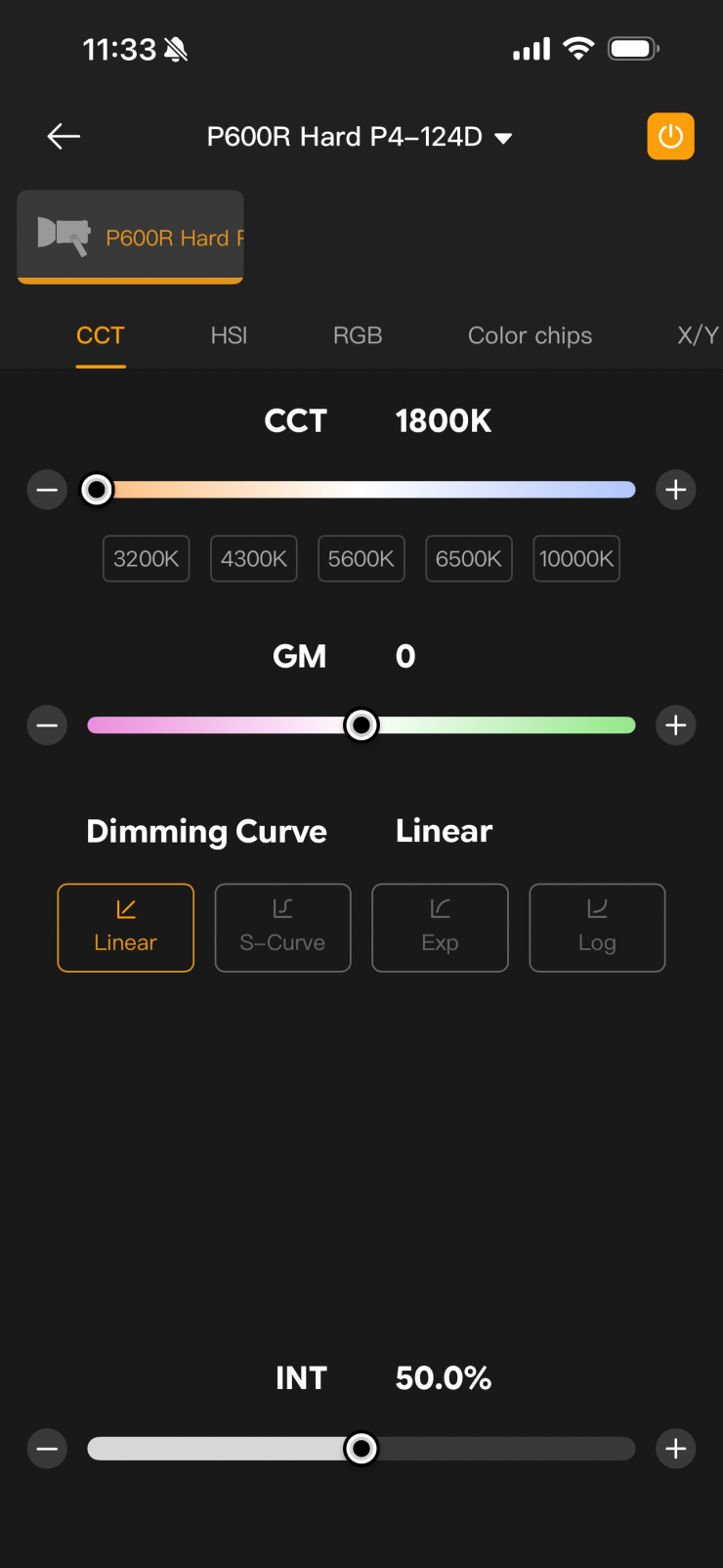
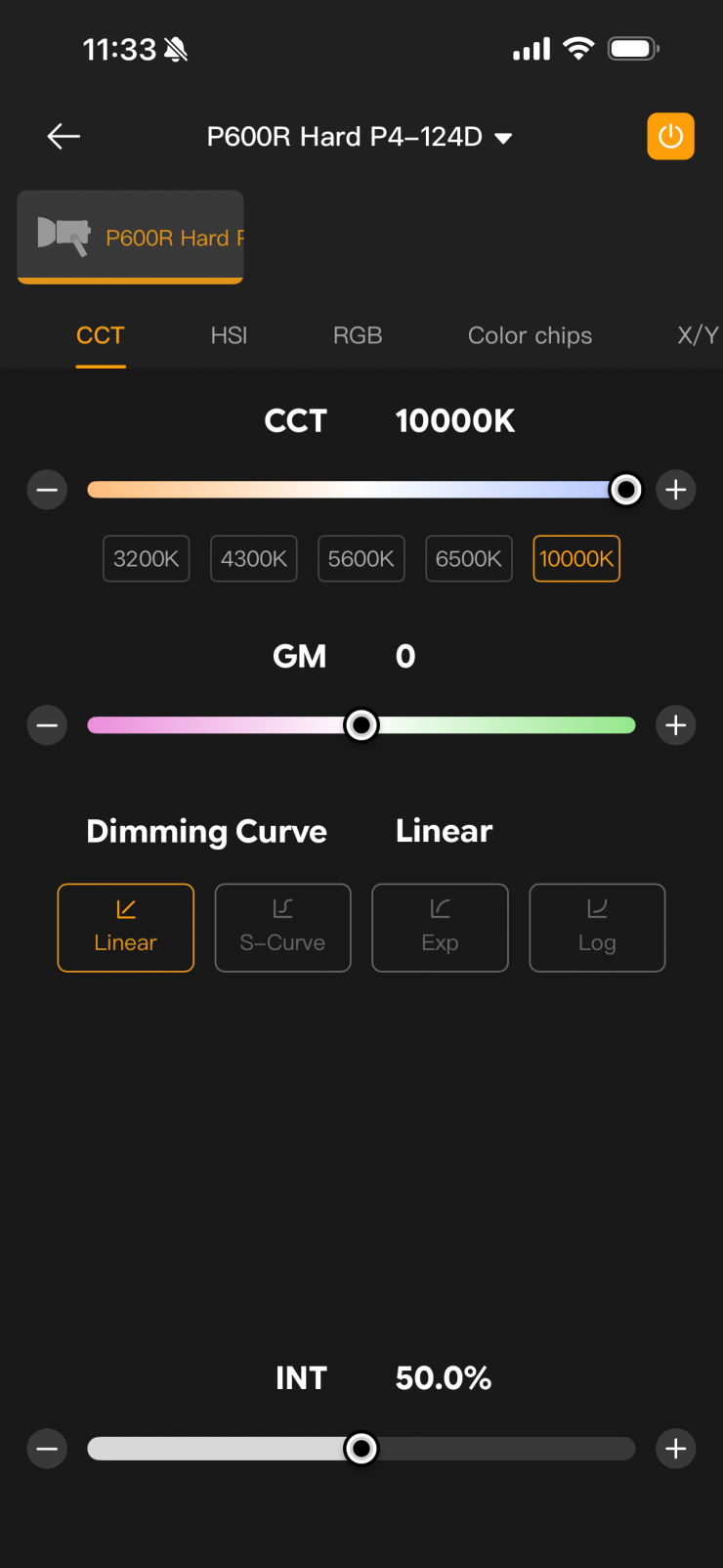
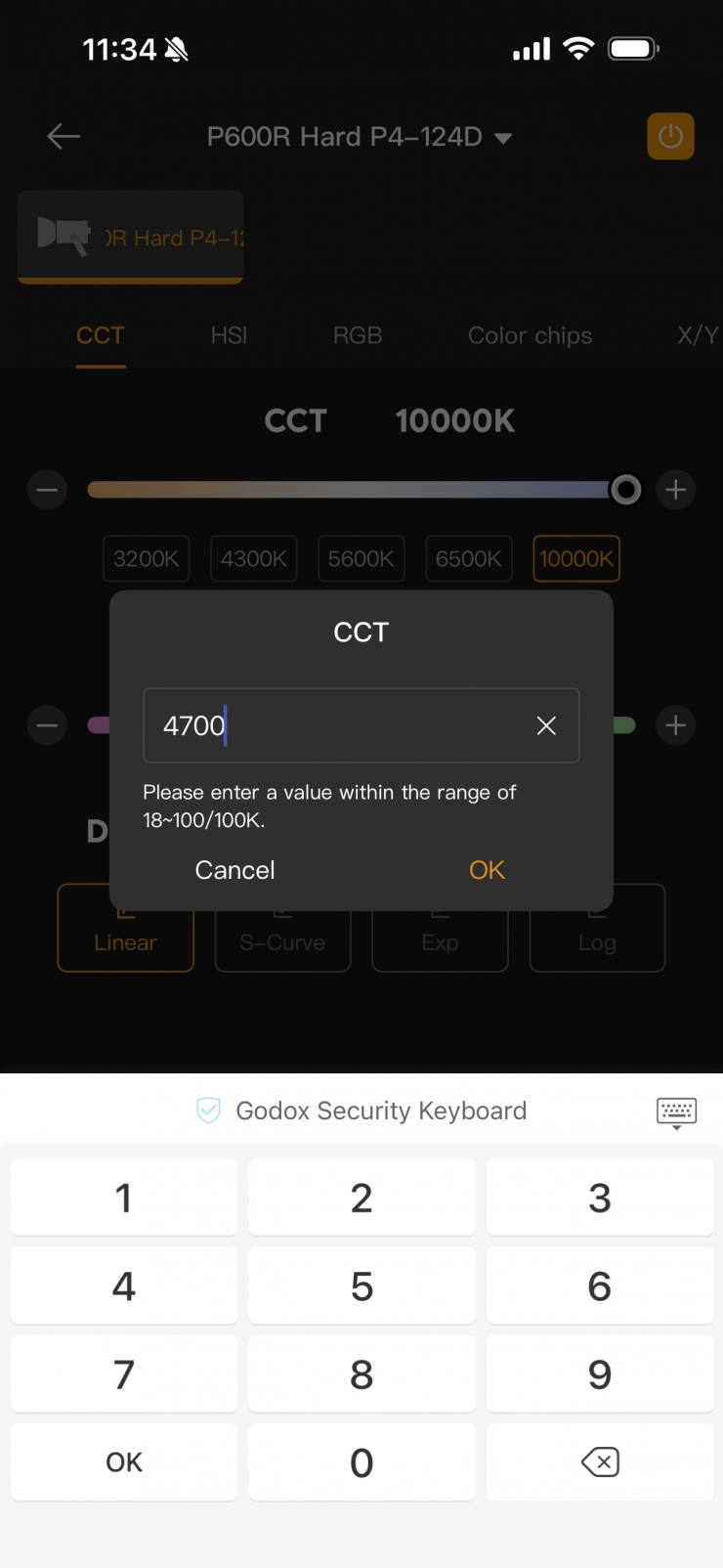
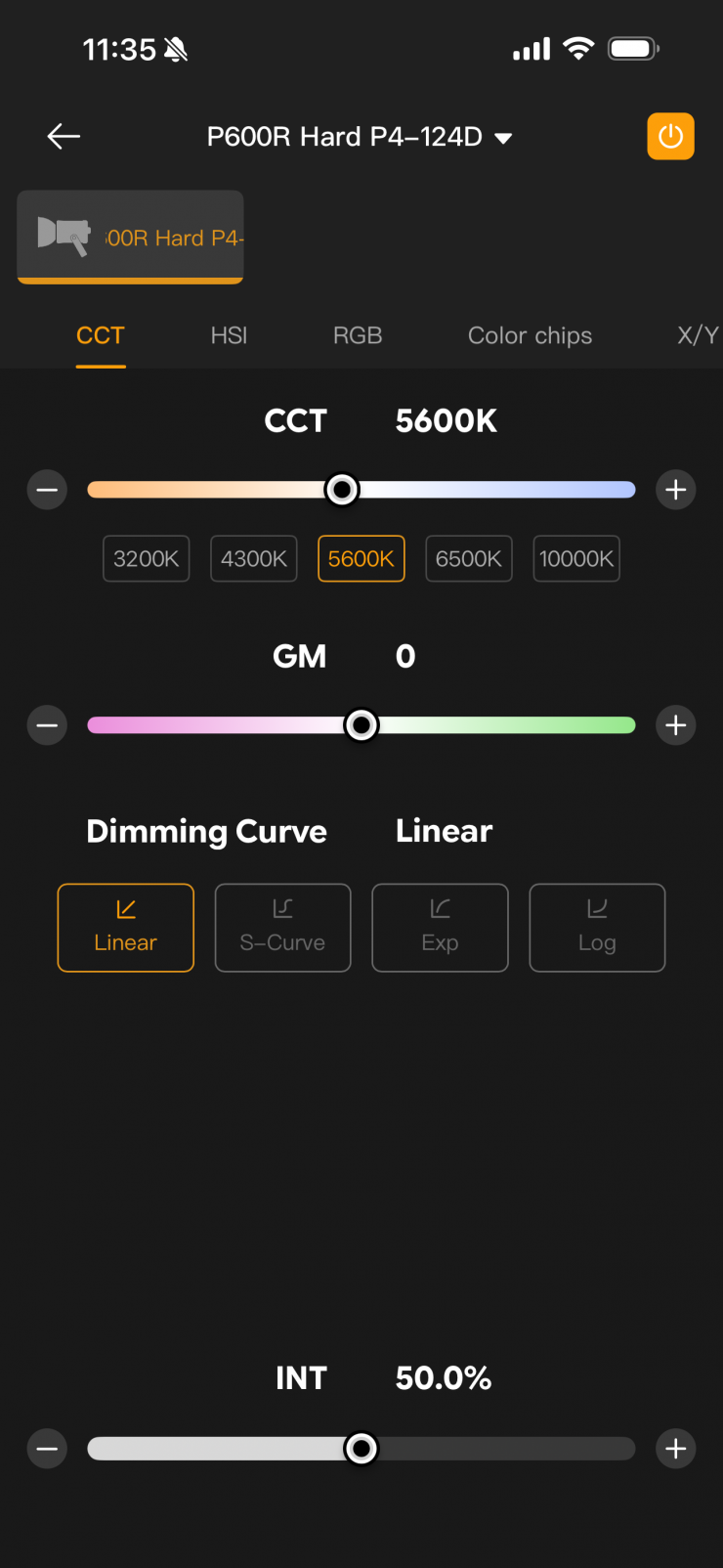
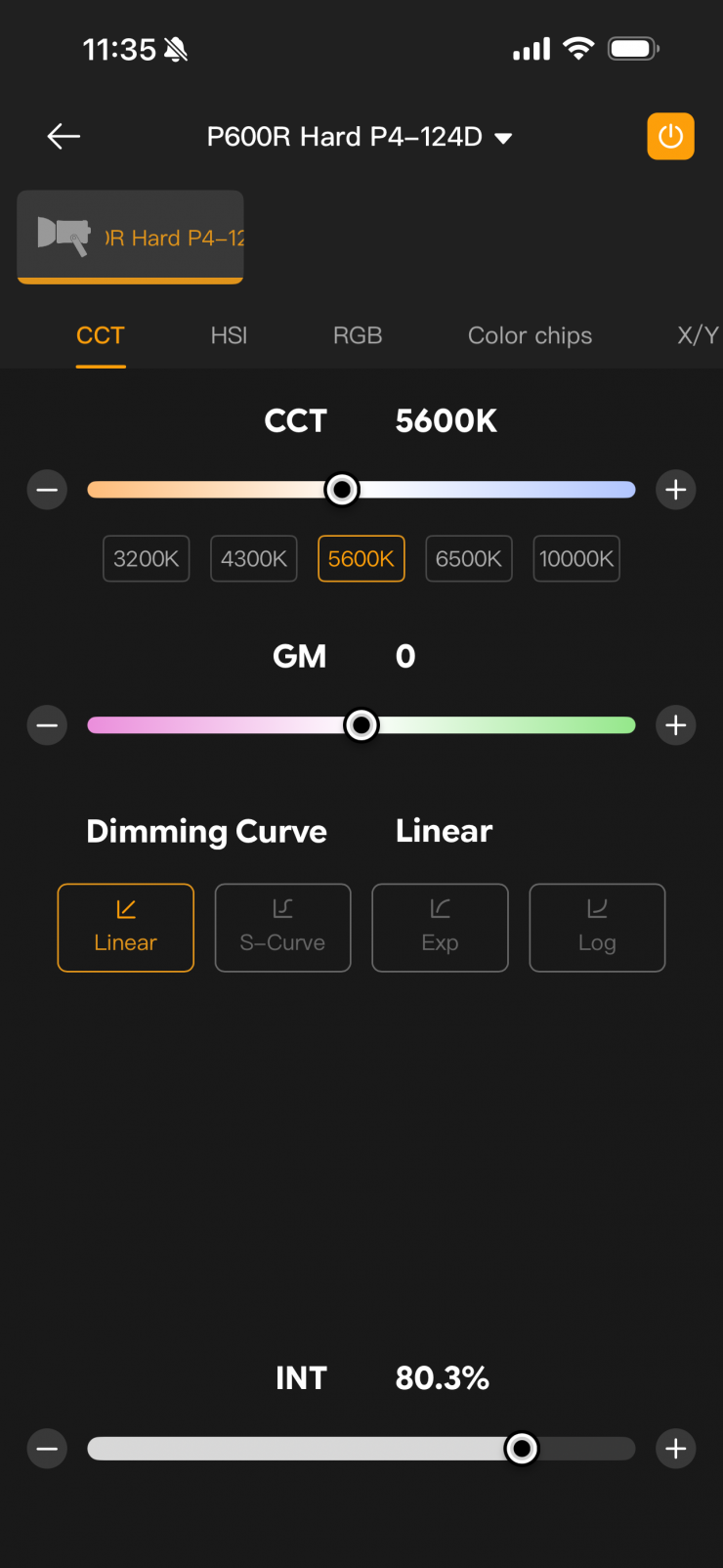
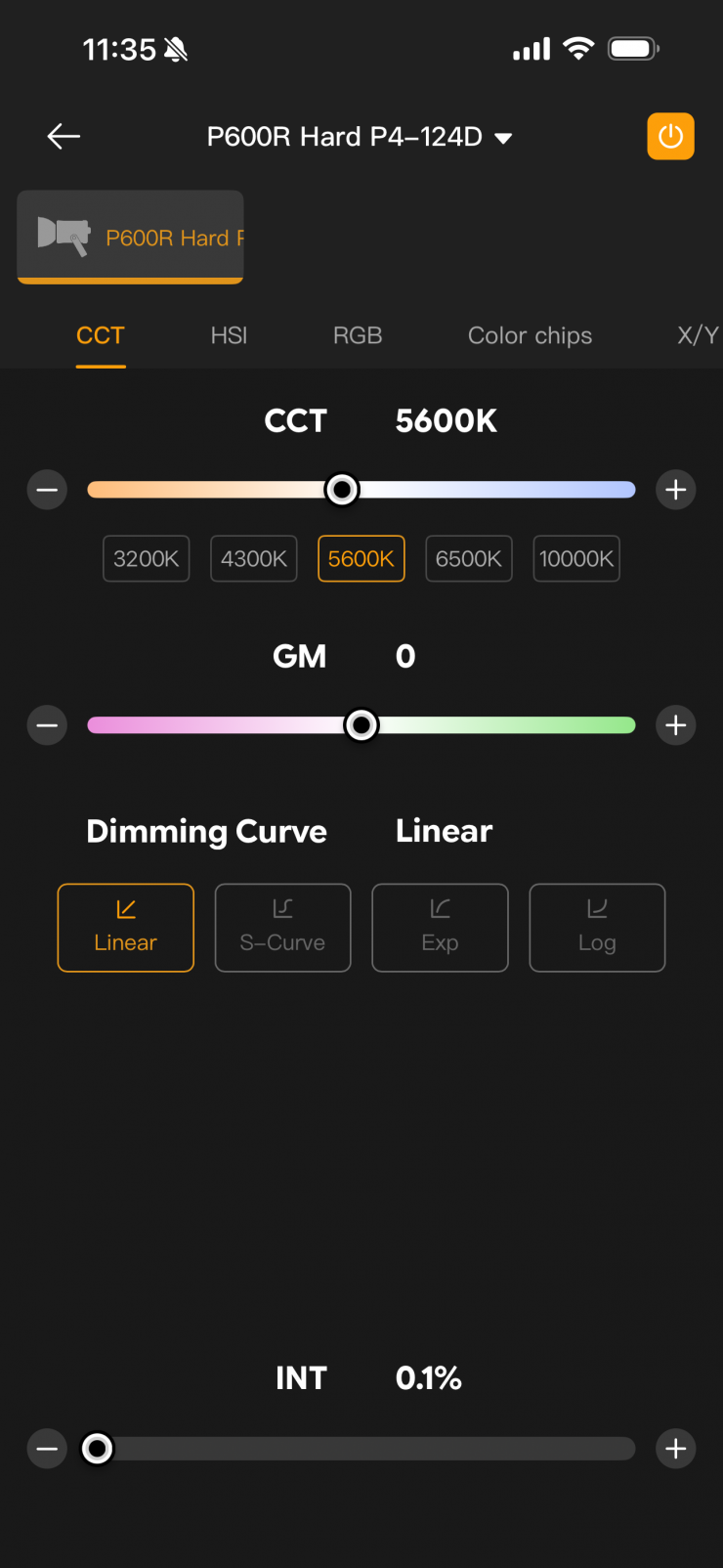
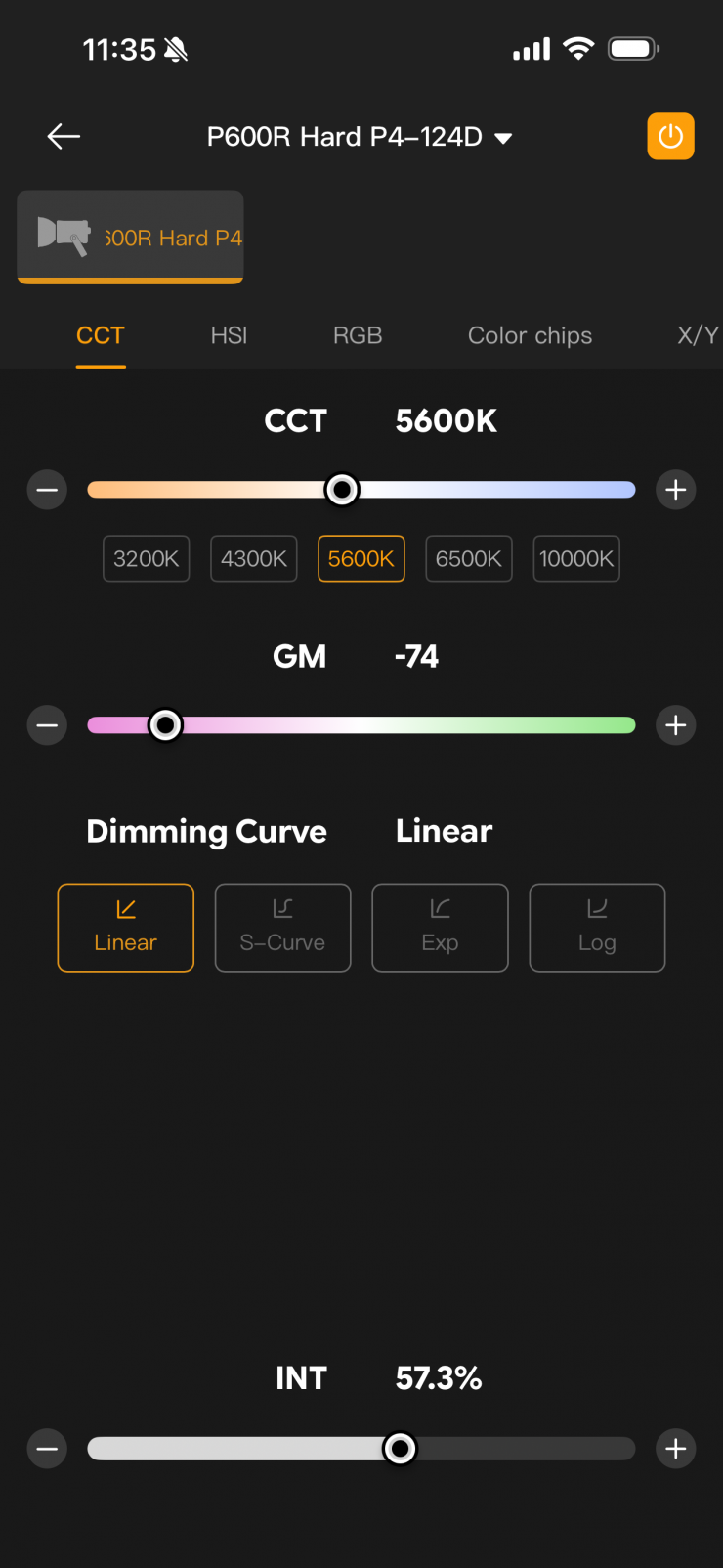
Here you can change the CCT and intensity, as well as the +/- G/M bias.
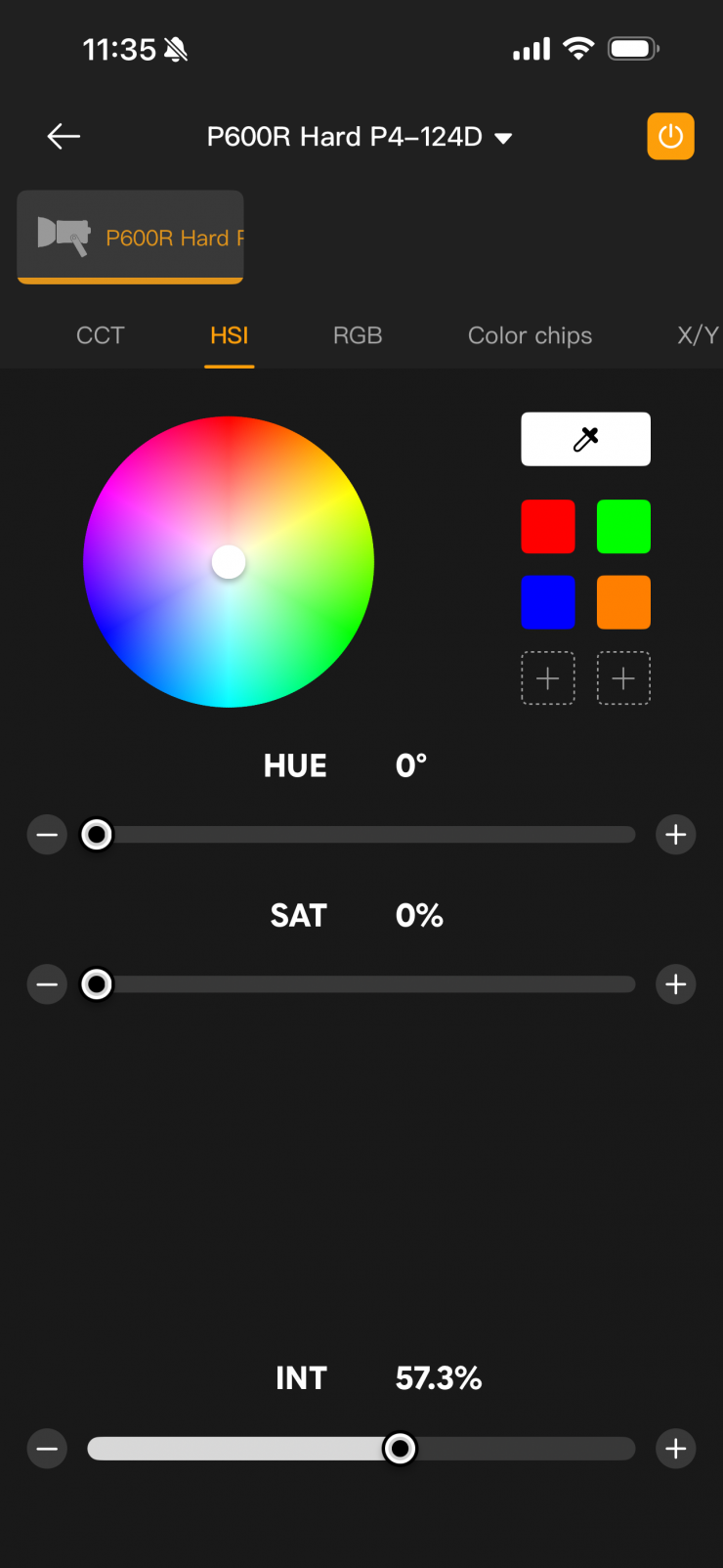
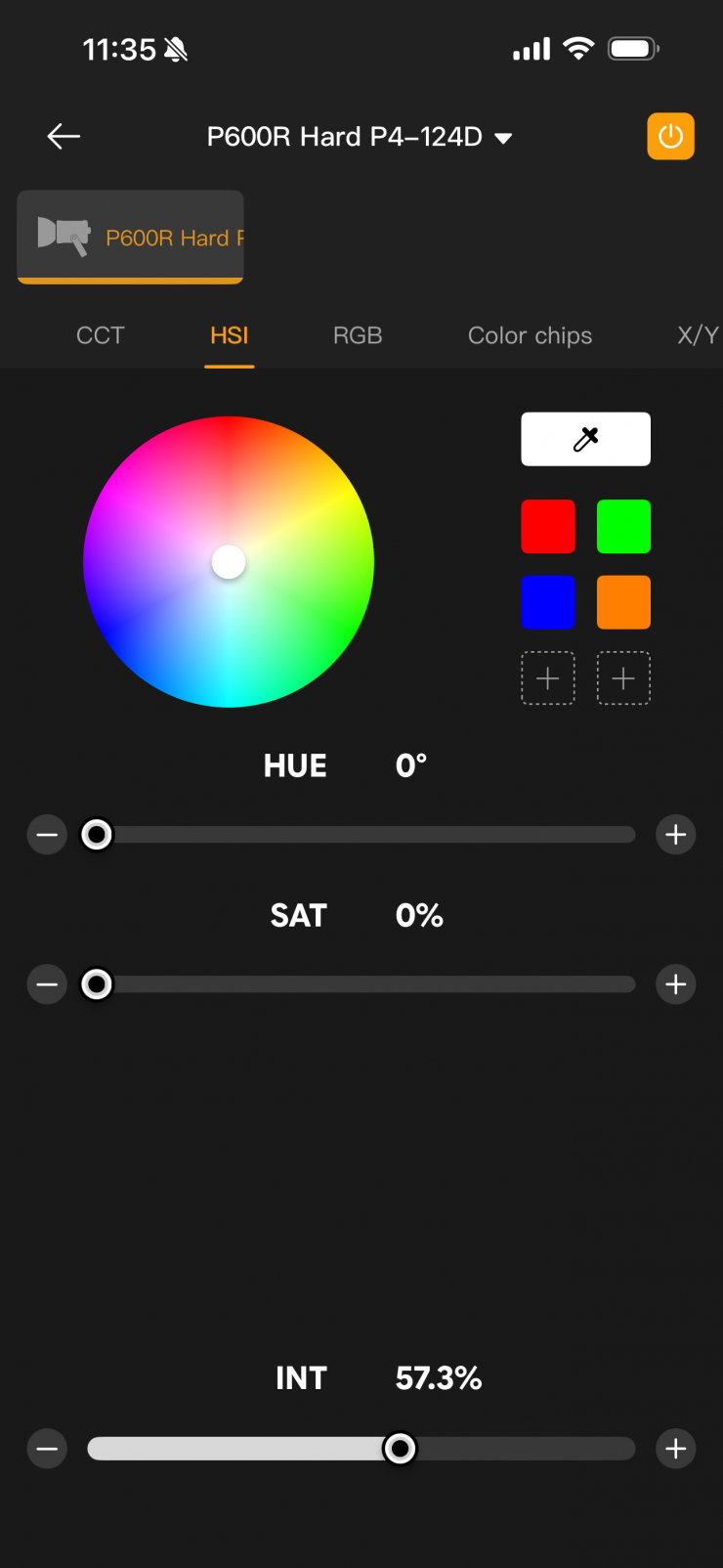
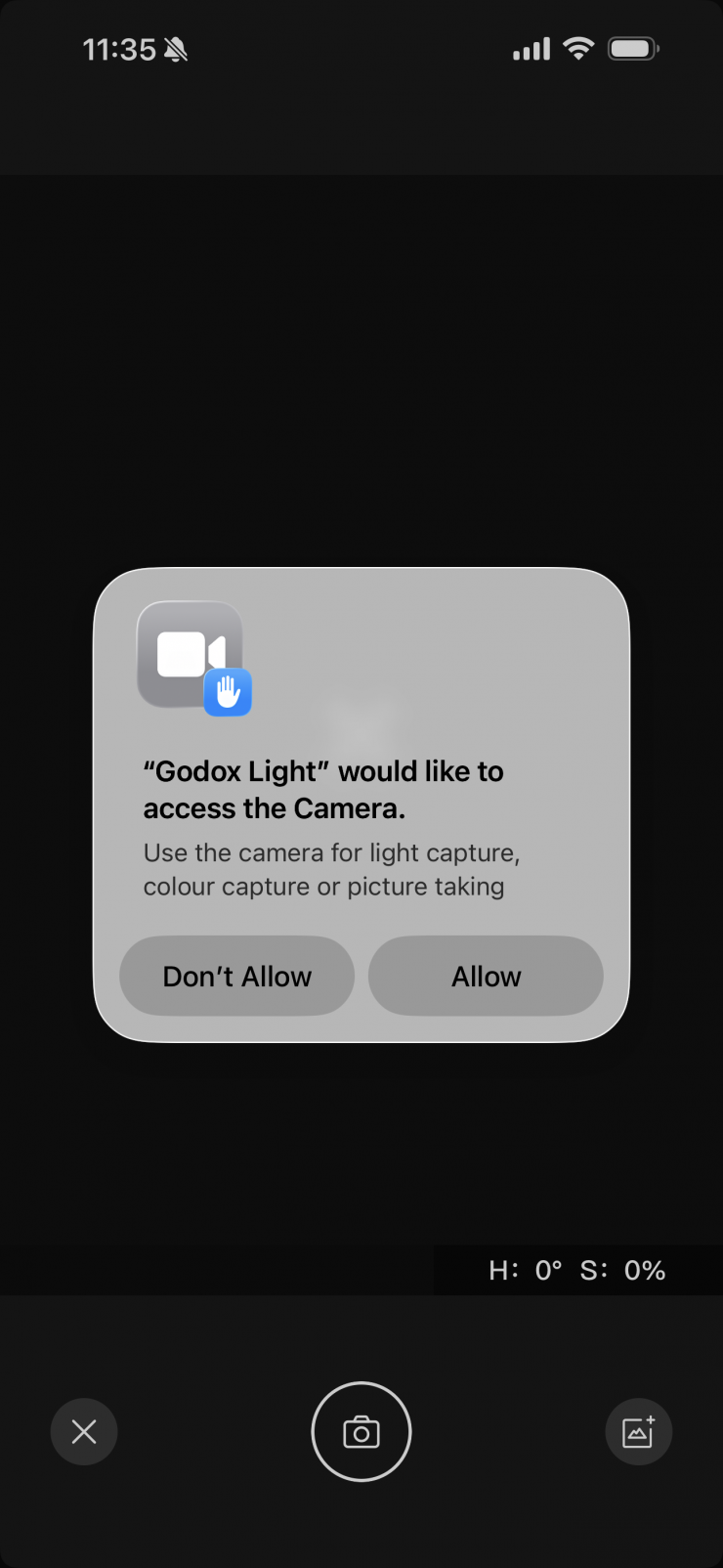
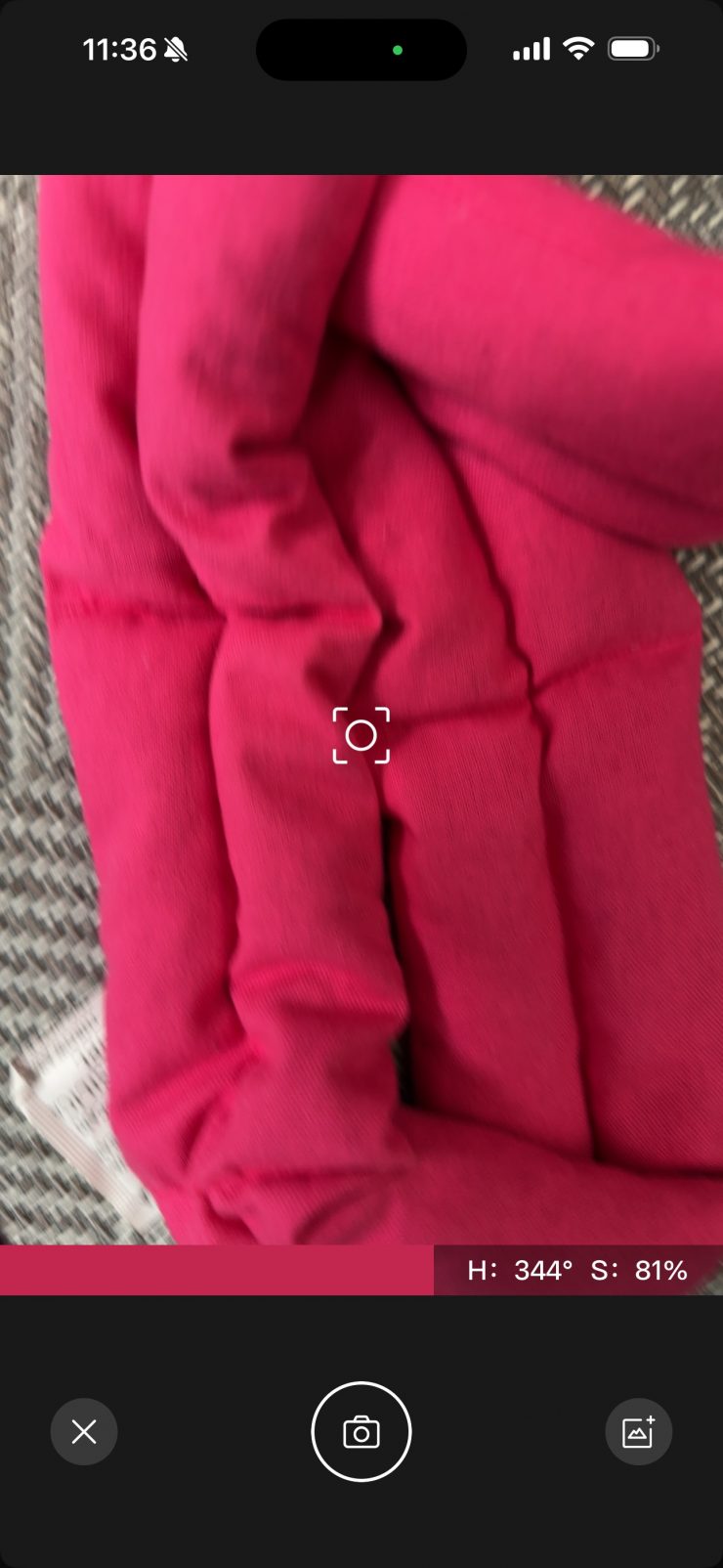
Screenshot 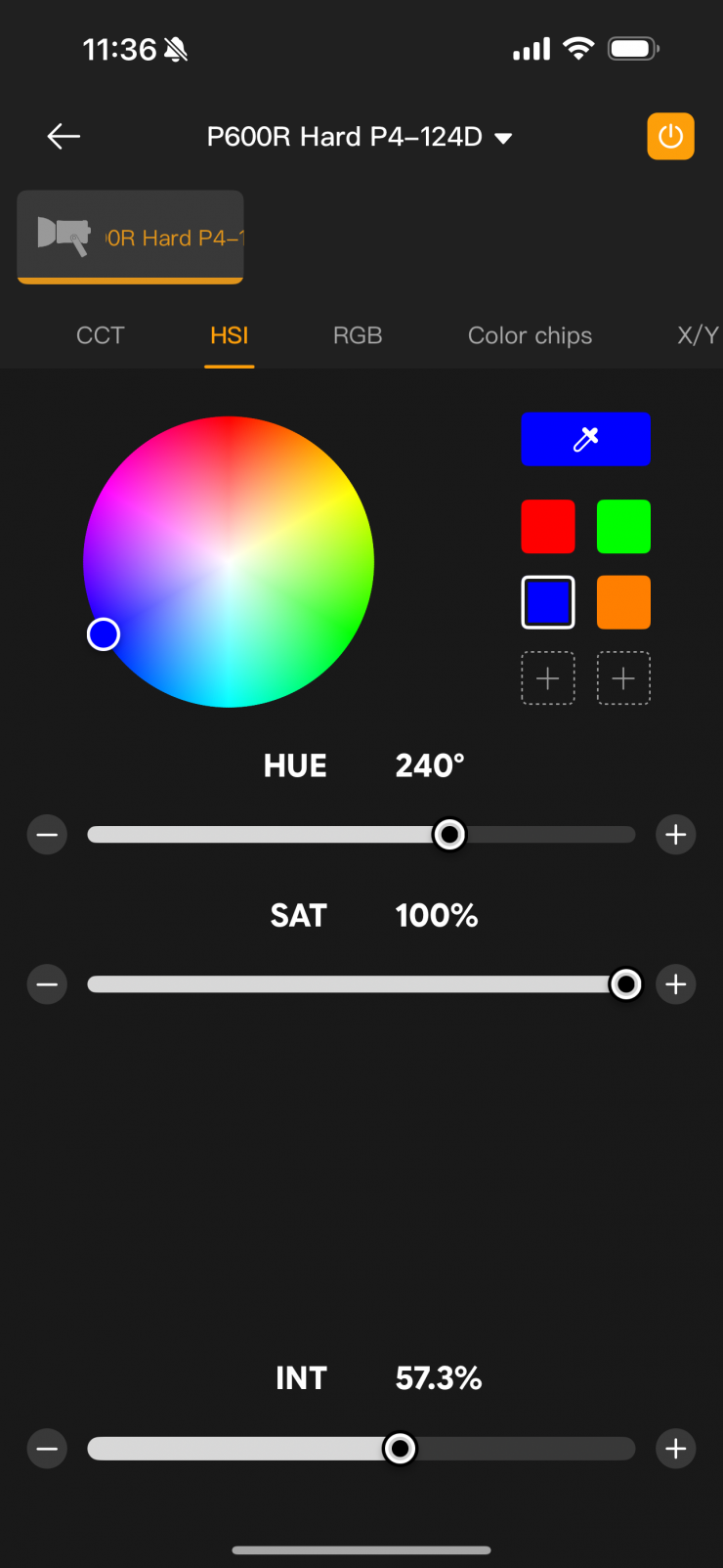
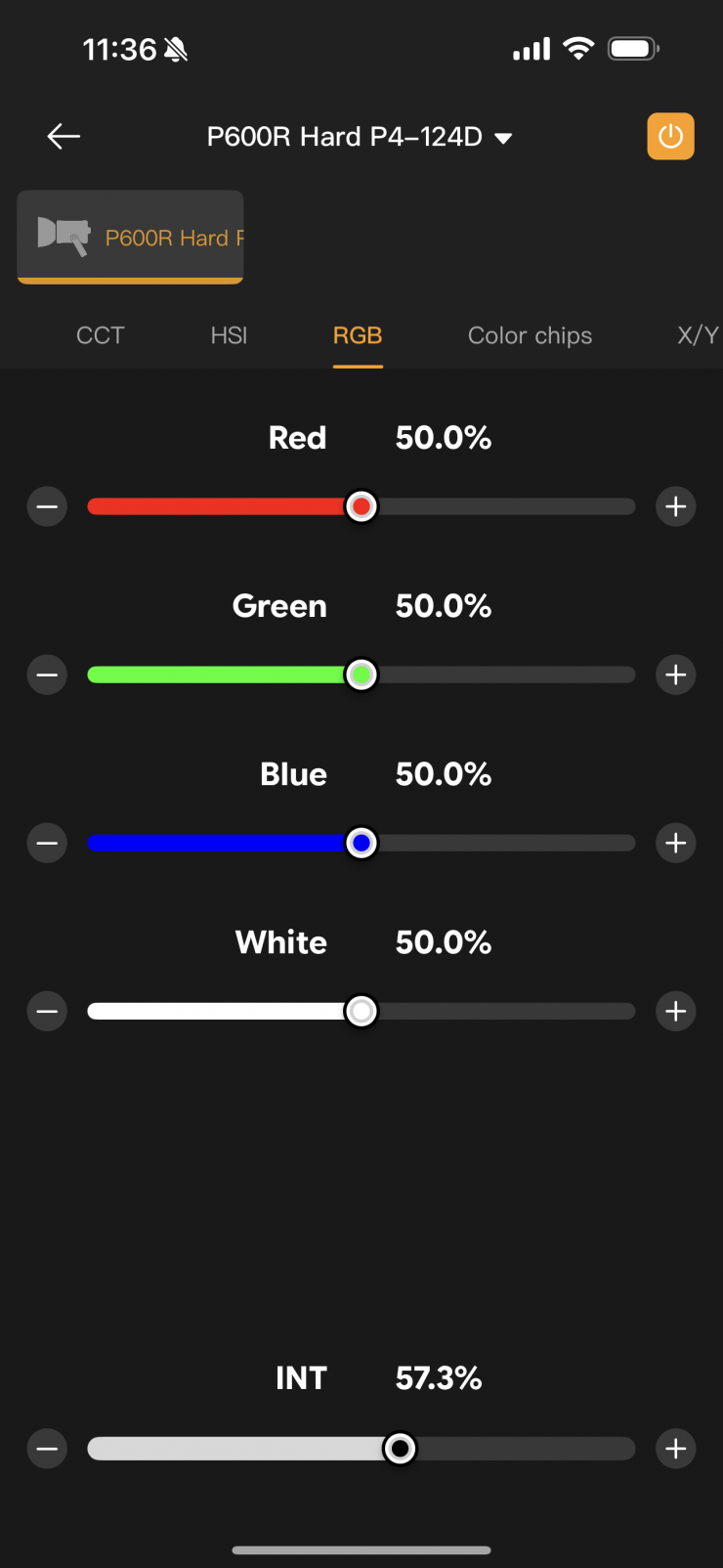
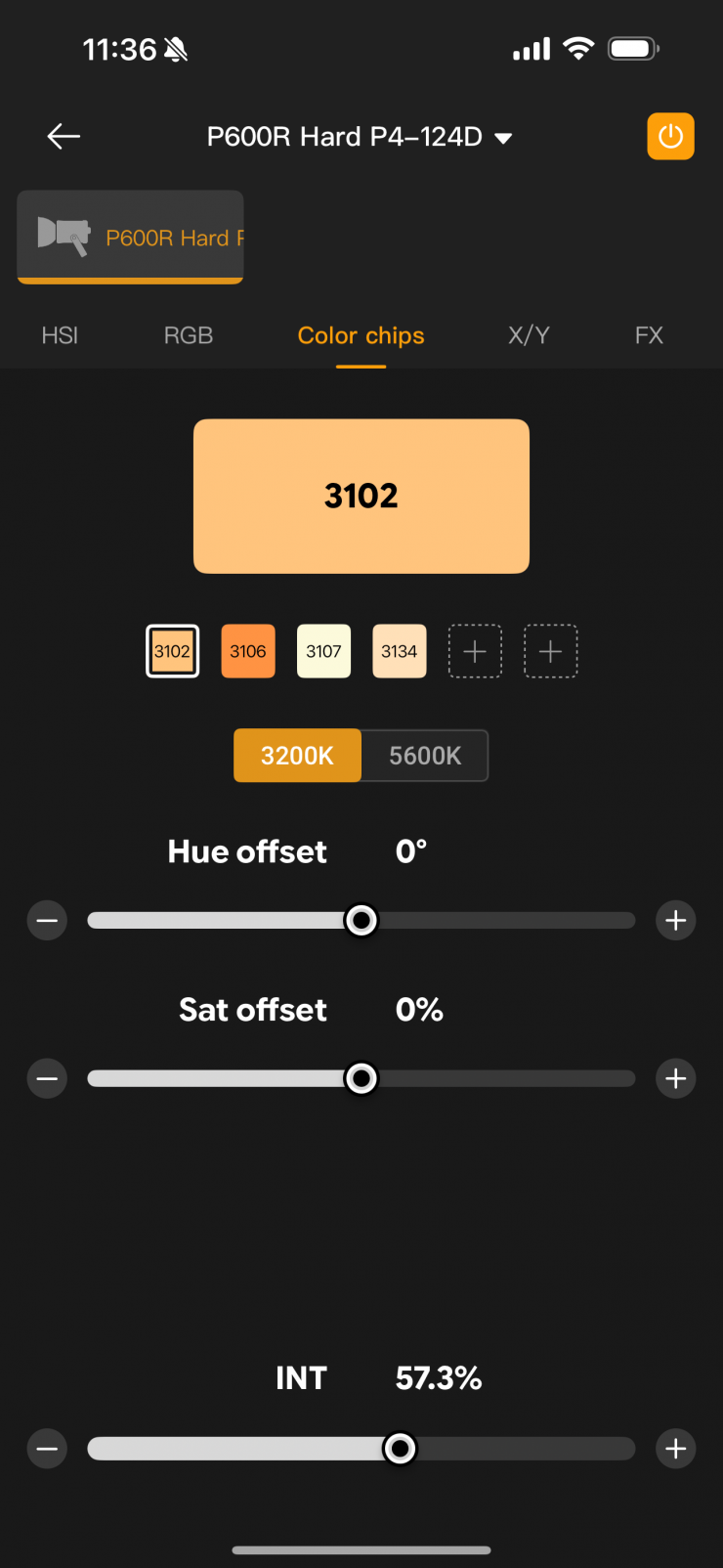
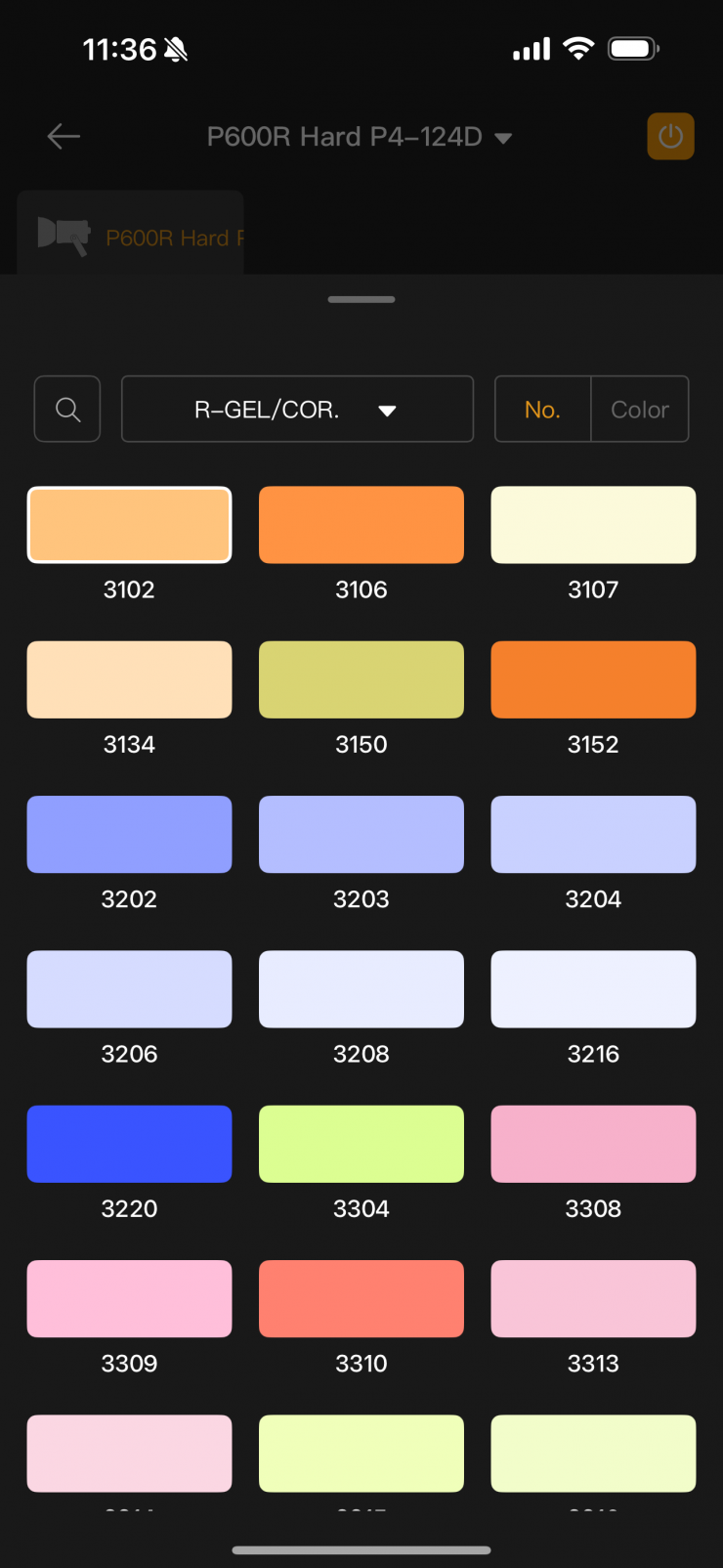
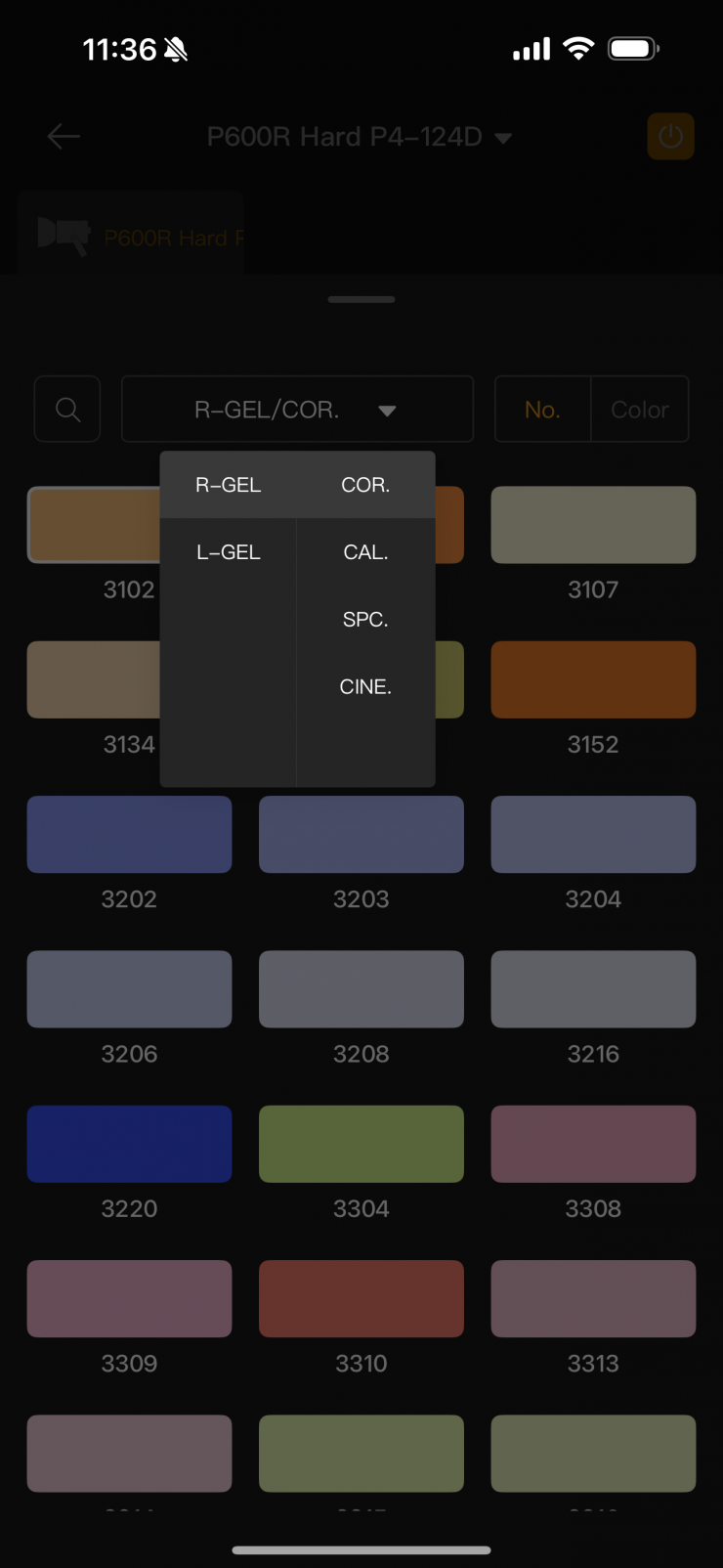
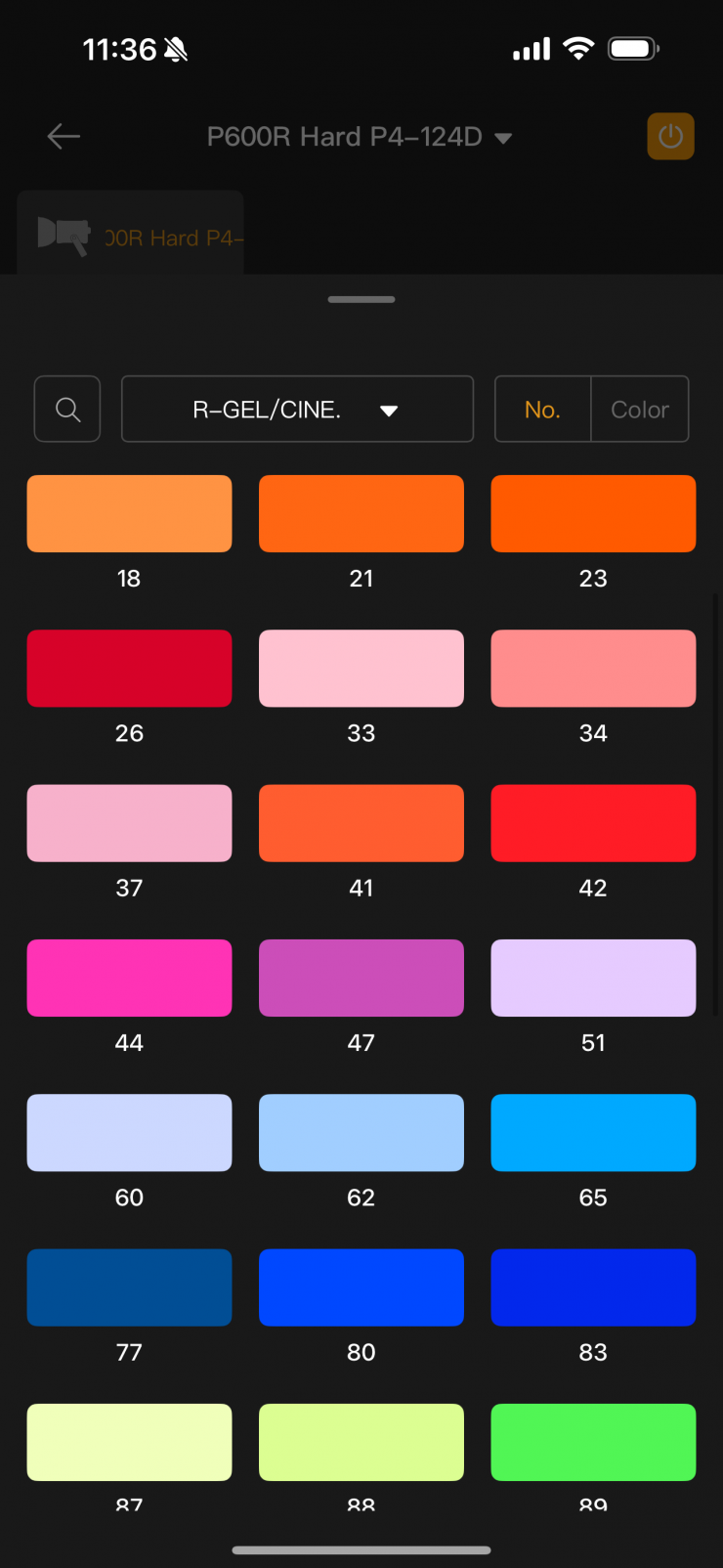
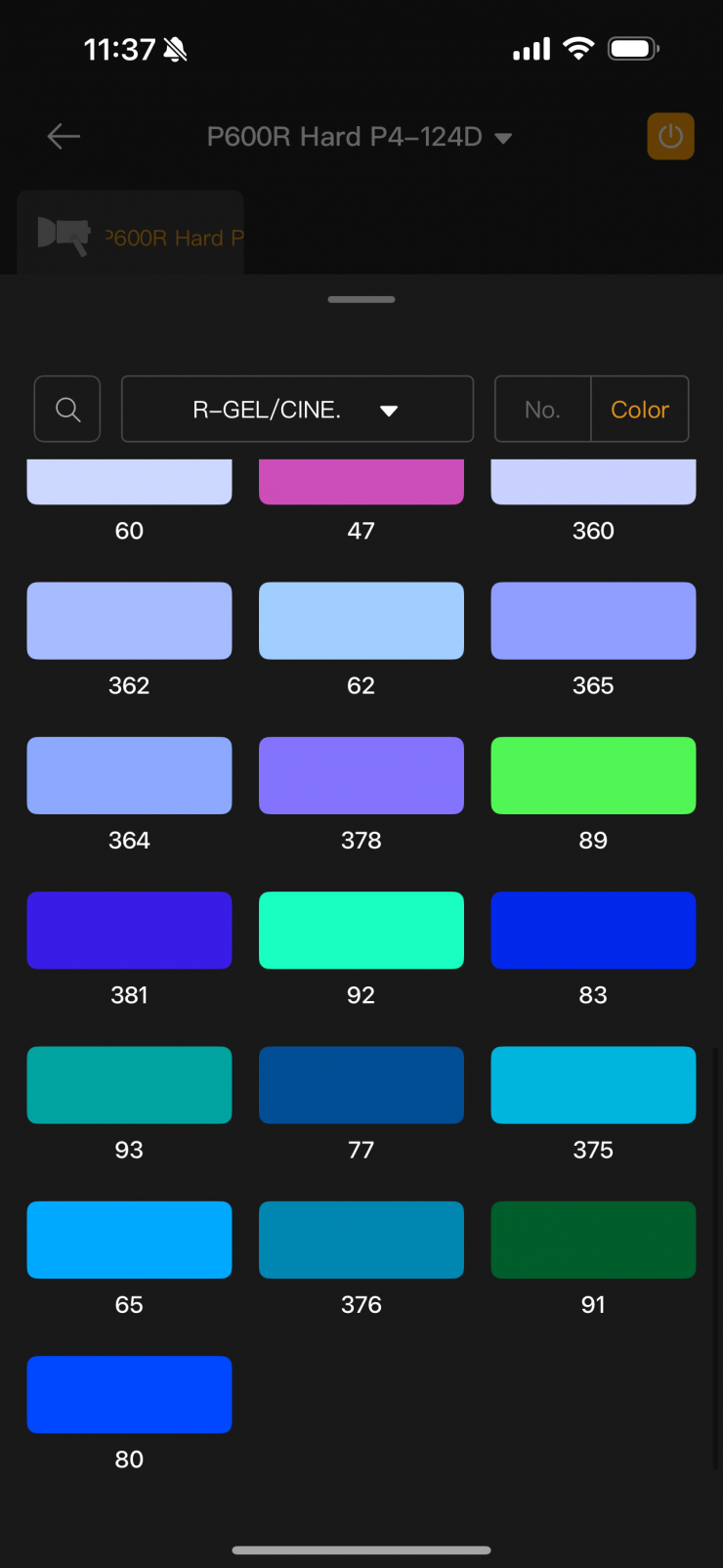
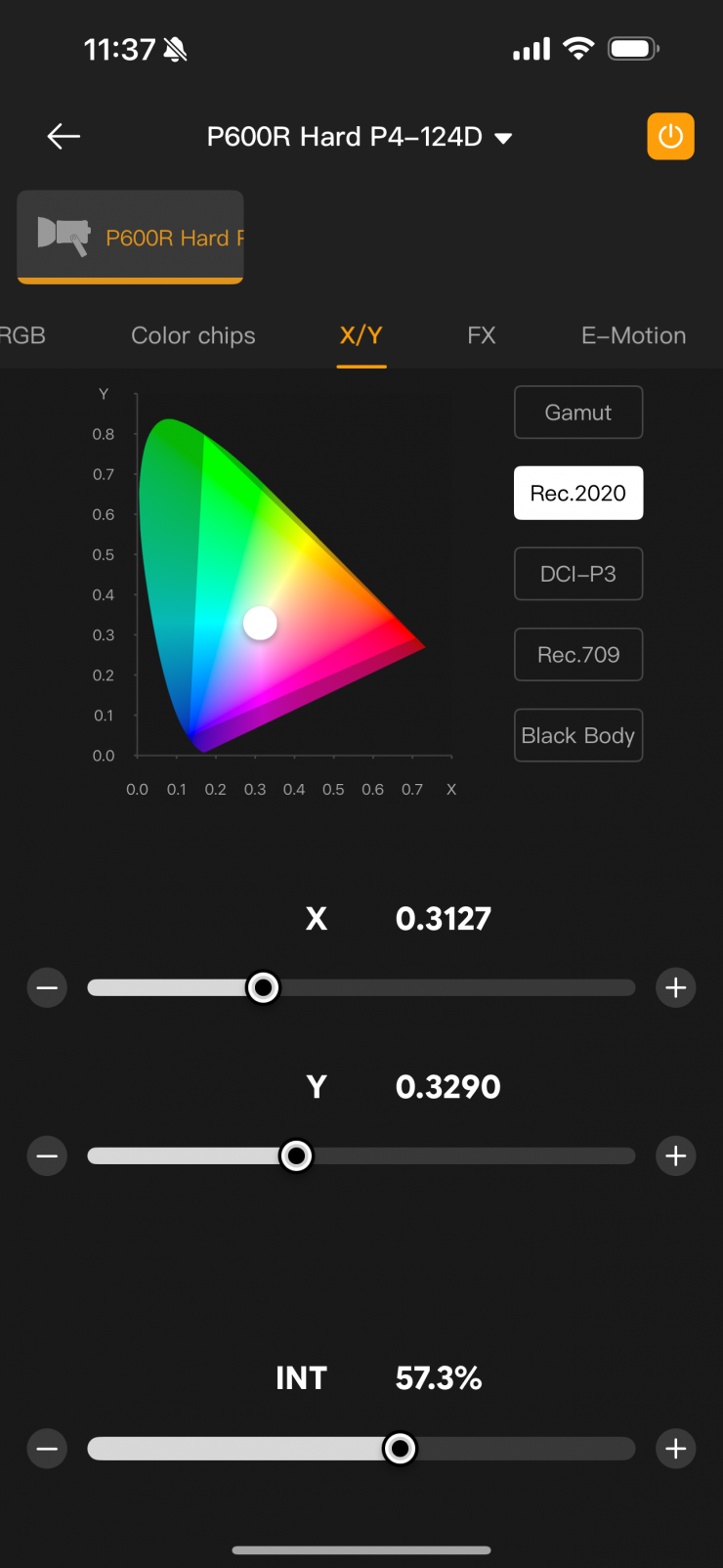
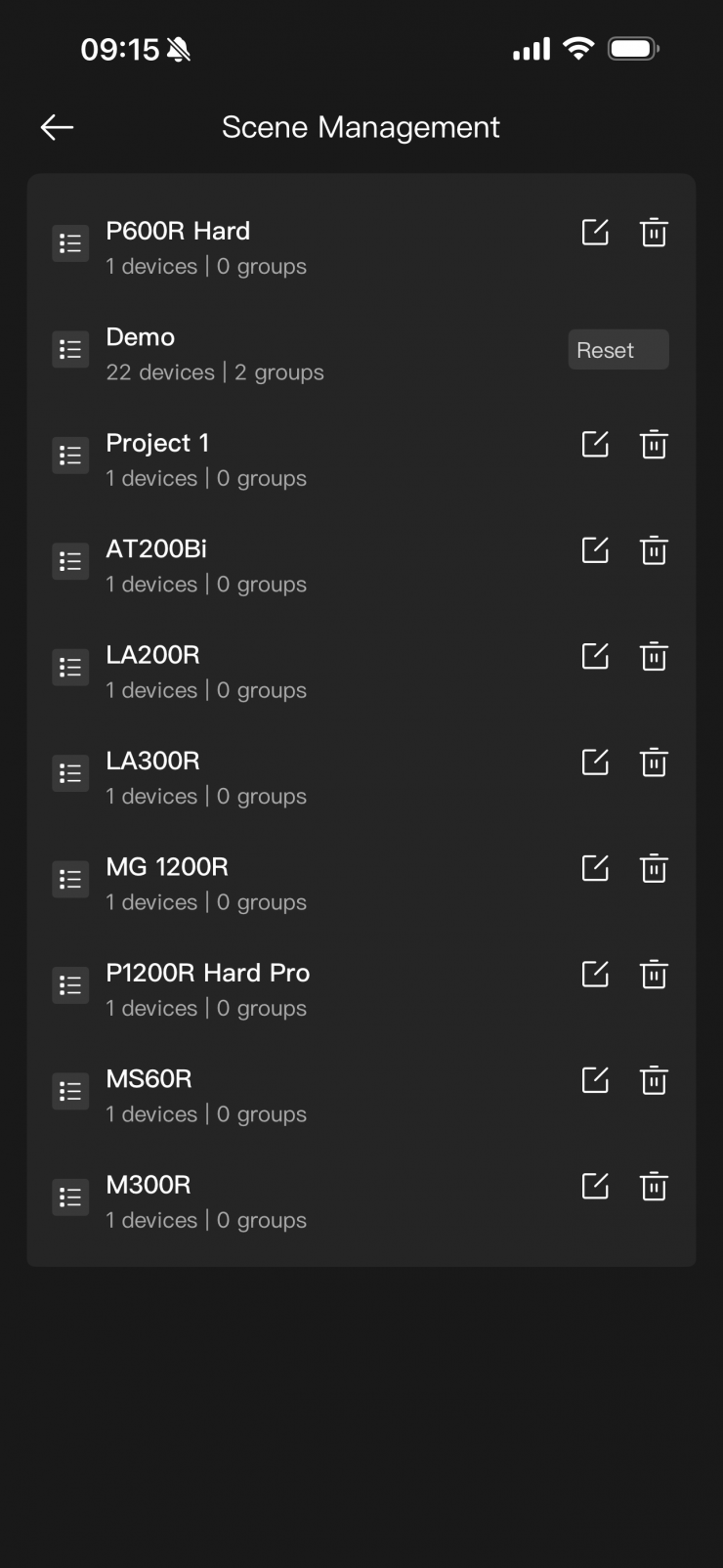
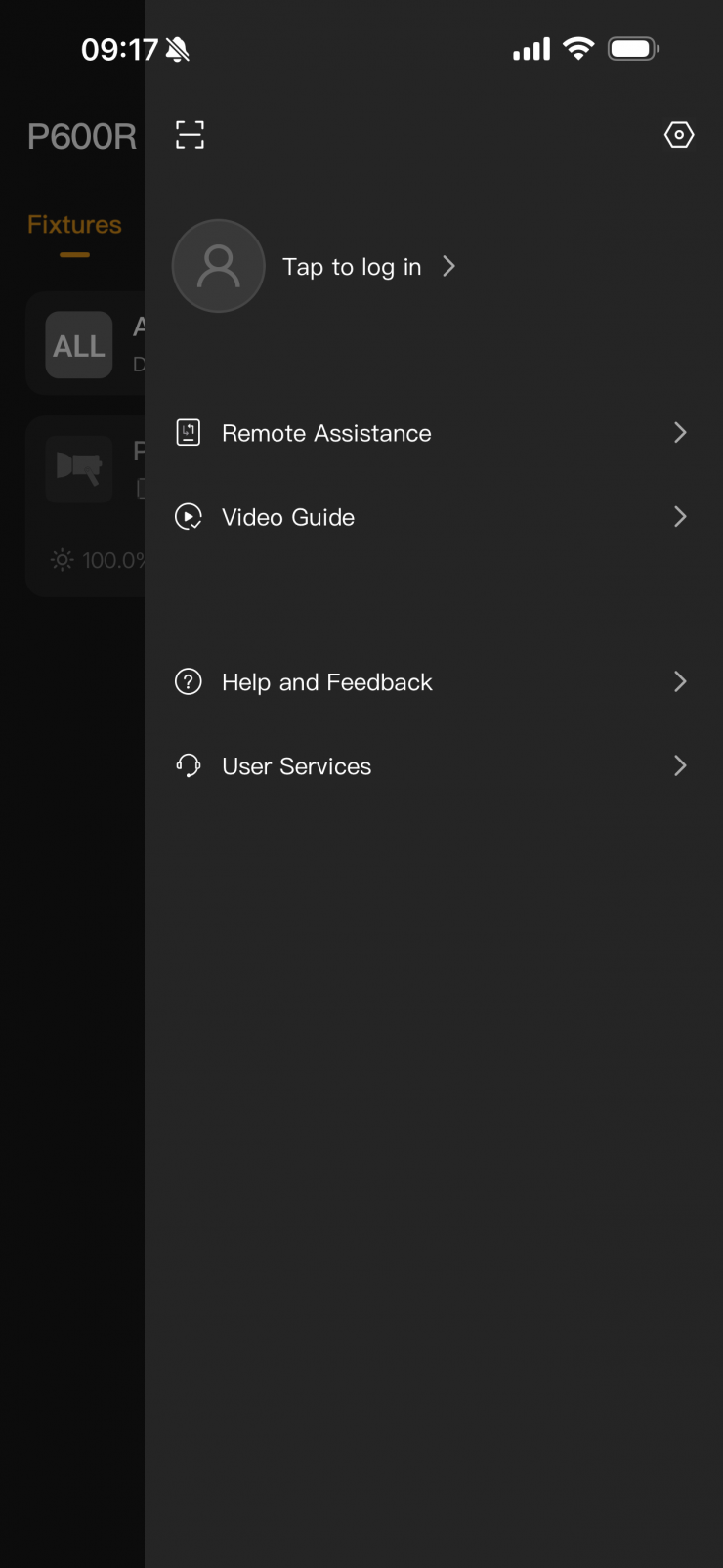
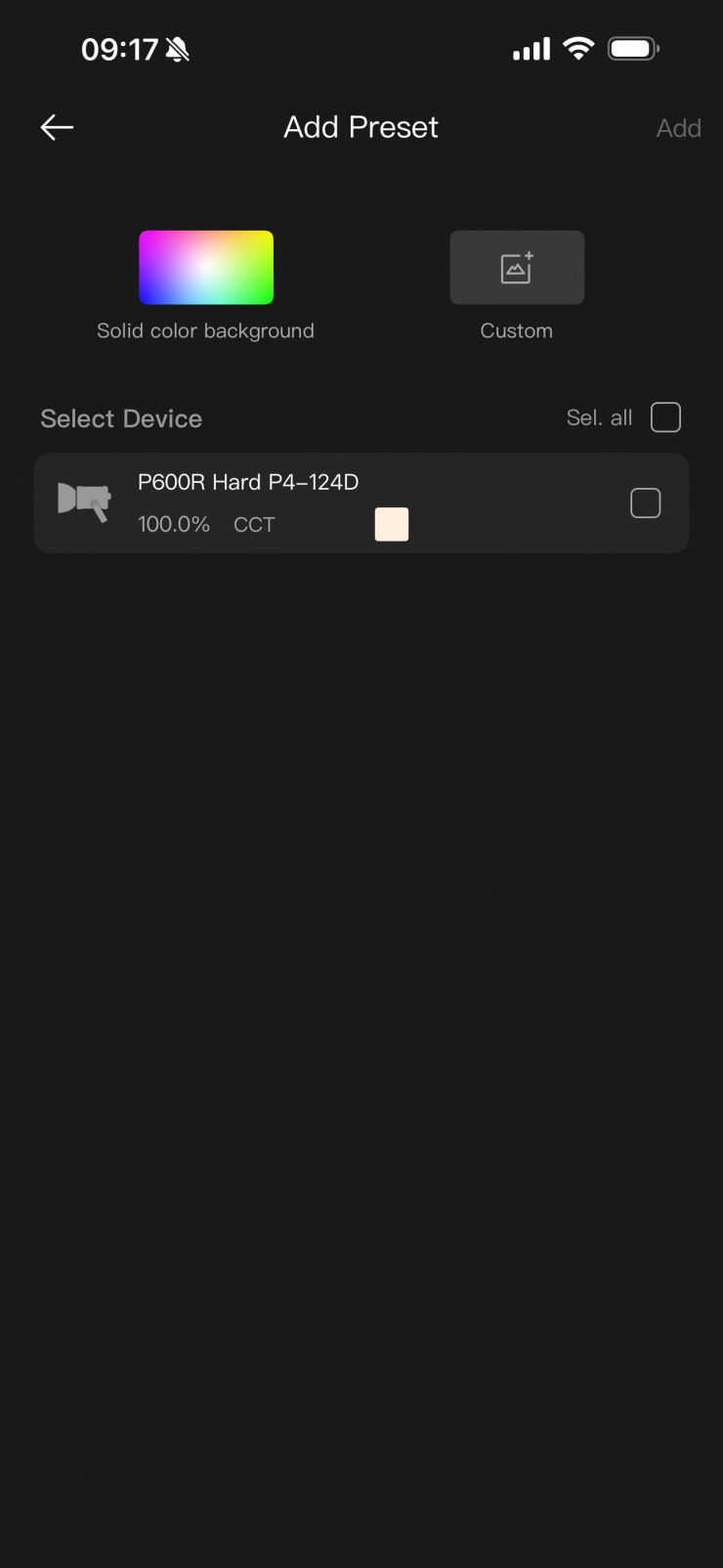
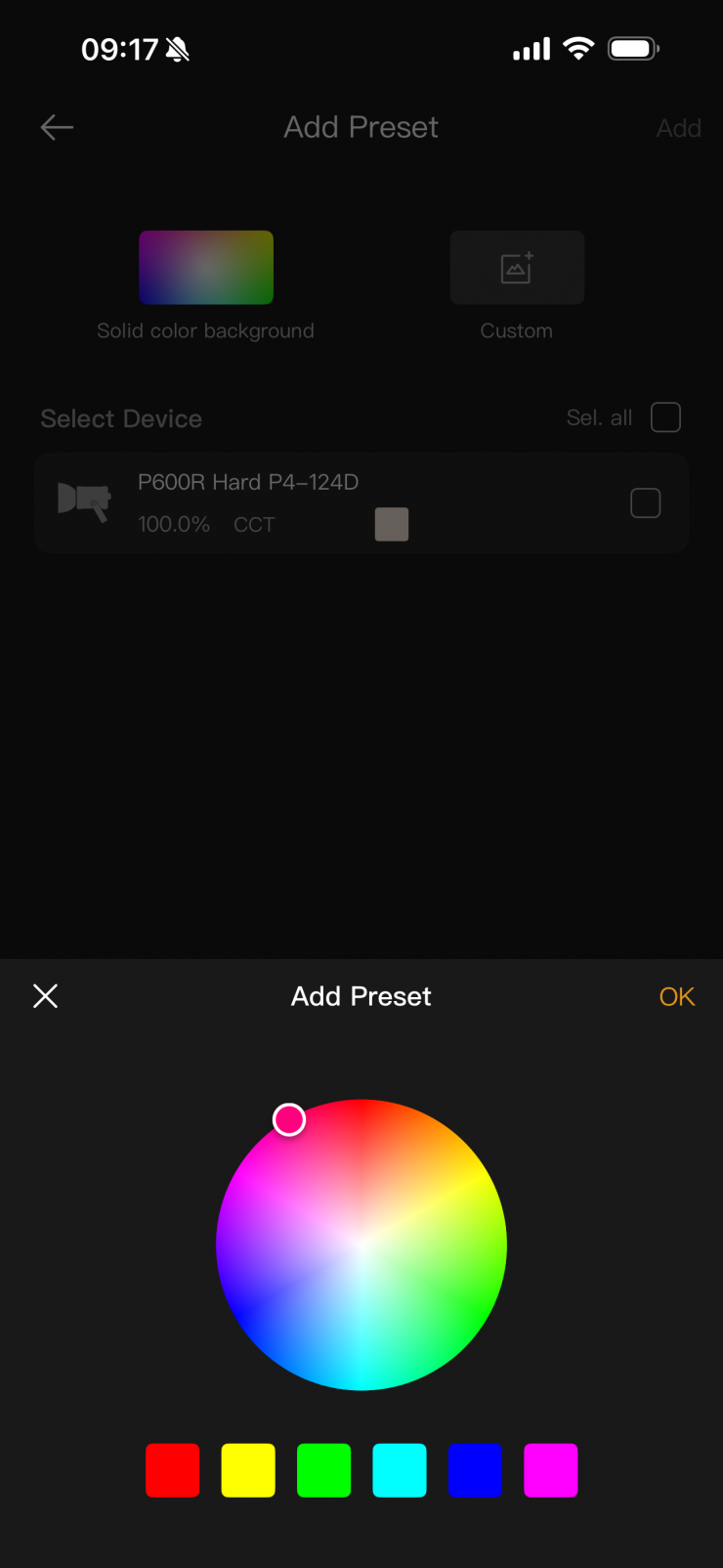
Above, you can see some of the other parameters that you can adjust using the app.
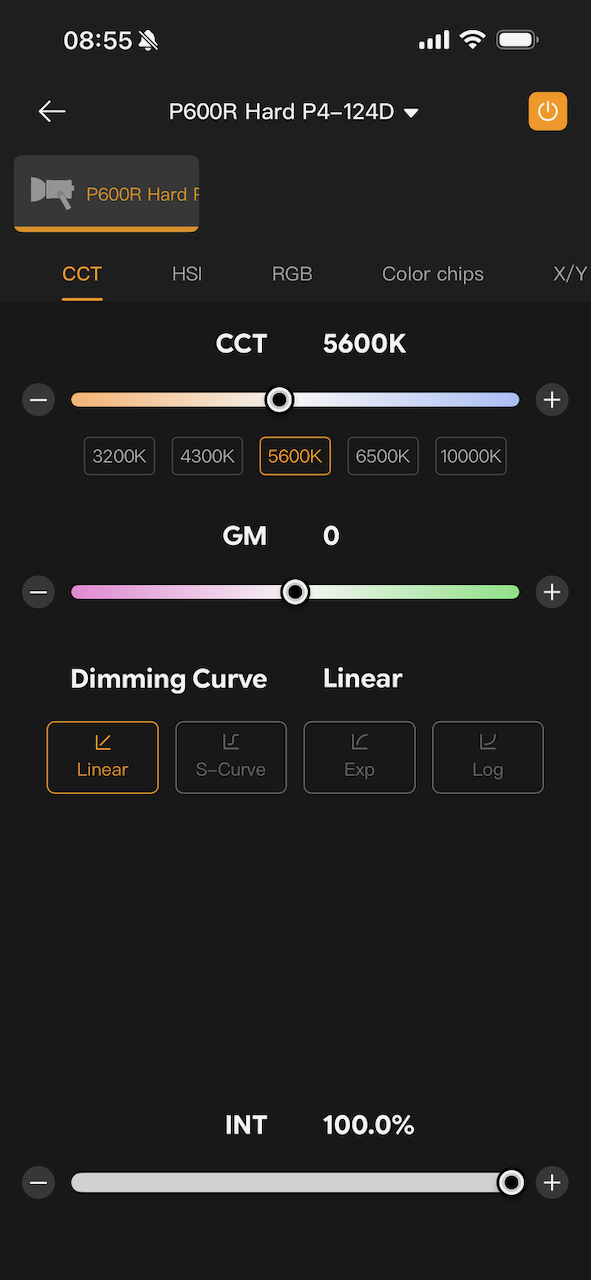
App with Fan set to Medium 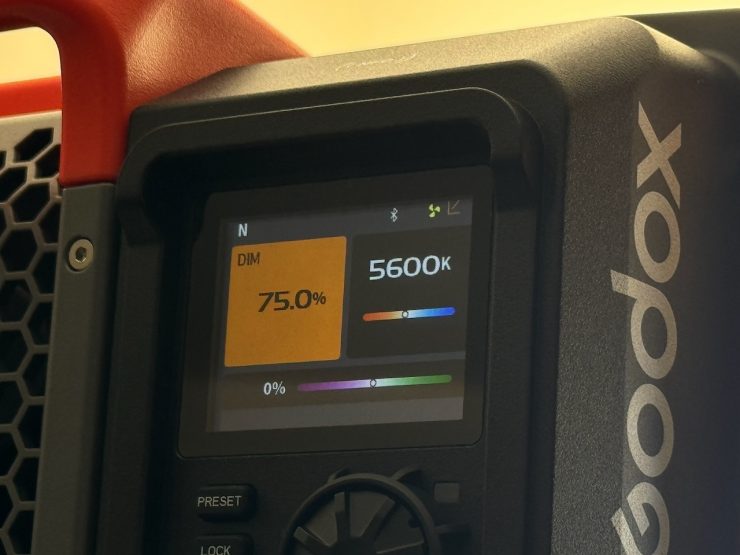
Fixture with Fan set to Medium 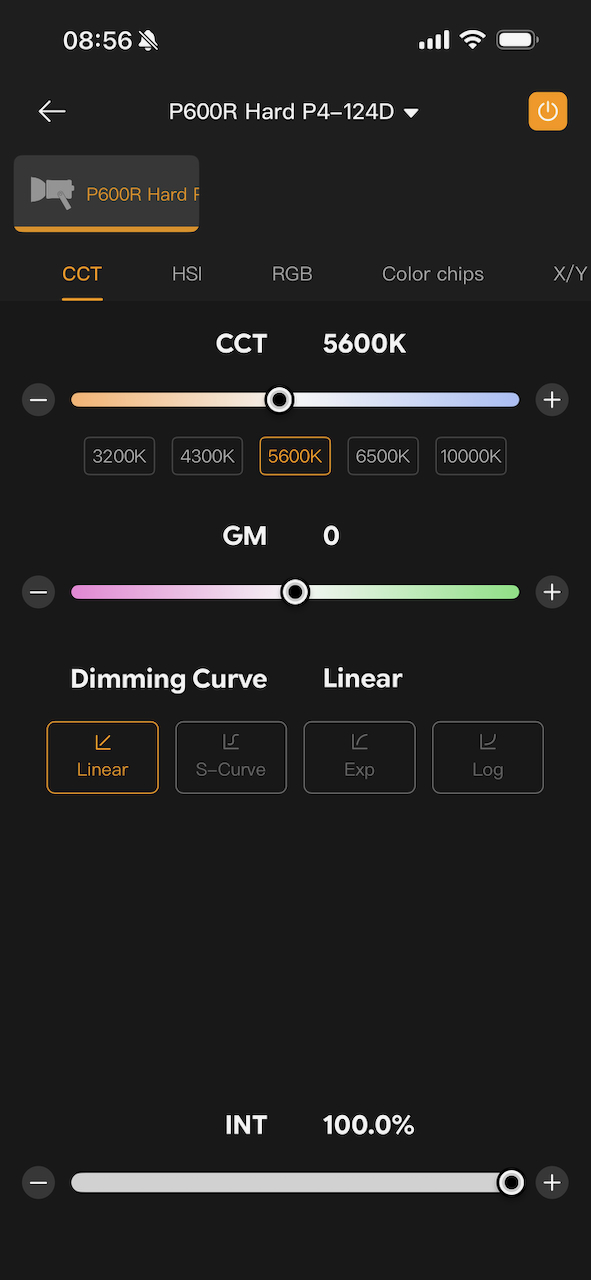
App with Fan set to Medium 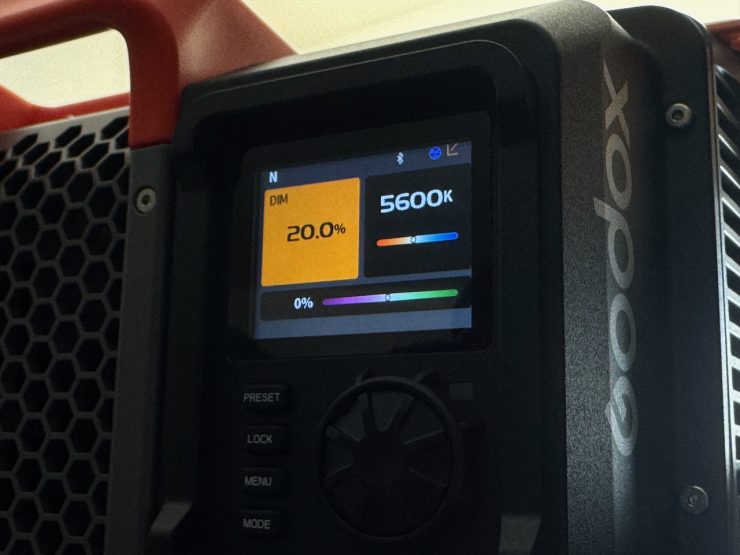
Fixture with Fan set to Medium
Now, the other issue with the fan speed settings is that they aren’t reflected in the app when it comes to displaying the output level correctly. In the Medium Speed mode, the light is limited to 95% output, and in the Off speed, it is limited to 20%. However, the app will allow the output to be displayed at 100%. I am not sure why so many lighting companies can’t seem to get this right. I mentioned this to Godox a long time ago, and they told me that this issue would be addressed, but it still hasn’t been fixed.
For the most part, the app is reasonably straightforward and easy to use, but it could be better.
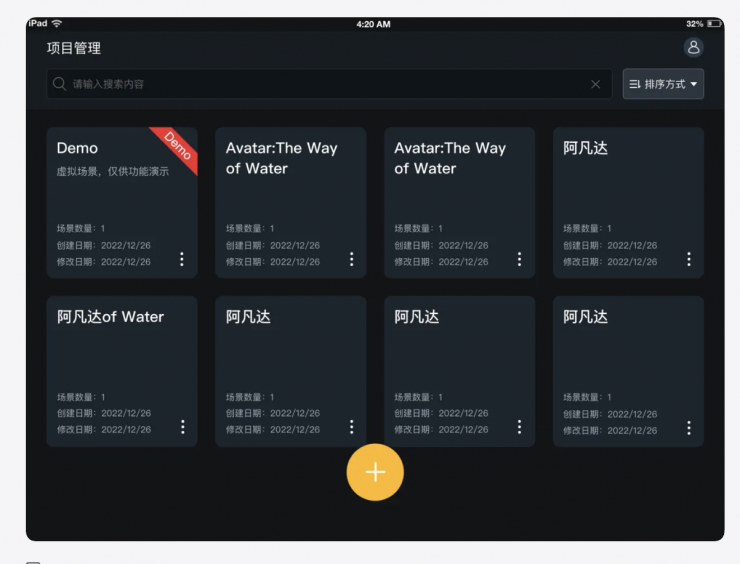
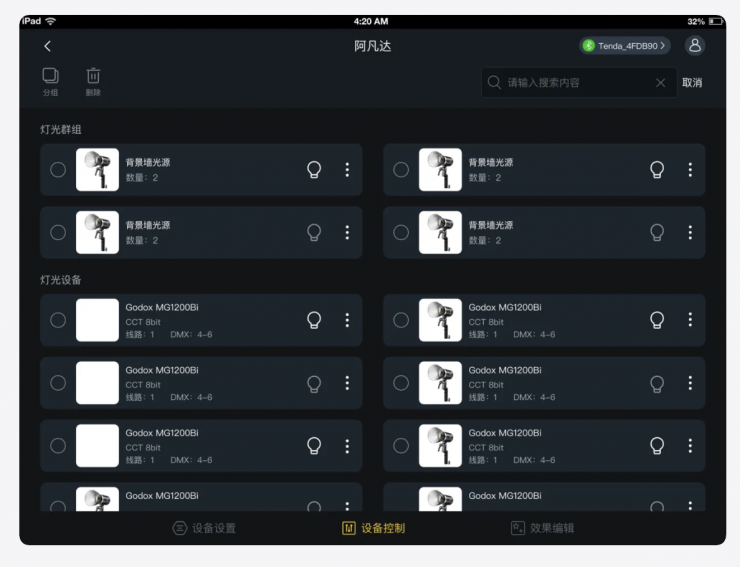
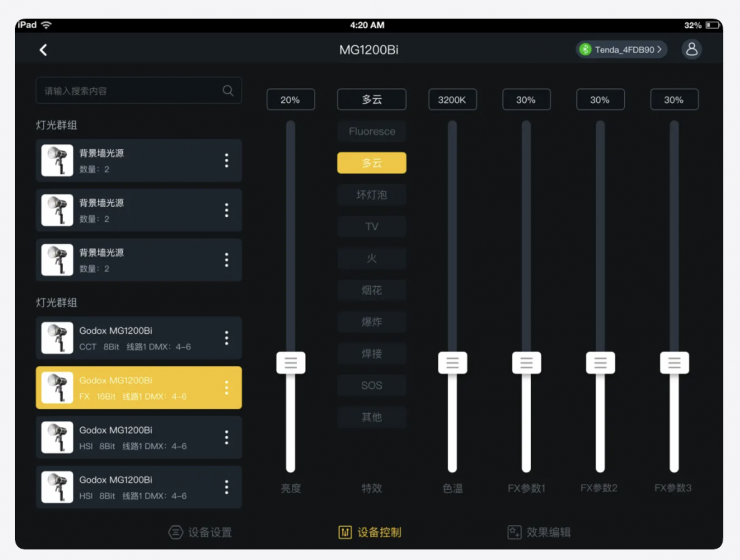
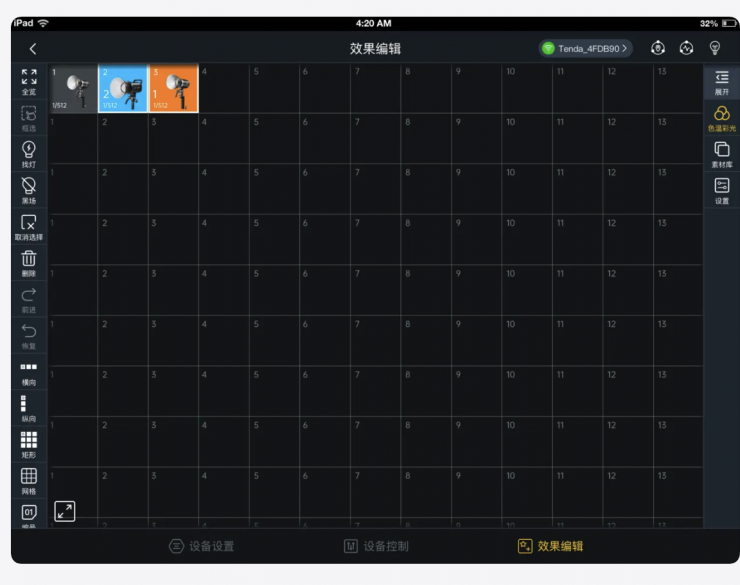
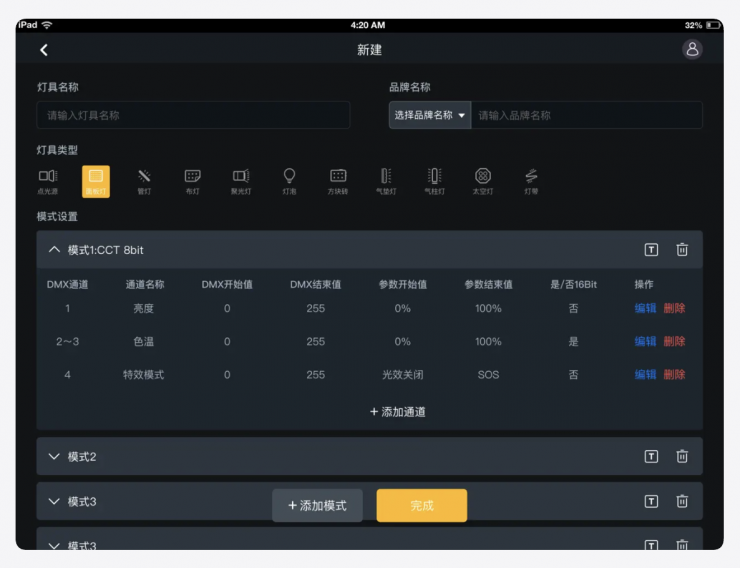
There is also the Godox KNOWLED App, but that is only available for iPad. This is touted as a professional-grade lighting control application designed for lighting designers, film producers, TV professionals, and other industry experts who require professional control over DMX lighting. It offers the following functions:
- Visualized layout of film and television lighting: Allows placement of lights and synchronized simulation of lighting control effects.
- Simple and convenient connectivity: Supports mature connection methods such as Lumenradio Bluetooth, and Ethernet for quick and easy control.
- Stable and reliable control for multiple lights: Supports standard DMX protocols for both wired and wireless control of complex lighting effects.
- User-friendly interface: The revolutionary interface provides a What-You-See-Is-What-You-Get (WYSIWYG) experience, allowing users to quickly and easily control complex lighting functions without the need for extensive training. The app enables visual adjustments and previews of lighting devices, truly revolutionizing the traditional control console experience.
Real-time displays of brightness, color, and other parameters are available in CCT, RGB, xy, and other modes.
- Strong compatibility: Controls lighting devices from multiple manufacturers using a single app, compatible with any brand that supports the DMX protocol.
- Open system light library and customizable local light library: Offers a rich system light library for controlling different brands of lighting fixtures. For unsupported fixtures, users can create a local light library based on their own
I wasn’t able to test this as I don’t own an iPad.
P600RH AD Adapter & P600RHP AD11 Adjustable Diffuser
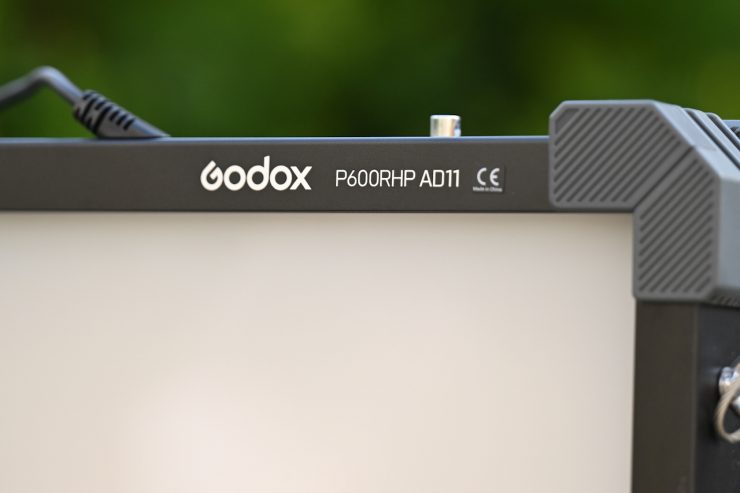
The optional P600RH AD Adapter and P600RHP AD11 Adjustable Diffuser, in my opinion, are worth buying. As the fixture is a hard source, the P600RHP AD11 Adjustable Diffuser lets you create a much softer source.
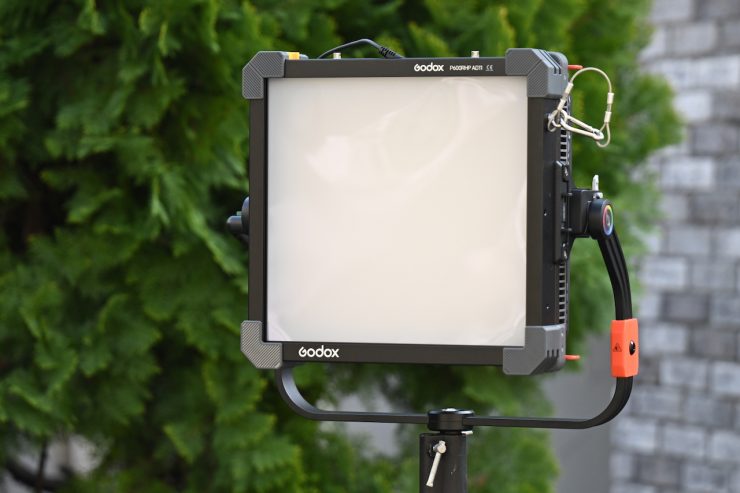
You attach the P600RH AD Adapter to the front of the P600R Hard P4 and insert the P600RHP AD11 Adjustable Diffuser.
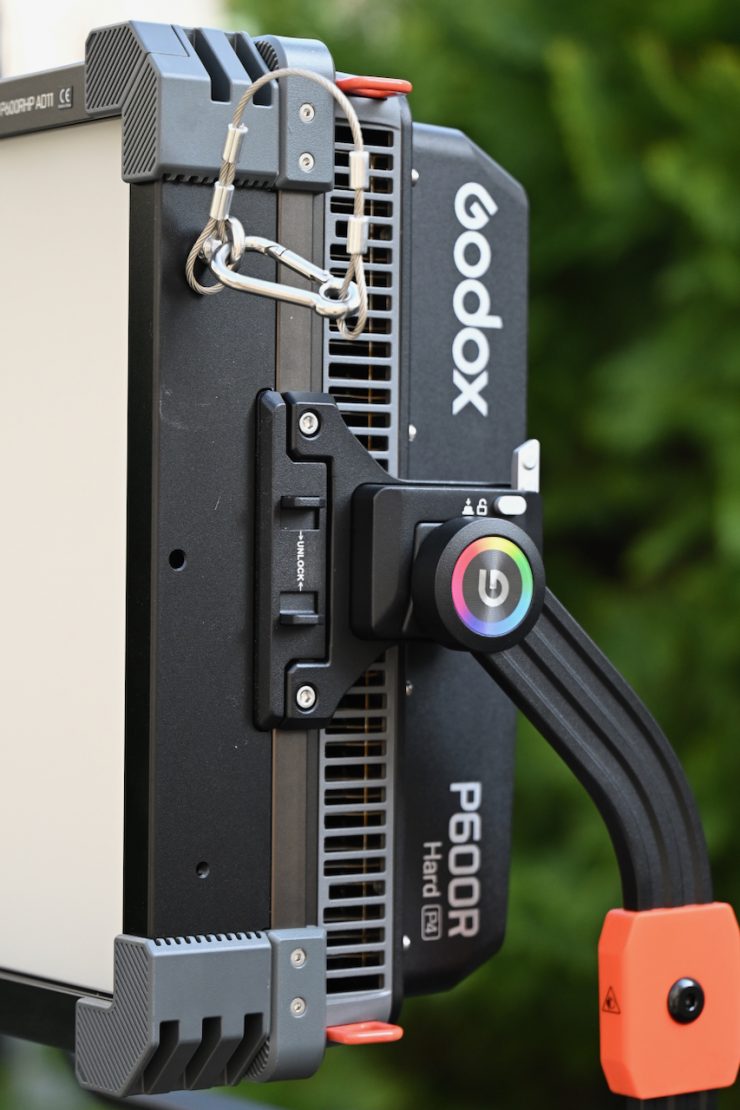
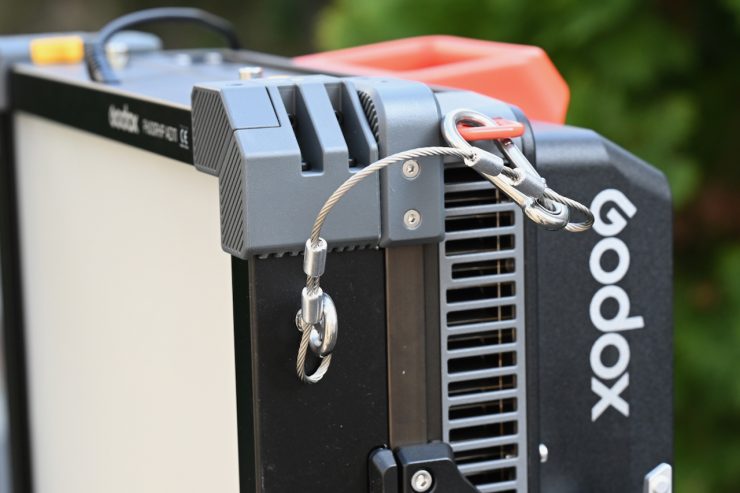
The P600RH AD Adapter securely attaches to the front of the fixture, and Godox also gives you a safety lanyard as well.
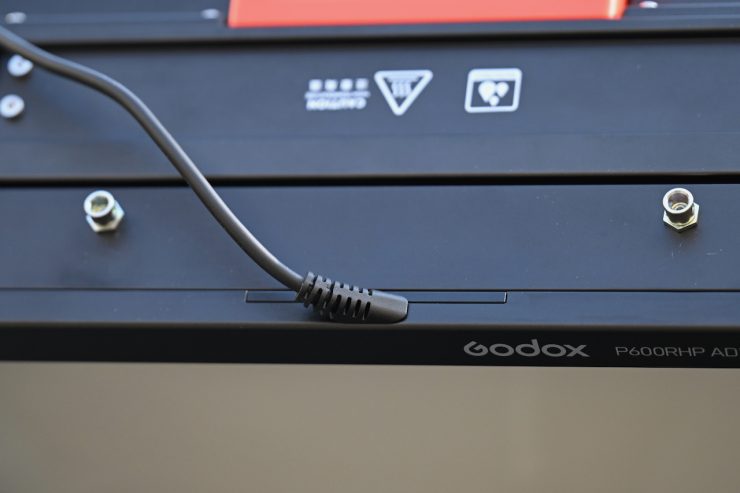
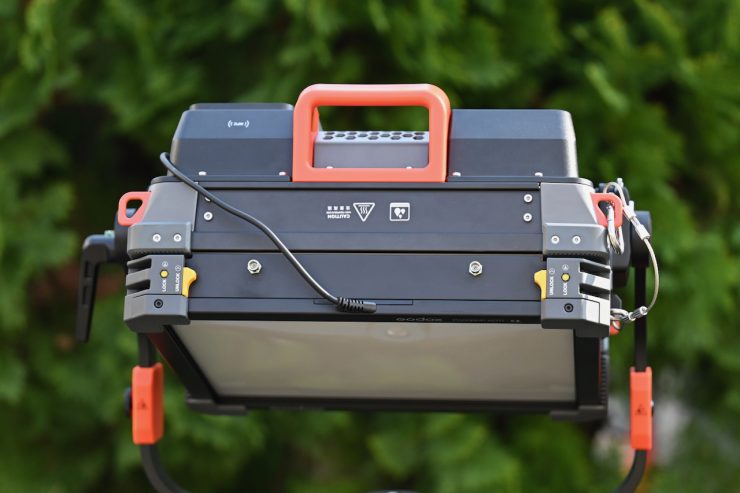
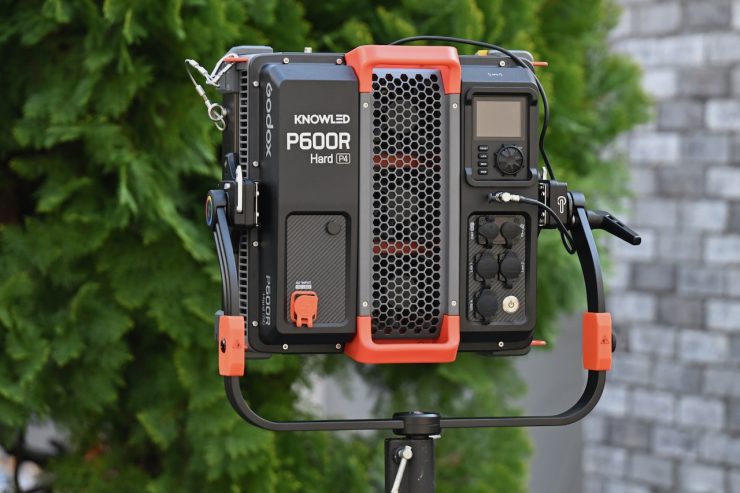
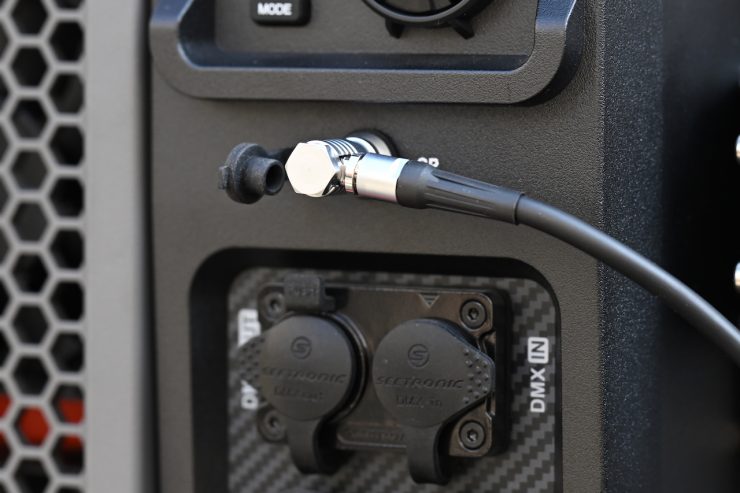
You then attach the cable from the P600RHP AD11 Adjustable Diffuser to the back of the fixture.
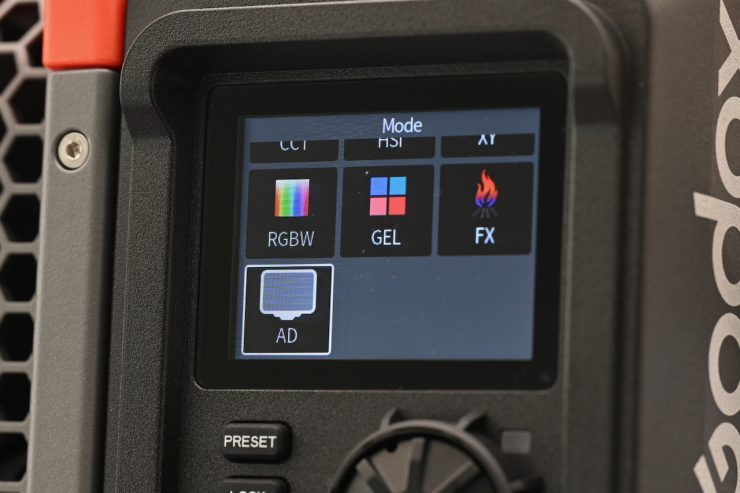
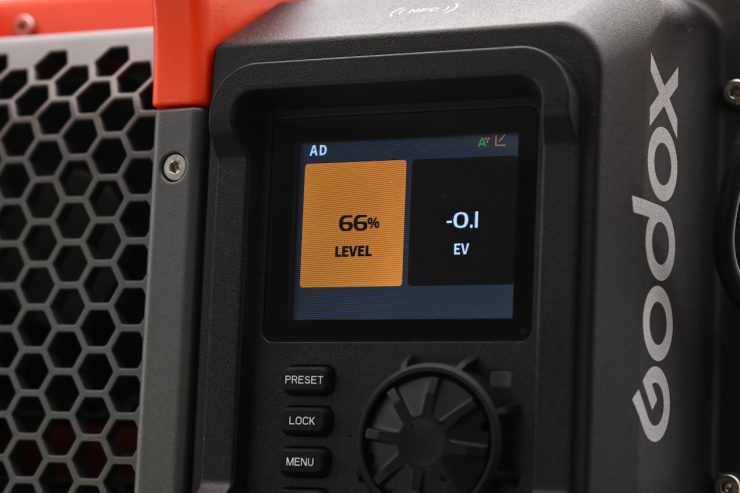
This brings up an additional operating mode on the light where you can adjust the amount of diffusion you want to use.
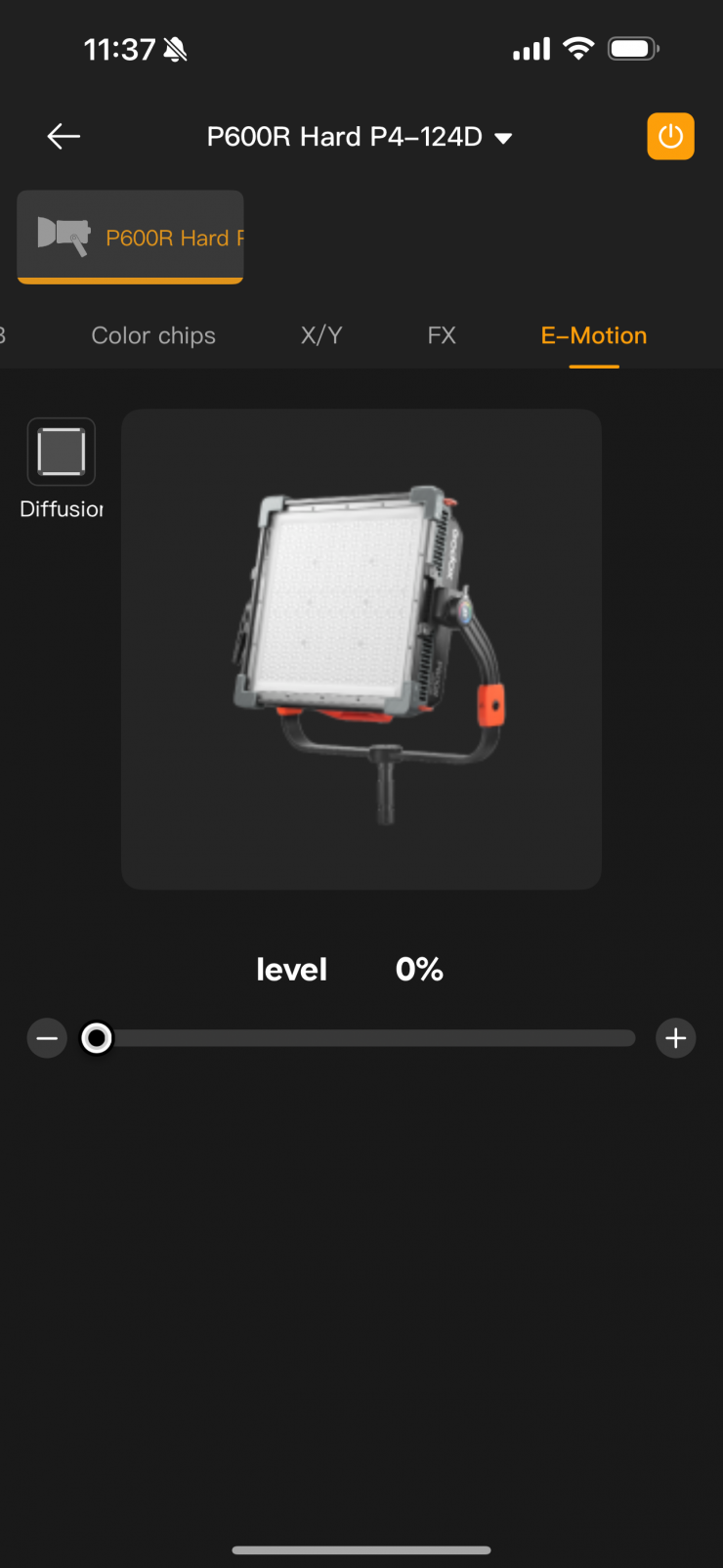
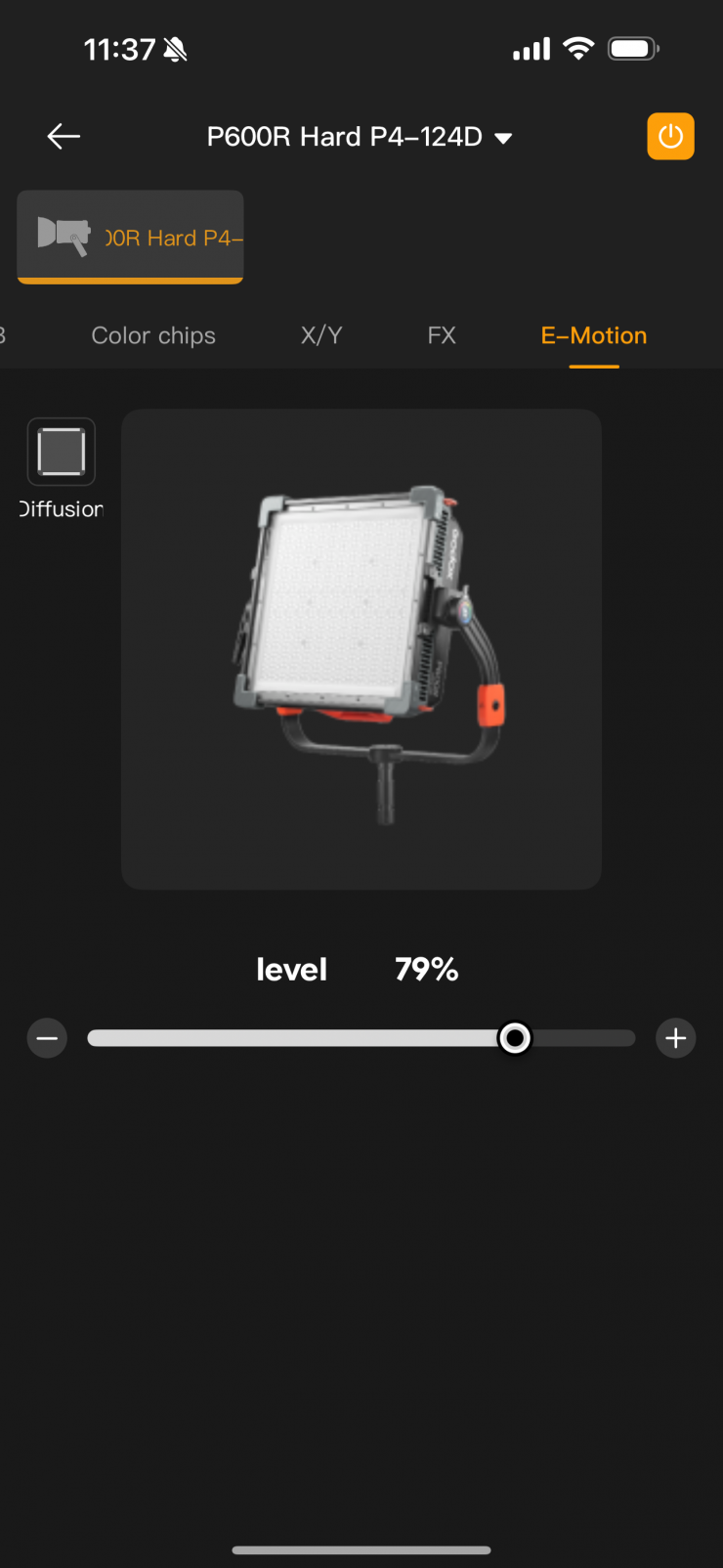
You can also adjust the diffusion with the Godox app as well. Strangely, this is labeled as E-Motion instead of AD, like it is on the fixture.
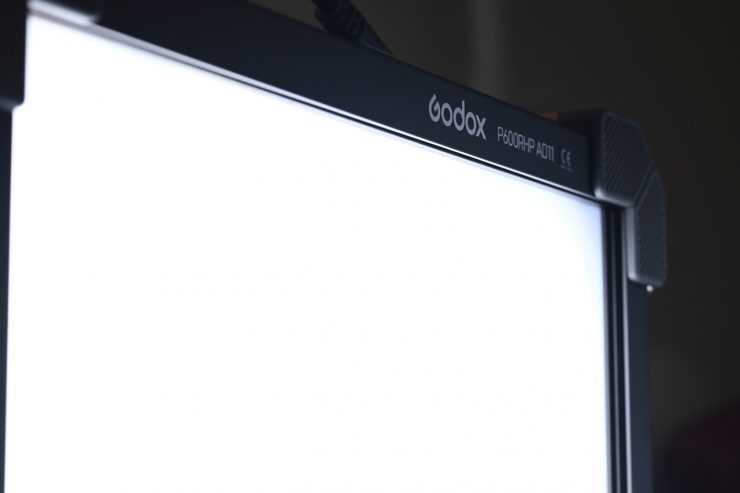
The P600RHP AD11 Adjustable Diffuser works pretty well, as you will see further down in the review.
Photometrics
So now let’s get to the photometric results. I always test lights in this way so that I get a reference to how they compare to other fixtures. Results only tell part of the story and should never be used alone to judge a light. I have found from extensive testing over the years that certain lights that have good photometric results don’t always look good, and lights that have worse photometric scores can sometimes look better than their results indicate. It is important that you don’t judge a light by one individual result. You have to gather all the data to make a comprehensive conclusion.
Different lights can also look different depending on what camera you happen to be using.
There are a ton of results to get through here, so grab a coffee because this is going to take a while!
Output & CCT Accuracy
I tested the Godox KNOWLED P600R Hard P4 at a variety of CCT settings with a Sekonic C-800 Spectrometer to find out how much output the light had and how accurate the CCT reproduction was. All readings are taken at a distance of 1m (3.28ft) in a controlled environment.
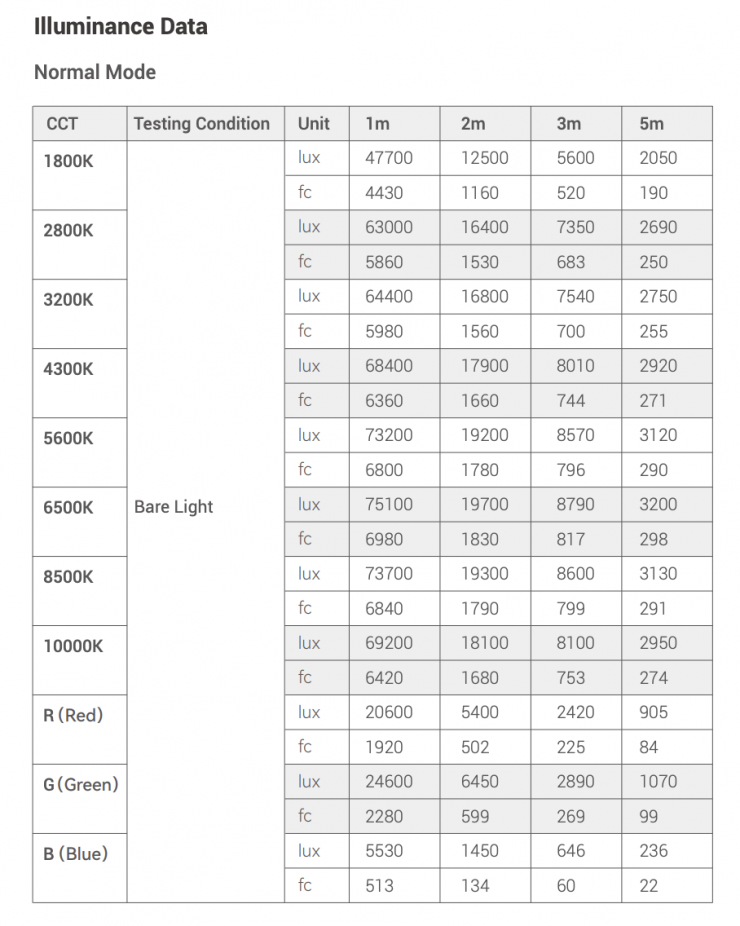
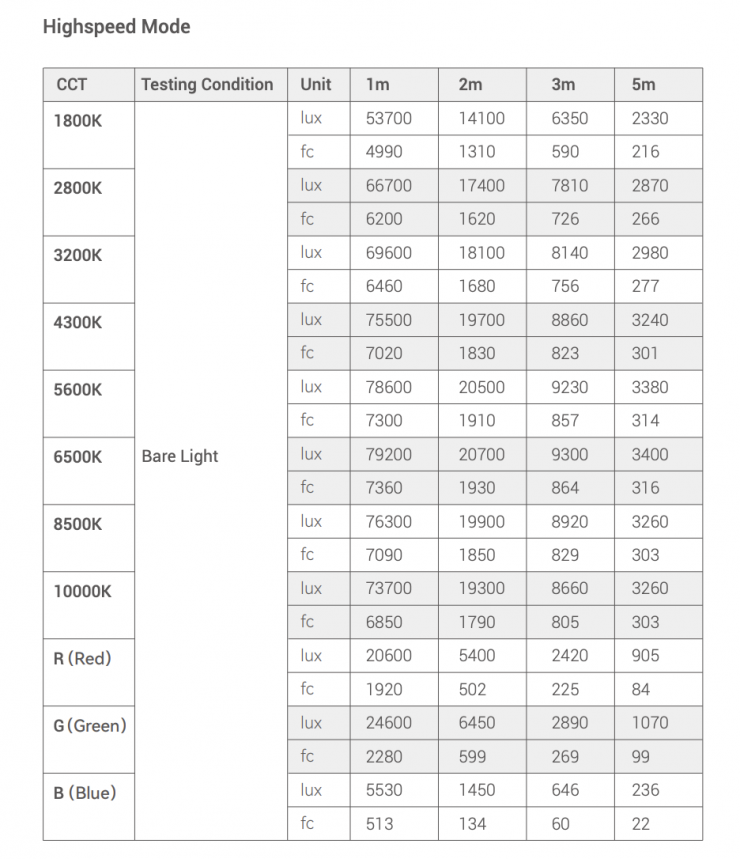
Above, you can see the claimed figures from the manufacturer.
First, let’s look at how the light performs at 5600K.
5600K
Godox KNOWLED P600R Hard P4 5600K
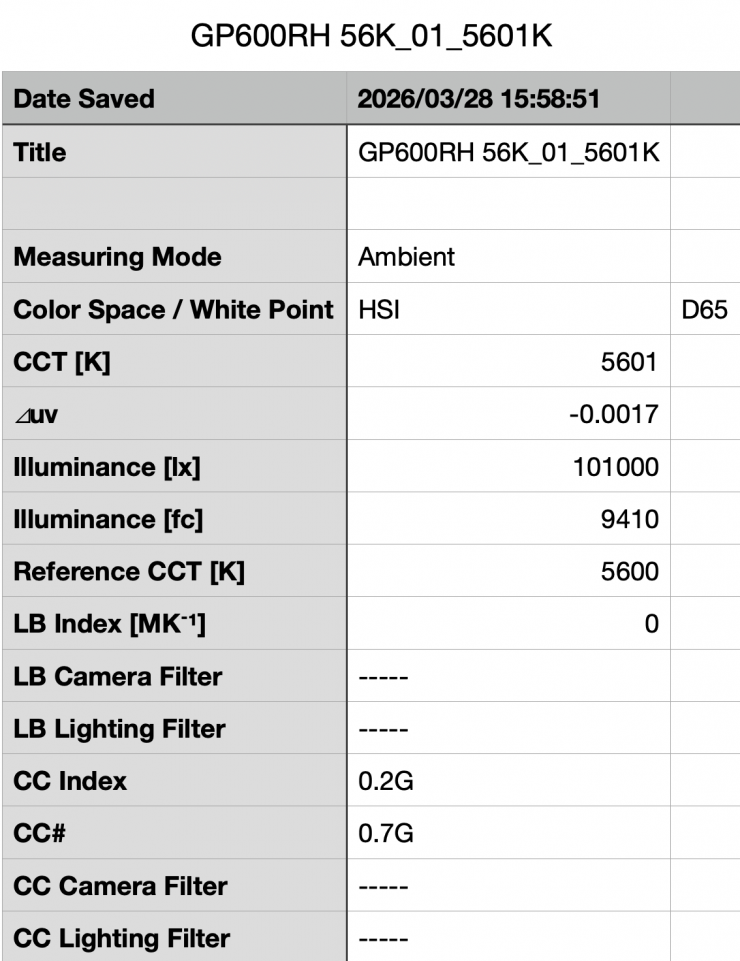
Above, you can see that the Godox KNOWLED P600R Hard P4 recorded an output of 101,000 lx (9410 fc) when set at 5600K. This is a ton of output for a light of this size.
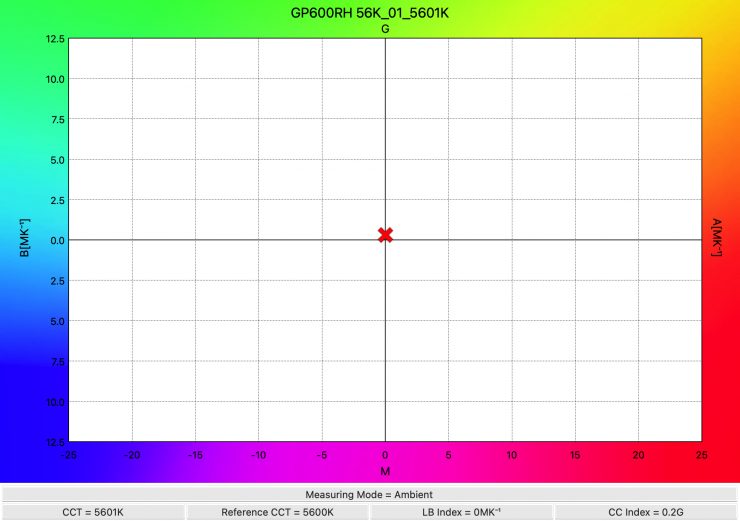
The light recorded an almost perfect CCT reading of 5601K.
So, how does this output compare to some other 1×1 style panel lights I have previously tested?
5600K
| OUTPUT | POWER DRAW | BEAM ANGLE | |
| Godox KNOWLED P600R Hard P4 | 101,000 lx | 700W | 55° |
| Aputure NOVA II 1×1 | 108,200 lx* | 650W | 35° |
| Creamsource Vortex4 | 53,100 lx* | 325W | 20° |
| Nanlite Alien 300C | 27,900 lx | 300W | 60° |
| ZOLAR Toliman 30S | 4690 lx | 140W | 40° |
| ZOLAR Toliman 30C | 8190 lx | 250W | 90° |
| ZOLAR Vega 30C | 7900 lx | 250W | 90° |
| Luxli Timpani² (No Diffusion Panel) | 6171 lx | 120W | 78° |
| Luxli Timpani² (Diffusion Panel) | 3810 lx | 120W | 78° |
| Luxli Timpani (No Diffusion) | 3840 lx | 120W | 78° |
| Rotolight Titan X1 (100% Smartsoft Diffusion) | 3180 lx | 230W | 150° |
| Rotolight Titan X1 (No Diffusion) | 8210 lx | 230W | 68° |
| ARRI SkyPanel S30-C | 5950 lx | 200W | 110° |
| Litepanels Gemini 1×1 Soft | 6260 lx | 200W | 95° |
| Litepanels Gemini 1×1 HARD (Light Diffusion) | 15,700 lx | 200W | 46° |
| Lupo Superpanel 30 Full Color Soft | 4380 lx | 200W | 115 |
| Lupo Superpanel 30 Full Color | 16,900 lx | 200W | 40° |
| Aputure NOVA P300c | 9600 lx | 360W | 120° |
*Manufacturers’ claimed figures. Not independently tested.
As you can clearly see, the output varies depending on the beam angle, diffusion, and power draw of the light. It is impossible to do an apples-to-apples comparison unless the lights you are comparing have the same power draw, beam angle, and diffusion.
Godox KNOWLED P600R Hard P4 5600K (High Speed Mode)
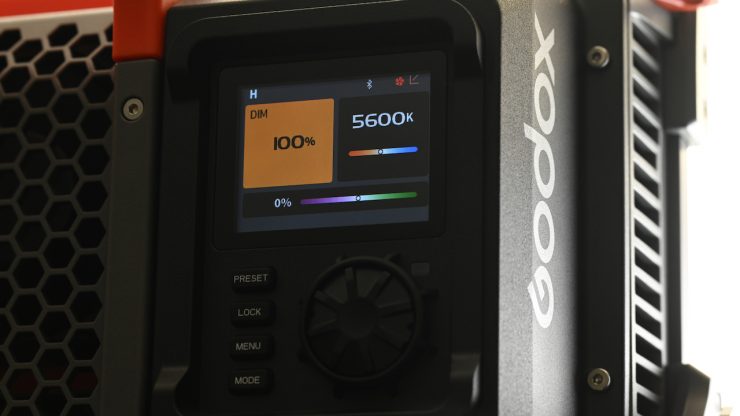
You can set the Godox KNOWLED P600R Hard P4 into a High Speed Mode to get more output. The only catch with using this mode is that the intensity can’t be set below 100%, and the fan speed defaults to high.
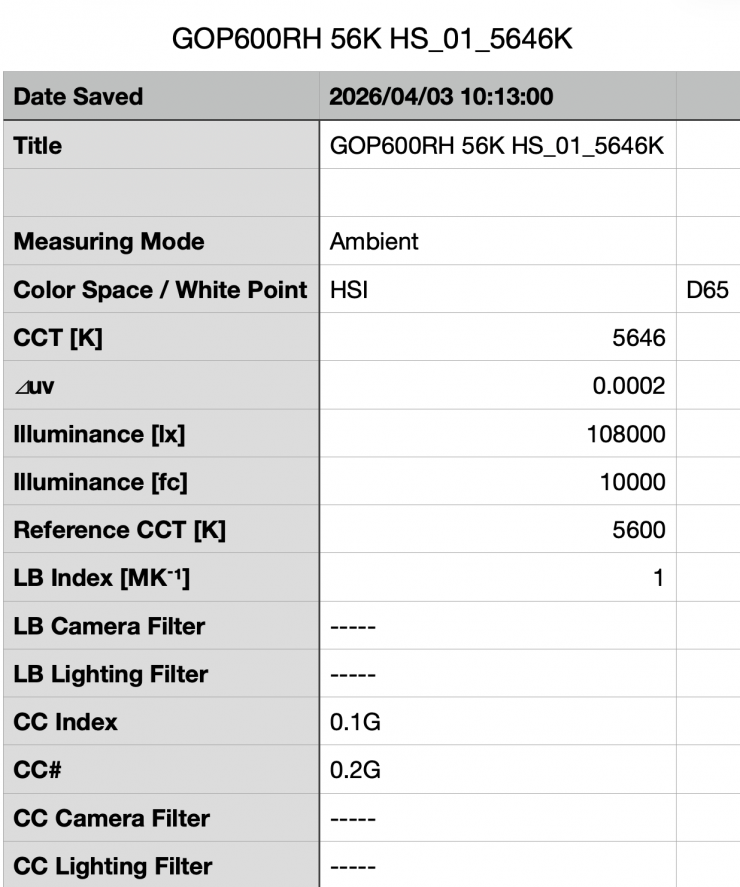
Above, you can see that the P600R Hard P4 recorded an output of 108,000 lx (10,000 fc) when set at 5600K and run in its High Speed mode. This was 6.93% more output than when the light was used in its regular output mode.
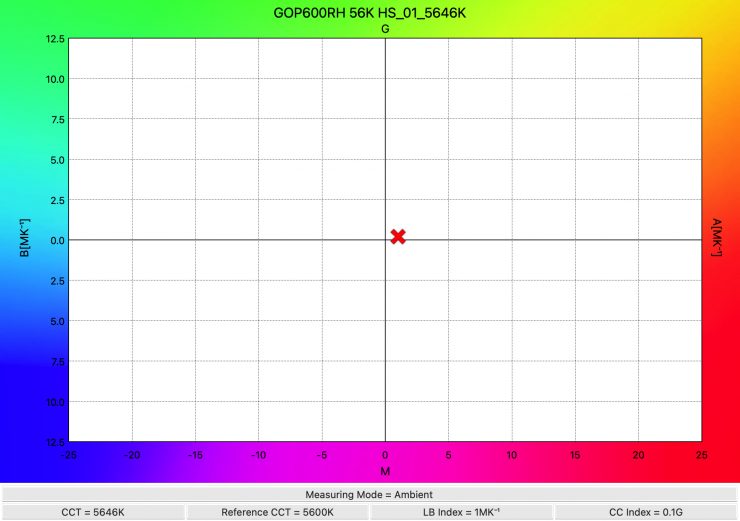
The light recorded an excellent CCT reading of 5646K.
3200K
Godox KNOWLED P600R Hard P4 3200K
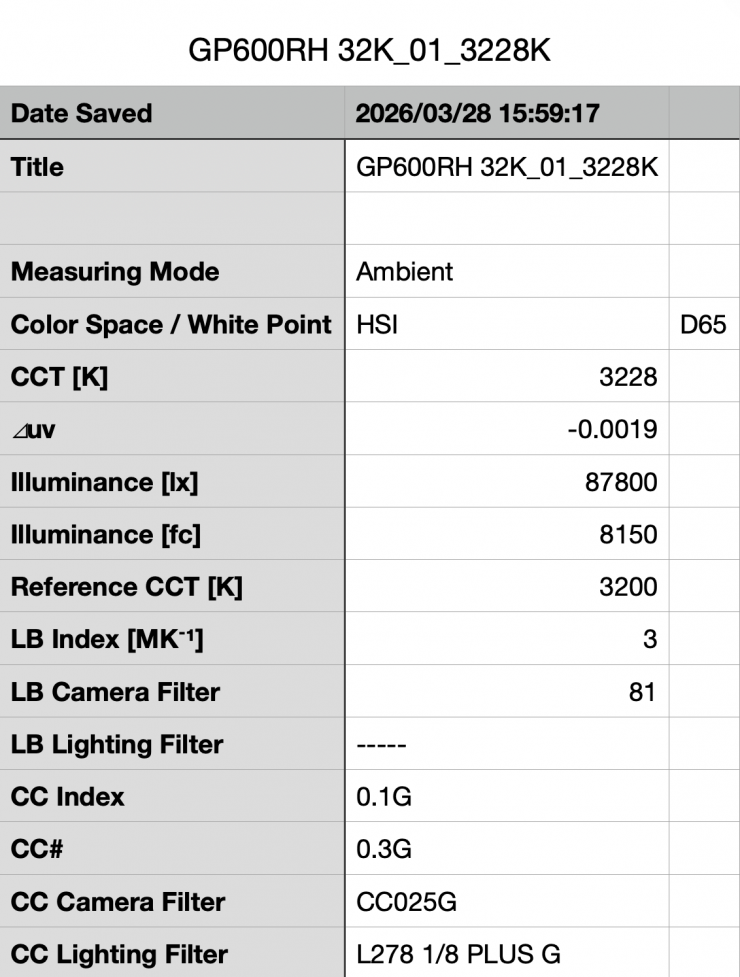
Above, you can see that the Alien 300C recorded an output of 87,800 lx (8150 fc) when set at 3200K. This was 13% less output than when it was used at 5600K.
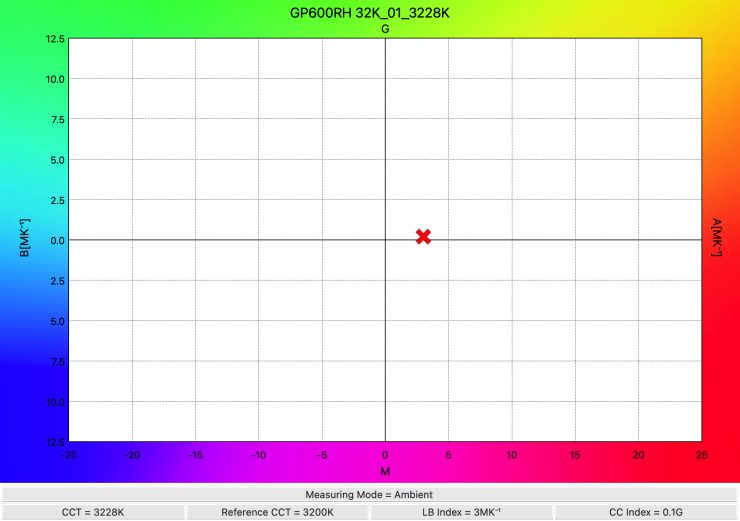
The light recorded a CCT of 3228K, which was very accurate.
How does this compare to some other 1×1 RGB lights that we have previously reviewed:
3200K
| Output | POWER DRAW | BEAM ANGLE | |
| Godox KNOWLED P600R Hard P4 | 87,800 lx | 700W | 55° |
| Aputure NOVA II 1×1 | 107,100 lx* | 650W | 35° |
| Creamsource Vortex4 | 48,500 lx* | 325W | 20° |
| Nanlite Alien 300C | 24,600 lx | 300W | 60° |
| ZOLAR Toliman 30S | 3260 lx | 140W | 40° |
| ZOLAR Toliman 30C | 7170 lx | 250W | 90° |
| ZOLAR Vega 30C | 7820 lx | 250W | 90° |
| Luxli Timpani² (No Diffusion Panel) | 6171 lx | 120W | 78° |
| Luxli Timpani² (Diffusion Panel) | 3810 lx | 120W | 78° |
| Luxli Timpani (No Diffusion) | 3840 lx | 120W | 78° |
| Rotolight Titan X1 (100% Smartsoft Diffusion) | 3180 lx | 230W | 150° |
| Rotolight Titan X1 (No Diffusion) | 8210 lx | 230W | 68° |
| ARRI S30-C SkyPanel* | 5950 lx | 200W | 110° |
| Litepanels Gemini 1×1 Soft | 6260 lx | 200W | 95° |
| Lupo Superpanel 30 Full Color Soft | 4380 lx | 200W | 115° |
| Litepanels Gemini 1×1 HARD (Light Diffusion) | 15,700 lx | 200W | 46° |
| Lupo Superpanel 30 Full Color | 4380 lx | 200W | 40° |
| Aputure NOVA P300c | 9600 lx | 360W | 120° |
*Manufacturers’ claimed figures. Not independently tested.
Godox KNOWLED P600R Hard P4 3200K (High Speed Mode)
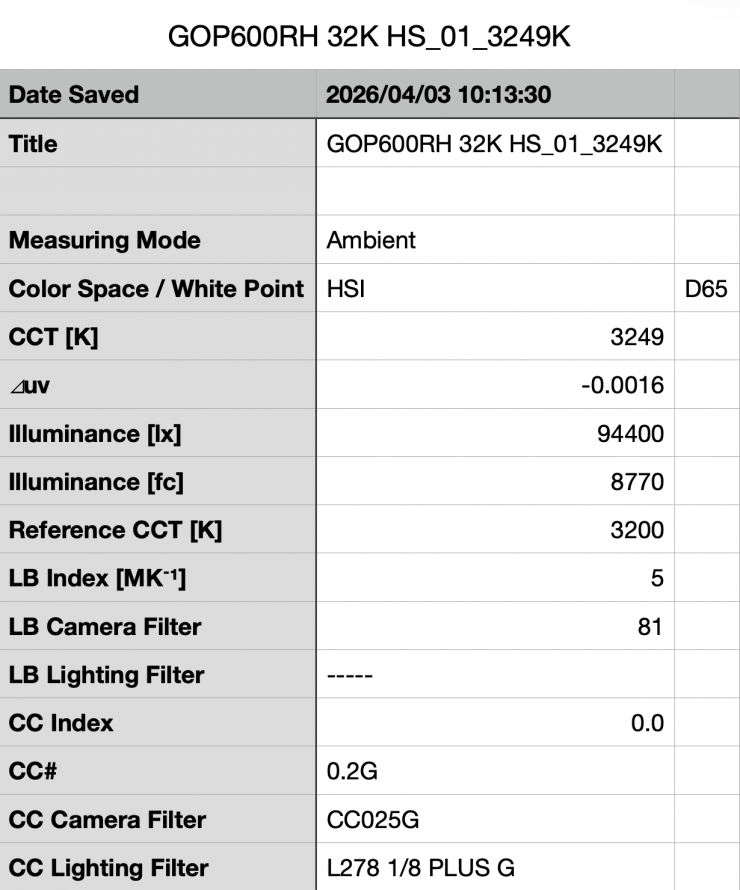
Above, you can see that the P600R Hard P4 recorded an output of 94,400 lx (8770 fc) when set at 3200K and run in its High Speed mode. This was 7.63% more output than when the light was used in its regular output mode.
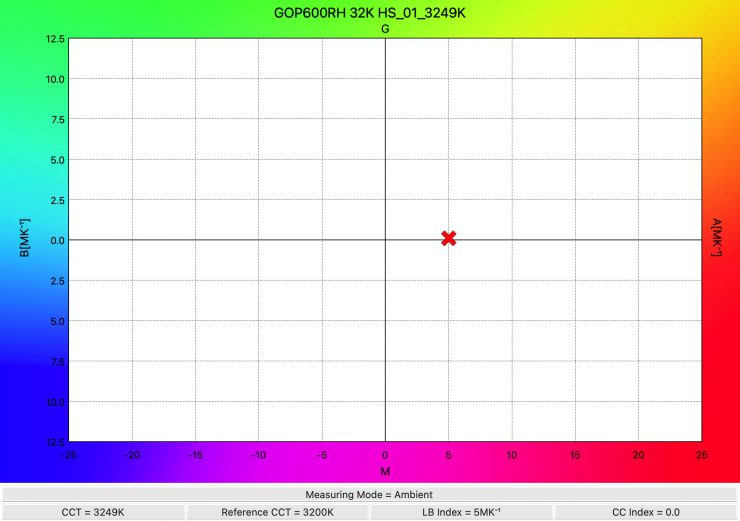
The light recorded a CCT of 3249K, which was an excellent reading.
How does the light perform at various CCT settings?
So, how does the P600R Hard P4 perform at various CCT settings when it comes to output and CCT accuracy? Well, below you can see.
| CCT SETTING | LUX | CCT READING |
| 2500K | 80,700 lx | 2515K |
| 3200K | 87,800 lx | 3228K |
| 4500K | 94,200 lx | 4509K |
| 5600K | 101,000 lx | 5601K |
| 6500K | 102,000 lx | 6513K |
| 8000K | 100,000 lx | 8057K |
| 10000K | 92,000 lx | 10126K |
These results tell me that the light has outstanding CCT accuracy across its range. The output varies by 20.88% from the highest to the lowest recorded readings.
Output when changing the fan speed
Let’s now have a look at what happens to the output if we change the fan speed to Medium Speed or Off.
Godox KNOWLED P600R Hard P4 5600K Fan Medium Speed
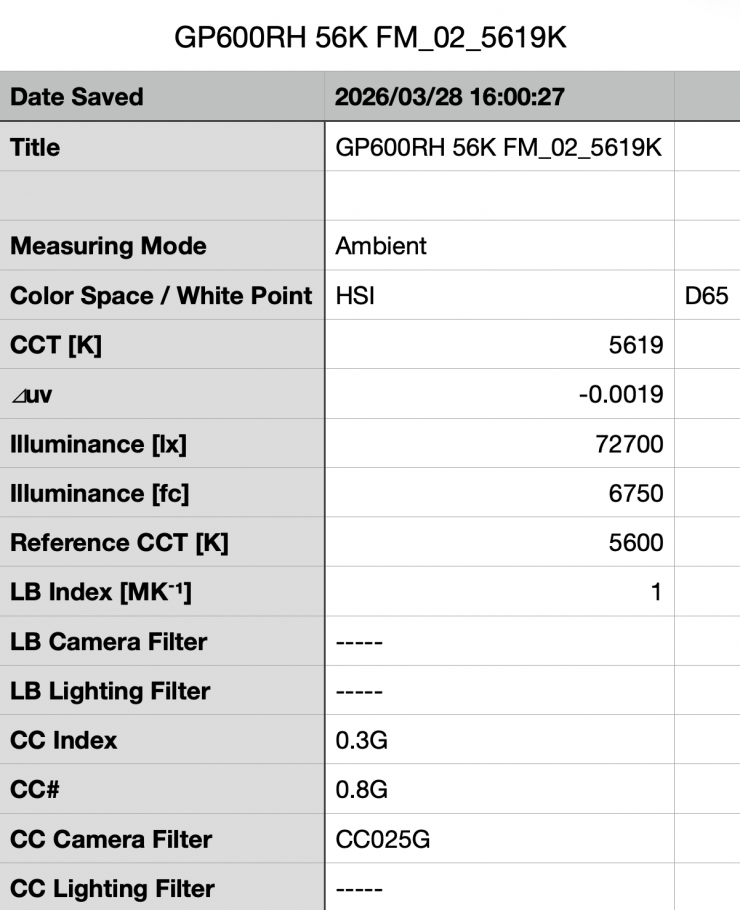
Above, you can see that the P600R Hard P4 recorded an output of 72,700 lx (6750 fc) when set at 5600K with the fan in the Medium setting and in its Maximum Output mode. This was 28% less output than when the light was used in its Smart or High.
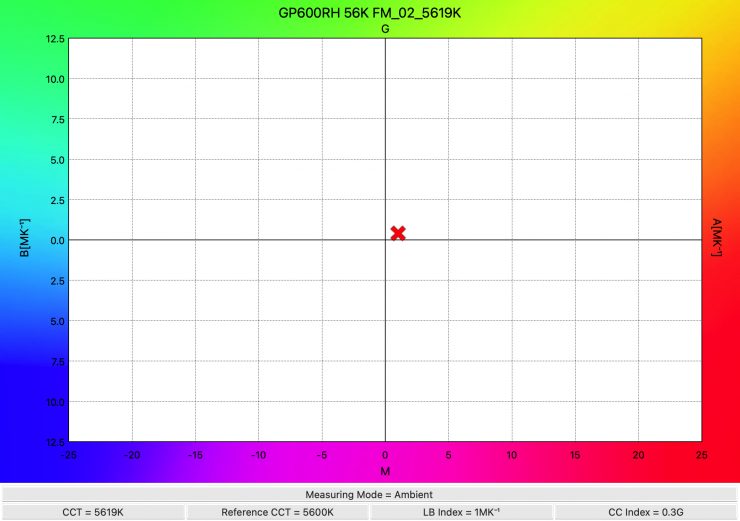
The light recorded an excellent CCT reading of 5619K.
Godox KNOWLED P600R Hard P4 5600K Fan Off
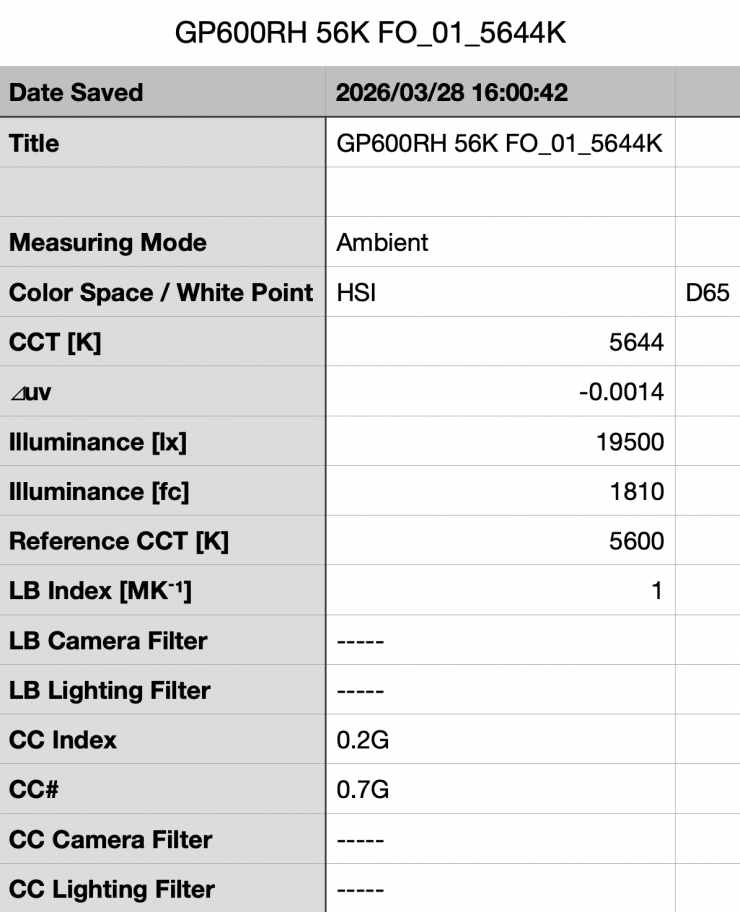
Above, you can see that the P600R Hard P4 recorded an output of 19,500 lx (1810 fc) when set at 5600K and run with the fan turned Off. This was 80.69% less output than when the light was used with the fan set to Smart or High.
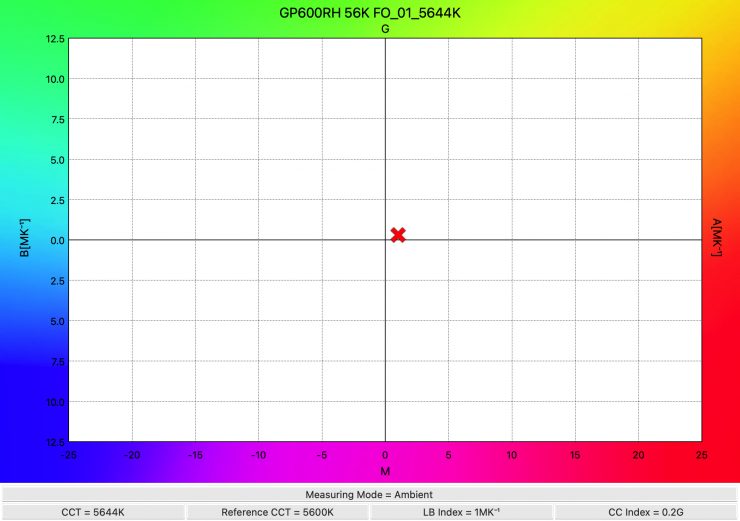
As far as CCT accuracy is concerned, the light recorded a very good score of 5644K.
Accuracy & Output when using the optional P600RHP AD11 Adjustable Diffuser
Let’s now have a look at the accuracy and output when using the optional P600RHP AD11 Adjustable Diffuser.
Godox KNOWLED P600R Hard P4 5600K Diffusion set to 100%
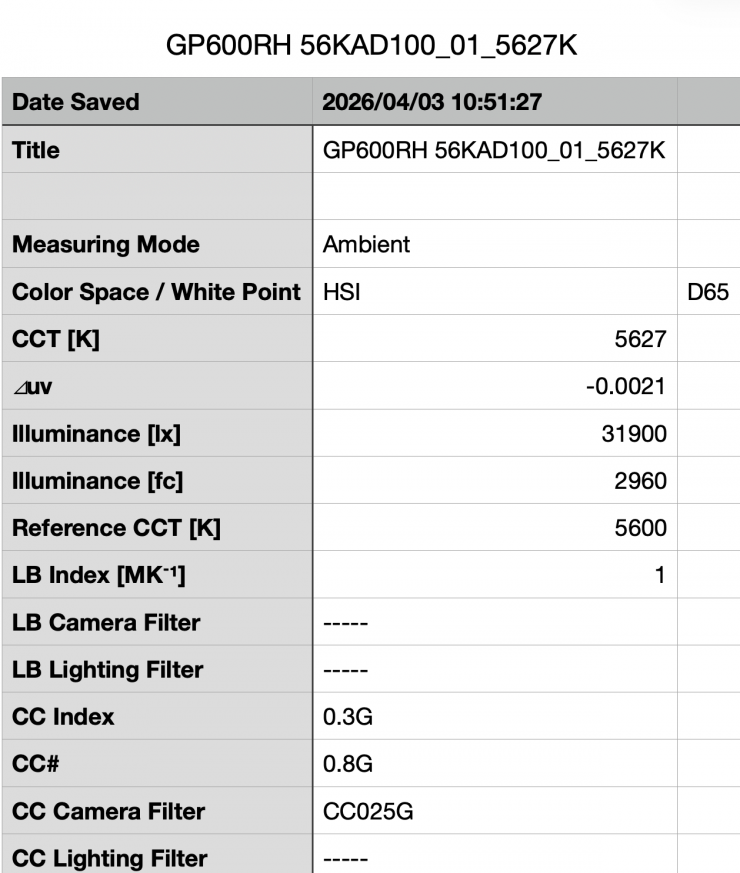
Above, you can see that the P600R Hard P4 recorded an output of 31,900 lx (2960 fc) when set at 5600K and used with the P600RHP AD11 Adjustable Diffuser set at 100%. This was 68.41% less output than when the light was used without the diffusion.
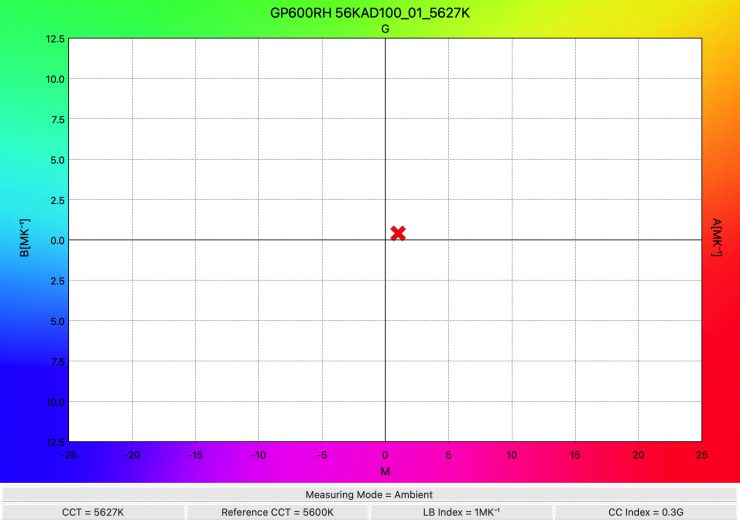
As far as CCT accuracy is concerned, the light recorded an excellent score of 5627K. Because the P600RHP AD11 Adjustable Diffuser is communicating directly with the light, you don’t get any big differentiation with the CCT.
Godox KNOWLED P600R Hard P4 5600K Diffusion set to 75%
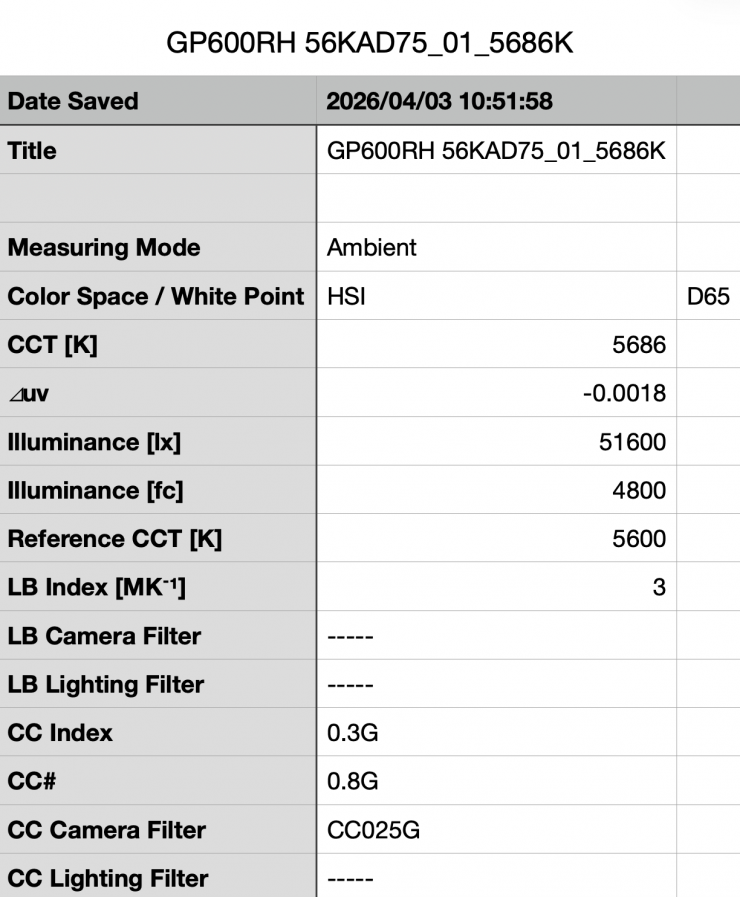
Above, you can see that the P600R Hard P4 recorded an output of 51,600 lx (4800 fc) when set at 5600K and used with the P600RHP AD11 Adjustable Diffuser set at 75%. This was 48.9% less output than when the light was used without the diffusion.
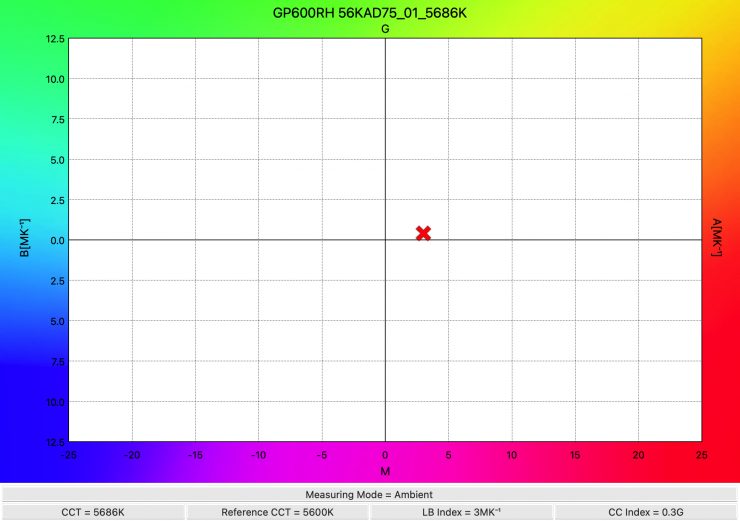
As far as CCT accuracy is concerned, the light recorded a very good score of 5686K.
Godox KNOWLED P600R Hard P4 5600K Diffusion set to 50%
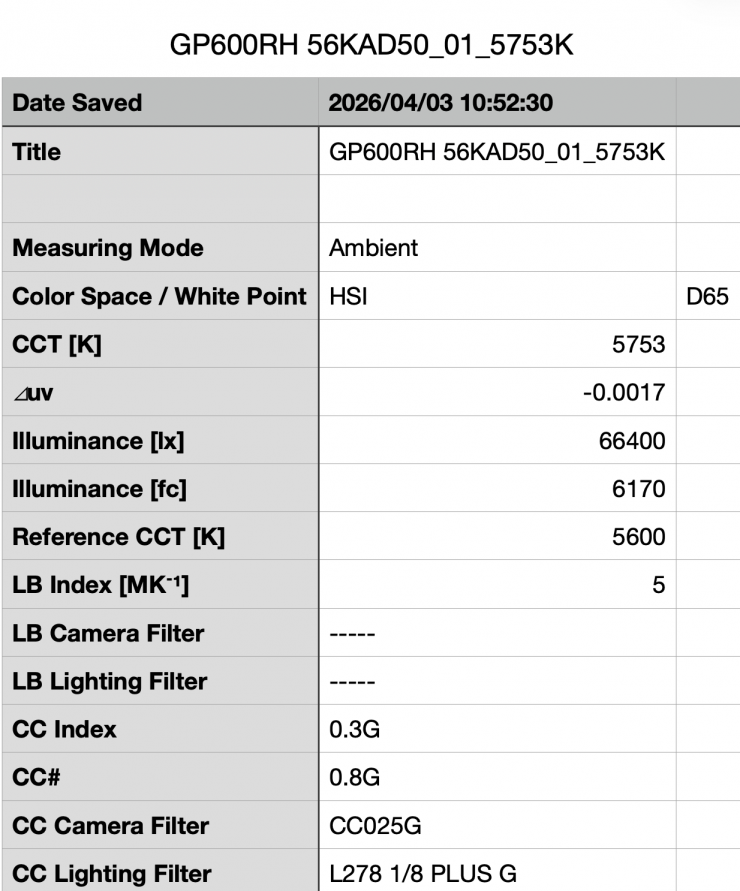
Above, you can see that the P600R Hard P4 recorded an output of 66,400 lx (6170 fc) when set at 5600K and used with the P600RHP AD11 Adjustable Diffuser set at 50%. This was 34.25% less output than when the light was used without the diffusion.
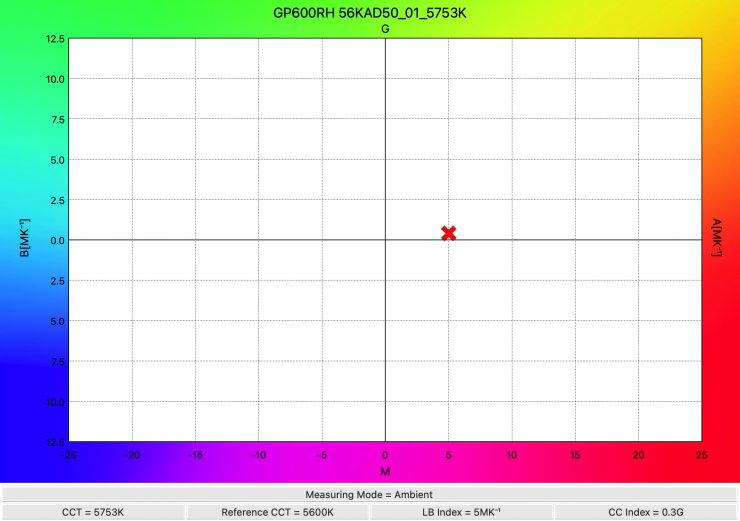
As far as CCT accuracy is concerned, the light recorded a decent score of 5753K.
Godox KNOWLED P600R Hard P4 5600K Diffusion set to 0%
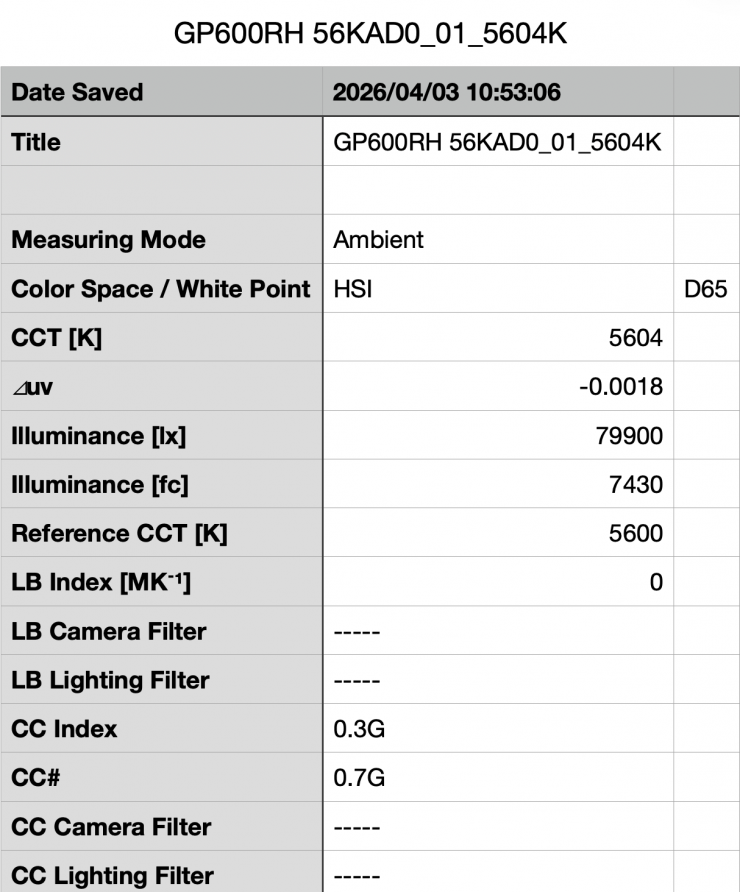
Above, you can see that the P600R Hard P4 recorded an output of 79,900 lx (7430 fc) when set at 5600K and used with the P600RHP AD11 Adjustable Diffuser set at 0%. This was 20.89% less output than when the light was used without the diffusion.
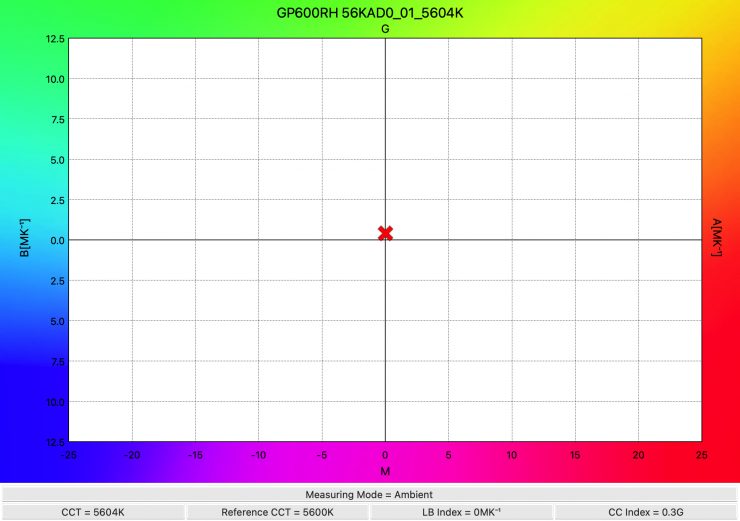
As far as CCT accuracy is concerned, the light recorded an almost perfect score of 5604K.
Accuracy & Output when creating fully saturated colors
I also wanted to test the light to see how it performed when creating super-saturated colors. This is touted as being one of the strengths of the P600R Hard P4.
0° – RED
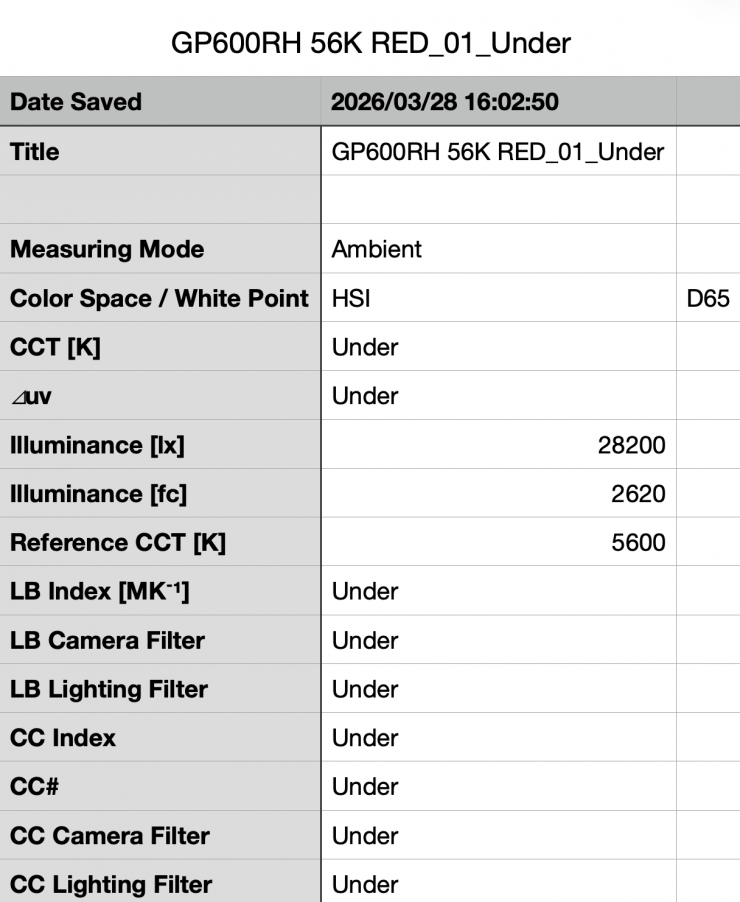
Above, you can see that the light recorded an output of 28,200 lx (2620 fc).
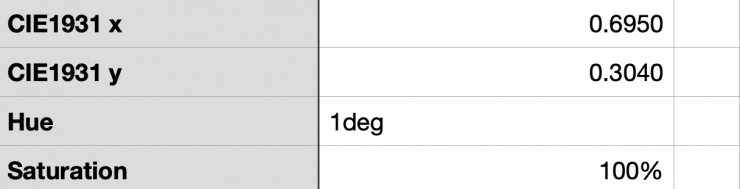
As far as creating an accurate 0° RED, the P600R Hard P4 was just off with a 1° reading and 100% saturation.
240°- BLUE
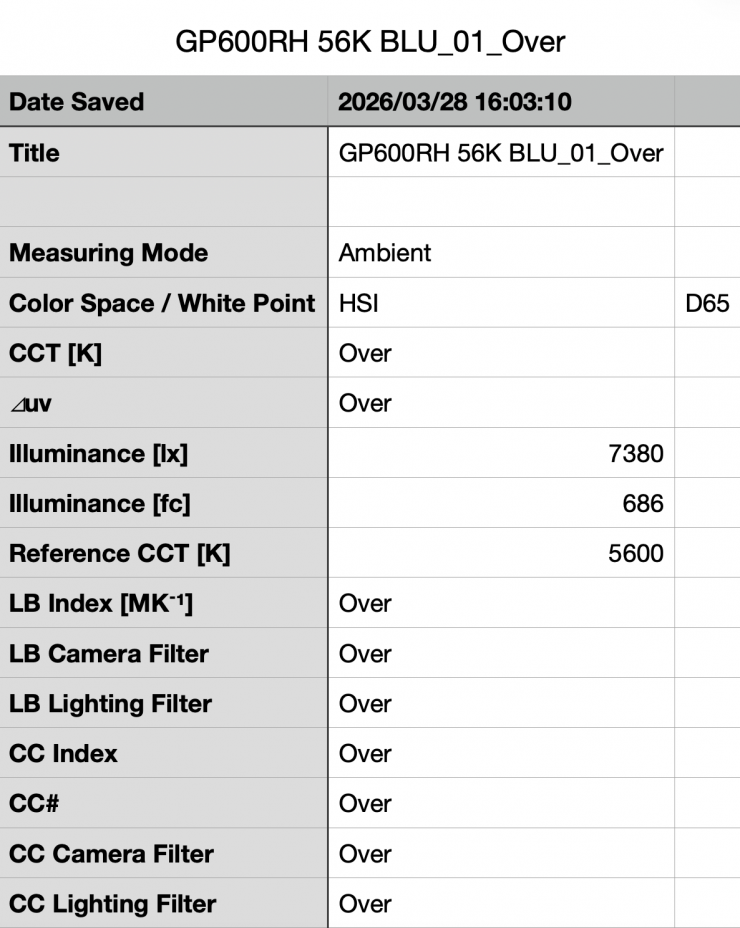
Above, you can see that the light recorded an output of 7380 lx (686 fc).
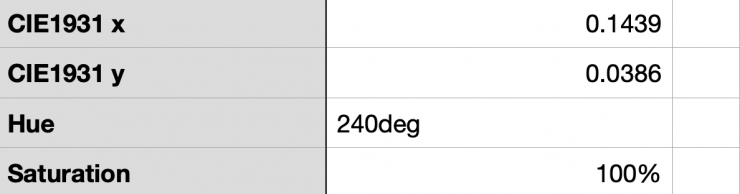
As far as creating an accurate 240° BLUE, the P600R Hard P4 was spot on with a 240° reading and 100% saturation.
120°- GREEN
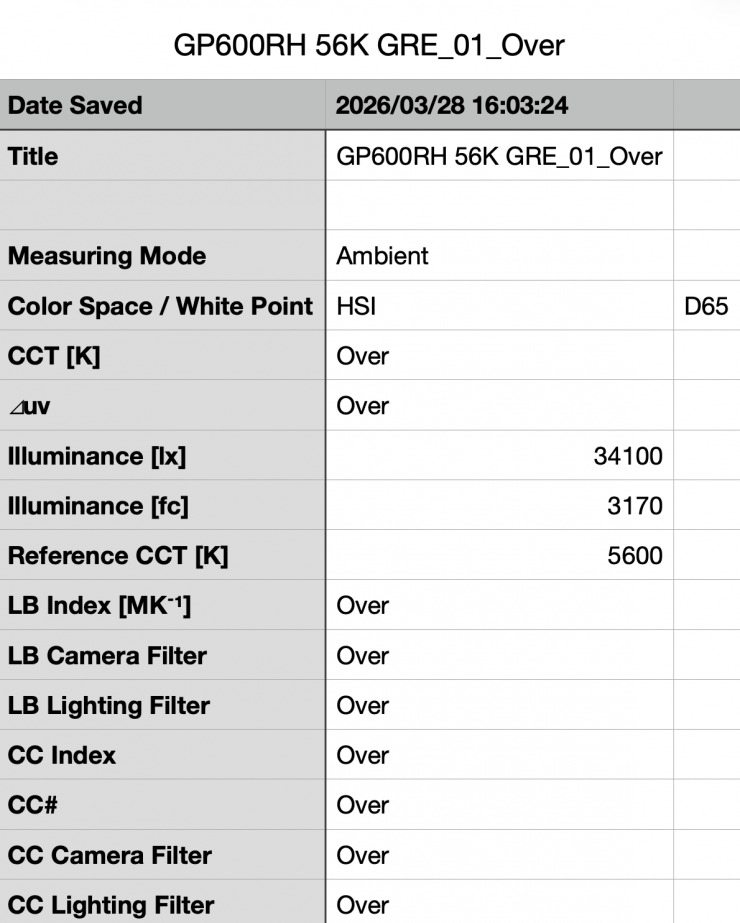
Above, you can see that the light recorded an output of 34,100 lx (3170 fc).
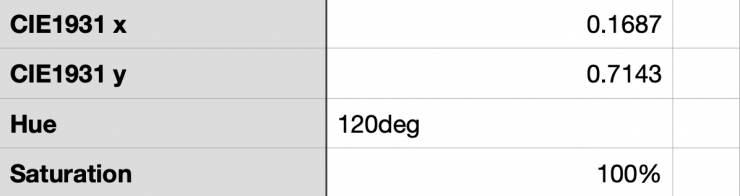
As far as creating an accurate 120° GREEN, the P600R Hard P4 was spot on with a reading of 120° and 100% saturation.
40°- YELLOW
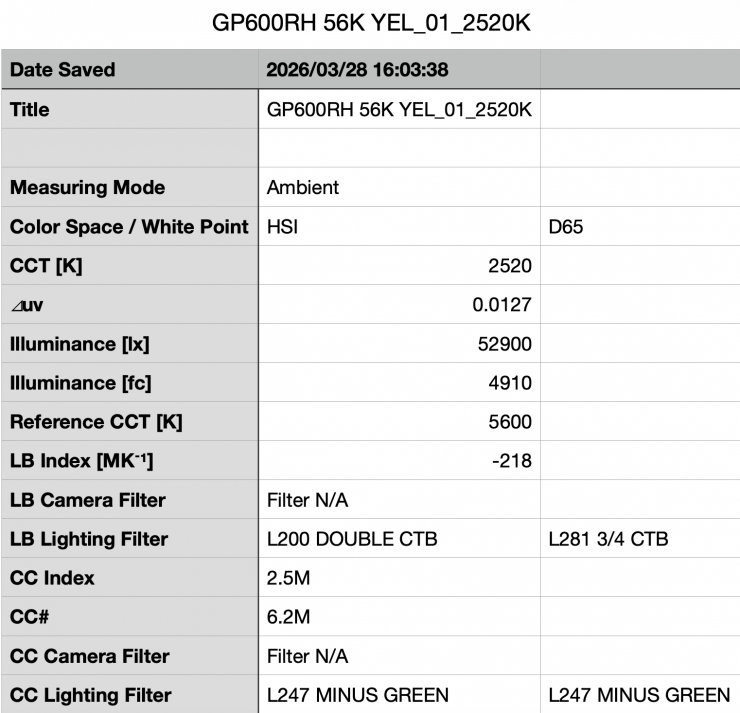
Above, you can see that the light recorded an output of 52,900 lx (4910 fc).
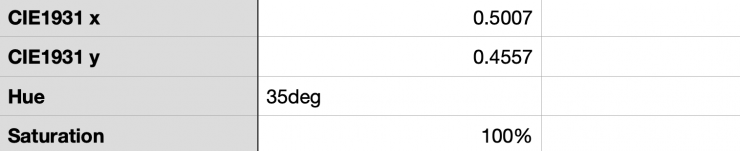
As far as creating an accurate 40° Yellow, the P600R Hard P4 was 5° off with a reading of 35° and 100% saturation.
What you clearly need to know when using RGB lights like this is that the output levels you can produce when creating super-saturated colors are less than when using the light in its CCT mode.
CCT consistency & linear output when dimming the light
Now, what you should always do when testing lights is to see if the CCT remains consistent when dimming the light. Just because you set a light at say 5600K, that doesn’t mean that the CCT will remain stable as you start dimming the fixture down. I also wanted to see how linear the dimming curve was.
I decided to do a series of tests at 100%/75%/50%/25%10% to see if the CCT reading being recorded changed. This was done at a distance of 1m / 3.3′ using a Sekonic C-800.
| CCT READING | OUTPUT | INTENSITY % |
| 5601K | 101,000 lx | 100 |
| 5615K | 72,400 lx | 75 |
| 5609K | 48,600 lx | 50 |
| 5600K | 24,400 lx | 25 |
| 5655K | 9100 lx | 10 |
The P600R Hard P4 maintained excellent color temperature consistency even when dimming it right down. The reading only changed by 55K. As far as how linear the output is when you start dimming the light, at 50% output, it had 51.88% less output than when used at 100%. At 25%, it had 75.84% less output than when used at 100%. At 10% output, it had 90.99% less output than when used at 100%. This shows me that the light’s dimming curve is very close to being perfectly linear.
Color Rendering
So now that we have seen how much output the light produces, how does it perform when it comes to replicating accurate colors? Well, let’s first have a look at the light when it is used at 5600K.
5600K
Godox KNOWLED P600R Hard P4 5600K
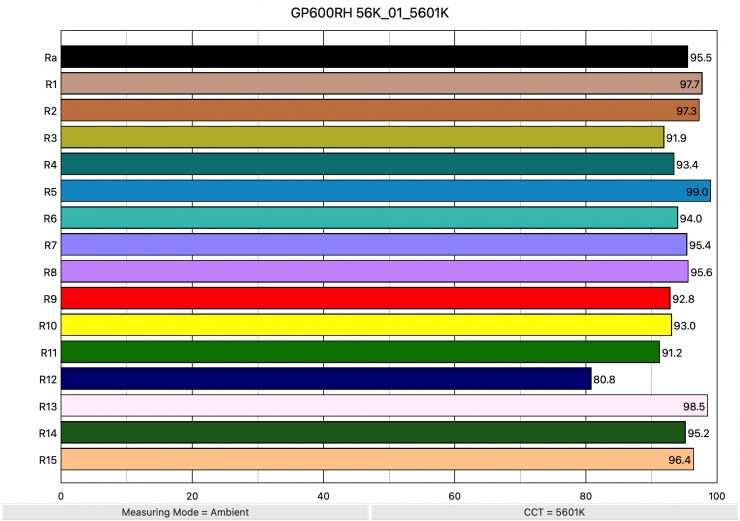
Above, you can see that when the P600R Hard P4 was set at 5600K, it recorded an average CRI (R1-R8) of 95.5 and an extended CRI (R1-R15) of 94.14. For replicating accurate skin tones, it recorded 92.8 for R9 (red), 98.5 for R13 (closest to caucasian skin tones), and 96.4 for R15 (closest to Asian skin tones). These were very good results, and only R12 (Blue was below 90).
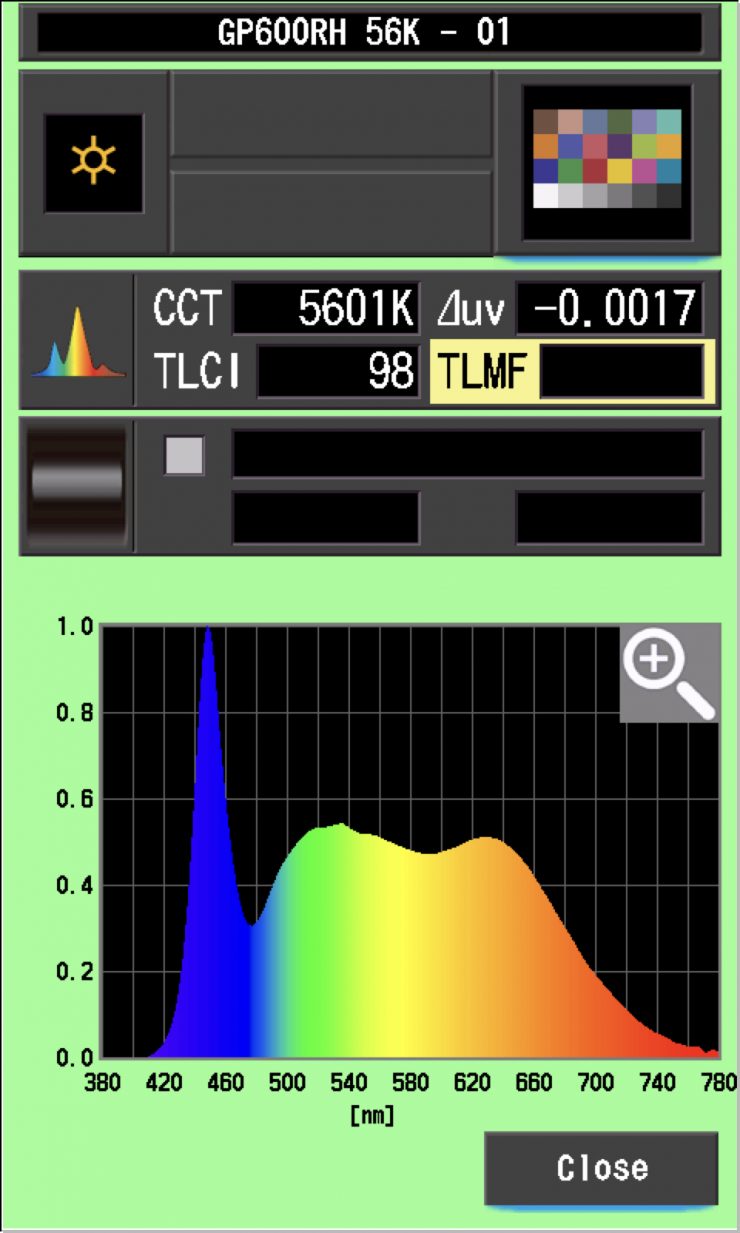
Above, you can see that the Godox KNOWLED P600R Hard P4 had a TLCI score of 98 when used at 5600K.
So, how do the extended CRI results taken at 5600K compare to some of the competition? Well, below you can see:
| EXTENDED CRI | |
| Godox KNOWLED P600R Hard P4 | 94.14 |
| NANLITE Alien 300C | 95.12 |
| ZOLAR Toliman 30S | 96.69 |
| ZOLAR Tolman 30C | 97.73 |
| ZOLAR Vega 30C | 96.47 |
| Luxli Timpani² | 94.70 |
| Luxli Timpani | 96.2 |
| Rotolight Titan X1 | 95.44 |
| ARRI SkyPanel S30-C | 93.39 |
| Litepanels Gemini 1×1 Soft | 91.32 |
| Litepanels Gemini 1×1 HARD | 96.52 |
| Lupo Superpanel 30 Full Color Soft | 93.4 |
| Lupo Superpanel 30 Full Color | 93.59 |
| Aputure NOVA P300c | 95.34 |
As you can see, most of these lights are very close, and you would be hard-pressed to tell any of them apart.
Godox KNOWLED P600R Hard P4 & P600RHP AD11 Adjustable Diffuser
As a lot of people are bound to use this light with the optional P600RHP AD11 Adjustable Diffuser, let’s see how it performs.
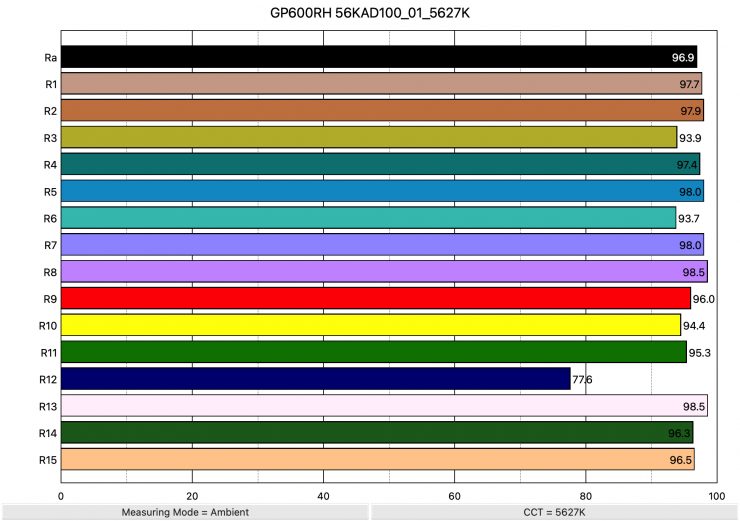
Above, you can see that when the Godox KNOWLED P600R Hard P4 was set at 5600K using its P600RHP AD11 Adjustable Diffuser, it recorded an average CRI (R1-R8) of 96.9 and an extended CRI (R1-R15) of 95.31. For replicating accurate skin tones, it recorded 96.0 for R9 (red), 98.5 for R13 (closest to caucasian skin tones), and 96.5 for R15 (closest to Asian skin tones).
These were very good results. Again, only R12 (Blue) was below 90. This shows me that Godox has really tailored the color rendering for the P600RHP AD11 Adjustable Diffuser.
3200K
Now that we have seen how the light performs at 5600K, let’s look at how it does at 3200K.
Godox KNOWLED P600R Hard P4 3200K
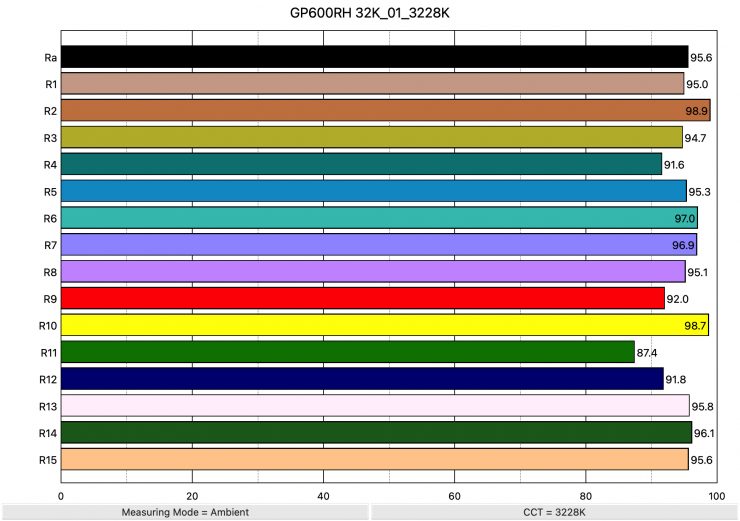
Above, you can see that when the P600R Hard P4 was set at 3200K, it recorded an average CRI (R1-R8) of 95.6 and an extended CRI (R1-R15) of 94.79. For replicating accurate skin tones, it recorded 92.0 for R9 (red), 95.8 for R13 (closest to caucasian skin tones), and 95.6 for R15 (closest to Asian skin tones). These were very good results, and only R11 (Green) was slightly below 90).
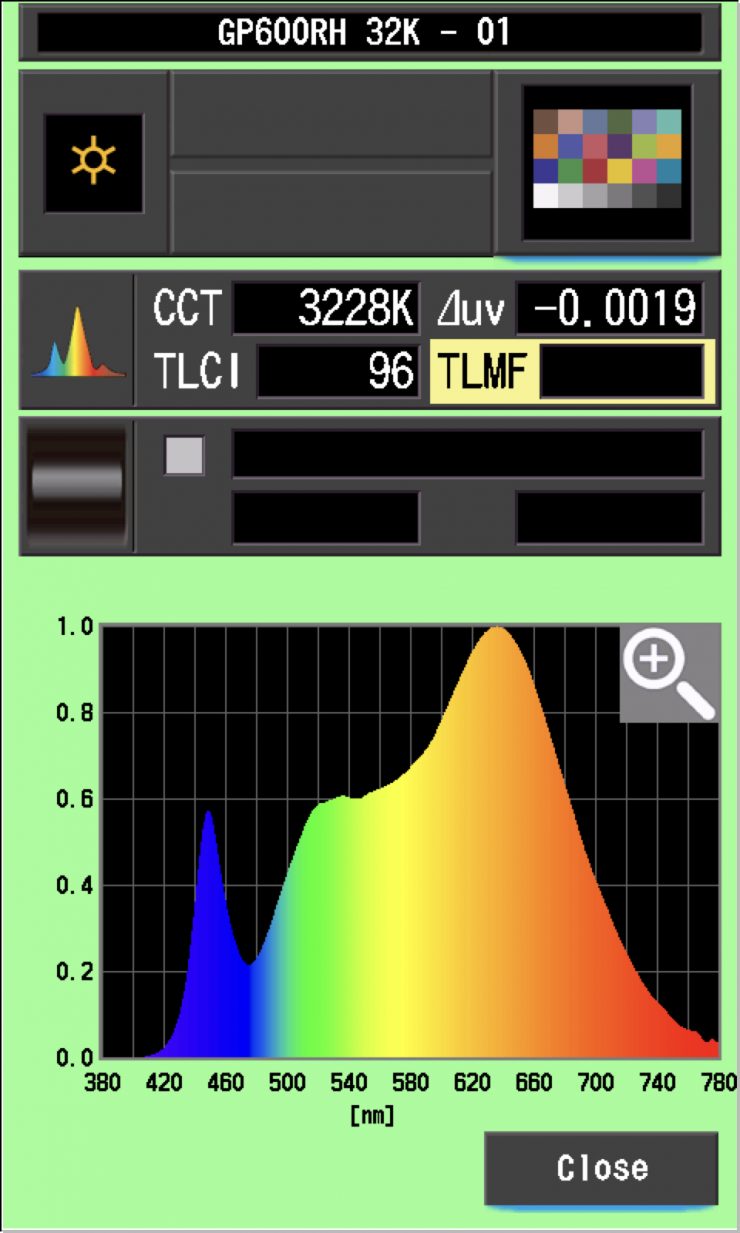
Above, you can see that the Godox KNOWLED P600R Hard P4 had a TLCI score of 96 when used at 3200K.
So how do the extended CRI results compare to some of the competition? Well, below you can see:
| EXTENDED CRI | |
| Godox KNOWLED P600R Hard P4 | 94.79 |
| NANLITE Alien 300C | 96.65 |
| ZOLAR Toliman 30S | 95.69 |
| ZOLAR Toliman 30C | 96.93 |
| ZOLAR Vega 30C | 94.24 |
| Luxli Timpani² | 96.90 |
| Luxli Timpani | 95.45 |
| Rotolight Titan X1 | 91.83 |
| ARRI SkyPanel S30-C | 93.56 |
| Litepanels Gemini 1×1 Soft | 93.32 |
| Litepanels Gemini 1×1 HARD | 93.32 |
| Lupo Superpanel 30 Full Color Soft | 91.86 |
| Lupo Superpanel 30 Full Color | 90.7 |
| Aputure NOVA P300c | 95.64 |
Again, as you can see, all of these lights are very close, and you would be hard-pressed to tell any of them apart.
CC Index & ⊿uv
The CC Index displays the CC correction value and whether any magenta or green needs to be added or subtracted. 1 CC corresponds to 035 Kodak CC values or 1/8 Rosco filter values. Any reading less than +1.00 or -1.00 and you’re probably not going to need to make any kind of adjustment. The ⊿uv is the value to show how much this light is away from being an ideal light source (black body radiation = incandescent lamp). As with the CC Index you want this number to theoretically be zero. Kelvin is not a linear value, so we need to convert from Kelvin to MK-1 to compare the values of color temperature. To calculate from Kelvin to Mired is MK-1= 1*1000000/Kelvin. While this may sound confusing, it is the only way of measuring if the Kelvin shift is significant enough to warrant having to use a filter for correction. Below are the results for the Godox KNOWLED P600R Hard P4.
Godox KNOWLED P600R Hard P4 Kelvin Vs MK-1
| CCT | Difference in K | MK-1 | Difference in MK-1 | |
| SET VALUE | 2500K | 0 | 400 | 0 |
| ACTUAL READING | 2515K | 15 | 397.61 | 2.39 MK-1 |
| SET VALUE | 3200K | 0 | 312.5 | 0 |
| ACTUAL READING | 3228K | 28 | 309.78 | 2.72 MK-1 |
| SET VALUE | 4500K | 0 | 222.22 | 0 |
| ACTUAL READING | 4509K | 9 | 221.77 | 0.45 MK-1 |
| SET VALUE | 5600K | 0 | 178.57 | 0 |
| ACTUAL READING | 5601K | 1 | 178.54 | 0.03 MK-1 |
| SET VALUE | 6500K | 0 | 153.84 | 0 |
| ACTUAL READING | 6513K | 13 | 153.54 | 0.30 MK-1 |
| SET VALUE | 8000K | 0 | 125 | 0 |
| ACTUAL READING | 8057K | 57 | 124.11 | 0.89 MK-1 |
| SET VALUE | 10000K | 0 | 100.00 | 0 |
| ACTUAL READING | 10126K | 126 | 98.75 | 1.25 MK-1 |
The light is extremely CCT accurate at all settings. Any MK-1 score that is under -9/9 means you wouldn’t have to use any color correction gels. A score of under -9/9 is considered excellent. The MK-1 scores for this light were very good, and amongst the best I have ever seen.
Godox KNOWLED P600R Hard P4 CC INDEX & ⊿uv
| CC INDEX | ⊿uv | |
| 2500K | 0.0 | 0.0005 |
| 3200K | 0.1G | -0.0019 |
| 4500K | 0.1G | -0.0017 |
| 5600K | 0.2G | -0.0017 |
| 6500K | 0.2G | 0.0002 |
| 8000K | 0.3G | 0.0026 |
| 10000K | 0.6G | 0.0026 |
Again, these scores were outstanding. The ⊿uv scores across the light’s entire CCT range were very good. The light’s CC INDEX scores were excellent from 2500K to 8000K. At 10,000K, it does start to shift, but you don’t have to worry about it unless it is above 1.0.
TM-30
TM-30 is a relatively new color rendering standard that was developed to deal with the limitations of CRI. TM-30 looks at 99 individual colors. These 99 colors are categorized into seven groups: nature, skin color, textiles, paints, plastics, printed material, and color systems.
TM-30 scores go from 0 – 100. The higher the score, the more accurate a light is at producing colors. Any TM-30 Rf score in the ’90s is considered to be good. What is interesting and something that you need to be very aware of is that two separate light sources with the exact same CRI scores can render colors very differently. A light with a high CRI rating could have a low TM-30 score. Conversely, a light with a good TM-30 score could have a bad CRI score.
Now, there are two measurements associated with TM-30, Rf and Rg.
Rf (Color Fidelity)
Rg (Color Gamut)
With Rf value, ideally, you want a score in the 90’s.
With Rg value, a score below 100 indicates that the light source renders colors with less saturation than the reference source. So ideally, you want this score to be above 100.
2500K 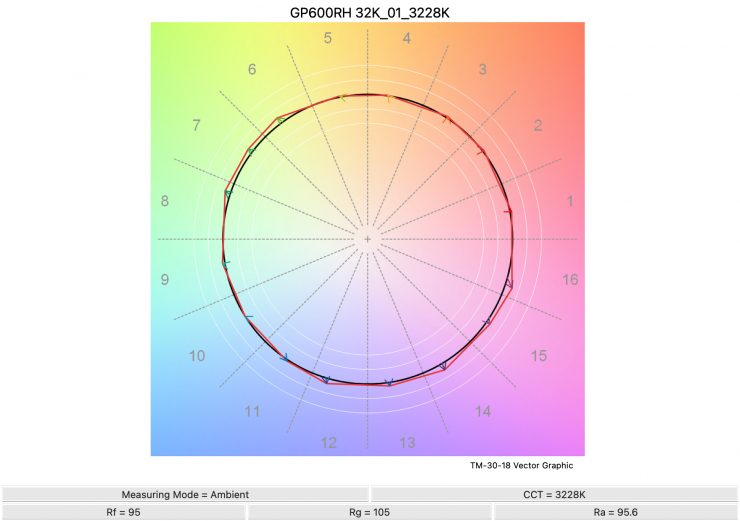
3200K 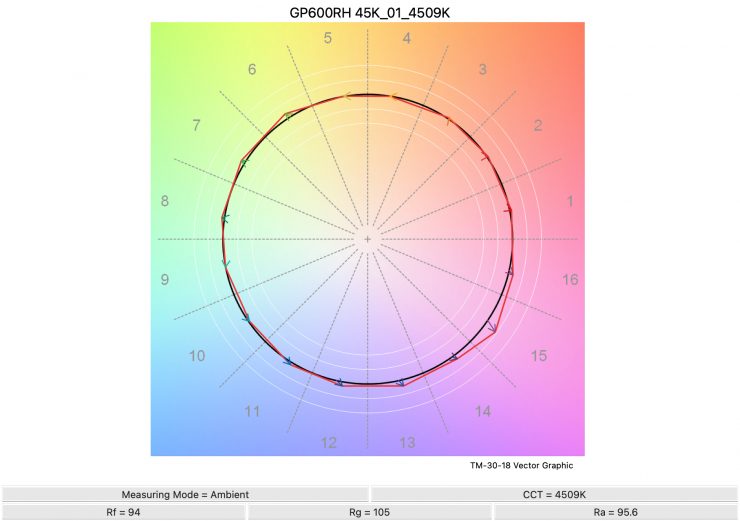
4500K 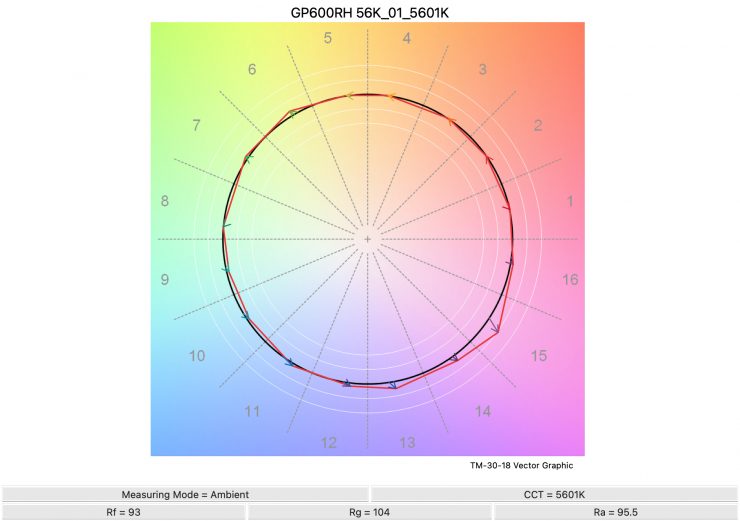
5600K 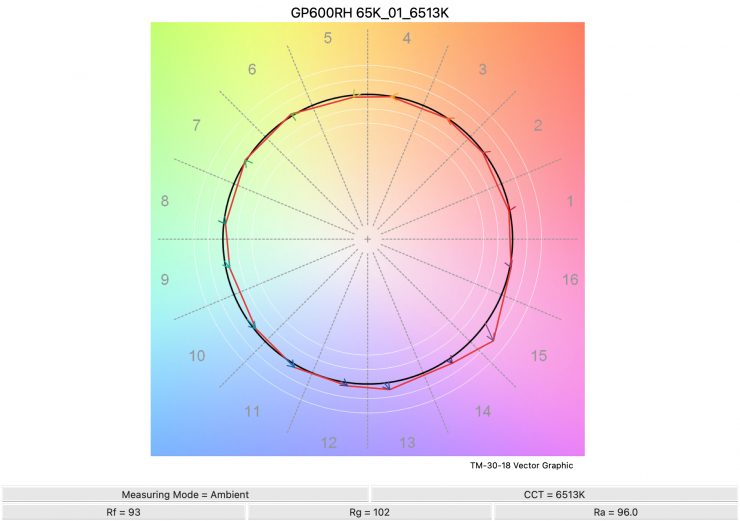
6500K 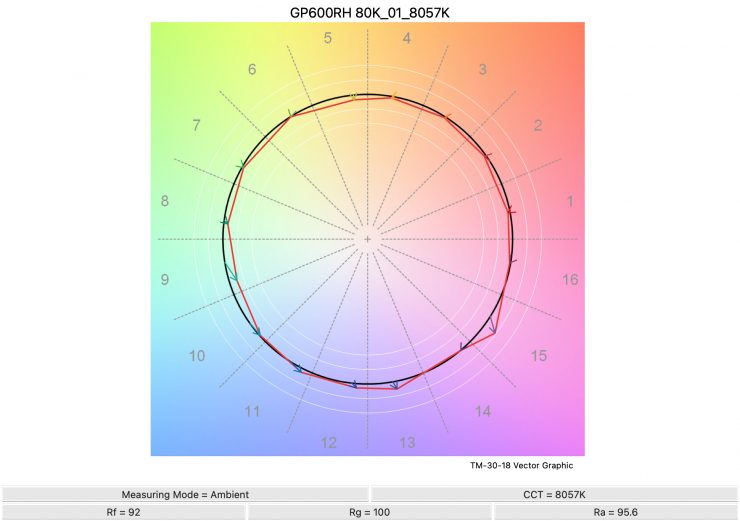
8000K 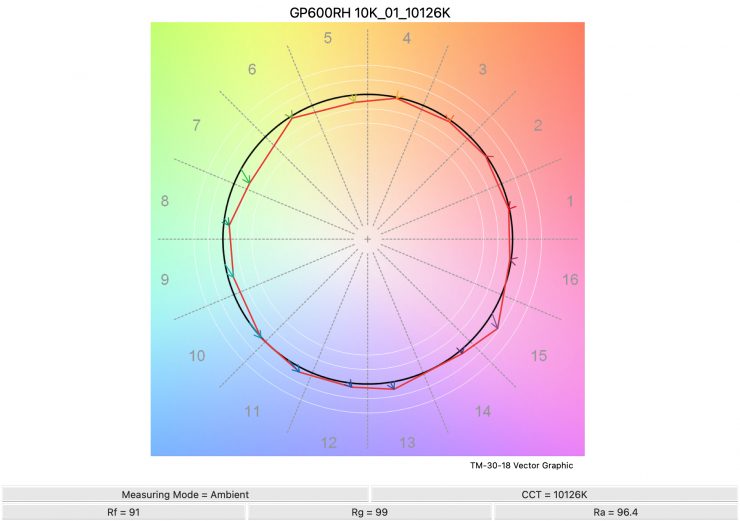
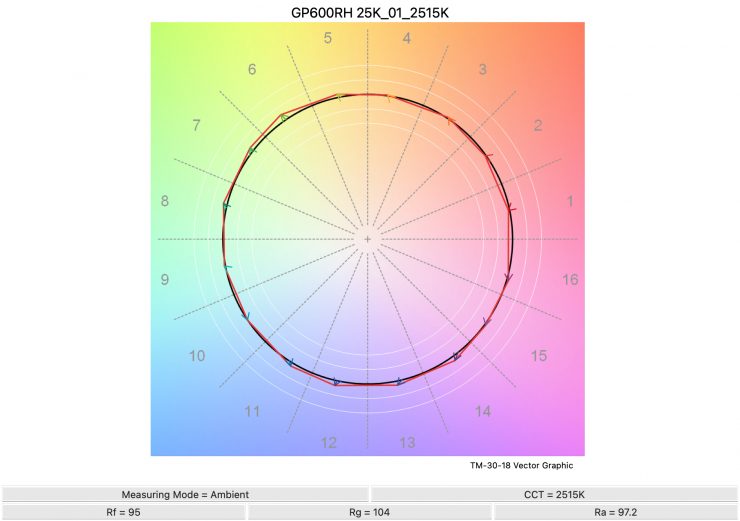
Above, you can see the scores for the Godox KNOWLED P600R Hard P4 at various CCT settings. Below, I have listed the figures as well.
| Rf | Rg | |
| 2500K | 95 | 104 |
| 3200K | 95 | 105 |
| 4500K | 94 | 105 |
| 5600K | 93 | 104 |
| 6500K | 93 | 102 |
| 8000K | 92 | 100 |
| 10000K | 91 | 99 |
The TM-30 scores were pretty decent, but the light does slightly oversaturate colors from 2500-5600K.
SSI
SSI (Spectral Similarity Index) was developed by the Sci-Tech Council of the Academy. SSI gives me the ability to set any light as a standard, or use predefined standards (such as CIE D55), and then give other lights an SSI score based on how well they will match standards such as CIE D55. This way, I can measure spectral response and compare it directly against an ideal light source. This is actually a much better test than recording CRI scores; however, most lights have very similar SSI scores, so it doesn’t actually tell me the full story about any light.
Don’t let others tell you that SSI scores are the only scores that you should pay attention to, because that is certainly not the case.
First, let’s look at 3200K.
3200K
Godox KNOWLED P600R Hard P4
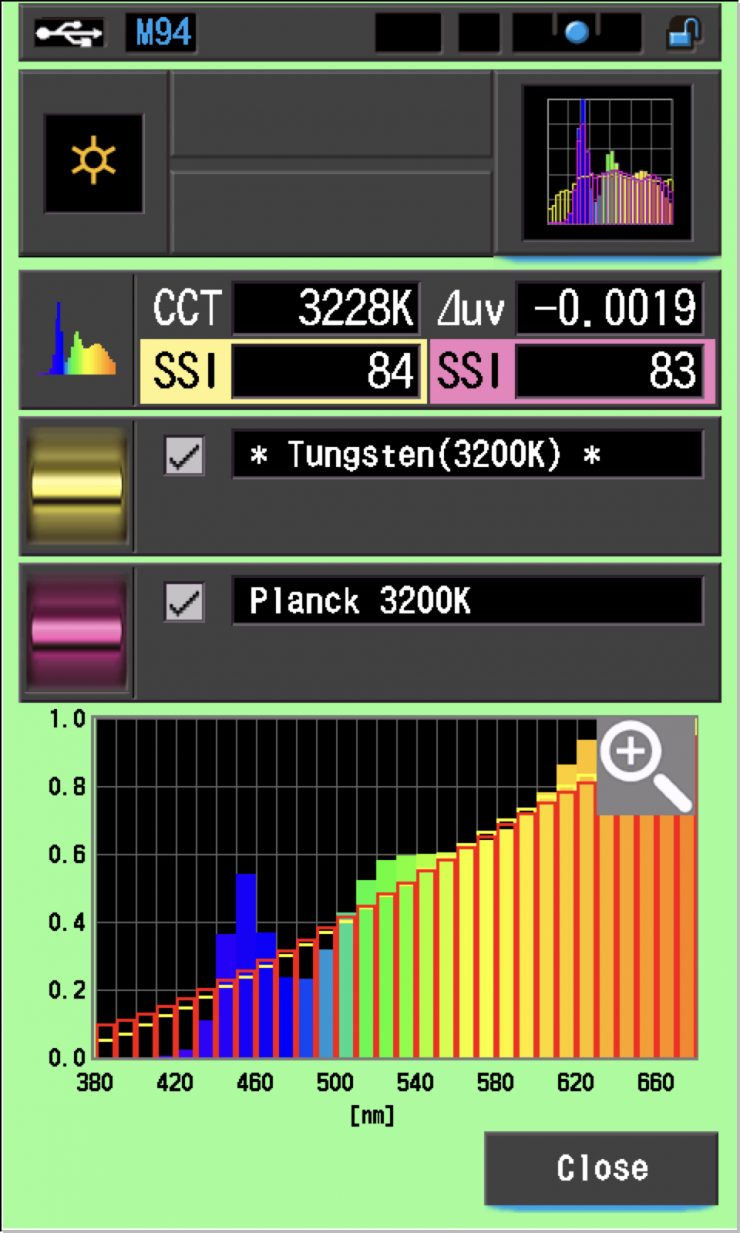
In the above graph, the red bars indicate a perfect Planck 3200K source. The gold bars indicate a perfect 3200K Tungsten source. This lets us compare how close to a perfect 3200K lighting source the P600R Hard P4 is. Any SSI score in the low ’80s is very good for a 3200K LED light. As you can see, LED lights have a hard time replicating colors below about 450nm.
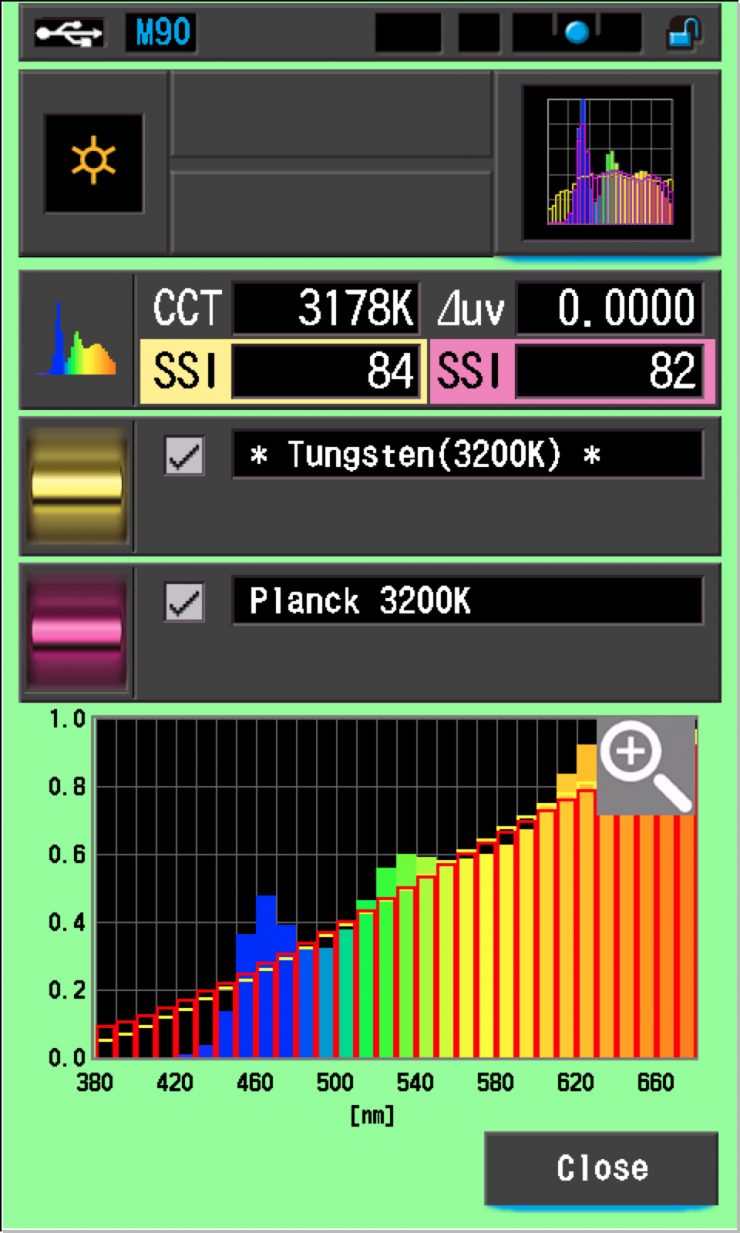
As a reference, above you can see the same result for the Rotolight Titan X1.
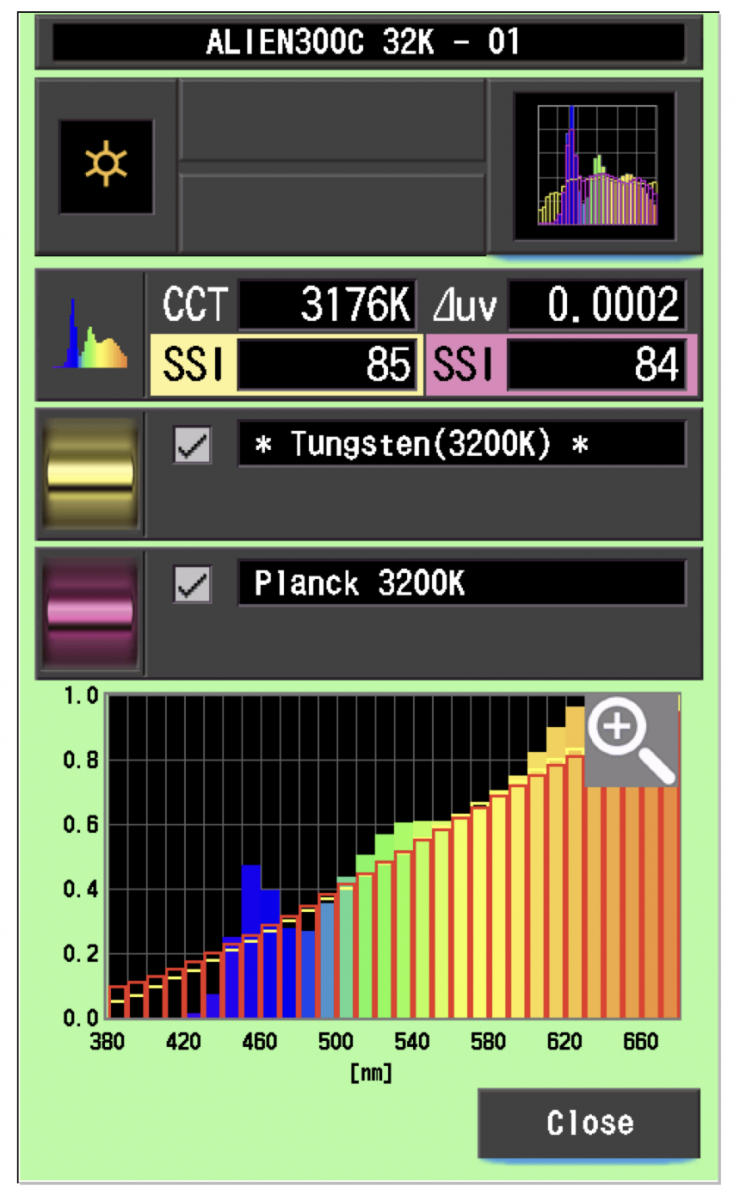
As another comparison, above you can see the same result for the Nanlite Alien 300C.
5600K
Godox KNOWLED P600R Hard P4
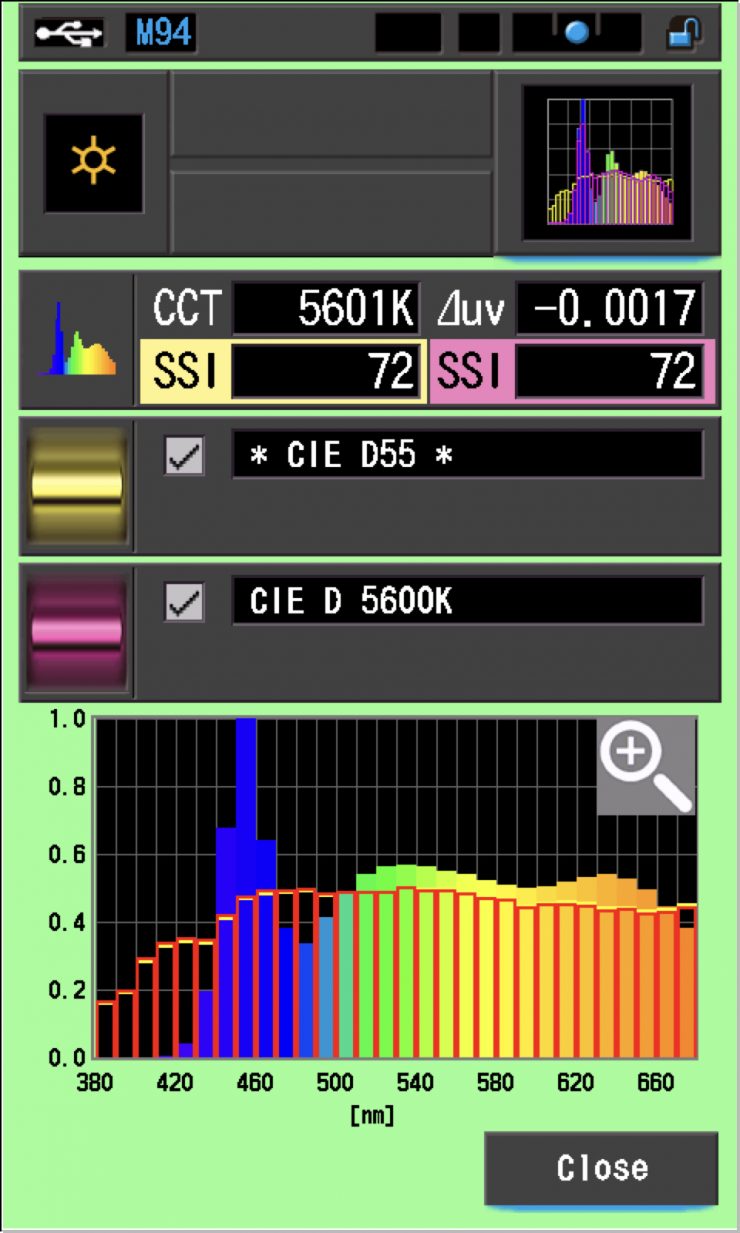
In the graph above, the gold bars indicate a perfect CIE D55 source. The red bars indicate a perfect CIE D 5600K source. This lets us compare how close to a perfect 5600K lighting source the Godox KNOWLED P600R Hard P4 is. A score in the low 70’s is typical for a 5600K LED source.
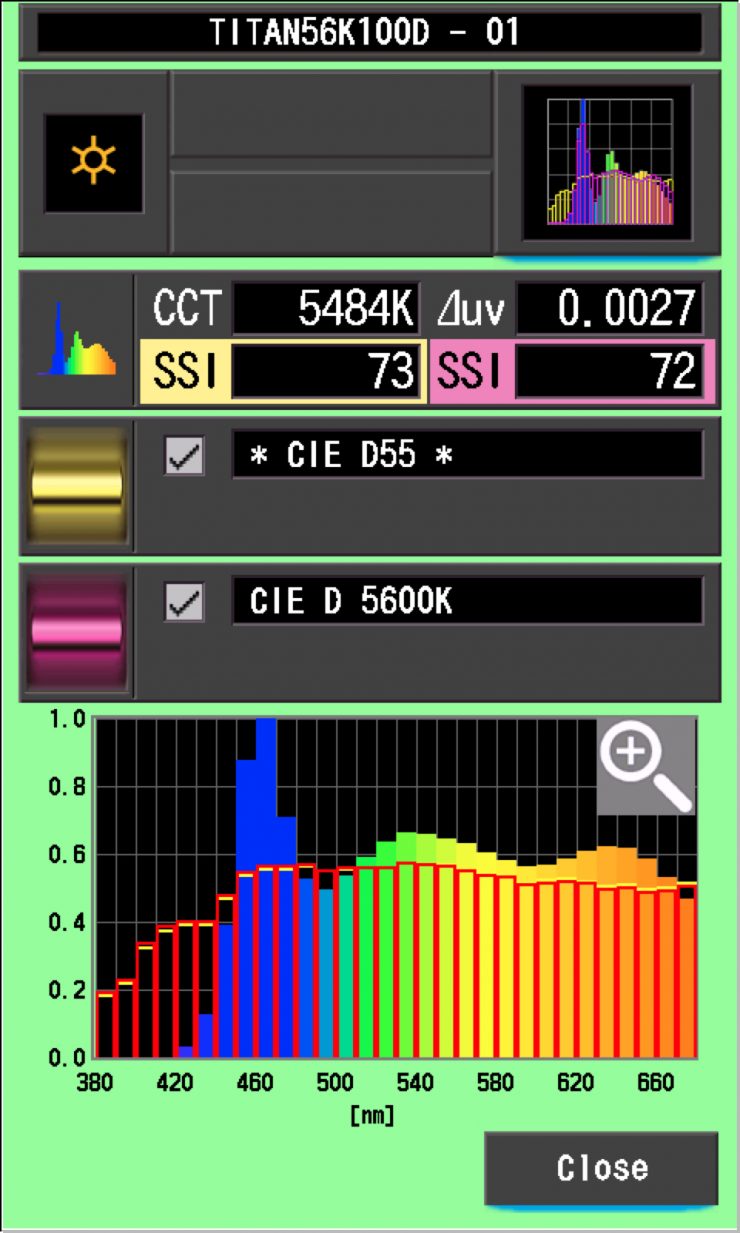
As a reference, above you can see the same result for the Rotolight Titan X1.
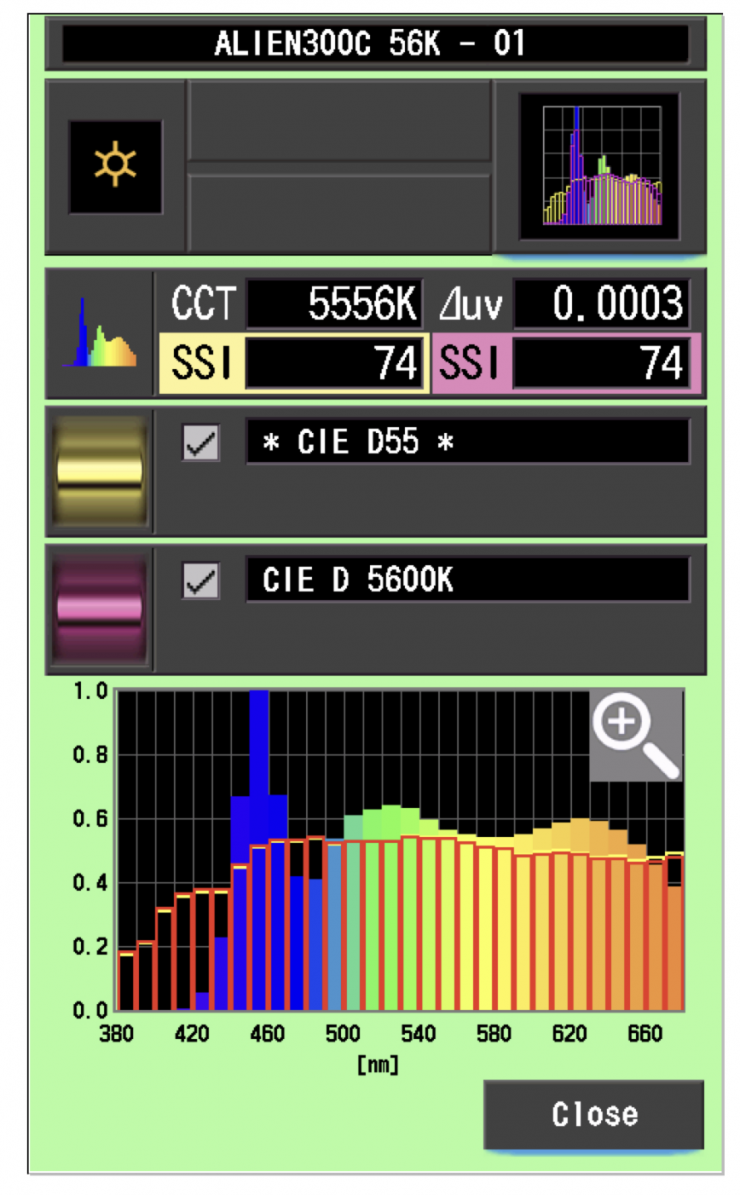
As another comparison, above you can see the same result for the Nanlite Alien 300C.
SSI Comparisons
The main reason we want to record SSI scores is so we can see how well they match with other lights. As an example, I will show you how well the Godox KNOWLED P600R Hard P4 matched an Aputure STORM 1000c and Nanlite’s FC-720C. Below you can see the results when the lights are set at both 5600K and 3200K.
3200K
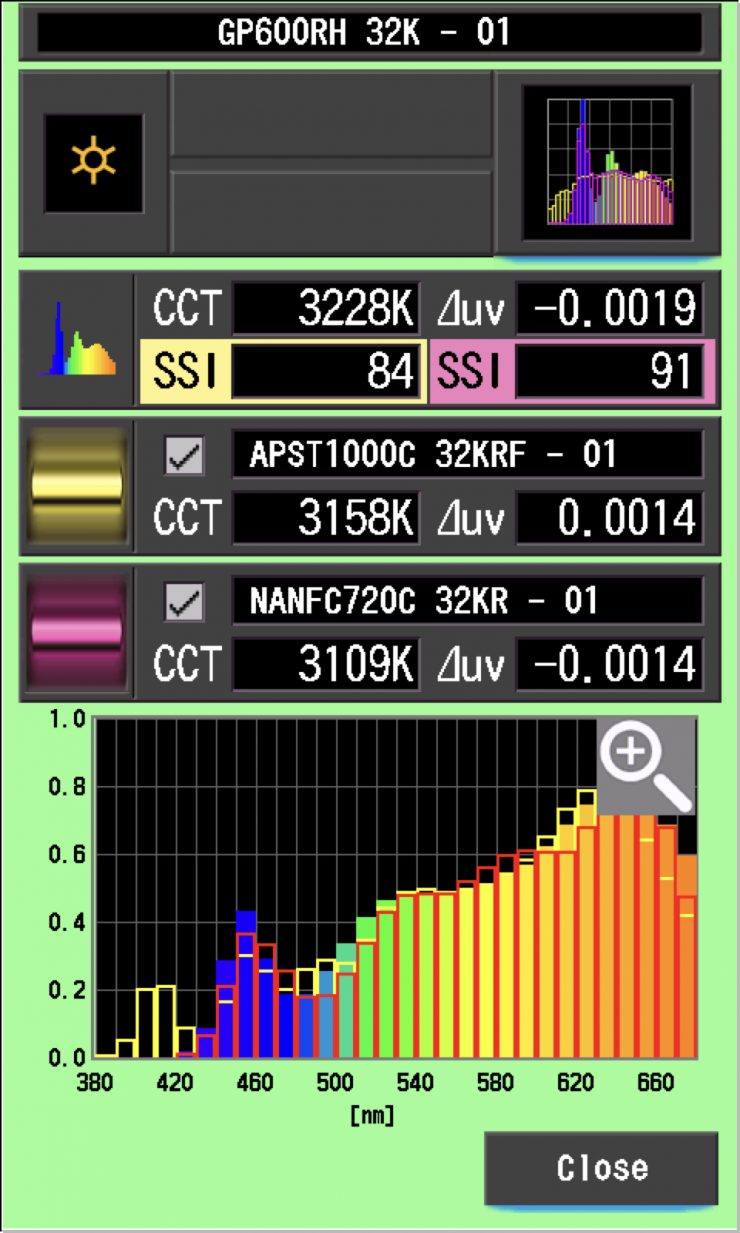
As you can see, the Nanlite FC-720C is a better match with the Godox KNOWLED P600R Hard P4 than the Aputure STORM 1000c is. With a bit of fine-tuning, you could probably get them to work together without any big issues.
5600K
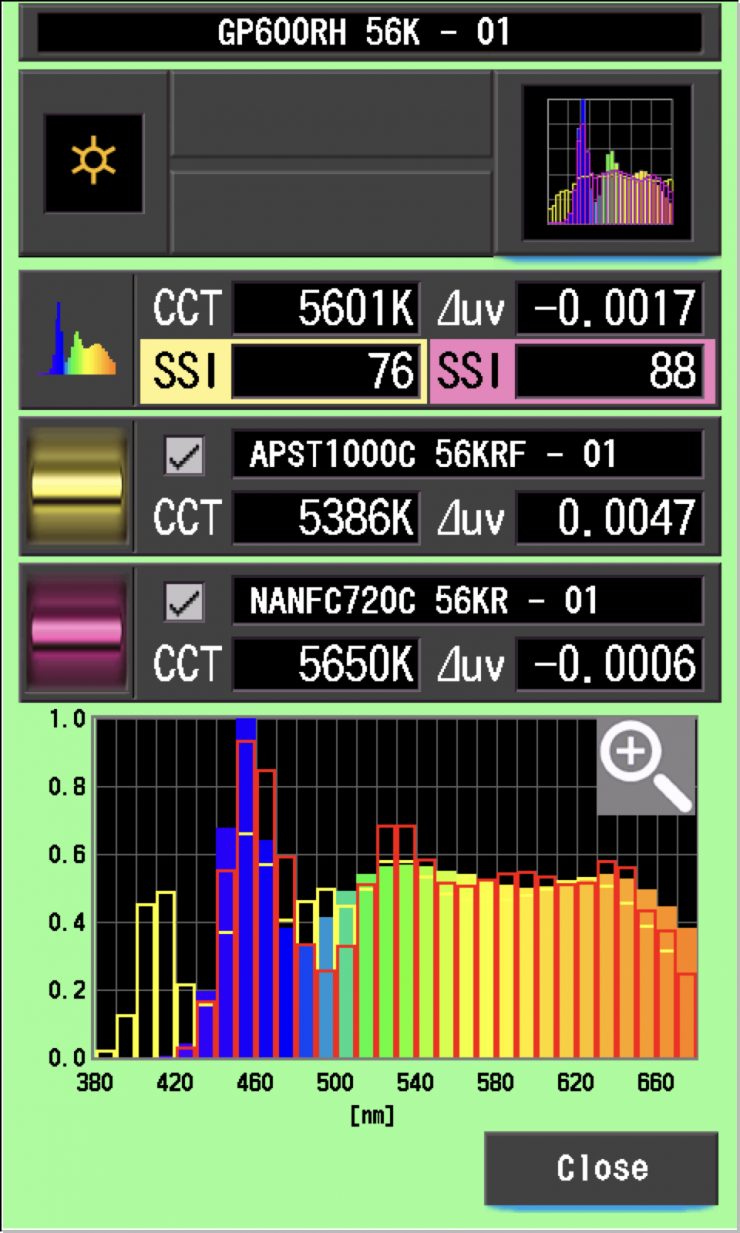
Here is where things get interesting. At 5600K, the Aputure and Nanlite weren’t nearly as good a match as they were at 3200K.
Ok, so now let’s see how well the Godox KNOWLED P600R Hard P4 matches itself when used in the High Speed Mode and with its optional P600RHP AD11 Adjustable Diffuser set at 100%. In theory, these scores should almost be a perfect match.
5600K
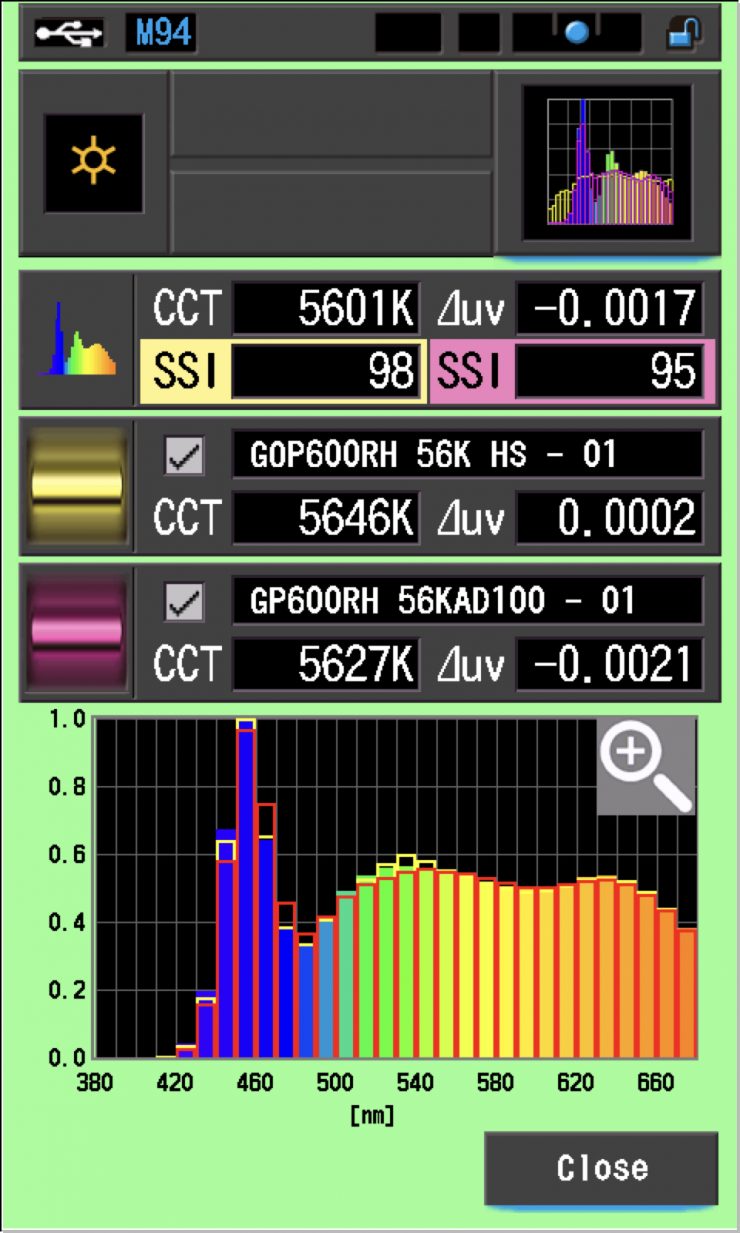
As you can see, the light is pretty close to being a perfect match to itself when running it in the High Speed mode or with the optional P600RHP AD11 Adjustable Diffuser.
SSI tests are a great way of telling you what lights you own or use will work well together.
Spectral Distribution
Godox KNOWLED P600R Hard P4 5600K
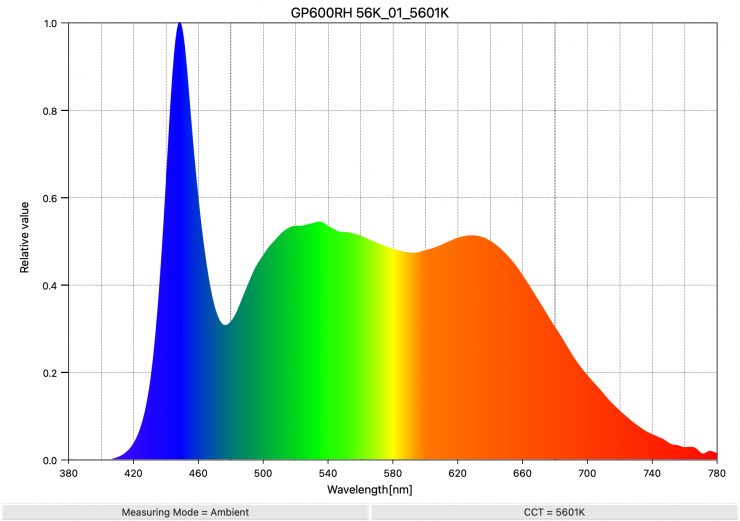
Above, you can see the spectral distribution of the Godox KNOWLED P600R Hard P4 when set at 5600K. The spectral distribution is fairly standard for an LED light, but not overly full.
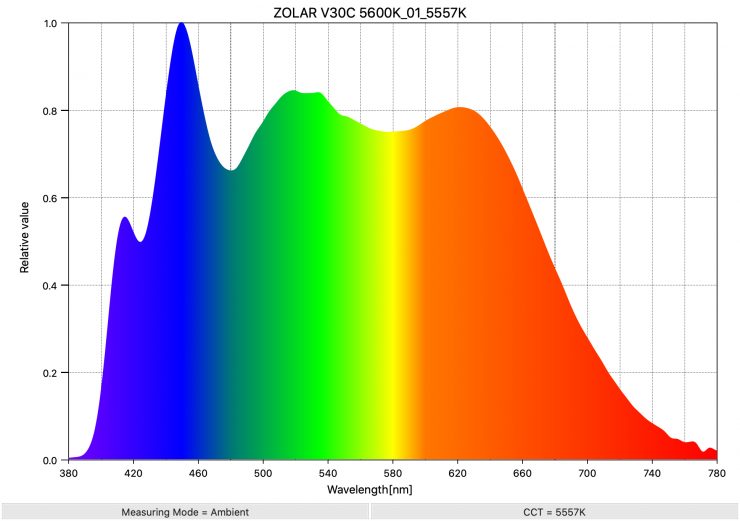
As a comparison, above you can see the spectral distribution of the ZOLAR Vega 30C when set at 5600K. The spectral distribution is exceptionally good at 5600K. This spectral distribution is far better than any LED light I have ever tested at 5600K, except for the ZOLAR Toliman 30C.
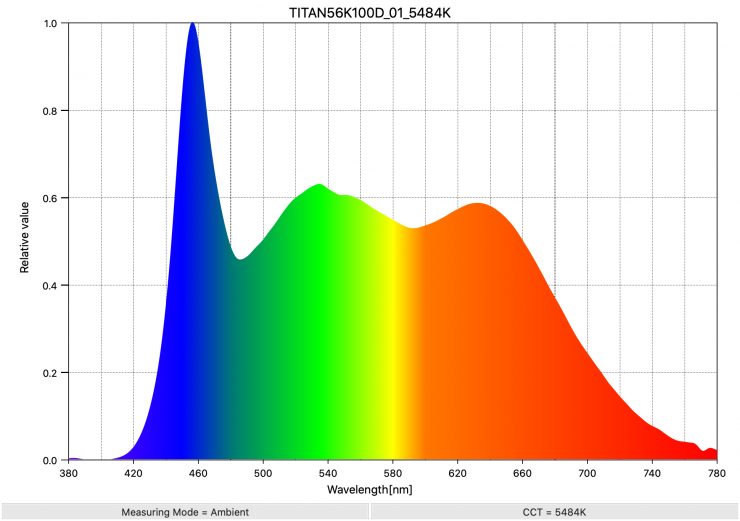
As another reference, above, you can see the spectral distribution for the Rotolight Titan X1.
Godox KNOWLED P600R Hard P4 3200K
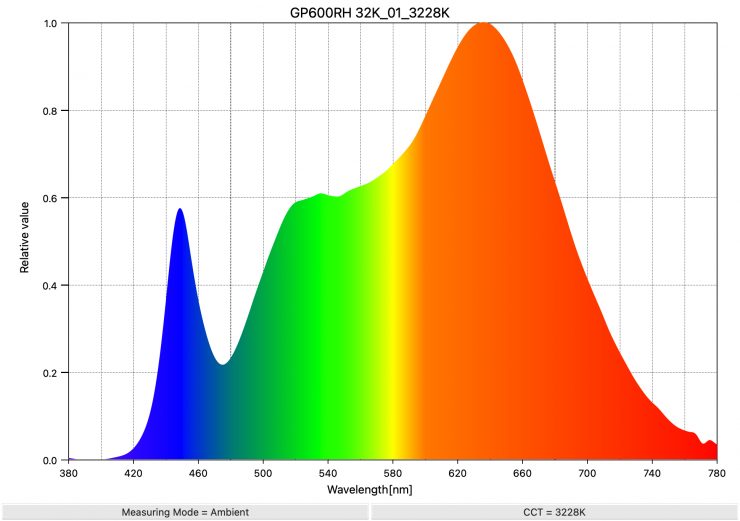
Above, you can see the spectral distribution of the Godox KNOWLED P600R Hard P4 when set at 3200K.
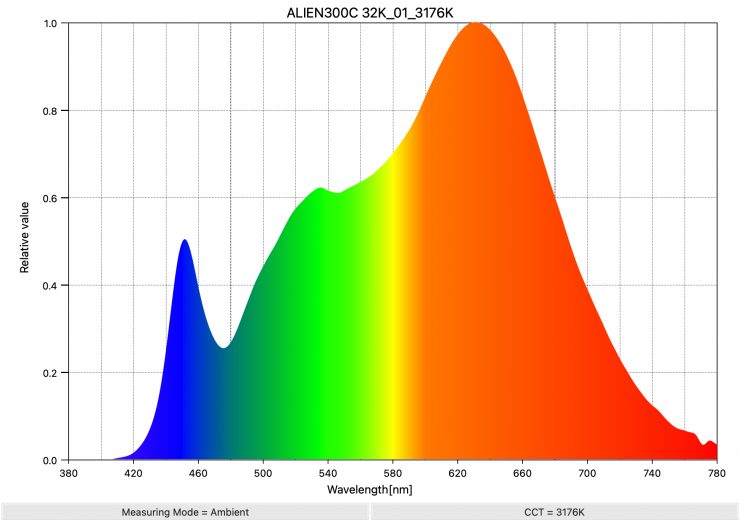
As a comparison, above you can see the spectral distribution of the Alien 300C when set at 3200K. The spectral distribution is very good at 3200K and the light doesn’t have any spikes where you wouldn’t expect to see any.
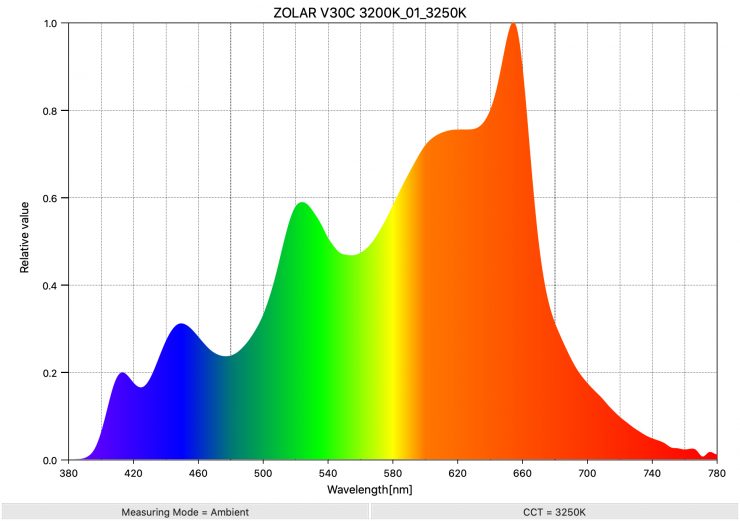
As a comparison, above you can see the spectral distribution for the Vega 30C, when used at 3200K, was a bit all over the place. There was quite a pronounced green spike in the spectrum as well as a lot of missing information.
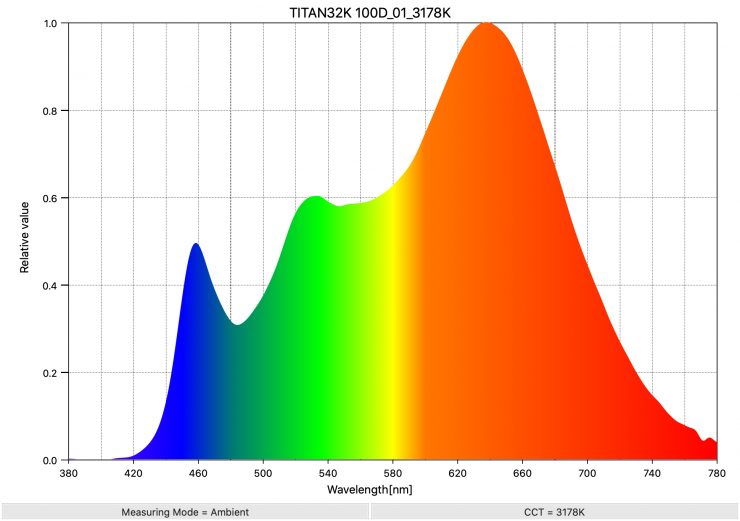
As another reference, above, you can see the spectral distribution for the Rotolight Titan X1.
Real-World Performance
As I always say, photometric scores only tell you part of the story. Lots of LED lights score well these days in technical tests, but a good light should be easy to use, versatile, and provide good real-world results.
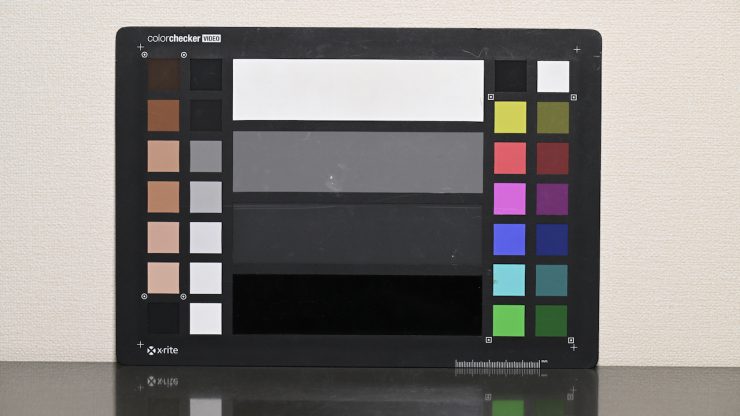
Light set at 5600K & camera WB set at 5600K 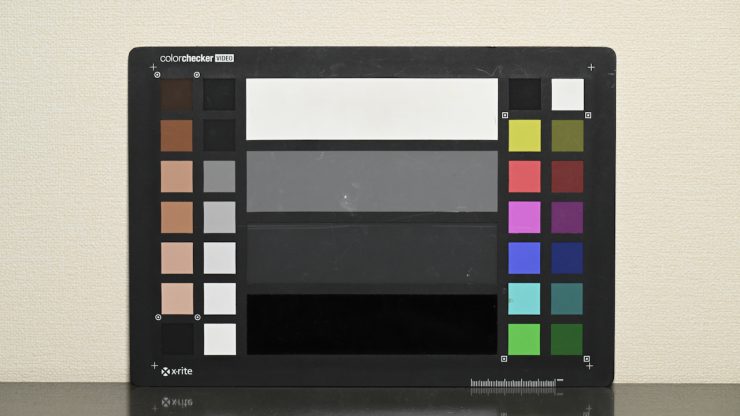
Light set at 5600K & camera WB 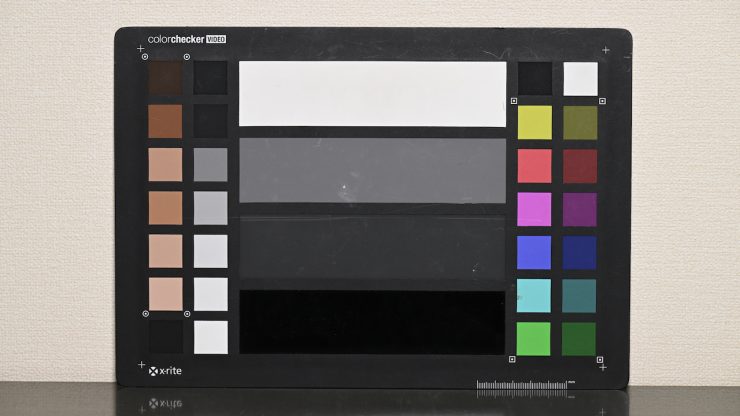
Light set at 3200K & camera WB set at 3200K 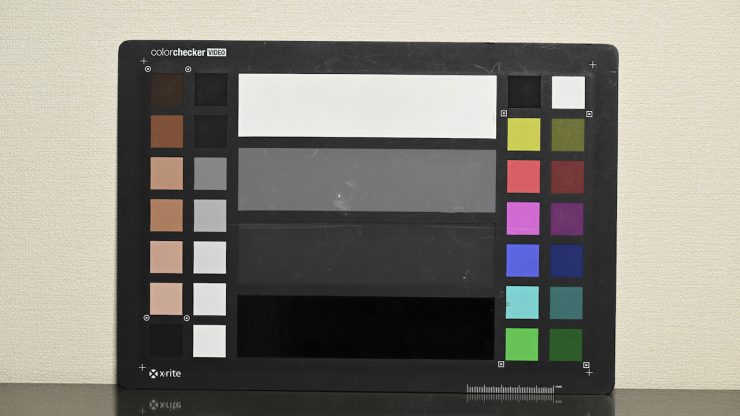
Light set at 3200K & camera WB
Firstly, let’s have a look at some tests where I compared the light at 5600K and 3200K when shooting a color checker chart (which has seen better days!). The light was set at 5600K and 3200K, and I have set the camera at a preset 5600K WB and a preset 3200K WB. I also did a manual WB, so you can see the differences.
The light does a decent job, and there were some differences between running a preset WB and doing a manual WB. From my observations, the light does seem to lean a little more magenta if you don’t do a camera WB.
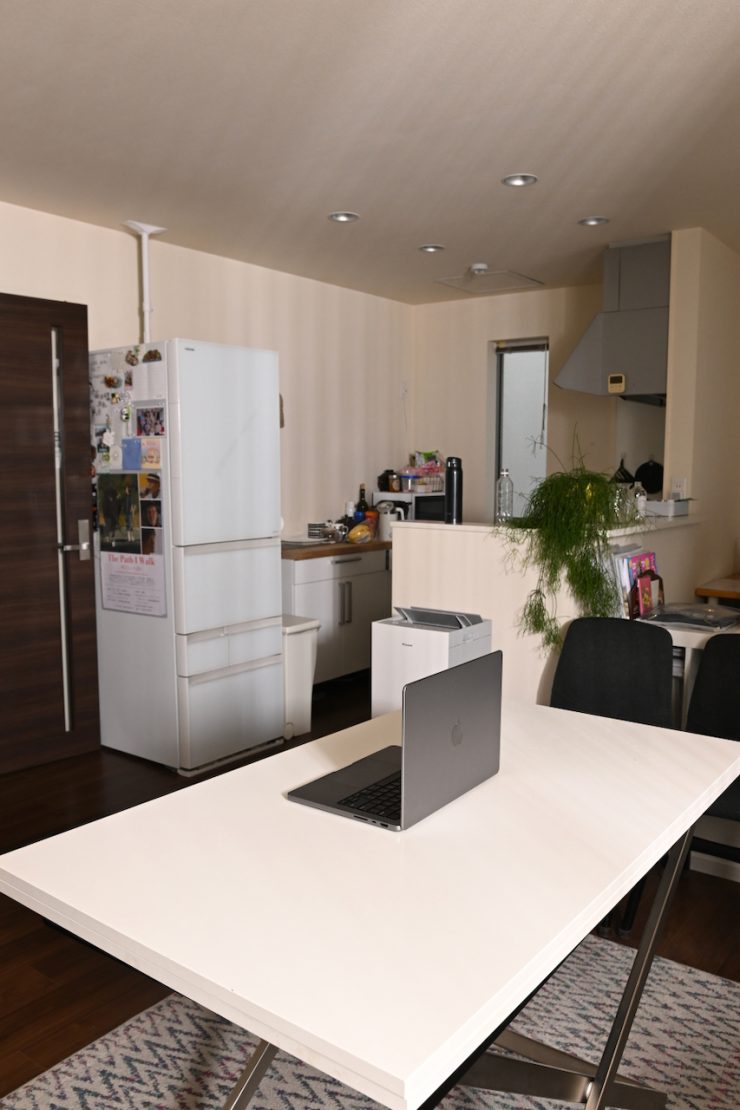
Light On 100% 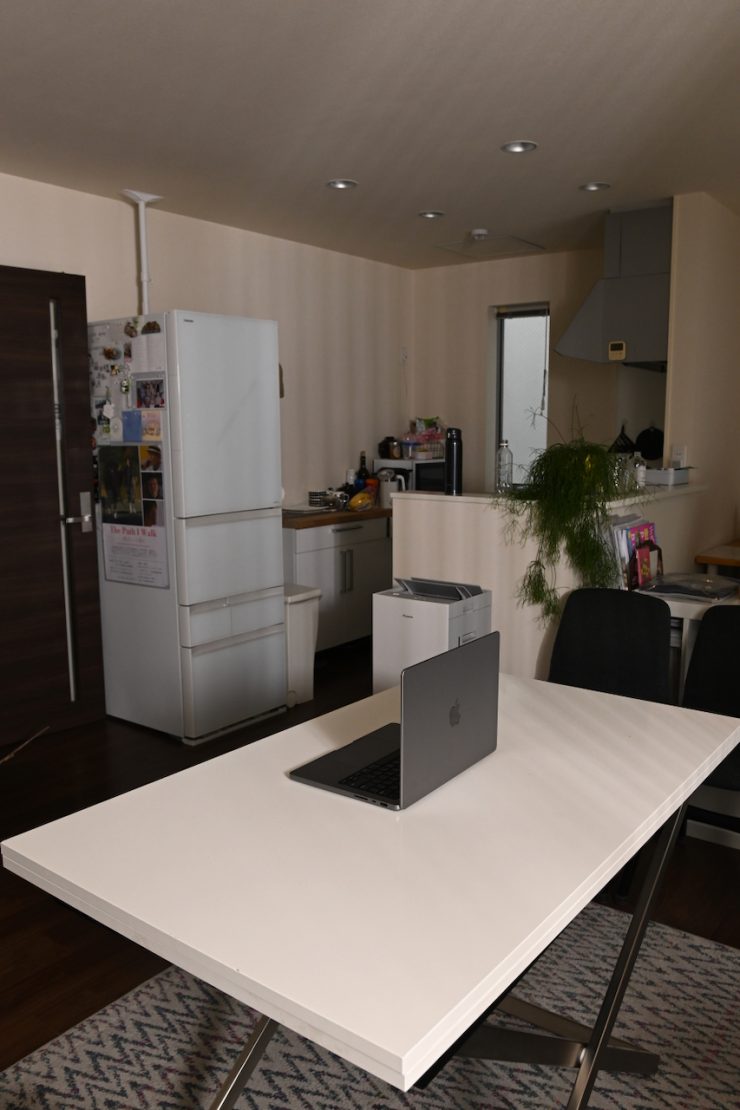
Light On 50% 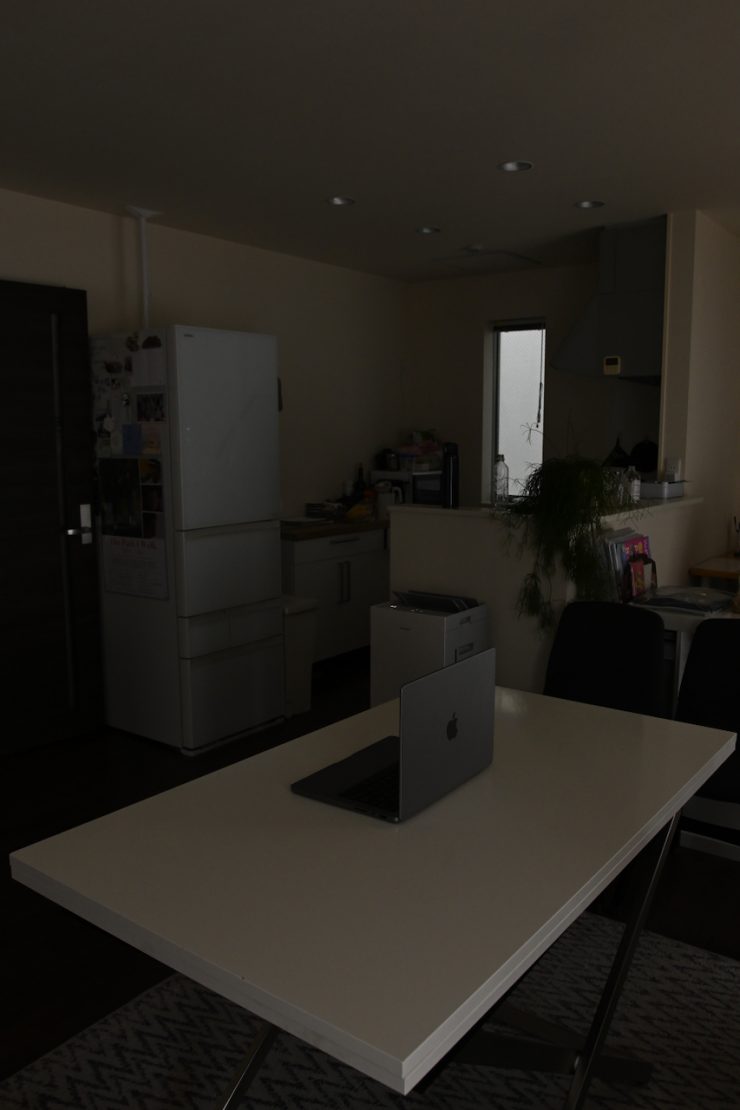
Light Off 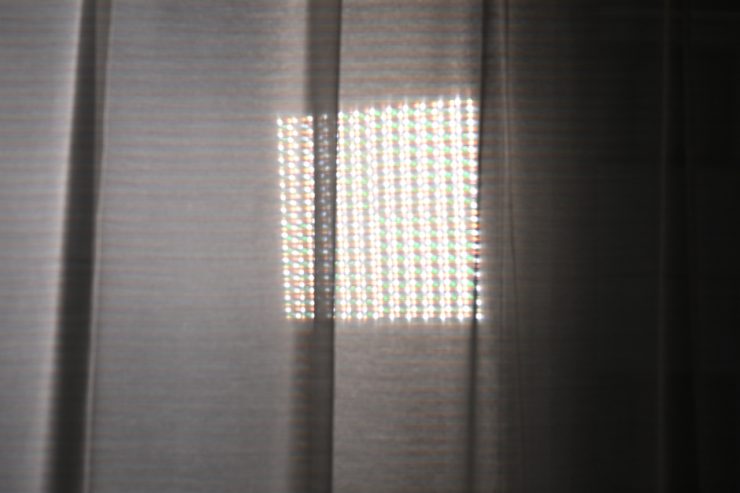
Above, you can see some quick examples where I blasted the light through a sheer curtain from outside to simulate light coming from outside.
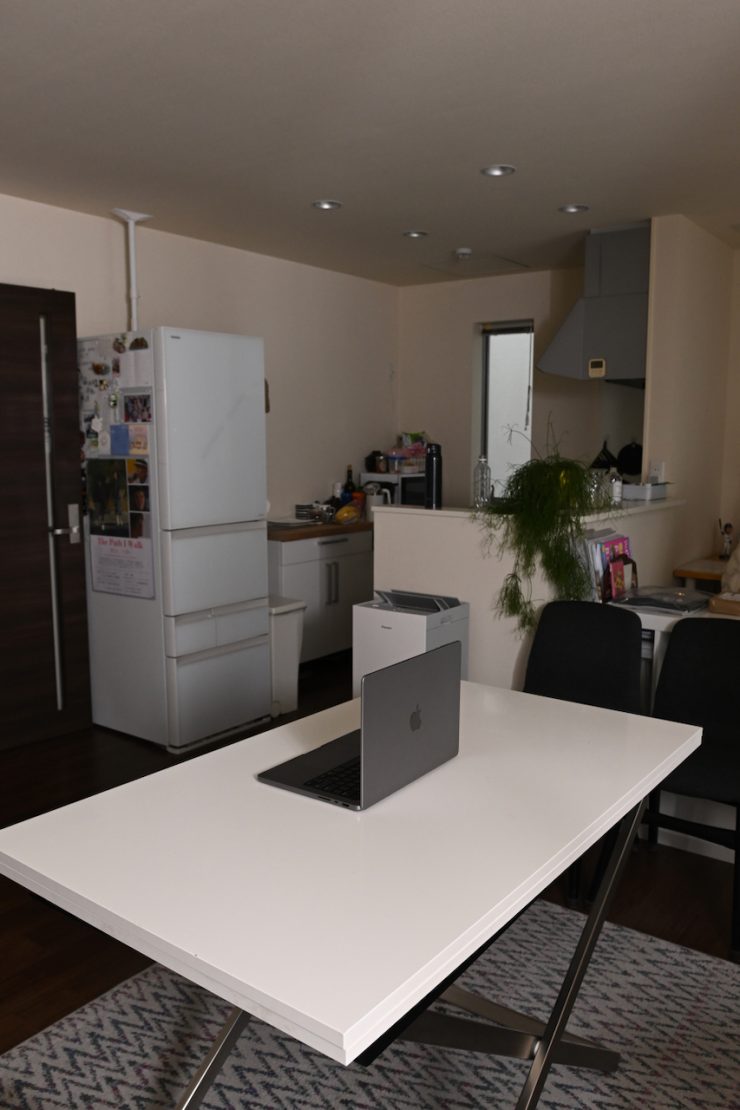
Diffusion at 100% 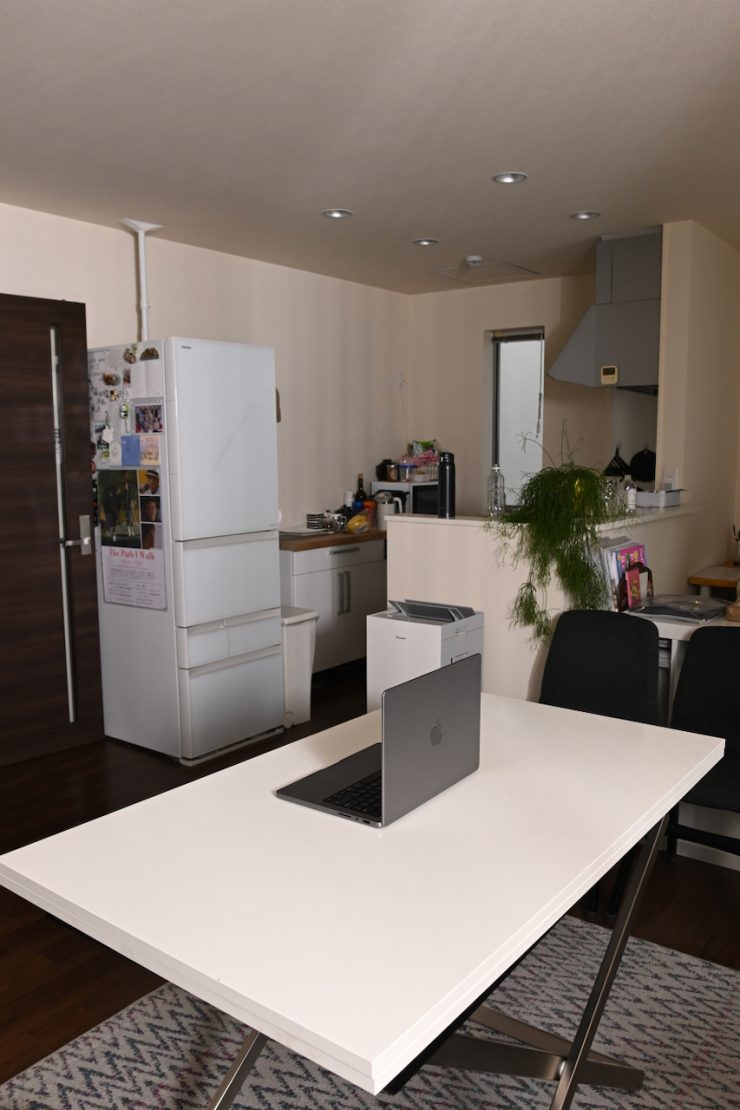
Diffusion at 50% 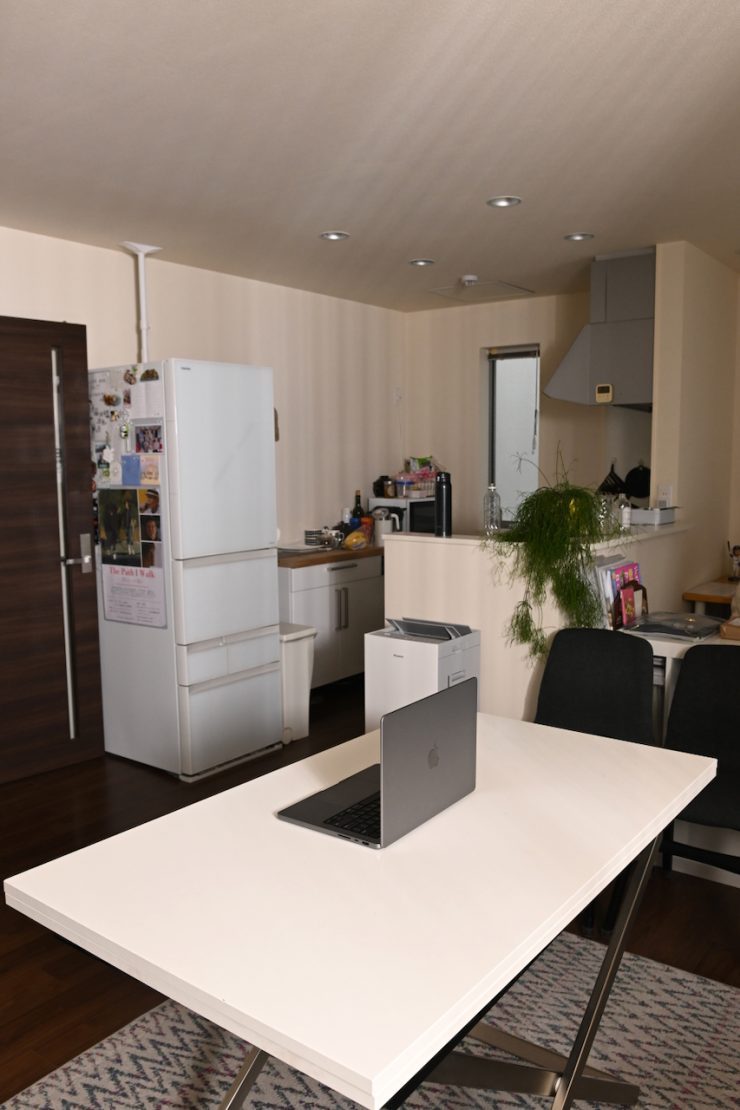
Diffusion at 0% 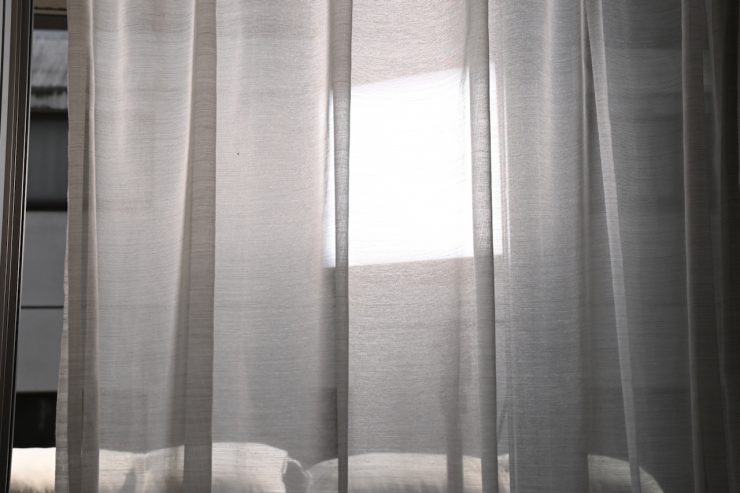
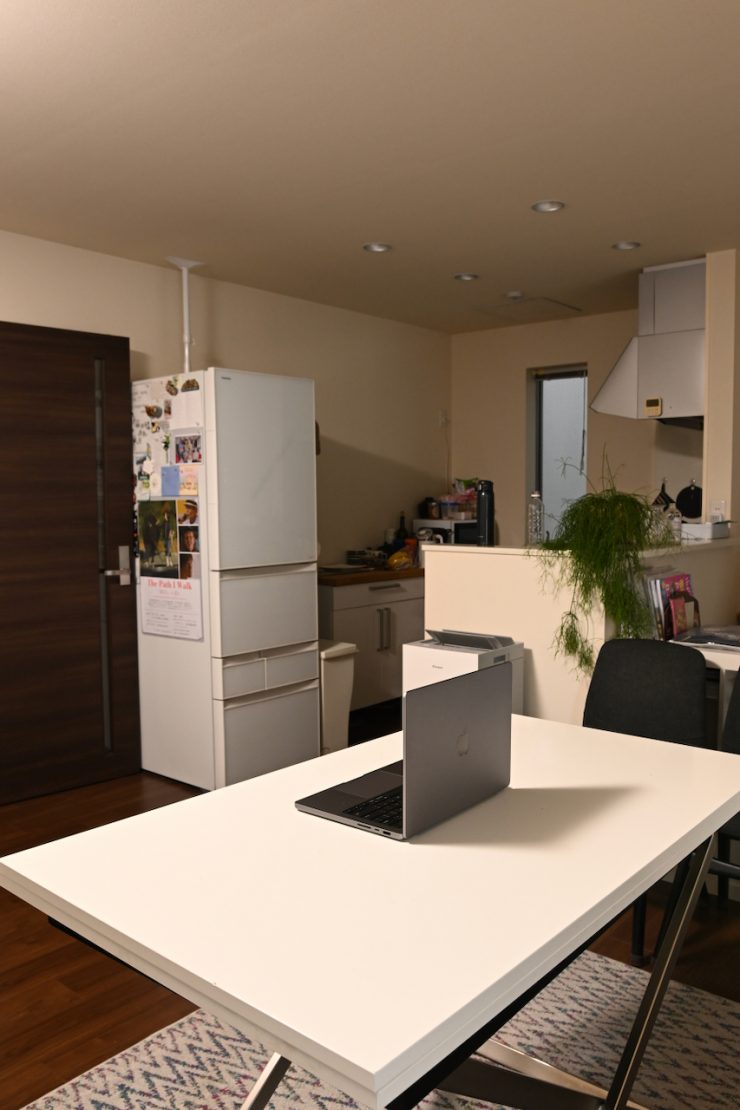
As another comparison, above, you can see what it looks like when used with the optional P600RHP AD11 Adjustable Diffuser.
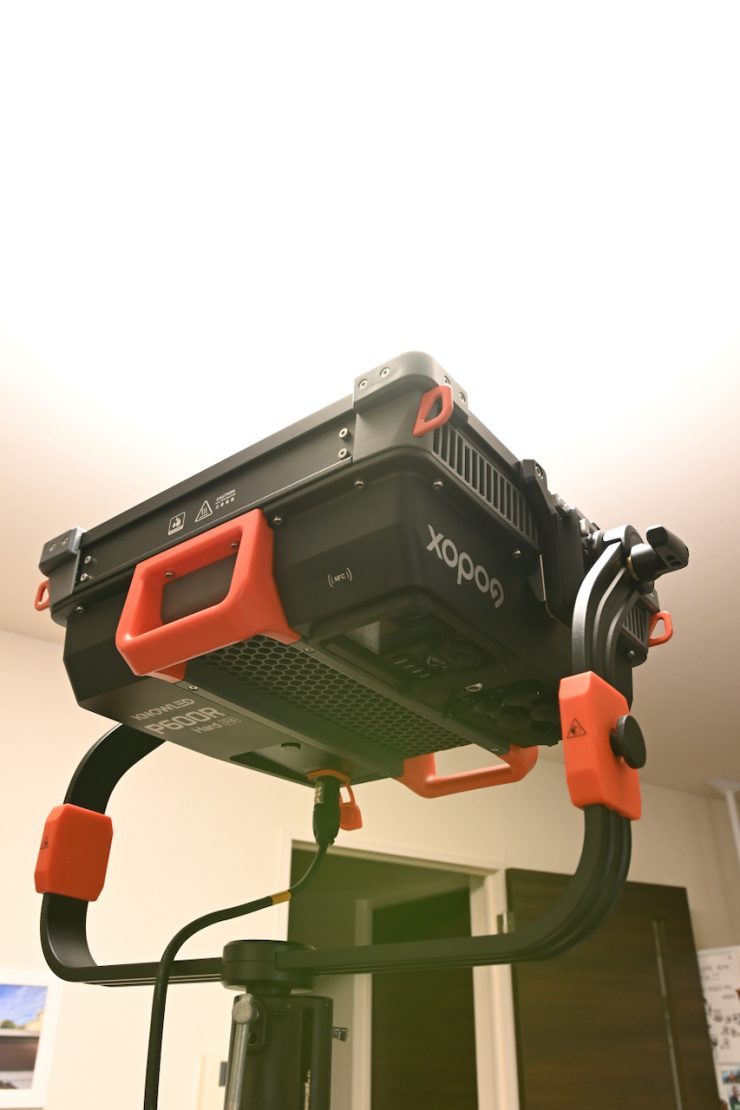
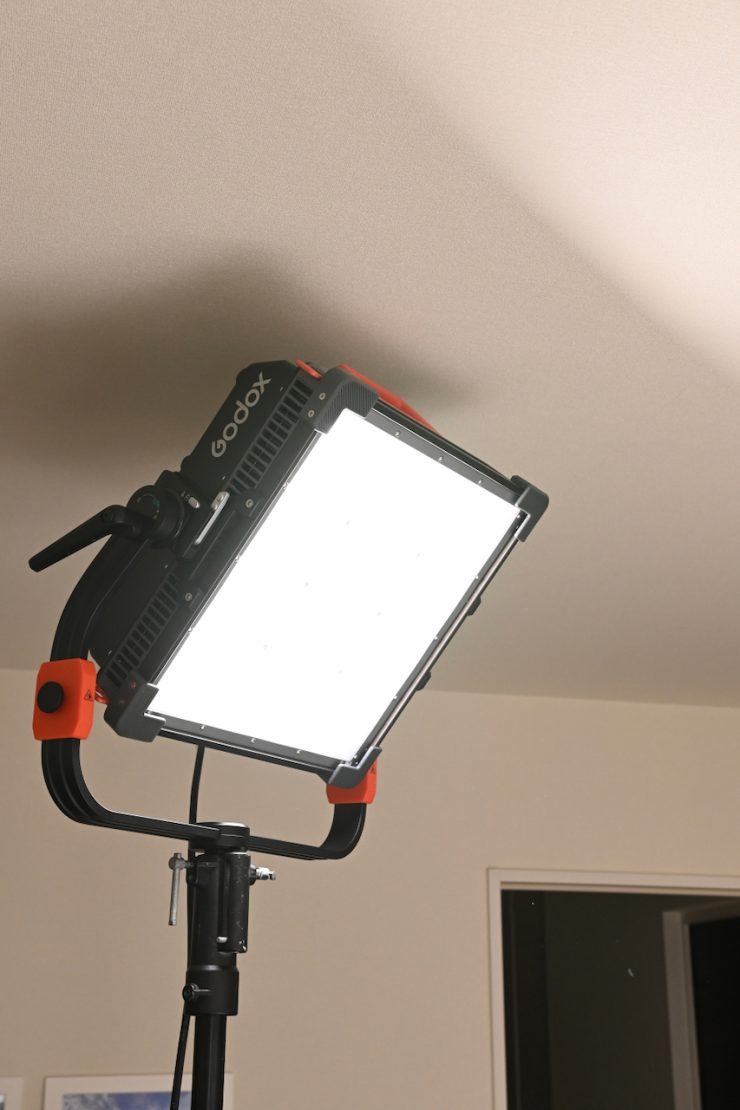
Above, you can see what the light looks like when it is pushed straight into a ceiling.
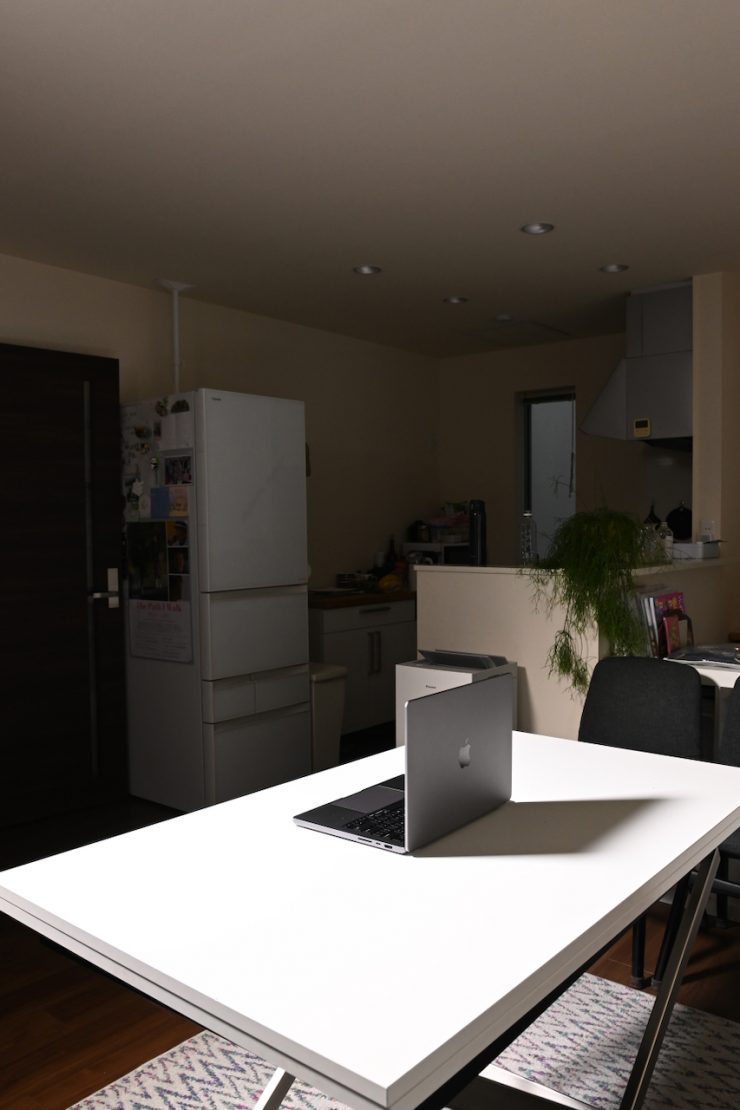
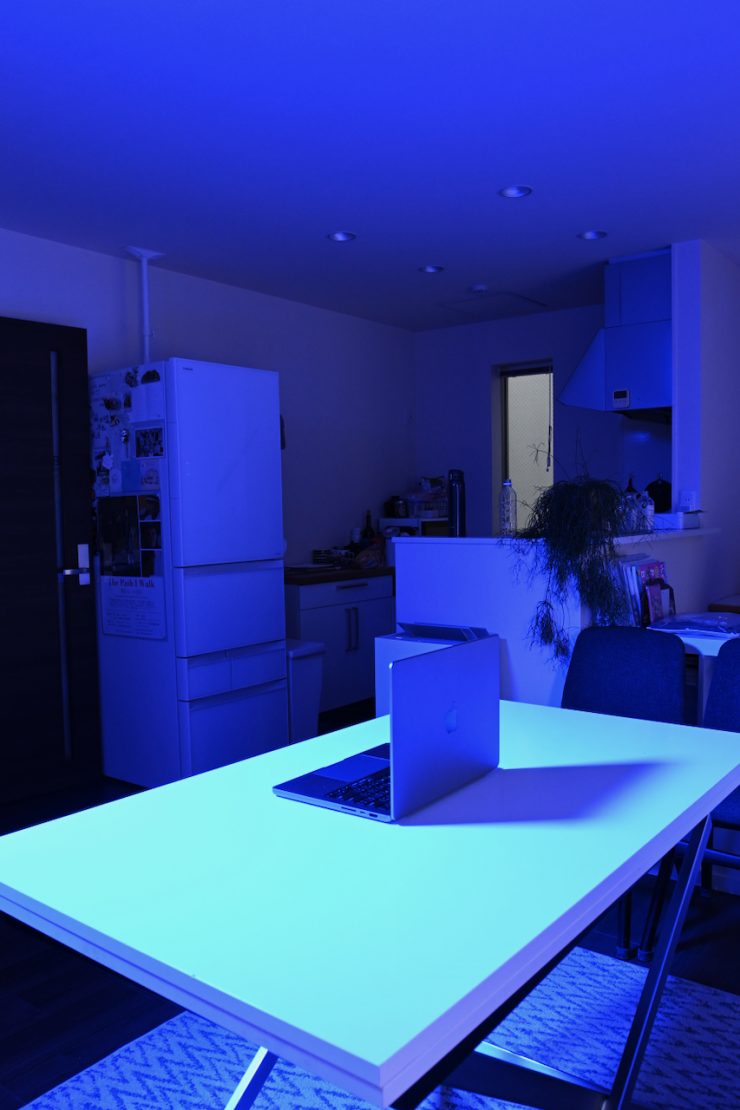
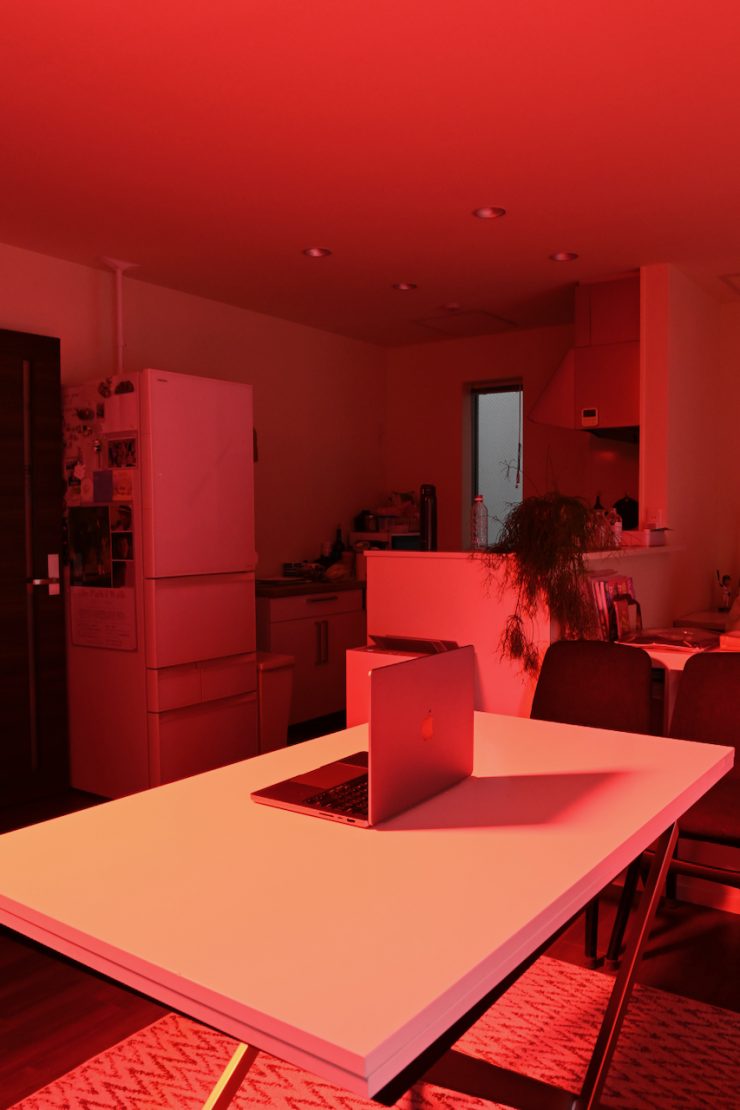
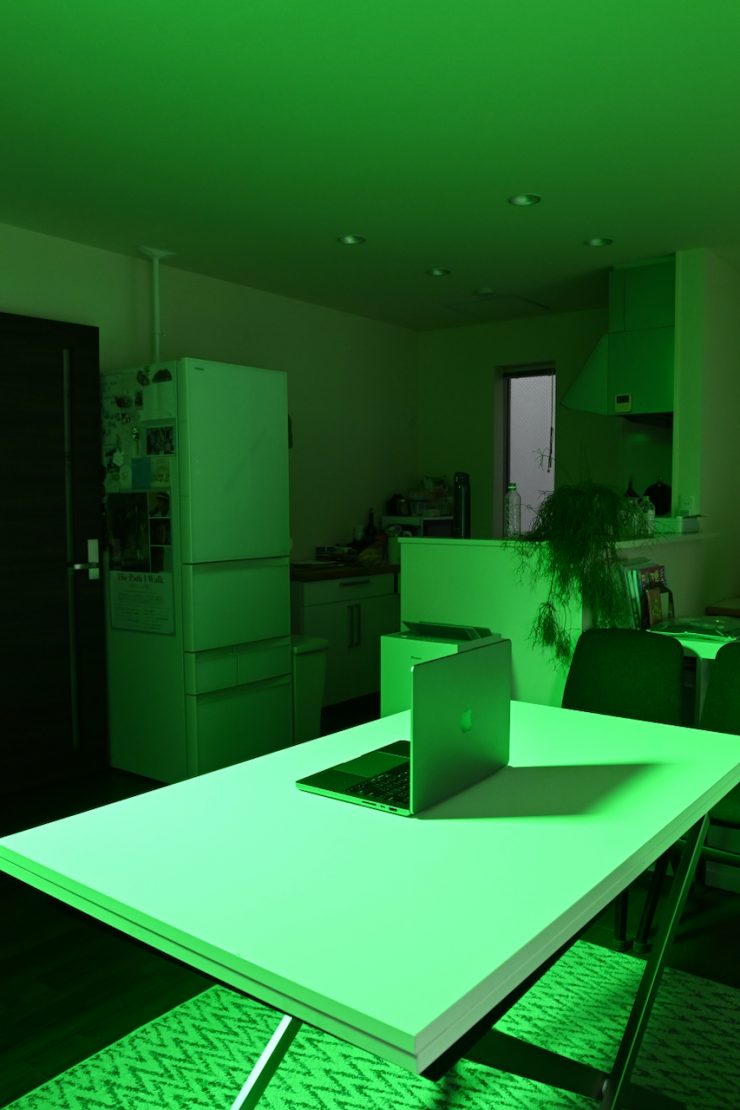
Above, you can see what the light looks like when it is pushed straight down into a table. I have also included some examples when generating fully saturated colors.
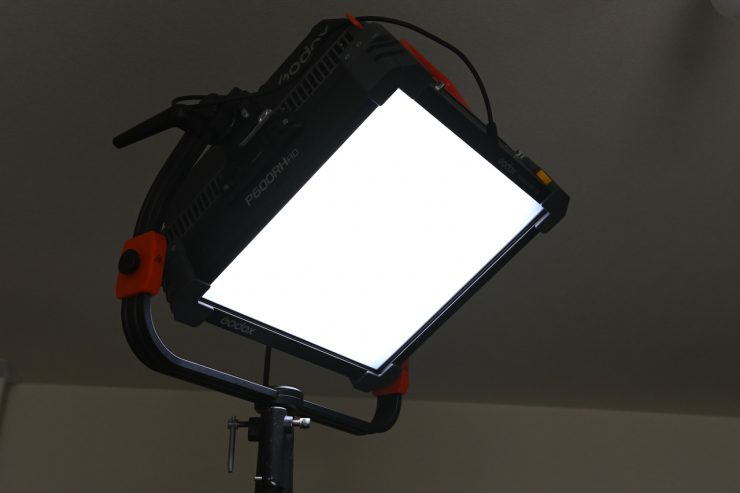
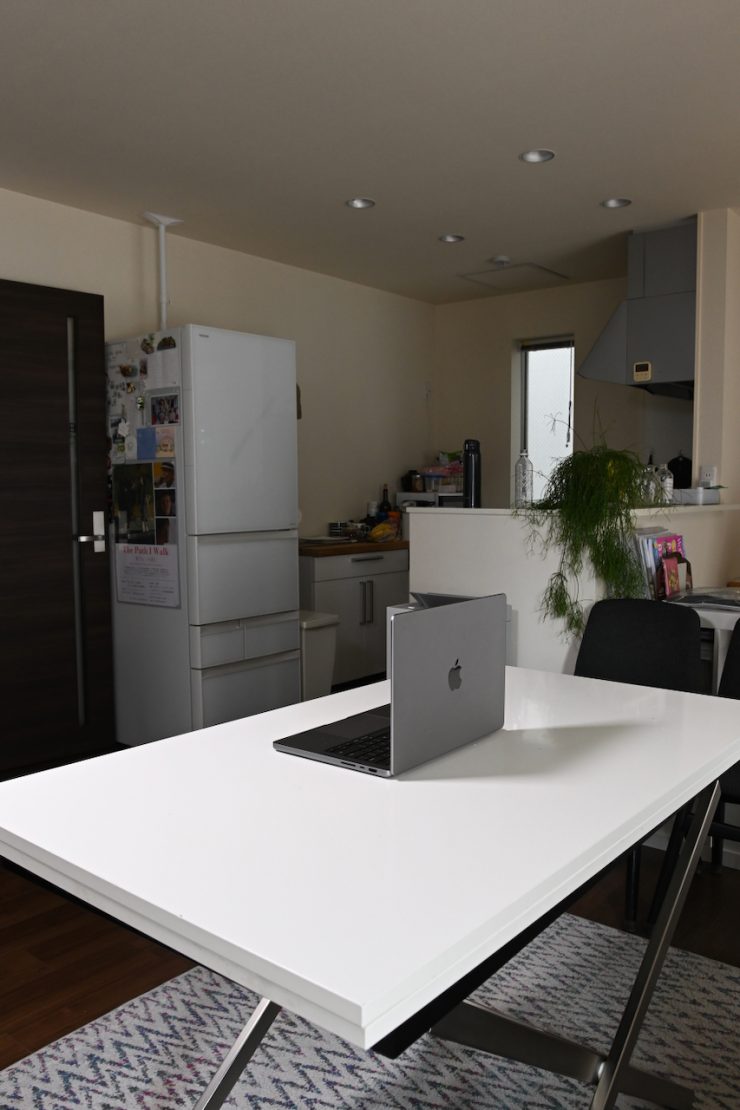
Above, you can see what the light looks like when it is pushed straight down into a table using the optional P600RHP AD11 Adjustable Diffuser.

The light has plenty of power, and you can create soft light by utilizing the optional P600RHP AD11 Adjustable Diffuser. For the above example, I was running the fixture at just 9% output with the diffusion set at 100%. This works well, and it allows you to get away without having to use a soft box. In saying that, I still think it would be better to run the light with the P600RHP AD11 Adjustable Diffuser at a higher output and then punch it through another diffusion screen.
As I previously mentioned, the light is pretty heavy, and you need to take that into account when using it.
Look, this is not going to be a light for everyone, nor is it meant to be. It is for those who want a very high-output 1×1-sized panel light that can be used as either a hard or soft source.
Other Alternatives
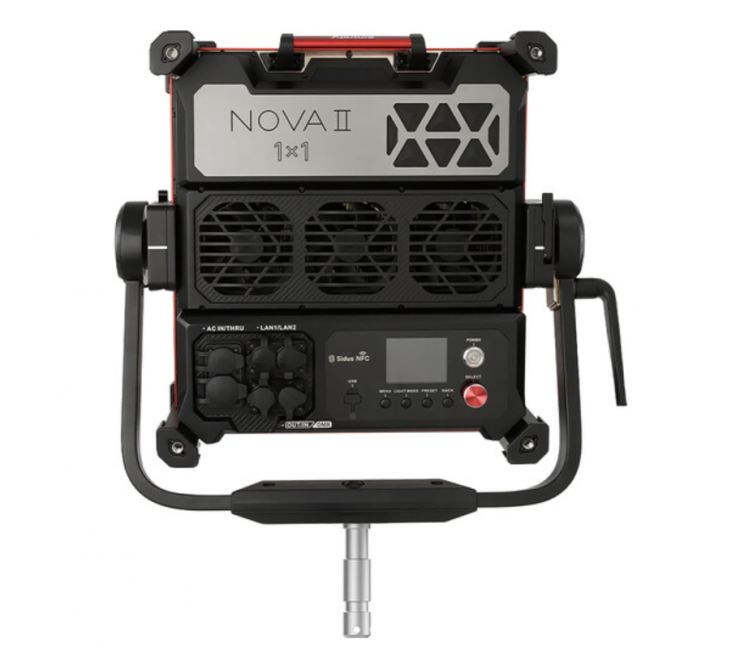
Aputure NOVA II 1×1 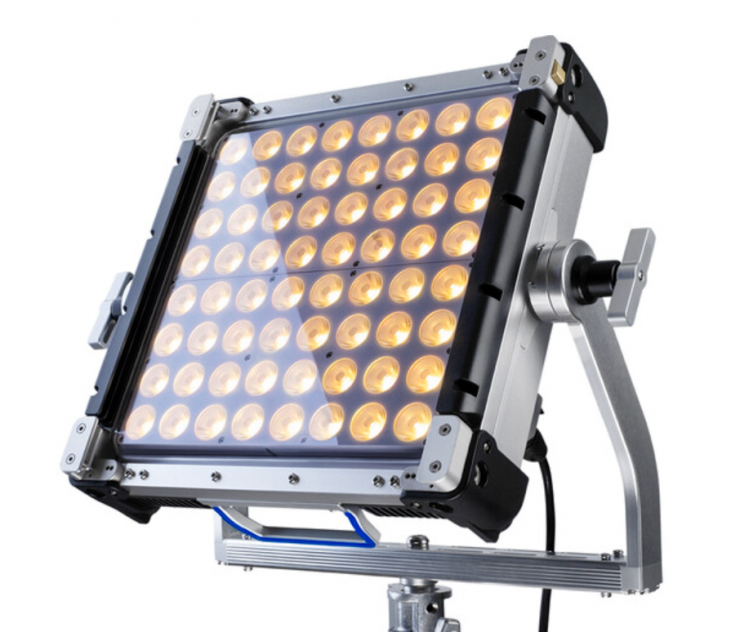
Creamsource Vortex4 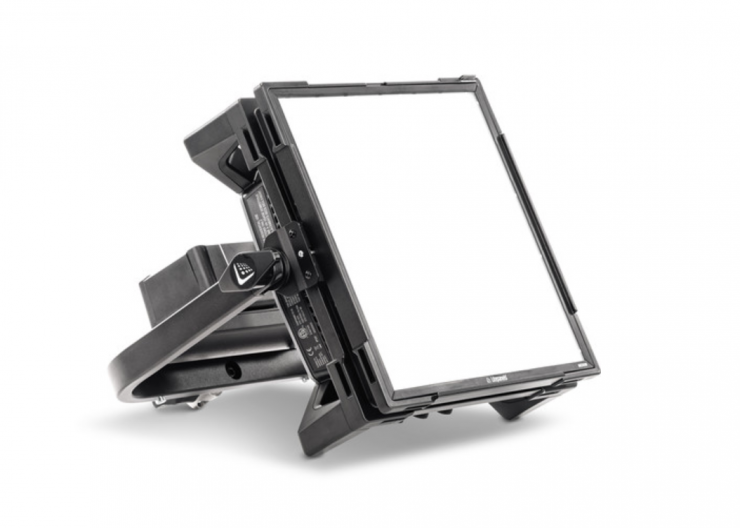
Litepanels Gemini 1×1 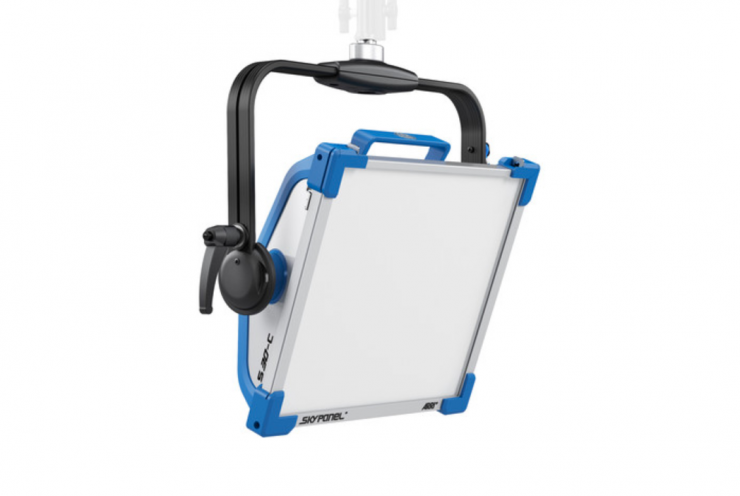
ARRI SkyPanel S30-C
There are a ton of 1×1 lights out there on the market at varying price points, outputs, and power draws, but here are some of the lights that could be considered competition:
- Aputure NOVA II 1×1
- Rotolight Titan X1
- Creamsource Vortex4 1×1 RGBW
- Litepanels Gemini 1×1
- Litepanels Gemini 1 x 1 RGBWW LED Hard Panel
- ARRI SkyPanel S30-C
- ZOLAR Vega 30C
- Lupo Superpanel Soft Full Color 30 Soft
- Lupo Superpanel Soft Full Color 30
- Rayzr 7 MC120
- Luxli Timpani² 1×1 RGBAW
- Aputure NOVA P300c
- VELVETlight Evo 1 Studio 1×1 Color-Tunable LED Panel
- TRIGYN Vari-Light RGBW 1×1 LED Soft Light Kit
- Falcon Eyes D-S811 RGB 1×1
- Fluotec Cinelight Color30 1X1 Color
You would expect that the newest lights on this list would be the best, but that is not always the case.
The SkyPanel was announced way back in 2015, and the Litepanels Gemini in 2017. The SkyPanel series was hugely popular for a long time because it is widely available, super robust, and reliable.
The Lupo Superpanel Full Color 30/ Full Color 30 Soft, Luxli Timpani, Rayzr 7 MC120, and TRIGYN are more budget-friendly options that will probably appeal to a different segment of the market than lights like the Rotolight Titan X1, ARRI SkyPanel S30-C, Creamsource Vortex4, etc.
All of the competition has its strengths and weaknesses, and what light will work best for you certainly comes down to a lot more factors than just specifications and features.
Price & Availability
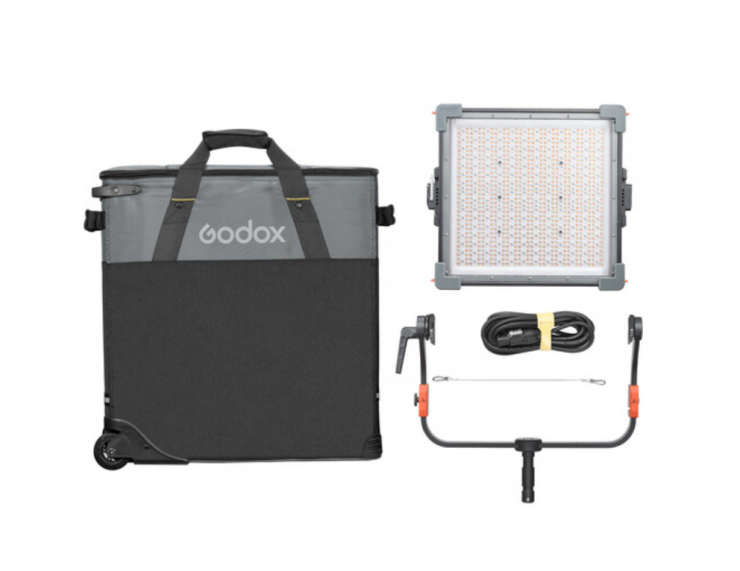
The Godox KNOWLED P600R Hard P4 retails for $2,299 USD. You can also get the Godox KNOWLED P600R Hard P4 RGB LED Light Panel (Travel Kit) for $2,399 USD.
Below you can see how the price of the compares to other 1×1 RGBW lights on the market:
| Price | |
| Godox KNOWLED P600R Hard P4 | $2,299 USD |
| Aputure Nova II | $2,499 USD |
| Creamsource Vortex4 1×1 RGBW | $2,799 USD |
| NANLITE Alien 300C | $1,499 USD |
| Z CAM ZOLAR Vega 30C | $799 USD |
| Luxli Timpani² | $799 USD |
| Rotolight Titan X1 | $2,589.30 USD |
| ARRI SkyPanel S30-C | $3,930 USD |
| Litepanels Gemini 1×1 | $1,198.75 USD |
| Litepanels Gemini 1 x 1 RGBWW LED Hard Panel | $1,889 USD |
| Lupo Superpanel Soft Full Color 30 | $1,698 USD |
| Lupo Superpanel Full Color 30 | $1,698 USD |
| VELVETlight Evo 1 Studio 1×1 Color-Tunable LED Panel | $2,945 USD |
| Rayzr 7 MC120 | $899 USD |
| Aputure NOVA P300c | $1,189 USD |
| Godox Litemons LP1200R RGB LED Light Panel | $214.90 USD |
| TRIGYN Vari-Light RGBW 1×1 LED Soft Light Kit | $1,440 USD |
| Fluotec Cinelight Color30 1X1 Color | $1,807 USD |
With modern-day lights (and this goes for just about any of today’s technology), the lifespan of the product is not going to be as long. That is not to say your light will become obsolete in 3 years’ time, but there will be something better that is bound to come along.
In saying that, a lot of today’s lights are receiving new features via firmware updates. This is something that increases their flexibility and feature set. In saying that, despite companies making a big deal about this, there are lots of lights on the market that never receive firmware updates.
Conclusion
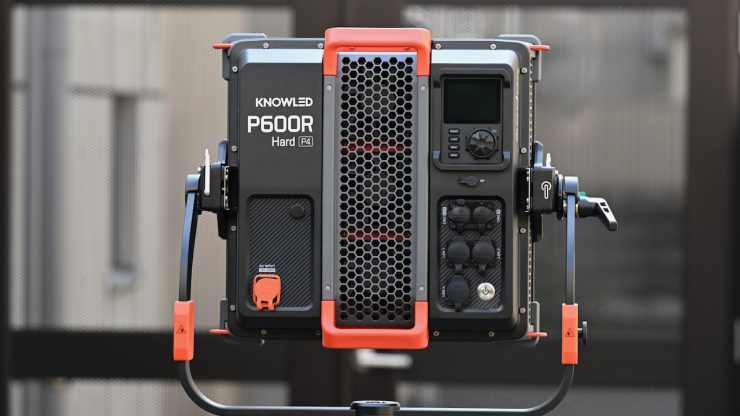
The Godox KNOWLED P600R Hard P4 is an impressive offering. It has a ton of output for a fixture of this size, and the optional P600RHP AD11 Adjustable Diffuser gives the light a lot of extra versatility in how it can be used. It is solidly made, and it has an IP65 rating so you can use it in adverse weather conditions.
It is very well made, and it has excellent CCT accuracy. It is likely to appeal to those looking for a very high output lighting source that comes in an all-in-one 1×1 style configuration.
The Godox KNOWLED P600R Hard P4 provides a nice alternative between larger-sized panels and higher power draw COB spotlights. Panel lights haven’t been as popular in recent years, but lights like the P600R Hard P4 might change that. The ability to create both soft and hard light provides users with a lot of versatility. Godox fixtures have continued to improve over the last few years, and if you are looking for a high-output 1×1-sized panel, it certainly makes for a compelling option over offerings from other companies.