Accsoon has announced a new firmware update for its CineView M7 Series that adds Sony EI control, expanded camera control, and vertical UI.
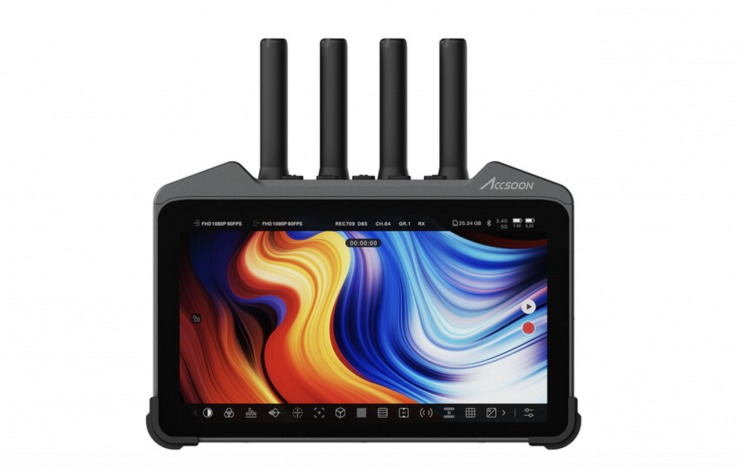
This firmware update for the CineView M7 and M7 Pro brings expanded camera control, new professional monitoring tools, vertical workflow support, and a significantly upgraded image processing pipeline. This update also provides better support for professional cinema, broadcast, and vertical shooting workflows.
Camera Control Enhancements
Expanded Sony Support
- EI and Shutter Angle adjustment now supported on compatible Sony cameras
- Automatic detection syncs the M7 monitor parameter dial with the camera’s active mode
Nikon Camera Control Added
- Imaging parameter control supported across multiple Nikon Z models
- Focus control is available on Z8 and Z9
- Other supported models allow parameter adjustment but disable video output during focus changes due to camera limitations
Expanded supported camera list:
- Sony: FX6 (beta), FX3, FX30, A7 Mark IV, A7s Mark III, A9 Mark III and A7c Mark II.
- Canon: R5, R5 Mark II, R6, R6 Mark II, R7 and R8.
- Nikon: Z5, Z50, Z6, Z6 II, Z7 II, Z8 and Z9.
New Monitoring Features
New Focus Peaking Tool added
A new focus assisting tool called “Peaking” has been added to the CineView M7 series. The new Peaking tool will look for sharp edges and strengthen the contrast. Instead of overlaying colors like the previous focus peaking tool (now named “Focus”), the Peaking tool will only strengthen the contrast of the edges on the original image, making it easier to spot the focal plane and the focus included content on the screen.
Note: The Peaking tool behaves similarly to focus assist tools found on other professional monitors. The default strength of Peaking is 30%, similar to the value of 10-15 on other higher-end monitors.
Vertical UI and Vertical Livestreaming
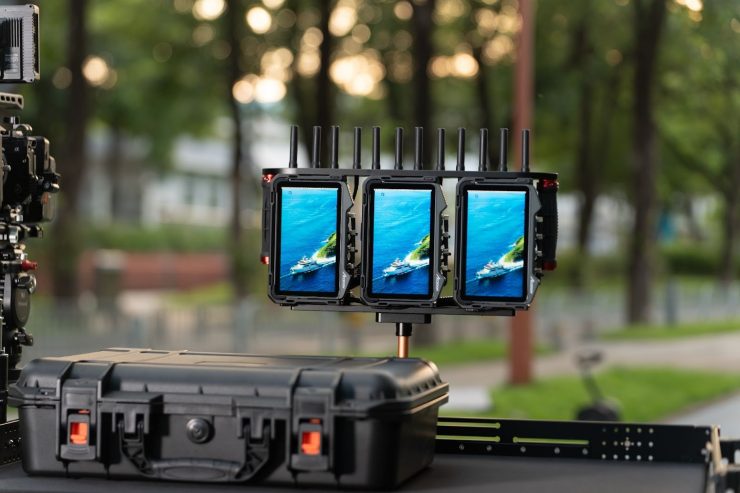
Accompanying the release of the Triple Monitor Kit for CineView M7 Pro, a vertical UI has been added to the monitoring page of the built-in Accsoon SEE App. Now you can shoot vertical content with the comfort of a specially optimized UI layout.
- Vertical livestreaming is now supported
- Encoder automatically matches the current viewing orientation
- Rotation controls lock once streaming starts
ARRI-Style False Color
Now you can switch between legacy-style false color and the newly added monitoring-based ARRI-style false color. Supports recording format LogC3, LogC4 (Alexa 35 / Alexa 265), with EI selection for improved exposure accuracy
Major DCI 4K Workflow Optimization
The CineView M7 series is now much better optimized to handle DCI 4K inputs. A new use-case dependent ratio conversion pipeline has been integrated to intelligently handle 17:9 DCI formats and 16:9 UHD/FHD formats I/O.
Other improvements include an upgraded image processing pipeline that delivers smoother color transitions, cleaner edge definition, and more natural sensor noise, as well as a new interlaced signal processing pipeline that improves image quality from interlaced sources by reducing aliasing and smoothing edges.
BUG FIXES
- Fixed the timecode disorder of the recorded video clips.
- Fixed an issue where loading a corrupt LUT file causes the app to freeze.
- Fixed an issue where gamma adjustment in calibration setting causes color bleed-outs.
- Fixed an issue where false color shaders might leave over-exposed highlights unshaded.
- Fixed an issue where sharpening might conflict with other monitoring tools like focus peaking causing rendering issues.
- Fixed an issue where extreme display or calibration setting causes rendering issues, displaying black dots on the input video.
- Fixed an issue where the video processing pipeline might be incorrectly set to 1080p 60fps regardless of user settings, when HDMI output connected screen frequently switches on and off while adjusting the output setting.
- (Only for M7 Pro) Fixed some text errors in CineView QUAD/HE/SE/2SDI settings in RX Mode.
- (Only for M7 Pro) Fixed an issue where audio decoding errors might cause signal cutouts in RX Mode.
- (Only for M7 Pro) Fixed an issue where frequent disconnection form the transmitter might result in missing audio until rebooted in RX Mode.
- (Only for M7 Pro) Fixed an issue where certain interlaced or PSF input format might be incorrectly tagged, making CineView Master 4K unable to receive the video stream.
Availability of the CineView M7 Firmware Update
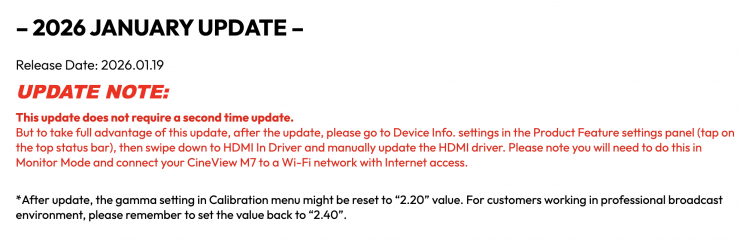
The firmware update for the Accsoon CineView M7 and M7 Pro is now available from the Accsoon Download Center. Tutorial videos are also available on the company’s official channels.