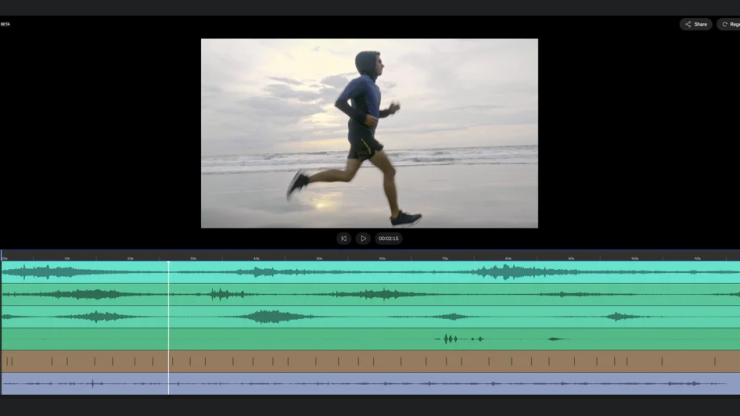
Krotos has expanded its Video to Sound platform with automatic footsteps and cloth Foley, enabling editors to add professionally recorded Foley directly from video in seconds. Video to Sound uses AI-assisted visual analysis to interpret movement, pacing, and scene context, automatically placing realistic footsteps and cloth sounds in sync with the picture while preserving full creative control for refinement in a DAW or NLE.
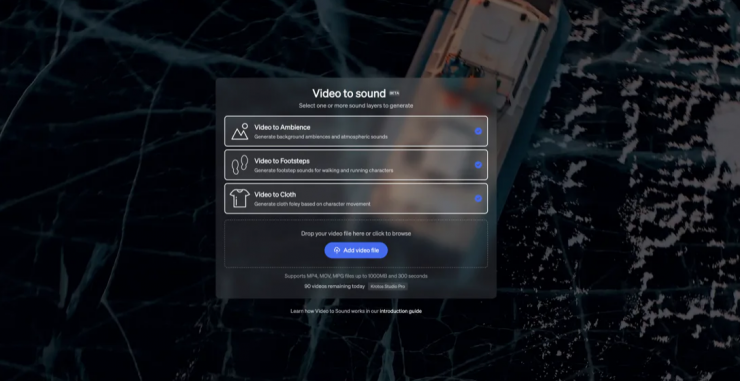
Traditionally, syncing footsteps and cloth movement to picture has required painstaking manual work, from lining up individual sounds to constantly adjusting timing as edits change. Building on Video to Sound’s existing ambience-based workflow, this update brings those same time-saving principles to Foley, extending automatic video-to-sound beyond backgrounds and into physical movement.
With Video to Sound footsteps, users can quickly apply realistic footstep sounds that follow on-screen movement without manual syncing. By selecting the appropriate walking surface, such as tile, gravel, or wood, the system applies professionally recorded footstep sounds that match the pacing and action of the scene. For additional flexibility, footstep performances can also be exported as MIDI, making it easy to refine timing or integrate them into Krotos Studio or a broader DAW-based workflow.
The update also introduces automatic cloth Foley. By analysing motion and changes in movement, Video to Sound applies context-aware cloth sounds that reflect subtle shifts, turns, and layered action in a single pass. Users can audition and balance individual layers in the browser before exporting them for use in a preferred DAW or NLE.
Pricing & Availability
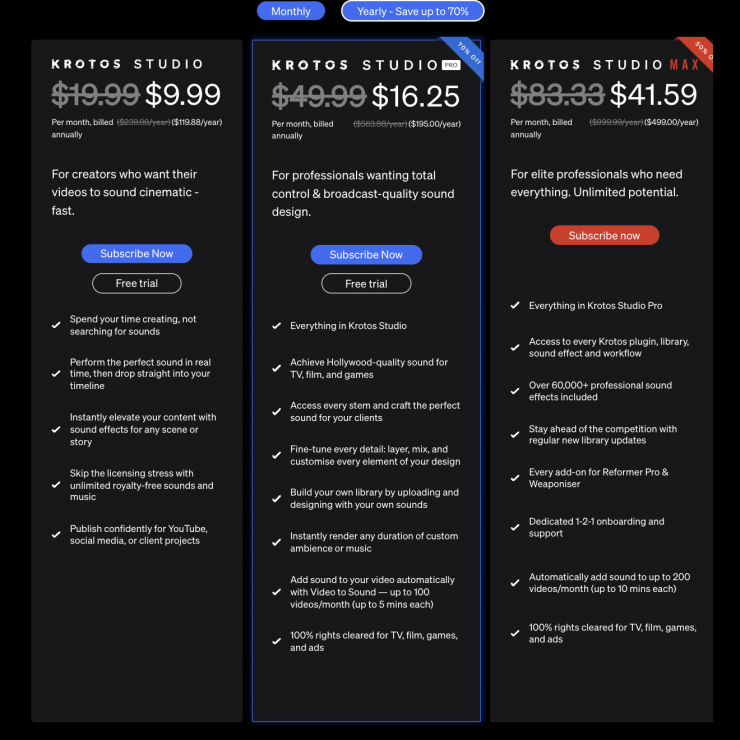
Yearly Plans 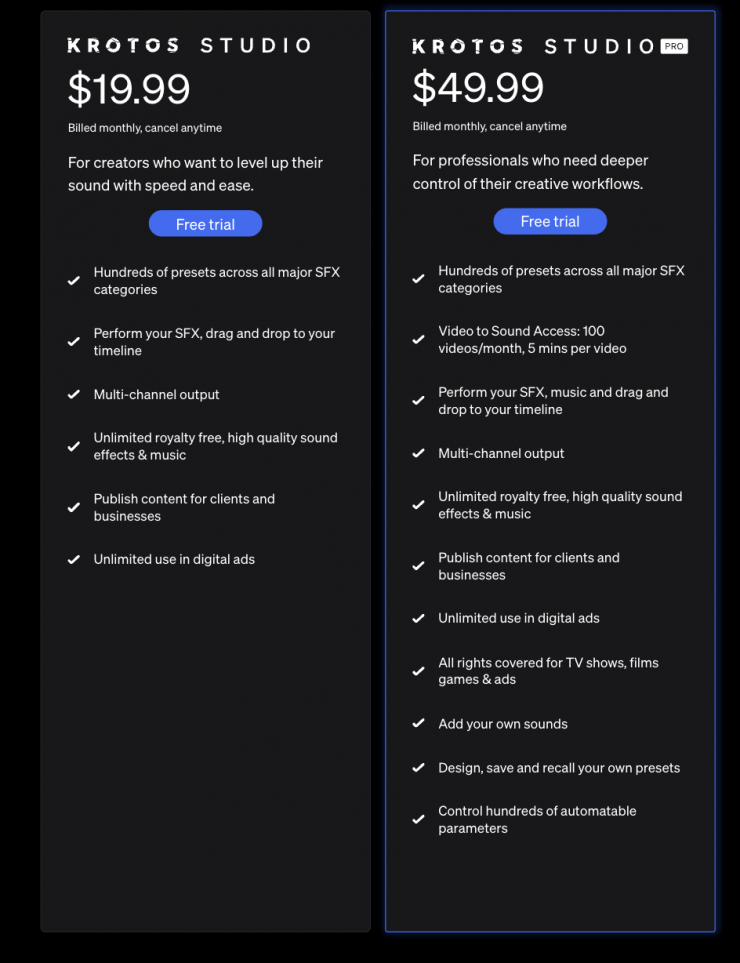
Monthly Plans
Video to Sound is available as part of Krotos Studio. New users can try Video to Sound up to 10 times before starting a Krotos Studio trial. Subscribers across all Krotos Studio tiers can access the feature as part of their plan. Krotos Studio Max users can upload videos up to 10 minutes in length and process up to 200 videos per month. Uploaded videos are not used for AI training purposes.