Cadrage, who make an excellent viewfinder app that I have been using for years, has come up with a new piece of software called Studio. Studio is a native macOS and iOS app that allows users to add shot lists, camera diagrams, mood boards, and locations.
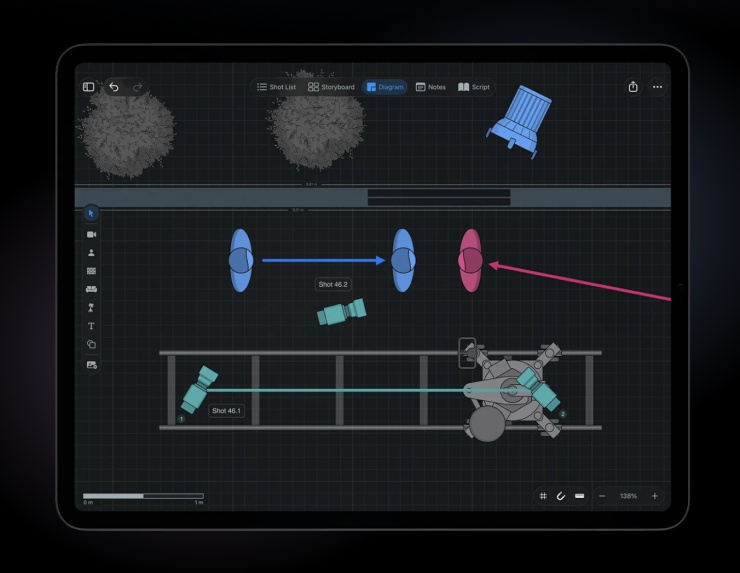
Studio lets you place cameras, actors, lights, and set pieces on overhead diagrams. Users can build detailed to-scale floor plans or import their locations from 3D scans.
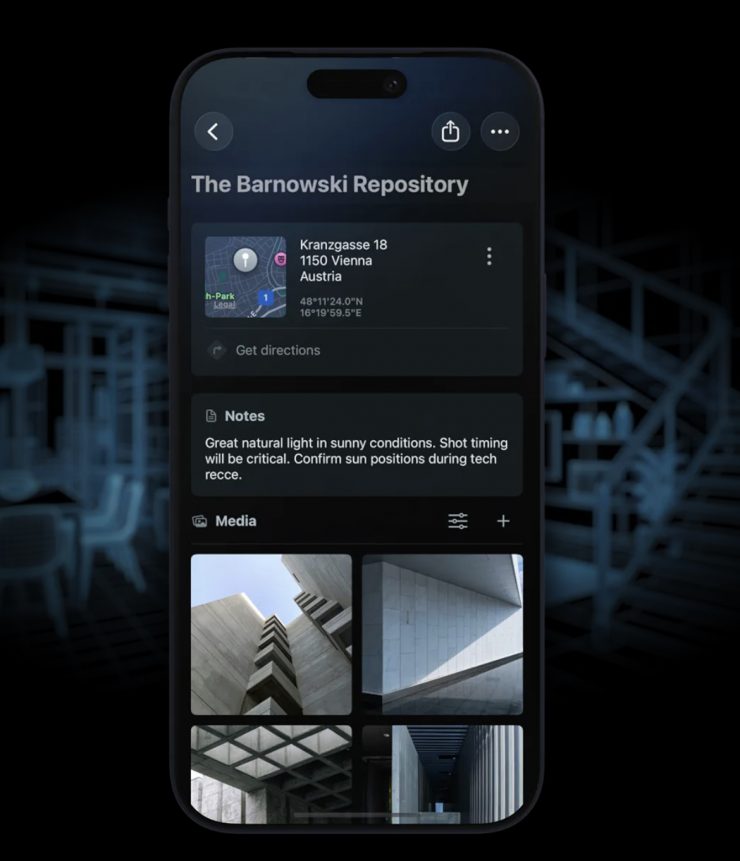
You can create 3D room scans with LiDAR-enabled devices or import existing USDZ files from other apps. Users can collect images, videos, and links into mood boards that connect to scenes. You can then export these for presentations to keep your visual language consistent across crew, agency, and client.
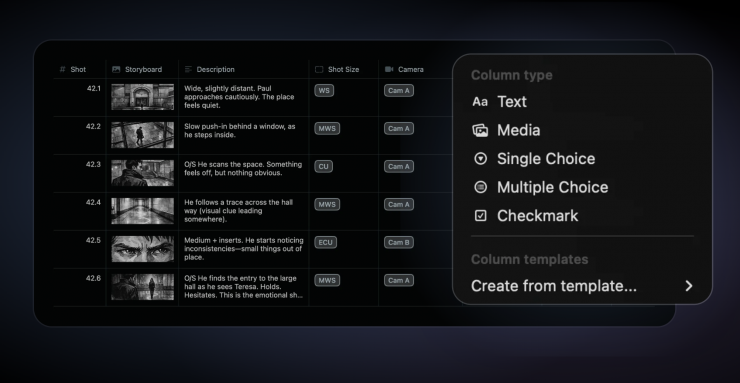
When it comes to shot lists, you can use pre-defined columns for the most common use cases or create your own. There is also the ability to link mood boards and locations to your scene for reference.
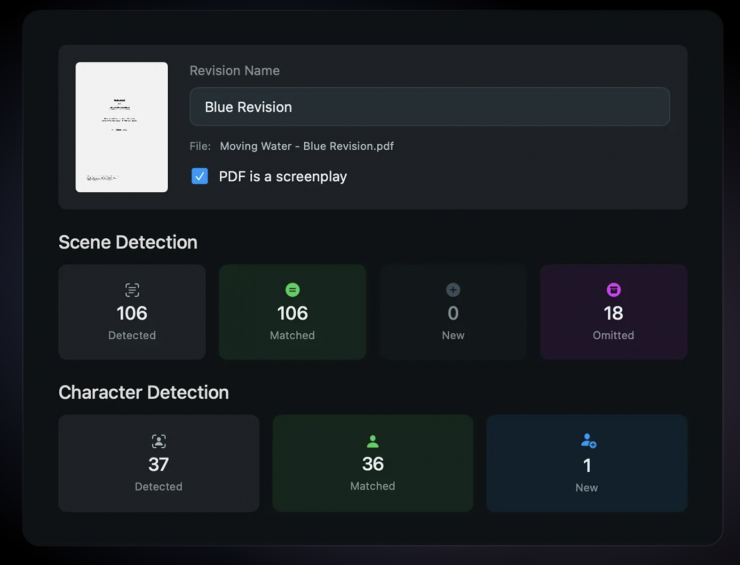
You also have the ability to import your script, and Cadrage Studio will detect scenes and characters automatically. When revisions come in, shot lists, storyboards, and diagrams stay connected to the right scenes. Omitted scenes get archived so you will never lose any work.
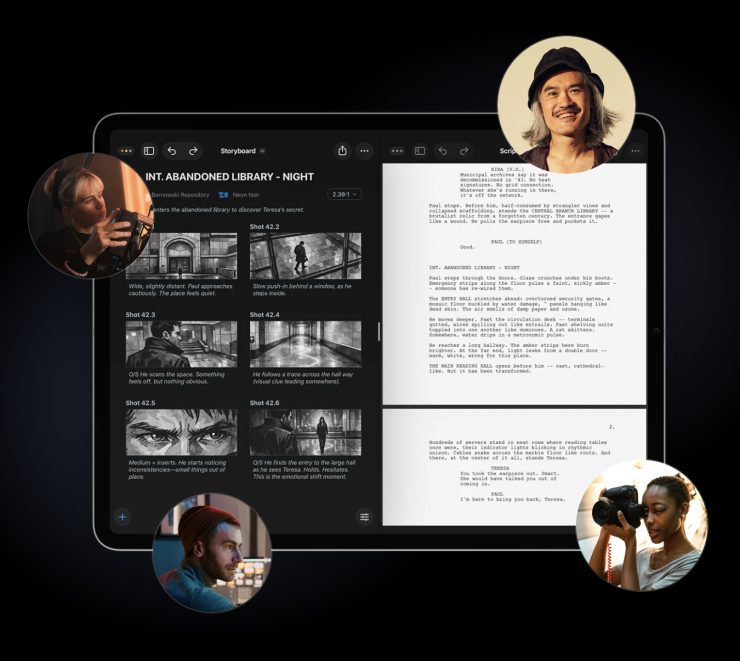
Projects sync across iOS and macOS via iCloud. Studio allows you to invite collaborators to work on the same project and share structured scene PDFs with exactly the information each department needs.
As far as privacy is concerned, Cadrage Studio can be used offline, and your projects are only stored on your device and in your private iCloud account. Your work is never uploaded anywhere else.
Pricing & Availability
Cadrage Studio is currently free during beta. There is no indication of how much the production version will be, but it will be subscription-based.
Cadrage Studio runs on macOS, iOS, and iPadOS. The app requires macOS 26, iOS 26, or iPadOS 26 or later.