At NAB 2026 in Las Vegas, I caught up with MASV to go over some of their new features and get a run-through of what services they offer. I have been using MAV for many years for sending large amounts of data quickly to clients around the World.
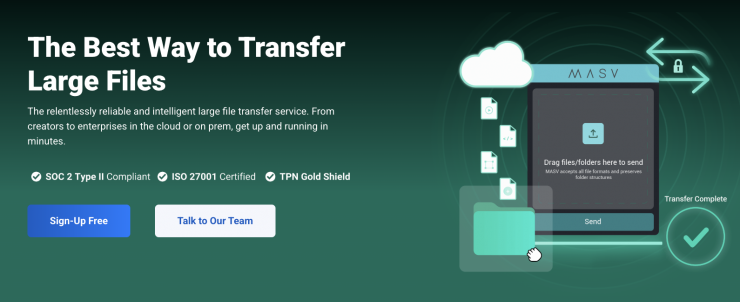
MASV intelligent managed file transfer (IMFT) automates file transfer to one or multiple locations simultaneously with powerful out-of-the-box, no-code tools. It allows you to set up automated workflows in minutes to save time, scale your team, and reduce risk without compromising on security, speed, reliability, or simplicity.
MASV recently expanded its global partner ecosystem with integrations for LucidLink, Iconik, and IBM. These new and upcoming integrations are enabled by the MASV API and Agent, and they are claimed to eliminate workflow bottlenecks, reduce complexity, and add MASV’s industry-trusted speed, reliability, and security to tools creators and operators rely on every day.
By embedding MASV directly into MAMs, cloud environments, and storage platforms teams already live in, MASV is removing the last points of friction in the media supply chain.
MASV’s latest partner announcements deliver three main capabilities media organizations require: no-code automation enabling end-to-end data pipelines without custom development; unified workflows that keep operators inside their environments while executing terabyte-scale transfers; and enterprise-grade security and compliance.
Iconik: The MASV + Iconik integration already allows users to send files to Iconik. A recent update allows teams to send assets from Backlight’s Iconik MAM via MASV without leaving the application, eliminating inefficient local “double-hop” workflows while preserving metadata.
IBM Cloud Object Storage: MASV now supports direct integration with IBM Cloud Object Storage via S3-compatible connectivity. Enterprise users can automate high-speed, secure transfers into and out of IBM cloud environments using the MASV API or web interface.
LucidLink Connect (upcoming in Q2): MASV is integrating with LucidLink Connect to bridge the critical gap between high-speed, secure file ingest and real-time cloud collaboration, allowing distributed teams to instantly move heavy assets from anywhere in the world directly into active collaborative environments.
Last year, they introduced dynamic package routing and zipless browser downloads to help streamline workflows.
Dynamic package routing with custom metadata
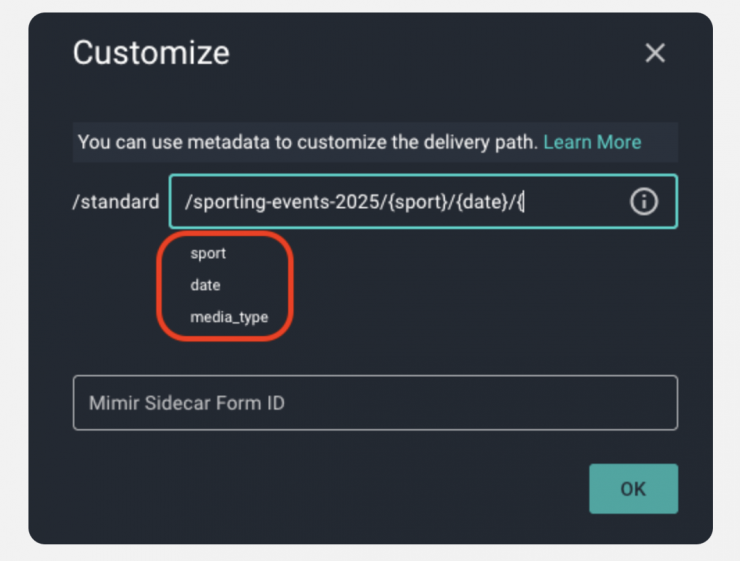
By leveraging the metadata collected by a Portal’s Custom Form, MASV makes it possible to dynamically route packages to the destination you want for each integration associated with a Portal. This means you can use a single Portal with a single Custom Form to route files to different locations based on the information the sender provides.
Zipless downloads from the browser
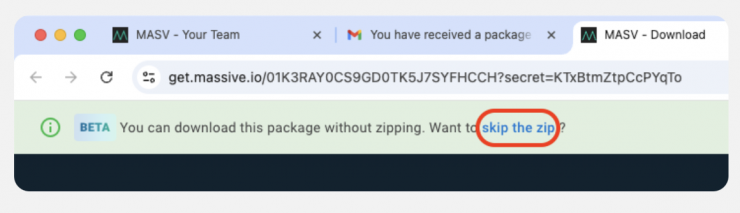
MASV now offers a web downloader that gives you the option to skip the zip when you download MASV packages from a Chrome or Firefox browser. No zip file means fewer steps for you and less free space required (no need to accommodate ZIP + extraction space), and better Package Details tracking.
You can save and reuse your MASV metadata forms
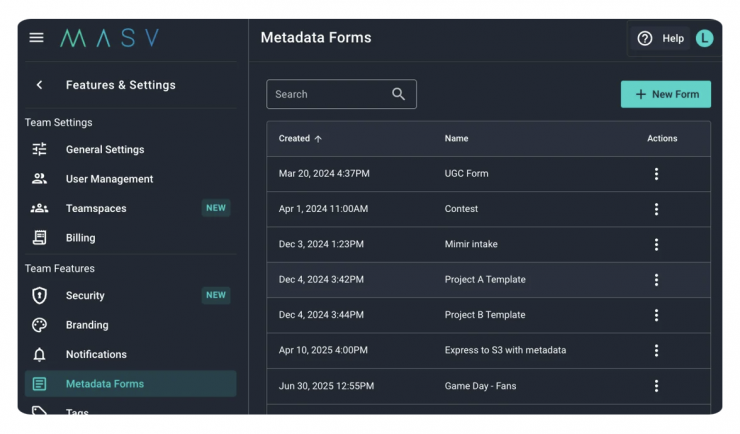
Whenever you add a Custom Form to a Portal, you can save it as a template. MASV account Owners and Admins can manage the templates in the MASV Web App by selecting Features & Settings > Metadata Forms.