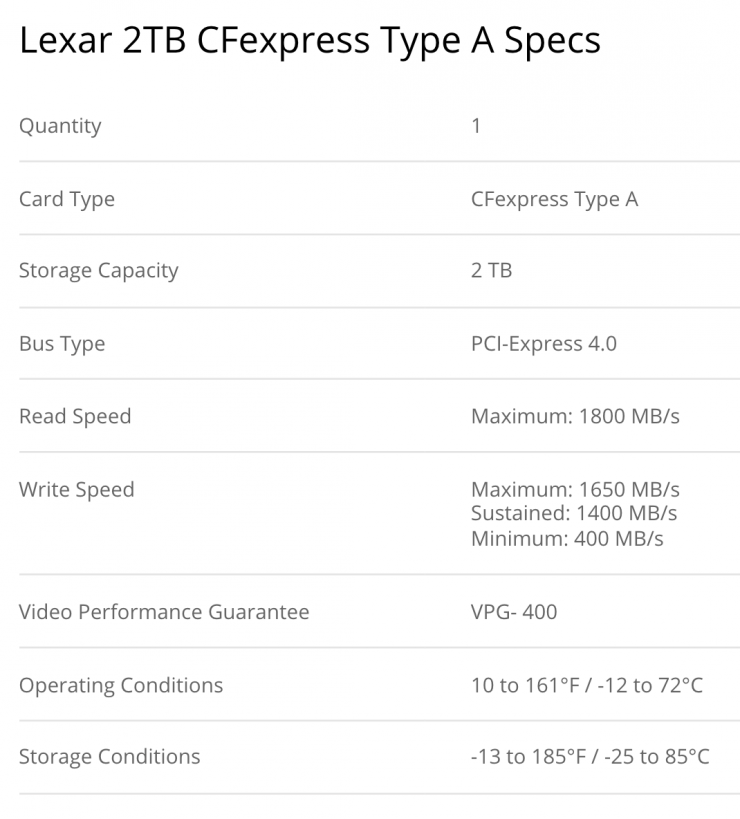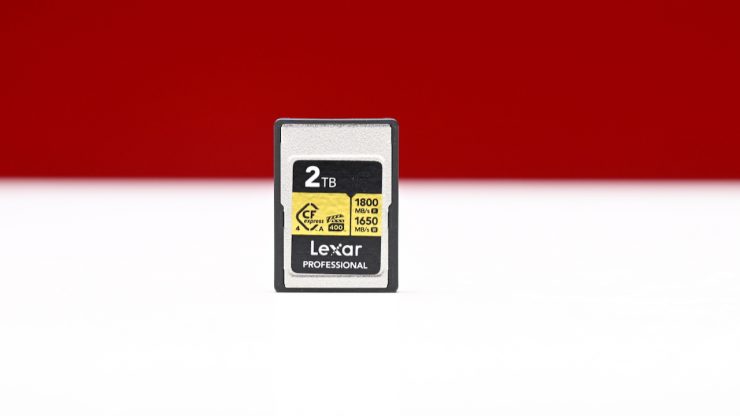
The Lexar CFexpress Type A GOLD 4.0 2TB delivers claimed read speeds of up to 1800 MB/s, write speeds of up to 1650 MB/s, and sustained write speeds of 1400 MB/s. It also has a VPG-400 rating.

Key features
- 2TB Storage Capacity
- PCIe 4.0 Bus
- Max Read Speed: 1800 MB/s
- Max Write Speed: 1650 MB/s
- Sustained Write Speed: 1400 MB/s
- Min Write Speed: 400 MB/s
- Records Raw 8K Video
- IP68 Rated for Dust and Water Protection
- Shock / Vibration / Temperature Proof
- Limited Lifetime Warranty

The Lexar CFexpress Type A GOLD 4.0 2TB looks to be a good option for use with the FX3/FX2, FX6, or any of the Sony Alpha series cameras, which utilize CFexpress Type A cards as they are capable of supporting all resolutions, video codecs, and frame rates.
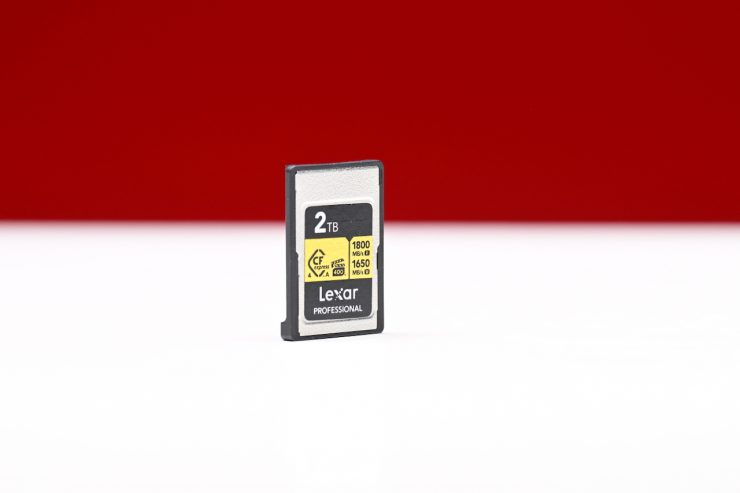
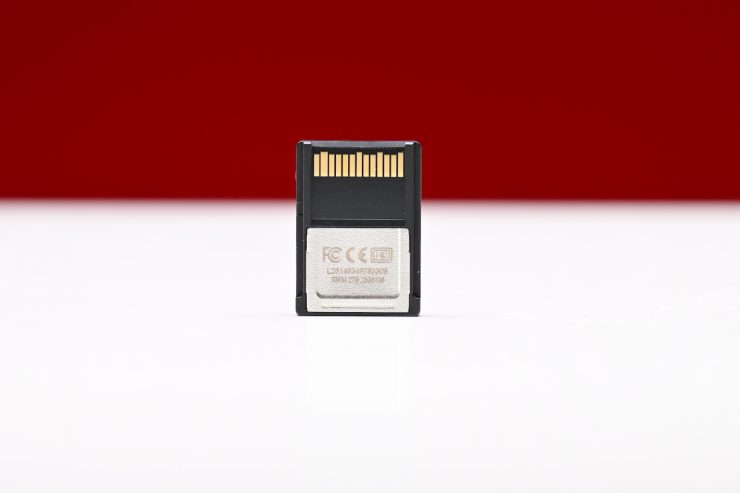
The Lexar CFexpress Type A GOLD 4.0 2TB utilizes a PCIe Gen 4 interface that doubles the bandwidth to 2GB/s. This makes the CFexpress 4.0 Type A Card twice as fast as their predecessors.
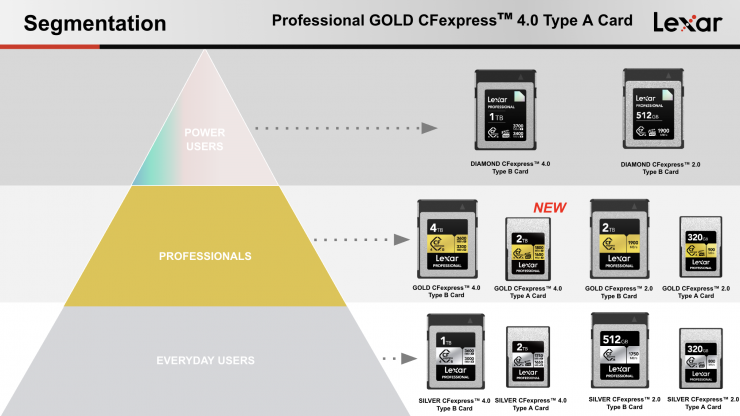
The Lexar CFexpress Type A GOLD 4.0 2TB will join the 256GB, 512GB, 640GB, and 1TB capacities in the series. The GOLD series was designed to sit between Lexar’s DIAMOND and SILVER series.
It originally took quite a long time for companies other than Sony to start making CFexpress Type A cards, but now we have Exascend, Pergear, Angelbird, ProGrade, Delkin Devices, and Lexar providing third-party solutions.
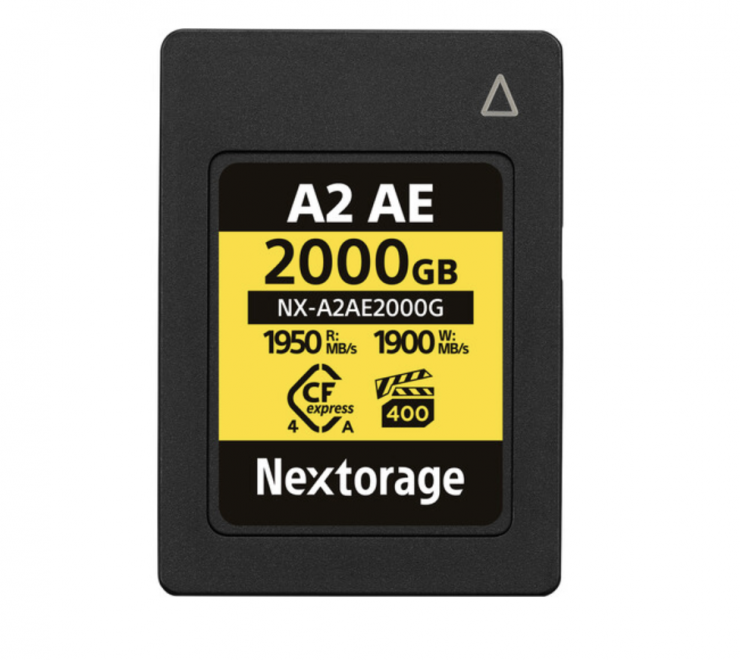
As far as I am currently aware, the Nextorage 2TB NX-A2AE CFexpress 4.0 Type A, and Sony 1920GB CFexpress 4.0 Type A TOUGH, are the only CFexpress 4.0 cards currently on the market that have a similar capacity.
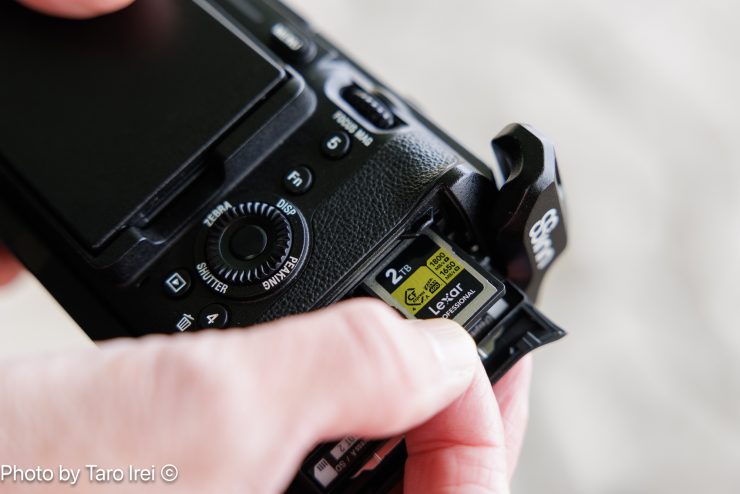
It isn’t a huge surprise that there are not a ton of options when it comes to CFexpress Type A cards, because you can currently only use the cards in Sony cameras such as the Sony a1, a1 II, a7S III, a7 IV, a7V, FX30, FX3, FX2, and FX6. No other manufacturer, apart from Sony, utilizes this type of recording media.
When CFExpress Type A cards were first announced, they were only available in smaller-sized capacities, and initially, the highest capacity was limited to 160GB, but in the last few years or so, we have seen higher capacities being introduced.
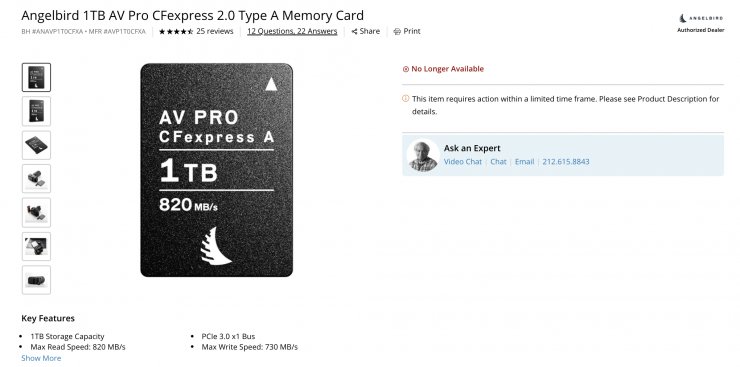
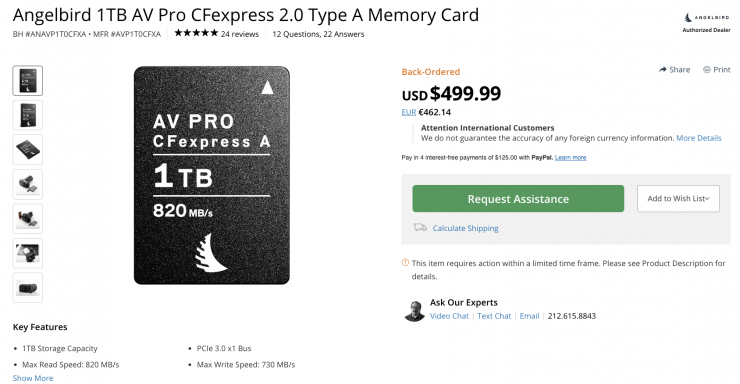
In April 2023, Angelbird announced its AV PRO 1TB card, which at the time was the highest capacity available on the market. Unfortunately, in a lot of places around the world, it has been backordered or out of stock ever since its launch. It is now listed as being discontinued.
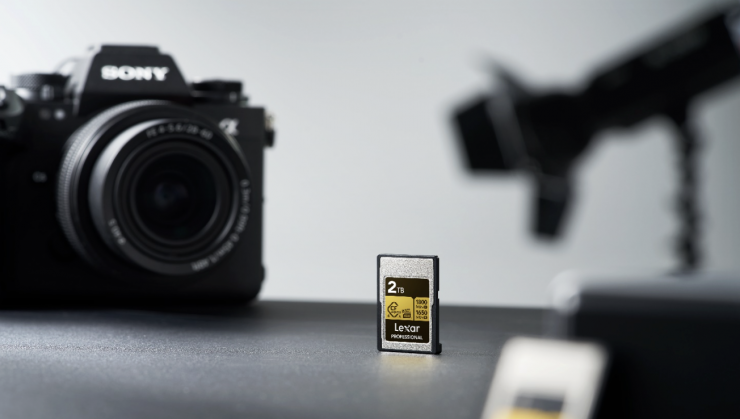
In some ways, CFexpress Type A is a strange format because there are limitations to the capacities that can be made, and only a handful of cameras, which are all made by Sony, use this type of media.
Ok, let’s get back to the Lexar CFexpress Type A GOLD 4.0 2TB.
Build Quality
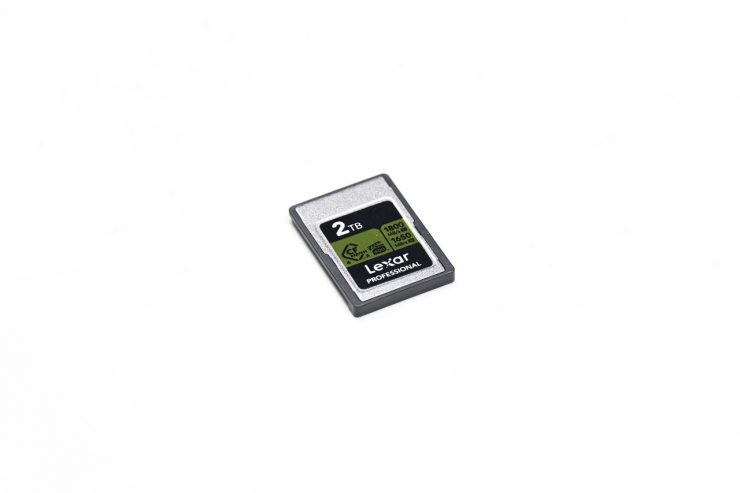
The card is claimed to feature a rugged design that is temperature-proof, vibration-resistant, 12,000x wear-out resistant, dust and waterproof (IP68), 16.4′ drop-proof, shock-resistant, bend-resistant, and 150N pressure-proof.
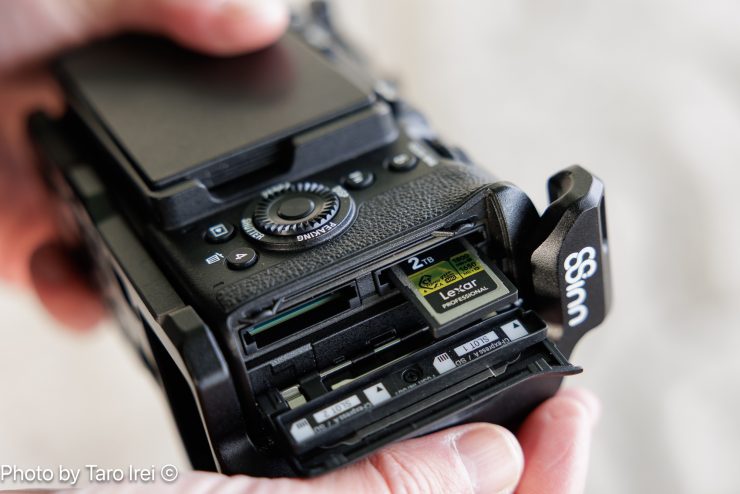
The card also includes access to Lexar Recovery Tool software and a limited lifetime warranty (Limited lifetime warranty is limited to 10 years from purchase in Germany and regions not recognizing lifetime warranty).
Fast Speeds?
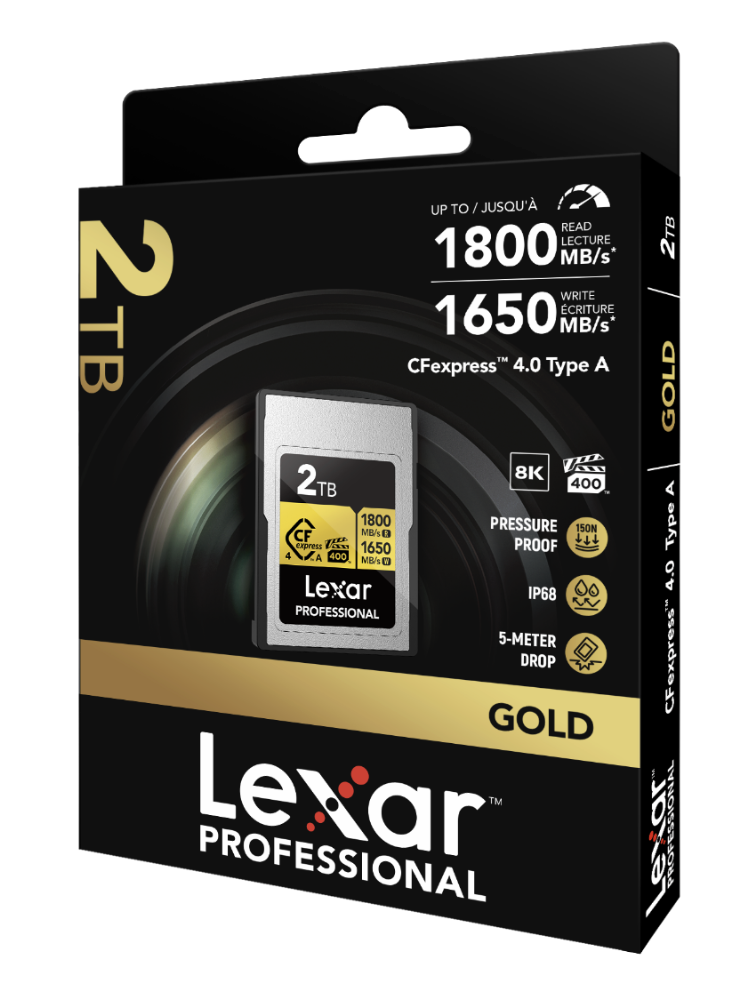
The Lexar CFexpress Type A GOLD 4.0 2TB has claimed write speeds of up to 1650 MB/s, and the sustained write speed is stated as being 1400 MB/s. The minimum write speed is listed as 400MB/s, which makes it VPG-400 compliant.
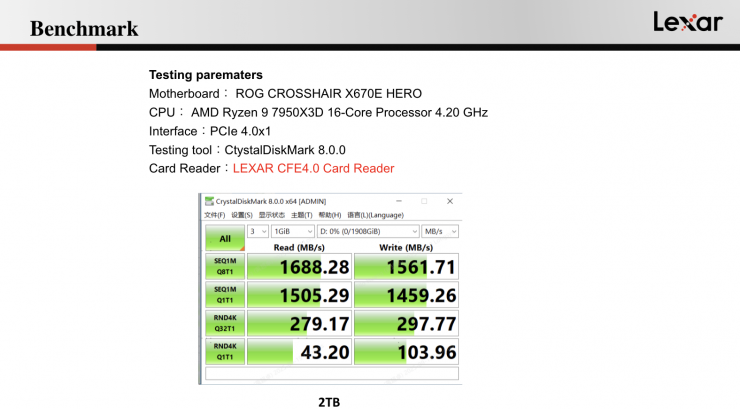
Above, you can see the card’s performance based on a test done by Lexar.
So how do these claim speeds compare to the Nextorage 2TB NX-A2AE CFexpress 4.0 Type A, and Sony 1920GB CFexpress 4.0 Type A TOUGH? I have also included some of the 1TB CFexpress Type A cards that are on the market as well.
| READ SPEED | WRITE SPEED | |
| Lexar CFexpress Type A GOLD 4.0 2TB | 1800MB/s | 1650MB/s |
| Nextorage 2TB NX-A2AE CFexpress 4.0 Type A | 1900MB/s | 1950MB/s |
| Sony 1920GB CFexpress 4.0 Type A | 1700MB/s | 1800MB/s |
| Wise 1TB CFexpress 4.0 Type A Mk-II | 1750MB/s | 1865MB/s |
| Exascend 1TB Essential Pro | 1800MB/s | 1650MB/s |
| OWC 960GB Atlas Pro CFexpress 4.0 | 1850MB/s | 1850MB/s |
| ProGrade Digital 960GB CFexpress 4.0 Type A Iridium | 1800MB/s | 1700MB/s |
| Exascend 1TB Essential | 900MB/s | 800MB/s |
| Sony 1920GB CFexpress Type A TOUGH | 800MB/s | 700MB/s |
| Sony 960GB CFexpress Type A TOUGH | 800MB/s | 700MB/s |
| Angelbird AV PRO 1TB | 820MB/s | 730MB/s |
What you clearly need to be aware of is that these listed speeds are largely irrelevant in the real world, and you are not going to see maximum read or write speeds. The most important speed to try and find out is sustained read and write speeds, which are generally a lot lower than maximum speeds. Unfortunately, some manufacturers don’t quote sustained speeds.
So what are the minimum sustained write speeds of the cards? Well, below you can see the ones that I was able to find information about.
| MINIMUM SUSTAINED WRITE SPEED | |
| Lexar CFexpress Type A GOLD 4.0 2TB | 400MB/s |
| Nextorage 2TB NX-A2AE CFexpress 4.0 Type A | 400MB/s |
| Sony 1920GB CFexpress 4.0 Type A | 400MB/s |
| Wise 1TB CFexpress 4.0 Type A Mk-II | 400MB/s |
| Exascend 1TB Essential Pro | 400MB/s |
| OWC 960GB Atlas Pro CFexpress 4.0 | 400MB/s |
| ProGrade Digital 960GB CFexpress 4.0 Type A Iridium | 200MB/s |
| Exascend 1TB Essential | 200MB/s |
| Sony 1920GB CFexpress Type A TOUGH | 200MB/s |
| Sony 960GB CFexpress Type A TOUGH | 200MB/s |
Please note that this is the minimum guaranteed write speed, and it is not necessarily as high as what you will get in the real world.
Capacity

I had a look at the capacity of the card on a Mac, and it showed 2.05TB.
If you were recording UHD 4K (3840 x 2160) at 59.94 fps in H.264/XAVC S-I 4:2:2 10-Bit on the Sony a7R V, a 2TB card would allow you to record for about 8 hours.
If you were recording UHD 4K (3840 x 2160) at 23.98p in H.265/XAVC HS 4:2:2 10-Bit, the card would allow you to record for more than 90 hours.
Record 8K
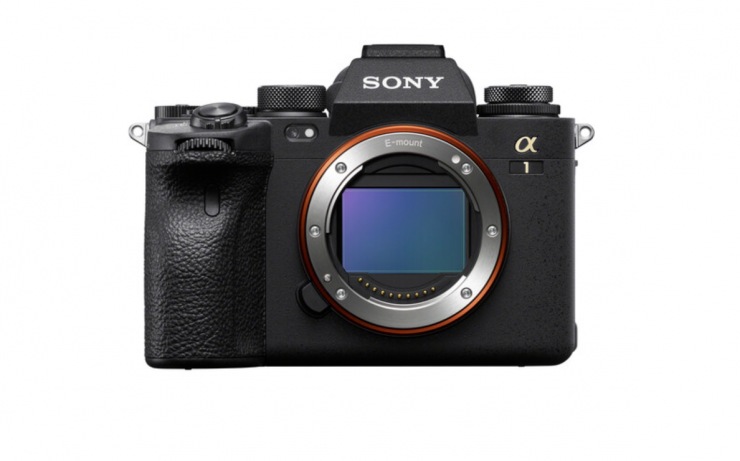
The Lexar CFexpress Type A GOLD 4.0 2TB is more than capable of recording 8K and 4K high frame rate material from the Sony a1/a1 II and Sony a7V.
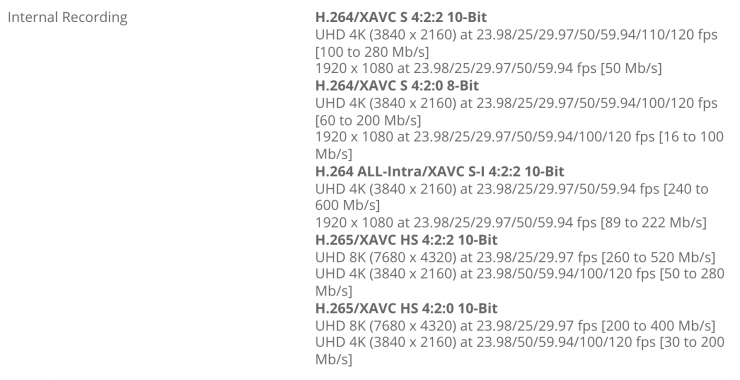
Above, you can see the recording data rates listed by Sony for the a1 II. The maximum bitrate is 520Mb/s (65 MB/s). As the minimum sustained write speed is listed as 4000MB/s, the card should be easily capable of recording 8K XAVC HS 4:2:2 10-bit material without breaking a sweat.
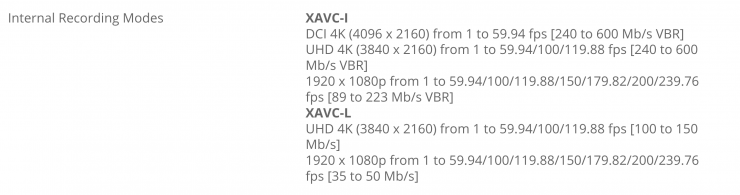
Above, you can see the recording data rates for the Sony FX6. The max. bitrate on the FX6 is 600Mb/s (75MB/s) when recording 4K DCI XAVC-I. Again, the Lexar card can easily handle all of these requirements without breaking a sweat.
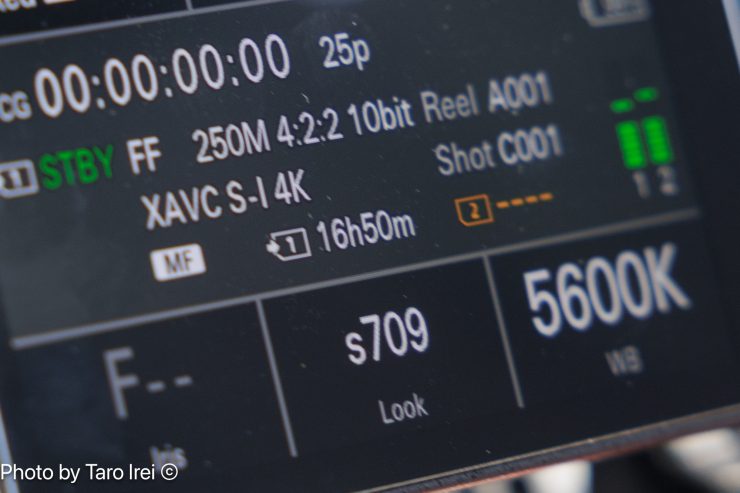
Having a high-capacity card also allows you to record for long periods of time. On the highest quality 4K setting on the Sony FX3, you could record 16 hours and 50 minutes of 4K 25p material.
Fast Media Offload
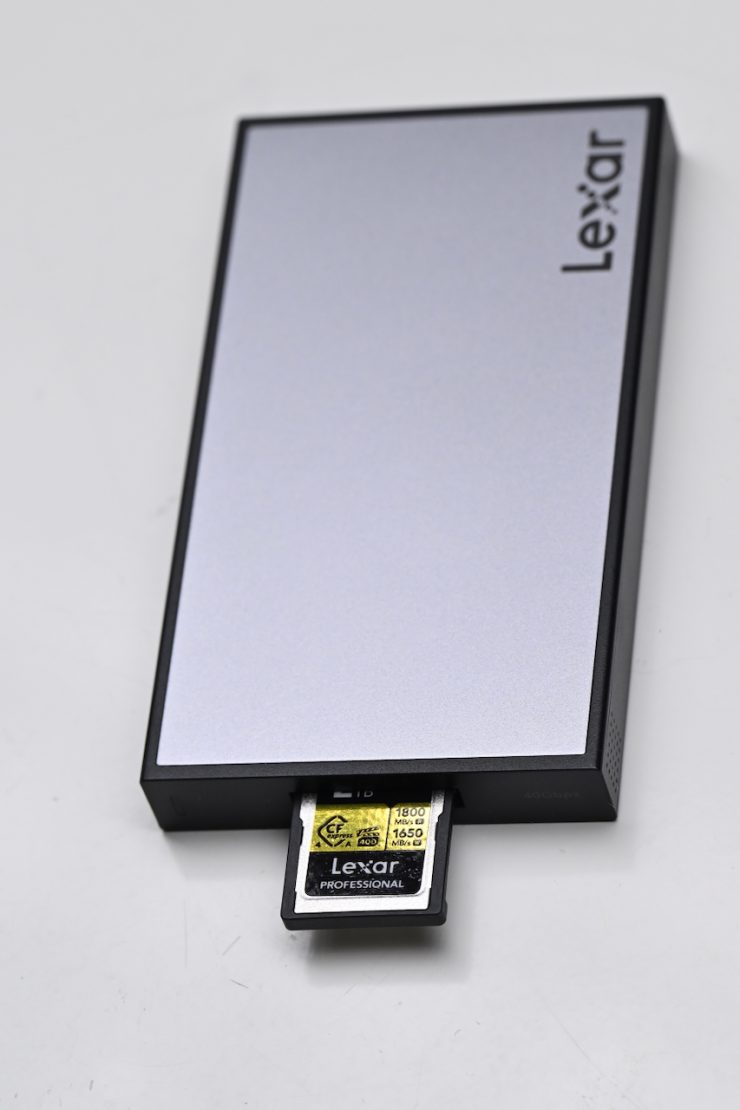
What you clearly need to remember, and this goes for any type of media, is that transfer speeds will vary depending on both the read and write speeds of your card, your card reader, your computer, and what type of hard drive you are transferring to.
If you are using a CFexpress Type A card and transferring to an HDD drive, you won’t be getting fast transfer speeds. If you are transferring to a very fast SSD/NVMe, then you will see lightning-fast offload speeds.
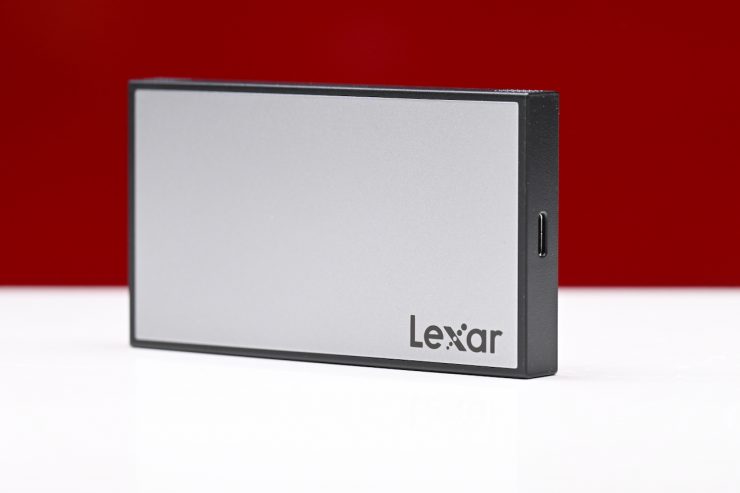
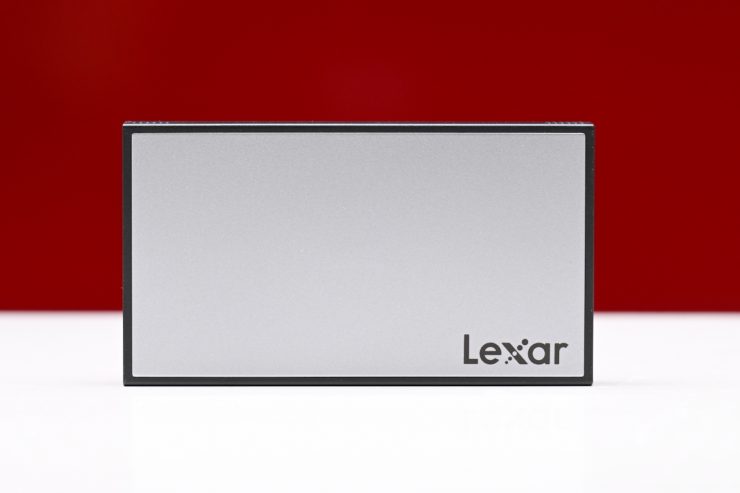
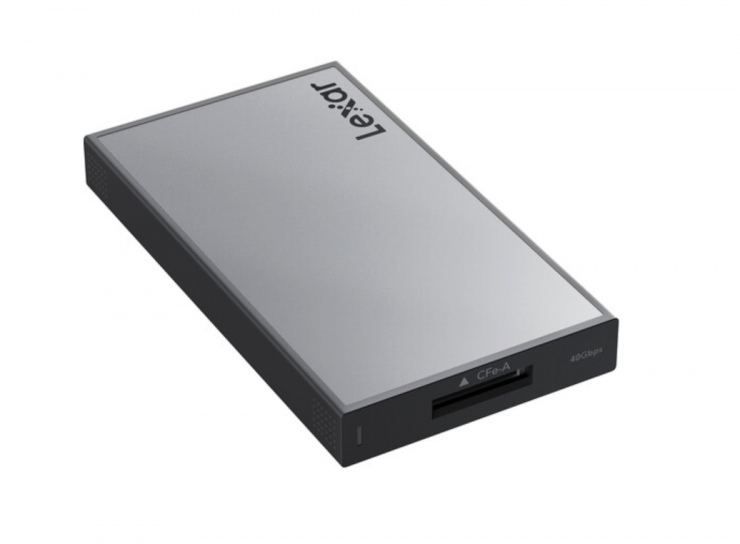
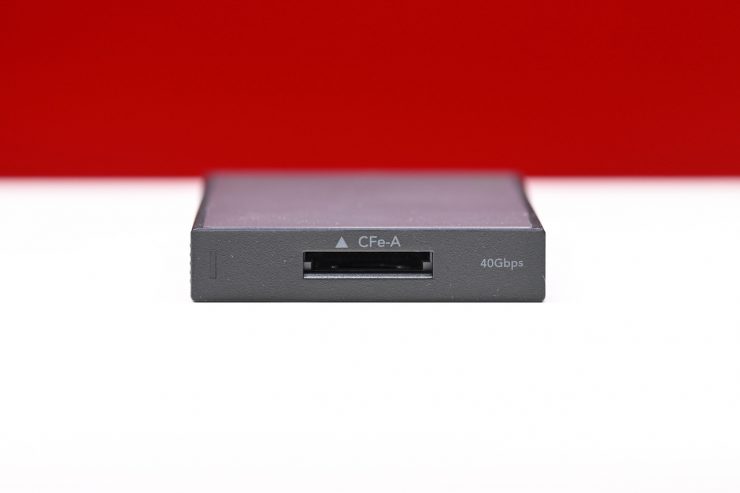
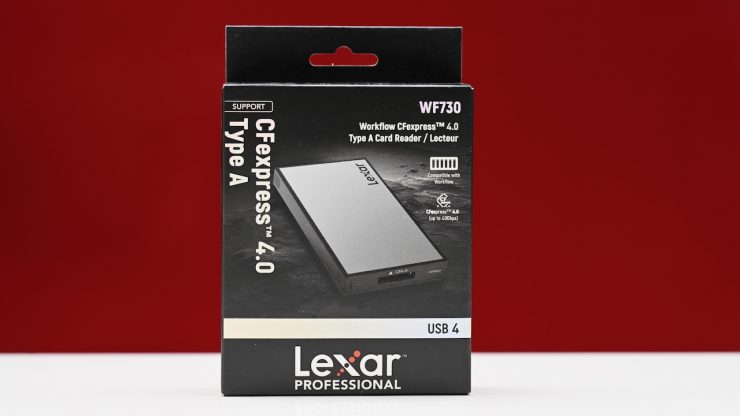
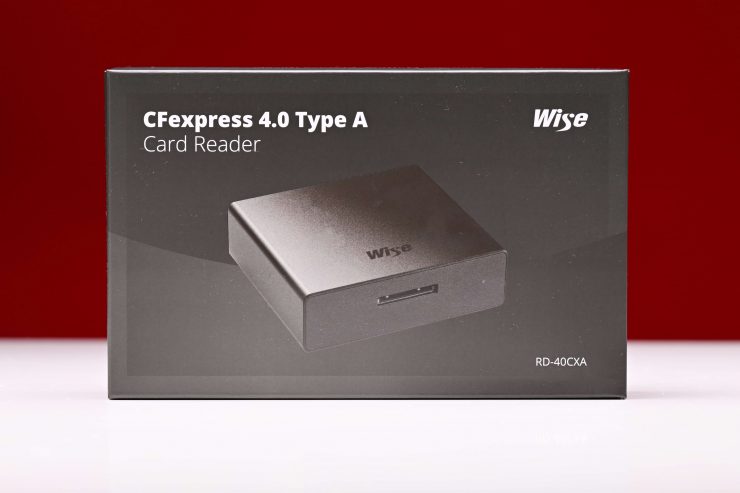
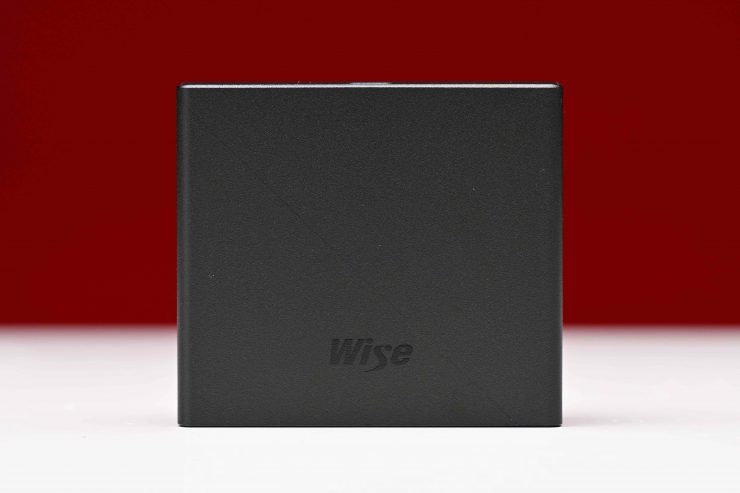
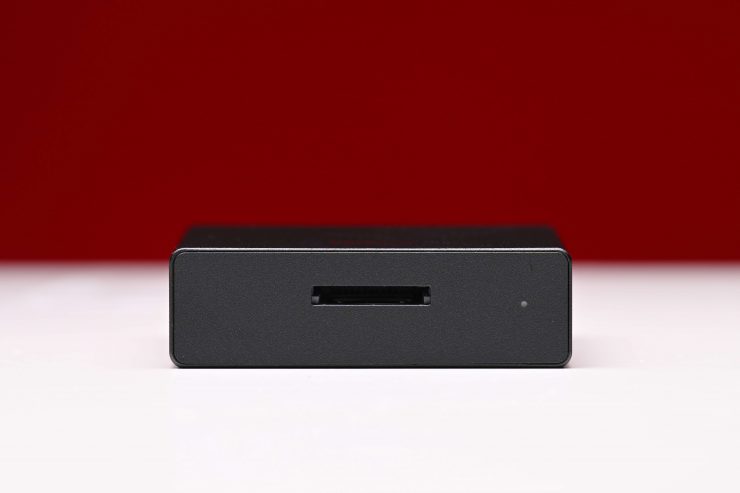
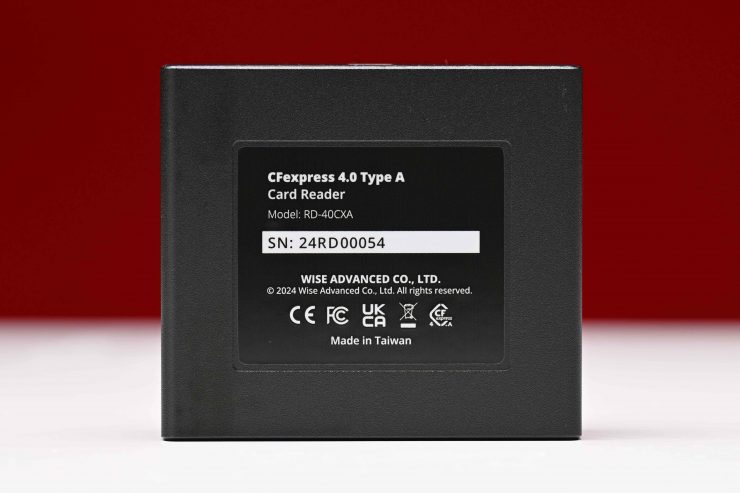
There are quite a few high-speed CFexpress Type A card readers on the market, such as the Lexar Professional Workflow CFexpress 4.0 Type A Card Reader ($99 USD) and Wise RD-40CXA CFexpress 4.0 Type A Card Reader ($99.99 USD) that let you take full advantage of the card’s fast speeds when offloading material.
Real World speed tests
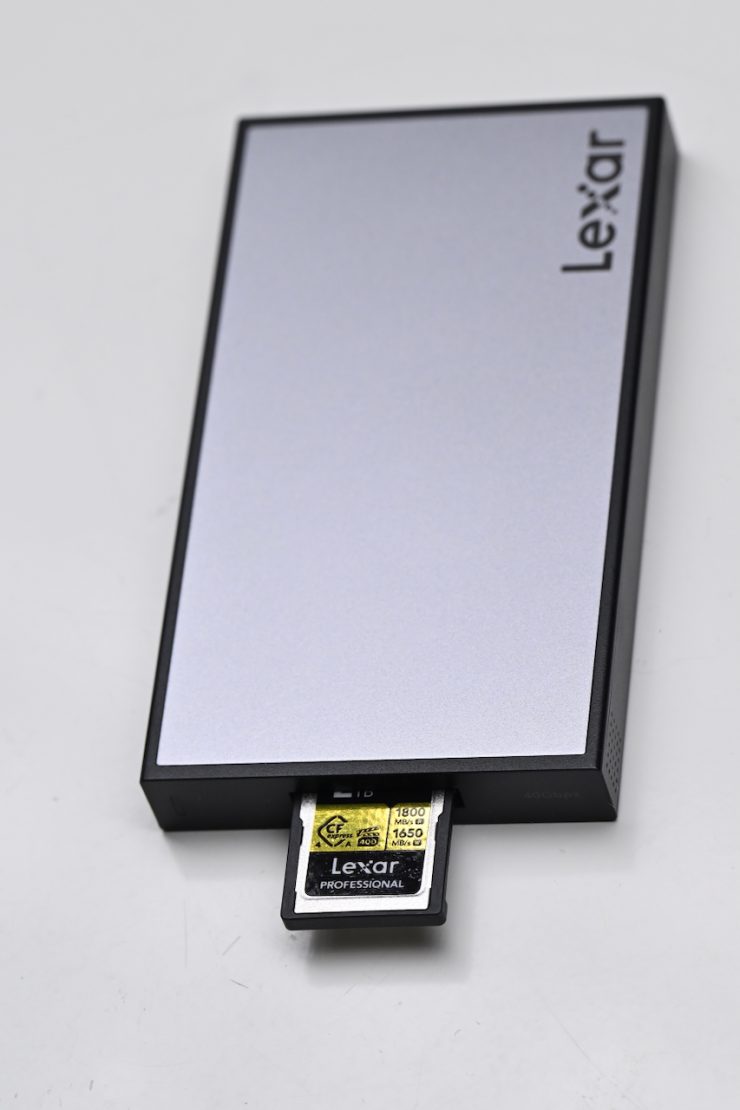
I did a few tests to see what the sustained read/write speeds of the Lexar CFexpress Type A GOLD 4.0 2TB card were. For the test, I was using a Mac Mini Pro and the Lexar Professional Workflow CFexpress 4.0 Type A Card Reader ($99 USD).
Lexar CFexpress Type A GOLD 4.0 2TB

Above, you can see the results for the Lexar CFexpress Type A GOLD 4.0 2TB card with the stress set to 5GB. I got a sustained write speed of 1420.3 MB/s and a sustained read speed of 1515.4 MB/s.
Wise 1TB CFexpress 4.0 Type A Mk-II
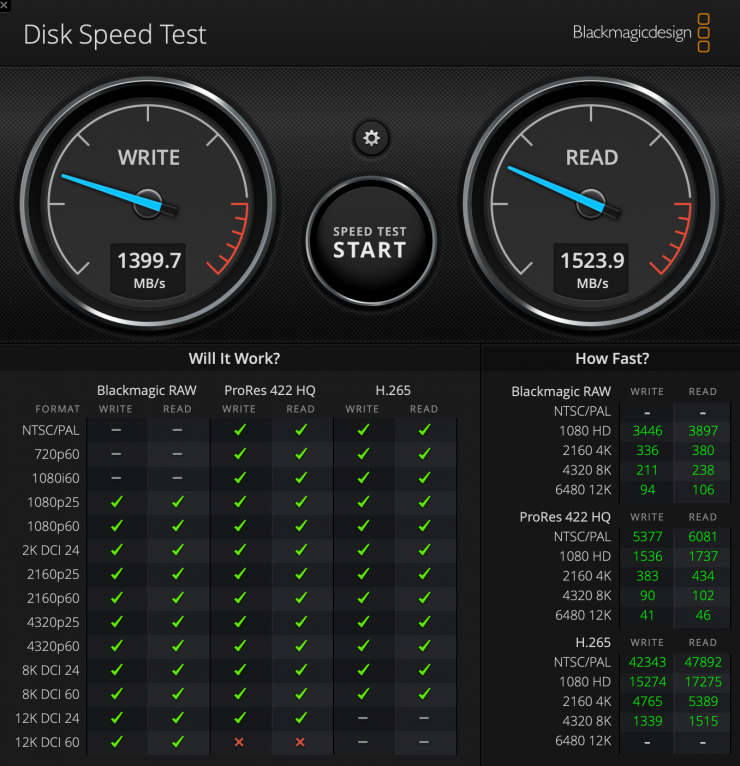
As a comparison, above, you can see the results for the Wise 1TB CFexpress 4.0 Type A Mk-II card with the stress set to 5GB. I got a sustained write speed of 1399.7 MB/s and a sustained read speed of 1523.9 MB/s.
Exascend 1TB Essential Pro CFexpress 4.0 Type A
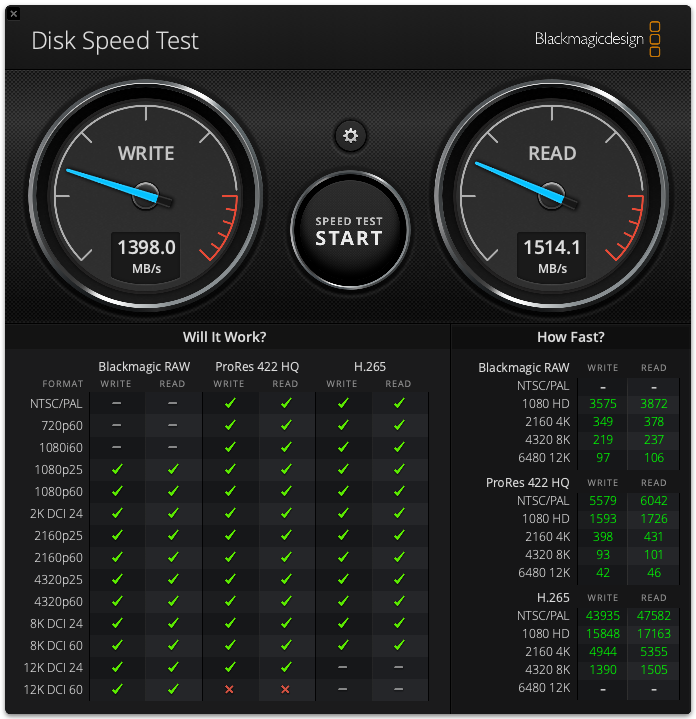
As another comparison, above you can see the results for the Exascend 1TB Essential Pro CFexpress 4.0 Type A card with the stress set to 5GB. I got a sustained write speed of 1,398 MB/s and a sustained read speed of 1514.1 MB/s.
Exascend 1TB Essential
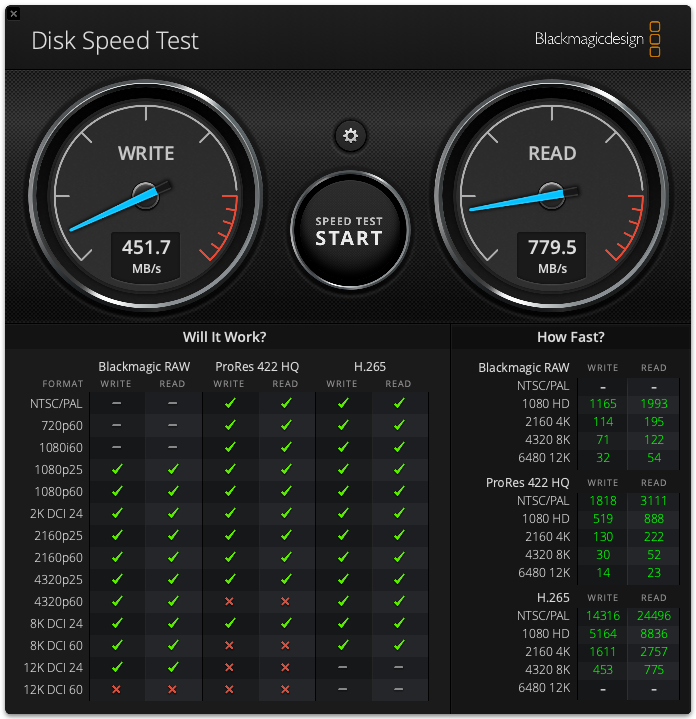
As another comparison, above you can see the results for the Exascend 1TB Essential card with the stress set to 5GB. I got a sustained write speed of 451.7 MB/s and a sustained read speed of 779.5 MB/s.
Lexar CFexpress Type A GOLD 4.0 2TB

I also tested the Lexar CFexpress Type A GOLD 4.0 2TB using the AJA System Test Lite software under a 16GB load to see what the read and write speeds were. The sustained write speed was 1302MB/s, and the sustained read speed was 1541 MB/s. The minimum write speed recorded was 548 MB/Sec.

I also tested it under a 256MB load and the sustained write speed was 1298 MB/s and the sustained write speed was 1649 MB/s. The minimum write speed recorded was 490 MB/Sec.

Above, you can see how many frames per second it could handle when recording 8K DCI in ProRes 422HQ under the same test conditions.

Ok, so many frames per second of 4K DCI ProRes 422HQ could it handle? Well, above you can see.
Wise 1TB CFexpress 4.0 Type A Mk-II
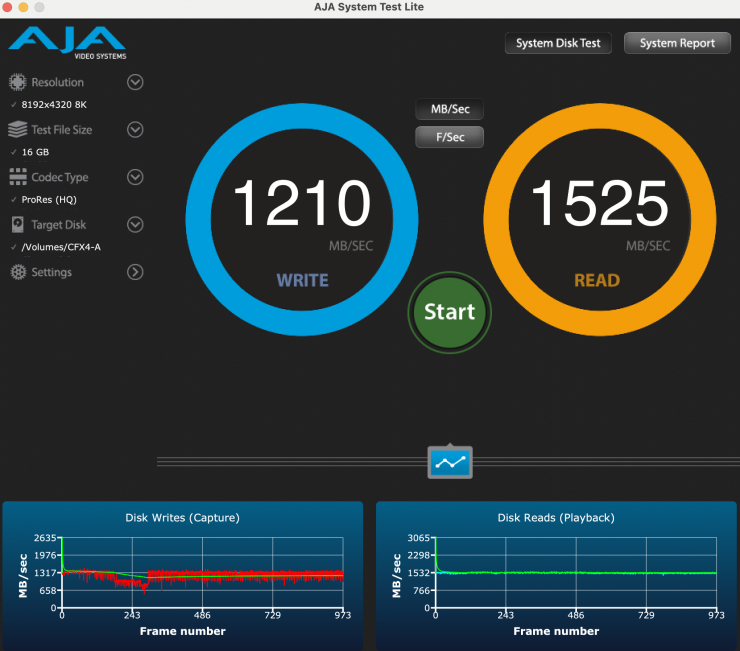
As a comparison, the Wise 1TB CFexpress 4.0 Type A Mk-II under a 16GB load had a sustained write speed was 1210 MB/s and the sustained read speed was 1525 MB/s. The minimum write speed recorded was 634 MB/Sec.
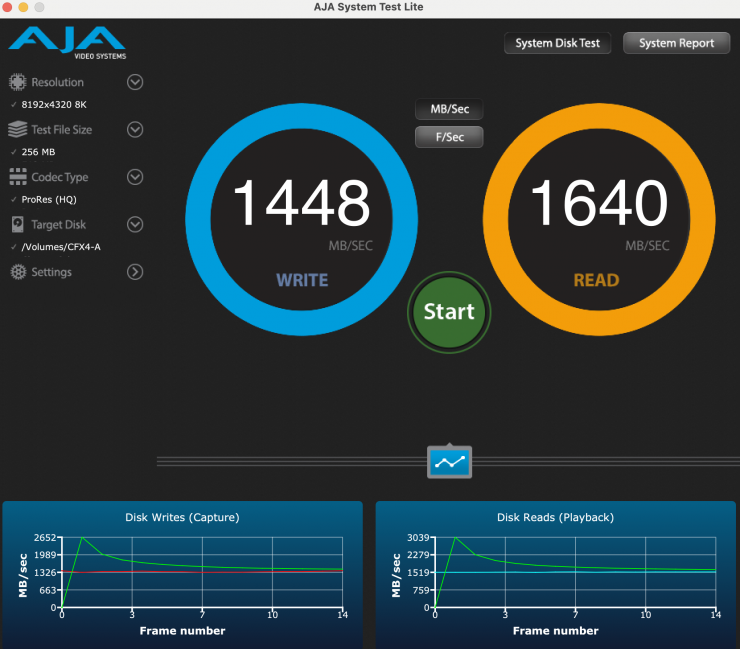
I also tested it under a 256MB load, and the sustained write speed was 1448 MB/s, and the sustained read speed was 1640 MB/s. The minimum write speed recorded was 1326 MB/Sec
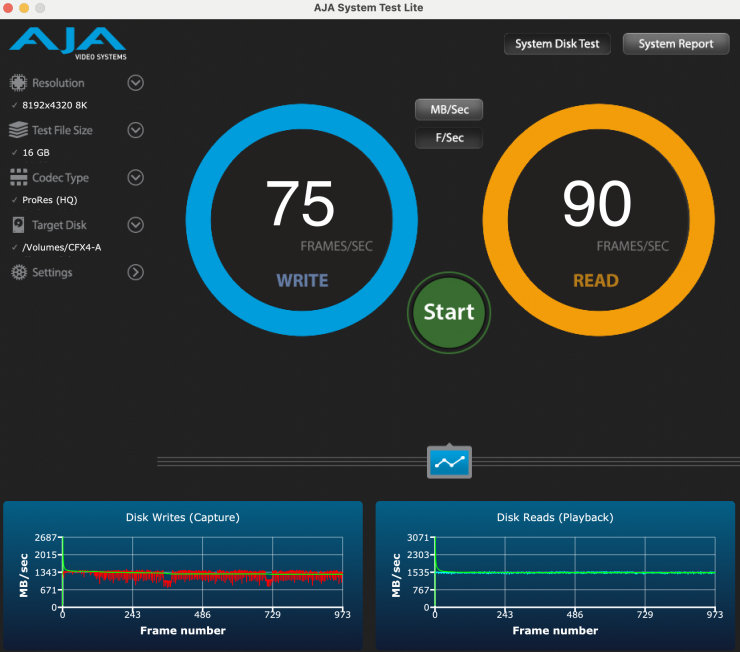
16GB Load 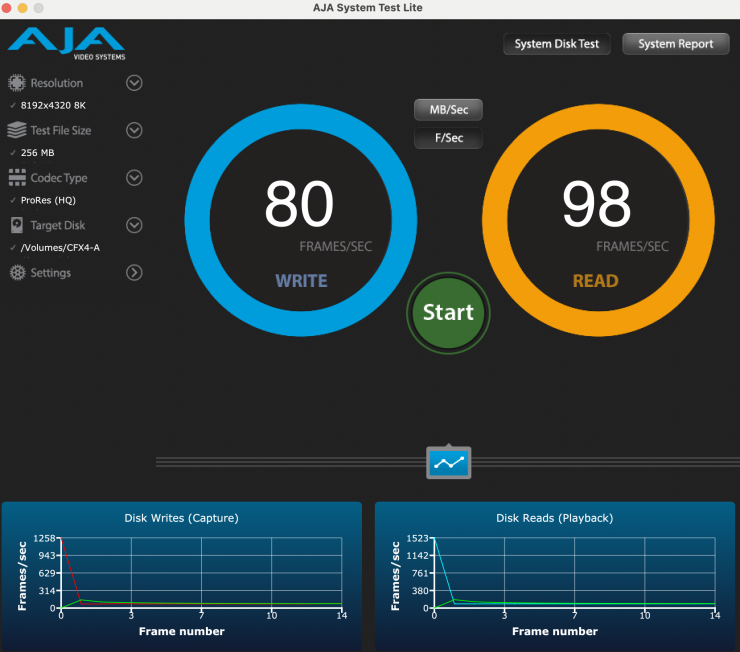
256MB Load
Above, you can see how many frames per second it could handle when recording 8K DCI in ProRes 422HQ under the same test conditions.
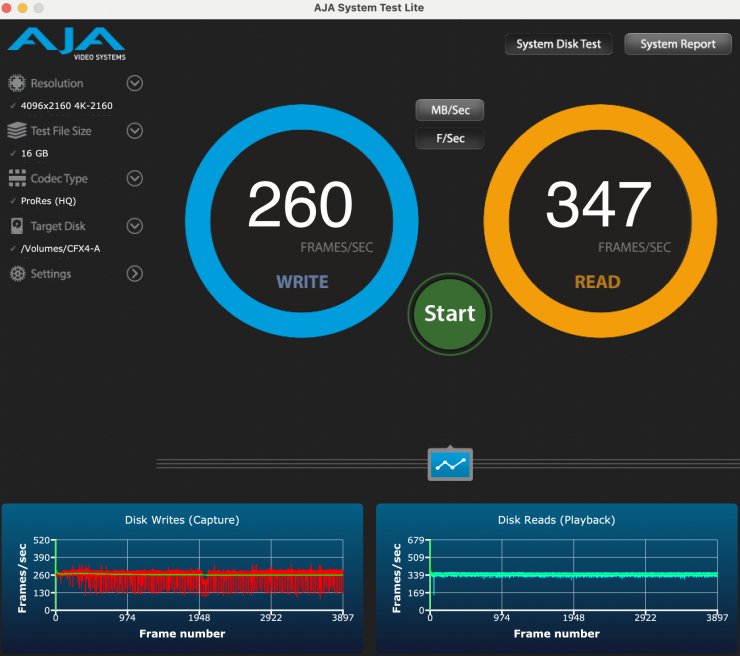
16GB Load 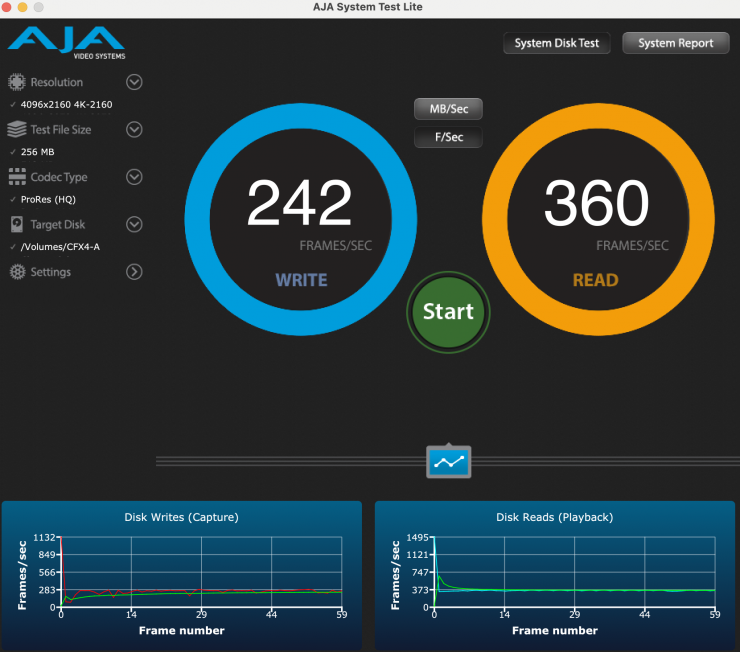
256 MB Load
Above, you can see how frames per second of 4K DCI ProRes 422HQ the card could handle.
The results I obtained during all of these tests clearly show that the Lexar CFexpress Type A GOLD 4.0 2TB is easily capable of recording 8K 29.98p H.265/XAVC HS 4:2:2 10-Bit. The maximum data rate when recording 8K 29.98p on the Sony a1 is 520 Mb/s. It can also easily handle 8K from the Sony a7V.

16GB 
256MB
Let’s do one more test with the loaded-up card with recorded files (about 80% full) and have a look at how it performs with the test file size set to 256MB and then 16GB? As you can see, the average write speed did drop, but only by a tiny bit, when tested with a 16GB load. The min. write speed recorded was 1359 MB/Sec when the test was done at 256MB, and 447 MB/Sec when it was set at 16GB.
You can use a CFexpress Type A card in a camera that takes CFexpress Type B cards
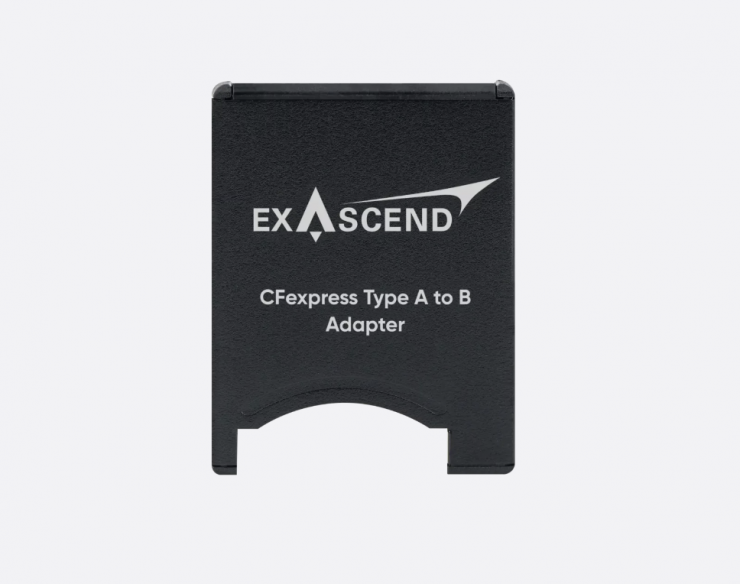
What the? You may be asking how this is possible. Well, another company, Exascend, makes a CFexpress Type B to Type A adapter. I simply put the Lexar CFexpress Type A GOLD 4.0 2TB in that adapter and placed it inside a Nikon ZR.
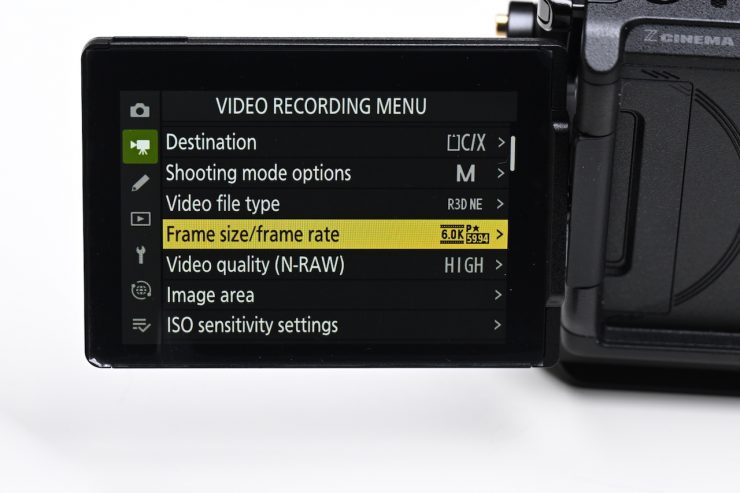
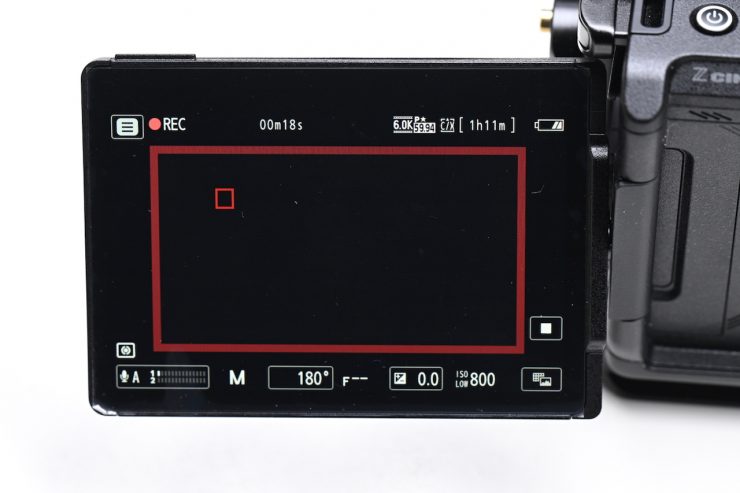
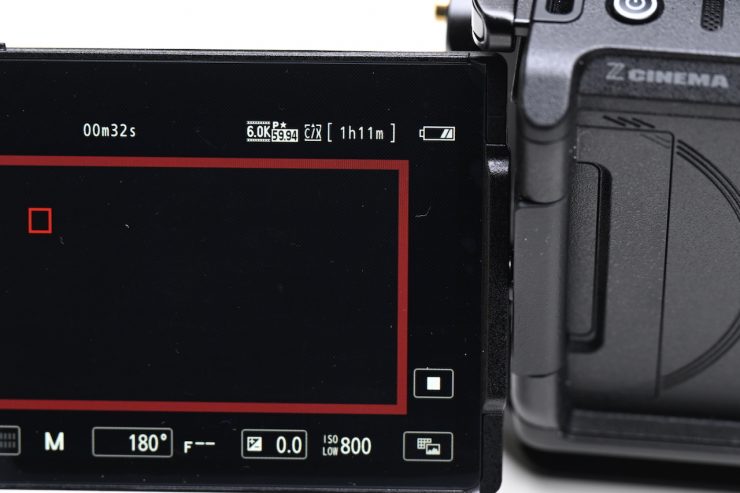
I could record 6K 60p in REDCODE RAW (R3D NE) without any problems.
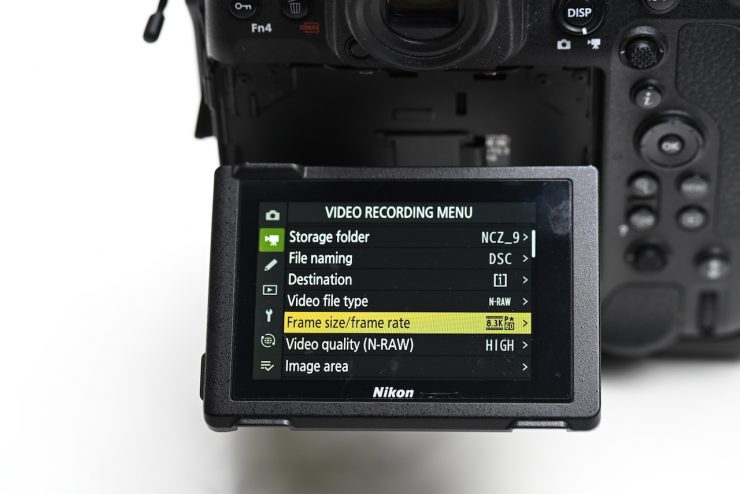
I tried recording 8.3K 60fps in N-RAW (12-bit) in the Nikon Z9, but the recording would only last for around 45 seconds. This is because the minimum sustained write speed of the card wasn’t high enough.
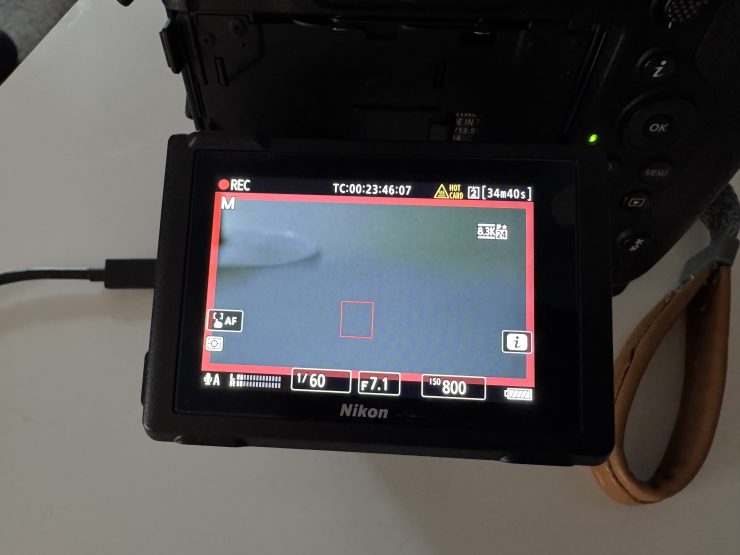
I could record 8.3K 23.98p N-RAW (12-bit) for around 25 minutes before I got a ‘Hot Card’ warning.
Now, CFexpress Type B cards are more affordable than CFexpress Type A cards, but if you own a multitude of different cameras, it does make sense to be able to use the same card.
Price & availability
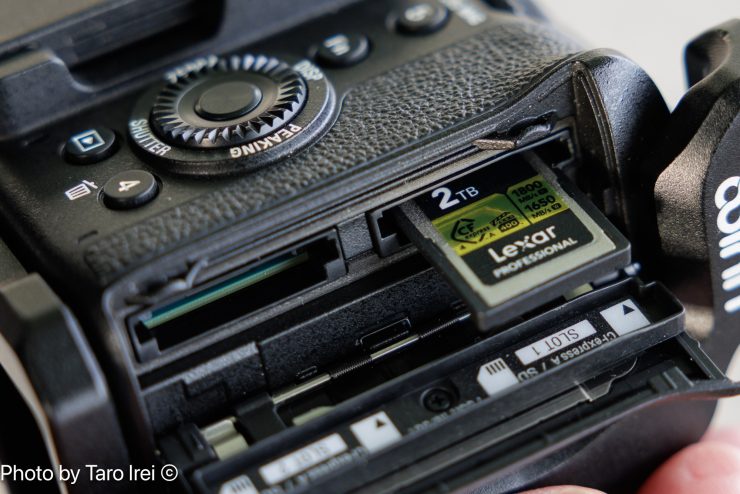
The Lexar CFexpress Type A GOLD 4.0 2TB is available to pre-order for $699.99 USD.
How does the price compare to the competition?
| PRICE | |
| Lexar CFexpress Type A GOLD 4.0 2TB | $699.99 USD |
| Nextorage 2TB NX-A2AE CFexpress 4.0 Type A | $699.99 USD |
| Sony 1920GB CFexpress 4.0 Type A | $879.99 USD |
| Wise 1TB CFexpress 4.0 Type A Mk-II | $439.99 USD |
| Exascend 1TB Essential Pro CFexpress 4.0 Type A | $499 USD |
| OWC 960GB Atlas Pro CFexpress 4.0 | $349.99 USD |
| ProGrade Digital 960GB CFexpress 4.0 Type A Iridium | $365.49 USD |
| Exascend 1TB Essential | $389.99 USD |
| Sony 1920GB CFexpress Type A TOUGH | NO LONGER AVAILABLE |
| Sony 960GB CFexpress Type A TOUGH | $458 USD |
Please note that a lot of these cards are currently on special at B&H.
| PRICE per GB | |
| Lexar CFexpress Type A GOLD 4.0 2TB | $0.35 USD |
| Nextorage 2TB NX-A2AE CFexpress 4.0 Type A | $0.35 USD |
| Sony 1920GB CFexpress 4.0 Type A | $0.46 USD |
| Wise 1TB CFexpress 4.0 Type A Mk-II | $0.44 USD |
| Exascend 1TB Essential Pro CFexpress 4.0 Type A | $0.50 USD |
| OWC 960GB Atlas Pro CFexpress 4.0 | $0.36 USD |
| ProGrade Digital 960GB CFexpress 4.0 Type A Iridium | $0.38 USD |
| Exascend 1TB Essential | $0.39 USD |
| Sony 960GB CFexpress Type A TOUGH | $0.48 USD |
Above, you can see how much the cards cost per GB.
Conclusion
The Lexar CFexpress Type A GOLD 4.0 2TB offers a capacity and great performance, and it would be a good choice if you own any of the Sony cameras that utilize CFexpress Type A cards. The sustained read and write speeds were very good, and the card can handle almost anything you can throw at it without breaking a sweat. I can’t talk about long-term reliability as I have only been testing the card for a few weeks, but in that time, I encountered no issues.
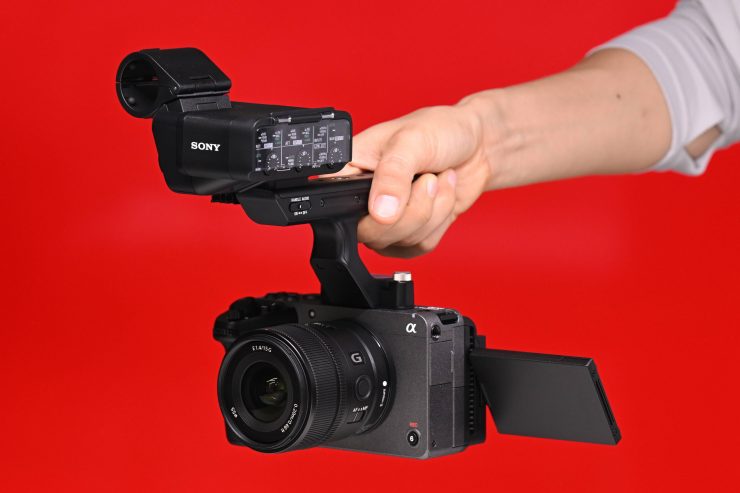
The card worked as advertised in all of the cameras I tried it with. Yes, you could certainly make an argument that you don’t need those CFexpress 4.0 card speeds just yet, but it does make offloading your media a lot faster (with a 4.0 card reader).
In the future, there are bound to be new cameras that will be able to utilize the increased speeds.