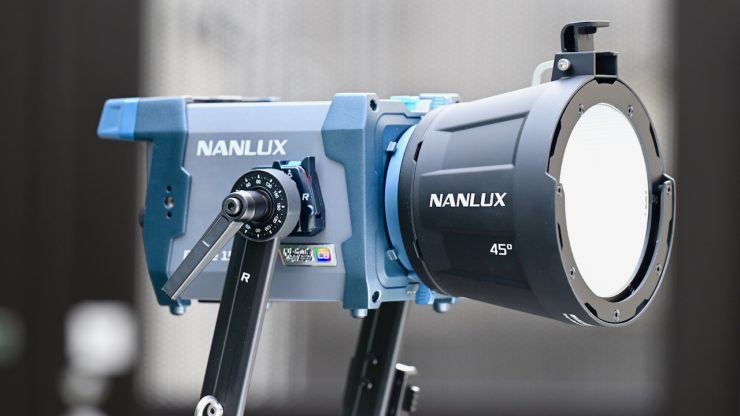
NANLUX recently announced the Evoke 150C, a compact and lightweight 150W full-color light with a new 8-color Nebula C8 light engine.
Just like the larger Evoke 600C, the Evoke 150C looks to be a very impressive fixture, and it is good to see NANLUX finally release some smaller-sized fixtures in the Evoke family.
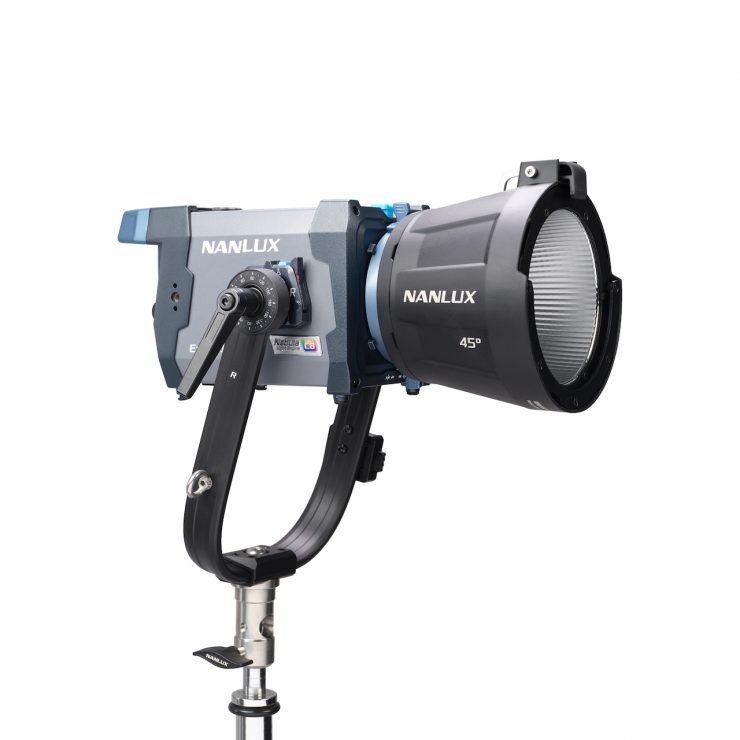
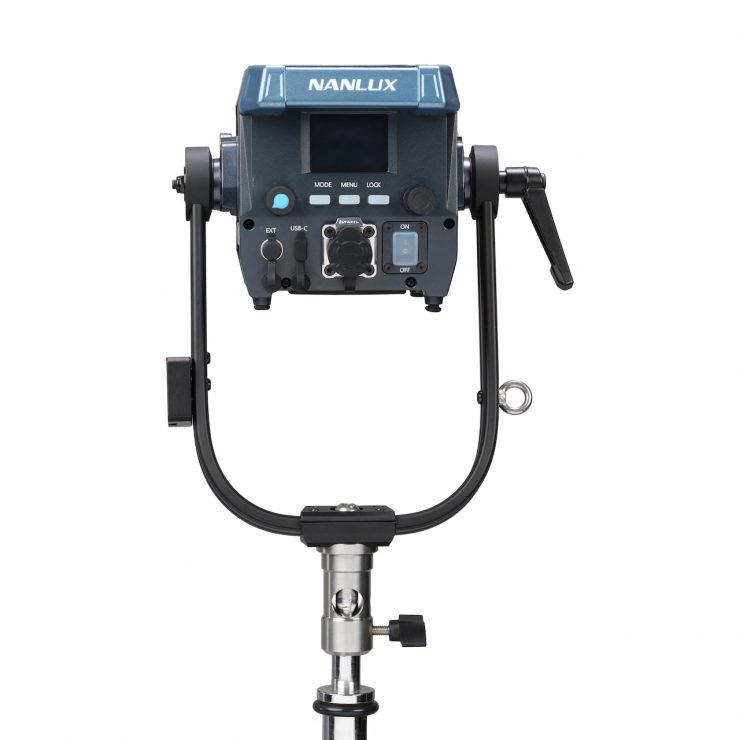
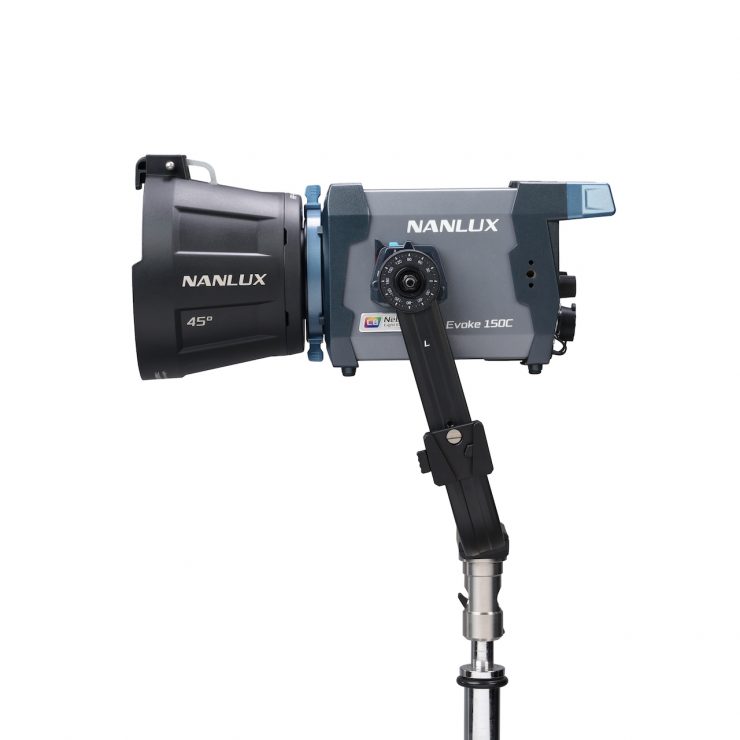
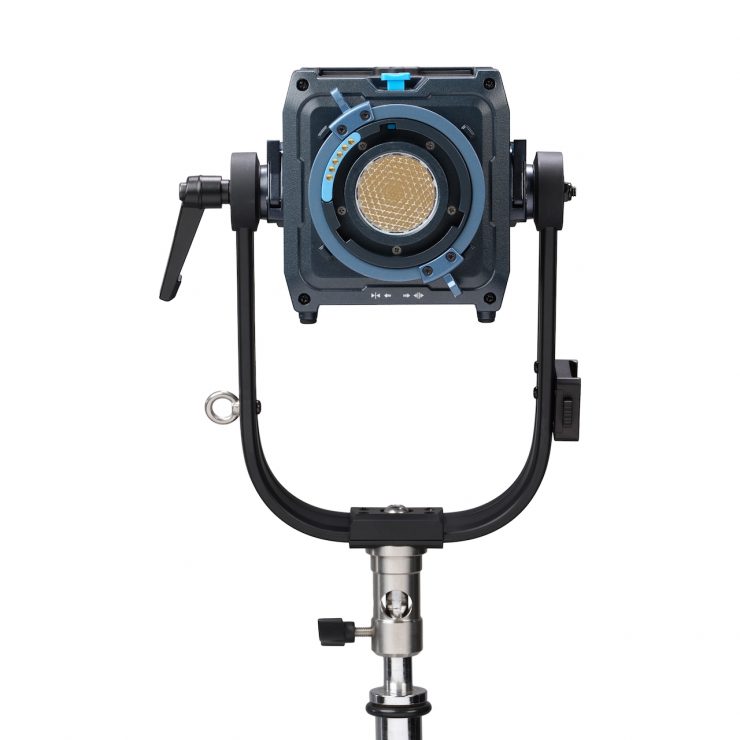
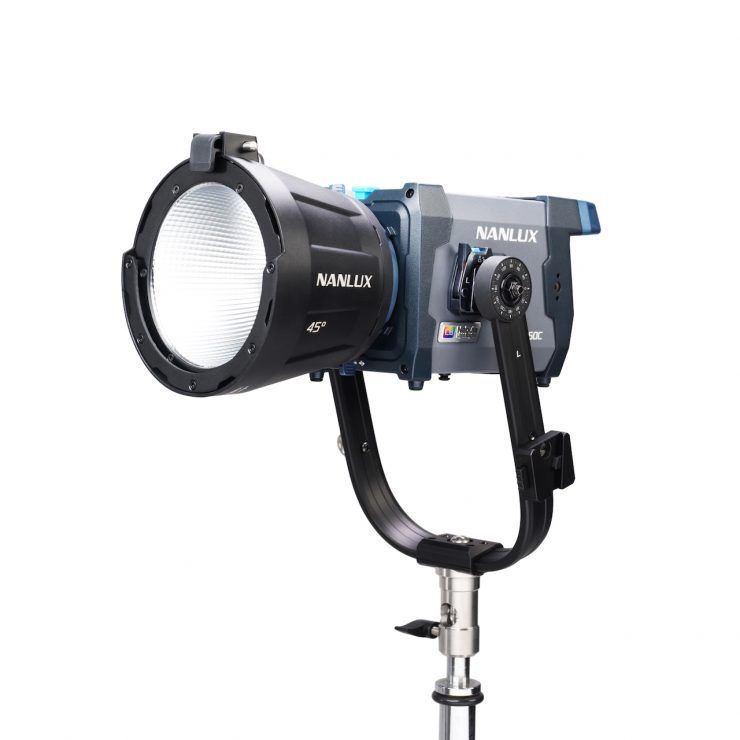
Key features
- LED Full-color spot light, equipped with Nebula C8 Light Engine
- Widest CCT range of 1,000K–20,000K with ±200 green/magenta adjustment
- Superior illuminance 22,230 lux@1m (5600K, with 45° reflector)
- Excellent color rendition with CRI/TLCI average 96/97, TM-30 Rf/Rg average 96/100
- Constructed with high-strength magnesium alloy and IP66-rated housing, the all-in-one design weighs only 2.65kg/5.84 lb (with yoke)
- Intuitive on-board operation featuring a 2.0-inch display, two knobs, and three buttons
- Wired and wireless control methods: on-board, wired controller, Nanlink App, DMX/RDM, LumenRadio CRMX, Art-Net/sACN, remote controller
- 15 built-in special effects with customizable parameters in each effect
- Five fan modes: Smart, Full Speed, Low Speed, Pause, and Off
- Compatible with FE mount and FM mount accessory ecosystem
- Supports firmware update
The compact all-in-one fixture is claimed to deliver a class-leading wide color temperature range, broad color gamut coverage, excellent light quality, and precise dimming performance. It is a multi-purpose light that can run off AC, V-mount batteries, or USB-PD power.
Nebula C8 Light Engine
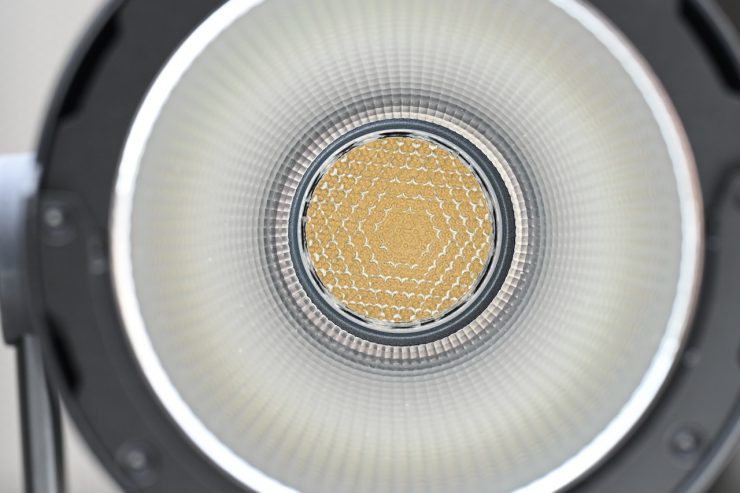
According to NANLUX, the Nebula C8 Light Engine is capable of delivering
exceptional light quality in both white and colored light.
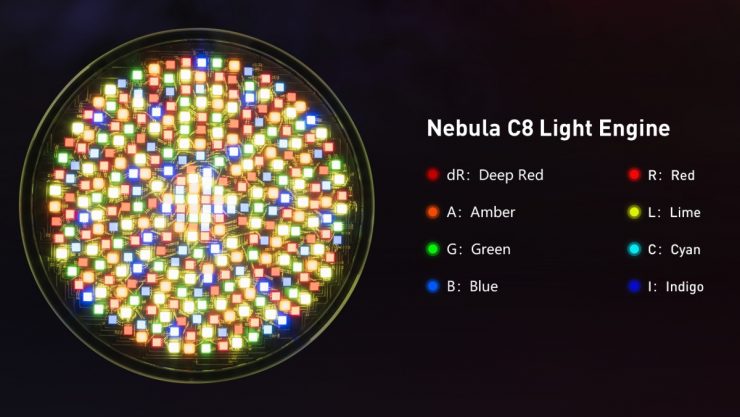
Its eight colors (Deep Red, Red, Amber, Lime, Green, Cyan, Blue, Indigo), combined with an advanced mixing algorithm, enable an ultra-wide CCT range from 1,000K to 20,000K, which, to my knowledge, is the widest range currently available. It also features a ±200 Green/Magenta adjustment, broader color gamut coverage, and higher saturation.

NANLUX states that when compared to conventional color engines, the Nebula C8 achieves superior fidelity and skin tone accuracy in white light.
Looking back at light source technology, the industry has progressed in color fixtures from 4-color and 5-color solutions (RGBW/RGBWW) to 6-color systems (RGBLAC), and in bi-color fixtures from traditional Warm White & Cool White solutions to designs incorporating red and green LEDs.
With these goals in mind, NANLUX redefined its technological direction and embarked on a path of research and development that ultimately led to the Nebula Light Engine.
With the Nebula Light Engine, NANLUX’s goal was to provide users with a more precise, efficient, and safer creative experience.
The Nebula C8 is the first color light engine in the Nebula light engine series. The Nebula C8 Full Color Light Engine is the industry’s first eight-color light engine, which is claimed to achieve full coverage of the entire visible spectrum. With NANLUX’s proprietary color-mixing algorithm, its eight colors are said to be precisely balanced and seamlessly blended, delivering a wider CCT range and a broader color gamut.
The Nebula C8 is an evolution of NANLUX’s RGBLAC six-color light engine. The Nebula C8 builds on this with the addition of two more colors – deep red and indigo. This fills the gaps found in traditional color light engines to produce a more complete spectrum and offer a wider range of color temperatures and richer colors.
The low end of Nebula C8’s CCT range is 1000K, far below the color temperature of sunrise or candlelight.
In addition to the ultra-wide CCT range, the Nebula C8 also supports +/-200 green/magenta adjustment across its entire color temperature range, allowing users to fine-tune the tint at any color temperature.
According to NANLUX, the natural rendering of human skin tones depends on the fixture’s full coverage of the red spectral range. However, in most color light engines available in the industry, the red spectrum leans toward orange, making skin tones appear pale and less natural both to the eye and on camera.
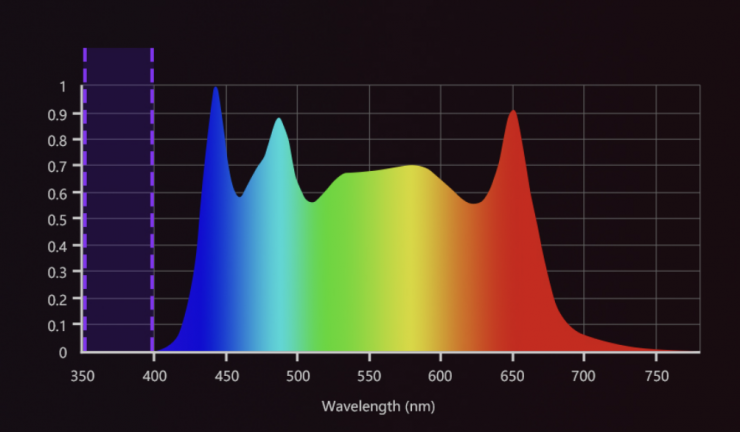
The Nebula C8 extends its original 645 nm red color with an added 665 nm deep-red color. This extends coverage across the red spectrum, delivering what NANLUX states as richer, healthier skin tones with a natural vibrancy.


Compared with RGBW and RGBWW, Nebula C8 is claimed to deliver smoother and more accurate RGB transitions, addressing the common color distortion issues seen in traditional light engines during color blending.
Safety is always a top priority for NANLUX, both on-set operational safety and the user’s health. These were also taken into account during the development of the Nebula C8 Light Engine. After carefully refining its spectral distribution, the indigo LED has been engineered to eliminate ultraviolet wavelengths below 400 nm, thereby avoiding UV hazards to the skin and eyes of crew and talent on set, and ensuring safer, prolonged lighting use.
How does the Nebula C8 light engine differ from the Aputure BLAIR-CG Light Engine?
The NANLUX Nebula C8 light engine is quite different from the Aputure BLAIR-CG Light Engine.
Like the BLAIR light engine found in the STORM tunable white lights, the BLAIR-CG light engine includes a calibrated indigo emitter, which emulates the near-UV light of real daylight and tungsten. This activates the natural fluorescence of various fabrics, plant life, and other materials, thereby replicating the effect of natural light. White fabrics can appear whiter, colors more vibrant, and all surfaces in general will appear the same as they do under natural light.
The BLAIR Light Engine in the STORM 1200x utilizes blue, lime, amber, indigo, and red, LED emitters. With the new STORM 80c and 1000c, Aputure has added additional cyan and green emitters. This is quite different from RGBWW or RGBACL. Lights that utilize RGBACL don’t use any white LEDs, instead, they mix all of those different color LEDs to produce white light, and that’s essentially what BLAIR is doing too.
The light engine was designed to deliver a better quality white light to fill out the color spectrum while offering greater adjustability. The calibrated Indigo is said to enhance fluorescing materials, resulting in a higher quality white light that better matches natural daylight and black body sources such as tungsten quartz.
Adding Indigo is very interesting because the light it emits is right at the edge of our visible spectrum, and that is why engineers probably haven’t thought about doing it before; that was until now. But why Indigo? Well, not all objects or surfaces reflect light; some of them absorb it. What Aputure engineers found is that by adding an Indigo emitter, certain materials and objects retained their natural brightness and color. In practice, this actually makes quite a noticeable difference. In some of the examples I have seen, you can certainly see its benefits. The benefits will be more noticeable when using the light at daylight CCT setting as opposed to tungsten.
The human eye is only really capable of detecting wavelengths from 380 to 700 nanometers, and most LED lights don’t contain any information below around 420 nanometers. The BLAIR light engine adds information right out to 380 nanometers.
Lights like the Maxima 3. Maxima 6, or ZOLAR Vega 30C, use similar, but not the same technology.
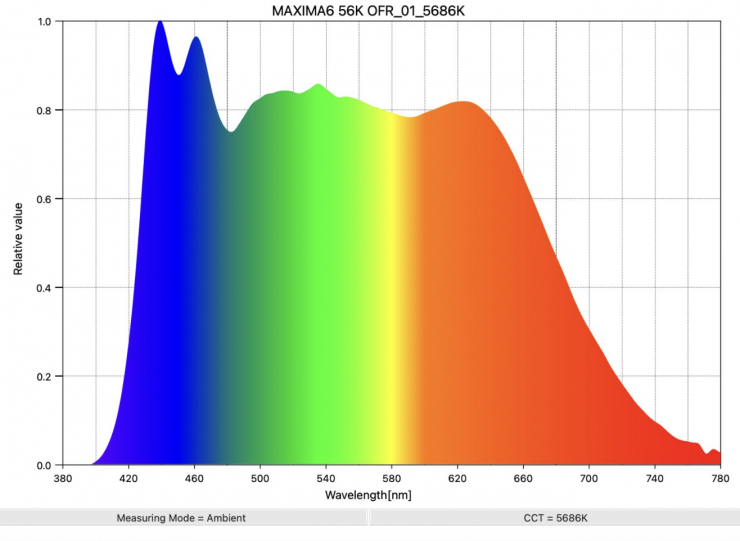
Maxima 6 GaN 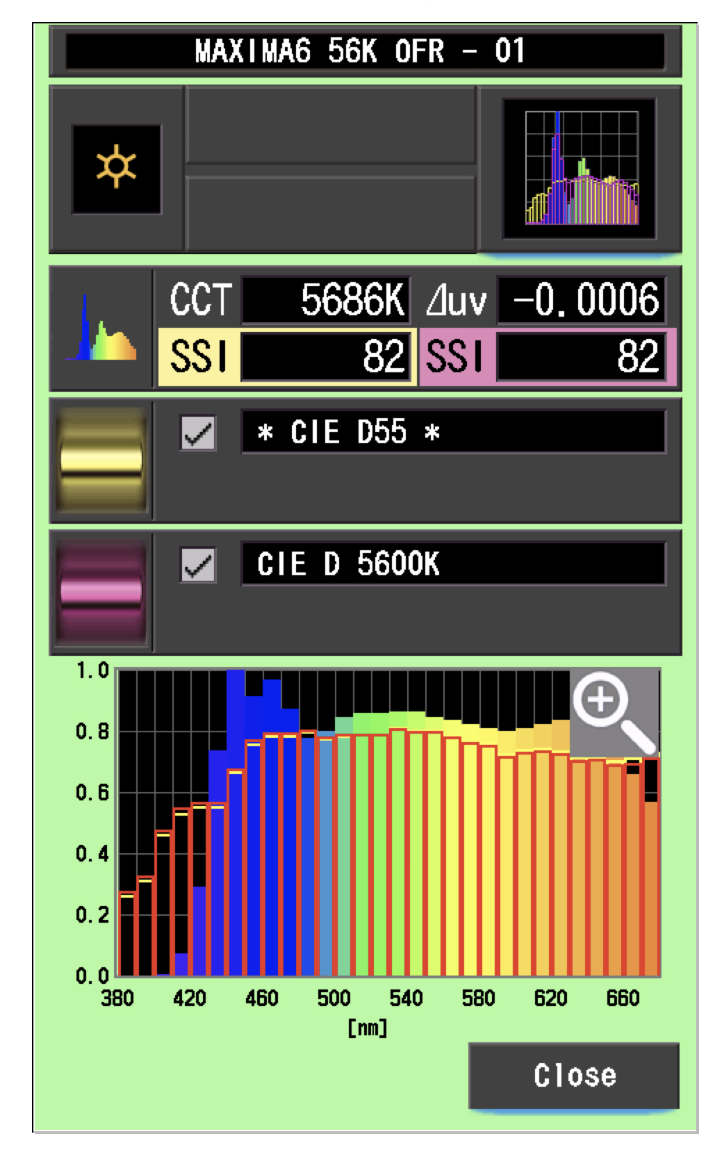
If we look above at the daylight spectrum of the Maxima 6 GaN or Maxima 3, you can see the extra blue spike at around 430nm, which is similar, but not quite the same as what you will see with the Aputure STORM 80c/1000c. The Maxima 6 GaN utilizes Gallium Nitride, which is a binary III/V direct bandgap semiconductor that is well-suited for high-power transistors capable of operating at high temperatures. Since the 1990s, it has been commonly used in light-emitting diodes (LED). Gallium nitride gives off a blue light used for disc-reading in Blu-ray.
Now, what you clearly need to remember is that the Maxima 6 GaN and Maxima 3 are daylight-only (5600K) fixtures.
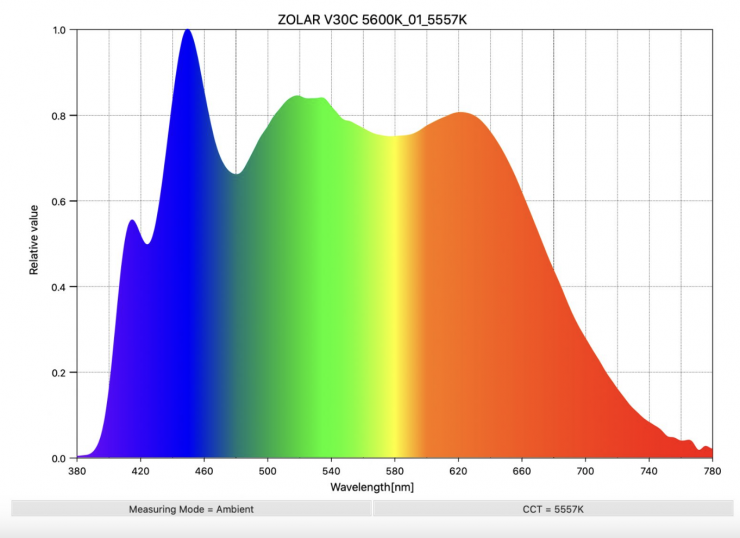
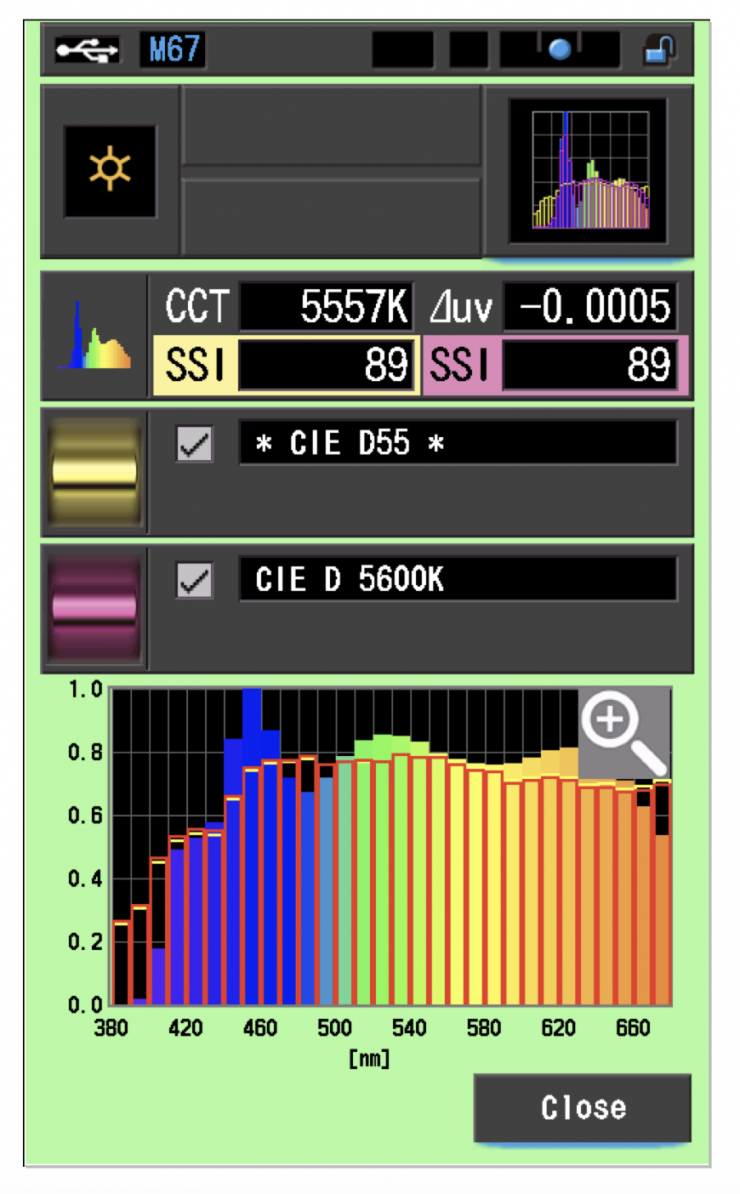
If we have a look at a full-spectrum fixture that is doing something similar, in this case, the ZOLAR Vega 30C, you can see there is extra information at around 400nm. You can also see why this translates to high SSI scores.
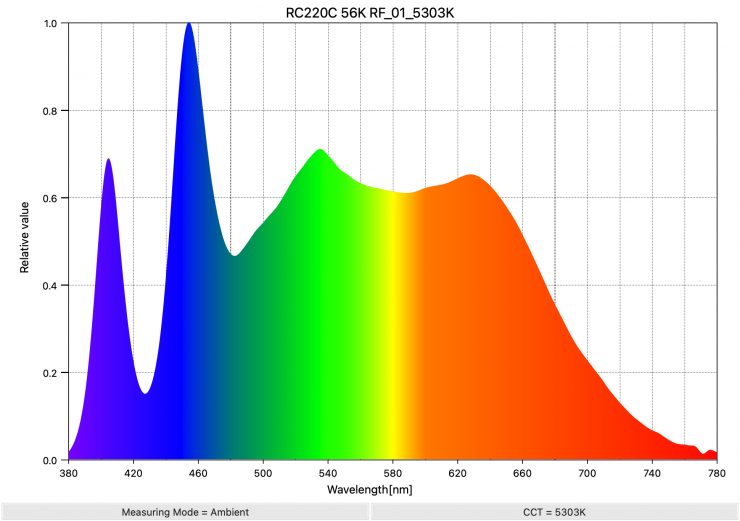
Above, you can see that the SmallRig RC 220C also has a very similar spectral response to the Aputure STORM 80c.
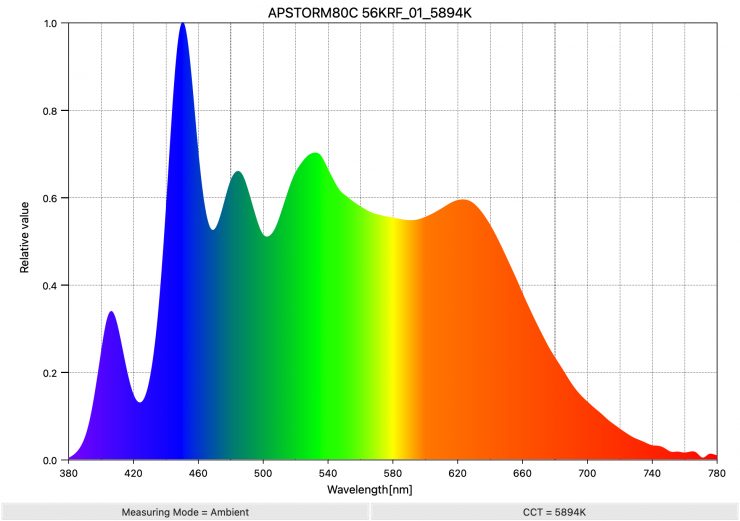
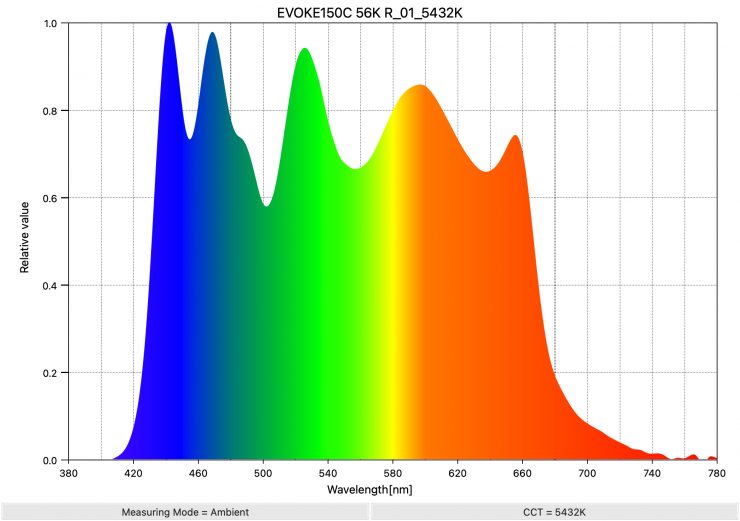
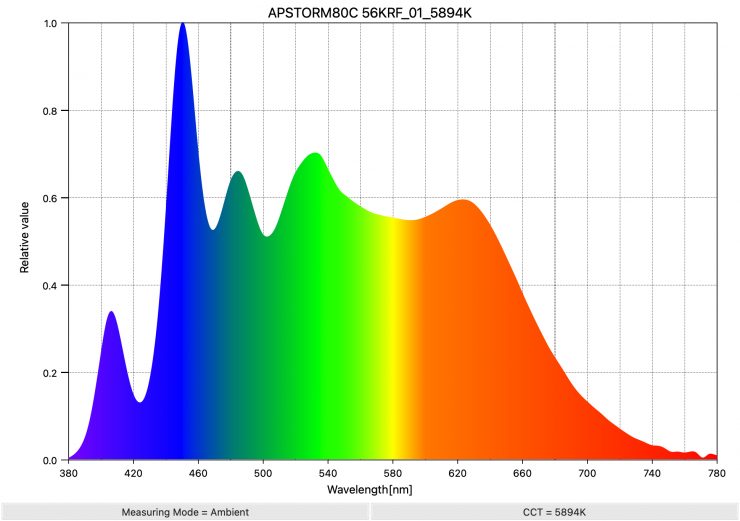
So, now, let’s have a look at how the spectral responses of the Evoke 150c and Aputure STORM 80c compare.
5600K
3200K
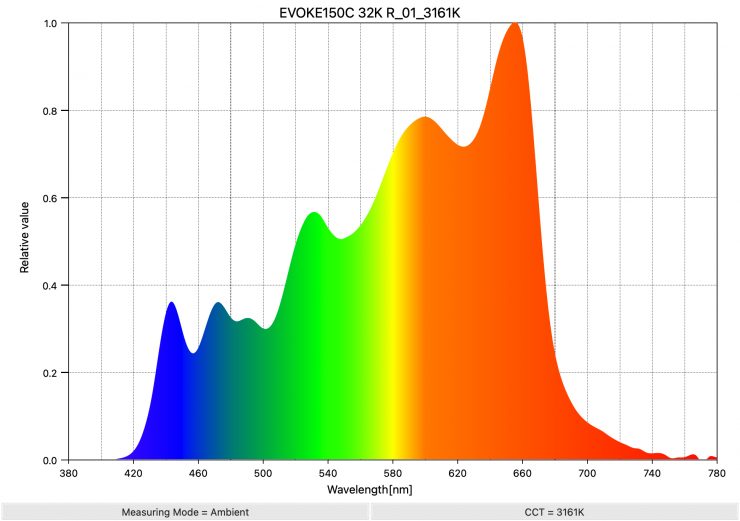
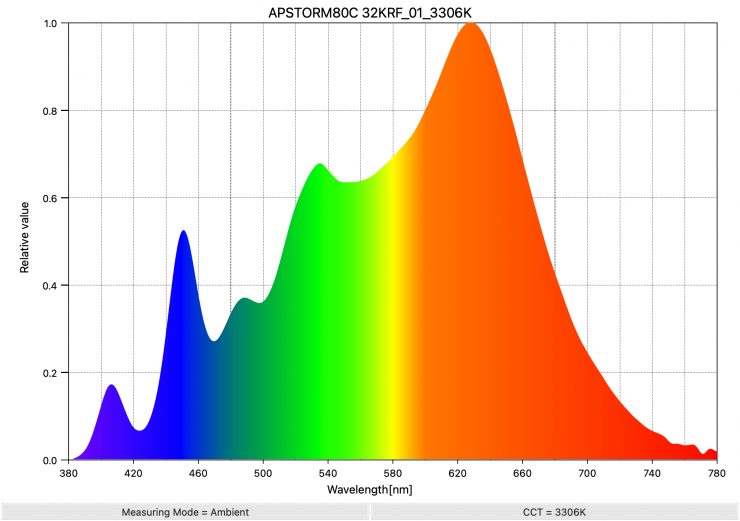
Above, you can see the spectral response of the Aputure STORM 80c and the NANLUX Evoke 150c, both at 3200K and 5600K. As you can see, the spectral responses are vastly different. Aputure has added information at the 405-420nm edge of the spectrum, while NANLUX has added more information at the 640-680nm part of the spectrum. The Evoke 150C also has a fuller overall spectrum than the Aputure STORM 80c at 5600K.
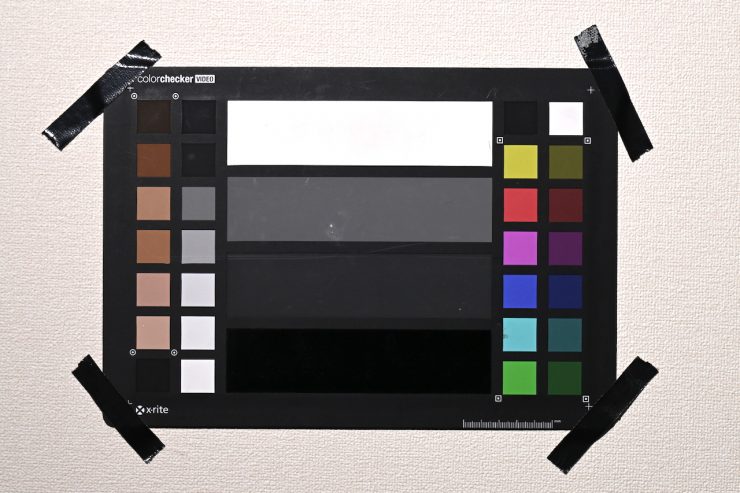
NANLUX Evoke 150C Preset 5600K WB 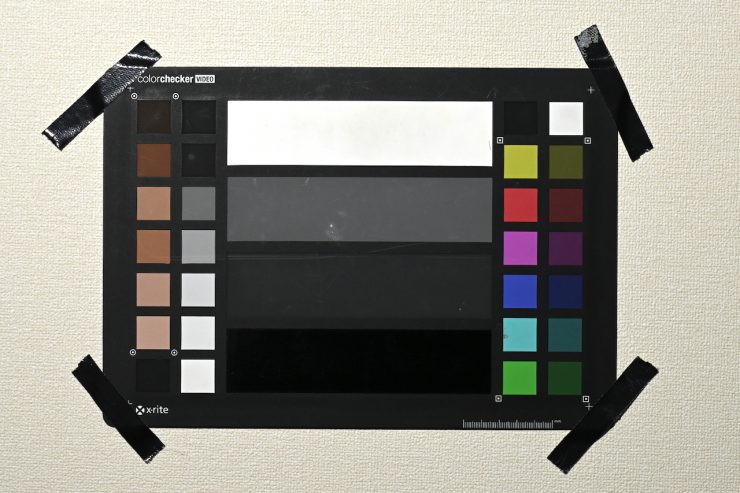
Aputure STORM 80c Preset 5600K WB
Now, let’s do a test where we compare the NANLUX Evoke 150C against the Aputure STORM 80C at a preset 5600K camera white balance. Both lights were set at 5600K.
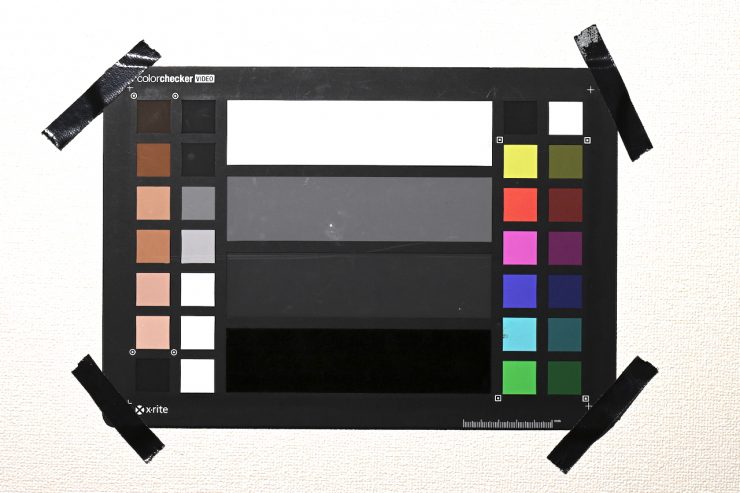
NANLUX Evoke 150C Preset 3200K WB 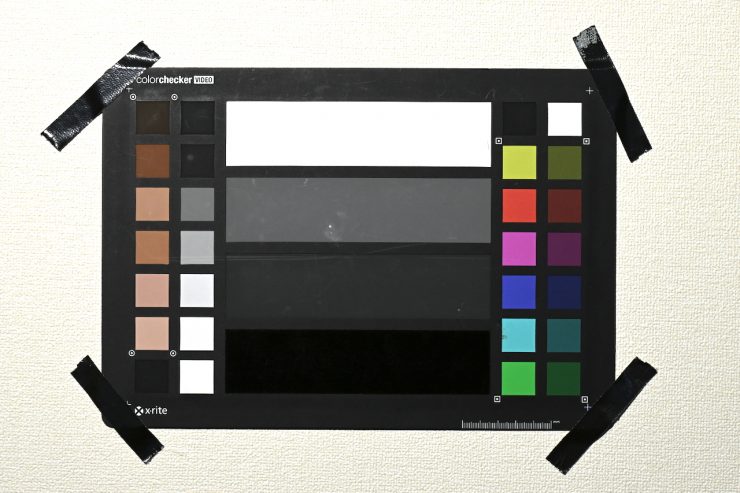
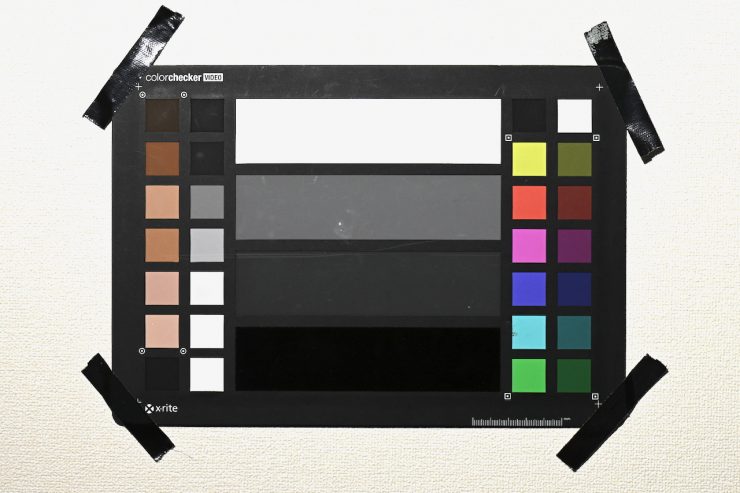
Aputure STORM 80c Preset 3200K WB
Let’s now do that same comparison again, but this time with a 3200K preset camera white balance. Both lights were set at 3200K
NANLUX Evoke 150C WB 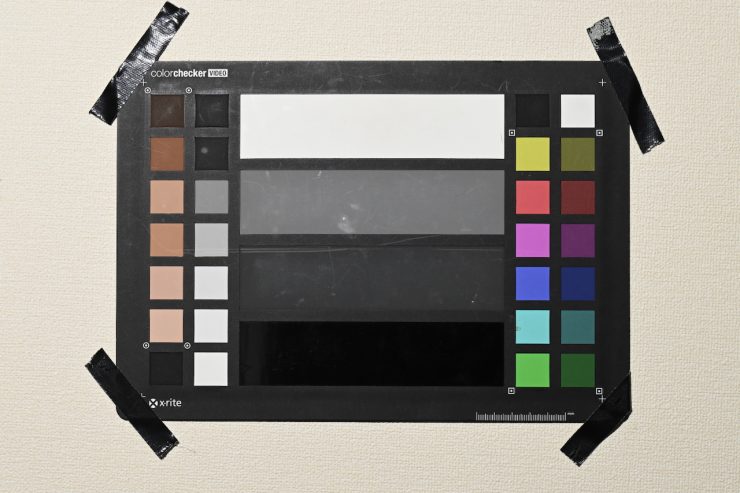
Aputure STORM 80c WB
Ok, let’s see what happens if we do a camera white balance when the lights are set at 5600K.
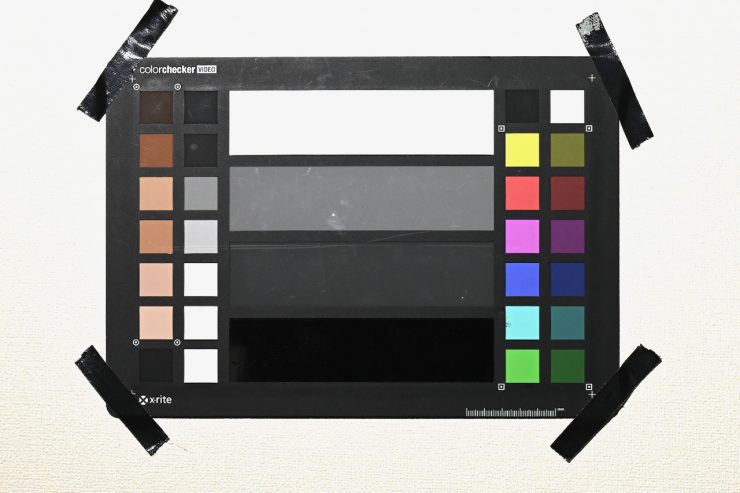
NANLUX Evoke 150C WB 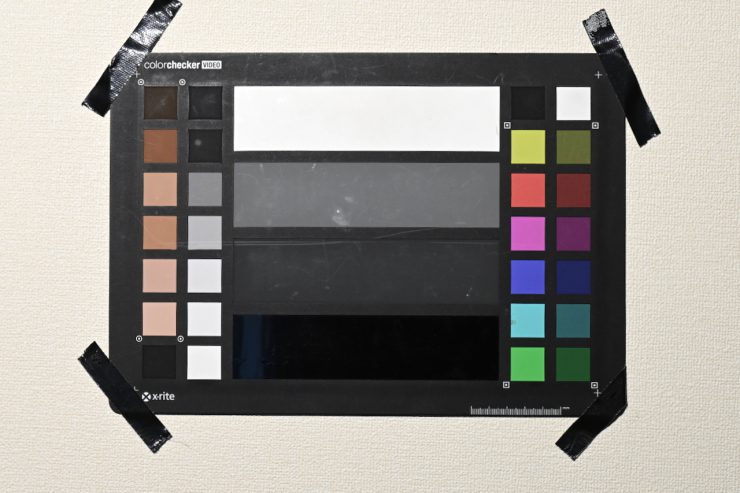
Aputure STORM 80c WB
Ok, let’s see what happens if we do a camera white balance when the lights are set at 3200K.
When you do a camera white balance, there is a slight difference between the two images, especially when it comes to the color of the back wall. There are also slight differences if you look at some of the individual color tiles.
Concept
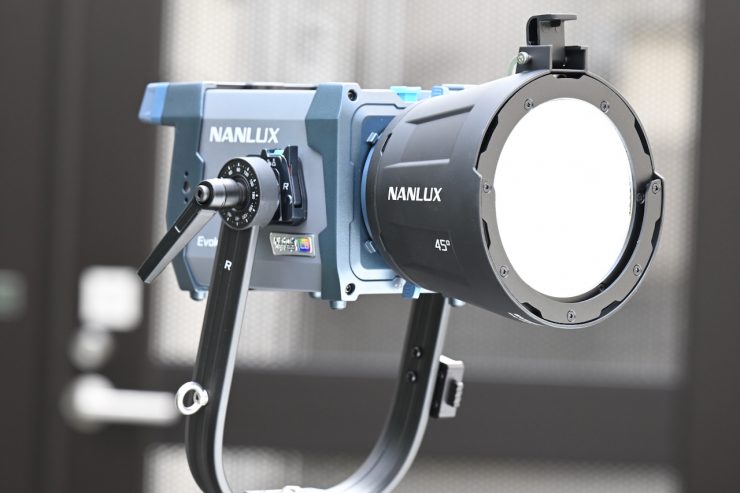
The concept behind the NANLUX Evoke 150C was to make a well-built, very flexible, fully-featured lighting source with a lighting engine that could deliver fantastic white light, as well as colored light.
You can only make a COB spotlight in a certain form factor, so in that regard, the Evoke 150C looks reasonably similar to a lot of other competing LED spotlights.
What do you get?
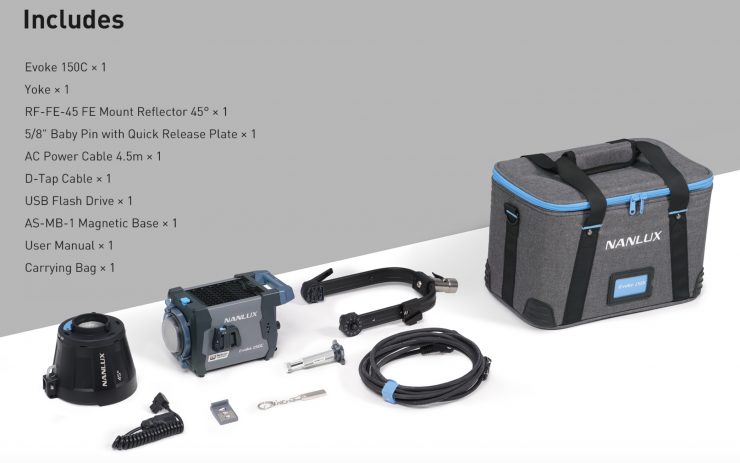
In the NANLUX Evoke 150C RGB LED Spot Light that I will be reviewing, you get the following items:
- Nanlux Evoke 150C RGB LED Spot Light
- Yoke
- FE Mount Reflector (45°)
- AC Power Cable (14.7′)
- D-Tap Cable
- USB Flash Drive
- Magnetic Base
- Carry Bag
Build Quality & Design
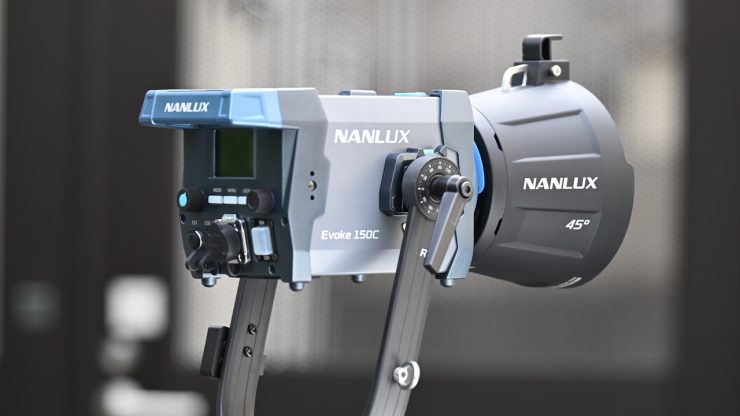
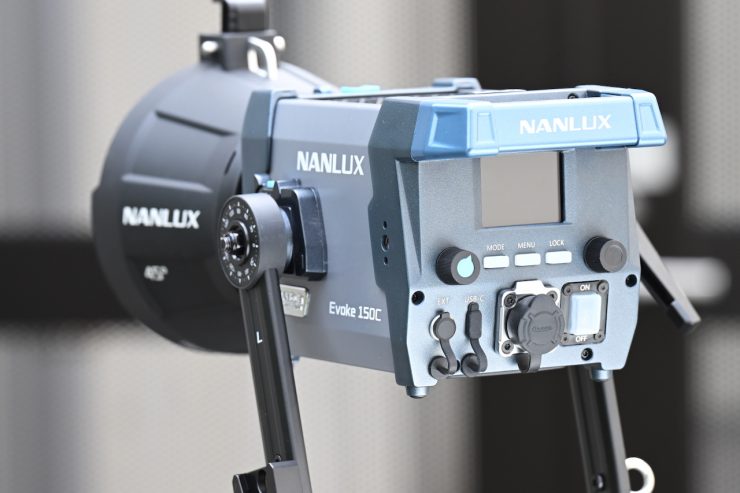
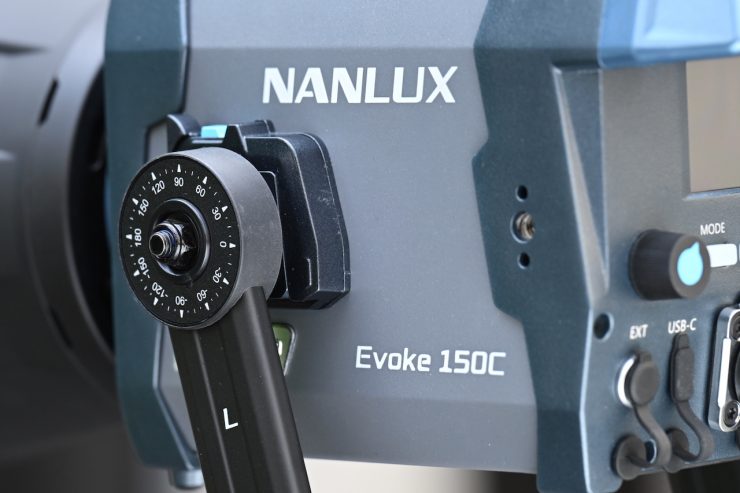
Just like its bigger sibling, the Evoke 600C, the Evoke 150C light is well-made and constructed, and you can tell that a lot of thought and care went into the design. The build quality of NANLUX and Nanlite products has continued to improve over the years.
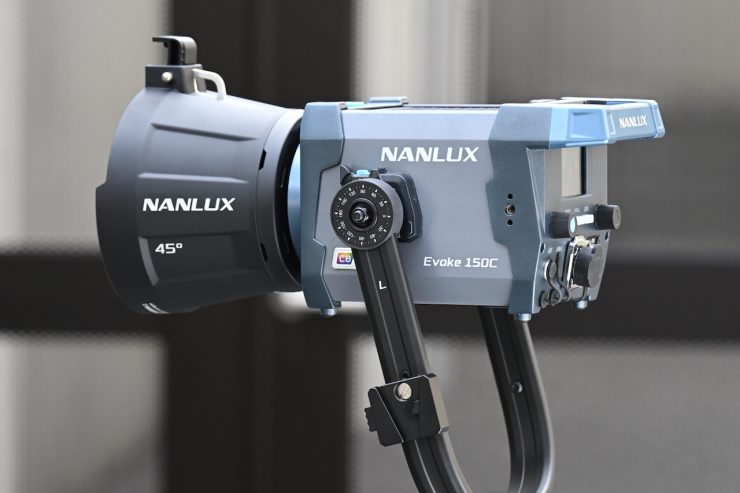
The design of the Evoke 150C was developed to be robust, reliable, and practical. The fixture’s all-in-one magnesium-alloy housing makes it light, easy to transport, and durable. The light was not only made to be robust, but its modular design also facilitates repairs if needed.
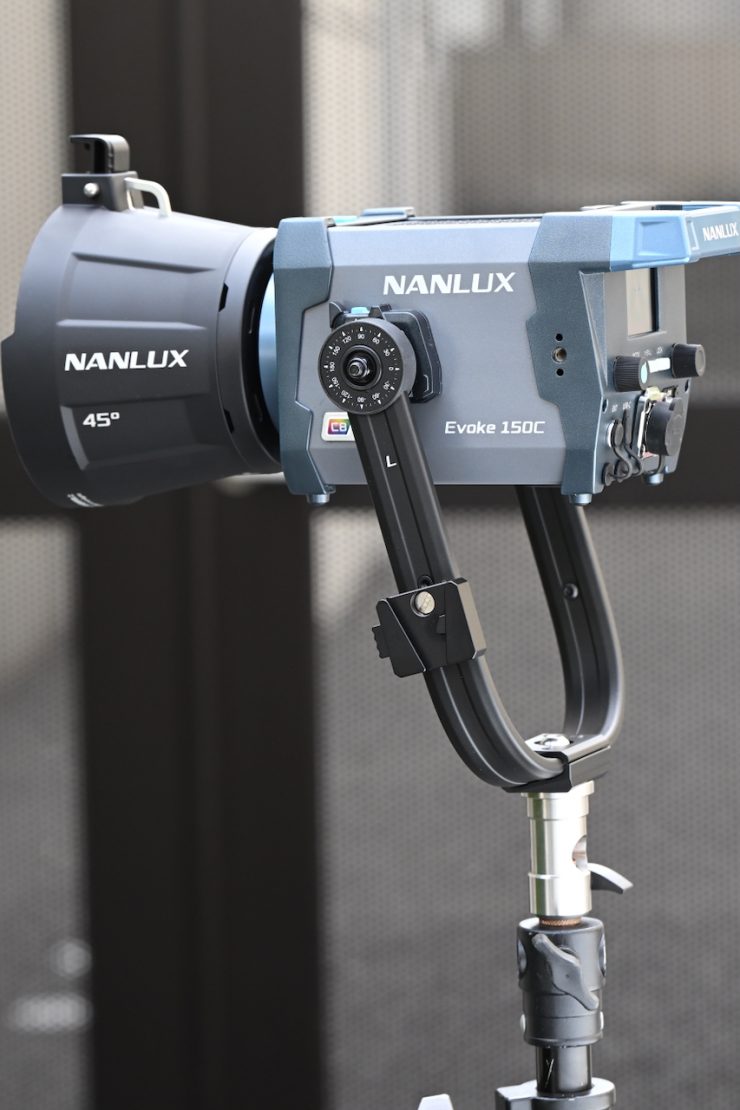
The Evoke 150C is a fully self-contained unit. This makes it quick to set up, and its relatively low weight means you can mount it to smaller-sized lightstands.
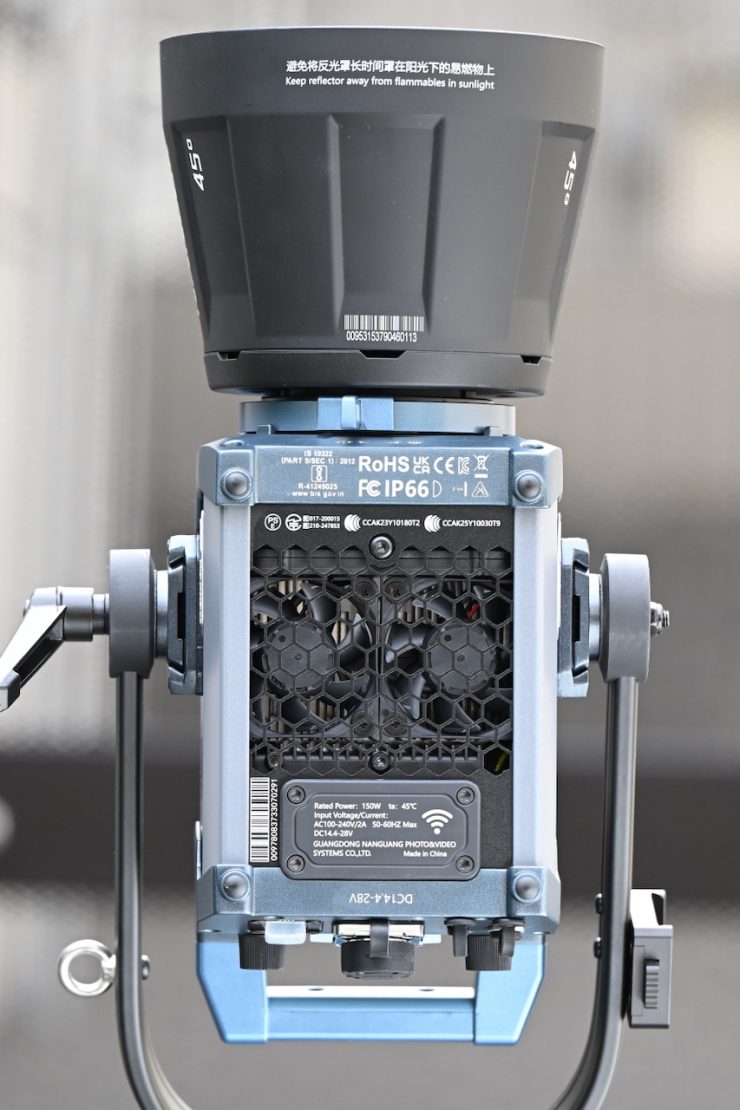
The Evoke 150C also features an IP66-rated design that protects the fixture from dust, water, rough weather, and demanding environments.
It is nice that NANLUX includes a 14.7-foot-long AC power cord with the fixture.
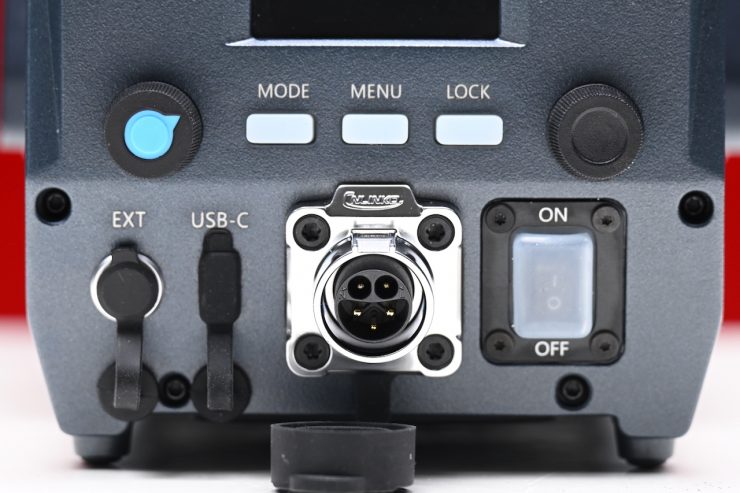
My only slight gripe is that I wish the control dials were a little bit more tactile to use, and sometimes I had to push the buttons more than once to get them to work.
The Evoke 150C, like so many of the new lights coming to market, is an example of blending software and hardware. With software playing such a big role, lighting companies can continue to improve and update fixtures over time via firmware updates. This does give them somewhat of an advantage over older fixtures. There are so many lights on the market where manufacturers make a big deal about them being firmware upgradable, and then never release a single update. It will be interesting to see if NANLUX releases any updates for the new Evoke series going forward.
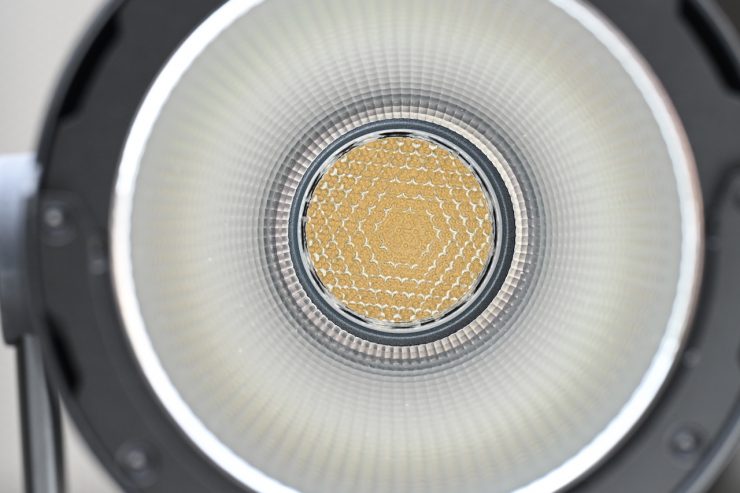
Quite a few LED lights on the market, including the Evoke 150C, are using COB technology. COB stands for “Chip On Board” where multiple LED chips are packaged together as one lighting module. The advantage of COB LEDs being multi-chip packaged is that the light-emitting area of a COB LED can contain many times more light sources in the same area that standard LEDs could occupy. This results in a greatly increased lumen output per square inch. The caveat with COB LEDs is that they produce a ton of heat, and that heat needs to be effectively dispersed. In a lot of situations, you also need to diffuse them as they are very bright to look at and unsuitable for directly lighting talent.
Quick Release Yoke
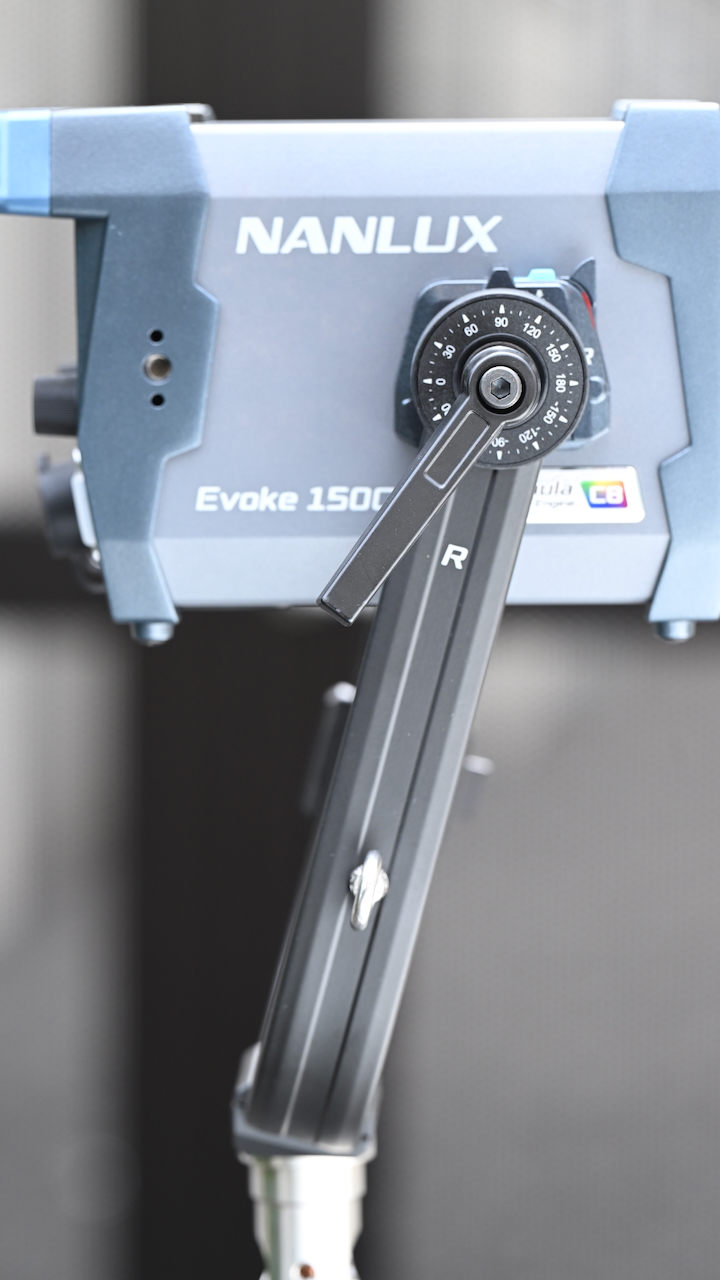
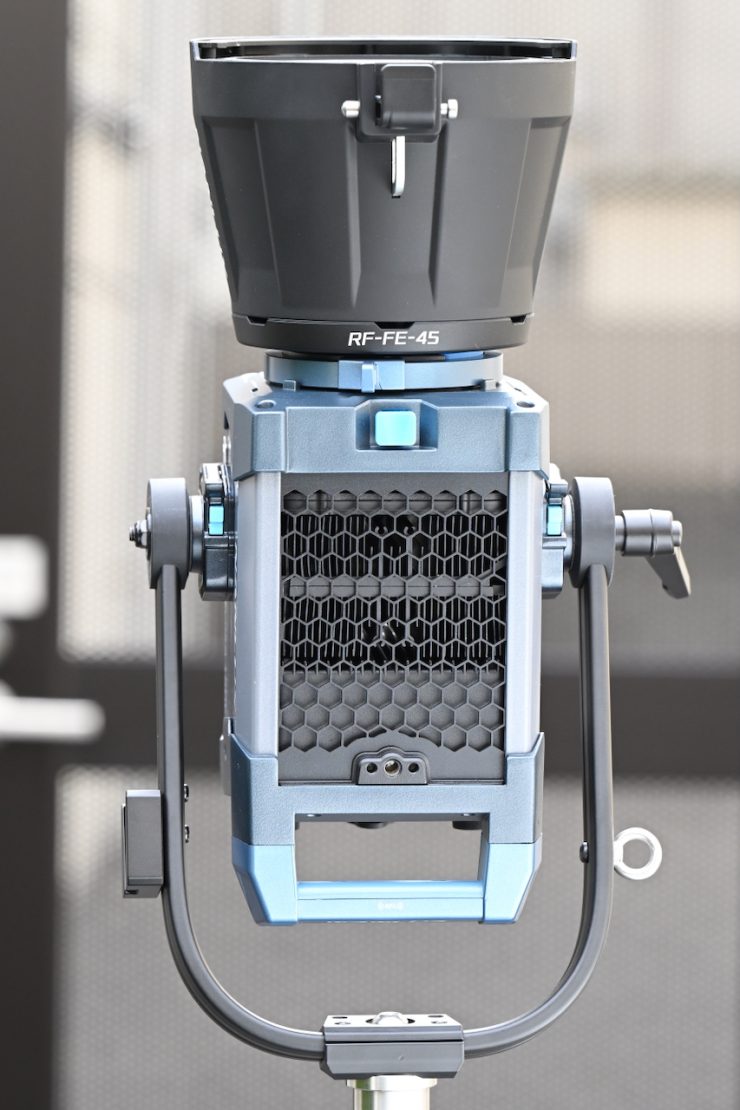
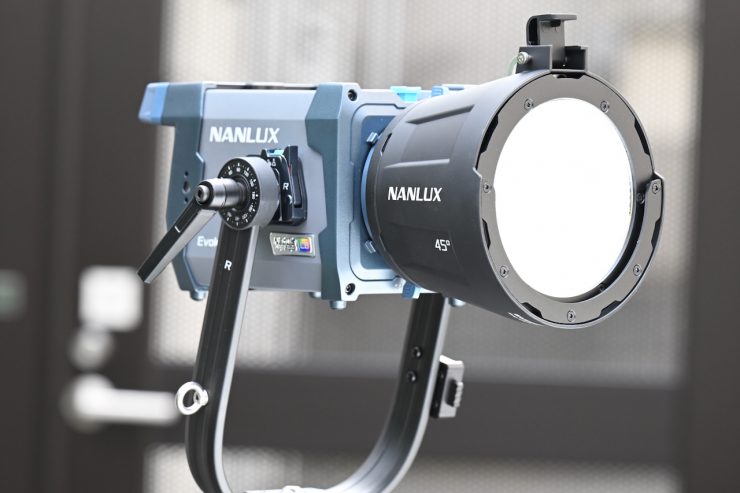
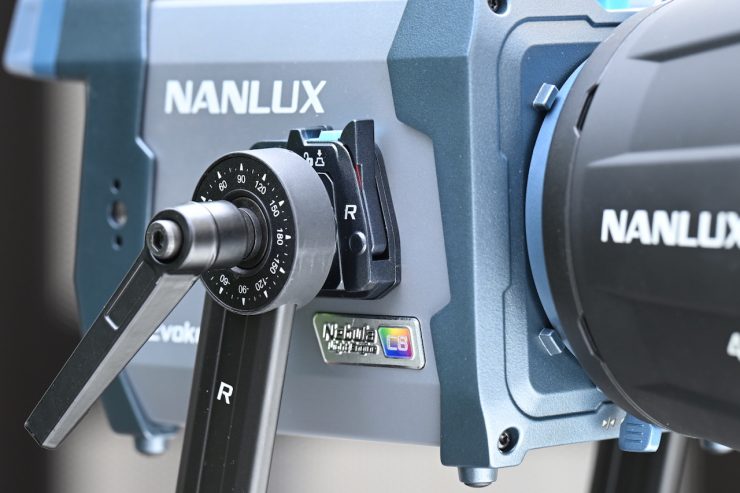
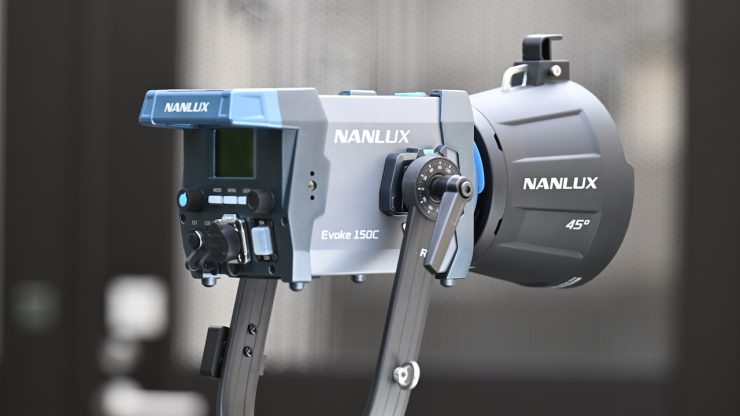
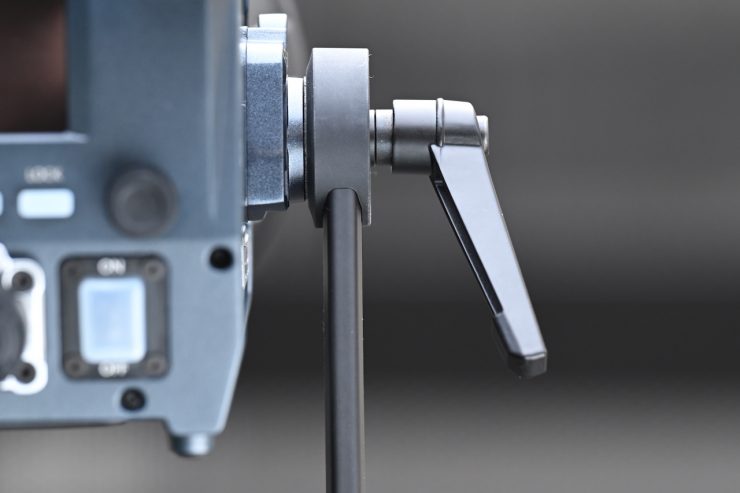
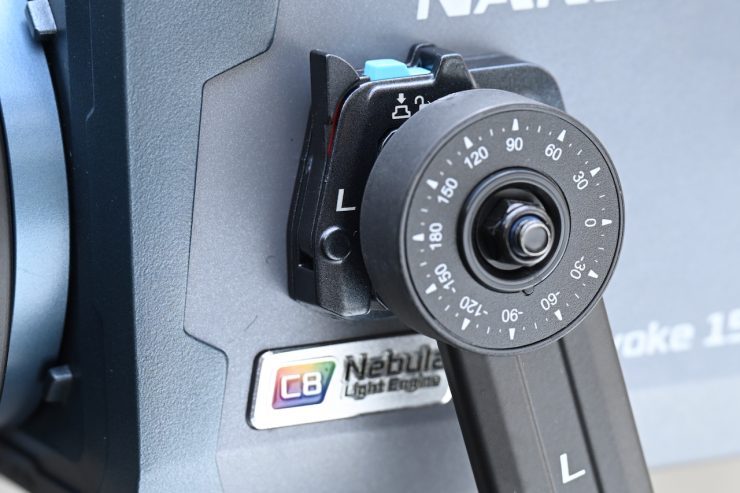
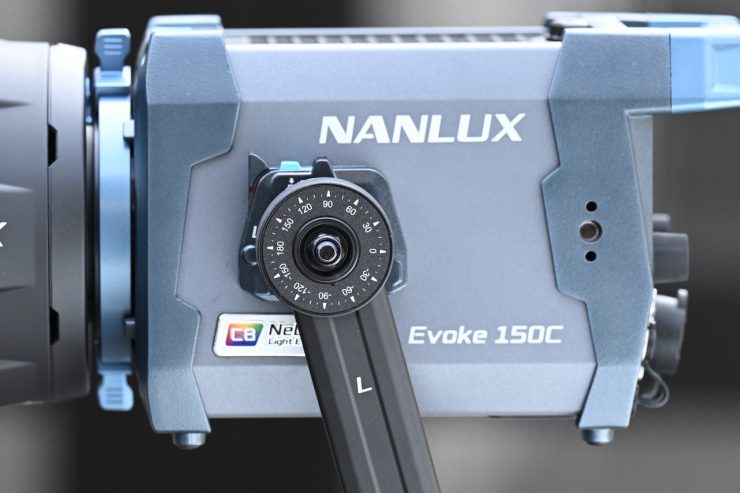
The side of the Evoke 150C has a new tilt-locking mechanism with an angle indicator to simplify repeat alignment. The offset design of the mechanism expands the tilt range when working with large modifiers.
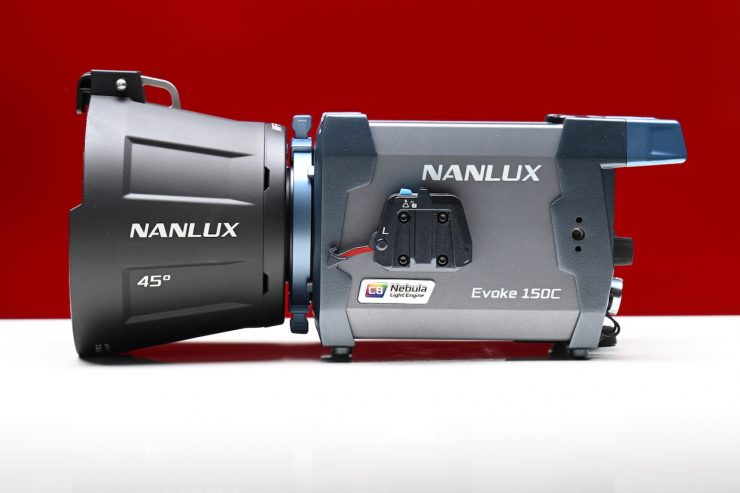
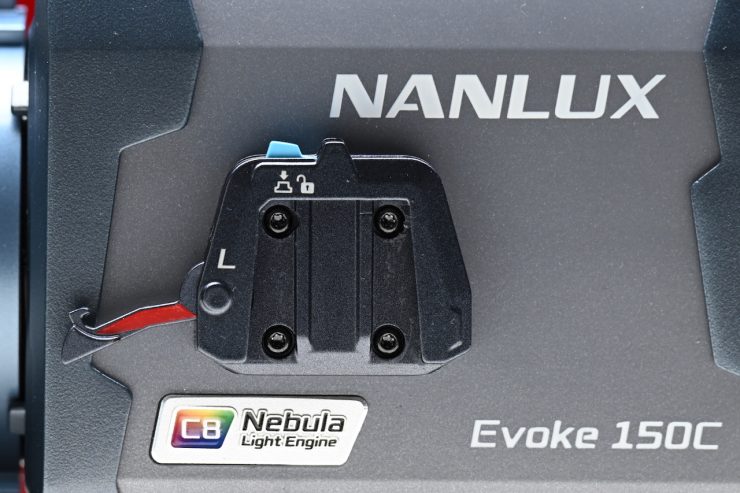
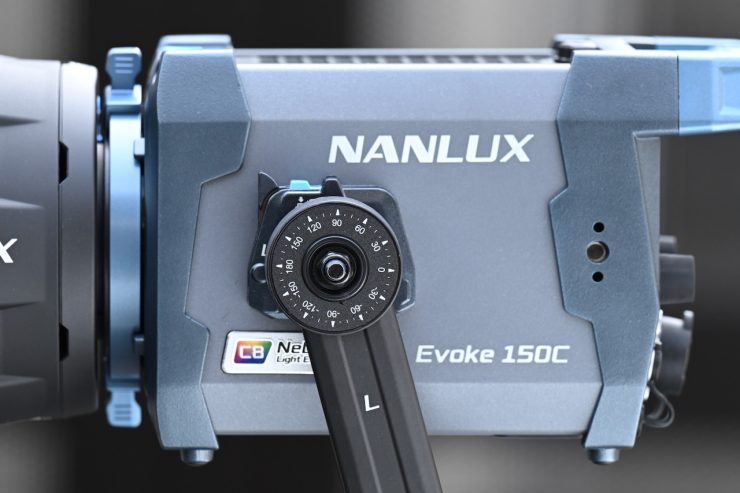
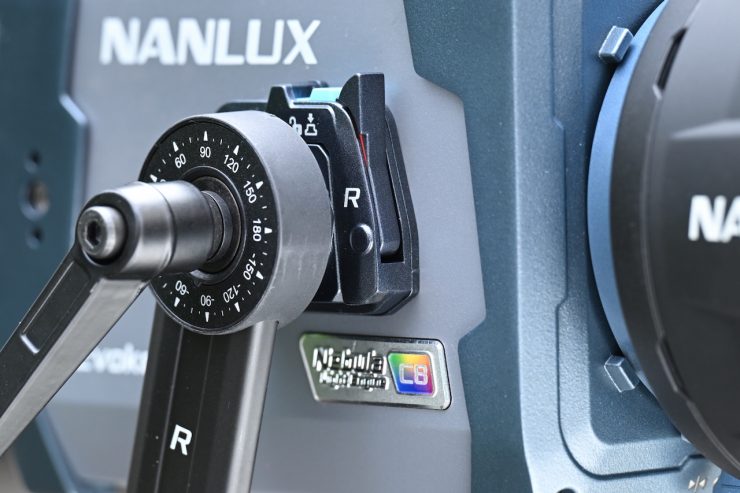
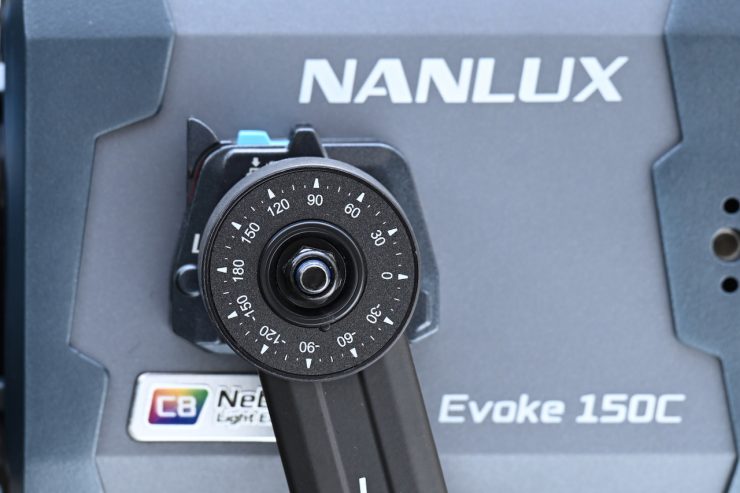
The locking mechanism works reasonably well, but I did find it a little fiddly to use until you get more familiar with it. It allows you to separate the light head from the yoke frame without needing any tools.
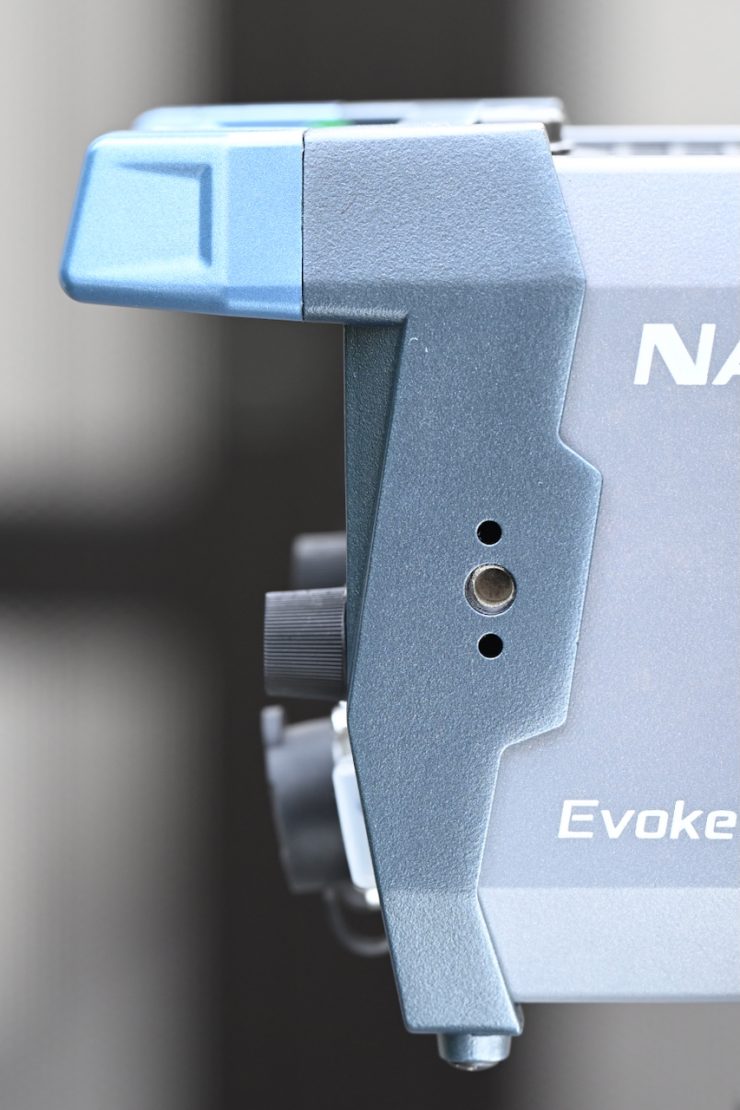
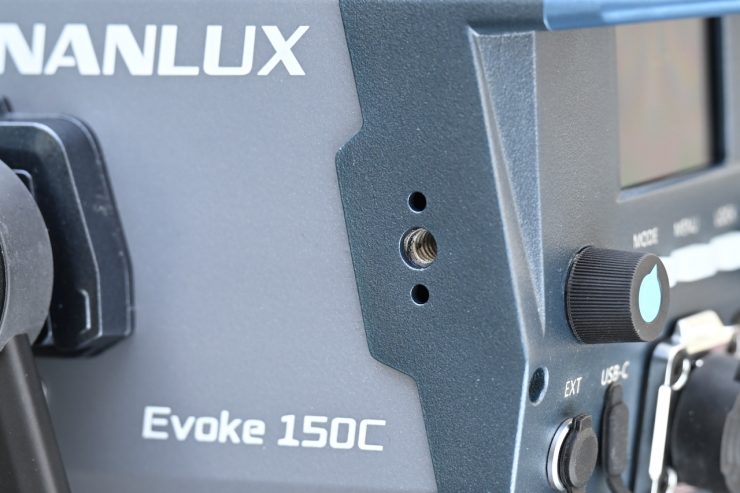
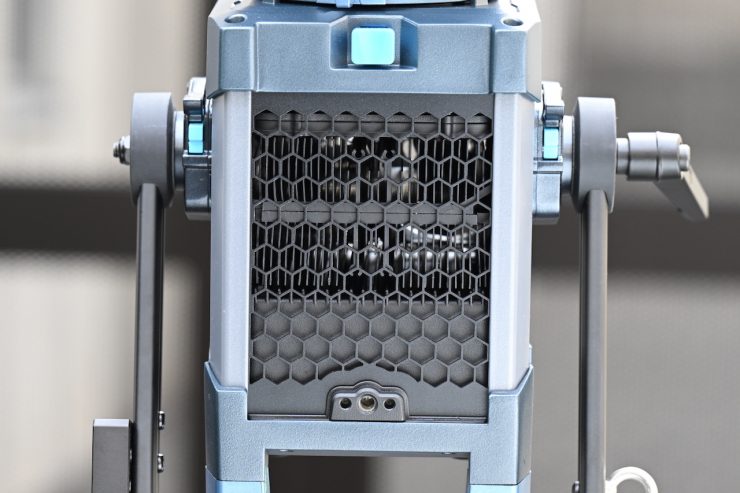
With a small light like this, you are probably thinking there probably isn’t much need to remove the yoke from the fixture. However, NANLUX has thought about how the light may be used and rigged, and they have put three 1/4″-20 threads with anti-twist design on both sides and top, allowing the attachment of a magnetic base for securing an extension adapter.
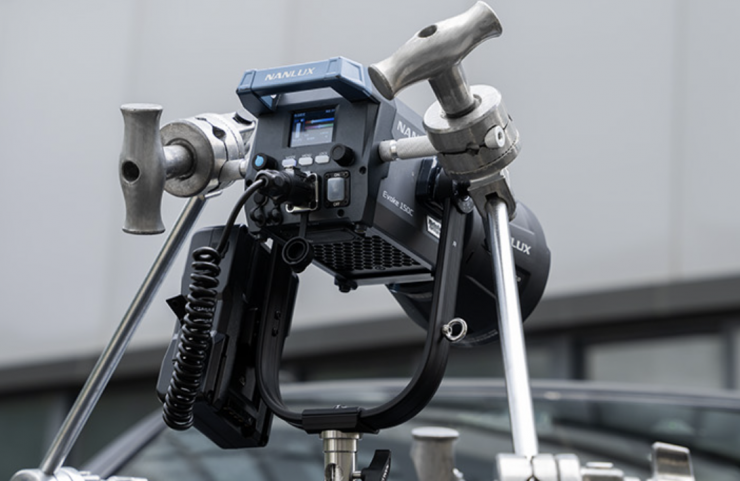
They can also be used to provide additional mounting points to secure the light even more in scenarios with increased risk of it falling, such as shooting inside a moving vehicle.
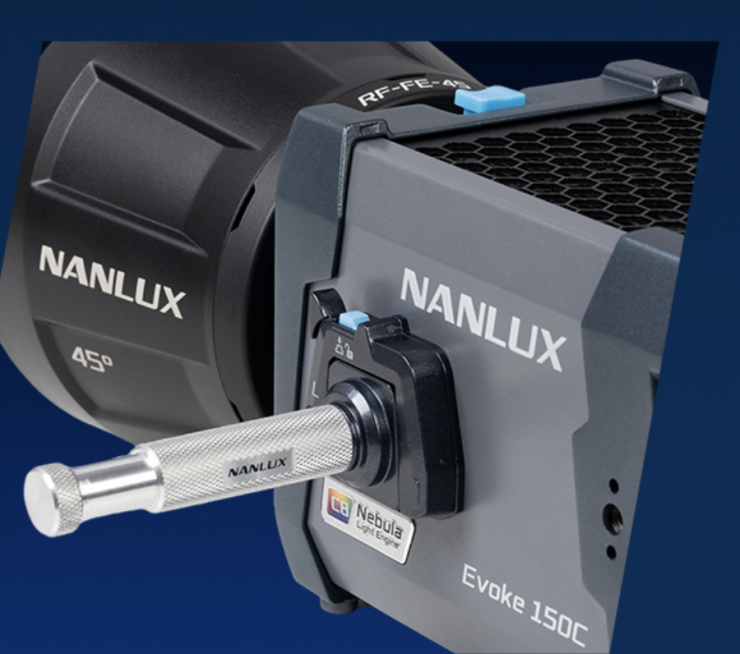
Additionally, to meet the needs of fixed mounting, a 5/8″ Baby Pin with Quick Release Plate (AS-BP-QRS) is included in the kit, which can be directly attached to the quick-release base on the side of the fixture, allowing the fixture to be easily mounted anywhere on set.
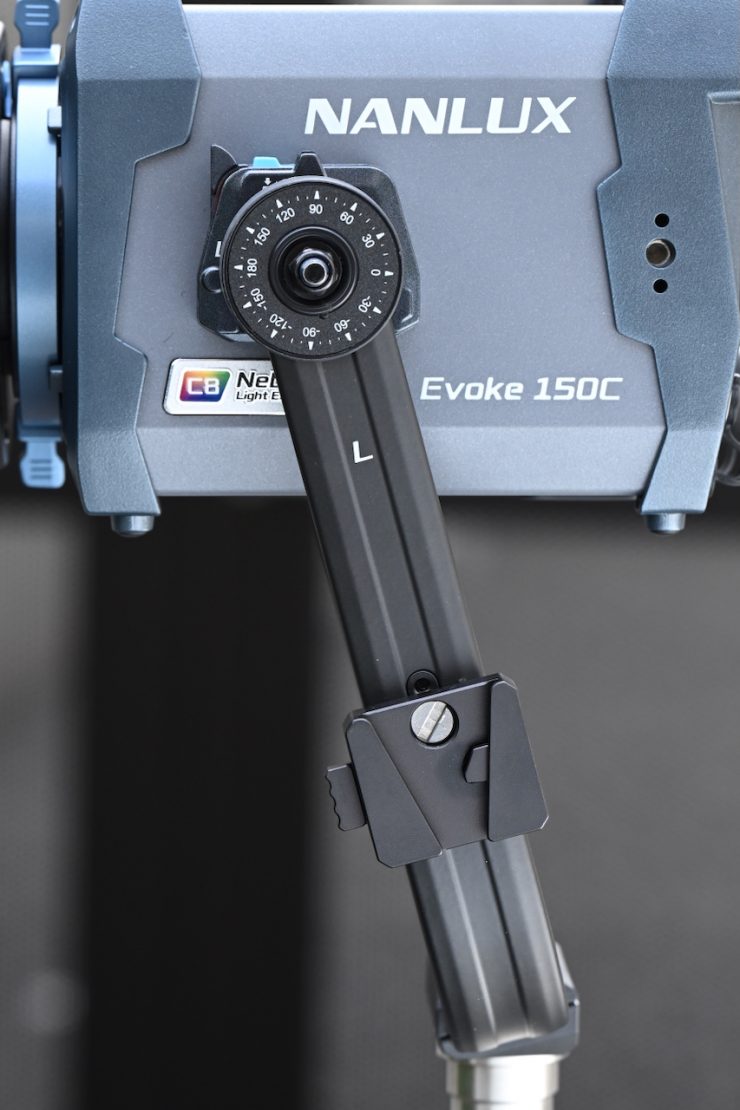
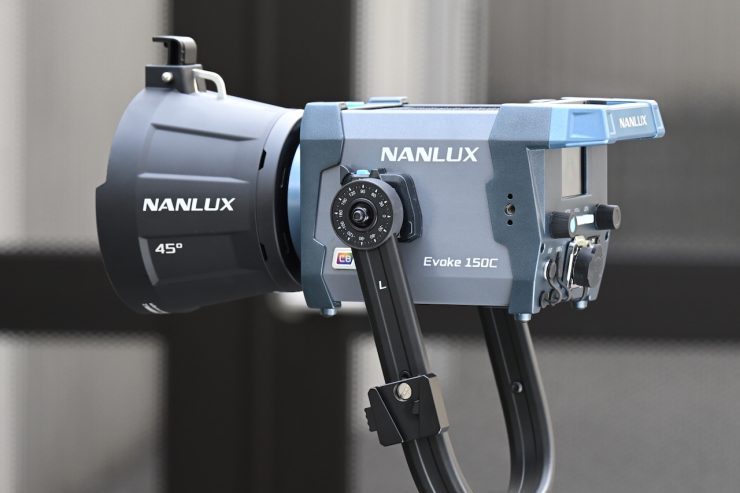
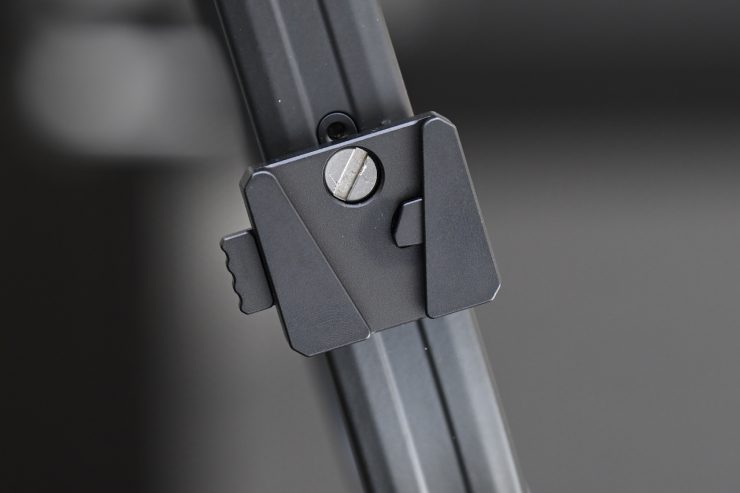
On the yoke frame, NANLUX has also included a small V-mount plate so you can attach a battery if you need to power the fixture remotely.
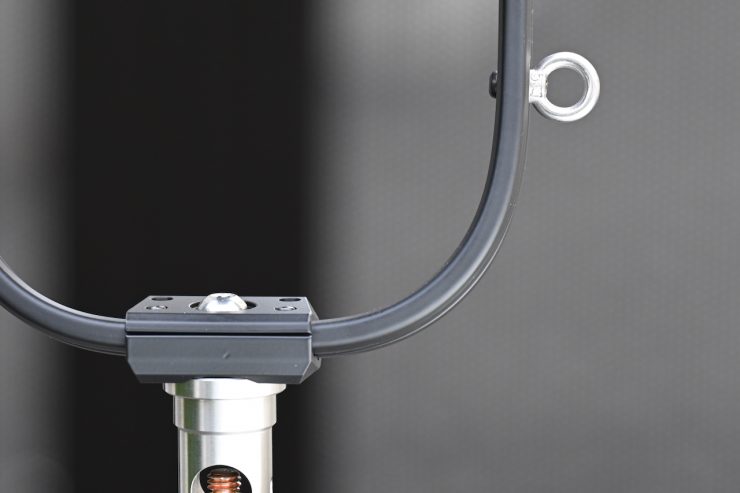
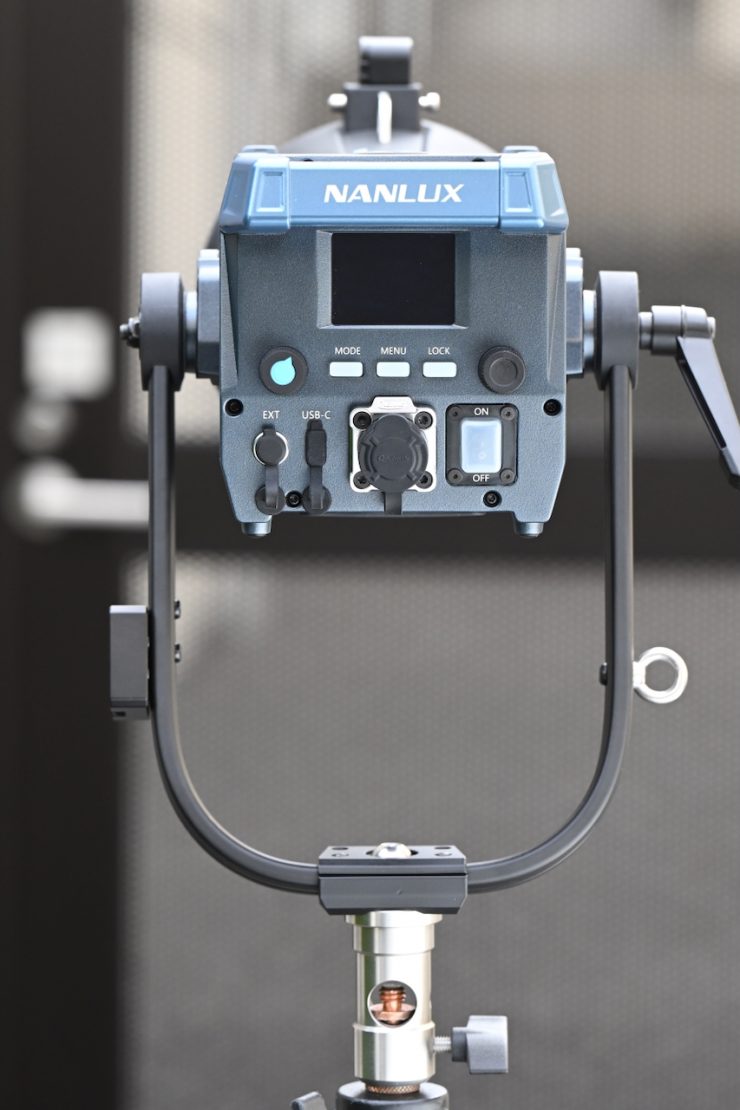
On the opposite side of the yoke frame from the V-mount plate, you will find a lanyard hook where you can attach a safety strap.
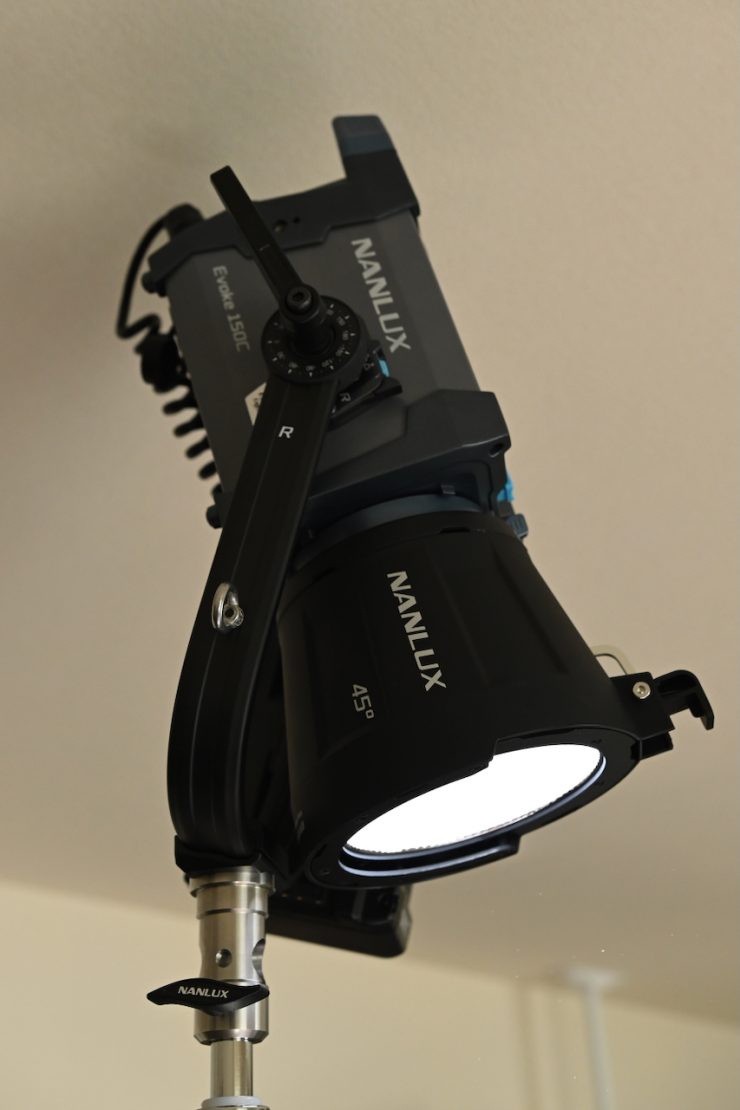
The design of the yoke frame allows you to angle the light almost directly down.
Weight & Size
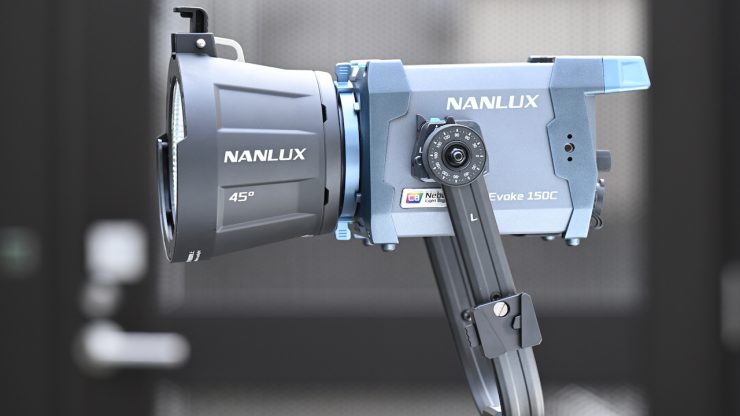
The Evoke 150C has a professional all-in-one design that integrates lamp head, control unit, and power supply into a single unit that weighs 2.65 kg / 5.84 lb (lamp head with yoke) and measures 209 x 147 x 127mm / 8.2×5.8×5.0″.
The fixture combines the lamp head, control unit, and power supply into a single compact body, requiring only a power cable or a V-mount battery
via D-Tap for operation. The Evoke 150C is arguably more compact than most comparable lights. It utilizes lightweight magnesium alloy with an optimized internal structure.
Having a fixture of this output and power draw that only weighs 2.65 kg / 5.84 lb is impressive.
So, how does this weight compare to some other similar fixtures?
| | TOTAL WEIGHT |
| NANLUX Evoke 150C | 2.65 kg / 5.84 lb |
| Nanlite FC120C | 1.65 kg / 3.63 lb |
| GVM SD200R | 3.15 kg / 6.94 lb |
| Godox ML100R | 465 g / 1 lb* |
| amaran 150c | 3.52 kg / 7.76 lb |
| Aputure STORM 80c | 1.8 kg / 3.96 lb |
| Godox LA150R | 2.5 kg / 5.5 lb* |
| SmallRig RC100C | 710 g / 1.6 lb* |
| Zhiyun MOLUS X100 | 384 g / 0.8 lb* |
| Neewer MS150C | 1 kg / 2.2 lb* |
| HIVE LIGHTING Hornet 200-C | 1.18 kg / 2.6 lb* |
* Doesn’t include the weight of the power supply
If you are travelling a lot, every kg or pound you can save helps, especially if you are flying.
FE Mount
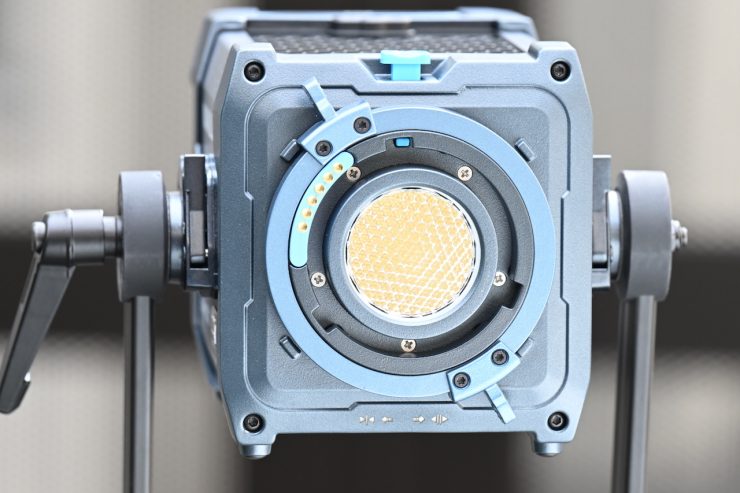
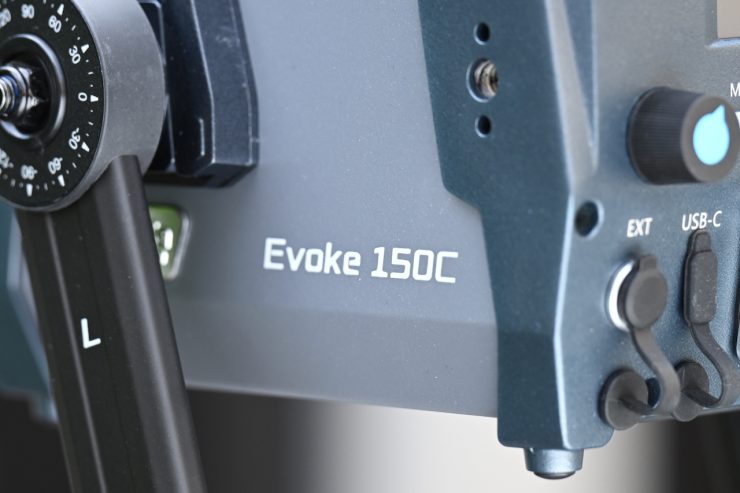
The Evoke 150C features the new FE mount (with electronic contacts) and is compatible with the FM mount accessory ecosystem, allowing users to continue using their existing FM mount accessories. I tried using the Nanlite Forza 60 Bowens Mount Adapter, but it wouldn’t fit on the fixture, nor would the Nanlite FL-11 Fresnel Lens for Forza 60. I reached out to NANLUX, and they told me: The FL-11 is not compatible, so we will have the new Fresnel lens FL-12 and motorized Fresnel lens FL-12E. The previous Bowens Mount Adapter is only for mounting Bowens mount accessories on an FM mount fixture, like Forza 60C.
I would have liked to have seen NANLUX offer a Bowens mount adapter with the Evoke 150C. This is something Aputure does with its STORM 80c. Not having a Bowens mount adapter for the FE mount limits users from adapting lighting modifiers they may already own.
NANLUX has also developed motorized accessories for Evoke 150C, such as the motorized yoke and the motorized Fresnel lens (FL-12E), enabling precise light control when fixtures are mounted at height, rigged overhead, or positioned in hard-to-reach locations.
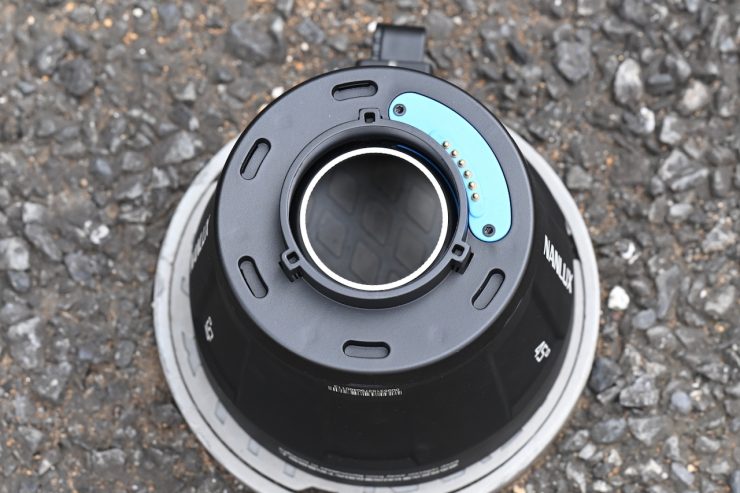
The fixture can still illuminate when mounted on an accessory without electronic contacts. It would have been nice to have seen an indicator on the display that tells you what the attached lighting modifier is.
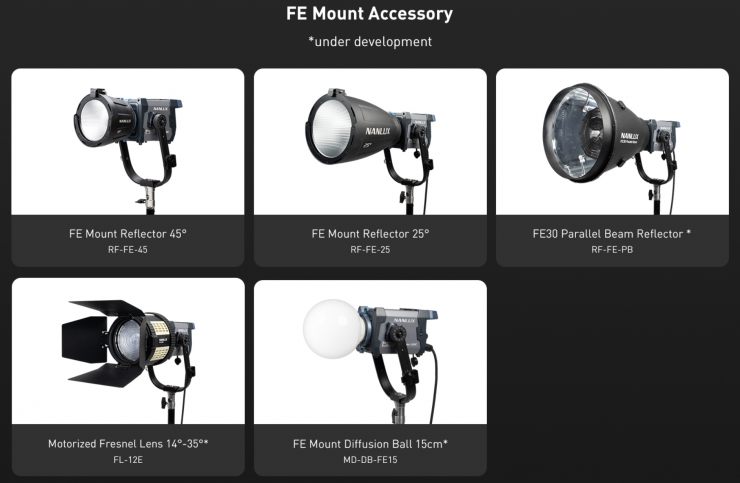
Above, you can see some of the lighting modifiers that will work with it.
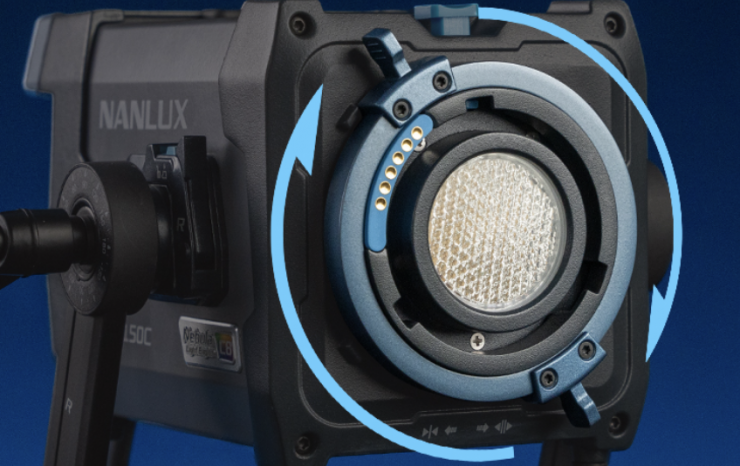
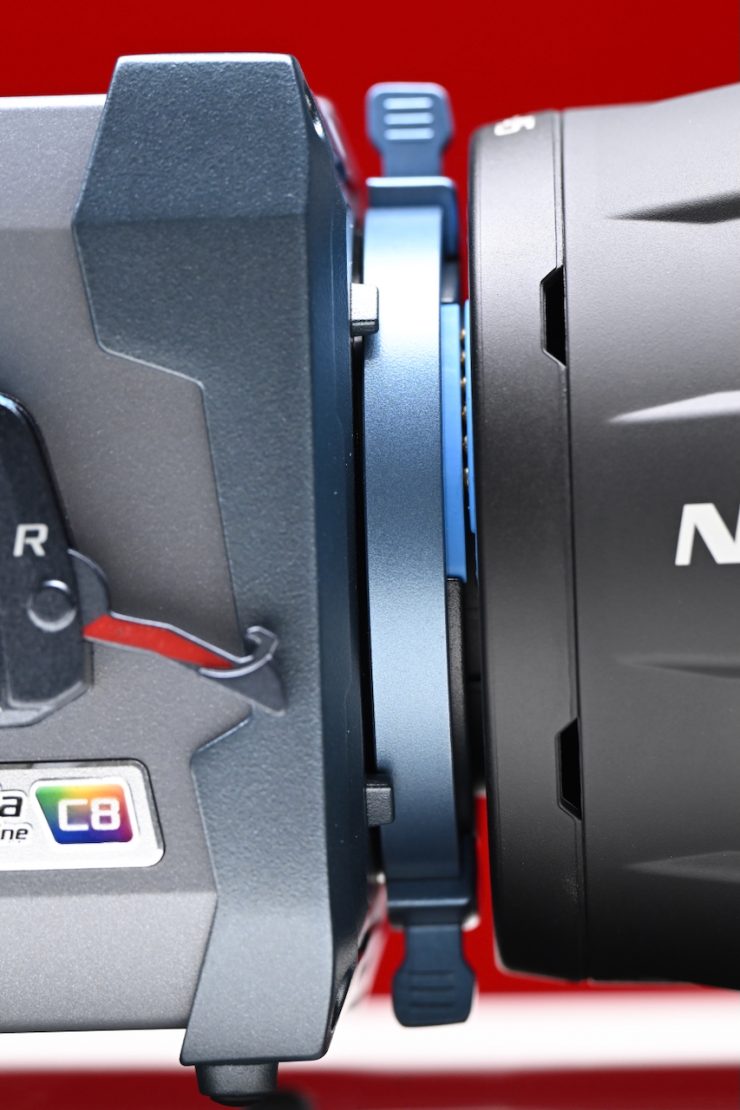
The FE-mount has NANLUX’s PosiTight locking system to eliminate movement and provide additional security to modifiers.
The PosiTight locking system works in a similar way to Aputure’s ProLock, except it has a dual-stage safety mechanism. You need to first disengage the outer locking mechanism, and then you push down on a lever to remove the accessory.
It is essentially like a PL locking mechanism for lights.
Power Draw
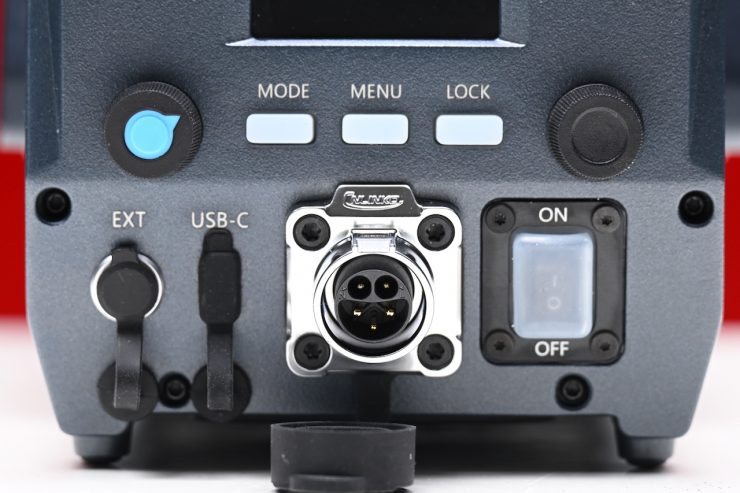
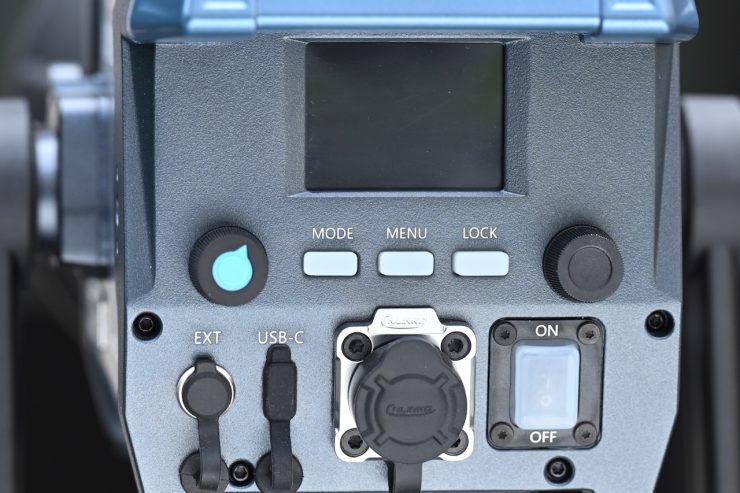
When it comes to power, there is an integrated AC/DC input supporting direct connection to wall outlets (AC 100–240V) or batteries (DC 14.4–28V), while the USB-C port supports PD3.0 input (12–28V, 60W min) for use with adapters or power banks.
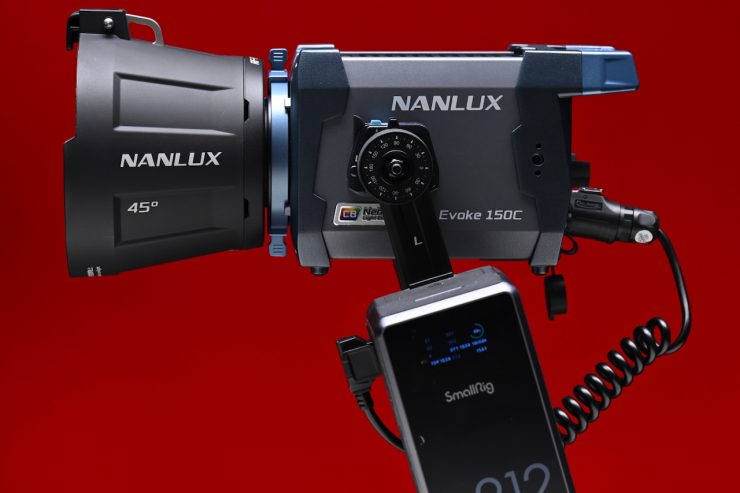
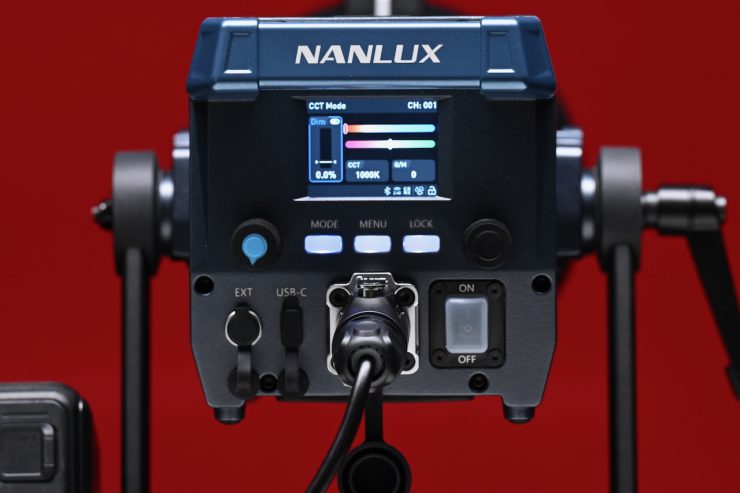
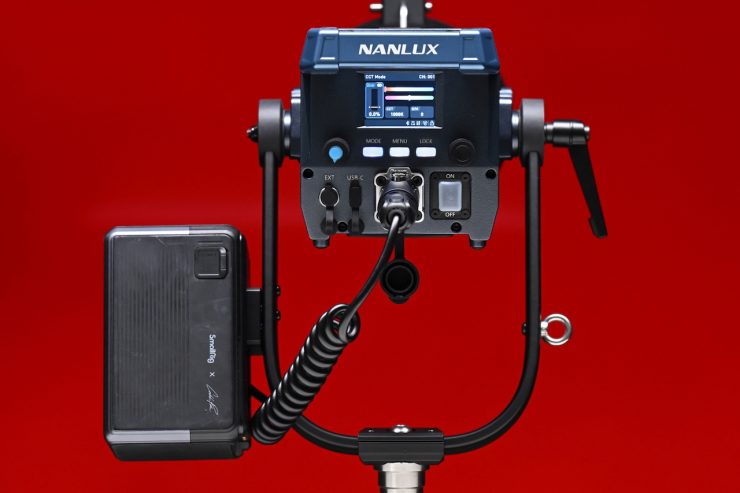
The fixture comes with a D-tap power cable that you can attach to a battery to power the light remotely. While this is solidly made, it isn’t going to be easy to find a replacement in a hurry if you lose or damage the cable, as it isn’t a standard D-tap to DC barrel cable.
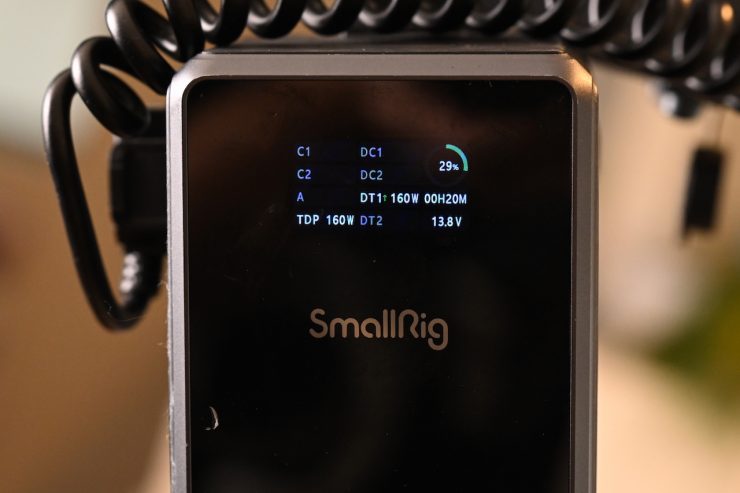
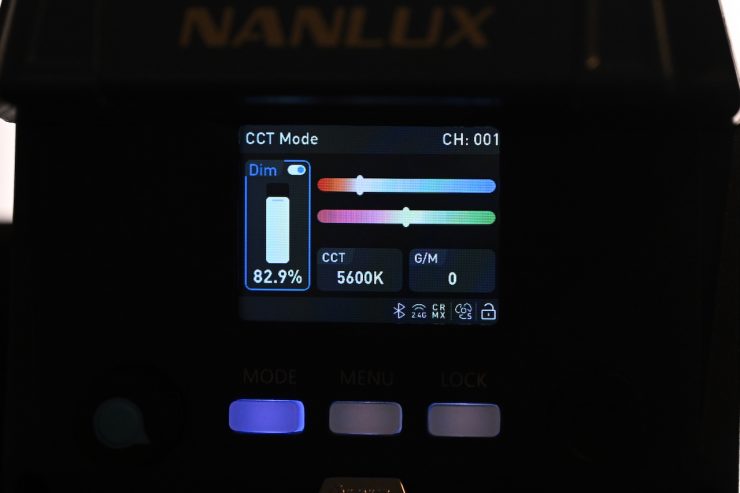
According to NANLUX, the Evoke 150C draws 150W. When I ran the fixture from a SmallRig x Caleb Pike VB212 Mini V-Mount Battery, the power draw it was showing when the light was at 82.9% output from the D-tap was 160W.
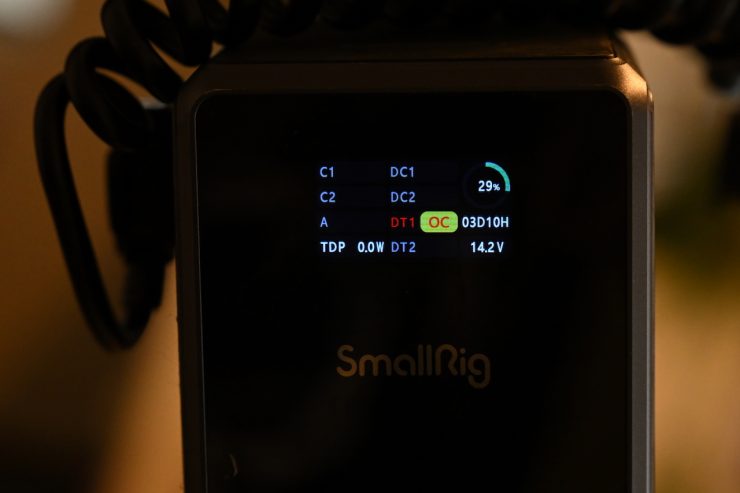
When I set the intensity to around 88% and above, the light would actually shut off as the battery was detecting an overcurrent warning. The SmallRig battery D-Tap / P-Tap Output is rated at 14.76 V, 6 A Regulated.
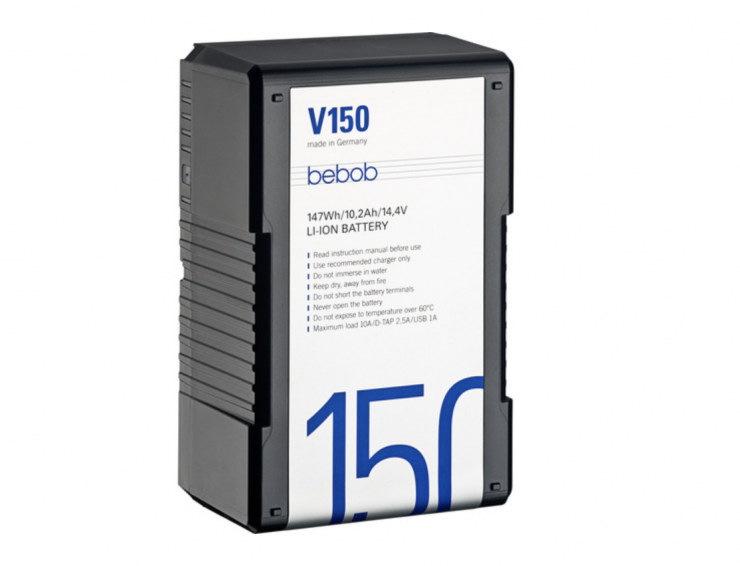
I also tried it with a bebob V150 14.4V, 147Wh V-Mount Li-Ion Battery, and I had the same problem. Once I set the intensity above 70% the light would flicker and shut off.
Most D-tap outputs on V-mount batteries are not going to be able to supply enough power to run the Evoke 150C at 100% output.
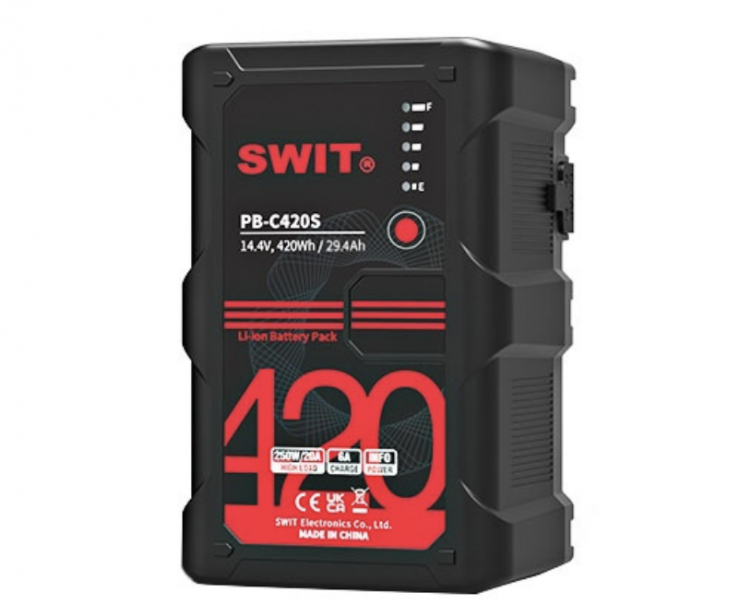
If I went with something like the SWIT PB-C420S, I could power the Evoke 150C through the D-tap at 100% output with no issues. This is because the D-tap output is capable of a 150W load, but realistically, that is not the sort of battery a lot of people are going to use with a light like this.
This is something you need to keep in mind when powering the light remotely. You are not going to be able to use it at 100% from a flight-safe battery through D-tap.
UPDATE: NANLUX told me that this issue is related to the battery capacity; batteries with smaller capacities cannot reach the maximum brightness. Currently, a 265Wh V-mount battery can make the Evoke 150C achieve 100% brightness. There will be some options for maximum brightness in the future firmware updates.
So, how does the power draw compare to other competing fixtures? Below you can see.
| | POWER DRAW |
| NANLUX Evoke 150C | 150W |
| Nanlite FC120C | 120W |
| GVM SD200R | 200W |
| Godox ML100R | 110W |
| amaran 150c | 180W |
| Aputure STORM 80c | 100W |
| Godox LA150R | 165W |
| SmallRig RC100C | 110W |
| Zhiyun MOLUS X100 | 100W |
| Neewer MS150C | 150W |
| HIVE LIGHTING Hornet 200-C | 150W |
Being able to power the fixture remotely in a few different ways makes it a good light for travel or to use in environments where AC power isn’t available; however, you are not going to be able to run the light at 100% from the D-tap output of most batteries
How does it stay cool?
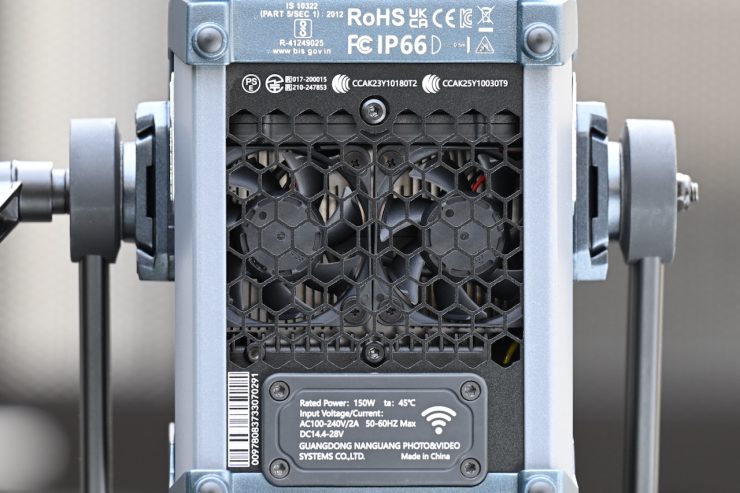
High-powered COB lights get very hot, and keeping them cool is not an easy task. Using fans is the best solution, but the caveat with fans is that they can create noise.
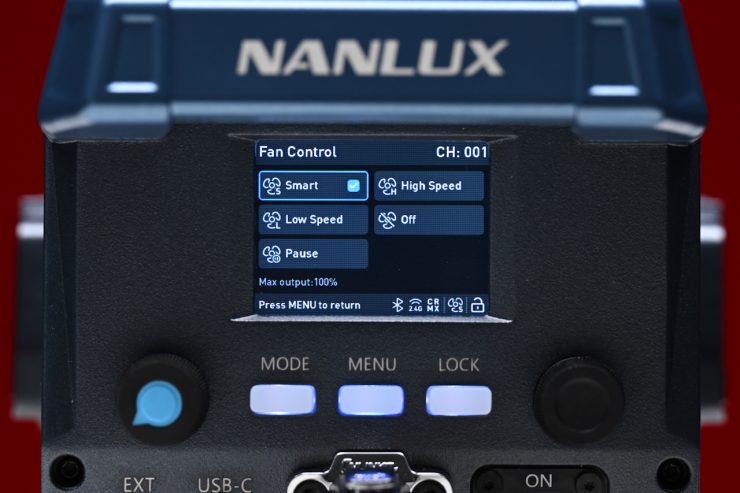
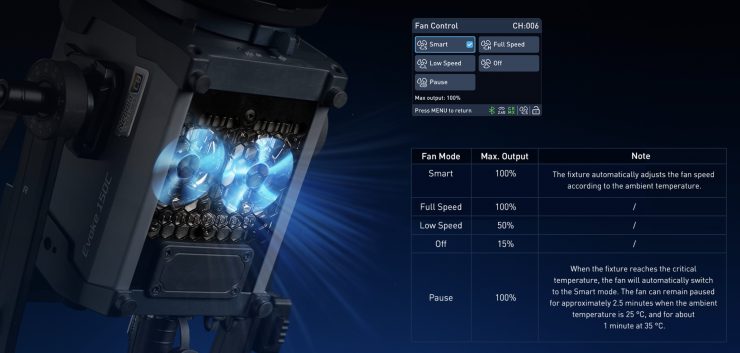
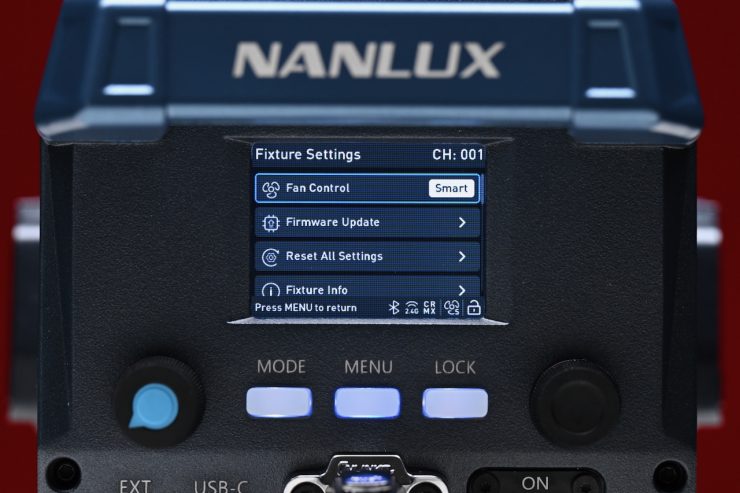
The Evoke 150C is equipped with an efficient cooling system featuring five built-in fan modes. In Smart mode, the average noise level is only 24 dB(A). Even during prolonged operation at full power, I found that the fixture remained very quiet.
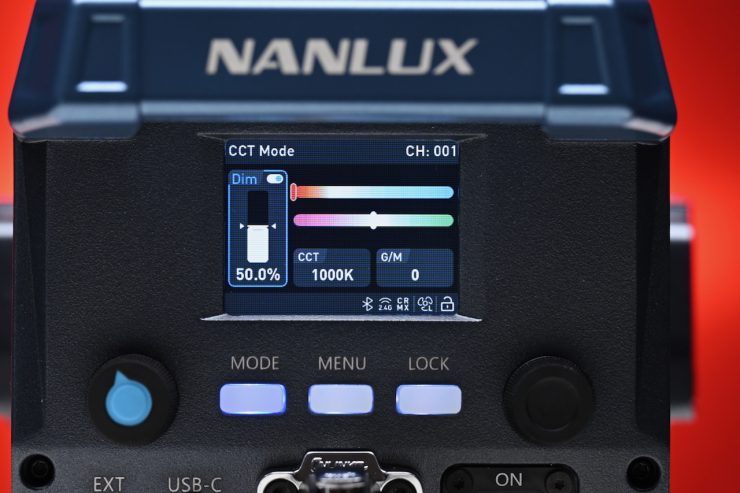
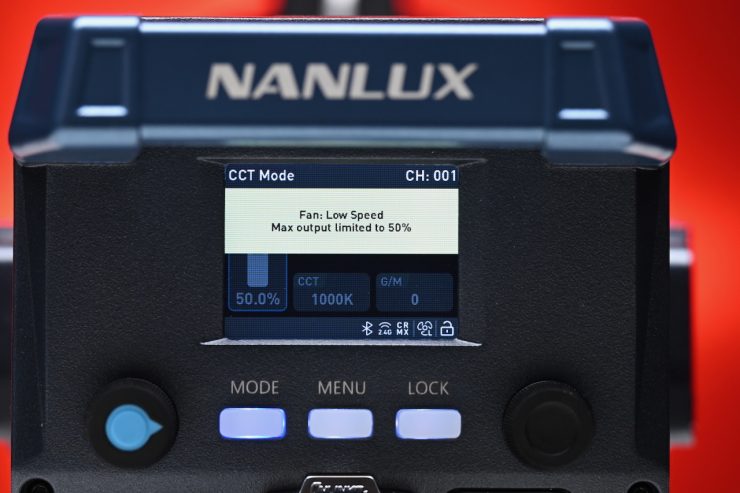
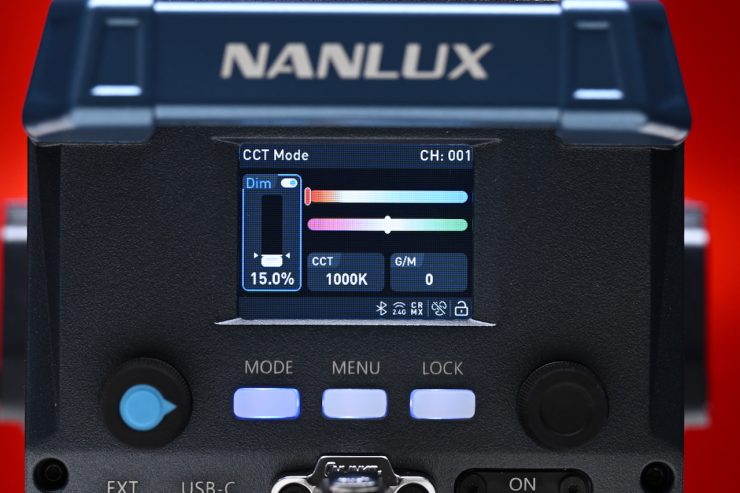
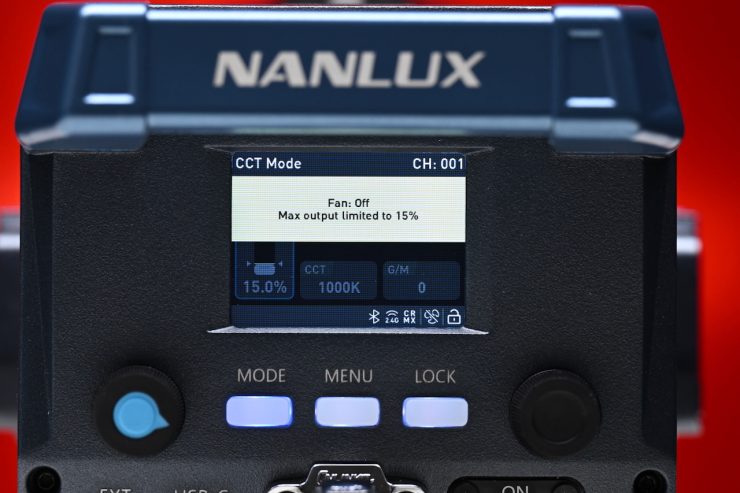
There are options to run the fans at Low Speed, which limits the output to 50%, and if you select Off, then the output is capped at 15%. These warnings are clearly displayed and reflected on the interface.
Control & Operation
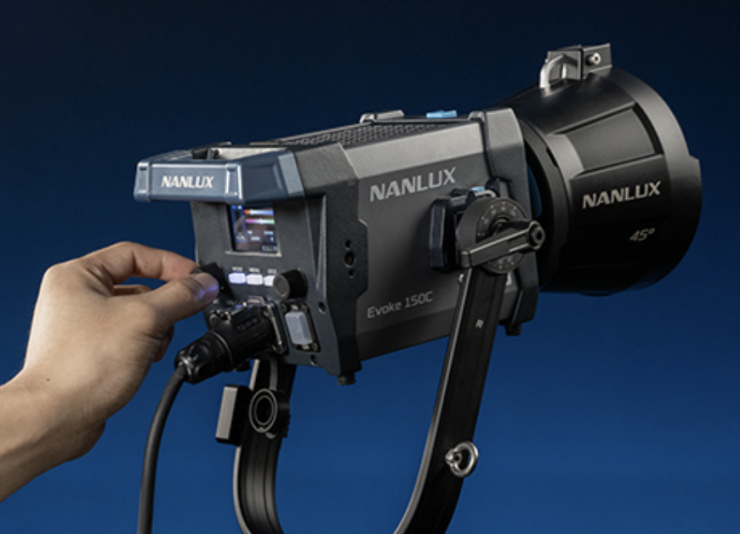
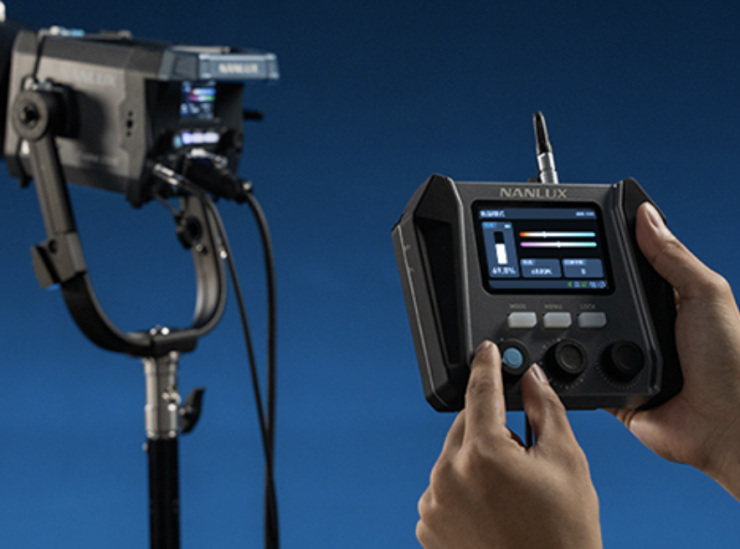
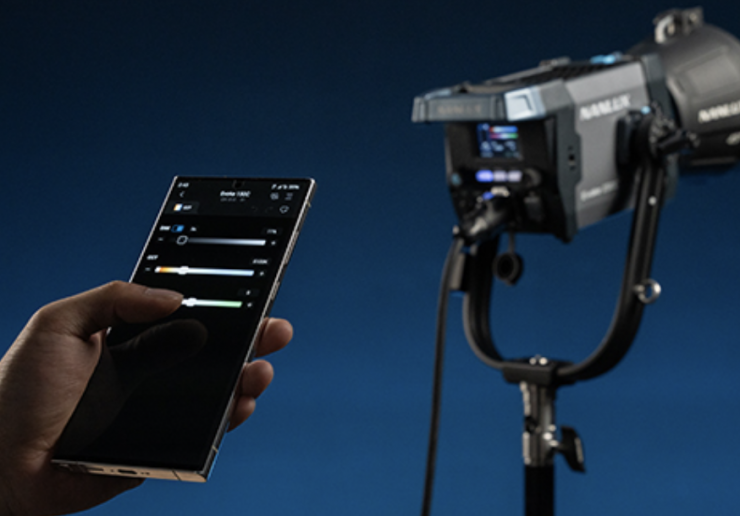
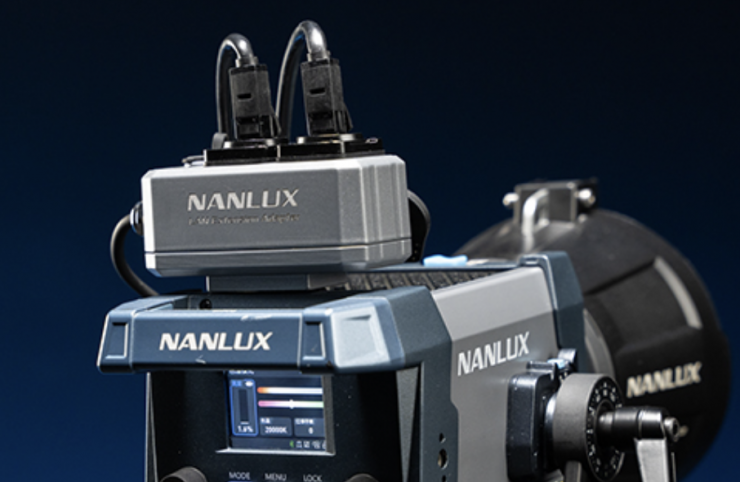
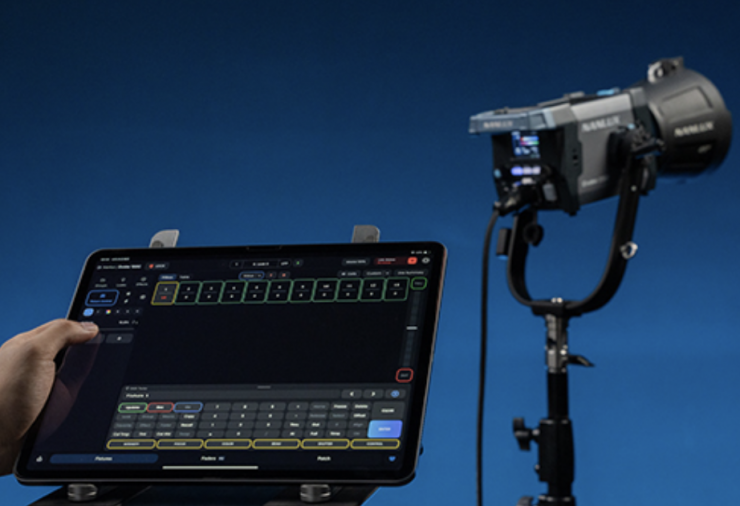
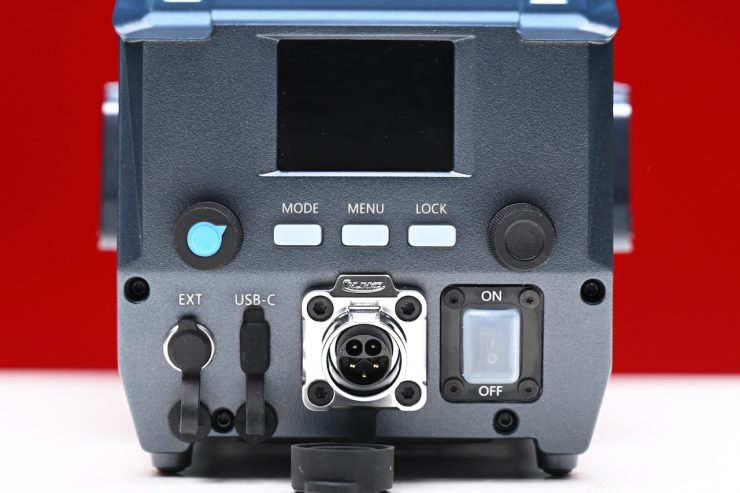
The Evoke 150C control interface is very similar to other Evoke fixtures. It has a 2.0-inch display, two adjustment knobs, and three mode buttons.
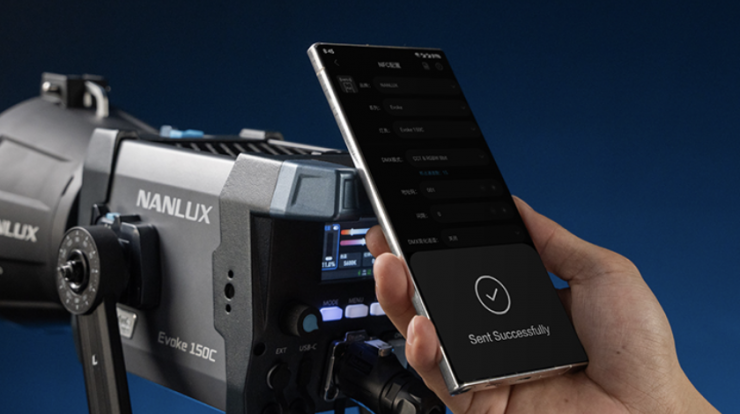
It supports versatile control options, including the Nanlink App 2.0, DMX/RDM, LumenRadio CRMX, Art-Net/sACN, remote controller, or wired controller. A built-in NFC tag allows it to instantly pair with an NFC-enabled phone or tablet running the App.
Menu
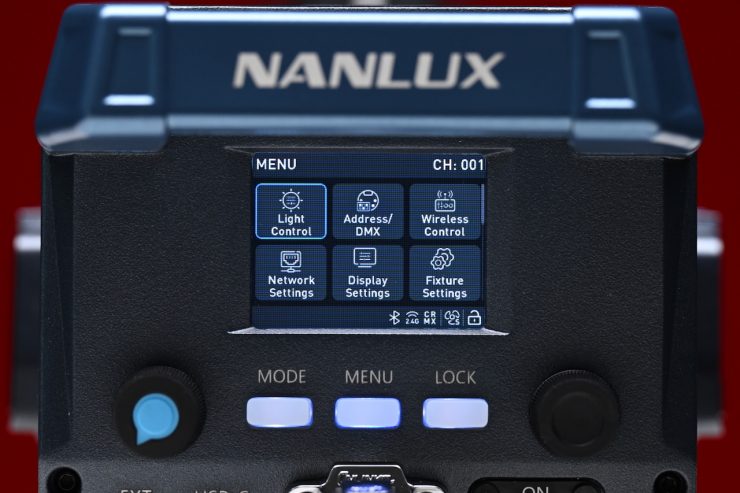
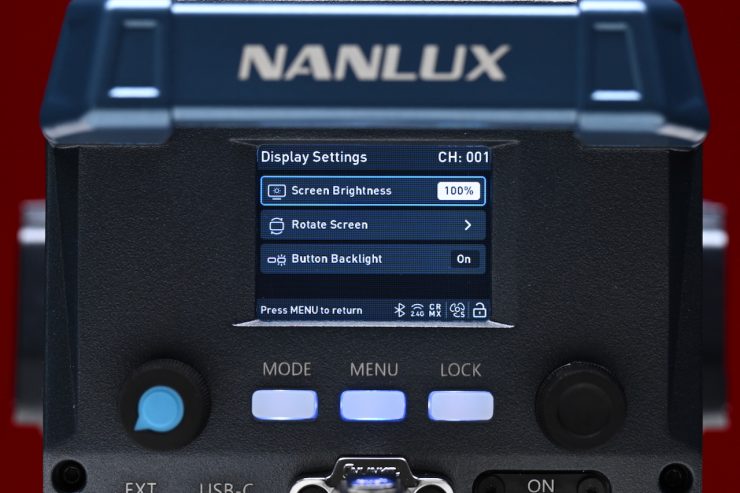
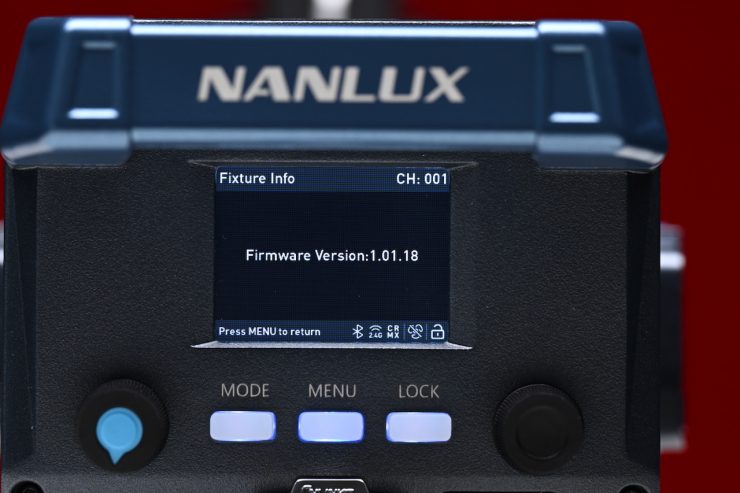
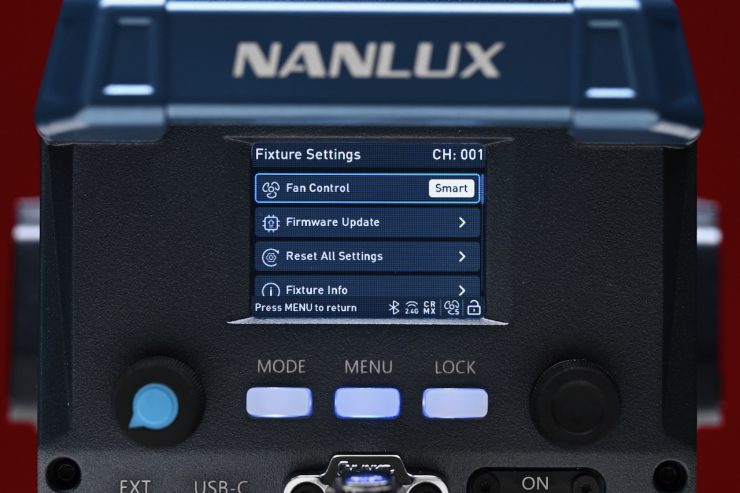
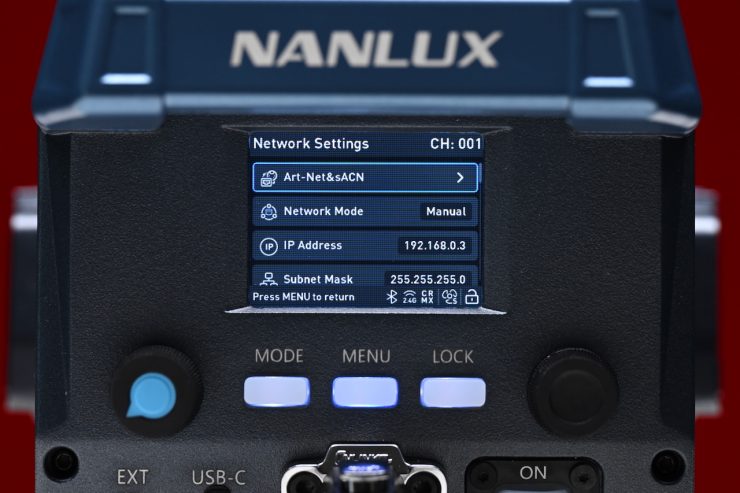
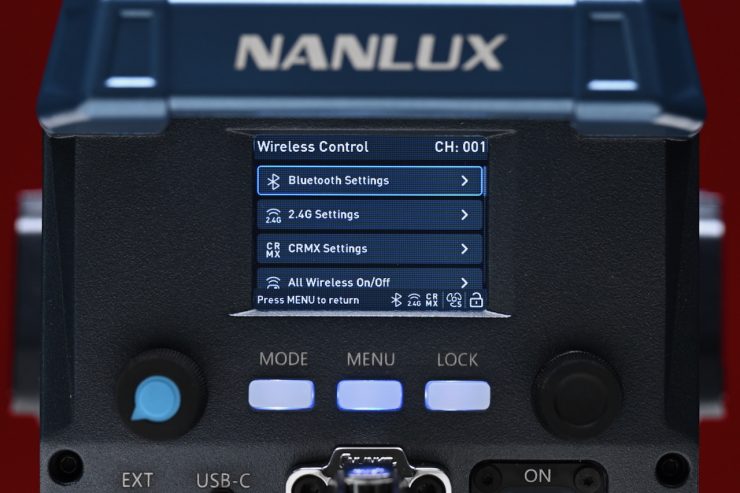
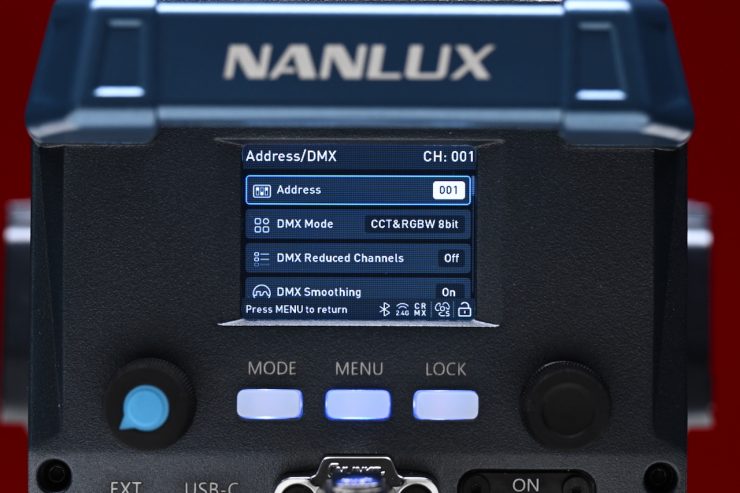
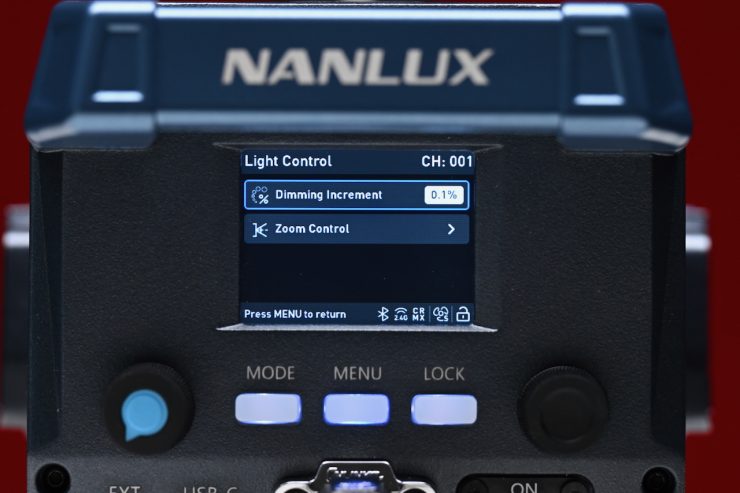
In the menu, you can make adjustments to a wide array of settings.
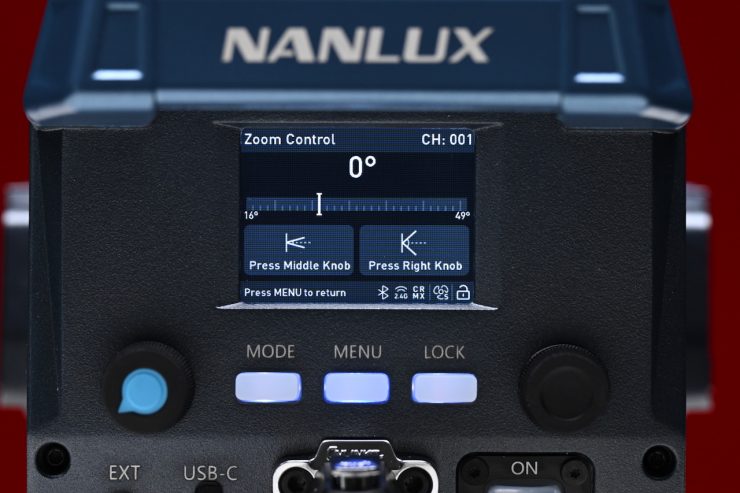
There are even options for controlling the optional motorized fresnel.
Operating Modes
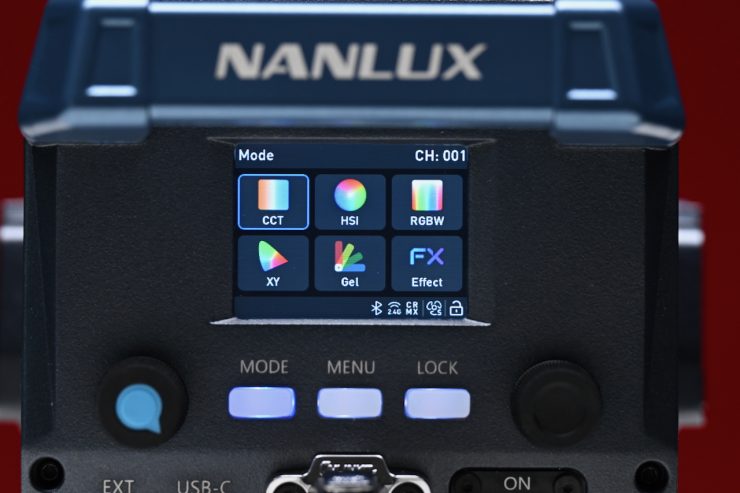
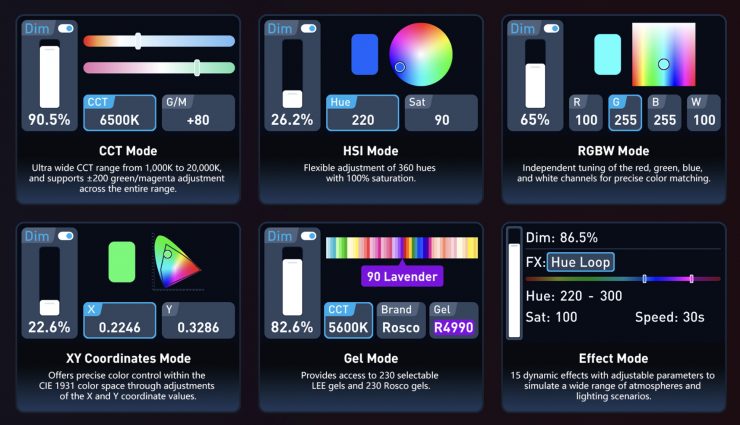
The Evoke 150C offers six built-in lighting modes:
- CCT
- HSI
- RGBW
- XY Coordinates
- Gel
- Effect modes
The Evoke 150C also has a fully linear dimming system that supports adjustments in 0.1% increments, ensuring smooth performance at low brightness and natural fade-ins and fade-outs.
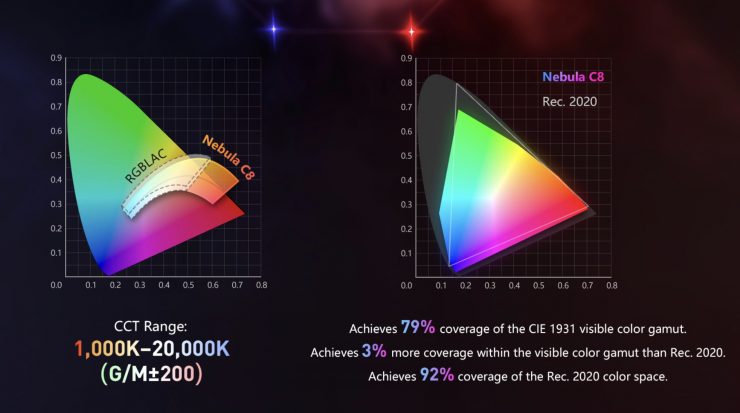
The Evoke 150C has an ultra-wide color temperature range, and it can achieve 79% coverage of the CIE 1931 visible color gamut. It is 3% higher than Rec. 2020 in the visible color gamut and has 92% coverage of the Rec. 2020 color space. It has a claimed CRI of 96, a TLCI of 97, and TM-30 scores of Rf 96 and Rg 100.
Correlated Color Temperature (CCT)
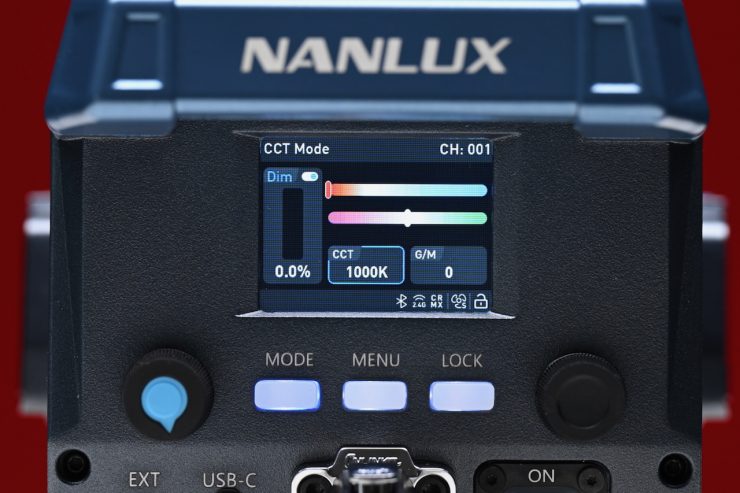
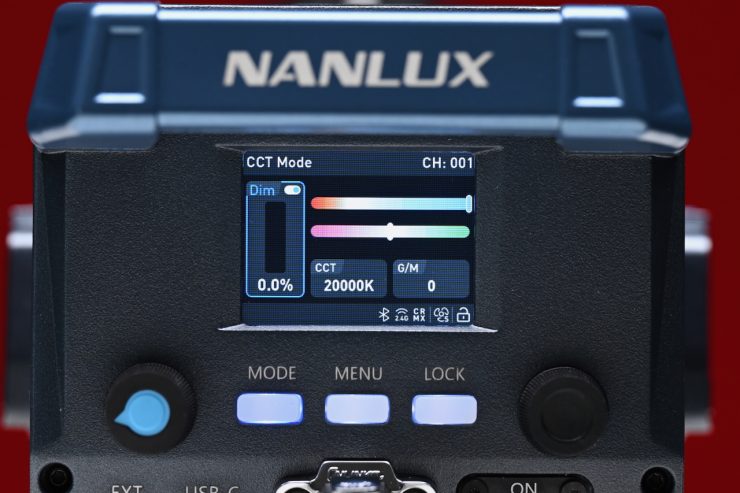
This is the mode most people are going to use the light in. In the CCT Mode, you have full access to making Kelvin color temperature adjustments between 1000-20,000K. This is a very wide range, and it offers plenty of versatility.
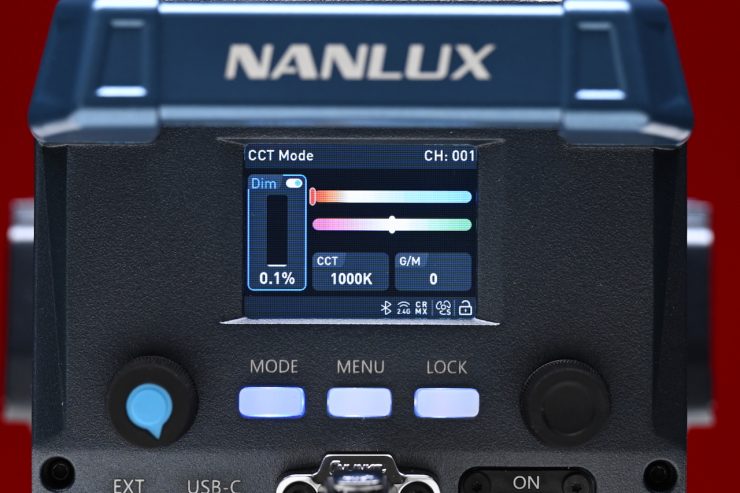
You can adjust the intensity right down to 0.1% and the light still stays on.
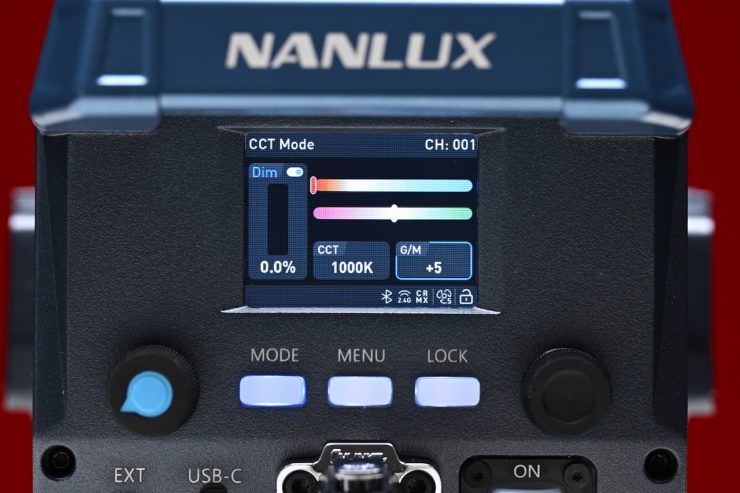
The fixture also has continuous variable (full minus green to full plus green) correction.
Being able to dial in more or reduce the amount of green coming from your lighting source can make a huge difference. Different camera companies use different sensors in their cameras, and they all react differently to light. Some camera sensors may lean towards magenta, and some may lean more towards green. By making CCT adjustments, you can dial in the light so that it looks better for whatever camera system you are using. CCT adjustment also helps when you are trying to match lights from different manufacturers.
The CCT range is very impressive, and it should suit most people’s needs.
HSI
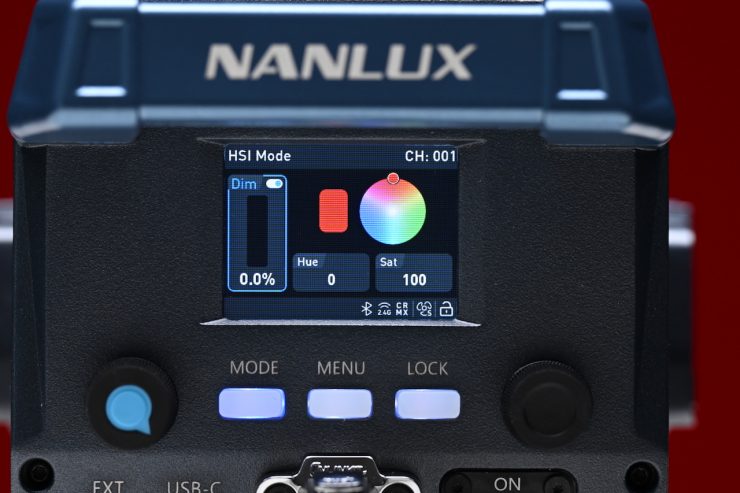
The HSI mode lets you create just about any color you can think of. It gives you full hue and saturation control as well as intensity. By manipulating the hue and saturation, you can create some really interesting colors that, depending on the project you are working on, can really add some creative flair. I quite like using this mode to create a lot of color separation between the foreground and background, or for recreating a really cold or warm-looking image.
Because the interface has really good visual aids, it is so much easier to dial in the exact color you want to create. On some lights, you have to use dials with no visual reference.
RGBW
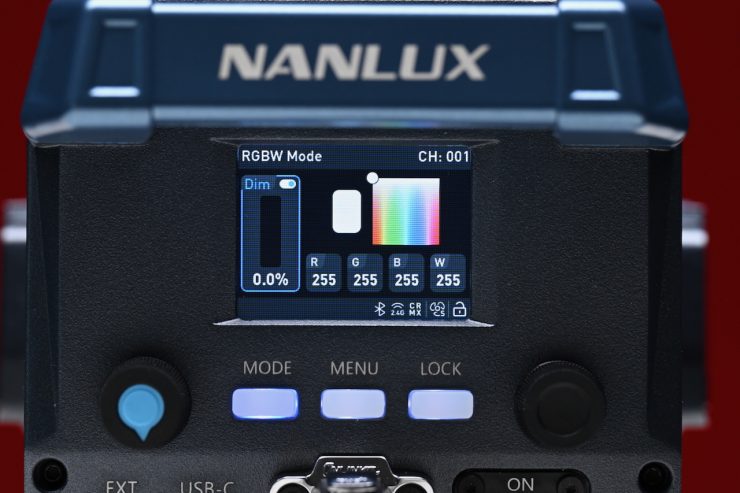
In this mode, you can individually adjust the Red, Green, Blue, and White channels of the fixture.
XY
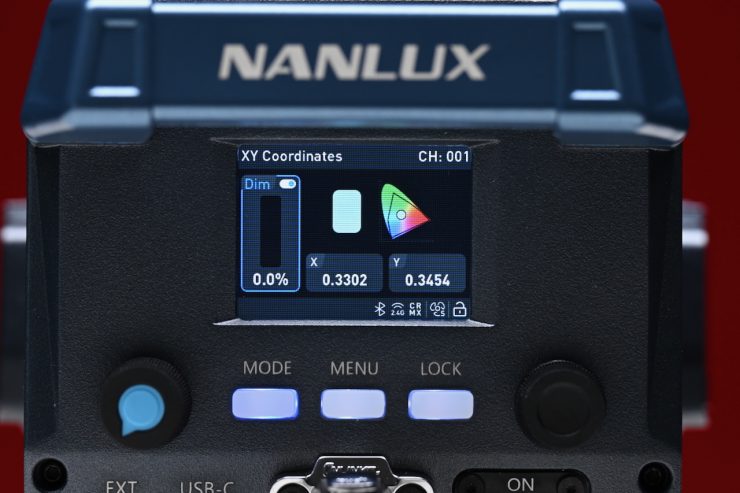
In this mode, you can adjust the x,y coordinates of the light. This can be handy when trying to match other fixtures or light sources if you have a Specromaster that can measure x,y coordinates.
GELS
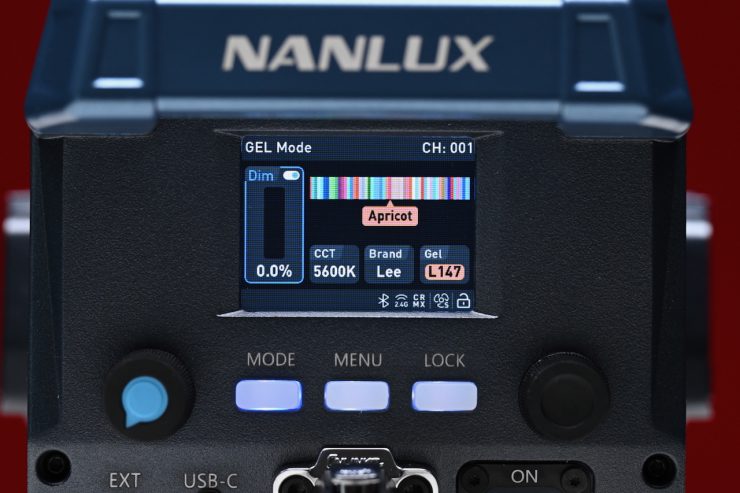
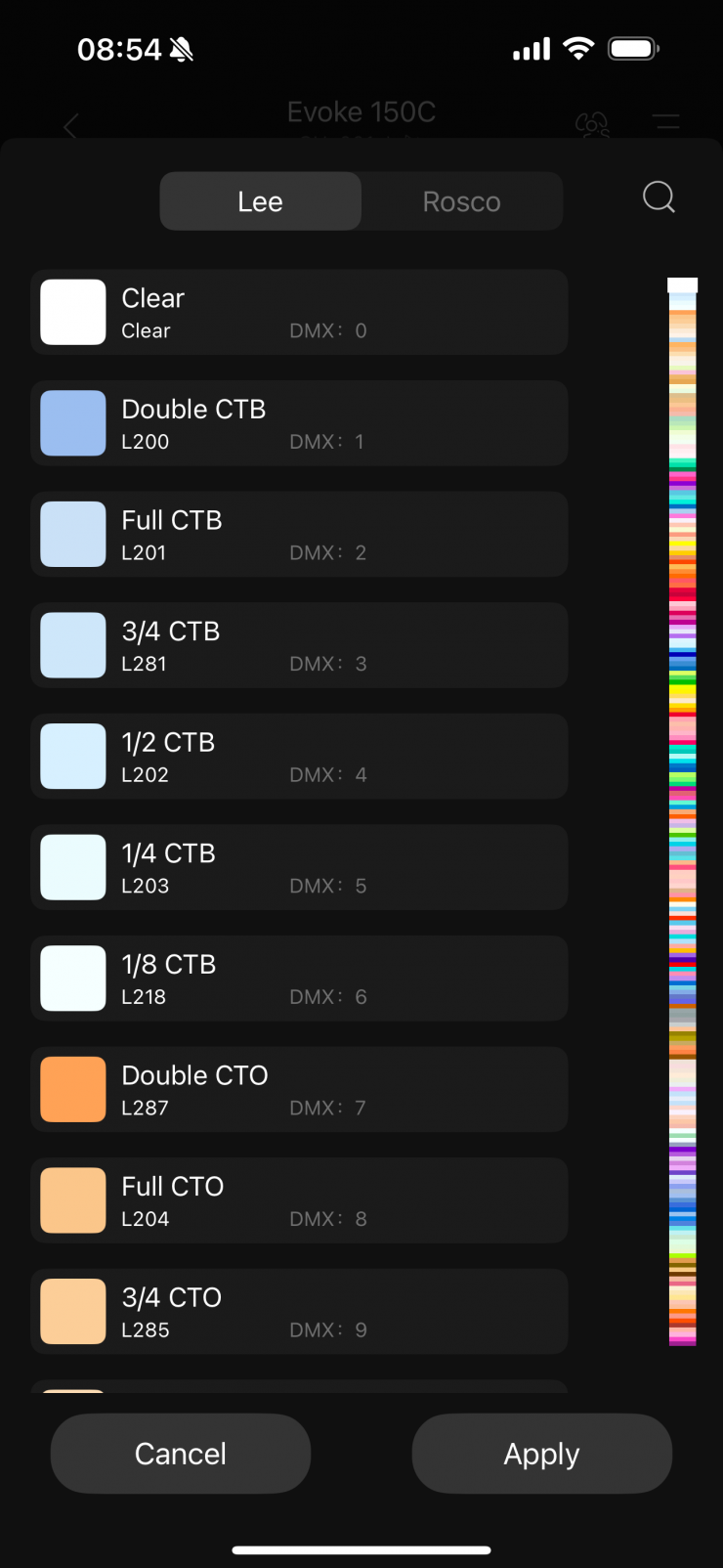
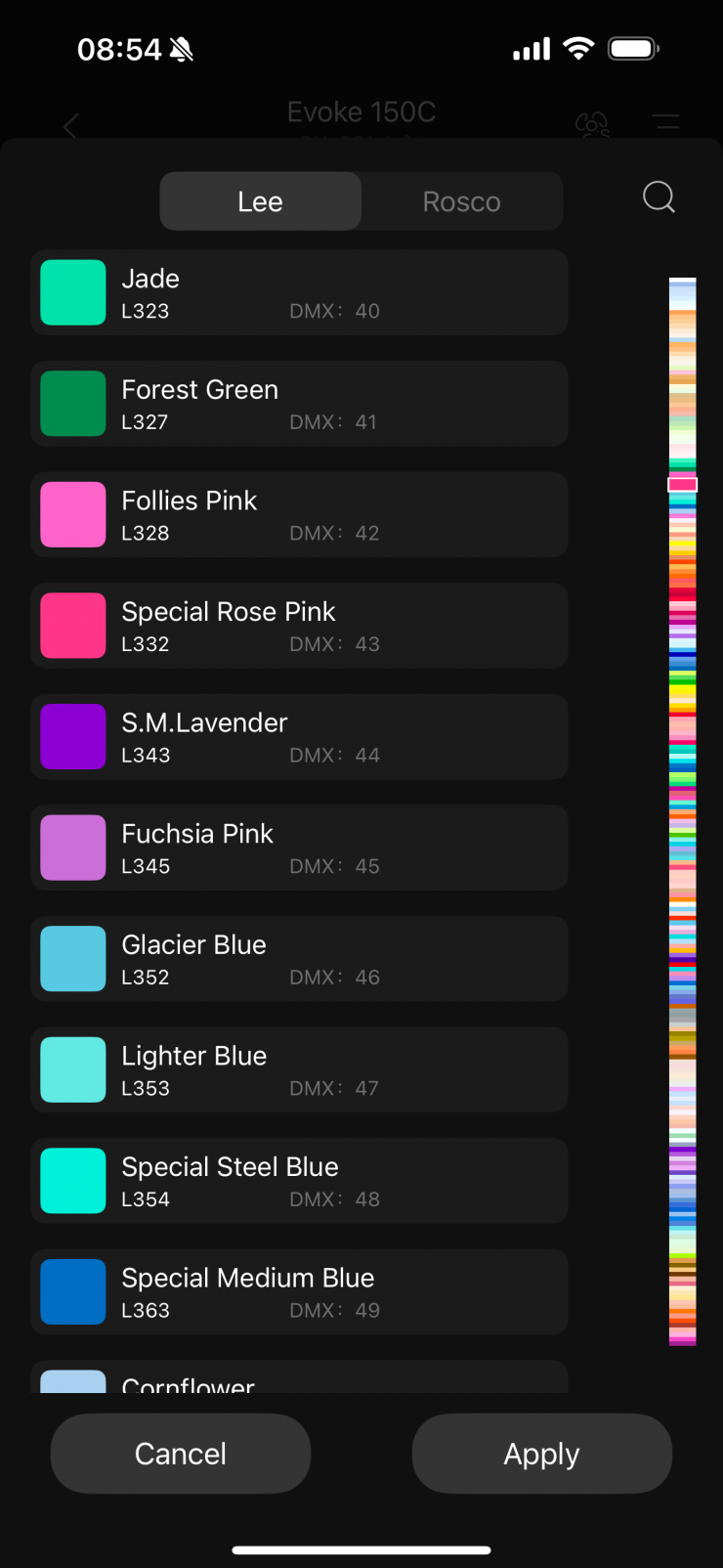
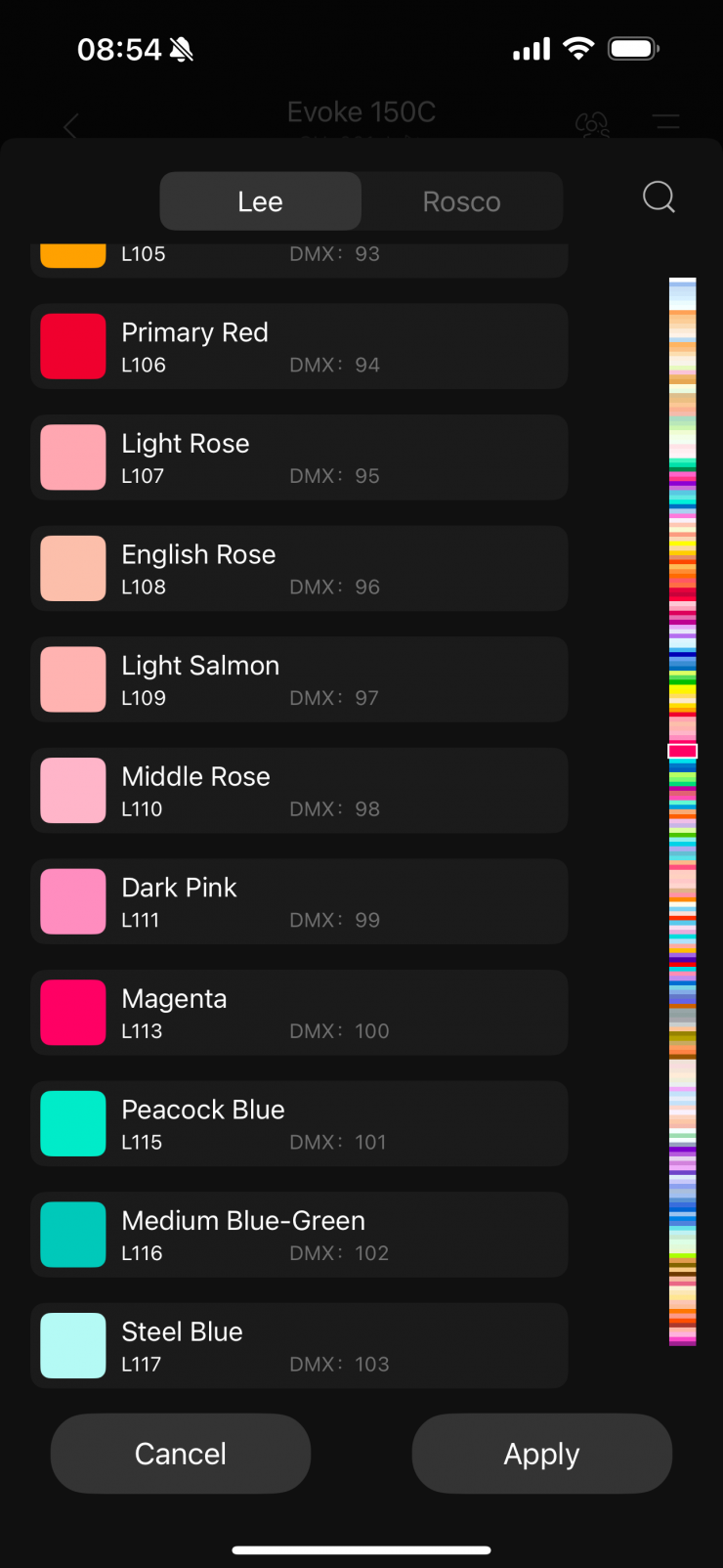
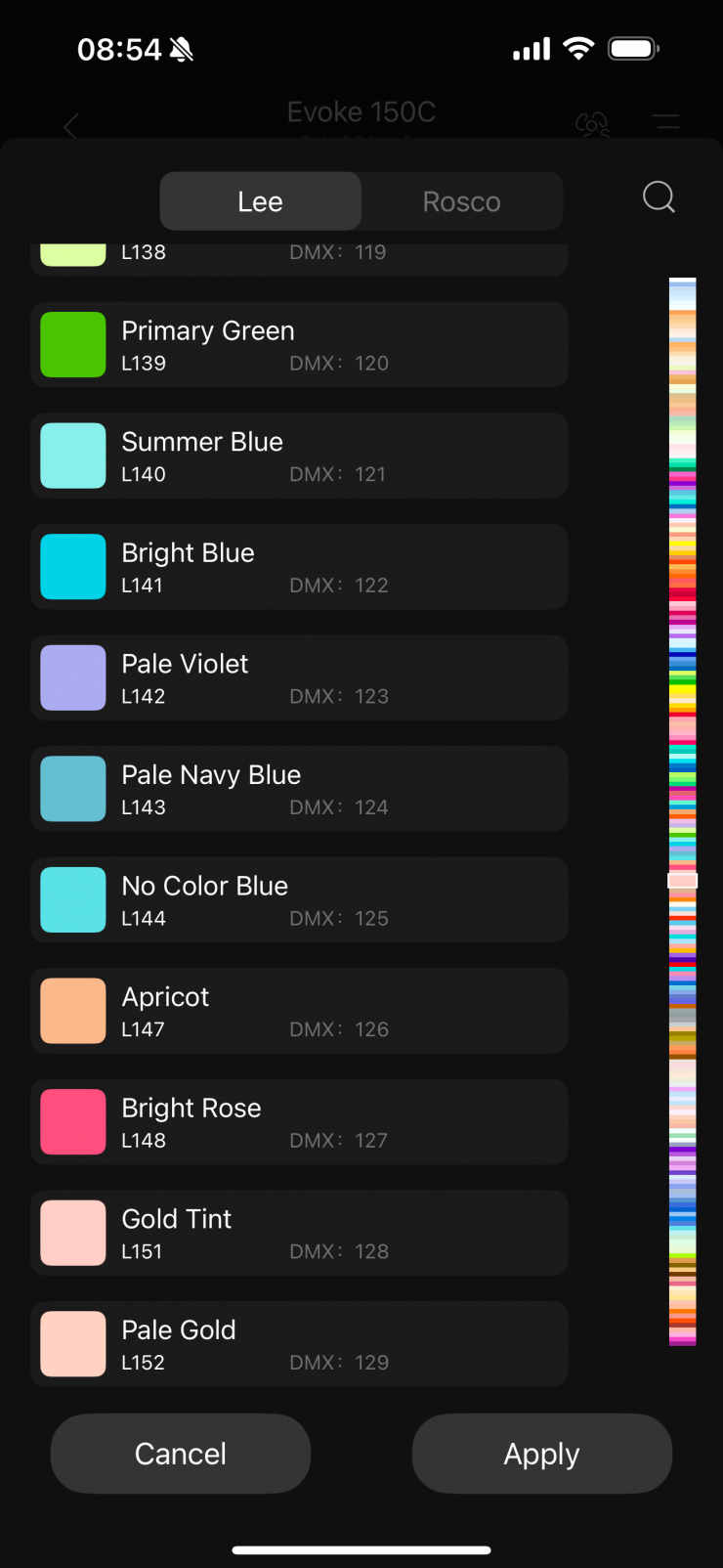
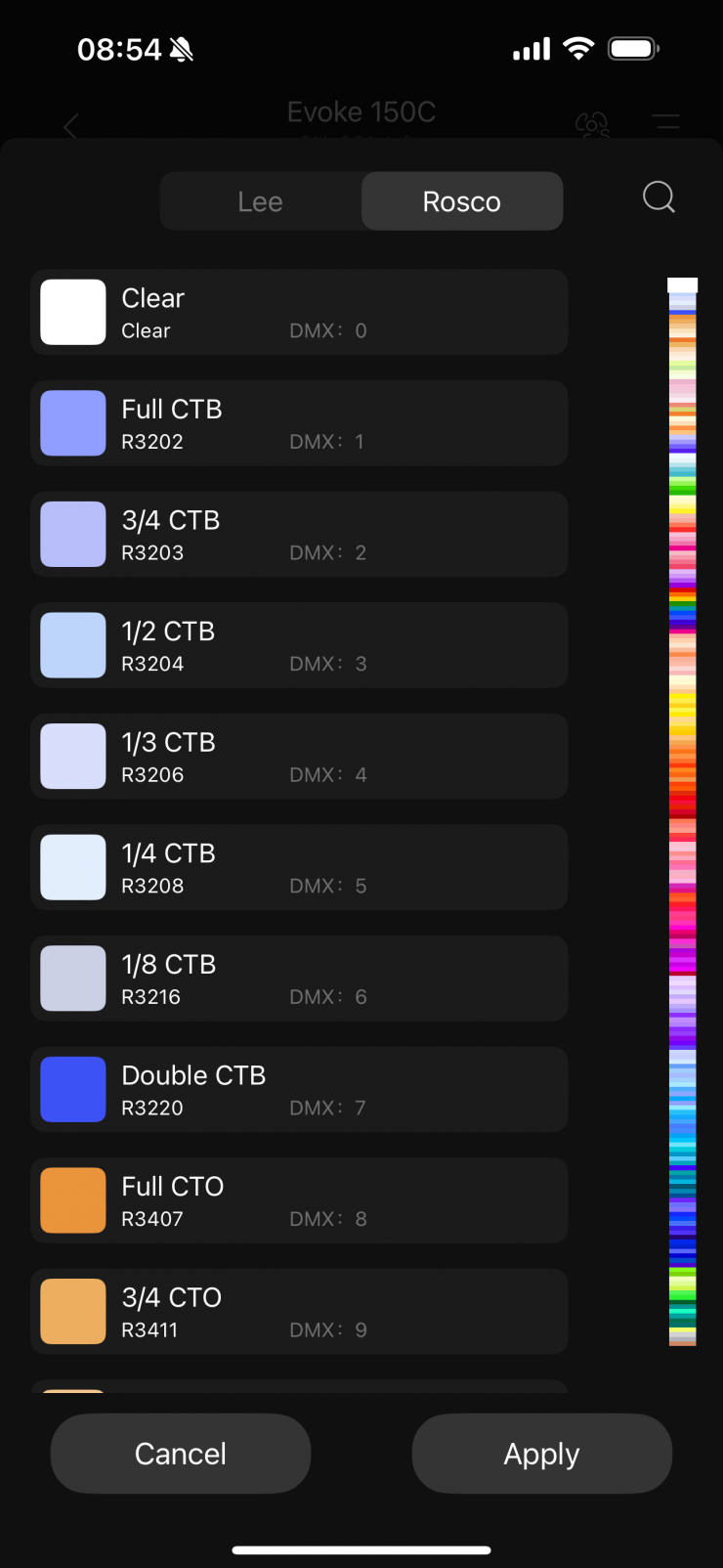
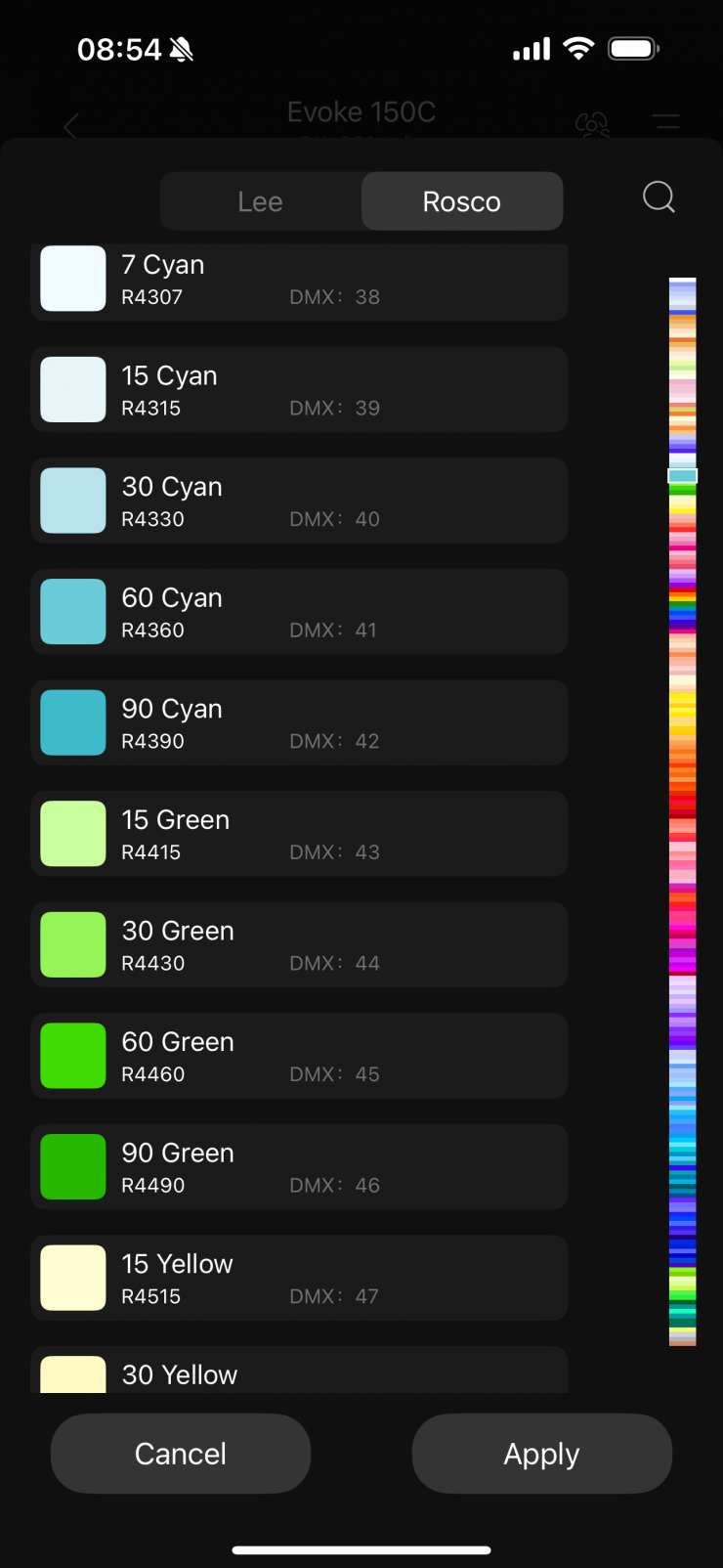
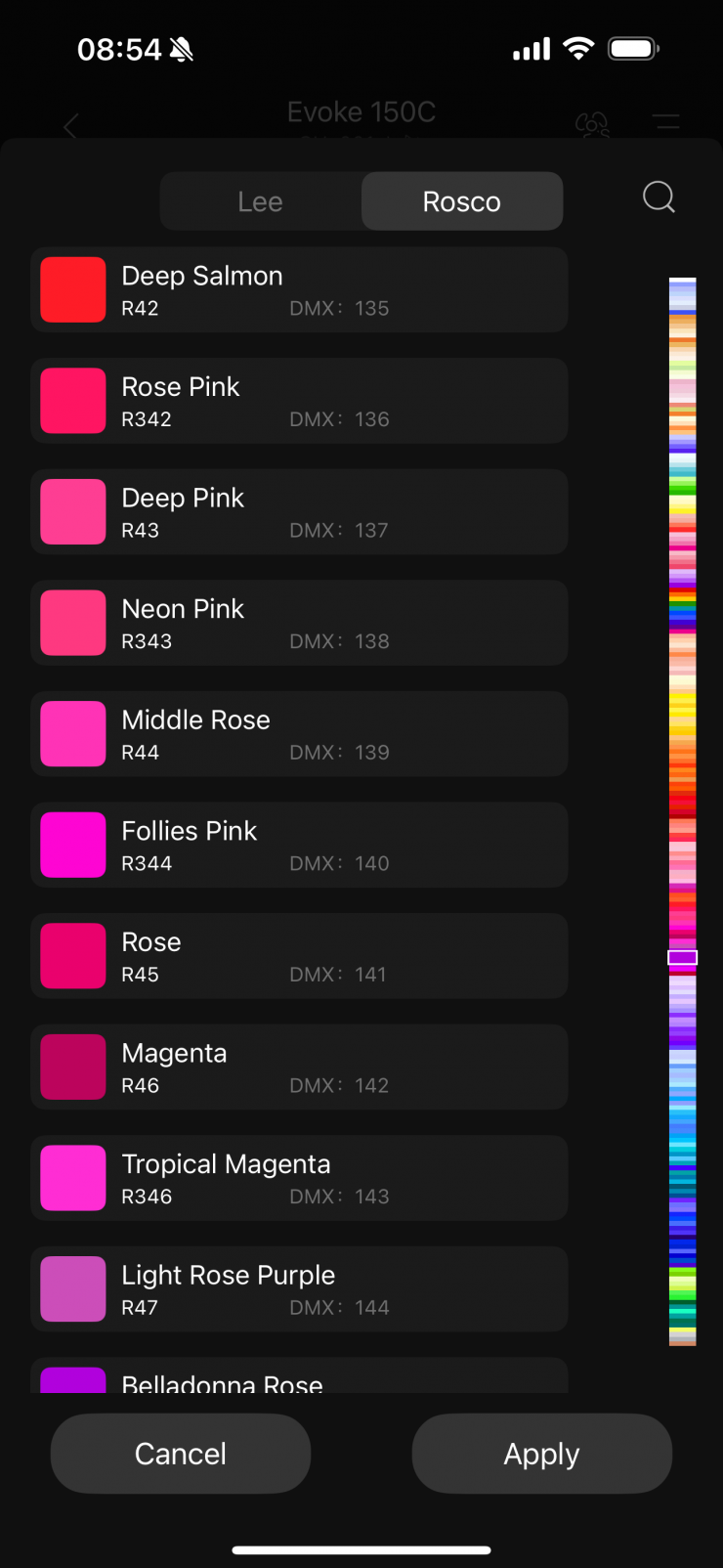
Inside the fixture, there is a huge assortment of industry-standard gels from both Lee and Rosco. In fact, you can choose from 230 Rosco gels and 230 LEE gels.
Having built-in Digital Gels not only means that you don’t have to physically carry gels around, but you can also quickly and easily replicate popular gels. Using the gel mode can help you match other lighting sources, especially if you are working with other lights with physical gels.
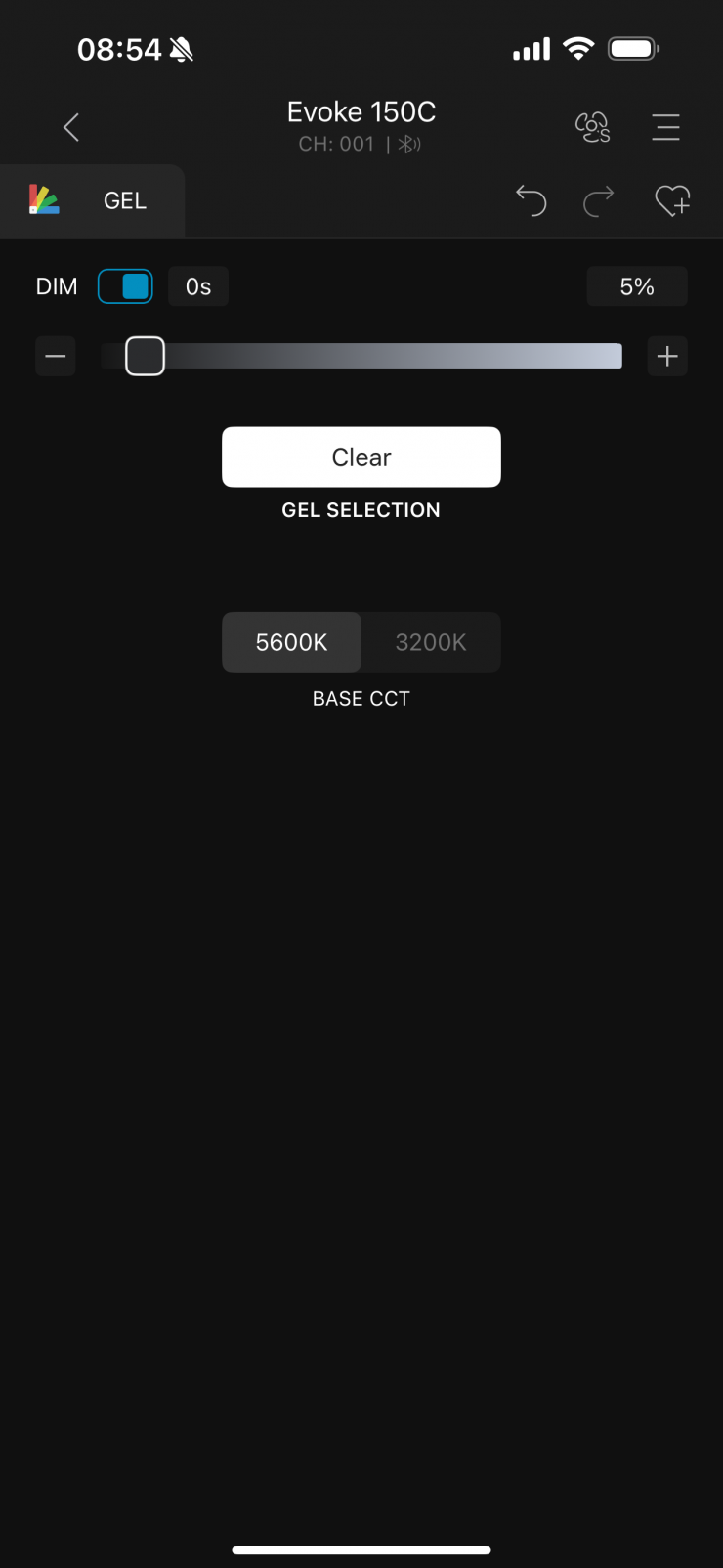
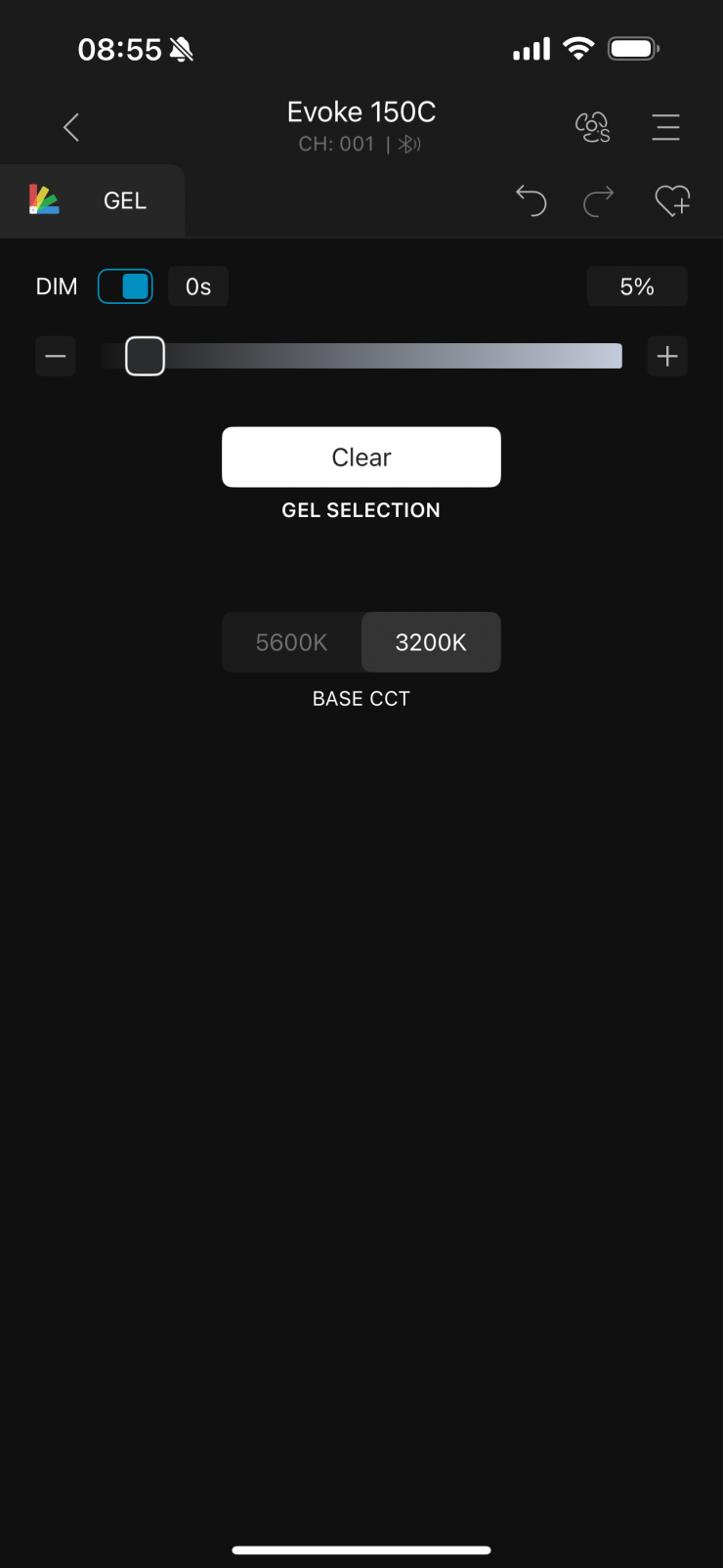
You can select the white point by adjusting the CCT slider, and then the selection of gels you see will change.
Effects
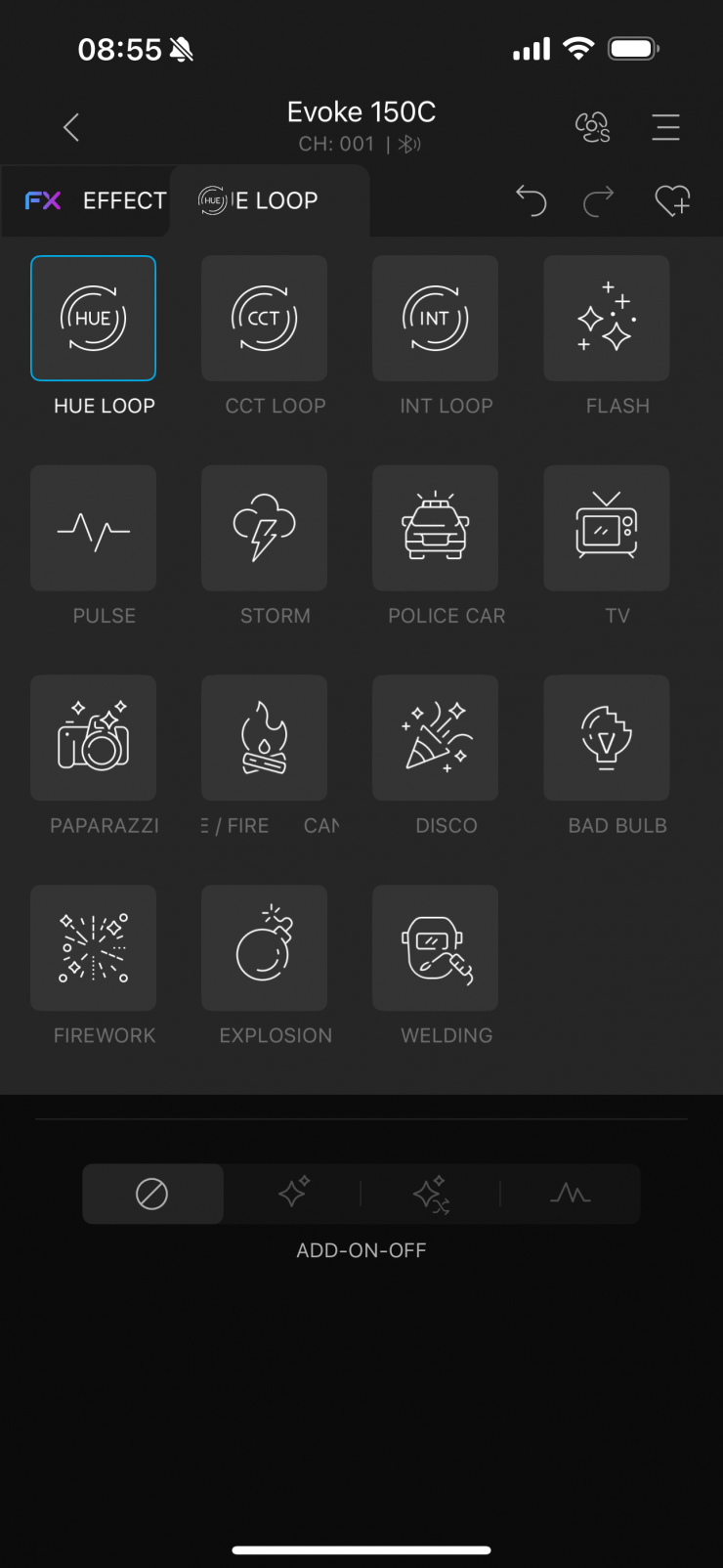
The Nebula C8 light engine allows the fixture to deliver a lot of very realistic full-color lighting effects.
Effects mode lets you recreate 15 lighting effects that can be handy for certain scenarios. The effects are:
- CCT Loop
- Hue Loop
- Int Loop
- Fire
- Flash
- Storm
- Paparazzi
- Police Car
- Pulse
- Lightning
- Disco
- Bad Bulb
- Fireworks
- Welding
- Explosion
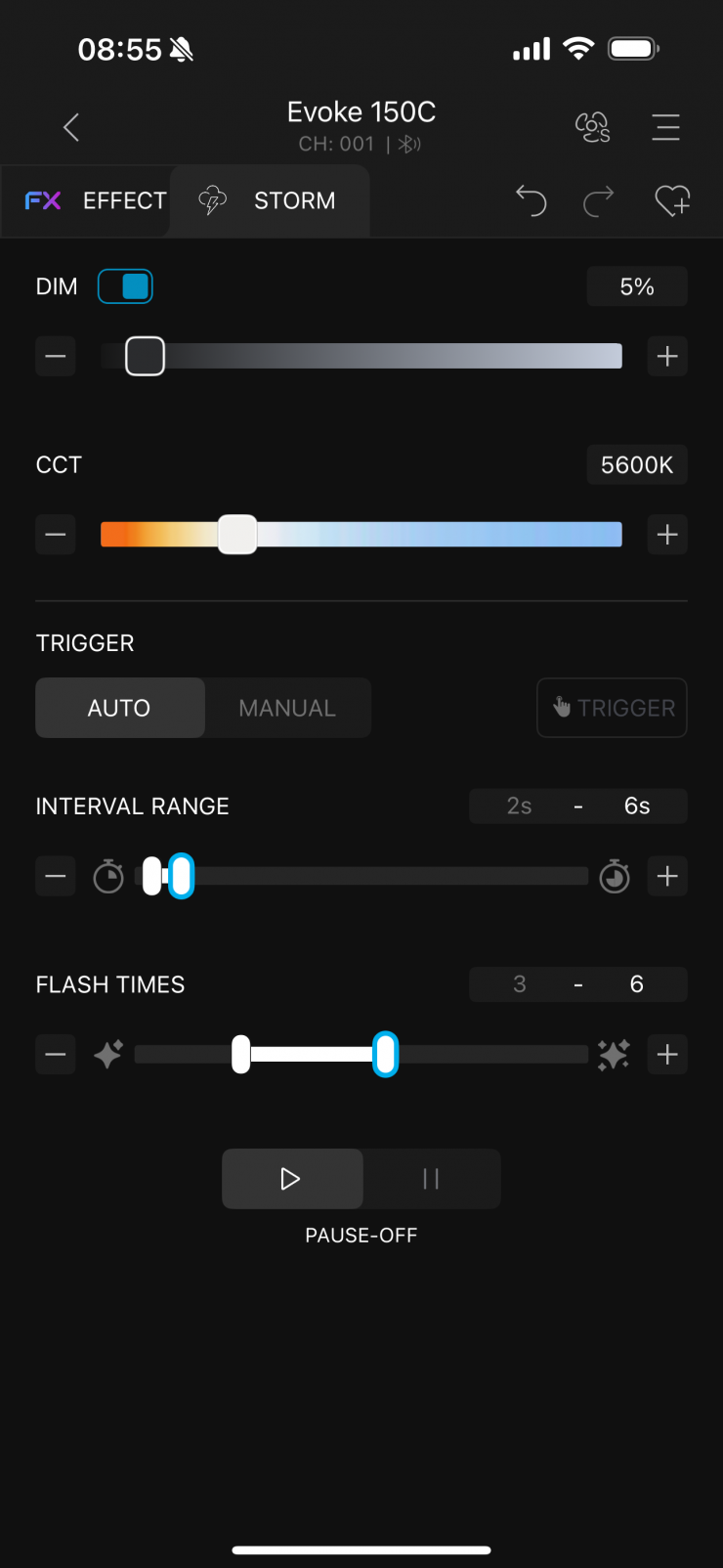
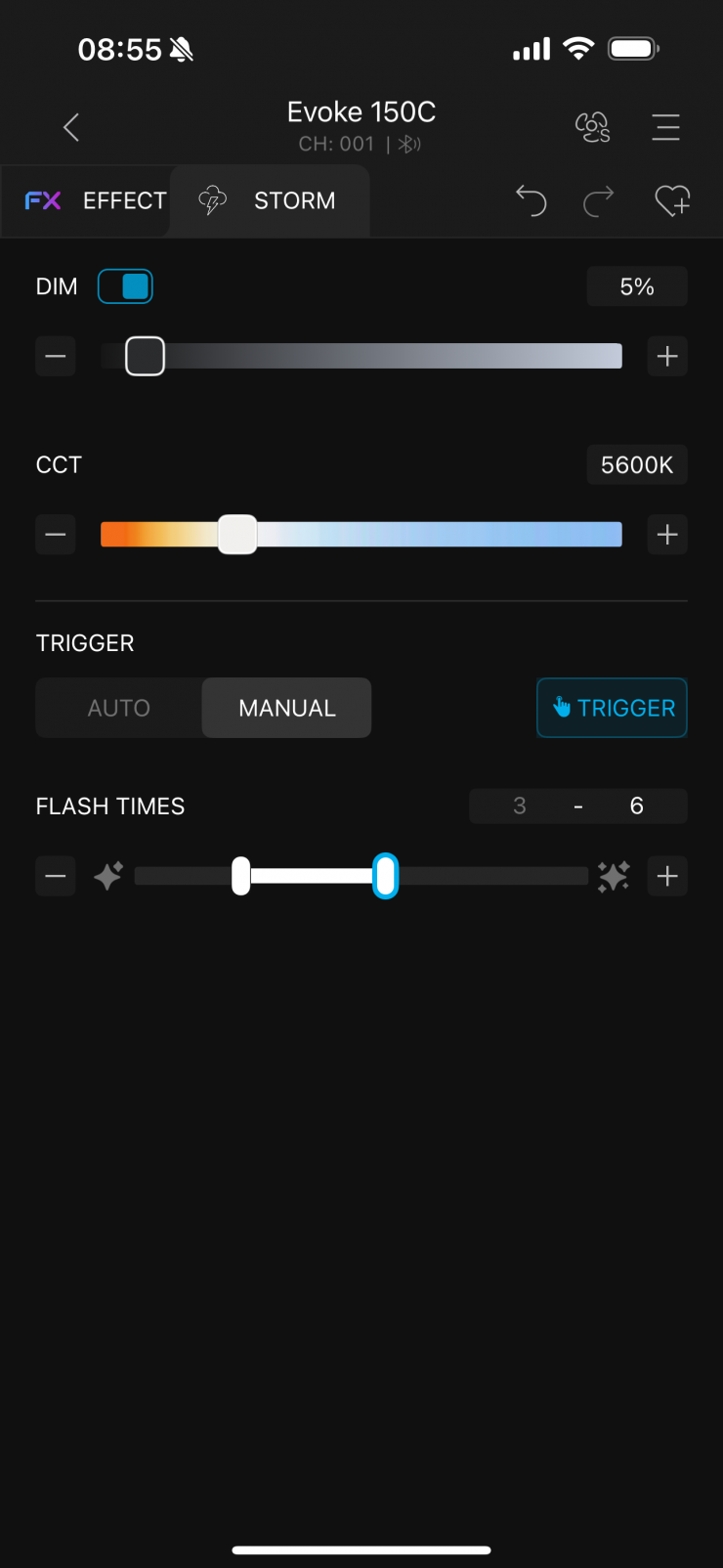
All the effects modes can be individually adjusted and tailored to your lighting needs.
NANLINK Bluetooth app
The light can be controlled via Bluetooth using the NANLINK App.
As well as making adjustments directly from the fixture, you can also use the free NANLINK Bluetooth app to control the light remotely.
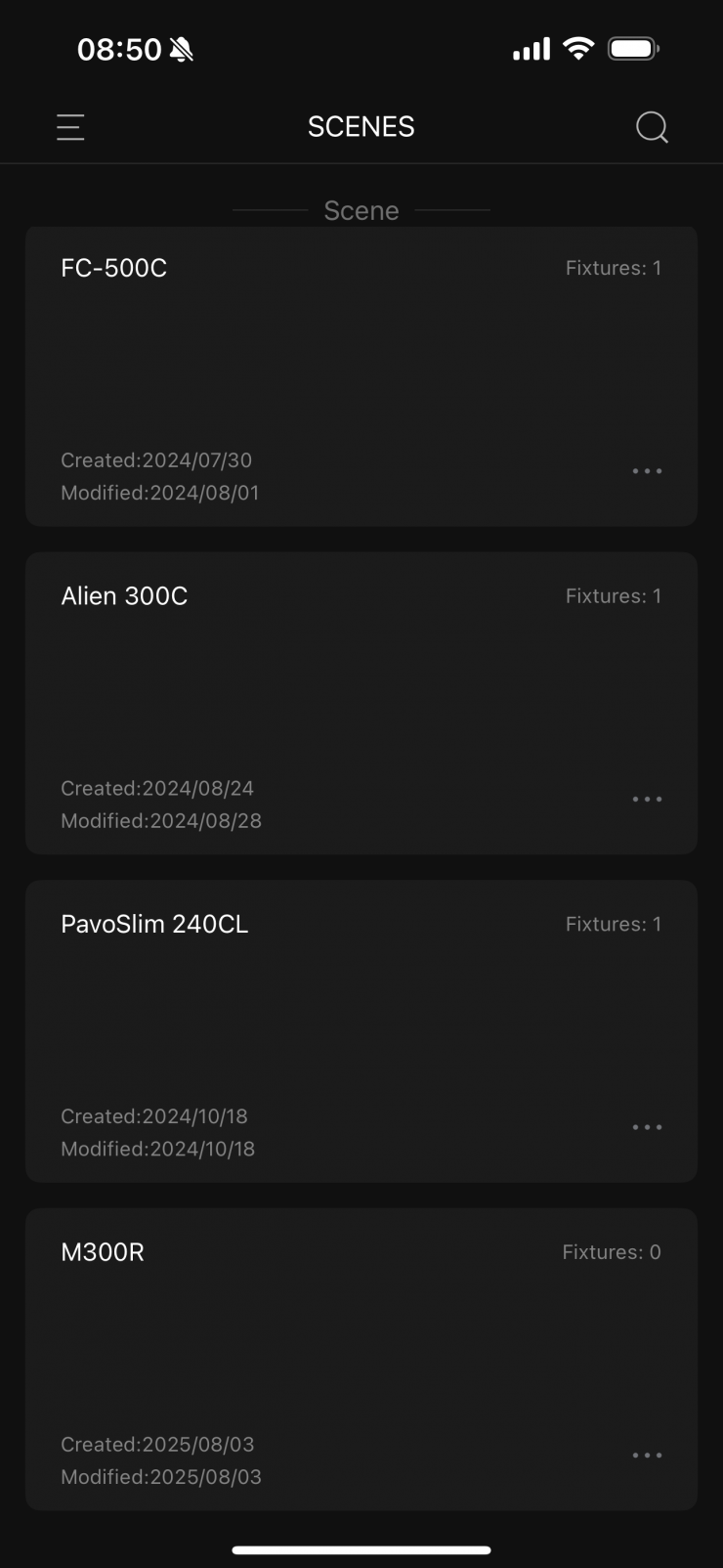
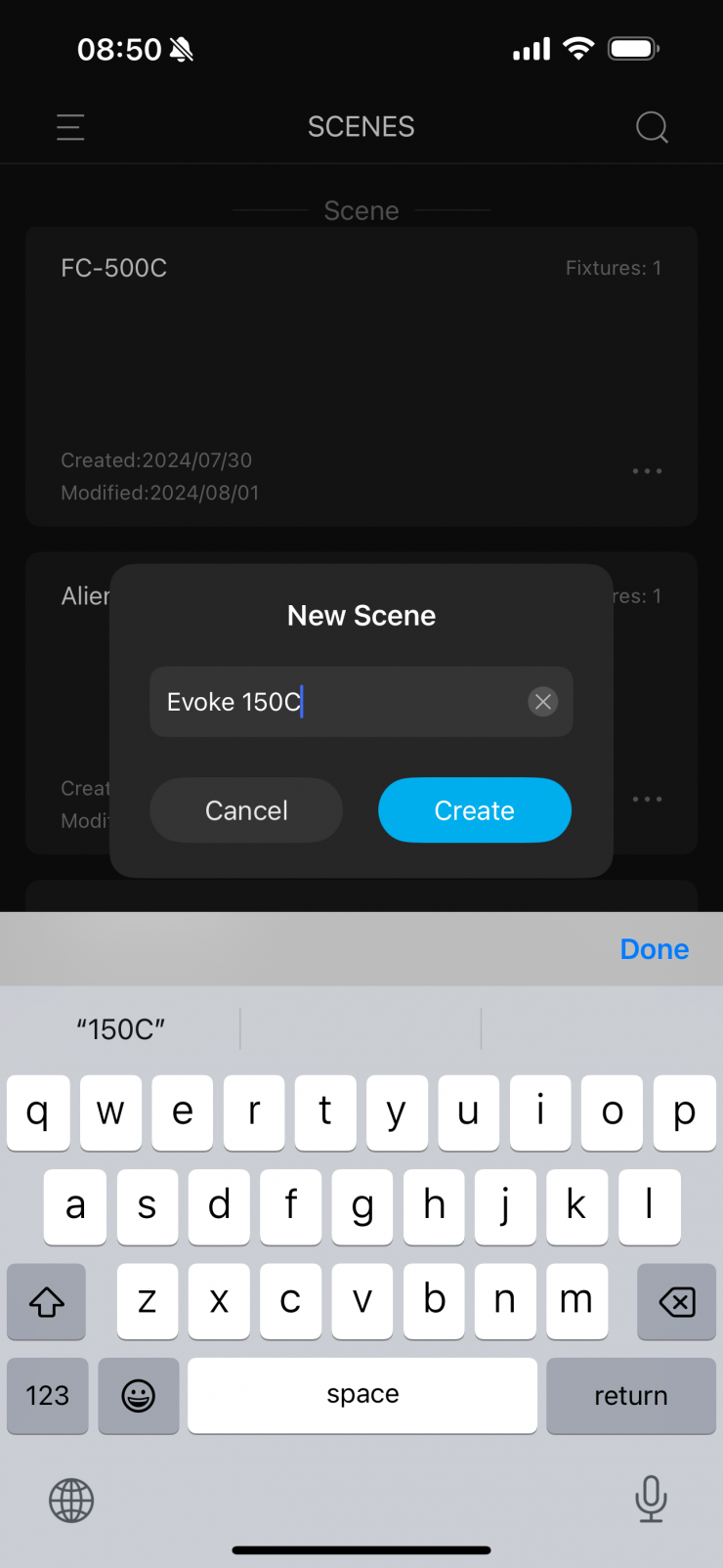
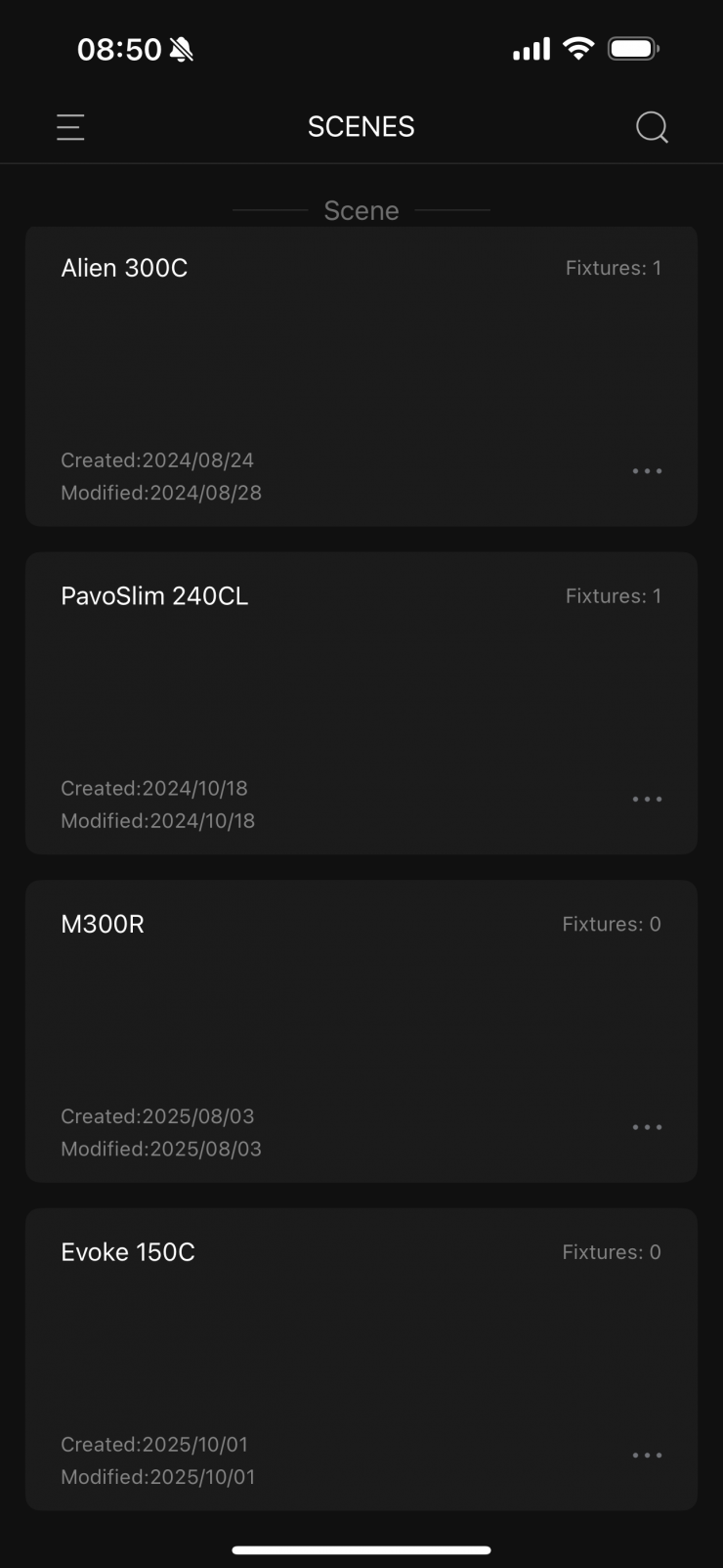
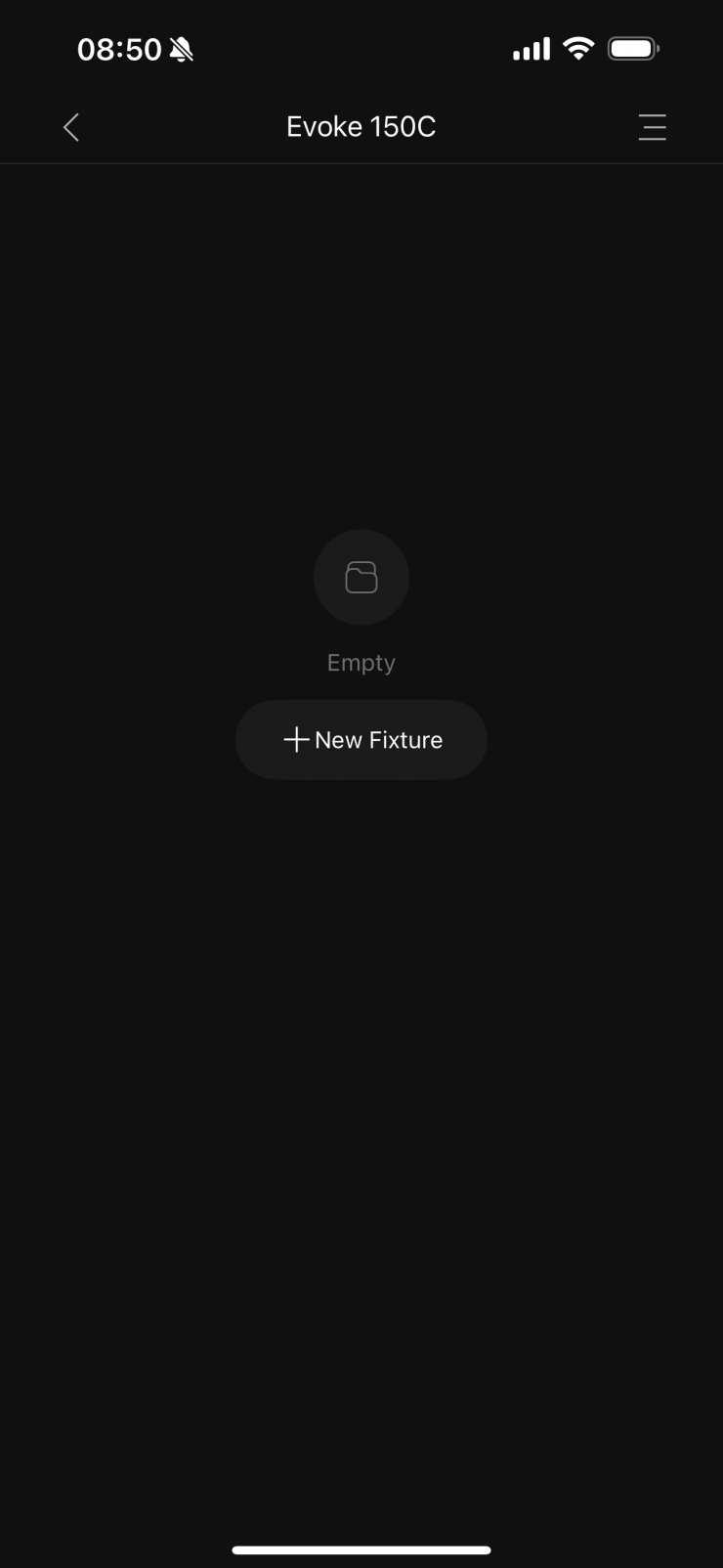
With the app, the first thing I am going to do is create a new Scene and name it Evoke 150C. It will then ask me to add a fixture.
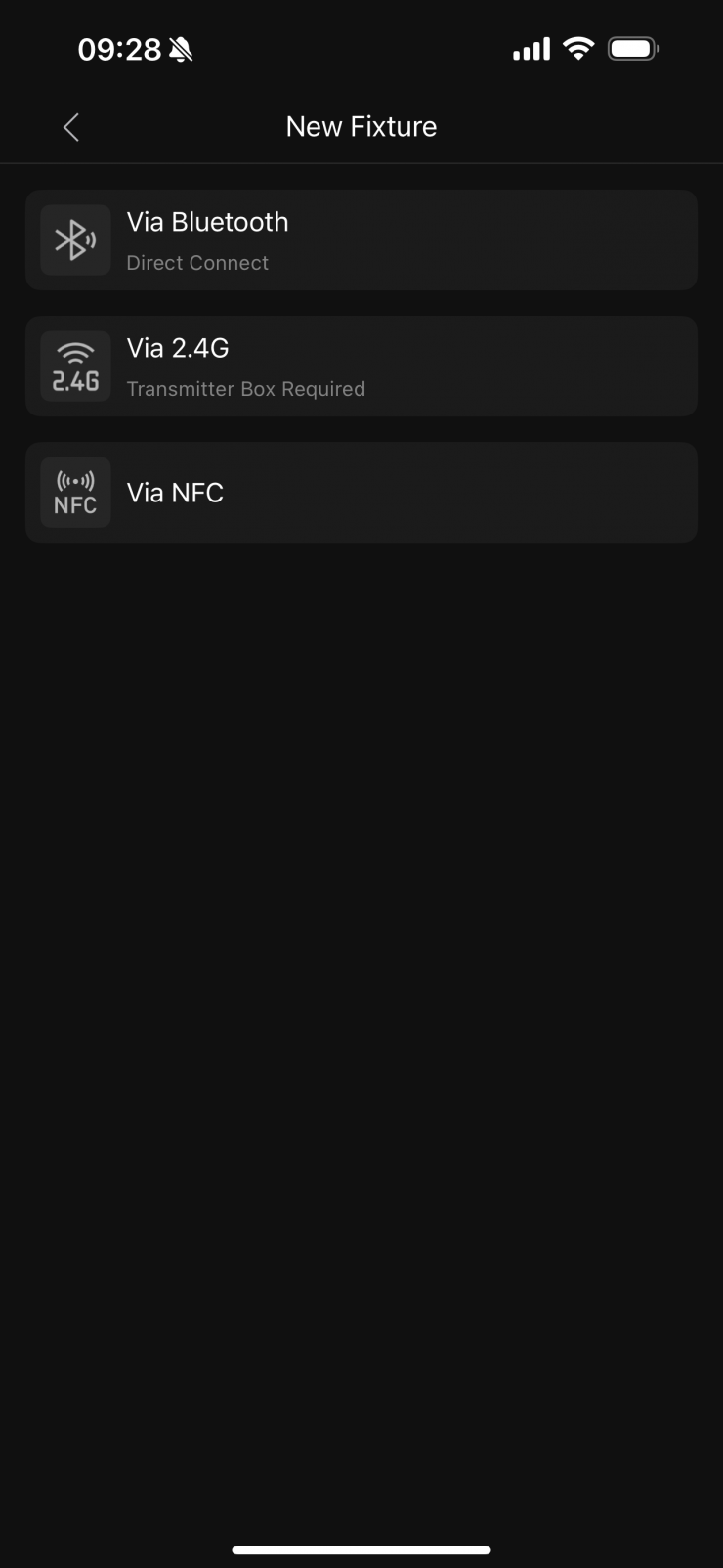
I then get a choice of how I would like to connect to the fixture. In this case, I will choose Bluetooth.
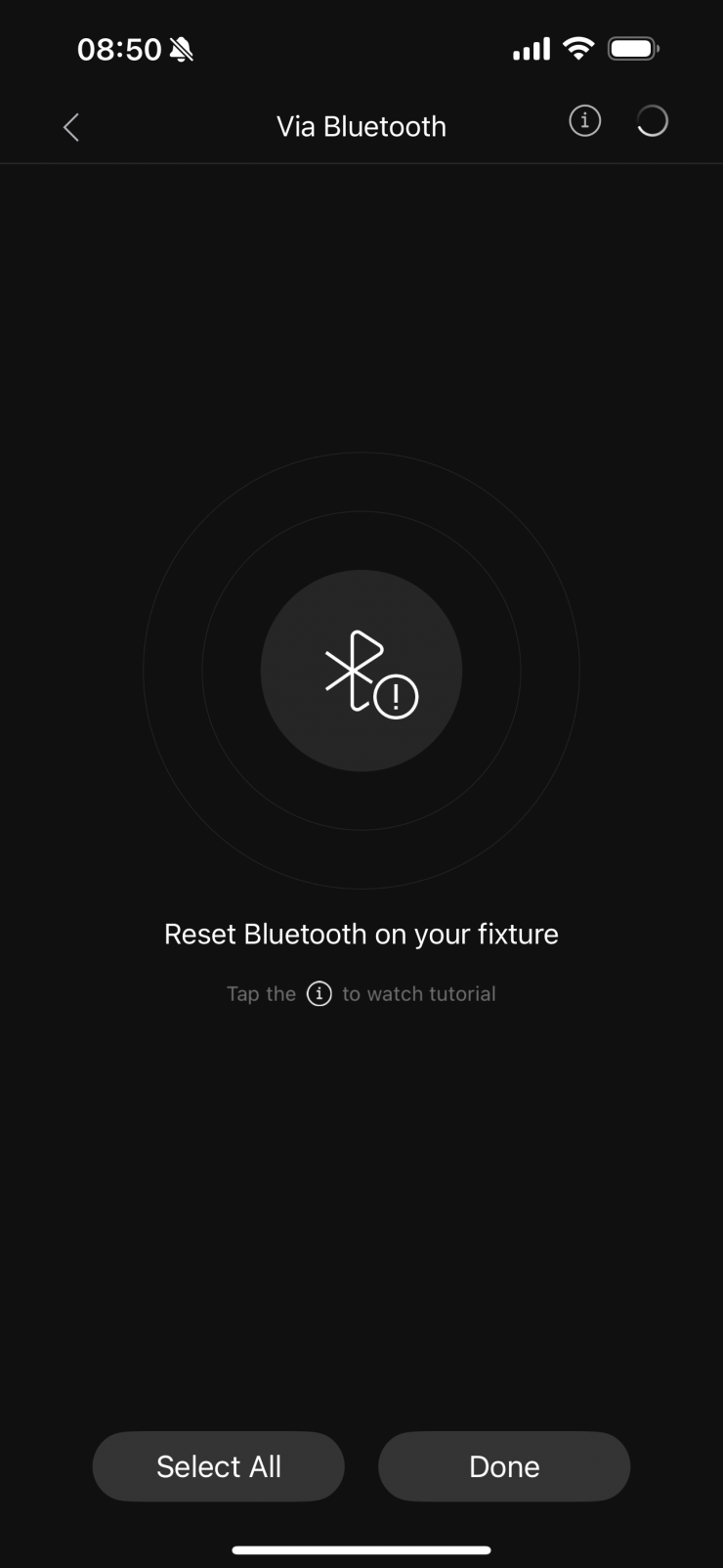
Once I click to add a new fixture, it will ask me to reset the Bluetooth on the fixture.
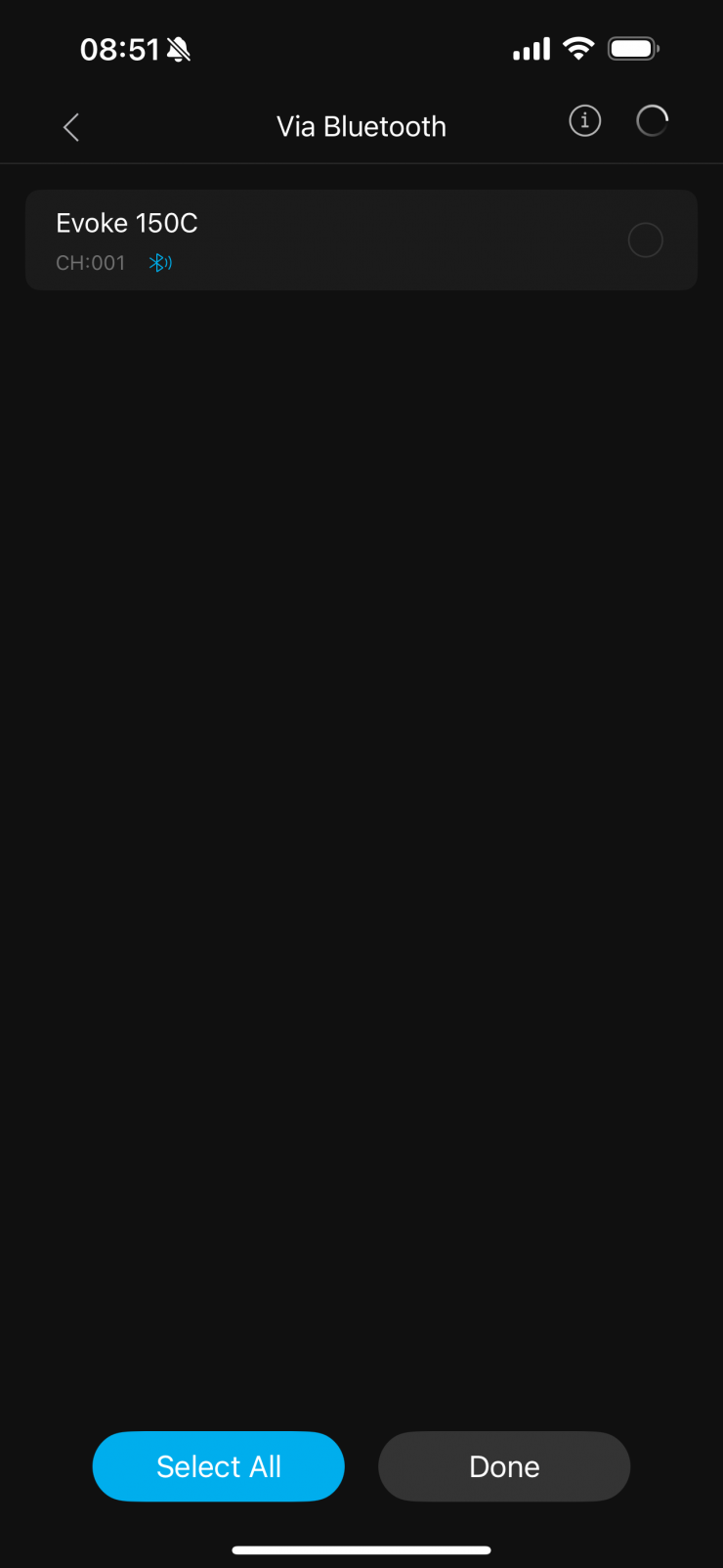
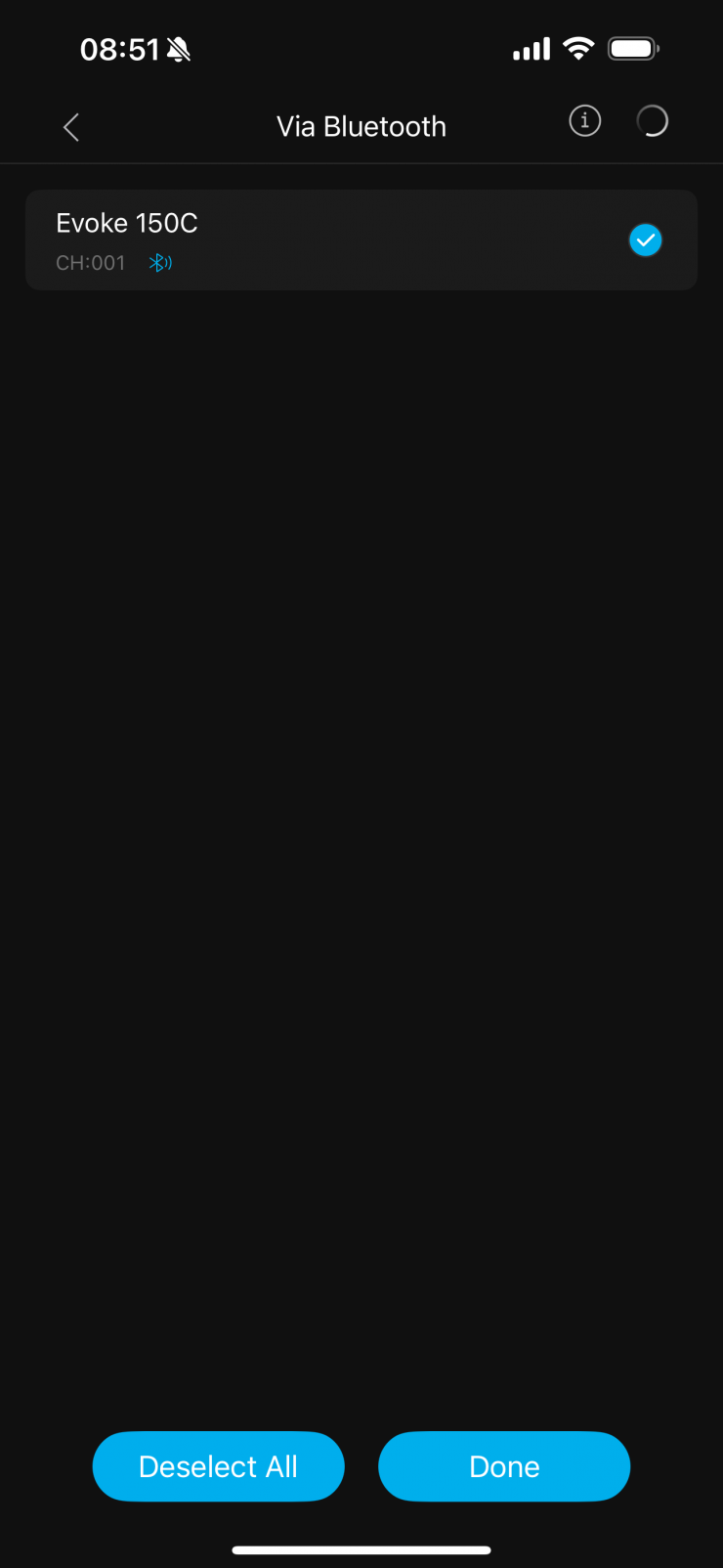
Once I have done this, the app will then show me any Nanlite/ NANLUX fixtures that are tuned on. I am now going to select the Evoke 150C.
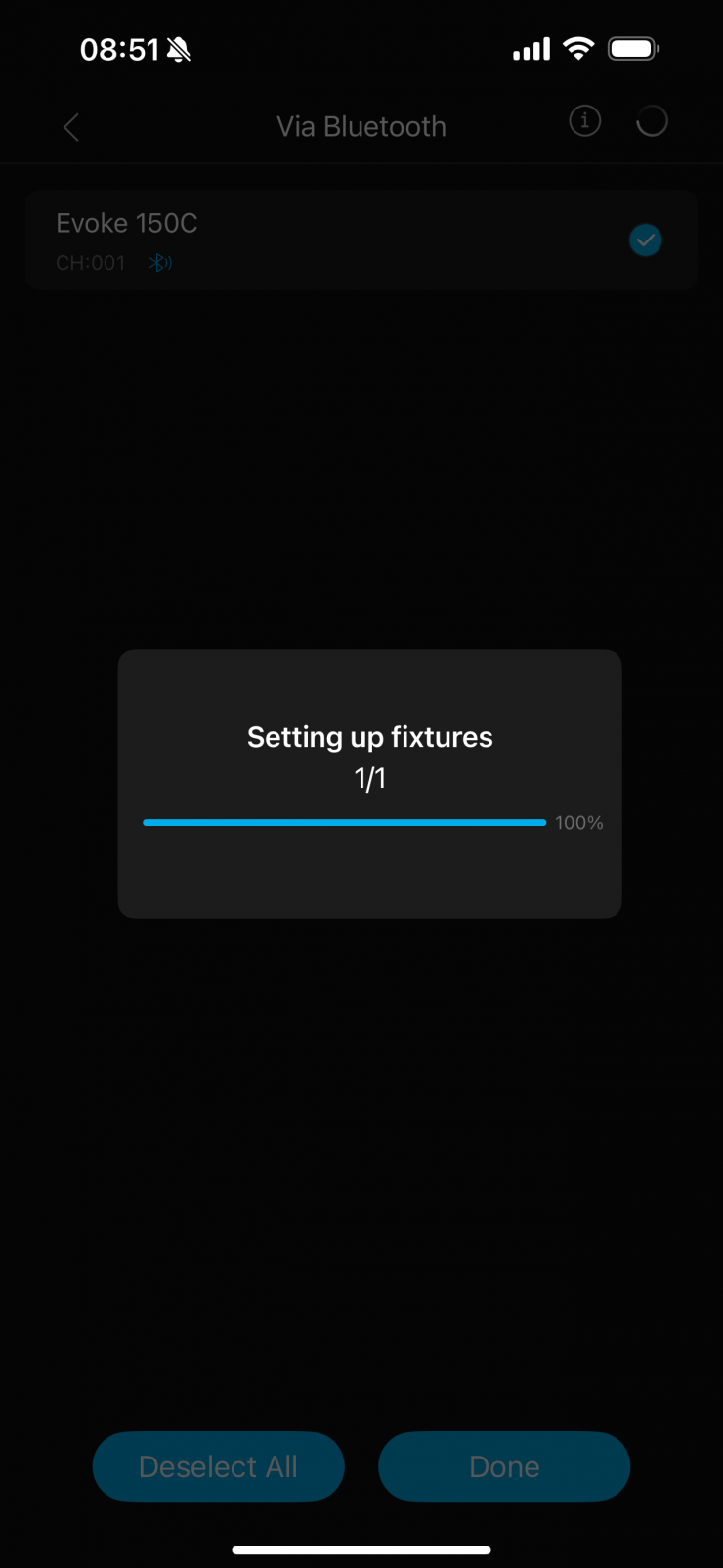
It will then start setting the fixture up to use with the app.
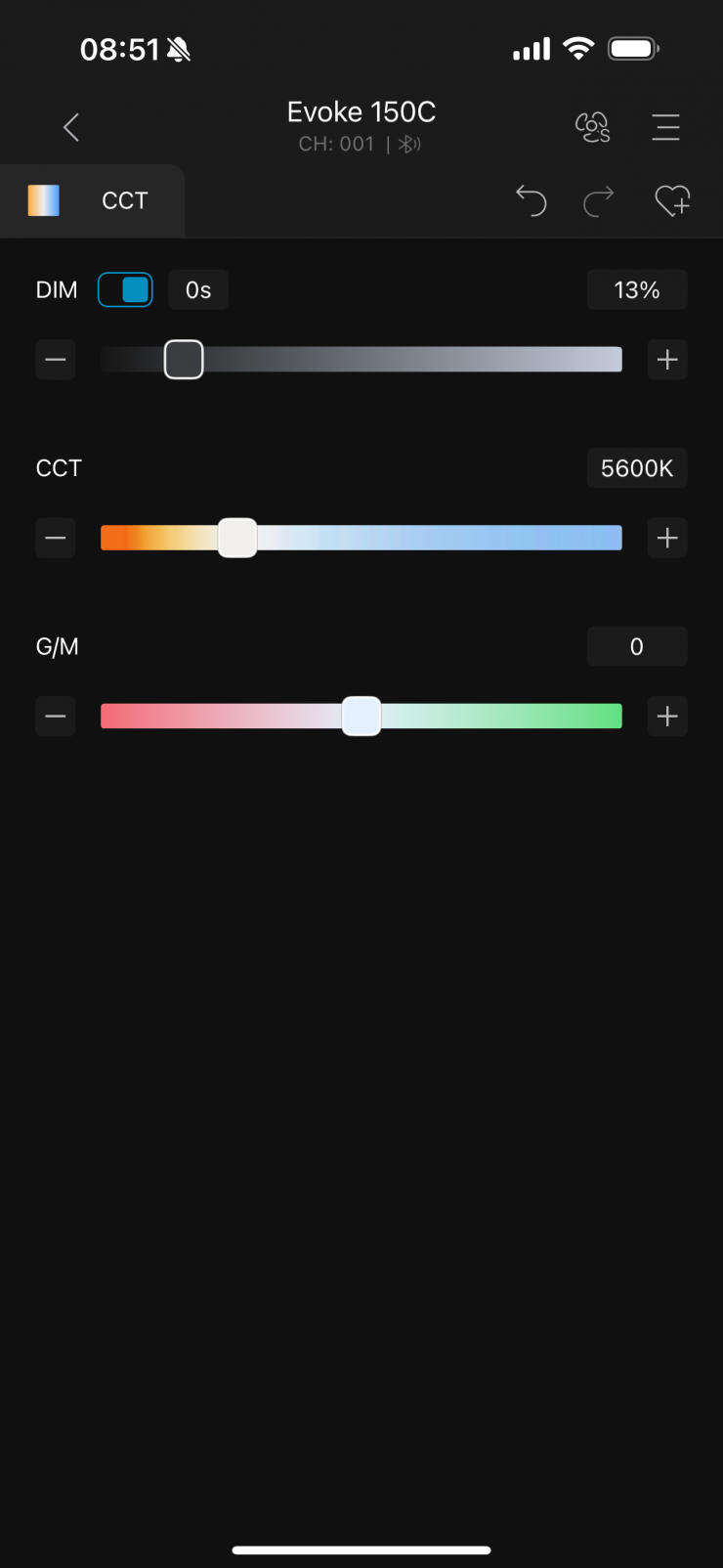
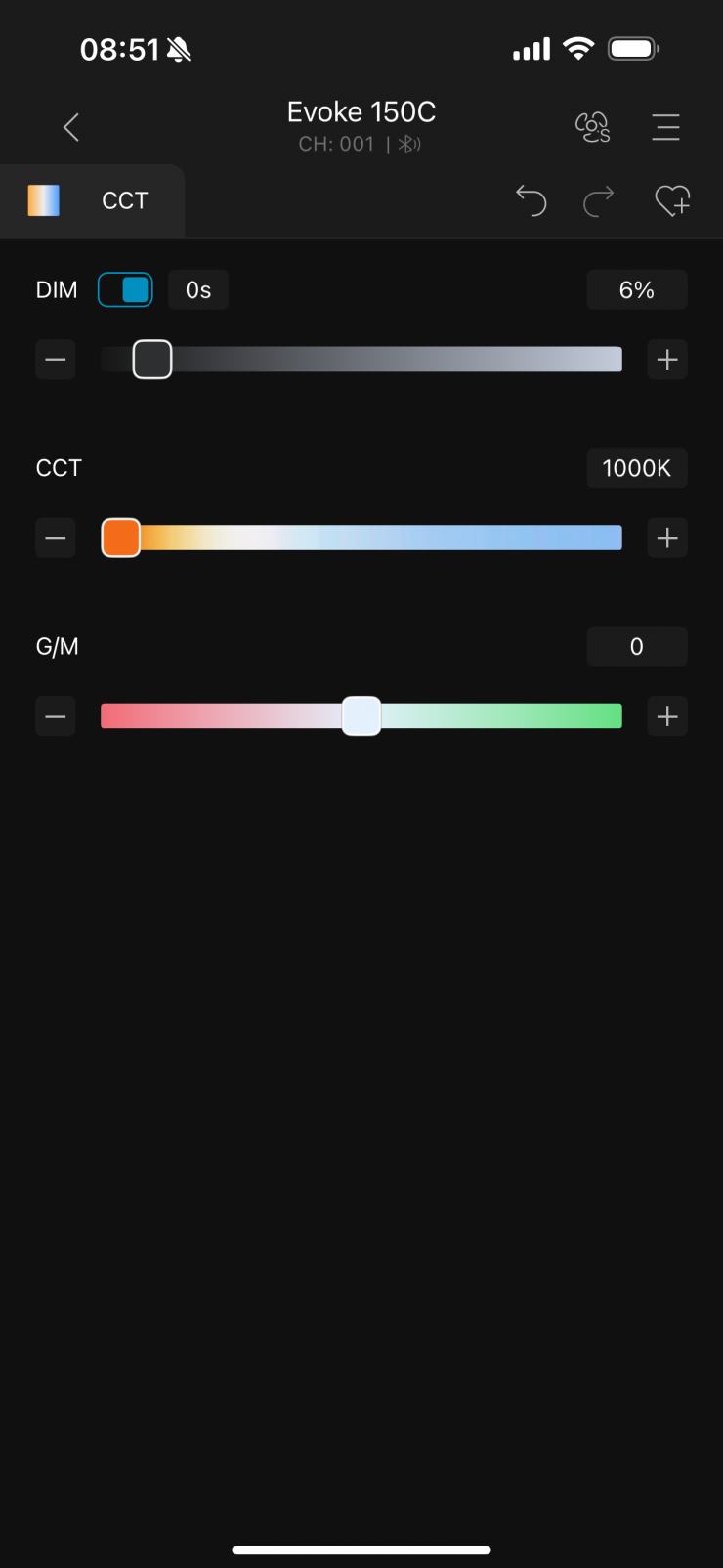
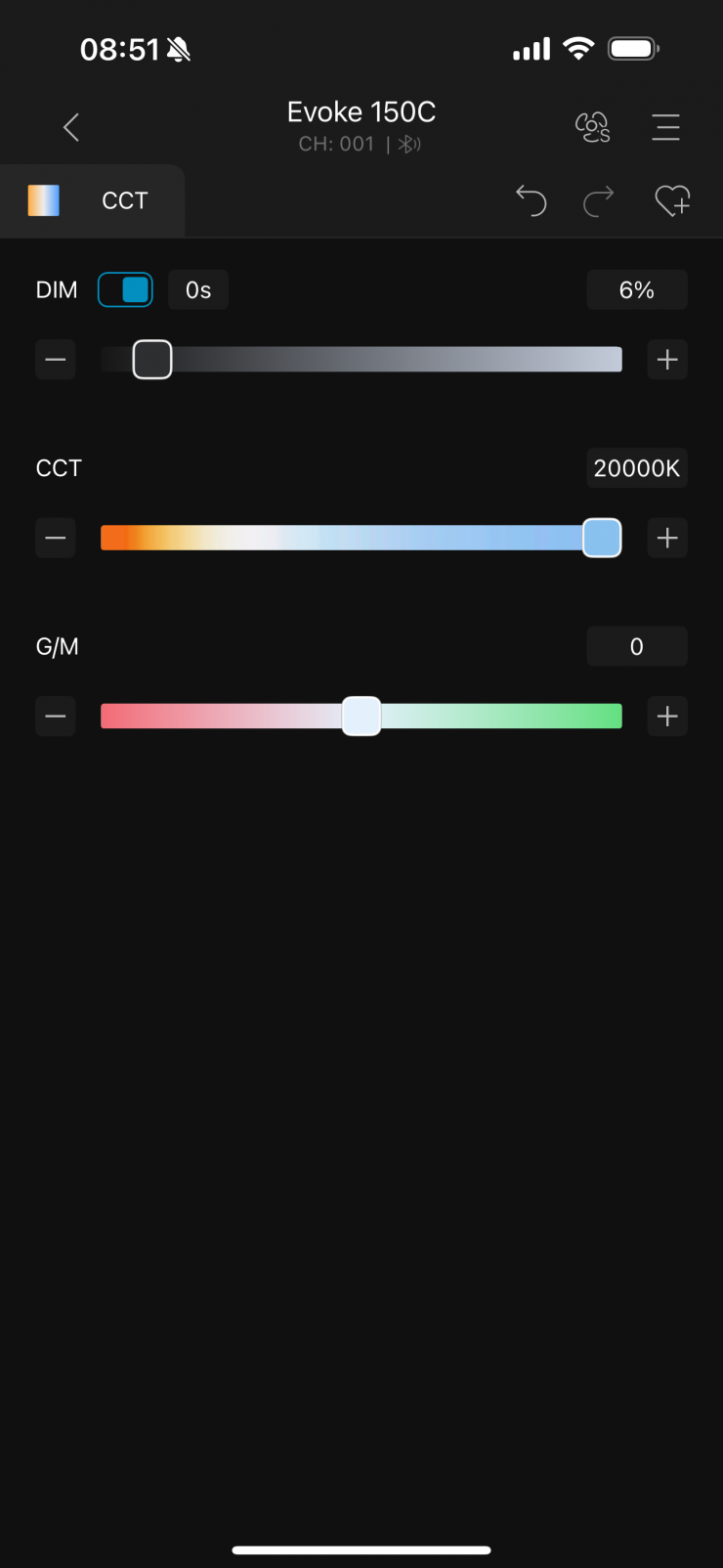
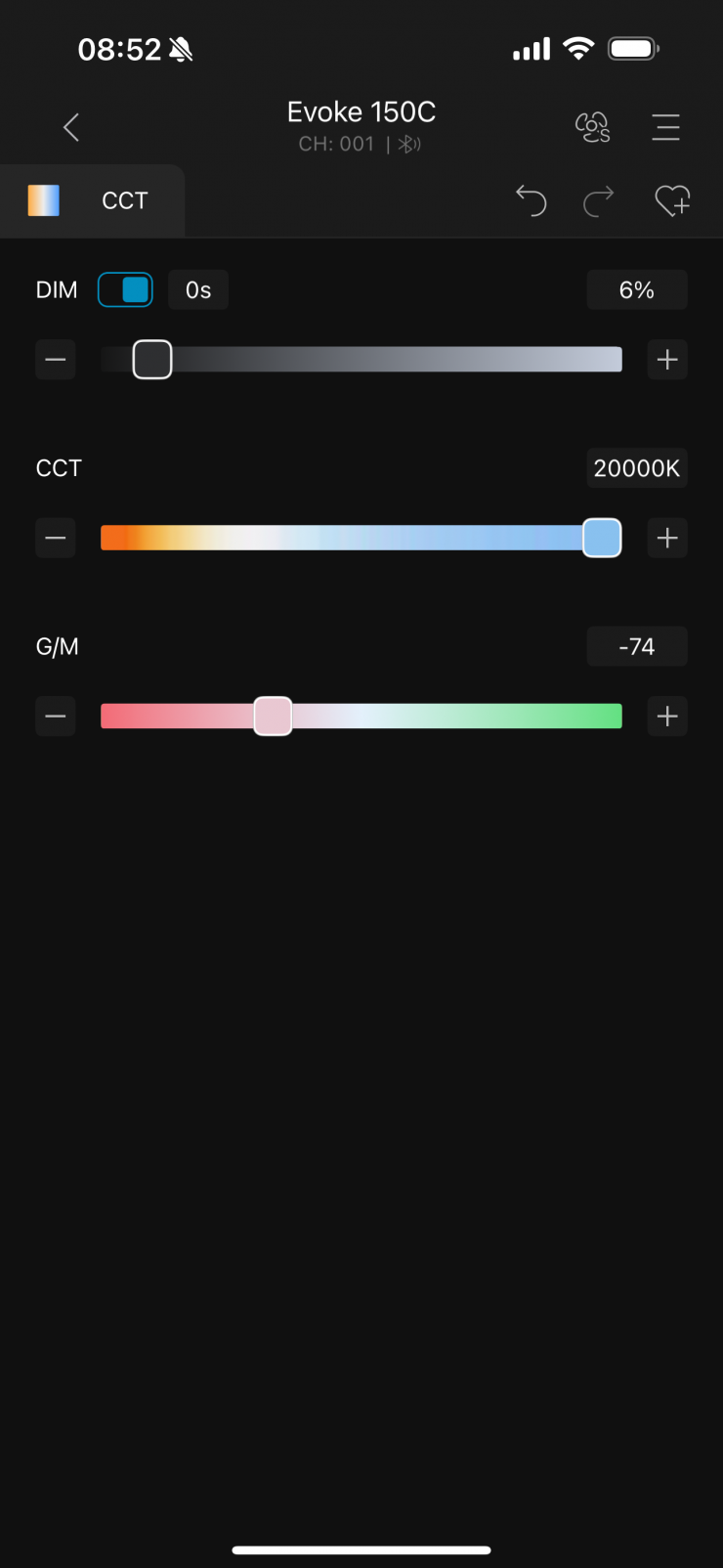
I then end up at the main UI screen. By default, you will be on the CCT page. Here I can adjust the CCT, brightness, and +/- G/M bias.
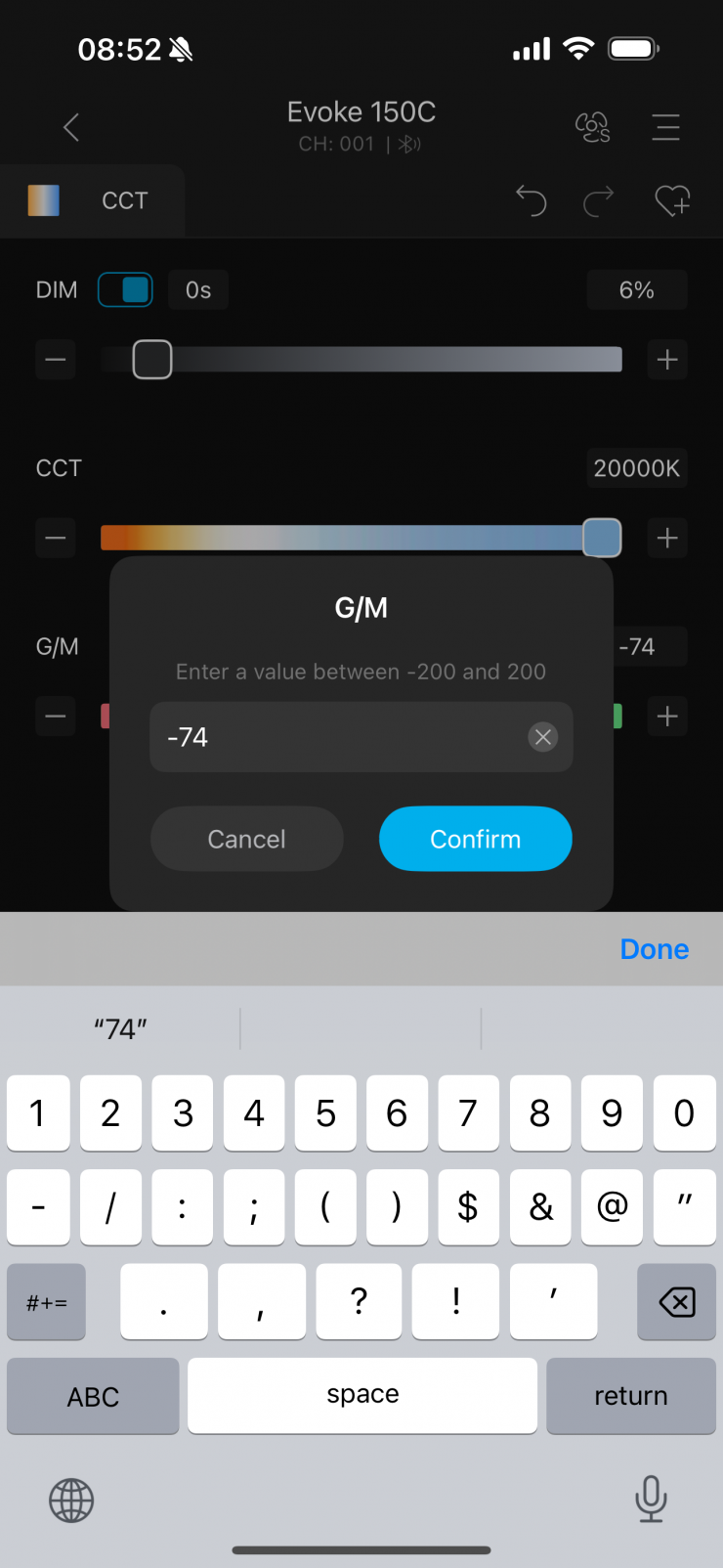
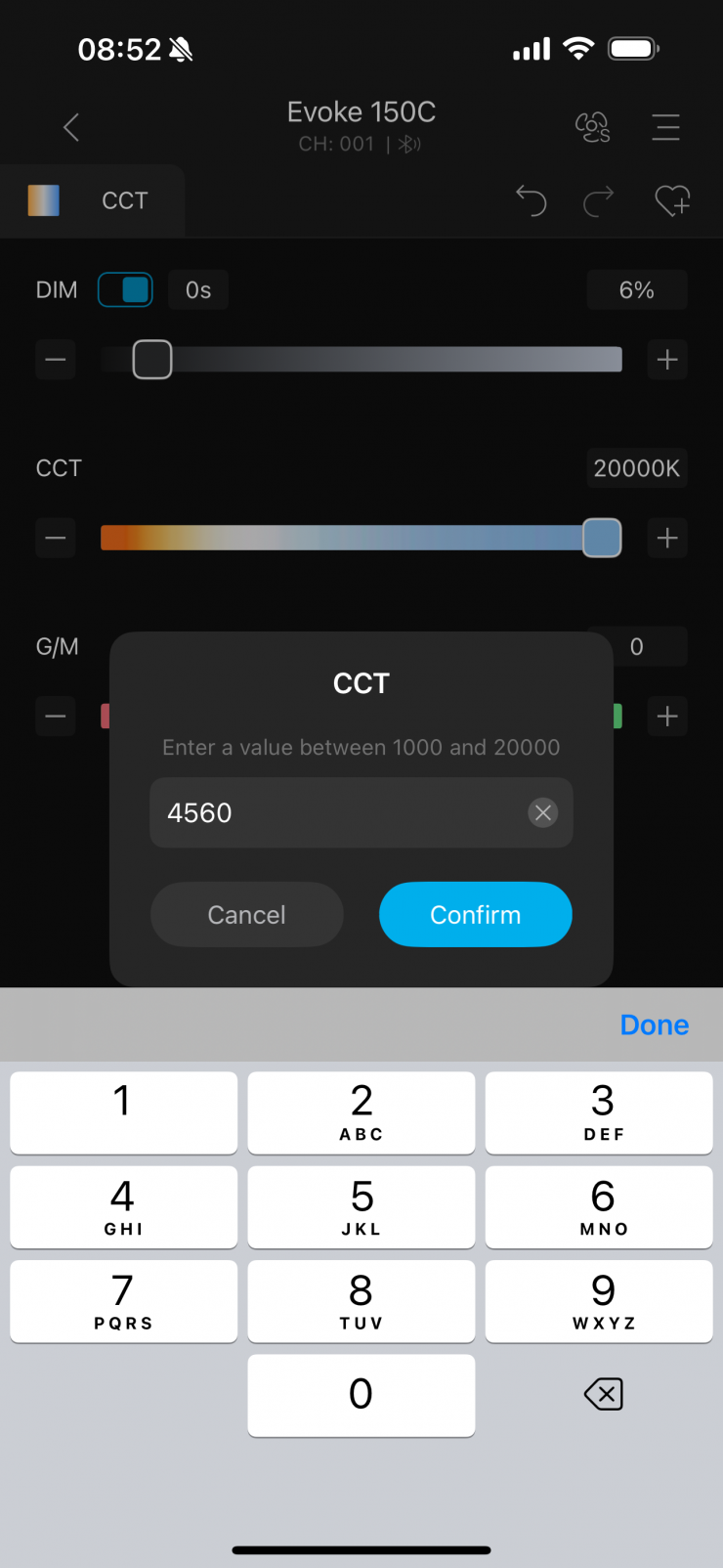
You can use the sliders or simply type in values if you prefer.
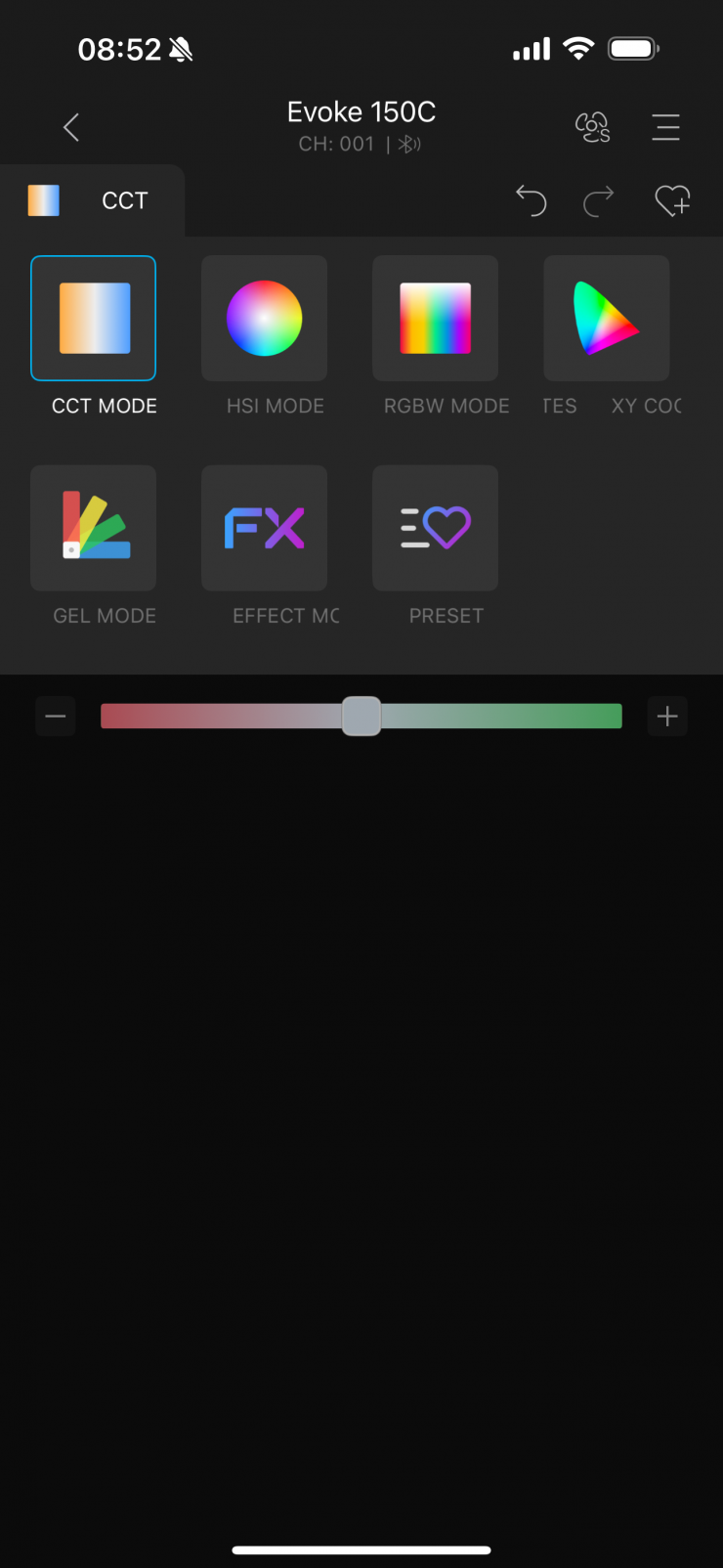
If I want to enter the various operating modes, I simply tap on where the CCT tab is.
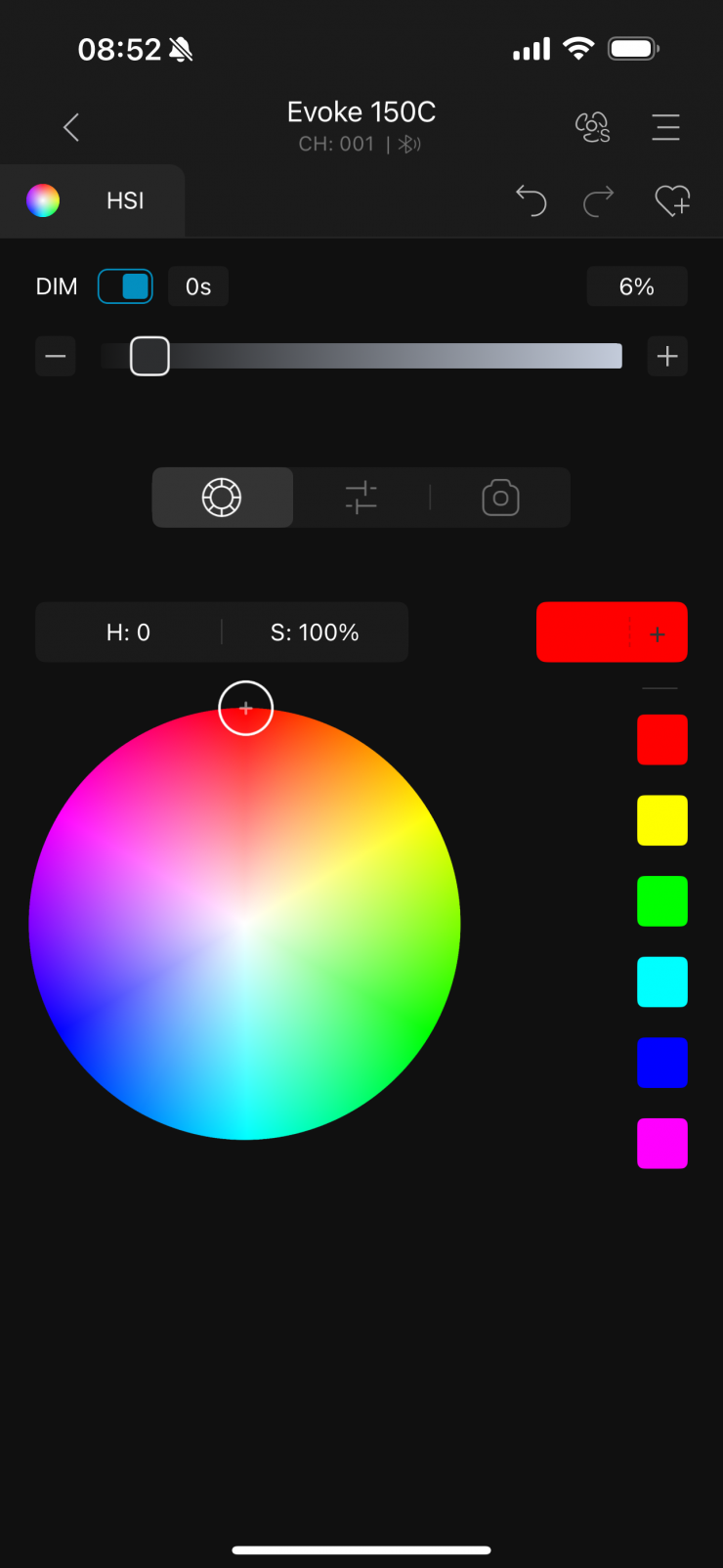
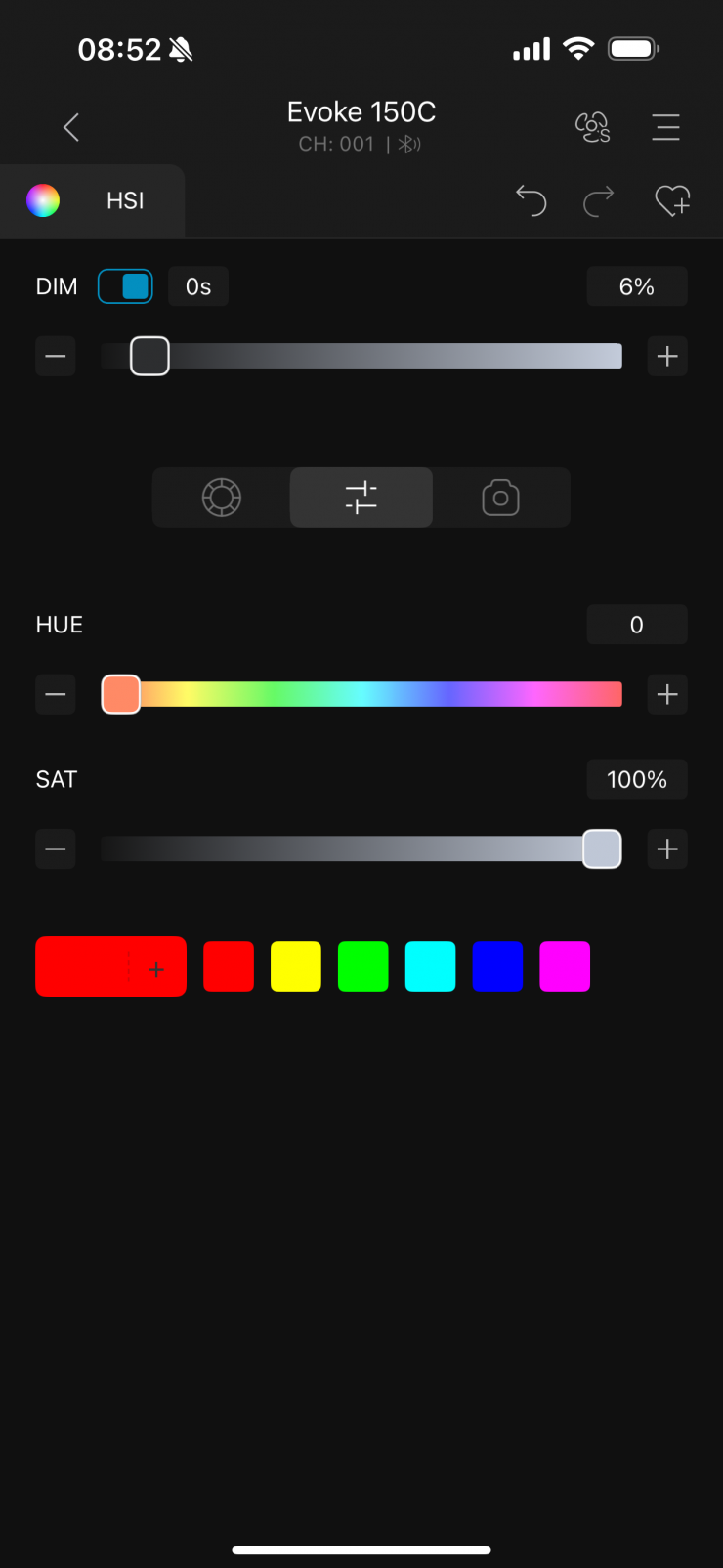
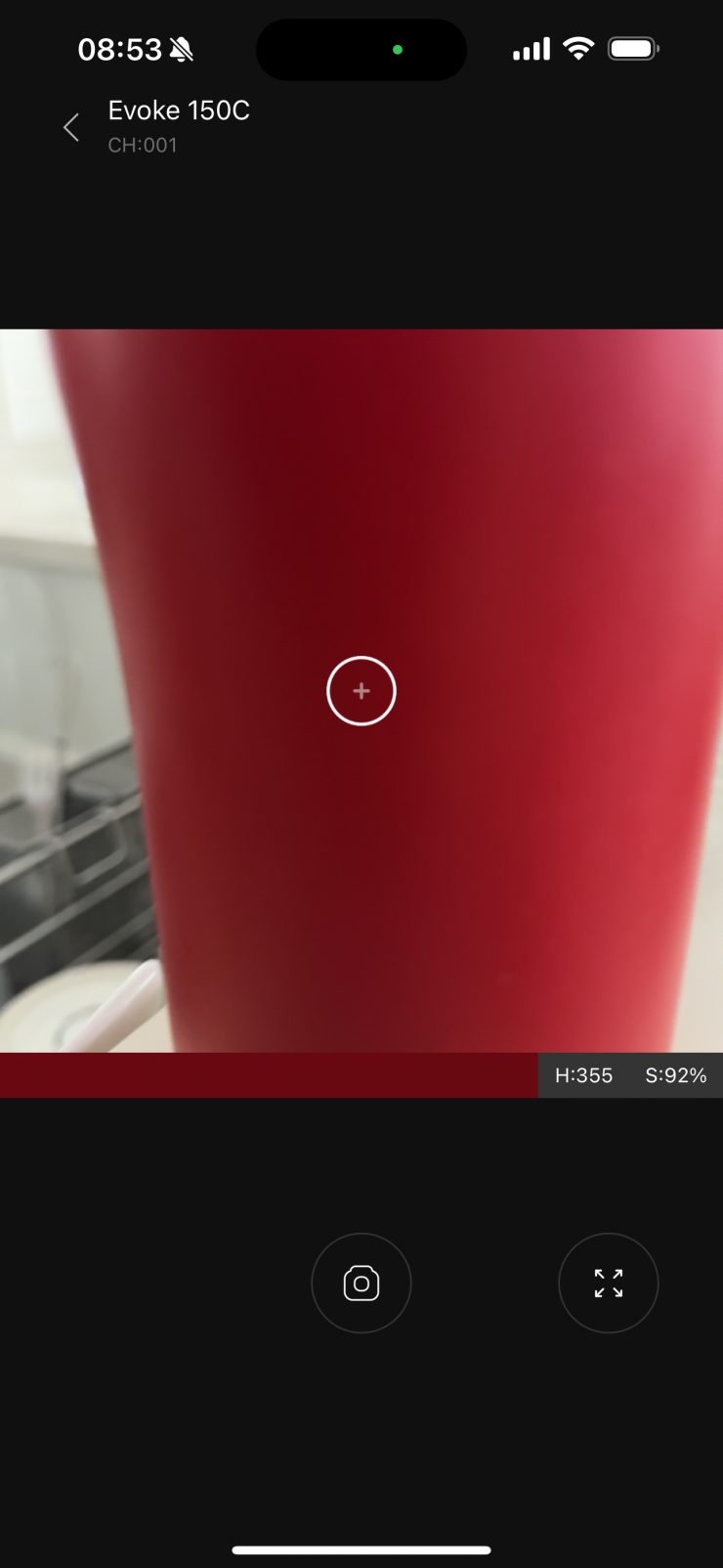
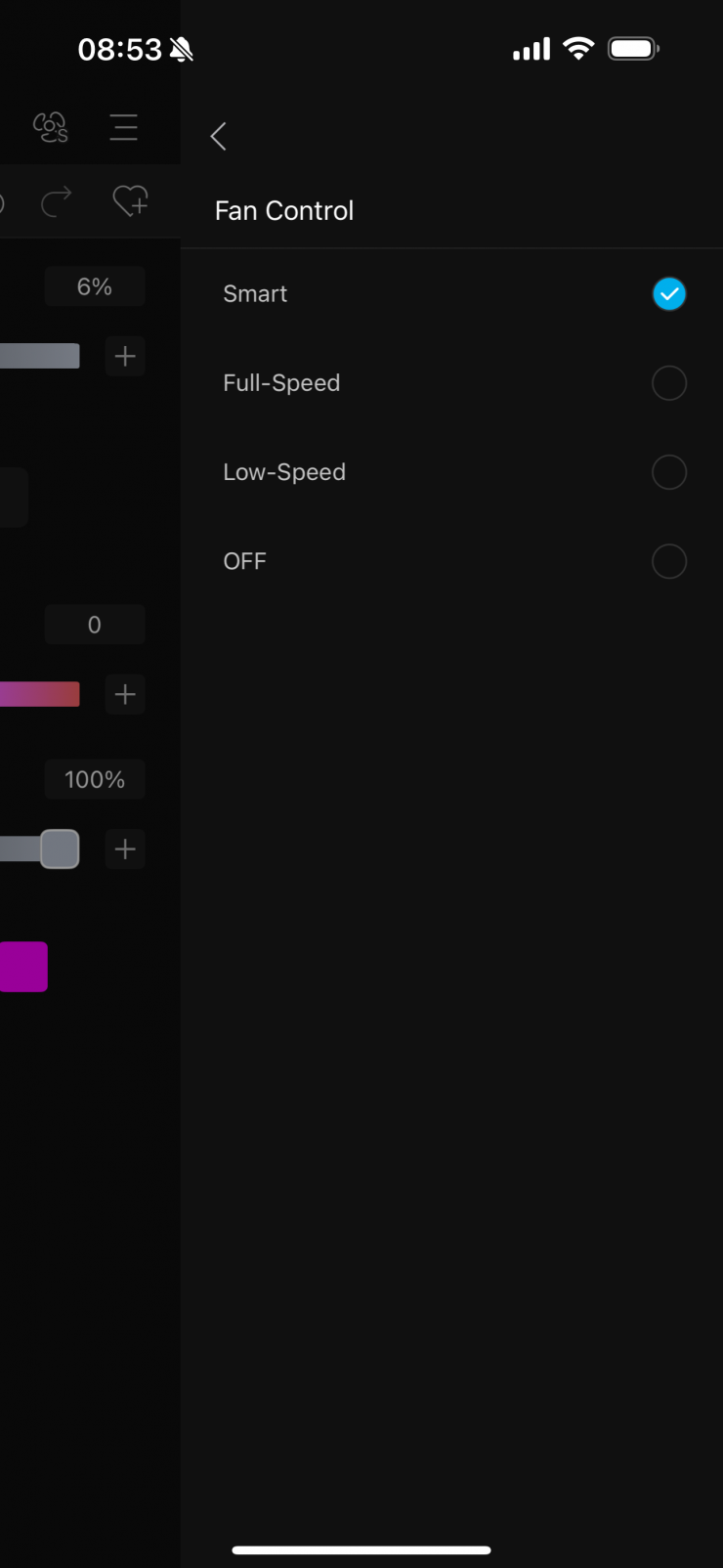
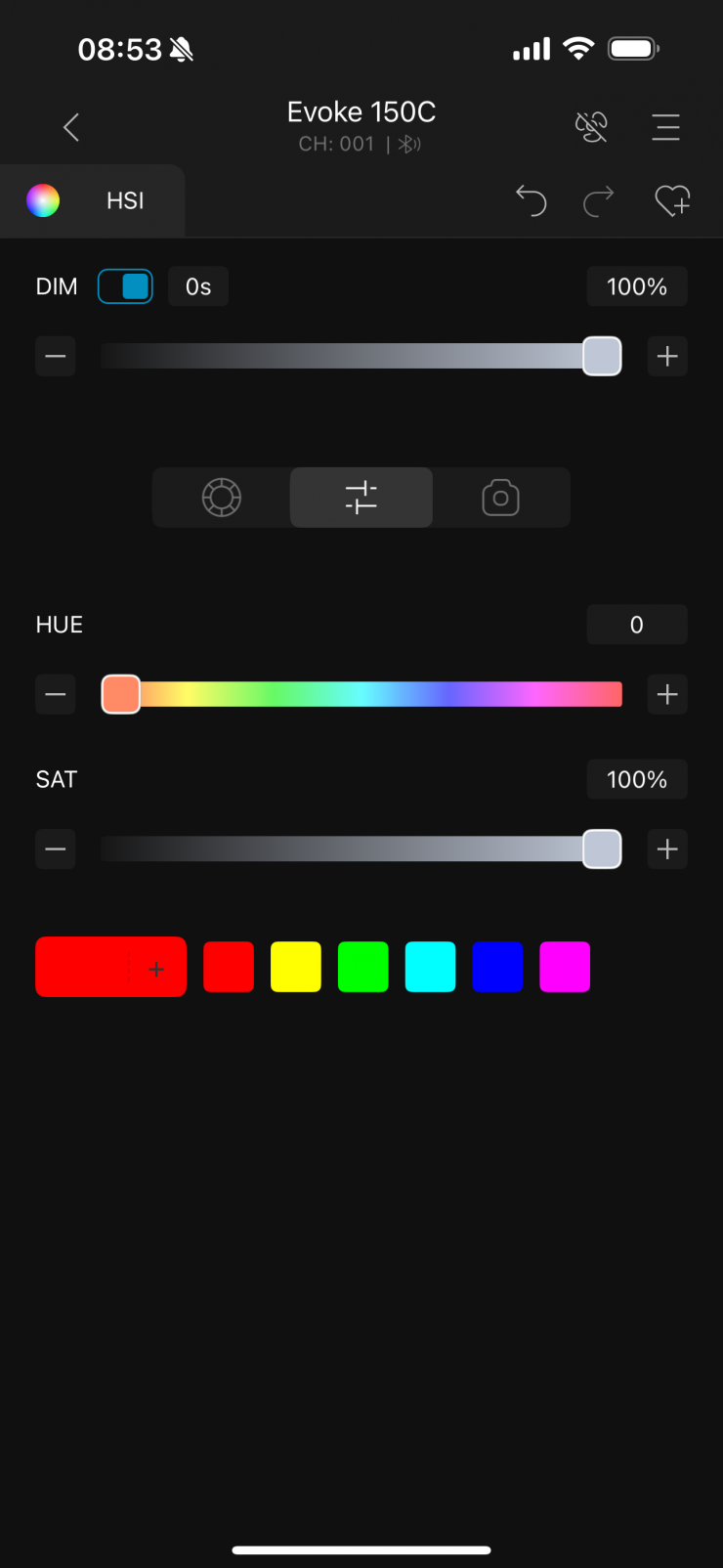
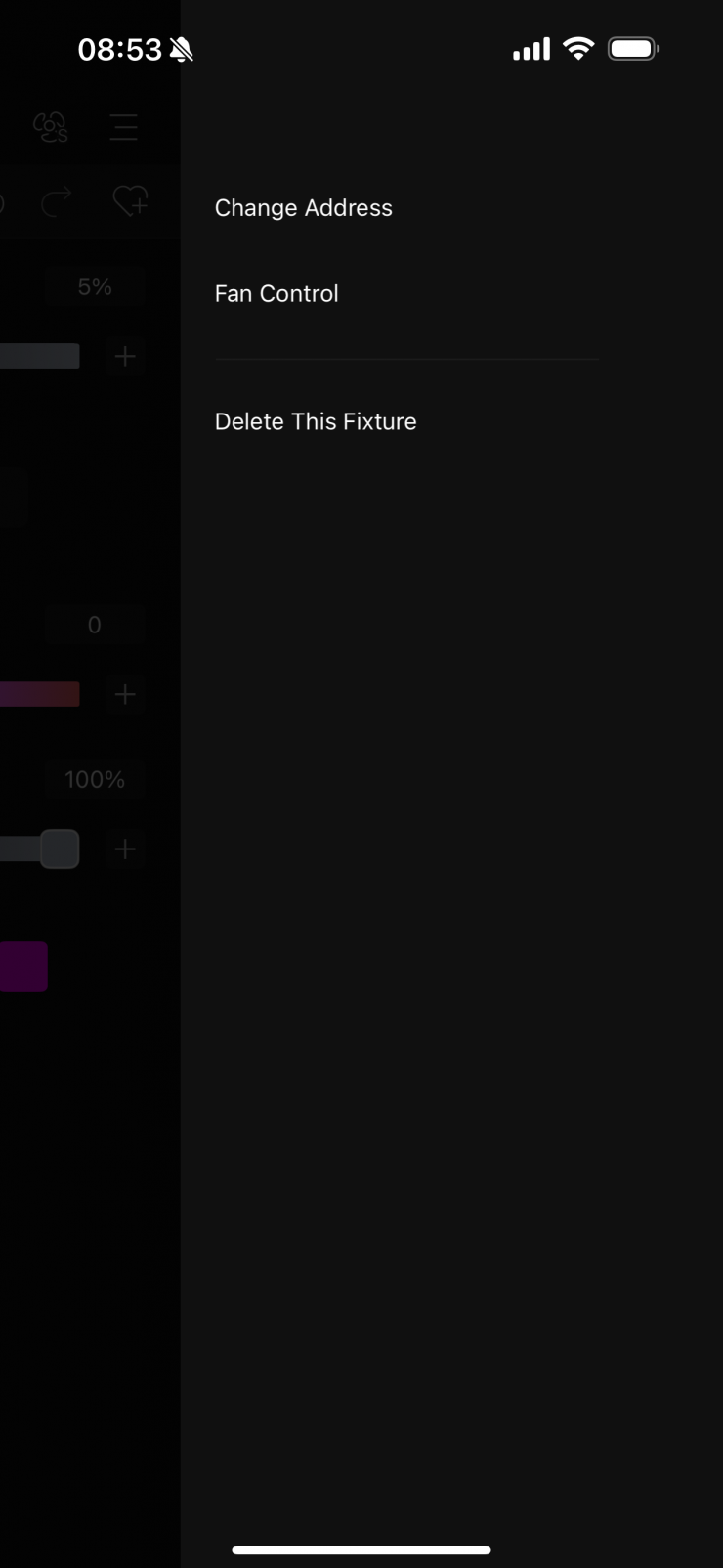
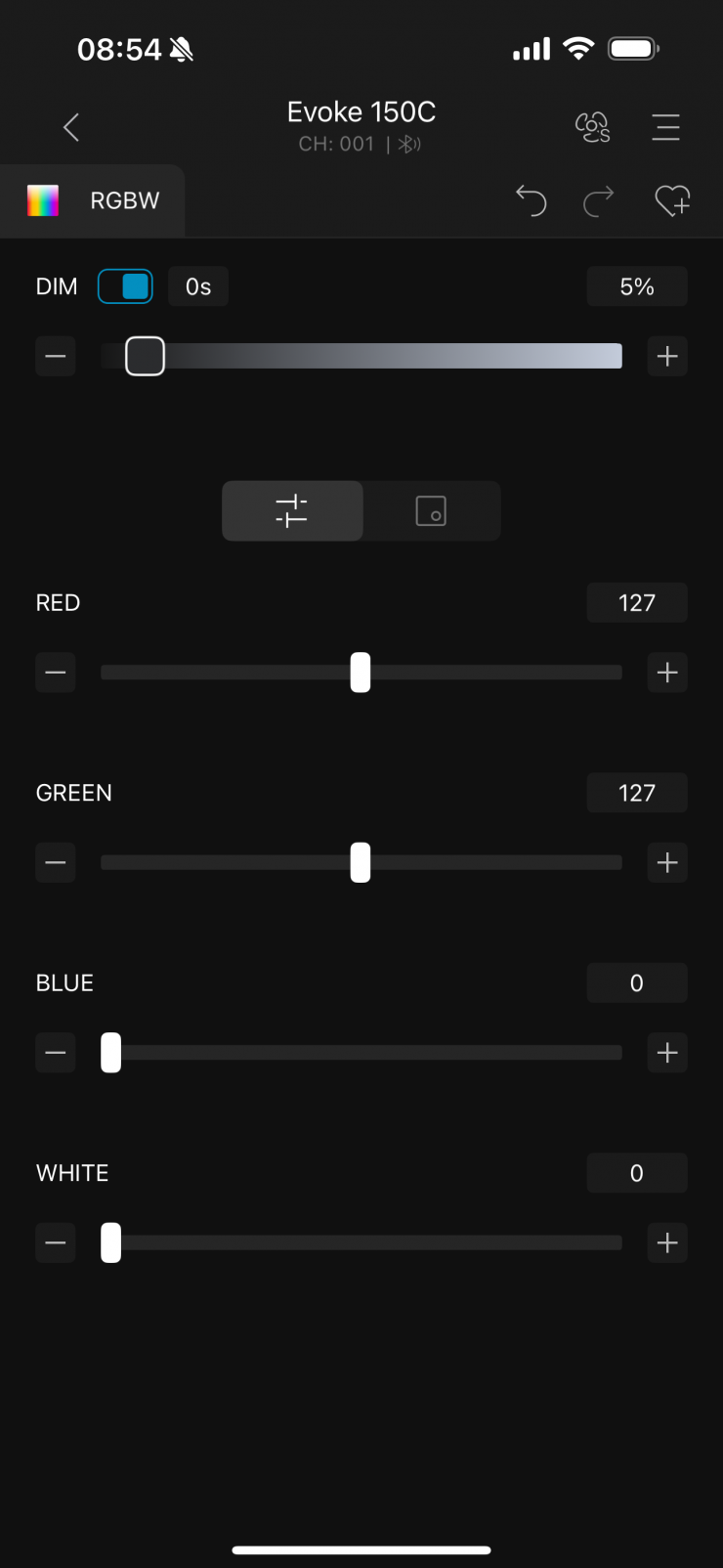
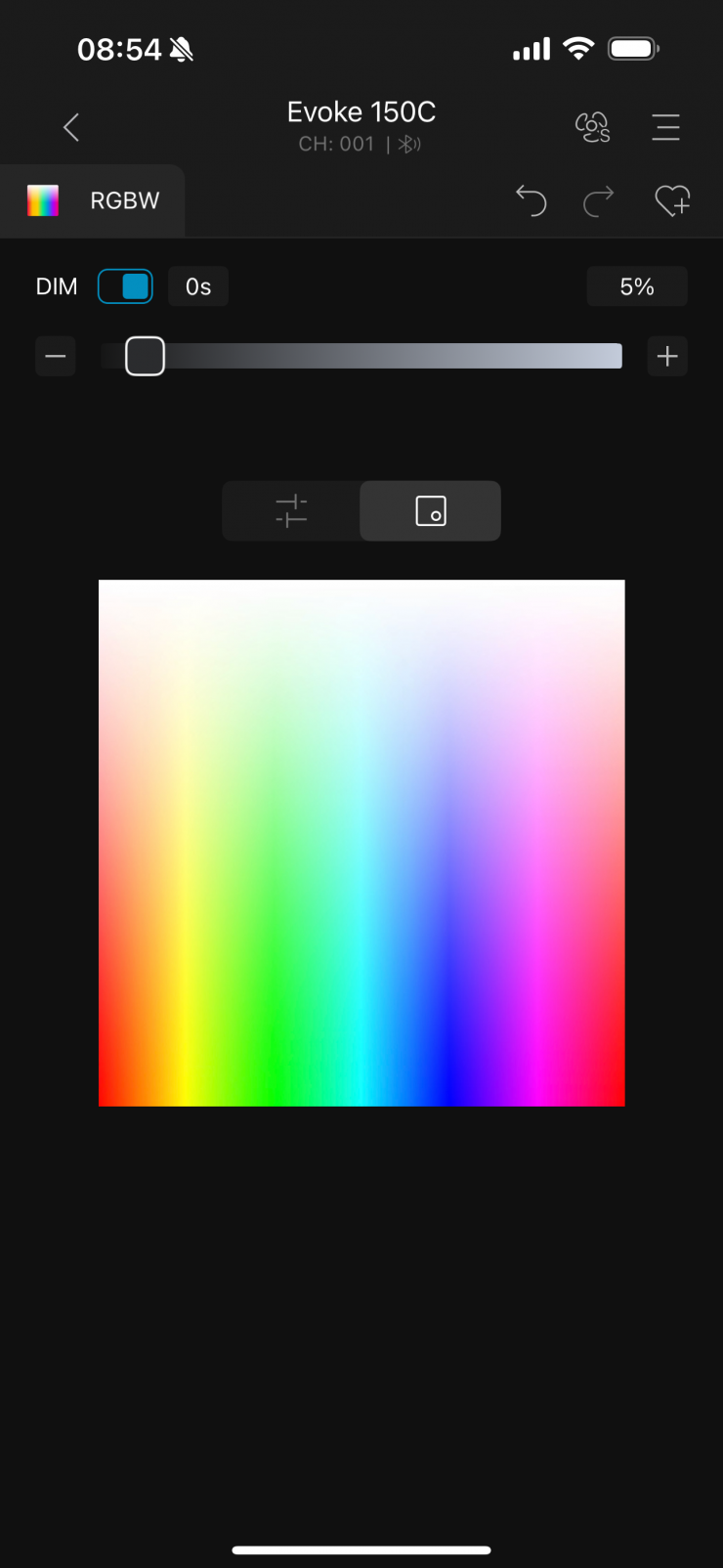
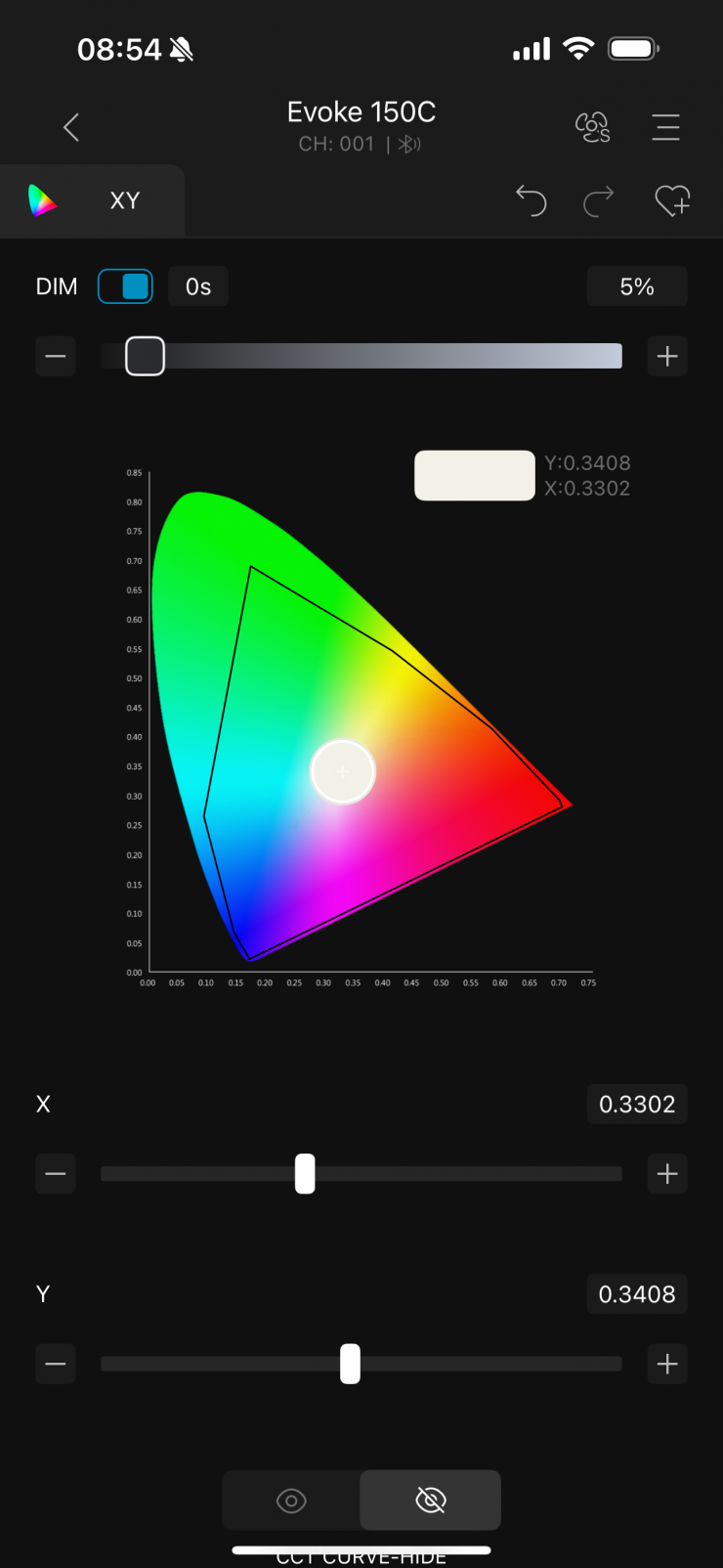
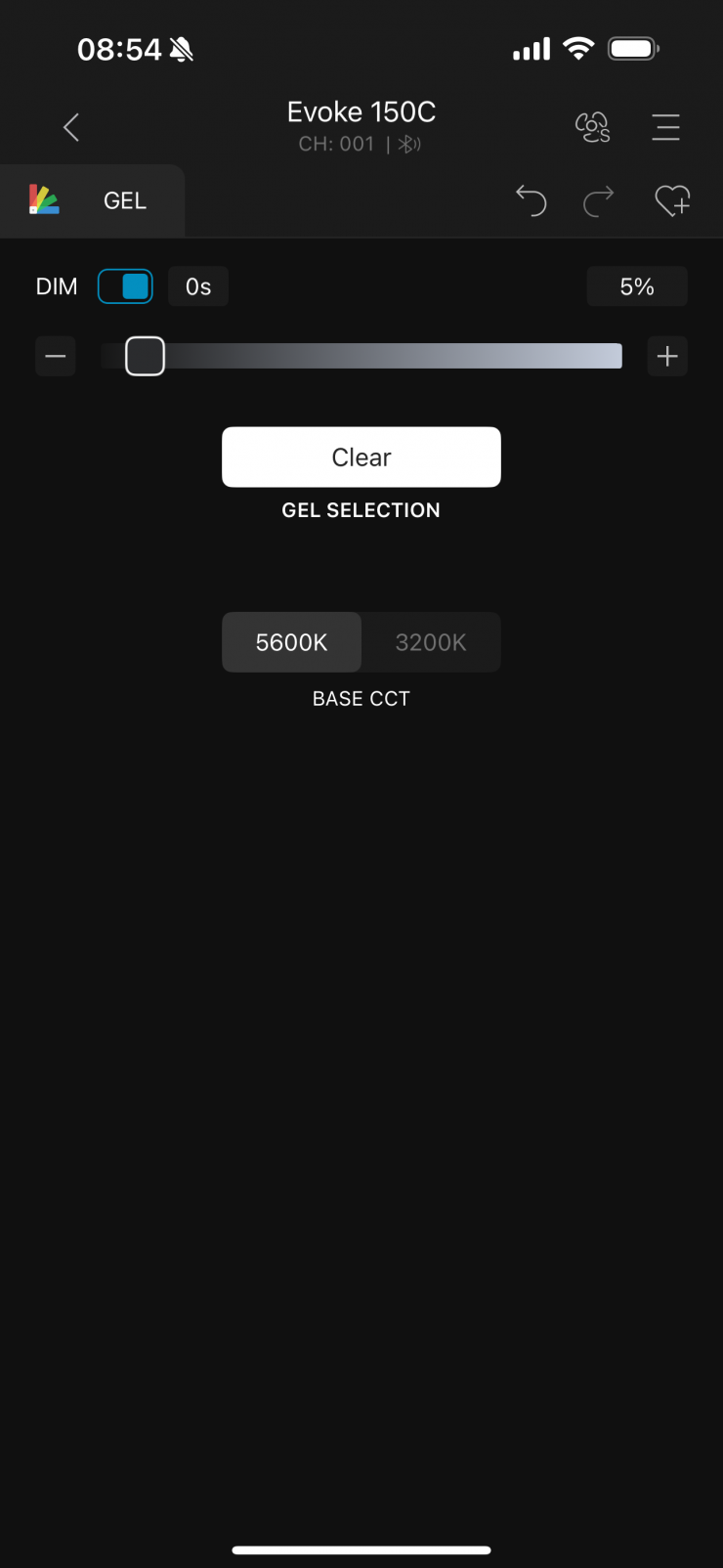
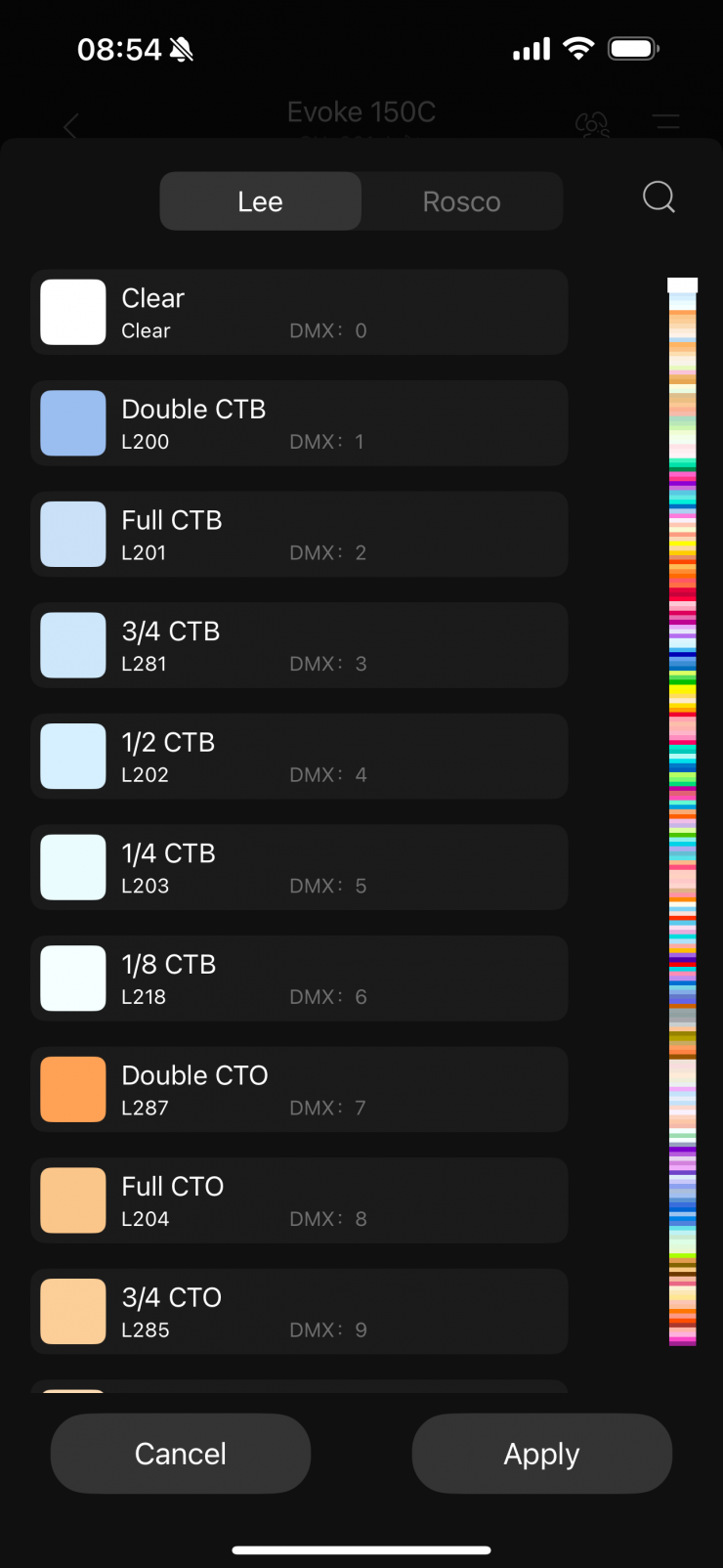
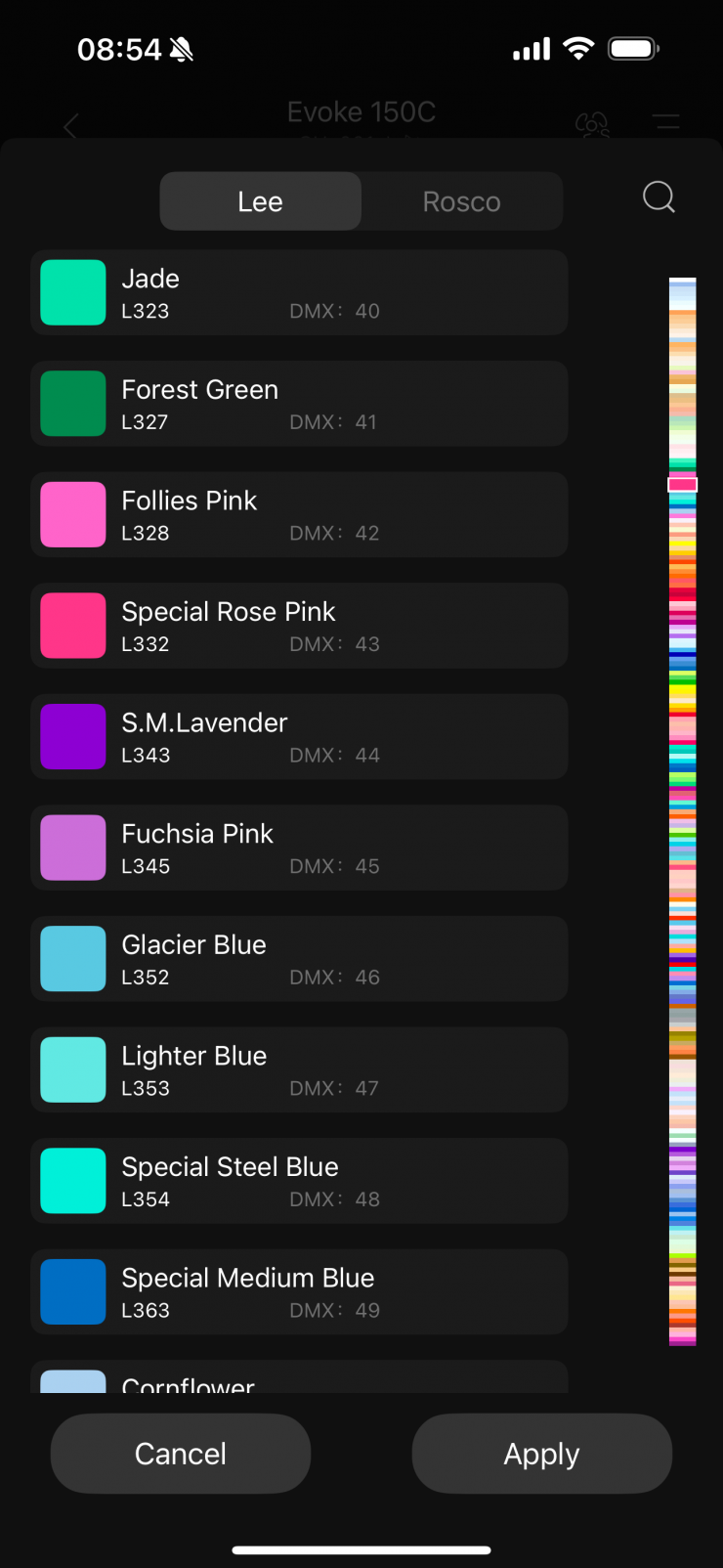
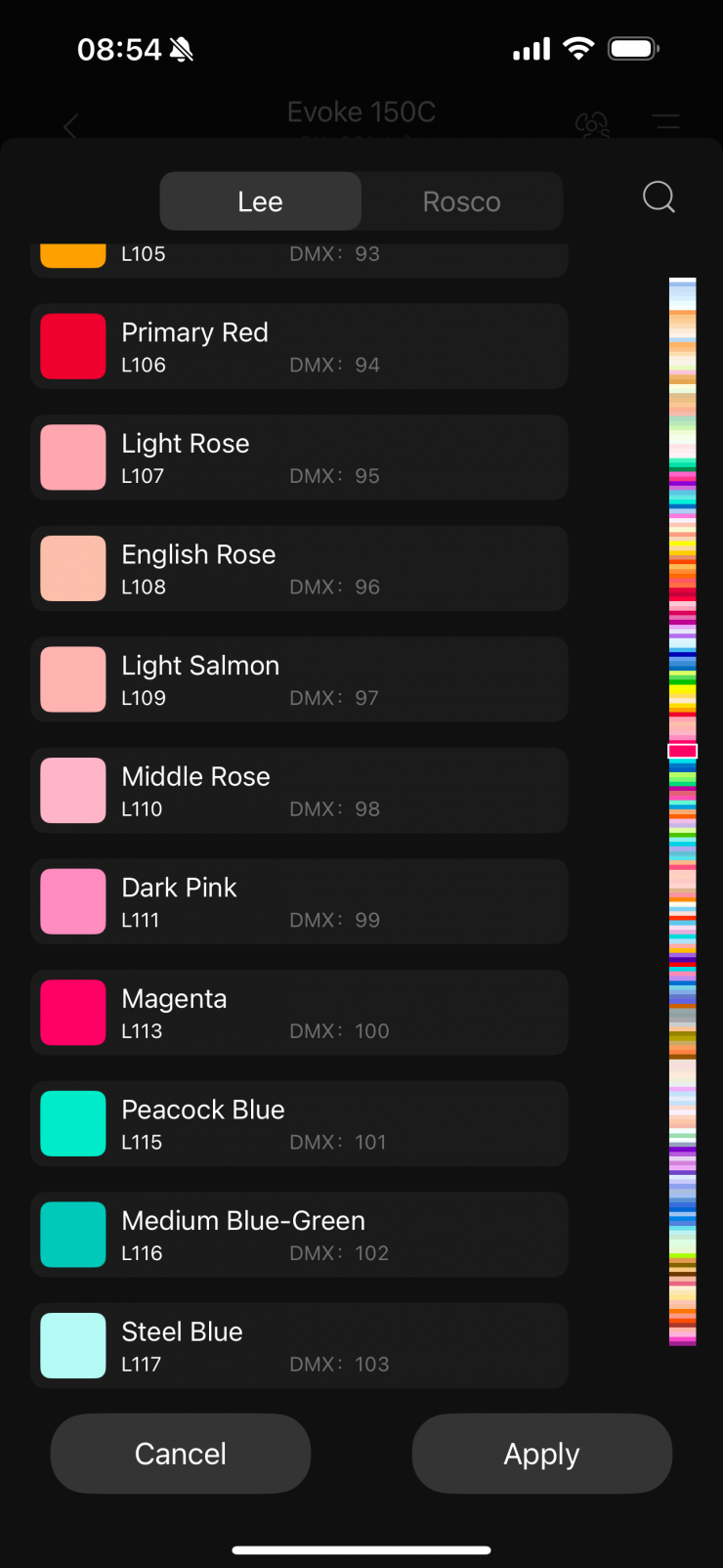
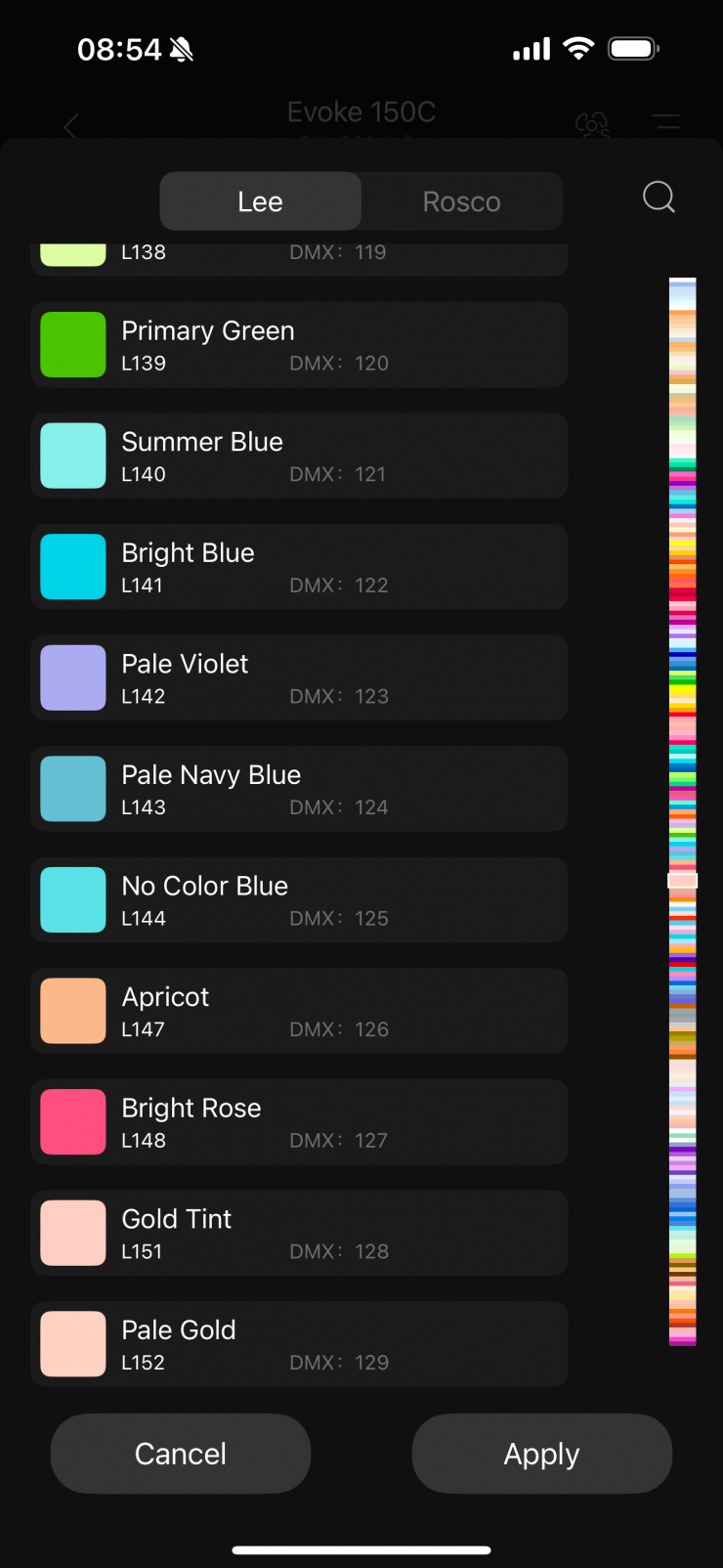
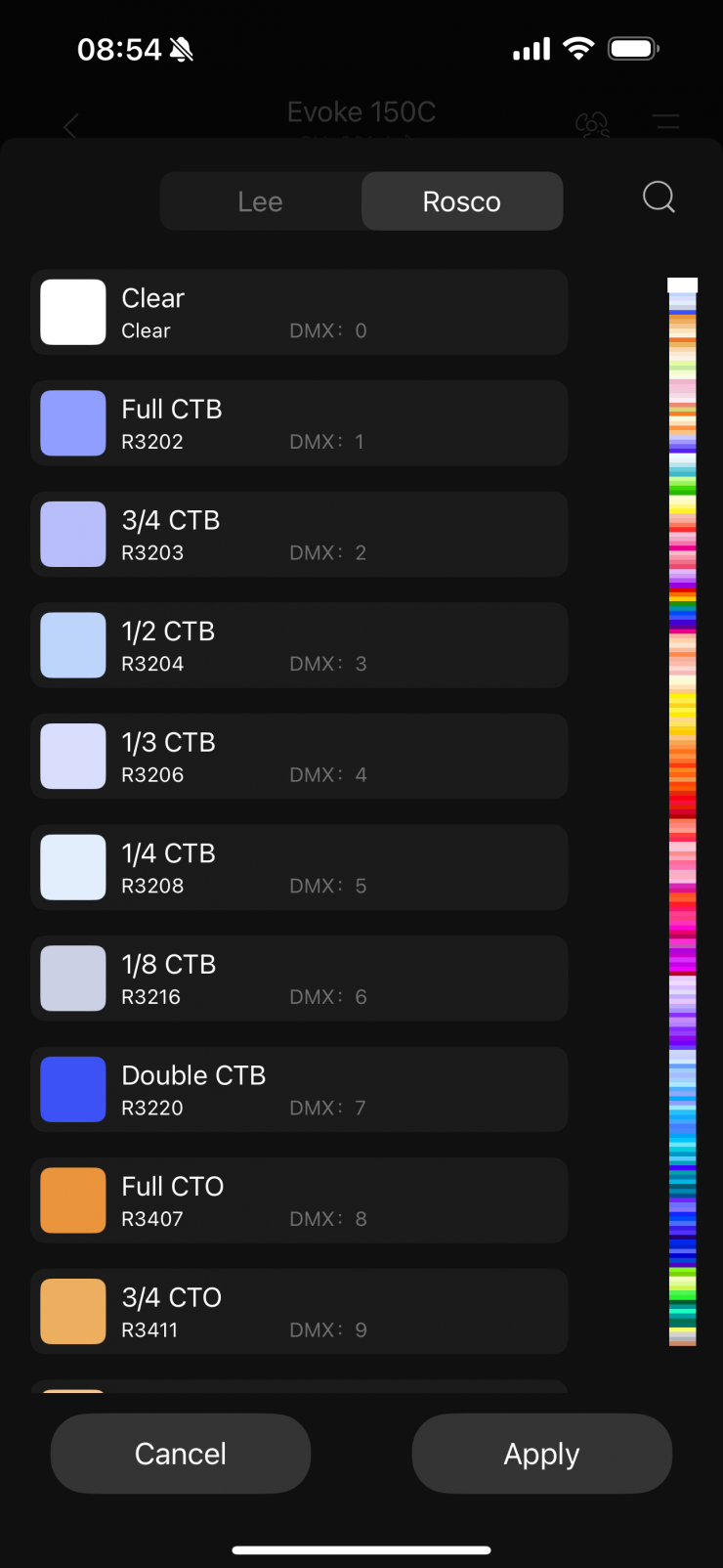
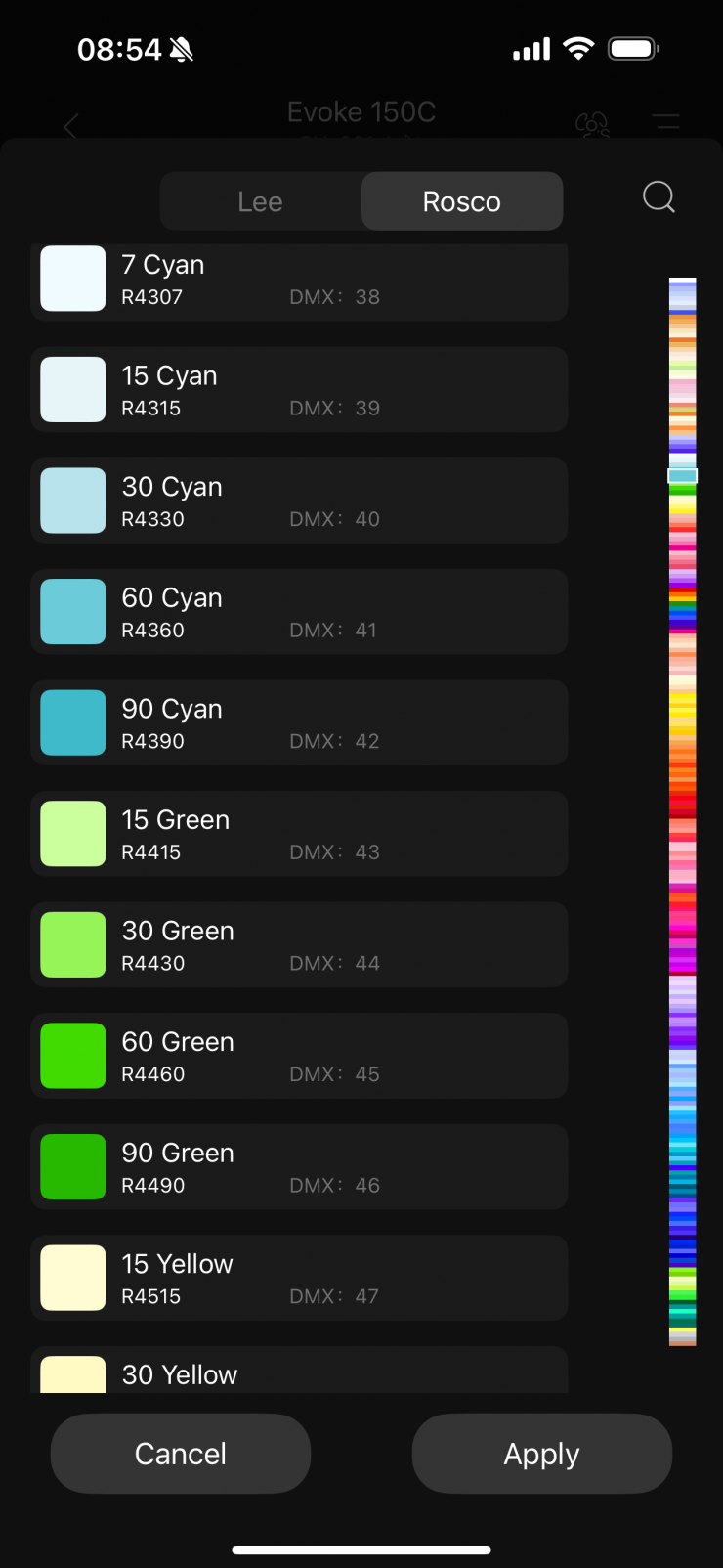
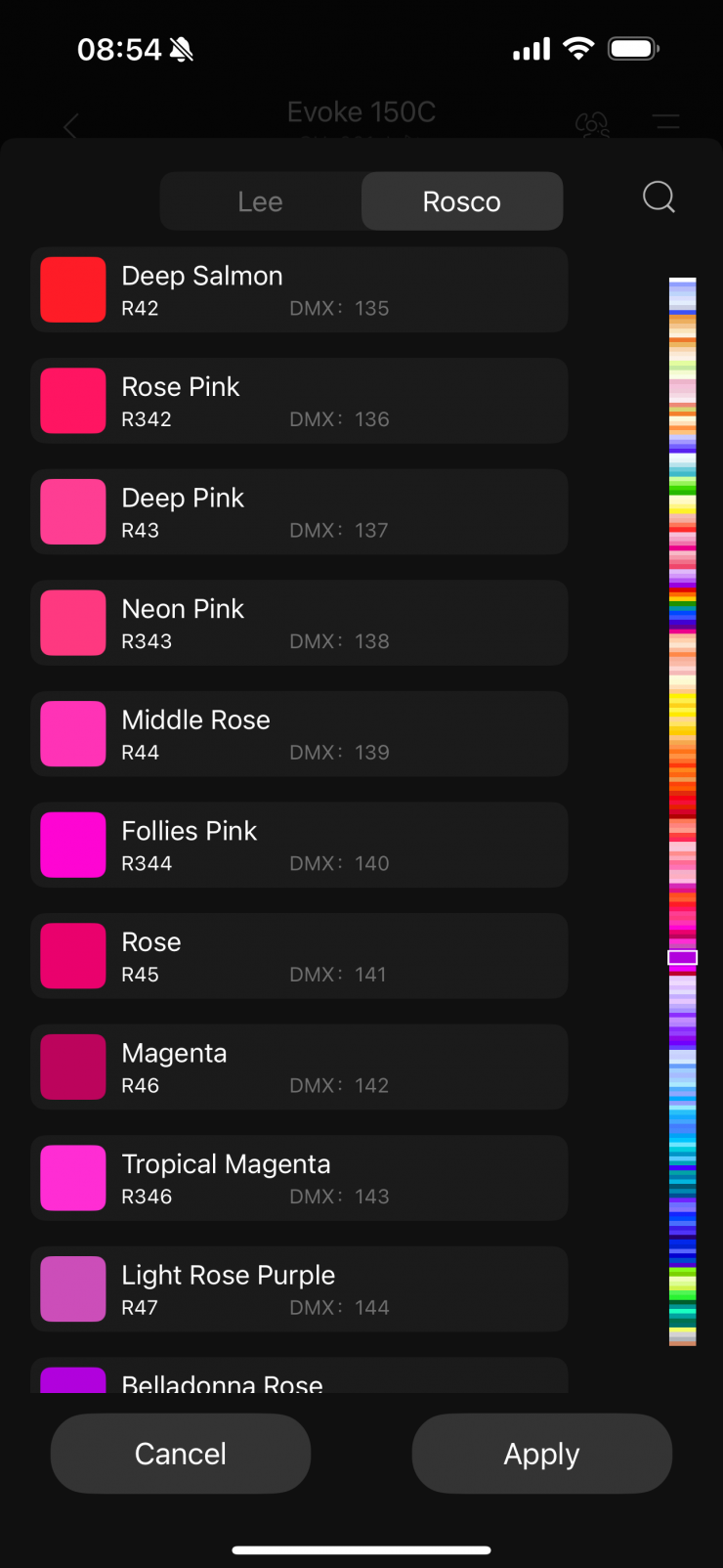
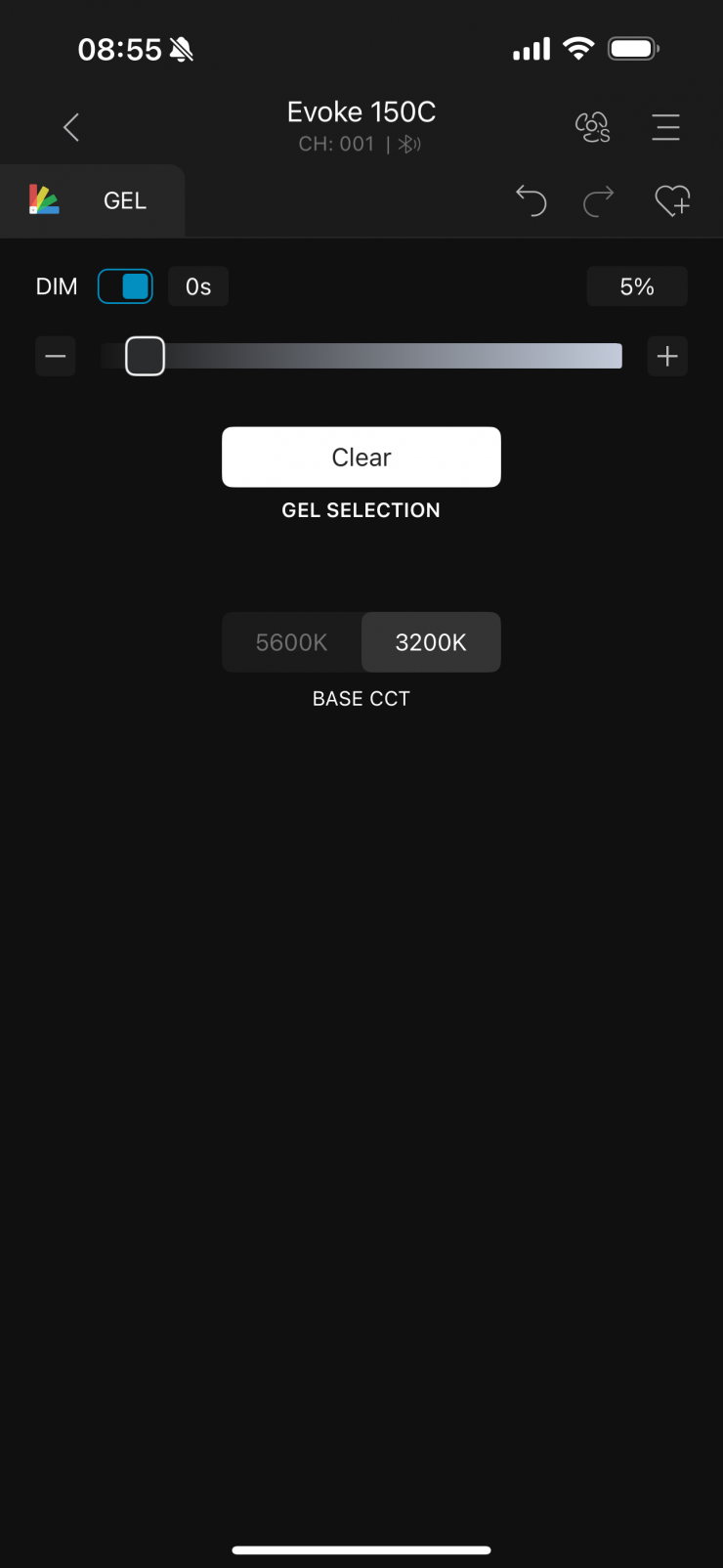
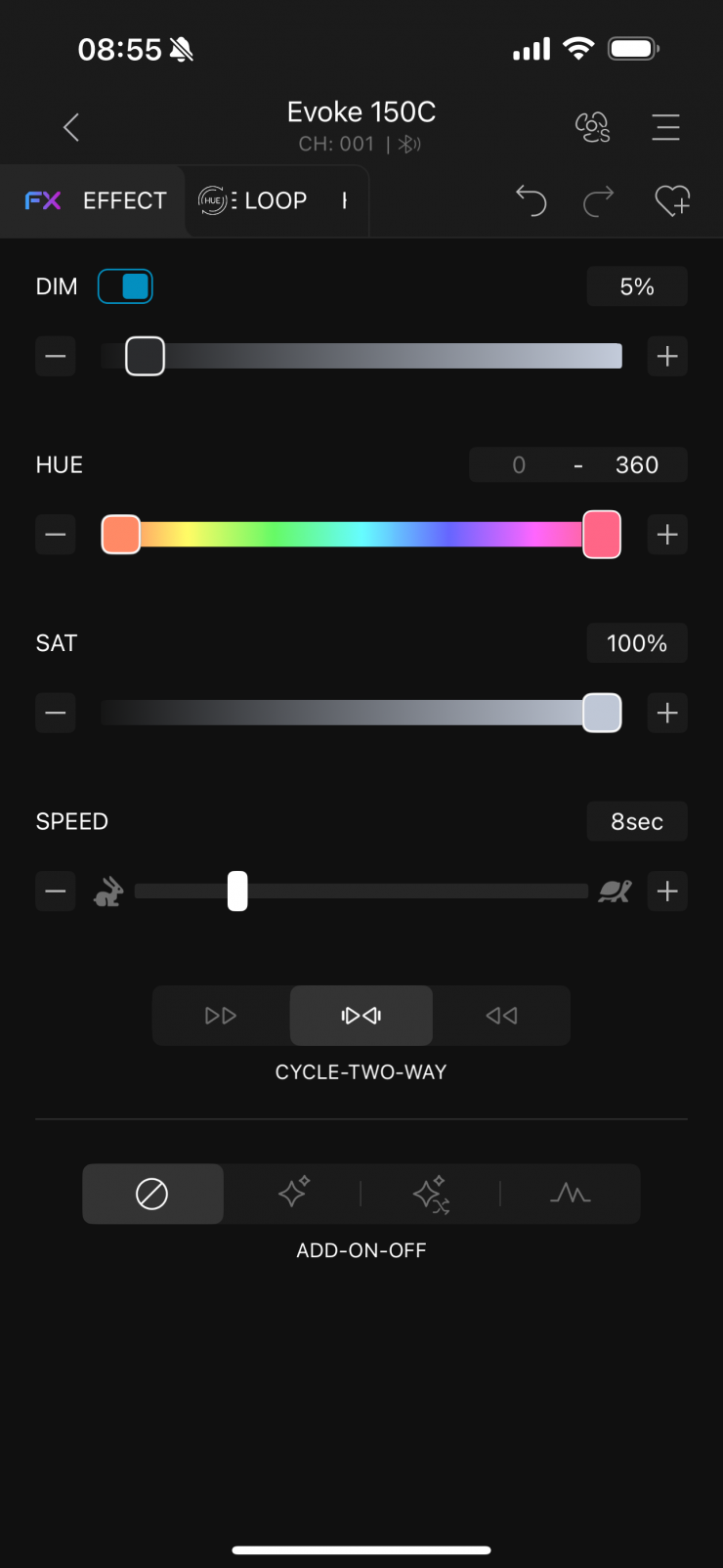
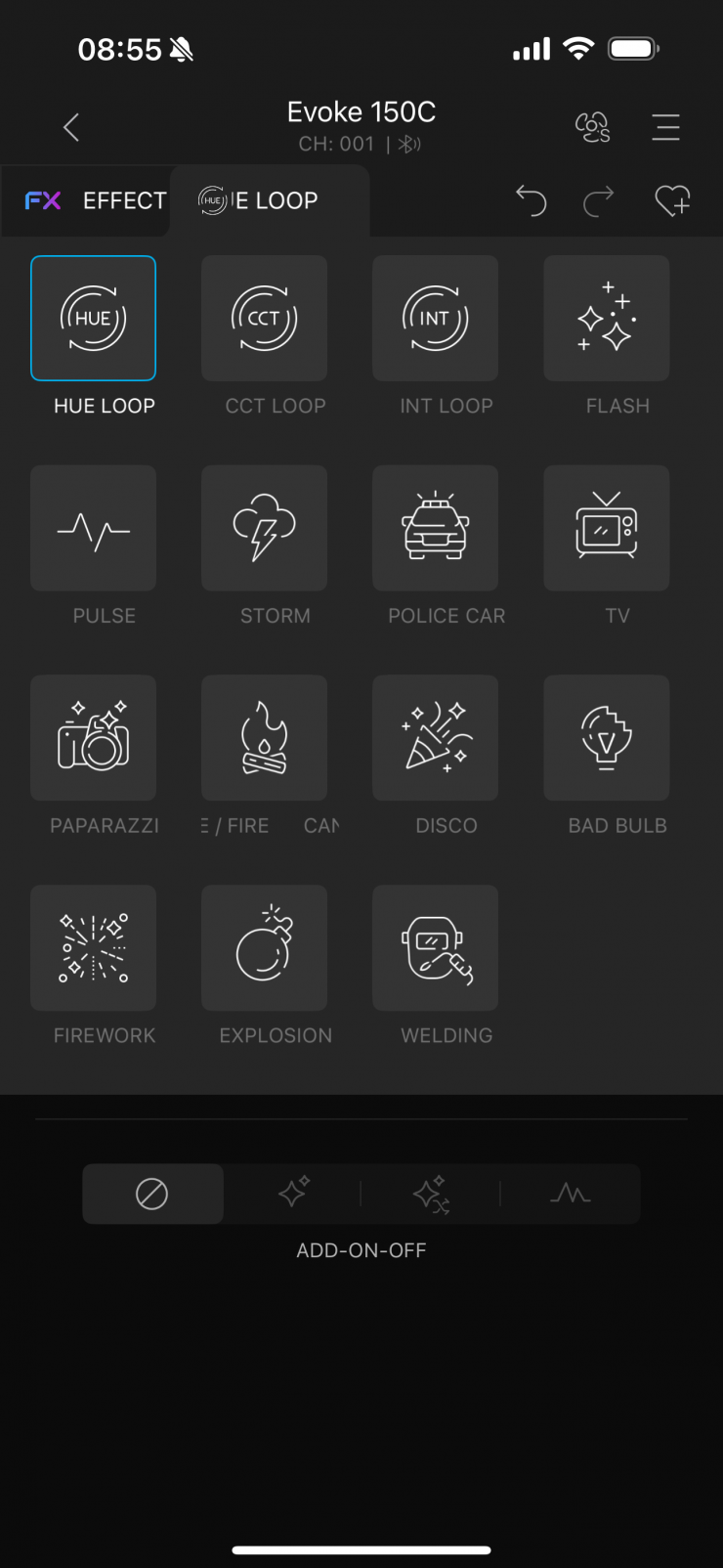
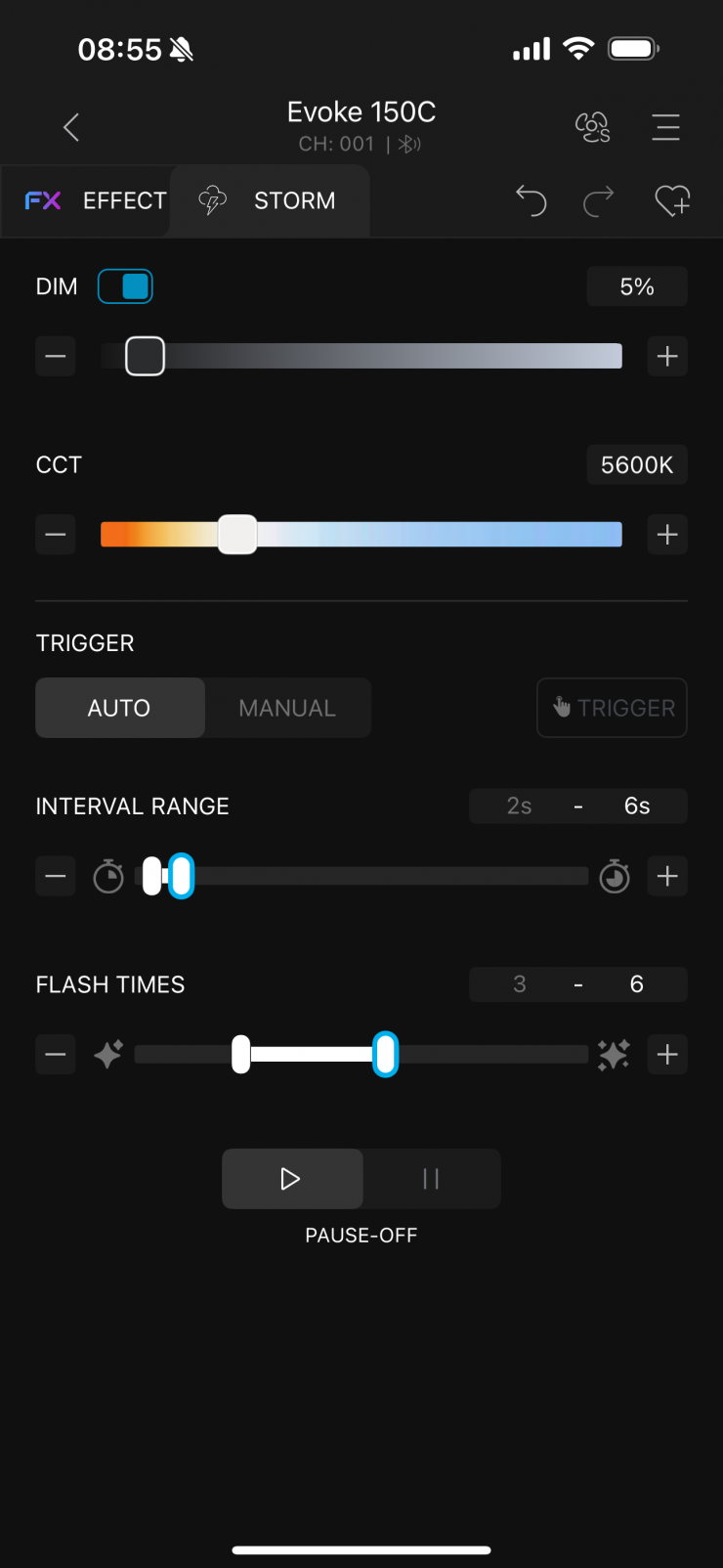
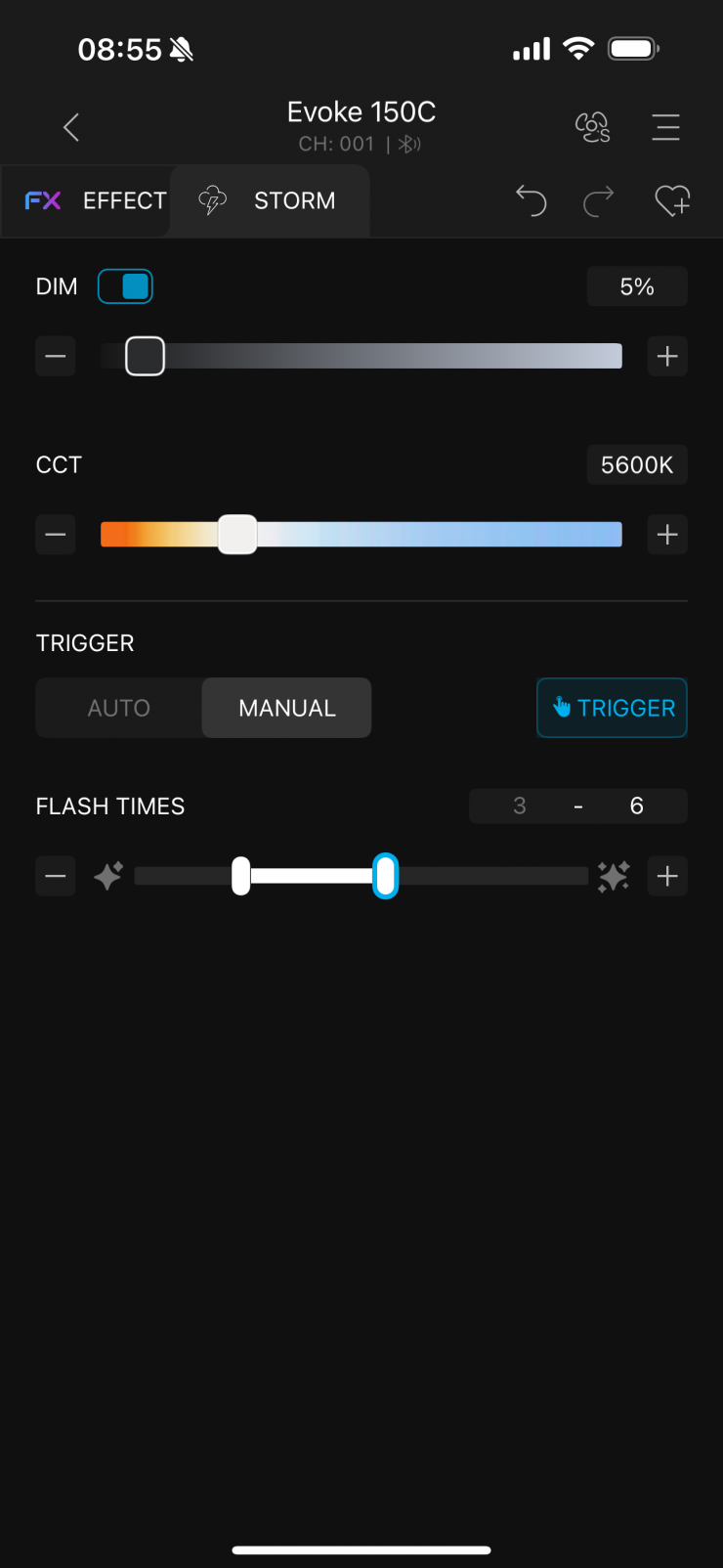
Above, you can see what the screens and settings for each mode look like.
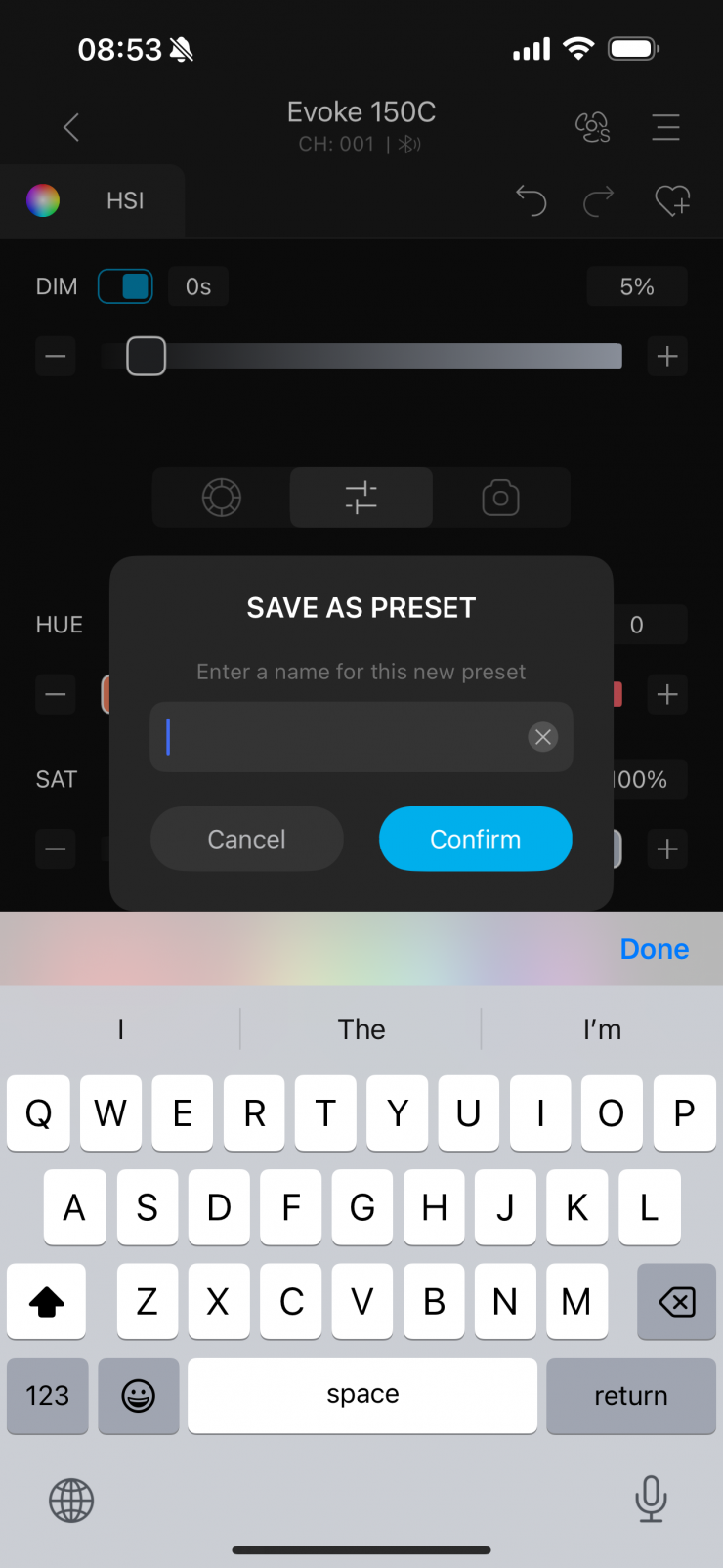
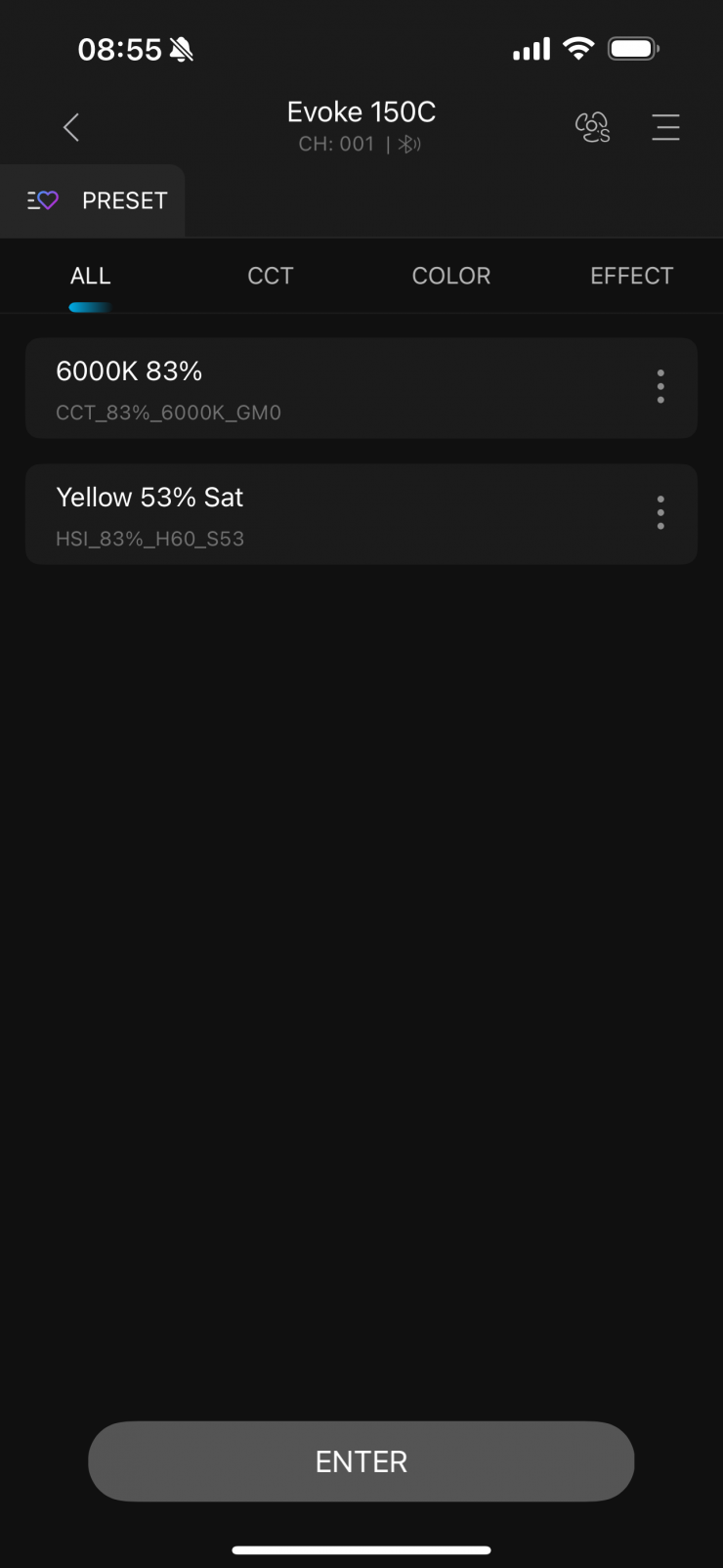
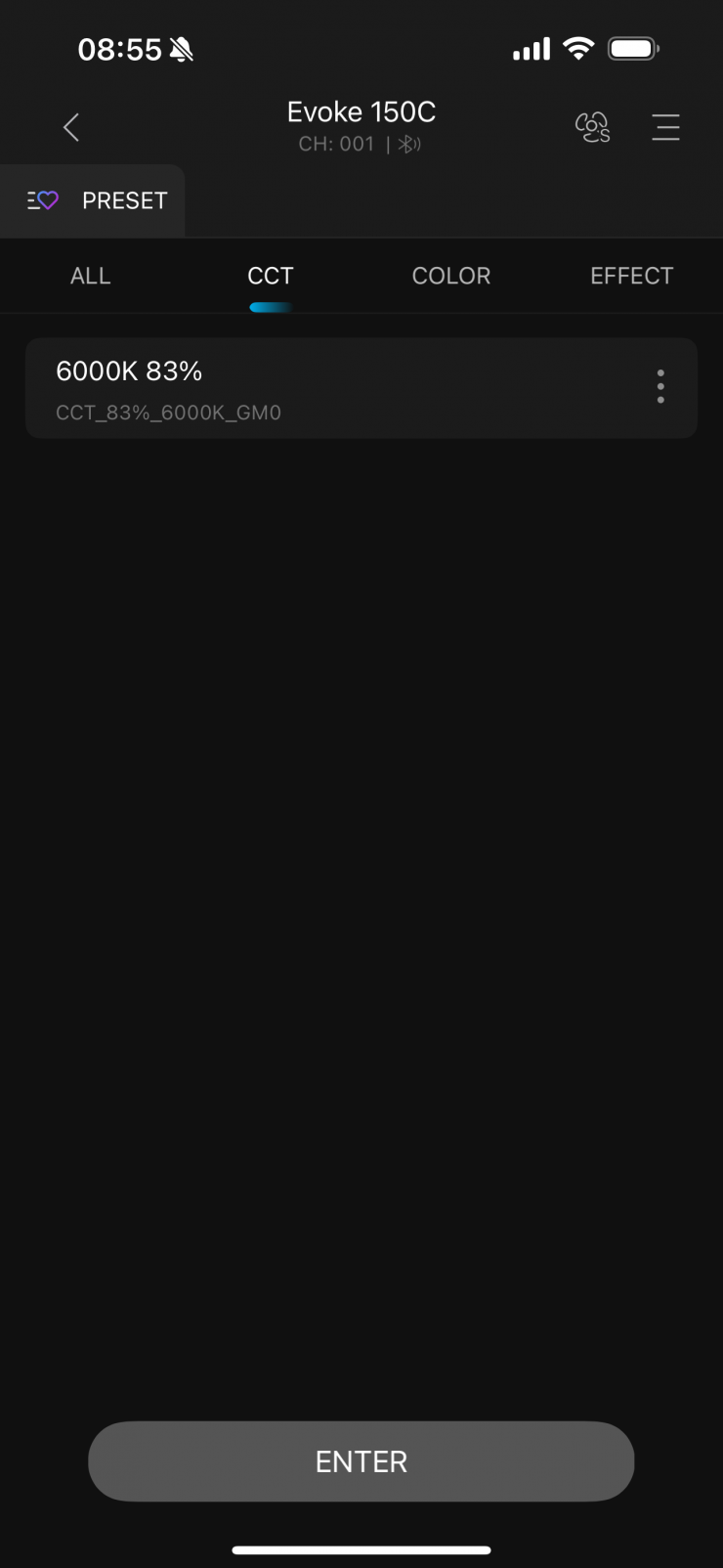
I can also save presets that I can store and recall at a later date.
Overall, the app works well. It is easy to make changes, and it connects up without any issues.
The app is reasonably easy to set up and get going. Once you have created a group, you can then add fixtures to that group. You simply scan for new lights if you haven’t added them previously.
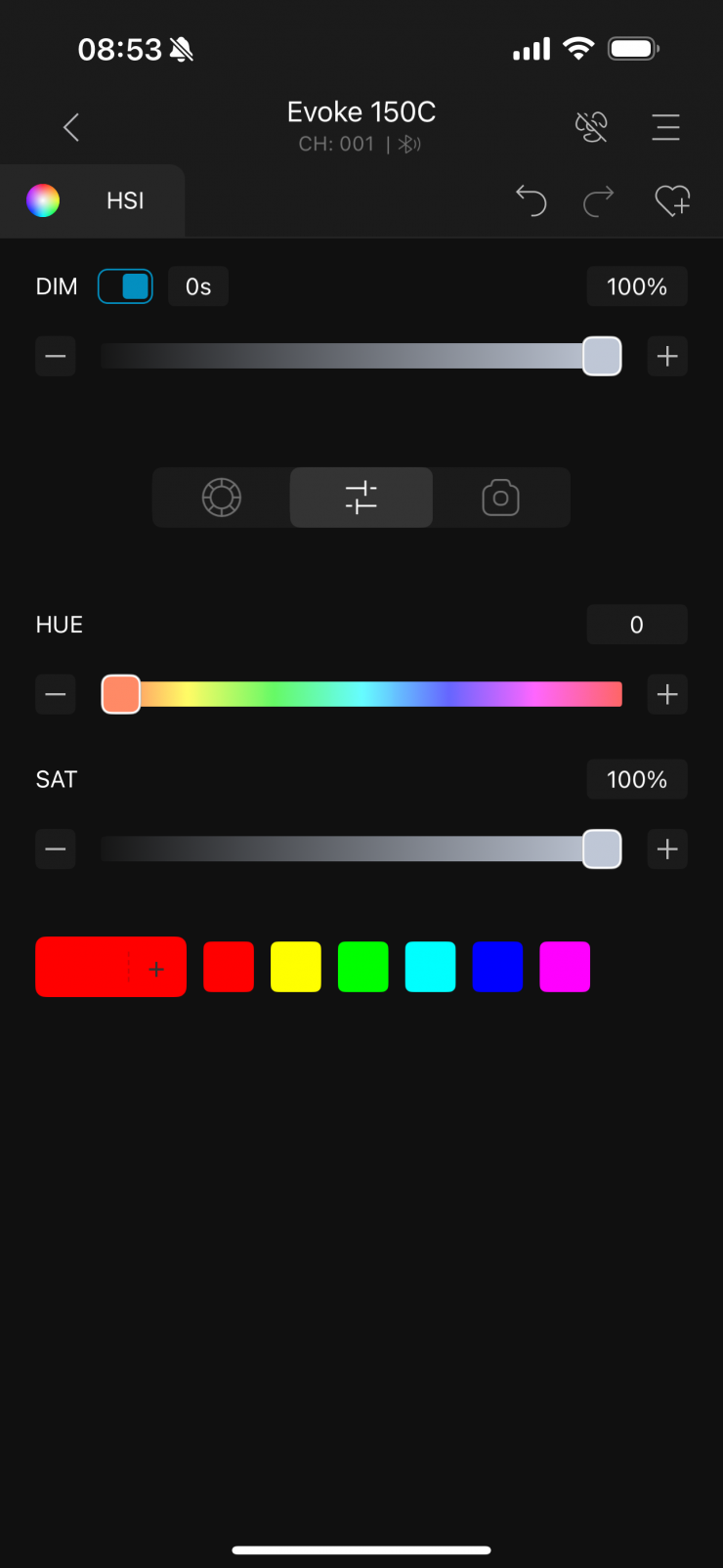
There are two problems I encountered when using the app. The first one is that if you adjust the fan speed, for example, setting it to Off, you can still move the intensity slider to 100%, even though the light’s output is capped at 15%. The intensity level should reflect the fan speed limitation.
The second issue was that if you are connected to the app and you then leave the app, you can’t make any adjustments via the controls on the fixture itself without turning it off and then back on again. UPDATE: This has been resolved via a new firmware update that NANLUX sent me.
Beam Angle
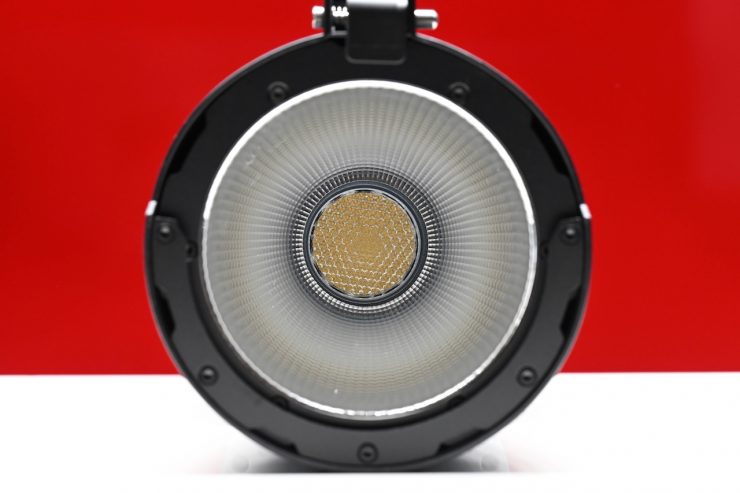
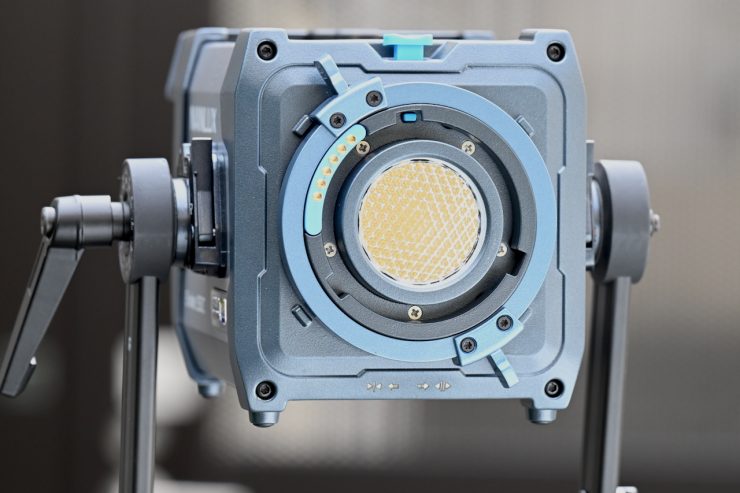
The native beam angle when the fixture is used open face is 65°. When you use it with its included reflector, the beam angle is 45°
Photometrics
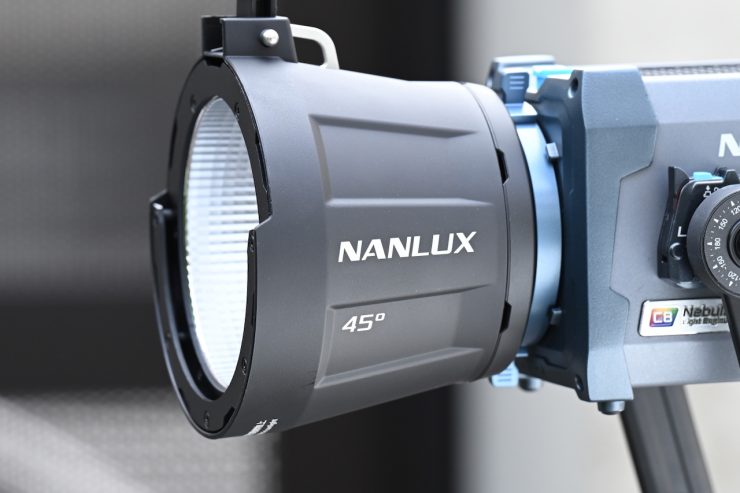
So now let’s get to the photometric results. I always test lights in this way so that I get a reference to how they compare to other fixtures. Results only tell part of the story and should never be used alone to judge a light. I have found from extensive testing over the years that certain lights that have good photometric results don’t always look good, and lights that have worse photometric scores can sometimes look better than their results indicate.
You can’t judge a light from one set of photometric results. You have to look at all of the different results to be able to come to a conclusion.
Different lights can also look different depending on what camera you happen to be using.
Output & Color Temperature Accuracy
I tested the NANLUX Evoke 150C at a variety of CCT settings with a Sekonic C-800 Spectrometer to find out how much output the light had and how accurate the Kelvin color temperature reproduction was. All readings are taken at a distance of 1m (3.28ft) in a controlled environment. The readings were also taken directly from the lighting source. In the case of using the light with the Reflector, the readings were taken from the end of the attachment.
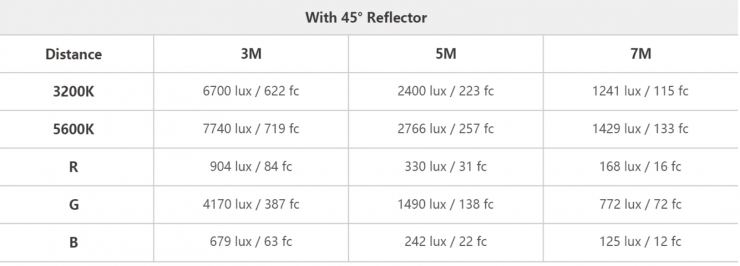
Above, you can see the claimed output figures from the manufacturer.
NANLUX Evoke 150C 5600K (Open Face)
Let’s first look at the light when it is used open face.
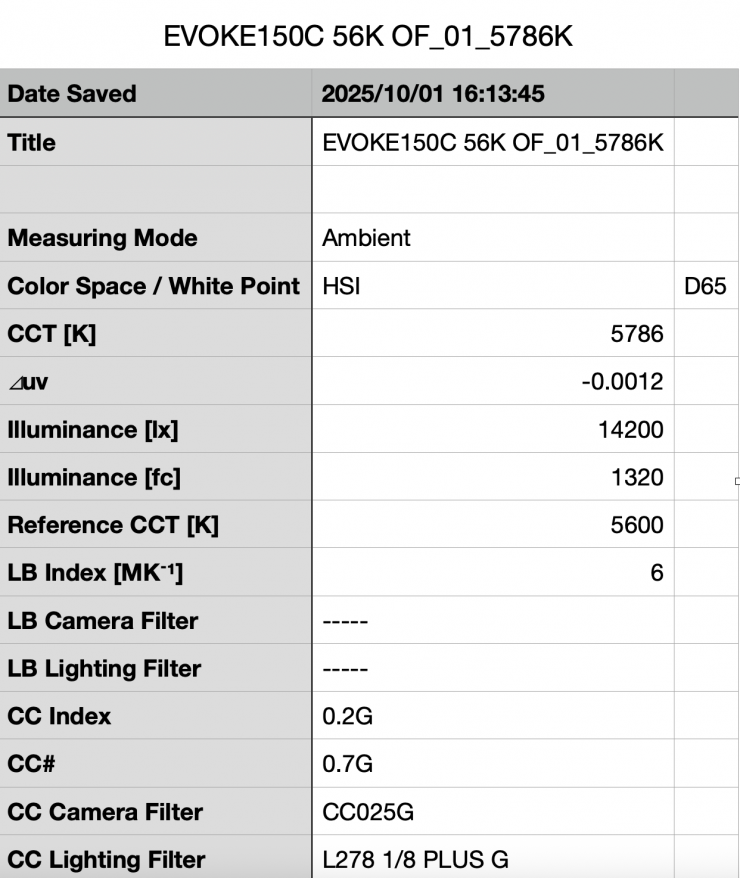
Above, you can see that the Evoke 150C recorded an output of 14,200 lx (1320 fc) when set at 5600K and used open face.
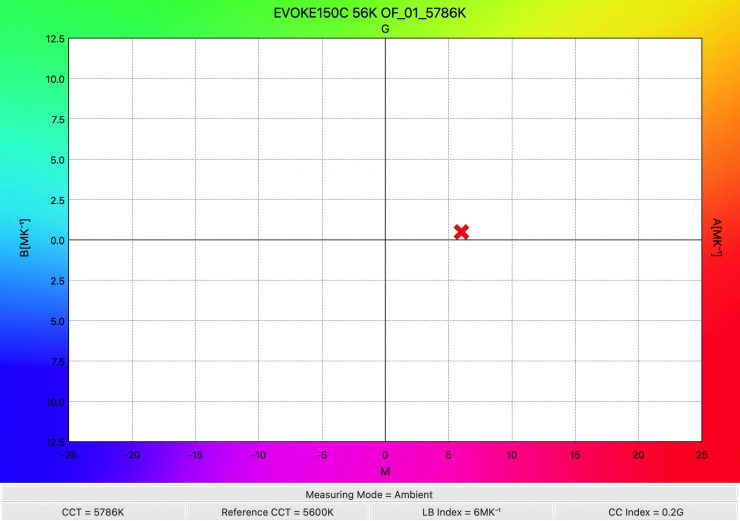
The light recorded a CCT reading of 5786K, which was more than 175K off being correct.
NANLUX Evoke 150C 3200K (Open Face)
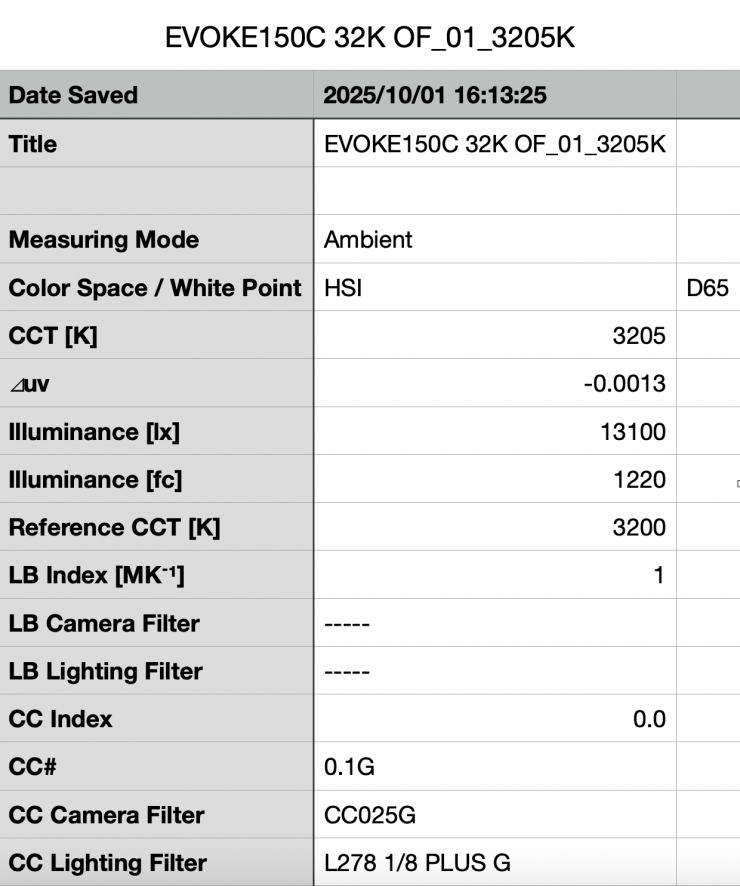
Above you can see the light’s output when it was set at 3200K in the open face configuration was 13,100 lx 1600 fc), which was 7.74% less than the 14,200 lx it produced at 5600K.
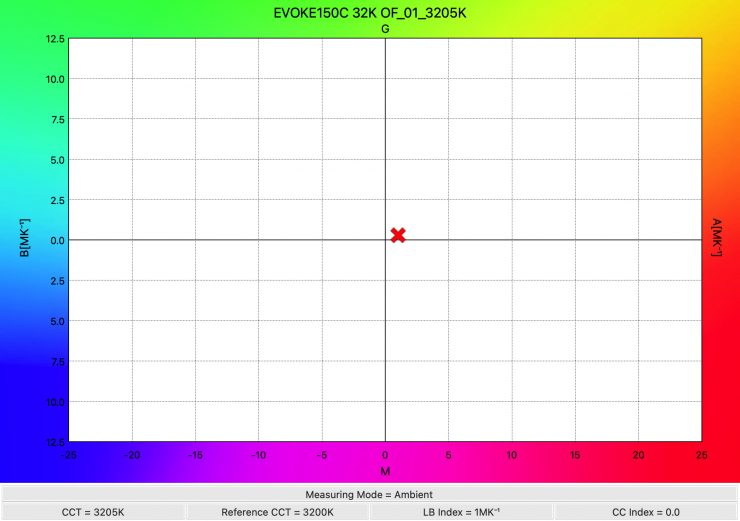
As far as CCT accuracy goes, it recorded an almost perfect reading of 3205K.
Summary of results (Open Face)
| | OUTPUT | CCT |
| 2500K | 10,500 lx | 2551K |
| 3200K | 13,100 lx | 3205K |
| 4500K | 12,900 lx | 4597K |
| 5600K | 14,200 lx | 5786K |
| 6500K | 11,900 lx | 6832K |
| 8000K | 13,300 lx | 8277K |
| 10000K | 12,500 lx | 10832K |
Above, you can see a summary of results when the light was used open face at various CCT settings.
The results show me that the light’s CCT accuracy when used open face was pretty good up until about 4500K. At 5600K and above, it did fall off a little bit, but not by any more than 332K. Yes, anytime you put anything in front of a light, it will alter the CCT, but nonetheless, this is something you need to be very aware of.
What was nice to see is that the light’s output is reasonably consistent across the CCT settings I tested. From 3200K to 10000K, it varied by 2300 lx.
So, let’s have a look at how the output @1m / 3.3′ compares to the Aputure STORM 80C (please remember that the STORM 80C draws 50W less than the Evoke 150C), Godox Litemons LA200R, and SmallRig RC 220C. The Godox Litemons LA200R and SmallRig RC 220C both draw 220W. What you also need to factor in is that the Evoke 150C has a reasonably tight beam angle when used open face, but so does the Aputure STORM 80c.
Open Face
5600K
| Output at 5600K | CCT (K) | |
| NANLUX Evoke 150C (65° beam angle) | 14,200 lx | 5786K |
| Aputure STORM 80c (60° beam angle) | 8380 lx | 5603K |
| Godox Litemons LA200R (90° beam angle) | 6910 lx | 5693K |
| SmallRig RC 220C (beam angle not listed) | 8890 lx | 5428K |
3200K
| Output at 3200K | CCT (K) | |
| NANLUX Evoke 150C (65° beam angle) | 13,100 lx | 3205K |
| Aputure STORM 80c (60° beam angle) | 7980 lx | 3227K |
| Godox Litemons LA200R (90° beam angle) | 7510 lx | 3336K |
| SmallRig RC 220C (beam angle not listed) | 8360 lx | 3121K |
The NANLUX Evoke 150C has more output than the Aputure STORM 80C, but that comes as no surprise. The Aputure STORM 80C was more CCT accurate at 5600K, and the Evoke 150C was slightly better at 3200K, but not by much.
NANLUX Evoke 150C 5600K (45° Reflector)
So, now let’s see how much output the light has when used with its standard 45° reflector.
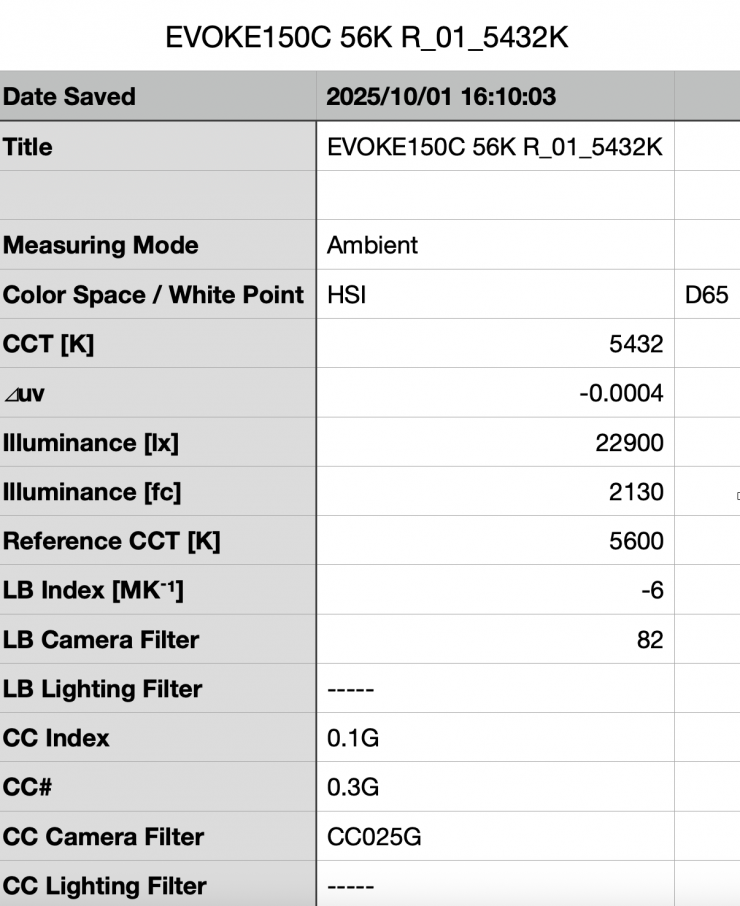
Above you can see the light’s output when it was set at 5600K with the standard reflector was 22,900 lx (2130 fc). It is important to note that this measurement was made 1m/ 3.3′ from the end of the reflector.
This is a decent amount of output from a light this size using a reflector.
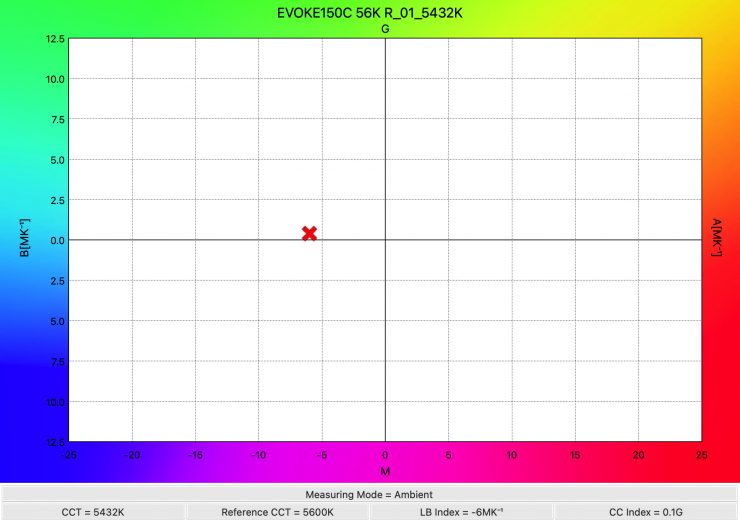
As far as CCT accuracy goes, it recorded a reading of 5432K, which was more than 150K off being correct.
NANLUX Evoke 150C 3200K (45° Reflector)
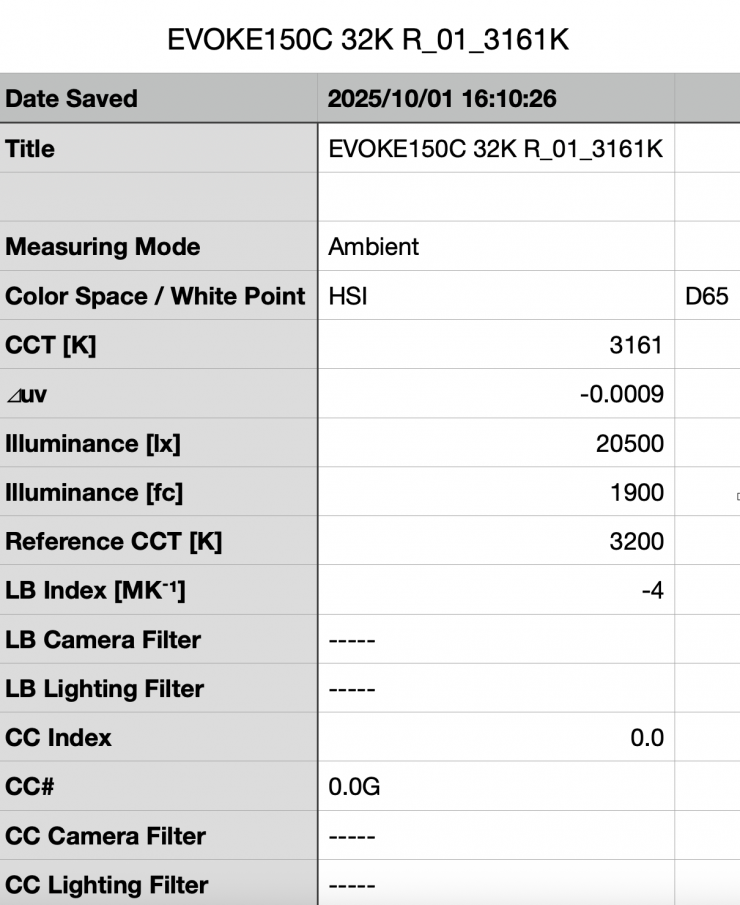
Above you can see the light’s output when it was set at 3200K with the standard reflector was 20,500 lx (1900 fc), which was 10.48% less than what it output at 5600K.
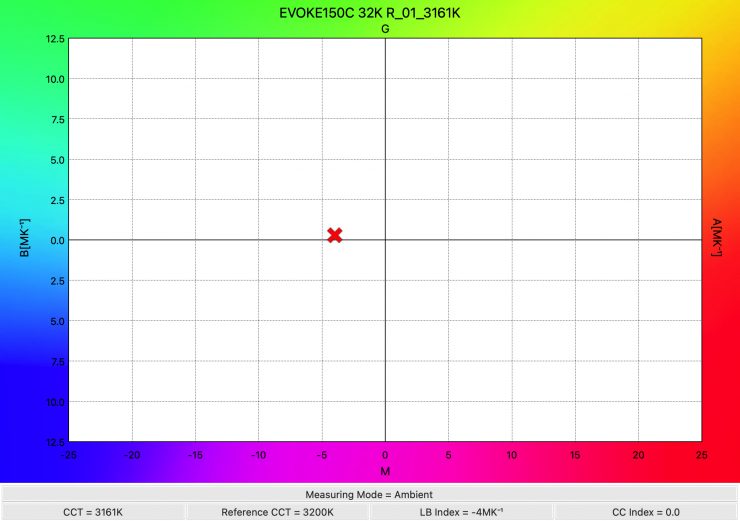
As far as CCT accuracy goes, it recorded a reading of 3161K, which was an excellent score.
Summary of results (45° reflector)
| | OUTPUT | CCT |
| 2500K | 16,900 lx | 2483K |
| 3200K | 20,500 lx | 3161K |
| 4500K | 21,300 lx | 4532K |
| 5600K | 22,900 lx | 5432K |
| 6500K | 19,200 lx | 6488K |
| 8000K | 20,800 lx | 8261K |
| 10000K | 19,600 lx | 10556K |
Above, you can see a summary of results when the light was used with its reflector at various CCT settings.
The results show me that the light’s CCT accuracy when using the standard 45° reflector was excellent from 2500-4500K. At 5600K and above, it did fall off a bit, but it was still very good. The output was pretty consistent from 3200-10000K.
So, let’s have a look at how the output compares to the Aputure STORM 80c, Godox Litemons LA200R, and SmallRig RC 220C. Please remember that the STORM 80C draws 50W less, and it has a slightly tighter reflector beam, and the SmallRig and Godox draw 70W more.
Reflector
5600K
| Output at 5600K | CCT (K) | |
| NANLUX Evoke 150C (45° Reflector) | 22,900 lx | 5432K |
| Aputure STORM 80c (35° Reflector) | 18,100 lx | 5894K |
| Godox Litemons LA200R (60° Reflector) | 43,300 lx | 5624K |
| SmallRig RC220C (55° Reflector) | 31,300 lx | 5303K |
3200K
| Output at 3200K | CCT (K) | |
| NANLUX Evoke 150C (45° Reflector) | 20,500 lx | 3161K |
| Aputure STORM 80c (35° Reflector) | 17,200 lx | 3306K |
| Godox Litemons LA200R (60° Reflector) | 51,800 lx | 3309K |
| SmallRig RC220C (55° Reflector) | 29,300 lx | 3116K |
What you clearly need to remember is that the STORM 80c has a lower power draw, and the reflector’s beam angle is very narrow at 35°. Just for your information, the Nanlite’s reflector is 45°. The Godox Litemons LA200R draws 220W, and its reflector is 60°. The SmallRig RC220C also draws 220W, and its reflector is 55°.
These lights were tested under the exact same conditions, so you get a real-world, honest assessment of how the lights compare when used open face and when used with their standard reflectors. Now, you need to factor in that the power draws are different and the reflectors have different beam angles. Please note that my measurements are always made from the end of the reflector and not from the COB, and that is why my measured figures will sometimes be lower than those quoted manufacturer figures.
Battery Output
As the fixture can be run off a battery source, let’s have a look at what the output is when doing so.
NANLUX Evoke 150C 5600K 45° Reflector (V-Lock Battery)
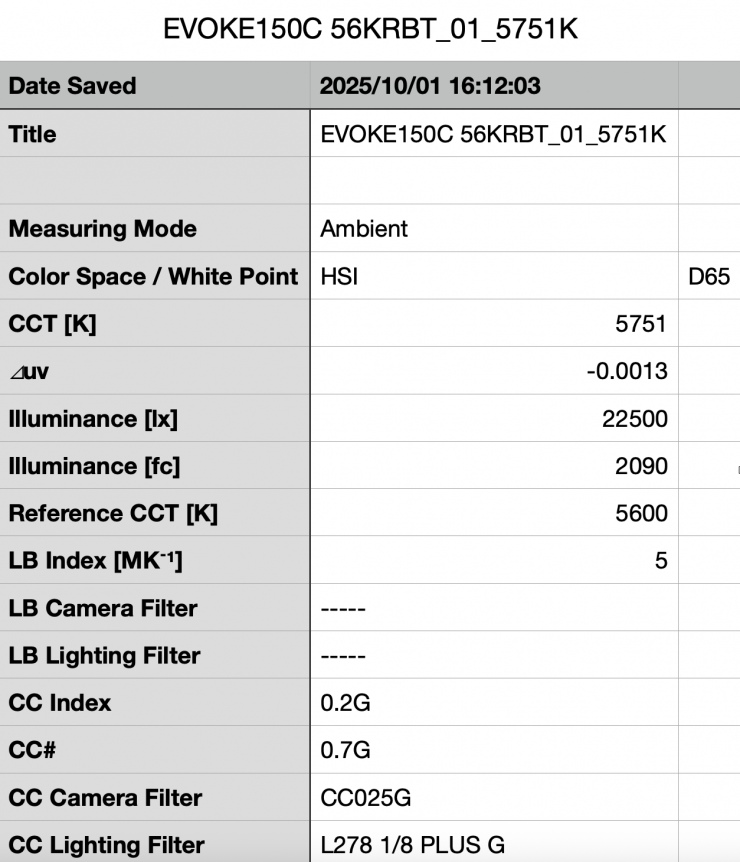
Above you can see the light’s output when it was set at 5600K and run via a V-mount battery was 22,500 lx (2090 fc), which was 400 lx less than when it was run via mains power. This shows me that with the right batteries, you can run this fixture remotely at 100% output with no limitations.
Output when using various Fan Settings
As I am thorough, I wanted to see what the output was of the Evoke 600C when it was used in its various different fan settings.
NANLUX Evoke 150C 5600K 45° Reflector (Fan Off)
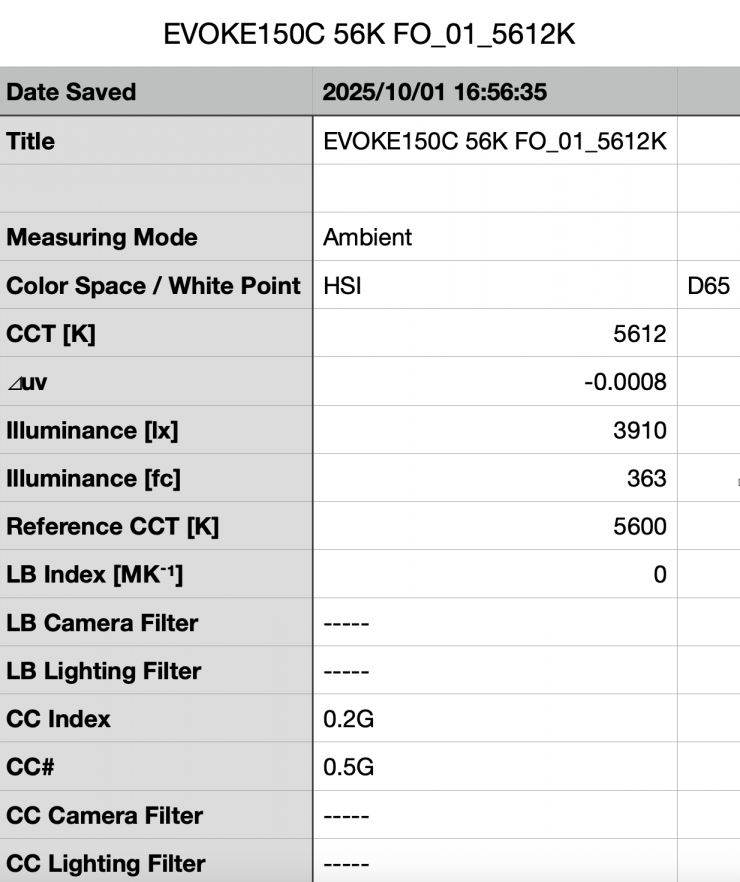
Above you can see the light’s output when it was set at 5600K in its Fan Off Mode, with the standard reflector was 3910 lx (363 fc), which was 82.92% less than what it output in its Smart or Full Speed fan mode.
NANLUX Evoke 150C 5600K 45° Reflector (Low Speed)
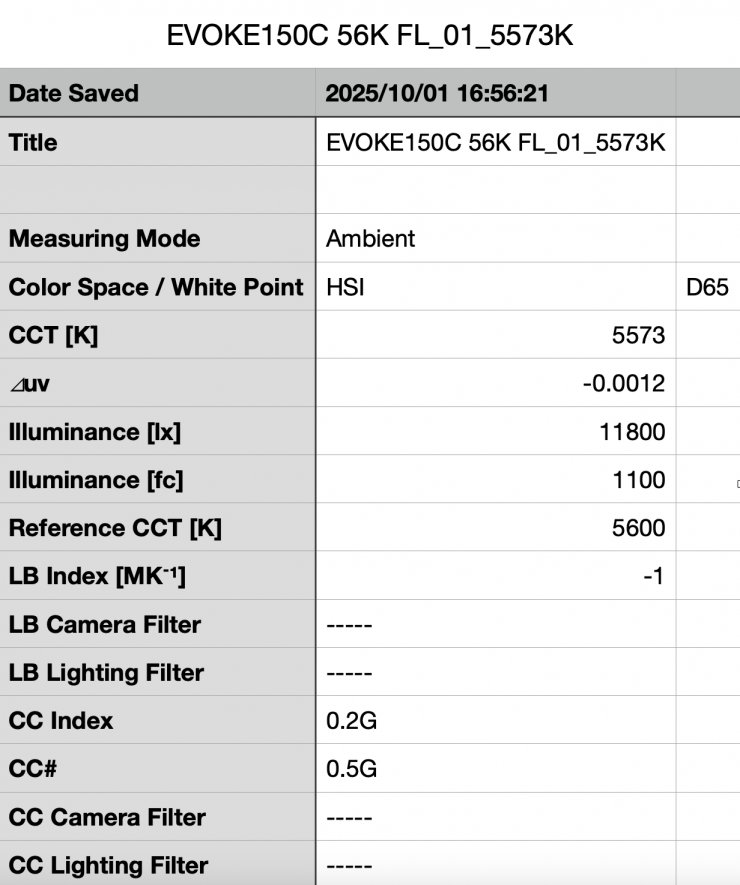
Above you can see the light’s output when it was set at 5600K in its Low Speed Fan Mode, with the standard reflector was 11,800 lx (1100 fc), which was 48.47% less than when it was used in its Smart or Full Speed fan mode.
+/- Green adjustment
As the fixture includes +/- Green adjustment, you can quite easily correct any tint. While there is no exact science to this, and it really depends on what camera you are using as well, it’s just a matter of trial and error to see what setting actually works the best. The nice thing is, any light with +/- Green adjustment can be fine-tuned to deliver better results.
CCT consistency & linear output when dimming the light
Now, what you should always do when testing lights is to see if the CCT remains consistent when dimming the light. Just because you set a light at say 5600K, that doesn’t mean that the CCT will remain stable as you start dimming the fixture down. I also wanted to see how linear the dimming curve was.
I decided to do a series of tests at 100%/75%/50%/25%10% to see if the CCT being recorded changed. This was done at a distance of 1m / 3.3′ using a Sekonic C-800. These tests were done at 5600K with the light being used with its 45° Reflector.
NANLUX Evoke 150C 45° Reflector (Linear Dimming)
| CCT READING | OUTPUT | INTENSITY % |
| 5432K | 22,900 lx | 100 |
| 5575K | 17,300 lx | 75 |
| 5717K | 12,800 lx | 50 |
| 5687K | 7120 lx | 25 |
| 5661K | 2820 lx | 10 |
The Evoke 600C maintained decent CCT consistency as you start dimming the fixture. My testing showed that the CCT readings varied by just 285K from 100% to 10%.
As far as how linear the output is when you start dimming the light, at 50% output, it had 44.10% less output than when used at 100%. At 25% it had 68.90% less output than when used at 100%. At 10% output, it had 87.68% less output than when used at 100%. This shows me that the light’s dimming curve is reasonably linear, but it could be better.
Color Rendering
So now that we have seen how much output the Evoke 150C produces, how does it perform when it comes to replicating accurate colors?
NANLUX Evoke 150C 5600K (45° reflector)
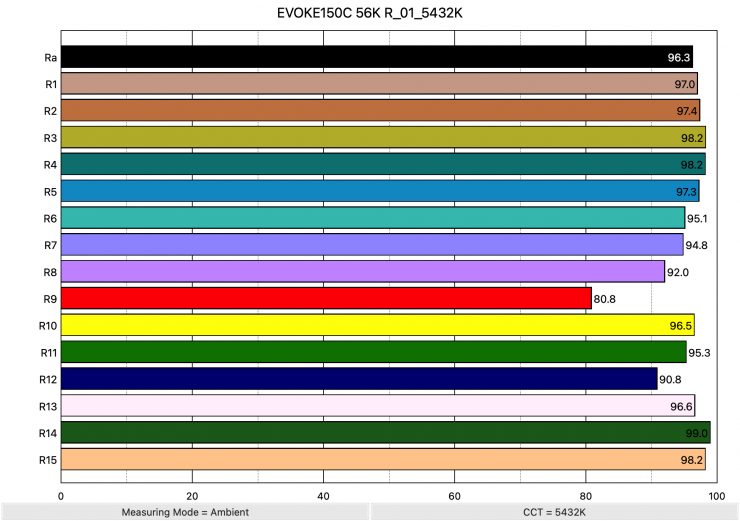
Above, you can see that when the light was set at 5600K using the standard reflector recorded an average CRI (R1-R8) of 96.3 and an extended CRI (R1-R15) of 95.14. For replicating accurate skin tones, it recorded 80.8 for R9 (red), 96.6 for R13 (closest to caucasian skin tones), and 98.2 for R15 (closest to Asian skin tones). These are excellent results, and only R9 (Red) was below 90.
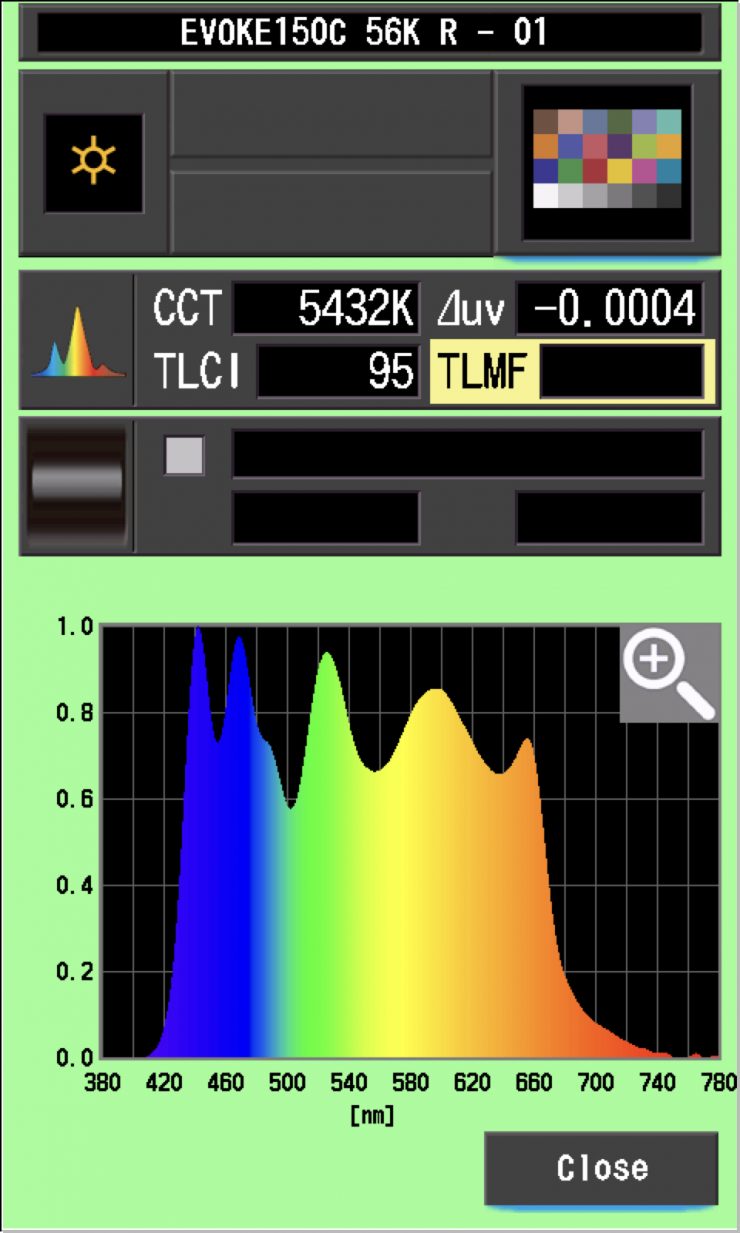
The light, when set at 5600K using its standard reflector, recorded a TLCI score of 95.
| EXTENDED CRI | R9 | R13 | R15 | |
| NANLUX Evoke 150C | 95.14 | 80.8 | 96.6 | 98.2 |
| Aputure STORM 80c | 96.86 | 92.9 | 99.1 | 97.5 |
| Godox Litemons LA200R | 93.84 | 95.6 | 94.3 | 95.6 |
| Nanlite Forza 60c | 96.10 | 98.8 | 99.2 | 97.6 |
| SmallRig RC220C | 96.55 | 96.4 | 99.3 | 98.4 |
| Aputure STORM 1200x | 97.34 | 95.5 | 97.9 | 98.4 |
As a comparison, above you can see how the results for the Evoke 150C compare to the Aputure STORM 80c, Nanlite Forza 60c, Godox Litemons LA200R, and SmallRig RC220C. I have also included the very good Aputure STORM 1200x as another reference.
NANLUX Evoke 150C 3200K (45° reflector)
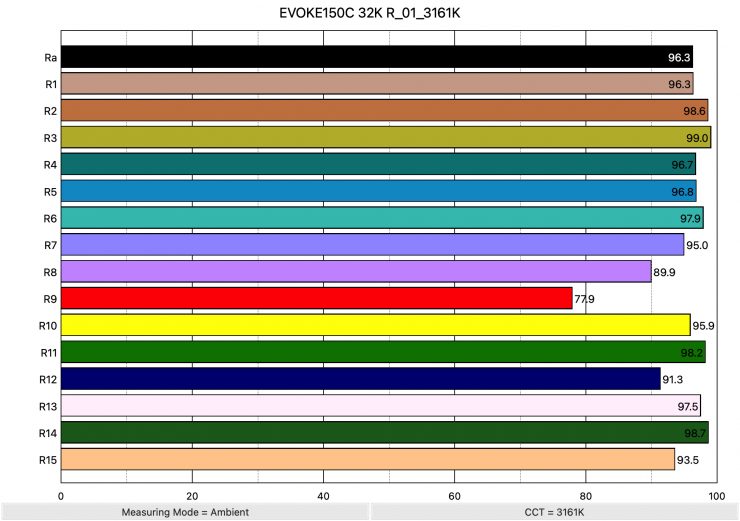
Above, you can see the scores for when the light was used at 3200K. It recorded an average CRI (R1-R8) of 96.3 and an extended CRI (R1-R15) of 94.88. For replicating accurate skin tones, it recorded 77.9 for R9 (red), 97.5 for R13 (closest to caucasian skin tones), and 93.5 for R15 (closest to Asian skin tones). R8 and R9 (red) were both below 90.
These results were decent; however, they weren’t quite as good as when the light was used at 5600K.
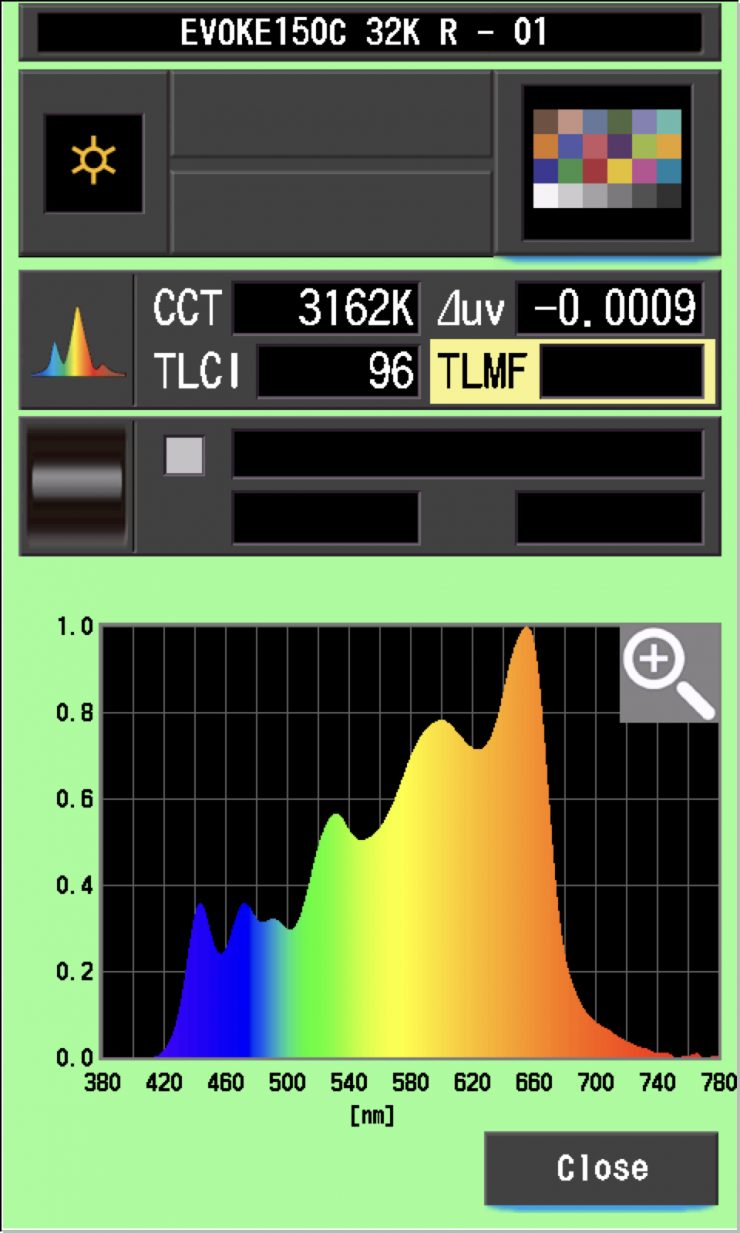
The light, when set at 3200K, recorded a TLCI score of 95.
How do these figures at 3200K and 5600K compare to other lights that we have previously reviewed? Below you can see:
| EXTENDED CRI | R9 | R13 | R15 | |
| NANLUX Evoke 150C | 94.88 | 77.9 | 97.5 | 93.5 |
| Aputure STORM 80c | 96.14 | 91.1 | 98.8 | 99.5 |
| Godox Litemons LA200R | 94.86 | 97.1 | 93.8 | 96.6 |
| Nanlite Forza 60c | 96.10 | 92.3 | 97.7 | 96.4 |
| SmallRig RC220C | 96.48 | 98.4 | 97.5 | 98.3 |
| Aputure STORM 1200x | 93.52 | 94.4 | 93.3 | 97.2 |
As a comparison, above you can see how the results for the Evoke 150C compare to the STORM 80c, Godox Litemons LA200R, Nanlite Forza 60c, SmallRig RC220C, and Aputure STORM 1200x.
NANLUX Evoke 150C 5600K (Open Face)
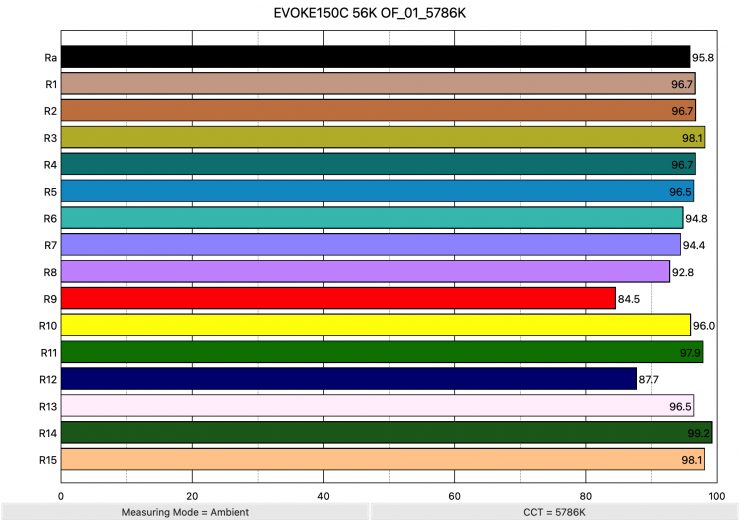
Above, you can see that when the light was used open face and set at 5600K, it recorded an average CRI (R1-R8) of 95.8 and an extended CRI (R1-R15) of 95.10. For replicating accurate skin tones, it recorded 84.5 for R9 (red), 96.5 for R13 (closest to caucasian skin tones), and 98.1 for R15 (closest to Asian skin tones). These were good results; however, R12 (Blue) and R9 (red) were both below 90.
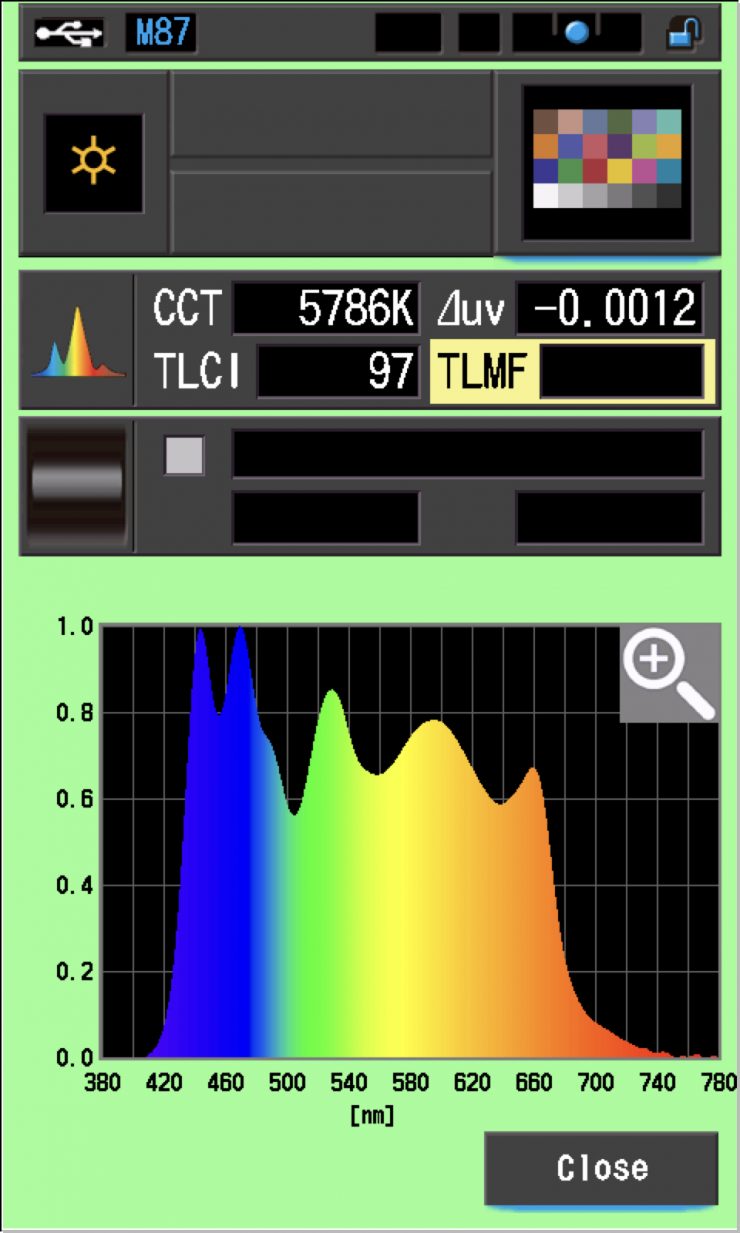
The light, when used open face and set at 5600K, recorded a TLCI score of 97.
NANLUX Evoke 150C 3200K (Open Face)
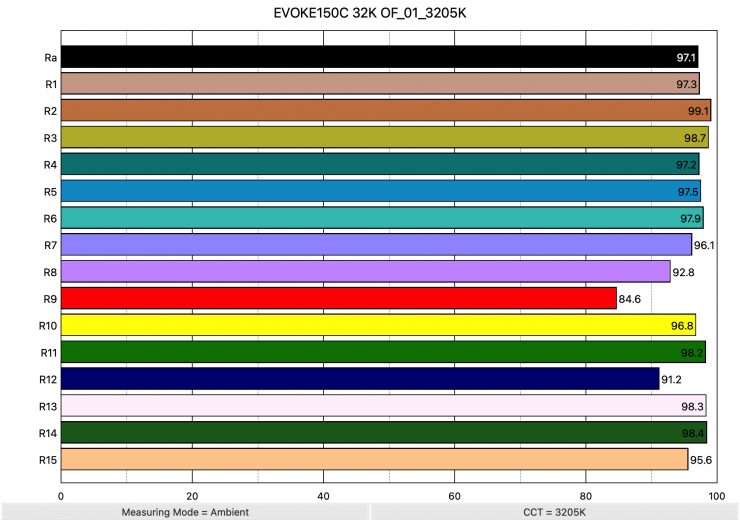
Above you can see that when the light was used pen face and set at 3200K, it recorded an average CRI (R1-R8) of 97.1 and an extended CRI (R1-R15) of 95.98. For replicating accurate skin tones, it recorded 84.6 for R9 (red), 98.3 for R13 (closest to caucasian skin tones), and 95.6 for R15 (closest to Asian skin tones). These are excellent results, and only R9 (red) was below 90.
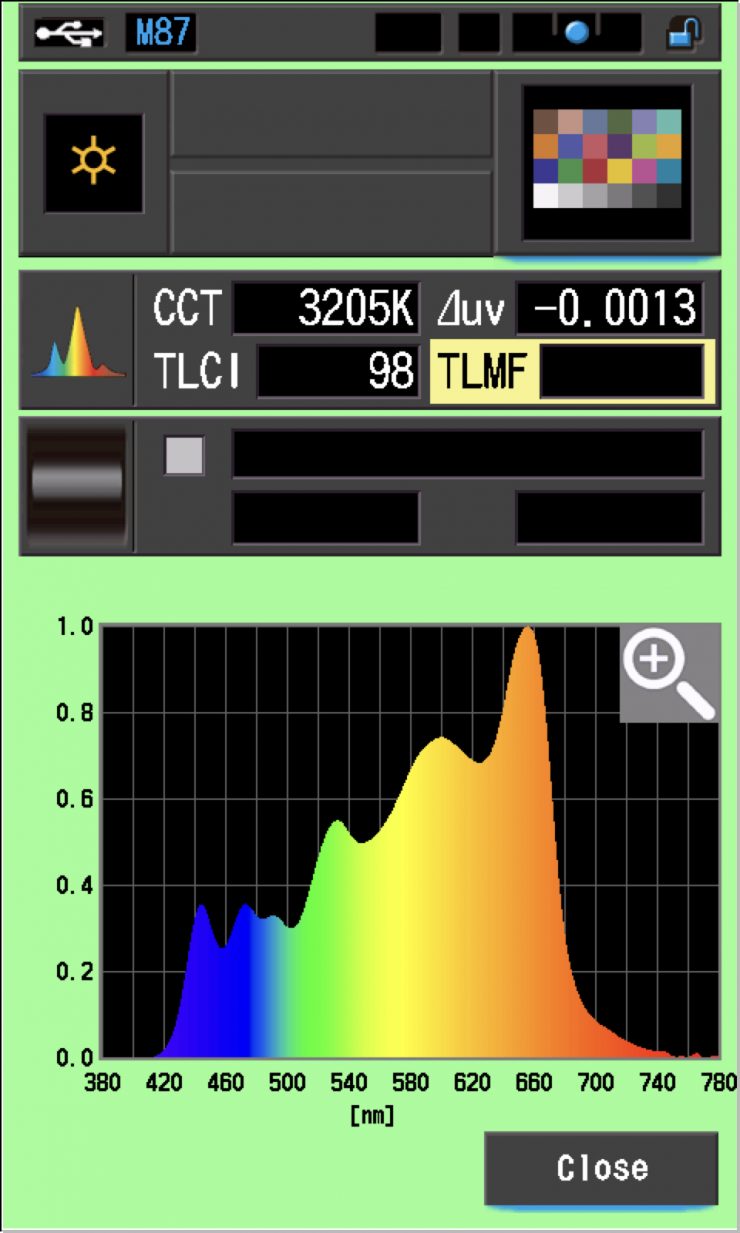
The light, when used open face and set at 3200K, recorded a TLCI score of 98.
CC Index & ⊿uv
The CC Index displays the CC correction value and whether any magenta or green need to be added or subtracted. 1 CC corresponds to 035 Kodak CC values or 1/8 Rosco filter values. Any reading less than +1.00 or -1.00 and you’re probably not going to need to make any kind of adjustment. The ⊿uv is the value to show how much this light is away from being an ideal light source (black body radiation = incandescent lamp). As with the CC Index you want this number to theoretically be zero. Kelvin is not a linear value, so we need to convert from Kelvin to MK-1 to compare the values of color temperature. To calculate from Kelvin to Mired is MK-1= 1*1000000/Kelvin. While this may sound confusing, it is the only way of measuring if the Kelvin shift is significant enough to warrant having to use a filter for correction. Below are the results for the NANLUX Evoke 150C:
NANLUX Evoke 150C Vs MK-1 (Reflector)
| | Kelvin | Difference in K | MK-1 | Difference in MK-1 |
| SET VALUE | 2500K | 0 | 400 | 0 |
| ACTUAL READING | 2483K | 17 | 402.73 | -2.73 MK-1 |
| SET VALUE | 3200K | 0 | 312.5 | 0 |
| ACTUAL READING | 3161K | 39 | 316.35 | -3.85 MK-1 |
| SET VALUE | 4500K | 0 | 222.22 | 0 |
| ACTUAL READING | 4532K | 68 | 220.65 | 1.57 MK-1 |
| SET VALUE | 5600K | 0 | 178.57 | 0 |
| ACTUAL READING | 5432K | 168 | 184.09 | -5.52 MK-1 |
| SET VALUE | 6500K | 0 | 153.84 | 0 |
| ACTUAL READING | 6488K | 12 | 154.13 | -0.29 MK-1 |
| SET VALUE | 8000K | 0 | 125 | 0 |
| ACTUAL READING | 8261K | 261 | 121.05 | 3.95 MK-1 |
| SET VALUE | 10000K | 0 | 100 | 0 |
| ACTUAL READING | 10556K | 556 | 94.73 | 5.27 MK-1 |
These figures might look confusing, but what they tell me is that the light is very CCT-accurate across its range. Any MK-1 score that is under -9/9 means you wouldn’t have to use any color correction gels. The MK-1 scores for this light were very good, especially at 4500K and 6500K.
NANLUX Evoke 150C CC INDEX & ⊿uv (Reflector)
| | CC INDEX | ⊿uv |
| 2500K | 0.3G | -0.0012 |
| 3200K | 0 | -0.0009 |
| 4500K | 0.1M | -0.0003 |
| 5600K | 0.1G | -0.0004 |
| 6500K | 0.2G | 0.0002 |
| 8000K | 0.6G | 0.0001 |
| 10000K | 1.0G | -0.0007 |
The CC Index & ⊿uv scores were very consistent, except for the CC Index score at 10,000K. The⊿uv scores across the board were the best I have ever seen from any LED light.
TM-30
TM-30 is a relatively new color rendering standard that was developed to deal with the limitations of CRI. TM-30 looks at 99 individual colors. These 99 colors are categorized into seven groups: nature, skin color, textiles, paints, plastics, printed material, and color systems.
TM-30 scores go from 0 – 100. The higher the score, the more accurate a light is at producing colors. Any TM-30 Rf score in the ’90s is considered to be good. What is interesting and something that you need to be very aware of is that two separate light sources with the exact same CRI scores can render colors very differently. A light with a high CRI rating could have a low TM-30 score. Conversely, a light with a good TM-30 score could have a bad CRI score.
Now, there are two measurements associated with TM-30, Rf and Rg.
Rf (Color Fidelity)
Rg (Color Gamut)
With Rf value, ideally, you want a score in the 90’s.
With Rg value, a score below 100 indicates that the light source renders colors with less saturation than the reference source. So ideally, you want this score to be above 100.
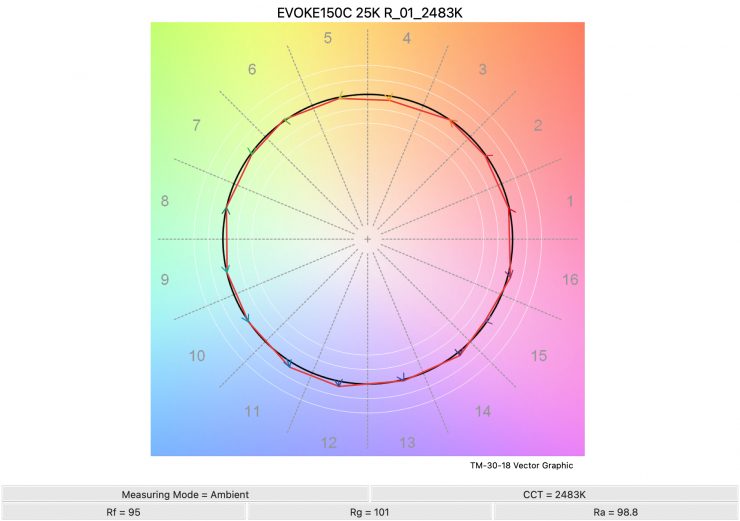
2500K 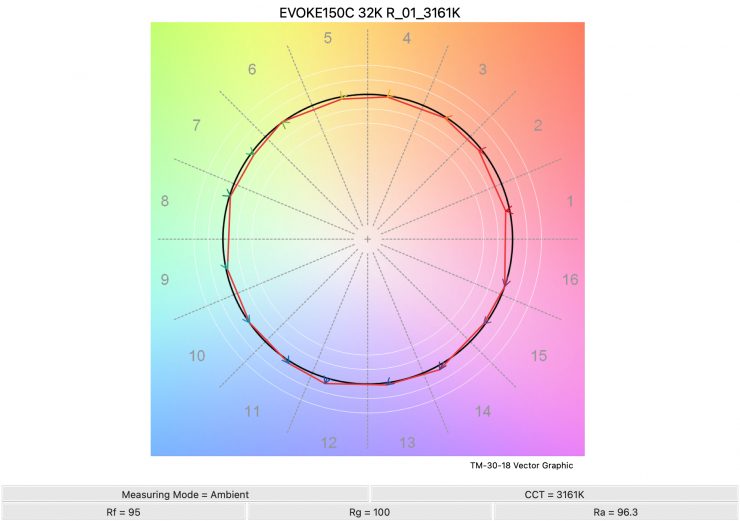
3200K 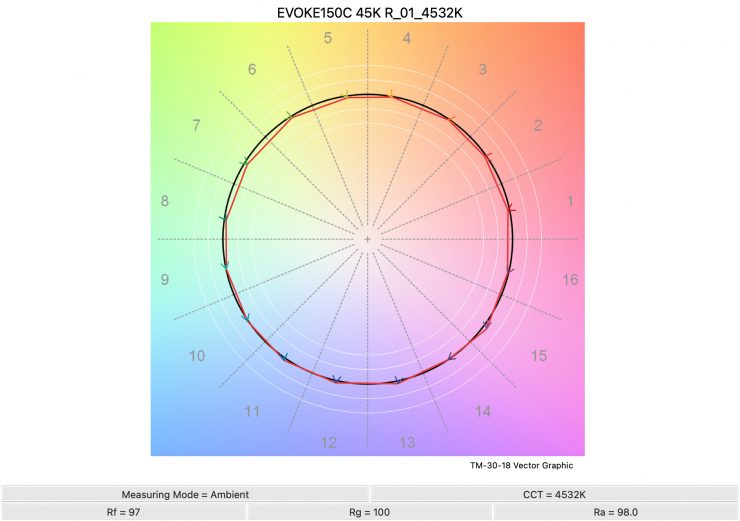
4500K 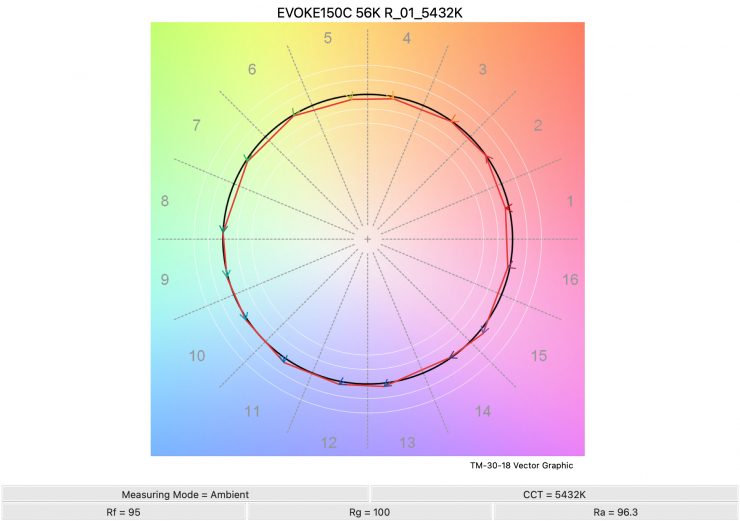
5600K 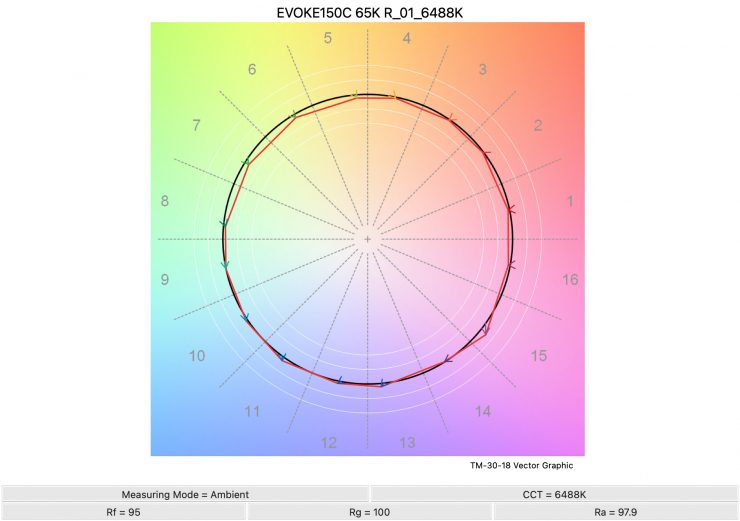
6500K 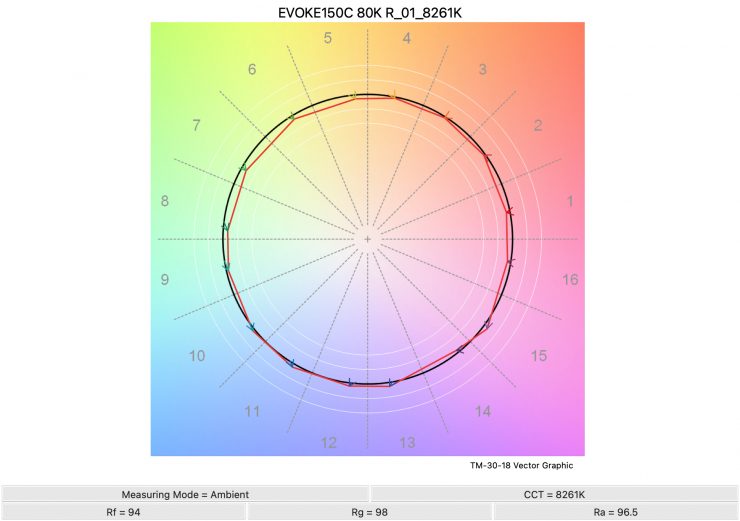
8000K 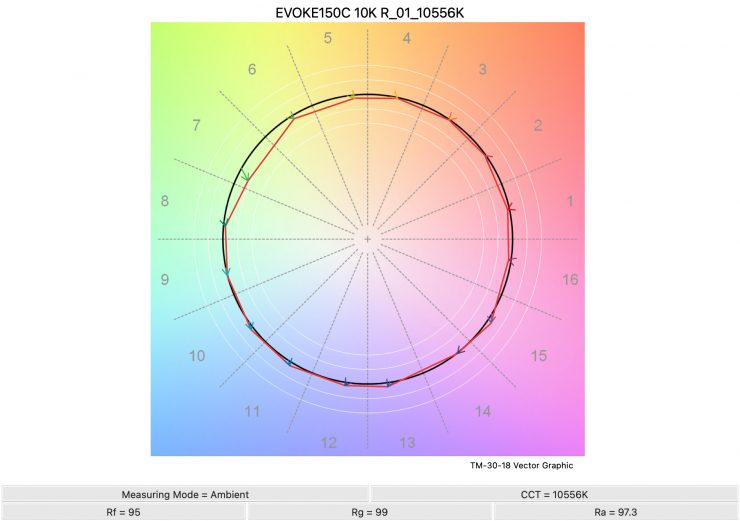
Above, you can see the scores for the NANLUX Evoke 150C at various CCT settings. Below, I have listed the figures as well.
Here are the results:
| | Rf | Rg |
| 2500K | 95 | 101 |
| 3200K | 95 | 100 |
| 4500K | 97 | 100 |
| 5600K | 95 | 100 |
| 6500K | 95 | 100 |
| 8000K | 94 | 98 |
| 9999K | 95 | 99 |
The TM-30 scores were excellent for this light, and it shows me that it is very consistent at replicating accurate colors with full saturation.
Output & accuracy when creating saturated colors
I also wanted to test the light to see how it performed when creating super-saturated colors.
0° – RED
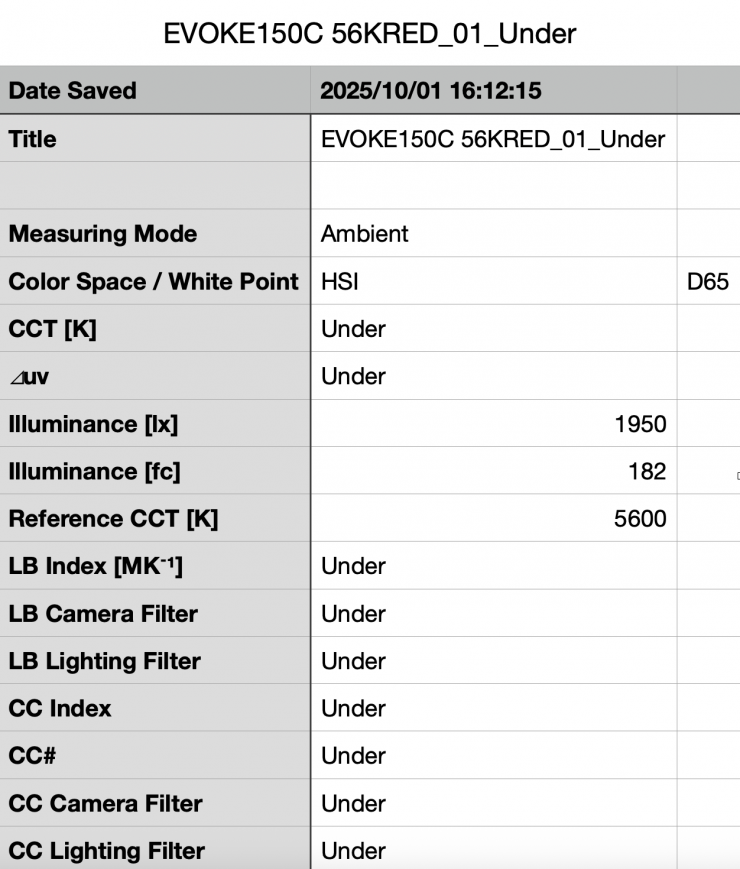
Above, you can see that the light, when using its reflector, recorded an output of 1950 lx (182 fc).
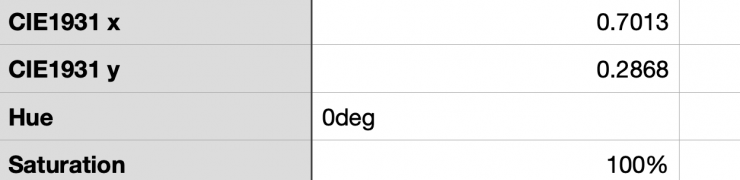
As far as creating an accurate 0° RED, the Evoke 150C was perfect with a reading of 0°.
120° – GREEN
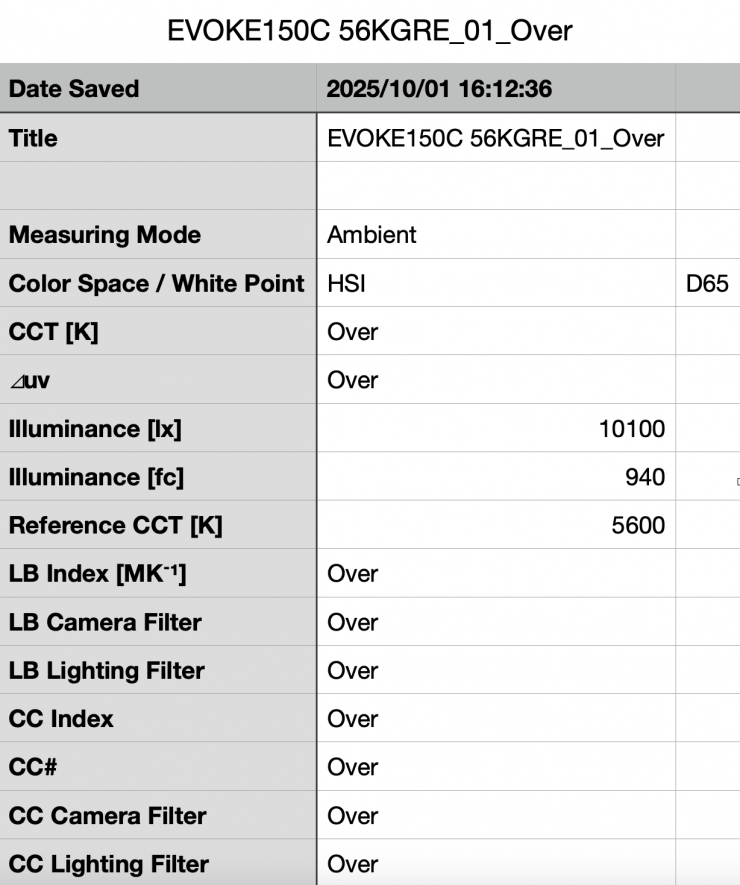
Above, you can see that the light, when using its reflector, recorded an output of 10,100 lx (940 fc).
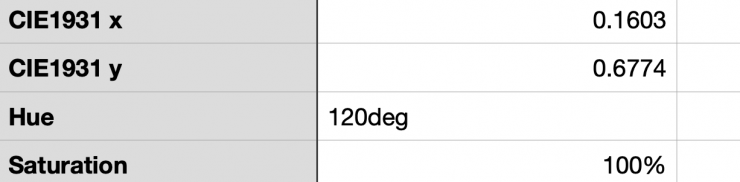
As far as creating an accurate 120° GREEN, the Evoke 150C was spot on with a 120° reading and 100% saturation.
240° – BLUE
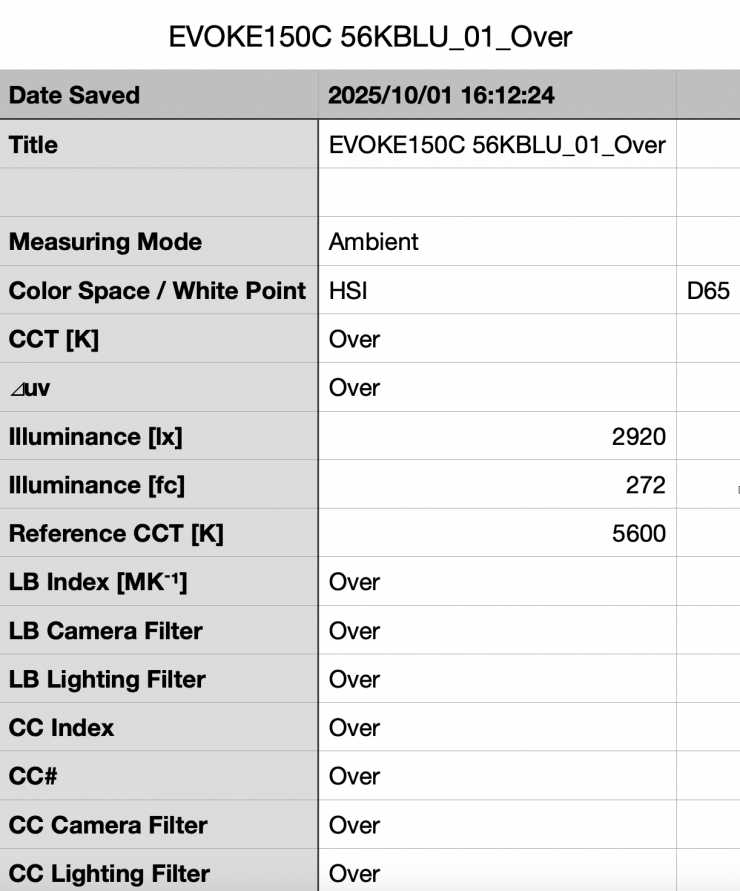
Above, you can see that the light, when using its reflector, recorded an output of 2920 lx (272 fc).
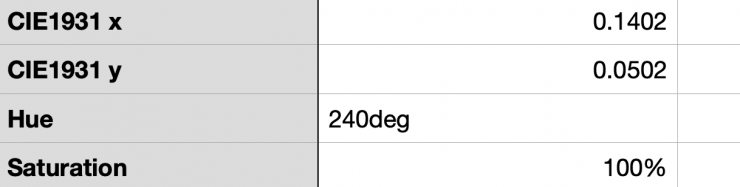
As far as creating an accurate 240° BLUE, the Evoke 150C was again perfect, with a reading of 240°.
60° – YELLOW
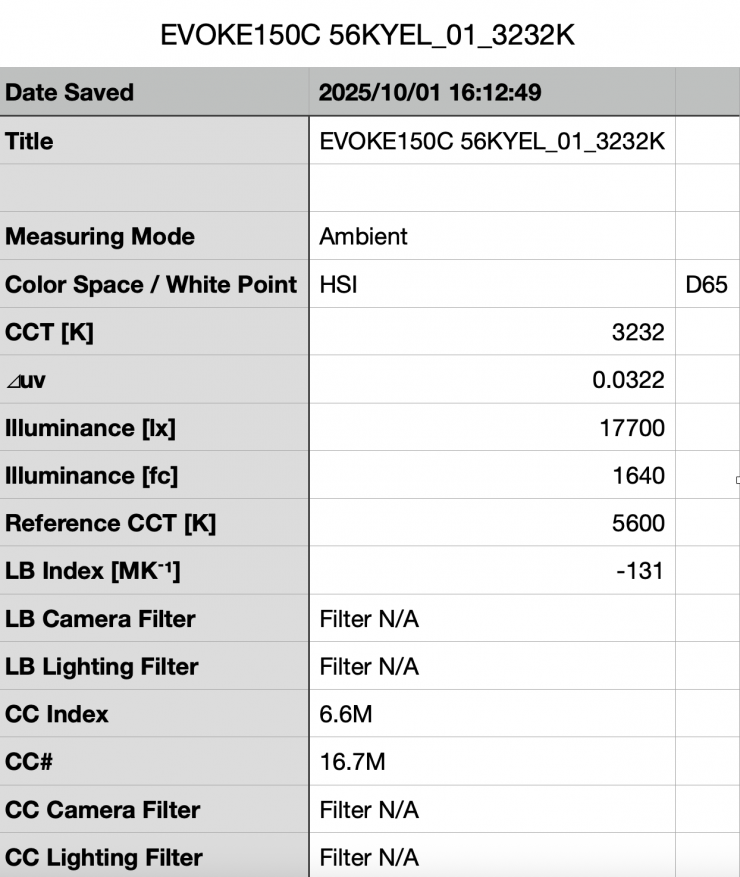
Above, you can see that the light, when using its reflector, recorded an output of 17,700 lx (1640 fc).
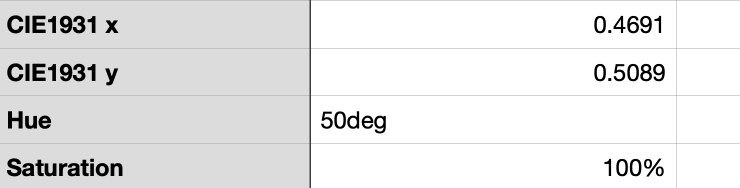
As far as creating an accurate 60° Yellow, the Evoke 150C was 10° off with a reading of 50°, but it did have 100% saturation.
SSI
SSI (Spectral Similarity Index) was developed by the Sci-Tech Council of the Academy. SSI gives me the ability to set any light as a standard, or use predefined standards (such as CIE D55), and then give other lights an SSI score based upon how well they will match standards such as CIE D55 measure spectral response and compare it directly against an ideal light source.
SSI is a much better way to judge an LED light than CRI or TLCI, although they don’t tell the full story of any light, and you can’t judge a light by SSI scores alone.
SSI is useful for seeing how well different lights will play together. As the Sekonic C-800 Spectromaster can measure SSI, I decided to test out the Evoke 150C to see how it performed.
Evoke 150C 3200K (open face)
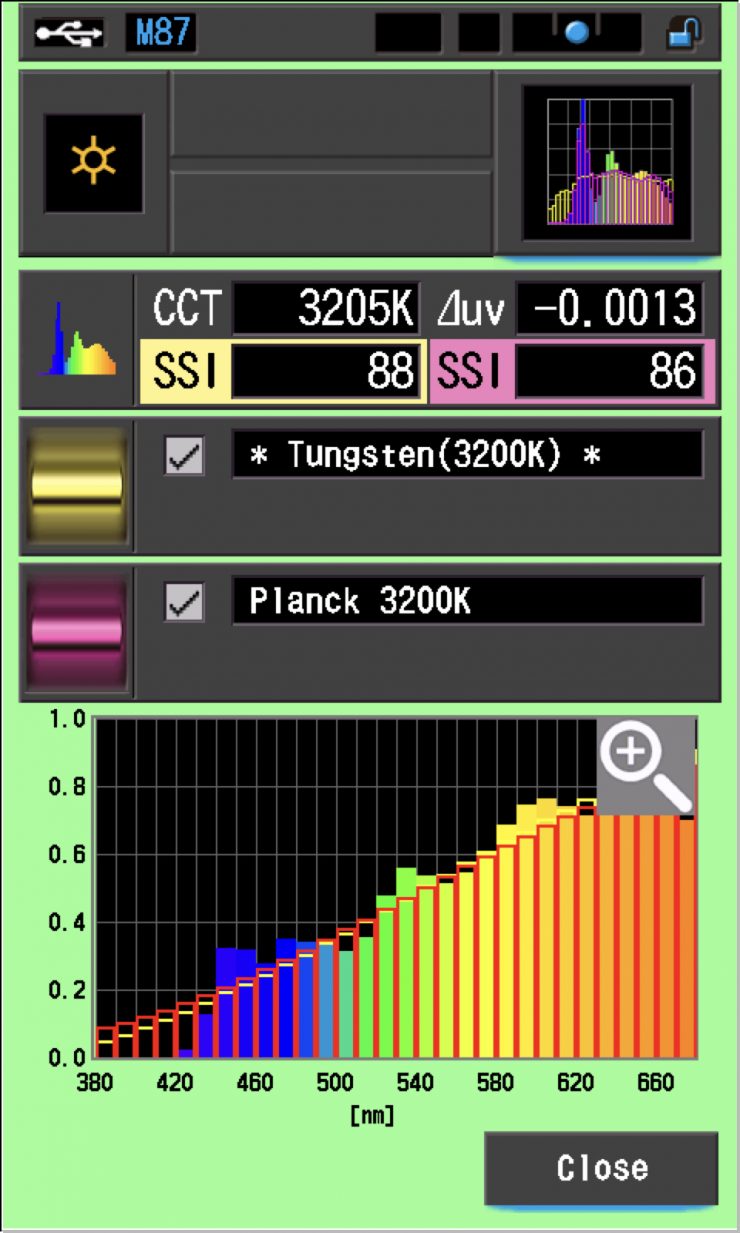
In this graph, the red bars indicate a perfect Planck 3200K source. The gold bars indicate a perfect 3200K Tungsten source. This lets us compare how close to a perfect 3200K lighting source the Evoke 150C is. Any SSI score in the high 70s, low ’80s is very good for a 3200K LED light. These were outstanding scores.
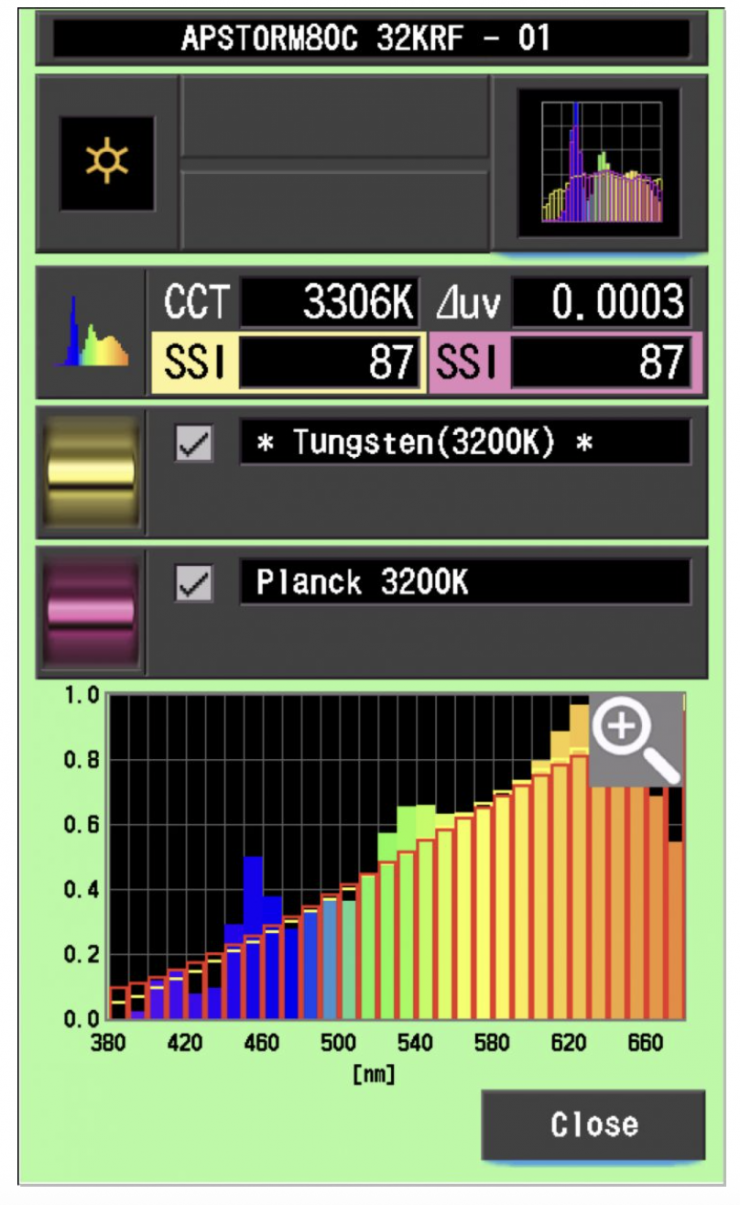
As a comparison, above are the same results for the Aputure STORM 80c.
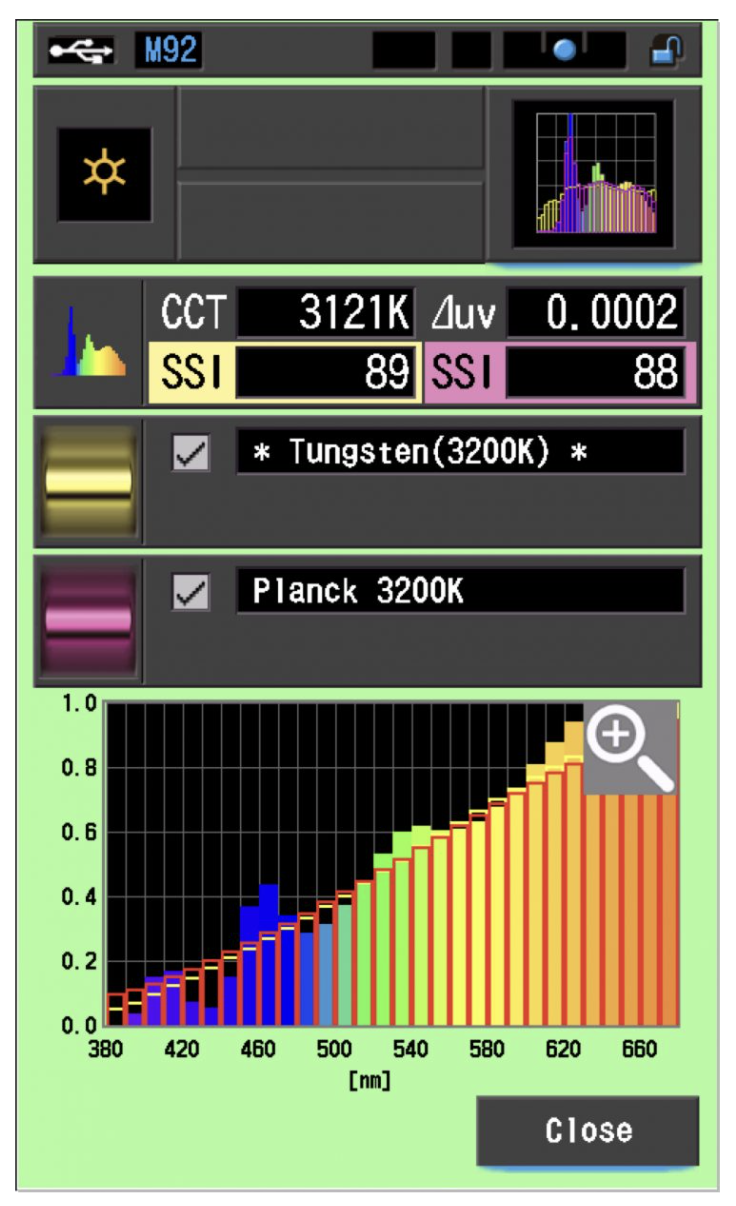
As another comparison, the results for the SmallRig RC 220C are above.
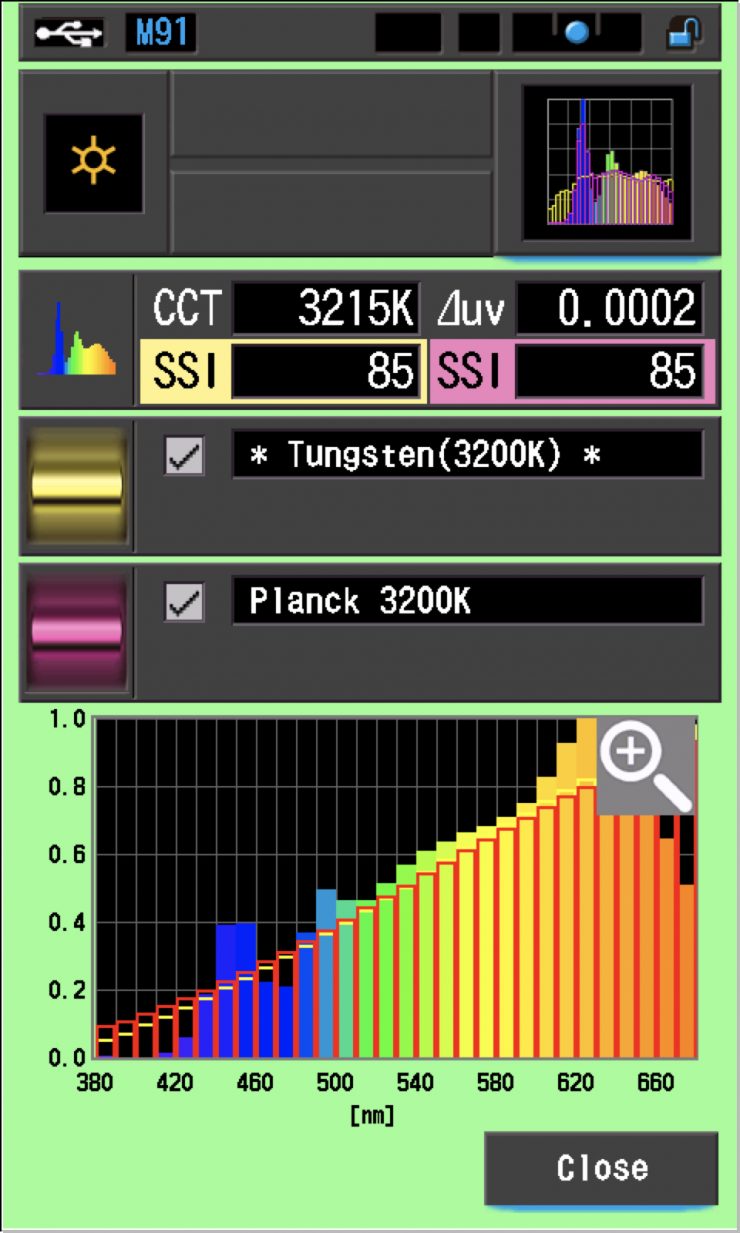
As another comparison, the results for the ARRI Orbiter are above.
Evoke 150C 5600K (open face)
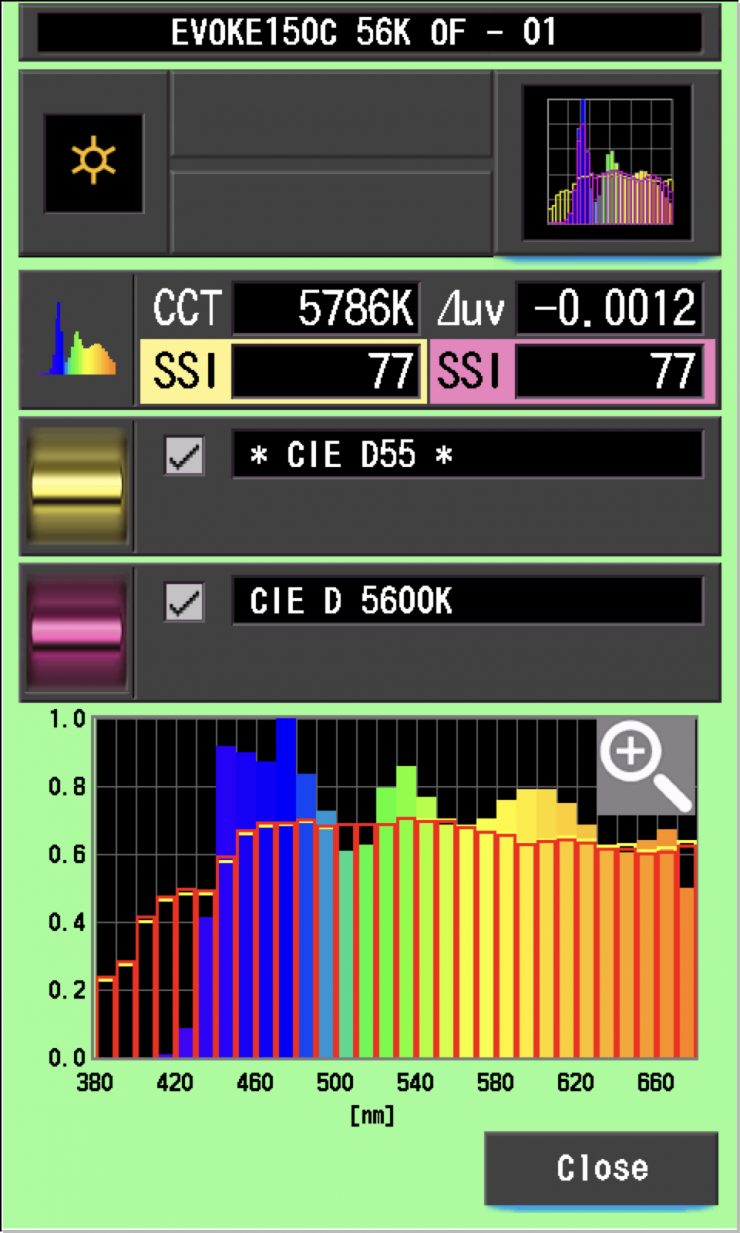
In the graph above, the gold bars indicate a perfect CIE D55 source. The red bars indicate a perfect CIE D 5600K source. This lets us compare how close to a perfect 5600K lighting source the Evoke 150C is. A score in the low 70s is typical for a 5600K LED source.
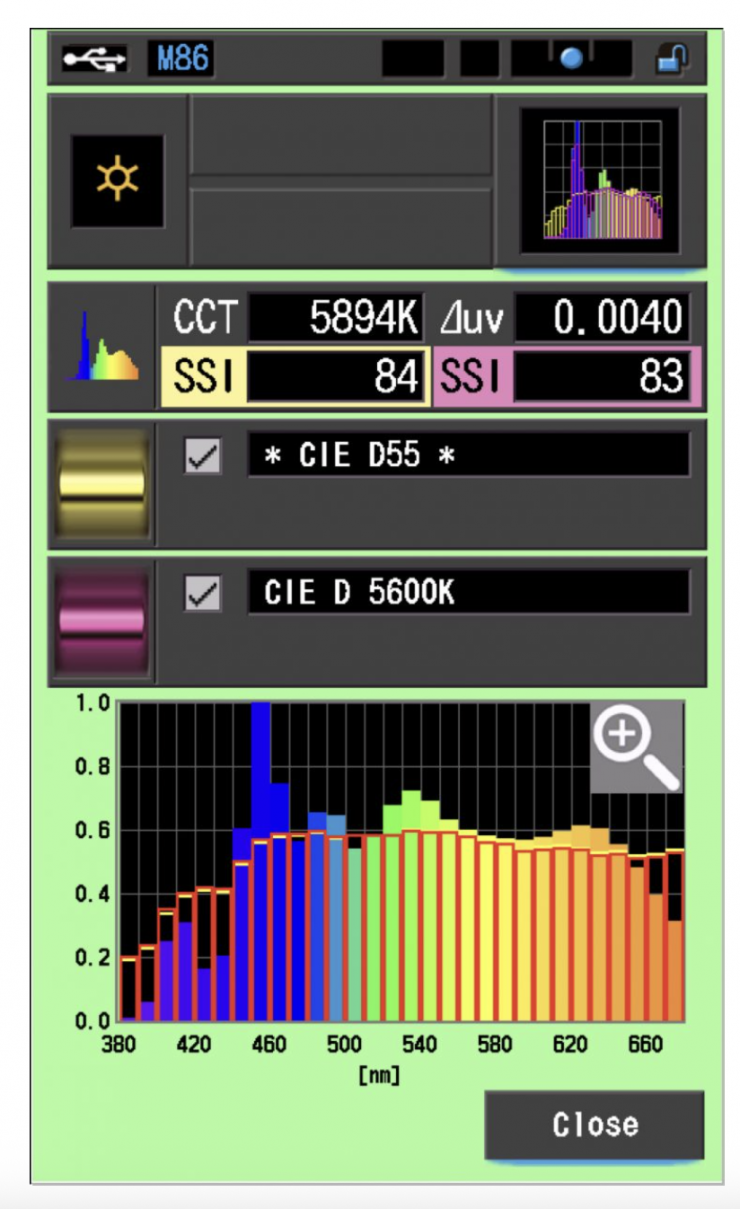
As a comparison, above you can see the scores for the Aputure STORM 80c.
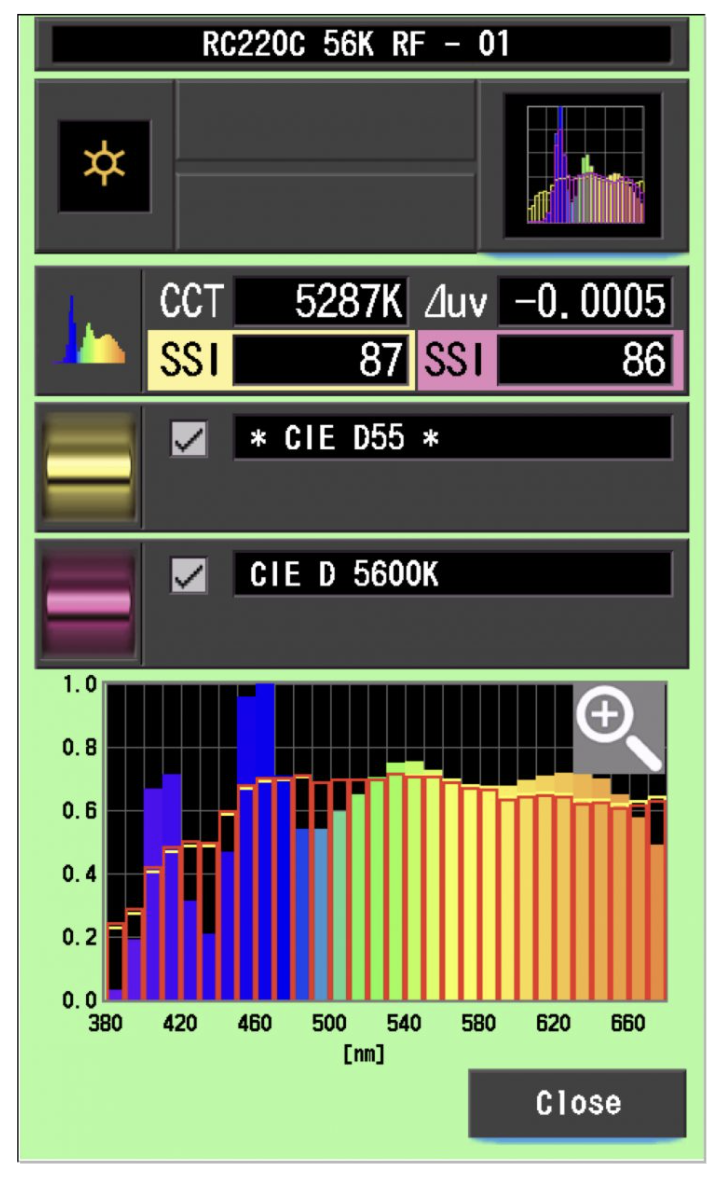
As another comparison, the results for the SmallRig RC 220C are above.
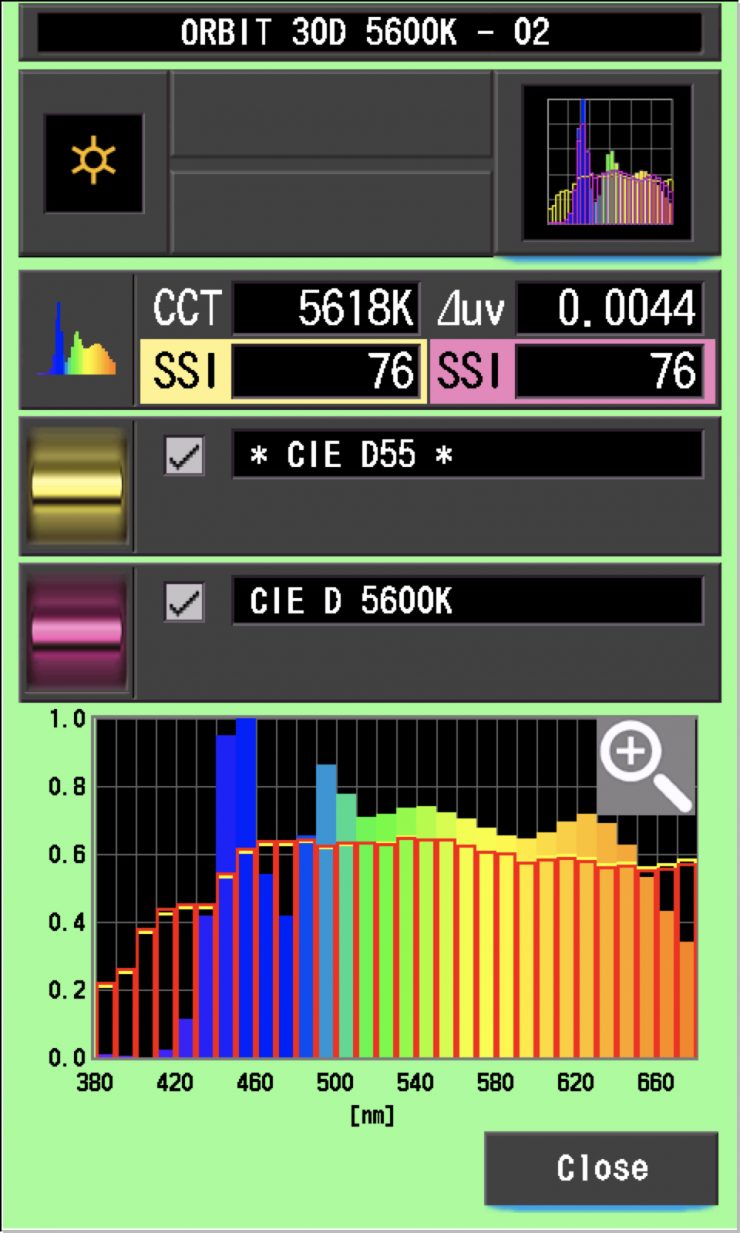
As another comparison, above are the results for the ARRI Orbiter.
The main reason we want to record SSI scores is so we can see how well they match with other lights. As an example, I wanted to see how well the Evoke 150C matched the Aputure STORM 80C and the ARRI Orbiter. Below you can see the results.
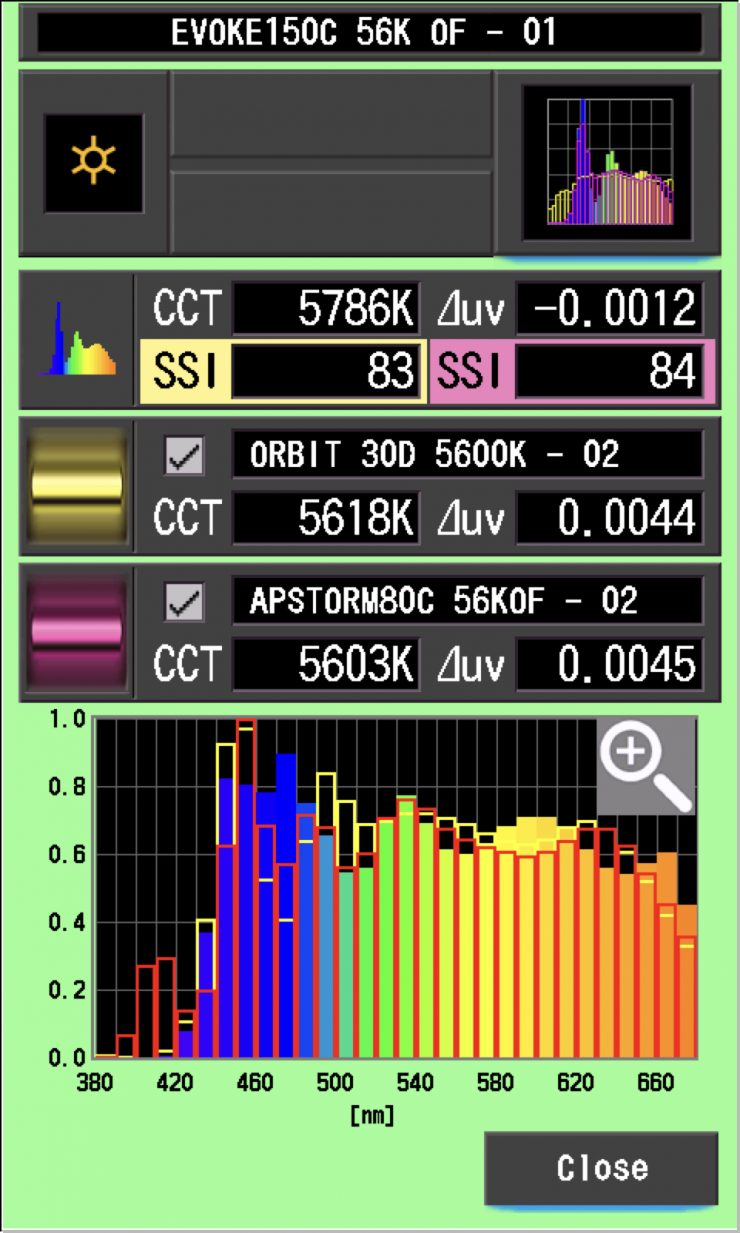
As you can see, neither light is a perfect match to the Evoke 150C, but you could potentially fine-tune the lights to try and get them to match more closely.
As another test, I thought I would compare those same lights against the Evoke 150C at 3200K. Below you can see the results.
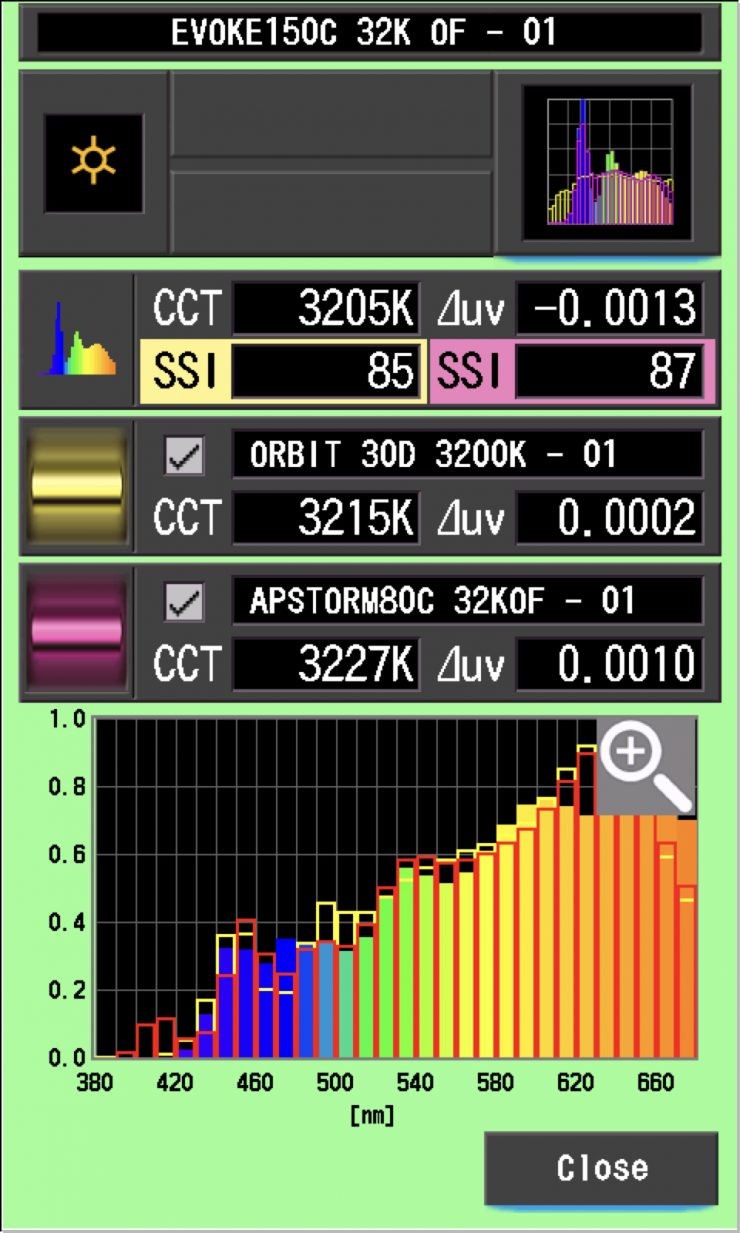
As you can see, both lights had similar scores, but again, they weren’t an exact match to the Evoke 600C. In saying that, very few lights from different manufacturers are ever going to be an exact match.
SSI tests are a great way of telling you what lights you own or use will work well together.
Spectral Distribution
Evoke 150C 5600K
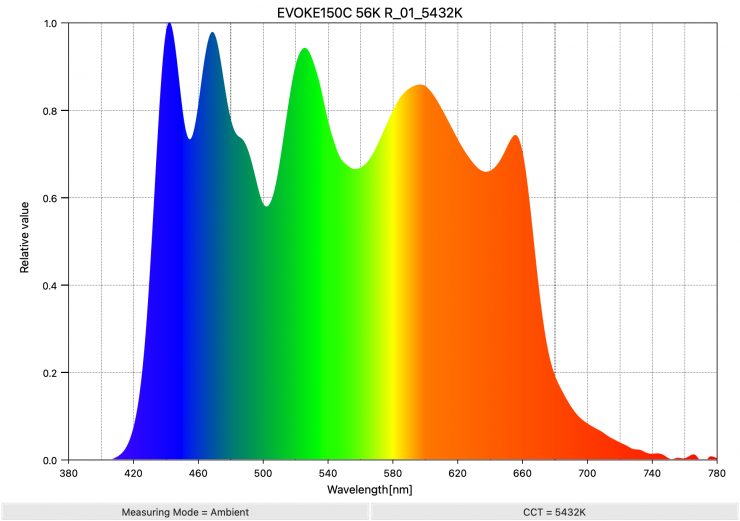
Above, you can see the spectral distribution of the Evoke 150C when it is set at 5600K. The spectral distribution is very full, and it has a lot of information in the 640 nm to 680 nm range that you don’t see on competing lights.
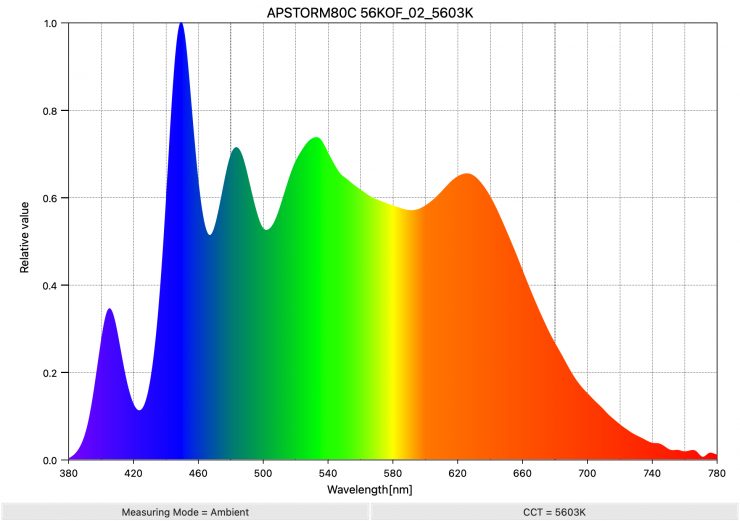
Above, you can see the spectral distribution of the Aputure STORM 80c when it is set at 5600K. The spectral distribution is reasonably full, and you can clearly see the extra blue spike, which is the result of the Indigo emitter in the BLAIR CC light engine. You can see the extra information that is between 380-420nm, which you don’t see on other fixtures.
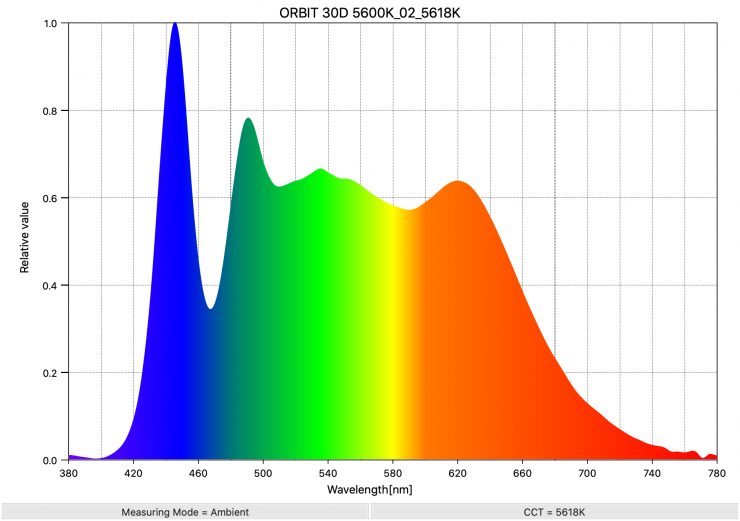
As another comparison, above you can see the spectral distribution of the ARRI Orbiter.
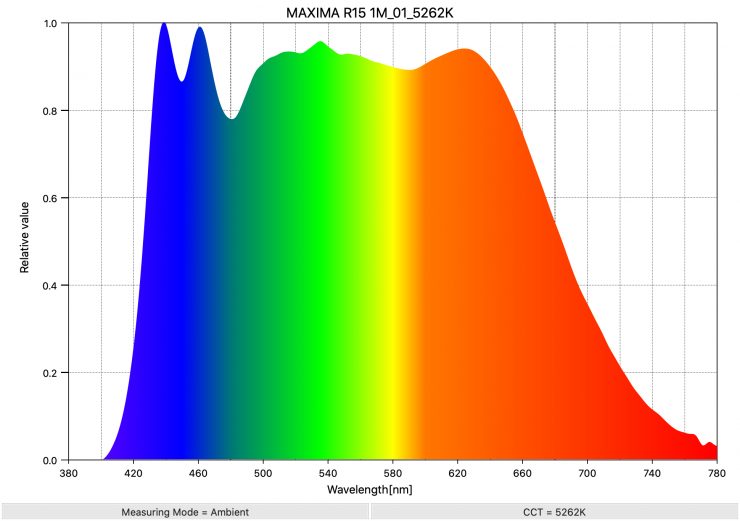
If you want to see what another good spectral response looks like for a spotlight at 5600K, above is the result for the Maxima 3.
Evoke 150C 3200K
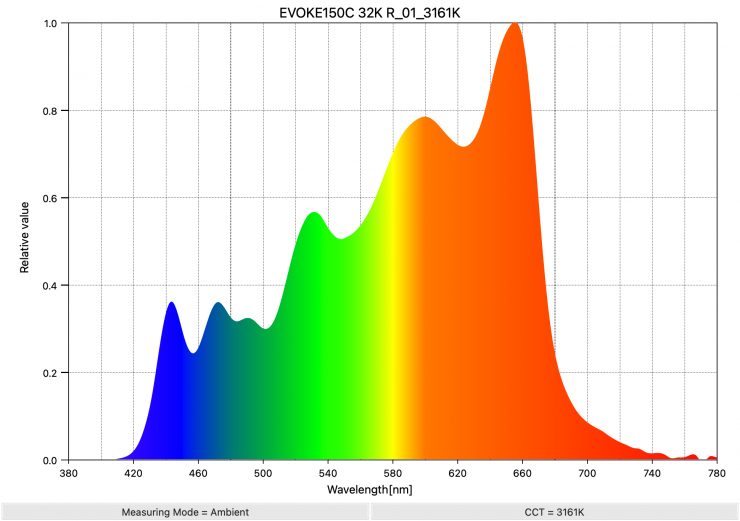
Above, you can see the spectral distribution of the Evoke 150C when it is set at 3200K. The spectral distribution is a bit differnt from other LED lights.
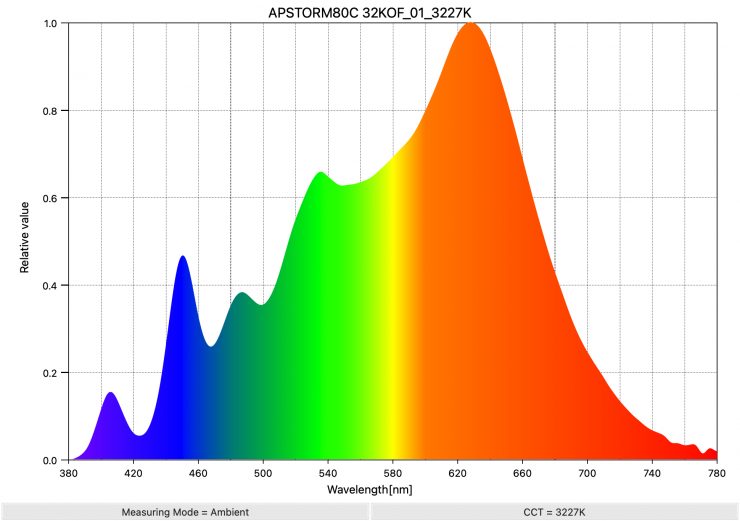
As a comparison, above, you can see the spectral distribution of the Aputure STORM 80c when it is set at 3200K. The spectral distribution only has a very marginal push towards green, but overall, it is reasonably good.
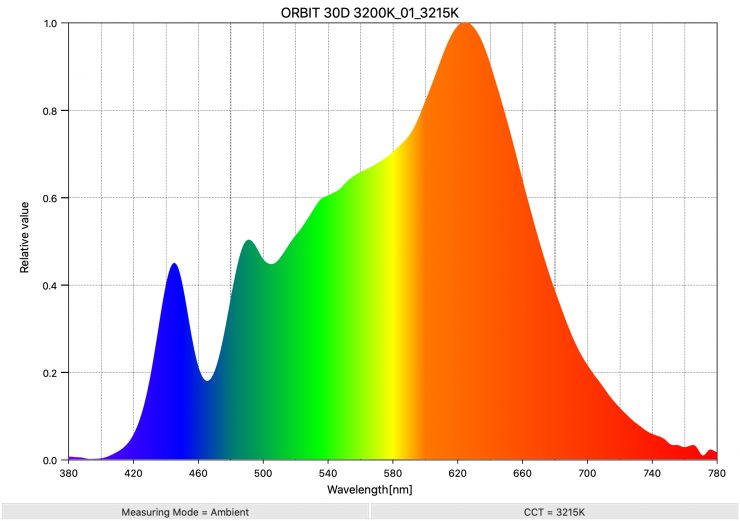
As another comparison, above you can see the spectral distribution of the ARRI Orbiter.
Real-World Performance & Quality of Light
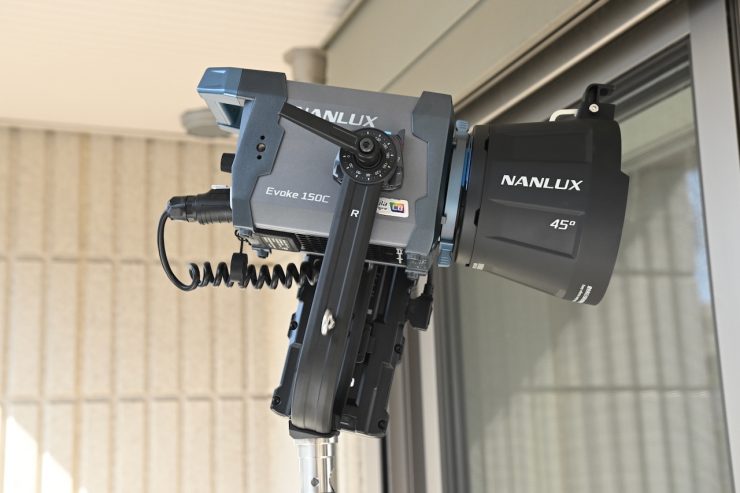
As I always say, photometric scores only tell you part of the story. So let’s find out if the scores from the Evoke 150C translate into good real-world performance.
The photometric results can only give me scientific data, and it is much more important for me to see how the light looks and performs, especially with skin tones.


The light has enough punch that you can use it with a softbox or direct it through diffusion to create a softer source. This makes it a very quick and easy light to use for interview situations or for any scenario where you need a soft light. Above, I am just punching it through some light diffusion. I am not using any other lights in these examples.

I took the light outdoors to see how it would work when filming a subject standing in the shade. Above, you can see the image without the light being used.

Above, you can see what it looks like when I used the Evoke 150C with its included 45-degree reflector at a distance of about 1.75m / 5.74′. The light was certainly capable of giving me the level I required, and it blended in well with the existing sunlight. It produces a nice quality of light with nice saturation in the skin tones.
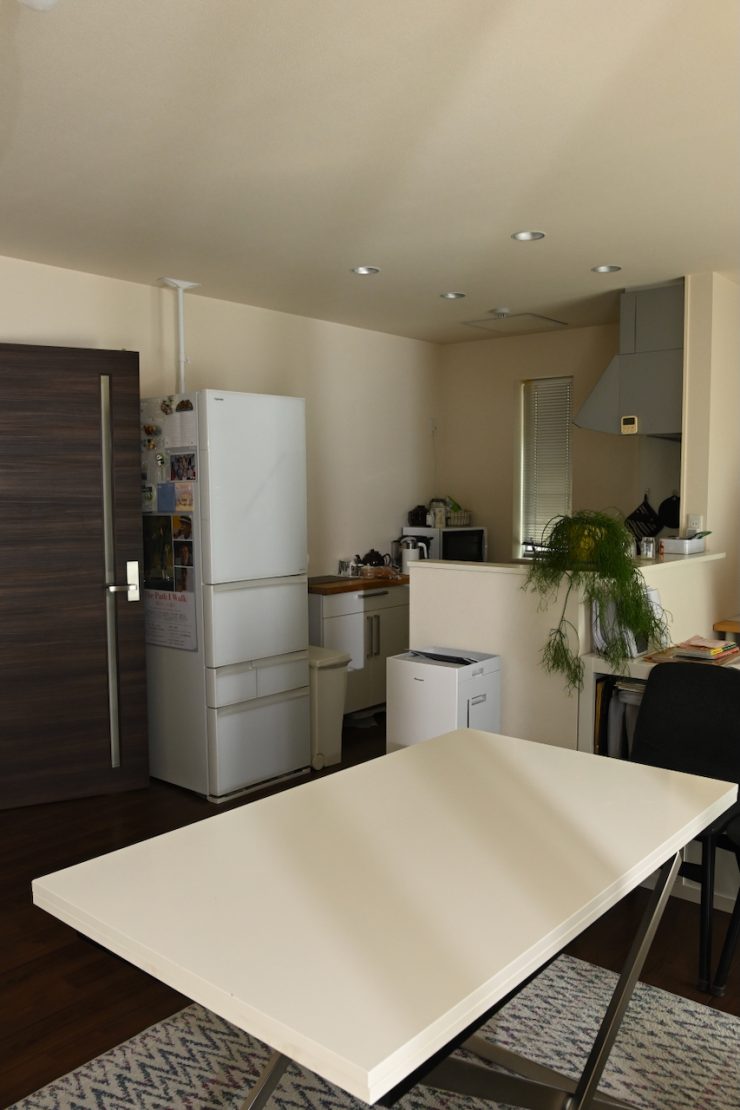
Open Face 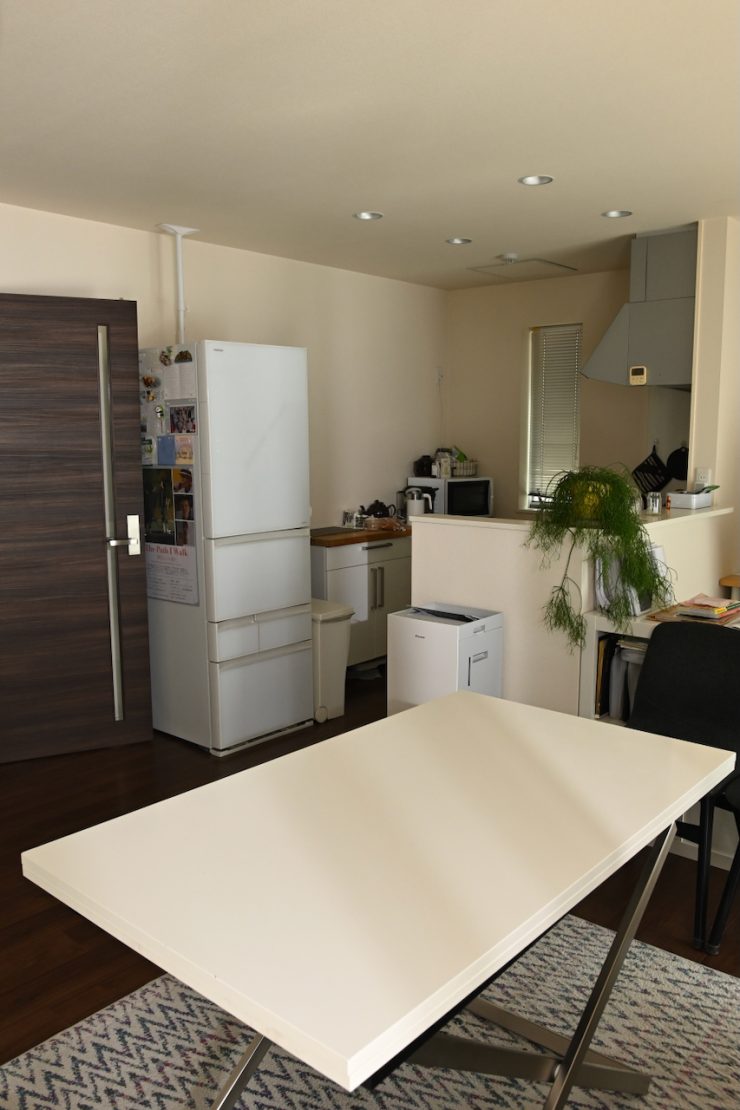
45 Degree Reflector 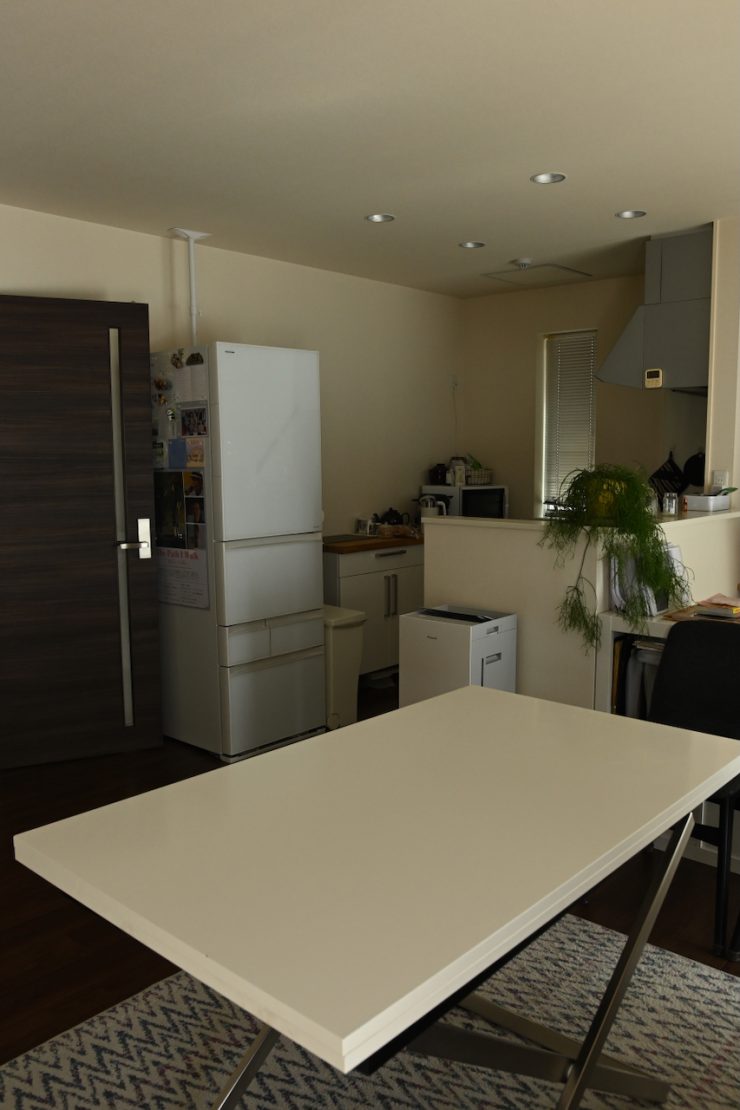
Light Off
Above, you can see comparison images showing the light used open face and with its 45-degree reflector when positioned outdoors and punched through a sheer curtain. I have kept the camera settings the same for all of these tests.
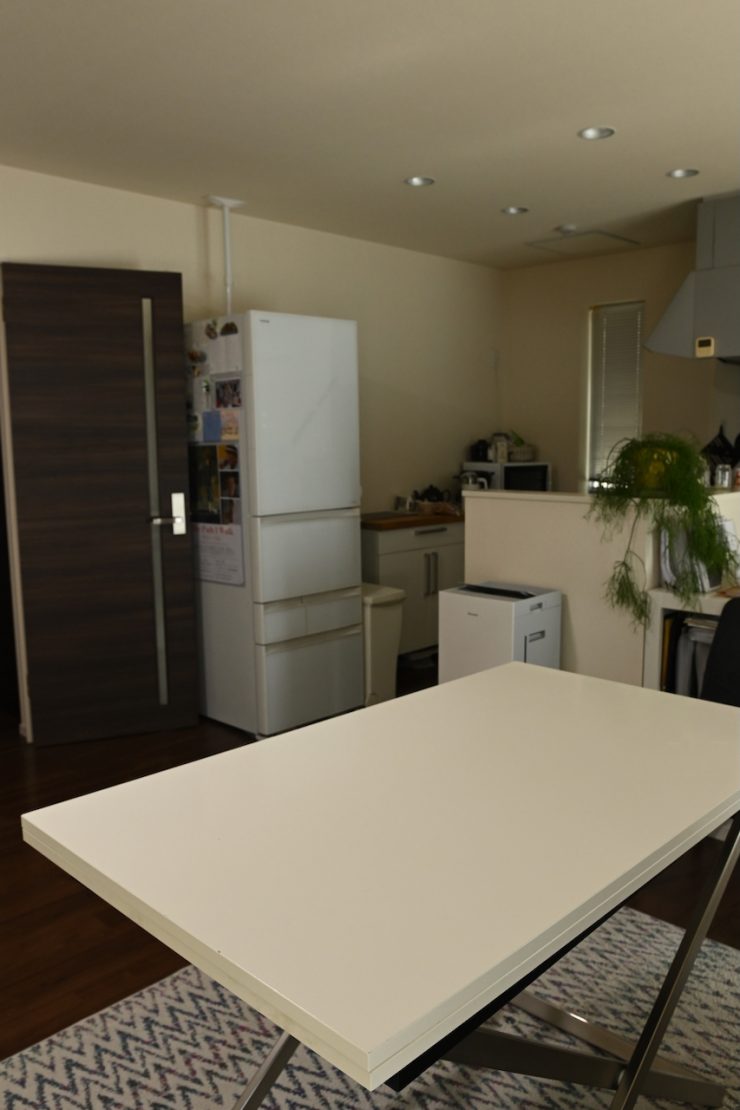
45 Degree Reflector 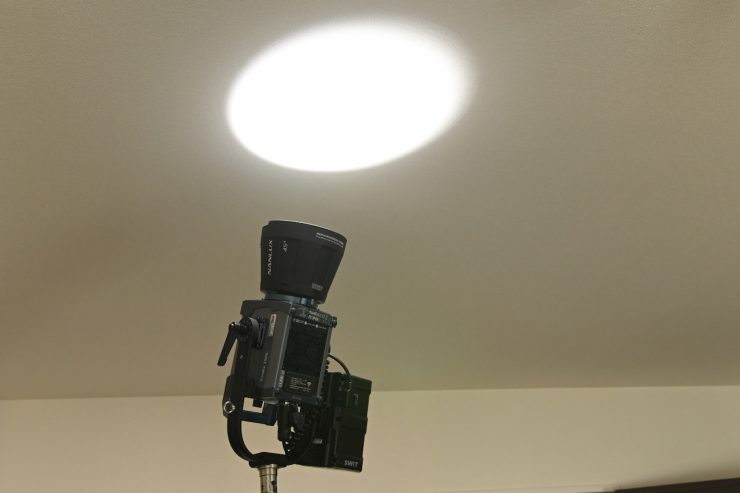
45 Degree Reflector 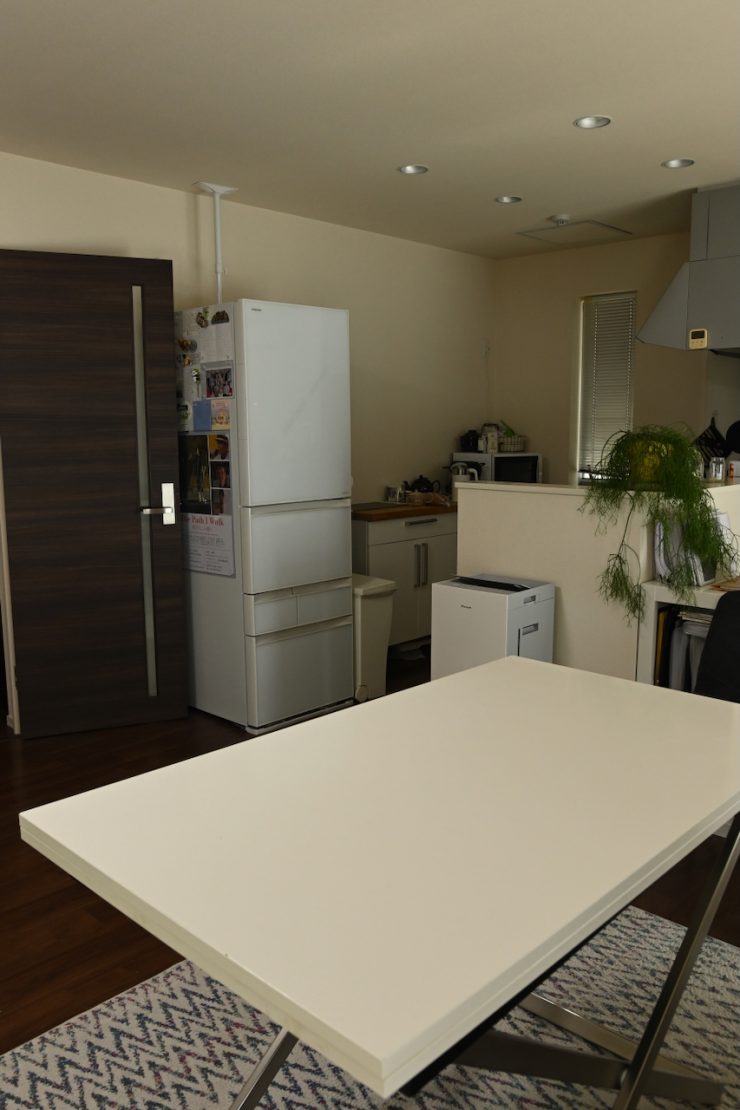
Open Face 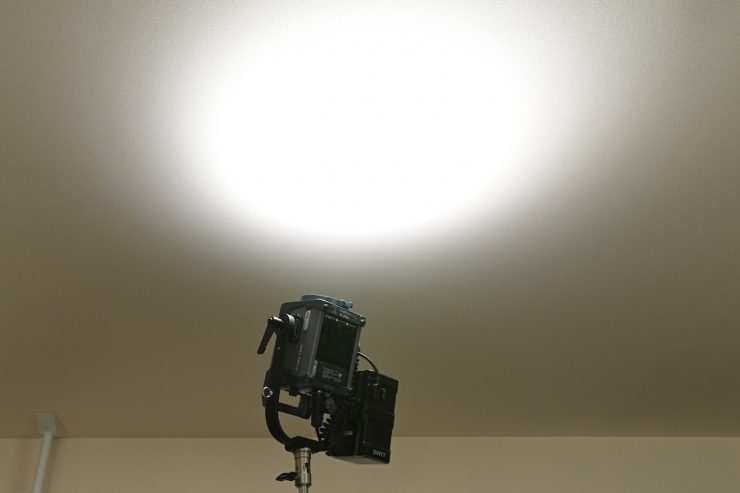
Open Face
Above, you can see comparison images showing the light used open face and with its 45-degree reflector when punched directly into the ceiling. I have kept the camera settings the same for all of these tests.
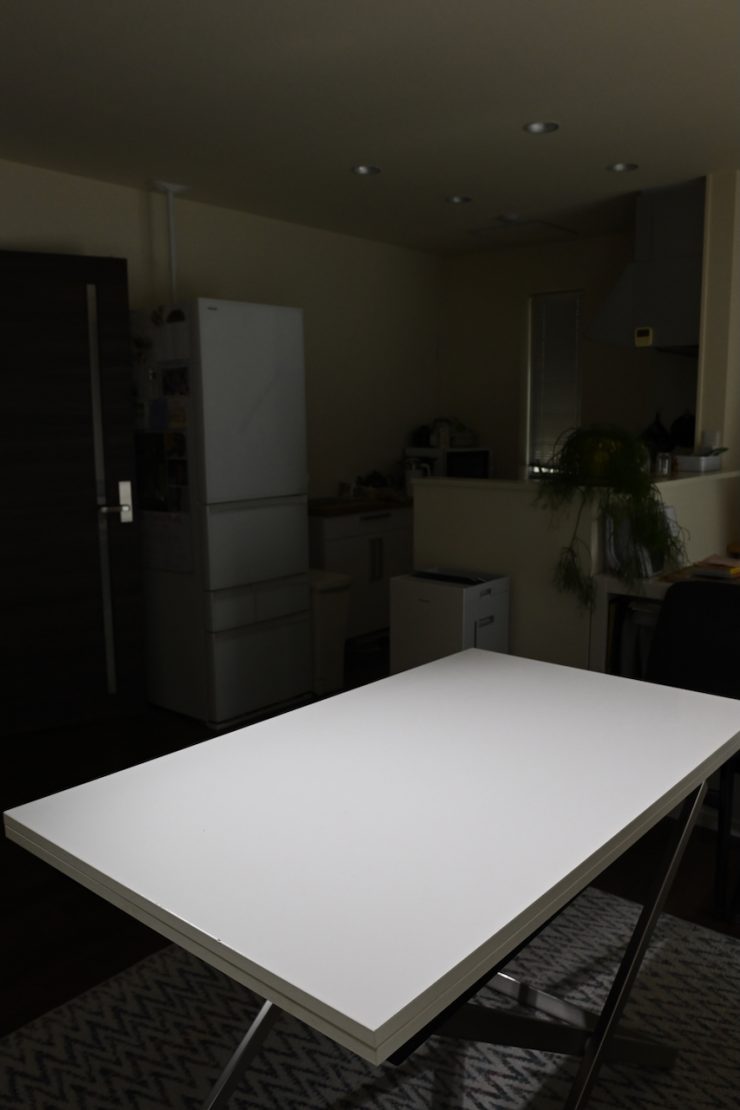
45 Degree Reflector 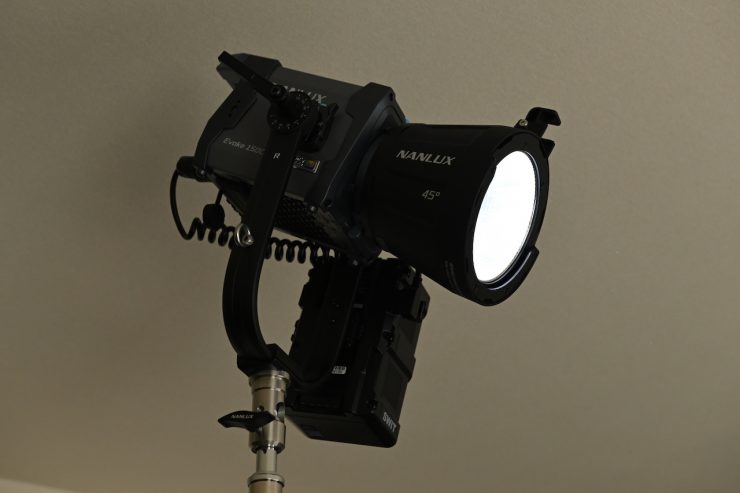
45 Degree Reflector
Above, you can see an image of the light being punched directly into the table with its 45-degree reflector.
Who is the NANLUX Evoke 150C aimed at?
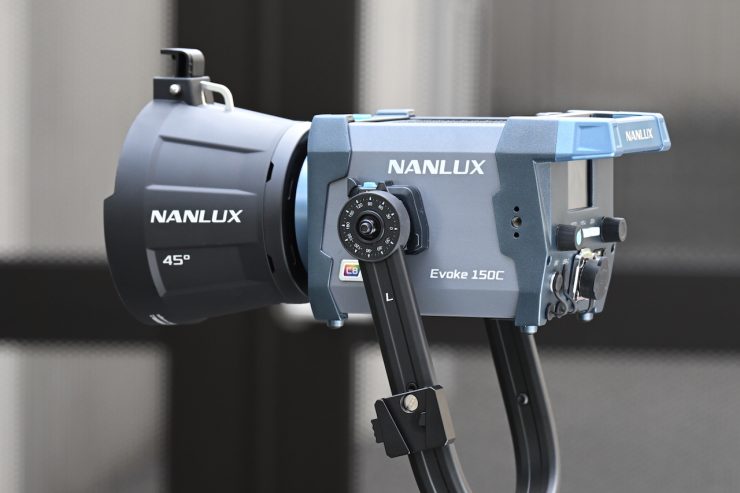
You could use the Evoke 150C for lots of different applications, but the light is certainly being aimed as a versatile, high-output, well-made lighting fixture for professionals in the TV and film industry.
It is priced to appeal to mid to high-end owner-operators who are looking for a versatile lighting solution that can be run remotely in the field (with the cavetas I have previously mentioned). Just like most modern-day LED spotlights, the Evoke 150C has the ability to be a hard light source, a soft source, a fresnel, a gobo, a Source 4, etc. With a variety of lighting modifiers to choose from, you could use the Evoke 150C for lots of different applications.
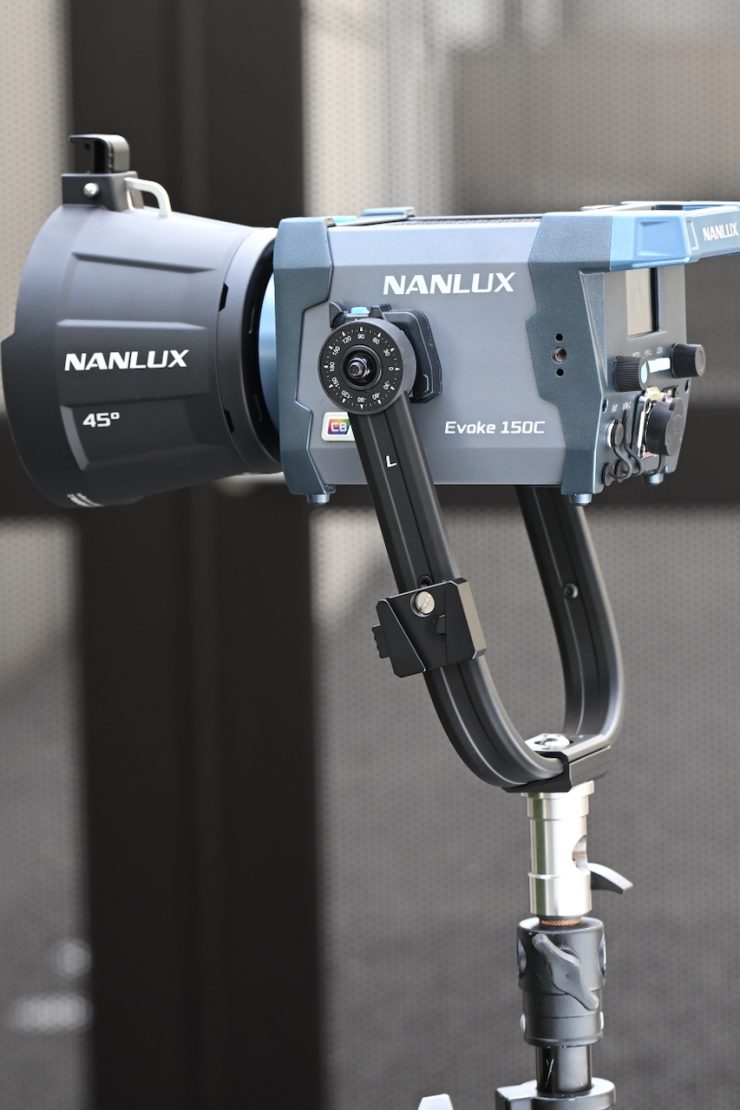
The Evoke 150C is likely to appeal to solo shooters and small crews who are looking for a similar light to say an Aputure 80C.
Price & Availability
The NANLUX Evoke 150C is now available to pre-order for $864 USD.
Below you can see how the price compares to the competition:
| | PRICE |
| NANLUX Evoke 150C | $864 USD |
| Nanlite FC120C | $239 USD |
| GVM SD200R | $216 USD |
| Godox ML100R | $229 USD |
| amaran 150c | $251 USD |
| Aputure STORM 80c | $599 USD |
| Godox LA150R | $319 USD |
| SmallRig RC100C | $279.99 USD |
| Zhiyun MOLUS X100 | $449 USD |
| Neewer MS150C | $329.40 USD |
| HIVE LIGHTING Hornet 200-C | $2,399 USD |
The NANLUX Evoke 150C does cost quite a bit more than a lot of the other options on the market.
Conclusion
Just like the Evoke 600C, the Evoke 150C is a very impressive fixture. It is well-made, easy to use and operate, and it has a great feature set. With a variety of lighting modifiers available, it makes it a fixture you can use for a myriad of different applications.
The new NANLUX Nebula C8 light engine is a big step up from previous lighting engines.
The interface and operating system are super easy to use, as is the app. The new FE mount (with electronic contacts that can recognize accessories and correct color casts, as well as power the motorized attachment) is very impressive. Even though the light is claimed to be backward compatible with FM mount accessories, the two accessories I tried it with didn’t fit. I would like to see NANLUX bring out a Bowens mount adapter for this fixture, as it would allow it to be used with far more lighting modifiers.
The consistency of the light when it comes to output and color accuracy is impressive. The color accuracy is very good, and the new light engine is certainly responsible for that.
The light has a good amount of output, and the photometric performance is also very solid. At least in my opinion, the Evoke 150C and Aputure 80C are arguably the two best small-sized full-color fixtures on the market.
The Evoke 150C can be powered in a variety of ways, including flight-safe batteries, but you won’t be able to run it at 100% output from the D-tap output. This does make it a somewhat decent solution for anyone who travels a lot or works in environments where mains power isn’t available, as long as you are aware of the caveats. If running a light at 100% output from a flight-safe battery is a priority for you, then you are better off looking at other lights.
If you don’t need all of the bells and whistles and build quality that come with a light like this, then you may well find that lower-priced options from other companies may be a better option. If, however, you are looking for a no-compromise full color COB fixture with great build quality and performance, then the Evoke 150C ticks a lot of boxes.
The light doesn’t actually have a lot of direct competition given its power draw. The closest competition arguably comes from lights like the Godox LA150R, Aputure 80C (although it draws 50W less), and the SmallRig RC100C.
The Evoke 150C is an extremely impressive fixture, and it does a lot of things really well, without compromising on any of them. You get a good amount of output, and that output isn’t at the expense of color accuracy. The new lighting engine offers good results. It is one of the better lighting fixtures I have reviewed.
Like what we do and want to support Newsshooter? Consider becoming a Patreon supporter and help us to continue being the best source of news and reviews for professional tools for the independent filmmaker.