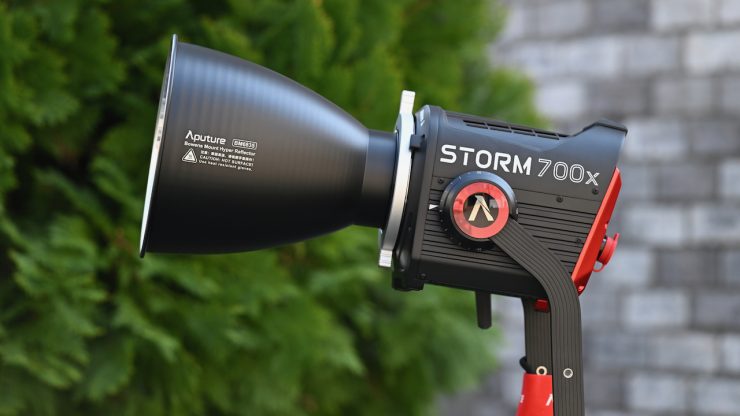
Aputure added to its STORM family with the announcement of the STORM 700x point source fixture and CF10 Fresnel back in October 2025. The STORM 700x features the same BLAIR light engine that is found in the STORM 400x and 1200x.
Now, while this is technically a full-color fixture, Aputure views the STORM x series as more of an advanced Bi-color fixture, hence the x in the name. The 700x now joins the 1200x and 400x in the series, and there should be fixtures coming in the future.
The light draws a maximum of 850W, and it has a maximum power output of 700W., which is higher than the 720W of the Aputure LS 600x Pro.
Key features
- 700W tunable-white compact point source fixture
- Advanced white point control with green/magenta color correction (±G 100% full ASC MITC range)
- CCT range of 2,500K-10,000K
- Groundbreaking proprietary LED chipset: Blue, Lime, Amber, Indigo, Red (BLAIR)
- Advanced diode color mixing allows fixture to more effectively utilize each diode’s light output
- 16,730 lux @3m (5600K) when using the included 35º reflector
- Ultra-high color accuracy: CRI≥95, TLCI≥95,, SSI [P3200]: 87, SSI [CIE D5600]: 87, TM-30 Rf (average) 95, TM-30 Rg (average) 100
- 70%+ coverage of Rec. 2020 color gamut
- Robust ProLock Locking Bowens Mount design allows for a more secure and optically aligned modifier accessory connection
- IP65 weather resistance
- Smooth 0.1-100% stepless dimming
- Multiple control methods: Sidus Link and Sidus Link Pro App, LumenRadio CRMX, 16-bit 5-Pin DMX512 in & out
- Supports firmware batch-updates via Sidus Link, Sidus Link Pro, and USB-A
- Dual output modes: Max and Constant
- High-Speed Photography, Lead-Follow, and Studio Modes
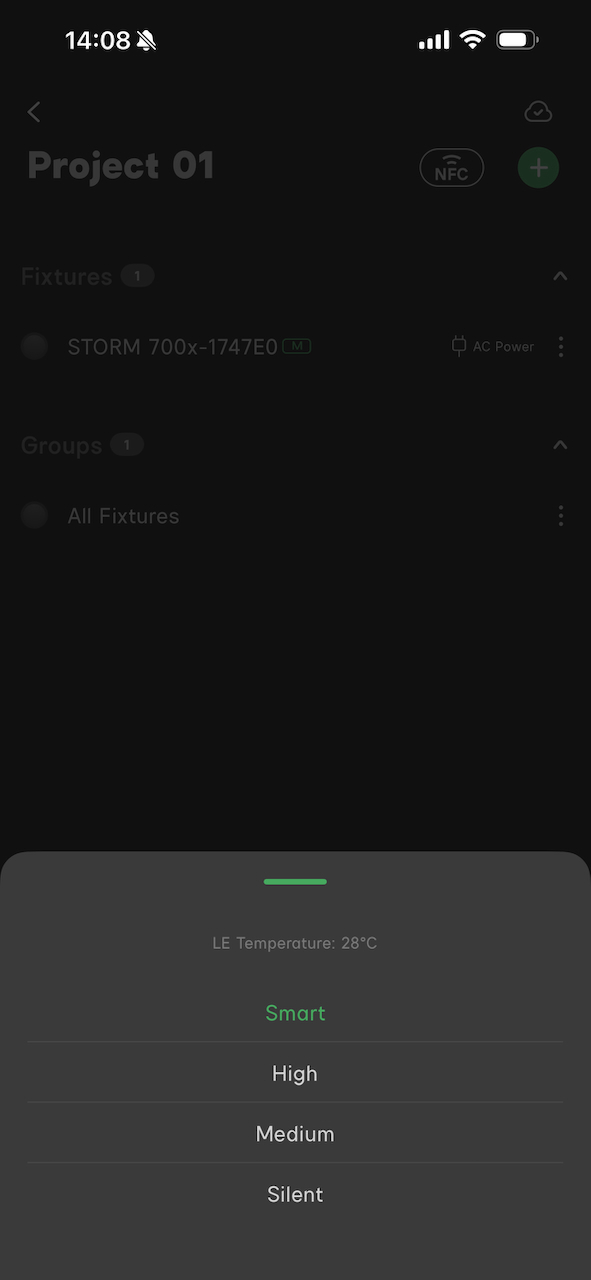
- 4 fan modes: Smart, High, Medium, Silent
- 12 DMX control profiles with multiple DMX dimming modes and customizable DMX signal loss behaviors
- 4 dimming curves: Linear, Exponential, Logarithmic, S-Shaped
- 9 light effects: Paparazzi, Fireworks, Flickering Bulb, Cannon, Lightning, TV, Pulse, Flash, Explosion, Flame
- 10 savable presets
Lights in this form factor are very popular because of their versatility, and we are now starting to see more options coming to market. Recently, we have started to see a trend towards point source fixtures with higher outputs and power draws, but I personally think for a lot of owner/operators, 600-700W is probably the sweet spot.
So, let’s get on with the review and see how the Aputure STORM 700x stacks up.
Concept
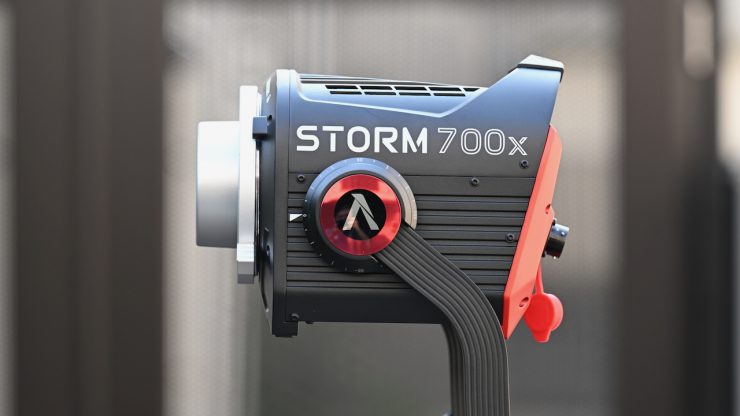
The whole concept behind the technology in the STORM 700x was to create highly tunable white light with the best quality and highest output.
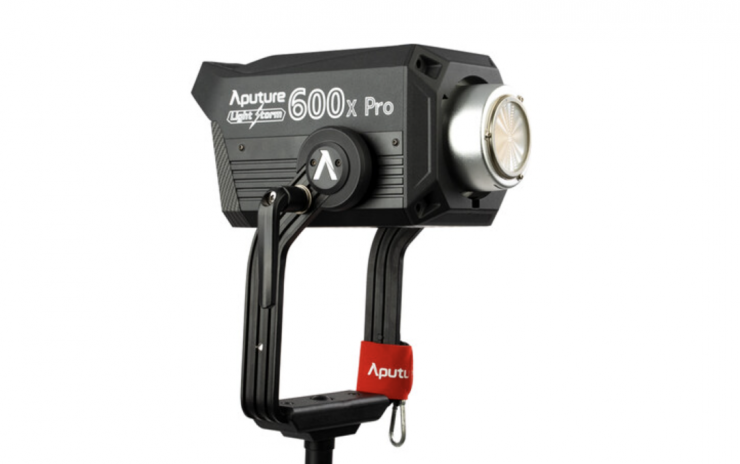
The STORM 700x does look fairly similar to the Aputure LS 600x Pro.
BLAIR Light Engine
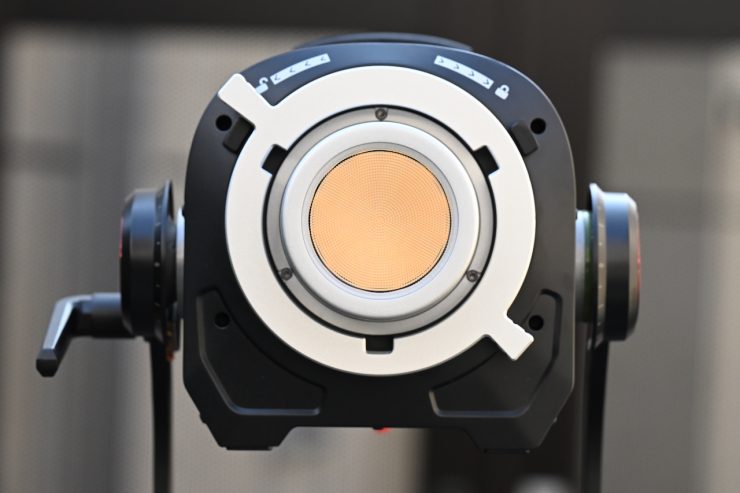
The BLAIR Light Engine is undoubtedly a direct result of Aputure acquiring Prolycht last year. With both Aputure and Prolycht engineers now working together for the same company, they have been able to come up with something that is quite unique. Aputure claims that the light engine is capable of producing the highest quality white light, an ultra-wide CCT range, full +/- Green control, and extreme color-accurate dimming.
Aputure could have taken the easy path and just used the RGBACL light engine from Prolycht, but they decided to go in a slightly different direction.
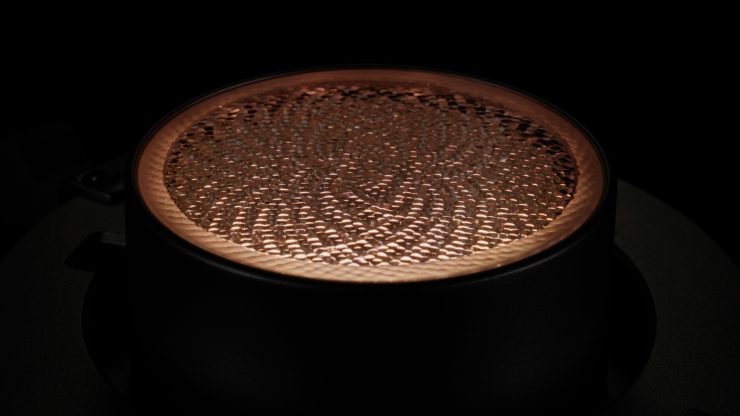
The BLAIR Light Engine utilizes blue, lime, amber, indigo, and red LED emitters. This is quite different from RGBWW or RGBACL. Lights that utilize RGBACL don’t use any white LEDs, instead, they mix all of those different color LEDs to produce white light, and that’s essentially what BLAIR is doing too. Instead of having a green emitter, they are utilizing indigo.
Aputure decided to call it BLAIR because they wanted to avoid the alphabet soup confusion of other RGB variants. Regardless of whether you like the name or not, it is easier to remember.
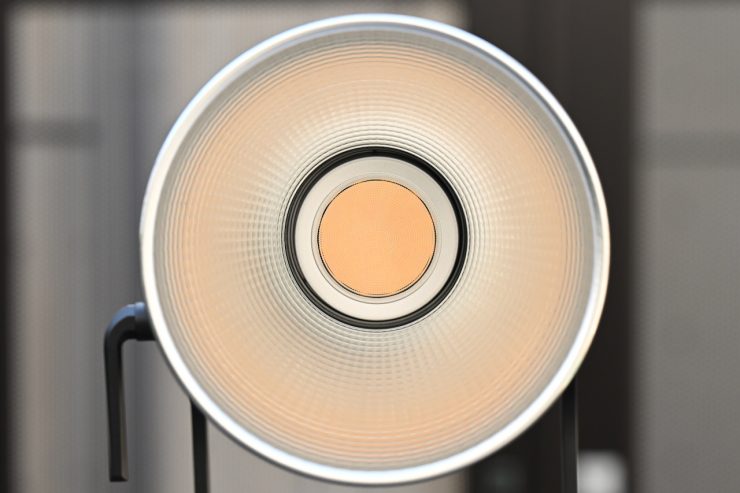
Aputure states that the 700x is a full-spectrum white light with excellent CRI and SSI. It is claimed to deliver a better quality white light to fill out the color spectrum while offering greater adjustability. The calibrated Indigo is said to enhance fluorescing materials, resulting in a higher quality white light that better matches natural daylight and black body sources such as tungsten quartz.
Adding Indigo is very interesting because the light it emits is right at the edge of our visible spectrum, and that is why engineers probably haven’t thought about doing it before; that was until now. But why Indigo? Well, not all objects or surfaces reflect light; some of them absorb it. What Aputure engineers found is that by adding an Indigo emitter, certain materials and objects retained their natural brightness and color. In practice, this actually makes quite a noticeable difference. In some of the examples I have seen, you can certainly see its benefits. The benefits will be more noticeable when using the light at daylight CCT setting as opposed to tungsten.
The human eye is only really capable of detecting wavelengths from 380 to 700 nanometers, and most LED lights don’t contain any information below around 420 nanometers. The BLAIR light engine adds information right out to 405 nanometers.
The light is claimed to have the following photometric scores:
- CRI≥95
- TLCI≥95
- SSI [P3200]: 87
- SSI [CIE D5600]: 87
- TM-30 Rf (average) 95
- TM-30 Rg (average) 100
- 70%+ coverage of Rec. 2020 color gamut
Hive Lighting has been using 7 LED-chip blending. Instead of the traditional 3 colors, Hive uses red, amber, lime, cyan, green, blue, and sapphire. Companies like ARRI and Kelvin are using RGBACL, while a lot of other lighting companies are using RGBW and RGBWW.
The advantage RGBACL has over RGBWW and RGBCW is that it is capable of giving you a larger CCT range, and it can produce more saturated colors with more output. RGBWW lights tend to struggle to create saturated colors like yellow, and they don’t always have as much output when generating saturated colors. They can also have a large drop-off in output at different CCT settings.
We have seen everything from RGBW/RGBWW to 6-color systems (RGBLAC), to Aputure’s BLAIR CC, NANLUX’s new C8 Full Color Light Engine, which is claimed to be the industry’s first eight-color light engine, and the Profoto triple-white (RGB WWW) LED engine.
The Aputure STORM 700x has a 70% coverage of the Rec. 2020 color gamut. It has a claimed rating for both CRI and TLCI of 95. The light also has claimed SSI scores of 87 at both 3200 and 5600K, as well as TM-30 ratings at Rf 95 and Rg 100. The Aputure Storm 700x, which isn’t technically a full color fixture, has a CCT range of 2,500-10,000K.
As a comparison, the Profoto L600C has a CCT range of 2,000–15,000K, the NANLUX EVOKE 650C has a CCT range of 1,000-20,000K, and the Kelvin Epos 600 has a CCT range of 1,700-20,000K.
The Profoto L600C has claimed TM-30 scores of RF 97 / RG 100, and CRI and TLCI scores of 96 and 99, respectively. The SSI scores are claimed to be 90@3200K / 83@5600K. It offers Full Rec. 709 coverage and 80% Rec. 2020 coverage.
As a comparison, the Evoke 600C can achieve 82% coverage of the CIE 1931 visible color gamut. It is 6% higher than Rec. 2020 in the visible color gamut and has 94%coverage of the Rec. 2020 color space. It has a claimed CRI of 98, a TLCI of 98, and TM-30 scores of Rf 96 and Rg 100.
How did they arrive at BLAIR?
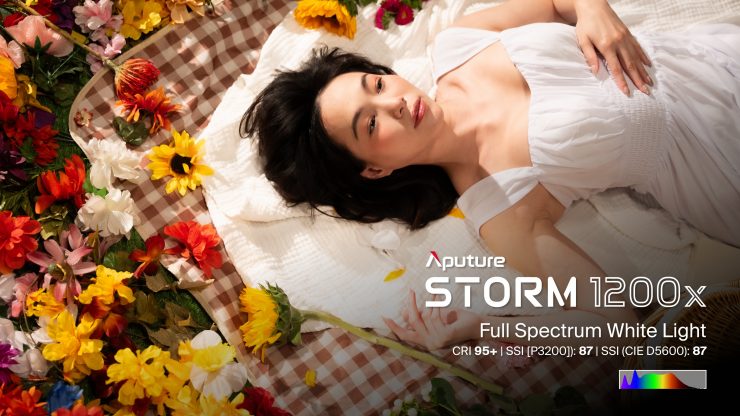
Instead of just making incremental improvements, Aputure got to the point where they asked themselves what are we trying to do, and what are the problems we are trying to solve. They wanted to come up with a better mousetrap and not just build another existing one. This led them to look at different ways of coming up with an alternative solution to what was already available. Aputure received a lot of feedback from Art Directors, make-up artists, etc., that things just never seemed to look quite right when trying to replicate daylight sources.
With LED lights, replicating tungsten has always been a lot easier than replicating daylight. A lot of LED lights, when used at daylight CCT settings, never quite look right. The color of skin tones, fabrics, etc., can look slightly off. This led Aputure to re-look at the spectrum to see what was missing.
What Aputure found is that there was a discord between measuring colors with a meter and seeing what actually happened when it came to light being reflected and absorbed by colors. Certain surfaces reflect light, and others absorb it, and then there is another group that reflects back light that is different from what is hitting it. This can lead to differences in color and brightness. This discovery led to what Aputure believes was the key ingredient that was missing in the color engine, Indigo.
Probably the best way to describe it is that if you were to shine an incandescent UV light at an object, you can see how bright that reflected light is compared to the light being emitted from the source.
If an LED light doesn’t have a certain frequency that is contained in UV light, it won’t look the same. This is why so many LED lights struggle to replicate daylight sources, because up to now, those frequencies weren’t being generated by the light engine. Why engineers didn’t see this in the past is because they believed that these frequencies weren’t visible to the human eye, but what they were overlooking was that the reflected light from these frequencies was visible.
Now, some other companies have been using an extra blue emitter in their light engines to help replicate better daylight sources, and while that may sound similar to what Aputure is doing, it isn’t exactly the same. Companies like Maxima are using technology to add more information toward the edges of the spectrum, but it’s not the same as what Aputure is now doing.
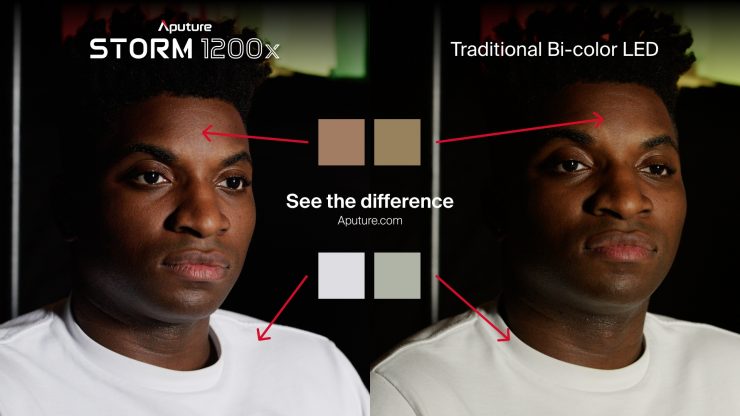
The above image from Aputure compares their STORM lights to a traditional Bi-color fixture.
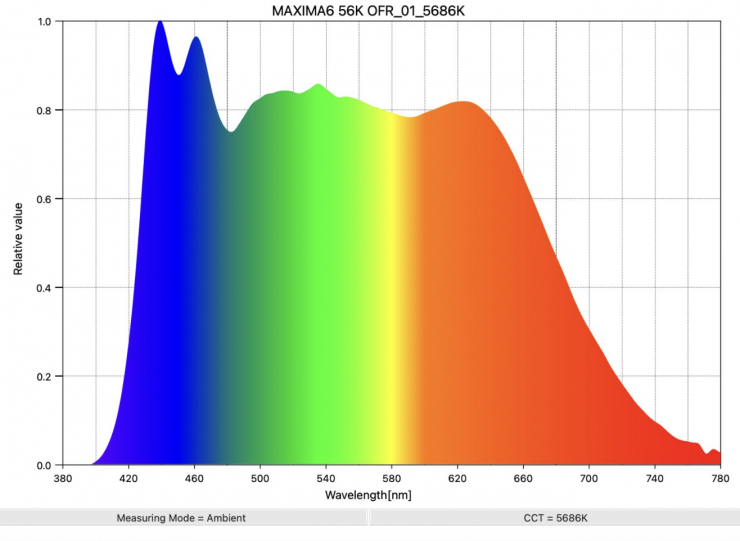
Maxima 6 GaN 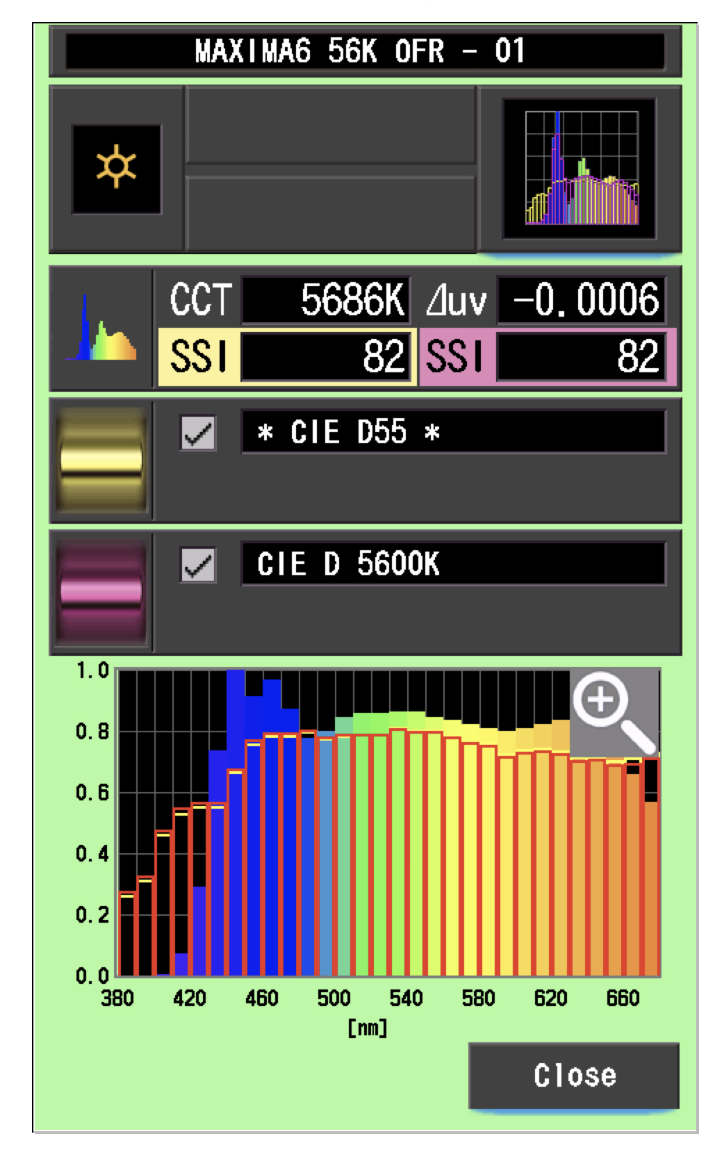
If we look above at the daylight spectrum of the Maxima 6 GaN or Maxima 3, you can see the extra blue spike at around 430nm. This is similar, but not quite the same as what I expect to see with the Aputure STORM 700x. The Maxima 6 GaN utilizes Gallium Nitride, which is a binary III/V direct bandgap semiconductor that is well-suited for high-power transistors capable of operating at high temperatures. Since the 1990s, it has been commonly used in light-emitting diodes (LED). Gallium nitride gives off a blue light used for disc-reading in Blu-ray.
Now, what you clearly need to remember is that the Maxima 6 GaN and Maxima 3 are daylight-only (5600K) fixtures.
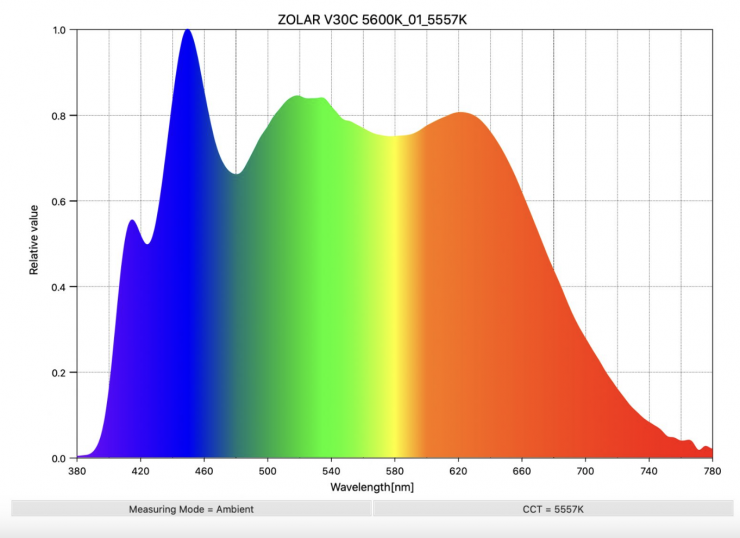
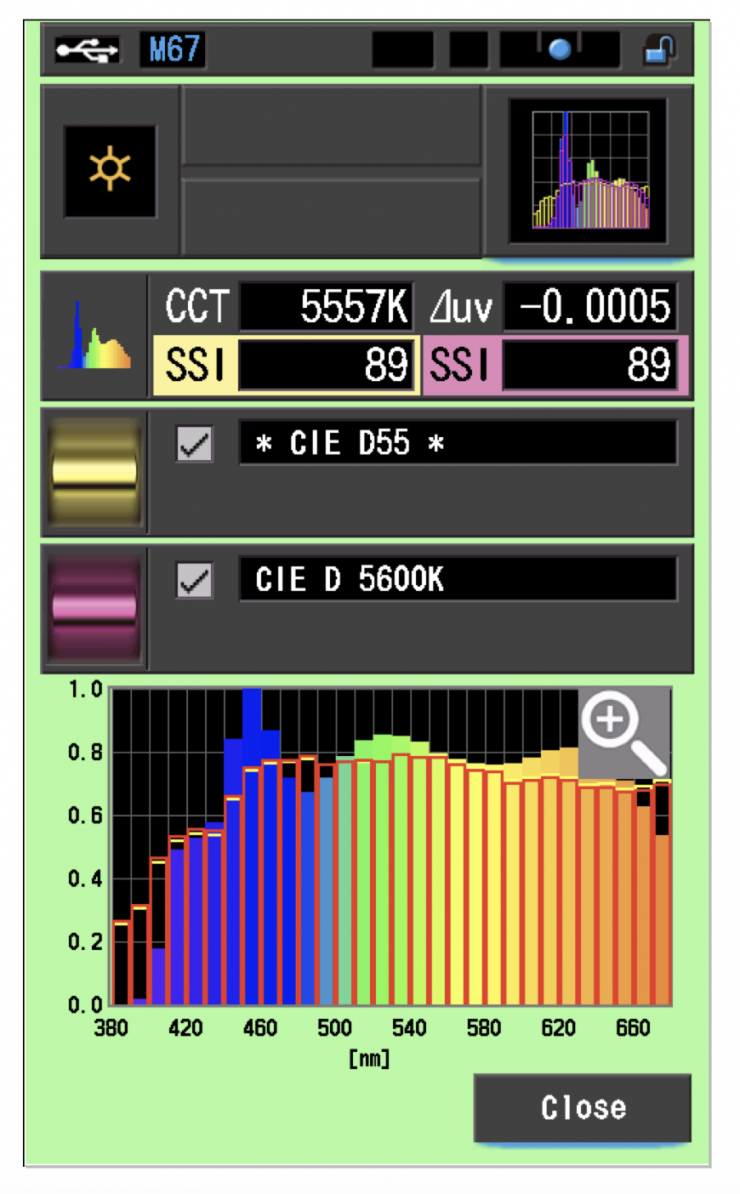
If we have a look at a full-spectrum fixture that is doing something similar, in this case, the ZOLAR Vega 30C, you can see there is extra information at around 400nm. You can also see why this translates to high SSI scores.
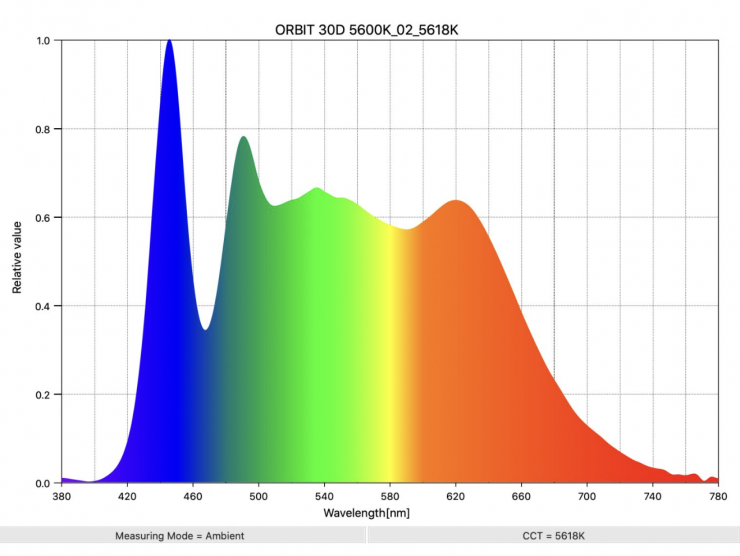
If we look at an LED light that isn’t utilizing this type of technology, such as the ARRI Orbiter, we can see the difference in the spectrum.
How well will it match other Aputure fixtures?
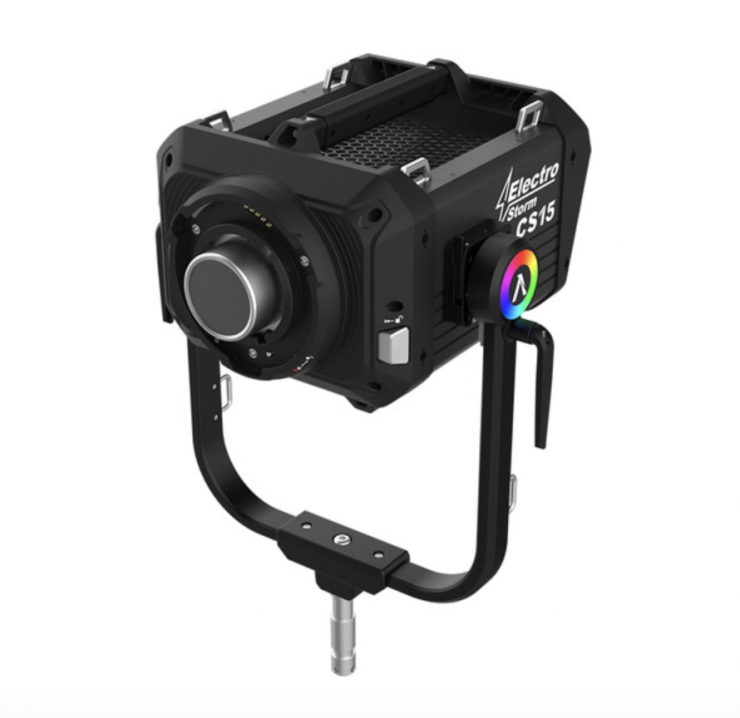
That is a good question. Other large Aputure fixtures like the Electro Storm CS15 RGB LED Monolight utilize different color engines. If you leave the light in its standard mode, it will match other Aputure fixtures pretty well. If you want to utilize the color engine to better match daylight sources, you will be able to put it into another mode. The STORM 700x will match lights such as the STORM 1000c well.
As the light also has an x,y co-ordinates mode, you will be able to dial it in to better match other lighting sources as well.
Build Quality
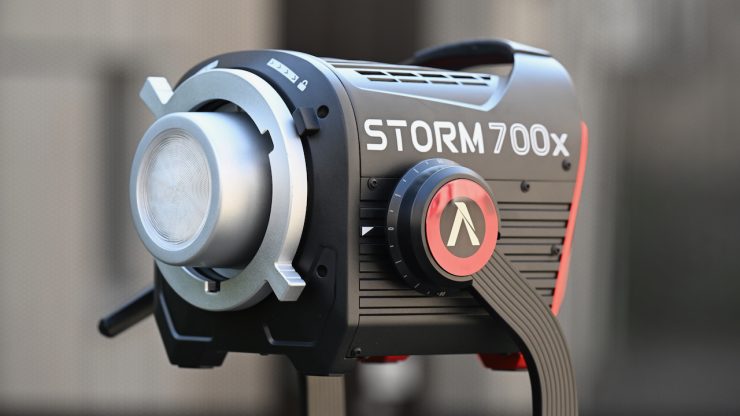
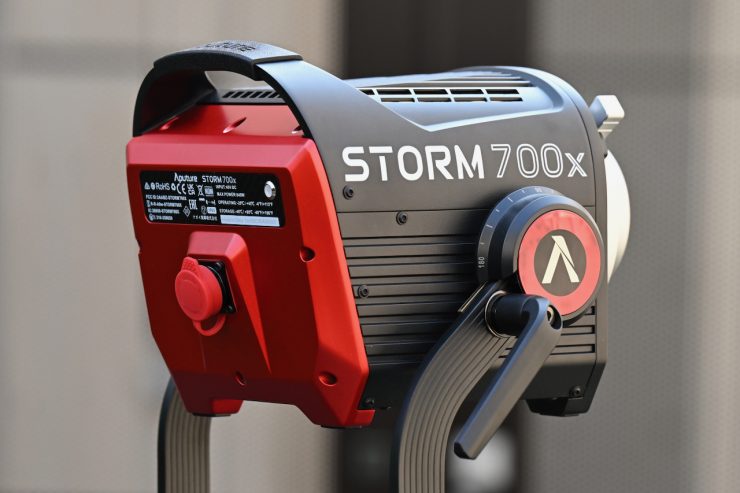
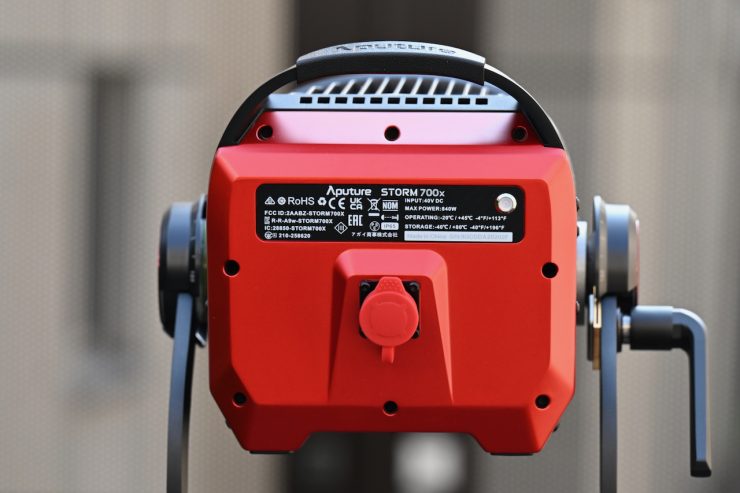
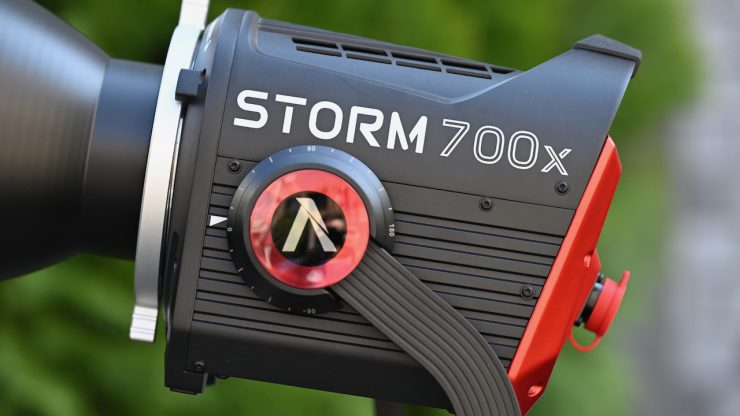
The build quality of the STORM 700x is very solid, and I would say that it is in line with other current Aputure fixtures. Over the years, Aputure’s build quality has continued to get better and better, and the new STORM series is going to be more than good enough for most people’s needs, as well as being able to stand up to the rigors of a rental house.
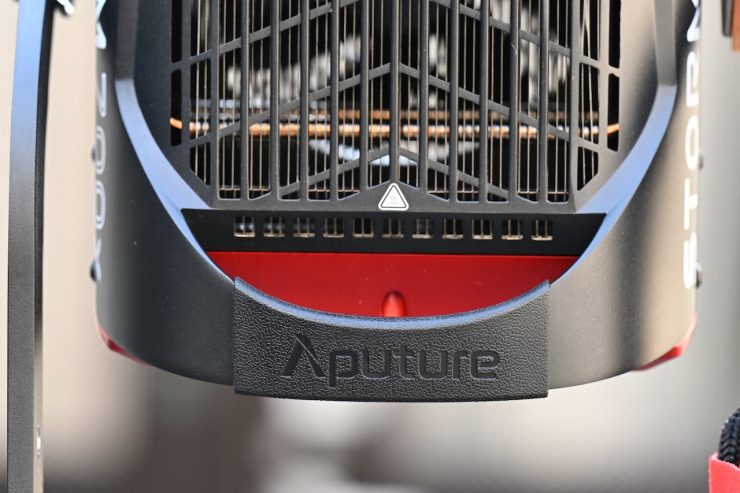
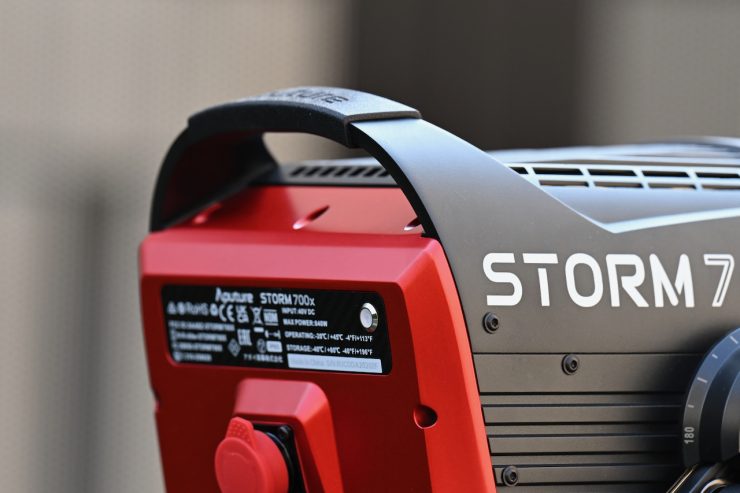
Aputure has used some composite materials to keep the weight down.
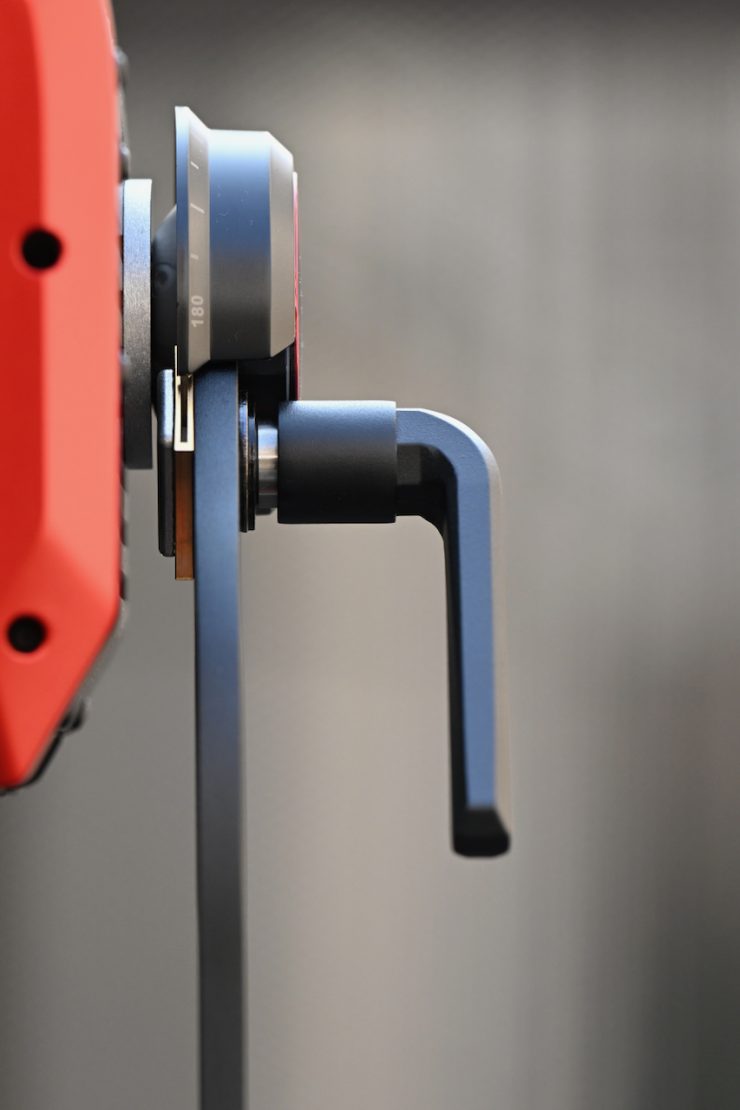
The light features a single locking mechanism on the yoke frame that is well-made, and it solidly locks the light down.
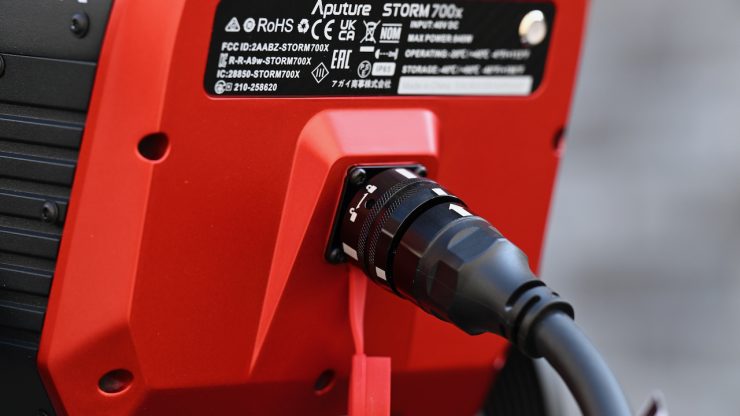
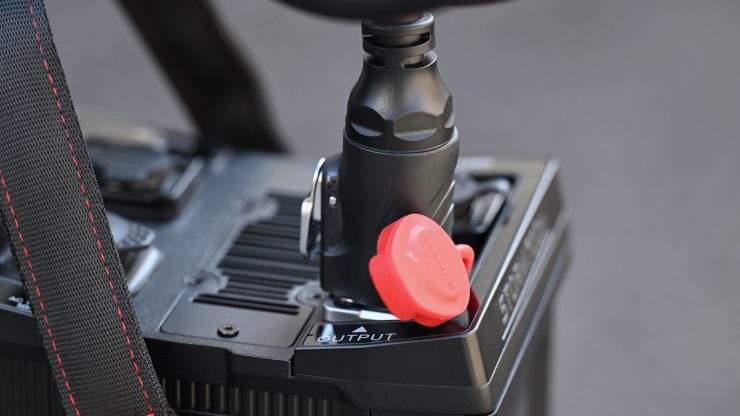
Aputure gives you a nice, long, thick, and robust power connection cable that allows you to place the light up very high. It is always nice to see a long cable included with a light as standard.
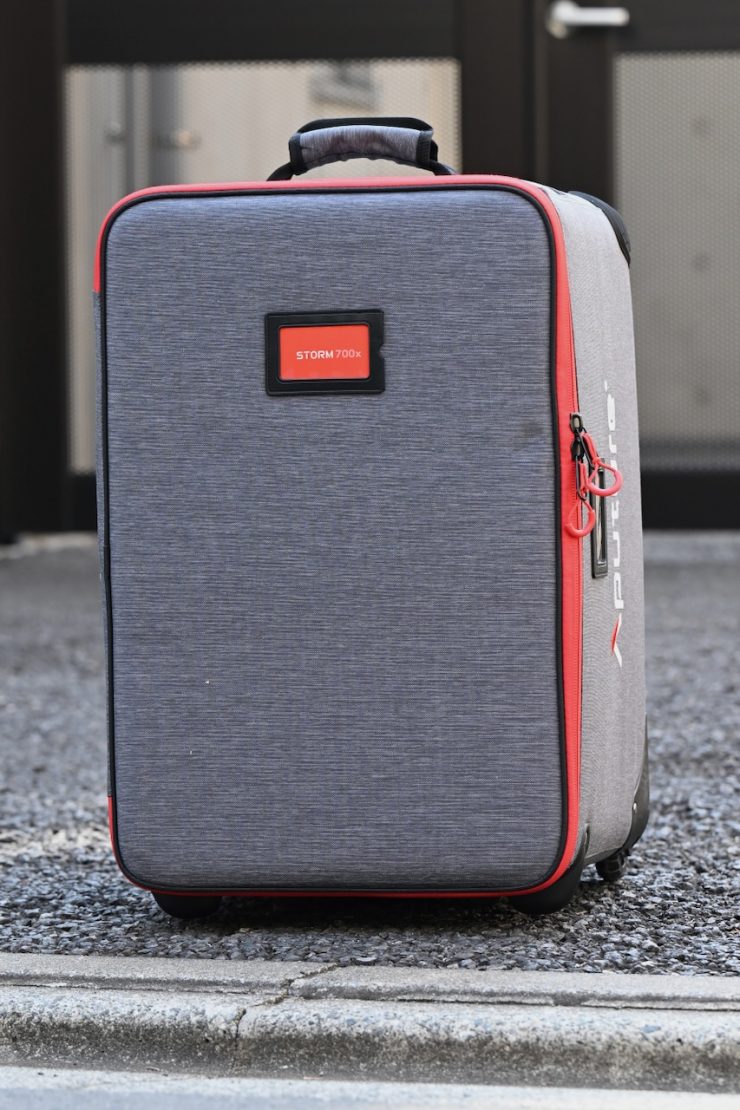
The included rolling case is decent enough, but I do wish that Aputure had included more carrying handles. I found it very hard to carry as there are no carry straps on the top or sides of the case.

The wheels on the case seem decent enough.
IP65 Weather Protection
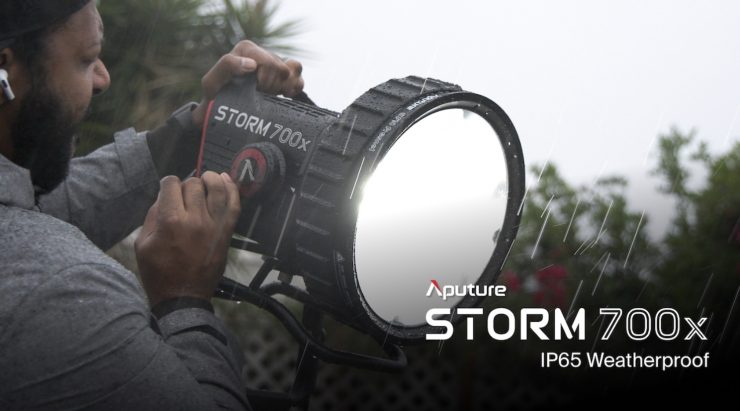
The fixture features IP65 dust and weather protection, which means the STORM 700x can work in extreme environments. Seals on every connector and around components allow not only the lamp head but also the control box and cabling to be used outside in the rain.
Design
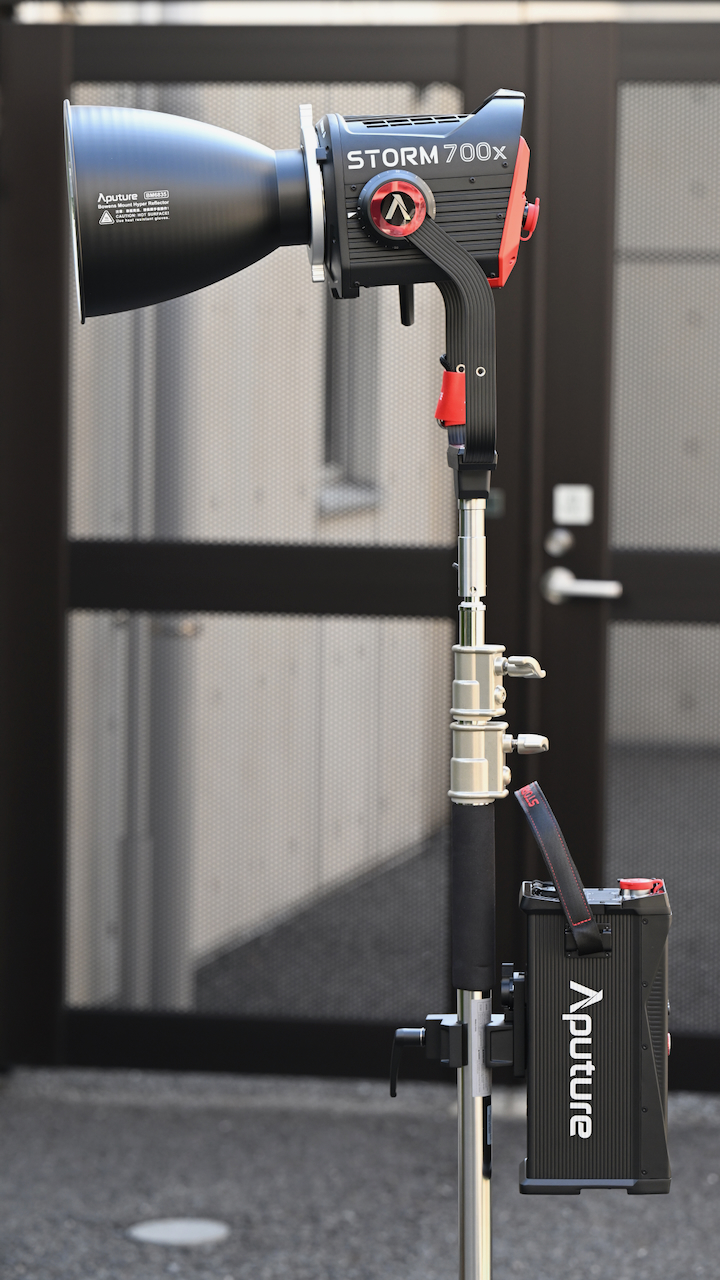
The Aputure STORM 700x consists of a light head and a large separate power supply/controller. Aputure has done a good job of keeping the size of the light head to a minimum.
Having a separate light head allows you to use slightly smaller light stands.
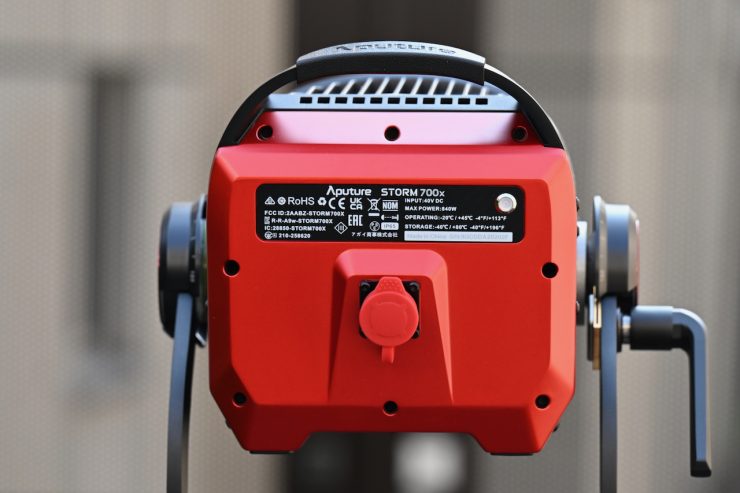
STORM 700x 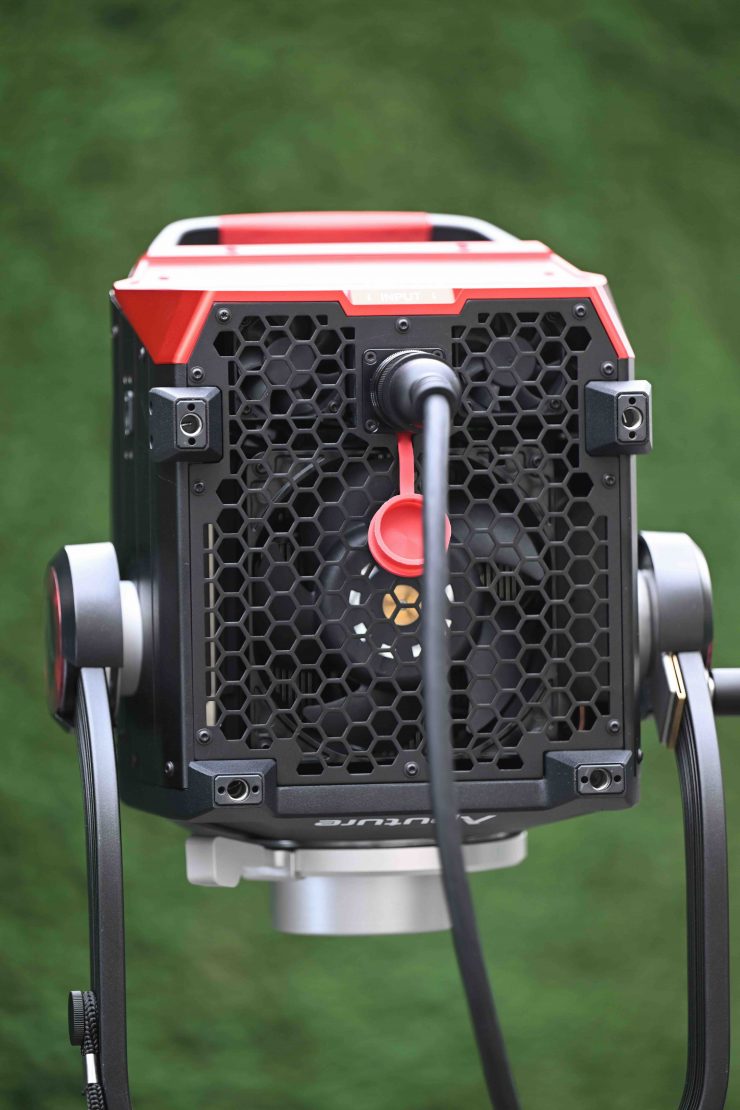
STORM 1200x
Unlike the larger STORM 1000c and 1200x, you can place the STORM 700x flat on the ground because the power input isn’t located on the bottom of the fixture.
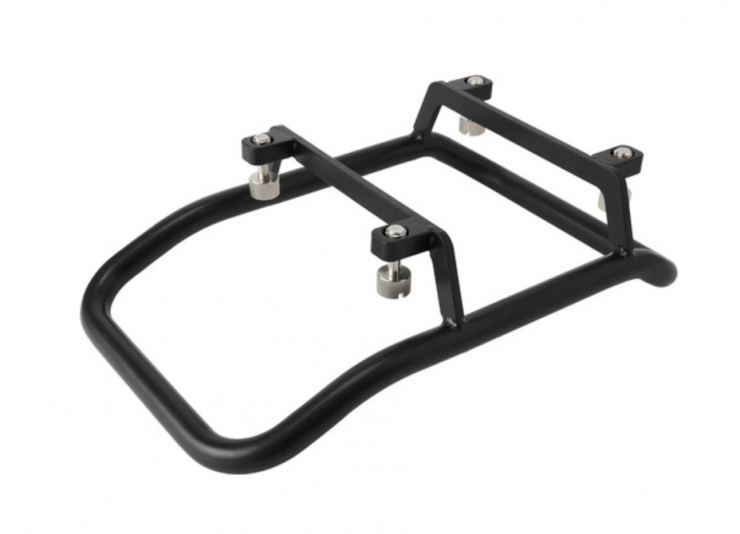
You can also purchase the optional skid plate ($69 USD) to allow you to do that.
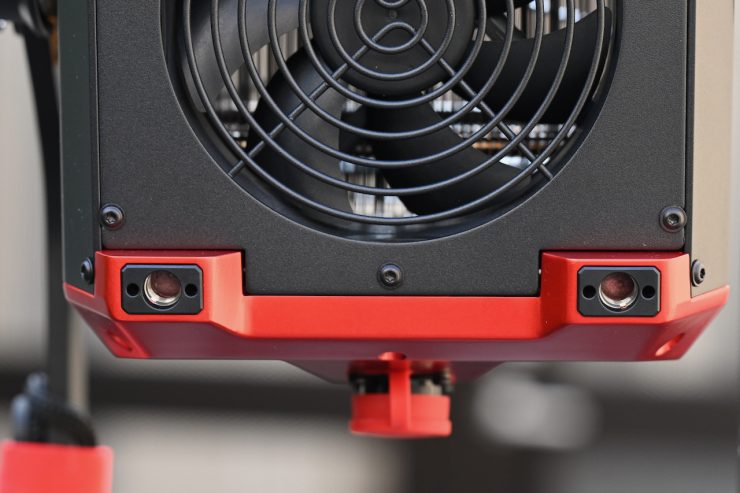
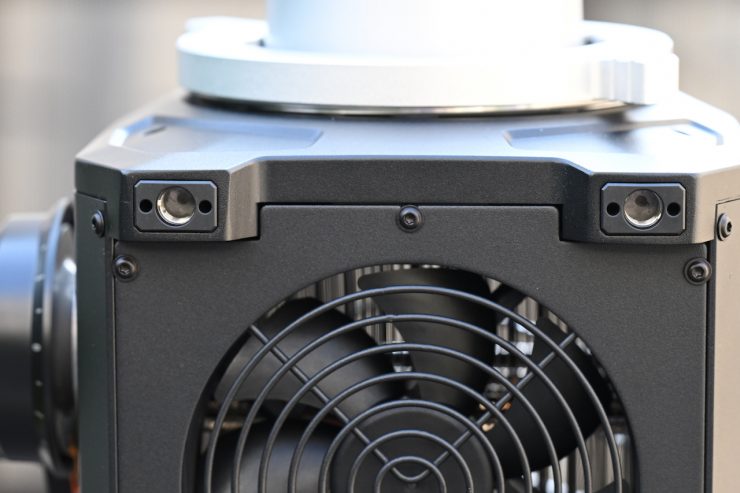
You can see the four mounting holes where that skid will attach.
A lot of today’s modern lights are now a seamless blend of hardware and software. With software playing such a big role, lighting companies could continue to improve and update fixtures over time via firmware updates; however, you don’t actually see too many firmware updates getting released for lights. It will be interesting to see if Aputure adds features or extra functionality via firmware in the future.
COB
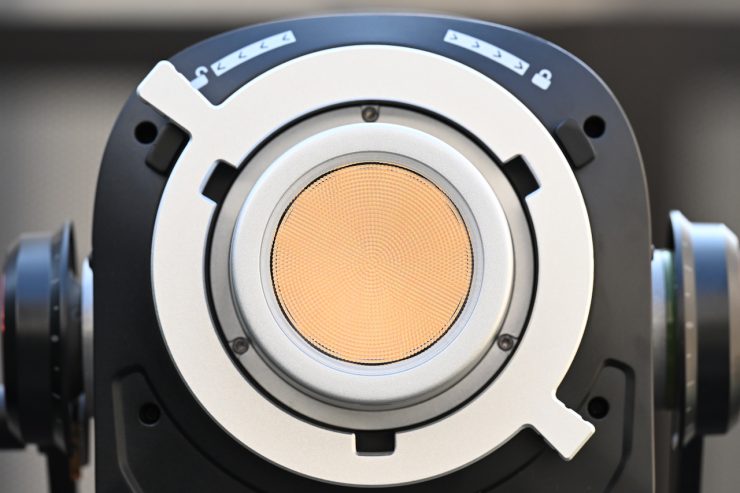
Quite a few LED lights on the market, including the Aputure STORM 700x, are using COB technology. COB stands for “Chip On Board” where multiple LED chips are packaged together as one lighting module. The advantage of COB LEDs being multi-chip packaged is that the light-emitting area of a COB LED can contain many times more light sources in the same area that standard LEDs could occupy. This results in a greatly increased lumen output per square inch.
The first caveat with COB LEDs is that they produce a ton of heat, and that heat needs to be effectively dispersed. The second caveat is that you will usually need to diffuse them as they are very bright to look at and can be unsuitable for directly lighting talent. The trouble is, if you use them with diffusion, such as a softbox, you are going to lose a ton of output because that output is coming from a small source. With a lot larger source, say a 2×1 panel, you don’t lose as much output.
Weight & Size
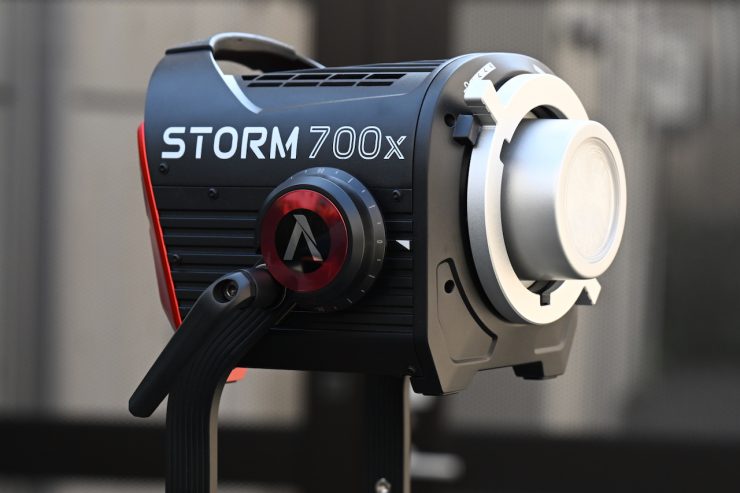
The STORM 700x consists of a separate lamp head and an integrated control unit/power supply. The lamp head and yoke weigh 5.15 kg / 11.35 lbs.
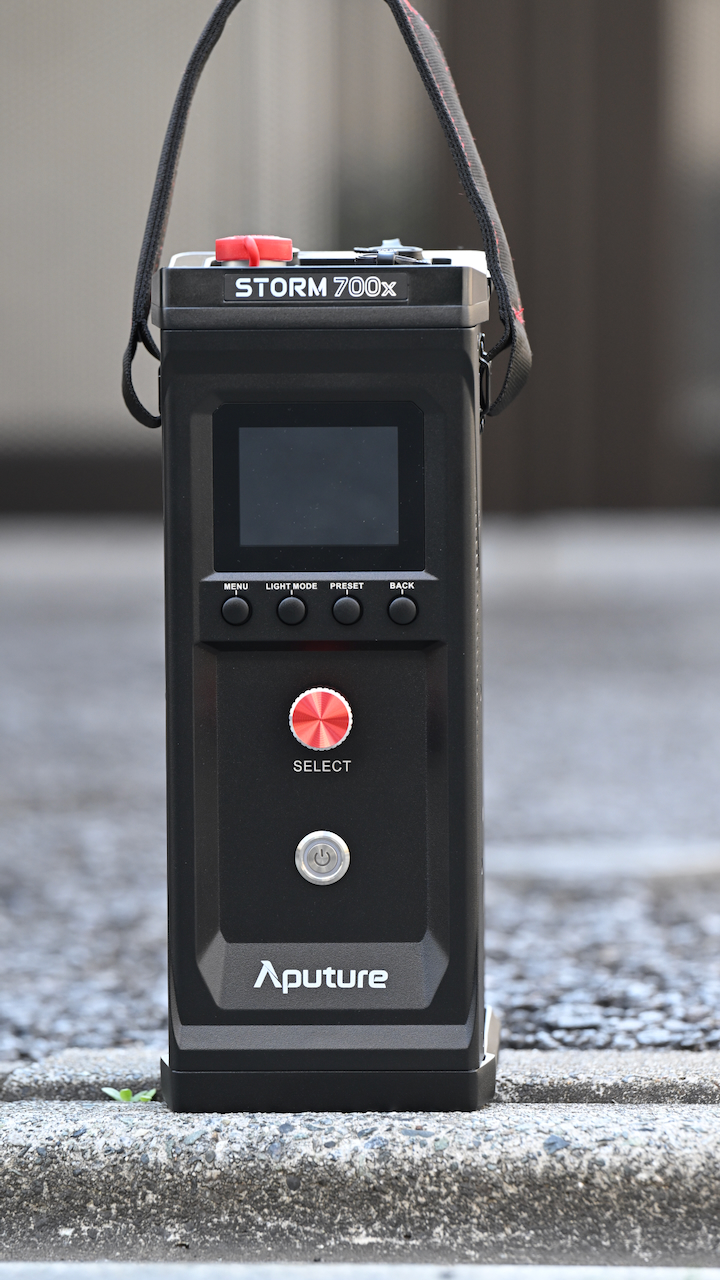
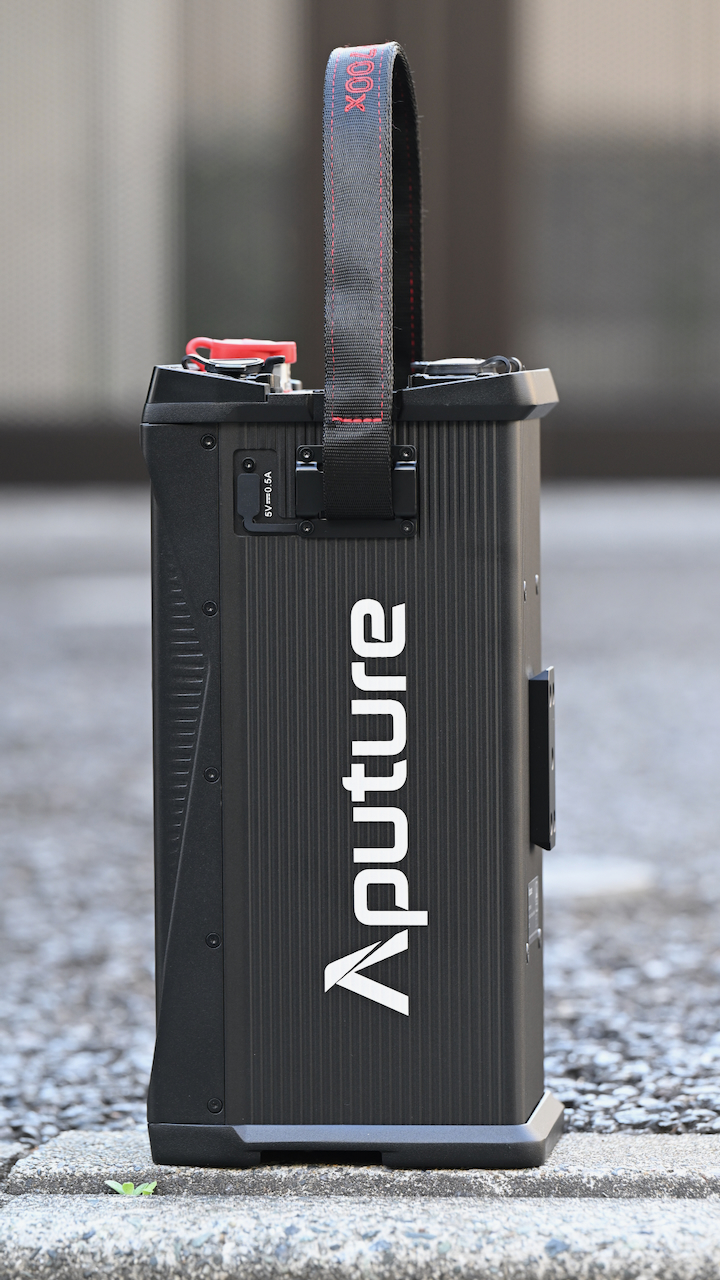
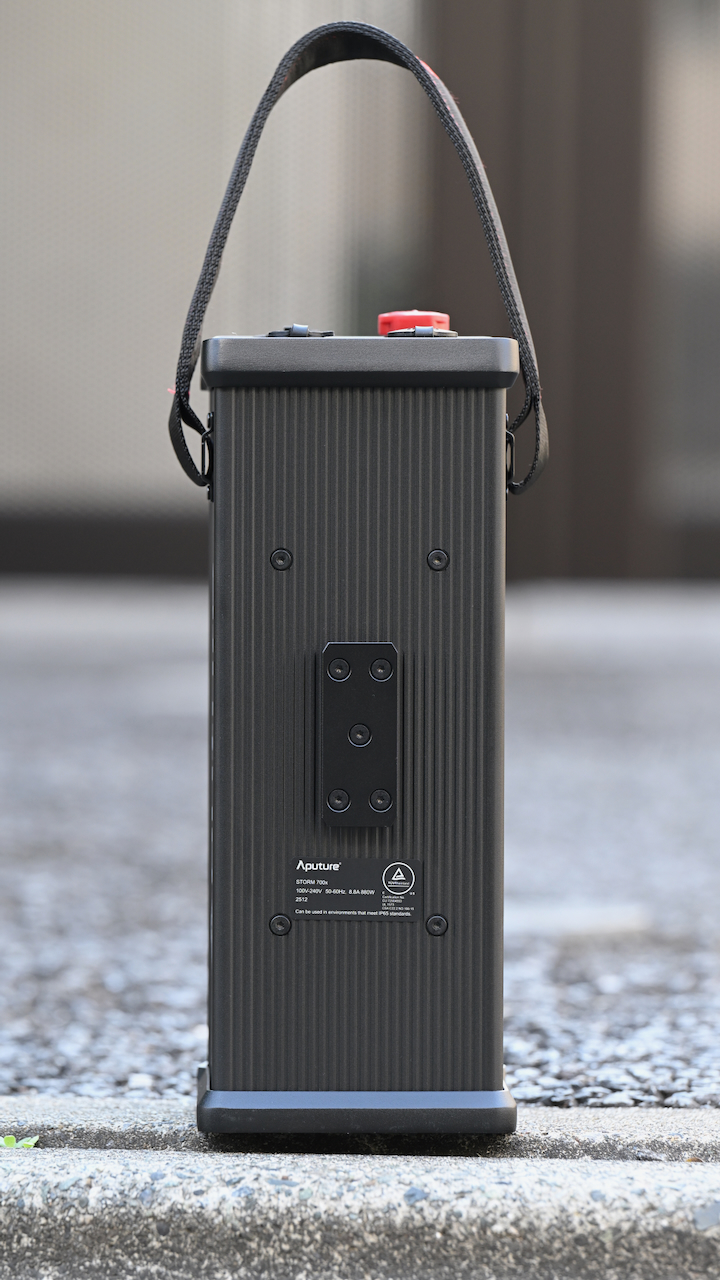
The power supply/controller weighs 4.10 kg / 9.04 lbs.
So, how does this weight compare to some other similar fixtures?
| | TOTAL WEIGHT |
| Aputure STORM 700x | 9.25 kg / 20.39 lb |
| Profoto L600C | 6.1 kg / 13.5 lb |
| NANLUX Evoke 600C | 7.26 kg / 16.01 lb |
| Kelvin Epos 600 | 12.18 kg / 26.85 lb |
| Prolycht Orion 675 FS | 12 kg / 26 lb |
| Aputure LS 600c Pro II | 11.3 kg / 24.9 lb |
| Aputure STORM 400X | 6.95 kg / 15.31 lb |
| ARRI Orbiter | 11.7 kg* / 25.8 lbs |
| Aputure LS 600x Pro | 10.05 kg / 22.15 lb |
| Nanlite Forza 720B | 9.5 kg / 20.94 lb |
| Nanlite FC500C | 6.14 kg / 13.53 lb |
| Godox LITEMONS LA600R | 5.1 kg / 11.2 lb |
| COLBOR CL600R | 8.2 kg / 17.8 lb |
| Falcon Eyes S600CPro | 9.95 kg / 21.71 lb |
| HIVE LIGHTING Super Hornet 575-C | 6.12 kg / 13.5 lb |
* Doesn’t include the weight of the yoke frame
Essentially, if you look at the weight comparison above, the Aputure STORM 700x is heavier than both the NANLUX Evoke 600C and Profoto L600C, which don’t have a separate power supply/controller.
Mounting
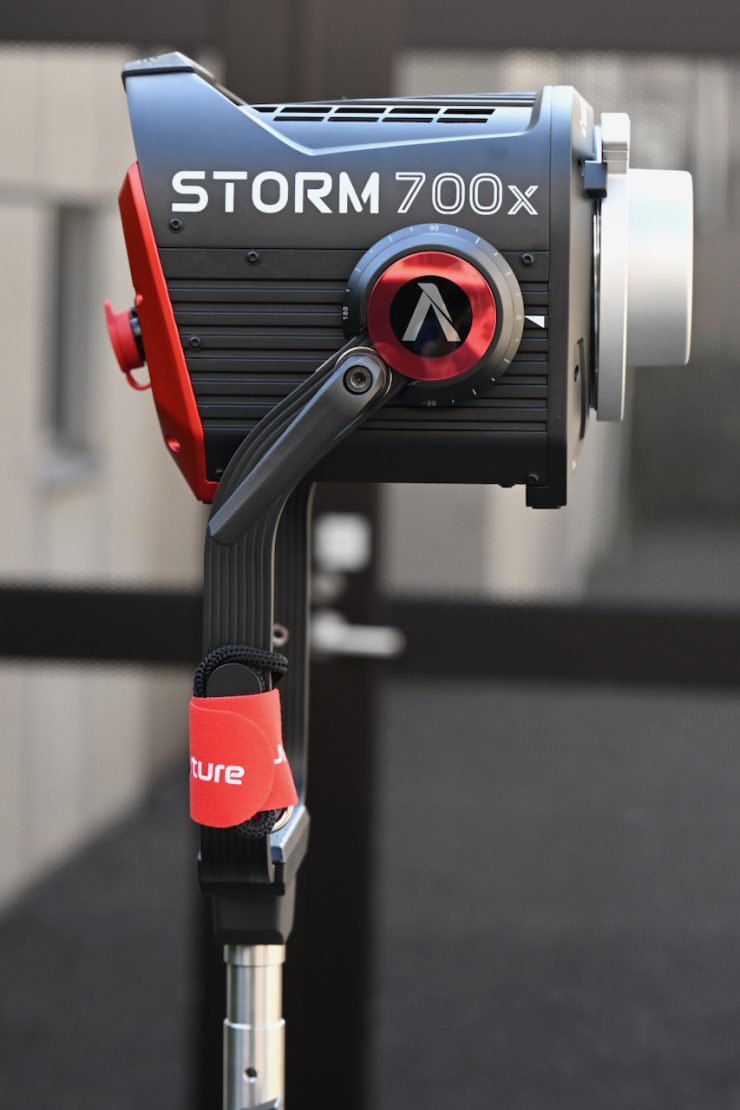
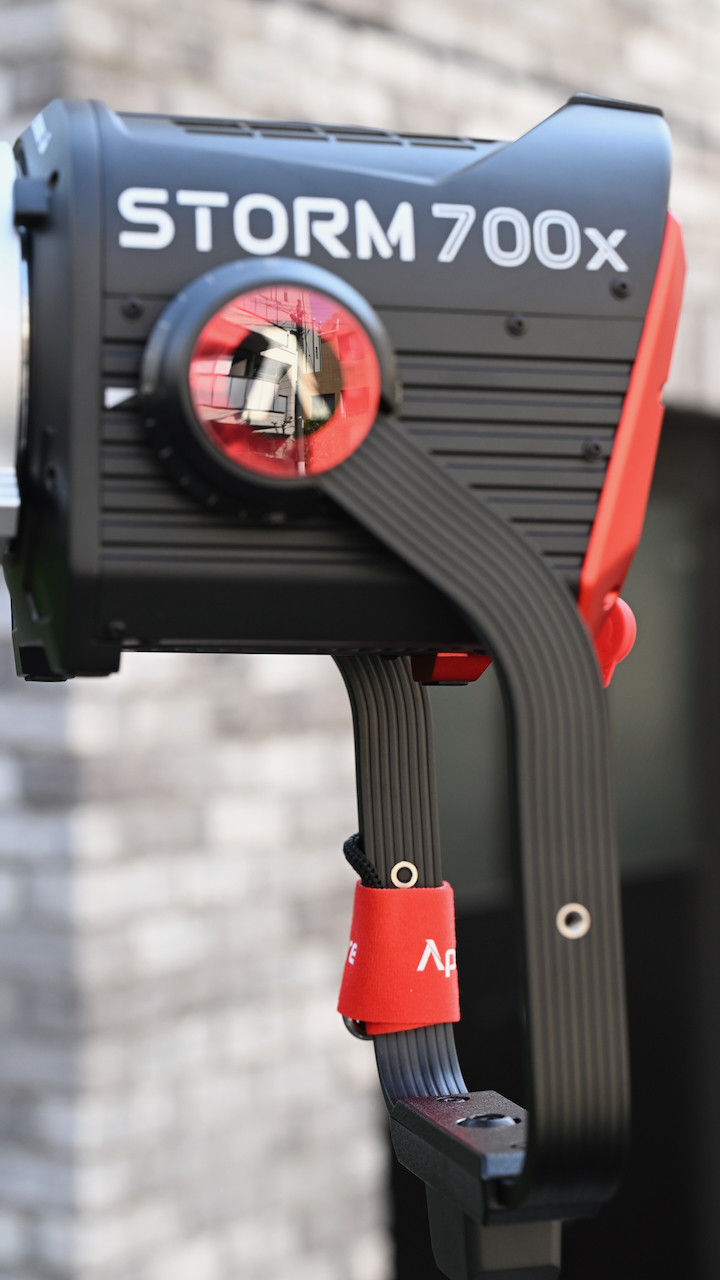
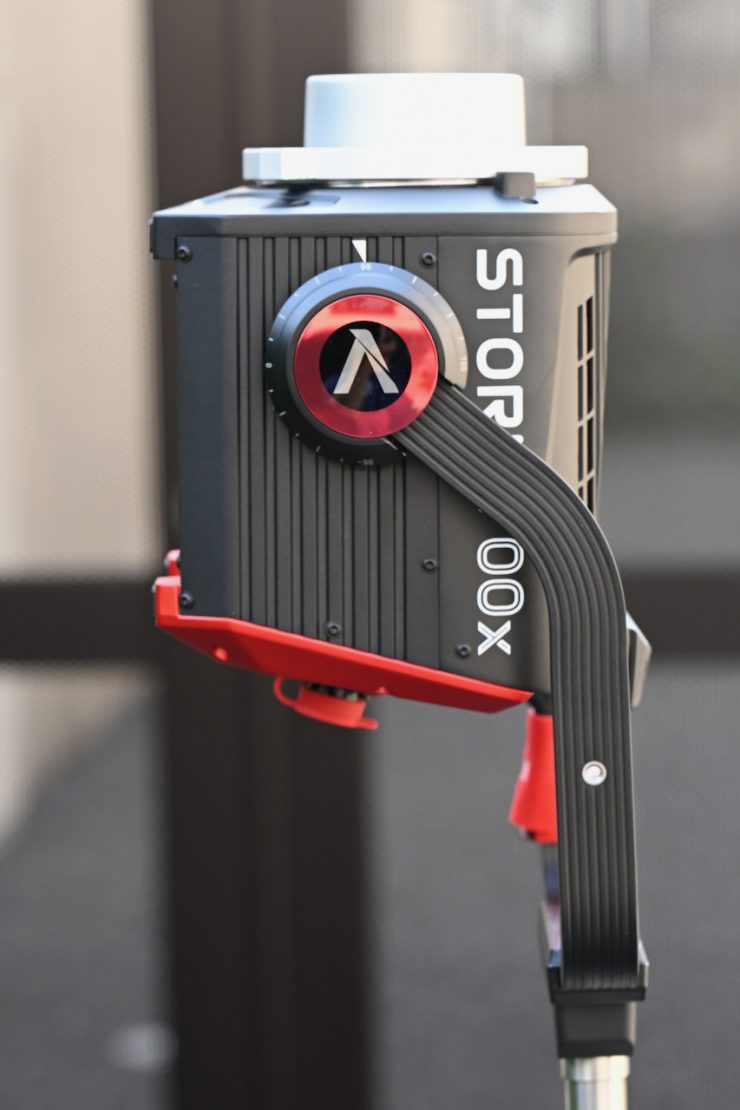
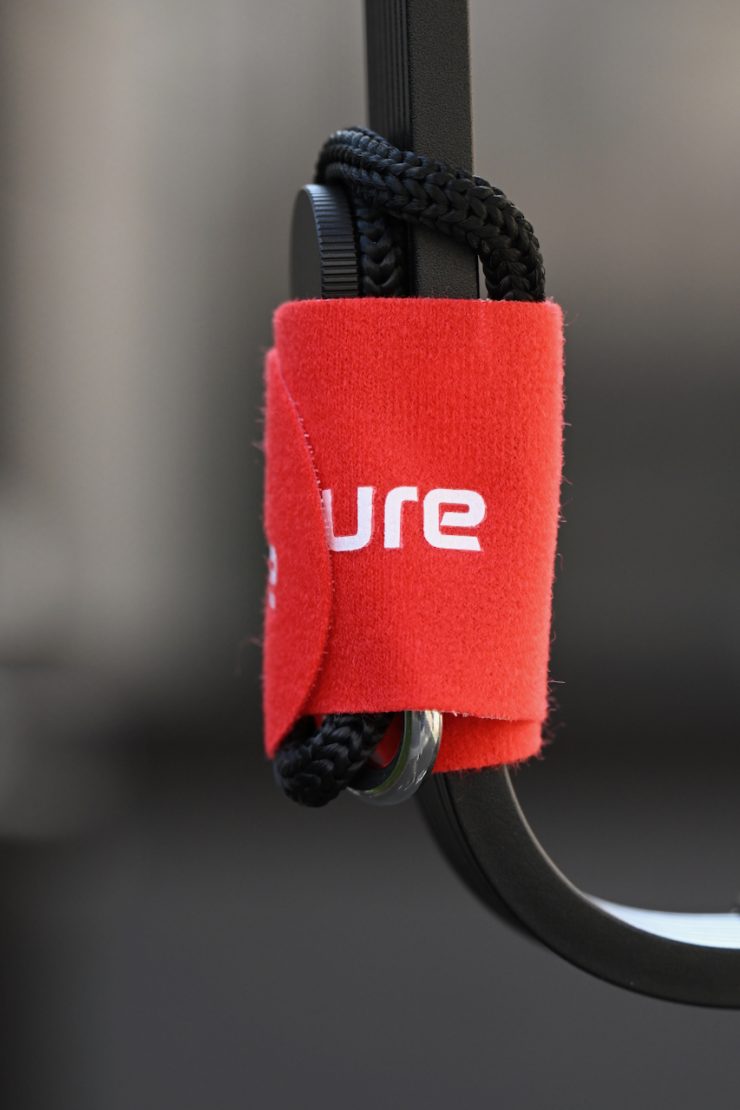
The Aputure STORM 700x comes with a robustly made angled yoke that allows you to have a greater tilt range when light modifiers such as softboxes are attached.
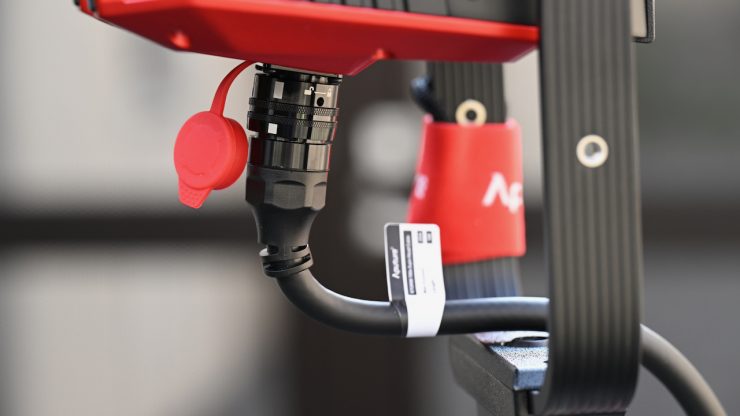
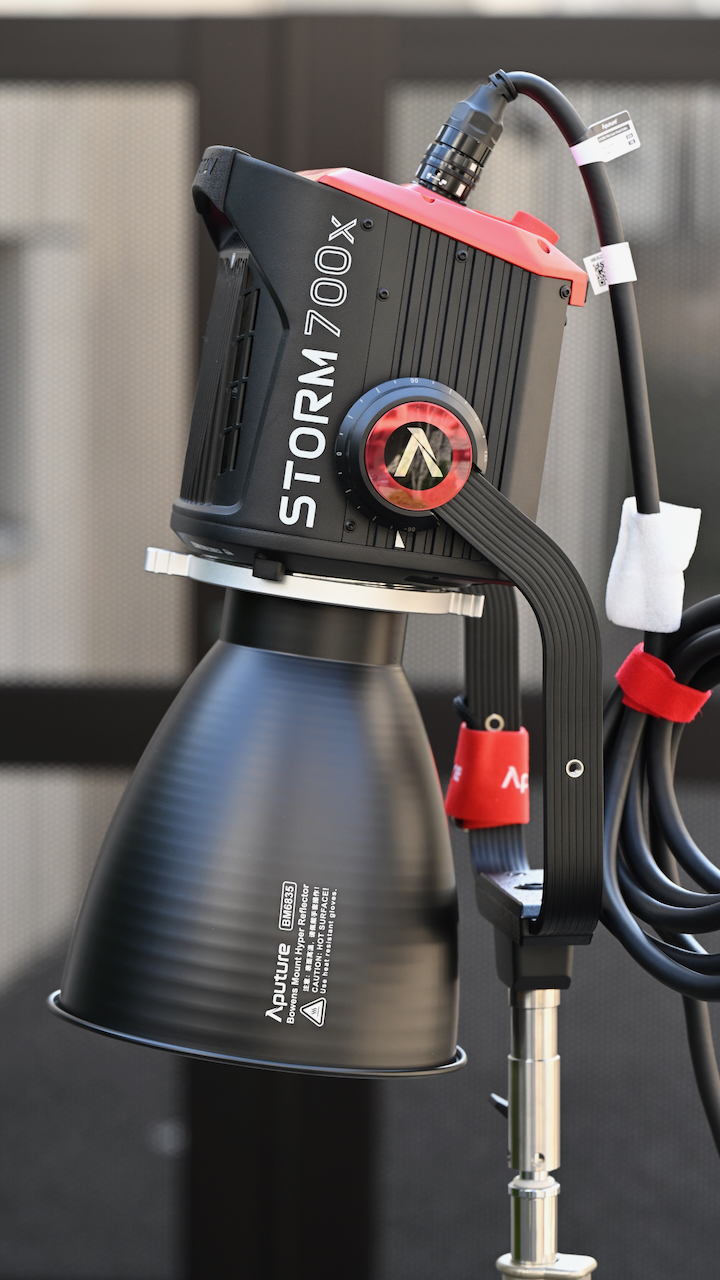
The yoke gives you a lot of adjustment, and there aren’t any clearance issues with the power connector hitting the frame.
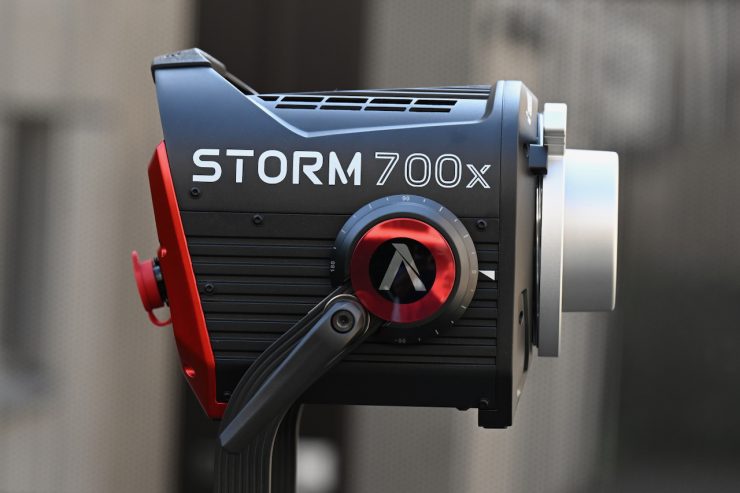
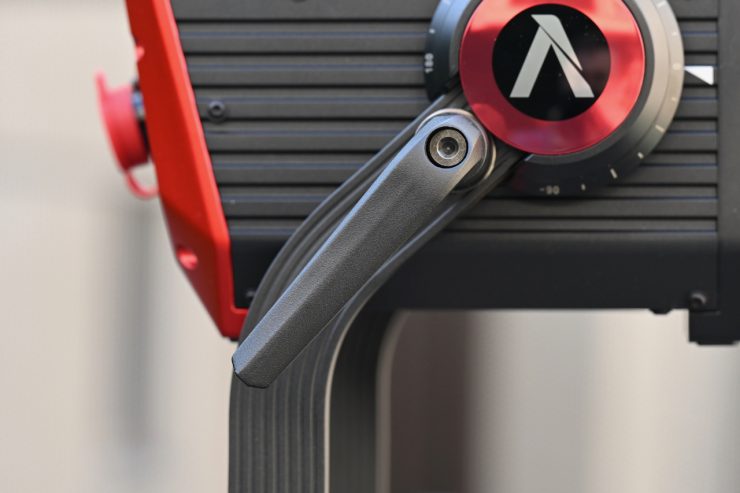
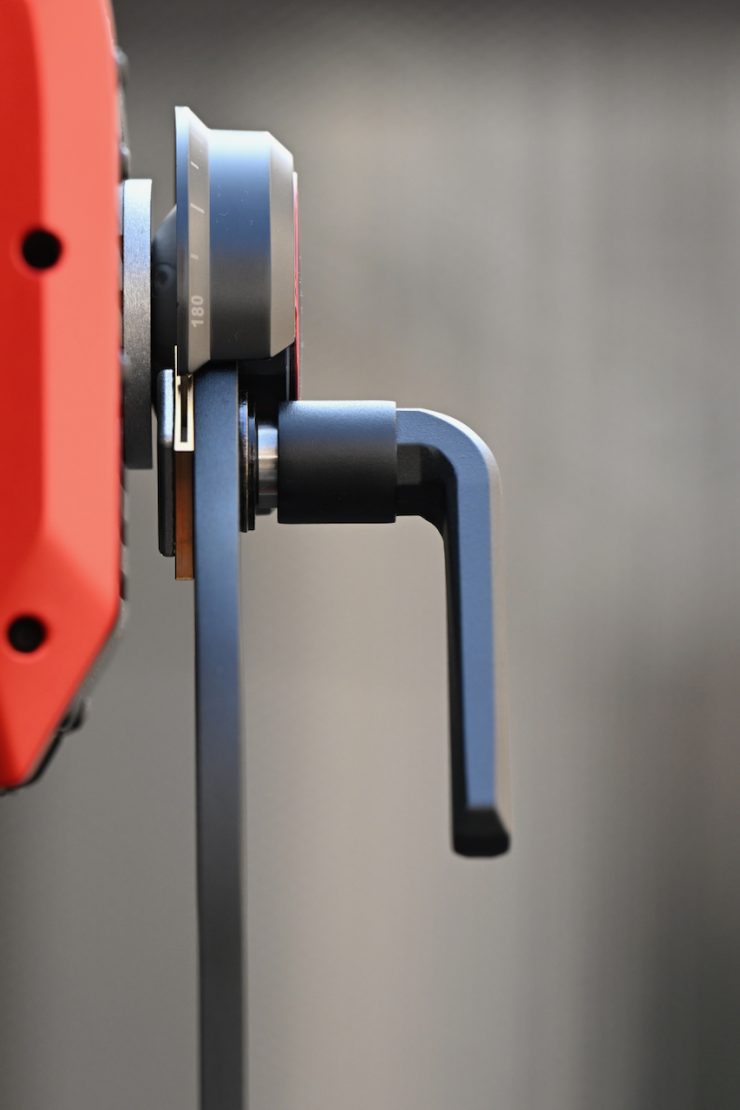
The single clutch lock works really well, and once you tighten it down, the light will not move, no matter how much force you put on it.
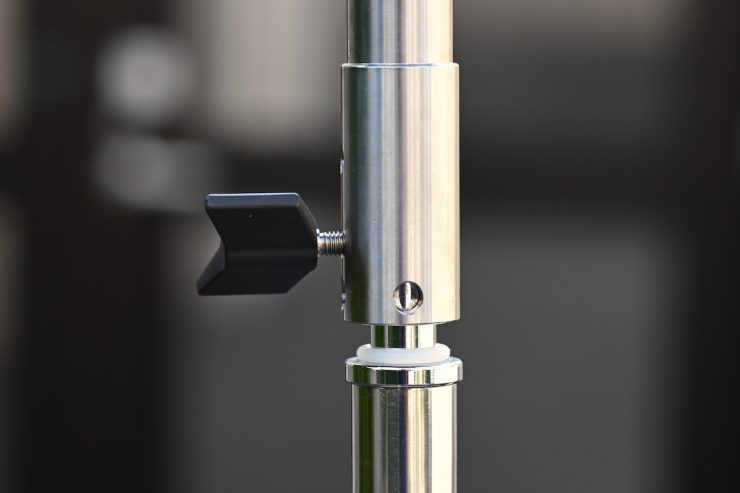
The yoke frame utilizes a junior pin mount, so you can only use it with compatible light stands.
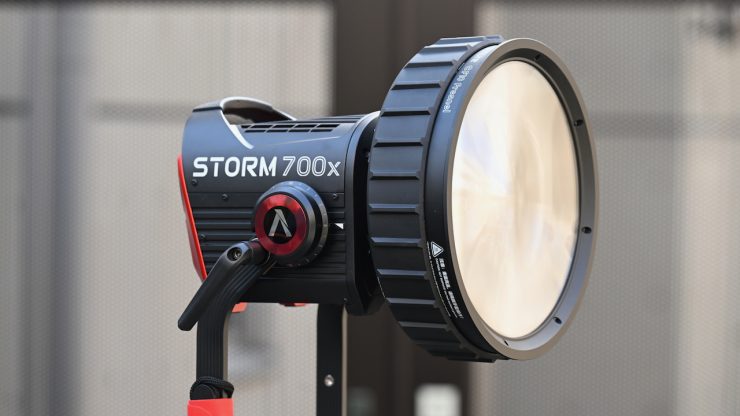
The yoke frame is easily strong enough to hold the STORM 700x and a Fresnel, or a large lighting modifier.
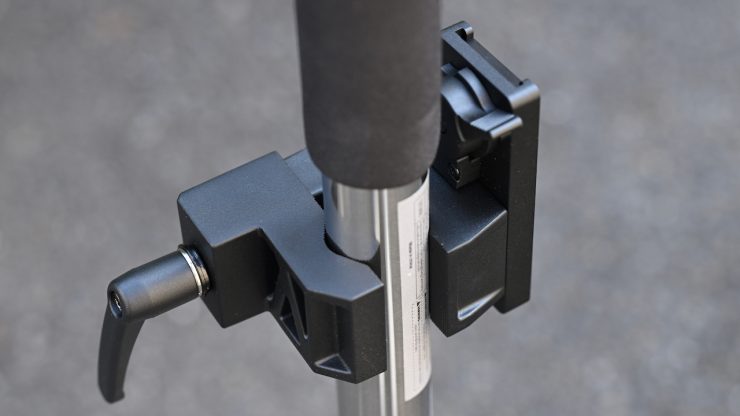
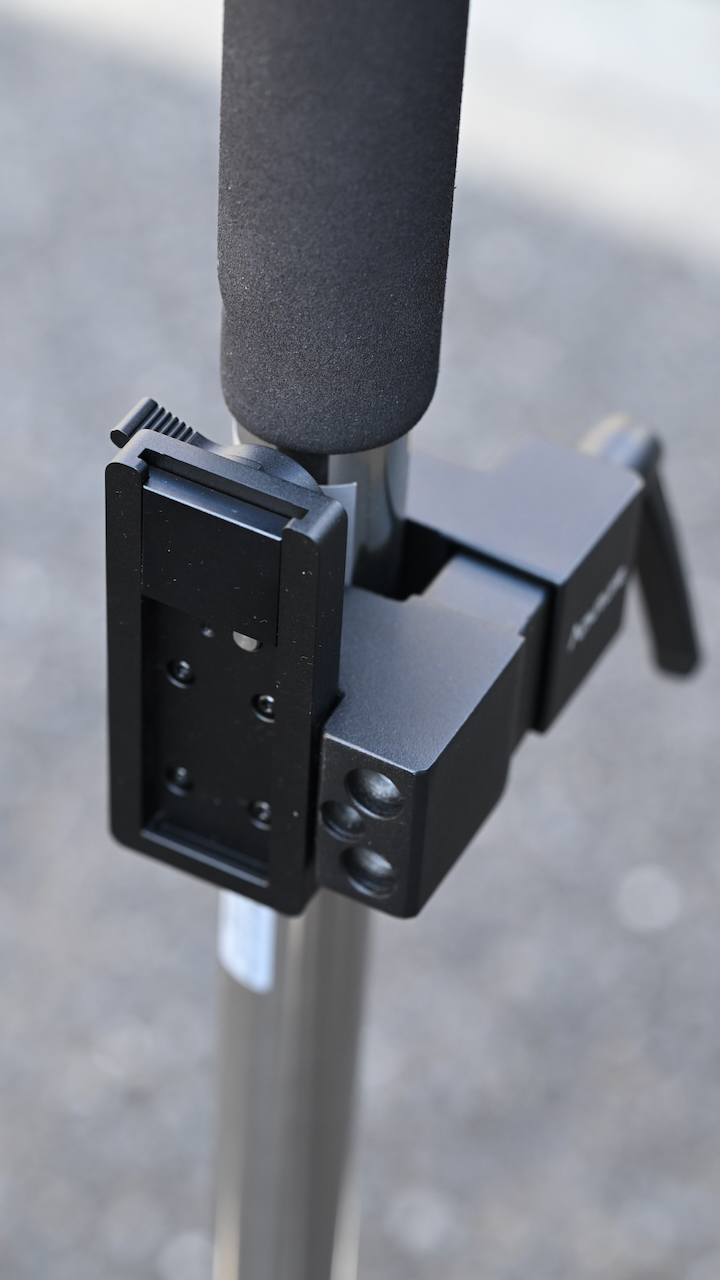
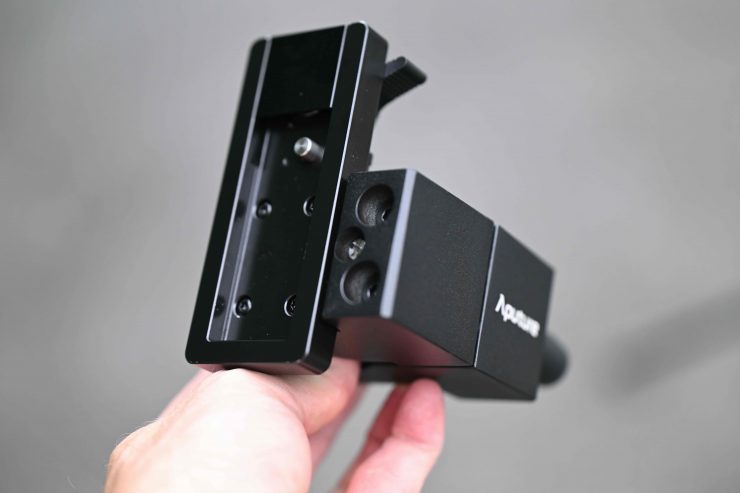
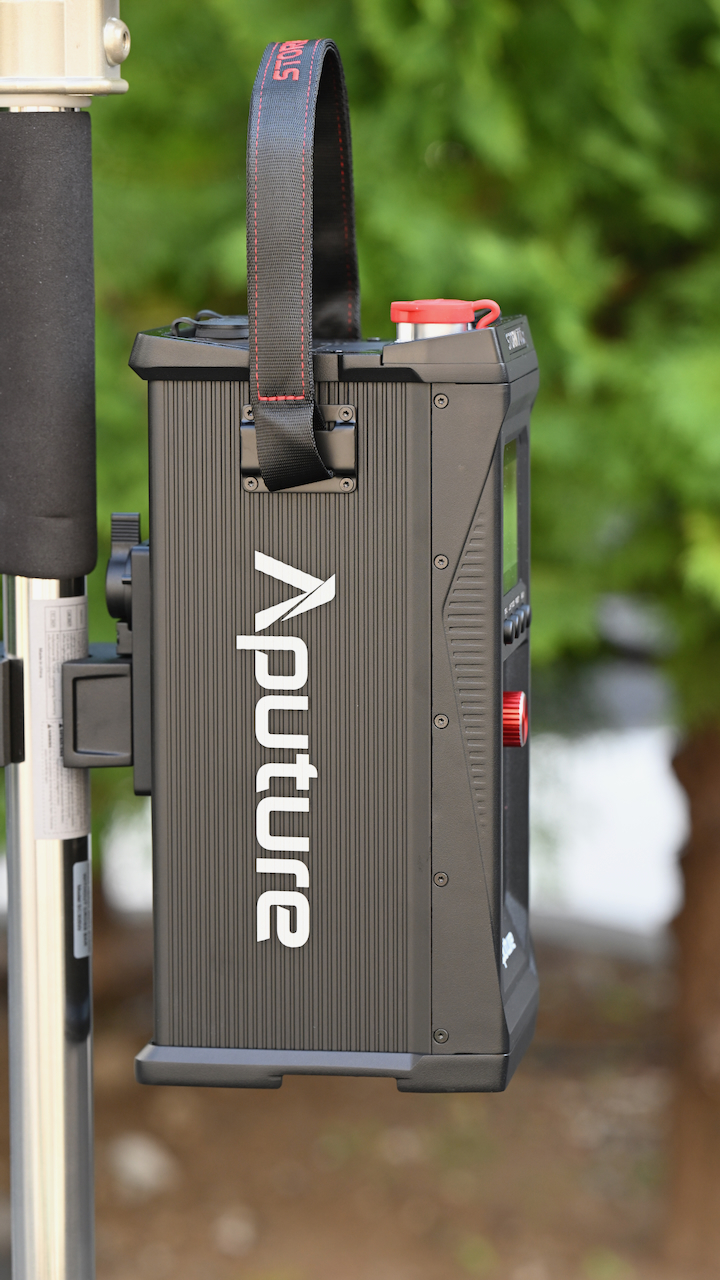
The STORM 700x comes with a mounting bracket in the kit that you can use to attach the power supply/controller to a light stand, etc.
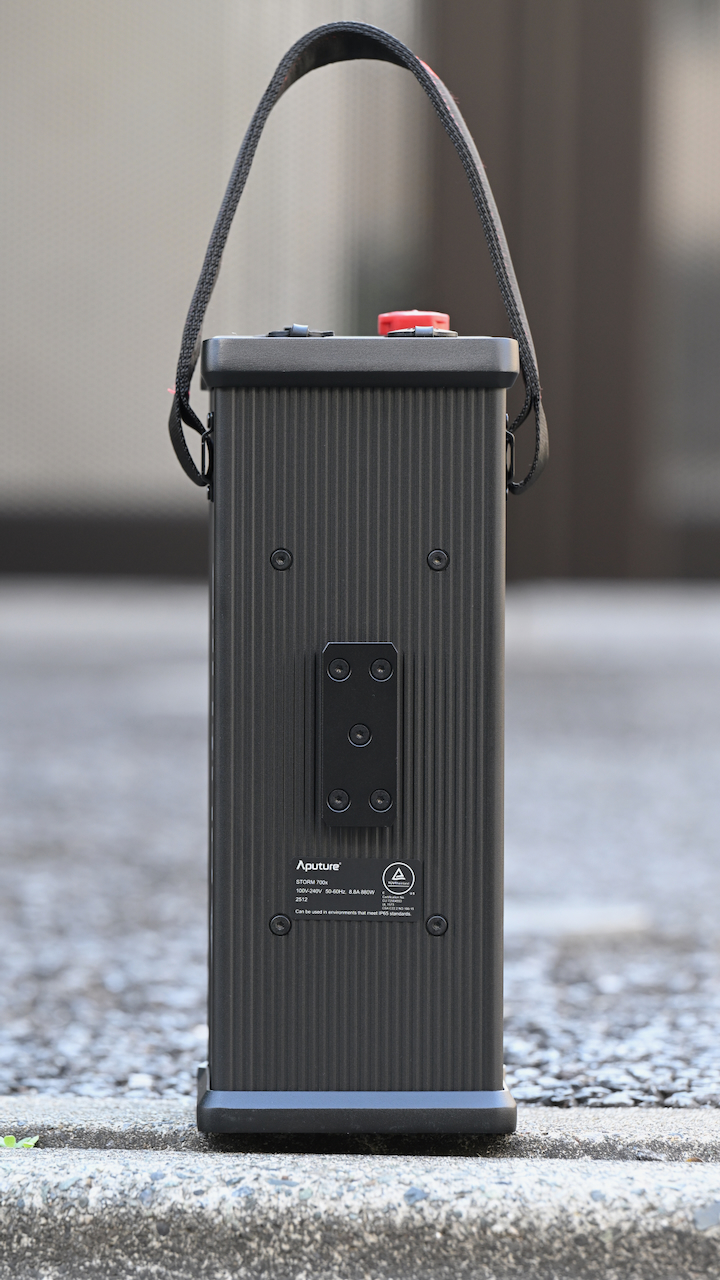
STORM 700x 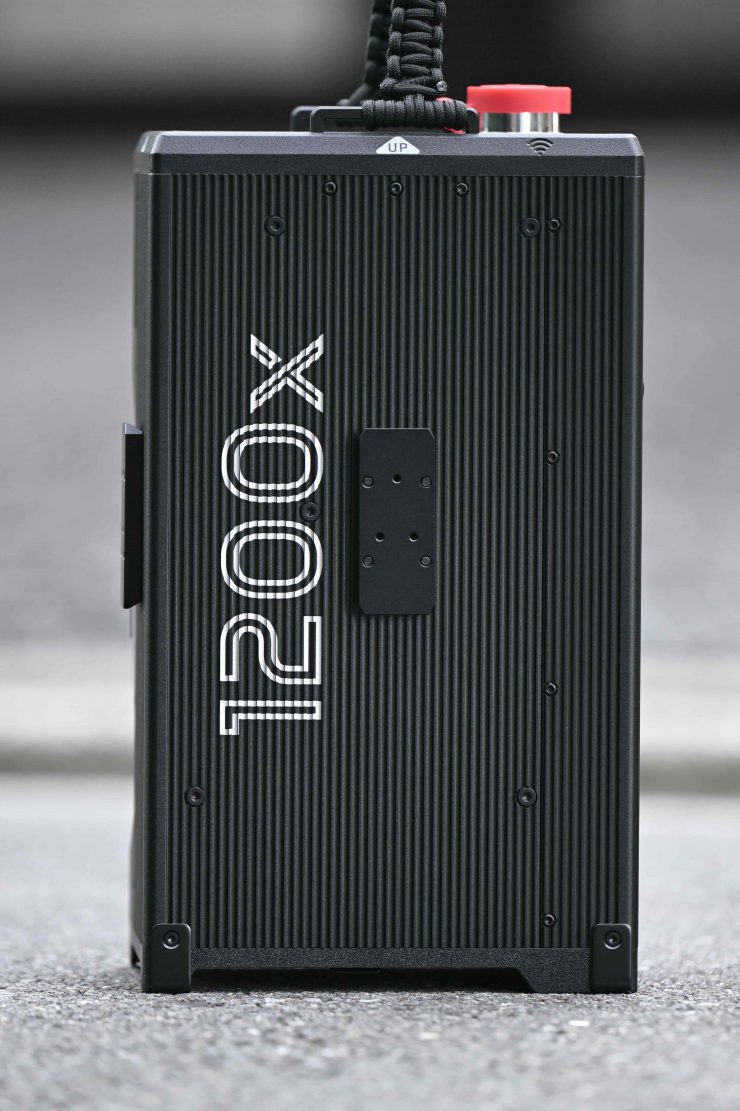
STORM 1200x 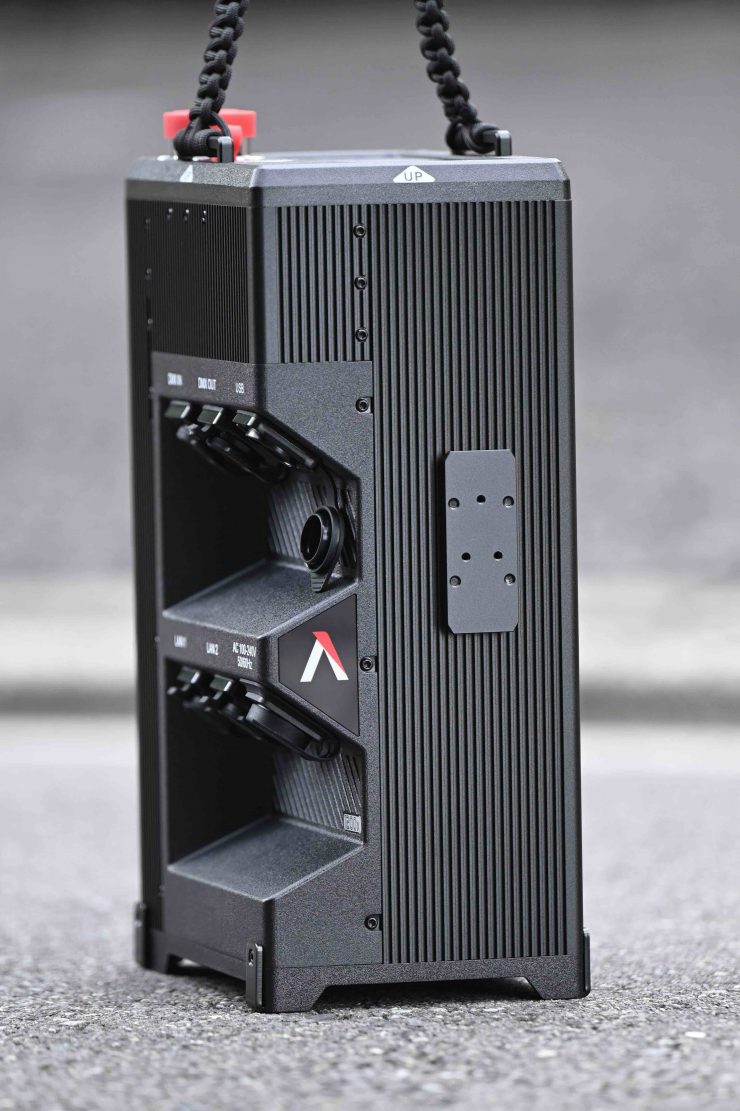
STORM 1200x
It utilizes a nice, quick-release mechanism. Unlike the larger STORM 1200x and 1000c, Aputure has only put one mounting plate on the power supply/controller.
ProLock Bowens-S Mount
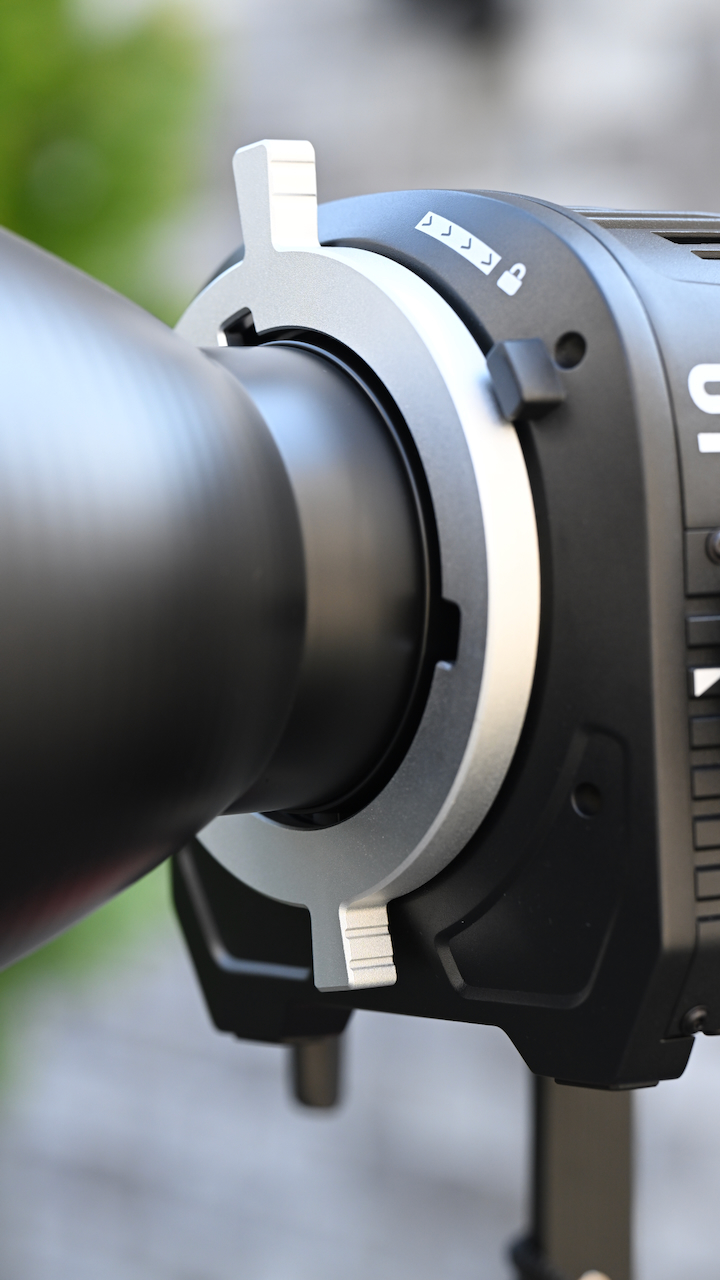
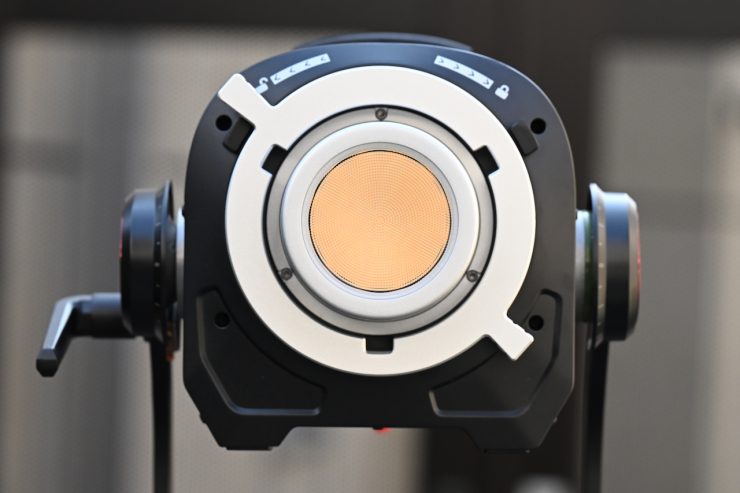
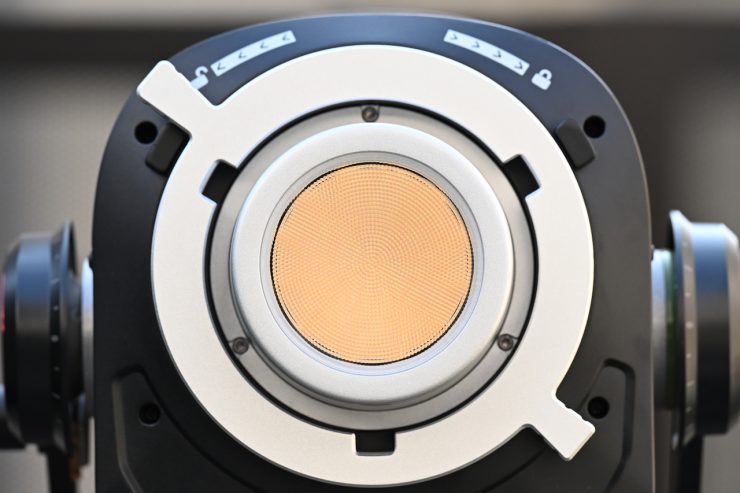
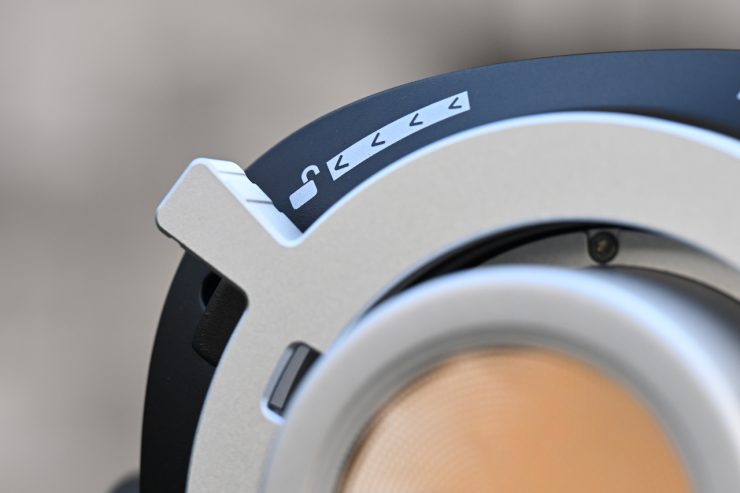
The STORM 700x features a positive locking clamp on the Bowens mount. This is a smart idea because a lot of standard Bowens mounts on competing fixtures leave a lot to be desired. The Bowens S-mount was never designed to take large and heavy Fresnels or the types of lighting modifiers that are now available.
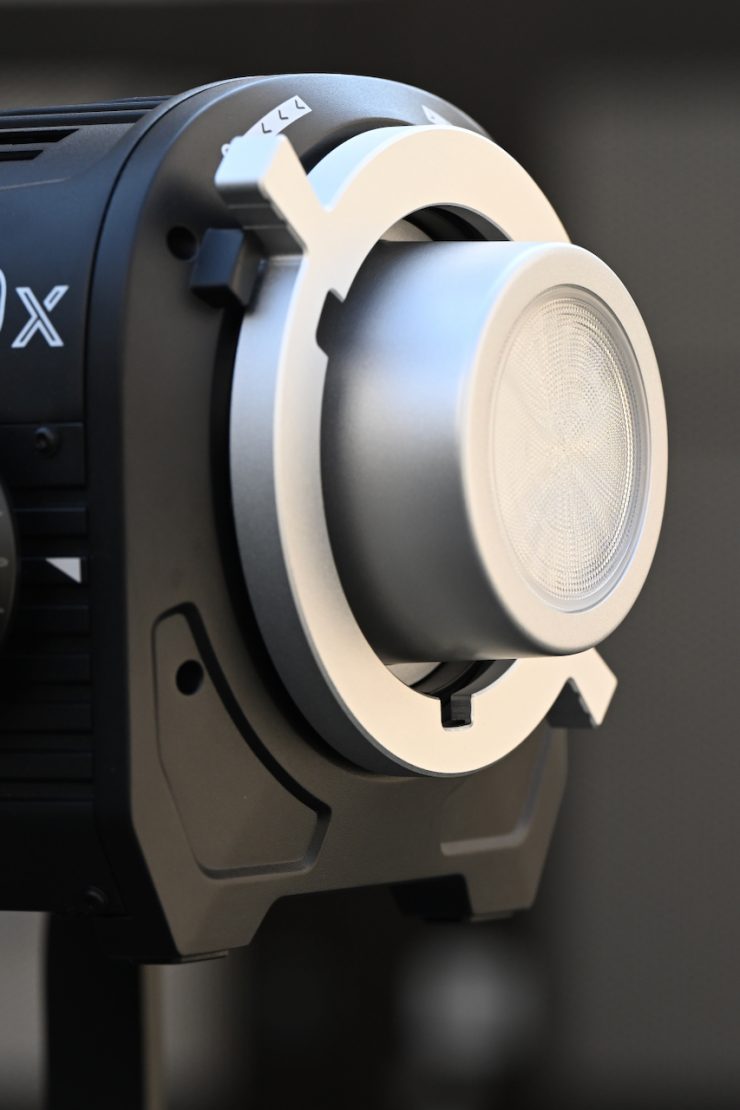
Aputure STORM 700x 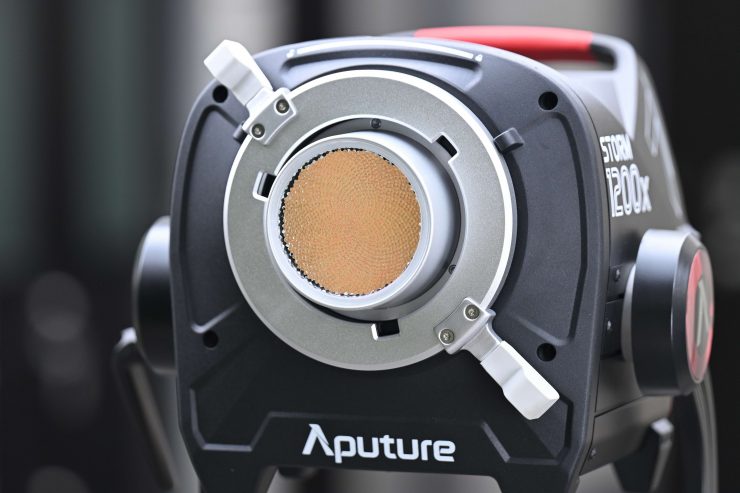
Aputure STORM 1200x 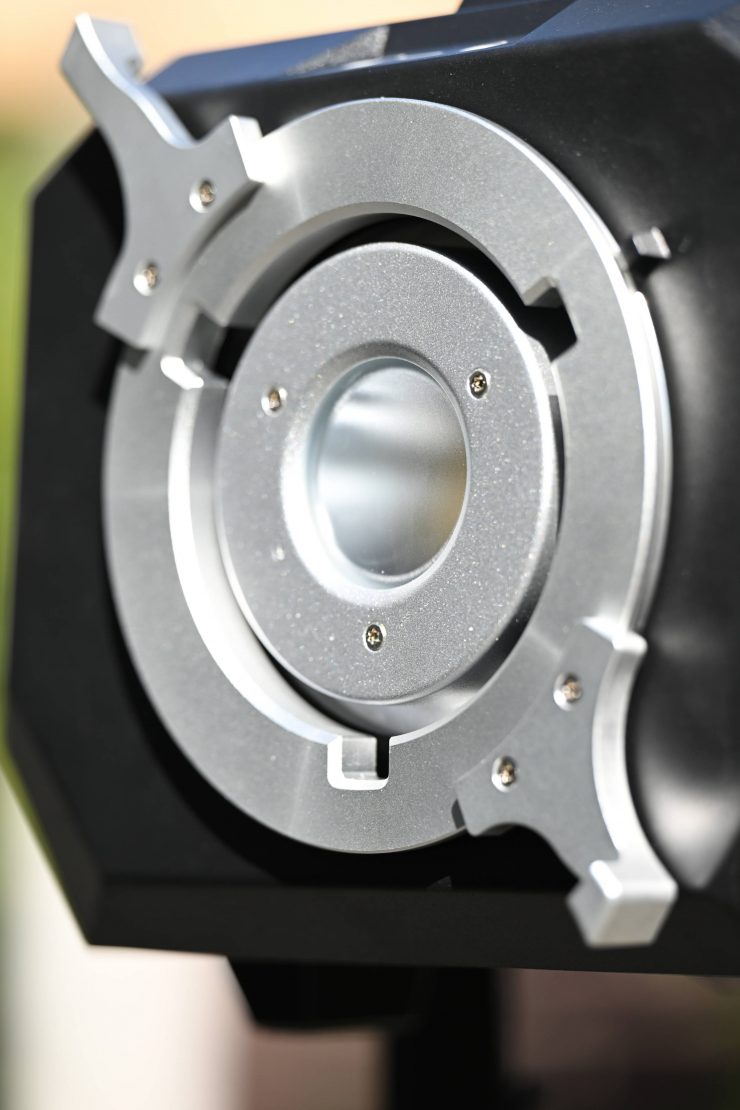
Prolycht Orion 675 FS
Again, this is a direct result of the Prolycht acquisition. The Prolycht Orion 675 FS featured a Prolock Locking Bowens Mount, and that technology has now found its way into an Aputure product.
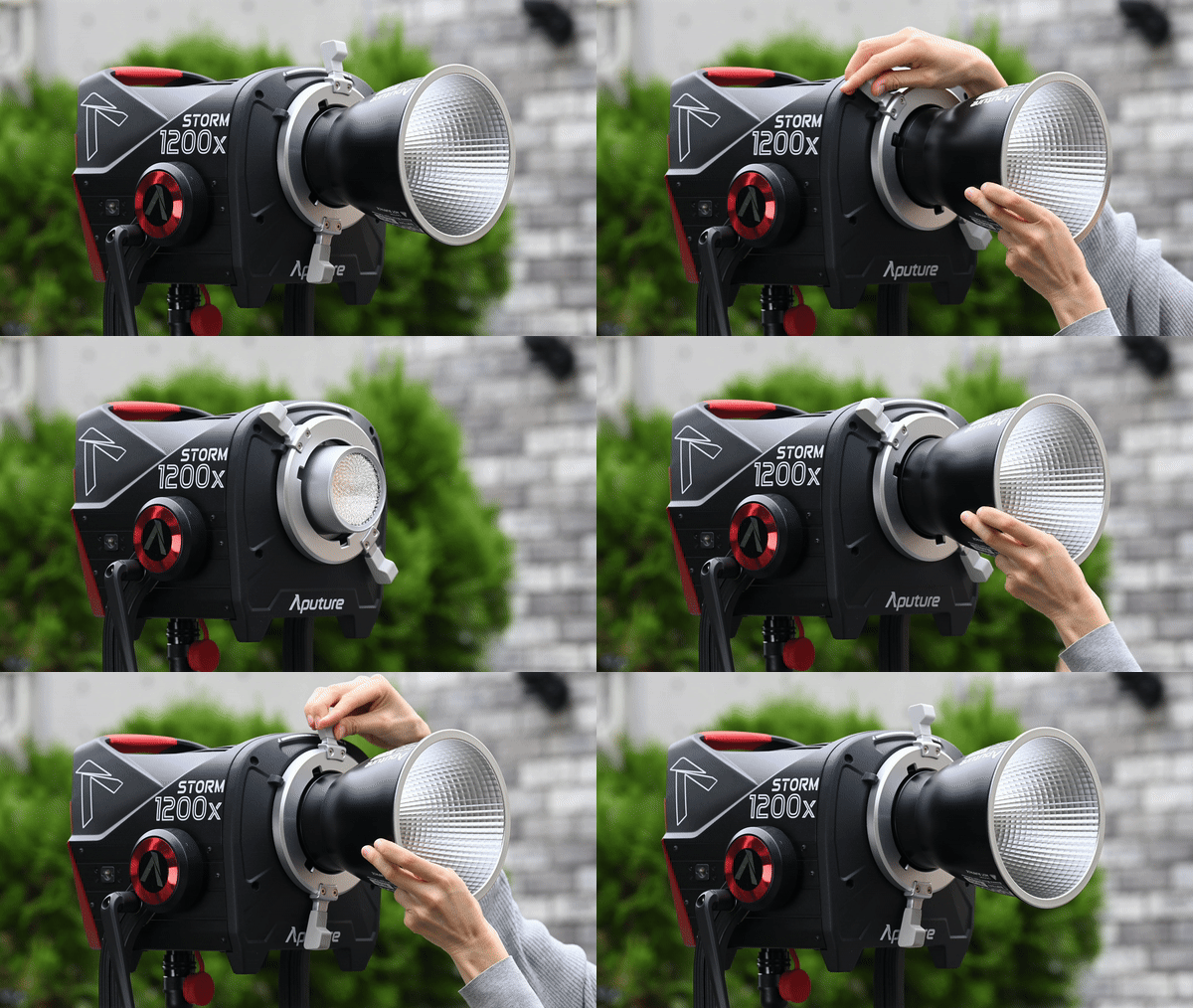
Essentially, the ProLock is like a PL mount for your light. It works in exactly the same way as a PL camera mount. It is made out of metal, and it is very strong. This allows you to put heavy lighting modifiers or a Fresnel on the STORM 700x without fear of anything breaking. Every time I put the F10 Fresnel on the Aputure LS 600c Pro, I worried that I was going to break the mount.
Once you lock in an accessory, it doesn’t move or wobble around like it would if you were using a standard Bowens mount. Having the ProLock also makes it far easier to attach and remove lighting modifiers.
The ProLock is a great feature, and it allows you to stick with a Bowens-S mount instead of going to a proprietary mount.
Power Draw
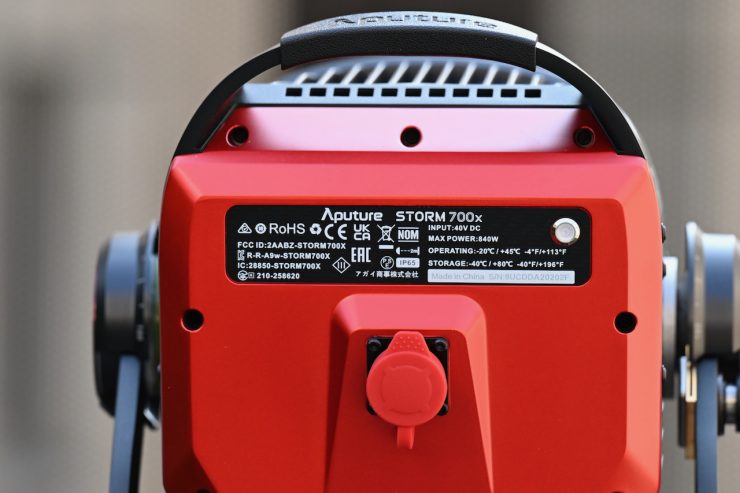
The Aputure STORM 700x draws 840W.
So, how does the power draw compare to other competing fixtures? Below you can see.
| Aputure STORM 700x | 840W |
| Profoto L600C | 690W |
| NANLUX Evoke 600C | 600W |
| Kelvin Epos 600 | 600W (nominal) 720W (rated) |
| Prolycht Orion 675 FS | 675W |
| Aputure LS 600c Pro II | 720W |
| Aputure STORM 400X | 500W |
| ARRI Orbiter | 500W |
| Aputure LS 600x Pro | 720W |
| Aputure LS 600d Pro | 720W |
| Nanlite Forza 720B | 800W |
| Nanlite FC500C | 500W |
| Falcon Eyes S600CPro | 600W |
| Godox LITEMONS LA600R | 600W |
| COLBOR CL600R | 600W |
| HIVE LIGHTING Super Hornet 575-C | 600W |
As you can see, the power draw of most of these lights is fairly similar, but the STORM 700x has the highest power draw out of any of them.
There isn’t any 48V DC input, so you can’t power it remotely from block batteries, etc. This does arguably put it at a slight disadvantage if you need to power a fixture remotely in the field. In saying that, most people are just using portable battery solutions from companies such as BLUETI, DJI, Jackery, etc., as they are more affordable.
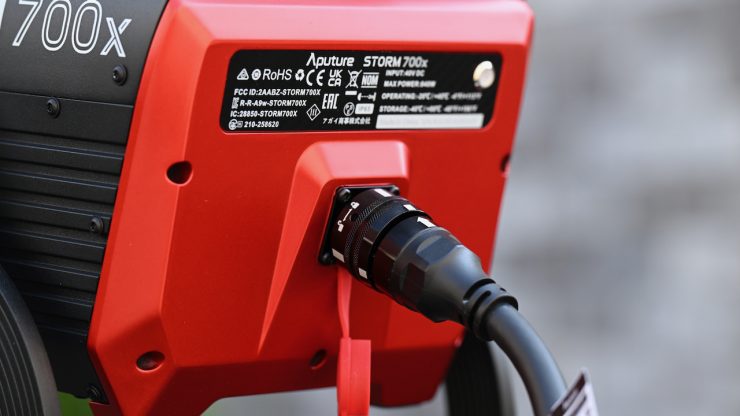
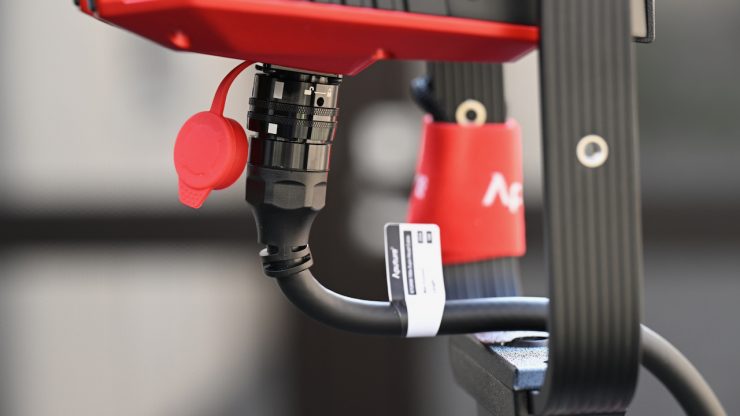
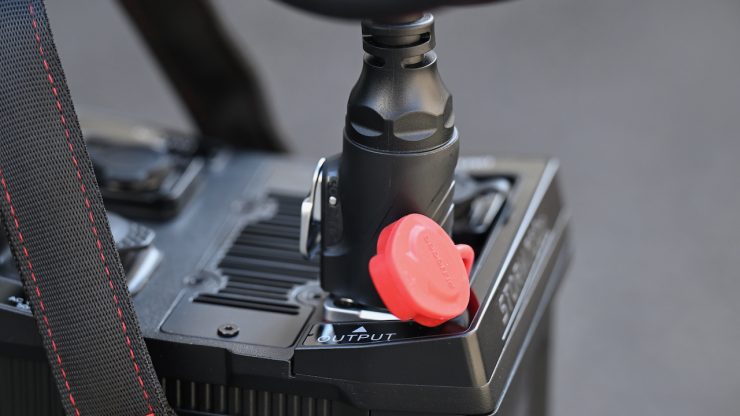
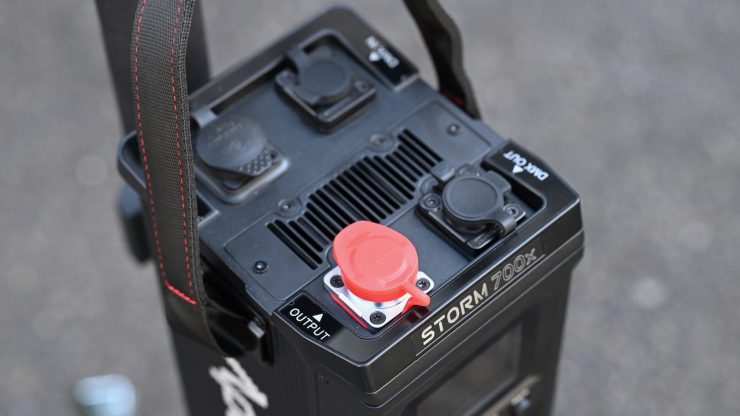
The Aputure STORM 700x can be powered via 100 to 240V AC power. The light’s AC power is supplied through a powerCON TRUE1 TOP connector, which provides a good level of water resistance.
How does it stay cool?
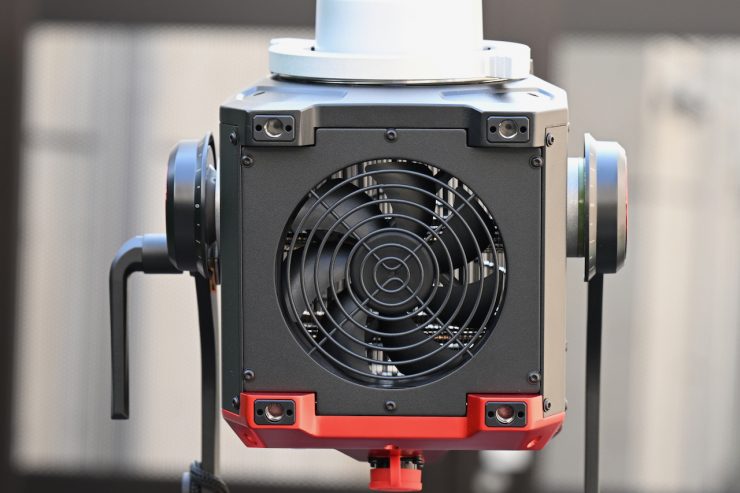
Large, high-powered COB lights get very hot, and keeping them cool is not an easy task. Using fans is the best solution, but the caveat with fans is that they can create noise.
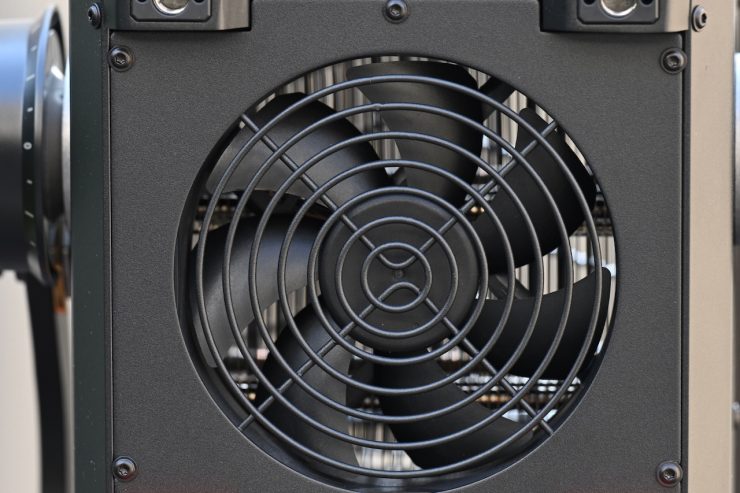
The STORM 700x utilizes a fan in both the light head and the power supply/controller. There is one large fan in the light head.
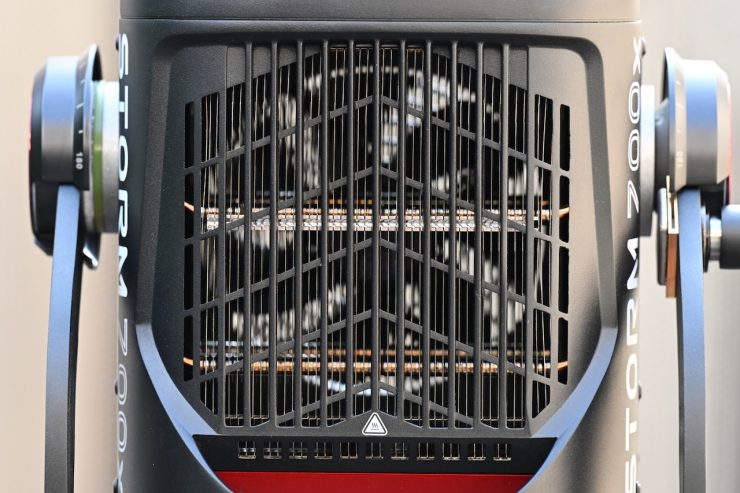
There are also large heatsinks on the top of the fixture.
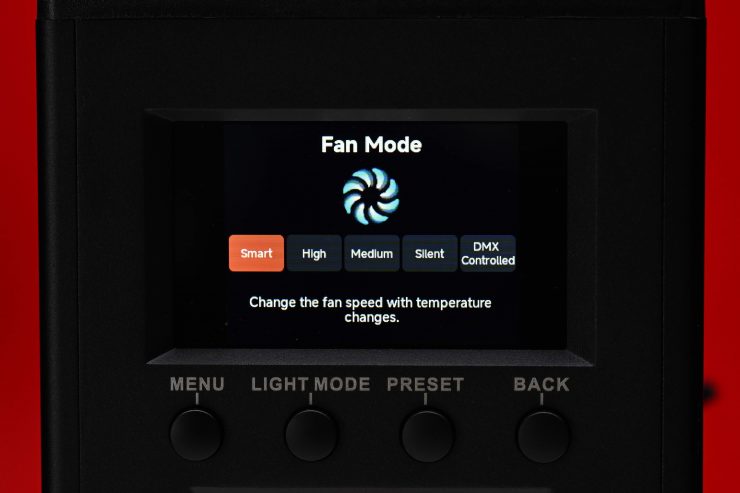
Aputure has included 5 Fan Modes:
- Smart
- High
- Medium
- Silent
- DMX Controlled
In the System Settings Fan Mode, and rotate the Select Wheel and then press to choose between Smart, High, Medium, Silent, and DMX Controlled Fan Modes.
When using the DMX Controlled Fan Mode, the options for the Fan are:
- Smart: able to work in -20°C/-4ºF through 45°C/113ºF environment, the lamp will automatically adjust the fan speed according to different ambient temperatures.
- Max: able to work in -20°C/-4ºF through 45°C/113ºF environment, fan will maintain its highest speed. In High-Speed Mode, the fan uses the Max Fan setting.
- Medium: Capable of working in -20°C/-4ºF through 35°C/95ºF environments, the fan uses a medium speed. Medium is the slowest speed possible for Maximum Output.
- Silent: When working in an environment of -20ºC/-4ºF through 45ºC/113ºF, the fan stays OFF, but the output of the lamp is limited to 75W. See the STORM 700x DMX Chart for details.
- DMX Controlled: Fan listens to the settings sent by the lighting console. See the STORM 700x DMX Chart for details
If you choose Smart mode, the fan speed changes depending on the temperature of the unit.
In High mode, the fans run at their maximum speed. Aputure recommends that you turn this mode on if the ambient temperature exceeds 40° C.
If you choose Medium mode, the fans run at relatively low speeds. Aputure recommends this mode when the ambient temperature is under 35° C. If the temperature exceeds 35° C, it may cause the over-temperature protection to kick in.
In Silent mode, the fans run at their lowest levels, and the total output is reduced.
I was interested to see how loud the fan noise is, as on some previous Aputure fixtures, I found the fan noise to be pretty loud.
Now, I personally found the fan noise to be ok considering the size and output of the fixture. If you are outdoors, I don’t think you will hear it, but if you are in a super quiet room, then you may hear it depending on where it is placed.
In the High Mode, the fan noise is quite a bit louder than in the other modes.
The Medium and Smart modes are certainly a bit quieter than the High mode, but sound recordists may have an issue with it if you are using it indoors and the fixture is placed pretty close to where critical audio needs to be recorded. In saying that, given the light’s high output, if you are indoors and have it fairly close to your talent, you are probably going to be running it at under 15%.
Beam Angle
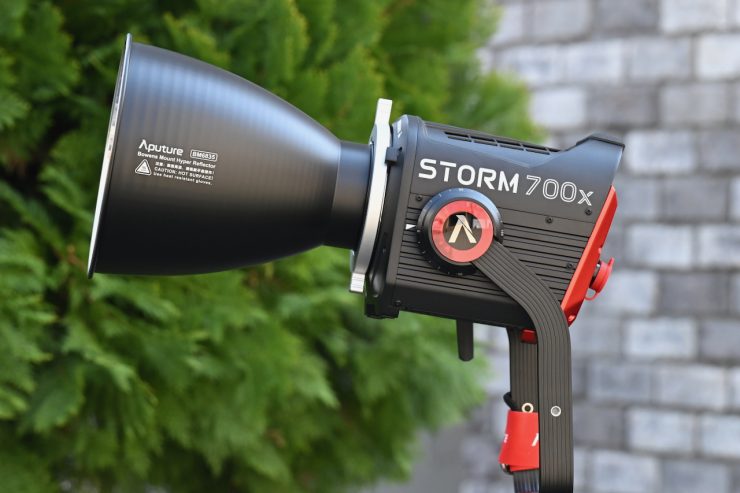
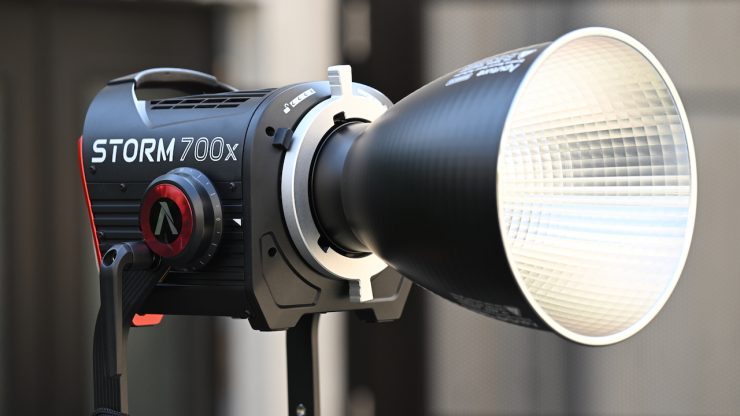
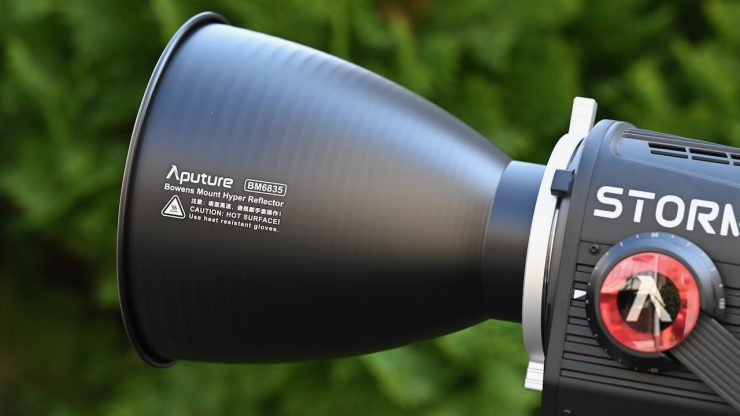
The native COB beam angle of the STORM 700x is 58º. With its included reflector, it is 35º.
As a comparison, the native beam angle of the NANLUX Evokle 600C when used open face is 65°. When you use it with its included reflector, the beam angle is 25°.
As another comparison, the native beam angle when the Profoto L600C is used open face is 65°. With its MaxiZoom Reflector, it is 25°.
58° is a little bit narrower compared to some of the competition.
Controls & Menu System
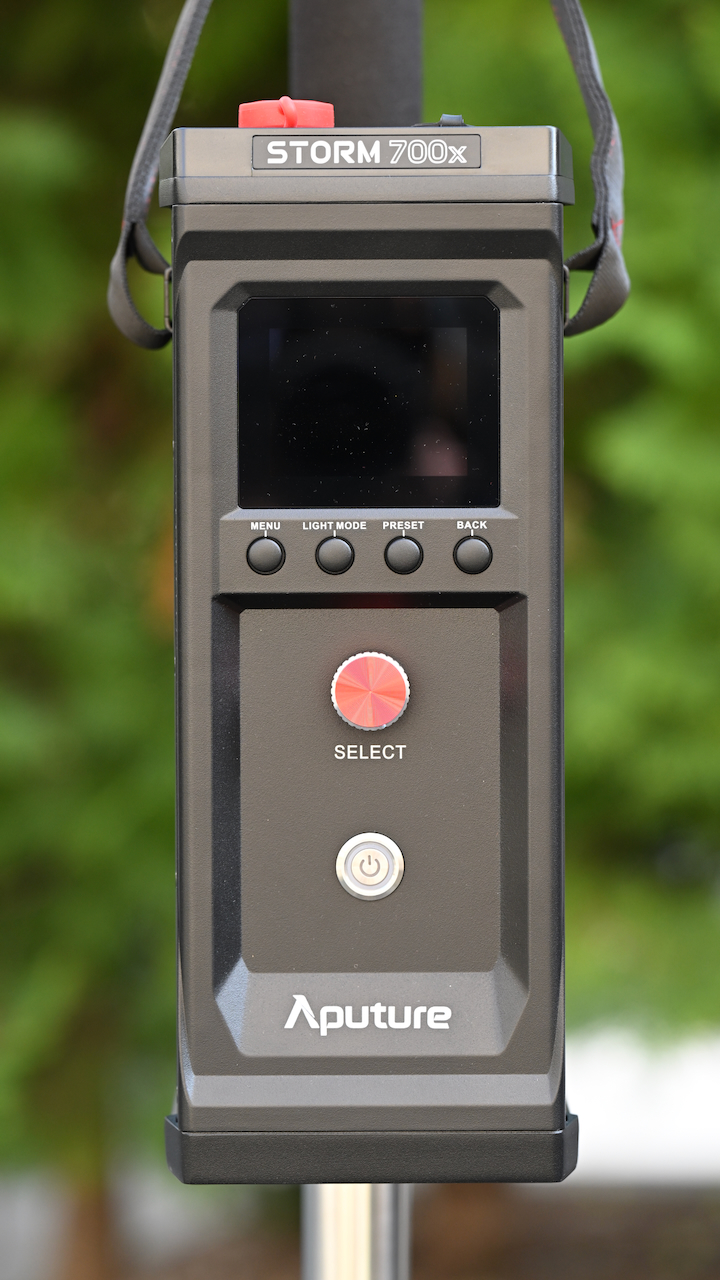
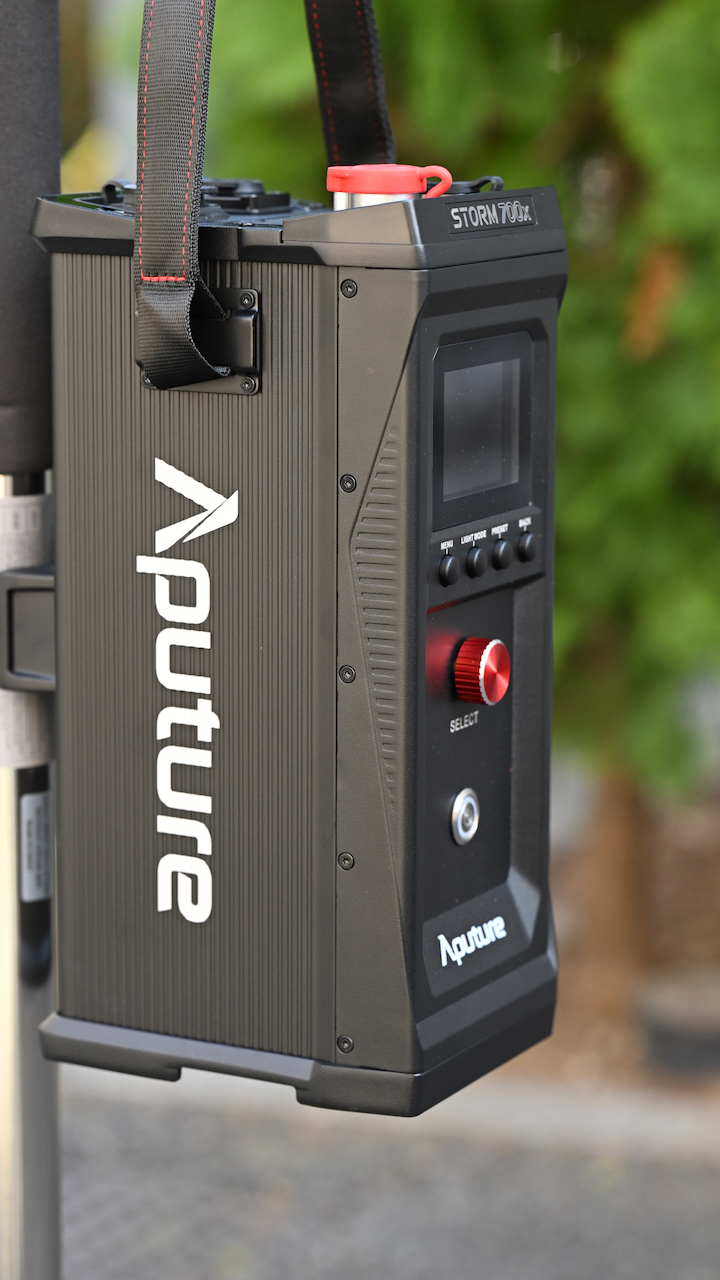
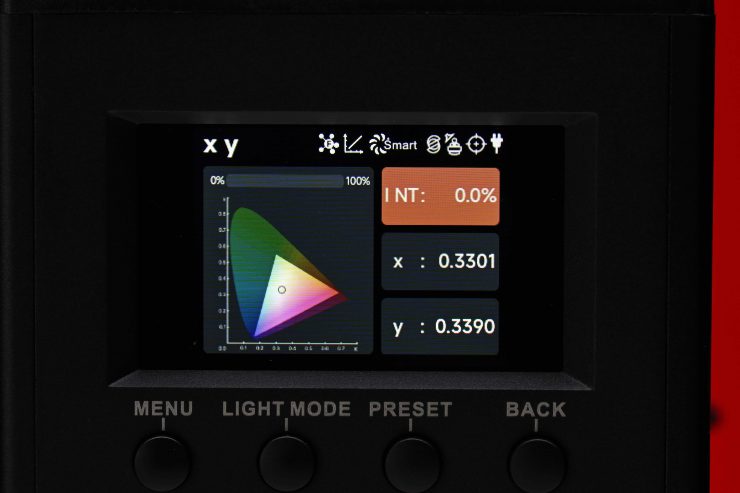
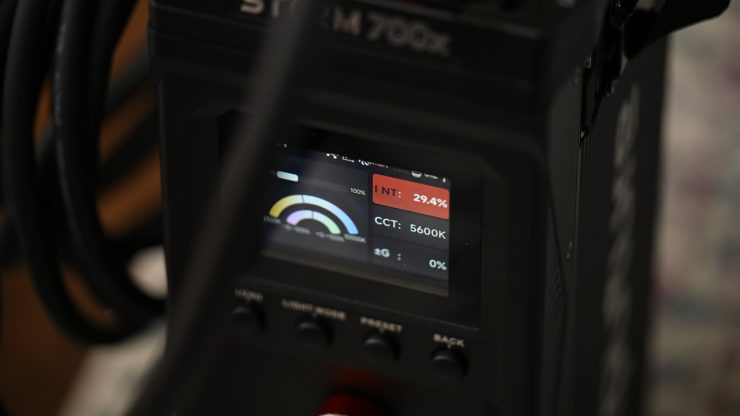
The Aputure STORM 700x has a reasonably large LCD screen on the power supply controller that clearly shows you information about the light. While it is not a touchscreen, it is still pretty quick to access all the available lighting modes and make changes. It is an easy interface to use.
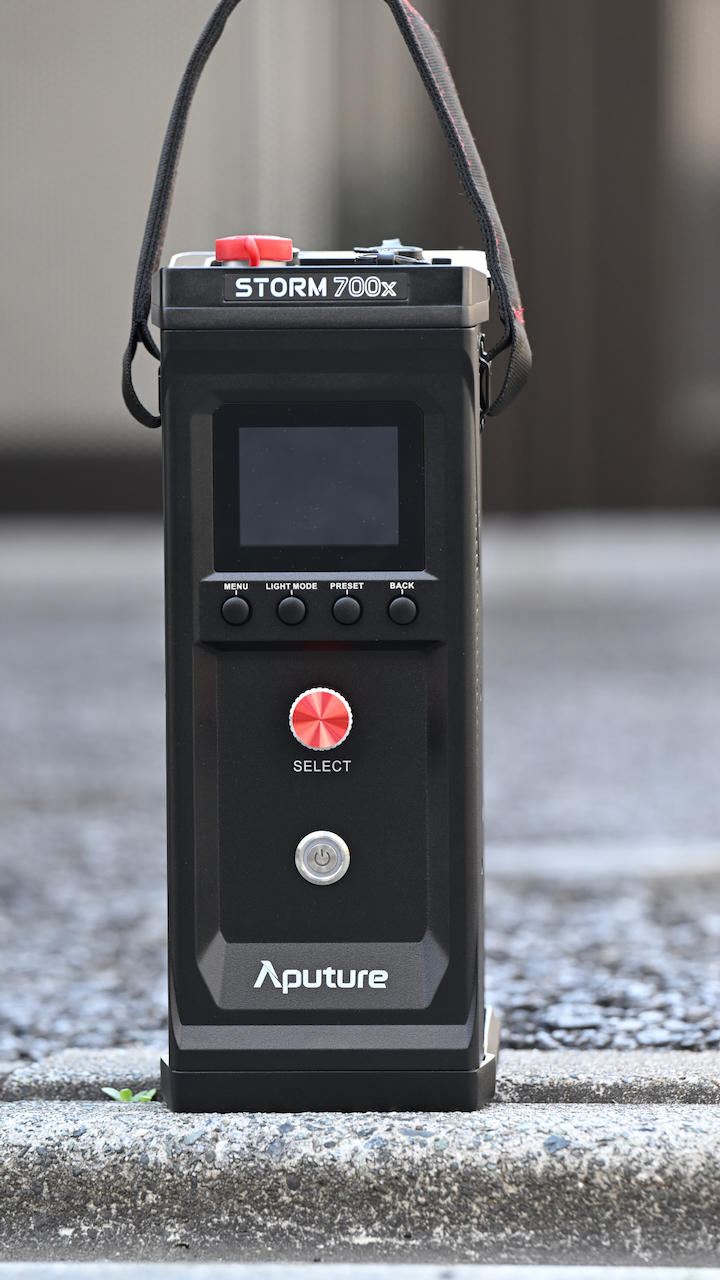
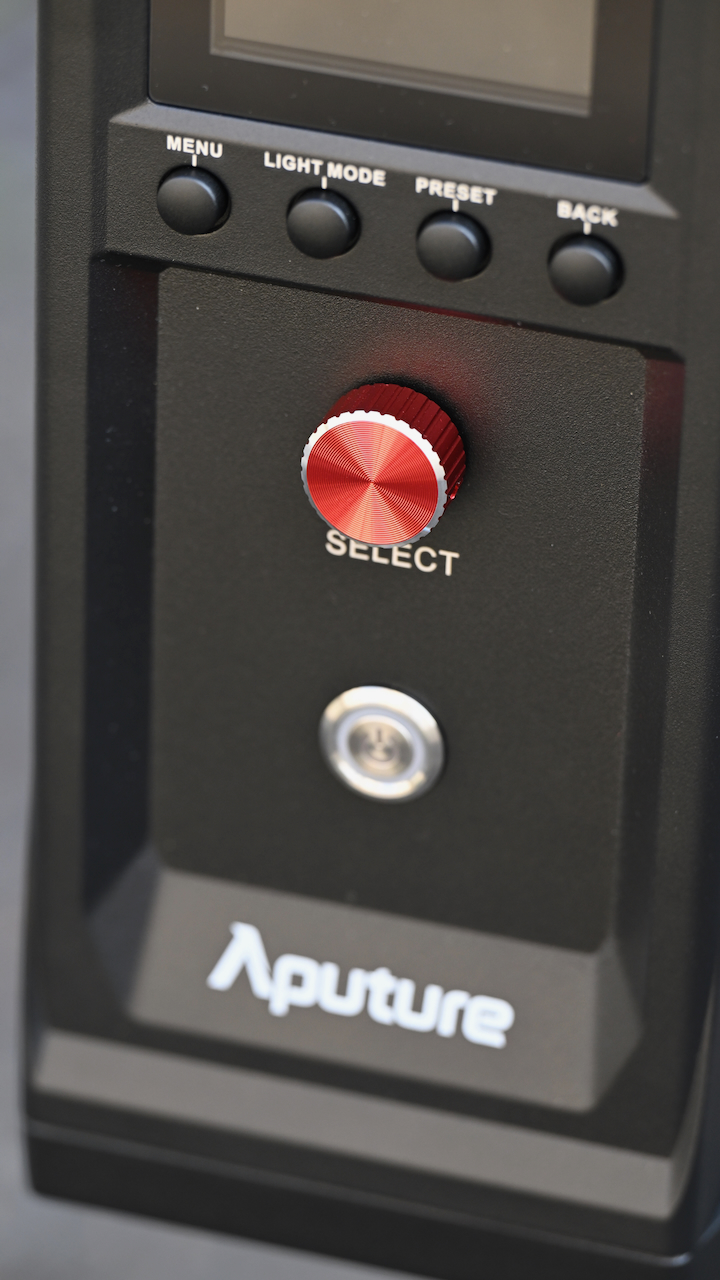
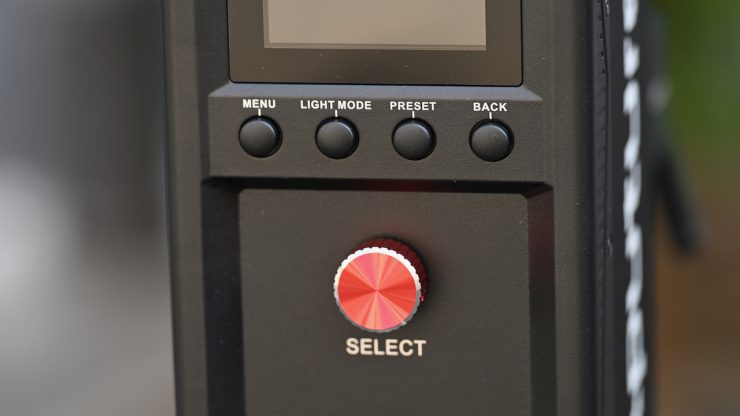
The screen is flat and located on the front of the power supply/controller, which can make it hard to see if it’s not mounted quite high on a light stand. Arguably, you could make a case that the light was primarily designed to be controlled through the Sidus Link App, Sidus Link Pro App, DMX/RDM, CRMX, and etherCON rather than directly from the power supply/controller, and that is why the screen is where it is.
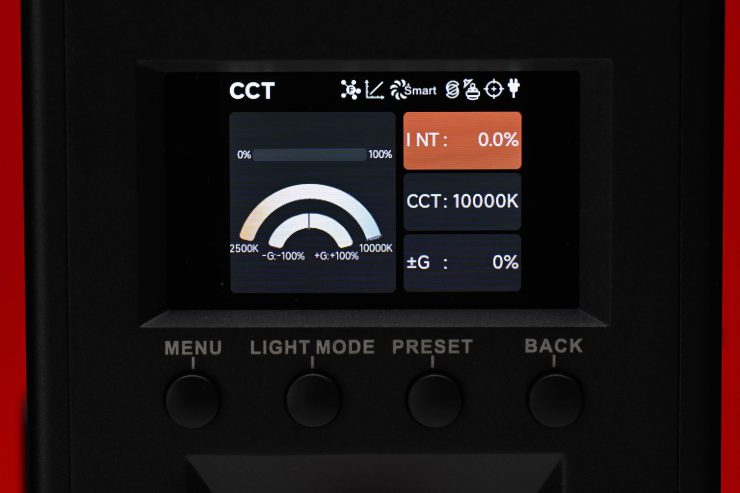
The design of the interface is the same across all of the larger STORM x and STORM c. Users who are familiar with Aputure operating systems will be right at home.
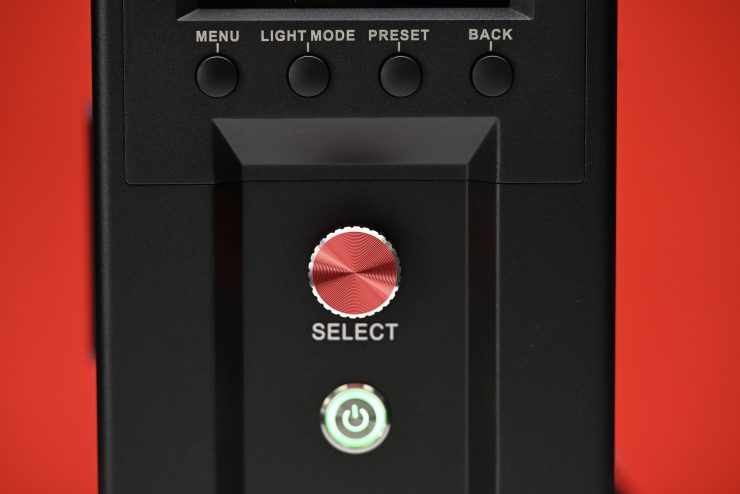
There are four buttons, a Select dial, and a power on/off switch on the power supply/controller.
With a good light, you shouldn’t have to read a manual to work out how to operate it. You should be able to turn it on and use it straight away. You won’t find any deep sub-menus or complicated way of making changes on the STORM 700x. It was designed to be simplistic and easy to operate.
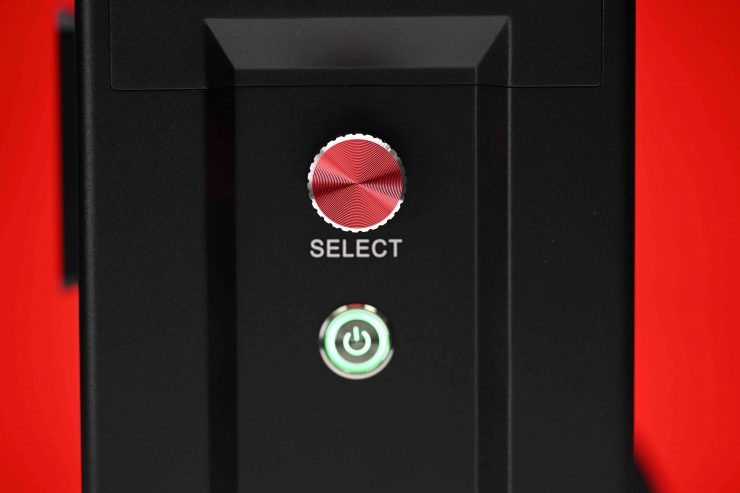
The Select dial that you use to control the light is very tactile, and this allows you to make precise adjustments.
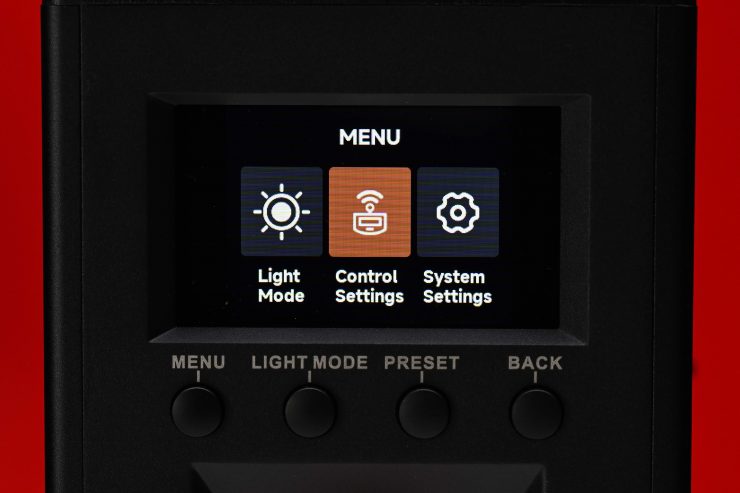
In the main Menu, there are three different sub-categories:
- Light Mode
- Control Settings
- System Settings
Light Mode
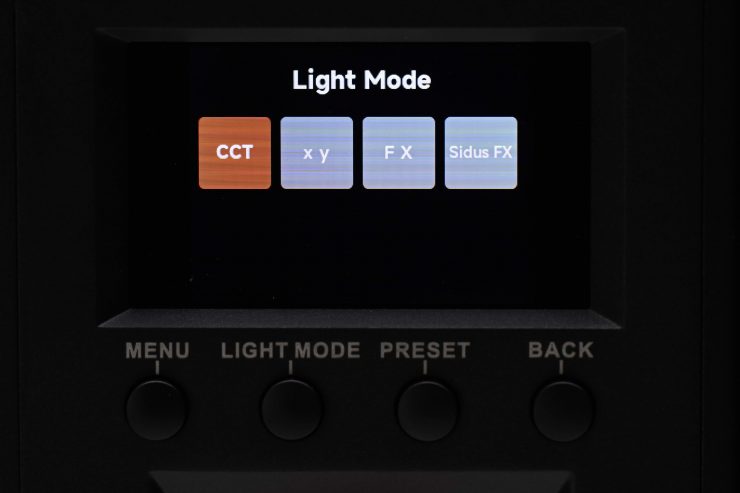
Light Mode just takes you to the page where you can choose between the four different operating modes that I will talk about a bit later.
Control Settings

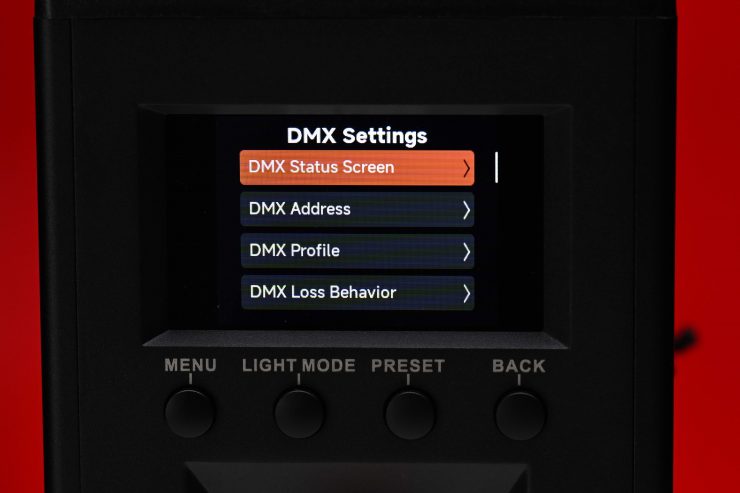
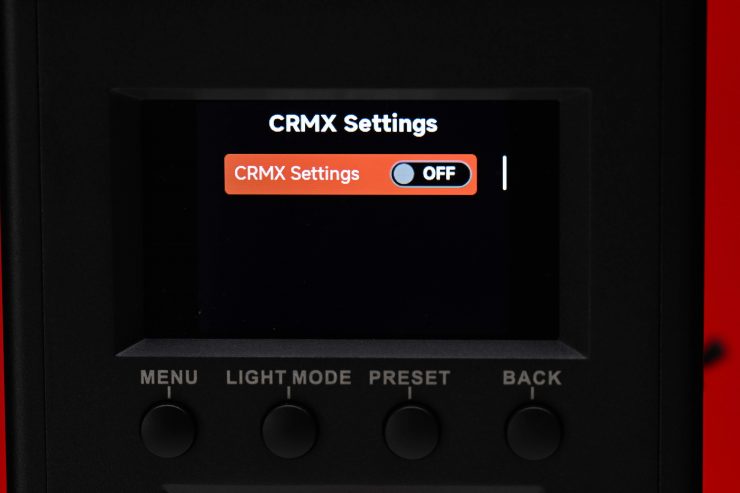
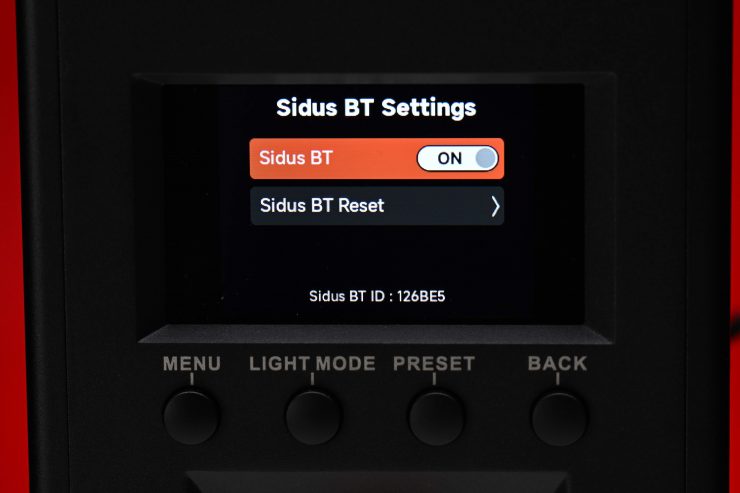
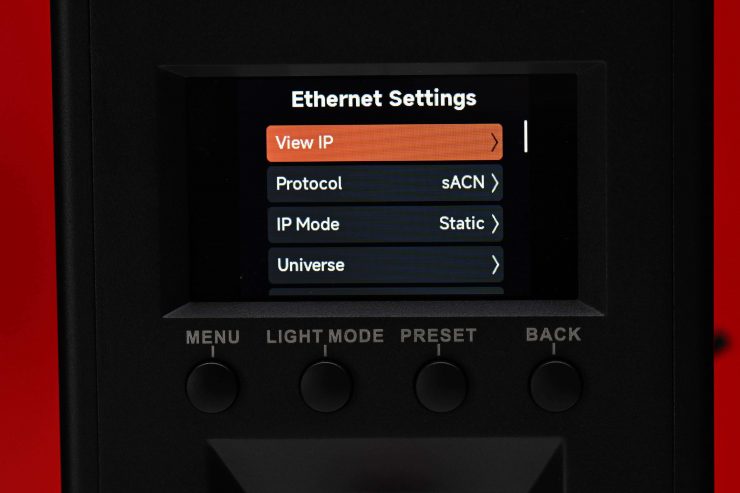
In Control Settings, you can access the following:
- DMX Settings
- CRMX Settings
- Sidus BT Settings
- Ethernet Settings
System Settings
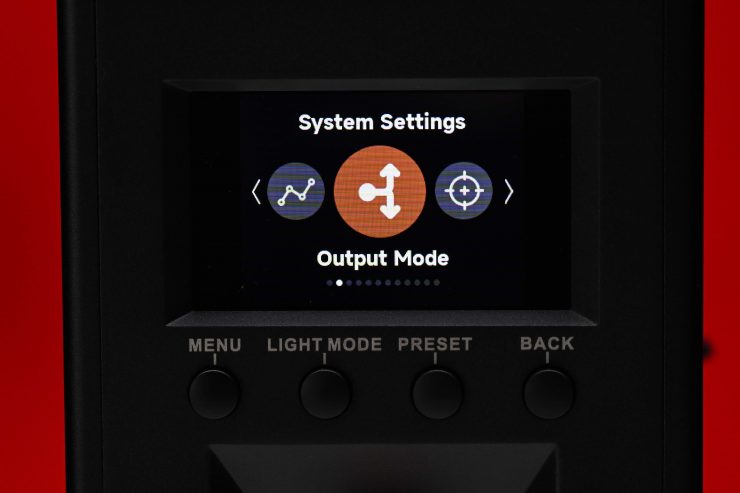
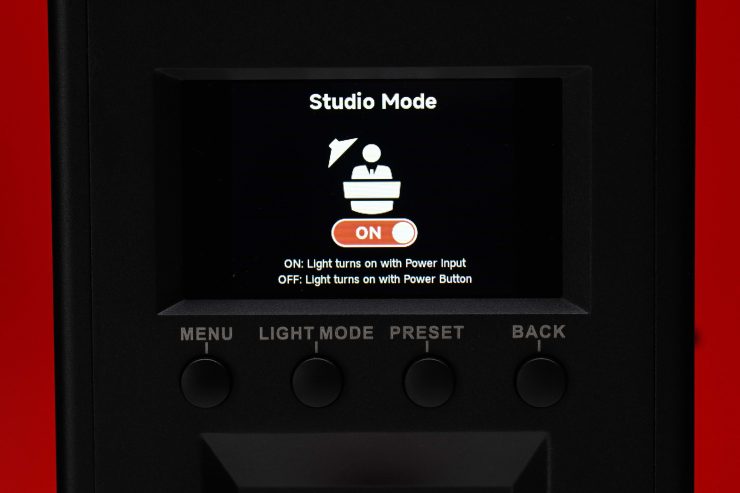
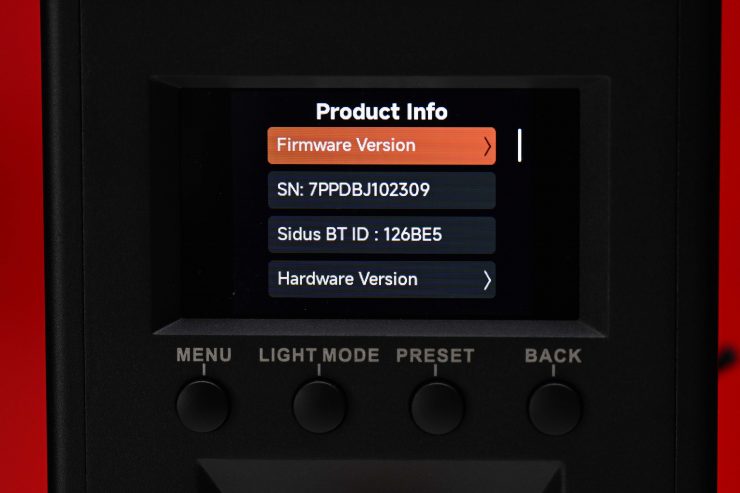
In System Settings you can adjust and change the following:
- Dimming Curves
- Output Mode
- White Light Standard
- Lead / Follow Mode
- High-Speed Mode
- Fan Mode
- Studio Mode
- Screensaver
- Language
- Product Info
- Update Firmware
- Factory Reset
Dimming Curves
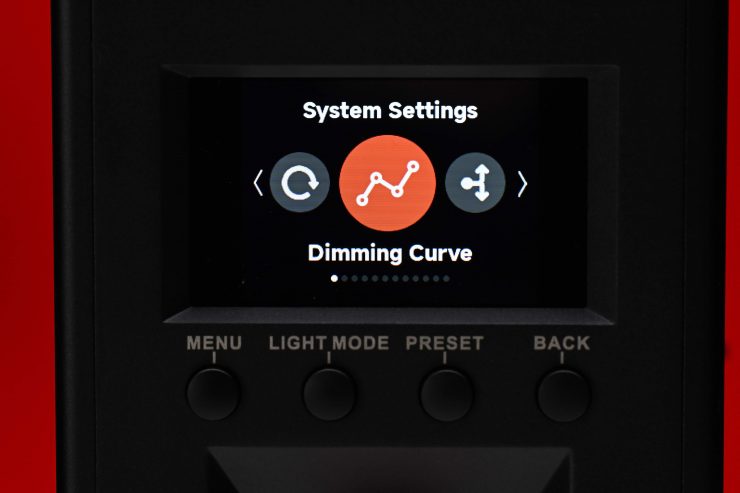
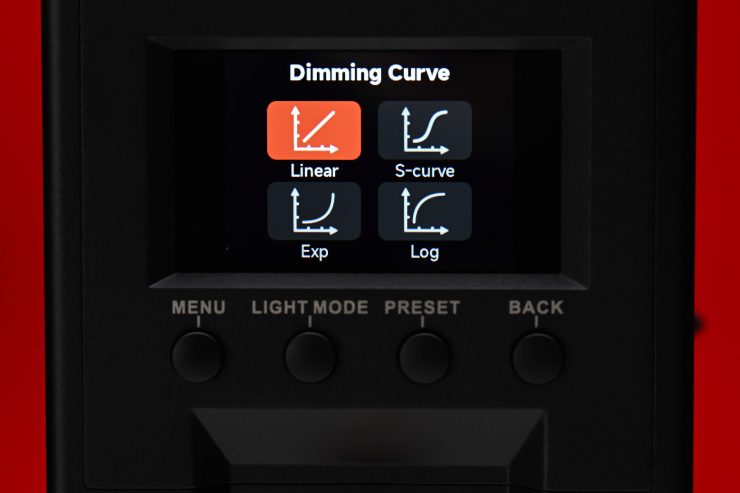
In Dimming Curves, you can choose from:
- Linear
- S-Curve
- Exponential
- Log
The light will dim right down to 0.1%, which is certainly handy, but realistically, I don’t know how many people will actually run a fixture with this power raw and output at 0.1%.
Output Mode
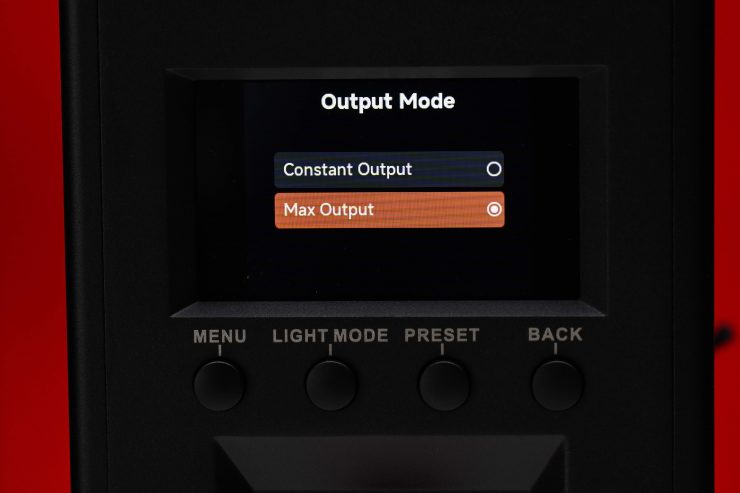
The light has two Output Modes:
- Constant Output
- Max. Output
In Constant Output, the fixture should produce a fairly similar output regardless of the CCT setting. I will test this out later in the review.
In Max. Output the light will produce the maximum amount of output that is possible at various CCT settings.
White Light Standard

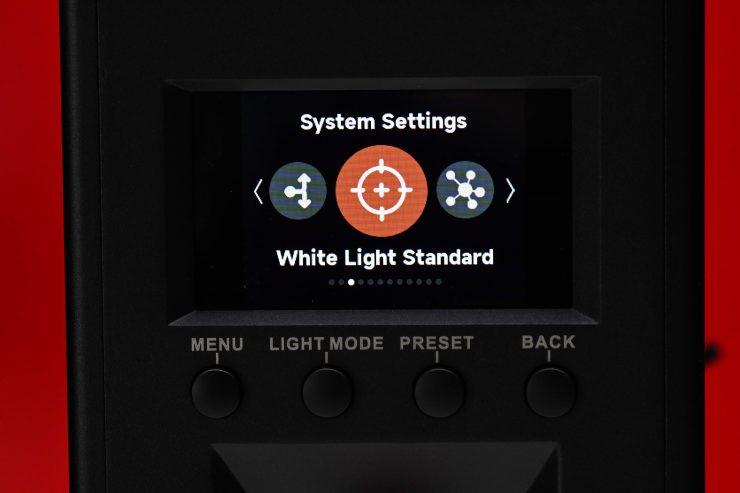
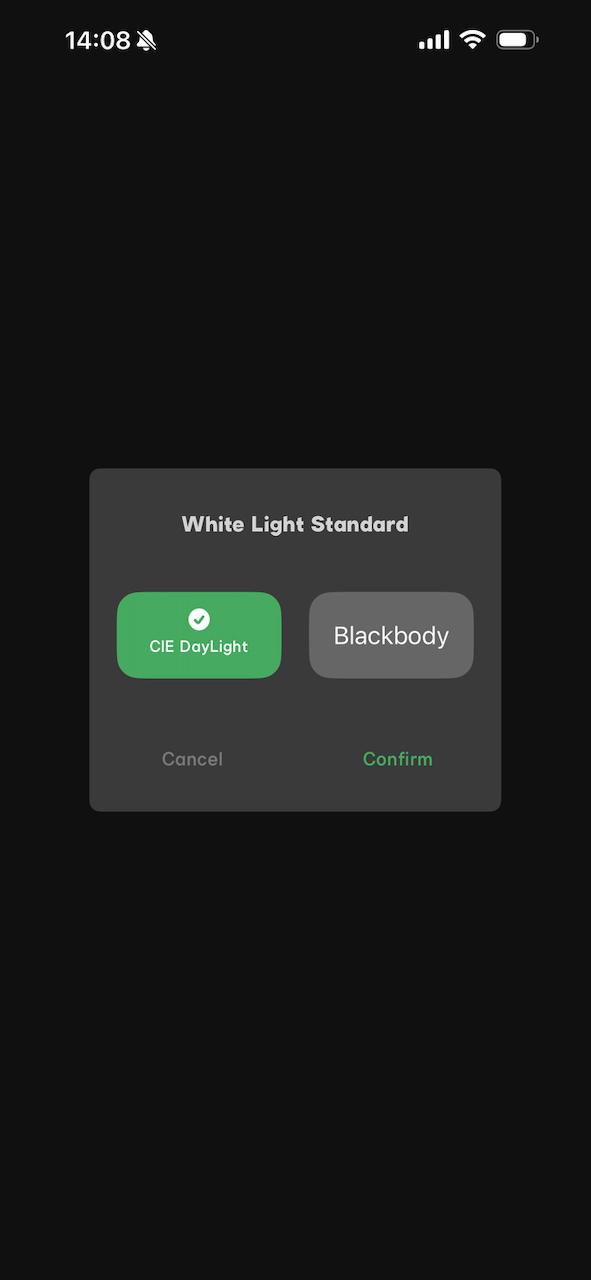
In White Light Standard, you can choose from CIE Daylight or Blackbody.
Blackbody follows the Blackbody curve.
CIE Daylight follows the Blackbody curve up to 4000K, then it transitions from the Blackbody curve to the Daylight curve from 4000-5000K, then follows the Daylight curve from 5000K up. This is the CIE standard as defined by TM30.
Lead / Follow Mode
This allows you to set the fixture as either the leader or place it in Follow Mode when using DMX/RDM, CRMX, etc.
High-Speed Mode
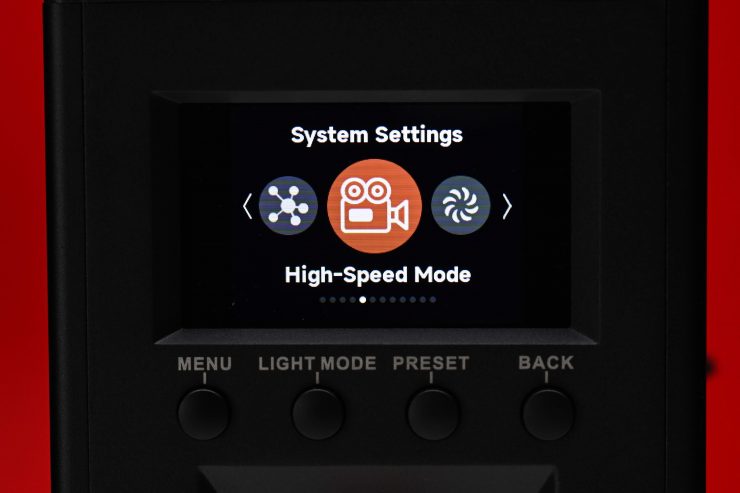
With the High-Speed Mode on, it limits the dimming capabilities of the light to prevent flicker at high frame rates. What is interesting, and Aputure doesn’t advertise this, is that the High-Speed Mode can also act as a ‘boost mode’, with the light getting almost a full stop brighter when it is turned on. Aputure publishes its max output levels based on the regular mode, but you can actually make the STORM 700x brighter if the High-Speed Mode is set to on.
The High-Speed Mode is available in CCT only, and it allows for dimming from 100-40%.
Fan Mode
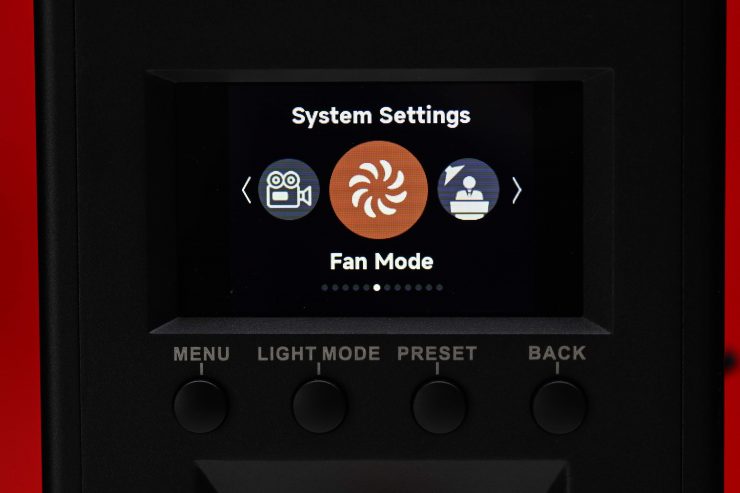
As I mentioned earlier in the review, there are 5 different fan settings you can choose from.
- Smart
- High
- Medium
- Silent
- DMX Controlled
Presets
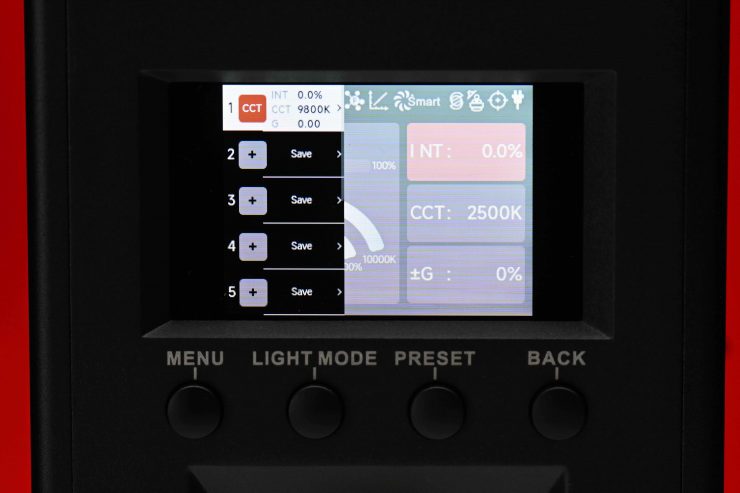
To recall a preset, you simply press the Preset button, and you will see all of your saved settings. What is nice is that each preset tells you exactly what it is, so you can recall them quickly and easily. The preset will actually even save the exact intensity you had the light set at. For repeat lighting scenarios, this is extremely handy.
Operating Modes
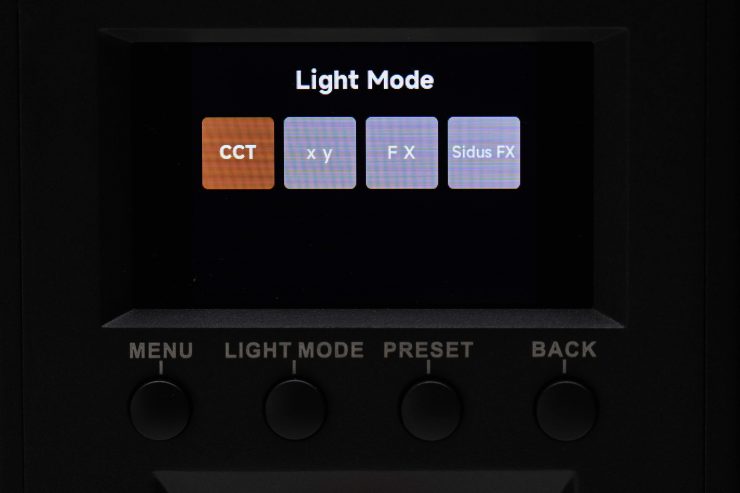
The light has 4 key lighting modes:
- CCT
- xy
- FX
- Sidus FX
You won’t find any RGB, HSI, Gels, or source matching modes in this light.
Correlated Color Temperature (CCT)

This is the mode most people are going to use the light in. In the CCT Mode, you have full access to making CCT adjustments between 2500-10,000K. This is a decent range, and it will suit most people’s needs.
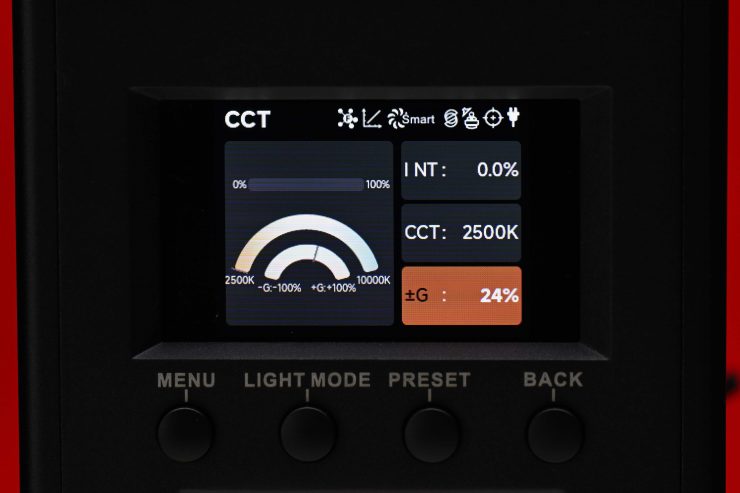
The fixture also has continuous variable (full minus green to full plus green) correction from -100% to +100% (Full ASC MITC Range).
Being able to dial in more or reduce the amount of green coming from your lighting source can make a huge difference. Different camera companies use different sensors in their cameras, and they all react differently to light. Some camera sensors may lean towards magenta, and some, more towards green. By making CCT adjustments, you can dial in the light so that it looks better for whatever camera system you are using. G/M adjustment also helps when you are trying to match lights from different manufacturers.
xy
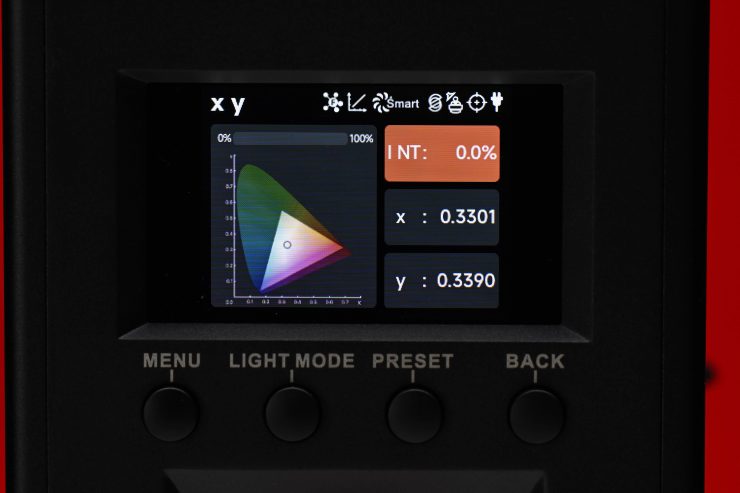
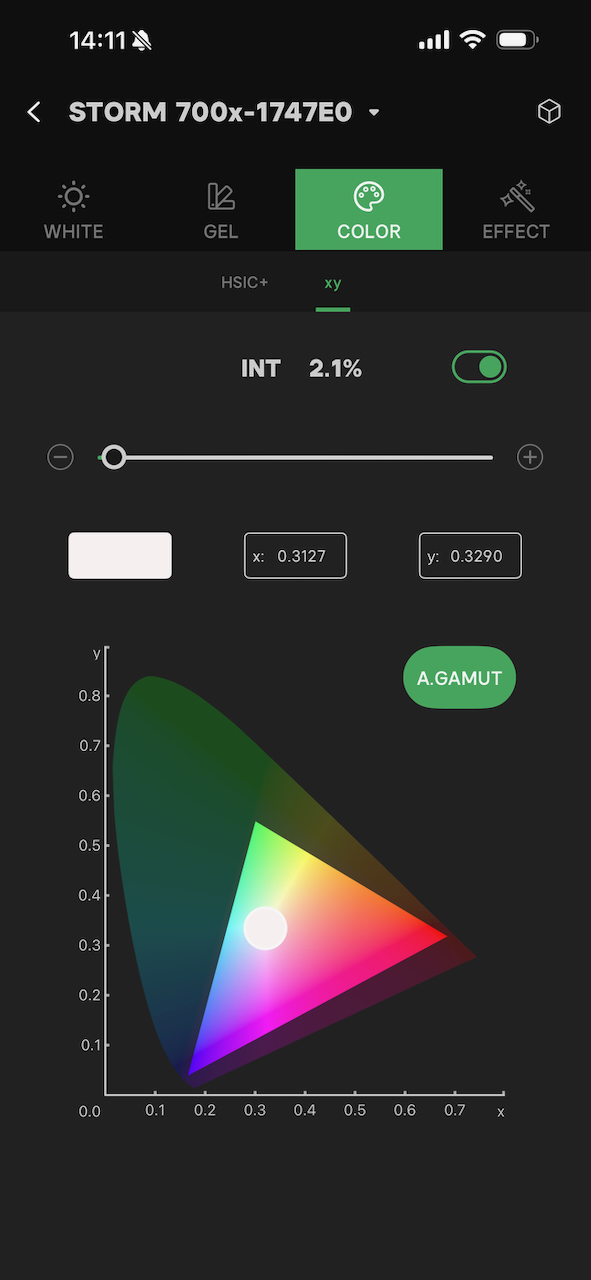
In xy mode, you can dial in exact xy coordinates; however, there doesn’t seem to be the ability to change the Gamut like you can on some other fixtures. It seems to be pre-set to a Rec.709 color space.
Dialing in xy coordinates is a fairly easy way to get a light to match other lighting sources, or at least get it in the ballpark.
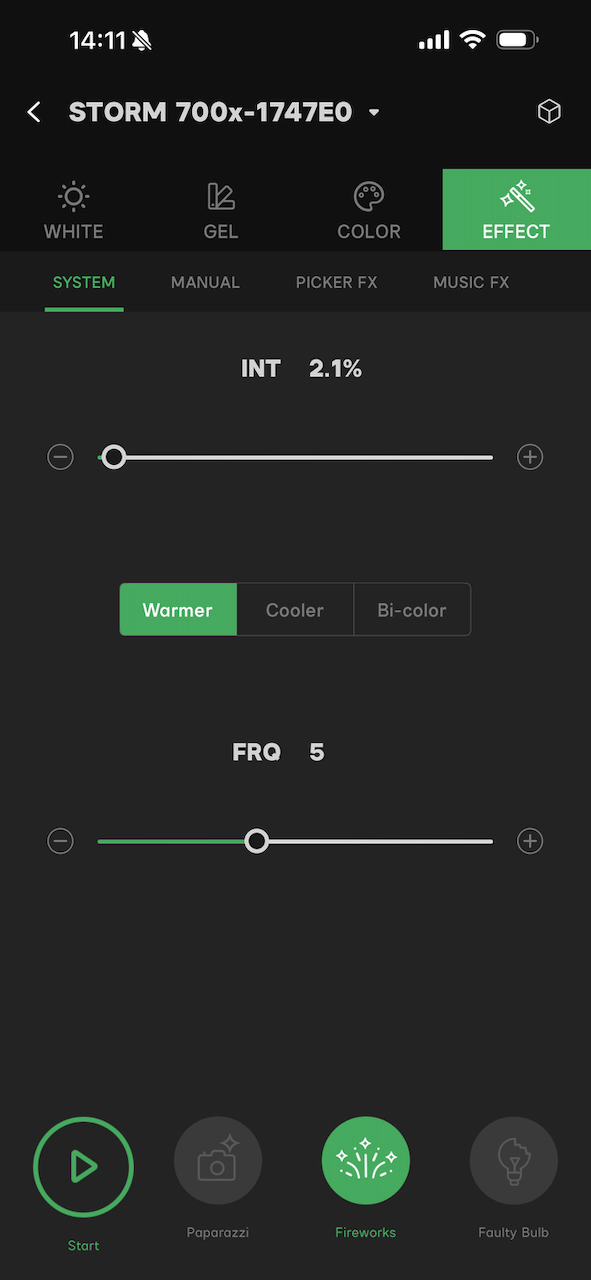
FX
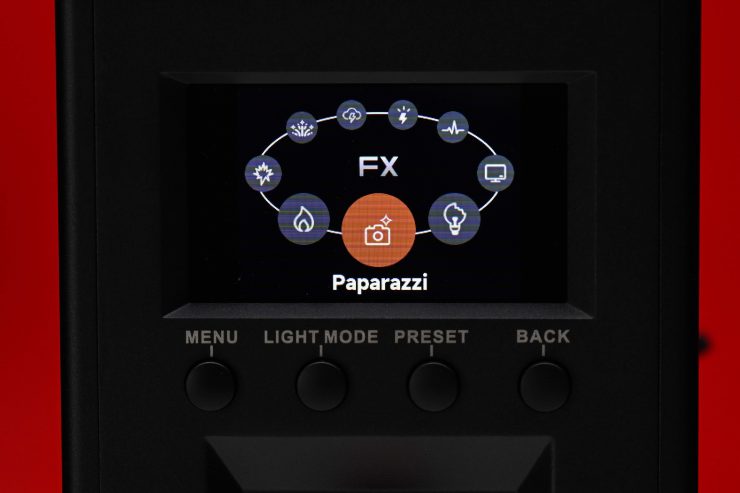
The BLAIR light engine allows the fixture to deliver a variety of lighting effects.
Effects mode lets you recreate a wide range of lighting effects that can be handy for certain scenarios. The effects include:
- Fire
- Explosion
- Fireworks
- Lightning
- Strobe
- Pulsing
- TV
- Faulty Bulb
- Paparazzi
All the effects modes can be individually adjusted and tailored to your lighting needs.
Sidus FX
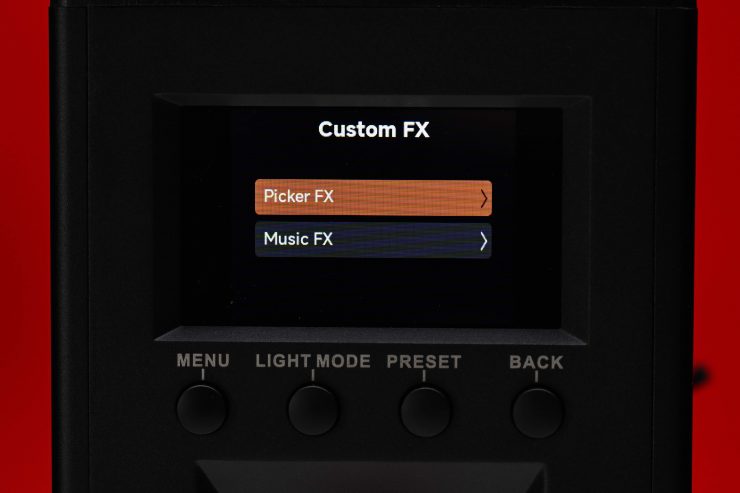
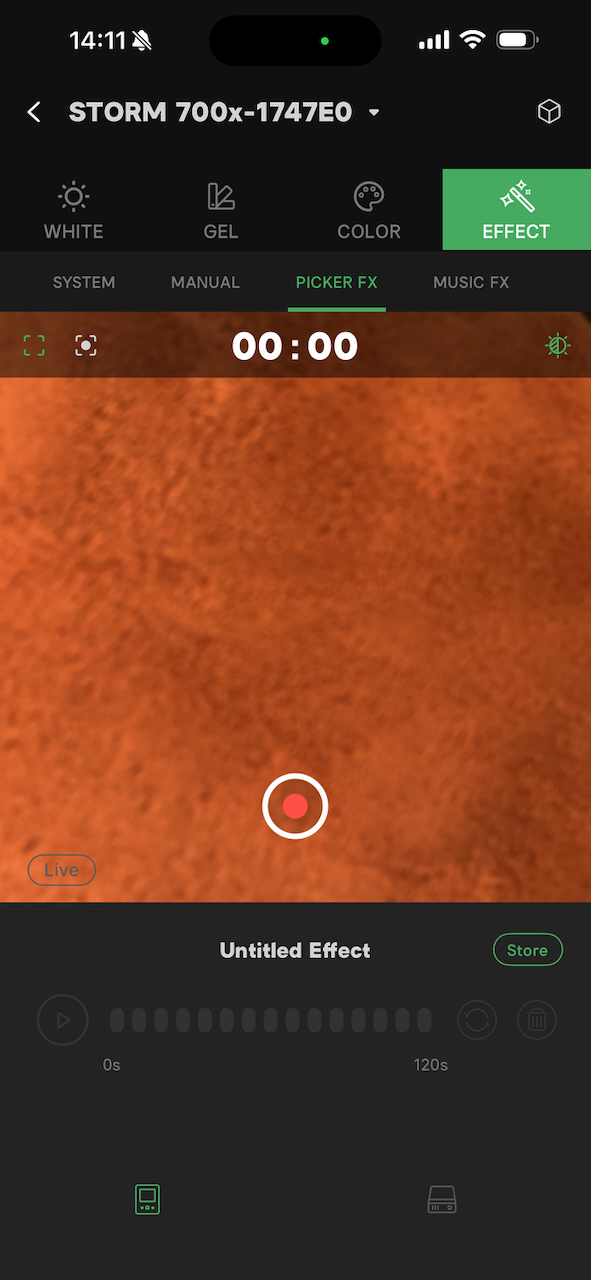
In Sidus FX, you can choose from Picker FX or Music FX. Both of these modes need to be used in collaboration with the Sidus Link App.
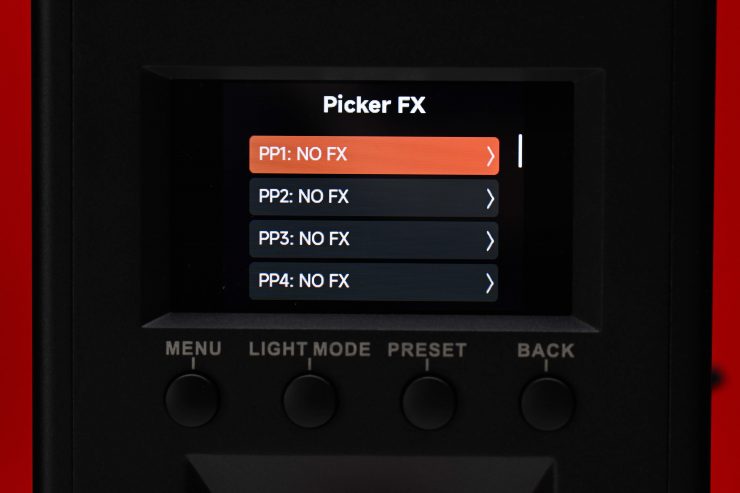
You can store up to 10 Picker FX or Music FX settings (a total of 20).
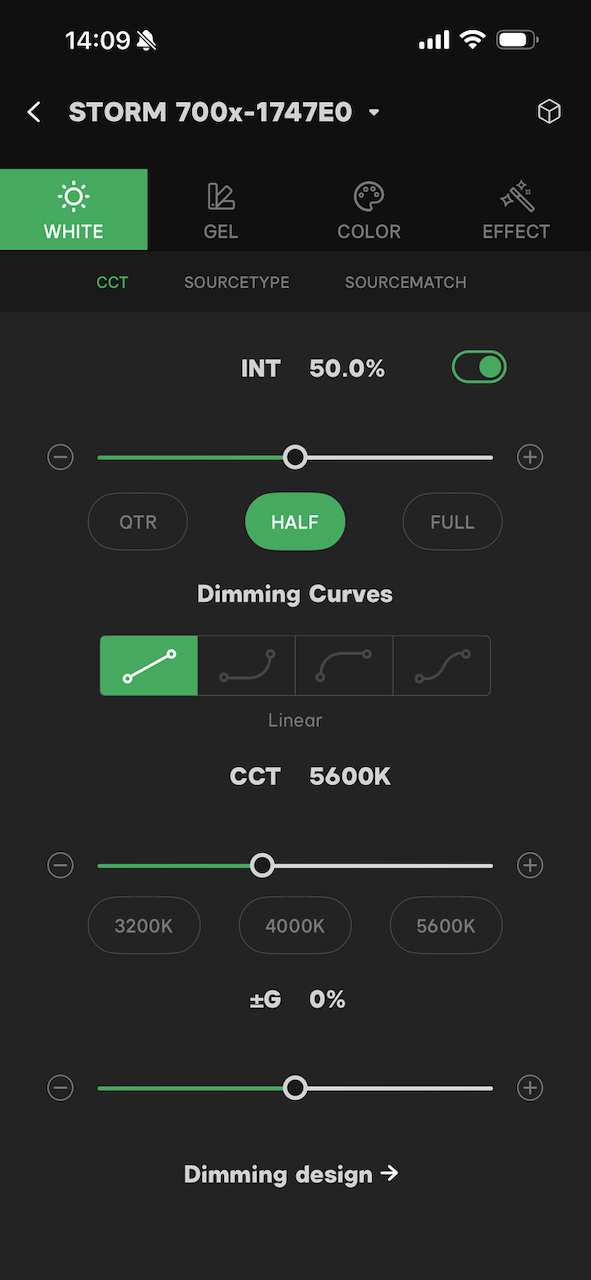
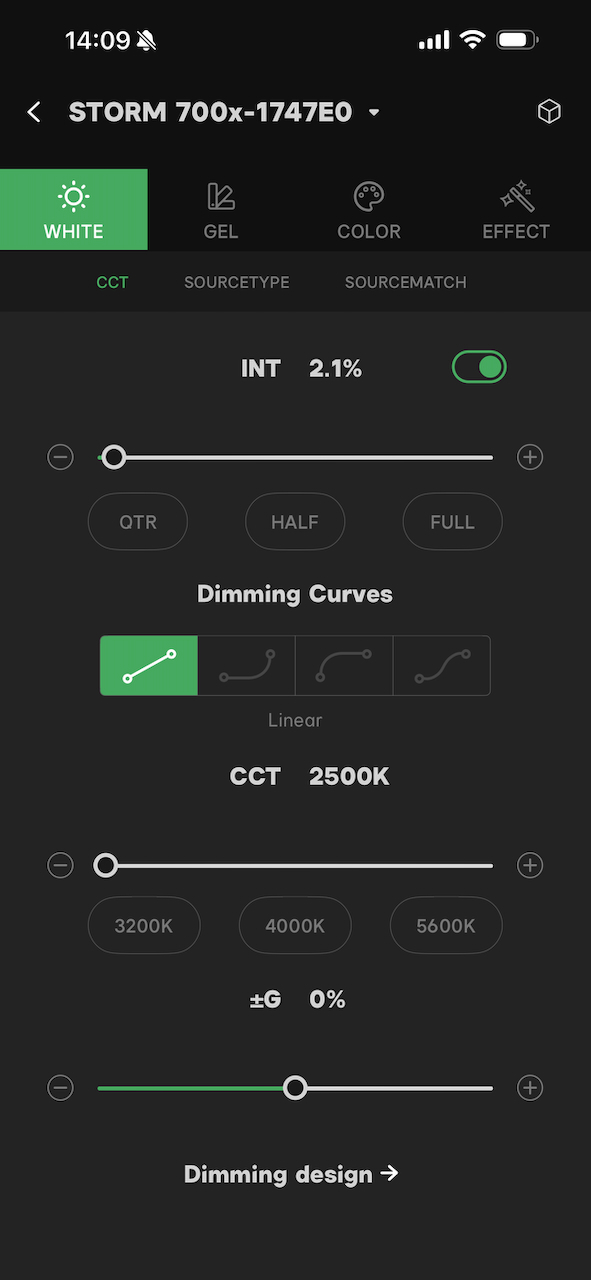
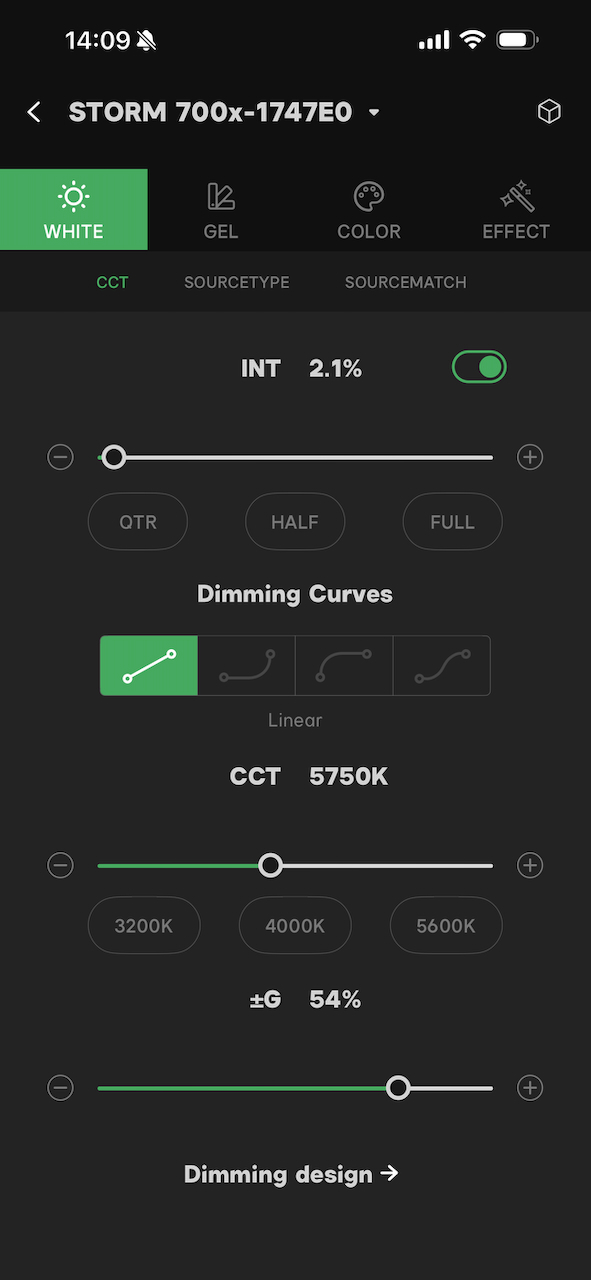
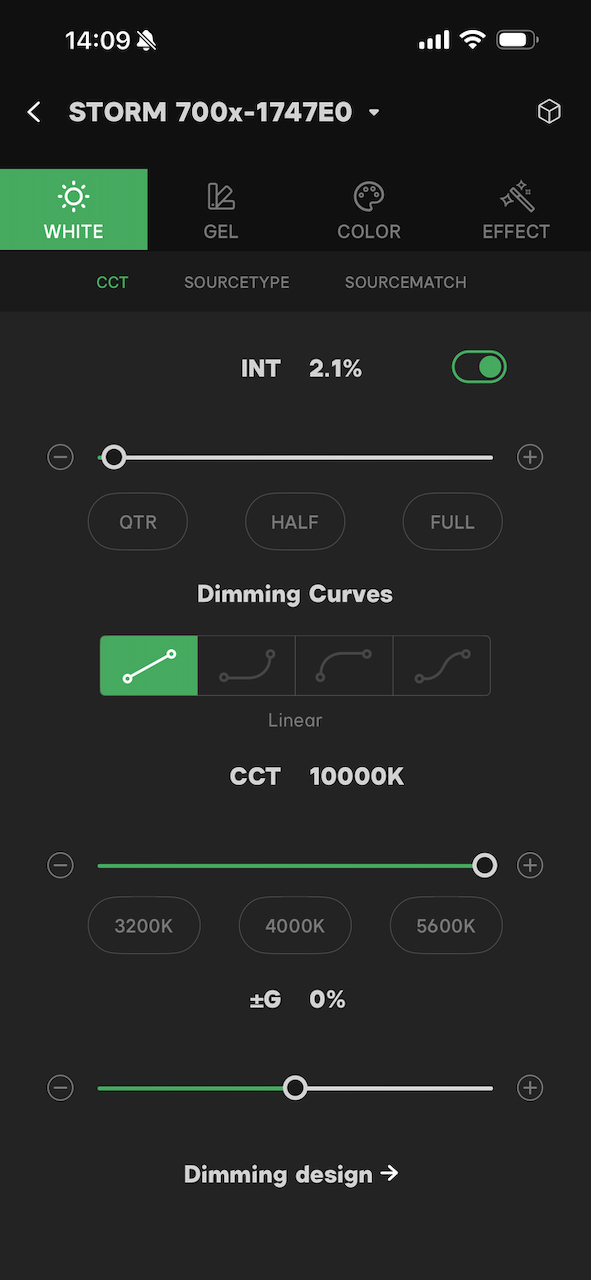
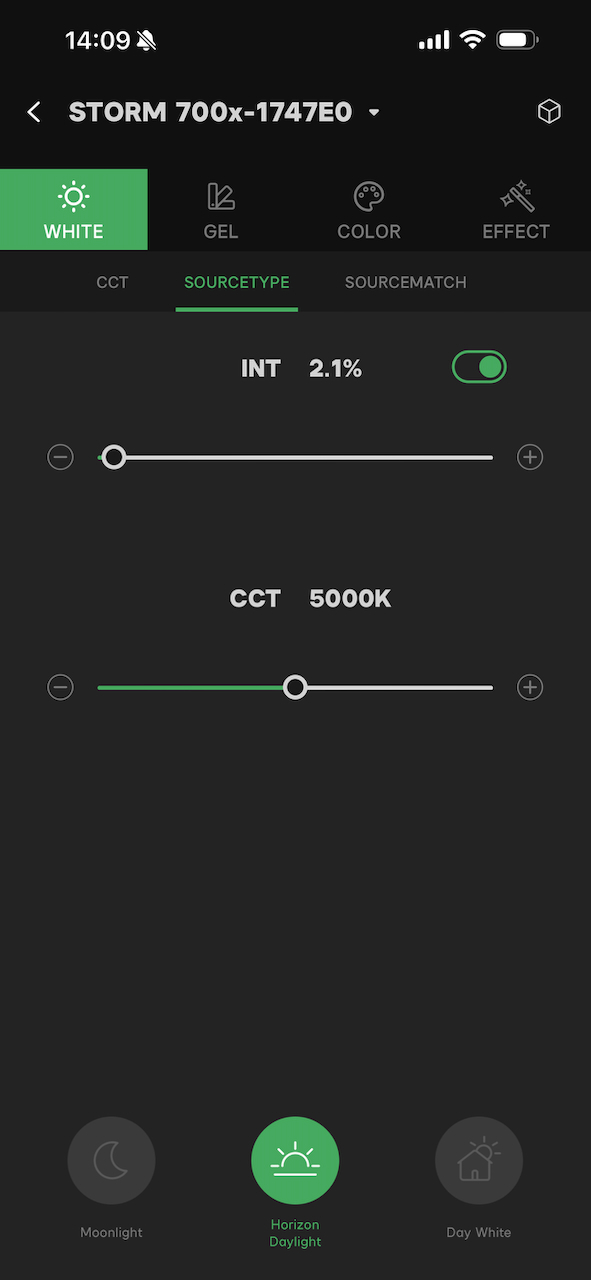
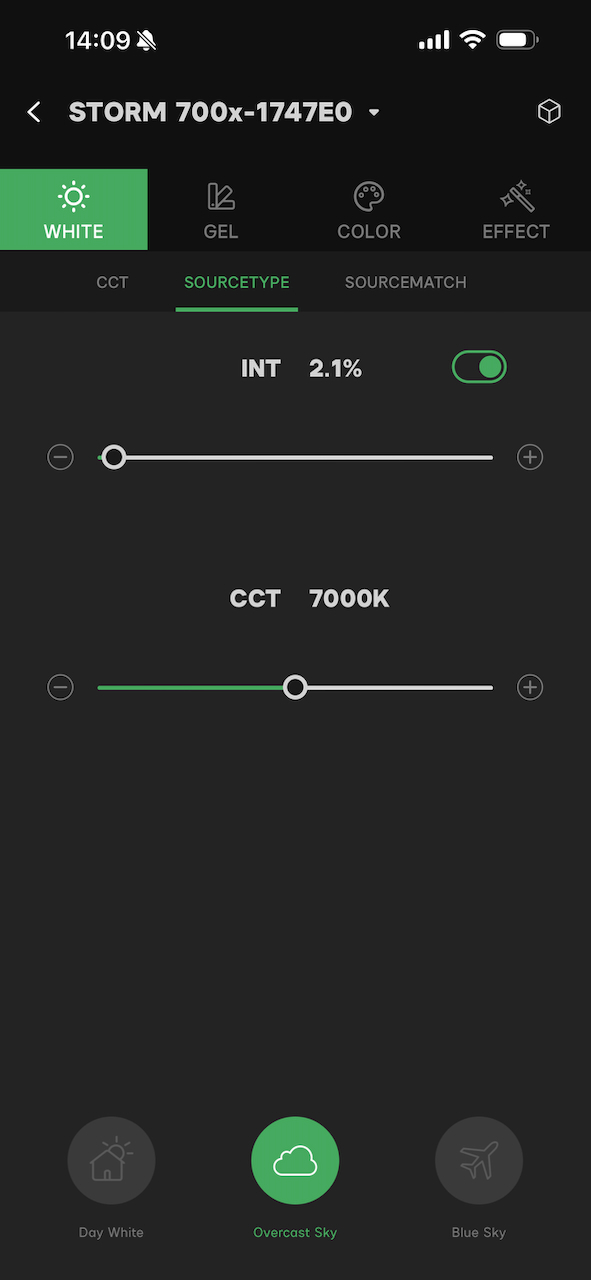
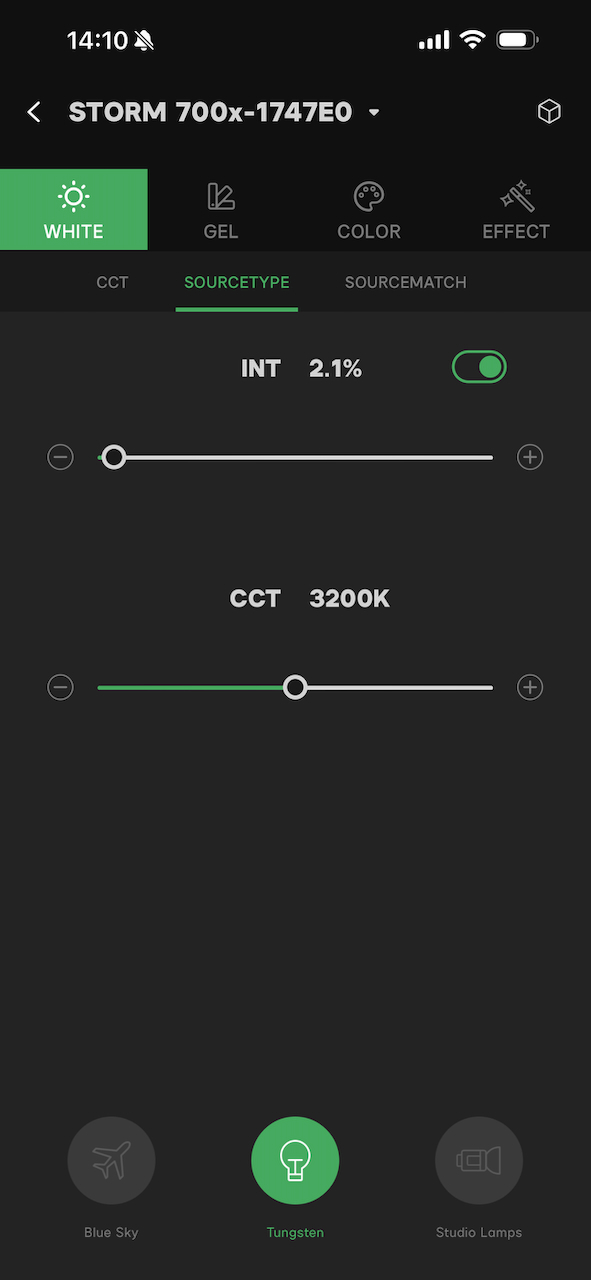
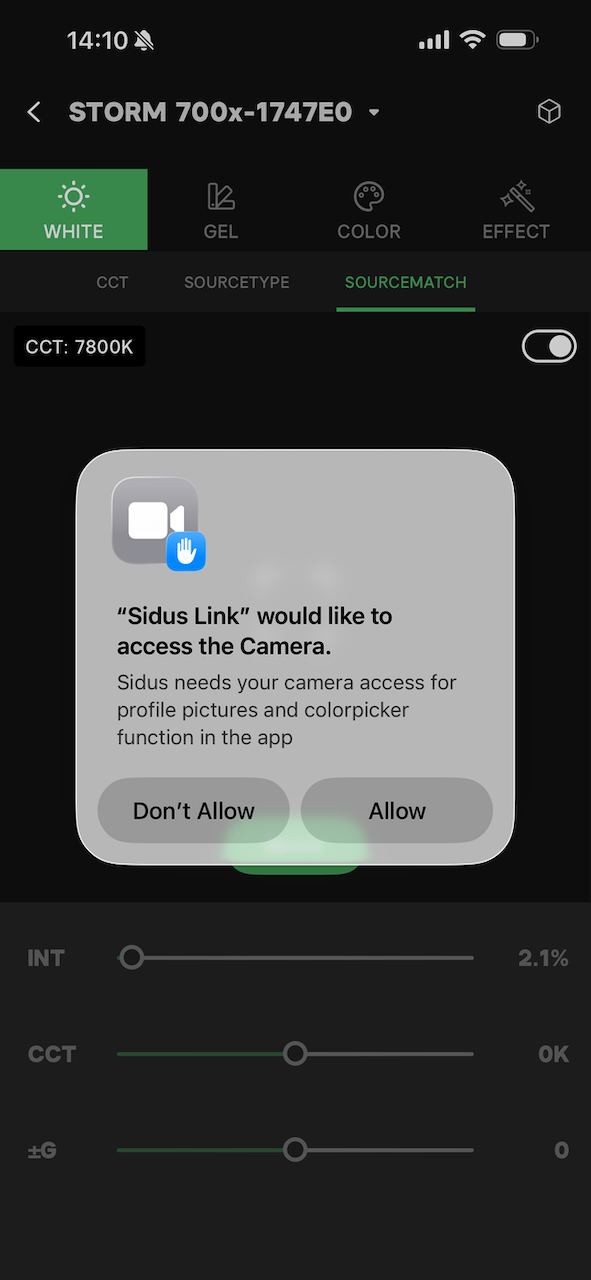
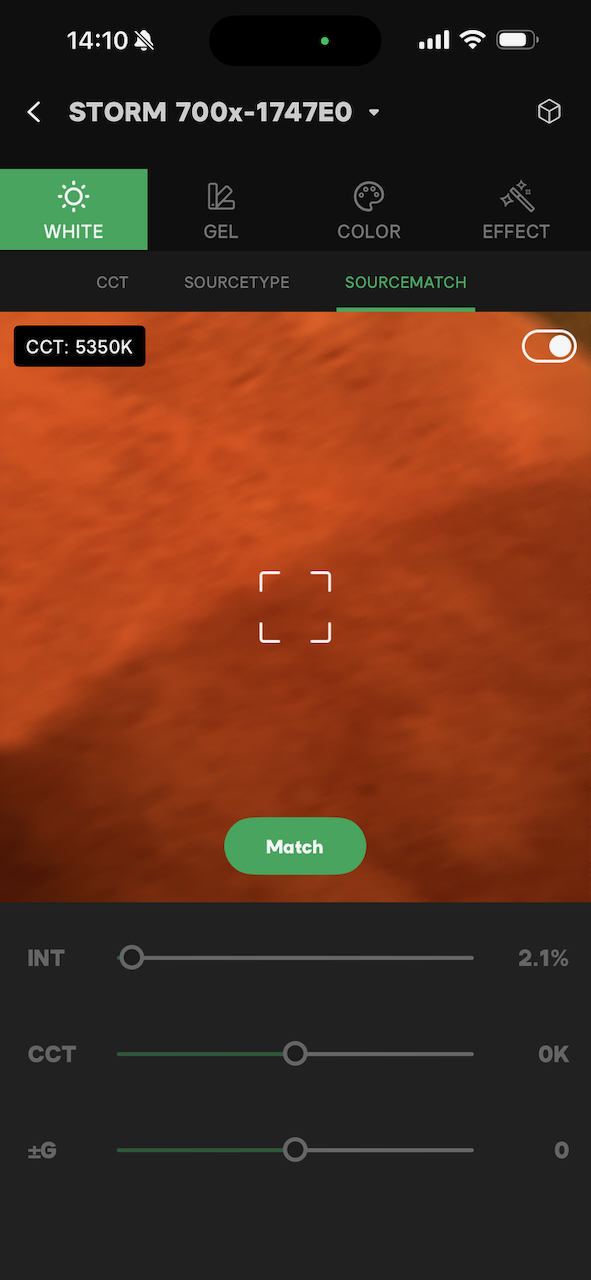
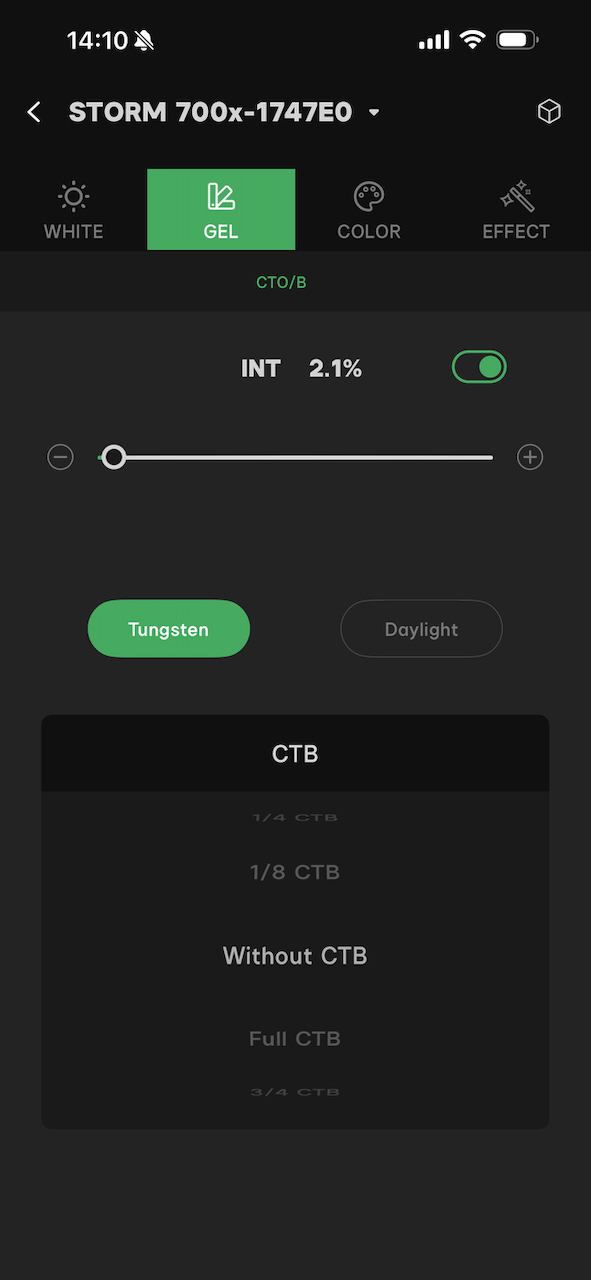
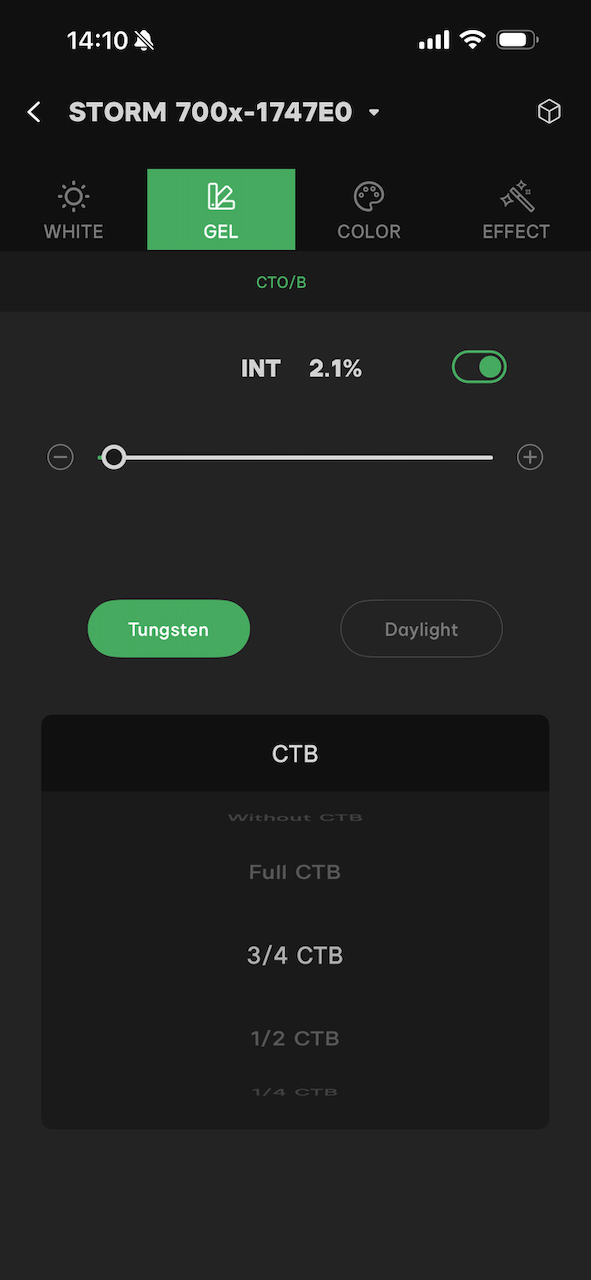
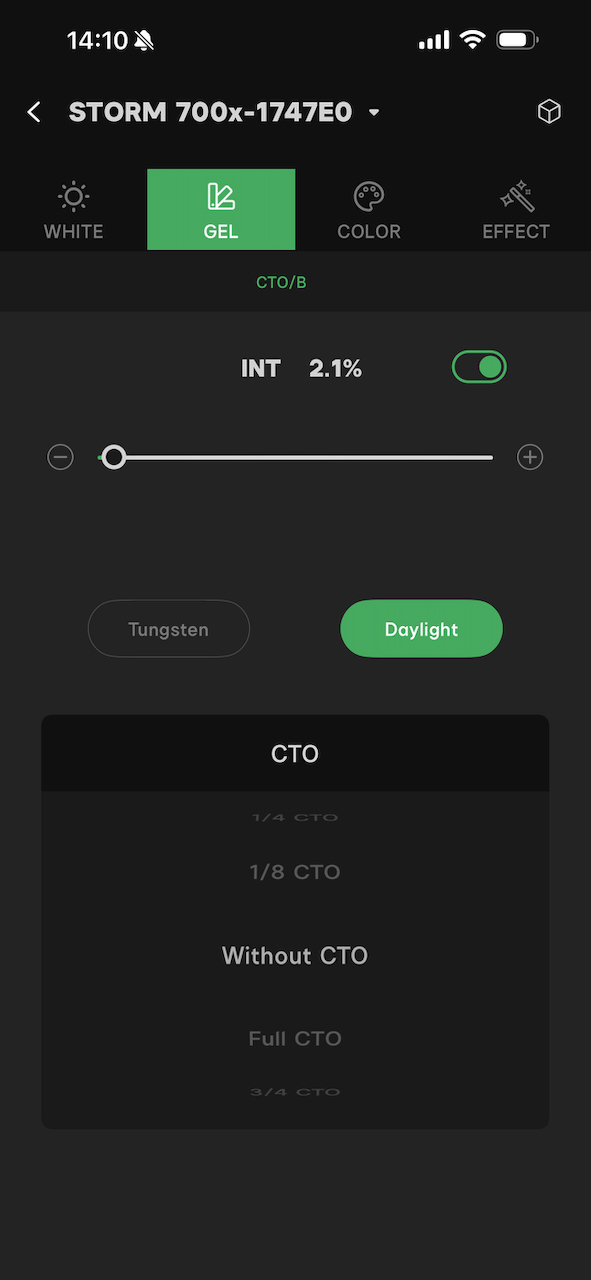
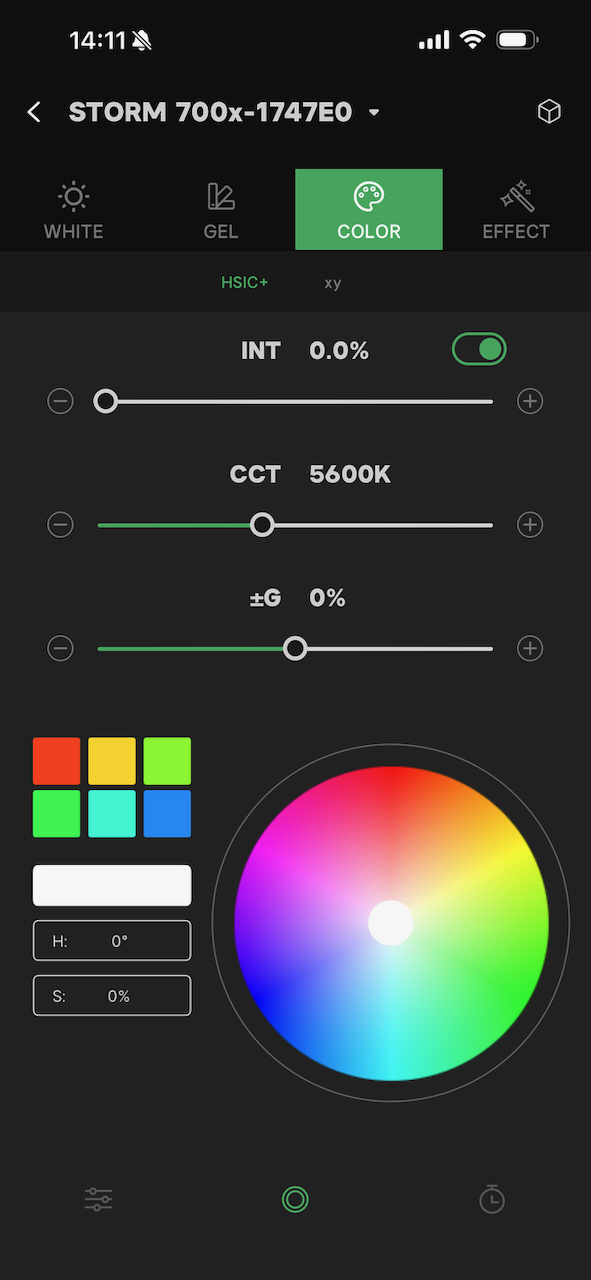
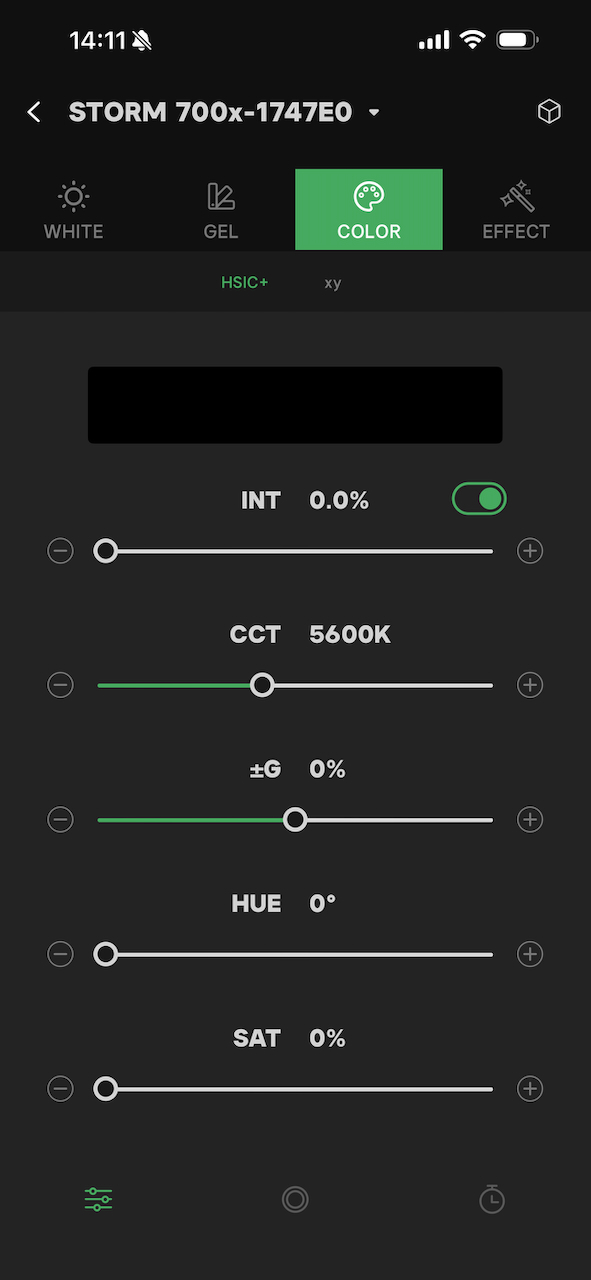
Sidus Link App
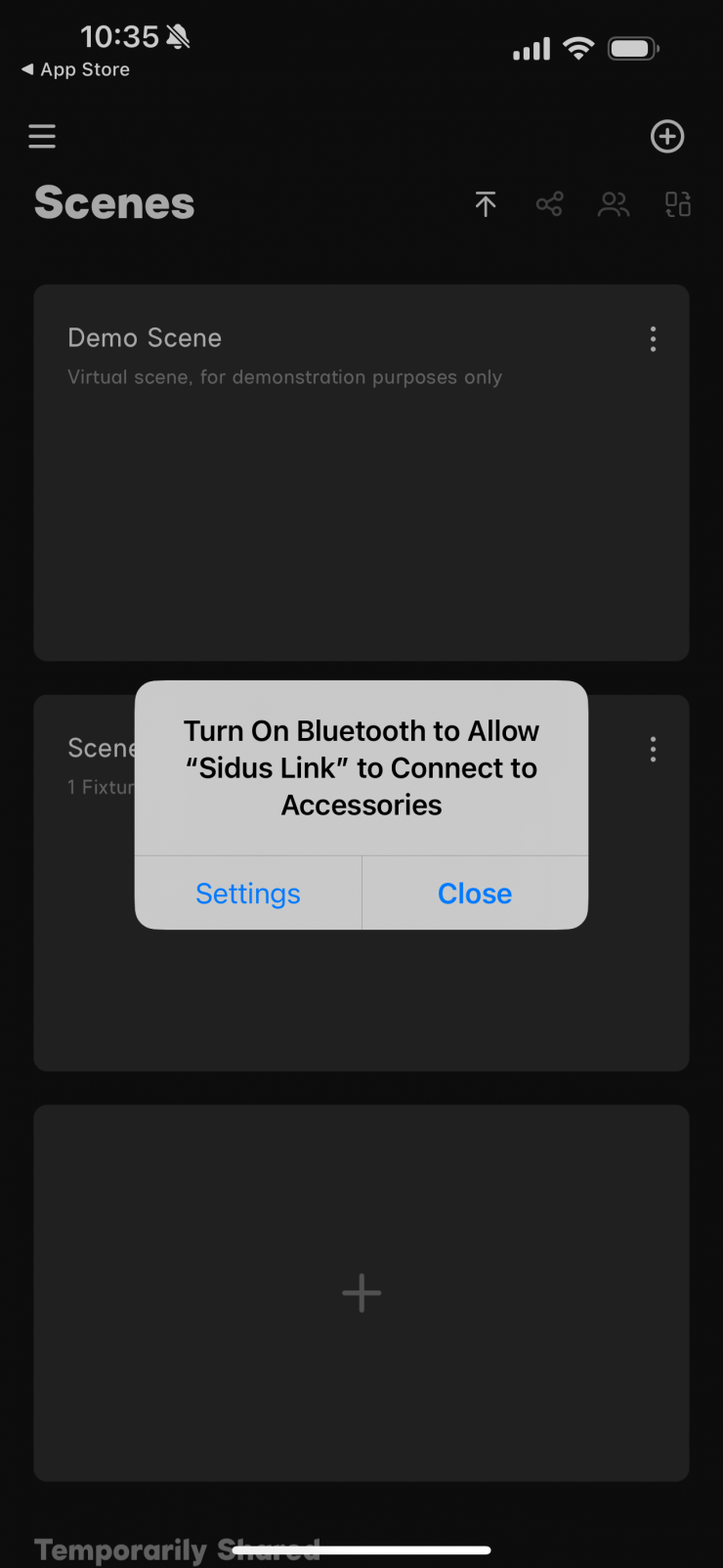
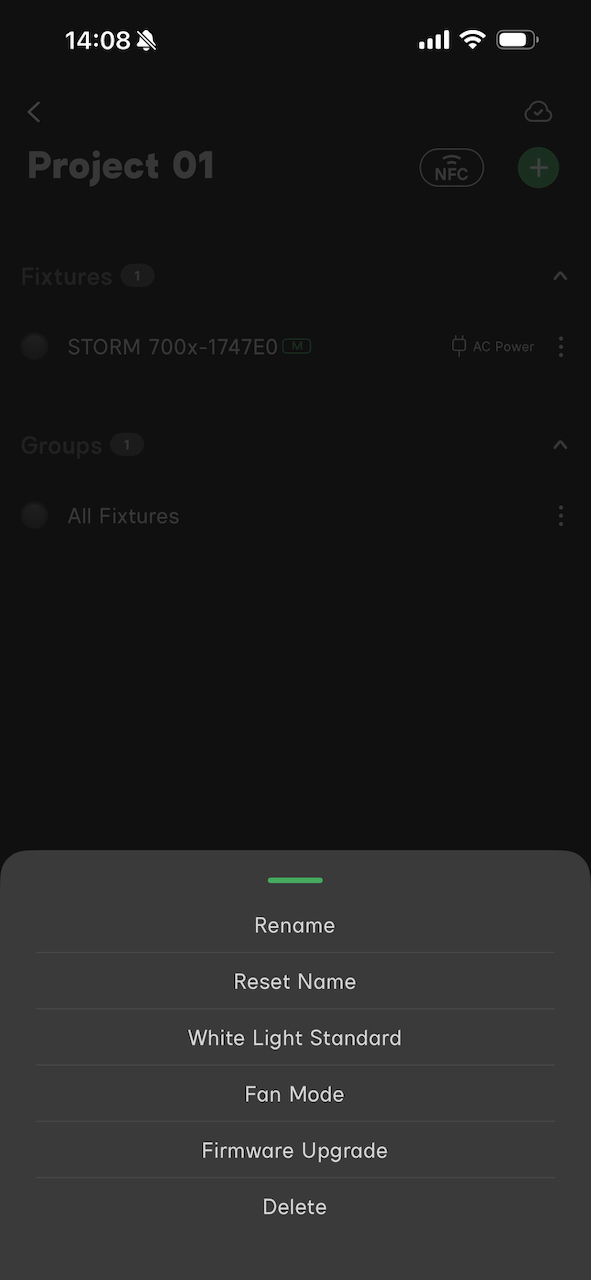
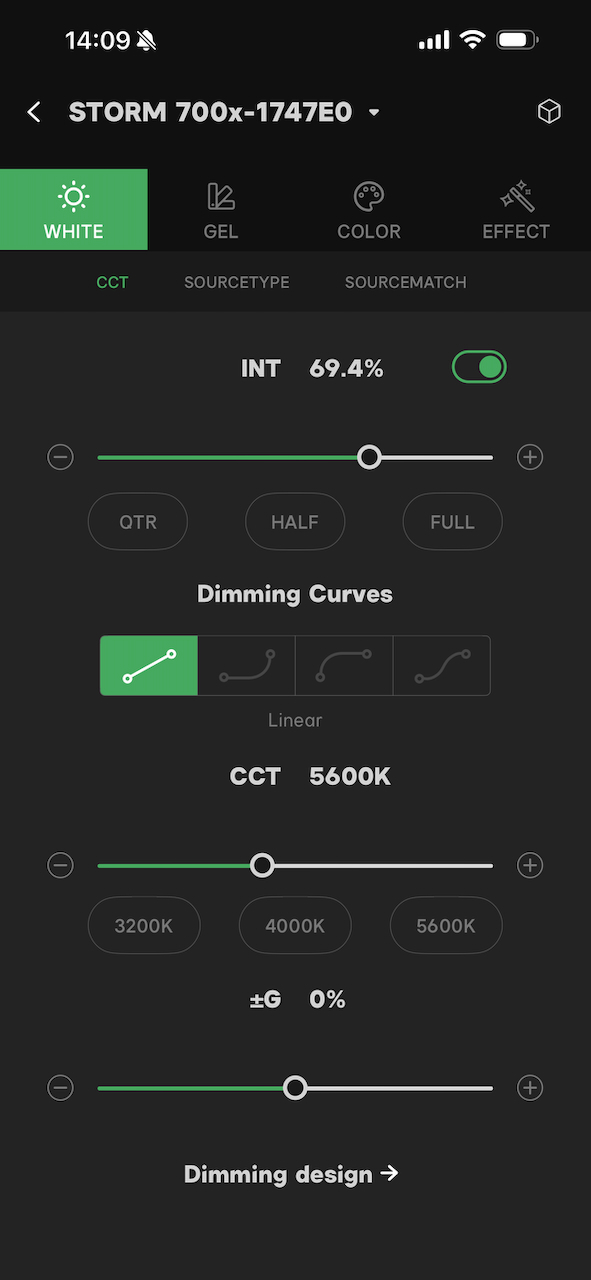
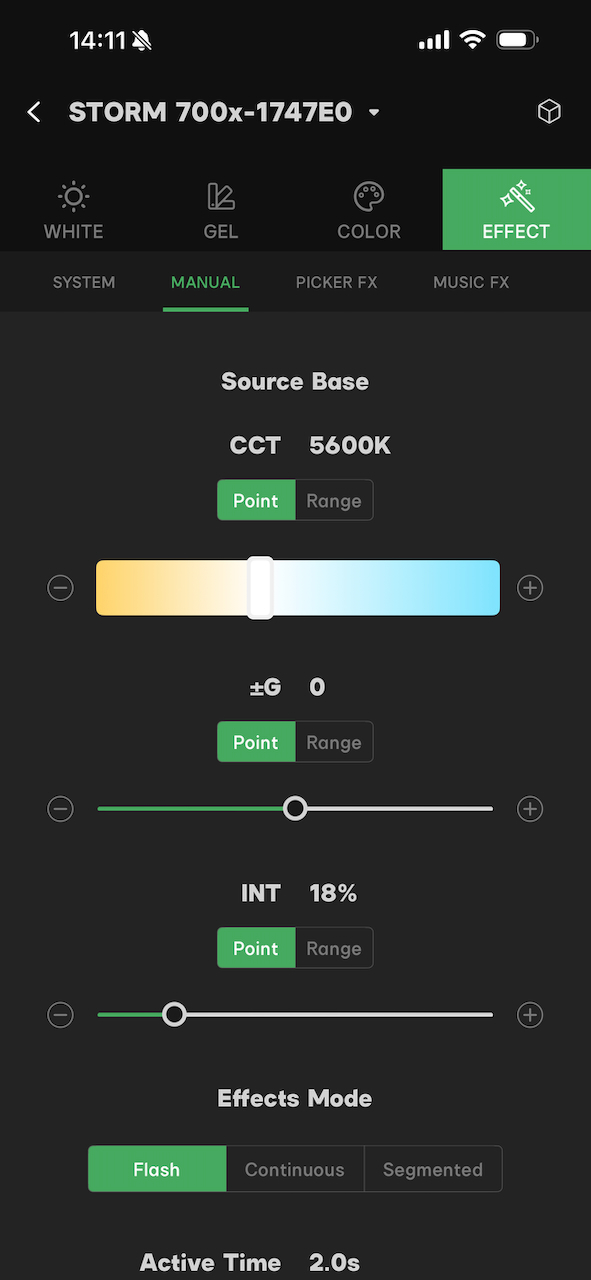
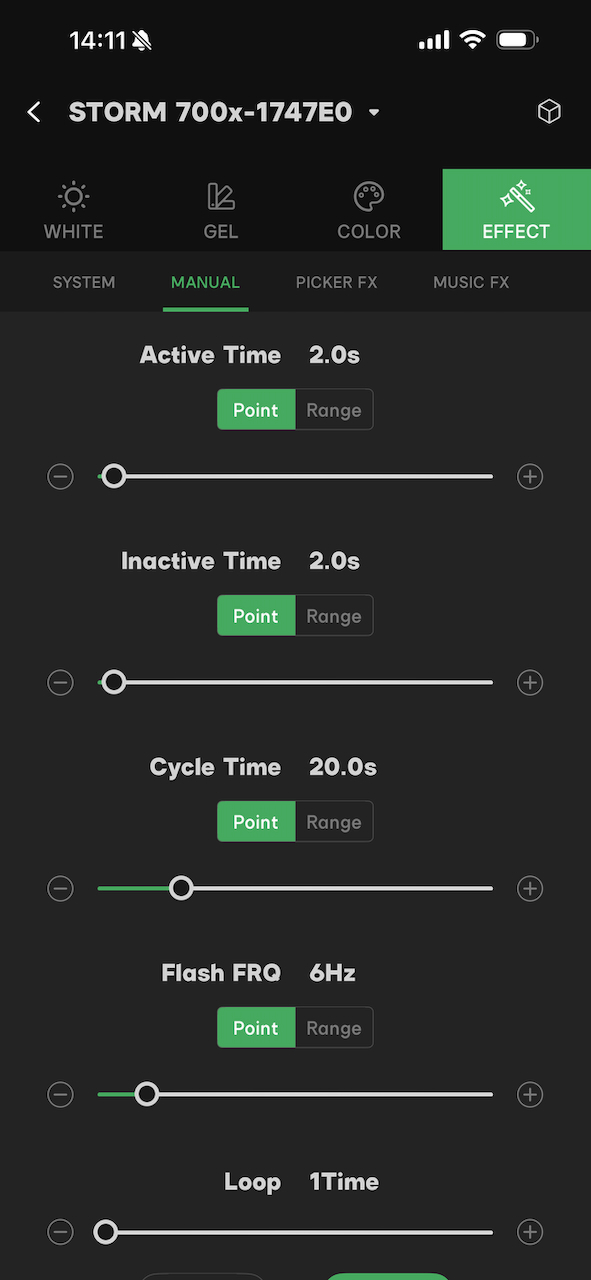
The light can be controlled via Bluetooth using the Sidus Link App.
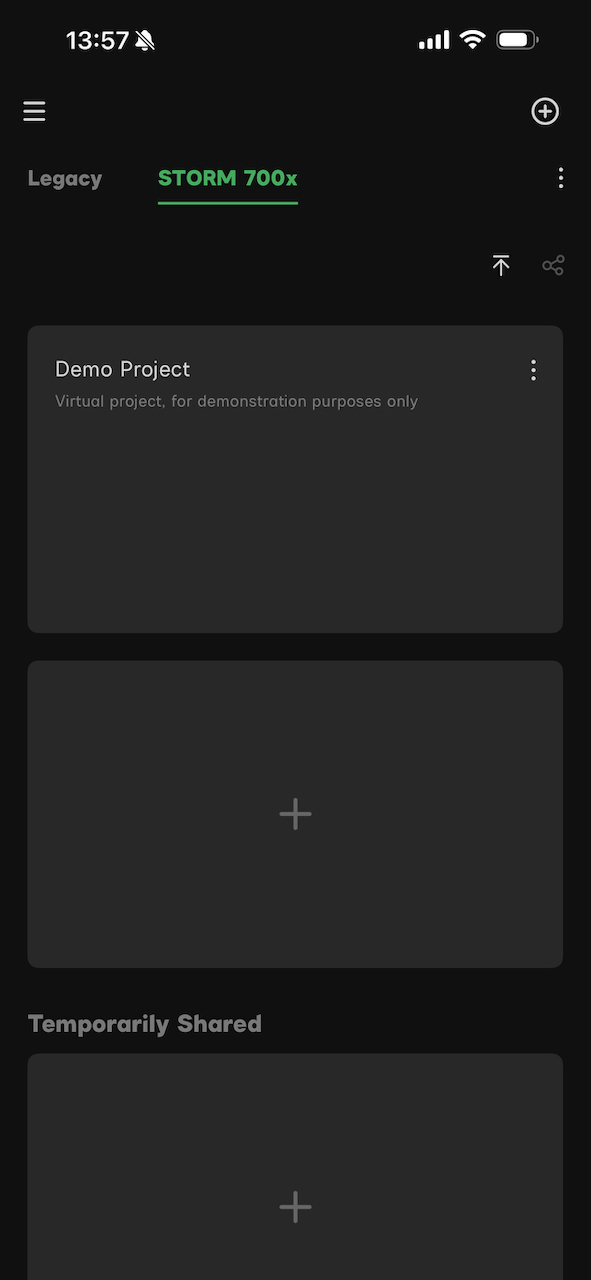
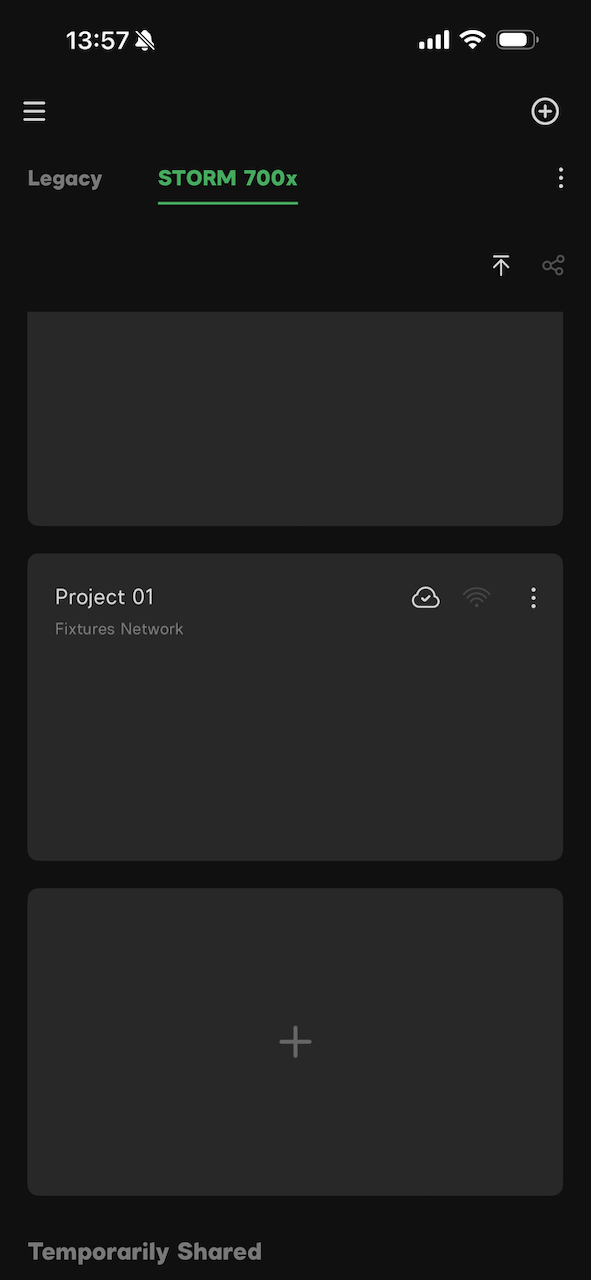
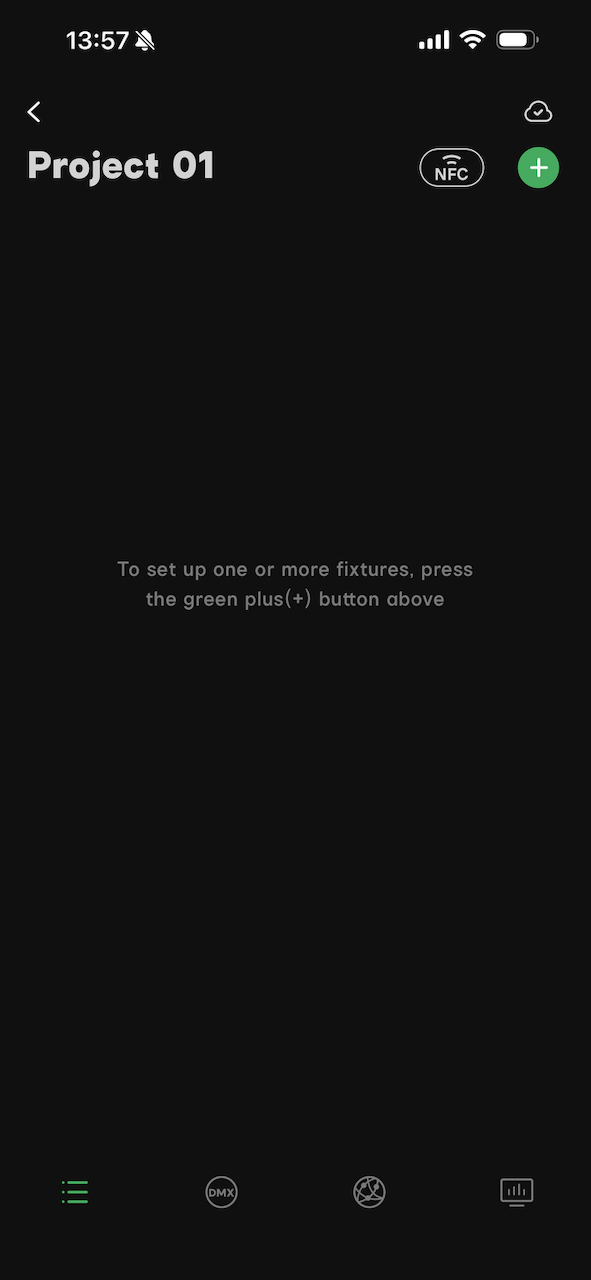
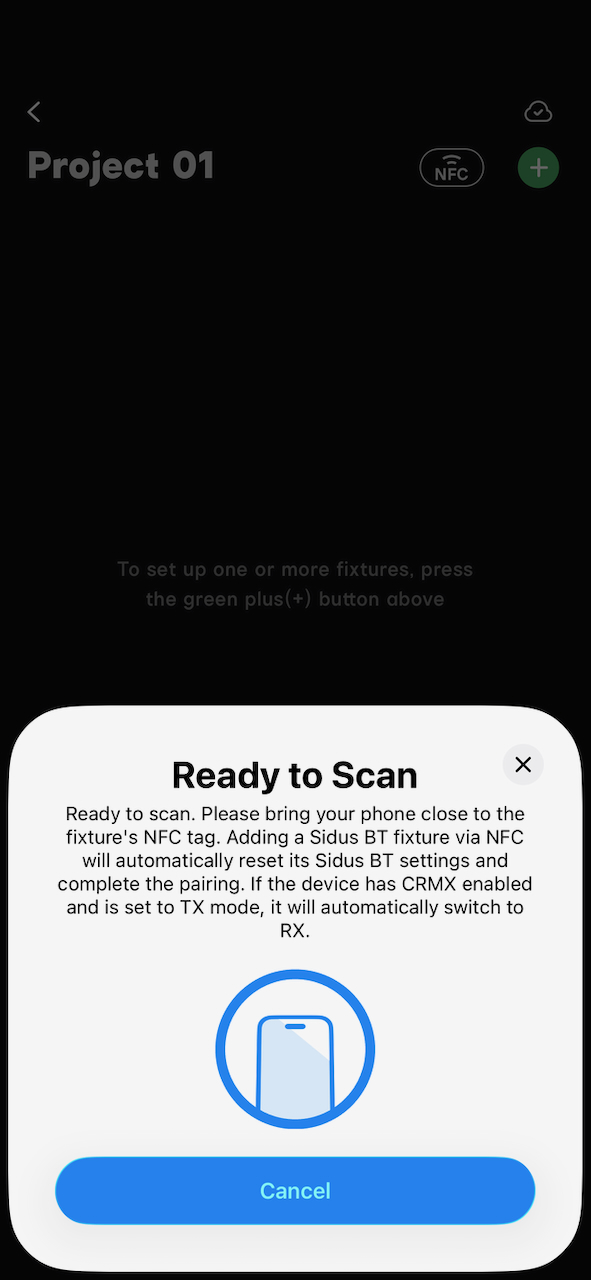
Screenshot 
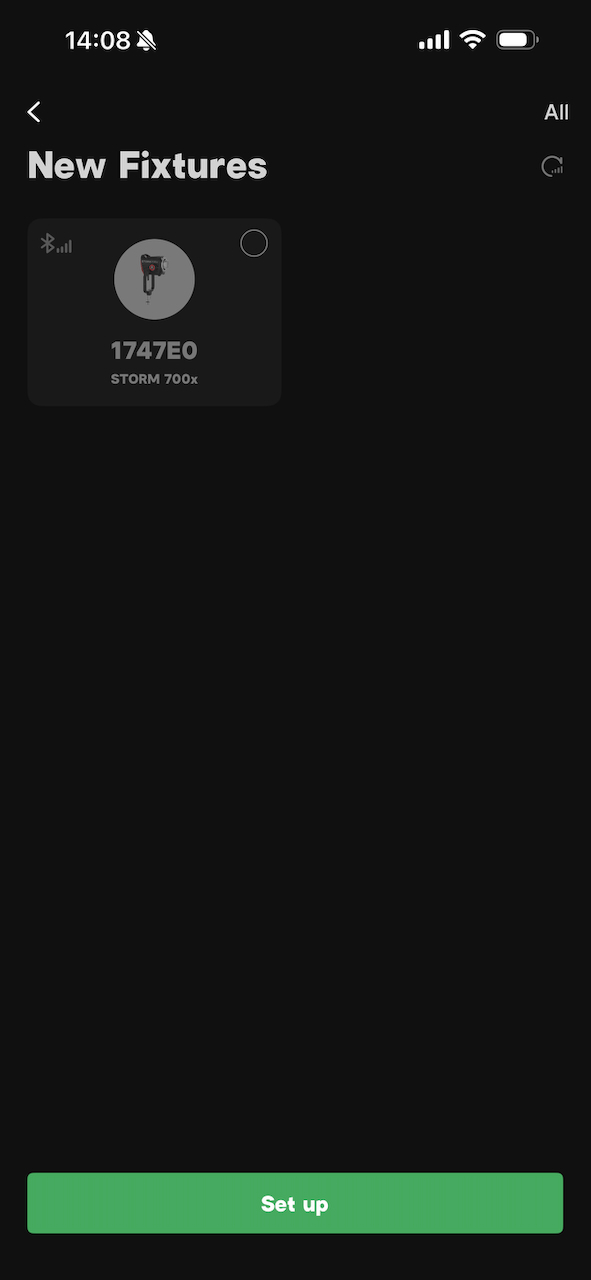
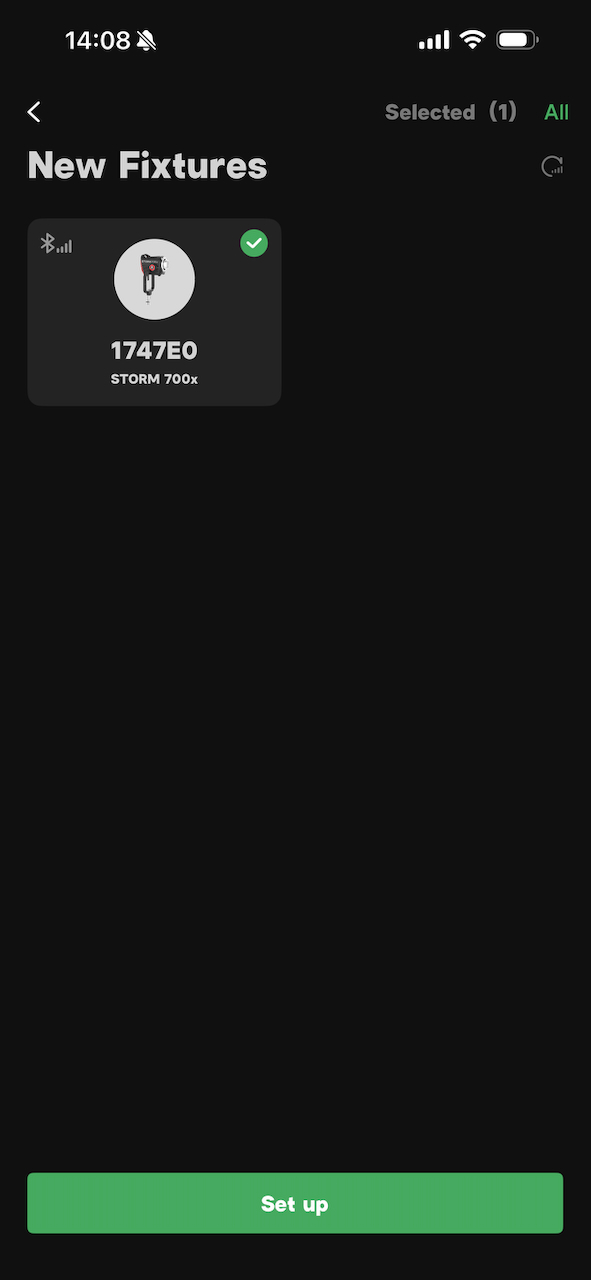
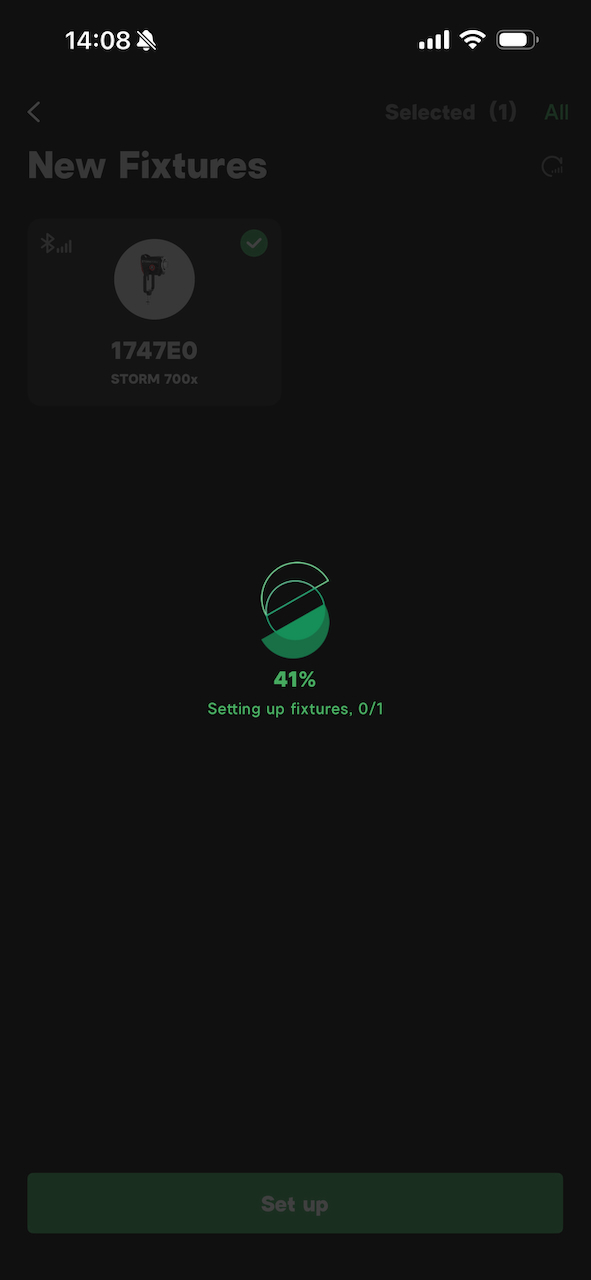
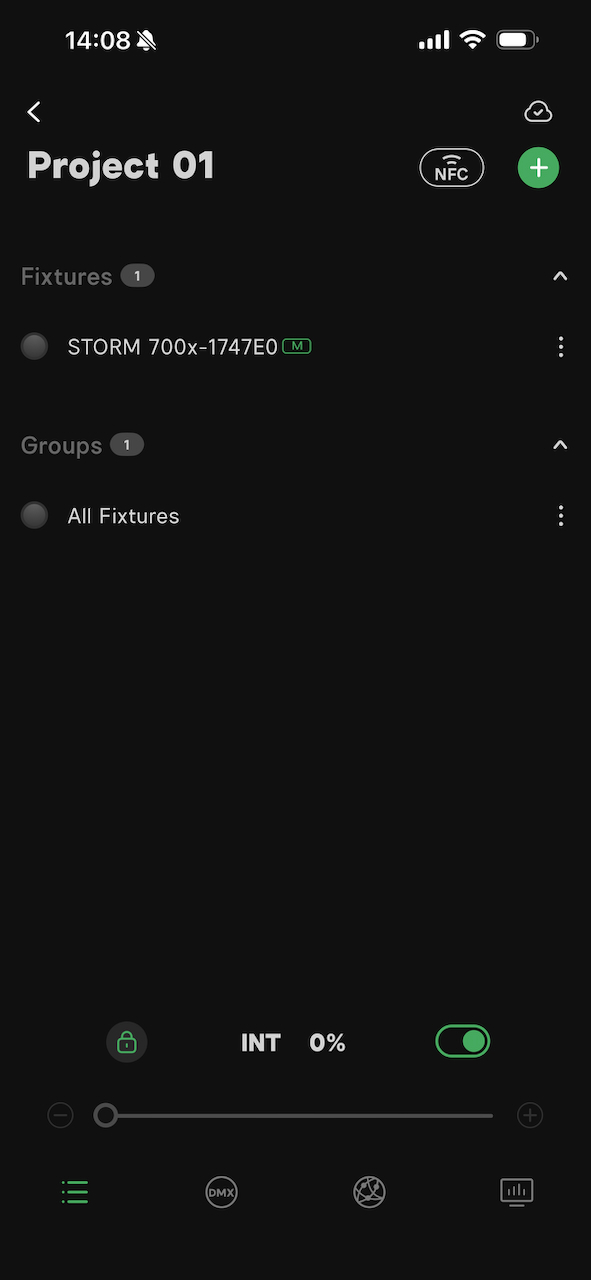
Setting up a fixture is pretty straightforward and easy to do.
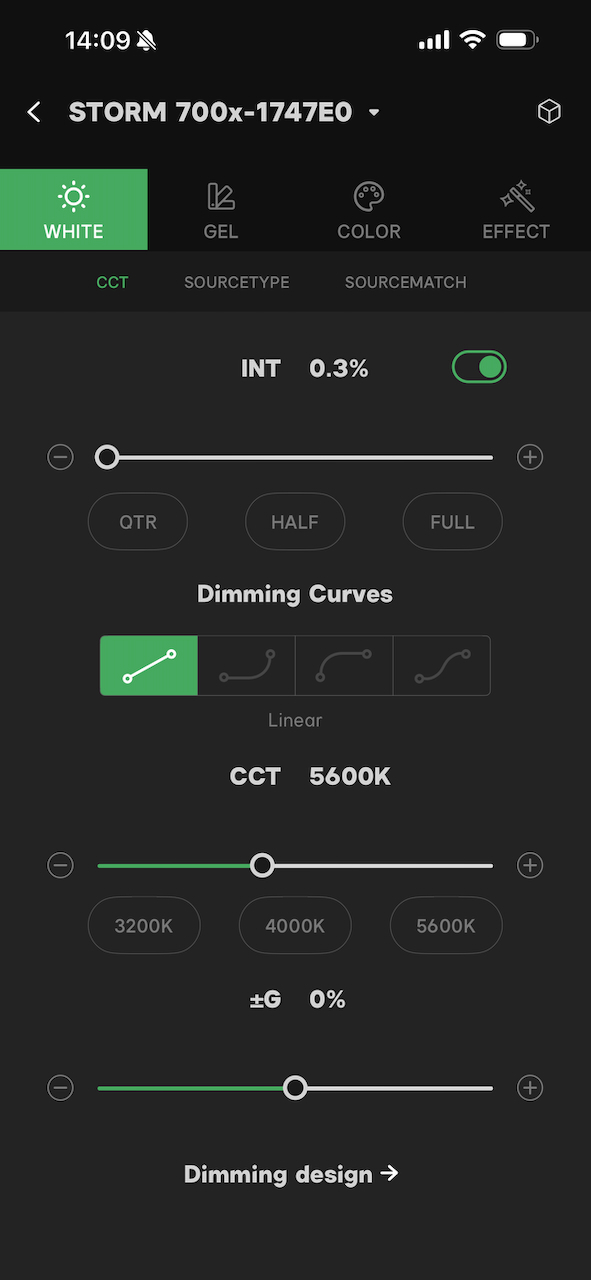
\ 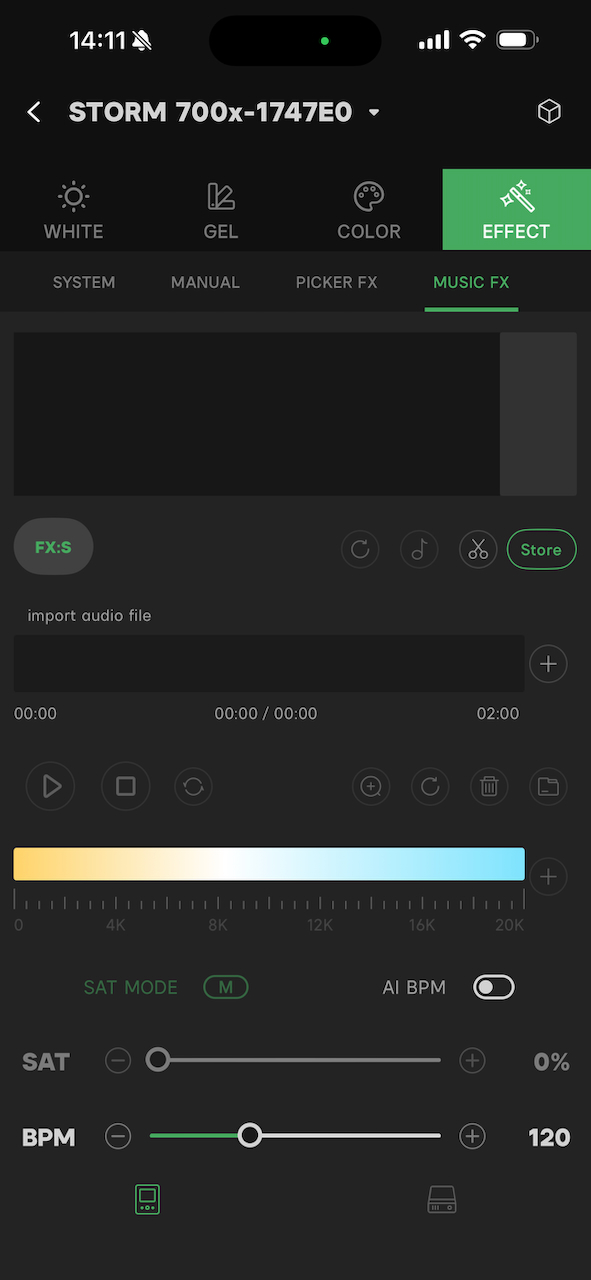
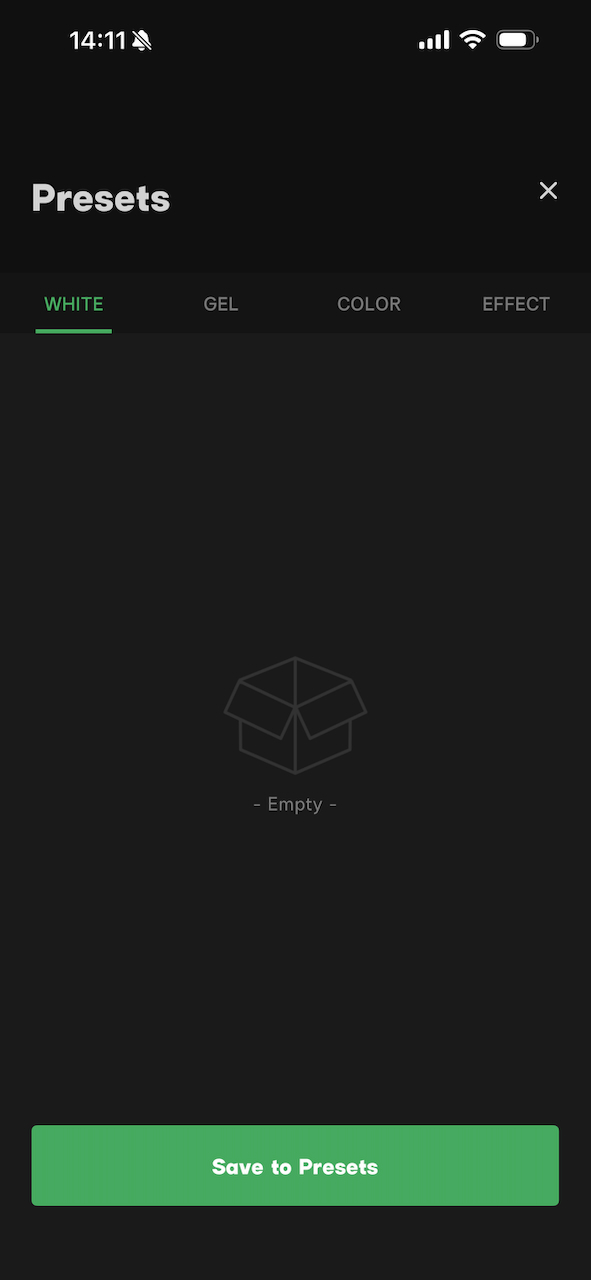
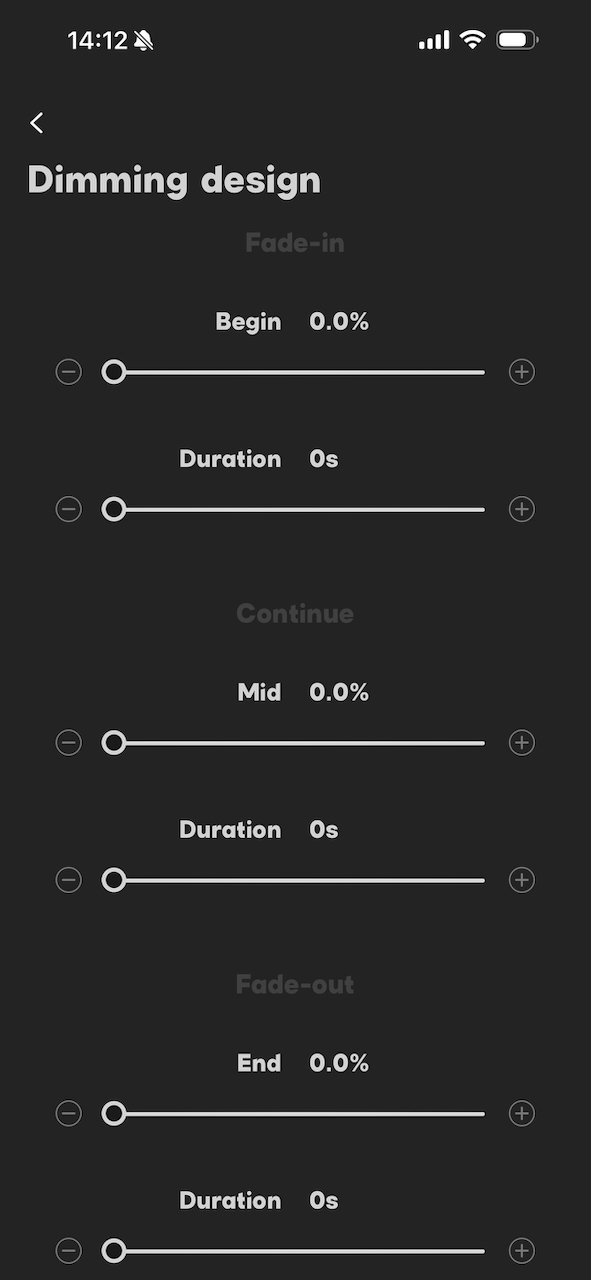
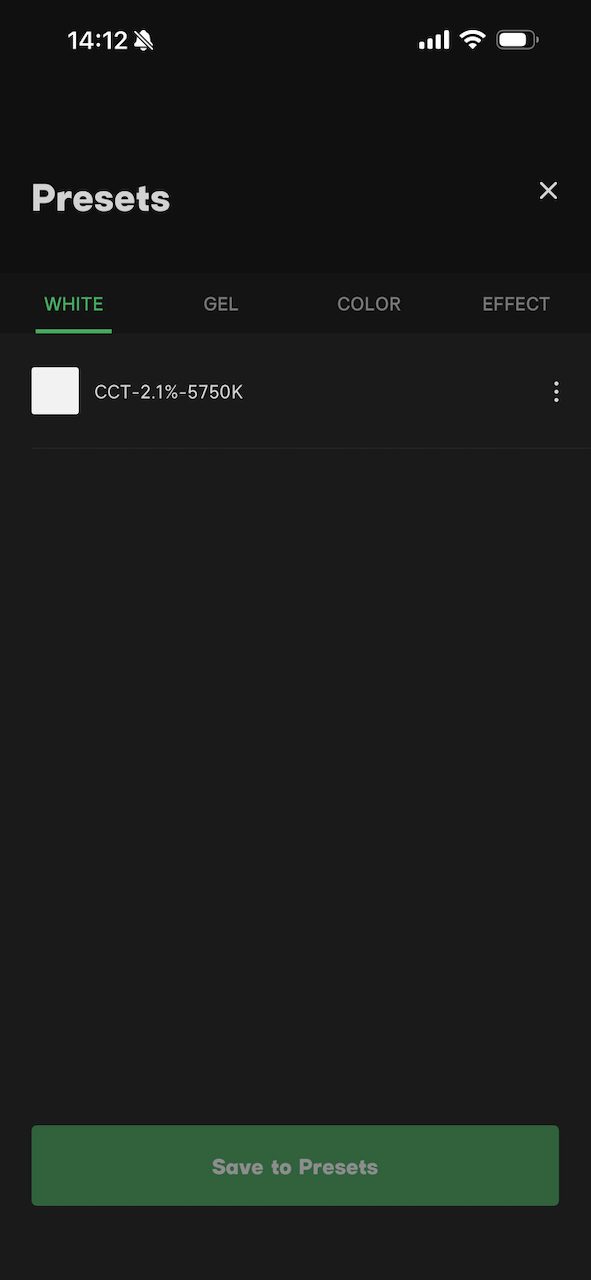
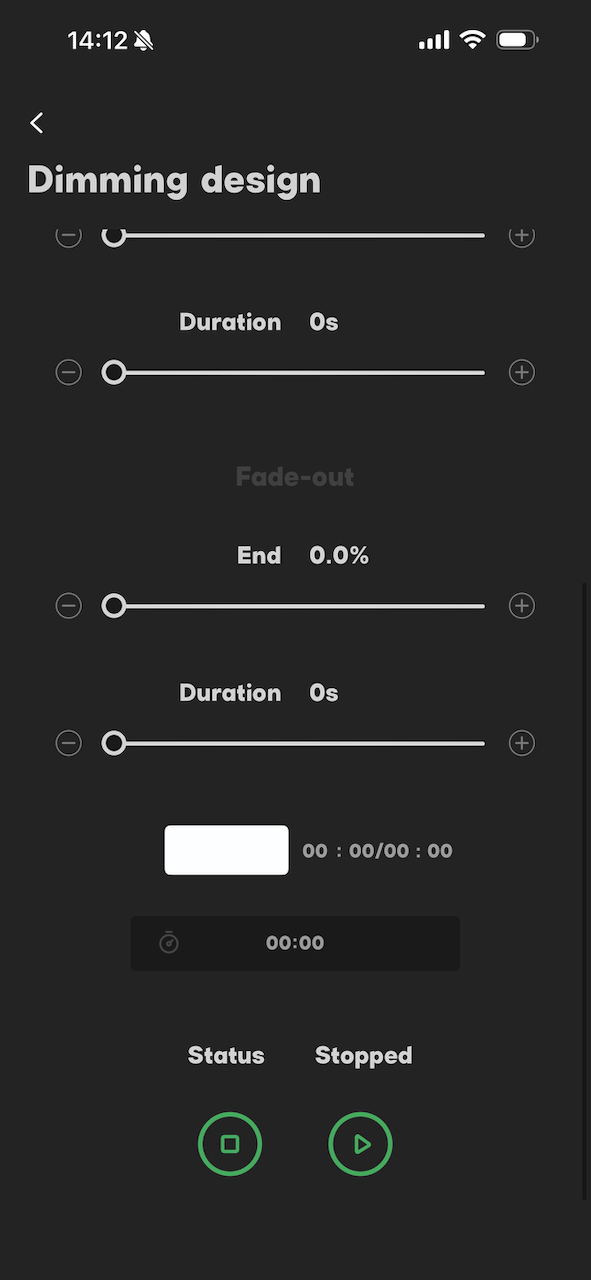
There is a range of parameters and settings that you can adjust using the Sidus Link app.
I also like that you can save favorites and then also bring them back up very quickly.
The Picker FX function can only be accessed and utilized within the app. This gives you the ability to do real-time tracking. Essentially, this gives you the ability to use your phone to capture a scene, and the light will mimic it in real-time.
Overall, the app is reasonably straightforward and easy to use.
Connectivity




The fixture can communicate using the Sidus Link App, Sidus Link Pro App, DMX/RDM, CRMX, and etherCON.
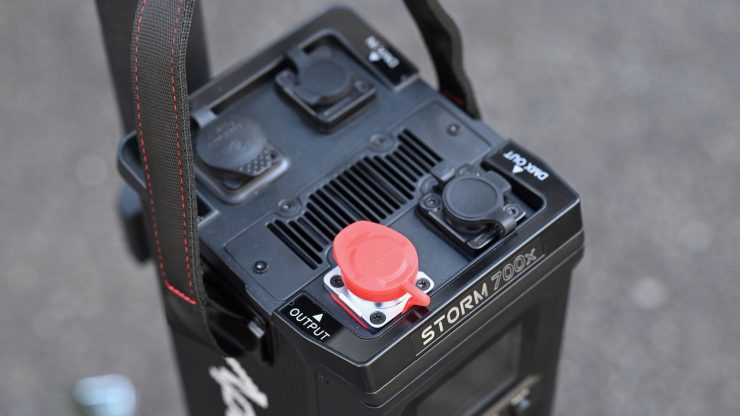
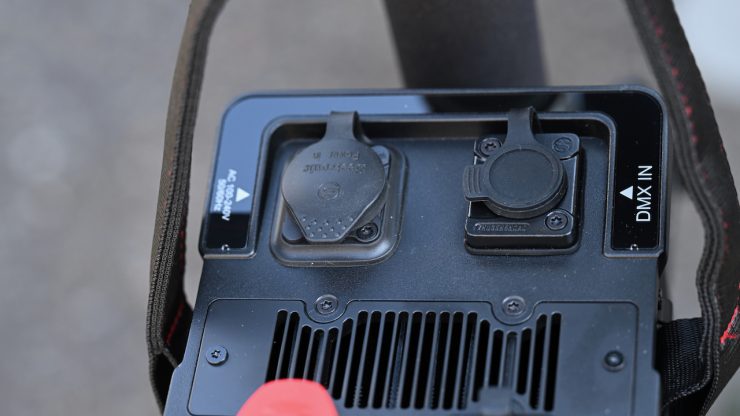
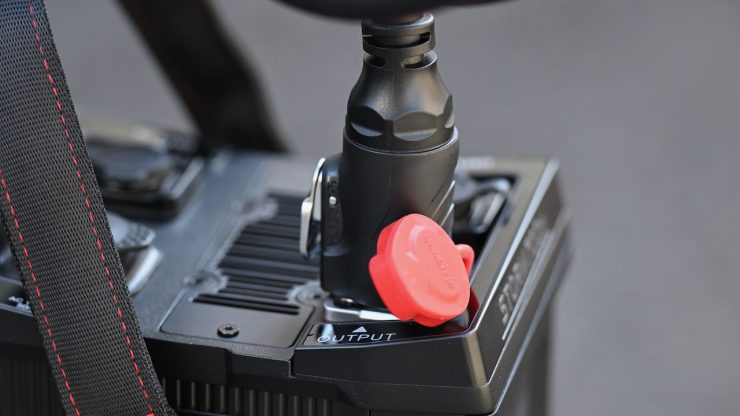
The STORM 700x has the following connectivity on top of the power supply/controller:
- 1x 5-Pin DMX In
- 1x 5-Pin DMX Out
- 2x LAN
- 1x USB-A
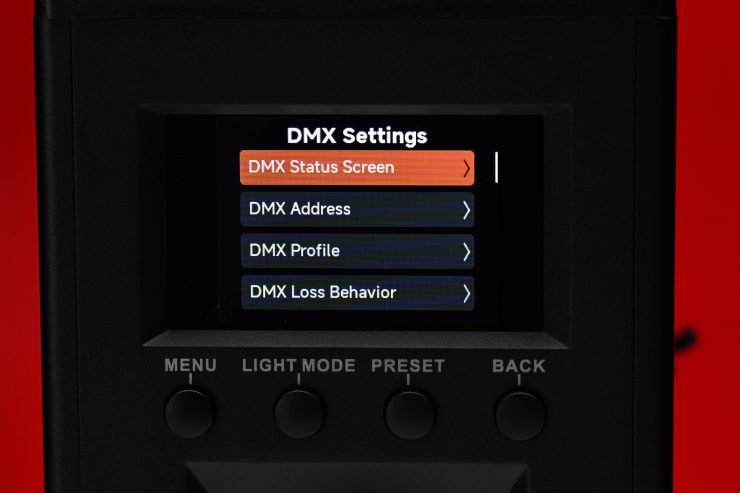
Above, you can see the DMX settings menu.
Optional CF10 Fresnel & Barndoors Kit
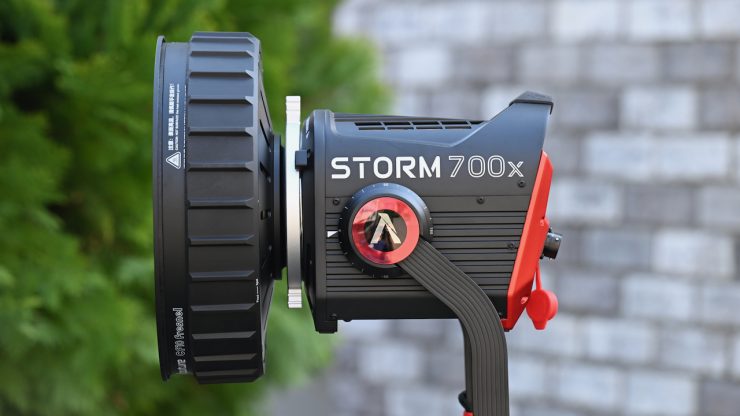
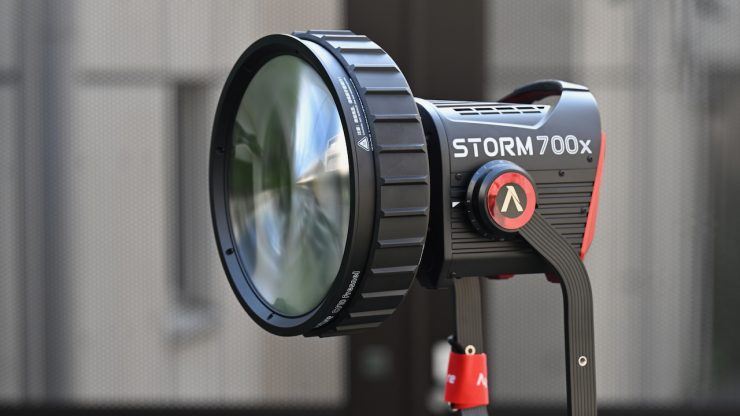
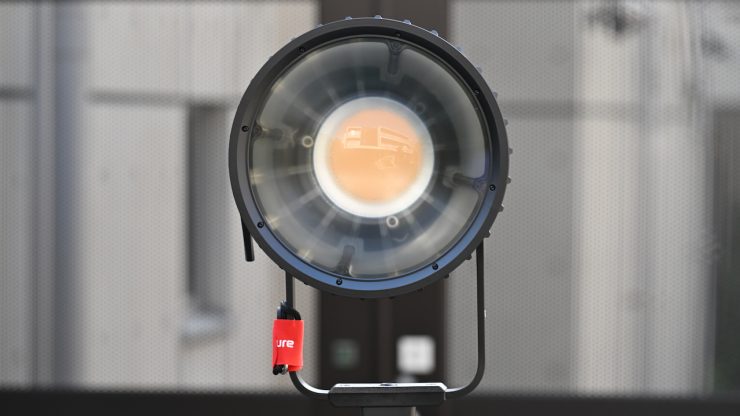
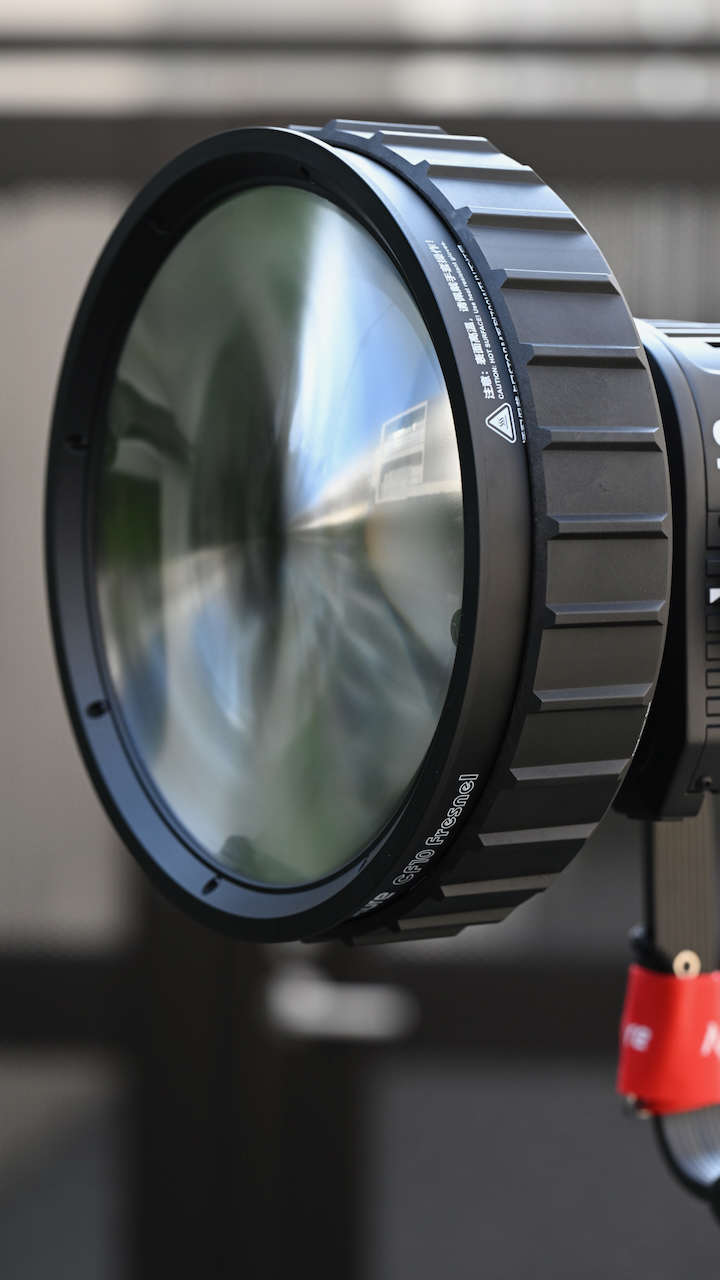
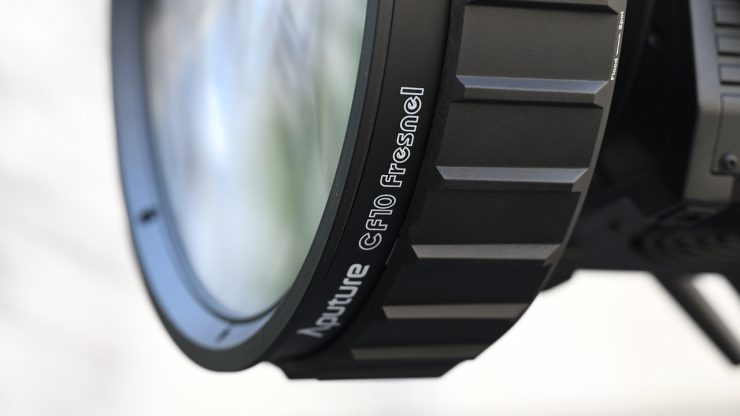
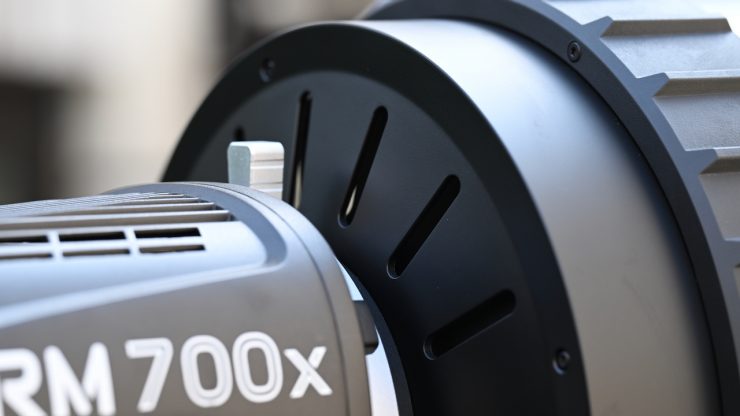
The CF10 Fresnel & Barndoors Kit is a $499 USD optional extra that is optimized for use with the STORM 700x. The CF10 Fresnel & Barndoors Kit combines a compact Fresnel with a 10″ diameter lens, 8-leaf barndoors, and a soft carry case.
Key features
- Compact Fresnel with 8-Leaf Barndoors
- Optimized for STORM 700x Fixture
- Works with LS 600c Pro II & LS 600c Pro
- Works with STORM 400x
- Beam Range: 15 to 40°
- Intensifies STORM 700x Output up to 2x
- Smooth Falloff from Center to Edge
- Bowens Mount
- Includes Safety Chain
- Includes Soft Carry Case
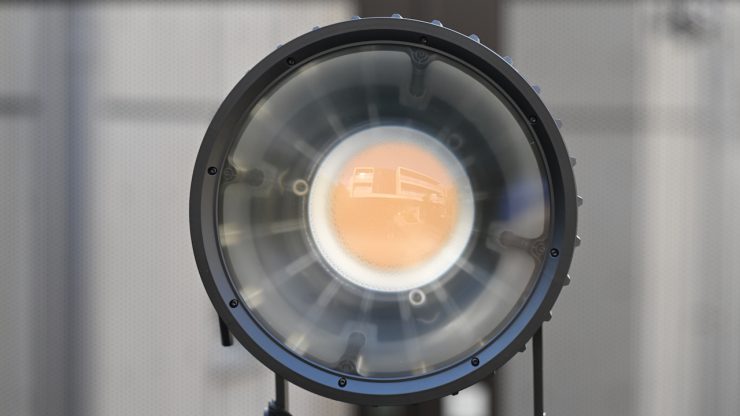
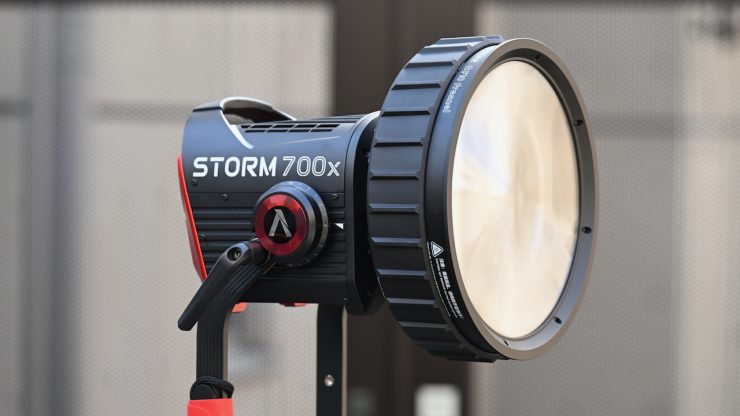
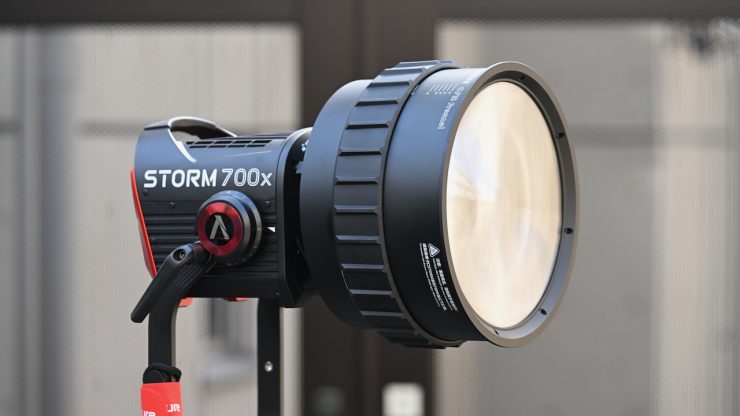
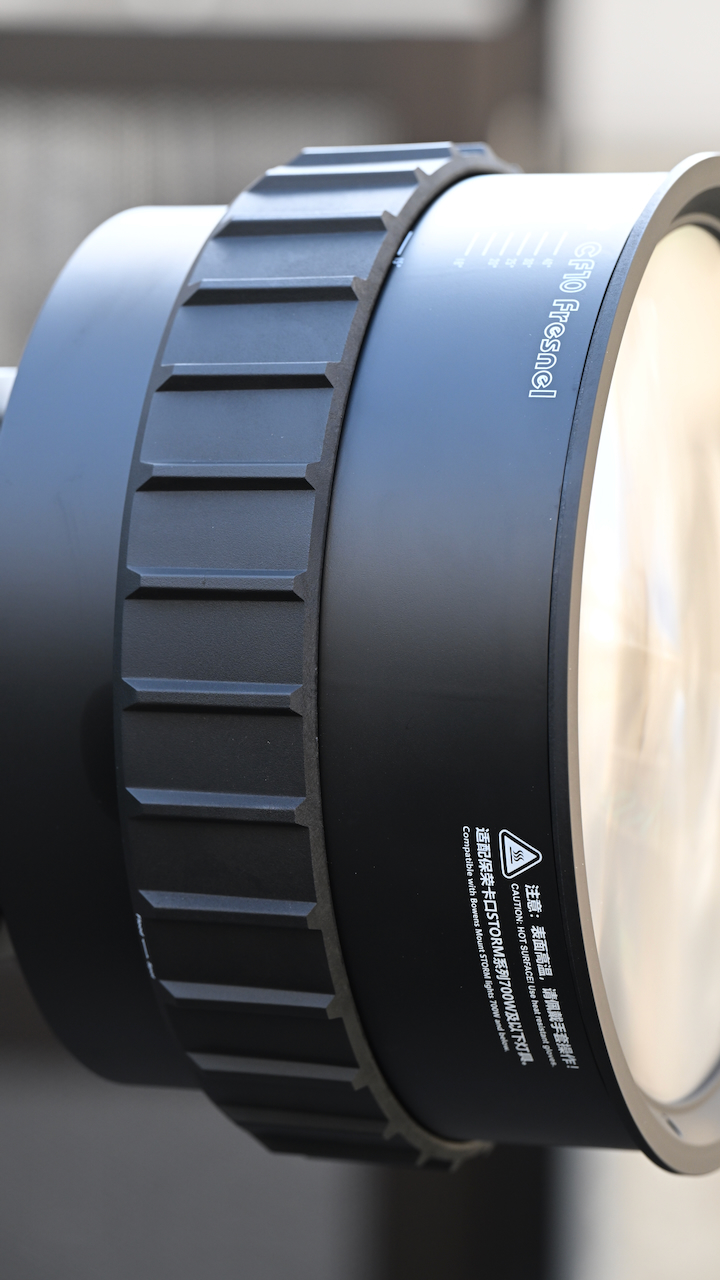
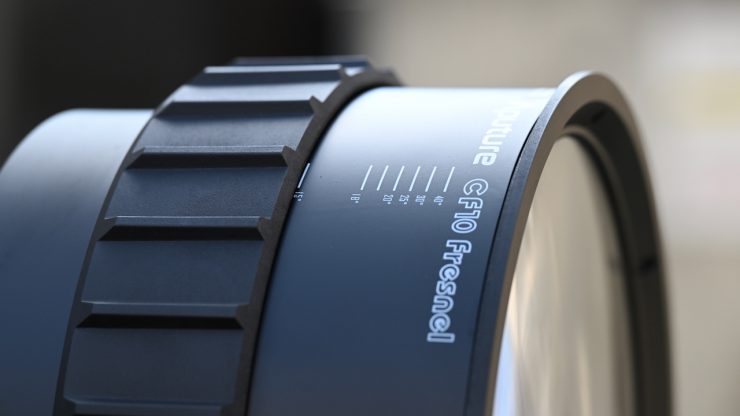
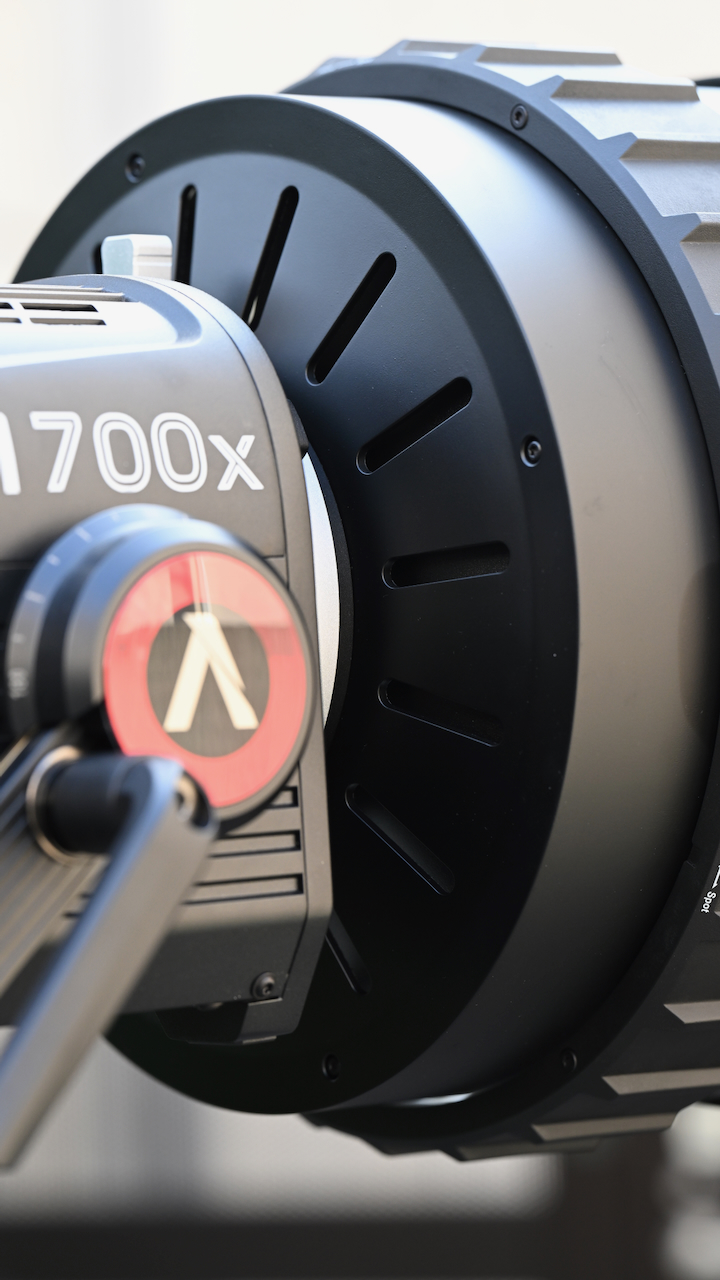
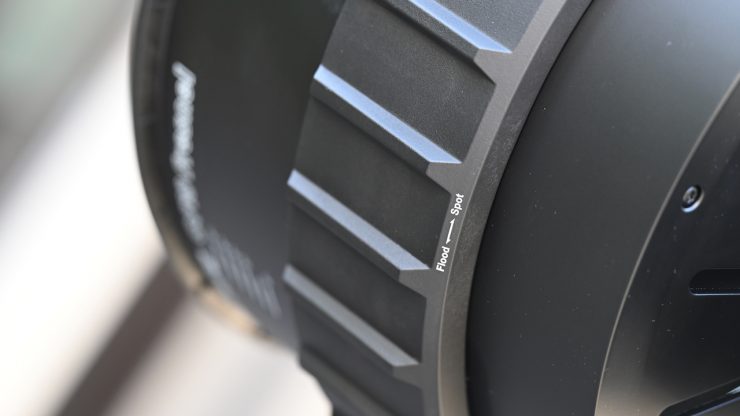
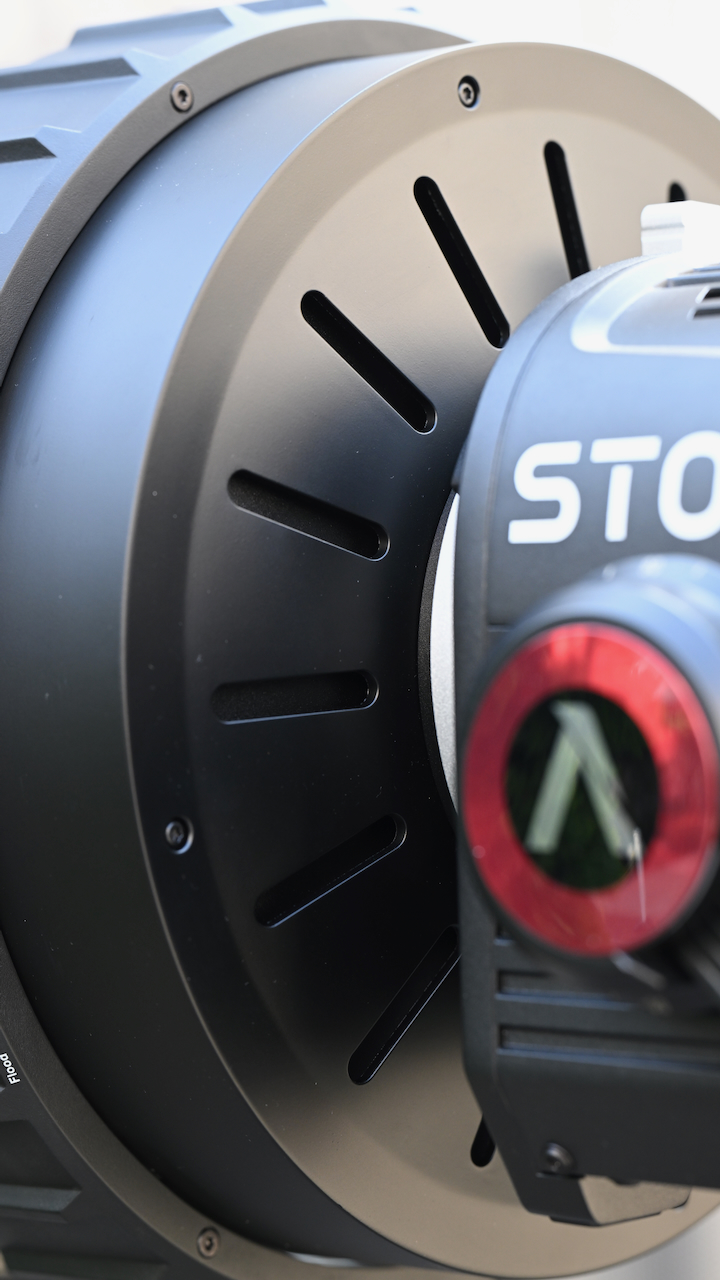
The CF10 Fresnel is claimed to increase the STORM 700x’s output by up to two times. It offers a variable beam spread from a 15° spot to a 40° flood, and it is claimed to provide smooth falloff from the center to the edge while maintaining a compact profile
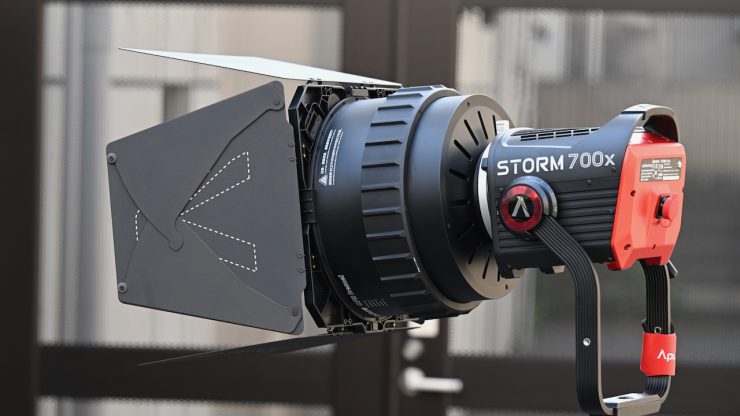
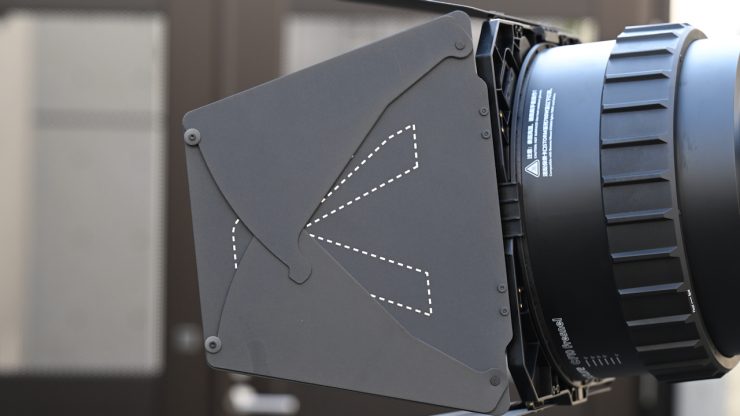
For shaping light, you also get 8-leaf barndoors.
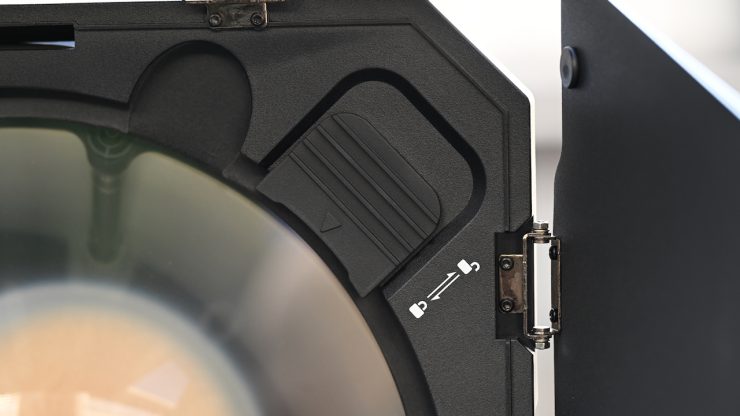
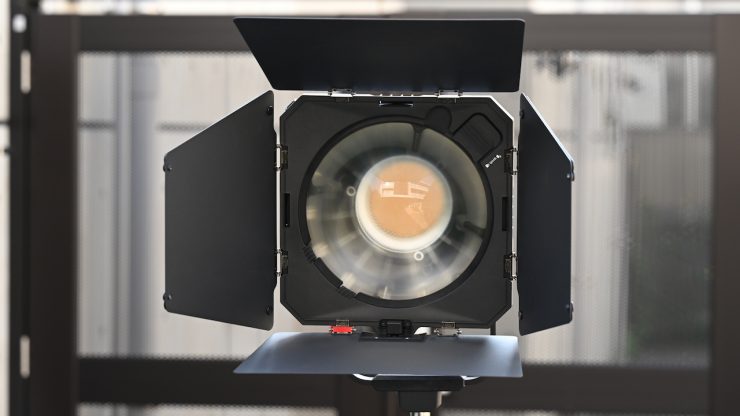
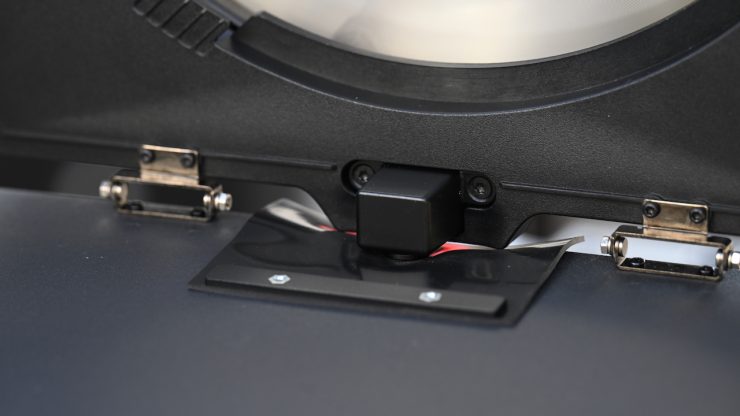
These are nicely made, and they have two locking methods. They also come with a safety lanyard.
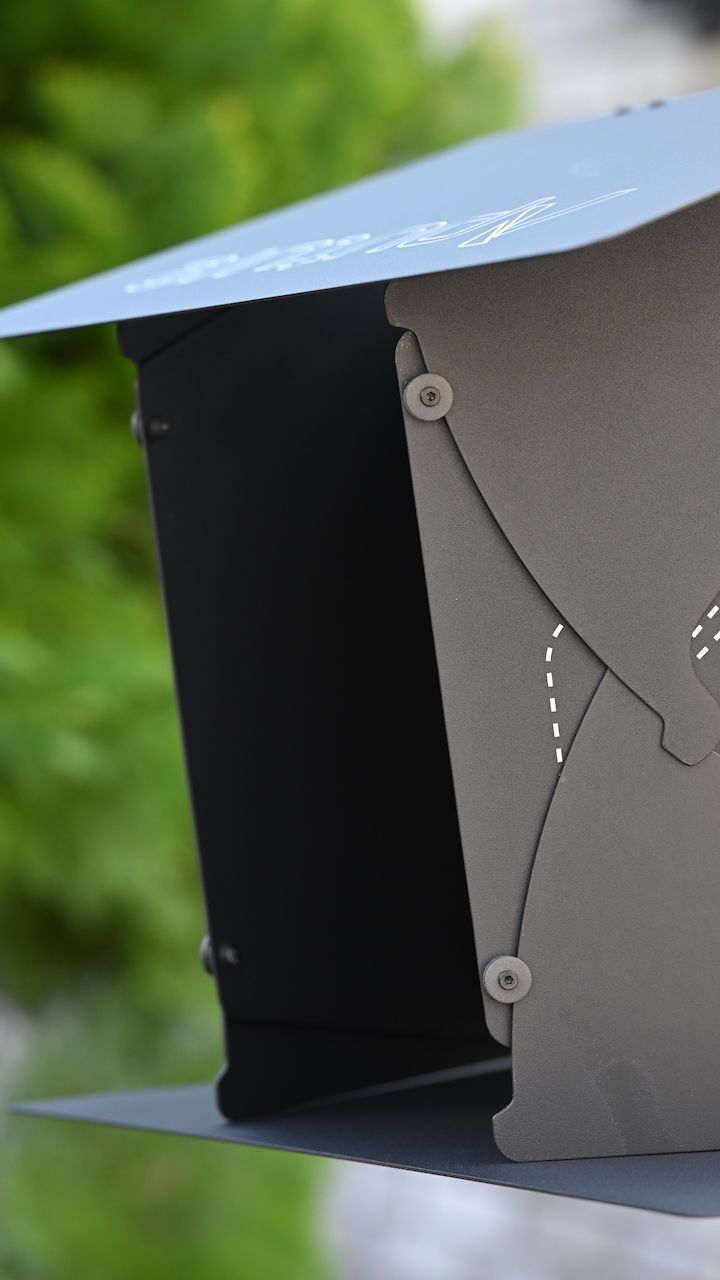
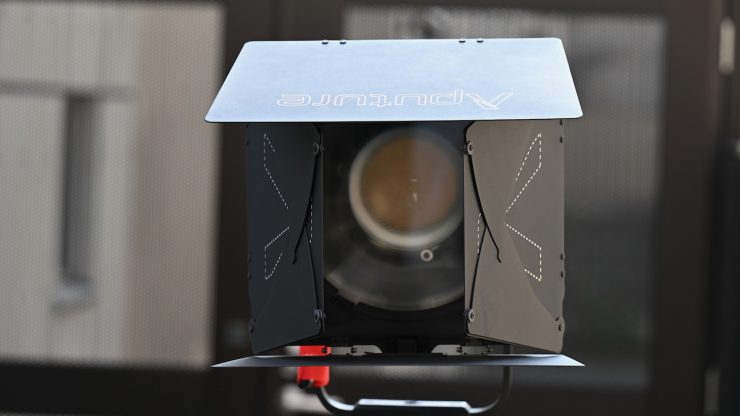
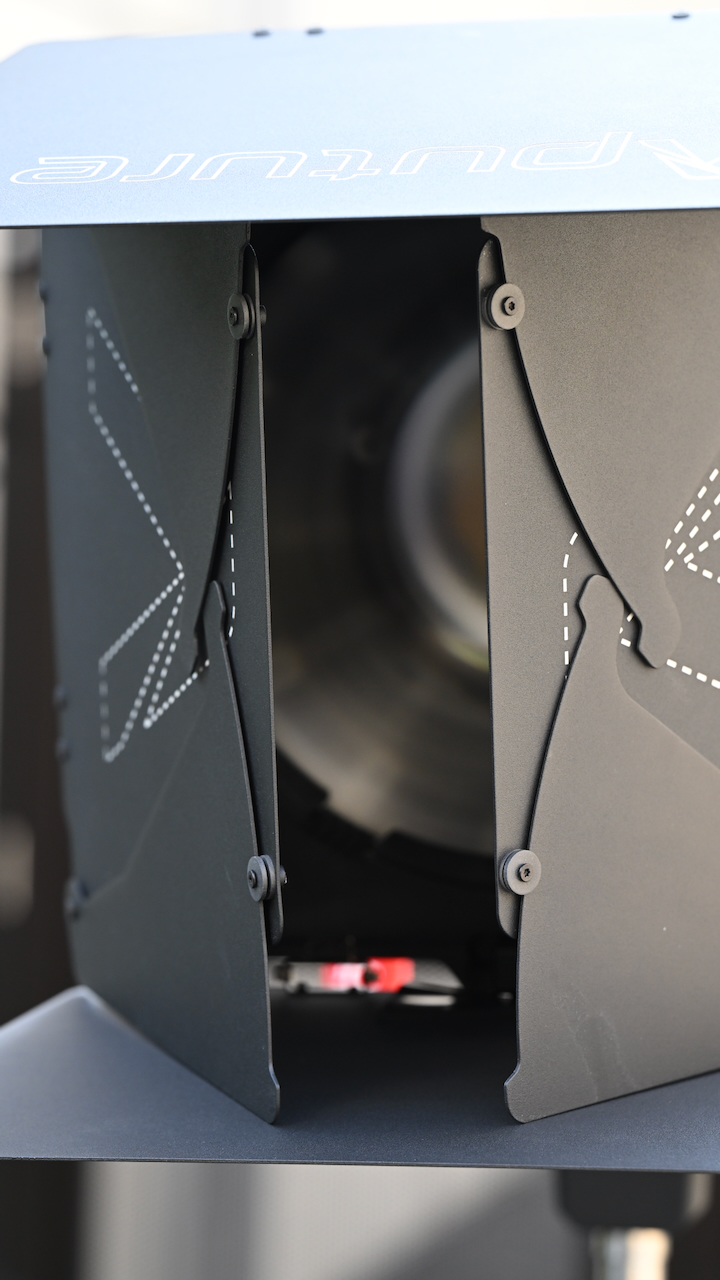
The barndoors do a good job, and you can close them down to control light spill.
Photometrics
So now let’s get to the photometric results. I always test lights in this way so that I get a reference to how they compare to other fixtures. Results only tell part of the story and should never be used alone to judge a light. I have found from extensive testing over the years that certain lights that have good photometric results don’t always look good, and lights that have worse photometric scores can sometimes look better than their results indicate.
You can’t judge a light from one set of photometric results. You have to look at all of the different results to be able to come to a conclusion. Judging a light on one set of results is like reading one chapter in a book and thinking you know the whole story.
Different lights can also look different depending on what camera you happen to be using.
Output & Color Temperature Accuracy
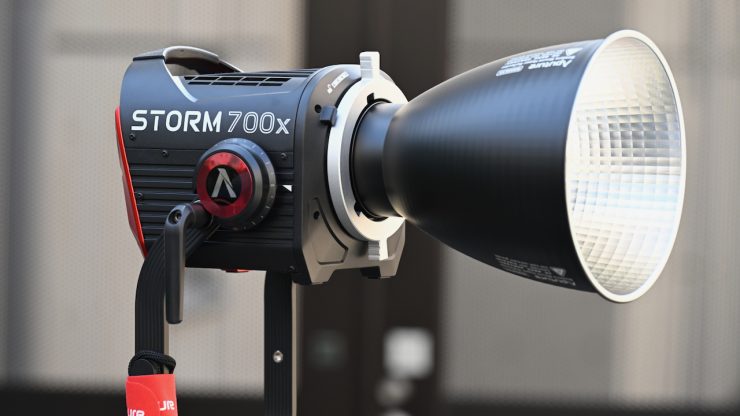
The fixture utilizes advanced diode color mixing that allows it to more effectively utilize each diode’s light output. According to Aputure, when used with its included reflector, at a distance of 9.9′ / 3m, the STORM 700x has a claimed output of 18,670 Lux. To put that figure into perspective, it is claimed to be three times brighter than the LS 600x Pro.
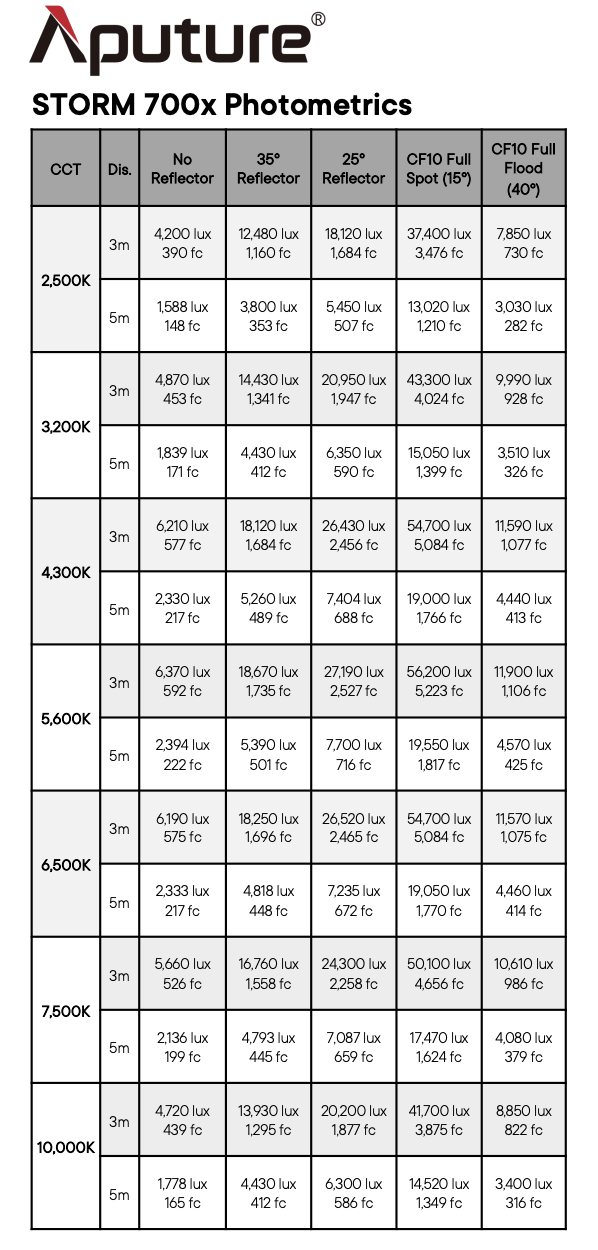
Above, you can see the claimed output of the STORM 700x at various CCT settings and with various lighting modifiers.
I tested the STORM 700x at a variety of CCT settings with a Sekonic C-800 Spectrometer to find out how much output the light had and how accurate the CCT reproduction was. All readings are taken at a distance of 1m (3.3ft) in a controlled environment. The readings were all taken directly from the lighting source. In the case of using the light with a reflector, the readings were taken from the edge of those attachments. This is how I test all lights, and this is why you will sometimes see a discrepancy between claimed figures and my measured figures.
For these tests, the STORM 700x was set in its CEI Daylight white light mode.
So just how much output does it have and how CCT accurate is it? Well, let’s find out.
Aputure STORM 700x 5600K Max. Output (open face)
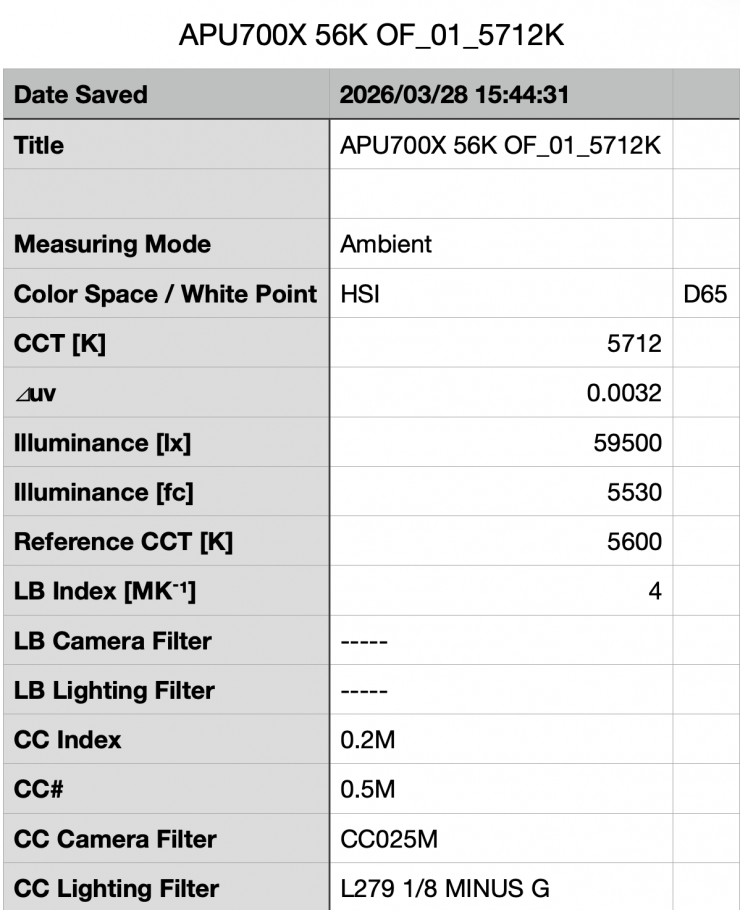
Above, you can see the STORM 700x recorded an output of 59,500 lx (5530 fc) when set at 5600K and used open face @1m / 3.3′.
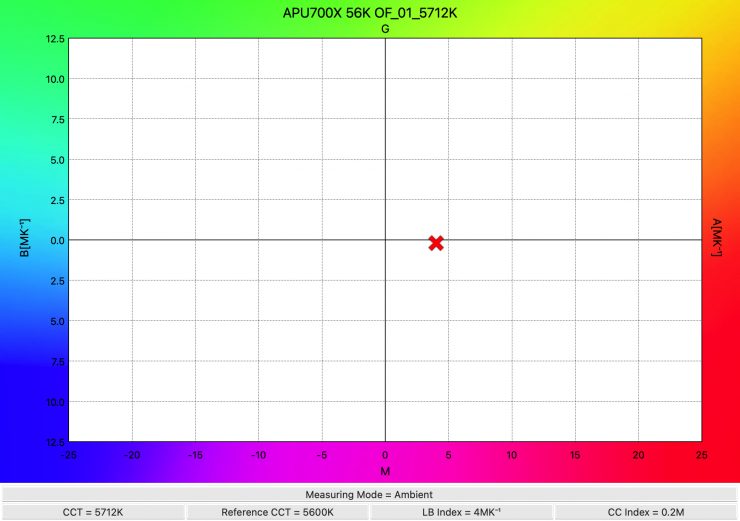
The light recorded a CCT reading of 5712K, which was a decent enough reading.
Aputure STORM 700x 3200K Max. Output (open face)
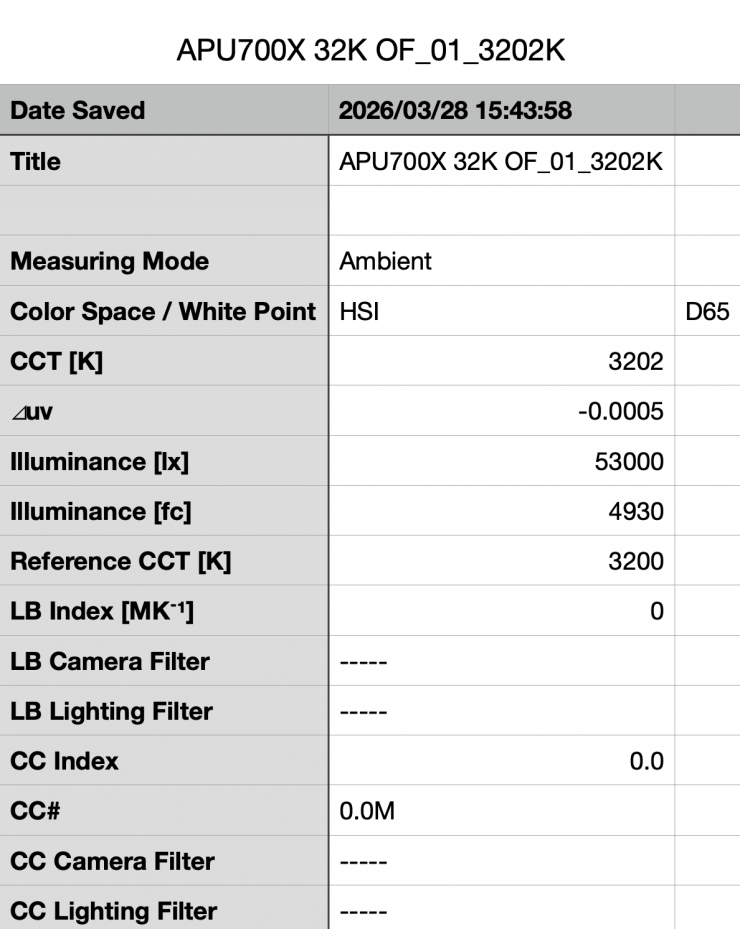
Above, you can see the light’s output when it was set at 3200K in the open face configuration was 53,000 lx (4930 fc) @1m / 3.3′, which was 10.9% less than what it produced at 5600K.
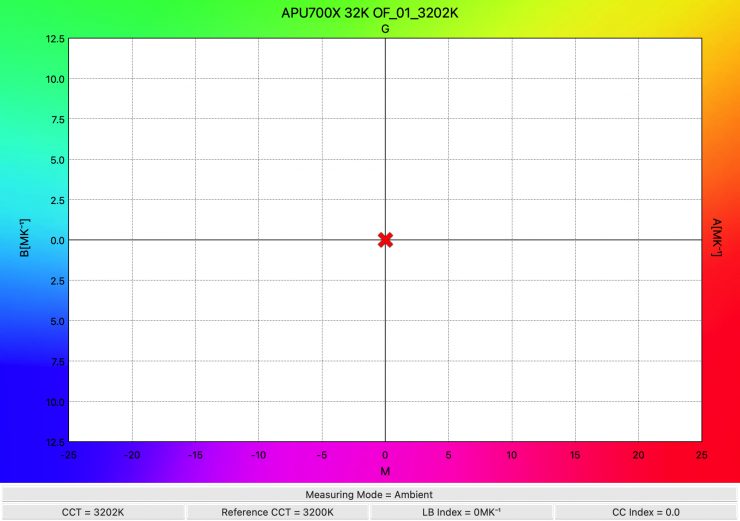
As far as CCT accuracy goes, it recorded an almost perfect reading of 3202K
Summary of results Open Face (Max. Output)
| SETTING | OUTPUT @3m | CCT READING |
| 2500K | 44,900 lx | 2502K |
| 3200K | 53,000 lx | 3202K |
| 4500K | 60,700 lx | 4561K |
| 5600K | 59,500 lx | 5712K |
| 6500K | 58,000 lx | 6664K |
| 8000K | 53,100 lx | 8266K |
| 10000K | 45,800 lx | 10435K |
These results show me that the light’s output varies by 26.02% depending on the CCT temperature you are using.
The CCT accuracy across the range was excellent from 2500-4500K. At 5600K and above, it was still good, but not great. Just a quick spoiler alert, the light seems to have been optimized for CCT accuracy when used with the Aputure reflectors.
So how does this compare to the NANLUX Evoke 600C and Profoto L600C when they are used open face?
| | Output at 5600K | CCT (K) |
| Aputure STORM 700x | 59,500 lx | 5712K |
| Profoto L600C | 21,700 lx | 5715K |
| NANLUX Evoke 600C | 34,000 lx | 5697K |
| | Output at 3200K | CCT (K) |
| Aputure STORM 700x | 53,000 lx | 3202K |
| Profoto L600C | 17,000 lx | 3274K |
| NANLUX Evoke 600C | 25,100 lx | 3217K |
As you can see, the STORM 700x has a lot more output than any of these other lights, but it also has a reasonably narrow 58° beam angle, and it draws more power.
35° Hyper Reflector Max. Output
So, now let’s see how much output the light has when used with its 35° Hyper Reflector in its Max. Output mode.
Aputure STORM 700x 5600K Max. Output (35° Hyper Reflector)
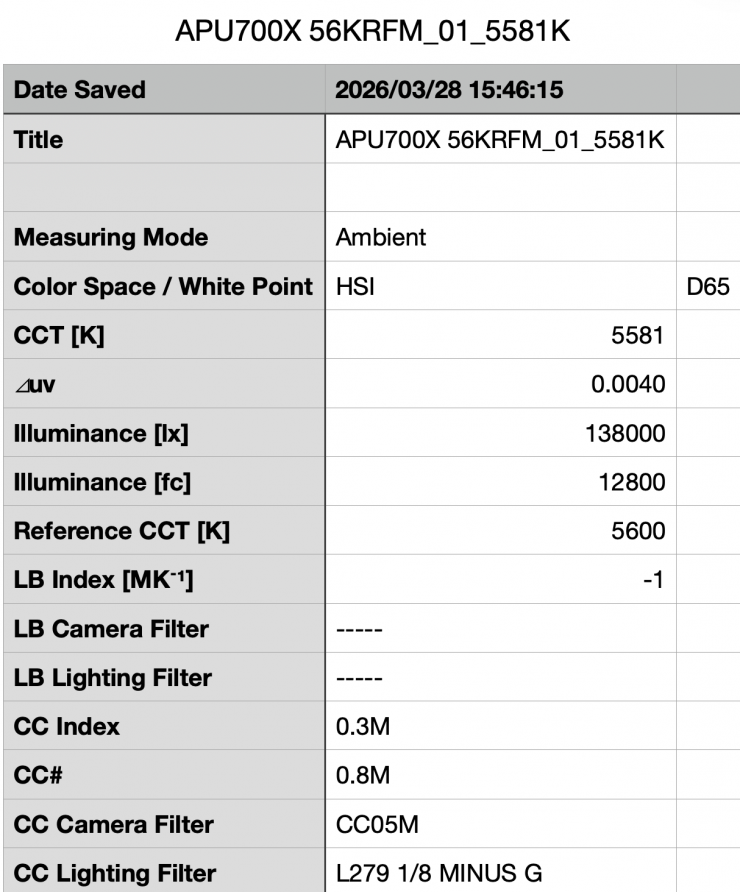
Above you can see the light’s output when it was set at 5600K with the 35° Hyper Reflector was 138,000 lx (12,800 fc) @1m / 3.3′. This was 131.9% more than the 59,500 lx it produced at 5600K when used open face. It is important to note that this measurement was made from the edge of the reflector.
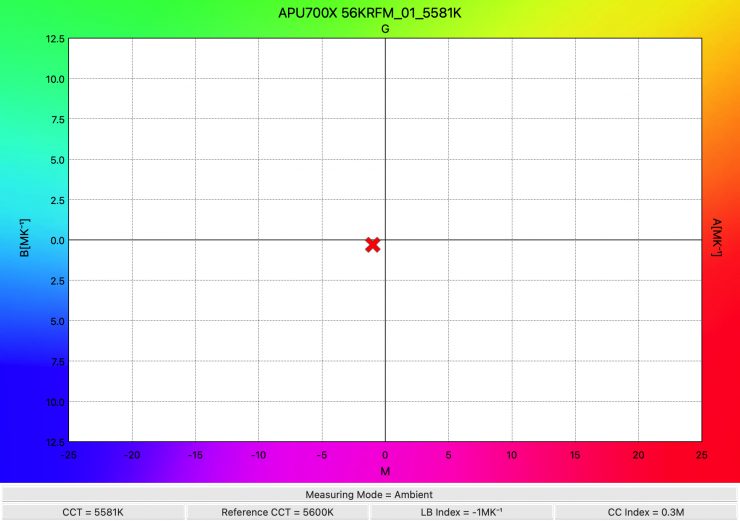
As far as CCT accuracy goes, it recorded a very accurate reading of 5581K. The CCT accuracy when using the wide reflector was a lot better when the light was used open face.
Aputure STORM 700x 3200K Max. Output (35° Hyper Reflector)
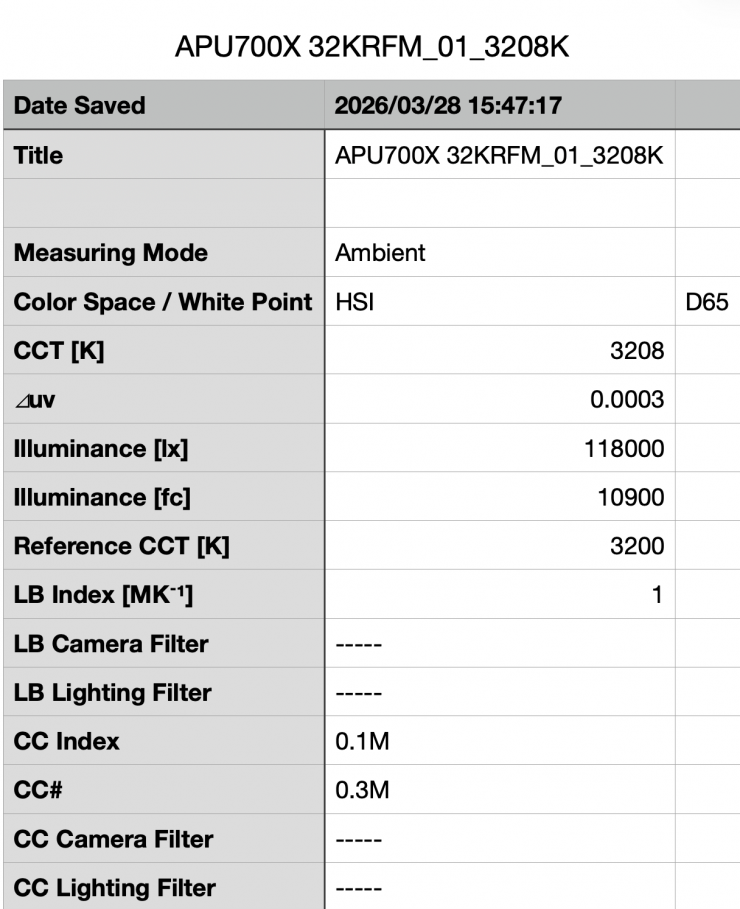
Above you can see the light’s output when it was set at 3200K with the 35° Hyper Reflector was 118,000 lx (10,900 fc) @1m / 3.3′, which was 14.49% less than what it output at 5600K.
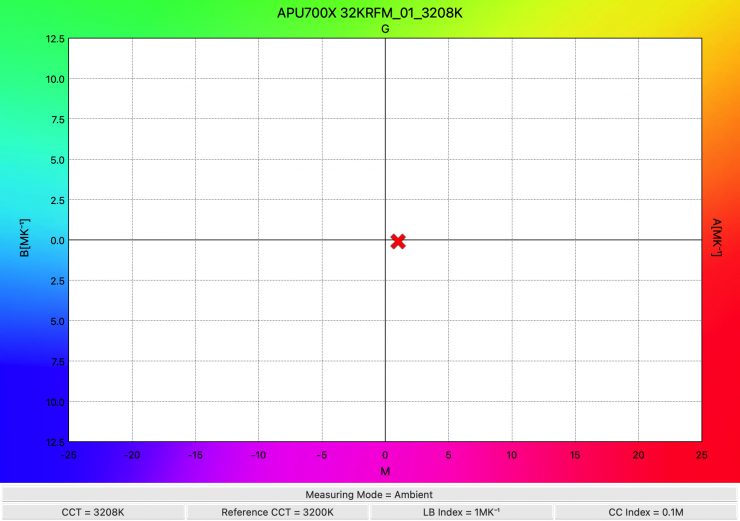
As far as CCT accuracy goes, it recorded an almost perfect reading of 3208K.
Summary of results (35° Hyper Reflector)
| SETTING | OUTPUT @3m | CCT READING |
| 2500K | 104,000 lx | 2567K |
| 3200K | 118,000 lx | 3208K |
| 4500K | 140,000 lx | 4494K |
| 5600K | 138,000 lx | 5581K |
| 6500K | 137,000 lx | 6444K |
| 8000K | 126,000 lx | 7893K |
| 10000K | 110,000 lx | 9787K |
These results show me that the light’s output varies by 25.71% depending on what CCT temperature you are using; however, between 4500K and 6500K, it only varies by 2.14%.
The CCT accuracy across the range was very good from 2500-8000K. From 2500-6500K it was no more than 66K from being correct.
So how does this compare to the NANLUX Evoke 600C when it is used with its 25° reflector and the Profoto L600C MaxiZoom Reflector 25°.
| | Output at 5600K | CCT (K) |
| Aputure STORM 700x | 138,000 lx (35° Hyper Reflector) | 5581K |
| Profoto L600C | 57,600 lx (MaxiZoom Reflector @25° | 5563K |
| NANLUX Evoke 600C | 185,000 lx (25° reflector) | 5679K |
| | Output at 3200K | CCT (K) |
| Aputure STORM 700x | 118,000 lx (35° Hyper Reflector) | 3208K |
| Profoto L600C | 45,700 lx (MaxiZoom Reflector @25°) | 3260K |
| NANLUX Evoke 600C | 134,000 lx (25° reflector) | 3163K |
These lights were tested under the exact same conditions, so you get a real-world, honest assessment of how the lights compare. Please note that the Aputure STORM 700x draws more power, but the Nanlite and Profoto have a slightly tighter beam angle when using their reflectors. Please also note that my measurements are always made from the end of the reflector and not from the COB, and that is why my measured figures will sometimes be lower than those quoted by the manufacturer.
35° Hyper Reflector Constant Output
Aputure STORM 700x 5600K Constant Output (35° Hyper Reflector)
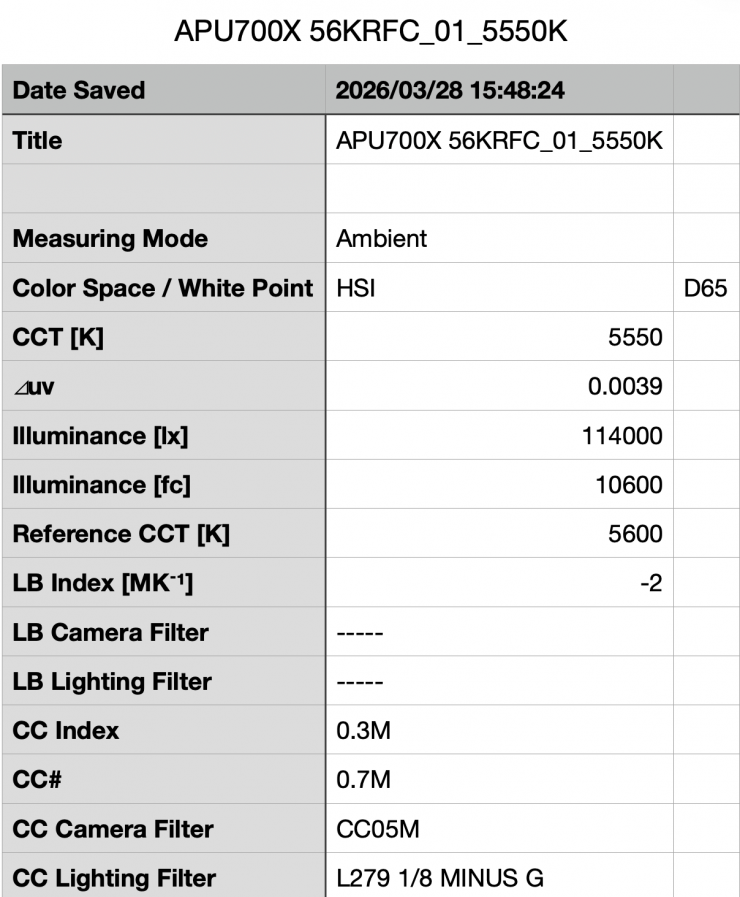
Above you can see the light’s output when it was set at 5600K in its Constant Output mode with the 35° Hyper Reflector was 114,000 lx (10,600 fc) @1m 3.3′. This was 17.39% less than the 138,000 lx it produced at 5600K when used in its Max. Output mode. It is important to note that this measurement was made from the edge of the reflector.
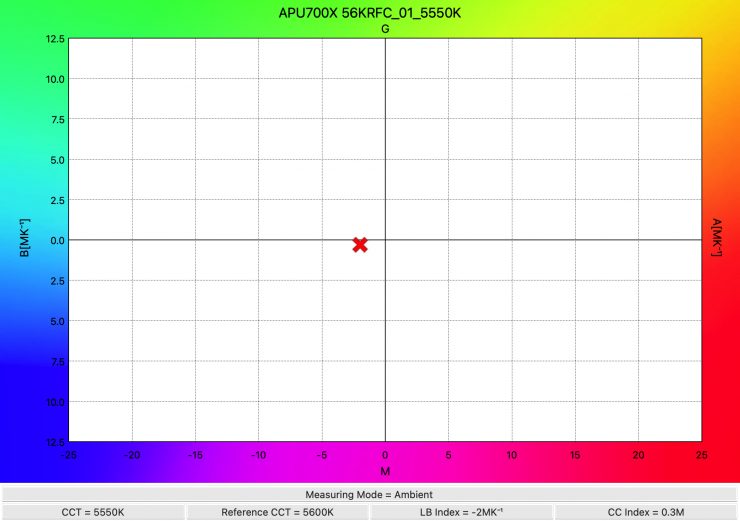
As far as CCT accuracy goes, it recorded a very accurate reading of 5550K. The CCT accuracy when using the light in its Constant Output was not quite s good as when the light was used in its Max. Output mode.
Aputure STORM 700x 3200K Constant Output (35° Hyper Reflector)
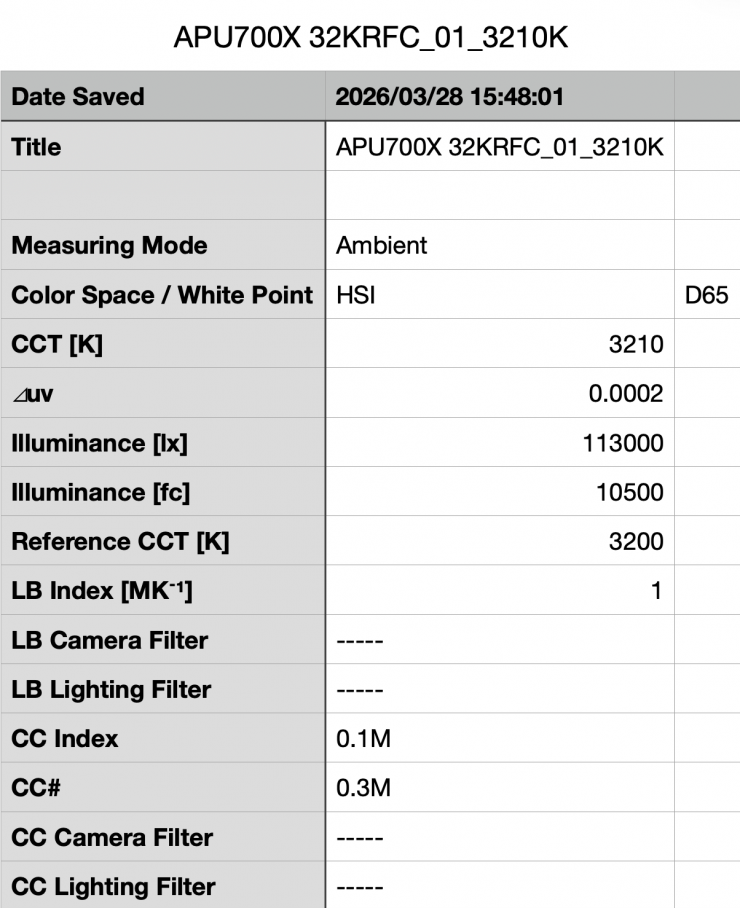
Above you can see the light’s output when it was set at 3200K with the 35° Hyper Reflector was 113,000 lx (10,500 fc) @1m 3.3′, which was just 0.87% less than what it output at 5600K.
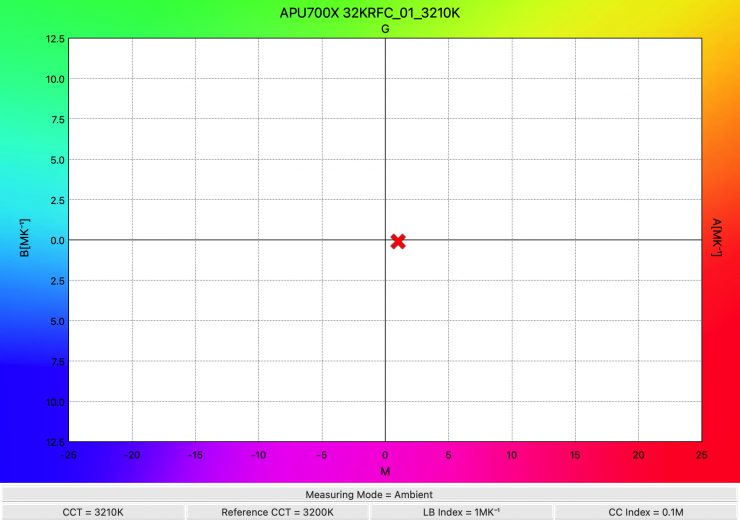
As far as CCT accuracy goes, it recorded an almost perfect reading of 3210K.
Summary of results Constant Output (35° Hyper Reflector)
| SETTING | OUTPUT @3m | CCT READING |
| 2500K | 103,000 lx | 2517K |
| 3200K | 113,000 lx | 3210K |
| 4500K | 113,000 lx | 4490K |
| 5600K | 114,000 lx | 5550K |
| 6500K | 113,000 lx | 6434K |
| 8000K | 113,000 lx | 7892K |
| 10000K | 107,00 lx | 9796K |
These results show me that the light’s output varies by just 0.87% from 3200-8,000K.
Just like when used in its Max. Output mode, the CCT accuracy across the range was excellent from 2500-8,000K.
These results clearly tell me that the light’s CCT performance isn’t affected regardless of whether you are using the High Output or Constant Output modes.
35° Hyper Reflector Fan set to Silent
I was also interested to see how much output the STORM 700x had when you run the light in its Silent fan setting. Now, in this mode, the output is limited, so it isn’t realistically going to be something you can use for a lot of lighting applications.
Aputure STORM 700x 5600K Fan set to Silent (35° Hyper Reflector)
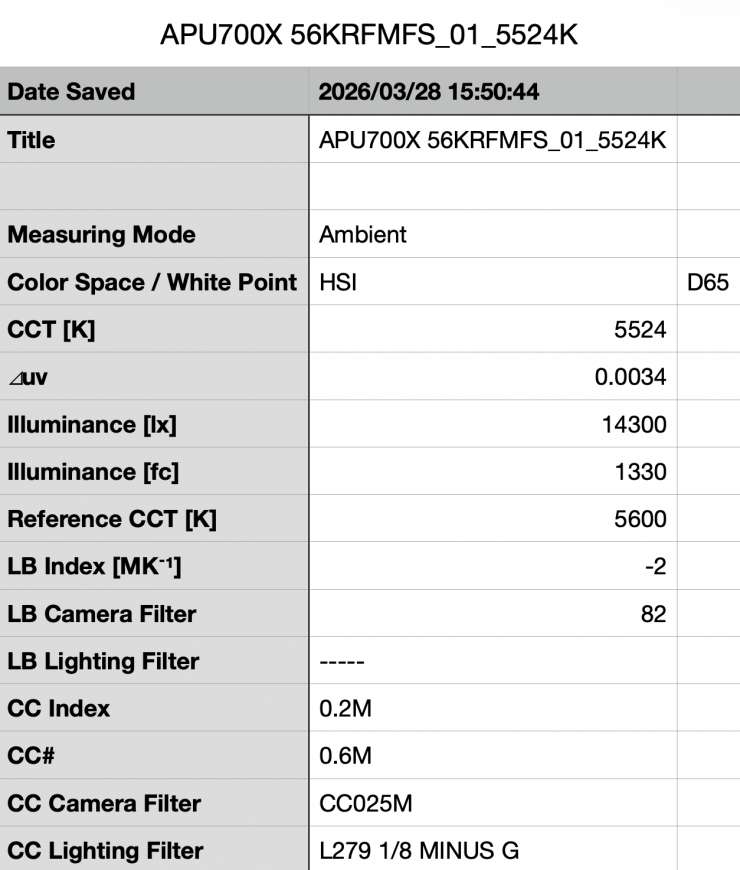
Above you can see the light’s output when it was set at 5600K with the 35° Hyper Reflector, when the fan was set to Silent was 14,300 lx (1330 fc) @1m 3.3′, which was 89.63% less than what it output at 5600K with the fan set to Smart.
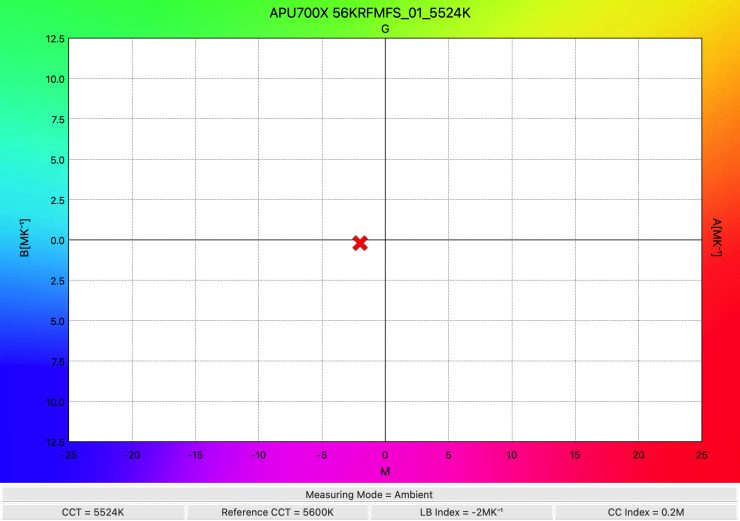
As far as CCT accuracy goes, the light recorded a good reading of 5524K.
Aputure STORM 700x 5600K Fan set to Medium (35° Hyper Reflector)
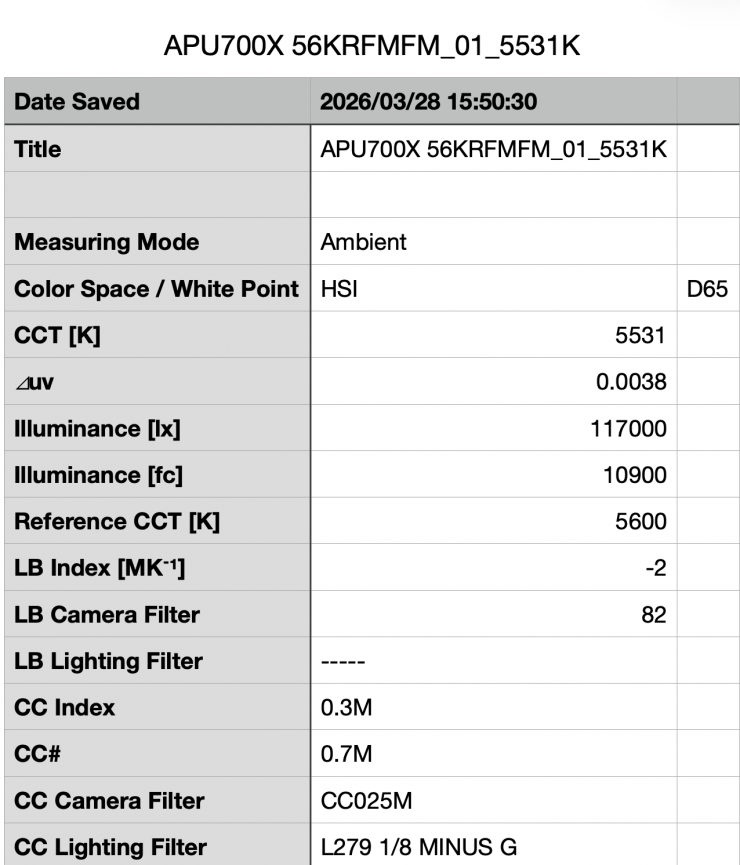
Above you can see the light’s output when it was set at 5600K with the 35° Hyper Reflector, when the fan was set to Medium was 117,000 lx (10,900 fc) @1m 3.3′. This shows me that with the fan speed set to Medium, the light had 15.2% less output.
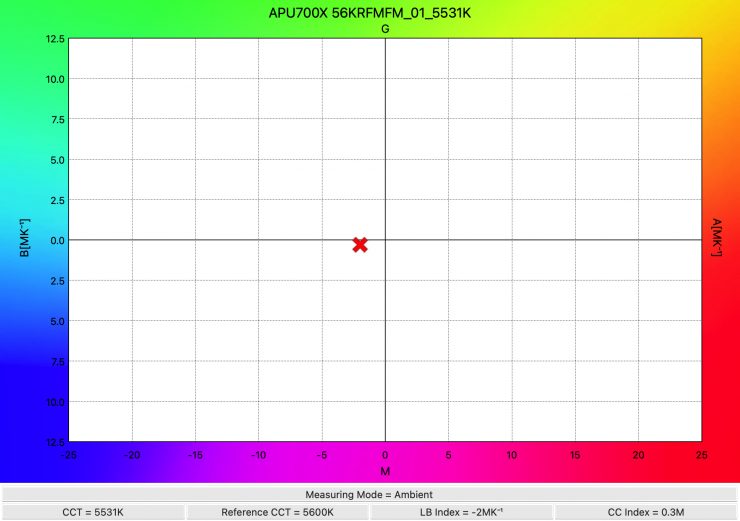
As far as CCT accuracy goes, the light recorded a good reading of 5531K.
High-Speed Mode 35° Hyper Reflector Max. Output
The STORM 700x has a little trick if you want even more output. If you use the light in the High-Speed Mode, you can squeeze out a few more lux.
Aputure STORM 700x 5600K Max. Output / High-Speed Mode (35° Hyper Reflector)
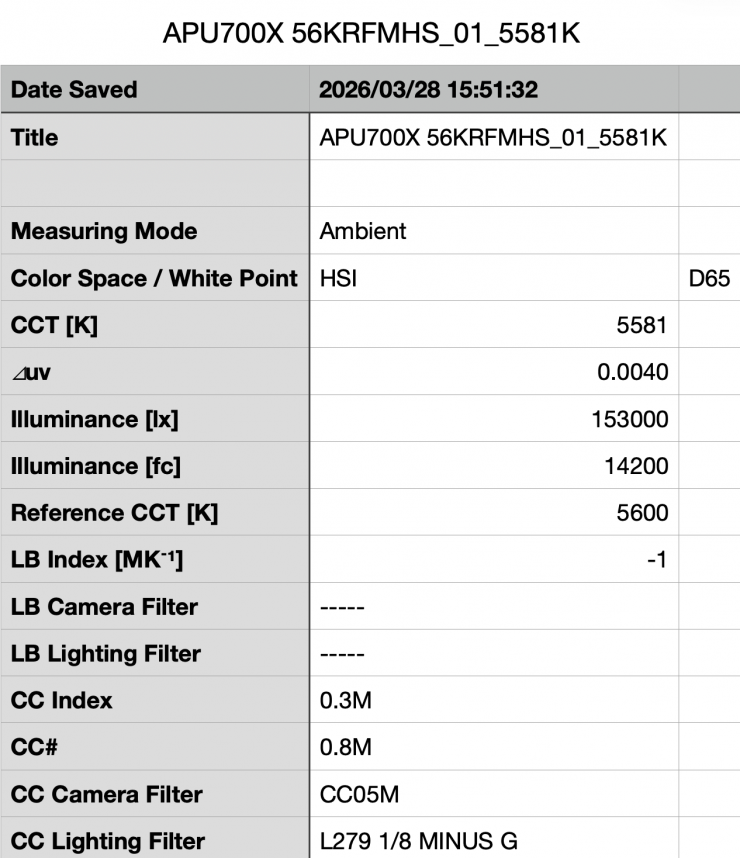
Above you can see the light’s output when it was set at 5600K with the 35° Hyper Reflector in the High-Speed Mode was 153,000 lx (14,200 fc) @1m 3.3′, which was 10.86% more than what it output at 5600K with the High-Speed Mode turned off.
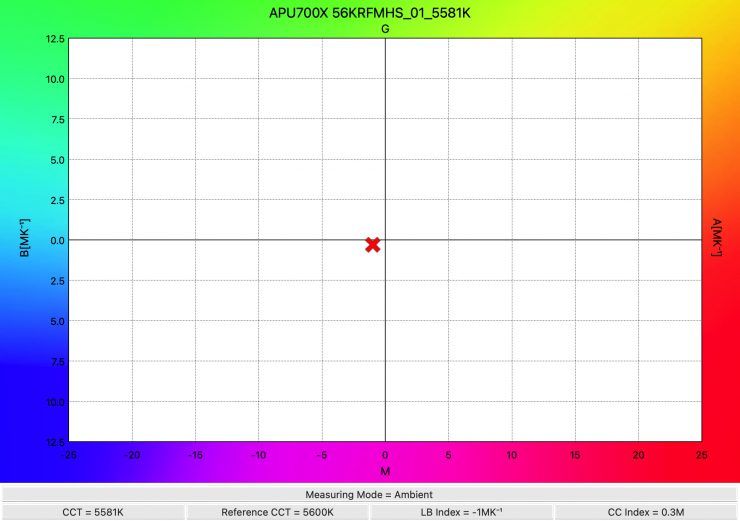
As far as CCT accuracy goes, it recorded an excellent reading of 5581K.
You can have your cake and eat it too
My testing found that when using any of the Aputure Reflectors, you can get a ton of output with great CCT accuracy. This is what makes the STORM 700x an exceptionally good light. You can use it in its Max. Output or Constant Output modes, knowing that the CCT accuracy isn’t getting affected by creating more output.
CCT consistency & linear output when dimming the light
Now, what you should always do when testing lights is to see if the CCT remains consistent when dimming the light. Just because you set a light at say 5600K, that doesn’t mean that the CCT will remain stable as you start dimming the fixture down. I also wanted to see how linear the dimming curve was.
The Aputure STORM 700x has several dimming modes, as I previously mentioned earlier in the review.
I decided to do a series of tests at 100%/75%/50%/25%10% to see if the CCT being recorded changed. This was performed at a distance of 1m / 3.3′ using a Sekonic C-800. These tests were done at 5600K with the 35° Hyper reflector and the light set in its Linear dimming mode and Constant Output mode
| CCT READING | OUTPUT | INTENSITY % |
| 5550K | 114,000 lx | 100 |
| 5535K | 86,700 lx | 75 |
| 5529K | 59,400 lx | 50 |
| 5512K | 30,700 lx | 25 |
| 5529K | 13,300 lx | 10 |
The STORM 700x had very good CCT consistency as you start dimming the fixture. My testing showed that the CCT readings varied by just 70K. This shows me that the light retains very good CCT consistency even when you dim it down.
As far as how linear the output is when you start dimming the light, at 50% output, it had 47.89% less output than when used at 100%. At 25%, it had 73.07% less output than when used at 100%. At 10% output, it had 88.33% less output than when used at 100%. This shows me that the light’s dimming curve is very linear.

Above, you can see the various dimming curve options that are available.
Output when using a DoPChoice Octa 3 Softbox
I also wanted to see how much output the STORM 700x had when using a DoPchoice Octa 3′ softbox.
Aputure STORM 700x 5600K (DoPchoice Octa 3 Softbox)
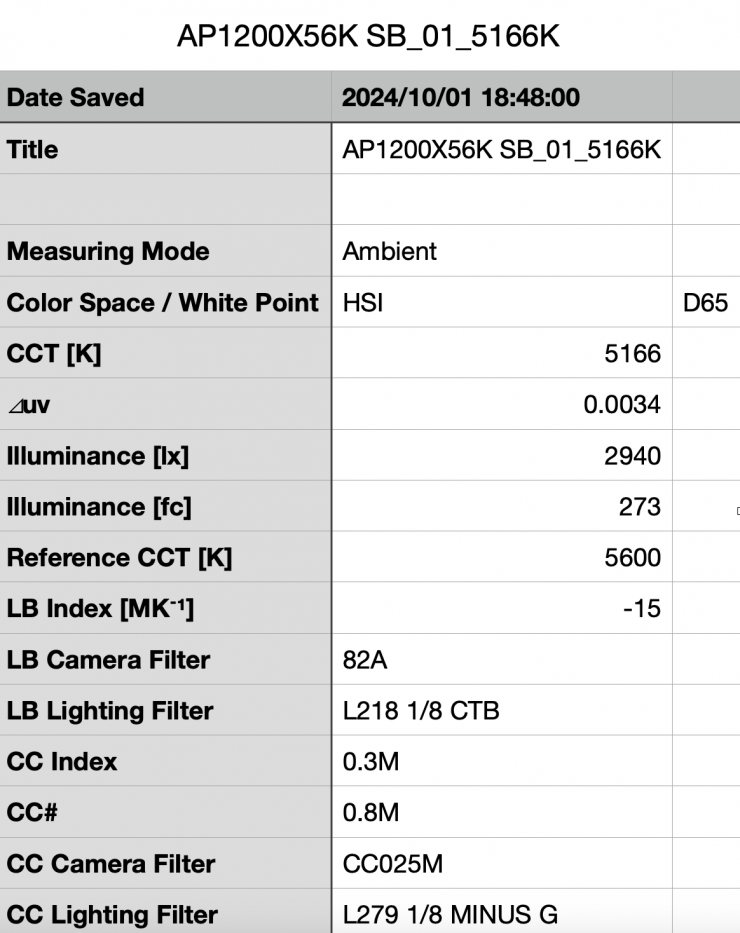
Above you can see the light’s output when it was set at 5600K with the DoPchoice Octa 3 Softbox was 2940 lx (273 fc) @1m / 3.3′. It is important to note that this measurement was made from the end of the softbox.
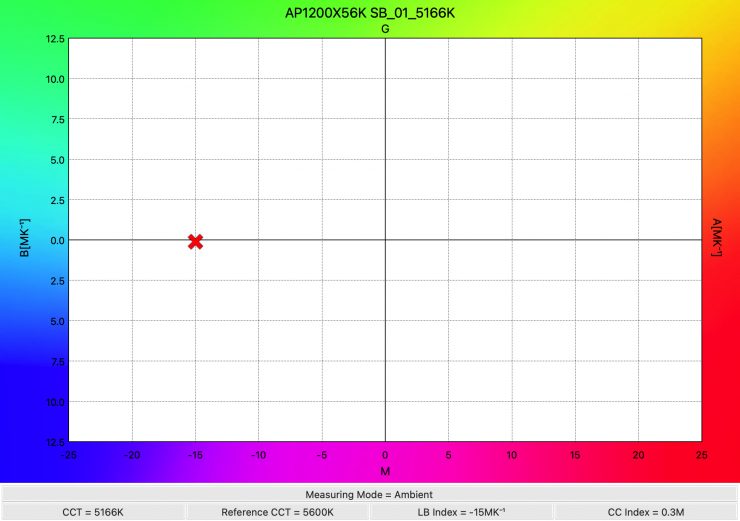
As far as CCT accuracy goes, it recorded a reading of 5166K. Which was more than 400K from being correct. If you wanted to get closer to 5600K you would need to increase the CCT on the fixture.
Output when using the CF10 Fresnel
Let’s have a look at how much output the STORM 700x has when using the optional CF10 Fresnel.
Aputure STORM 700x 5600K Max. Output (CF10 Fresnel @15°)
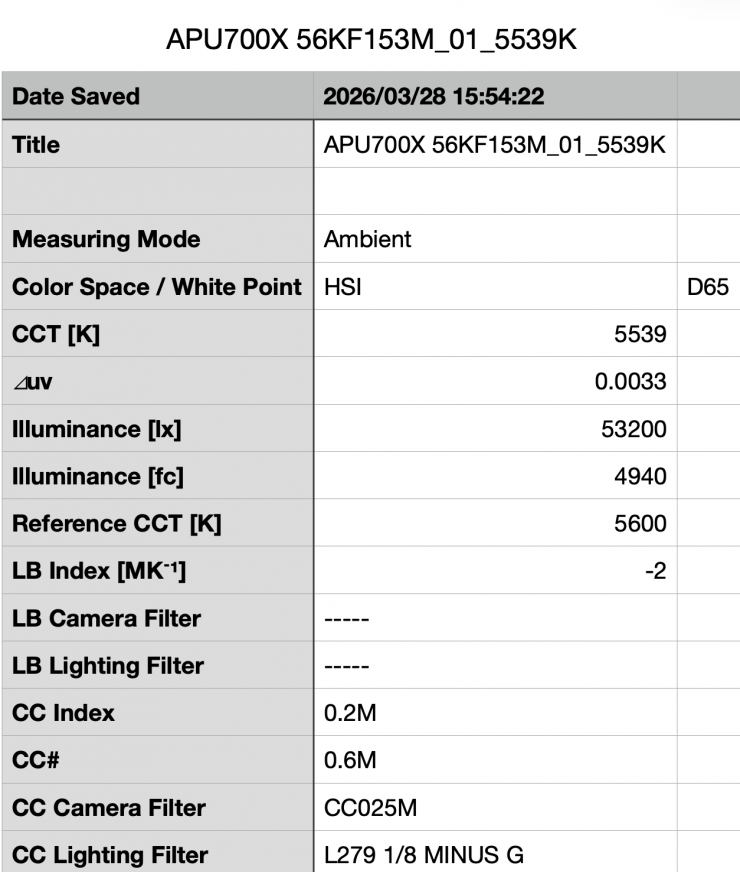
Above, you can see the light’s output when it was set at 5600K with the CF10 Fresnel set at 15° was 53,200 lx (4940 fc) @3m / 9.9′. It is important to note that this measurement was made from the end of the Fresnel. If we use the inverse square law, that equates to 478,800 lx @1m / 3.3′
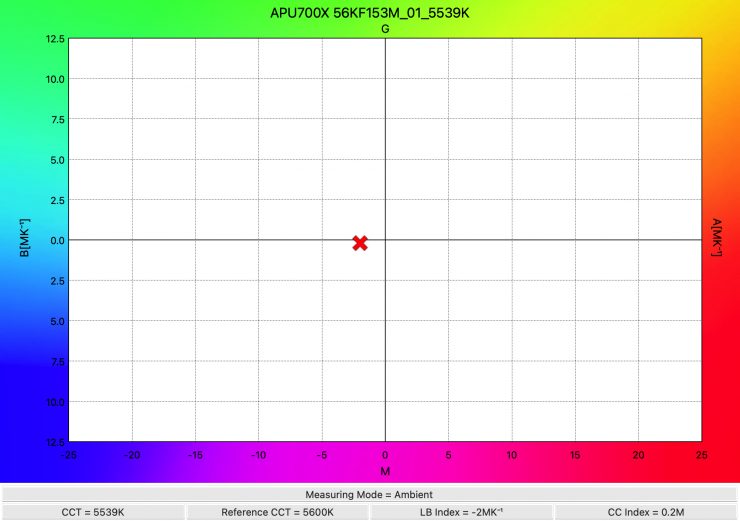
As far as CCT accuracy goes, it recorded a very good reading of 5539K.
Aputure STORM 700x 5600K Max. Output (CF10 Fresnel @45°)
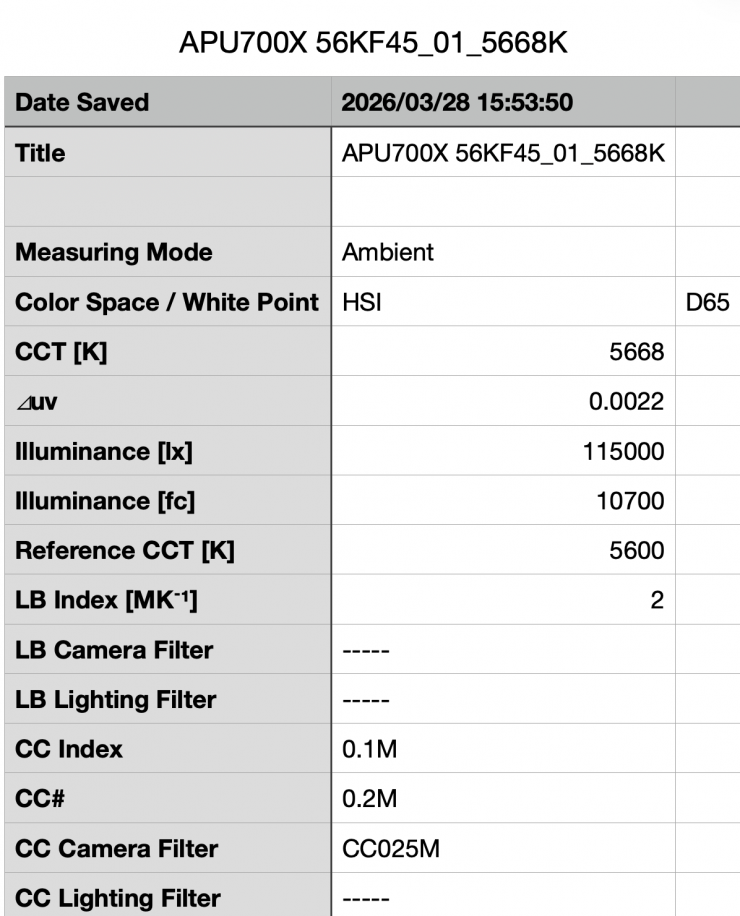
Above, you can see the light’s output when it was set at 5600K with the CF10 Fresnel set at 45° was 115,000 lx (10,700 fc) @1m / 3.3′. It is important to note that this measurement was made from the end of the Fresnel.
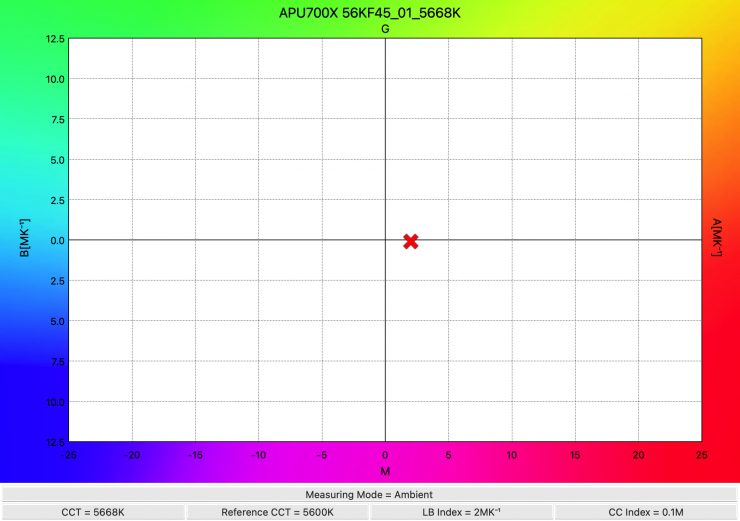
As far as CCT accuracy goes, it recorded a very good reading of 5668K.
Color Rendering
So now that we have seen how much output the Aputure STORM 700x produces, how does it perform when it comes to replicating accurate colors?
Aputure STORM 700x 5600K Max. Output (35° Hyper Reflector)
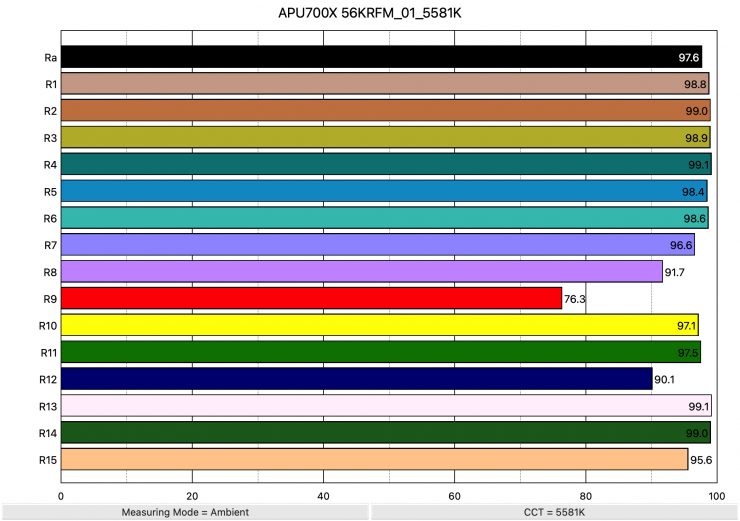
Above, you can see that when the light was set at 5600K using the 35° Hyper Reflector, it recorded an average CRI (R1-R8) of 97.6 and an extended CRI (R1-R15) of 95.64. For replicating accurate skin tones, it recorded 76.3 for R9 (Red), 99.1 for R13 (closest to caucasian skin tones), and 95.6 for R15 (closest to Asian skin tones). These were very good results, but I was puzzled as to why R9 (Red) only scored 76.3. On the STORM 1200x, the score for R9 (Red) was in the 90s. I reached out to Aputure to check this, and I am awaiting a response.
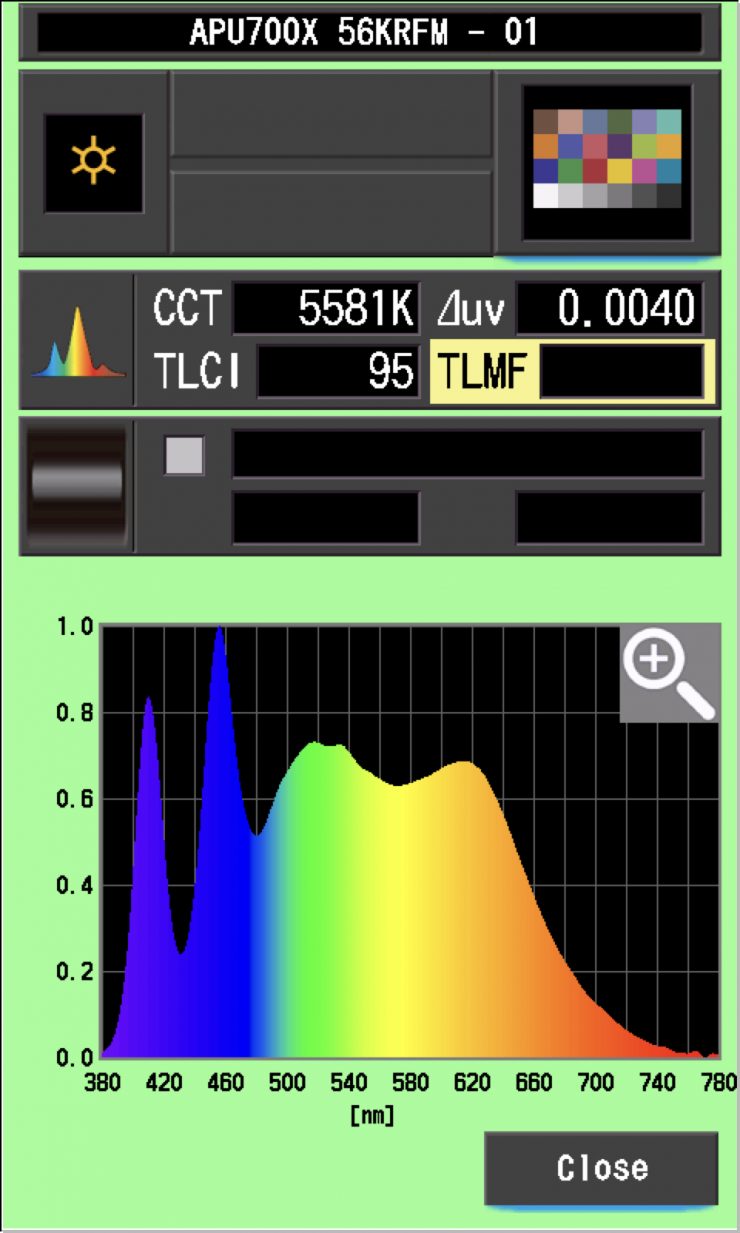
The Aputure STORM 700x, when set at 5600K, recorded a TLCI score of 95.
Aputure STORM 700x 3200K Max. Output (35° Hyper Reflector)
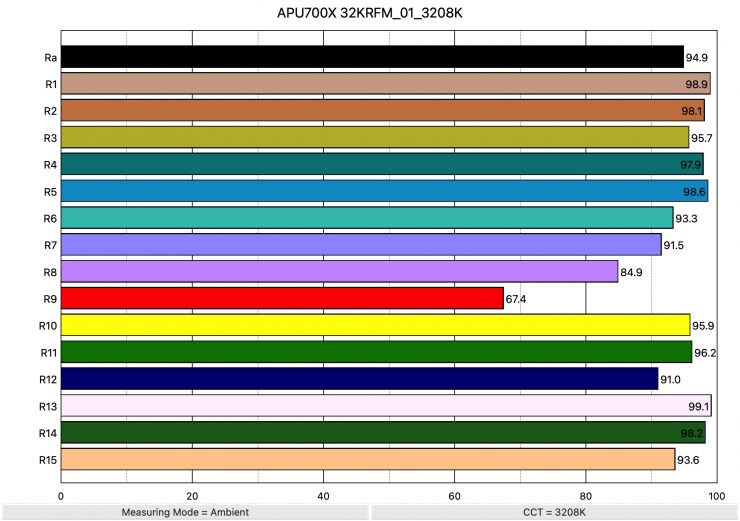
Above, you can see the scores for when the light was used at 3200K. It recorded an average CRI (R1-R8) of 94.9 and an extended CRI (R1-R15) of 93.35. For replicating accurate skin tones, it recorded 67.4 for R9 (Red), 99.1 for R13 (closest to caucasian skin tones), and 93.6 for R15 (closest to Asian skin tones). Again, the score for R9 (Red) was surprisingly low and not what I expected.
These results were not as good as when the light is used at 5600K, and I think that has to do with the BLAIR light engine, as it is slightly moving the spectral response slightly to the left to increase daylight performance.
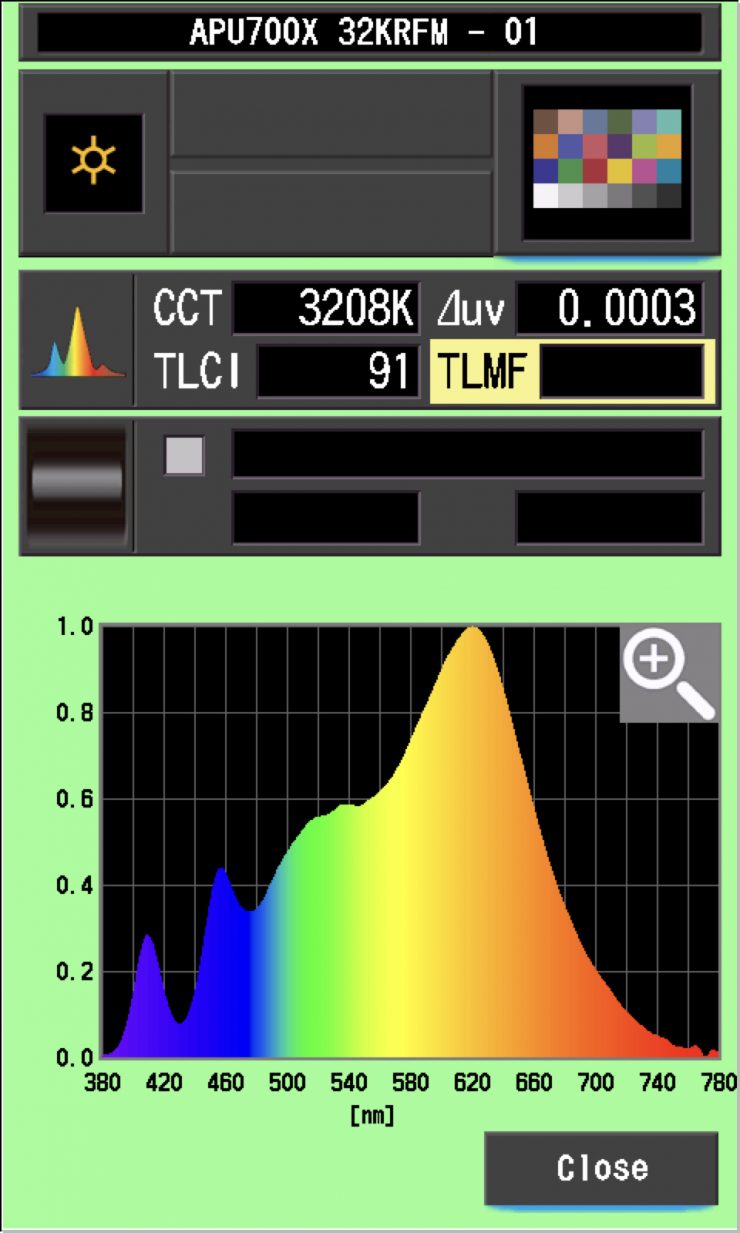
The Aputure STORM 700x, when set at 3200K, recorded a TLCI score of 91.
How do these figures at 3200K and 5600K compare to other lights that we have previously reviewed? Below you can see:
5600K
| | EXTENDED CRI | R9 | R13 | R15 |
| Aputure STORM 700x | 95.64 | 76.3 | 99.1 | 95.6 |
| Profoto L600C | 98.04 | 92.8 | 99.5 | 99.1 |
| NANLUX Evoke 600C | 97.75 | 96.5 | 98.6 | 99.1 |
| Kelvin Epos 600 | 96.06 | 95.9 | 98.4 | 98.0 |
| Prolycht Orion 675 FS | 96.73 | 98.2 | 98.9 | 99.5 |
| Aputure LS 600c Pro | 95.32 | 98.9 | 99.1 | 99.0 |
The scores were not quite as good as some of the competition.
3200K
| | EXTENDED CRI | R9 | R13 | R15 |
| Aputure STORM 700x | 93.35 | 67.4 | 99.1 | 93.6 |
| Profoto L600C | 97.34 | 98.0 | 97.2 | 98.2 |
| NANLUX Evoke 600C | 96.16 | 89.6 | 98.1 | 97.3 |
| Kelvin Epos 600 | 97.42 | 91.7 | 99.3 | 97.6 |
| Prolycht Orion 675 FS | 94.19 | 79.0 | 96.5 | 93.2 |
| Aputure LS 600c Pro | 96.78 | 91.5 | 93.9 | 95.7 |
Again, just like at 5600K, the scores were below most of the competition.
Open Face
Aputure STORM 700x 5600K Max. Output (Open Face)
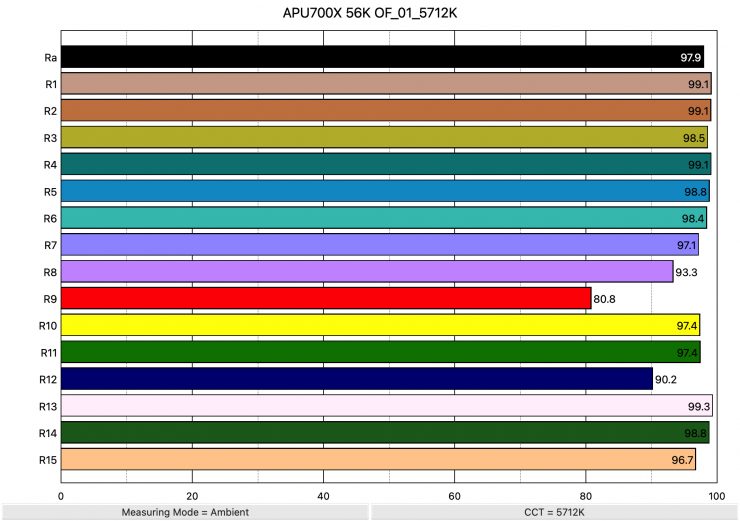
Above you can see that when the light was set at 5600K used open face, it recorded an average CRI (R1-R8) of 97.9 and an extended CRI (R1-R15) of 96.26. For replicating accurate skin tones, it recorded 80.8 for R9 95.9 (Red), 99.3 for R13 (closest to caucasian skin tones), and 96.7 for R15 (closest to Asian skin tones). The score for R9 (Red) was the only value under 90.
| EXTENDED CRI | R9 | R13 | R15 | |
| Aputure STORM 700x | 96.26 | 80.8 | 99.3 | 96.7 |
| Profoto L600C | 97.14 | 95.3 | 98.6 | 98.8 |
| NANLUX Evoke 600C | 95.6 | 89.0 | 95.0 | 95.2 |
As a comparison, above you can see how the results for the STORM 700x compare to some other similar lights we have reviewed.
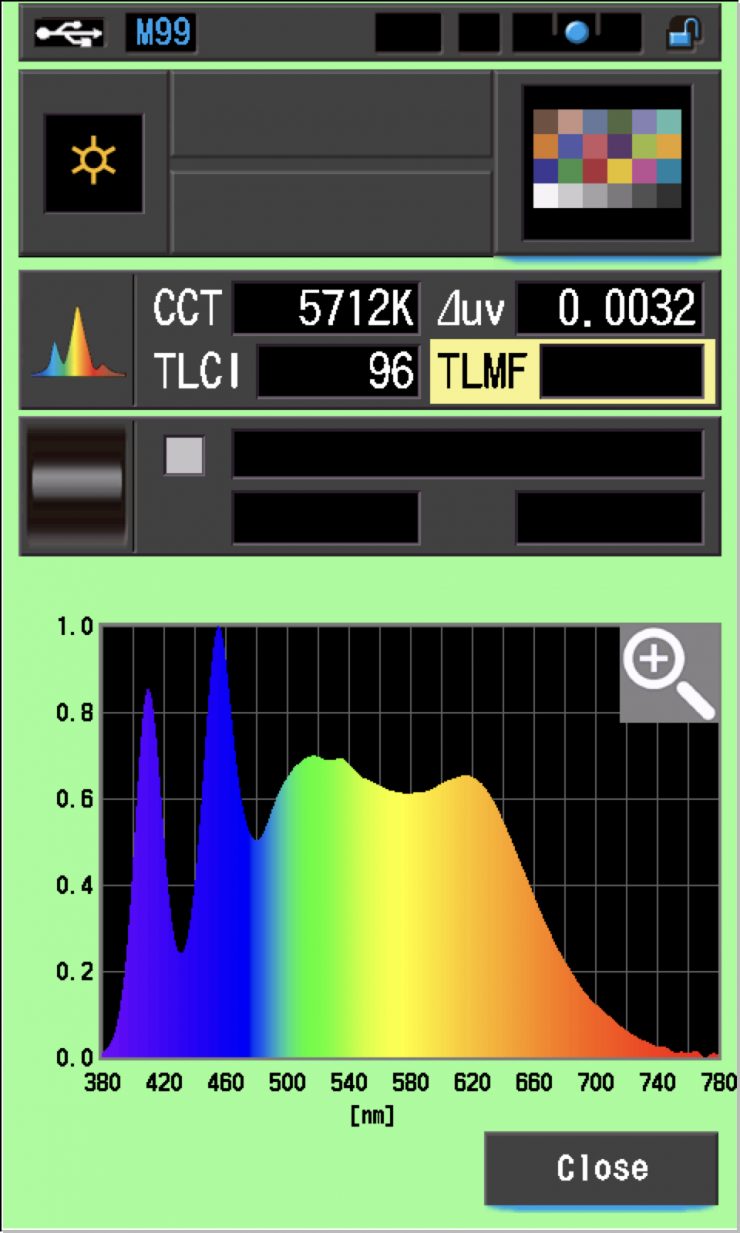
The Aputure STORM 700x, when set at 5600K, recorded a TLCI score of 96.
Aputure STORM 700x 3200K Max. Output (Open Face)
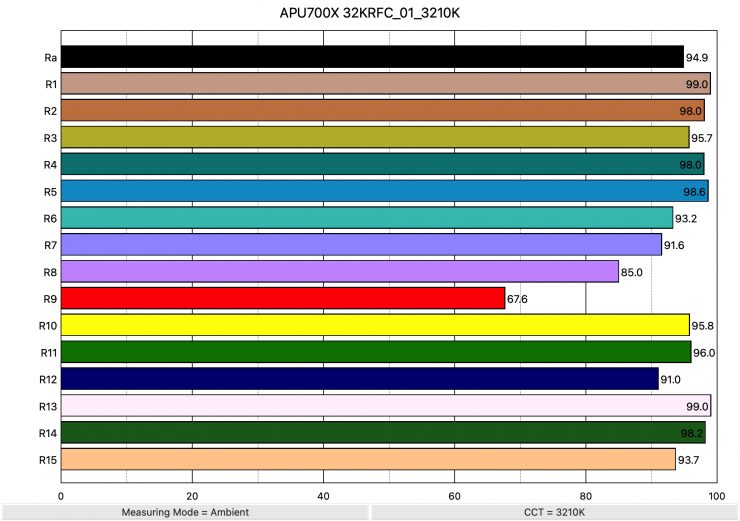
Above, you can see the scores for when the light was used at 3200K. It recorded an average CRI (R1-R8) of 94.9 and an extended CRI (R1-R15) of 93.36. For replicating accurate skin tones, it recorded 67.6 for R9 (Red), 99.0 for R13 (closest to caucasian skin tones), and 93.7 for R15 (closest to Asian skin tones). These were still good results, but the value for R9 (Red) was very low, and the value for R8 (Purple) was below 90.
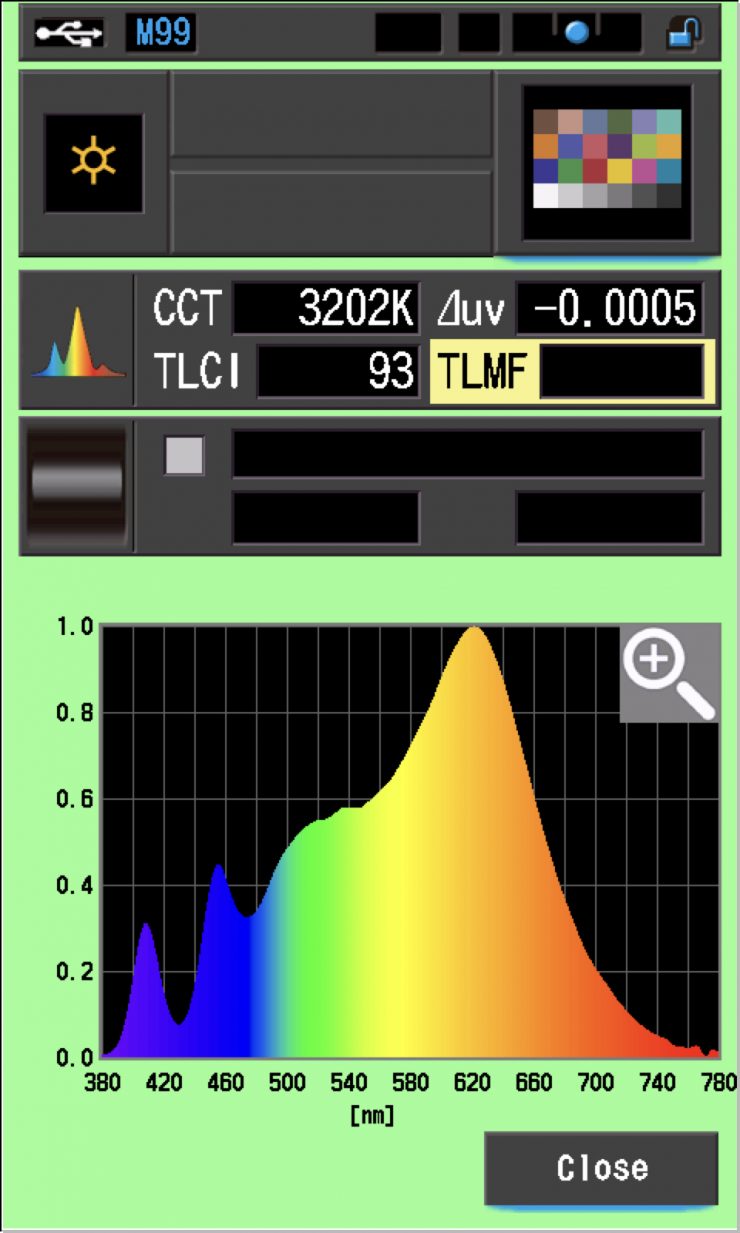
The Aputure STORM 700x, when set at 3200K, recorded a TLCI score of 93.
The light definitely performs better at 5600K than it does at 3200K, and this is the reverse of most fixtures. By getting better daylight performance, you are slightly sacrificing tungsten performance. In saying that, the light will still produce decent results at lower CCT settings.
| EXTENDED CRI | R9 | R13 | R15 | |
| Aputure STORM 700x | 93.36 | 67.6 | 99.0 | 93.7 |
| Profoto L600C | 95.20 | 90.5 | 95.2 | 95.3 |
| NANLUX Evoke 600C | 97.16 | 90.4 | 99.0 | 97.4 |
As a comparison, above you can see how the results for the STORM 700x compare to some other similar lights we have reviewed.
CC Index & ⊿uv
The CC Index displays the CC correction value and whether any magenta or green need to be added or subtracted. 1 CC corresponds to 035 Kodak CC values or 1/8 Rosco filter values. Any reading less than +1.00 or -1.00 and you’re probably not going to need to make any kind of adjustment. The ⊿uv is the value to show how much this light is away from being an ideal light source (black body radiation = incandescent lamp). As with the CC Index you want this number to theoretically be zero. Kelvin is not a linear value, so we need to convert from Kelvin to MK-1 to compare the values of color temperature. To calculate from Kelvin to Mired is MK-1= 1*1000000/Kelvin. While this may sound confusing, it is the only way of measuring if the Kelvin shift is significant enough to warrant having to use a filter for correction. Below are the results for the Aputure STORM 700x:
Aputure STORM 700x Kelvin Vs MK-1 (Max Output)
| Kelvin | Difference in K | MK-1 | Difference in MK-1 | |
| SET VALUE | 2500K | 0 | 400 | 0 |
| ACTUAL READING | 2567K | 67 | 389.55 | 10.45 MK-1 |
| SET VALUE | 3200K | 0 | 312.5 | 0 |
| ACTUAL READING | 3208K | 8 | 311.72 | 0.78 MK-1 |
| SET VALUE | 4500K | 0 | 222.22 | 0 |
| ACTUAL READING | 4494K | 6 | 222.51 | -0.29 MK-1 |
| SET VALUE | 5600K | 0 | 178.57 | 0 |
| ACTUAL READING | 5581K | 19 | 179.17 | -0.60 MK-1 |
| SET VALUE | 6500K | 0 | 153.84 | 0 |
| ACTUAL READING | 6444K | 66 | 155.18 | -1.34 MK-1 |
| SET VALUE | 8000K | 0 | 125 | 0 |
| ACTUAL READING | 7893K | 107 | 126.69 | -1.69 MK-1 |
| SET VALUE | 10000K | 0 | 100 | 0 |
| ACTUAL READING | 9787K | 213 | 102.17 | -2.17 MK-1 |
These figures might look confusing, but what they tell me is that the light is exceptionally CCT color-accurate from 3200-10,000K. Any MK-1 score that is under -9/9 means you wouldn’t have to use any color correction gels. Any MK-1 score that is under -6/6 is a very good result, but the result for every CCT value except 2500K for the STORM 700x was under -2.5/2.5.
Ok, now let’s look at the CC INDEX & ⊿uv.
Aputure STORM 700x CC INDEX & ⊿uv
| CC INDEX | ⊿uv | |
| 2500K | 0.0 | 0.0002 |
| 3200K | 0.1M | 0.0003 |
| 4500K | 0.3M | 0.0020 |
| 5600K | 0.3M | 0.0040 |
| 6500K | 0.1M | 0.0043 |
| 8000K | 0.1G | 0.0042 |
| 10000K | 0.4G | 0.0040 |
These were good results across the board. There was nothing here that anyone should be concerned about.
TM-30
TM-30 is a relatively new color rendering standard that was developed to deal with the limitations of CRI. TM-30 looks at 99 individual colors. These 99 colors are categorized into seven groups: nature, skin color, textiles, paints, plastics, printed material, and color systems.
TM-30 scores go from 0 – 100. The higher the score, the more accurate a light is at producing colors. Any TM-30 Rf score in the ’90s is considered to be good. What is interesting and something that you need to be very aware of is that two separate light sources with the exact same CRI scores can render colors very differently. A light with a high CRI rating could have a low TM-30 score. Conversely, a light with a good TM-30 score could have a bad CRI score.
Now, there are two measurements associated with TM-30, Rf and Rg.
Rf (Color Fidelity)
Rg (Color Gamut)
With Rf value, ideally, you want a score in the 90’s.
With Rg value, a score below 100 indicates that the light source renders colors with less saturation than the reference source. So, ideally, you want this score to be 100 or slightly above.
2500K 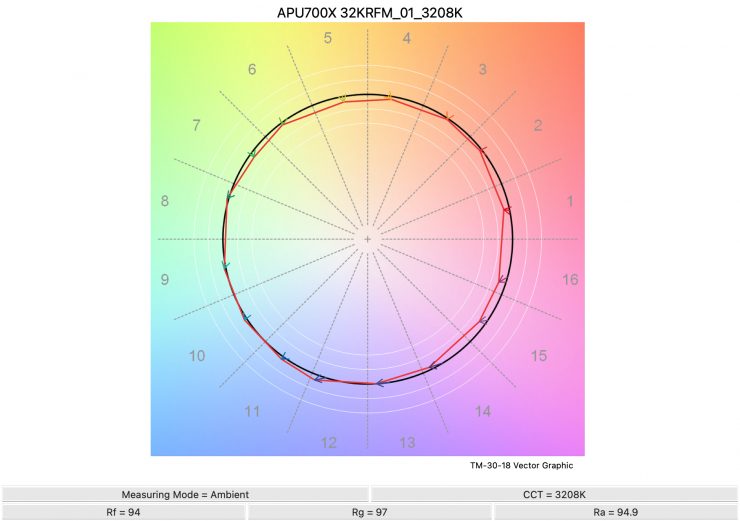
3200K 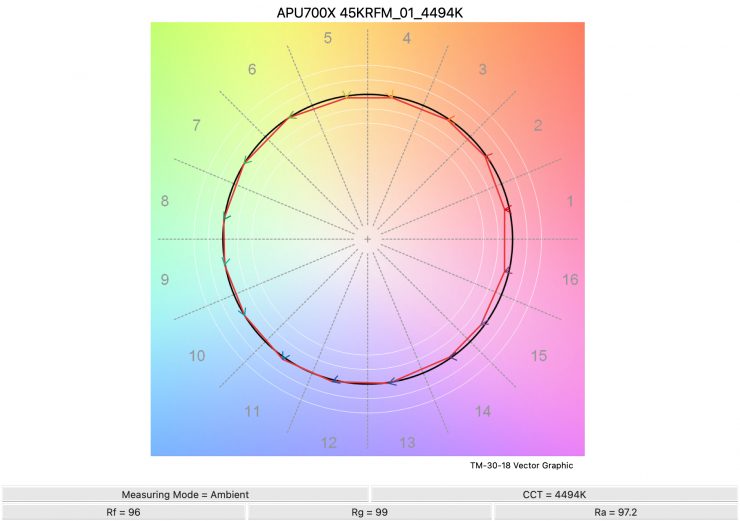
4500K 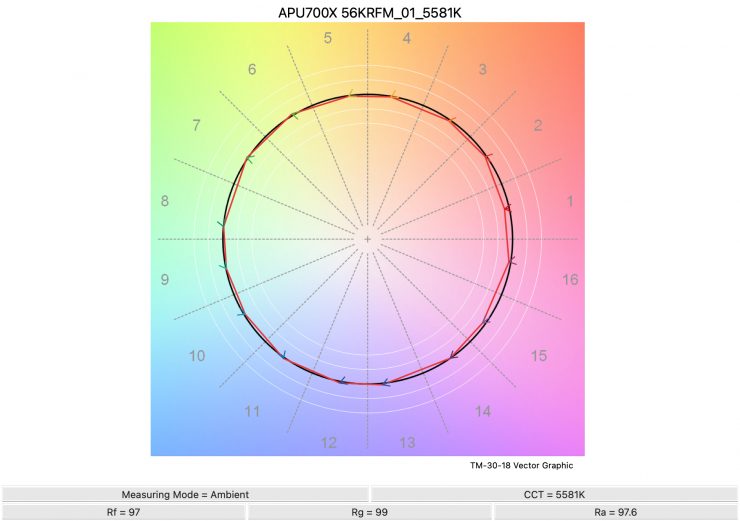
5600K 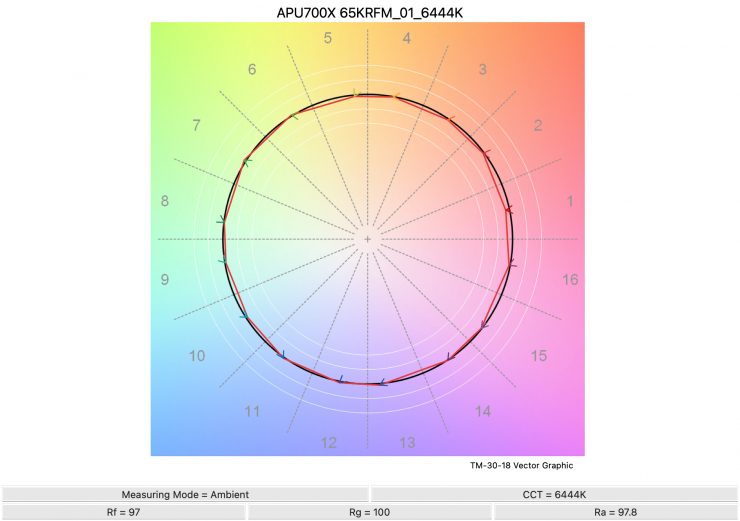
6500K 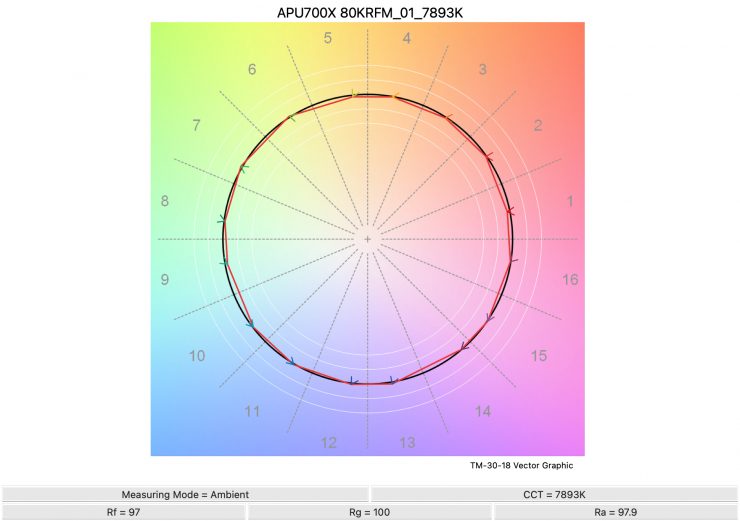
8000K 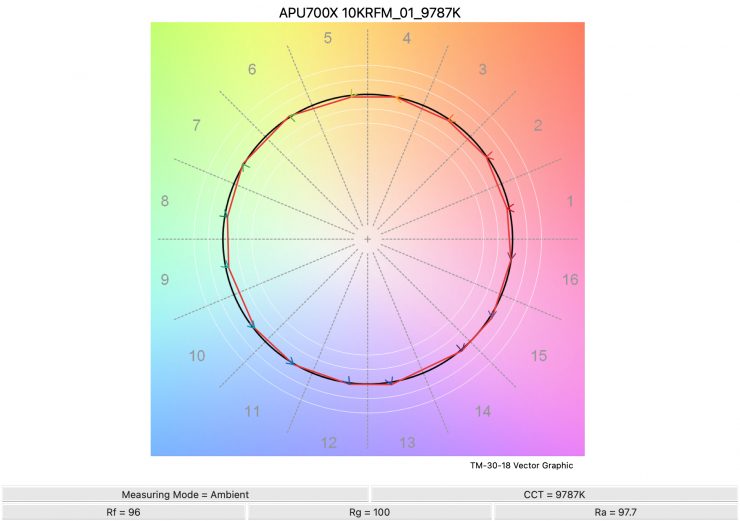
10,000K
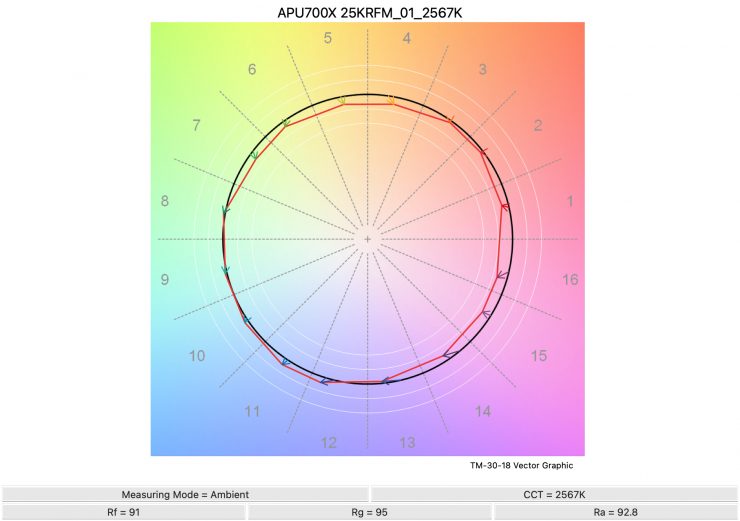
Above, you can see the scores for the Aputure STORM 700x at various CCT settings. Below, I have listed the figures as well.
Here are the results:
| Rf | Rg | |
| 2500K | 91 | 95 |
| 3200K | 94 | 97 |
| 4500K | 96 | 99 |
| 5600K | 97 | 99 |
| 6500K | 97 | 100 |
| 8000K | 97 | 100 |
| 10000K | 96 | 100 |
The TM-30 scores are all good from 3200K and up and it shows me that the light is pretty consistent at replicating accurate colors with full saturation. At 2500K, it wasn’t so good.
SSI
SSI (Spectral Similarity Index) was developed by the Sci-Tech Council of the Academy. SSI gives me the ability to set any light as a standard, or use predefined standards (such as CIE D55), and then give other lights an SSI score based on how well they will match standards such as CIE D55. This way, I can measure spectral response and compare it directly against an ideal light source. This is actually a much better test than recording CRI scores, but it won’t tell you everything you need to know.
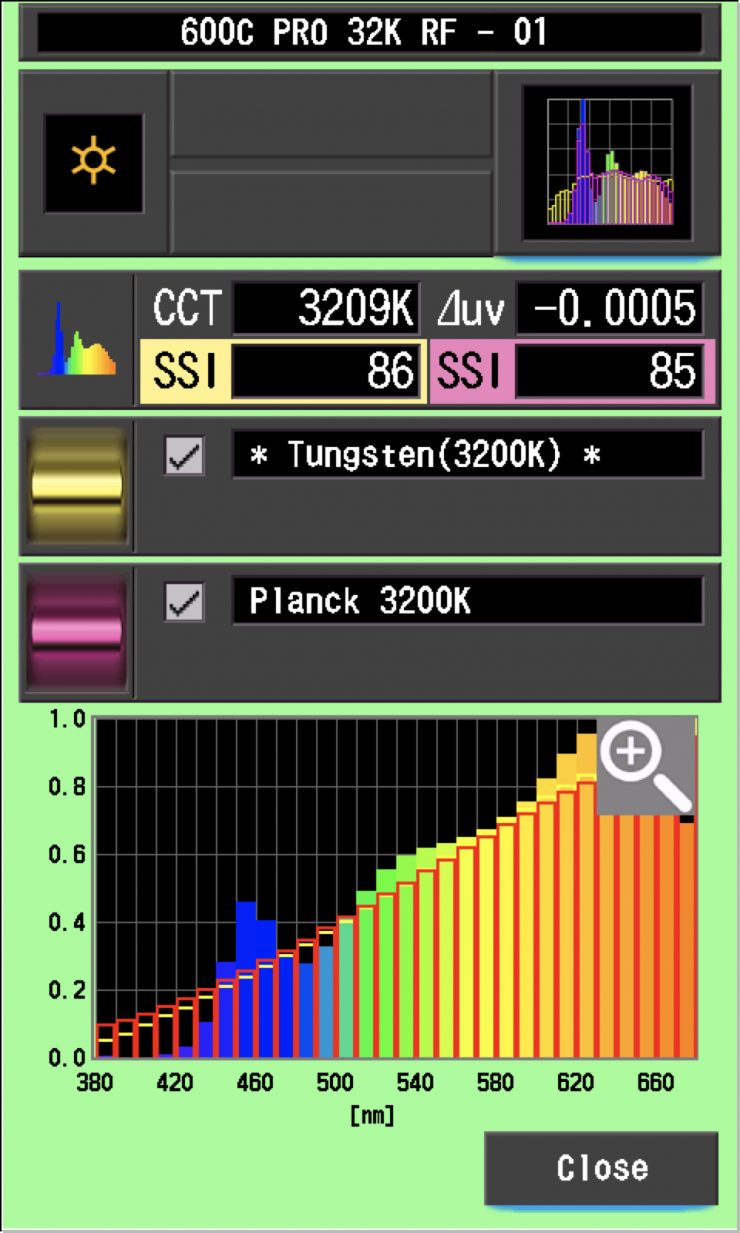
Aputure STORM 700x 3200K Max. Output Mode (35° Hyper Reflector)
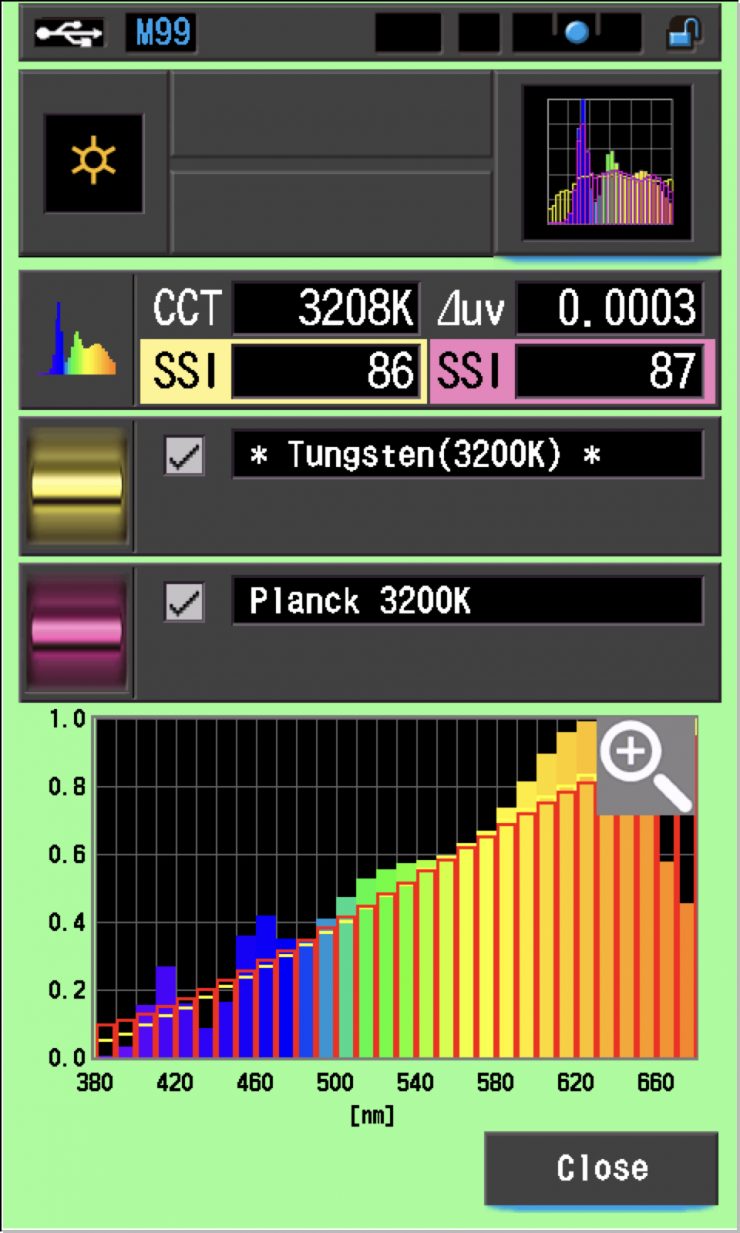
In this graph, the red bars indicate a perfect Planck 3200K source. The gold bars indicate a perfect 3200K Tungsten source. This lets us compare how close to a perfect 3200K lighting source the Aputure STORM 700x is. Any SSI score in the high 70’s, low ’80s is very good for a 3200K LED light. The results for the Aputure STORM 700x were excellent when used at 3200K.
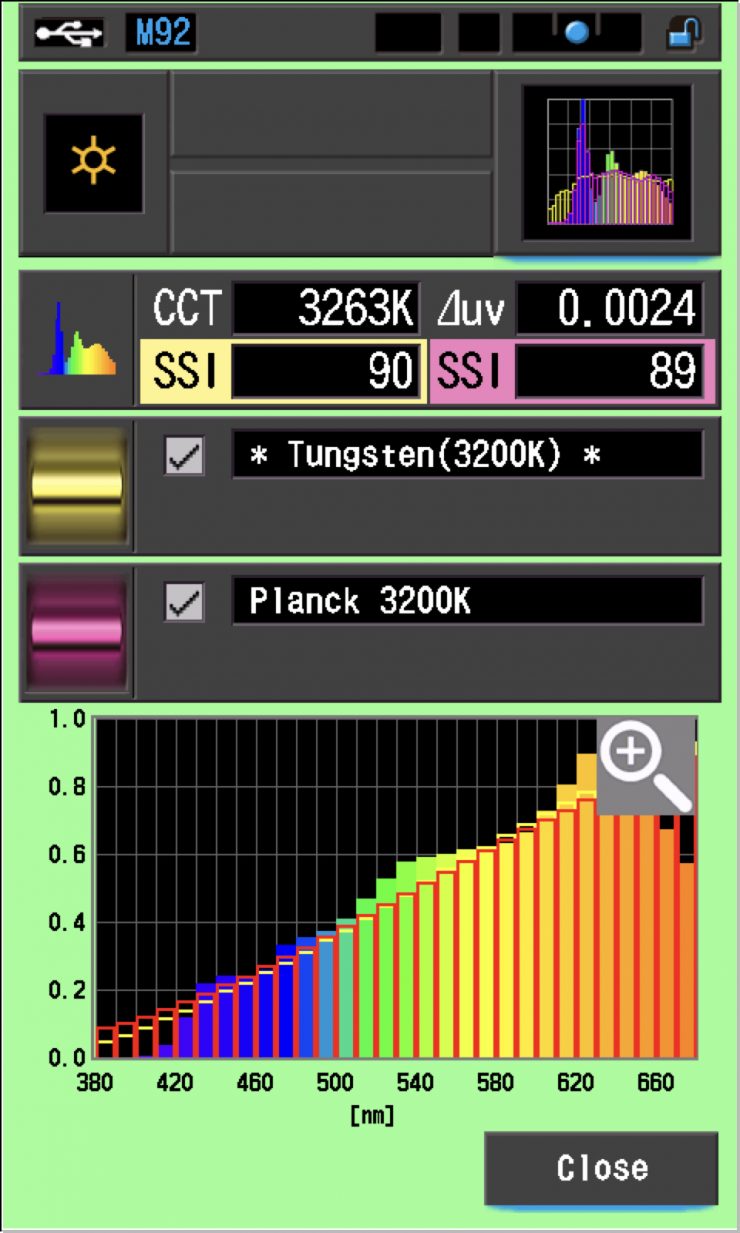
As a comparison, above you can see the results for the Profoto L600C.
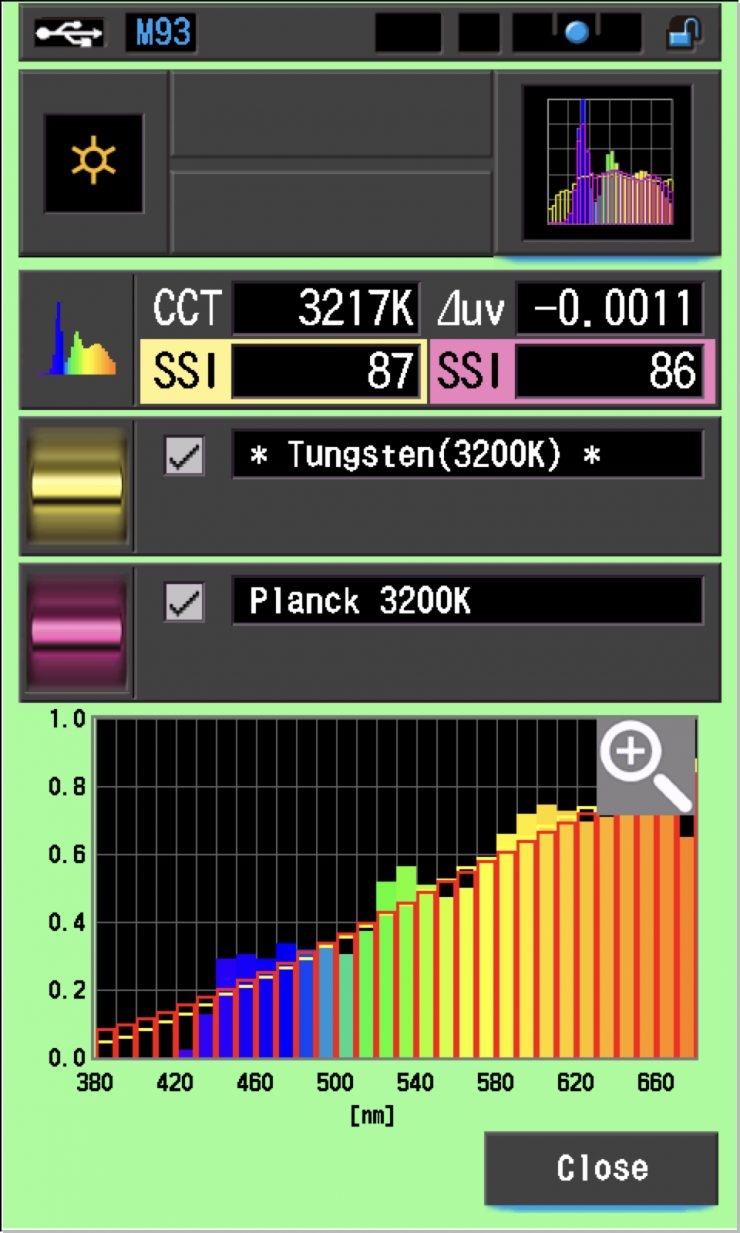
As another comparison, above you can see the results for the NANLUX Evoke 600C.
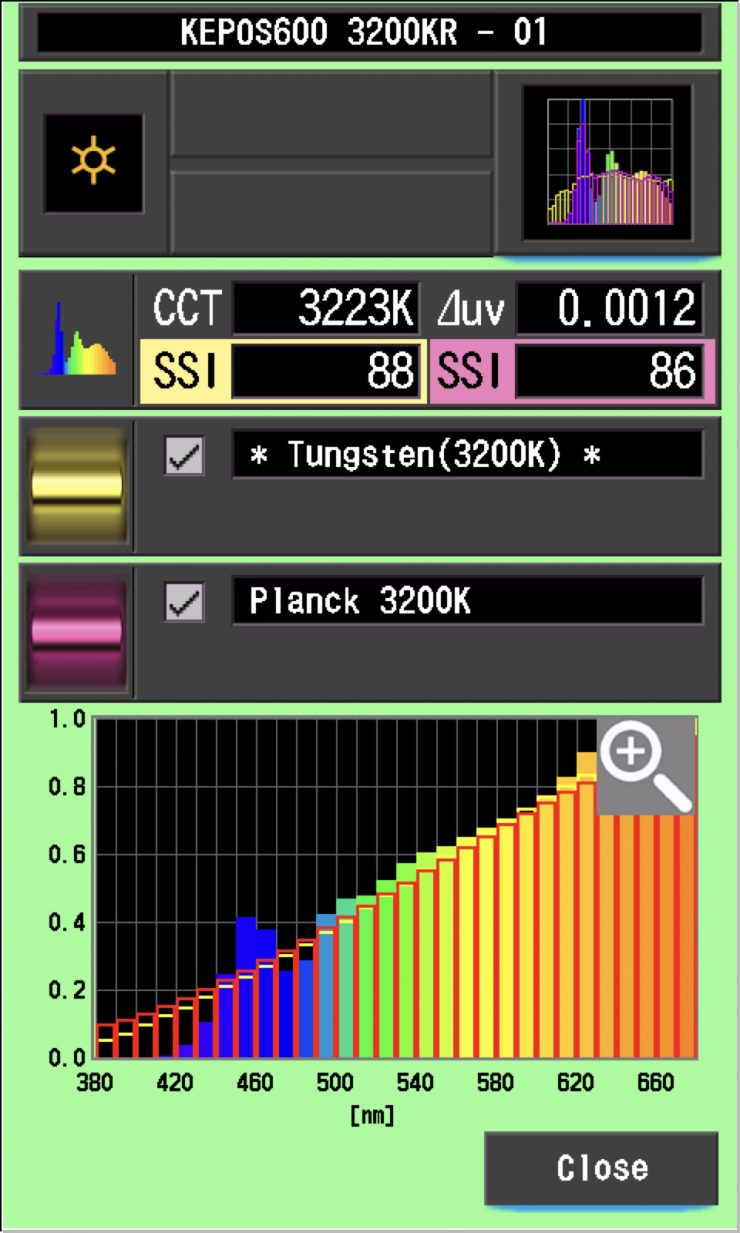
As another comparison, above are the results for the Kelvin Epos 600.
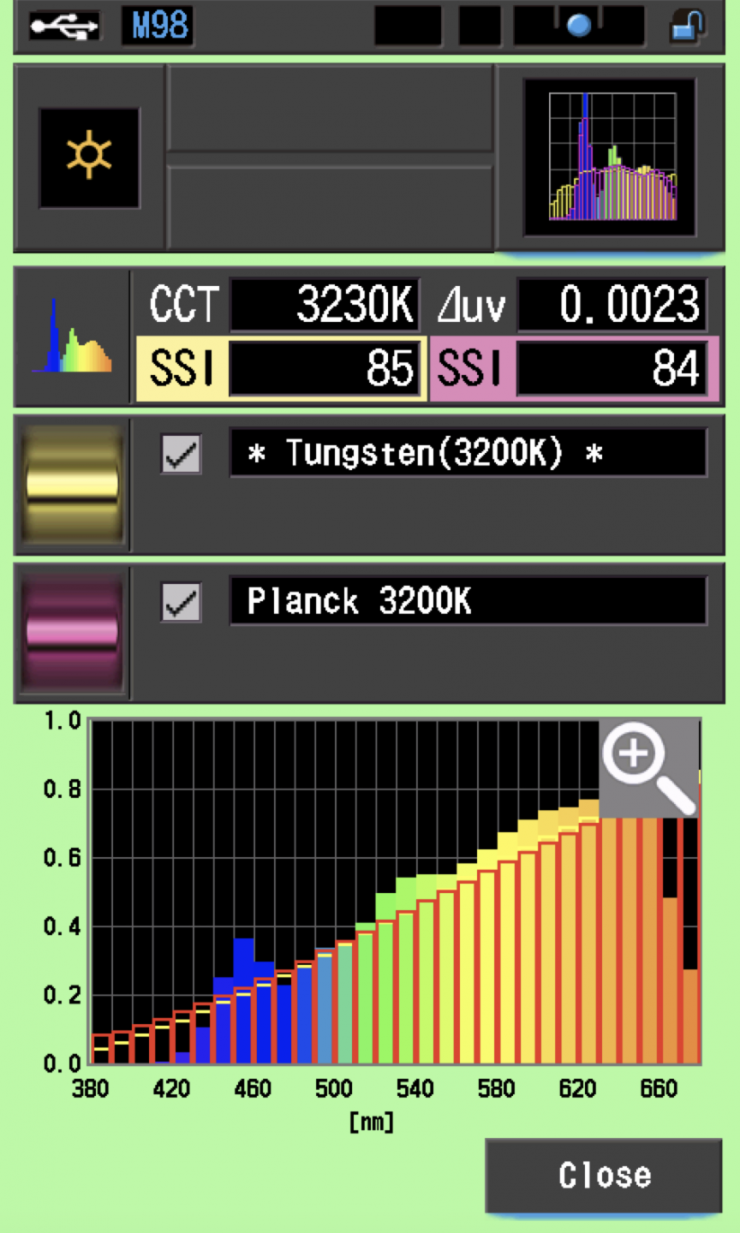
As another comparison, above are the same results for the Prolycht Orion 675 FS.
As another comparison, above you can see the results for the older Aputure 600c Pro.
Aputure STORM 700x 5600K Max. Output Mode (35° Hyper Reflector)
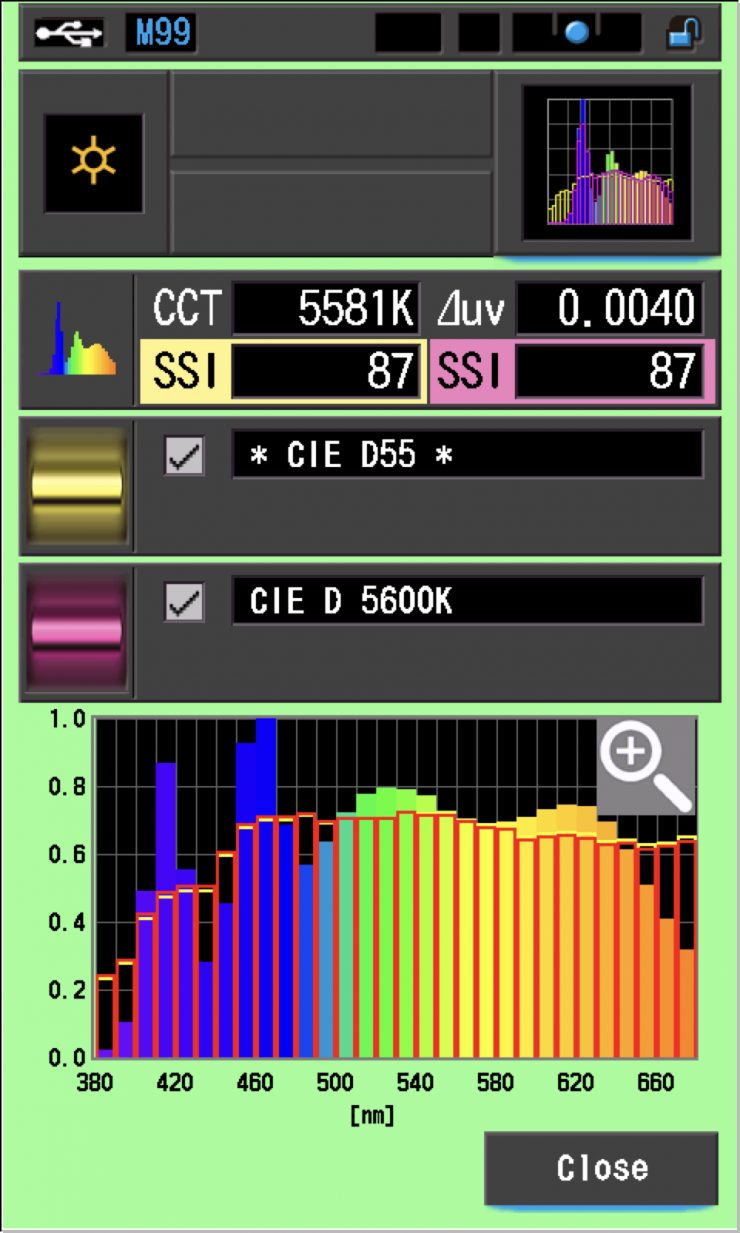
In the graph above, the gold bars indicate a perfect CIE D55 source. The red bars indicate a perfect CIE D 5600K source. This lets us compare how close to a perfect 5600K lighting source the Aputure STORM 700x is. A score in the low 70’s is typical for a 5600K LED source; the STORM 700x recorded a score of 87, which was exceptionally good. The reason for this great score has to do with the Indigo emitter in the BLAIR light engine. You can clearly see that the STORM 700x is able to produce colors below 450nm whereas most lights can’t.
It wasn’t the highest SSI score at 5600K I have ever recorded, but it was pretty close.
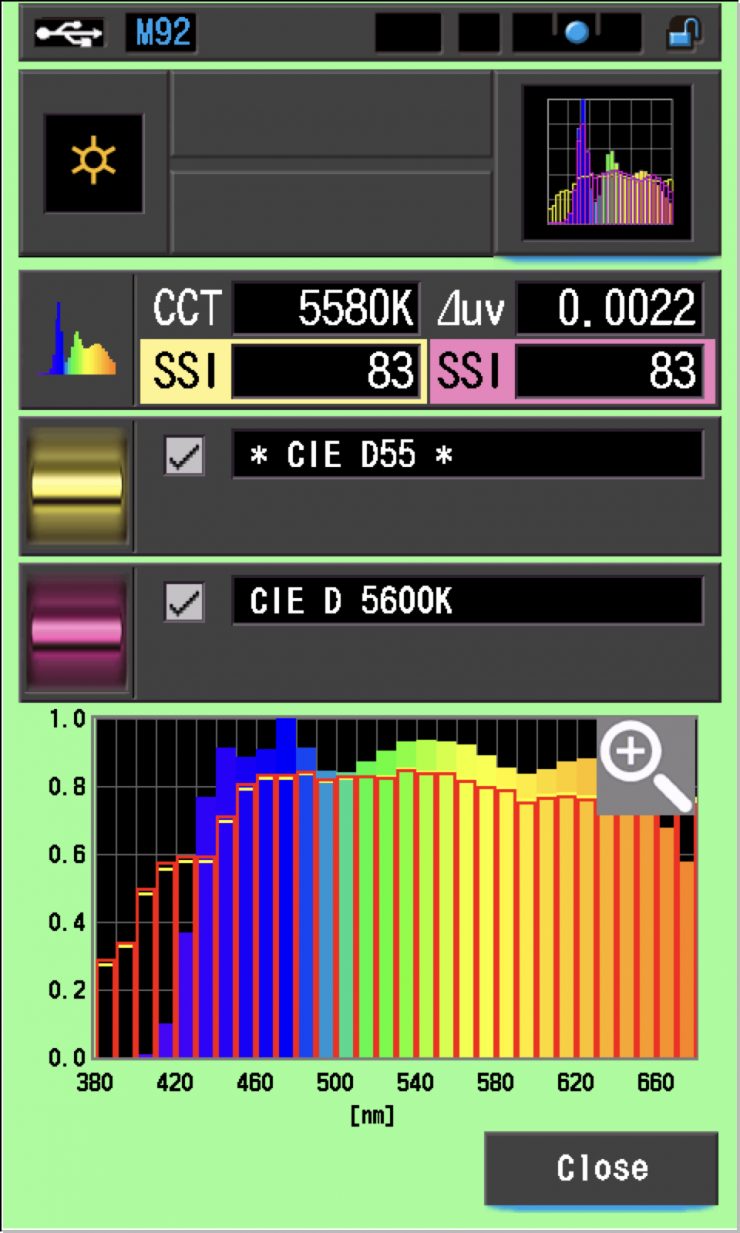
As a comparison, above you can see the results for the Profoto L600C.
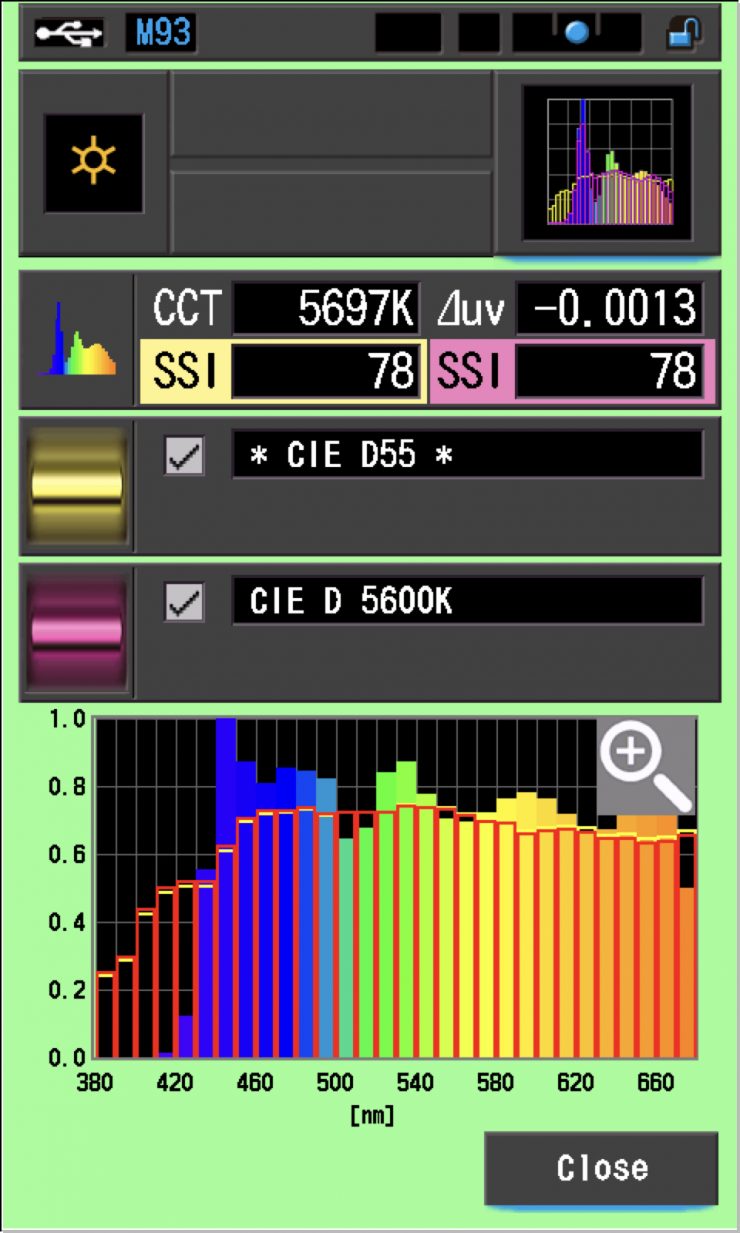
As another comparison, above are the scores for the NANLUX Evoke 600C.
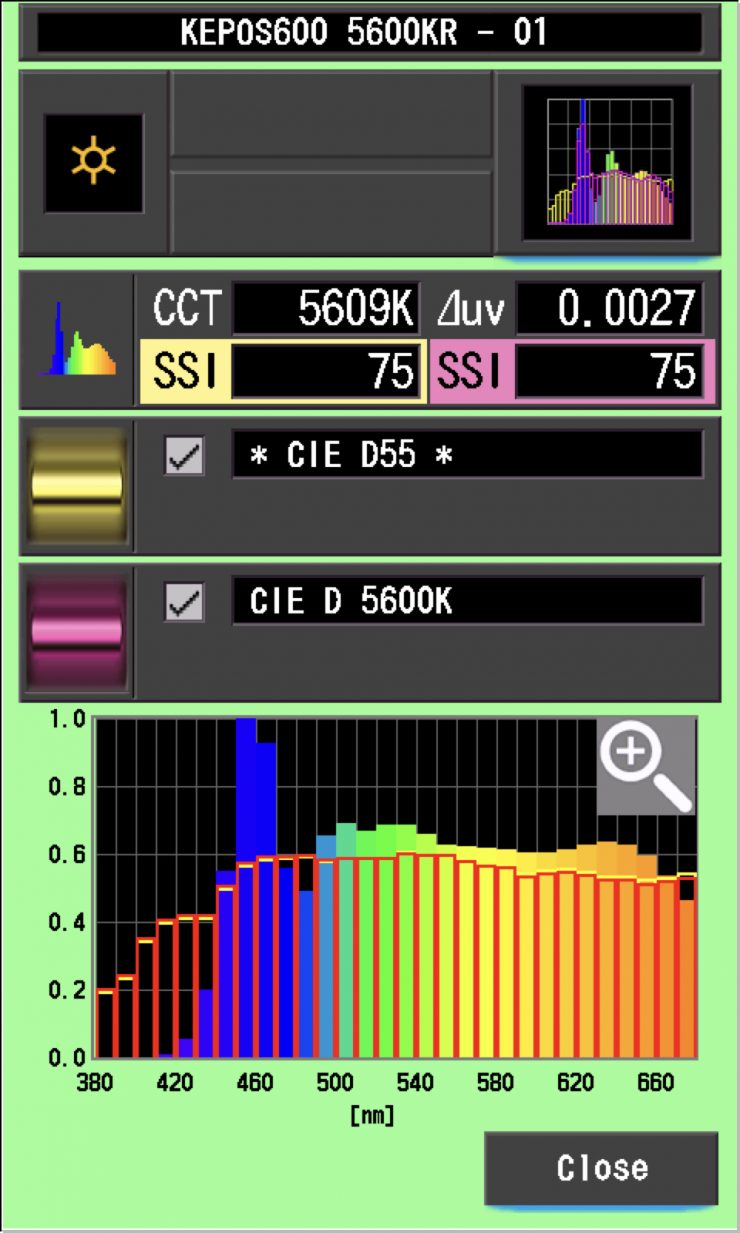
As another comparison, above are the results for the Kelvin Epos 600.
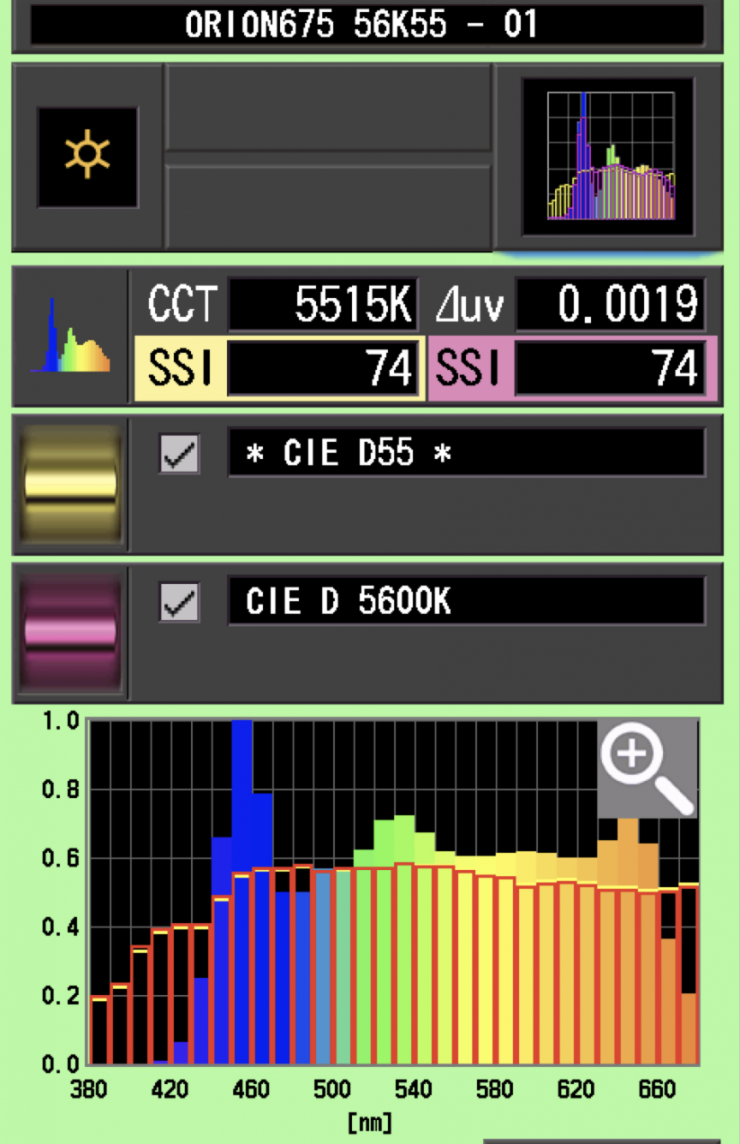
As another comparison, above are the scores for the Prolycht Orion 675 FS.
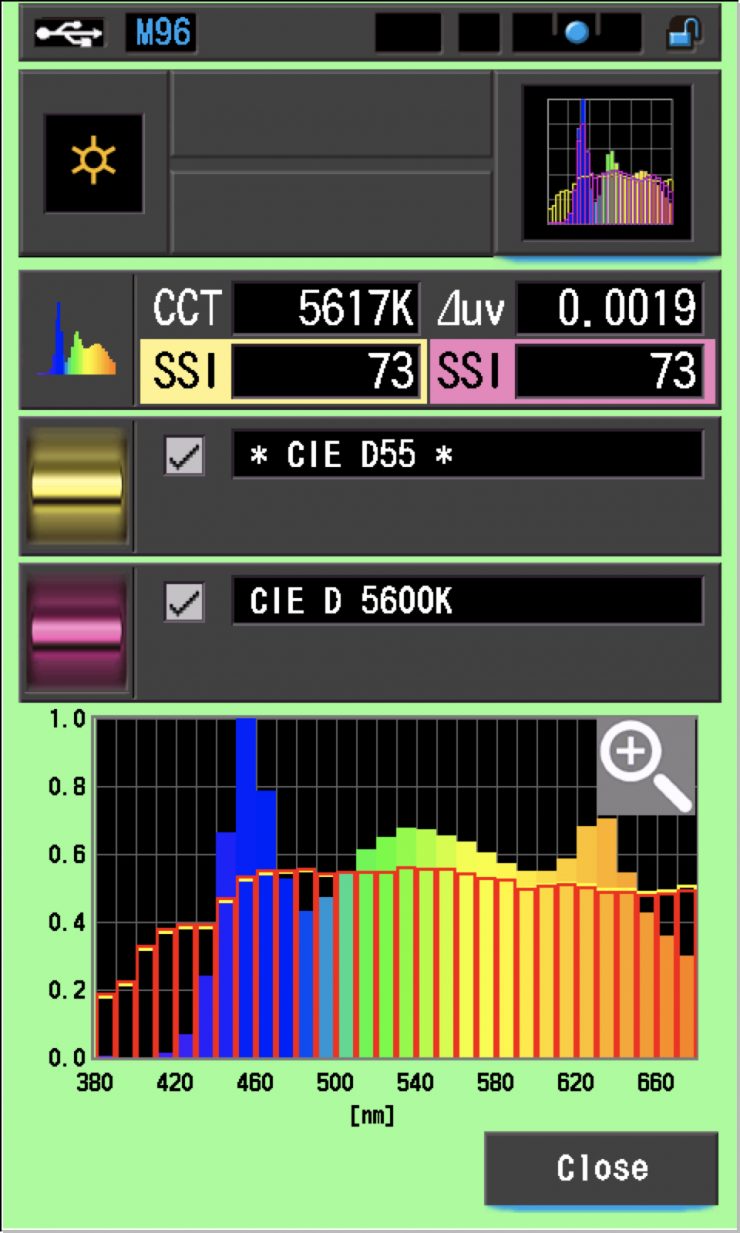
As another comparison, above are the results for the older Aputure LS 600c Pro.
SSI Comparisons
The main reason we want to record SSI scores is so we can see how well they match with other lights. As an example, I wanted to see how well the Aputure STORM 700x matched the NANLUX Evoke 600c and the Profoto L600C. Below you can see the results.
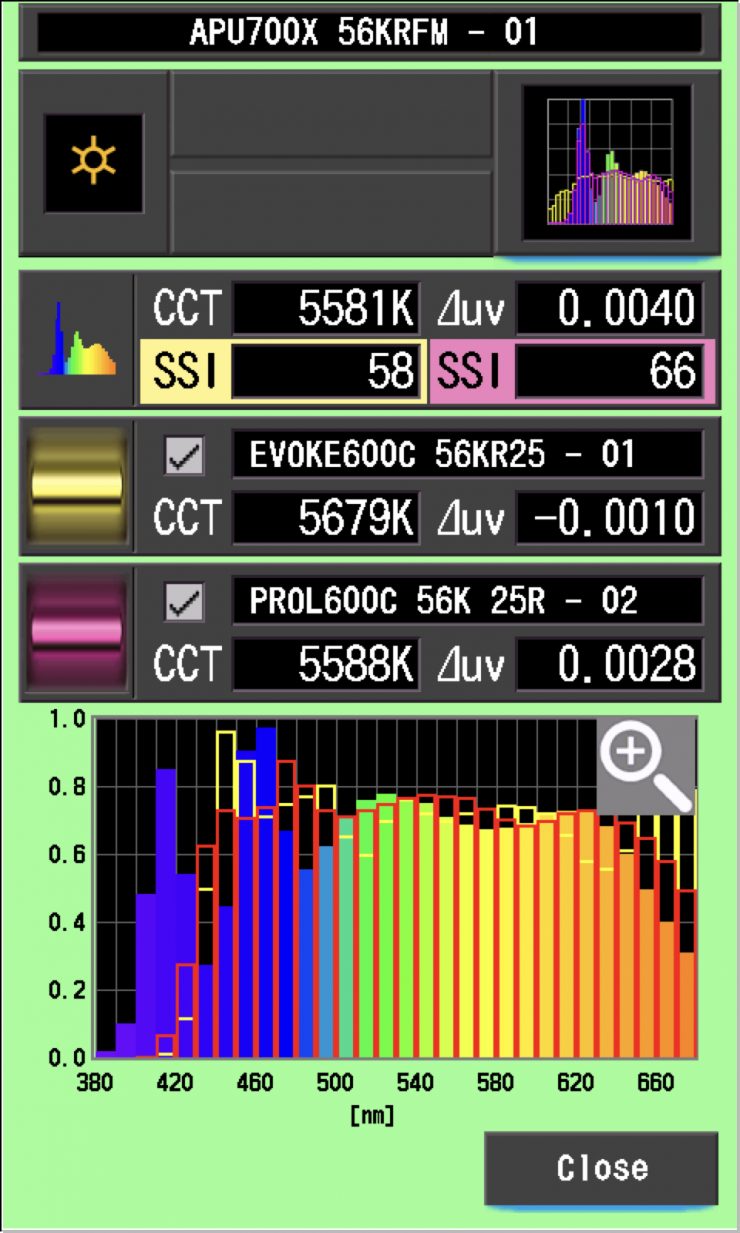
As you can see, neither light is anywhere even vaguely close to matching the Aputure STORM 700x. Any score in the high ’80s and low 90s would. be considered reasonably good, but a score in the 60s would make matching these lights very tricky. This is the caveat of using the STORM 700x with other fixtures at 5600K.
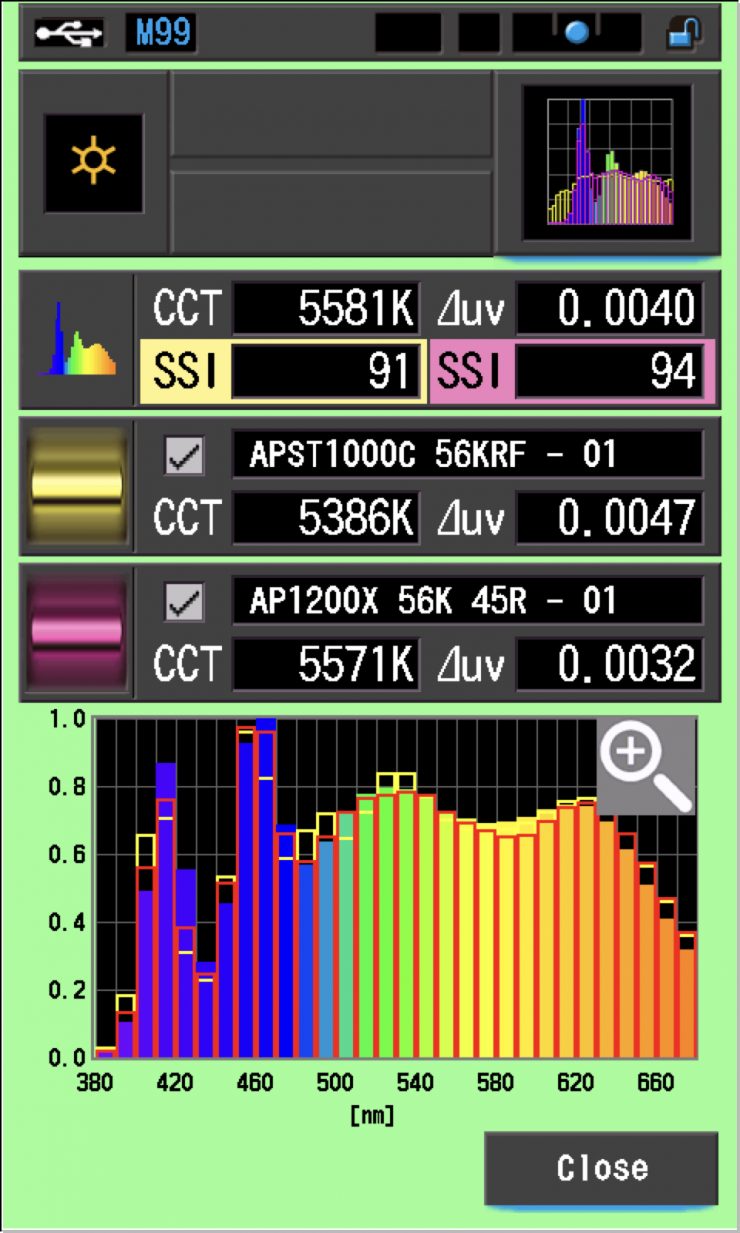
As another example, let’s see how the STORM 700x matches the STORM 1200x and STORM 1000c. As you can see, the STORM 700x is a pretty good match to both of the other Aputure fixtures.
As another test, let’s now compare the Aputure STORM 700x against the NANLUX Evoke 600c and the Profoto L600C at 3200K. Below you can see the results.
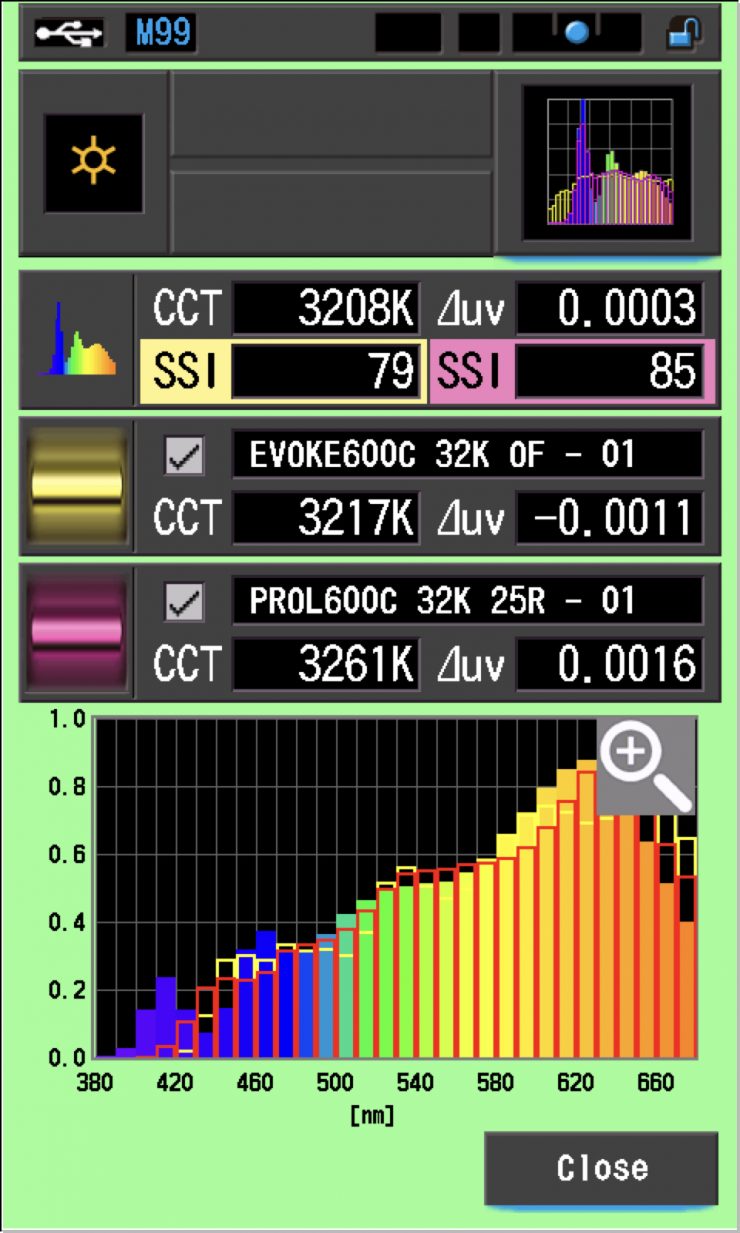
As you can see, the NANLUX and Profoto were a better match to the STORM 700x at 3200K than they were at 5600K. Very few lights from different manufacturers are ever going to be an exact match.
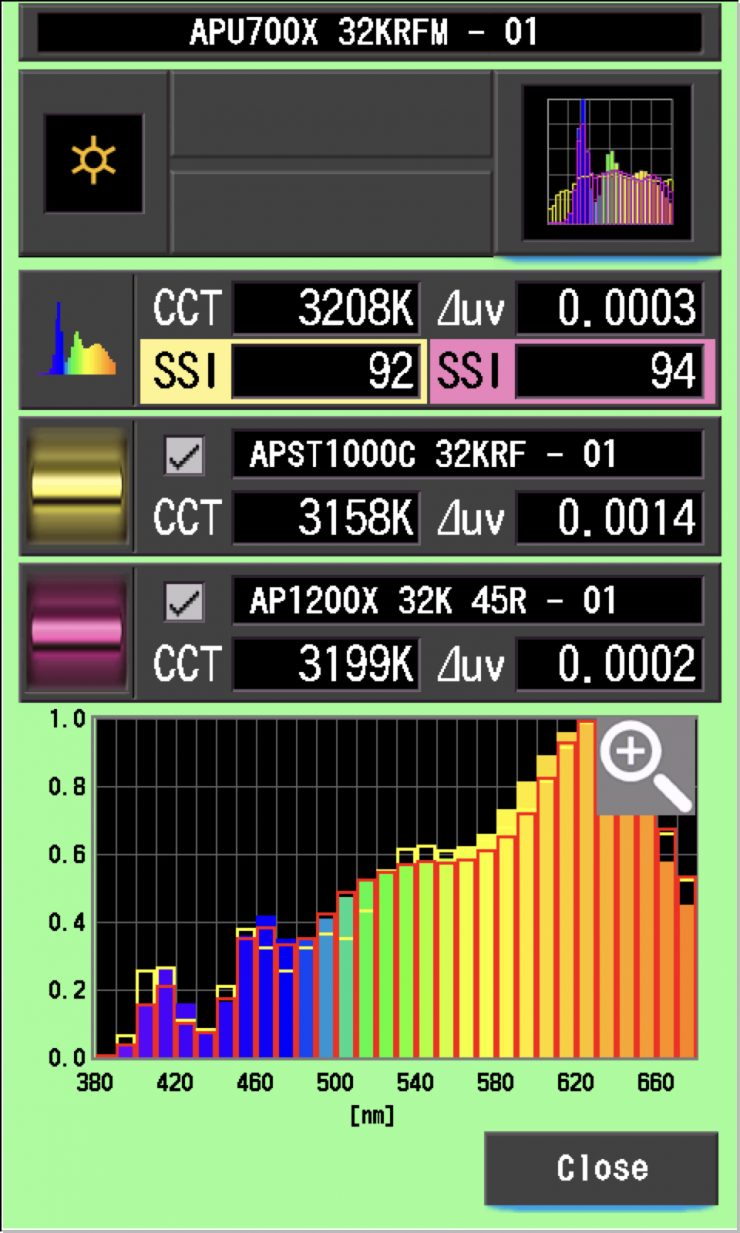
As another example, let’s see how the STORM 700x matches the STORM 1200x and STORM 1000c. As you can see, the STORM 700x is a pretty good match to both of the other Aputure fixtures.
SSI tests are a great way of telling you what lights you own or use will work well together.
Spectral Distribution
5600K
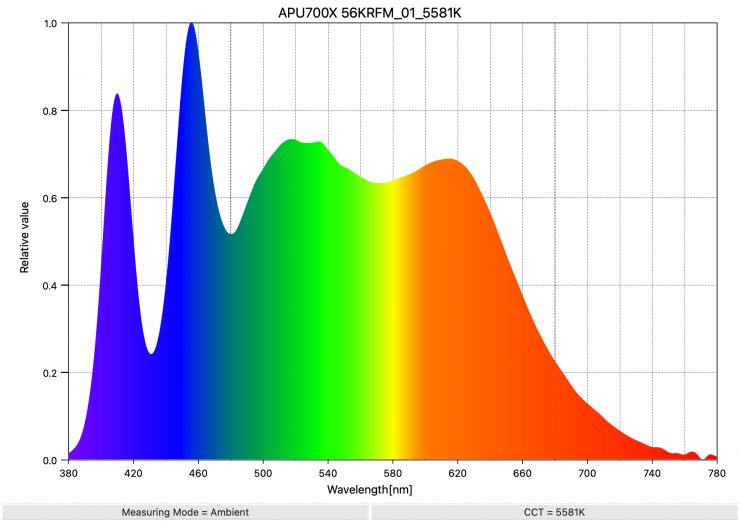
Above, you can see the spectral distribution of the Aputure STORM 700x when it is set at 5600K. The spectral distribution is reasonably full, and you can clearly see the extra blue spike, which is the result of the Indigo emitter in the BLAIR light engine. You can see the extra information that is between around 400-420nm, which you don’t see on other fixtures.
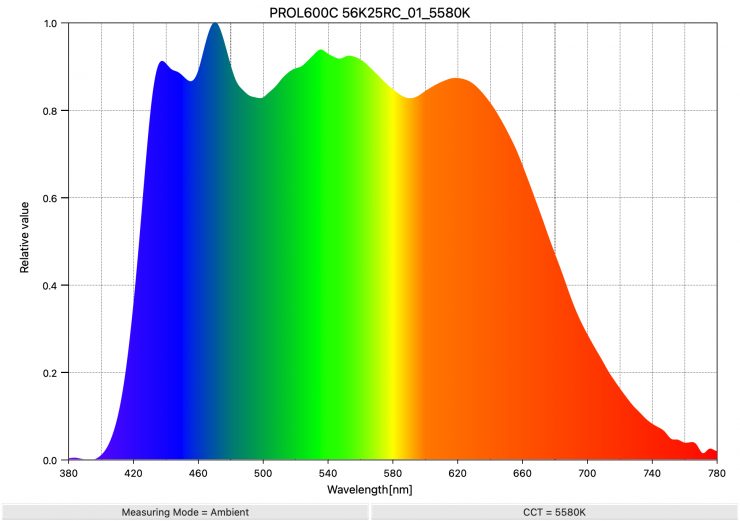
As a comparison, above, you can see the spectral distribution of the Profoto L600C when it is set at 5600K. The spectral distribution is very, very full, and it has a lot of information from the 420nm to 660 nm range.
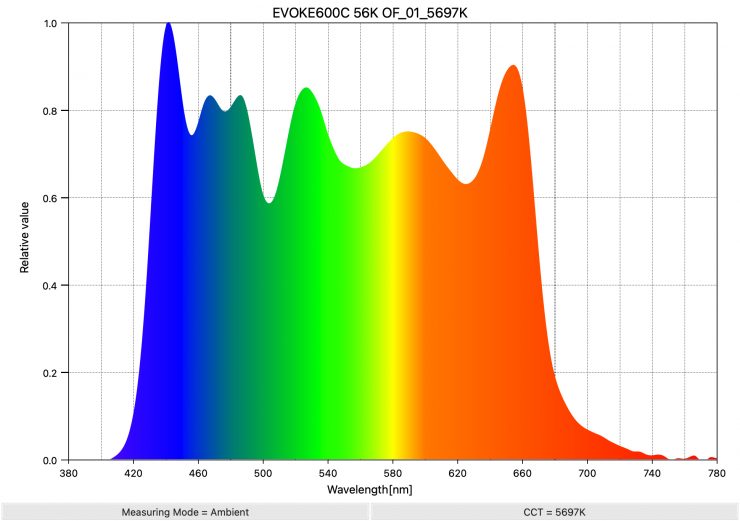
As another comparison, above, you can see the spectral distribution of the NANLUX Evoke 600C when it is set at 5600K. The spectral distribution is very full, and it has a lot of information in the 640 nm to 680 nm range that you don’t see in a lot of competing lights.

As another comparison, above you can see the spectral distribution for the Kelvin Epos 600.
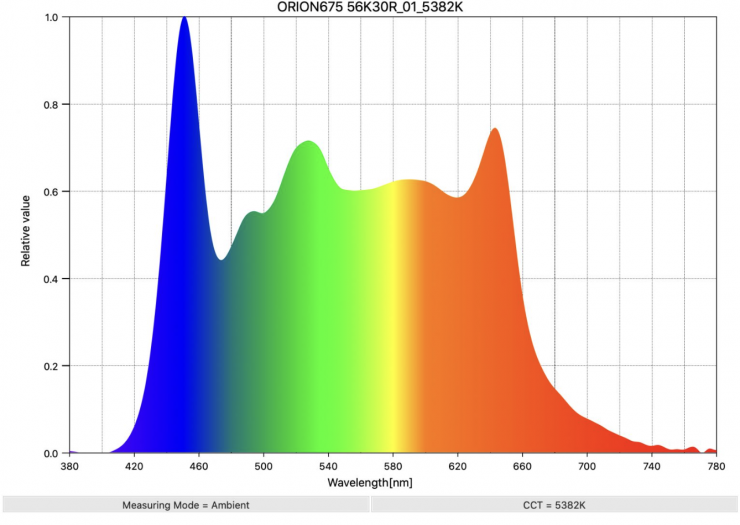
As another comparison, above you can see the spectral distribution of the Prolycht Orion 675 FS when it is set at 5600K
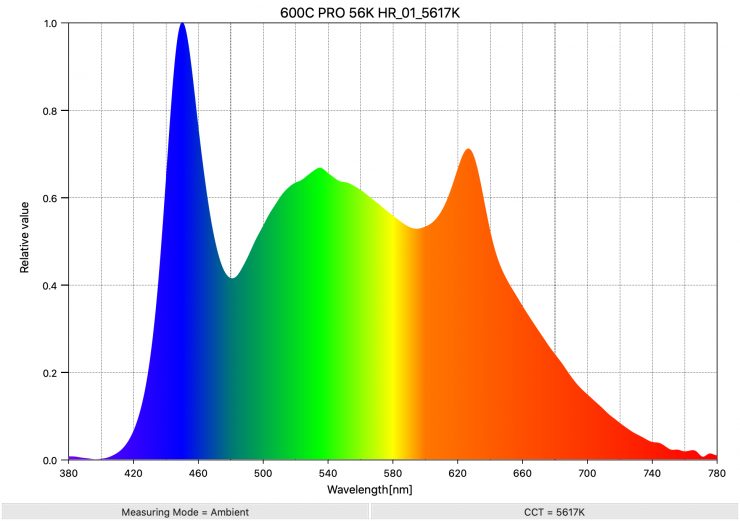
As another comparison, above you can see the spectral distribution of the Aputure LS 600c when it is set at 5600K. The spectral distribution is ok, but you can see an orange spike.
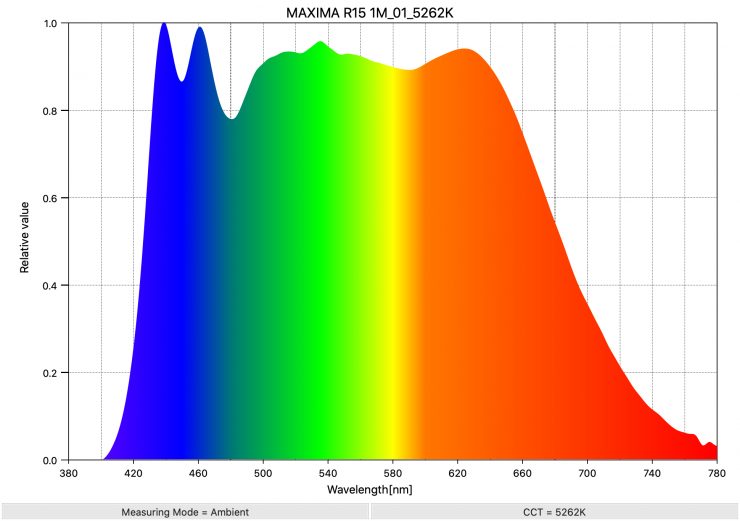
If you want to see what a really good full spectral response looks like for a spotlight at 5600K, above is the result for the Maxima 3.
3200K
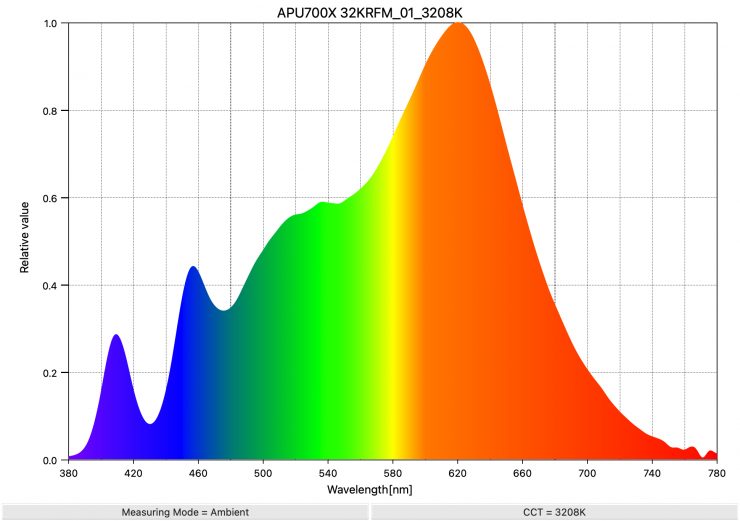
Above, you can see the spectral distribution of the Aputure STORM 700x when it is set at 3200K. The spectral distribution only has a very marginal push towards green, but overall, it is reasonably good.
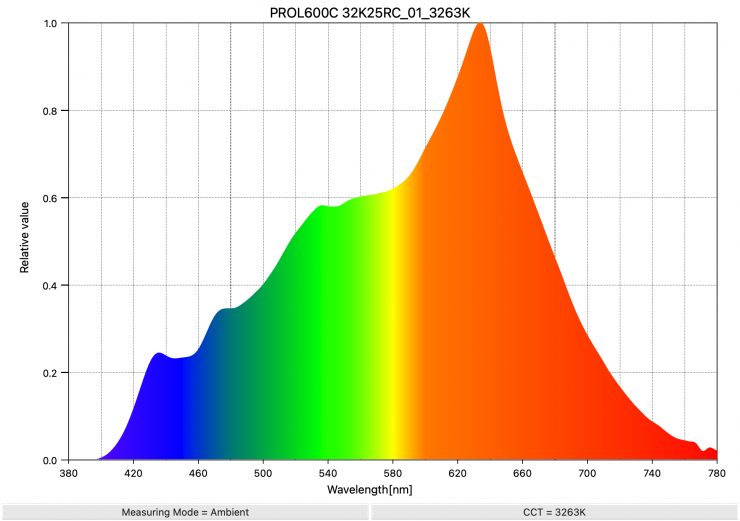
As a comparison, above, you can see the spectral distribution of the Profoto L600C when it is set at 3200K. The spectral distribution is very linear.
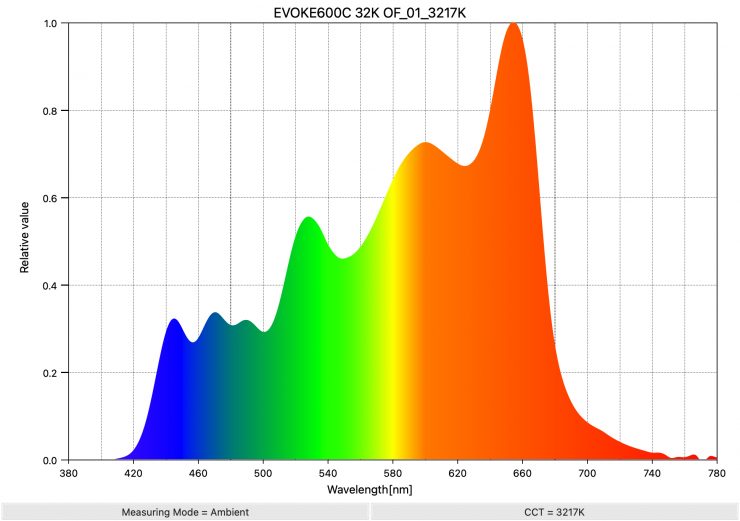
As another comparison, above, you can see the spectral distribution of the Evoke 600C when it is set at 3200K. The spectral distribution isn’t overly linear.
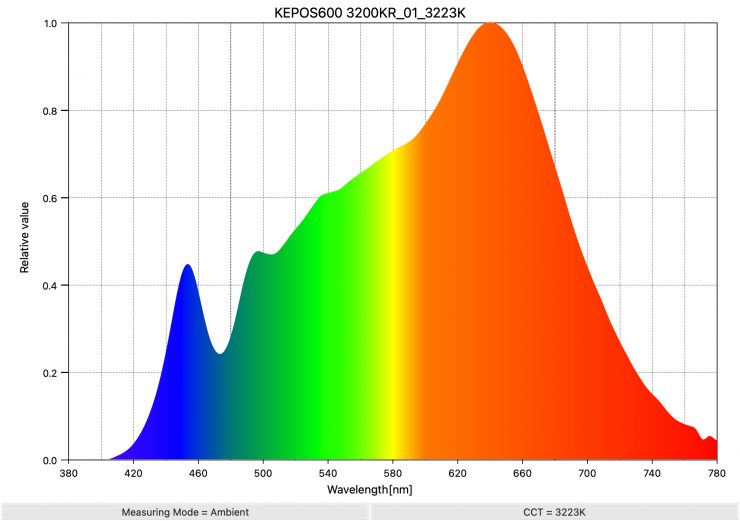
As another comparison, above you can see the spectral distribution for the Kelvin Epos 600.
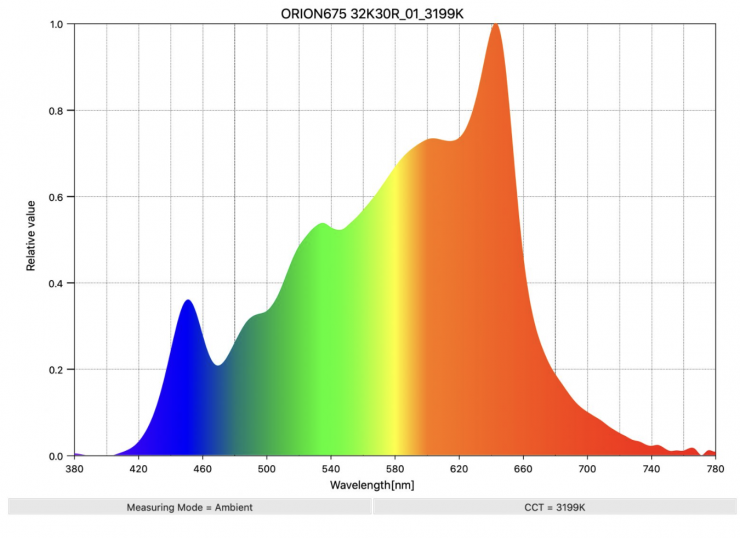
As another comparison, above you can see the spectral distribution of the Prolycht Orion 675 FS when it is set at 3200K
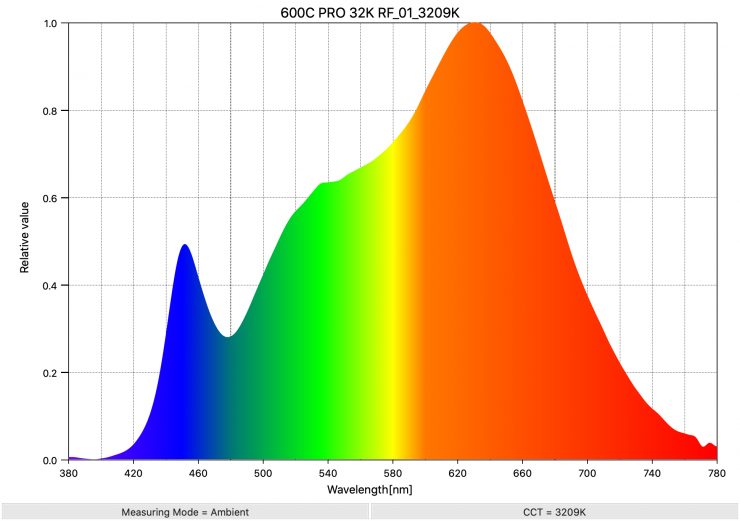
As another comparison, above you can see the spectral distribution of the Aputure LS 600c Pro when it is set at 3200K. The spectral distribution only has a very marginal push towards green, but overall, it is very good.
Real-World Performance & Quality of Light
As I always say, photometric scores only tell you part of the story. So let’s find out if the scores from the Aputure STORM 700x translate into good real-world performance.
The photometric results can only give me scientific data, and it is much more important for me to see how the light looks and performs. Contrary to popular belief, if you are in the business of making lights, you don’t want to try to achieve perfect scores because perfect scientific scores don’t necessarily equate to a light looking good. A good light should look good to a camera because, after all, that is what is capturing the image. Cameras and our eyes see differently, and ideally, you want to use a light that looks good to your camera. There’s a bit of alchemy in knowing what to prioritize in order to render colors that appear accurate, natural, and pleasing. It’s not just about hitting certain numbers.
It is important to note that almost all of the LED lights that have come to market in the last couple of years are very good, and they can all produce good results. Just because something is new doesn’t necessarily mean it is better, nor does it mean that you have to throw your older lights out.
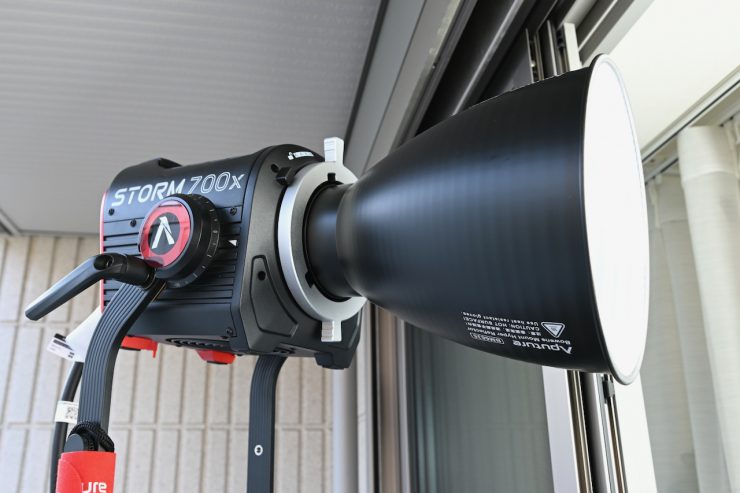
Lighting really comes down to how you use the light, and having a great light isn’t suddenly going to produce better results unless you know what you are doing.
One of my primary aims when testing the light was to see how the BLAIR light engine performed, especially when used as a daylight source.
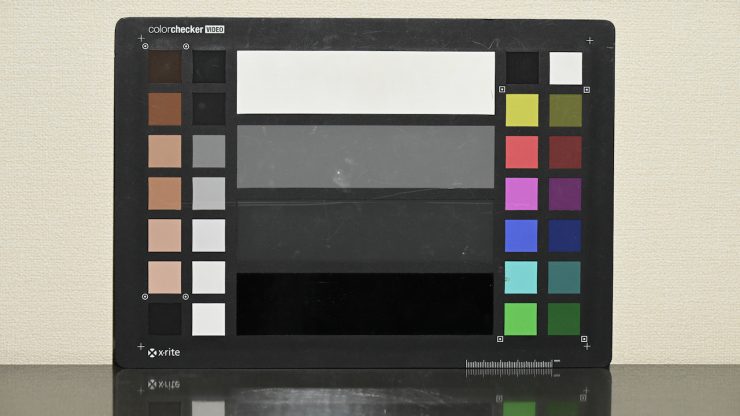
Light set at 5600K & camera WB set at 5600K 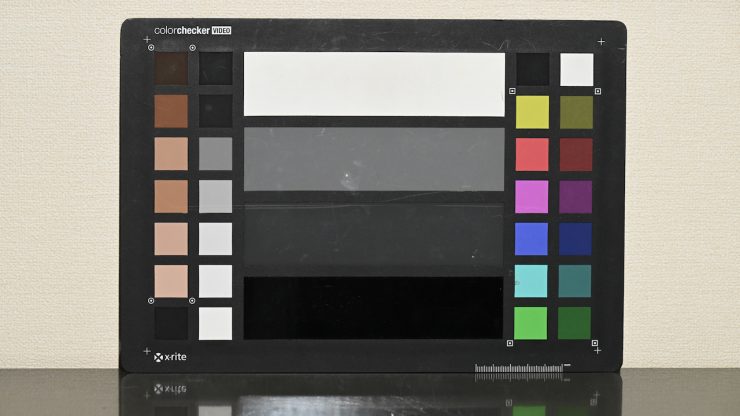
Light set at 5600K & manual camera WB 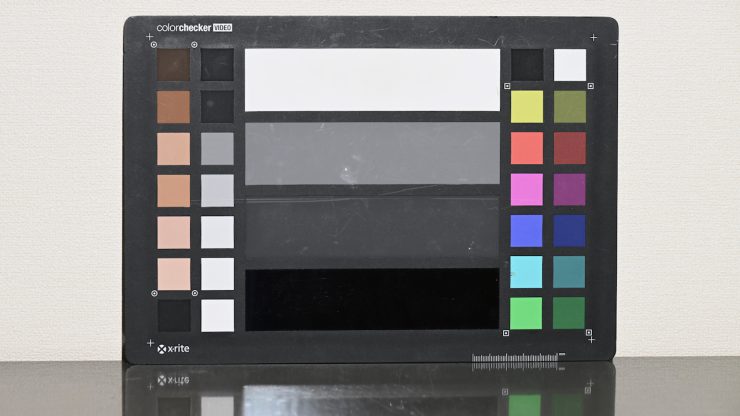
Light set at 3200K & camera WB set at 3200K 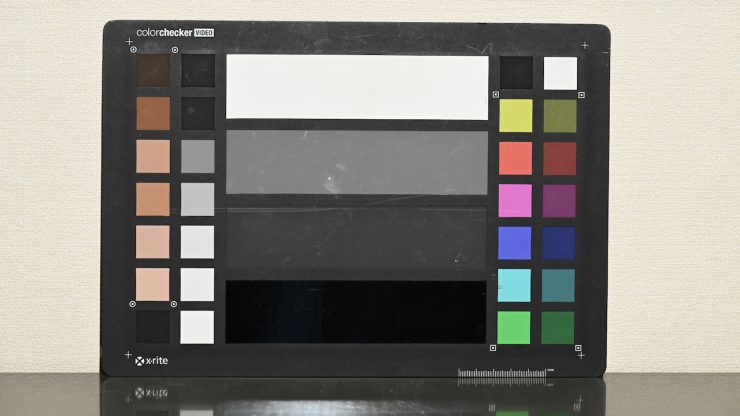
Light set at 3200K & manual camera WB
Firstly, let’s have a look at some tests where I compared the light at 5600K and 3200K at 5600K when shooting a color checker chart (which has seen better days!). The light was set at 5600K and 3200K, and I have set the camera at a preset 5600K WB and a preset 3200K WB. I also did a manual WB, so you can see the differences.
As you can see, the light does a very good job, and there was not a huge difference between running a preset WB and doing a manual WB.
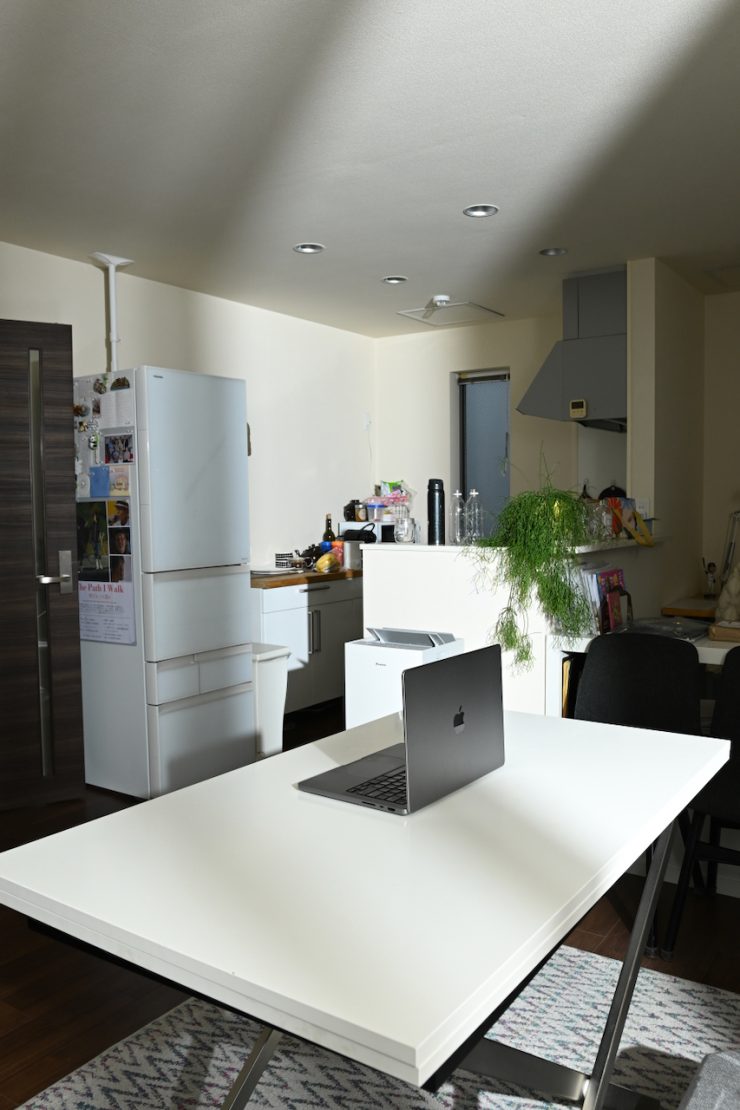
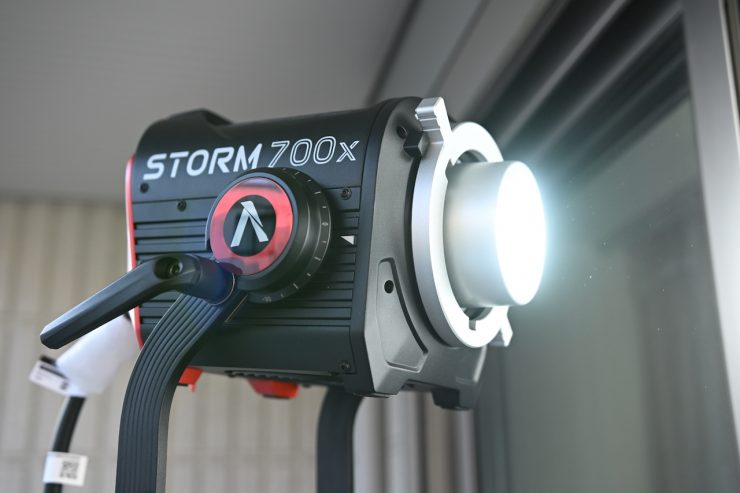
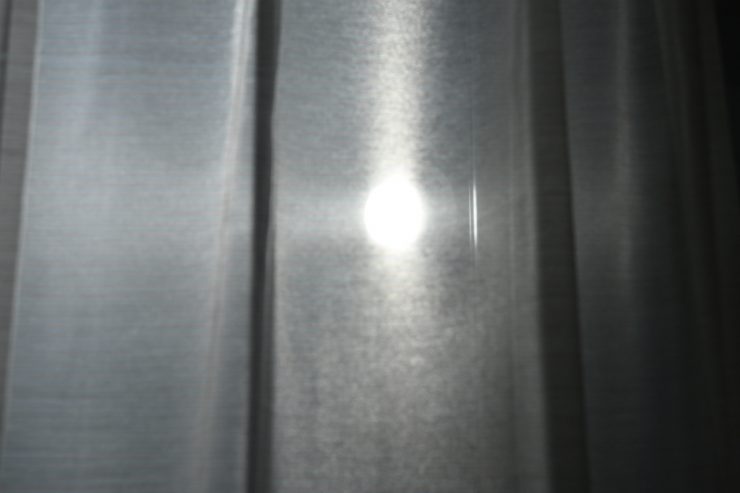
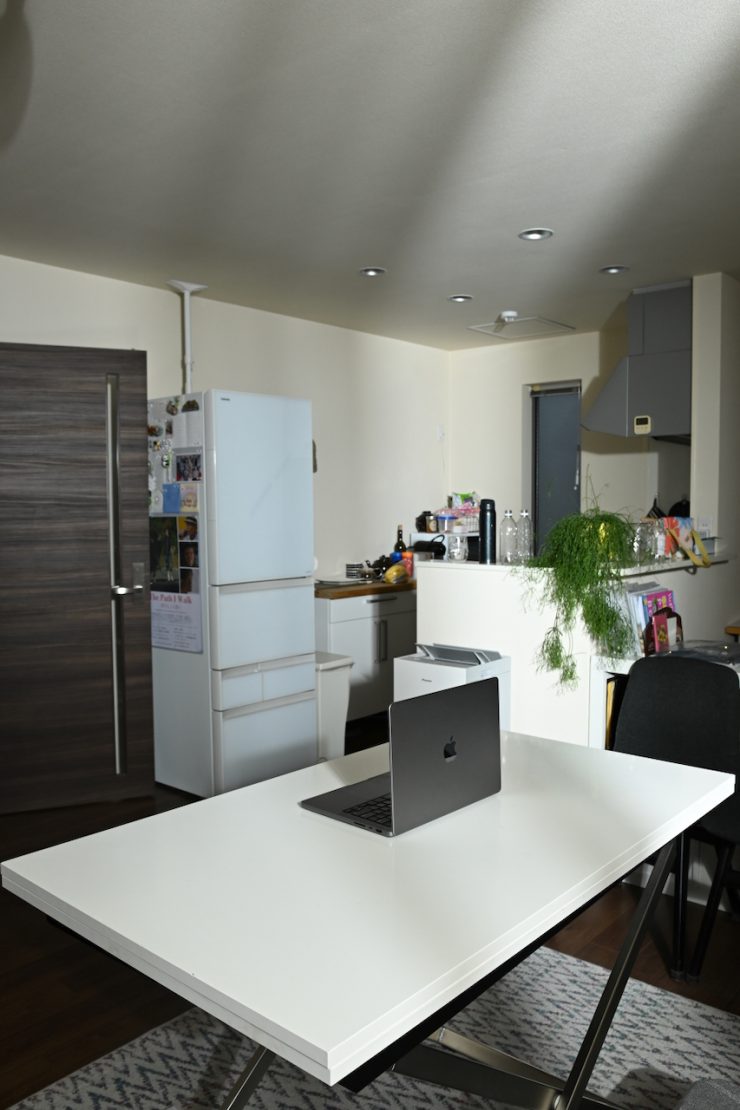
Above you can see some photos I took when placing the light outside and punching it through a sheer curtain into a room when it was used Open face.
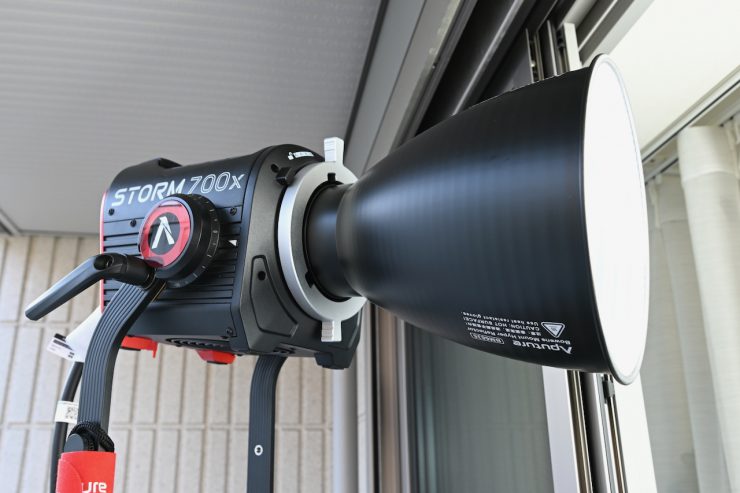
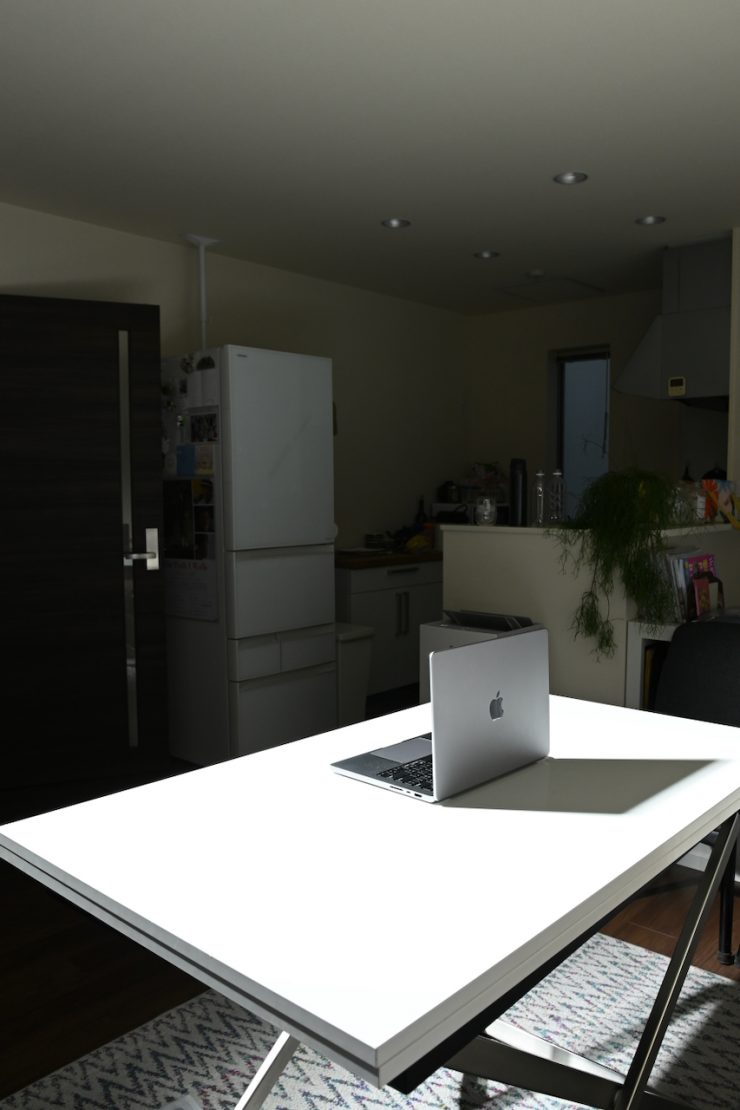
Above you can see some photos I took when placing the light outside and punching it through a sheer curtain into a room when it was used with its 35° Reflector.
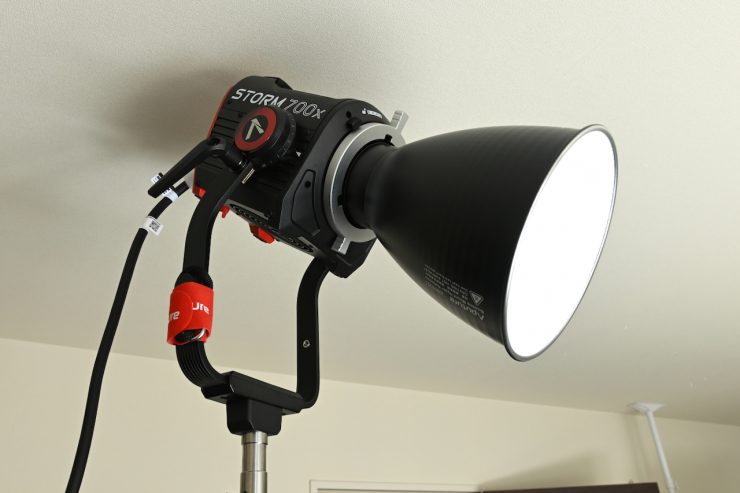
Above, you can see some shots with it pointing down directly at a table.
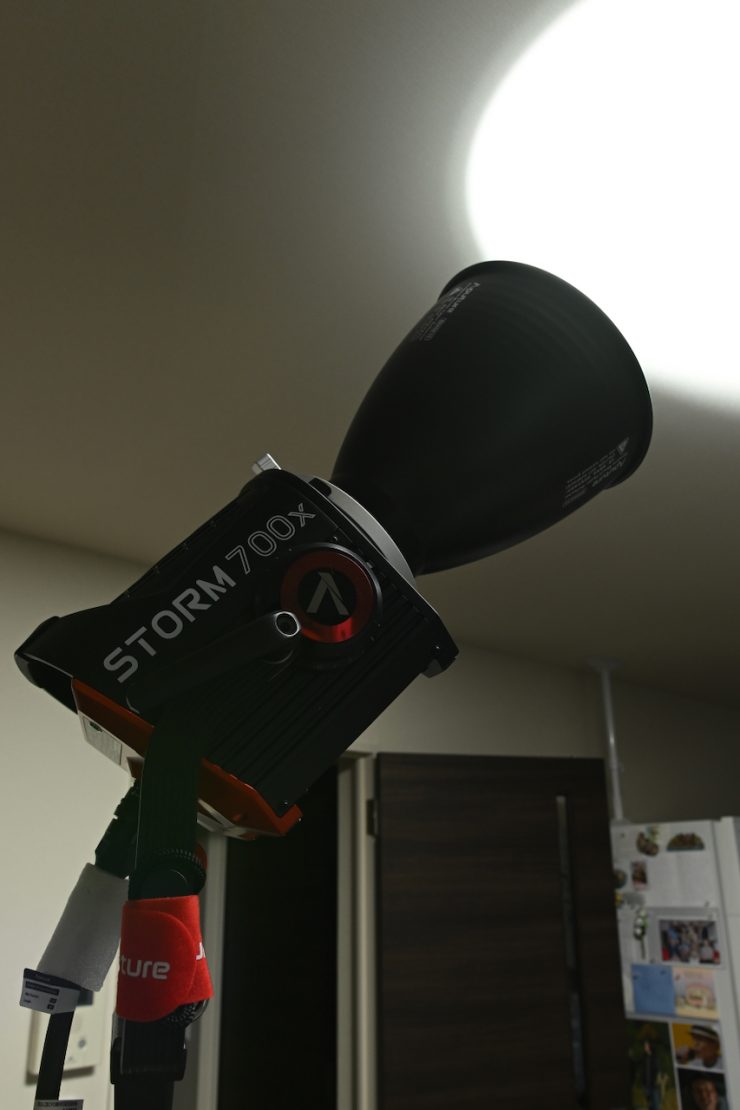
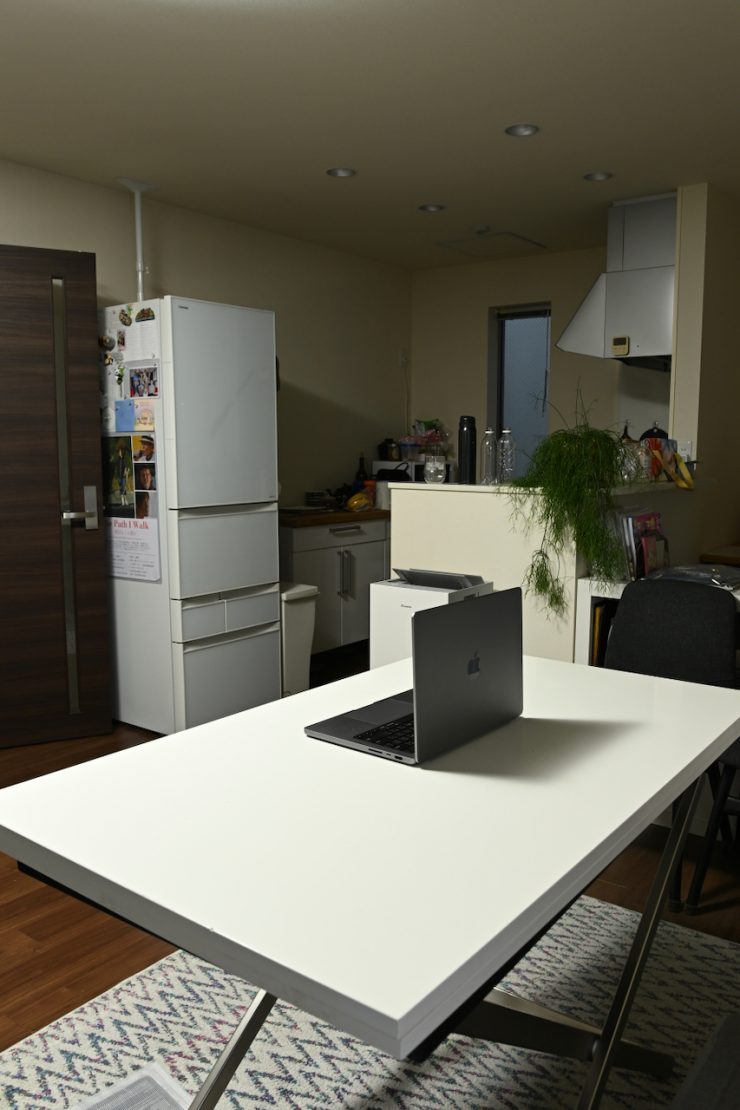
Reflector 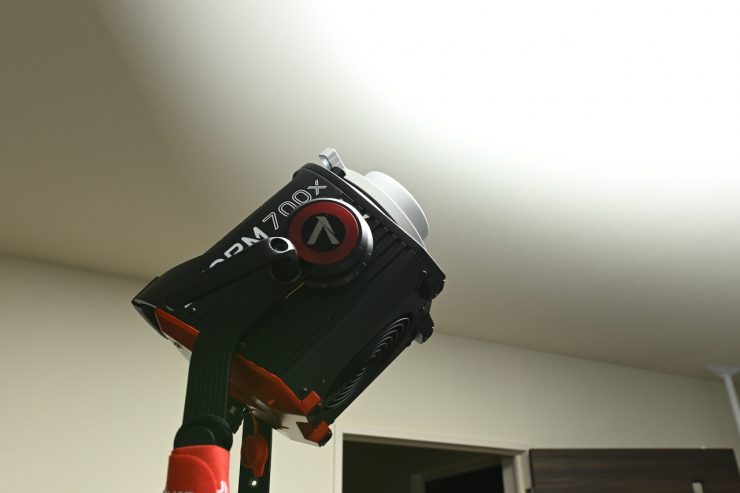
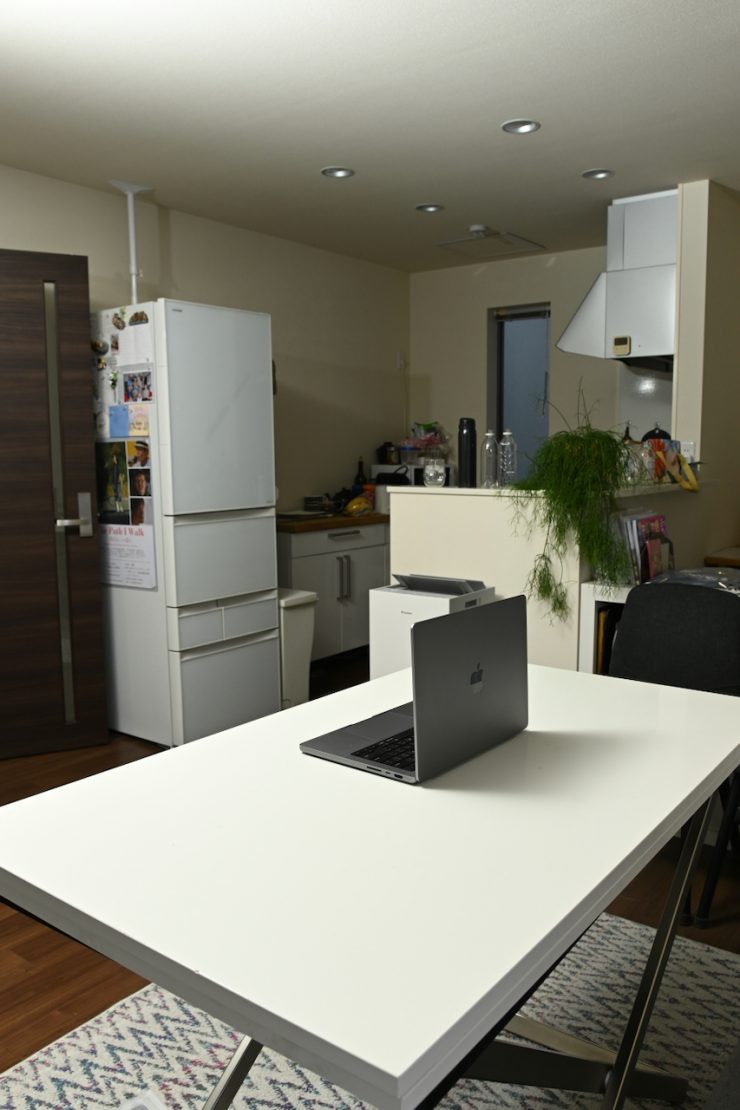
Open Face
Above, you can see what the light looks like when punched directly into the ceiling using its reflector and when used open face.

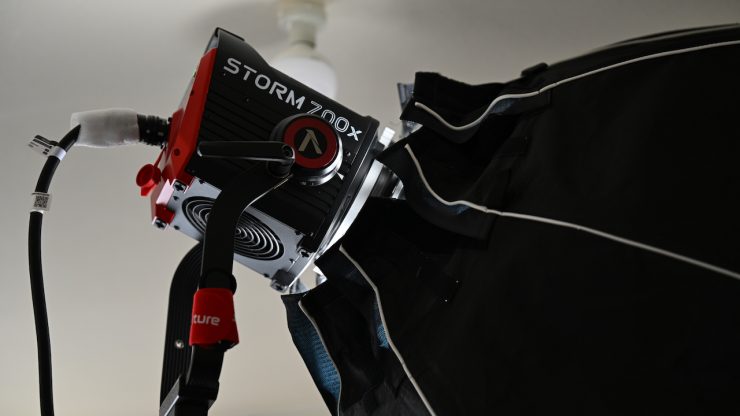
Like most modern-day, high-output spotlights, it is very easy to create a very soft, flattering light source using a softbox or other lighting modifier. Above, you can see a quick example with the light set at 9% and used with a DoPchoice Octa 3 Softbox that had two layers of diffusion and a grid.
I found that by using a softbox, you could create a very soft lighting source without needing to punch it through a diffusion screen. This makes it a very quick and easy light to use for interview situations or for any scenario where you need soft light.
You will rarely ever need to run a light with an 850W power draw at anywhere near 100% in interview situations in controlled environments, but it is nice to have that extra punch for other shooting scenarios. If you are looking primarily for an interview light, then the Aputure STORM 700x will certainly cover all of your needs.
Like most modern LED lights, the STORM 700x is capable of producing excellent results.
Fresnel
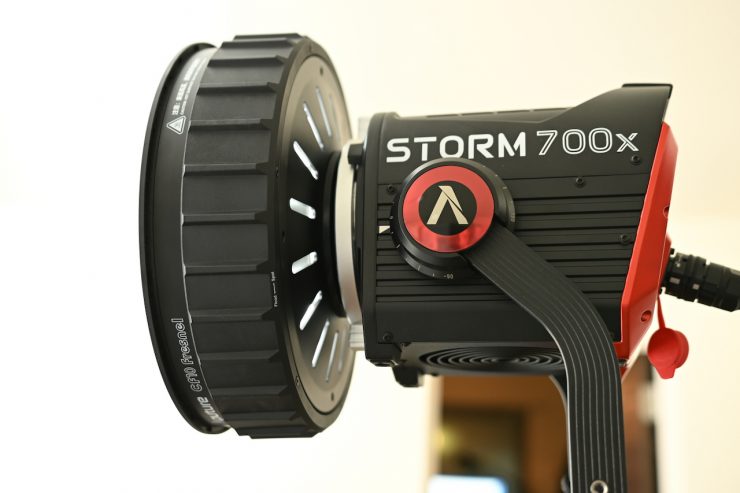
The optional C10 Fresnel can be used to further increase the versatility of the STORM 700x.
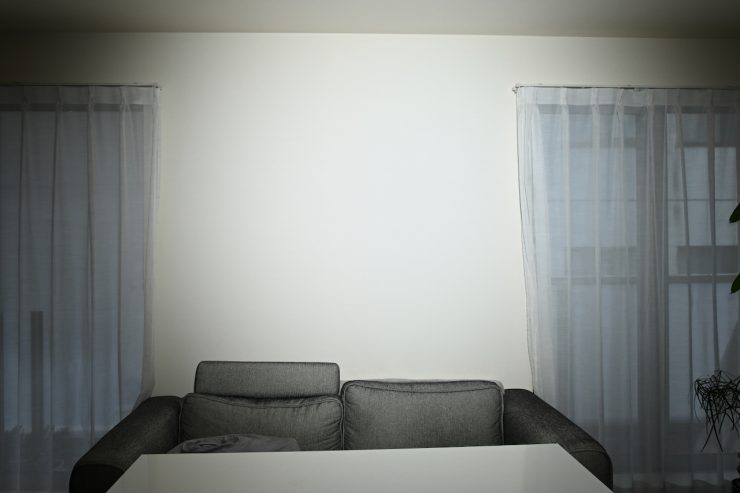
Above, you can see what it looks like when the fixture is placed 3m /9.9′ from a wall and set at 45°.
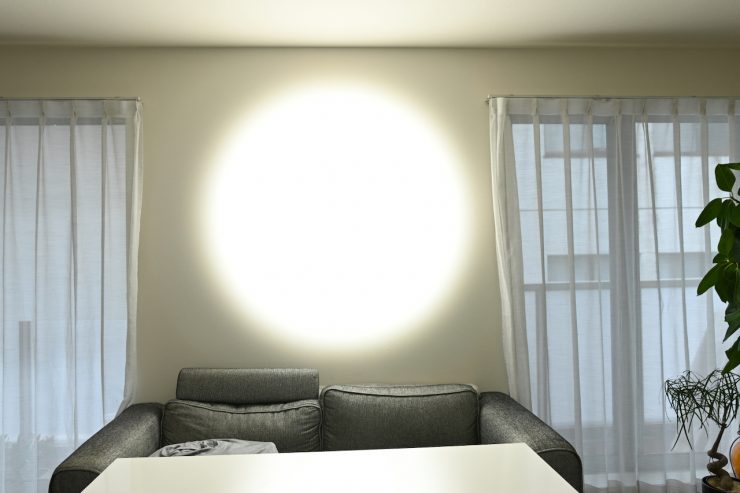
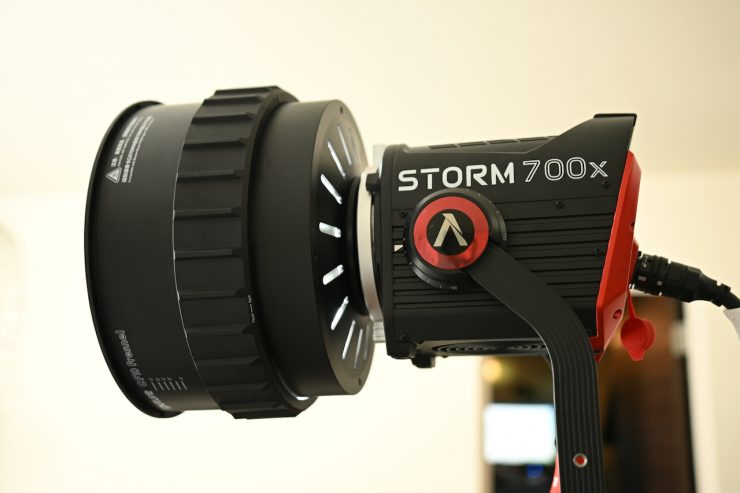
Above, you can see what it looks like when the fixture is placed 3m /9.9′ from a wall and set at 15°.
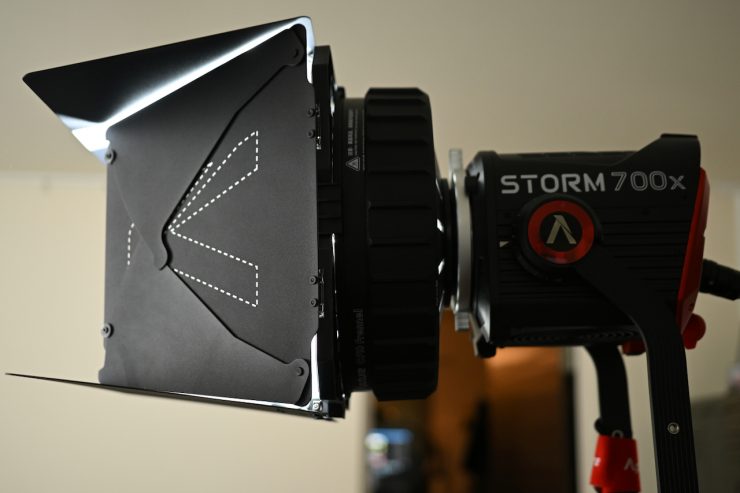
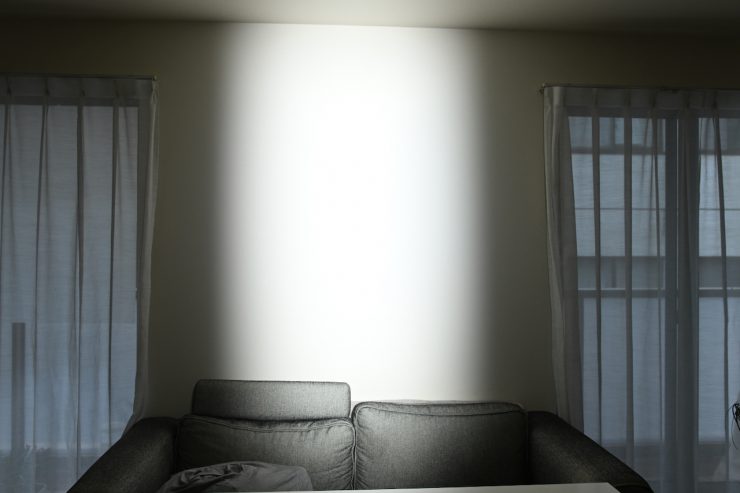
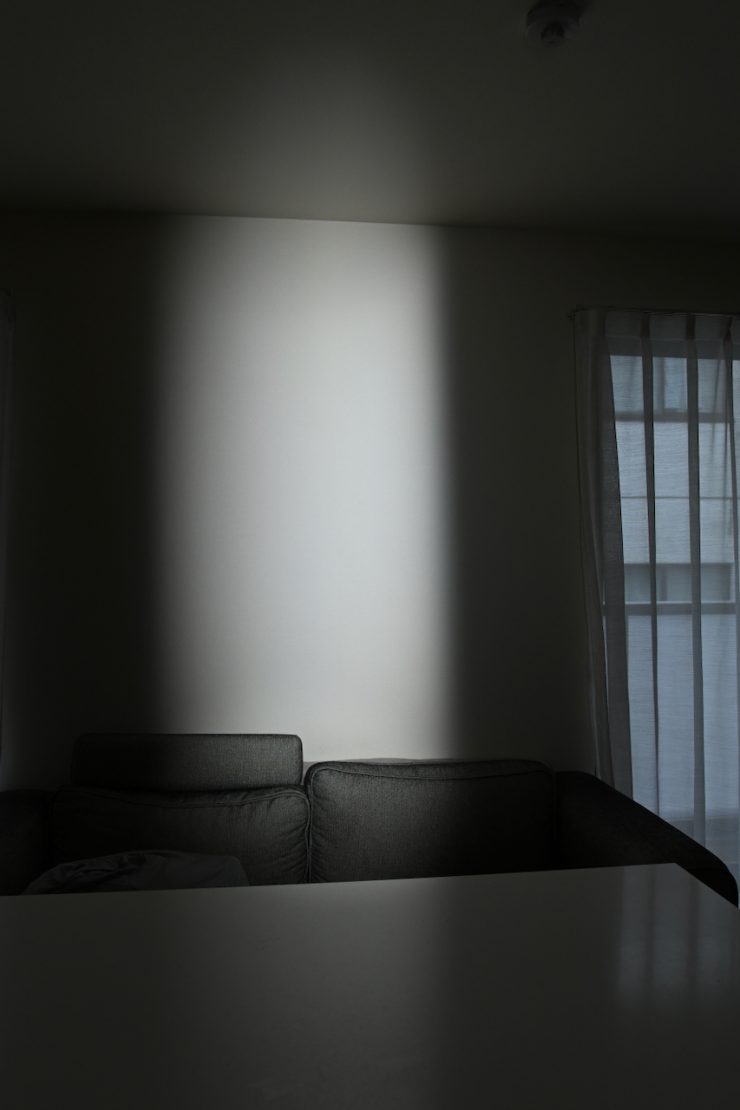
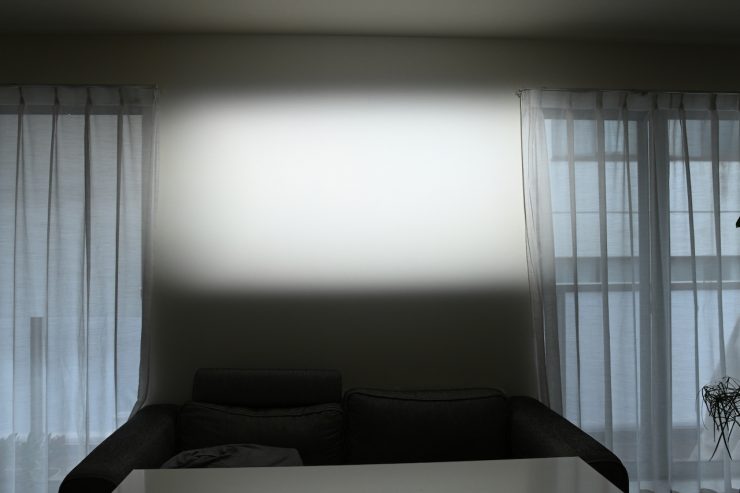
Above, you can see what it looks like when the fixture is placed 3m /9.9′ from a wall and set at 45° with the barn doors being used.
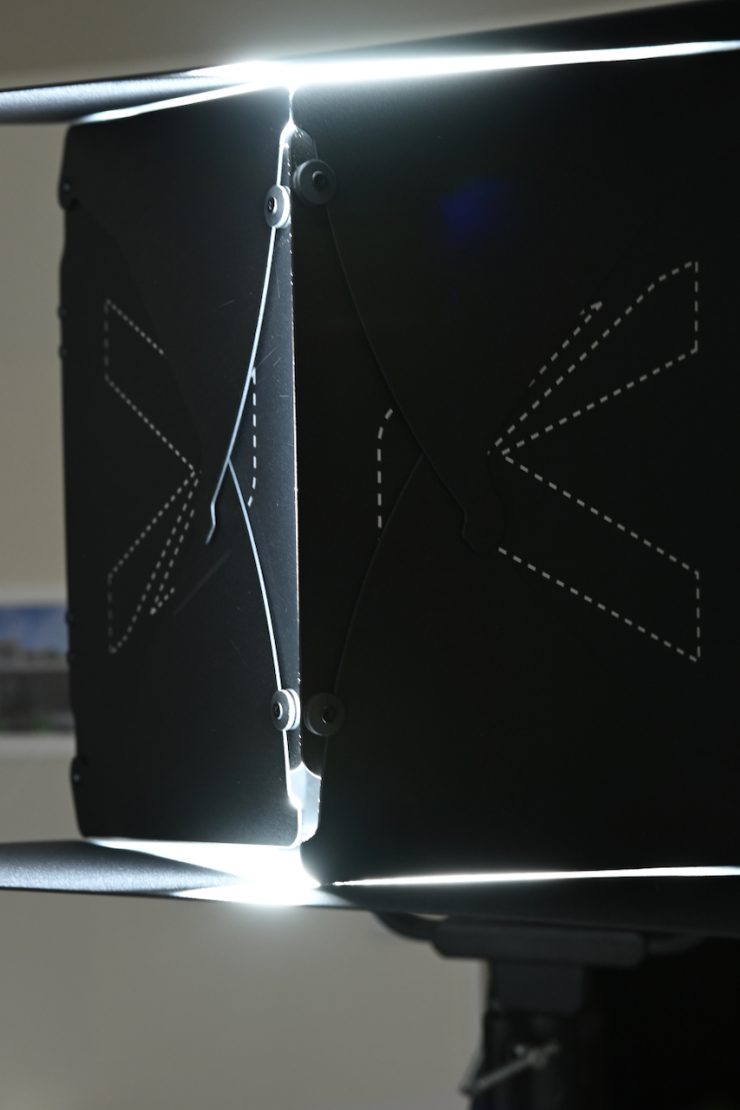
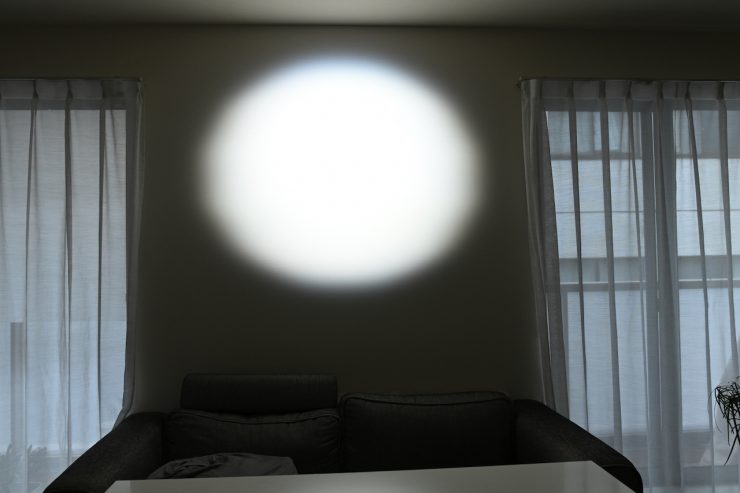
Above, you can see what it looks like when the fixture is placed 3m /9.9′ from a wall and set at 15° with the barn doors being used. Once you close up the barn doors with the Fresnel set at 15°, you will only be able to create a roundish circle.
Who is the Aputure STORM 700x aimed at?
This is certainly a fixture that could be used for lots of different applications, by lots of different people. However, it is pretty clear that it is being targeted at professionals in the TV and film industry. With its high output and good color rendition, it could be used for a wide array of lighting scenarios.
I think that it is priced to appeal to professional owner-operators who are looking for a jack-of-all-trades lighting solution and need something with a lot of output. The ability to use the light as a soft source, hard source, or anything in between makes it an appealing option. With its power draw, it is arguably more likely to appeal to owner/operators than the larger STORM 1200x.
Price & Availability
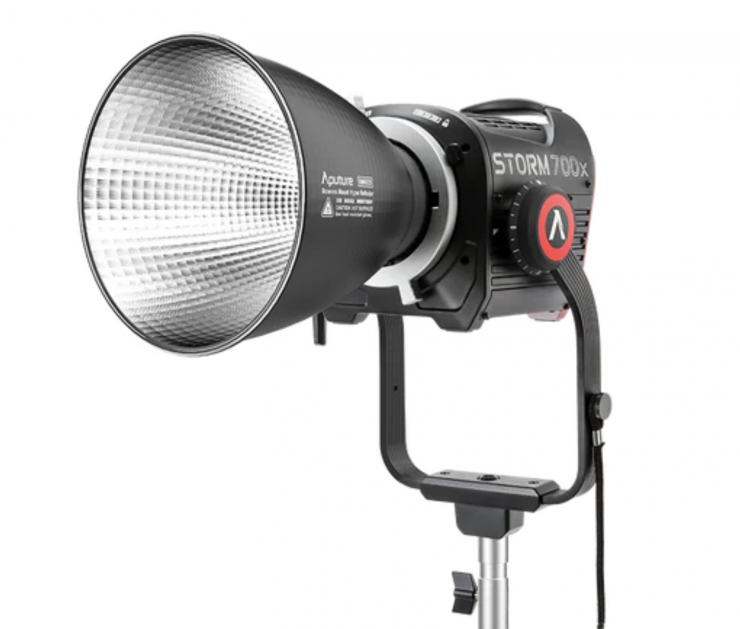
The Aputure STORM 700x retails for $1,690 USD, which makes it very competitively priced against its nearest competition.
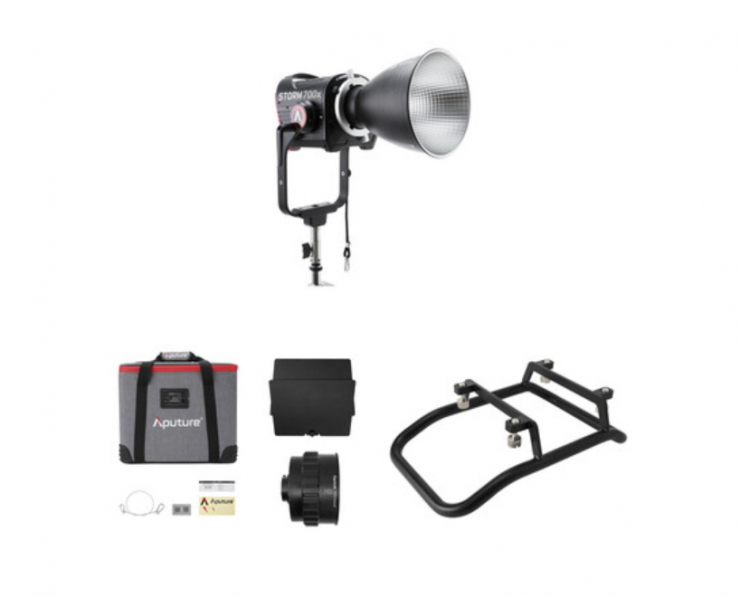
You can also get the Aputure STORM 700x Tunable White LED Monolight (Cine Kit) for $2,139.95 USD. In that kit, you get the following:
- Aputure STORM 700x Tunable White LED Monolight
- Control Box
- Clamp
- Hyper Reflector (35º)
- Head Cable (9.8′)
- AC Power Cable (19.6′)
- Bowens Mount Protection Cover
- Soft Rolling Case
- Limited 1-Year Manufacturer Warranty
- Aputure CF10 Fresnel & Barndoors Kit
- Safety Chain
- Soft Carry Case
- Limited 1-Year Manufacturer Warranty
- Aputure Skid for STORM 700x
Below you can see how the price of the Apture STORM 700x compares to some of the competition:
| | Price |
| Aputure STORM 700x | $1,690 USD |
| Profoto L600C | $2,995 USD |
| NANLUX Evoke 600C | $2,060 USD |
| Kelvin Epos 600 | $2,999 USD |
| Aputure LS 600c Pro II | $1,490 USD |
| Aputure LS 600d Daylight LED Monolight | $872 USD* |
| Aputure STORM 400x | $1,059 USD |
| Aputure STORM 1000c | $2,990 USD |
| Nanlite FC-720C | $599.20 USD |
| Nanlite Forza 720B | $1,519 USD* |
| Aputure LS 600x Pro Light Storm | $1,393 USD |
| Nanlite FC500C | $719.20 USD |
| Nanlite FC720C | $599.20 USD |
| Godox LITEMONS LA600R | $919 USD |
| amaran Ray 660c | $699 USD |
| HIVE LIGHTING Super Hornet 575-C | $5,999 USD |
| COLBOR CL600R | $1,999 USD |
*Currently on sale at B&H as of the 6/03/2026
What lighting modifiers will it work with?
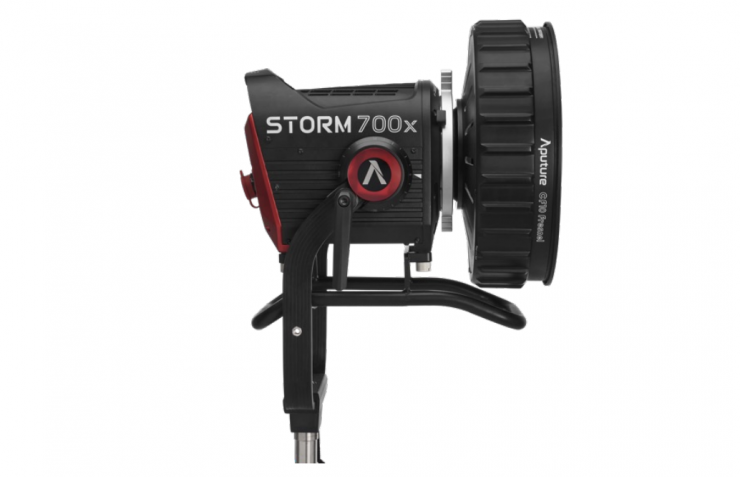
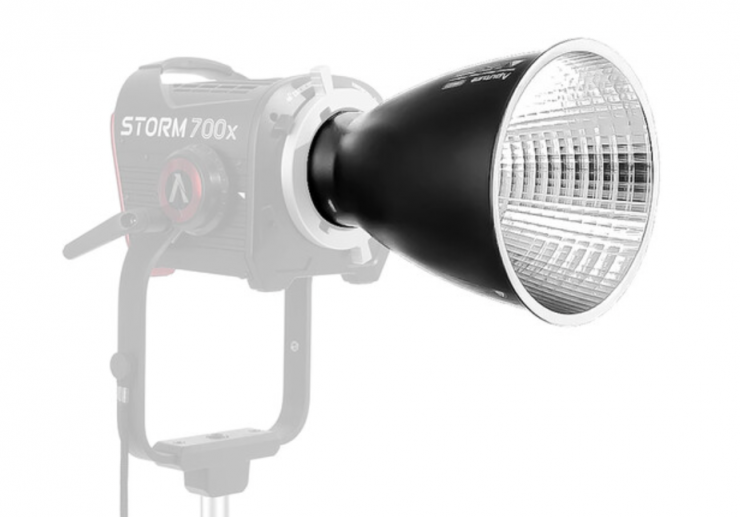
The Aputure STORM 700x will work with the CF10 Fresnel ($499 USD) and the BM6825 25º Reflector ($60 USD).
Apture claims that the new reflectors feature uniform edge-to-edge light output distribution with no hotspots.
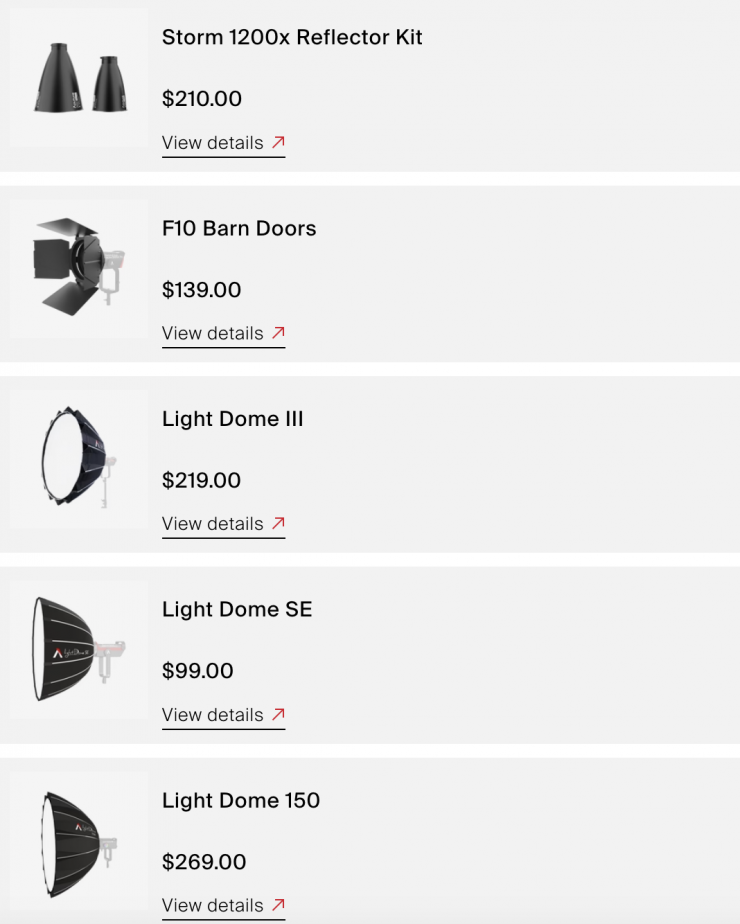
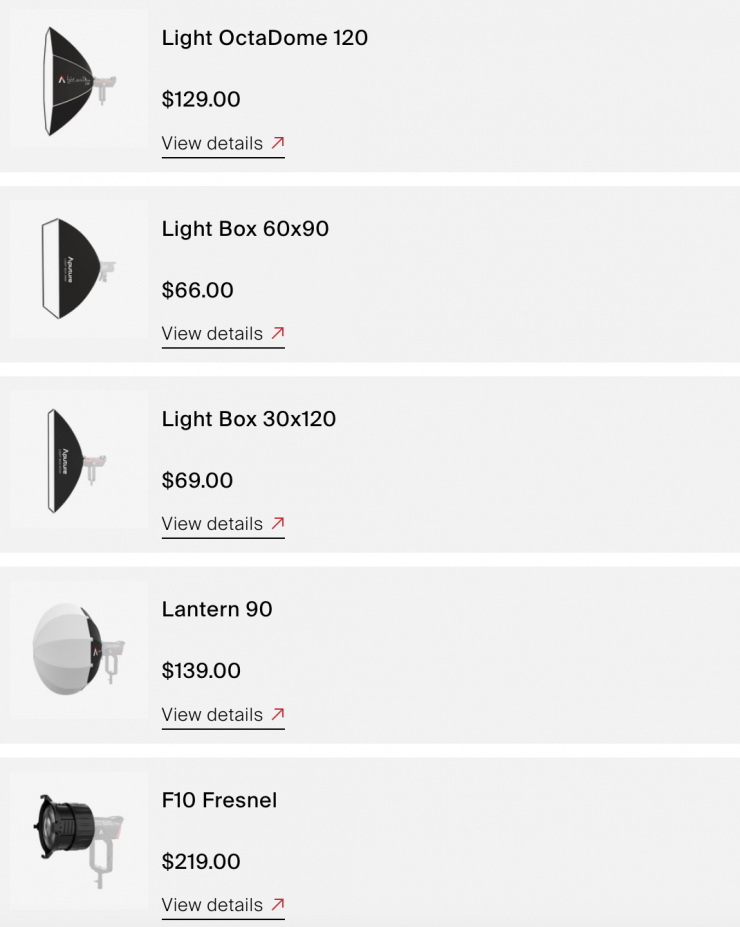
The STORM 700x will work with all the existing Aputure softboxes, lanterns, and third-party lighting modifiers.
Conclusion
The STORM 700x is a very good fixture, and just like its counterparts in the series, it is well-made, and Aputure has paid a lot of attention to small details. The feature set is impressive, as is the output and color accuracy. As I have previously mentioned in other Aputure STORM reviews, the BLAIR light engine clearly offers advantages over Aputure’s previous light engines.
The fan noise is ok for a fixture of this size and power draw. If you are using this light indoors in close proximity to where critical audio is being recorded, you may find it too loud if it’s running at higher outputs.
600-700W is arguably the sweet spot for a lot of owner/operators who are looking for a high-output COB that is still relatively easy to travel with and transport. The output is very good given its power draw, and the light certainly packs a decent punch.
The light is solidly made, and it is reasonably compact considering its power draw and output. The ProLock is a great feature, and it allows you to place large and heavy lighting modifiers on the front without the fear of anything breaking. This really should become a Bowens-S mount standard. Sticking with a standard Bowens-S mount with the addition of the ProLock makes a lot of sense, and it is a better option than going with a proprietary mount that limits what lighting modifiers you can use.
The ability to dial in a very wide array of CCT settings and have +/- G/M adjustments is a feature I personally look for. Yes, it doesn’t have some of the features and capabilities that you will find on full color fixtures, but a lot of people arguably don’t need those. If you are just looking for a fixture that produces good white light at this type of power draw, then it is hard to beat for the price.
The interface and operating system are easy to use, and the app works well without any hitches or issues. I usually prefer an all-in-one design and not having to worry about connecting up a separate power supply/controller, but the size and weight of the STORM 700x head make it easier to mount on less heavy-duty stands.
The caveat is that it doesn’t come with any way of powering it remotely, at any output from a DC source, but that’s true of most point source fixtures these days. If you want to power it remotely, you will need to do so through a generator or a portable device that can output 120-240V AC.
At least, in my opinion, the light is very well-priced given its feature set, output, build quality, and performance. It is easy to see why a lot of shooters have migrated from traditional legacy lighting companies to companies such as Aputure, NANLITE/NANLUX, and Godox, given their pricing, performance, and feature set.
The STORM 700x ticks a lot of boxes. It is another impressive offering with great photometric performance.
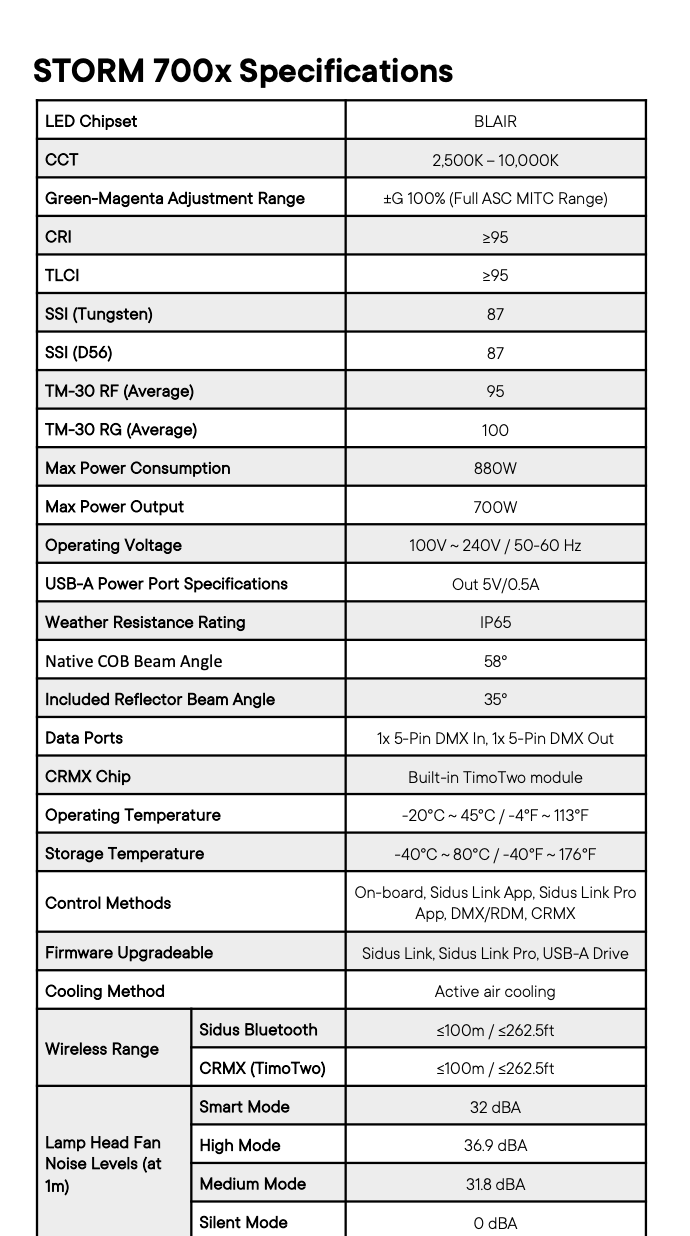
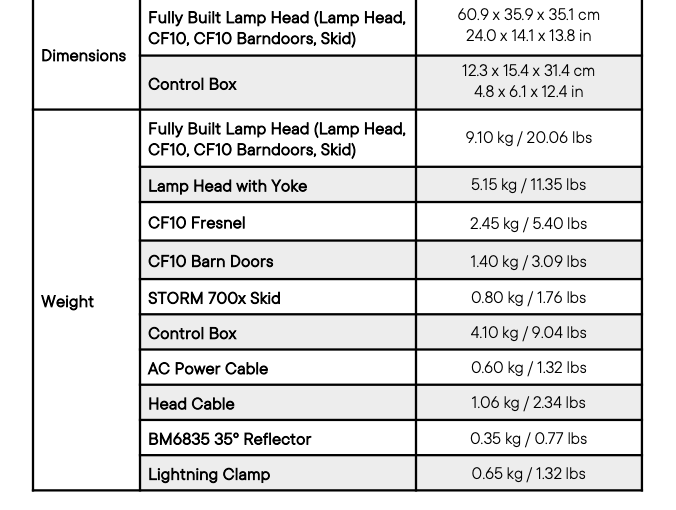
Technical Specifications
Like what we do and want to support Newsshooter? Consider becoming a Patreon supporter and help us to continue being the best source of news and reviews for professional tools for the independent filmmaker.