ARRI recently announced Film Lab, which is a new tool that is claimed to bring the timeless look of analog film into your digital workflow. Film Lab can add grain, halation, and gate weave, as well as adjust your footage to replicate the way that film negatives react to colors.
The whole concept behind ARRI Film Lab is to provide a very easy-to-use plugin that can help replicate popular Kodak film stocks. The KISS philosophy allows for quick results without users needing to adjust multiple parameters.
What can you adjust?
Film grain
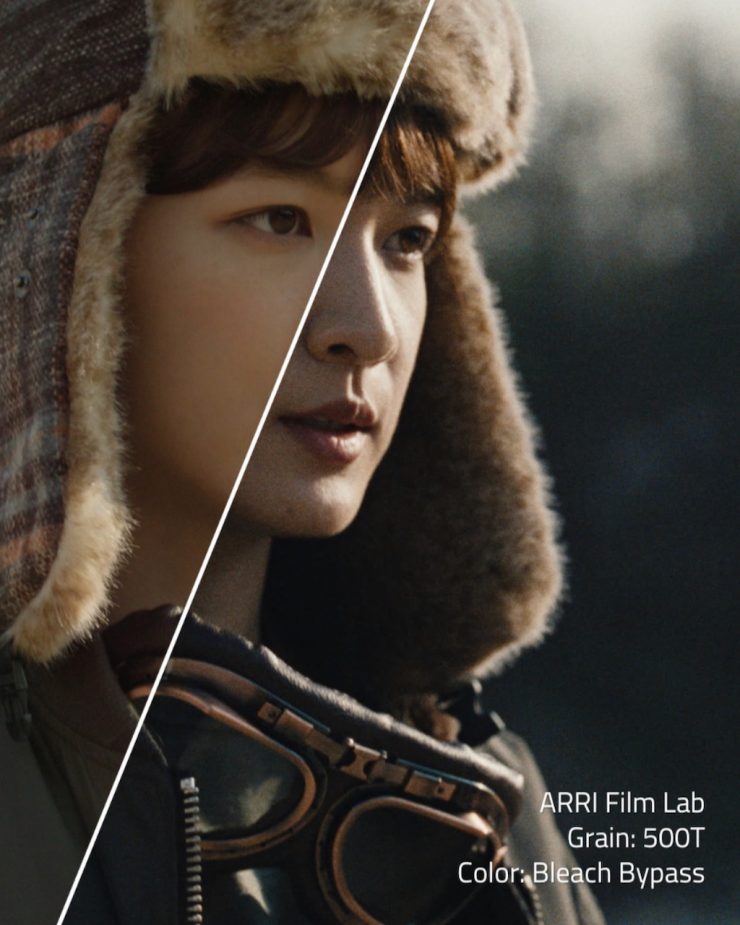
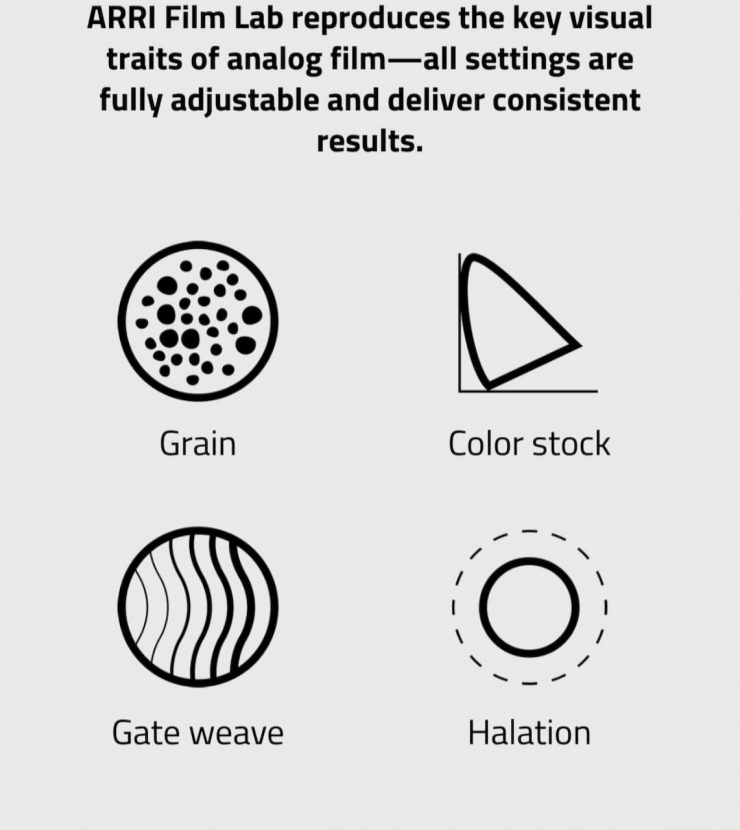
Realistically emulated film grain can be set to the equivalent of a 50D, 200T, or 500T negative stock.
Color Stock
Color settings encompass different print stock characteristics, reversal film, and bleach bypass.
Halation
Replicates the red/orange halo around bright areas caused by light reflecting through film layers.
Gate weave
This setting simulates the slight unsteadiness sometimes seen in footage shot on film.


Above, you can see the settings tabs that you will get in Davinci Resolve. I like that ARRI has made it super simple to make adjustments, and they haven’t drowned you in a myriad of different parameter adjustments.
What are 50D, 200T, & 500T negative stocks?
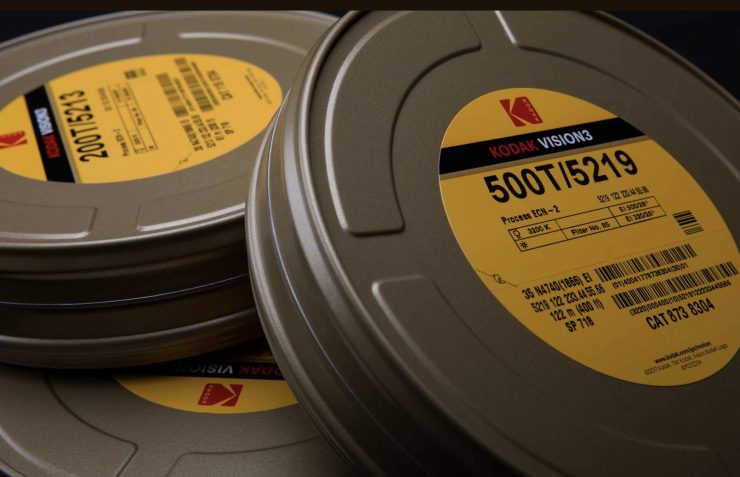
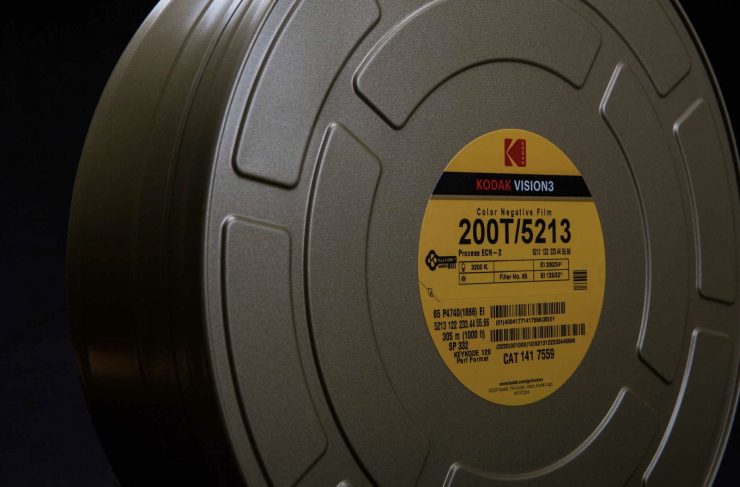
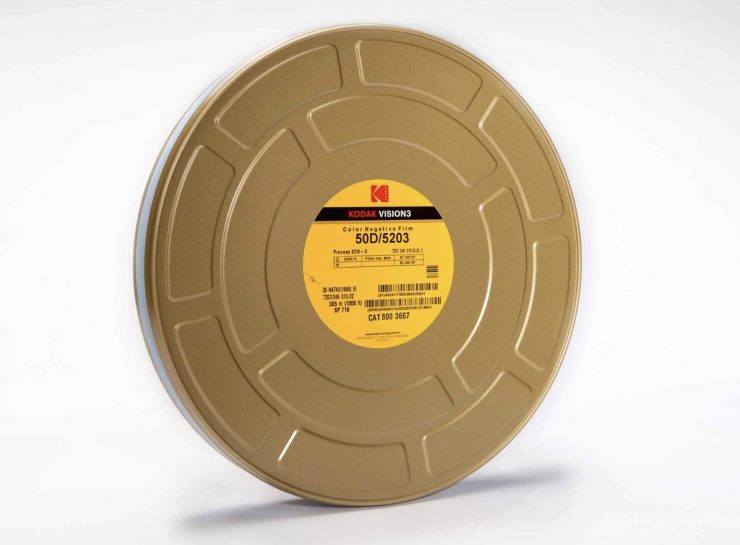
50D, 200T, and 500T are all color negative film stocks. Color negative is a type of photographic film that, as the name would suggest, produces a color image with inverted colors, hence, a negative on the film. When you print or scan a color negative, the colors get reversed, to create, you guessed it, a positive image. Color negative is more popular and widely used than color positive, because it allows for a greater exposure range.
Now, I must stress that ARRI hasn’t intended to exactly replicate grain from particular Kodak stocks, instead, the naming conventions used, are more of an approximation of a wide arry of differnt film stocks with similar ASA ratings.
Kodak VISION3 50D or 5203 / 7203 is a 50ASA daylight-balanced film stock.
Kodak Vision3 200T or 5213 / 7213 is a 200ASA tungsten film stock, hence the T in the name.
Kokak Vision3 500T or 5219 / 7219 is a 500ASA tungsten film stock.
What you need to clearly understand is that ARRI is effectively using a replication of the grain structure from these stocks, and the ASA ratings are largely inconsequential in a digital replication of a film stock.
Slight Decrease in sharpness
When using Film Lab with ARRI cameras, it will slightly decrease the sharpness of the MTF curve so that it more closely resembles film. It does this in a very subtle but pleasing way.
What can you use it with?
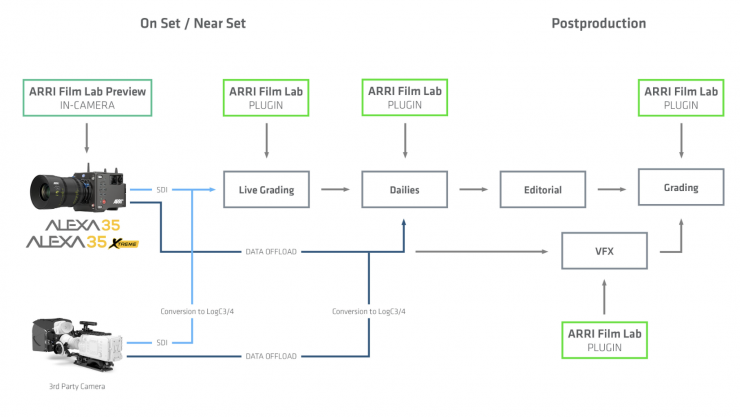
ARRI Film Lab is compatible with leading color grading environments, including DaVinci Resolve, Baselight, Nuke, and more. It can deliver real-time 4K processing of RGB images from ARRI and third-party cameras. ARRI Film Lab supports LogC3 (AWG3) and LogC4 (AWG4) workflows. It can be used whether the acquisition format was ARRICORE, ARRIRAW, ProRes, or a third-party codec. And as with all ARRI offerings, future-proofing is a prority; Film Lab support for ACES 2.0 is already planned and in the works.
Not Destructive Previews
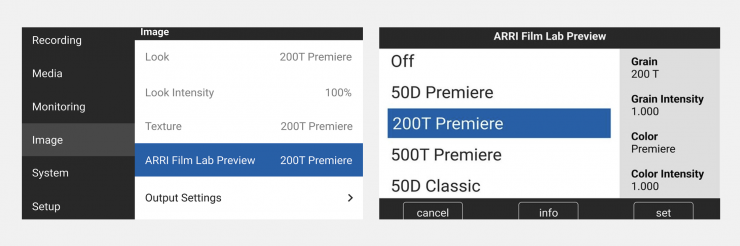
A unique aspect of ARRI Film Lab is that non-destructive preview simulations can be viewed on set when recording ARRICORE or ARRIRAW with ALEXA 35 Xtreme or ALEXA 35 cameras. An approximation of the desired film look is achieved in-camera through a combination of special ARRI Textures and 3D LUTs, allowing filmmakers to see viewfinder and monitor images that give a strong sense of the intended grain and color attributes. The in-camera preview function isn’t enabled just yet, but it will be available in an upcoming ALEXA 35 firmware update.
Having a non-destructive preview is very handy as it allows you to see exactly what it will look like without being locked into something that you can’t change in post.
ARRI Look Library Special Version
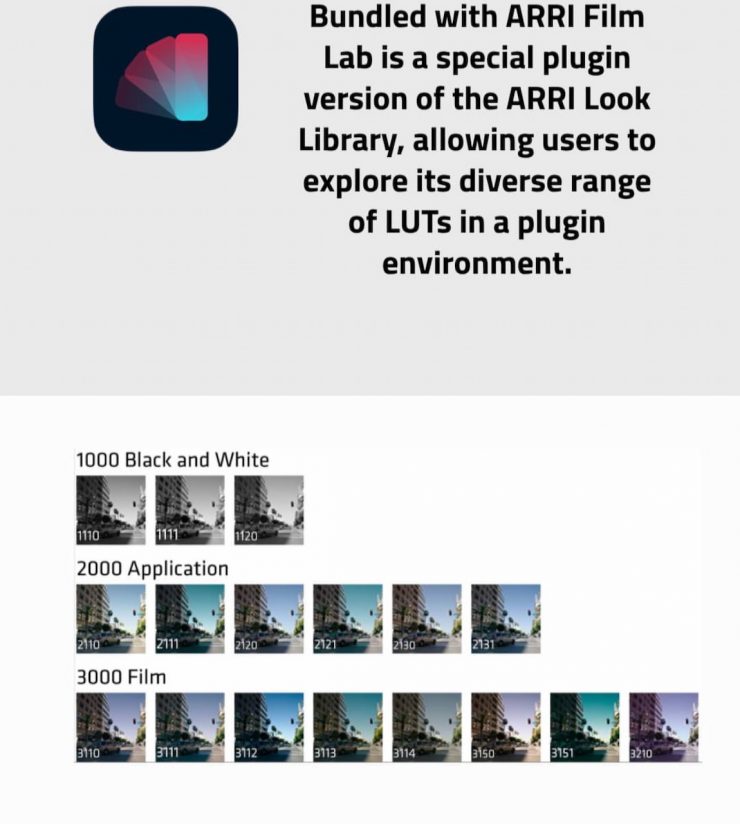
Bundled with ARRI Film Lab is a special plugin version of the ARRI Look Library, allowing users to explore its diverse range of LUTs in a plugin environment. This provides a new way to access the library’s 87 pre-defined looks, developed by ARRI to suit different environments and production types, and each offered in three strengths.

The special version of the ARRI Look Library can be downloaded here. Once it is installed, you won’t find it in your LUTs folder like the other ARRI Look Libraries. Instead, you will find it in the fx (effects) tab in Resolve.
To use the Film Lab Look Library, simply drag it onto an adjustment node.

Once you have dragged it onto an adjustment node, you will see the above options.


If you click on the Arri Look, you can see what options are available.

If you are going to use an ARRI Look Library option, it is best to place it in the node before the ARRI Film Lab. I usually find that it is best to just dial down the Color Intensity using the slider, as a lot of the looks can be pretty extreme.
You can also use multiple Looks from the Library by combining them and decreasing the Color Intensity of both. This gives you a lot of versatility in creating whatever type of look you want.
Real World Use
For the moment, I would recommend using the “K445 Default” texture when working with ARRI Film Lab. Currently, if you use other ARRI Textures, you could run into issues. In saying that, if you turn the grain all the way down when using ARRI Film Lab and you are shooting with something like the Nostalgic texture, it still works pretty well. You just want to avoid double-stacking two different types of grain
I’m not a professional colorist, so for me, it was important to see how easy it was to use.
ARRI Film Lab is super simple to use, and you can get really nice results without having to do a lot of heavy lifting or spending a lot of time.
Above, you can see examples of ARRI Film Lab, where I have taken the exact same shot that I did on an Alexa 35 and used various parameters. I haven’t used any noise reduction, and I have applied the Film Lab parameters directly to a basic graded shot without doing anything else. I have also done some examples where I have used ARRI Film Lab with the ARRI Look Library. Please note that I am not a professional colorist!
Above, there are a few more examples of Film Lab when using an Amira.
Using it with non-ARRI cameras
You can use it with non-ARRI cameras that don’t record in ARRI LogC3/LogC4. To do this, you would need to put a color space transform at the start of your node tree to turn it into ARRI LogC3/LogC4. I did try this with footage from a variety of cameras, but I didn’t personally find the results to be as good as when using ARRI cameras. That’s not to say it won’t work well, especially if you have footage from one of the Panasonic cameras that can utilize LogC3.
Pricing & Availability
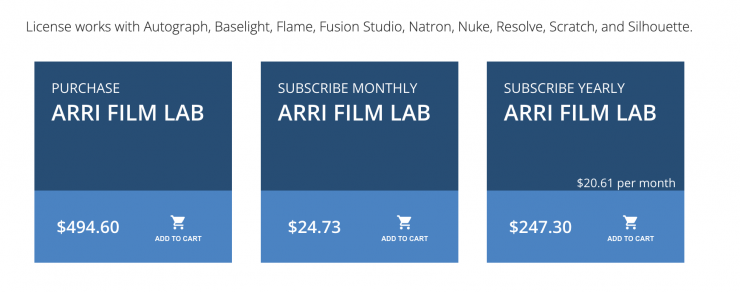
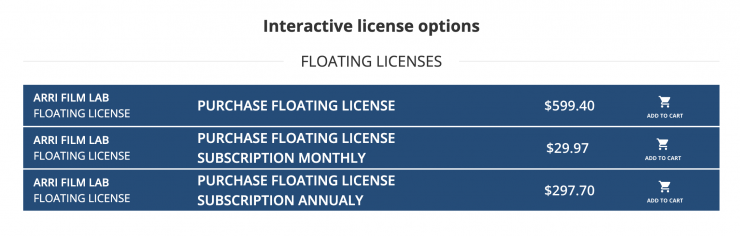
ARRI Film Lab is available now via RE:Vision Effects. Cost-effective licenses for individuals can be purchased on a weekly, monthly, annual, or permanent basis, while licenses for companies are priced according to the number of users. Special rates are available for educational purposes.
There are several types of licensing options for both interactive and render-only plug-ins: floating license, non-floating license, and volume license (read the licensing overview for more information). If you are interested in volume licensing or have other questions about these license options, please contact RE:Vision Effects. All floating licenses require installing their floating license server.
As a price comparison, Genesis Pro is $2,000 USD, Filmbox Pro is $349 USD per year, and Dehancer is $300 USD. You could very well make an argument that ARRI Film Lab is priced competitively compared to other alternatives on the market.
You can explore the plugin with a watermark-free trial for seven days after installation.
LUT packs for LogC3 and LogC4 are available at https://www.arri.com/log-c
Sample footage from ARRI cameras is available here: https://www.arri.com/samplefootage
Final Thoughts
I really like ARRI Film Look, and it makes a lot of sense if you own an ARRI camera or are grading ARRI footage. Its beauty is in its simplicity, and ARRI has done a really good job of making it super simple to use. You can get good results without having to spend a lot of time. Once the non-destructive preview simulations are added so that they can be viewed on set when recording ARRICORE or ARRIRAW with ALEXA 35 Xtreme or ALEXA 35 cameras, it will make Film Look even more valuable.
Sometimes, less is more, and by using the sliders in Film Lab, you can make subtle adjustments without creating massive changes that go too far. The implementation with the ARRI Look Library also works really well, and ARRI has certainly given you the tools to quickly and easily create film looks from scratch.
It is also interesting to see ARRI outsourcing this software to RE:Vision Effects instead of selling it directly.
At $496.40 USD for a permanent license, the pricing is actually pretty good if you compare it to other options on the market.