Sponsored Article
Video noise, soft focus, and compression artifacts are persistent challenges for documentary shooters, news teams, and creators working in low light or with mixed-source footage. Aiarty Video Enhancer V3.0 is a standalone desktop AI tool that transforms your footage with natural-looking, professional-quality results—completely offline, giving you full control over your videos.
Holiday Offer (Christmas-Only): Save 36% on the Lifetime License of Aiarty Video Enhancer, with an additional $5 off using code XMASSAVE — the lowest price ever. The license includes unlimited updates, installation on up to three computers (Mac or Windows), and a 1-year license of Aiarty Image Enhancer at no extra cost.
Aiarty Video Enhancer runs fully offline, with no subscription or cloud processing, making it a practical option for filmmakers working with sensitive or large video files.
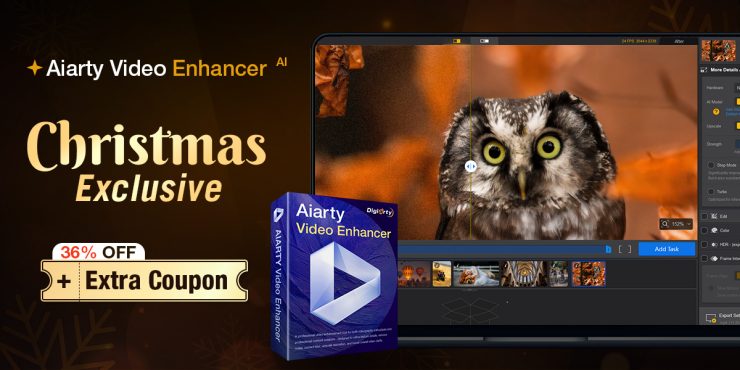
Key Features at a Glance
Aiarty Video Enhancer simplifies workflows while delivering professional results — powerful enough for pros, yet intuitive for beginners. Key features include:
- Effortless Enhancement: Denoise, deblur, upscale, and enhance details automatically with adjustable strength.
- Batch Processing: Handle large footage sets efficiently.
- Convert SDR to HDR: Lift SDR footage to HDR-style for richer shadows and highlights.
- Quick Edits: Cut, crop, rotate, flip, and adjust colors.
- Denoise Audio: Clean up sound alongside video enhancements.
- Step Mode: Reduce VRAM usage for long or high-resolution renders.
- Turbo Mode: Export faster with minimal quality trade-off.
- Offline Processing: Keep your footage fully secure and private.
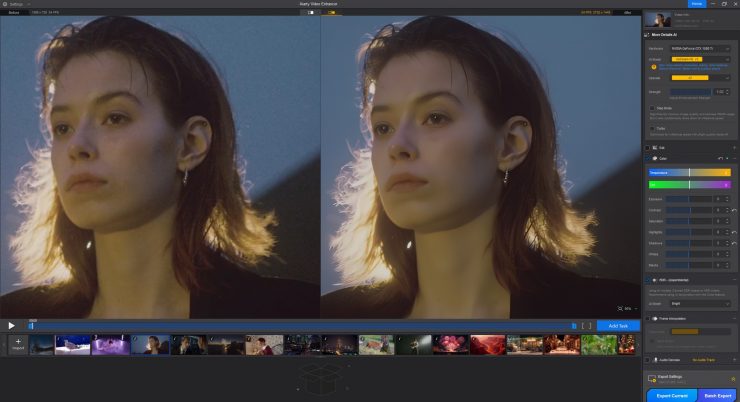
The software uses three dedicated AI models:
- MoDetail-HQ v2 – restores detail for portraits, pets, landscapes, and architecture
- Smooth-HQ v2 – cleans footage while maintaining color realism
- superVideo vHQ – targets heavy noise in low-light and high-ISO situations
These models work together to preserve natural textures, skin detail, and edge clarity, avoiding the over-smoothed look common in many AI enhancers.
Denoising in Real Production Scenarios
Low-light noise, blotchy color patches, and ISO speckles are still major pain points—whether shooting events, handheld news footage, club interiors, or smartphone clips.
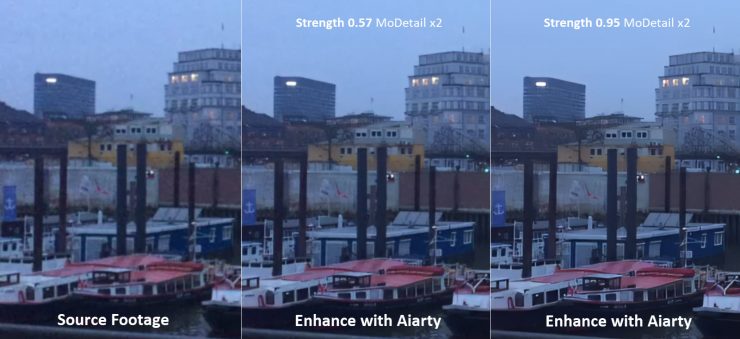
Aiarty’s superVideo vHQ model targets this issue by analyzing noise patterns and preserving natural textures rather than over-smoothing.Example: A dawn shot recorded in Hamburg showed heavy ISO noise and uneven color. Aiarty’s superVideo vHQ model removes grain in videos while keeping brick detail along quay walls intact, avoiding the waxy look common with aggressive AI denoise tools
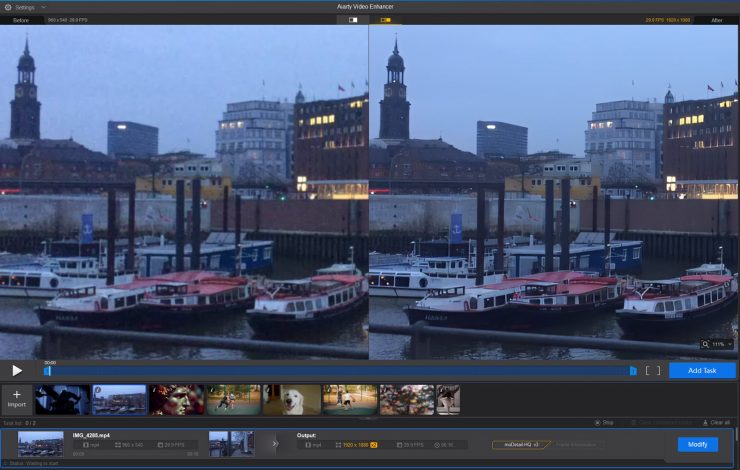
The Strength slider lets users maintain some natural grain if preferred—for documentary, mood-driven scenes, or cinematic night footage.
“After testing many of the video enhancers, I feel Aiarty is the winner. It has different modes depending on the clip. One is designed for low light situations, which is very helpful. There is also a blend percentage control for softening of the result.”
— John Kempt
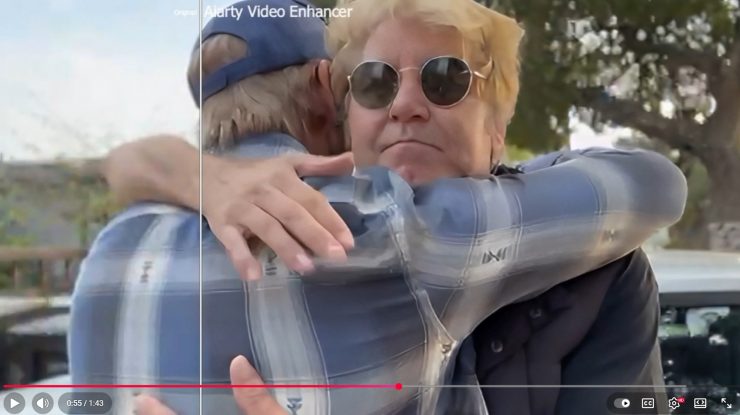
Watch John’s test here.
Deblurring and Restoring Soft Footage
Softness from handheld movement, imperfect focus pulls, or older lenses is another area where AI tools can help.
Aiarty offers two sharpening-oriented models:
- MoDetail-HQ v2 – for detailed subjects like cityscapes, architecture, or landscapes
- Smooth-HQ v2 – keeps interviews or lifestyle b-roll looking natural
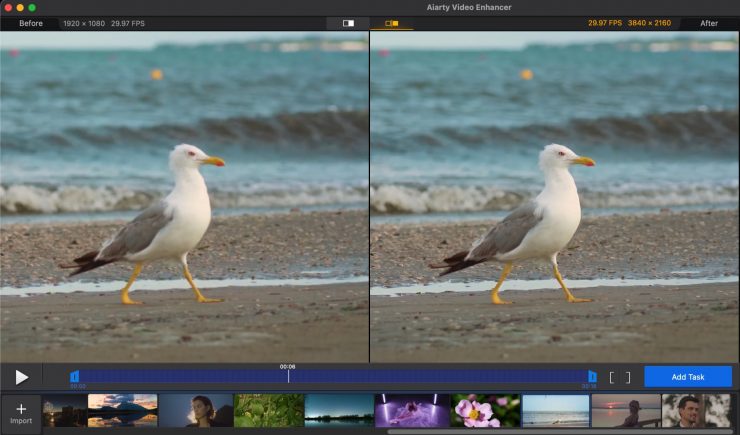
Users can deblur videos alone or combine it with upscaling to 2K or 4K.
Repairing Compression Artifacts
Footage sourced from social media, web downloads, screen recordings, or older DV/VHS material often suffers from blockiness, mosquito noise, and skin smudging.
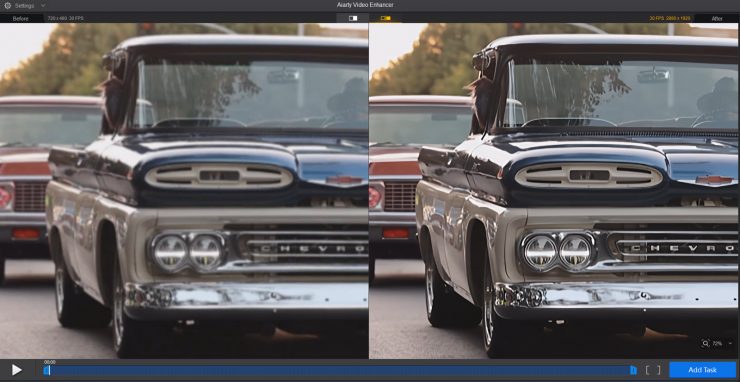
Aiarty Video Enhancer automatically detects and removes these artifacts, improving edge definition and reducing patchy color. This is especially useful for editors who receive mixed-quality client footage or who repurpose archival clips.
Quick Color Correction
Aiarty Video Enhancer includes a lightweight color panel—not intended to replace full grading—but useful for quick adjustments when handling denoise/upscale tasks in one pass. It can correct contrast, exposure, or color casts introduced during enhancement.

Upscaling to 4K with Natural Detail
Many creators continue to shoot 1080p for speed. Aiarty’s upscaling models aim to maintain realistic edges and textures. Output options include x2, x4, 4K preset, and custom resolutions.
Sequential x2 to x4 upscaling is possible, and the real-time preview helps estimate results before exporting. The upscaler also triggers detail recovery and denoise/deblur steps, avoiding the overly sharpened “AI upres” look.
Real-World Test from a Singapore Videographer
Footage recorded in 4k in low light and enhanced using Aiarty Video Enhancer to remove noise.
Pricing and Availability
Aiarty Video Enhancer is available as a lifetime license, including unlimited updates and installation on up to three devices (Mac or Windows). No subscription is required.
A holiday offer is currently available:
- Lifetime license: 36% off
- Additional $5 off with code XMASSAVE
- 30-day money-back guarantee
Learn more about the lifetime license offer.
Final Verdict
Aiarty Video Enhancer is a practical tool for editors handling real-world footage. Its offline workflow, multiple AI models, and batch processing capabilities make it well-suited for news, documentary, and independent production. The software avoids over-smoothing while providing denoise, deblur, and upscaling tools that can improve footage quickly and reliably.
Learn more about Aiarty.