You may or may not have heard of Strada before. Essentially, it’s a web-based platform that allows you to transfer files without needing to use the cloud. It also allows users to share and review footage.
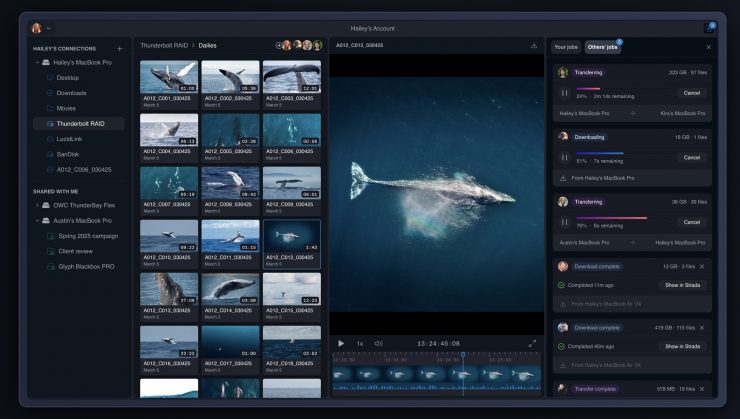
Strada, at least in my opinion, is an alternative solution to camera-to-cloud services, traditional file transfer platforms, and products like Frame.io. It sort of looks like a remote desktop combined with peer-to-peer file sharing.
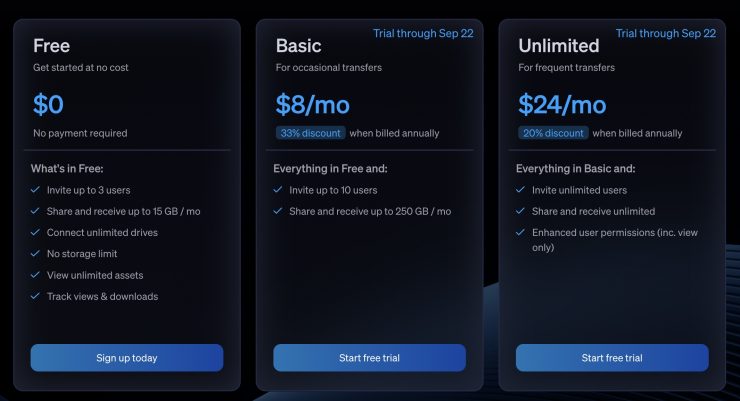
For quite a while, you have been able to try Strada for free with share/receive data restrictions and limited users. They have also had a couple of monthly fee plans to help attract a user base. On September 22nd, they will finally announce pricing, so it will be interesting to see how much more you will need to pay to use the service.
So, how does it differ from a traditional cloud service?
With Cloud platforms, you are essentially renting storage from them (whether or not you use it all), and then you need to upload files, and then someone needs to download them.
Strada doesn’t work like a cloud platform; instead, it’s a peer-to-peer network. What that means is it runs off your own local storage, and you don’t pay to rent large amounts of cloud storage every month. As Strada relies on you using your own storage, the amount you can store is up to you. Now, while you don’t have to pay for cloud storage, Strada will require you to pay a monthly fee to use the service.
With Strada, you can connect and share large amounts of data, and ultimately, everything comes down to your internet speed. Unlike a cloud service, files can be viewed instantly as soon as they are uploaded, as they don’t need to be downloaded. Because of the peer-to-peer network it is creating, files can go directly to the intended recipient.
Cloud transfers are typically a one-way street. The sender uploads a file and sends a link for the receiver to access and download. With Strada, the receiver can initiate their own transfers or even move files that aren’t local to them.
Why this all sounds great, you do have to remember that everything depends on your internet speed as to how fast it works. If you are sending proxies, then that should be relatively quick; however, if you are sending camera originals, then it could take a considerable amount of time, especially if your internet speed on location isn’t great. What you also need to remember is that proxies are just proxies, and you still need to get the original material to someone eventually.
I see Strada working for certain types of projects and workflows, but it’s certainly not going to be a solution for everyone.
Broadcasters have been sending live material for decades, and products like AviWest, Quicklink, Dejero, etc. have made this considerably easier. They also allow someone else to remotely access the unit and then record whatever is coming from the camera, whether that is a live shot or pre-recorded footage. Yes, this is different from cloud services or Strada, but I am just making a point that sending material quickly isn’t a new concept.
The other issue with certain types of clients, especially in the corporate world, is that they often don’t have the ability to receive large amounts of data, especially through a web browser, because of security issues. I can see giving access to a peer-to-peer network being a big problem when dealing with certain companies. In saying that, a lot of corporate clients have little need to receive footage straight away. At least in my experience, they either want footage put on a hard drive or sent via a service like MASV. With MASV, the client can create the portal, and then you simply upload to it.
On film sets or commercials, etc. Strada is likely to be a good option. If you need to do fast turnaround weddings or event coverage, it could also work as long as you have the personnel. What you need to take into account is that there needs to be someone on location with a computer, a card reader, and internet access to be able to do this.
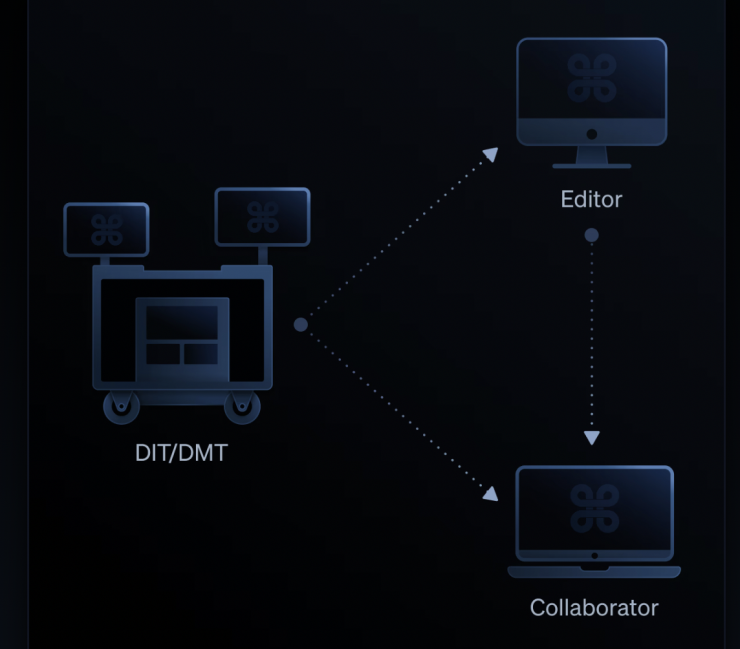
For productions that require a very fast turnaround, editors can access the DIT/DMT cart and immediately transfer files directly to their local storage and begin editing.
Simultaneously, collaborators can view the same files directly from the DIT/DMT cart or from the files transferred to the editor.
For teams that regularly work together and consistently need to share their work, they can view, share, and transfer any asset between them without first uploading to a cloud. According to the company, Strada gives teams the Apple AirDrop experience without having to be in the same location.
You can also connect your NAS and access the entire contents anywhere in the world on a Mac/Windows desktop.
What’s coming
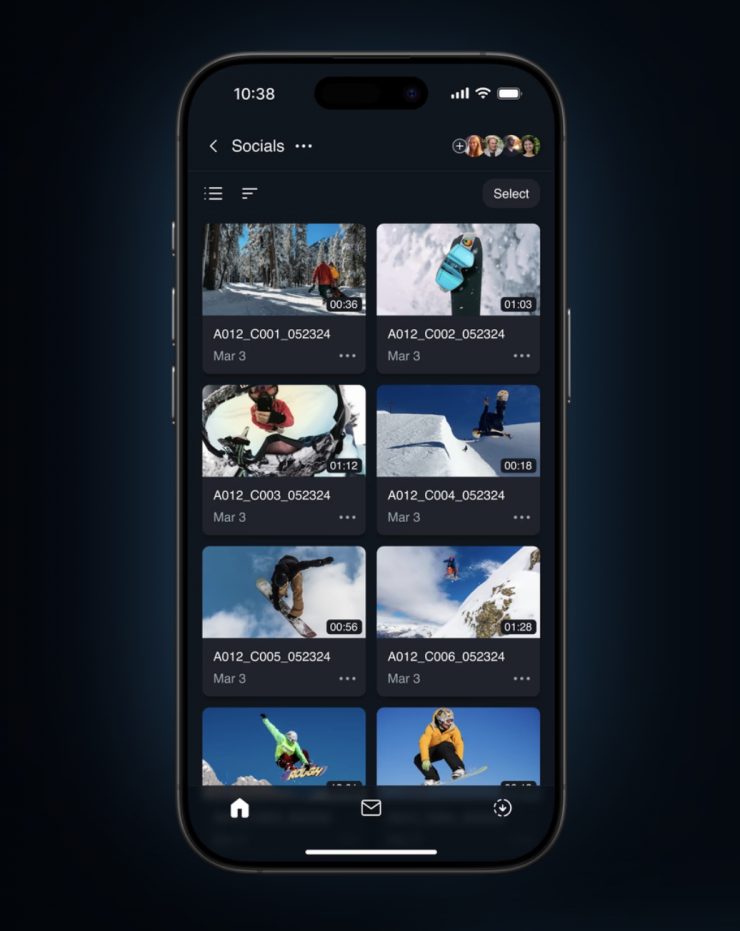
In mid-September, Strada hopes to release a mobile version so you can browse your entire NAS from your phone and view or transfer any file from anywhere from your phone. By Christmas, they will be adding commenting.
Thoughts
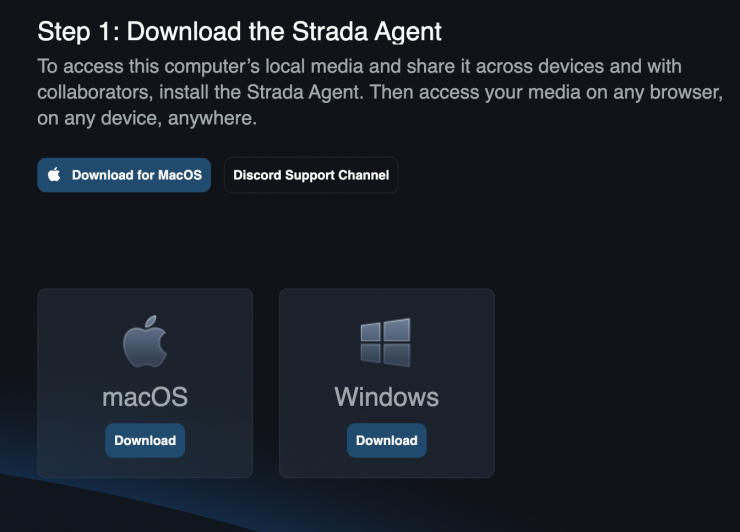
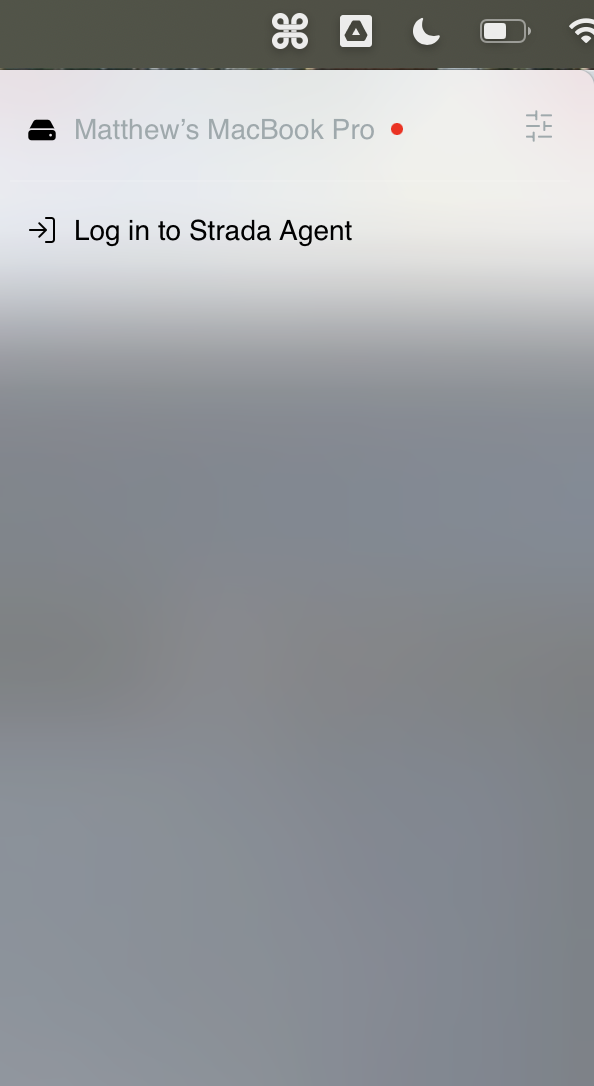
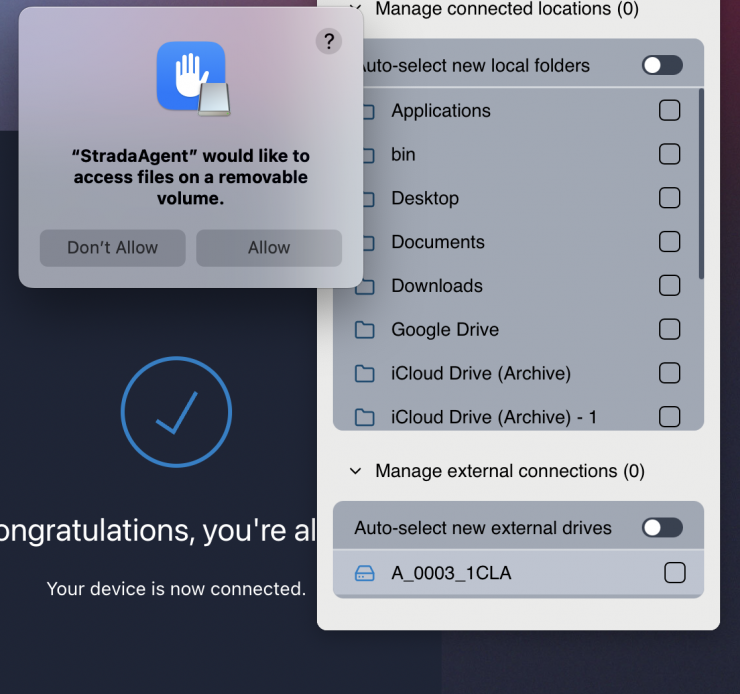
While I like the concept of Strada, it will be interesting to see how it improves and how much it will actually cost.
I tried out the free version, and I found that the playback when accessing clips on a drive was pretty choppy and not very good. The download speed was ok, but that depends entirely on your connection.
I also thought the interface was very basic in its current form, as there is no commenting or any other feature available yet.
Have you used Strada, I would be intereste to hear our readers thoughts.